In today’s digital age, where technology has become an essential part of our lives, ensuring the security of our online information has become more crucial than ever before. With cyber threats and attacks on the rise, it is vital for individuals and organizations to invest in comprehensive cyber security training. In this blog article, we will explore the importance of cyber security training and why it should be a top priority for everyone.
Protecting Confidential Information
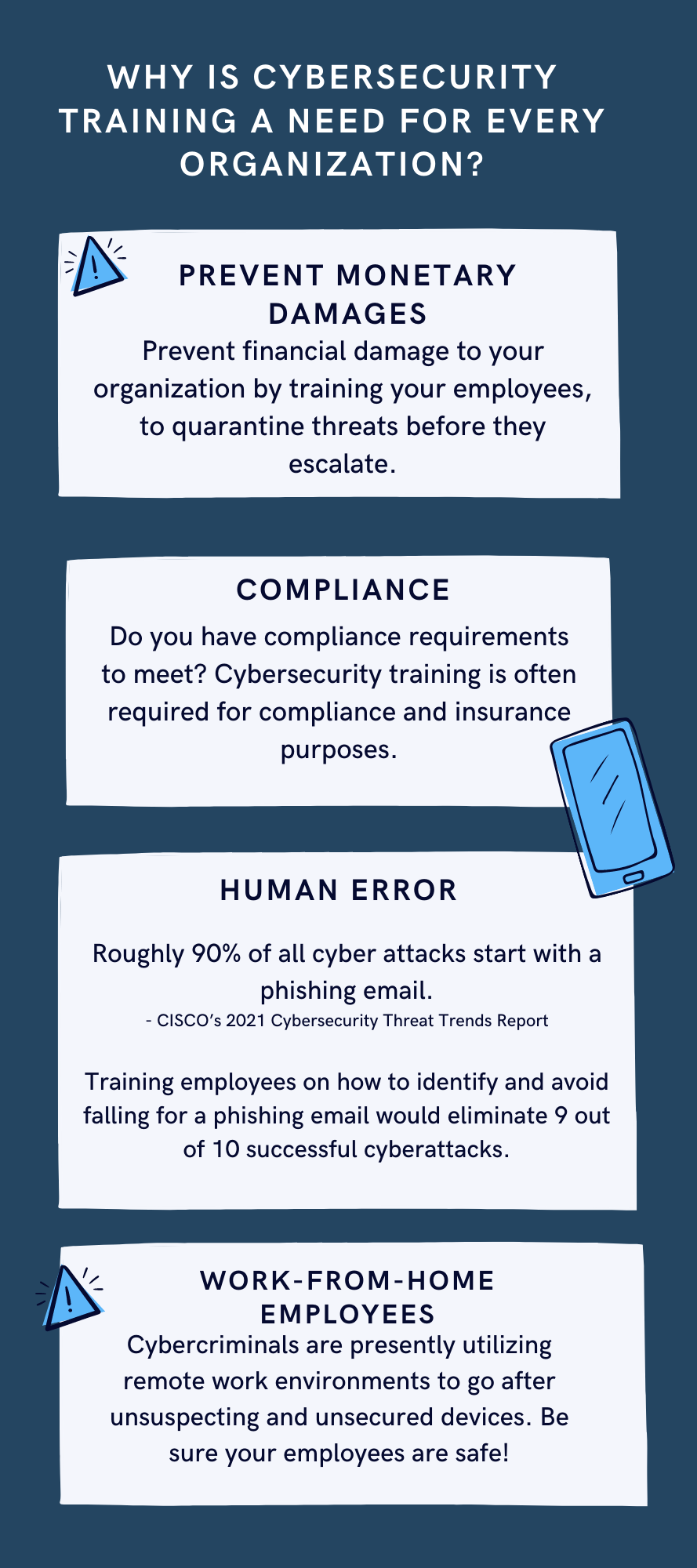
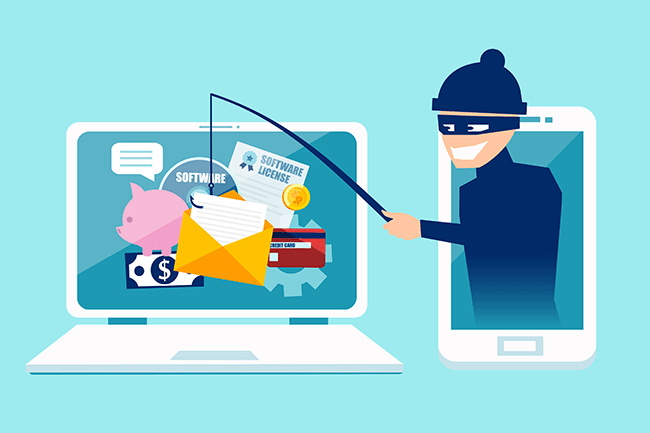
One of the main reasons why cyber security training is essential is to protect confidential information. In our increasingly connected world, we store sensitive data, such as financial information, personal details, and business data, online. Without proper training, individuals become vulnerable to malicious attacks, such as phishing scams, data breaches, and identity theft. Cyber security training equips individuals with the knowledge and skills necessary to identify and prevent such threats, ensuring the protection of confidential information.
Mitigating Financial Losses
Cyber attacks can have devastating financial consequences for individuals and organizations. The cost of recovering from a cyber attack, including restoring compromised systems, investigating the breach, and compensating affected parties, can be significant. By investing in cyber security training, individuals and organizations can minimize the risk of falling victim to cyber attacks, thereby avoiding potentially crippling financial losses.
Safeguarding Reputations
In today’s hyper-connected world, reputation is everything. A cyber attack not only compromises the security of your information but also tarnishes your reputation. News of a data breach or cyber attack can spread like wildfire, damaging the trust that customers, clients, and partners have in you. By taking proactive measures and investing in cyber security training, individuals and organizations can safeguard their reputations and maintain the trust of those they interact with.
Staying Ahead of Evolving Threats
Cyber threats are constantly evolving, with hackers employing new techniques and strategies to breach systems and access sensitive information. Cyber security training ensures that individuals and organizations stay up to date with the latest cyber security practices, emerging trends, and new vulnerabilities. By staying ahead of evolving threats, individuals can better defend themselves against attacks and organizations can maintain a robust cyber security posture.
Building a Culture of Cyber Awareness
Cyber security is not just the responsibility of IT professionals; it is everyone’s responsibility. By promoting cyber security training, organizations can build a culture of cyber awareness among their employees. Ensuring that employees are equipped with the necessary knowledge and skills to identify and report potential threats reduces the attack surface and strengthens the overall security posture of the organization.
Conclusion
In a world increasingly reliant on technology and interconnectedness, the importance of cyber security training cannot be overstated. From protecting confidential information to mitigating financial losses and safeguarding reputations, cyber security training is crucial for individuals and organizations alike. By investing in comprehensive training programs, we can enhance our ability to identify and prevent cyber threats, ultimately creating a safer digital environment for all.
If your company is one of the 47% of companies that plan to add or change their cybersecurity solution this year, then contact us for assistance.
Farmhouse Networking was recently approached by the Portland Tribune for comment on the hack of the DMV. We were quoted in their article published yesterday. Here is our full advice:
What to do post DMV hack?
The breach that effected the Oregon DMV was part of a larger hack of the software known as MOVEit. The exploit of the vulnerability in this software was used to gain access to over 3.5 million Oregonians information including:
Name
Home and mailing address
License or ID number
Last four digits of Social Security number
This information can be used by hackers and other darkweb criminals to assume the identity of those whose information has been compromised and perform identitiy theft activities like applying for credit cards or tax fraud. Anyone with an active Oregon ID card or driver’s license should begin monitoring their credit report and look for any suspicious activity. If suspicious activity is found they should immediately call the following to freeze their credit and take actions to reverse the damages done:
Equifax: equifax.com/personal/credit-report-services or 1-800-685-1111 Experian: experian.com/help or 1-888-397-3742 TransUnion: transunion.com/credit-help or 1-888-909-8872
If your company is concerned about the possibility of a similar breach, then contact us for assistance.
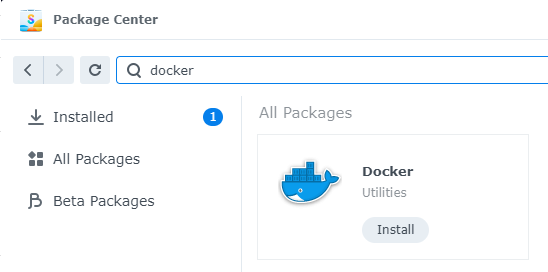
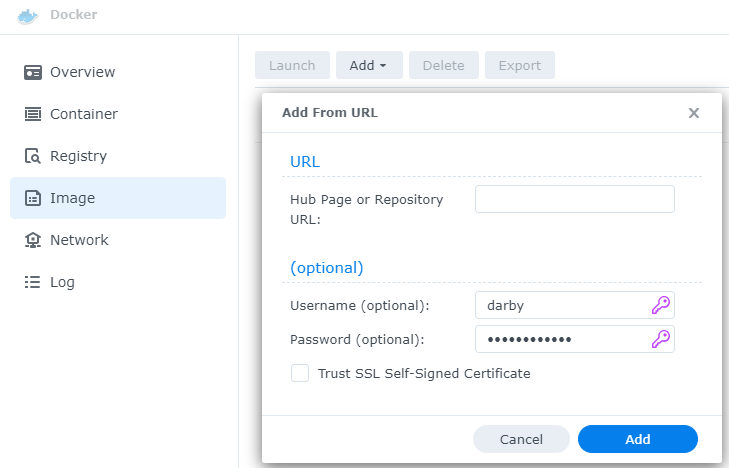
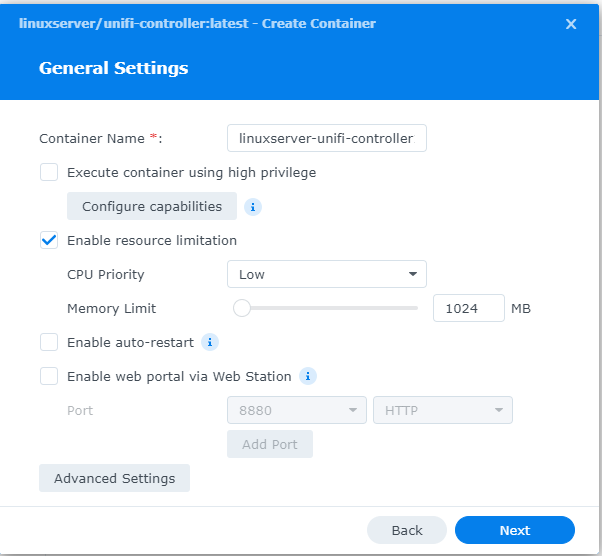
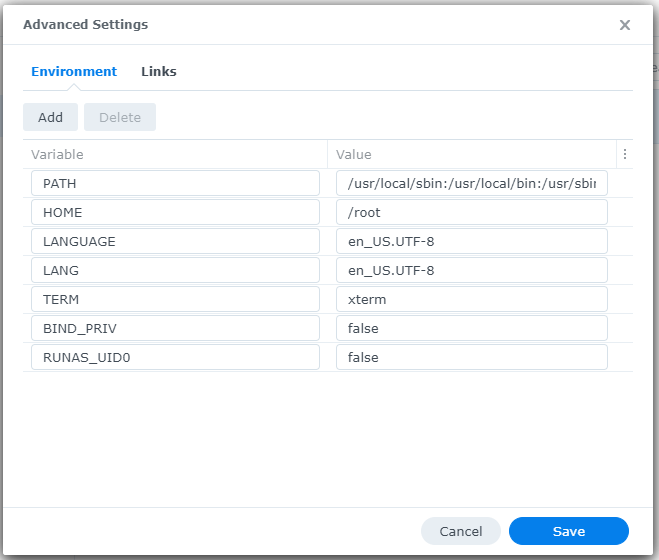
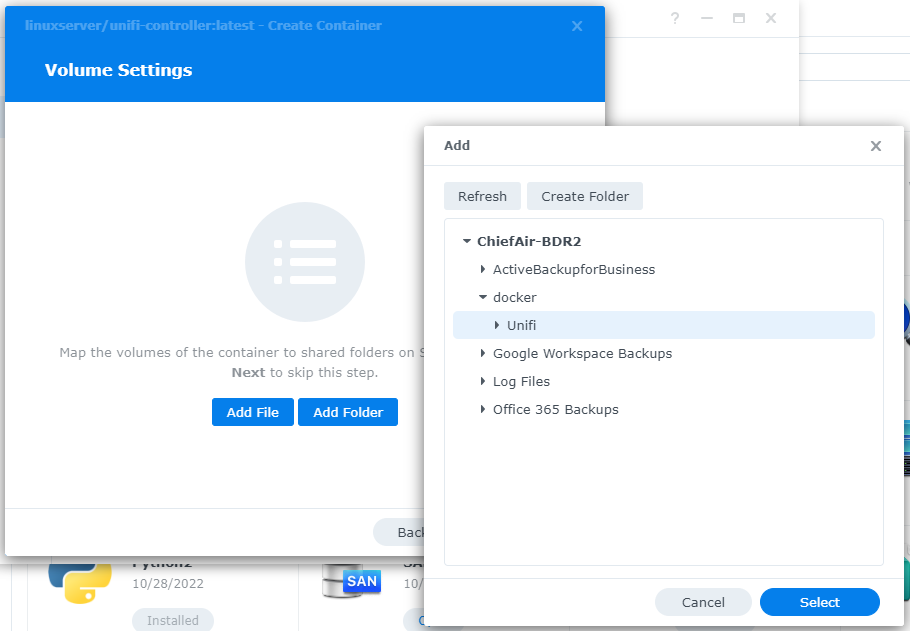
This is the third in a series that documents the Tier 3 / Co-Managed IT work we did to setup a wireless test bed for a Linux based scientific device. The testing environment included two different wireless network hardware types (Ubiquiti and Cisco). There was also a Synology device used for various purposes including hosting the Ubiquiti controller inside a Kubernetes container, providing certificate services, providing LDAP authentication, and providing RADIUS authentication. Each article will detail a separate piece of the project. This article shows the basic setup of Ubiquiti Wireless Controller as a Docker instance on the Synology.
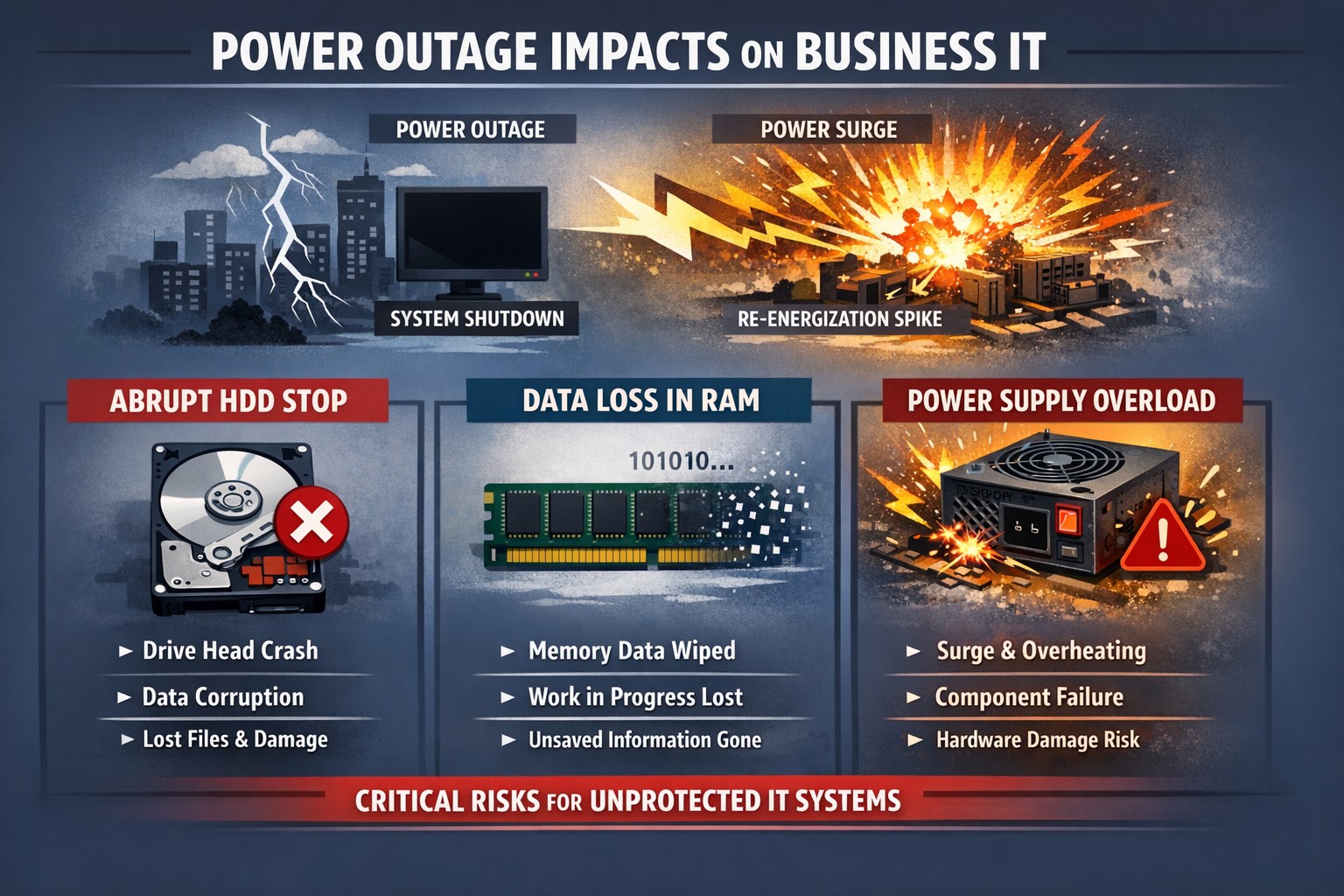
Power outage impacts: hard drive head crash data corruption PSU surge damage.
Power outages are a common occurrence in our area. While they may seem like a minor inconvenience, they can actually have a significant impact on your computer hardware. In this article, we will explore the negative effects of repeated power outages on computer hardware.
Hard Drive Failure
One of the most common negative effects of power outages on computer hardware is hard drive failure. When the power goes out, it can cause the hard drive to stop spinning abruptly. This sudden stop can cause the read/write head to crash into the disk platter, resulting in physical damage to the hard drive. In some cases, the hard drive may become completely unusable, leading to data loss.
Data Corruption
Power outages can also lead to data corruption. When the power goes out, any unsaved data in your computer’s memory is lost. This can cause files to become corrupted or damaged. In some cases, the entire operating system may become corrupted, making it impossible to boot up your computer.
Power Supply Damage
Finally, power outages can cause damage to your computer’s power supply. When the power goes out, it can cause a surge when the power comes back on. This surge can overload your computer’s power supply, causing it to fail. In some cases, the power supply may even catch fire, leading to a potentially dangerous situation.
Conclusion
In conclusion, power outages can have a significant negative impact on your computer hardware. From hard drive failure to data corruption, and power supply damage, there are many potential consequences of repeated power outages. To protect your computer from these negative effects, it’s important to invest in a high-quality uninterruptible power supply (UPS). These devices can help protect your computer from power surges and other electrical disturbances, ensuring that your hardware remains safe and functional.
If your company is not protecting its computers from the damaging effects of power outages , then contact us for assistance.
Mimecast KnowBe4 phishing simulation risk scoring employee training dashboard
As you know, we take cybersecurity and the protection of your accounts and data very seriously. That’s why we are always striving to provide you with tools and resources to help keep you and your employees safe from cybercrime.
The most common threat we are seeing is phishing messages delivering malware or stealing credentials. Even though your company might be protected with spam filtering, there are instances where these malicious messages could still appear in your employee’s inboxes. And it’s important we both arm them with as much education and resources as possible to understand and identify these phishes.
We have a new tool that we’d love to demonstrate for your or talk more about. It’s called Catch Phish, and it’s an email analysis and training tool. It connects right to your employee’s Outlook as a clickable application on every message. When clicked, the tool quickly, but safely, scans the important details of the message to find potential threats such as suspicious links or attachments, sender details, or message details such as threatening language or deactivation scares.
This tool is included in our cybersecurity training packages and can help provide the much needed cybersecurity education to all levels of staff.
Do you have 30 minutes to talk about reducing your risks with Catch Phish and our other cybersecurity awareness training tools, then contact us for assistance.
Synology NAS DSM wizard for storage pool volume and initial configuration.
This is the second in a series that documents the Tier 3 / Co-Managed IT work we did to setup a wireless test bed for a Linux based scientific device. The testing environment included two different wireless network hardware types (Ubiquiti and Cisco). There was also a Synology device used for various purposes including hosting the Ubiquiti controller inside a Kubernetes container, providing certificate services, providing LDAP authentication, and providing RADIUS authentication. Each article will detail a separate piece of the project. This article shows the basic setup of Cisco Wireless Controller.
Setup of Synology NAS
Physically install hard drives into bays
Plug into network
Plug into power
Find IP address by pinging ‘Diskstation’ on network
Start web browser and connect to IP address
Run Setup Wizard
Install Synology OS on drives
Wait for reboot
Start setup
Give it a name
Create admin account / password
Install only important updates automatically
Sign-In to or Create Synology Account
Create quickconnect ID
Enable DSM backups
Create storage pool
If it states that no drives are available – check under HDD/SSD to see if there are required firmware updates. Install all available.
Use SHR-2 RAID
Choose all drives to be in the RAID (not m.2 cache drive)
Use Max Allocated size
Use Btrfs file system
Click Apply
Click OK to erase all drives
Open Package Center App
Accept terms of service
Update any Installed
Install LDAP Server and RADIUS Server
Close Package Manager
If your company has highly customized setup requirements that you need consulting for, then contact us for assistance.
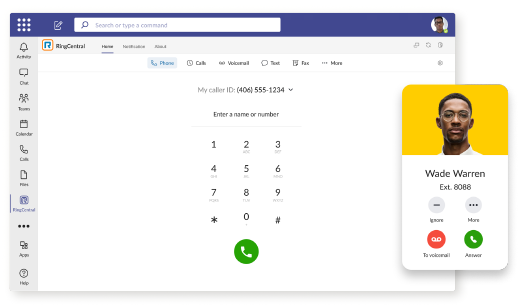
RingCentral VoIP app within Teams interface with call messaging and video features.
We have decided to make a business change that includes no longer directly selling phone services, but instead we are moving our clients to RingCentral. They are the industry leaders in this type of service and their rates are very competitive. One of their killer features is the Teams integration
RingCentral for Teams – Embedded App
RingCentral for Teams embedded app enables calling from the Teams app to both internal extensions and external numbers. It’s the simplest way to supercharge the phone experience for both end users and IT admins without having to deploy a new app to end users. Most importantly, there’s no need for an added Microsoft calling or E5 license to capture this value. This solution is ideal for organizations that want to:
leverage RingCentral’s superior telephony while maximizing the value of their Teams investment
avoid the added cost of Microsoft’s calling license
With the RingCentral for Teams embedded app, users access an icon presented in Microsoft Teams. They can then place and receive calls, access voicemails and voicemail transcriptions, and send or receive an SMS or fax. These tools fill critical gaps in Microsoft Teams, transforming it from messaging and video meeting tool to a communications powerhouse. This approach is also a money saver, as it doesn’t require the added cost of a Teams Phone or E5 license.
If your company is currently using Microsoft Teams for communications and want to add the incredible functionality that RingCentral brings, then contact us for assistance.
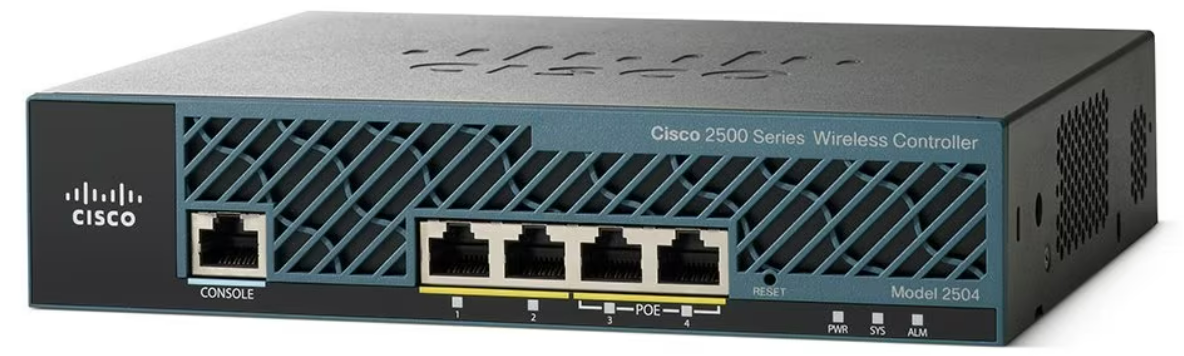
Cisco wireless controller setup wizard with SSID and management VLAN configuration.
This is the first in a series that document the Tier 3 / Co-Managed IT work we did to setup a wireless test bed for a Linux based scientific device. The testing environment included two different wireless network hardware types (Ubiquiti and Cisco). There was also a Synology device used for various purposes including hosting the Ubiquiti controller inside a Kubernetes container, providing certificate services, providing LDAP authentication, and providing RADIUS authentication. Each article will detail a separate piece of the project. This article shows the basic setup of Cisco Wireless Controller.
Setup of Cisco Wireless Controller
Plug -in ethernet of Computer to port 2 on controller
Boot controller and wait for SYS light to go solid
Open web browser to http://192.168.1.1
Create admin username
Create password
Fill in the needed information:
System nameManagement IP Subnet MaskDefault Gateway
Click Next
Fill in temporary information for wireless
Network BSSIDCreate PassphraseEnter local DHCP server address
Click Next
Click Apply and wait for reboot
Click on Commands tab
Click on Set Time on the left-hand menu
Change needed values
Click Set Date and Time
Click Save Configuration at the top
If your company has highly customized setup requirements that you need consulting for, then contact us for assistance.
Compliance penetration test report mapping findings to HIPAA SOC 2 PCI DSS controls.
Compliance is and always has been a complicated matter. Here are the quotes from the three types of compliance – CMMC, HIPAA, and PCI:
“CMMC – Risk AssessmentL2-3.11.2 – VULNERABILITY SCAN: Scan for vulnerabilities in organizational systems and applications periodically and when new vulnerabilities affecting those systems and applications are identified.”
“HIPAA – § 164.308 Administrative safeguards. (a)(1)(ii)(A) –Risk analysis (Required). Conduct an accurate and thorough assessment of the potential risks and vulnerabilities to the confidentiality, integrity, and availability of electronic protected health information held by the covered entity or business associate.”
“PCI – 11.3: External and internal vulnerabilities are regularly identified, prioritized, and addressed”
To summarize what this all mean – compliance requires penetration testing and vulnerability scanning. Networks have to be tested regularly to make sure that there has been nothing missed which would allow a hacker to breach the network and steal the treasure of information. Our recommendation is to scan at least quarterly, if not monthly, to find these vulnerabilities and address them before the hackers find them.
If your company has compliance requirements that you need consulting for, then contact us for assistance.
Today we tell the story of a medical office’s journey to the cloud. This particular client was facing their server operating system reaching end of support (a HIPAA violation) in the near future. They had begun by looking at their electronic medical records software company’s online offering, which didn’t have all the functionality of their on-premises software and was very expensive (this is typical).
They next decided to look into moving their current on-premises software into the cloud and we were asked to help with the testing. We determined that it would be best to move the file portion of the server to SharePoint / OneDrive to increase their mobility and flexibility. We also determined that it would be best to move them away from on premises Active Directory into Azure Active Directory / Intune to allow authentication and security policies. Finally we began testing the on-premises software hosted on a server in Azure with a VPN connection to their office.
The SharePoint / OneDrive and Azure Active Directory portions went through with little issues. The server, however, was not as we had hoped. The Azure VPN connection was expensive due to it always being on and no way of turning it off outside of business hours. The performance of the SQL database that the on-premises software used was basically unusable. The other option would be to create virtual desktops on Azure for this purpose but the cost and functionality was not what the customer was hoping for.
This has lead them back to searching for an online EMR software that will meet all their requirements. This will be tough because most companies are good at some things, but not all things and compromises usually have to be made. Our hope is that this story is a lesson to other companies. The cloud may sound like the newest and best way to work, but the costs and functionality are often worse than expected.
If your company is going to use full disk encryption or has compliance requirements that you need consulting for, then contact us for assistance.
And God will generously provide all you need. Then you will always have everything you need and plenty left over to share with others. As the Scriptures say, “They share freely and give generously to the poor. Their good deeds will be remembered forever.” For God is the one who provides seed for the farmer and then bread to eat. In the same way, he will provide and increase your resources and then produce a great harvest of generosity in you. - 2 Corinthians 9:8-10
We use cookies to ensure that we give you the best experience on our website. If you continue to use this site we will assume that you are happy with it.