Audit logs won’t stop an incident from happening. They’re what tells you exactly what happened, how bad it is, and how to move forward with confidence instead of guesswork.
Reviewing audit logs regularly helps small business owners catch problems early and respond with confidence.
An employee’s laptop gets stolen from their car. A phishing email lands and someone clicks it. A contractor’s access is never fully removed after the project ends. Any of these can turn into a genuine crisis, or a contained, well-understood incident, and the difference usually comes down to one unglamorous thing: whether your systems were keeping a record of who did what before anyone knew there was a problem.
Audit logs are the timestamped trail of activity across your network, systems, and accounts. Most small business owners never think about them until an incident forces the question: what actually happened here, and how far did it go? Without logs, that question gets answered with guesswork, which means overreacting, locking down everything and alarming customers unnecessarily, or underreacting, missing that the problem is worse than it looks. With logs, you get a fast, factual answer.
Action steps for you and your IT team:
Enable logging on your core systems: email, file storage, remote access tools such as VPN or RDP, and any line-of-business software holding customer or financial data.
Log both successful and failed logins. Repeated failures followed by success is one of the clearest signs of a compromised account.
Set a retention period of at least a year for critical systems, and confirm logs aren’t being quietly overwritten by default settings.
Remove access immediately when an employee or contractor leaves, and confirm the removal itself is logged.
Store logs somewhere separate from the systems they’re monitoring, so an attacker who compromises one system can’t also erase the evidence.
Review logs on a regular schedule, not only when something feels wrong. Most warning signs show up as patterns over time.
Know who on your team, or which vendor, is actually responsible for watching this. If the answer is no one, that’s the gap to close first.
Questions clients ask us about this:
Q: We’re a small business. Do we really need this level of tracking? A: Attackers don’t skip small businesses because they’re small. Many target them specifically because defenses tend to be lighter. Basic logging is inexpensive and often the deciding factor in how quickly you recover from an incident.
Q: We have antivirus and a firewall. Isn’t that enough? A: Those tools help prevent and detect threats, but they don’t give you a full history of user activity across your systems. Logs answer the who and when that other tools weren’t built to track.
Q: If nothing bad has ever happened to us, why start now? A: Most businesses that suffer an incident didn’t see it coming either. Logging is cheap insurance you set up before you need it, because you can’t go back and turn it on after the fact.
How Farmhouse Networking helps: We help small and mid-sized businesses put practical monitoring and logging in place without overcomplicating your environment or your budget. That means configuring logging across your key systems, setting retention that actually covers you, and reviewing activity on a regular schedule so small issues get caught before they become expensive ones. If something does happen, you get a fast, clear answer from a U.S.-based team who already knows your setup, instead of starting from zero during a crisis.
A growing attack technique lets criminals steal a live login session instead of a password — and most businesses have no idea it’s happening until it’s too late.
A single stolen login session can be enough for attackers to bypass MFA and take over a business email account.
For years, business owners have been told the same thing: turn on multi-factor authentication (MFA) and you’re safe. That advice is still mostly true — but a newer style of attack is proving it isn’t the whole story. We recently helped a regional nonprofit contain an incident that shows exactly how this plays out, and it’s a pattern every small business owner should understand.
Here’s what happened, in short: an employee was directed to a fake login page that looked identical to the real Microsoft 365 sign-in screen. She entered her password and completed her MFA step normally. But the fake page was secretly relaying everything to the real Microsoft servers in real time — and it captured the “session” created after she logged in. That session is like a hall pass: once you have it, you don’t need the password or the MFA code again. The attacker used it to log in as her, days later, from the other side of the world.
From there, the attacker spent time reading email, quietly created a mail rule to auto-delete replies, and used the compromised account to send hundreds of file-sharing invitations and emails to external contacts — all appearing to come from a real, trusted employee.
Action steps for you and your IT provider:
Ask your IT provider whether your email platform is monitoring for “impossible travel” or suspicious sign-in locations, not just failed MFA attempts.
Enable and enforce Conditional Access or equivalent policies that block sign-ins from unexpected countries or devices.
Shorten session lifetimes so a stolen session expires faster.
Train staff to check the URL bar before entering credentials — even on pages that look pixel-perfect.
Make sure your provider can see and revoke active sessions instantly, not just reset passwords.
Review mail rules periodically; attackers often hide behind rules named with punctuation marks so they’re invisible in a quick glance.
Confirm your incident response plan includes session token revocation, not just password resets.
Q&A
Q: If we have MFA, aren’t we protected? A: MFA blocks most attacks, but this technique steals the session created after MFA succeeds. You need monitoring and Conditional Access policies layered on top of MFA, not instead of it.
Q: How would we even know this happened? A: Often the first sign is unusual outbound email, unexpected file-sharing invitations, or partners asking why they received a strange invoice link. Proactive monitoring catches it earlier.
Q: Is this expensive to defend against? A: Most of the defenses — Conditional Access policies, session timeout settings, monitoring — are configuration changes, not new purchases, if your provider has the expertise to set them up correctly.
How Farmhouse Networking Helps
Farmhouse Networking configures and monitors Microsoft 365 environments specifically to catch this kind of attack — unusual sign-in locations, hidden mail rules, mass outbound activity — before it turns into a full-blown incident. We also help small businesses put the right guardrails in place from the start, so a stolen password or session doesn’t become a company-wide problem.
Not sure if your email environment could catch an attack like this? Email us at support@farmhousenetworking.com to schedule an MFA and email-security review. We’ll walk through your current setup and tell you plainly where the gaps are.
What this summer’s federal security campaign means for any business holding sensitive data
Taking a few hours this summer to review your security practices can prevent a costly data breach later.
What this summer’s federal security campaign means for any business holding sensitive data
This July, the IRS and its Security Summit partners launched Protect Your Clients; Protect Yourself, a five-week campaign built for tax preparers. It walks through the phishing schemes, impersonation scams, and stolen-credential attacks criminals are using against professionals who hold sensitive client data, along with the basic safeguards, written security plans, and verification tools meant to stop them.
Your business may have nothing to do with taxes. But the tactics described in this campaign — fake “new client” emails carrying malware, spoofed calls, and urgent requests designed to pressure someone into clicking or sharing information — are used against every kind of small business, not just tax firms. If your company stores customer records, payment details, or employee data, you’re a target using the same playbook. Summer is a good time to check whether your own safeguards would hold up.
Action Steps for You and Your IT Team
Write down your security practices. A simple, documented policy covering data handling, access, and response is far better than relying on informal habits.
Enable multi-factor authentication on email, financial systems, and any remote access used by your team.
Review employee access regularly, and immediately revoke access for anyone who leaves the company.
Train your team to spot phishing and impersonation attempts, especially fake vendor invoices, urgent executive requests, and unexpected attachments.
Test your backups, not just assume they’re running, to confirm you could actually recover if something went wrong.
Document an incident response plan so your team knows exactly who to call and what to do the moment something looks wrong.
Questions Your Customers or Employees Might Ask
“How do you protect the information you have on file for us?” We maintain a documented security policy, require multi-factor authentication across our systems, and regularly review who has access to sensitive data.
“What would happen if your systems were breached?” We have a tested response plan and know exactly how we’d respond and notify anyone affected.
“Why do you keep asking us to verify things that used to be simple?” Because verification steps protect both of us from scams that specifically exploit shortcuts and urgency.
How Farmhouse Networking Can Help
Farmhouse Networking helps small and mid-sized businesses turn good intentions into an actual, documented security program: written policies, MFA across your critical systems, cleaned-up user access, tested backups, and a clear incident response plan. We handle the technical details so you can run your business with confidence instead of guesswork.
Find Out Where Your Business Actually Stands
Email support@farmhousenetworking.com for a free security assessment, and close the gaps the IRS is warning everyone else about — before they cost you something worse.
A new attack method bypasses MFA and uses Microsoft’s own login system against you. Every business owner using Microsoft 365 needs to read this.
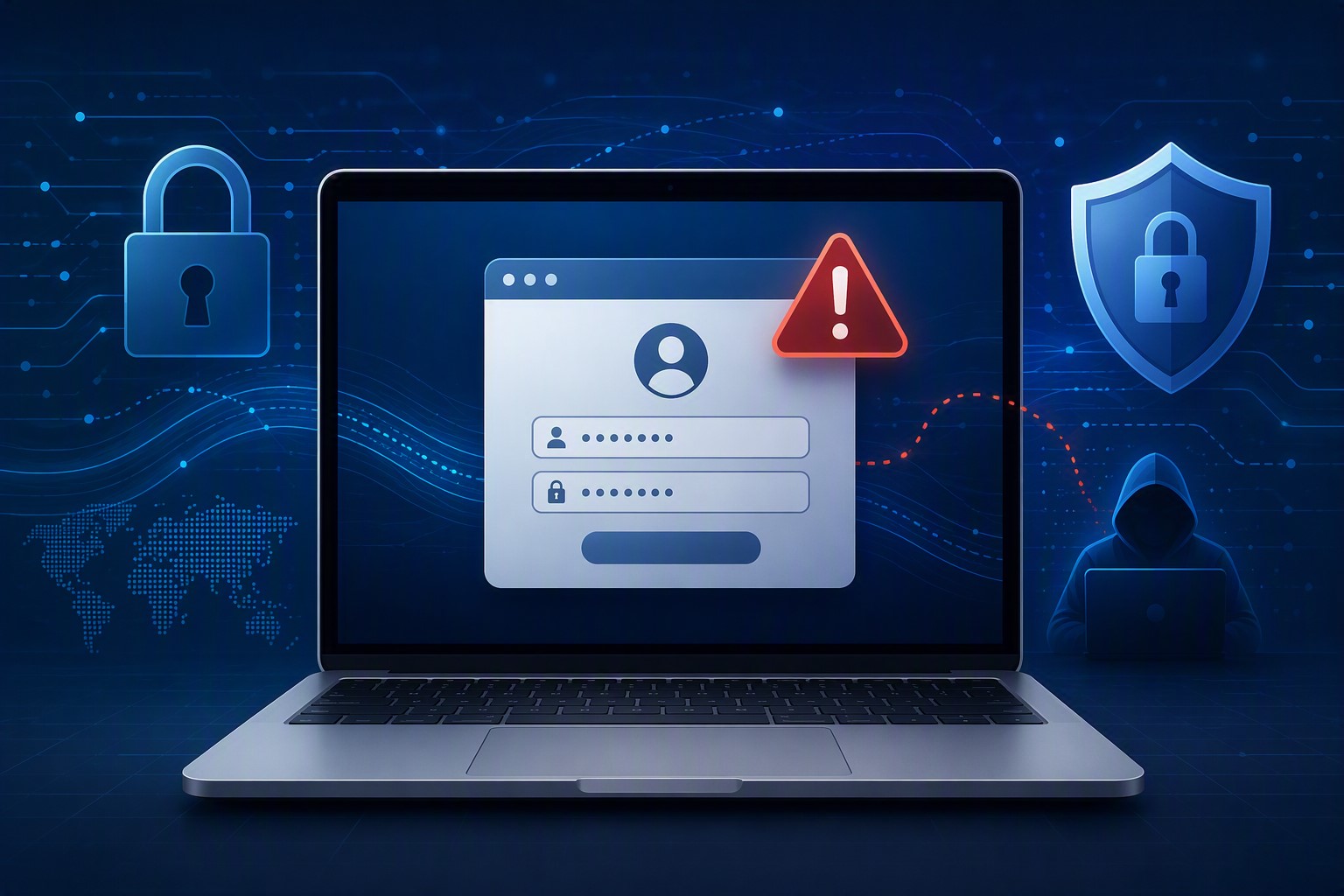
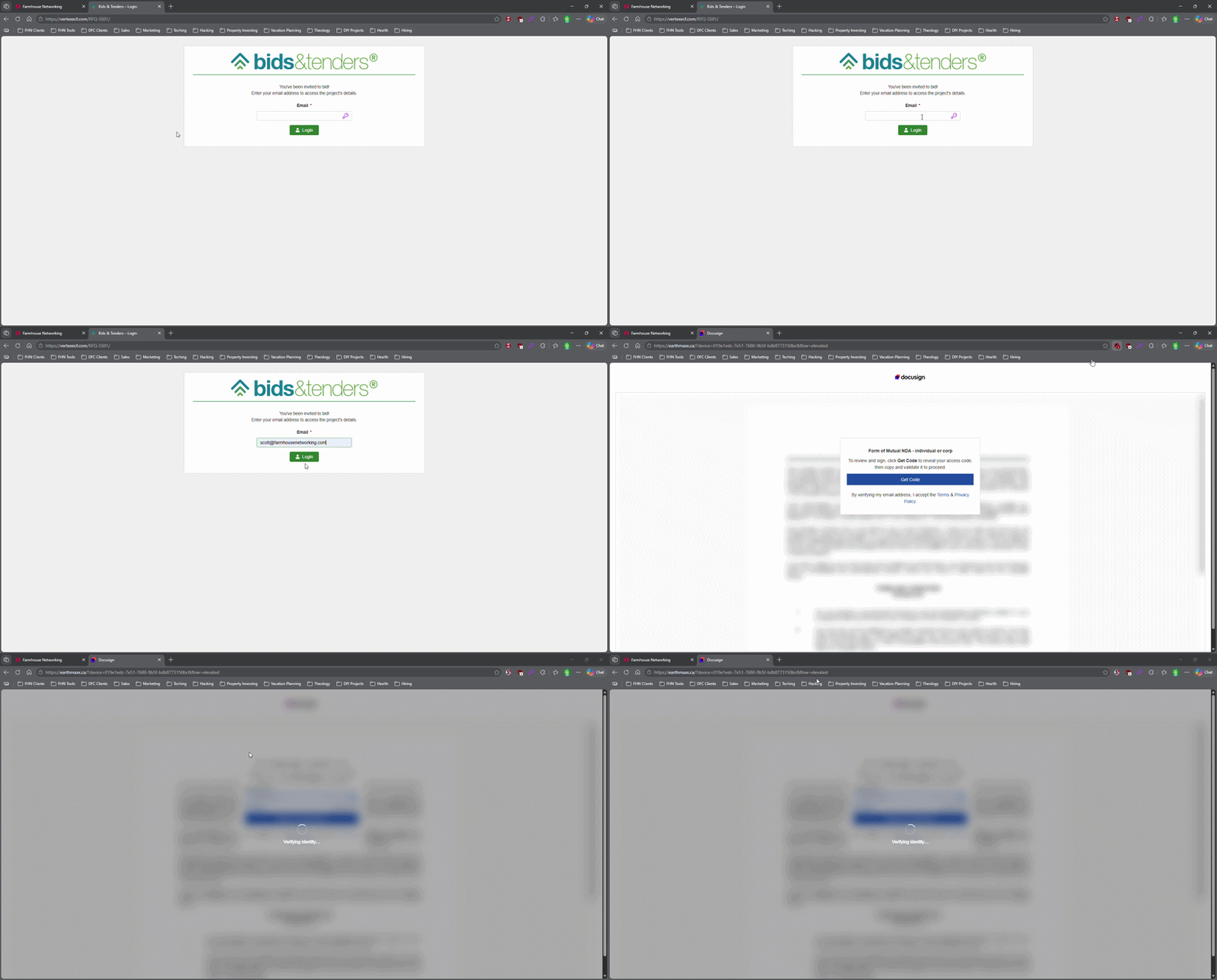
This login screen asks for an email address only, illustrating how attackers can use familiar Microsoft 365-style sign-in pages to bypass passwords.
Most small business owners believe that a strong password and multi-factor authentication make their Microsoft 365 accounts secure. That assumption is now being exploited at scale. Attackers are targeting Microsoft 365 users with device code authorization phishing – a technique that fools users into approving access tokens, bypassing multi-factor authentication protection entirely.
Campaigns using this method have surged since September 2025, representing a significant shift from limited, targeted attacks to widespread exploitation. Both organized criminal groups and nation-state actors are now using it. If your business runs on Microsoft 365, and most do, you need to act.
How the Attack Works
Microsoft has a login feature designed for devices like smart TVs and printers that can’t display a normal login screen. Instead of typing credentials on the device, a user visits a Microsoft page on their phone or computer and enters a short code. It’s a legitimate, trusted system.
Attackers exploit that trust. They initiate the device login flow themselves, then send your employee an email designed to get them to visit Microsoft’s real login page and enter the code – completing the attacker’s authentication instead of their own.
Your employee does everything right. They visit a real Microsoft website. They complete their MFA. They never hand over their password. And the attacker now has full access to your Microsoft 365 environment.
Action Steps for Your Business
Take these steps now with your IT team or provider:
Block device code flow in Microsoft Entra Conditional Access. This is the strongest mitigation available and can be deployed in report-only mode first to assess impact before full rollout. Most small businesses don’t use this feature and have no reason to leave it enabled.
Audit your Microsoft 365 OAuth app permissions. Review which third-party applications have access to your tenant and remove anything unauthorized.
Train your team on this specific attack. Standard phishing training won’t cover it. The key message is simple: if you receive a request to enter a code on a Microsoft login page that you didn’t initiate, stop and report it.
Review sign-in logs for your Microsoft 365 accounts. Unusual locations, unfamiliar devices, and off-hours logins are indicators of compromise.
Check for email forwarding rules set up without your knowledge. This is a common post-compromise action attackers use to quietly collect your outgoing email.
Review your cyber liability coverage. Confirm that account takeover scenarios are covered and understand what your response obligations are.
Q&A: What Your Clients or Partners May Ask
“How did this happen if you had MFA turned on?” This attack bypasses both traditional credential theft defenses and multi-factor authentication controls. MFA was never designed to protect against this type of authentication abuse.
“Could my information have been accessed?” If a business email account is compromised, any data in that account – client correspondence, contracts, financial information – is potentially accessible to the attacker.
“Is this being fixed by Microsoft?” Microsoft has released tools to block it, but those tools require configuration. Microsoft has been rolling out a managed Conditional Access policy aimed at blocking device code flow authentication, but it requires an administrator to enable and configure it. It doesn’t happen automatically.
“Should I be worried about my own accounts?” If you share Microsoft 365 services with a vendor or partner whose account is compromised, there’s risk of lateral movement. Security is a supply chain concern, not just an internal one.
How Farmhouse Networking Can Help
Farmhouse Networking reviews and configures Microsoft Entra Conditional Access policies to block device code phishing, audits your Microsoft 365 environment for existing unauthorized access, trains your staff on this and other current attack types, and monitors your accounts ongoing. We work with small and mid-sized businesses across Oregon, Northern California, and New Mexico – and we explain everything in plain language without the IT jargon.
Take the Next Step
Email support@farmhousenetworking.com today and ask for a Microsoft 365 security review. We’ll tell you whether this attack vector is currently open in your environment and what it takes to close it.
What Every Small Business Owner Needs to Know Before June 3 — Even If You’re Not a Bank
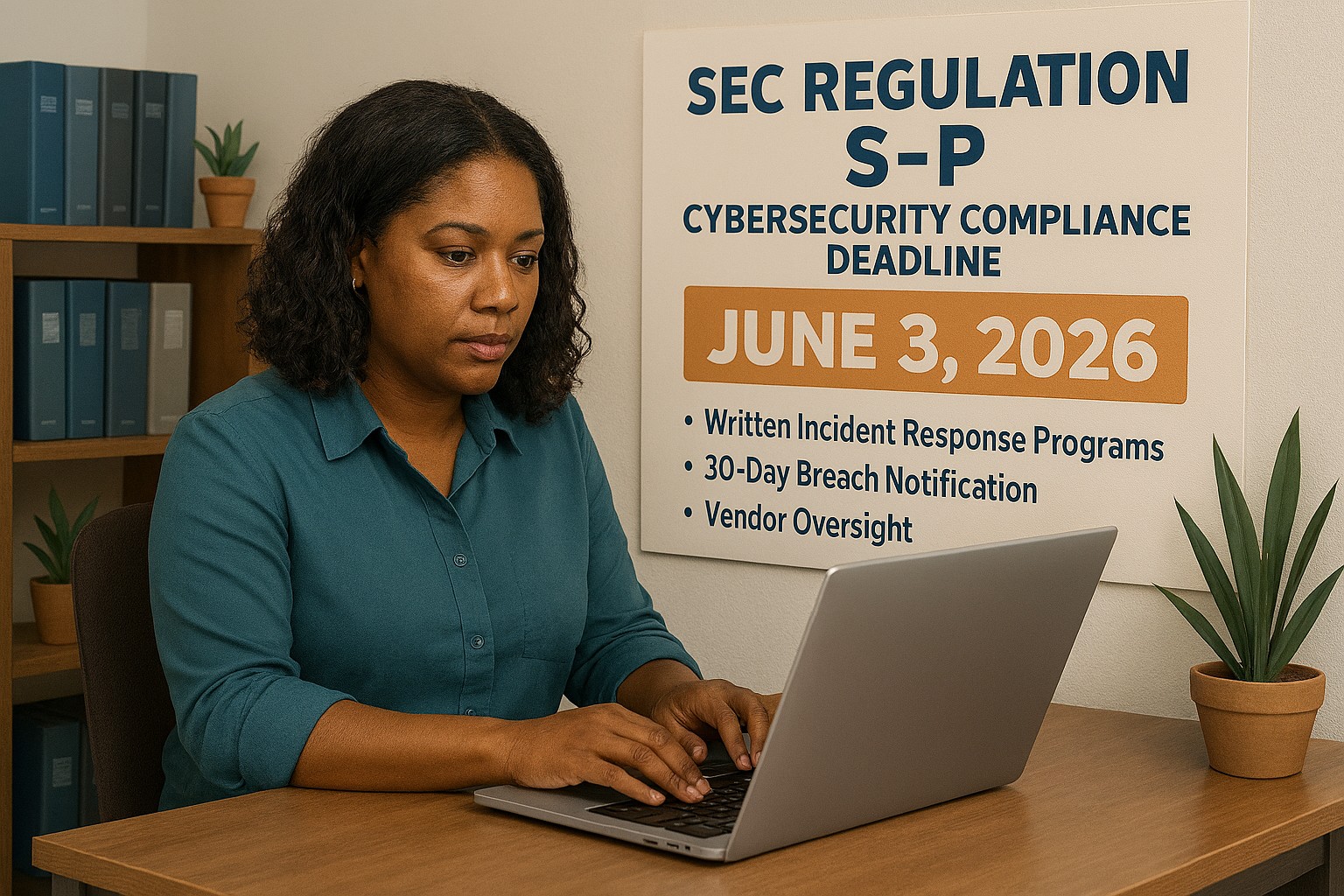
The SEC’s updated Regulation S-P sets a new standard for data protection that every small business owner needs to understand — not just financial firms. Is your incident response plan ready?
A practical guide to the new cybersecurity standard that financial regulators are enforcing — and that your customers, partners, and insurers are already expecting.
Why June 3 Should Be on Your Radar
On June 3, 2026, smaller SEC-regulated financial institutions, investment advisers, broker-dealers, and similar firms, hit their final compliance deadline under the SEC’s updated Regulation S-P. After 20+ years without a major update, the SEC overhauled how these businesses must protect customer data, respond to breaches, and oversee their technology vendors.
So why does this matter to you as a small business owner outside the financial sector?
Because the requirements the SEC is now enforcing represent the new normal for data protection across all industries. Your cyber liability insurance carrier already asks about these controls. Your enterprise clients are putting them in vendor agreements. Your customers assume you have them. And regulators in healthcare, retail, and professional services are moving in the same direction.
This is your roadmap – not just for compliance, but for running a business that customers can trust.
What Regulation S-P Requires (and What It Means for You)
The six pillars of the SEC’s updated data protection framework – applicable in spirit to every business handling customer information:
Incident Response Program – A written, tested plan for what happens when you’re breached. Not if. When.
30-Day Breach Notification – Customers must be notified quickly. Waiting weeks or months is no longer acceptable to regulators or the public.
Vendor Oversight – If a third-party vendor can access your customer data, you are responsible for their security practices.
Secure Data Disposal – Customer information must be destroyed securely when no longer needed.
Written Recordkeeping – You need to be able to prove you have a program, not just claim it.
Practical Action Steps for Your Business
For You, the Business Owner
Identify what sensitive customer data you hold, credit cards, SSNs, health information, financial records, and where it lives.
Review your cyber liability insurance policy for coverage gaps and required controls.
Audit your vendor relationships: which ones can access your customer data, and do they have security obligations in writing?
Designate someone, internal or external, responsible for cybersecurity decisions and incident response.
Draft a customer breach notification letter template now, before you need it.
For Your IT Department or Provider
Perform a full security assessment covering endpoints, cloud accounts, email, and network access.
Implement multi-factor authentication on every system – this alone stops 99% of credential-based attacks.
Establish and test an encrypted, off-site backup routine.
Write and test an Incident Response Plan – including who to call (legal, insurance, IT forensics) and in what order.
Update vendor contracts to include explicit security requirements and breach notification timelines.
Implement a data retention and secure disposal policy.
Document your security controls in writing – for insurance audits, client questionnaires, and regulatory inquiries.
Questions Your Customers and Partners May Ask
Q: How do you protect my personal information when I do business with you?
A: We use encrypted storage, access controls that limit who can view customer data, and multi-factor authentication for all staff. We also have a written security policy and an incident response plan in place.
Q: What happens if you experience a data breach? Will I be told?
A: Yes. If your information is involved in a breach, we are committed to notifying you promptly – within 30 days of discovering the incident. We have a documented notification process ready.
Q: Our company requires vendors to meet certain cybersecurity standards. Do you comply?
A: We have a written security program, documented controls, and an incident response plan. We’re happy to provide documentation and answer your vendor security questionnaire.
Q: I heard new SEC rules are tightening cybersecurity requirements. Should I be worried about businesses I work with?
A: It’s a fair question. The SEC’s updated Regulation S-P has raised the bar for financial firms, and similar standards are spreading across industries. We’ve proactively aligned our security practices with this framework — and we work with Farmhouse Networking to maintain and demonstrate compliance.
How Farmhouse Networking Helps Small Businesses
Farmhouse Networking is a Managed IT Services provider built for small and mid-sized businesses that take data protection seriously but don’t have an in-house IT team. We make enterprise-grade security practical and affordable:
Security Assessments – We evaluate your current posture and give you a prioritized action plan, not a list of scary jargon.
Incident Response Planning – We write your IRP, help you test it, and make sure your team knows what to do under pressure.
Vendor Security Reviews – We assess the tools and platforms you rely on and flag gaps in your vendor agreements.
MFA, Encryption, and Endpoint Protection – Deployed correctly, documented thoroughly.
Compliance Documentation – We produce the written records that satisfy insurance carriers, enterprise clients, and regulators.
Ongoing Managed IT – We become your IT department, watching your systems so you can run your business.
Ready to Get Compliant? Let Farmhouse Networking Help.
Don’t wait for a breach to take cybersecurity seriously. Email us today for a free SMB security assessment: support@farmhousenetworking.com
You don’t have to be a Fortune 500 company to be a target. You just have to be open for business.
Cybercriminals no longer need technical skills to target your business — Fraud-as-a-Service puts sophisticated attack tools in anyone’s hands.
You’ve heard of Software-as-a-Service. Now meet its criminal counterpart.
Fraud-as-a-Service (FaaS) is a booming underground economy where cybercriminals sell ready-made attack tools, stolen credentials, phishing kits, and ransomware packages to anyone willing to pay a subscription fee. No technical skill required. No barriers to entry. Just a dark web account and criminal intent.
This new economy lowers the barrier for entry and accelerates the pace of attacks. Even young and inexperienced fraudsters can access sophisticated tools that can be deployed with minimal technical knowledge. The result? A surge in attacks aimed squarely at small and mid-sized businesses — businesses exactly like yours.
In 2025, the FBI received over one million cybercrime complaints for the first time ever. Cyber-enabled fraud accounted for $17.7 billion in total losses. And small businesses are absorbing a disproportionate share of the damage.
Why Your Business Is the Target
Large corporations have security teams, compliance officers, and dedicated budgets. You have a team wearing multiple hats and a firewall that hasn’t been updated since the last administration.
Criminals who used to target only large enterprises now see small businesses as easier prey — because many don’t think they’re targets and often lack the protections to defend themselves.
FaaS attacks against SMBs typically arrive as:
Business Email Compromise (BEC): A convincing email, apparently from your bank or a vendor, redirects a payment to a criminal’s account.
Phishing kits: Pre-built fake login pages that steal employee credentials in seconds.
Ransomware subscriptions: Criminals rent ransomware, deploy it against your files, and split the ransom with the developer.
AI-generated deepfakes: Voice or video impersonations of you or your staff, used to authorize fraudulent transfers.
Business Email Compromise alone generated over $3 billion in losses in 2025.
Practical Action Steps for You and Your IT Team
Enable Multi-Factor Authentication (MFA) on everything — email, banking portals, cloud tools, and remote access. This one step blocks the majority of credential-based attacks.
Conduct a phishing simulation and security awareness training with all staff at least twice per year.
Verify all payment change requests by phone using a known number — never by replying to the email that requested the change.
Audit your email environment for misconfigured permissions, stale accounts, and unusual forwarding rules.
Review and restrict vendor and third-party access to your systems on a quarterly basis.
Maintain tested, offline data backups so ransomware cannot encrypt your only copy.
Create an incident response plan — a written document that tells your team exactly what to do if an attack succeeds.
Questions Your Clients May Ask You
“How do I know my data is safe with you?” You should be able to describe exactly where client data is stored, who has access, and what protections are in place. If you can’t answer this with confidence, it’s time to find out.
“Has your business ever experienced a data breach?” Transparency builds trust. If the answer is yes, explain what happened and what changed afterward.
“What would happen to my files if you got hit with ransomware?” Your answer should include a clear backup and recovery plan with a defined recovery time.
“Do your employees know how to recognize a phishing attempt?” This should be a confident yes — backed by regular training, not just a one-time onboarding video.
How Farmhouse Networking Helps
Farmhouse Networking helps SMBs build the defenses that FaaS criminals count on you not having. From setting up MFA and email authentication, to proactive monitoring, security awareness training, and incident response planning — we make enterprise-grade protection practical for businesses your size.
Ready to Stop Being an Easy Target?
Email us at support@farmhousenetworking.com to schedule a free security consultation. We’ll show you exactly where you’re exposed — and how to fix it before someone else finds out first.
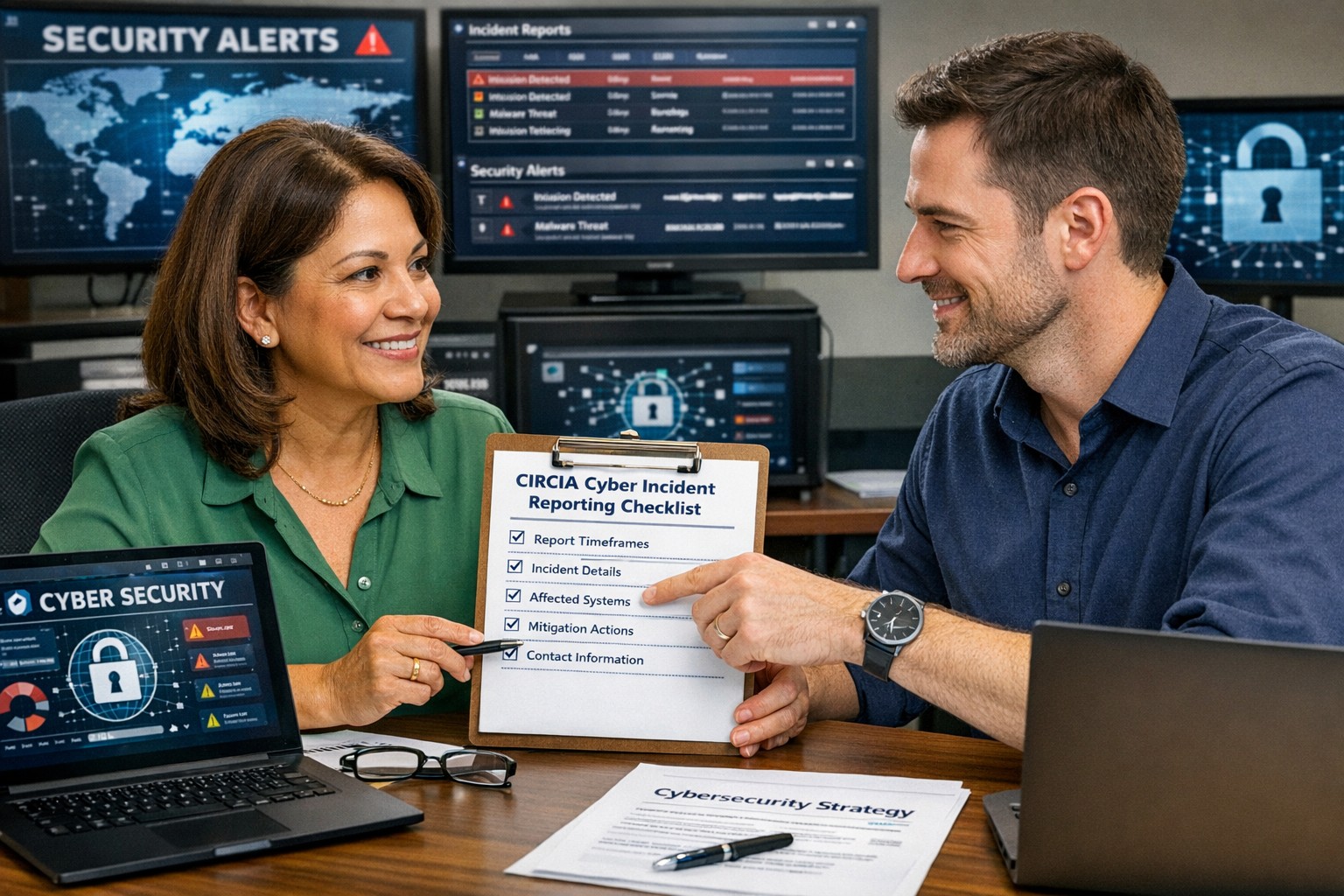
A small business owner working with their IT partner to prepare a CIRCIA‑ready cyber incident response plan.
Many small and midsize business owners assume CIRCIA is aimed only at Fortune 500 companies, but that is a risky assumption. Small and mid‑market organizations can be “covered entities” if they provide critical services or support critical infrastructure, and even those outside scope will feel the ripple effects through clients, insurers, and vendors.
CIRCIA in a Nutshell
CIRCIA (Cyber Incident Reporting for Critical Infrastructure Act) requires covered entities to report substantial cyber incidents to CISA within 72 hours.
Ransomware payments must be reported within 24 hours.
Coverage is based on critical infrastructure role, not just size; small entities can be included if their disruption would impact national or regional security, economy, or public health.
Even if you are not covered, your larger customers and partners may require you to meet CIRCIA-like standards to stay in their supply chain.
Concrete Steps for Owners and IT Teams
Owner-level actions:
Determine your exposure: Identify whether you operate in or support critical infrastructure sectors (healthcare, energy, transportation, government services, etc.).
Review contracts and insurance: Look for new clauses about cyber incident reporting, cooperation, and timelines.
Fund the basics: Approve budget for security monitoring, backups, and an incident response plan; these are now business necessities, not IT “nice‑to‑haves.”
IT / MSP actions:
Perform a security and asset inventory: Know what you have, where it is, and how it is protected.
Implement monitoring and logging: Centralized logs and alerts are essential to detect and investigate incidents fast enough for 72‑hour reporting.
Develop and test an incident response plan: Include decision trees for when to treat an incident as “substantial,” who to notify, and how to collect evidence.
Prepare for CISA reporting, even if “not covered”: Templates and processes for structured incident documentation will help with insurers, regulators, and major customers.
Questions Your Customers May Ask – Answer Set
“Are you compliant with CIRCIA?”
We have implemented incident detection, response, and reporting processes aligned with CIRCIA expectations, and we support our critical-infrastructure customers with the evidence they need.
“If a cyber incident hits you, how will it affect us?”
We maintain backups, response playbooks, and communication plans aimed at minimizing downtime and providing transparent updates.
“Will you tell us quickly if our data is involved?”
Yes. Our procedures require rapid notification to affected customers and support for any regulatory or contractual reporting they must perform.
How Farmhouse Networking Helps SMBs Turn CIRCIA into an Advantage
Farmhouse Networking helps small and midsize businesses use CIRCIA as a catalyst to get modern, business-grade cybersecurity in place:
Determining whether your business or key customers are likely covered entities and what that means for your contracts and obligations.
Implementing security controls—MFA, EDR, monitoring, backups, segmentation—that both reduce incident likelihood and support fast, evidence-based reporting.
Building, documenting, and testing an incident response and communication plan tuned to 72‑ and 24‑hour windows.
Acting as your ongoing IT and security partner so you can answer customer and regulator questions with confidence.
Call to action: Email support@farmhousenetworking.com to find out how Farmhouse Networking can help your small business prepare for CIRCIA and improve your overall cybersecurity resilience.
How to Take Back Control of Your Credentials and Phones
When an MSP controls your passwords and phone system, your entire small business can be held hostage by vendor lock‑in and security risks.
If your MSP controls all your admin passwords and has your phone service in their name, they effectively hold the keys to your entire business. In a dispute, a security incident, or even an acquisition of their company, you could find yourself locked out of critical systems that drive revenue and customer service.
The Real Dangers of MSP Lock‑In
Some providers refuse to release credentials or slow‑roll off‑boarding, forcing clients into “hostage” situations that require legal escalation or aggressive technical takeovers. At the same time, attackers increasingly target MSPs because one compromised technician account can reach many customers’ environments.
When your phone system is outdated or fully tied to that MSP, you pay more each year for less functionality, struggle with remote work, and depend on them for every change. The combination of technical dependence and credential lock‑in is a business‑continuity risk you can’t afford to ignore.
Action Steps for Owners and Their IT Teams
Reassert ownership of core assets
Ensure your company owns master accounts for email, cloud services, line‑of‑business apps, domains, DNS, and phone numbers, with internal admin rights documented.
Centralize credentials in a business‑owned vault
Use a secure password manager or encrypted repository where your business controls the master key and you grant time‑bound, role‑based access to MSP staff.
Implement strong identity and access controls
Enforce MFA everywhere, require strong unique passwords, and use least‑privilege and role‑based access so no external user has unchecked power.
Build clean exit ramps into contracts
Document how credentials, documentation, and phone services will be handed back, and set deadlines and formats for off‑boarding deliverables.
Prepare for the worst‑case scenario
Maintain independent backups, keep an internal “break‑glass” account, and have a written playbook for revoking vendor access and rotating credentials quickly.
Questions Your Customers May Ask
Q: Could your IT company access or leak my data? A: We control the master credentials and use MFA, logging, and access controls so any vendor only has tightly scoped, monitored access to what they need to support us.
Q: What happens if your IT provider is hacked? A: We follow best practices for identity security, vendor risk management, and backups so a single compromised account at an MSP cannot easily cascade into your data.
Q: Are you able to stay operational if you change IT providers? A: Yes—because we own our accounts and phone numbers and have a documented exit process, we can transition providers while keeping systems and support running.
How Farmhouse Networking Helps SMBs
Farmhouse Networking works with business owners to document every critical system, transfer licensing and phone services into the company’s control, and consolidate credentials into secure, business‑owned vaults. We then implement MFA, break glass accounts, role‑based access, and incident‑response plans so neither a single technician nor an MSP relationship becomes a single point of failure.
We can also help you renegotiate or replace MSP contracts with clear off‑boarding terms and test those processes before you ever need them in an emergency.
Email support@farmhousenetworking.com to make sure no MSP can ever hold your credentials, phones, or business hostage again.
What Small Business Owners Need to Know About Health Plans and IT Risk
Small business leaders and IT teams should review how the 2027 NBPP proposed rule will change employee health plans, compliance requirements, and data security.
The 2027 NBPP proposed rule, issued February 11, 2026, will reset key rules for ACA Exchanges and small‑group health plans starting in 2027. As a small or mid‑sized business owner, these changes affect your benefit strategy, your HR workload, and the IT systems that support them.
Big Picture: What’s Changing
Catastrophic and some bronze plans can carry significantly higher out‑of‑pocket maximums, shifting more financial risk to employees.
CMS proposes multi‑year catastrophic plans and broader hardship exemptions, making catastrophic coverage more common among workers who cannot or do not enroll in richer plans.
Agents, brokers, and web‑brokers must use standardized HHS‑approved consent and eligibility review forms, creating more structured documentation.
Certain state‑mandated benefits will be treated as “in addition to” Essential Health Benefits, affecting plan design and cost structure.
Concrete Action Steps for Owners and IT
For the business owner/CEO:
Reevaluate your health benefits package
Ask your broker which 2027 plan designs they expect to offer and whether your team could be pushed toward higher‑OOP bronze or catastrophic options.
Model the total compensation impact if benefits become less generous and consider offsetting with stipends, HRAs, or plan upgrades.
Upgrade HR policy and employee education
Provide clear, written explanations of how deductibles, out‑of‑pocket maximums, and catastrophic coverage work under the new rules.
Set expectations about documentation employees should keep (especially standardized federal consent and eligibility forms tied to subsidies).
For your IT department or MSP:
Prepare your systems for new standardized forms and proofs
Ensure HRIS, payroll, and document systems can accept, tag, and secure HHS‑approved consent and application review forms your broker will use.
Build simple workflows for HR to retrieve this documentation during audits, disputes, or employee questions.
Tighten security around benefits and PHI‑adjacent data
Implement strong identity and access management, encryption, logging, and vendor controls for any system that touches health coverage or subsidy information.
Confirm that contracts with benefits platforms, brokers’ portals, and HR tools reflect updated privacy and security expectations.
Likely Employee Questions – And How to Answer
“Why did my maximum out‑of‑pocket jump so much?”
Under the 2027 NBPP, some bronze and catastrophic plans are allowed to exceed prior out‑of‑pocket caps, which can significantly increase your financial exposure if you get sick or injured.
“What are these new standardized forms from the broker?”
Federal rules now require standardized HHS‑approved consent and eligibility review forms to document the accuracy of your application and protect your subsidy eligibility.
“Are all state‑mandated benefits still fully covered?”
Not always; certain state‑required benefits are treated as outside the core Essential Health Benefits package, which may affect how they’re funded and covered.
How Farmhouse Networking Helps SMBs
Farmhouse Networking partners with small and mid‑sized businesses to turn regulatory change into structured, low‑friction processes:
Integrate new federal consent and eligibility documentation into your HR and document‑management stack, so HR can find what they need in seconds.
Implement or enhance cybersecurity controls around benefits, payroll, and identity data to reduce risk as health coverage documentation becomes more standardized and audit‑friendly.
Coordinate with your broker and benefits platforms so technical changes (new forms, new plan designs) are reflected cleanly in your systems with minimal disruption.
Call to Action Email support@farmhousenetworking.com to get a focused assessment of how the 2027 NBPP proposed rule intersects with your benefits, IT, and employee experience – and a concrete plan to get ahead of it.
Secure your patient data with HIPAA-compliant managed IT: encryption, access controls, and continuous monitoring.
Ensuring the privacy and security of patient information is paramount. The Health Insurance Portability and Accountability Act (HIPAA) sets stringent standards for protecting sensitive patient data. For medical practices, staying compliant with HIPAA regulations can be a daunting task, especially with the increasing complexity of IT systems. This is where a Managed IT Service Provider (MSP) can play a crucial role. In this blog, we’ll explore how partnering with an MSP can help your medical practice remain compliant with HIPAA regulations for data privacy and security.
Understanding HIPAA Compliance
HIPAA compliance involves adhering to a set of rules and regulations designed to safeguard Protected Health Information (PHI). These rules are divided into several key areas:
Privacy Rule: Governs the use and disclosure of PHI.
Security Rule: Establishes standards for protecting electronic PHI (ePHI) through administrative, physical, and technical safeguards.
Breach Notification Rule: Requires covered entities to notify affected individuals, the Secretary of Health and Human Services (HHS), and, in some cases, the media, of a breach of unsecured PHI.
Enforcement Rule: Outlines the penalties for non-compliance and the procedures for investigations and hearings.
The Role of Managed IT in HIPAA Compliance
A Managed IT Service Provider can offer a range of services that help ensure your medical practice remains compliant with HIPAA regulations. Here are some key ways an MSP can assist:
Risk Assessment and Management: HIPAA requires regular risk assessments to identify potential vulnerabilities in your IT systems. An MSP can conduct comprehensive risk assessments to:
Identify and evaluate risks to ePHI.
Implement measures to mitigate identified risks.
Continuously monitor and update risk management strategies.
Data Encryption and Secure Communication: Encrypting ePHI is a critical component of HIPAA compliance. An MSP can implement robust encryption protocols to ensure that data is protected both at rest and in transit. Additionally, they can set up secure communication channels, such as encrypted email, secure messaging platforms, and encrypted file sharing, to protect sensitive information.
Access Control and Authentication: HIPAA mandates strict access controls to ensure that only authorized personnel can access ePHI. An MSP can help by:
Implementing role-based access controls (RBAC).- all users in a group and only specific groups get access to specific things
Setting up multi-factor authentication (MFA) to add an extra layer of security.
Regularly reviewing and updating access permissions.
Backup and Disaster Recovery: Data loss can have severe consequences for HIPAA compliance. An MSP can design and implement a robust backup and disaster recovery plan to ensure that ePHI is regularly backed up and can be quickly restored in the event of data loss or a cyberattack.
Security Awareness Training: Human error is a significant factor in many data breaches. An MSP can provide ongoing security awareness training for your staff to:
Educate them about HIPAA regulations and the importance of data privacy.
Teach best practices for identifying and responding to potential security threats.
Conduct regular phishing simulations to test and improve staff vigilance.
Continuous Monitoring and Incident Response: HIPAA requires continuous monitoring of IT systems to detect and respond to security incidents promptly. An MSP can offer:
24/7 monitoring of your IT infrastructure.
Advanced threat detection and response solutions.
Incident response planning and execution to minimize the impact of security breaches.
Benefits of Partnering with a Managed IT Provider
Partnering with an MSP for HIPAA compliance offers several benefits:
Expertise: MSPs have specialized knowledge and experience in healthcare IT and HIPAA regulations.
Cost-Effectiveness: Outsourcing IT management can be more cost-effective than maintaining an in-house IT team.
Focus on Core Activities: With IT management in the hands of experts, your medical practice can focus on providing quality patient care.
Scalability: MSPs can scale their services to meet the growing needs of your practice.
Ensuring HIPAA compliance is a complex but essential task for any medical practice. By partnering with a Managed IT Service Provider, you can leverage their expertise and resources to safeguard patient data, mitigate risks, and maintain compliance with HIPAA regulations. This not only protects your practice from potential penalties but also builds trust with your patients, knowing their sensitive information is in safe hands. For medical practices looking to navigate the intricacies of HIPAA compliance, a Managed IT Service Provider like Farmhouse Networking can be an invaluable ally in maintaining the highest standards of data privacy and security.
And God will generously provide all you need. Then you will always have everything you need and plenty left over to share with others. As the Scriptures say, “They share freely and give generously to the poor. Their good deeds will be remembered forever.” For God is the one who provides seed for the farmer and then bread to eat. In the same way, he will provide and increase your resources and then produce a great harvest of generosity in you. - 2 Corinthians 9:8-10
We use cookies to ensure that we give you the best experience on our website. If you continue to use this site we will assume that you are happy with it.