Why Root Cause Analysis Belongs in Your Incident Response Plan
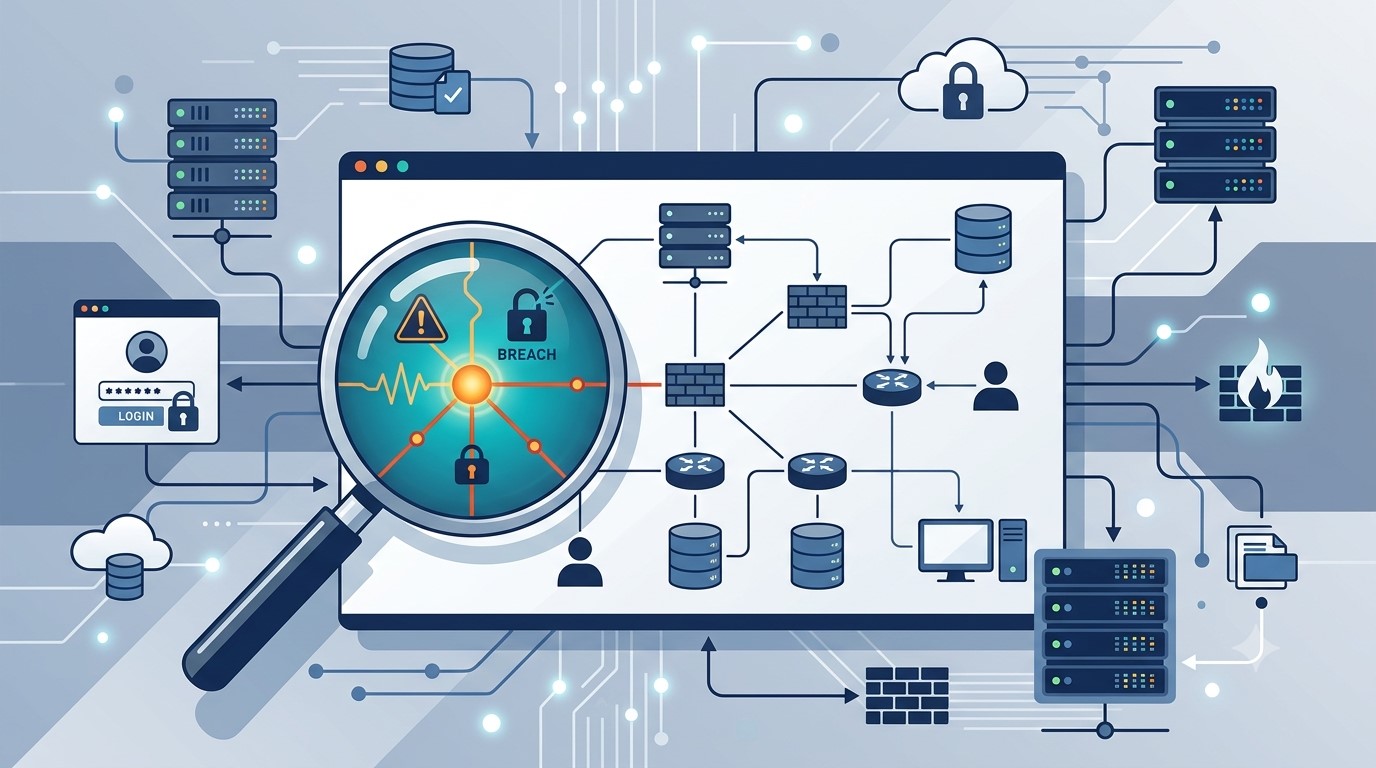
Finding the root cause of an IT incident is what stops it from happening again.
If your last IT issue got fixed but never explained, you may already be sitting on a repeat problem.
Here’s how it usually goes: an employee’s email gets compromised, your IT provider resets the password, the alerts stop, and everyone moves on. But almost nobody asks the harder question — how did the attacker actually get in, and is that same weakness still open somewhere else in your business?
That question is the entire purpose of root cause analysis (RCA). It’s the difference between putting out a fire and finding out what’s been leaking gas into the building. Skip it, and you’re not preventing the next incident — you’re just waiting for it.
What Root Cause Analysis Actually Means for Your Business
Incident response is the emergency part: contain the threat, restore access, get back to work. Root cause analysis is the follow-up step that asks why it happened in the first place — a phishing gap, a missing security policy, an unpatched system, a training blind spot. Without that step, your business ends up treating the same underlying weakness as a brand-new crisis every time it resurfaces.
Action Steps for You and Your IT Provider
Require a written root cause summary after any security incident — not just a “resolved” notification.
Ask whether your provider monitors for unusual sign-in locations and session activity, not just failed login attempts.
Confirm Conditional Access policies are enforced to block logins from unexpected countries or unmanaged devices.
Review whether staff training addresses the specific method behind the last incident, not just general reminders.
Ask your provider whether an incident was isolated or part of a broader pattern across your systems.
Build a root cause step into your written incident response plan, if you don’t already have one.
Schedule a 30-day follow-up review to confirm the fix actually held.
Questions Your Team Might Ask You
Q: We already fixed it — why dig further? A: Fixing the account doesn’t fix the door the attacker used to get in. Without knowing how it happened, you can’t be confident it won’t happen again the same way.
Q: Doesn’t this slow down how fast issues get resolved? A: No. Containment happens immediately, every time. Root cause review is a short follow-up step afterward — usually a summary or a brief call, not a delay.
Q: Is this really worth the extra step for a business our size? A: Yes — arguably more so. Smaller businesses often can’t absorb the same incident twice. Understanding the cause the first time is what keeps a bad week from becoming a bad year.
How Farmhouse Networking Helps
We recently helped a client contain an incident where an employee’s login session — not just her password — was stolen through a convincing fake sign-in page that looked identical to a real Microsoft 365 login. Containing it was step one. The real work was tracing exactly how the attacker got that session, confirming nothing else in the environment was exposed the same way, and closing the gap permanently.
That’s the process we apply to every incident we handle. Farmhouse Networking documents root cause on every security event, gives you a plain-language explanation of what actually happened and why, and makes sure the fix addresses the cause — not just the symptom.
Want to Know What’s Really Behind Your Last IT Incident?
If your business has had an IT issue that got resolved but never really explained, that’s worth a second look before it repeats itself. Email us at support@farmhousenetworking.com and we’ll walk you through what a proper root cause review looks like — plainly, and without the jargon.
A growing attack technique lets criminals steal a live login session instead of a password — and most businesses have no idea it’s happening until it’s too late.
A single stolen login session can be enough for attackers to bypass MFA and take over a business email account.
For years, business owners have been told the same thing: turn on multi-factor authentication (MFA) and you’re safe. That advice is still mostly true — but a newer style of attack is proving it isn’t the whole story. We recently helped a regional nonprofit contain an incident that shows exactly how this plays out, and it’s a pattern every small business owner should understand.
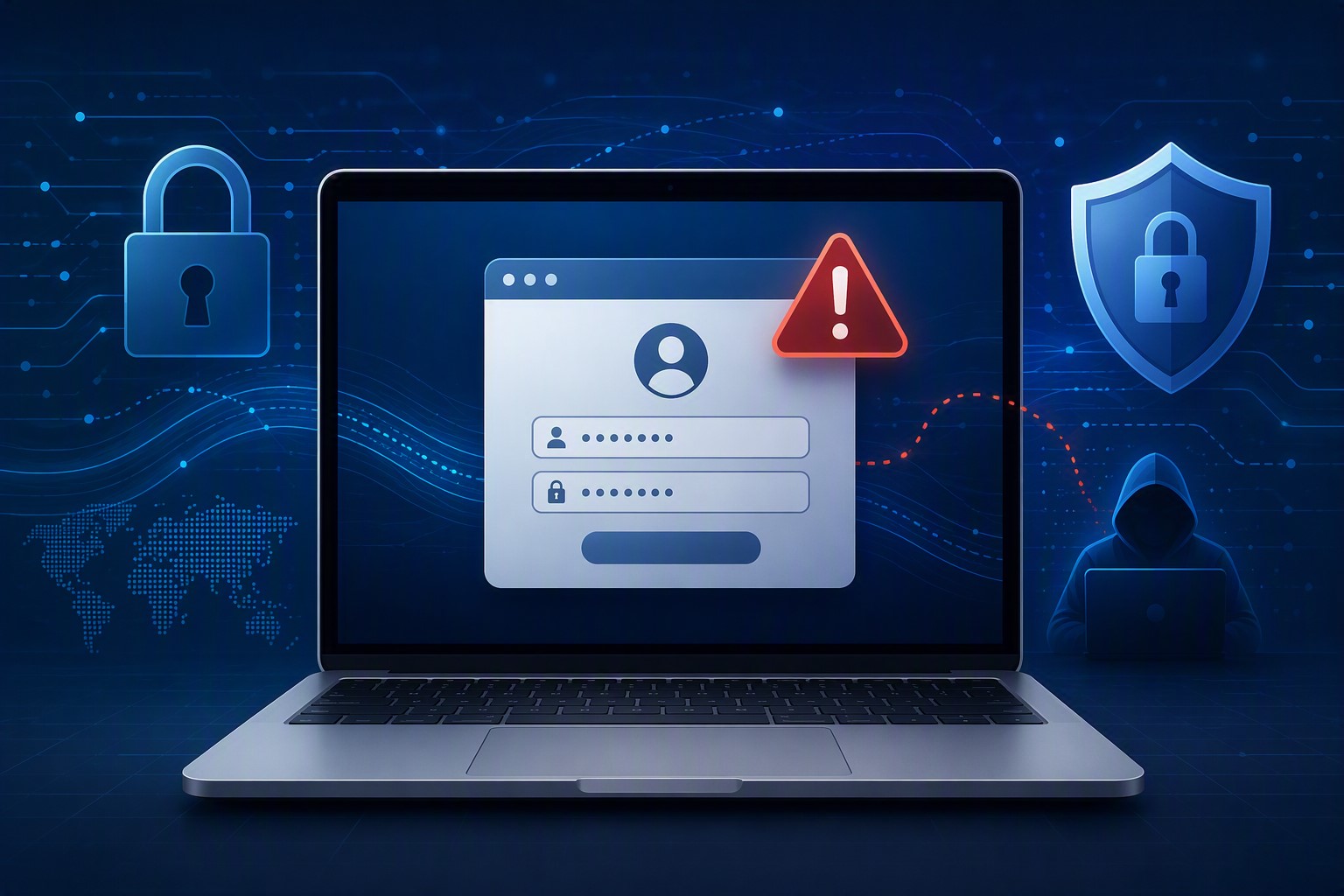
Here’s what happened, in short: an employee was directed to a fake login page that looked identical to the real Microsoft 365 sign-in screen. She entered her password and completed her MFA step normally. But the fake page was secretly relaying everything to the real Microsoft servers in real time — and it captured the “session” created after she logged in. That session is like a hall pass: once you have it, you don’t need the password or the MFA code again. The attacker used it to log in as her, days later, from the other side of the world.
From there, the attacker spent time reading email, quietly created a mail rule to auto-delete replies, and used the compromised account to send hundreds of file-sharing invitations and emails to external contacts — all appearing to come from a real, trusted employee.
Action steps for you and your IT provider:
Ask your IT provider whether your email platform is monitoring for “impossible travel” or suspicious sign-in locations, not just failed MFA attempts.
Enable and enforce Conditional Access or equivalent policies that block sign-ins from unexpected countries or devices.
Shorten session lifetimes so a stolen session expires faster.
Train staff to check the URL bar before entering credentials — even on pages that look pixel-perfect.
Make sure your provider can see and revoke active sessions instantly, not just reset passwords.
Review mail rules periodically; attackers often hide behind rules named with punctuation marks so they’re invisible in a quick glance.
Confirm your incident response plan includes session token revocation, not just password resets.
Q&A
Q: If we have MFA, aren’t we protected? A: MFA blocks most attacks, but this technique steals the session created after MFA succeeds. You need monitoring and Conditional Access policies layered on top of MFA, not instead of it.
Q: How would we even know this happened? A: Often the first sign is unusual outbound email, unexpected file-sharing invitations, or partners asking why they received a strange invoice link. Proactive monitoring catches it earlier.
Q: Is this expensive to defend against? A: Most of the defenses — Conditional Access policies, session timeout settings, monitoring — are configuration changes, not new purchases, if your provider has the expertise to set them up correctly.
How Farmhouse Networking Helps
Farmhouse Networking configures and monitors Microsoft 365 environments specifically to catch this kind of attack — unusual sign-in locations, hidden mail rules, mass outbound activity — before it turns into a full-blown incident. We also help small businesses put the right guardrails in place from the start, so a stolen password or session doesn’t become a company-wide problem.
Not sure if your email environment could catch an attack like this? Email us at support@farmhousenetworking.com to schedule an MFA and email-security review. We’ll walk through your current setup and tell you plainly where the gaps are.
What this summer’s federal security campaign means for any business holding sensitive data
Taking a few hours this summer to review your security practices can prevent a costly data breach later.
What this summer’s federal security campaign means for any business holding sensitive data
This July, the IRS and its Security Summit partners launched Protect Your Clients; Protect Yourself, a five-week campaign built for tax preparers. It walks through the phishing schemes, impersonation scams, and stolen-credential attacks criminals are using against professionals who hold sensitive client data, along with the basic safeguards, written security plans, and verification tools meant to stop them.
Your business may have nothing to do with taxes. But the tactics described in this campaign — fake “new client” emails carrying malware, spoofed calls, and urgent requests designed to pressure someone into clicking or sharing information — are used against every kind of small business, not just tax firms. If your company stores customer records, payment details, or employee data, you’re a target using the same playbook. Summer is a good time to check whether your own safeguards would hold up.
Action Steps for You and Your IT Team
Write down your security practices. A simple, documented policy covering data handling, access, and response is far better than relying on informal habits.
Enable multi-factor authentication on email, financial systems, and any remote access used by your team.
Review employee access regularly, and immediately revoke access for anyone who leaves the company.
Train your team to spot phishing and impersonation attempts, especially fake vendor invoices, urgent executive requests, and unexpected attachments.
Test your backups, not just assume they’re running, to confirm you could actually recover if something went wrong.
Document an incident response plan so your team knows exactly who to call and what to do the moment something looks wrong.
Questions Your Customers or Employees Might Ask
“How do you protect the information you have on file for us?” We maintain a documented security policy, require multi-factor authentication across our systems, and regularly review who has access to sensitive data.
“What would happen if your systems were breached?” We have a tested response plan and know exactly how we’d respond and notify anyone affected.
“Why do you keep asking us to verify things that used to be simple?” Because verification steps protect both of us from scams that specifically exploit shortcuts and urgency.
How Farmhouse Networking Can Help
Farmhouse Networking helps small and mid-sized businesses turn good intentions into an actual, documented security program: written policies, MFA across your critical systems, cleaned-up user access, tested backups, and a clear incident response plan. We handle the technical details so you can run your business with confidence instead of guesswork.
Find Out Where Your Business Actually Stands
Email support@farmhousenetworking.com for a free security assessment, and close the gaps the IRS is warning everyone else about — before they cost you something worse.
You don’t have to be a Fortune 500 company to be a target. You just have to be open for business.
Cybercriminals no longer need technical skills to target your business — Fraud-as-a-Service puts sophisticated attack tools in anyone’s hands.
You’ve heard of Software-as-a-Service. Now meet its criminal counterpart.
Fraud-as-a-Service (FaaS) is a booming underground economy where cybercriminals sell ready-made attack tools, stolen credentials, phishing kits, and ransomware packages to anyone willing to pay a subscription fee. No technical skill required. No barriers to entry. Just a dark web account and criminal intent.
This new economy lowers the barrier for entry and accelerates the pace of attacks. Even young and inexperienced fraudsters can access sophisticated tools that can be deployed with minimal technical knowledge. The result? A surge in attacks aimed squarely at small and mid-sized businesses — businesses exactly like yours.
In 2025, the FBI received over one million cybercrime complaints for the first time ever. Cyber-enabled fraud accounted for $17.7 billion in total losses. And small businesses are absorbing a disproportionate share of the damage.
Why Your Business Is the Target
Large corporations have security teams, compliance officers, and dedicated budgets. You have a team wearing multiple hats and a firewall that hasn’t been updated since the last administration.
Criminals who used to target only large enterprises now see small businesses as easier prey — because many don’t think they’re targets and often lack the protections to defend themselves.
FaaS attacks against SMBs typically arrive as:
Business Email Compromise (BEC): A convincing email, apparently from your bank or a vendor, redirects a payment to a criminal’s account.
Phishing kits: Pre-built fake login pages that steal employee credentials in seconds.
Ransomware subscriptions: Criminals rent ransomware, deploy it against your files, and split the ransom with the developer.
AI-generated deepfakes: Voice or video impersonations of you or your staff, used to authorize fraudulent transfers.
Business Email Compromise alone generated over $3 billion in losses in 2025.
Practical Action Steps for You and Your IT Team
Enable Multi-Factor Authentication (MFA) on everything — email, banking portals, cloud tools, and remote access. This one step blocks the majority of credential-based attacks.
Conduct a phishing simulation and security awareness training with all staff at least twice per year.
Verify all payment change requests by phone using a known number — never by replying to the email that requested the change.
Audit your email environment for misconfigured permissions, stale accounts, and unusual forwarding rules.
Review and restrict vendor and third-party access to your systems on a quarterly basis.
Maintain tested, offline data backups so ransomware cannot encrypt your only copy.
Create an incident response plan — a written document that tells your team exactly what to do if an attack succeeds.
Questions Your Clients May Ask You
“How do I know my data is safe with you?” You should be able to describe exactly where client data is stored, who has access, and what protections are in place. If you can’t answer this with confidence, it’s time to find out.
“Has your business ever experienced a data breach?” Transparency builds trust. If the answer is yes, explain what happened and what changed afterward.
“What would happen to my files if you got hit with ransomware?” Your answer should include a clear backup and recovery plan with a defined recovery time.
“Do your employees know how to recognize a phishing attempt?” This should be a confident yes — backed by regular training, not just a one-time onboarding video.
How Farmhouse Networking Helps
Farmhouse Networking helps SMBs build the defenses that FaaS criminals count on you not having. From setting up MFA and email authentication, to proactive monitoring, security awareness training, and incident response planning — we make enterprise-grade protection practical for businesses your size.
Ready to Stop Being an Easy Target?
Email us at support@farmhousenetworking.com to schedule a free security consultation. We’ll show you exactly where you’re exposed — and how to fix it before someone else finds out first.
Use DNS Filtering to Stay Safe and Open for Business
DNS filtering helps small business owners block AI powered social media scams before employees can reach malicious websites
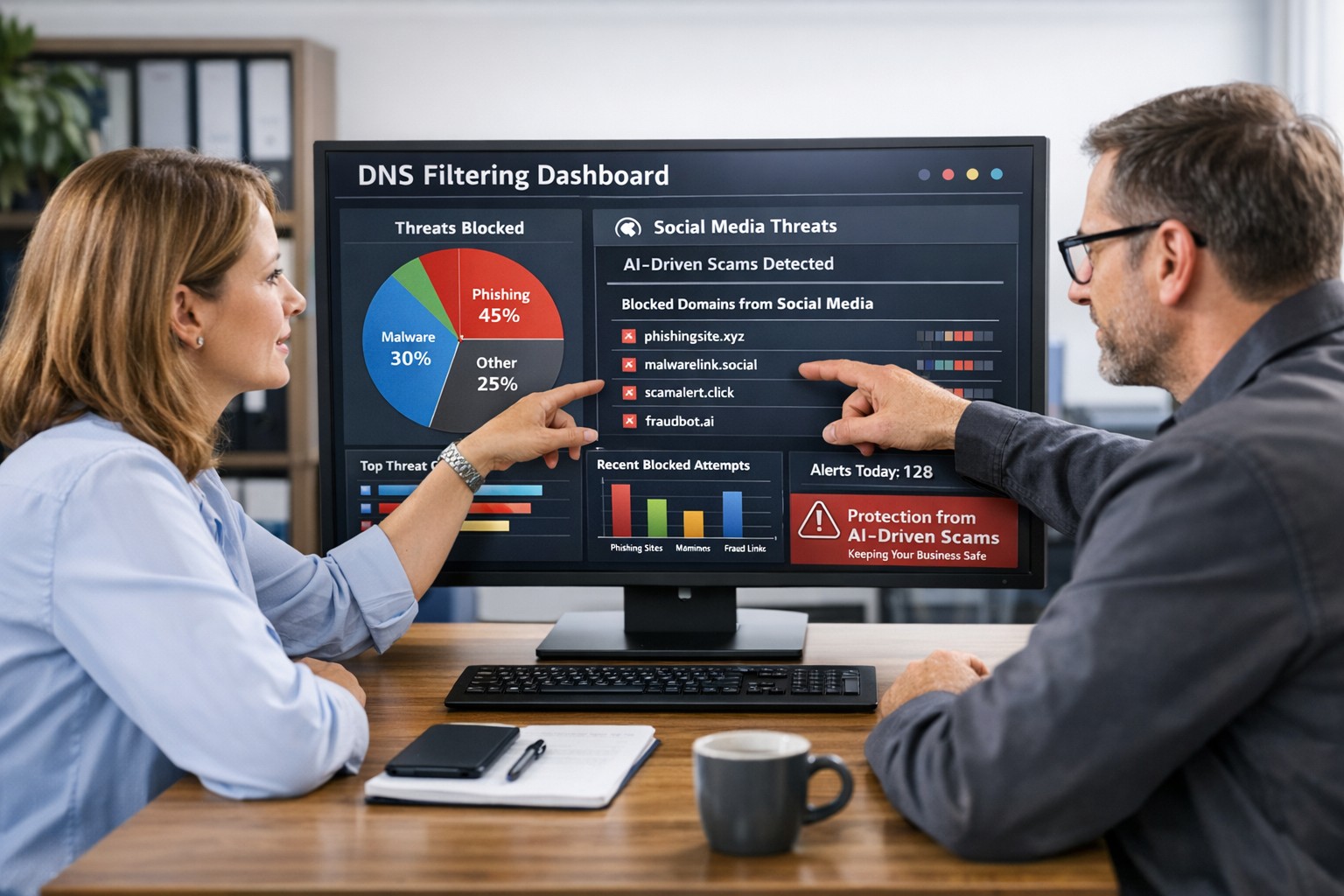
AI tools now let scammers quickly generate deepfake videos, realistic ads, and convincing phishing messages that target small and mid‑sized businesses on social media. These attacks trick employees into clicking malicious links that steal logins, install ransomware, or divert payments, and incident rates and losses are climbing. DNS filtering offers your business a practical, affordable way to block dangerous sites at the network level before a bad click turns into downtime.
Why AI-Driven Social Media Threats Matter for SMBs
AI deepfakes and fake ads can impersonate your brand or suppliers and lead to look‑alike scam sites.
AI-enhanced phishing leverages details from your website and social media to sound like real customers, partners, or executives.
Web‑based phishing and spoofing attempts are rising sharply year over year, driven by generative AI.
What DNS Filtering Does for Your Business
DNS filtering checks where your employees’ devices are trying to connect and blocks known or suspected malicious domains. For SMBs, this:
Prevents access to phishing pages and fake login screens linked from social media or email.
Reduces malware and ransomware risk by blocking communication with malicious servers.
Gives you visibility into risky browsing and helps enforce acceptable‑use policies.
Action Steps for Business Owners and IT
Document where and how your team uses social media for sales, support, and marketing.
Roll out DNS filtering to office networks, remote workers, and any company‑managed laptops or phones.
Integrate DNS filtering logs with your security monitoring to quickly investigate suspicious activity.
Establish a clear process for verifying unusual requests (wire transfers, password resets, gift card purchases) received via social media or email.
Sample Customer Questions and Answers
“Is it safe to click promotions I see about your business on social media?” We recommend visiting our official website or verified profiles directly, because scammers can create fake ads that lead to malicious sites.
“How do you protect my data from online scams?” We use layered security including DNS filtering to block malicious websites, alongside secure payment providers and strong internal controls.
How Farmhouse Networking Helps SMBs
Farmhouse Networking works with you to understand your business, social media use, and risk tolerance, then designs and manages a DNS filtering solution that fits your size and budget. We deploy, configure, and monitor the service, fine‑tune policies over time, and provide clear reports so you always know how your network is being protected. This is included at no additional cost to all our monthly managed IT services clients.
Call to Action: Email support@farmhousenetworking.com for more information about how Farmhouse Networking can help improve your business and defend against AI‑driven social media threats.
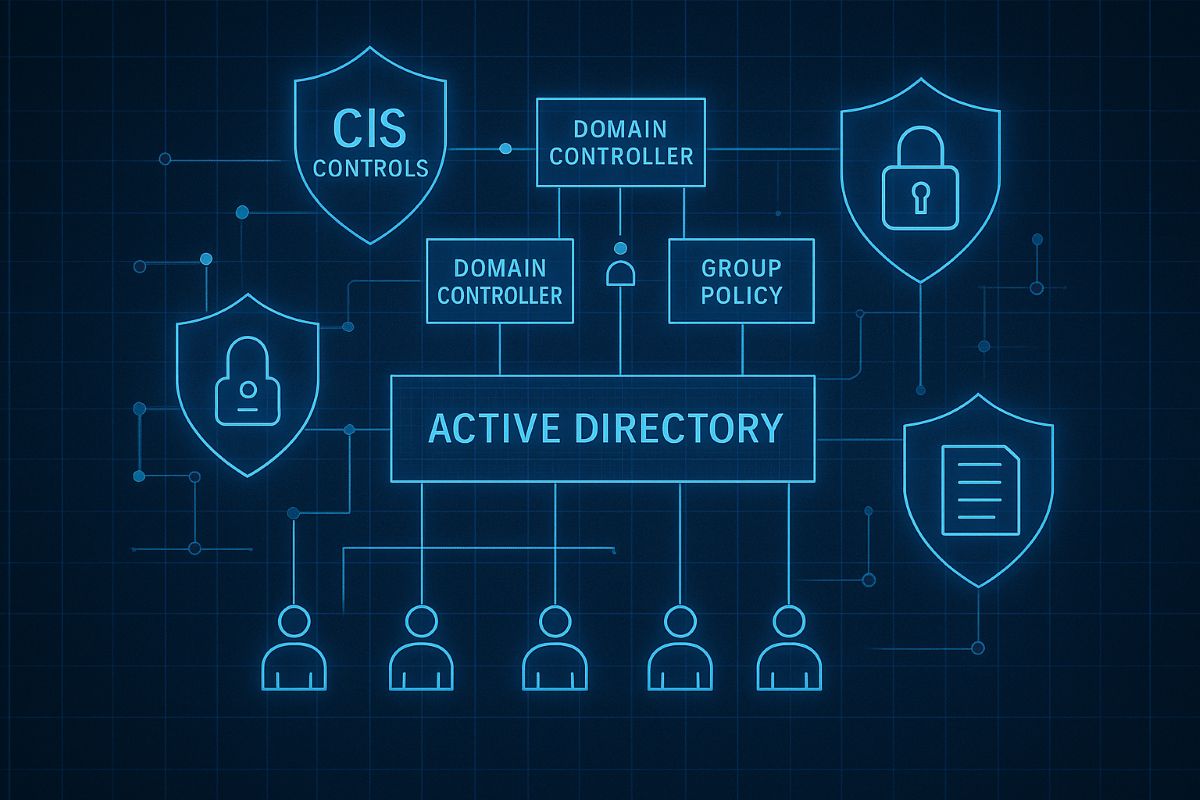
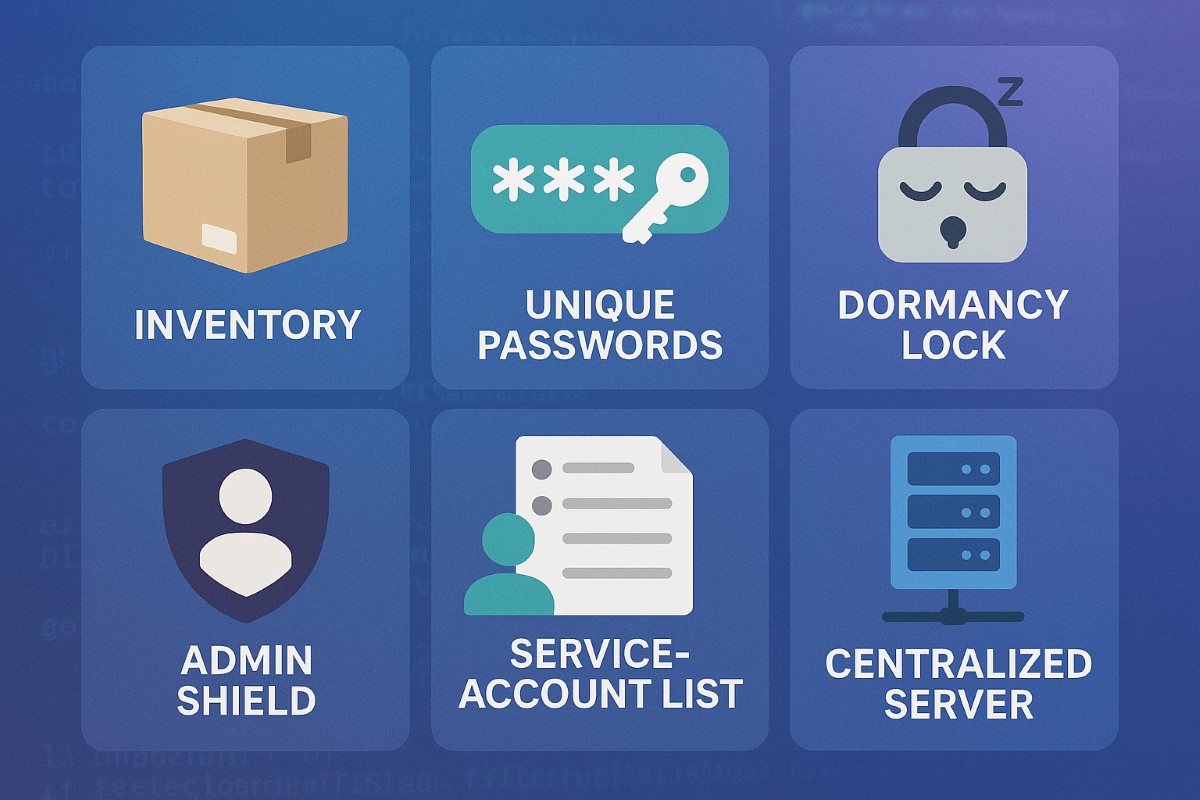
This image illustrates key CIS controls for Active Directory, including inventory of assets, secure configurations, and administrative privilege management to safeguard SMB networks from breaches. Optimize your AD security with these proven CIS benchmarks today.
SMBs are increasingly targeted by cyberattacks. Securing your Active Directory with CIS Controls is the first step to protecting your business data and maintaining operational continuity.
Practical Cybersecurity Measures for SMBs
Apply least privilege: Limit admin accounts and use normal user accounts for everyday work.
Account inventory and review: Know who has access and regularly validate permissions.
Secure domain controllers: Harden core AD servers and apply updates.
Set strong password policies: Require complexity, expiration, and lockouts.
Monitor AD activity: Use auditing to detect unauthorized changes or suspicious logins.
Common Inquiries from SMB Clients
Q: Is Active Directory security necessary for small businesses? A: Absolutely—many attacks exploit AD weaknesses to escalate privileges and steal data.
Q: How complex is implementing CIS Controls? A: The CIS Controls provide a prioritized and scalable framework suitable even for small IT teams.
How Farmhouse Networking Can Support SMBs
Our team specializes in helping SMBs implement CIS Controls for AD security, offering expert guidance, implementation, and ongoing monitoring to keep your network safe.
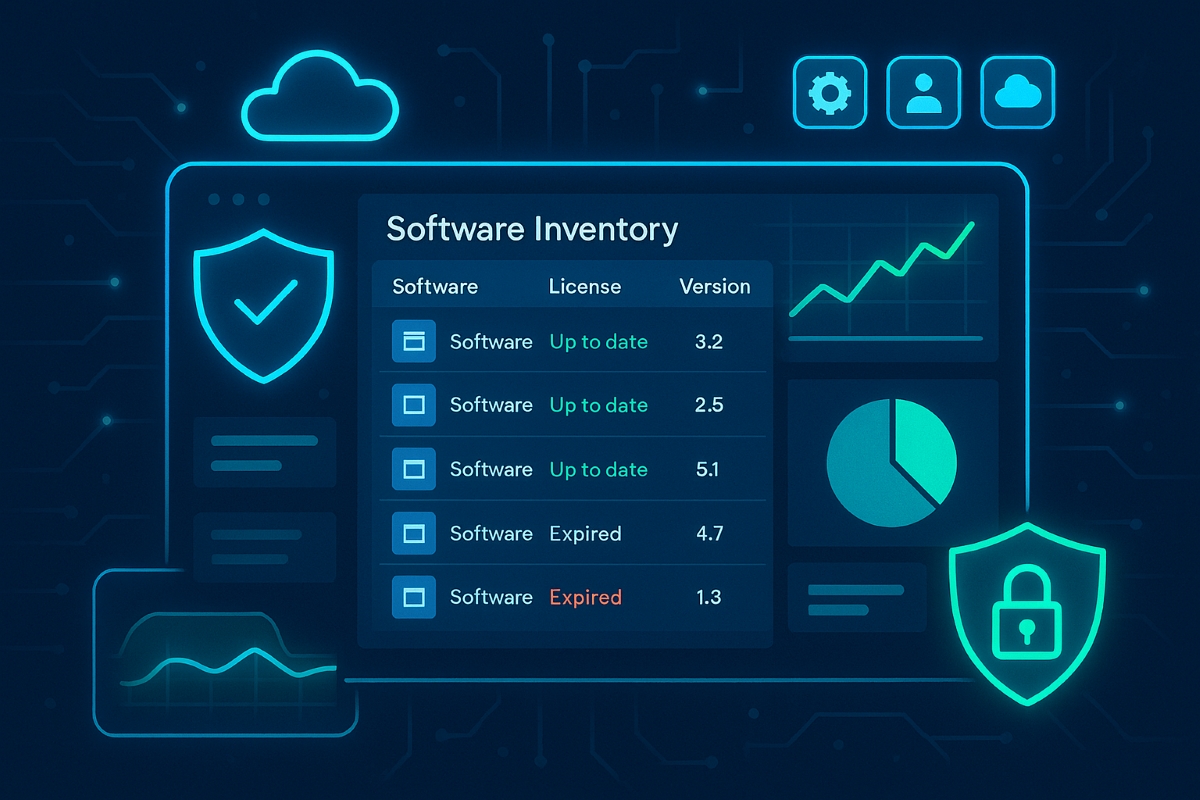
A small business owner reviews a centralized software asset inventory to reduce risk, prevent shadow IT, and control IT costs.
Businesses run on software—line-of-business apps, cloud tools, and mobile apps—but most owners have no clear list of what’s actually in use. That gap creates security holes, license risks, and surprise costs that directly threaten profitability and growth.
What “Inventory and Control of Software Assets” Means
Inventory and control of software assets (CIS Control 2) means keeping an accurate list of every application your business uses, knowing who uses it, why it exists, and ensuring only approved, secure, and licensed software is allowed to run. Done well, this reduces cyber risk, improves compliance, and cuts waste from unused or duplicate tools.
Practical Action Steps for Your Business
Business owner actions:
Require an approved software list for your company and insist that all new software requests go through IT before purchase.
Tie software decisions to business goals and budgets so you can cut unused licenses and redundant tools.
Set a policy that employees cannot install their own apps (“shadow IT”) without written approval.
IT team actions:
Build and maintain a centralized software inventory using discovery tools that scan PCs, servers, and cloud services.
Classify software (critical, important, low risk), link it to specific systems and users, and track license status and renewal dates.
Enforce an allowlist so only approved software can be installed, and regularly remove unsupported, outdated, or unauthorized applications.
Common Client Questions (With Answers)
“Is this just about saving on licenses, or is it really a security thing?” Unmanaged software is a top entry point for attackers because outdated or unknown applications often miss critical security patches. Strong software asset control improves both security and cost management at the same time.
“We’re mostly in the cloud—do we still need this?” Yes, SaaS apps, browser extensions, and cloud tools are all software assets that can leak data or create compliance problems if they aren’t tracked and approved. Cloud environments can actually increase sprawl, which makes a disciplined inventory even more important.
How Farmhouse Networking Helps
Farmhouse Networking implements CIS Controls around software inventory and control as part of a broader, practical cybersecurity and IT management program for SMBs. This includes deploying discovery tools, building your approved software catalog, enforcing policies, and reporting on license usage and security risks in plain business language you can act on.
Ready to see where your software risks and wasted spend are hiding? Email support@farmhousenetworking.com for more information about how Farmhouse Networking can help improve your business.
Implementing CIS Controls helps small businesses safeguard sensitive data and comply with regulations.
Data breaches can devastate small businesses, but CIS Controls give you a proven path toward robust data protection and regulatory compliance—without breaking the bank. Here’s how any business owner can get started today.
Practical Action Steps
Survey business data assets: Identify your key customer, employee, and business records and where they’re stored.
Classify business data: Assign “Public,” “Internal,” or “Sensitive” tags and limit who can access the most critical files.
Secure device and network configurations: Change default passwords, apply updates, and enable firewall protection.
Monitor and review: Turn on audit logs for key systems; routinely check logs for odd access.
Automate backups and test restores: Protect against ransomware and disasters with offsite, automatic backups.
Educate your team: Organize short trainings so every employee knows cybersecurity basics and your incident response plan.
Frequently Asked Client Questions
Q: Will CIS Controls help with industry regulations (GDPR, CCPA, etc.)? A: Absolutely! CIS Controls support the foundation of compliance for most data protection laws worldwide through access management, encryption, and monitoring.
Q: How much time and expertise does this take? A: With Farmhouse Networking, most controls are easy to implement—even for non-technical teams. We guide you step by step so your team is protected without added stress.
How Farmhouse Networking Can Help
Farmhouse Networking sets up CIS Controls for any SMB: from asset tracking to secure data access, backup management, and employee training. We implement everything, making compliance and security easy and effective for your business.
Call to Action
Protect your business and comply with regulations. Email support@farmhousenetworking.com to connect with our team and get started.
Small business security strengthened with CIS account management controls
Small business owners face evolving security threats and regulatory obligations. Implementing CIS Account Management Control is key to protecting data, assets, and reputation.
Practical Steps for SMBs
Catalog All User and Service Accounts: Record names, departments, and account activity for every user and automated process.
Use Strong and Unique Passwords: Demand complex passwords, rotate them annually, and use MFA whenever possible.
Disable Dormant Accounts: Purge inactive accounts every 45 days for better security hygiene.
Limit and Monitor Admin Privileges: Assign admin roles sparingly and monitor usage.
Centralize Account Oversight: Deploy a directory or identity manager for simplified user management and audit trails.
Questions & Answers
Q: What’s the biggest risk of poor account management? A: Unauthorized access can lead to financial loss, data breach, or legal liability—CIS controls dramatically reduce this risk.
Q: Does this require expensive software? A: Many tools, such as Microsoft Active Directory, are affordable and scalable for SMBs. CIS controls guide you in choosing solutions that fit your needs.
How Farmhouse Networking Helps
Farmhouse Networking guides SMBs through creating robust account management policies, deploying affordable directory services, and training your team for optimal cyber hygiene.
Call to Action
Start protecting your business today—email support@farmhousenetworking.com to learn how CIS controls can boost your cybersecurity.
Small and medium businesses are frequent cybercrime targets, often due to accidental over-privileging and lack of centralized control. CIS Control 6: Access Control Management empowers SMB owners to safeguard assets, prevent loss, and stay compliant—without upending business operations.
Practical Steps for SMBs
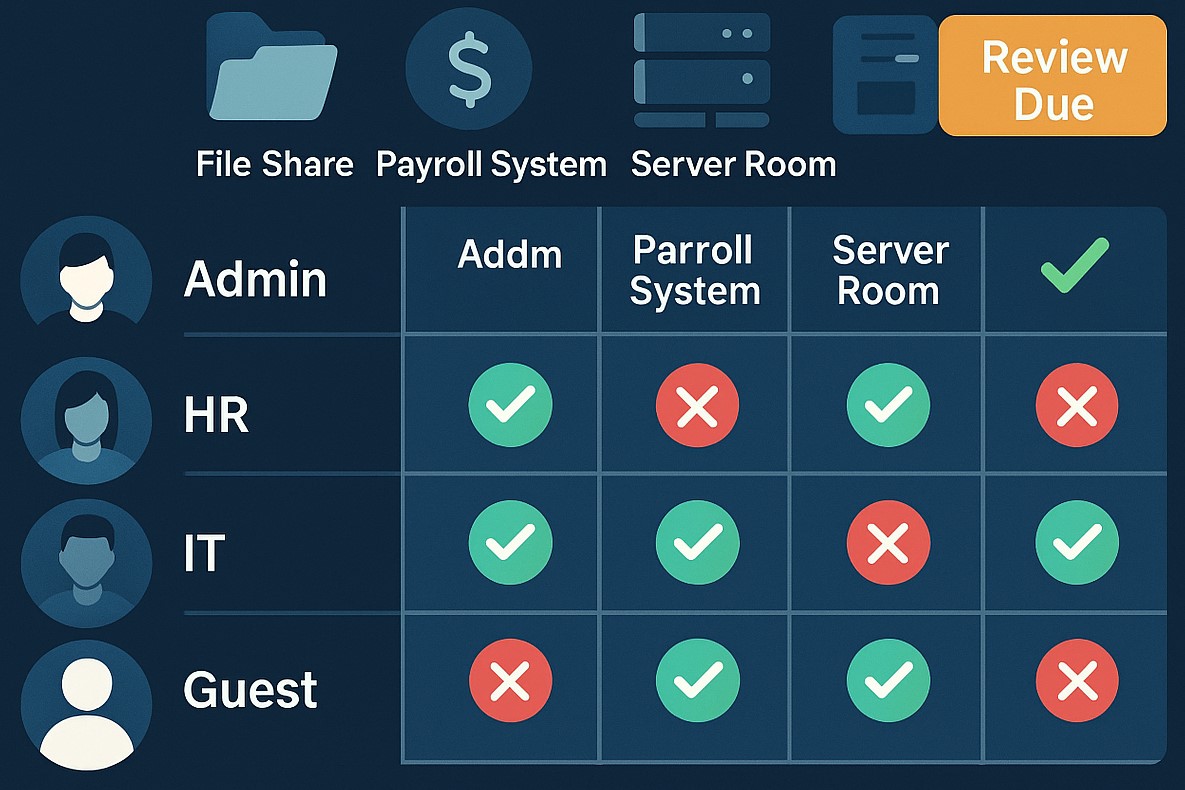
Define, automate, and track who can access what data—prefer automation.
Protect admin accounts and remote access points with MFA.
Keep an inventory of systems and authorization tools; centralize control wherever possible.
Remove unused or dormant accounts quickly.
Map roles to permissions; ensure only current staff have the right access.
Q&A: Client Concerns
Q: I’m worried about costs and complexity. A: CIS framework offers practical, scalable solutions. Automation and role-based policies save time, reduce IT costs, and lower risk.
Q: What’s the real benefit? A: You lower the risk of breaches due to human error, insider threats, or external attackers—protecting your customers and revenue.
Q: Can I do this myself, or should I get help? A: While some controls are DIY, an expert setup ensures no gaps—Farmhouse Networking automates and customizes controls for maximal security and ease.
How Farmhouse Networking Helps
Farmhouse Networking delivers access management strategies proven to reduce security incidents, increase compliance, and make IT teams more efficient. From planning to ongoing monitoring, our experts free up SMB owners to focus on growth.
For a customized access control plan, email support@farmhousenetworking.com and protect your business against today’s digital threats.
And God will generously provide all you need. Then you will always have everything you need and plenty left over to share with others. As the Scriptures say, “They share freely and give generously to the poor. Their good deeds will be remembered forever.” For God is the one who provides seed for the farmer and then bread to eat. In the same way, he will provide and increase your resources and then produce a great harvest of generosity in you. - 2 Corinthians 9:8-10
We use cookies to ensure that we give you the best experience on our website. If you continue to use this site we will assume that you are happy with it.