Why “nobody wants our data” is one of the most expensive sentences a small business owner can say
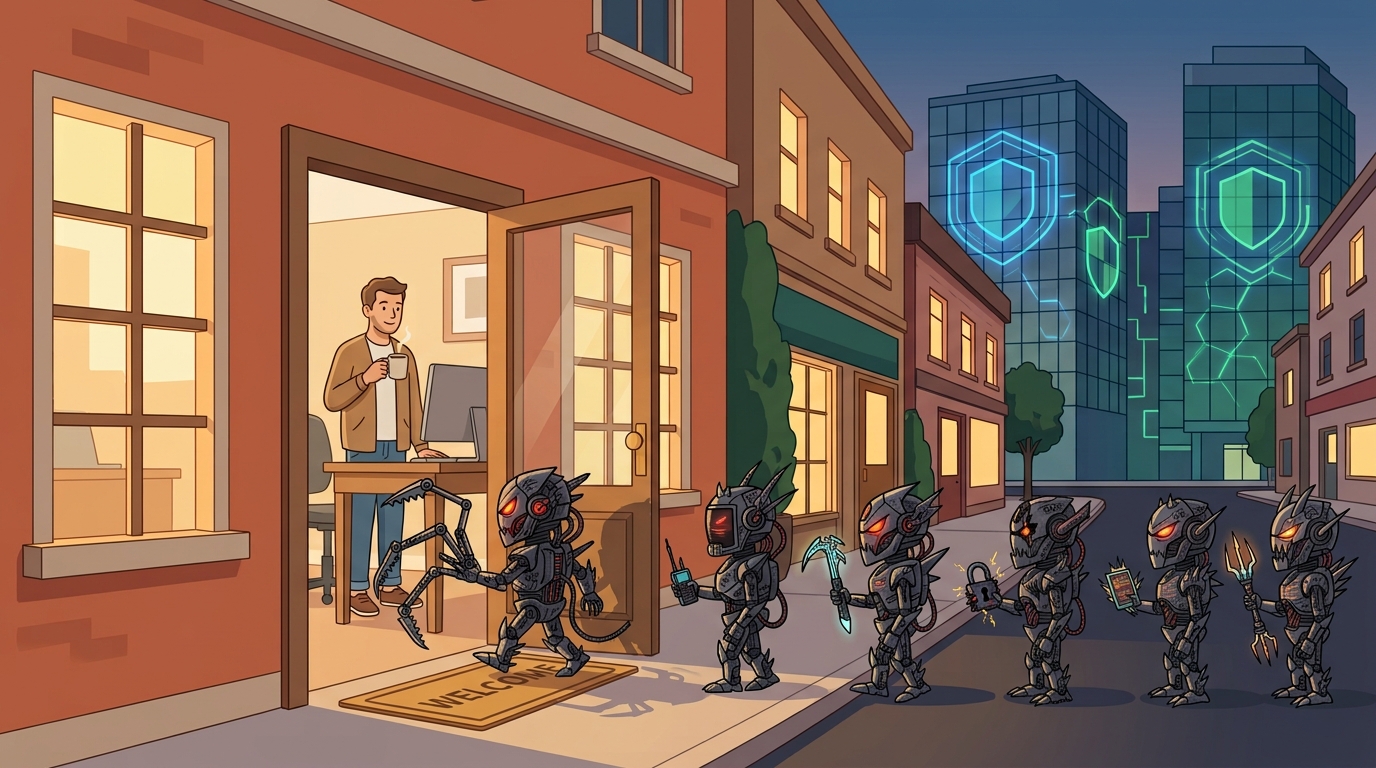
Automated cyber attacks don’t check your company size. They look for the easiest open door.
Welcome to How to Get Breached, our weekly guide for business owners who want to make a cybercriminal’s job as easy as possible. Step one is a classic, and it costs nothing to adopt. Just decide that hackers only go after banks, big retailers, and national brands. Not a 20-person company with a modest office and a coffee maker that leaks. Once you believe that, you can skip the security budget, the complaints about multi-factor authentication, and the backup testing. Attackers appreciate the cooperation.
For everyone who would rather not get breached, here’s why this advice backfires.
Attackers Don’t Check Your Size First
Most cyberattacks are automated. Bots scan the internet around the clock for exposed remote access, unpatched firewalls, and email accounts with weak or reused passwords. They don’t look up your revenue before they knock. They look for an open door.
We see this firsthand. The security monitoring we run for our clients records automated login attempts and scans every day against organizations of every size, including small offices most people would assume nobody cares about.
Small Means Easier, Not Safer
Small businesses often have fewer defenses: no dedicated security staff, older equipment, and shared passwords that never get changed. Attackers know this. Verizon’s 2025 Data Breach Investigations Report found ransomware in 88% of breaches at small and mid-sized businesses, compared with 39% at large organizations.
Your business is also a doorway to other people. Your email account can be used to send fake invoices to your customers. Your vendor relationships and bank accounts are worth something to a criminal even if your customer list isn’t.
A Hypothetical Scenario
Picture a fictional 15-person distribution company. The office manager uses the same password for work email as for a shopping site that was breached years ago. There’s no multi-factor authentication. An attacker logs in quietly, watches email for two weeks, then sends a few customers a polite note with “updated” bank details. Nobody notices until payments stop arriving. No advanced hacking was needed. The door was simply unlocked.
Practical Action Steps for Owners and IT
Turn on multi-factor authentication (MFA) for email, remote access, banking, and every cloud app, starting with email.
Patch operating systems, firewalls, and VPNs on a schedule, and replace equipment that no longer receives security updates.
Close exposed remote access. Remote desktop should never face the open internet.
Keep backups with at least one copy offline or immutable, and test a full restore at least quarterly.
Put security monitoring in place so someone reviews suspicious activity around the clock, not just during business hours.
Train staff to spot phishing, and require a phone call to a known number before changing any payment details.
Write a one-page incident response plan listing who to call first: your IT provider, your cyber insurer, and legal counsel.
Review your cyber insurance requirements. Many carriers now require MFA and tested backups before they’ll pay a claim.
Questions Your Customers May Ask You
Is my information safe with you? A strong answer explains what you actually do: MFA, monitored systems, tested backups, and staff training.
Why do you call me to confirm payment changes? Because fake invoice emails are one of the most common scams, and a quick call stops them.
What happens if you get hit by ransomware? You should be able to say that you have tested backups and a plan to restore operations quickly.
Would you tell me if my data were exposed? Yes. Explain that you have a response plan that includes timely notification.
How Farmhouse Networking Can Help
Farmhouse Networking helps small and mid-sized businesses close the gaps attackers count on. We provide 24/7 security monitoring, manage MFA, patching, and backups so they stay current, run staff security awareness training, and support compliance requirements specific to your industry. Our team is 100% U.S.-based, and when you call, a real person answers.
Find Out Where You Stand
You don’t need to guess whether your business is an easy target. Email support@farmhousenetworking.com to schedule a free breach-readiness review. We’ll show you where your gaps are and what to fix first, in plain language.
Next week: How to Get Breached, Step 2: Use the Same Password Everywhere.
AI usage limits are now part of every business plan. Here is what happens when your team hits one, and how to keep company data from walking out the door with them.
When AI usage limits stop work, employees often switch to free AI tools. That is how shadow AI puts company data at risk.
It’s 3:40 on a Thursday. Your office manager is halfway through a customer proposal when the company AI assistant stops responding: usage limit reached, try again later. The deadline is 5:00. So she opens a free AI chatbot on her phone, pastes in the customer’s details, and finishes the job. The proposal goes out on time. The customer’s information now sits on a server you have never vetted, under terms nobody at your company has read.
That is the real risk behind AI token limits. The interruption is annoying. What your people do next can be expensive.
What Are AI Tokens and Why Do They Run Out?
Tokens are how AI tools measure work. A token is a small piece of text, often part of a word, and everything counts: the question, any file you attach, the running conversation history, and the answer. Business AI plans come with an allowance, whether the vendor calls it tokens, credits, or messages.
In 2026 those allowances are tighter and more closely metered. Vendors are moving away from flat, unlimited-feeling plans toward usage-based billing. Microsoft, for example, now bills some Copilot features in Copilot Credits with admin spending limits. At the same time, teams are using AI harder. AI agents that handle multi-step tasks, long chat threads, and large uploaded documents burn through tokens far faster than a quick question does.
What Happens When You Hit the Limit
Depending on the tool and plan, one of three things usually happens:
Work stops. New requests are blocked until the allowance resets or an admin raises it. One source reported one consultant waiting 13 hours for tokens to refresh.
The bill grows. Overage billing keeps things running, then shows up as a surprise on next month’s invoice.
People improvise. Employees switch to whatever AI tool they can reach, usually a free personal account.
That third outcome is called shadow AI: AI tools used for work without the company’s approval or oversight. Free consumer tools may retain what you paste in and, depending on settings, may use it to improve their models. IBM’s 2025 Cost of a Data Breach Report found that 63% of the breached organizations it studied had no AI governance policy, and that high levels of shadow AI added about $670,000 to the average cost of a breach.
Action Steps for Business Owners and IT
Inventory every AI tool in use. Ask staff what they use, including free and browser-based tools. IT should confirm with web traffic and application reports.
Standardize on business-grade plans. Choose approved tools with admin controls and contract terms that keep your data out of model training.
Right-size the allowance. Review usage reports monthly. Set spending caps and threshold alerts so IT hears about a limit before employees hit it.
Write an AI acceptable use policy. Spell out approved tools, data that must never be entered, and exactly what to do when a limit is reached.
Build a fast escalation path. If requesting more capacity takes a day, people will go around it. Make the safe option the easy option.
Restrict unapproved AI sites on company devices. Use web filtering and data loss prevention tools to block or flag sensitive data headed to unknown AI services.
Teach token-smart habits. Start a new chat for each new task, attach only the pages you need, and use lighter models for simple work.
Add AI to your continuity plan. List the workflows that depend on AI and document the manual fallback if the tool is unavailable.
Questions Your Customers May Ask
Do you put my information into AI tools? Only into tools we have approved and configured for business use, under agreements that keep your data out of model training. Our policy prohibits entering customer information into personal or free AI accounts.
What happens if an employee uses an unapproved AI app? Our systems restrict unapproved AI services on company devices, and our policy treats it as a security issue. We would investigate and respond just as we would to any other data concern.
If your AI tool goes down or hits a limit, will my project be delayed? No. AI helps our team work faster, but every AI-assisted process has a documented manual fallback.
Does a person check AI-generated work? Yes. A member of our team reviews anything AI helps produce before it reaches you.
How Farmhouse Networking Can Help
Most small businesses adopted AI one employee at a time, which means few owners know which tools are in use, what they cost, or where the data goes. Farmhouse Networking helps you take control without slowing your team down.
We start by identifying every AI tool touching your network, approved or not. From there we help you choose and configure business-grade accounts, set up usage alerts and spending controls, apply web filtering and data loss prevention to stop shadow AI, and write an acceptable use policy your staff will actually follow. We also train your team on efficient, secure AI habits and add AI dependencies to your continuity plan.
Our 100% U.S.-based team answers the phone live, and most issues are resolved in about 15 minutes, so a blocked tool never becomes an all-afternoon problem.
Get Your Free AI Acceptable Use Policy Template
Your employees are going to hit an AI limit. The only question is whether they have a safe path forward when it happens. Email support@farmhousenetworking.com with AI Policy in the subject line and we will send you our free AI Acceptable Use Policy template, ready to customize for your business.
Why Length Beats Complexity for Today’s Businesses
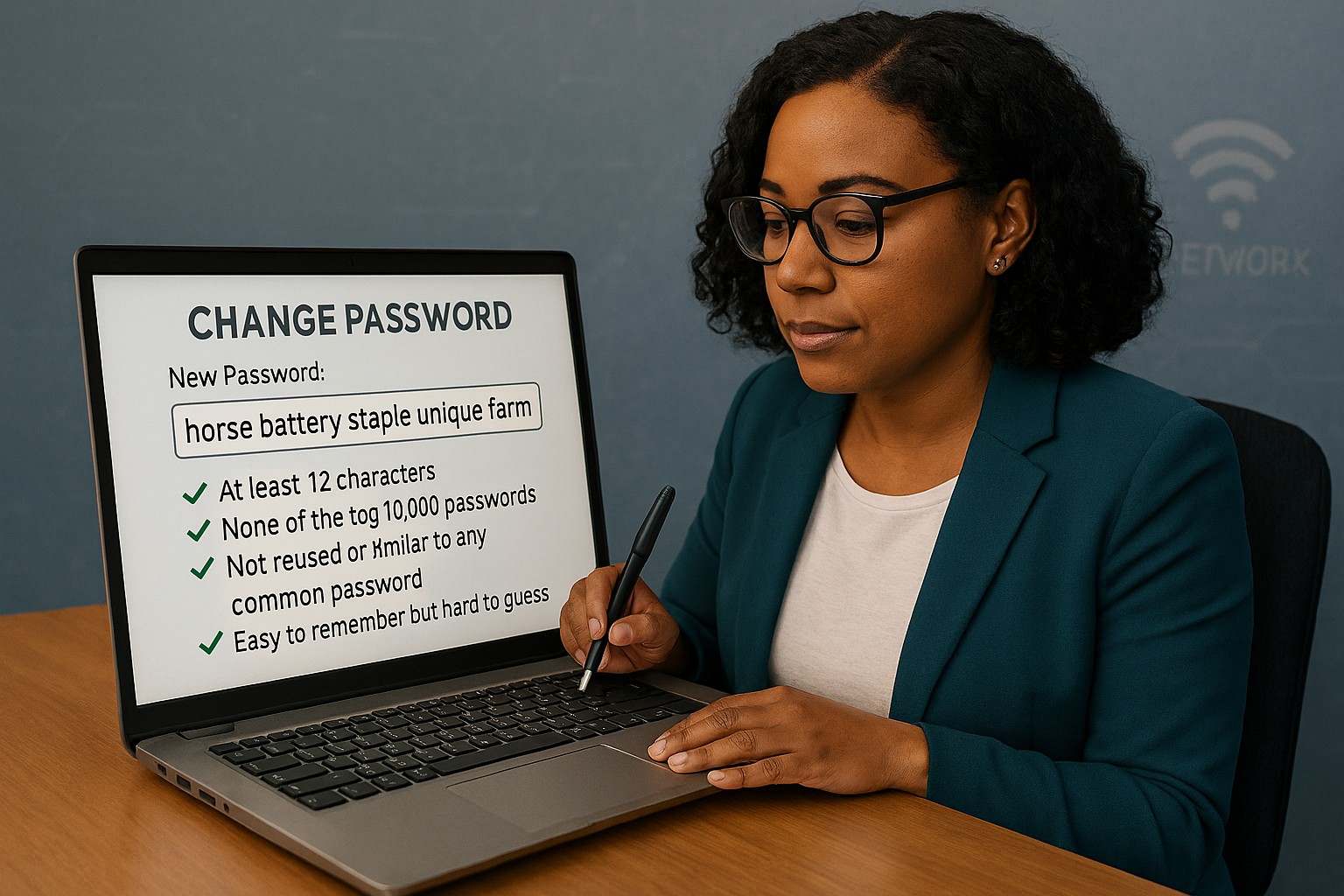
Long passphrases provide stronger protection and easier usability than outdated complexity rules, as recommended by NIST.
Businesses often believe adding symbols and monthly password resets makes them secure. NIST’s latest guidance says otherwise: a long, easy‑to‑remember passphrase offers more real protection than complexity tricks.
Password Style
Example Password
Notes on Strength and Usability
Old Complexity Rule (Outdated)
Tr@v3l!92
Short, hard to remember; may be reused or written down; easier for automated attacks to guess.
Old Complexity Rule (Outdated)
Pa$$w0rd!
Common pattern, predictable substitutions (“a”→“@”, “s”→“$”); easily cracked despite complexity.
Old Complexity Rule (Outdated)
M1cR0#Biz
Limited entropy due to short length; users frequently forget or reuse similar versions.
Modern NIST Approach (Recommended)
coffeeandcodeinthefall
Long, natural phrase; easy to remember; high entropy from length and unpredictability.
Modern NIST Approach (Recommended)
mydoglovesthebeachwalks
Secure through length, words chosen personally; human‑friendly without sacrificing strength.
Modern NIST Approach (Recommended)
sevencloudsdriftbyslowlytoday
Strong against brute‑force attacks because of sheer character count and mixed word structure.
Action Steps for Business Owners
Update Your Security Policy: Review password guidelines against NIST SP 800‑63B. Shift to length‑based passphrases.
Use Professional Password Management: Centralize storage and compliance while simplifying employee access.
Add Multifactor Authentication: Combine long passwords with MFA for the strongest possible protection.
Educate Staff Regularly: Train teams to create strong, unique passphrases and spot common cyber threats.
Monitor Access: Implement logging and alerts for suspicious password usage or failed login attempts.
Client Q&A
Q: Why did NIST change its recommendations? A: Research showed that complexity rules lead to bad habits — predictable substitutions and reused passwords — while longer ones resist attacks better.
Q: Do these changes apply to small businesses? A: Yes, small firms face the same credential attacks big ones do. NIST’s standards are scalable and easy to implement.
Q: How can I simplify all this? A: Centralized password management enforces standards automatically and keeps credentials secure without manual oversight.
How Farmhouse Networking Can Help
Farmhouse Networking works with SMBs to implement secure password policy frameworks based on NIST, automate credential management, and train users. Our goal: reduce risk, improve productivity, and strengthen compliance.
Strategic planning builds confidence in your company’s ability to recover from any data breach.
A data breach isn’t just an IT problem — it’s a leadership test. When sensitive information falls into the wrong hands or your systems go down, your organization’s credibility and resilience are on the line. The question every business owner should ask isn’t if a breach could happen, but how ready are we to recover when it does?
Cybersecurity confidence isn’t built overnight. It comes from preparation, policies, and partnerships designed to protect business operations long before a hacker strikes. Let’s look at the key actions every business leader needs to take to ensure their company can bounce back swiftly and securely.
Step 1: Create (and Test) a Data Breach Response Plan
A written incident response plan is the backbone of breach preparedness. It should clearly define:
Who leads the response effort — including IT, HR, legal, and communications.
Which systems are most critical to restore first.
How to notify affected clients, vendors, and regulatory authorities.
How often to review and test the plan (at least twice per year).
Running tabletop simulations helps ensure your team reacts calmly and effectively under pressure. Confidence grows through repetition — not theory.
Step 2: Back Up and Protect Mission‑Critical Data
Your business should maintain secure, versioned backups stored both onsite and in the cloud. Regularly verify that restorations actually work — many businesses discover backup failures only after a breach.
Use layered protections: encryption, multi‑factor authentication, and least‑privilege access. By separating sensitive client and financial data from general systems, you limit exposure and reduce recovery times.
Step 3: Build a Culture of Security Awareness
Technology alone can’t stop phishing or social‑engineering attacks. Train employees to identify suspicious links, unusual requests, and fake login screens. Encourage staff to report incidents without fear of reprisal — early detection is critical to limiting damage.
When every team member sees themselves as part of the security perimeter, recovery time drops significantly.
Step 4: Evaluate Cyber Insurance and Compliance
Cyber liability insurance can offset the financial impact of investigations, legal fees, and client notifications. Ensure your policy covers restoration costs and business interruption.
Also, verify compliance with industry regulations — for healthcare (HIPAA), financial services (GLBA), or nonprofits handling donor data. Knowing where you stand legally improves confidence during breach response and reporting.
Step 5: Partner With a Trusted IT Team
Most small and midsize businesses can’t maintain an internal 24/7 cybersecurity unit — and that’s okay. A proactive IT partner like Farmhouse Networking can monitor systems, detect intrusions, patch vulnerabilities, and guide you through post‑breach recovery.
Their experts specialize in risk assessments, compliance strategies, and disaster recovery planning tailored to your organization’s real‑world needs.
Questions Business Owners Often Ask
Q: How soon should I respond after a breach? A: Immediately. Containment during the first 24 to 48 hours is critical to prevent further compromise. Your IT team should isolate affected systems, preserve logs, and begin forensic analysis.
Q: Do I have to notify my clients? A: In most cases, yes. Many state privacy laws and industry regulations require prompt notification of affected parties. Transparency also helps rebuild trust.
Q: What if I don’t have a formal response plan yet? A: You’re not alone — many small businesses don’t. Start by working with a security expert to develop one that fits your scale and operations. Farmhouse Networking can help you create and test this plan efficiently.
Q: How can I measure my recovery readiness? A: Request a cybersecurity assessment. It benchmarks your preparedness across policies, technologies, and training — identifying gaps before they become major problems.
How Farmhouse Networking Helps Businesses Recover and Prepare
At Farmhouse Networking, we understand that a breach response is more than fixing systems — it’s about restoring confidence. Our data recovery and cybersecurity services include:
24/7 system monitoring and threat response.
Managed backups with rapid restoration testing.
Compliance assessments for regulated industries.
Employee training programs on cybersecurity awareness.
Customized breach recovery and incident response plans.
We turn uncertainty into preparedness, allowing you to focus on growth instead of risk.
Your Next Step
The cost of downtime and lost trust far outweighs the investment in prevention. Start by asking: If we were breached tomorrow, could we recover smoothly?
If that answer isn’t a confident “yes,” it’s time to act. Email support@farmhousenetworking.com to learn how Farmhouse Networking can strengthen your breach recovery plan and keep your business resilient and secure.
429% credential exposure surge demands passwordless authentication now
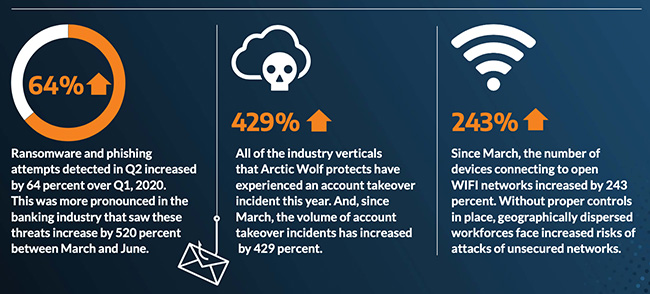
A company named Arctic Wolf, a leader in enterprise security operation centers, published a report that states that the number of corporate credentials with plaintext passwords on the dark web has increased by 429% since March.
There are also startling statistics on the increase in email phishing attempts and the use of unsecure public wireless connections. These numbers are like due to the Work From Home employees using their own insecure computers and cyber criminals trying to take advantage of the trend. It appears that security measures that are used in the office need to be extended to the Work From Home network as well.
If your company is currently or is going to have Work From Home users, then contact us for assistance.
Key steps to recover from a business hack—contain, eradicate, communicate, and prevent future attacks.
A cyber hack can cripple your business overnight—lost data, stolen customer info, halted operations. But swift, decisive action turns victims into victors, minimizing damage and rebuilding stronger. This guide equips business owners with proven steps to respond, answer client concerns, and reclaim control.
Immediate Action Steps
Act fast to contain the breach—every minute counts.
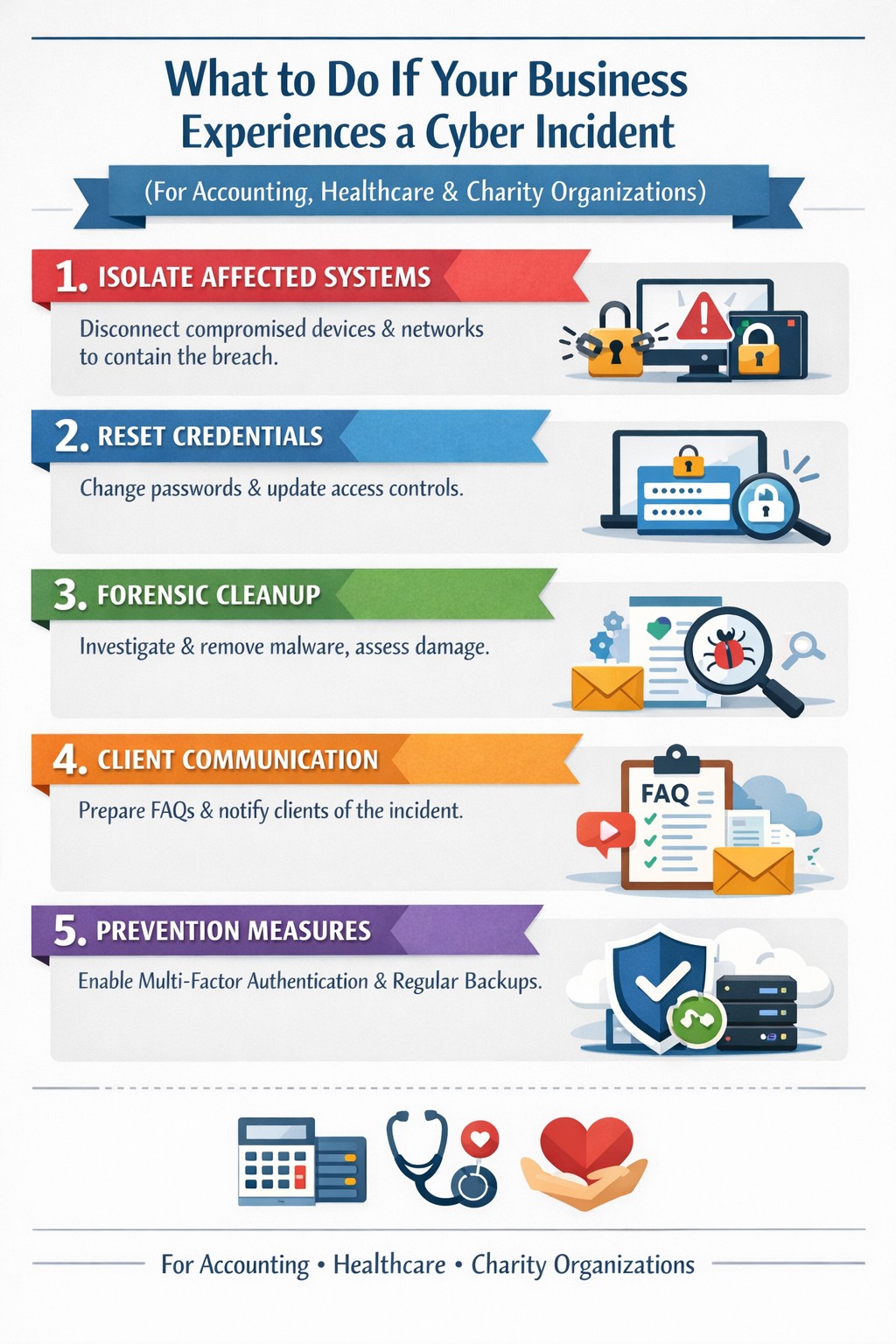
Isolate affected systems: Disconnect hacked devices, servers, or networks from the internet to halt spread. Power down if ransomware suspected; switch to backups.
Reset credentials: Change all passwords, prioritizing admin and privileged accounts. Enable multi-factor authentication (MFA) everywhere.
Scan and assess: Run antivirus/malware scans on all systems. Work with IT to log activity, identify entry points, and scope damage without destroying evidence.
Alert key parties: Notify your web host, insurer, and authorities (e.g., FBI via IC3.gov if data breached). Check legal obligations like state notification laws.
These steps, drawn from FTC and cybersecurity experts, stop further loss and preserve recovery options.
Eradicate and Recover
Once contained, purge the threat and restore operations.
Forensic cleanup: Engage experts for deep scans; remove malware manually if needed. Restore from clean, offline backups—test them first.
Patch vulnerabilities: Update all software, firmware, and OS. Block malicious IPs and revoke compromised accounts.
Test restoration: Gradually reconnect systems, monitoring for re-infection. Prioritize revenue-critical apps like CRM or e-commerce.
Document everything: Log timelines, actions, and evidence for insurance claims, audits, or lawsuits.
Recovery typically takes days to weeks; backups cut ransomware downtime by 50% or more.
Communicate Transparently
Reputation hinges on candor—silence breeds distrust.
Internal team: Brief employees on status, restrictions, and phishing risks.
Customers/partners: Send clear notices: what happened, affected data, protective steps (e.g., credit monitoring), and your fixes. Use FTC templates.
Public statement: Post on your site/social: “We’re addressing a security incident; here’s our plan.” Offer support lines.
Transparency retains 70% more clients post-breach versus cover-ups.
Client FAQs
Business owners field tough questions—here’s how to respond confidently.
Q: How did this happen? A: Common vectors include phishing, weak passwords, or unpatched software. Our audit revealed [specific gap, e.g., outdated plugin]; we’ve sealed it.
Q: Is my data safe? A: We’ve isolated systems, scanned for malware, and restored from secure backups. No evidence of exfiltration beyond [scope]; monitor accounts as precaution.
Q: What are you doing to prevent recurrence? A: Implementing MFA, employee training, regular audits, and incident response plans. We’ll share a security update soon.
Q: Should I worry about identity theft? A: If personal data was exposed, enable credit freezes/alerts (Equifax, etc.) and fraud monitoring. We’re covering [offer, e.g., 1-year service] for affected parties.
Q: How long until normal? A: Containment: hours; full recovery: 1-2 weeks. Business-critical functions resume via backups today.
These answers rebuild trust, per expert post-breach playbooks.
Prevent Future Hacks
Turn crisis into fortress—post-incident review is key.
Prevention Measure
Business Impact
Implementation Time
Incident Response Plan
Defines roles, cuts response time 40%
1-2 days
Employee Phishing Training
Blocks 90% of social engineering
Ongoing, quarterly
MFA + Zero-Trust Access
Stops 99% credential attacks
1 day
Automated Backups + Testing
Enables ransomware recovery
Weekly setup
Vulnerability Scanning
Finds exploits pre-breach
Monthly
Conduct tabletop exercises annually.
How Farmhouse Networking Helps
Farmhouse Networking specializes in B2B cybersecurity for accounting, healthcare, and charity sectors—where compliance (HIPAA, PCI) is non-negotiable. We deliver:
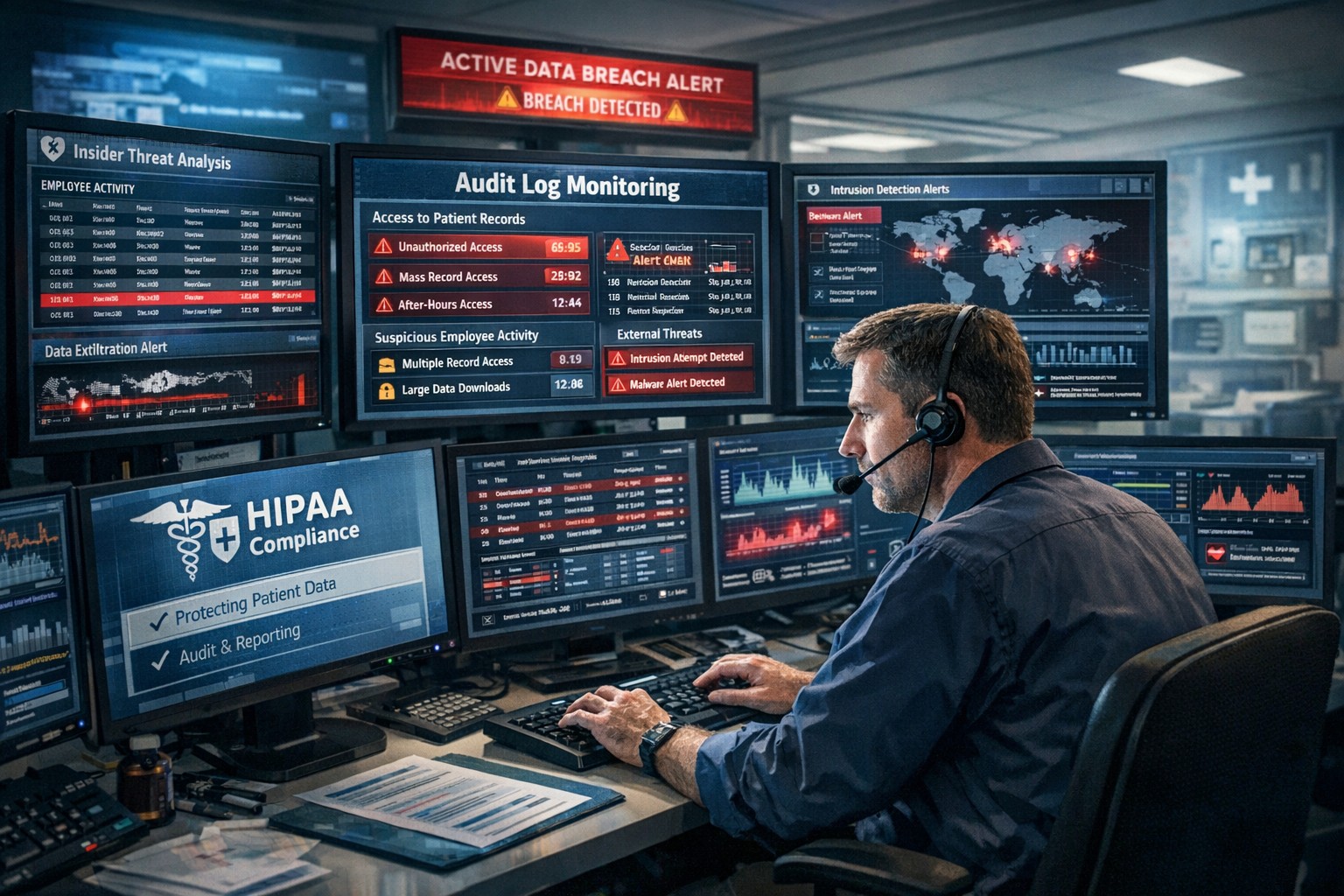
Very weird occurrence the other day, checked the post office box and found a letter regarding my son’s protected health information (PHI) had been improperly accessed in an Asante employee breach that started in 2014. Shortly there after upon returning home, found an email from Yahoo stating that they had been hacked back in 2014 and had just now finished their investigation which could have effected my wife’s personal email. Seems a strange coincidence that both firms had this happen two years ago and it took both firms two years to notice / do the investigation piece to rectify the situation. Here are some quotes from their responses:
Asante Employee Breach
“While Asante cannot provide details regarding the outcome of this internal investigation, we can assure you that we applied our employment policies and processes appropriately. A final audit of the employee’s actions showed that the employee inappropriately accessed records from August 18, 2014 to July 21, 2016 that may have included your child’s name, date of birth, medical records number, medications, diagnosis, and lab results… To date, we have no evidence that any patient information has been misused, nor do we have any reason to believe that the information will be misused. However, as a precaution, we wanted to notify you regarding this incident and assure you that we take it very seriously.”
Yahoo Hack
“A copy of certain user account information was stolen from our systems in late 2014 by what we believe is a state-sponsored actor… The stolen user account information may have included names, email addresses, telephone numbers, dates of birth, hashed passwords (the vast majority with bcrypt) and, in some cases, encrypted or unencrypted security questions and answers.”
So these two things were not related but it is scary to think that it took two years to notice this activity. Even if Asante believes that the employee didn’t do anything malicious with the information, it shows that their information access policies and audit logging on them is severely lacking. They need to step up their game and possibly adopt some behavioral based analysis of the audit logs for inappropriate access like this in the future.
As for Yahoo, why are some of the security questions unencrypted while others were and were the passwords just hashed? If a state-sponsored actor had unsalted password hashes for two years before being detected then the likelihood of them being able to crack the passwords is extremely high. They also state that they are working closely with law enforcement on this one, but what is law enforcement going to do against another government’s hacking crew (aka state-sponsored actor)?
If your company is unsure of its information security posture or needs an evaluation of audit logging / reporting, then contact us for assistance.
And God will generously provide all you need. Then you will always have everything you need and plenty left over to share with others. As the Scriptures say, “They share freely and give generously to the poor. Their good deeds will be remembered forever.” For God is the one who provides seed for the farmer and then bread to eat. In the same way, he will provide and increase your resources and then produce a great harvest of generosity in you. - 2 Corinthians 9:8-10
We use cookies to ensure that we give you the best experience on our website. If you continue to use this site we will assume that you are happy with it.