Why how your staff uses AI matters more than whether they use it
Experienced staff use AI to work faster. New hires should watch and learn from it, not let it do the job for them.
Why how your staff uses AI matters more than whether they use it
Somewhere in your business right now, an employee is probably using AI to draft an email, summarize a document, or answer a customer question. Whether you approved it or not, AI has already found its way into your workday. The real question for your business isn’t whether to allow AI. It’s whether the people using it know the difference between a tool that makes them better and a shortcut that replaces their judgment.
Here’s a useful way to think about it: AI should act as a tool in the hands of a master and a mentor in the hands of a novice. Your most experienced employees already know what good work looks like in your business, whether that’s a client proposal, a service call, or a piece of finished work. For them, AI is a force multiplier that speeds up the parts of the job they already understand. For your newest hires, the ones still learning how your business actually operates, AI shouldn’t hand them a finished answer to pass along. It should be something they watch work through a problem and learn from, the way they’d learn by shadowing an experienced coworker.
Get that balance backward and the risk is real. Gartner predicts that by 2030, 30 percent of organizations will see worse decision-making tied directly to overreliance on AI, a risk concentrated among less experienced employees in roles that depend on judgment. In practice, that looks like a new hire who never develops real expertise because AI has always supplied the answer. There’s also a more immediate problem: recent workplace surveys found a majority of employees already use AI tools their employer never approved or reviewed, often entering business or customer information into them without a second thought. For any business that handles customer data, that’s a real exposure, not a hypothetical one.
What This Means for Your Business
The goal isn’t to slow down AI adoption. It’s to make sure your best people are using it to work faster, while your newest employees are actually building skill, not just prompting their way through the job.
Action Steps for You as the Business Owner
Put a simple written AI use policy in place: which tools are approved, what business or customer data can go into them, and who signs off on new tools.
Separate low-risk uses, like drafting internal notes, from anything touching customer data, financial information, or work that goes out under your name.
Require experienced staff to review AI-assisted work until you’ve established confidence in the results, not just approved it once and moved on.
Treat AI as a training tool for new hires: have them explain how the AI arrived at an answer to a supervisor, rather than submitting the output directly.
Revisit the policy every few months. AI tools and the risks around them change faster than most small business policies do.
Action Steps for Your IT Department or Provider
Take inventory of the AI tools already touching your network, including ones employees adopted on their own without telling anyone.
Confirm which tools meet your data security and privacy standards, and restrict or block the ones that don’t.
Set up monitoring that flags new or unapproved AI tool use before it becomes a habit across the team.
Check whether AI features built into your existing software, like your CRM or accounting platform, meet the same security bar as the rest of your systems.
Put technical controls behind the written policy, such as access restrictions and activity logs, so it’s more than a memo employees forget.
Questions Your Customers Might Ask You
“Are you using AI to handle my information or my order?” Be direct about where AI helps, such as drafting a first response, and reassure them a staff member reviews anything that matters before it reaches them.
“Is my information safe if you’re using these tools?” Point to your policy: only vetted, secure tools are used, and customer information never goes into a tool that hasn’t been reviewed.
“Will AI replace the people I usually work with at your business?” Explain that AI supports your team’s work, it doesn’t make the final call, and every decision that affects a customer still comes from a person.
“How do I know your newer staff aren’t just letting AI do their job?” Explain that your business uses AI as a supervised training tool for newer employees, always reviewed by an experienced coworker, not a substitute for learning the job.
How Farmhouse Networking Can Help
Setting the right guardrails takes more than good intentions. Farmhouse Networking helps small and mid-sized businesses build AI usage policies that match how their teams actually work, put practical safeguards behind those policies, and monitor the network for AI tools employees may have adopted without approval. We help you see clearly what’s already running on your systems, close the security gaps, and put a structure in place so your experienced staff can work faster with AI while your newest employees are actually learning the job.
If you’re not sure what AI tools are already touching your business data, or you want a policy that actually holds up, we can help you find out and fix it.
Email us at support@farmhousenetworking.com and let’s talk about what a safe, practical AI approach looks like for your business.
Why Root Cause Analysis Belongs in Your Incident Response Plan
Finding the root cause of an IT incident is what stops it from happening again.
If your last IT issue got fixed but never explained, you may already be sitting on a repeat problem.
Here’s how it usually goes: an employee’s email gets compromised, your IT provider resets the password, the alerts stop, and everyone moves on. But almost nobody asks the harder question — how did the attacker actually get in, and is that same weakness still open somewhere else in your business?
That question is the entire purpose of root cause analysis (RCA). It’s the difference between putting out a fire and finding out what’s been leaking gas into the building. Skip it, and you’re not preventing the next incident — you’re just waiting for it.
What Root Cause Analysis Actually Means for Your Business
Incident response is the emergency part: contain the threat, restore access, get back to work. Root cause analysis is the follow-up step that asks why it happened in the first place — a phishing gap, a missing security policy, an unpatched system, a training blind spot. Without that step, your business ends up treating the same underlying weakness as a brand-new crisis every time it resurfaces.
Action Steps for You and Your IT Provider
Require a written root cause summary after any security incident — not just a “resolved” notification.
Ask whether your provider monitors for unusual sign-in locations and session activity, not just failed login attempts.
Confirm Conditional Access policies are enforced to block logins from unexpected countries or unmanaged devices.
Review whether staff training addresses the specific method behind the last incident, not just general reminders.
Ask your provider whether an incident was isolated or part of a broader pattern across your systems.
Build a root cause step into your written incident response plan, if you don’t already have one.
Schedule a 30-day follow-up review to confirm the fix actually held.
Questions Your Team Might Ask You
Q: We already fixed it — why dig further? A: Fixing the account doesn’t fix the door the attacker used to get in. Without knowing how it happened, you can’t be confident it won’t happen again the same way.
Q: Doesn’t this slow down how fast issues get resolved? A: No. Containment happens immediately, every time. Root cause review is a short follow-up step afterward — usually a summary or a brief call, not a delay.
Q: Is this really worth the extra step for a business our size? A: Yes — arguably more so. Smaller businesses often can’t absorb the same incident twice. Understanding the cause the first time is what keeps a bad week from becoming a bad year.
How Farmhouse Networking Helps
We recently helped a client contain an incident where an employee’s login session — not just her password — was stolen through a convincing fake sign-in page that looked identical to a real Microsoft 365 login. Containing it was step one. The real work was tracing exactly how the attacker got that session, confirming nothing else in the environment was exposed the same way, and closing the gap permanently.
That’s the process we apply to every incident we handle. Farmhouse Networking documents root cause on every security event, gives you a plain-language explanation of what actually happened and why, and makes sure the fix addresses the cause — not just the symptom.
Want to Know What’s Really Behind Your Last IT Incident?
If your business has had an IT issue that got resolved but never really explained, that’s worth a second look before it repeats itself. Email us at support@farmhousenetworking.com and we’ll walk you through what a proper root cause review looks like — plainly, and without the jargon.
How small business owners can use AI to simplify HR — hiring, onboarding, and staff support — without adding headcount or risk
Small business owners are turning to AI to simplify hiring, onboarding, and everyday HR tasks.
If you’re running a small business, HR is probably one of a dozen hats you wear, not a full-time job. AI tools built for HR — screening applicants, automating onboarding paperwork, answering common staff questions — can take real work off your plate. The opportunity is significant, but so is the need to choose and set up these tools carefully so they don’t create new security gaps.
Action Steps for Owners and IT
List the HR tasks currently taking the most time: recruiting, onboarding, PTO tracking, or answering repeat staff questions.
Evaluate AI-assisted applicant screening and interview scheduling tools that fit your team size and budget.
Set up an AI-powered internal FAQ or chatbot trained on your policies so staff get quick answers without interrupting you.
Have your IT provider review any new HR tool’s data handling and access controls before your team starts using it.
Use AI-generated summaries of employee feedback or engagement surveys to catch problems before they become turnover.
Create a simple written policy on what information staff can and can’t enter into AI tools.
Confirm data storage location and vendor security practices before rolling out any HR software company-wide.
Questions Staff Might Ask
Is the company using AI to decide who gets hired or promoted? AI speeds up early-stage screening, but hiring and promotion decisions still come from you or your managers.
Is my personal information safe with these tools? Properly vetted tools keep employee data secure and separate from other business systems — your IT provider should confirm this before adoption.
Will this replace my manager or HR contact? No — these tools reduce repetitive administrative work so the people around you have more time for you.
How Farmhouse Networking Can Help
Farmhouse Networking helps small business owners vet, integrate, and secure AI-powered HR tools — from applicant screening to internal chatbots — so you get the time savings without the security headaches. We handle the technical review and staff training so you can adopt these tools with confidence.
A small business owner working with their IT partner to prepare a CIRCIA‑ready cyber incident response plan.
Many small and midsize business owners assume CIRCIA is aimed only at Fortune 500 companies, but that is a risky assumption. Small and mid‑market organizations can be “covered entities” if they provide critical services or support critical infrastructure, and even those outside scope will feel the ripple effects through clients, insurers, and vendors.
CIRCIA in a Nutshell
CIRCIA (Cyber Incident Reporting for Critical Infrastructure Act) requires covered entities to report substantial cyber incidents to CISA within 72 hours.
Ransomware payments must be reported within 24 hours.
Coverage is based on critical infrastructure role, not just size; small entities can be included if their disruption would impact national or regional security, economy, or public health.
Even if you are not covered, your larger customers and partners may require you to meet CIRCIA-like standards to stay in their supply chain.
Concrete Steps for Owners and IT Teams
Owner-level actions:
Determine your exposure: Identify whether you operate in or support critical infrastructure sectors (healthcare, energy, transportation, government services, etc.).
Review contracts and insurance: Look for new clauses about cyber incident reporting, cooperation, and timelines.
Fund the basics: Approve budget for security monitoring, backups, and an incident response plan; these are now business necessities, not IT “nice‑to‑haves.”
IT / MSP actions:
Perform a security and asset inventory: Know what you have, where it is, and how it is protected.
Implement monitoring and logging: Centralized logs and alerts are essential to detect and investigate incidents fast enough for 72‑hour reporting.
Develop and test an incident response plan: Include decision trees for when to treat an incident as “substantial,” who to notify, and how to collect evidence.
Prepare for CISA reporting, even if “not covered”: Templates and processes for structured incident documentation will help with insurers, regulators, and major customers.
Questions Your Customers May Ask – Answer Set
“Are you compliant with CIRCIA?”
We have implemented incident detection, response, and reporting processes aligned with CIRCIA expectations, and we support our critical-infrastructure customers with the evidence they need.
“If a cyber incident hits you, how will it affect us?”
We maintain backups, response playbooks, and communication plans aimed at minimizing downtime and providing transparent updates.
“Will you tell us quickly if our data is involved?”
Yes. Our procedures require rapid notification to affected customers and support for any regulatory or contractual reporting they must perform.
How Farmhouse Networking Helps SMBs Turn CIRCIA into an Advantage
Farmhouse Networking helps small and midsize businesses use CIRCIA as a catalyst to get modern, business-grade cybersecurity in place:
Determining whether your business or key customers are likely covered entities and what that means for your contracts and obligations.
Implementing security controls—MFA, EDR, monitoring, backups, segmentation—that both reduce incident likelihood and support fast, evidence-based reporting.
Building, documenting, and testing an incident response and communication plan tuned to 72‑ and 24‑hour windows.
Acting as your ongoing IT and security partner so you can answer customer and regulator questions with confidence.
Call to action: Email support@farmhousenetworking.com to find out how Farmhouse Networking can help your small business prepare for CIRCIA and improve your overall cybersecurity resilience.
How to Take Back Control of Your Credentials and Phones
When an MSP controls your passwords and phone system, your entire small business can be held hostage by vendor lock‑in and security risks.
If your MSP controls all your admin passwords and has your phone service in their name, they effectively hold the keys to your entire business. In a dispute, a security incident, or even an acquisition of their company, you could find yourself locked out of critical systems that drive revenue and customer service.
The Real Dangers of MSP Lock‑In
Some providers refuse to release credentials or slow‑roll off‑boarding, forcing clients into “hostage” situations that require legal escalation or aggressive technical takeovers. At the same time, attackers increasingly target MSPs because one compromised technician account can reach many customers’ environments.
When your phone system is outdated or fully tied to that MSP, you pay more each year for less functionality, struggle with remote work, and depend on them for every change. The combination of technical dependence and credential lock‑in is a business‑continuity risk you can’t afford to ignore.
Action Steps for Owners and Their IT Teams
Reassert ownership of core assets
Ensure your company owns master accounts for email, cloud services, line‑of‑business apps, domains, DNS, and phone numbers, with internal admin rights documented.
Centralize credentials in a business‑owned vault
Use a secure password manager or encrypted repository where your business controls the master key and you grant time‑bound, role‑based access to MSP staff.
Implement strong identity and access controls
Enforce MFA everywhere, require strong unique passwords, and use least‑privilege and role‑based access so no external user has unchecked power.
Build clean exit ramps into contracts
Document how credentials, documentation, and phone services will be handed back, and set deadlines and formats for off‑boarding deliverables.
Prepare for the worst‑case scenario
Maintain independent backups, keep an internal “break‑glass” account, and have a written playbook for revoking vendor access and rotating credentials quickly.
Questions Your Customers May Ask
Q: Could your IT company access or leak my data? A: We control the master credentials and use MFA, logging, and access controls so any vendor only has tightly scoped, monitored access to what they need to support us.
Q: What happens if your IT provider is hacked? A: We follow best practices for identity security, vendor risk management, and backups so a single compromised account at an MSP cannot easily cascade into your data.
Q: Are you able to stay operational if you change IT providers? A: Yes—because we own our accounts and phone numbers and have a documented exit process, we can transition providers while keeping systems and support running.
How Farmhouse Networking Helps SMBs
Farmhouse Networking works with business owners to document every critical system, transfer licensing and phone services into the company’s control, and consolidate credentials into secure, business‑owned vaults. We then implement MFA, break glass accounts, role‑based access, and incident‑response plans so neither a single technician nor an MSP relationship becomes a single point of failure.
We can also help you renegotiate or replace MSP contracts with clear off‑boarding terms and test those processes before you ever need them in an emergency.
Email support@farmhousenetworking.com to make sure no MSP can ever hold your credentials, phones, or business hostage again.
What Small Business Owners Need to Know About Health Plans and IT Risk
Small business leaders and IT teams should review how the 2027 NBPP proposed rule will change employee health plans, compliance requirements, and data security.
The 2027 NBPP proposed rule, issued February 11, 2026, will reset key rules for ACA Exchanges and small‑group health plans starting in 2027. As a small or mid‑sized business owner, these changes affect your benefit strategy, your HR workload, and the IT systems that support them.
Big Picture: What’s Changing
Catastrophic and some bronze plans can carry significantly higher out‑of‑pocket maximums, shifting more financial risk to employees.
CMS proposes multi‑year catastrophic plans and broader hardship exemptions, making catastrophic coverage more common among workers who cannot or do not enroll in richer plans.
Agents, brokers, and web‑brokers must use standardized HHS‑approved consent and eligibility review forms, creating more structured documentation.
Certain state‑mandated benefits will be treated as “in addition to” Essential Health Benefits, affecting plan design and cost structure.
Concrete Action Steps for Owners and IT
For the business owner/CEO:
Reevaluate your health benefits package
Ask your broker which 2027 plan designs they expect to offer and whether your team could be pushed toward higher‑OOP bronze or catastrophic options.
Model the total compensation impact if benefits become less generous and consider offsetting with stipends, HRAs, or plan upgrades.
Upgrade HR policy and employee education
Provide clear, written explanations of how deductibles, out‑of‑pocket maximums, and catastrophic coverage work under the new rules.
Set expectations about documentation employees should keep (especially standardized federal consent and eligibility forms tied to subsidies).
For your IT department or MSP:
Prepare your systems for new standardized forms and proofs
Ensure HRIS, payroll, and document systems can accept, tag, and secure HHS‑approved consent and application review forms your broker will use.
Build simple workflows for HR to retrieve this documentation during audits, disputes, or employee questions.
Tighten security around benefits and PHI‑adjacent data
Implement strong identity and access management, encryption, logging, and vendor controls for any system that touches health coverage or subsidy information.
Confirm that contracts with benefits platforms, brokers’ portals, and HR tools reflect updated privacy and security expectations.
Likely Employee Questions – And How to Answer
“Why did my maximum out‑of‑pocket jump so much?”
Under the 2027 NBPP, some bronze and catastrophic plans are allowed to exceed prior out‑of‑pocket caps, which can significantly increase your financial exposure if you get sick or injured.
“What are these new standardized forms from the broker?”
Federal rules now require standardized HHS‑approved consent and eligibility review forms to document the accuracy of your application and protect your subsidy eligibility.
“Are all state‑mandated benefits still fully covered?”
Not always; certain state‑required benefits are treated as outside the core Essential Health Benefits package, which may affect how they’re funded and covered.
How Farmhouse Networking Helps SMBs
Farmhouse Networking partners with small and mid‑sized businesses to turn regulatory change into structured, low‑friction processes:
Integrate new federal consent and eligibility documentation into your HR and document‑management stack, so HR can find what they need in seconds.
Implement or enhance cybersecurity controls around benefits, payroll, and identity data to reduce risk as health coverage documentation becomes more standardized and audit‑friendly.
Coordinate with your broker and benefits platforms so technical changes (new forms, new plan designs) are reflected cleanly in your systems with minimal disruption.
Call to Action Email support@farmhousenetworking.com to get a focused assessment of how the 2027 NBPP proposed rule intersects with your benefits, IT, and employee experience – and a concrete plan to get ahead of it.
Small business owners should update ownership records and IT controls to align with FinCEN’s new due diligence relief and banking compliance requirements.
FinCEN has issued an order granting relief from part of its Customer Due Diligence rule, so banks no longer must re‑identify and re‑verify beneficial owners every time your company opens a new account or product. Instead, they focus ownership checks on initial account opening, when something about your information looks off, and when their risk‑based procedures say they should dig deeper.
The Core Change in Simple Terms
Under this exceptive relief, your bank must confirm your company’s beneficial owners only:
At the first account opening with that institution.
When they learn facts that call your existing ownership information into question.
As needed under their ongoing risk‑based due‑diligence procedures.
They are no longer required to repeat the beneficial ownership process for each subsequent checking account, loan, or credit card you open with them.
Concrete Steps for Owners and IT
Owner/management actions:
Keep ownership data clean: Maintain a current list of all beneficial owners (and key controllers) with legal names, tax data, and ownership percentages so you can certify accuracy quickly when requested.
Align with your bank: Ask your relationship manager how they will apply the relief, what they will still ask for, and how your internal records can make their reviews faster.
Tie into CTA/BOI: If your company is subject to beneficial ownership reporting, ensure your BOI filings, internal records, and the bank’s records are consistent.
IT department actions:
Centralize and secure records: Store ownership documents, formation records, and signatory forms in a secure repository with encryption, permissions, and audit logging.
Implement change‑management: Put in a formal process so every ownership change, equity issuance, or leadership change creates an IT and compliance ticket to update records and access rights.
Protect financial access: Enforce MFA, least‑privilege access, and monitoring on all systems connected to banking, payments, and accounting, supporting the bank’s risk‑based oversight with strong internal controls.
Common Customer Questions (and Answers You Can Use)
“Is my business still being monitored for suspicious activity?” Yes. The relief removes duplicated paperwork but does not change the Bank Secrecy Act’s risk‑based monitoring and reporting framework.
“Will my bank ask for less paperwork now?” In many cases, yes, especially when opening additional accounts or services with the same institution, because they can rely on previously collected ownership information when appropriate.
“Do I still need to tell my bank when ownership changes?” Absolutely. If the bank discovers that ownership data is outdated or inaccurate, they must revisit their due diligence, and delays or risk re‑assessment may follow.
How Farmhouse Networking Helps SMBs Turn Relief into Advantage
Farmhouse Networking helps small and midsize businesses convert regulatory changes into operational improvements by:
Designing secure, centralized systems for ownership, governance, and banking documentation.
Automating workflows triggered by ownership and leadership changes to keep systems, access, and records aligned.
Strengthening IT security around financial systems so your risk profile stays low while your bank leans more on a risk‑based approach.
To learn how to implement these steps efficiently and securely, email support@farmhousenetworking.com for more information about how Farmhouse Networking can help improve your business.
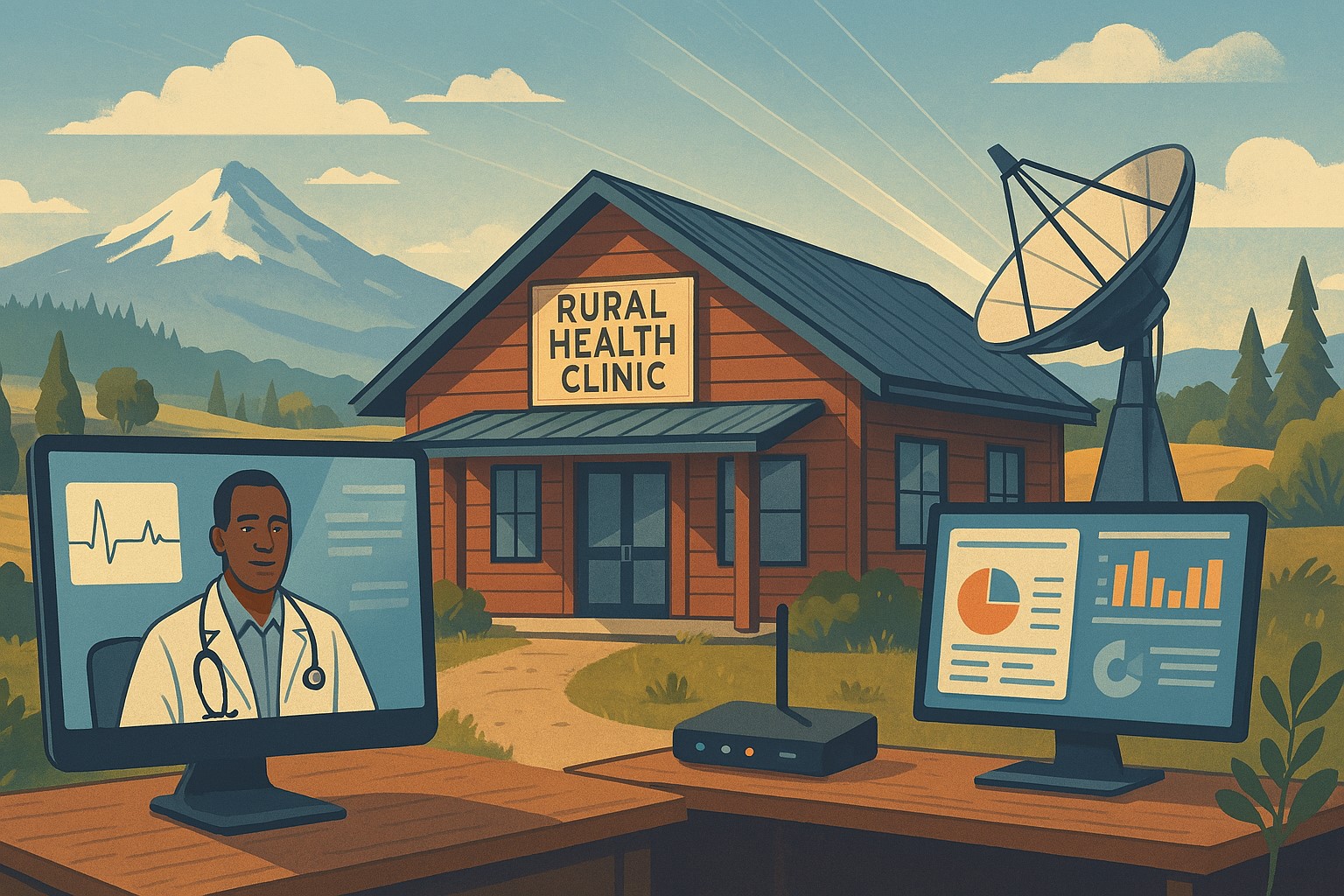
Modern IT and cybersecurity tools help rural small businesses strengthen resilience, protect customer data, and apply lessons from the Rural Health Transformation Program.
The Rural Health Transformation Program is a five-year, $50 billion national initiative focused on stabilizing and modernizing rural health systems through better technology, stronger cybersecurity, and more resilient operations. Even if your business is not in healthcare, the same principles apply: modern, secure IT and good data are now core to long-term sustainability.
Why Business Owners Should Pay Attention
The program explicitly invests in IT support, cybersecurity, and technology-enabled efficiency as critical to sustainable operations in rural settings.
Oregon’s plan emphasizes tech modernization, workforce resilience, and strong regional partnerships as keys to surviving funding shifts and market changes.
SMBs that adopt these same priorities gain resilience against outages, cyberattacks, and regulatory pressure—without waiting for a crisis.
Practical Action Steps for You and Your IT Team
Treat IT as critical infrastructure, not overhead
Conduct a full inventory and risk assessment: hardware, software, data flows, third-party platforms, and security controls.
Identify single points of failure and systems that would halt operations if compromised.
Invest in modernization and cybersecurity
Prioritize upgrades that increase efficiency and security: cloud migration, MFA, endpoint protection, secure backups, and network segmentation.
Align IT investments with measurable business outcomes such as uptime, recovery time, and staff productivity.
Build reporting and data capability
Ensure your systems can generate the metrics you need to manage performance and respond to customer or regulator questions.
Standardize data structures so growth, audits, or new partnerships do not require rebuilding your information from scratch.
Plan for multi-year resilience, not quick fixes
Create a three- to five-year IT roadmap similar to how RHTP structures its budget periods and milestones.
Include cybersecurity training, periodic testing, and regular reviews of your business continuity and disaster recovery plans.
Likely Customer Questions – With Suggested Answers
“Is my data safe with your company?”
Yes. We use modern security practices—encryption, secure access controls, and monitored systems—to protect your information.
“Can you keep operating if there’s an outage or cyberattack?”
Yes. We maintain tested backups, continuity plans, and resilient systems so we can continue serving you even during disruptions.
“How do you handle sensitive information?”
We limit access to only those who need it, track system activity, and use secure tools to store and transmit sensitive data.
How Farmhouse Networking Helps SMBs Apply These Lessons
Farmhouse Networking has helped organizations that participate in complex state and federal programs build robust, secure IT environments that pass strict scrutiny. Those same capabilities translate directly to SMBs in any industry. Farmhouse Networking can:
Conduct comprehensive IT and cybersecurity assessments focused on business risk and resilience.
Design and implement a modernization roadmap—cloud, security, backups, remote work, and compliance-aligned practices.
Provide ongoing, proactive support so your internal team can focus on revenue, customers, and strategic growth.
Call to Action
To apply the same modernization, security, and resilience principles behind Rural Health Transformation to your own business, email support@farmhousenetworking.com and discover how Farmhouse Networking can help improve your systems and protect your bottom line.
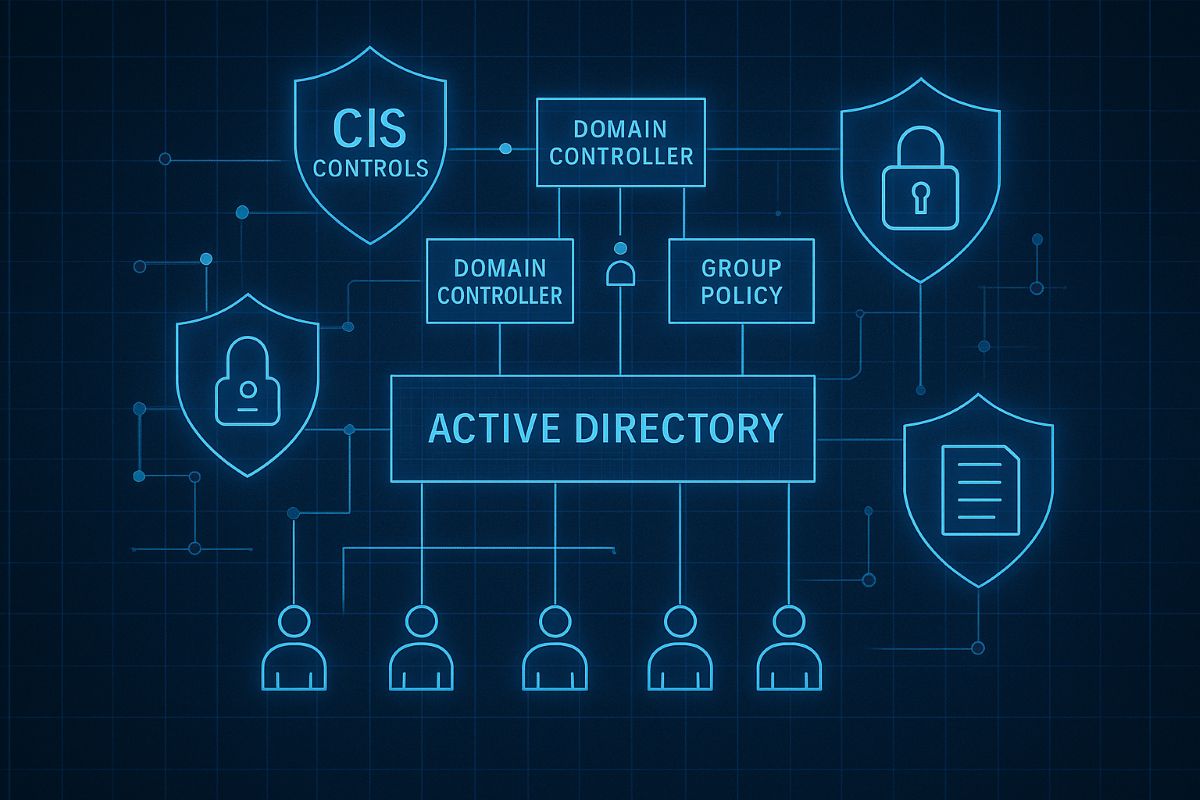
This image illustrates key CIS controls for Active Directory, including inventory of assets, secure configurations, and administrative privilege management to safeguard SMB networks from breaches. Optimize your AD security with these proven CIS benchmarks today.
SMBs are increasingly targeted by cyberattacks. Securing your Active Directory with CIS Controls is the first step to protecting your business data and maintaining operational continuity.
Practical Cybersecurity Measures for SMBs
Apply least privilege: Limit admin accounts and use normal user accounts for everyday work.
Account inventory and review: Know who has access and regularly validate permissions.
Secure domain controllers: Harden core AD servers and apply updates.
Set strong password policies: Require complexity, expiration, and lockouts.
Monitor AD activity: Use auditing to detect unauthorized changes or suspicious logins.
Common Inquiries from SMB Clients
Q: Is Active Directory security necessary for small businesses? A: Absolutely—many attacks exploit AD weaknesses to escalate privileges and steal data.
Q: How complex is implementing CIS Controls? A: The CIS Controls provide a prioritized and scalable framework suitable even for small IT teams.
How Farmhouse Networking Can Support SMBs
Our team specializes in helping SMBs implement CIS Controls for AD security, offering expert guidance, implementation, and ongoing monitoring to keep your network safe.
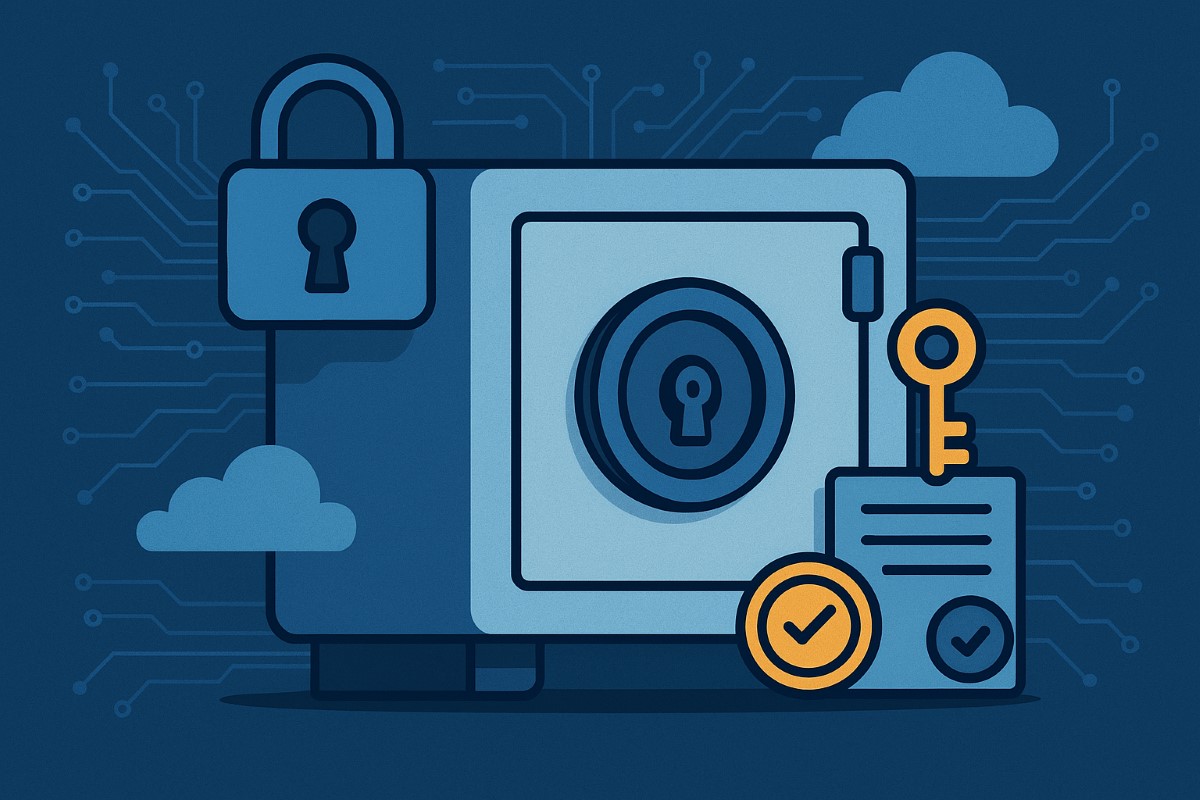
Implementing CIS Controls helps small businesses safeguard sensitive data and comply with regulations.
Data breaches can devastate small businesses, but CIS Controls give you a proven path toward robust data protection and regulatory compliance—without breaking the bank. Here’s how any business owner can get started today.
Practical Action Steps
Survey business data assets: Identify your key customer, employee, and business records and where they’re stored.
Classify business data: Assign “Public,” “Internal,” or “Sensitive” tags and limit who can access the most critical files.
Secure device and network configurations: Change default passwords, apply updates, and enable firewall protection.
Monitor and review: Turn on audit logs for key systems; routinely check logs for odd access.
Automate backups and test restores: Protect against ransomware and disasters with offsite, automatic backups.
Educate your team: Organize short trainings so every employee knows cybersecurity basics and your incident response plan.
Frequently Asked Client Questions
Q: Will CIS Controls help with industry regulations (GDPR, CCPA, etc.)? A: Absolutely! CIS Controls support the foundation of compliance for most data protection laws worldwide through access management, encryption, and monitoring.
Q: How much time and expertise does this take? A: With Farmhouse Networking, most controls are easy to implement—even for non-technical teams. We guide you step by step so your team is protected without added stress.
How Farmhouse Networking Can Help
Farmhouse Networking sets up CIS Controls for any SMB: from asset tracking to secure data access, backup management, and employee training. We implement everything, making compliance and security easy and effective for your business.
Call to Action
Protect your business and comply with regulations. Email support@farmhousenetworking.com to connect with our team and get started.
And God will generously provide all you need. Then you will always have everything you need and plenty left over to share with others. As the Scriptures say, “They share freely and give generously to the poor. Their good deeds will be remembered forever.” For God is the one who provides seed for the farmer and then bread to eat. In the same way, he will provide and increase your resources and then produce a great harvest of generosity in you. - 2 Corinthians 9:8-10
We use cookies to ensure that we give you the best experience on our website. If you continue to use this site we will assume that you are happy with it.