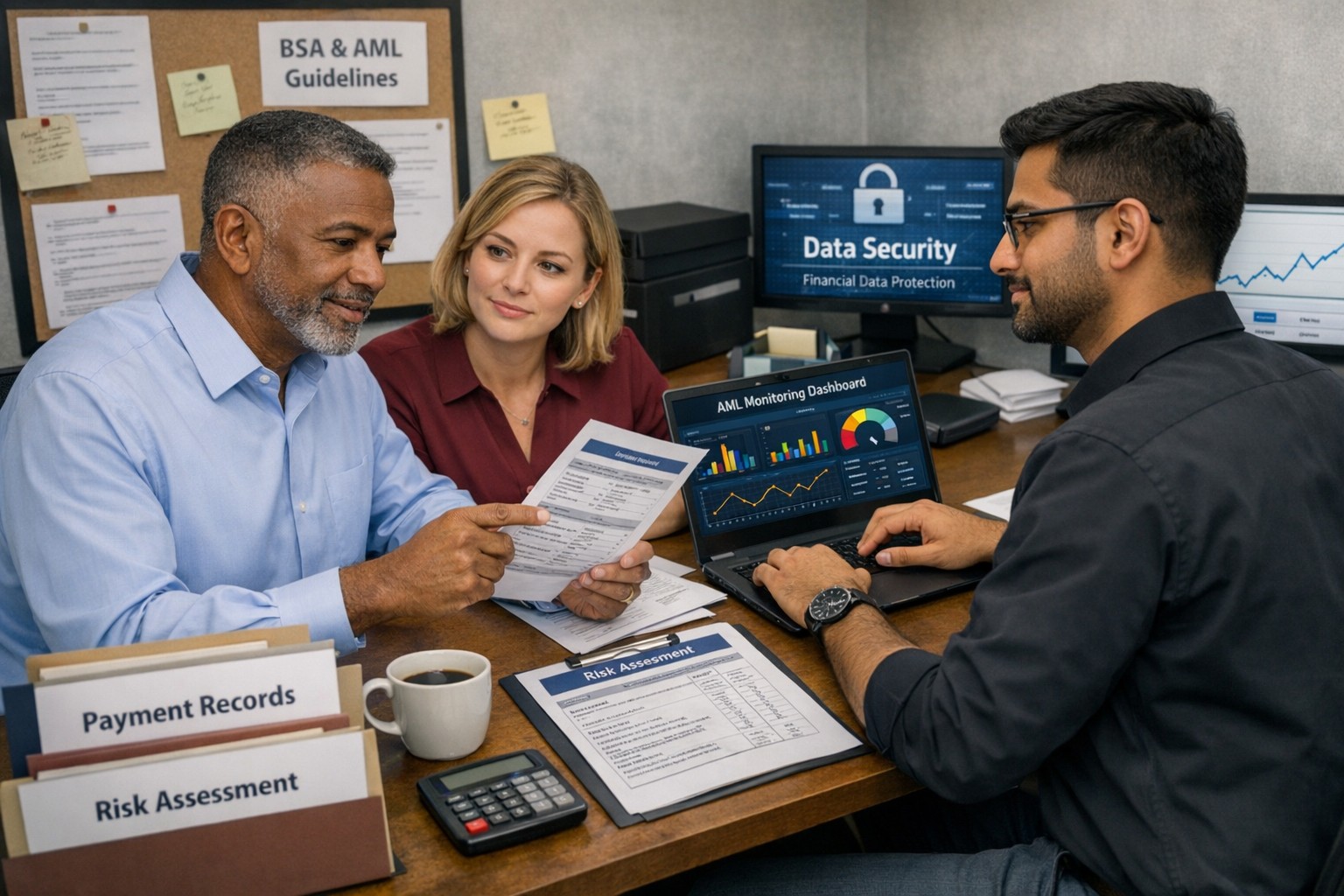
Business owner and IT team working together to strengthen BSA AML compliance, improve financial recordkeeping, and reduce banking risk
Even if you are not a bank, your business can be pulled into Bank Secrecy Act (BSA) and Anti‑Money Laundering (AML) expectations through how you move money, handle client funds, or work with financial institutions. Regulators expect banks to understand their customers’ risk profile, which means your business practices, recordkeeping, and security controls matter more than ever.
What BSA/AML Means for Your Business
BSA requires financial institutions to keep records and file reports on certain currency and suspicious transactions to help detect and prevent money laundering.
Banks use a risk‑based approach and look closely at higher‑risk customers such as cash‑intensive businesses or those sending frequent international payments.
Poor documentation, weak controls, or opaque ownership structures at your company can prompt more questions, delays, or even de‑risking by your bank.
Practical Steps for Owners and IT
Business owner actions:
Map money flows: Document where funds come from, where they go, and who approves each step; share this with your bank when asked.
Clarify ownership: Maintain updated records of beneficial owners and key executives so you can respond quickly to due‑diligence requests.
Define policies: Create written policies on accepting payments, refunds, wires, and handling unusual or large cash transactions.
IT actions:
Centralize records: Implement systems that retain transaction logs, invoices, and client identity data securely and for required retention periods.
Monitor anomalies: Use monitoring tools to flag unusual payment patterns (new countries, unusual amounts, odd timing) for review by management.
Secure access: Enforce least‑privilege access, MFA, and audit trails on finance, billing, and banking systems to support internal controls.
Common Client Questions (with Answers)
“Why are you asking for my ID or entity details?”
Banks and their business customers must perform customer due diligence and verify ownership for certain transactions.
“Why did my payment get delayed or flagged?”
Transactions that deviate from expected patterns may trigger additional review under BSA/AML monitoring rules.
“Are my data and documents safe with you?”
Strong access controls, encryption, and logging protect client information used to meet financial and compliance obligations.
How Farmhouse Networking Helps
Farmhouse Networking can design and implement the technical side of your BSA‑friendly environment so your bank sees you as a well‑controlled, lower‑risk customer. Services include:
Mapping and hardening financial data flows across accounting, CRM, and banking systems.
Implementing logging, alerting, and secure storage to support transaction monitoring and documentation.
Preparing your IT environment for bank questionnaires, vendor risk reviews, and audits.
Call to action: Email support@farmhousenetworking.com for more information about how Farmhouse Networking can help improve your business.
What the U.S. Treasury’s New AI Framework Means for You
How the U.S. Treasury’s AI Lexicon and Financial Services AI Risk Management Framework help small businesses govern AI safely and securely
From chatbots to cloud‑based “smart” bookkeeping tools, AI is quietly embedded in many SMB software platforms. The Treasury’s AI Lexicon and Financial Services AI Risk Management Framework give small‑business owners a practical way to manage AI‑related risks—without needing a corporate‑level compliance team.
What SMB owners should do
Create a simple AI inventory: List tools that say they use “AI,” “machine learning,” or “smart automation.”
Ask vendors clear questions: How does the AI work? What data does it use? How are models updated and monitored?
Limit AI for sensitive decisions: Use AI for tasks like email filtering, data entry, or basic analytics, but keep humans in the loop for pricing, hiring, or customer‑impact decisions.
Add AI‑governance to your cybersecurity plan: Treat AI‑enabled tools the same way as any other SaaS—review access, permissions, and data‑handling practices.
Sample Q&A for customers and partners
“Do you use AI to decide which customers get service?” You can say: “AI helps us manage communications and prioritize tasks, but a real person makes decisions that affect you.”
“How do you ensure AI isn’t biased or insecure?” You can reference documented vendor‑review processes, human oversight, and your commitment to strong cybersecurity and data‑protection practices.
Farmhouse can help
Farmhouse Networking can:
Help you build a simple AI‑inventory checklist for your SMB.
Assist with drafting light‑touch AI‑governance language for your policies and customer‑facing communications.
Integrate AI‑risk checks into your existing IT and cybersecurity processes.
Call to action: Email support@farmhousenetworking.com to start a conversation about how AI is already in your business—and how to manage it in a way that’s both powerful and defensible.
Use DNS Filtering to Stay Safe and Open for Business
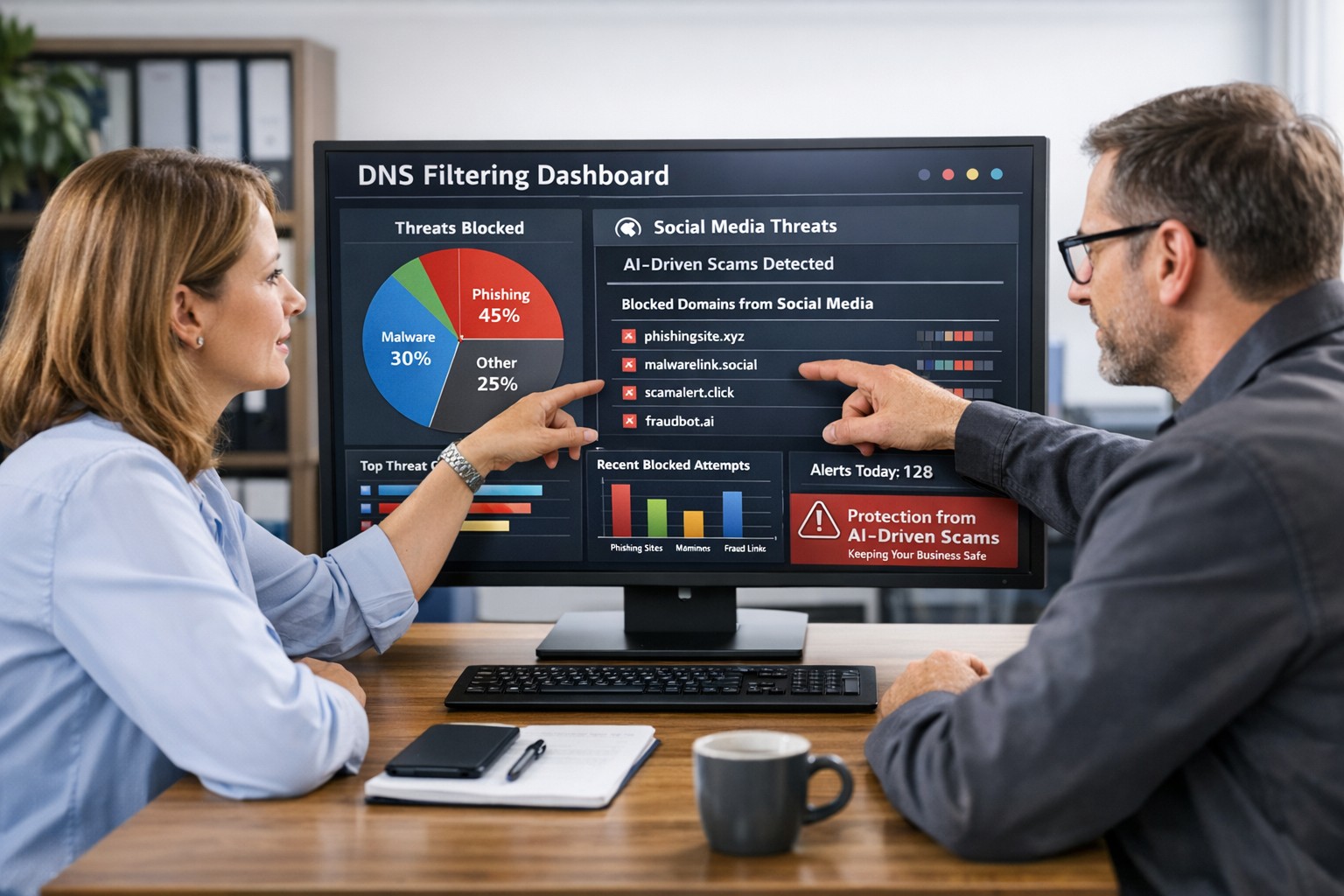
DNS filtering helps small business owners block AI powered social media scams before employees can reach malicious websites
AI tools now let scammers quickly generate deepfake videos, realistic ads, and convincing phishing messages that target small and mid‑sized businesses on social media. These attacks trick employees into clicking malicious links that steal logins, install ransomware, or divert payments, and incident rates and losses are climbing. DNS filtering offers your business a practical, affordable way to block dangerous sites at the network level before a bad click turns into downtime.
Why AI-Driven Social Media Threats Matter for SMBs
AI deepfakes and fake ads can impersonate your brand or suppliers and lead to look‑alike scam sites.
AI-enhanced phishing leverages details from your website and social media to sound like real customers, partners, or executives.
Web‑based phishing and spoofing attempts are rising sharply year over year, driven by generative AI.
What DNS Filtering Does for Your Business
DNS filtering checks where your employees’ devices are trying to connect and blocks known or suspected malicious domains. For SMBs, this:
Prevents access to phishing pages and fake login screens linked from social media or email.
Reduces malware and ransomware risk by blocking communication with malicious servers.
Gives you visibility into risky browsing and helps enforce acceptable‑use policies.
Action Steps for Business Owners and IT
Document where and how your team uses social media for sales, support, and marketing.
Roll out DNS filtering to office networks, remote workers, and any company‑managed laptops or phones.
Integrate DNS filtering logs with your security monitoring to quickly investigate suspicious activity.
Establish a clear process for verifying unusual requests (wire transfers, password resets, gift card purchases) received via social media or email.
Sample Customer Questions and Answers
“Is it safe to click promotions I see about your business on social media?” We recommend visiting our official website or verified profiles directly, because scammers can create fake ads that lead to malicious sites.
“How do you protect my data from online scams?” We use layered security including DNS filtering to block malicious websites, alongside secure payment providers and strong internal controls.
How Farmhouse Networking Helps SMBs
Farmhouse Networking works with you to understand your business, social media use, and risk tolerance, then designs and manages a DNS filtering solution that fits your size and budget. We deploy, configure, and monitor the service, fine‑tune policies over time, and provide clear reports so you always know how your network is being protected. This is included at no additional cost to all our monthly managed IT services clients.
Call to Action: Email support@farmhousenetworking.com for more information about how Farmhouse Networking can help improve your business and defend against AI‑driven social media threats.
A Practical Guide for Business Owners in Grants Pass
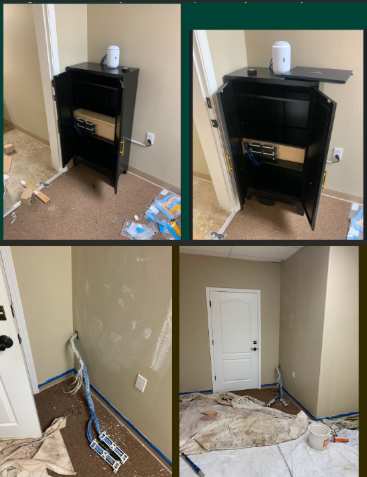
Before and after office network cabling remodel showing messy wires transformed into clean structured cabling installation in Grants Pass office space
A remodeled office is the perfect time to fix slow Wi‑Fi, random disconnects, and that tangle of mystery cables in the closet. Investing in office network cabling during construction gives your business faster speeds, fewer outages, and a cleaner, more professional workspace that is ready to grow with you.
Why Network Cabling Matters
Well‑planned cabling is the backbone of reliable internet, phones, and cloud apps your team uses every day.
Structured cabling (typically CAT6 or CAT6a) supports current needs and future upgrades like faster internet and new workstations without re‑opening walls.
For owners, this is about business continuity and productivity, not just “wires in the walls.”
Key Steps for You and Your IT Team
Use this checklist to keep your remodel on track and avoid expensive rework later.
Define business and growth needs
List how many employees, workstations, phones, printers, and Wi‑Fi access points you need now and in the next 3–5 years.
Note special areas like conference rooms, reception, and break rooms that need extra connectivity.
Review floor plans with IT before walls close
Have your IT provider mark data jack locations, wireless access point locations, and network closet placement on the architect’s plans.
Confirm there is proper power, ventilation, and space in the network closet for switches, patch panels, and future equipment.
Choose the right cabling standard
For most small and midsize offices, CAT6 or CAT6a structured cabling is recommended for performance and cost‑effectiveness.
Ensure all cabling, jacks, and patch panels are rated consistently (e.g., all CAT6) to avoid bottlenecks.
Plan clean cable pathways and labeling
Require cables to be run through ceilings/walls with proper supports, avoiding sharp bends and electrical interference.
Insist on clear labeling on both ends of every cable and a simple network map so future troubleshooting is fast and inexpensive.
Coordinate access and scheduling
Provide keys/access codes and confirm work windows so your cabling team can work efficiently without disrupting other trades or your staff.
Schedule final testing and certification of each cable run before you move in equipment and people.
Common Questions Owners Ask
Q: Why not just rely on Wi‑Fi instead of running cables? A: Wi‑Fi is great for mobility, but wired connections are faster, more secure, and more stable for desktops, VoIP phones, and servers. A hybrid approach (wired for fixed devices, Wi‑Fi for mobile) gives the best performance.
Q: Is CAT6 enough, or should we pay more for CAT6a or fiber? A: For most standard offices, CAT6 or CAT6a supports typical internet speeds and internal traffic very well. Fiber is usually reserved for backbone links between floors or high‑density areas where very high bandwidth is required.
Q: How much disruption will cabling cause during our remodel? A: If cabling is coordinated early with your contractor and scheduled while walls are open, most work happens before staff move in, greatly reducing disruption. Final terminations and testing can be done after painting and flooring.
Q: What should I ask for in documentation when the job is done? A: Request:
A simple diagram of the network closet and cabling layout.
Labeling that matches the diagram and wall jacks.
Test results showing each cable passed certification. This documentation saves hours of billable troubleshooting later.
How Farmhouse Networking Helps Business Owners
Farmhouse Networking specializes in turning remodel projects in Grants Pass and Southern Oregon into an opportunity to upgrade your IT foundation, not just “pull wire.”
Here is how the team can support you:
Consultative planning with owners
Translate your business goals (more staff, new phone system, better Wi‑Fi for clients) into a practical cabling and network design in plain English, not jargon.
Coordinate with your general contractor, electrician, and low‑voltage vendors so you are not stuck in the middle relaying technical details.
Professional structured cabling and cleanup
Design and install structured cabling, patch panels, and network racks that are neat, labeled, and ready for growth.
Fix legacy “spaghetti closets” by organizing existing cables, documenting the layout, and improving reliability.
End‑to‑end IT support after the remodel
Configure switches, firewalls, Wi‑Fi, and workstations so the new cabling actually delivers faster, more stable performance for your team.
Provide ongoing managed IT services to monitor your network, catch issues early, and support your staff.
Take the Next Step
If you are planning an office remodel—or just finished one and want to be sure your office network cabling was done right—this is the ideal moment to set your business up for years of smooth, reliable operations.
Email support@farmhousenetworking.com for more information about how Farmhouse Networking can help improve your business with smarter office network cabling and ongoing IT support.
A small business owner working with their IT partner to prepare a CIRCIA‑ready cyber incident response plan.
Many small and midsize business owners assume CIRCIA is aimed only at Fortune 500 companies, but that is a risky assumption. Small and mid‑market organizations can be “covered entities” if they provide critical services or support critical infrastructure, and even those outside scope will feel the ripple effects through clients, insurers, and vendors.
CIRCIA in a Nutshell
CIRCIA (Cyber Incident Reporting for Critical Infrastructure Act) requires covered entities to report substantial cyber incidents to CISA within 72 hours.
Ransomware payments must be reported within 24 hours.
Coverage is based on critical infrastructure role, not just size; small entities can be included if their disruption would impact national or regional security, economy, or public health.
Even if you are not covered, your larger customers and partners may require you to meet CIRCIA-like standards to stay in their supply chain.
Concrete Steps for Owners and IT Teams
Owner-level actions:
Determine your exposure: Identify whether you operate in or support critical infrastructure sectors (healthcare, energy, transportation, government services, etc.).
Review contracts and insurance: Look for new clauses about cyber incident reporting, cooperation, and timelines.
Fund the basics: Approve budget for security monitoring, backups, and an incident response plan; these are now business necessities, not IT “nice‑to‑haves.”
IT / MSP actions:
Perform a security and asset inventory: Know what you have, where it is, and how it is protected.
Implement monitoring and logging: Centralized logs and alerts are essential to detect and investigate incidents fast enough for 72‑hour reporting.
Develop and test an incident response plan: Include decision trees for when to treat an incident as “substantial,” who to notify, and how to collect evidence.
Prepare for CISA reporting, even if “not covered”: Templates and processes for structured incident documentation will help with insurers, regulators, and major customers.
Questions Your Customers May Ask – Answer Set
“Are you compliant with CIRCIA?”
We have implemented incident detection, response, and reporting processes aligned with CIRCIA expectations, and we support our critical-infrastructure customers with the evidence they need.
“If a cyber incident hits you, how will it affect us?”
We maintain backups, response playbooks, and communication plans aimed at minimizing downtime and providing transparent updates.
“Will you tell us quickly if our data is involved?”
Yes. Our procedures require rapid notification to affected customers and support for any regulatory or contractual reporting they must perform.
How Farmhouse Networking Helps SMBs Turn CIRCIA into an Advantage
Farmhouse Networking helps small and midsize businesses use CIRCIA as a catalyst to get modern, business-grade cybersecurity in place:
Determining whether your business or key customers are likely covered entities and what that means for your contracts and obligations.
Implementing security controls—MFA, EDR, monitoring, backups, segmentation—that both reduce incident likelihood and support fast, evidence-based reporting.
Building, documenting, and testing an incident response and communication plan tuned to 72‑ and 24‑hour windows.
Acting as your ongoing IT and security partner so you can answer customer and regulator questions with confidence.
Call to action: Email support@farmhousenetworking.com to find out how Farmhouse Networking can help your small business prepare for CIRCIA and improve your overall cybersecurity resilience.
How to Take Back Control of Your Credentials and Phones
When an MSP controls your passwords and phone system, your entire small business can be held hostage by vendor lock‑in and security risks.
If your MSP controls all your admin passwords and has your phone service in their name, they effectively hold the keys to your entire business. In a dispute, a security incident, or even an acquisition of their company, you could find yourself locked out of critical systems that drive revenue and customer service.
The Real Dangers of MSP Lock‑In
Some providers refuse to release credentials or slow‑roll off‑boarding, forcing clients into “hostage” situations that require legal escalation or aggressive technical takeovers. At the same time, attackers increasingly target MSPs because one compromised technician account can reach many customers’ environments.
When your phone system is outdated or fully tied to that MSP, you pay more each year for less functionality, struggle with remote work, and depend on them for every change. The combination of technical dependence and credential lock‑in is a business‑continuity risk you can’t afford to ignore.
Action Steps for Owners and Their IT Teams
Reassert ownership of core assets
Ensure your company owns master accounts for email, cloud services, line‑of‑business apps, domains, DNS, and phone numbers, with internal admin rights documented.
Centralize credentials in a business‑owned vault
Use a secure password manager or encrypted repository where your business controls the master key and you grant time‑bound, role‑based access to MSP staff.
Implement strong identity and access controls
Enforce MFA everywhere, require strong unique passwords, and use least‑privilege and role‑based access so no external user has unchecked power.
Build clean exit ramps into contracts
Document how credentials, documentation, and phone services will be handed back, and set deadlines and formats for off‑boarding deliverables.
Prepare for the worst‑case scenario
Maintain independent backups, keep an internal “break‑glass” account, and have a written playbook for revoking vendor access and rotating credentials quickly.
Questions Your Customers May Ask
Q: Could your IT company access or leak my data? A: We control the master credentials and use MFA, logging, and access controls so any vendor only has tightly scoped, monitored access to what they need to support us.
Q: What happens if your IT provider is hacked? A: We follow best practices for identity security, vendor risk management, and backups so a single compromised account at an MSP cannot easily cascade into your data.
Q: Are you able to stay operational if you change IT providers? A: Yes—because we own our accounts and phone numbers and have a documented exit process, we can transition providers while keeping systems and support running.
How Farmhouse Networking Helps SMBs
Farmhouse Networking works with business owners to document every critical system, transfer licensing and phone services into the company’s control, and consolidate credentials into secure, business‑owned vaults. We then implement MFA, break glass accounts, role‑based access, and incident‑response plans so neither a single technician nor an MSP relationship becomes a single point of failure.
We can also help you renegotiate or replace MSP contracts with clear off‑boarding terms and test those processes before you ever need them in an emergency.
Email support@farmhousenetworking.com to make sure no MSP can ever hold your credentials, phones, or business hostage again.
And God will generously provide all you need. Then you will always have everything you need and plenty left over to share with others. As the Scriptures say,
“They share freely and give generously to the poor. Their good deeds will be remembered forever.”
For God is the one who provides seed for the farmer and then bread to eat. In the same way, he will provide and increase your resources and then produce a great harvest of generosity in you. - 2 Corinthians 9:8-10
We use cookies to ensure that we give you the best experience on our website. If you continue to use this site we will assume that you are happy with it.