Why attackers love MFA fatigue, and how to make multi-factor authentication stronger without driving your team crazy
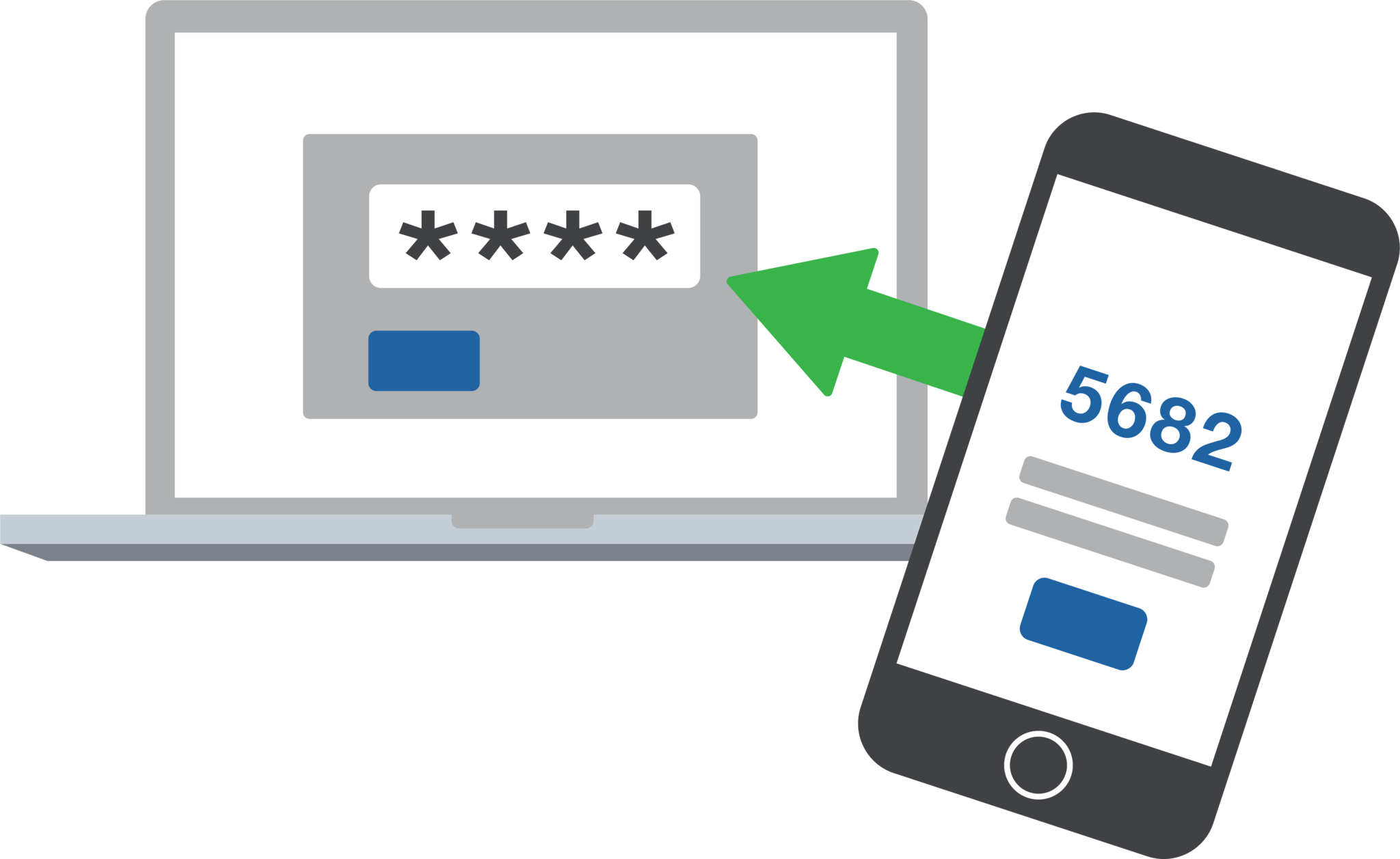
MFA fatigue attacks count on someone tapping Approve just to make the prompts stop. Number matching, phishing-resistant MFA, and conditional access take that option away.
Welcome back to our guide to doing security wrong. You’re reusing passwords and clicking every link in your inbox. Nice work. This week’s tip is the easiest yet: turn off multi-factor authentication. All those “Is this you signing in?” prompts slow everyone down. And if you can’t turn it off, tap Approve on every one. Your phone stops buzzing, and that’s what matters, right?
Here’s what that looks like in practice.
A Hypothetical Late-Night Buzz
Picture the office manager at a 25-person company. At 11:40 p.m., her phone lights up with a sign-in request. She taps Deny. It comes back. And again. Around the fifteenth prompt, she approves one just to make it stop and goes back to sleep.
The person on the other end already had her password from a list of stolen credentials. By morning, they’ve read two years of email, set up a rule that quietly forwards invoices to an outside address, and sent customers “updated” payment instructions. Nobody broke any encryption. One tired person approved one prompt.
Why MFA Still Matters, and Where It Falls Short
MFA works because a stolen password alone isn’t enough to get in. That’s why attackers now focus on getting around it:
MFA fatigue (push bombing). The attacker already has the password and floods the user with approval requests, hoping one gets accepted out of frustration. Some follow up with a call or text pretending to be IT.
Phishing proxies. A fake login page passes your password and your six-digit code to the real site in real time. Codes and simple push approvals can both be captured this way.
Help desk tricks. An attacker calls in as an employee who “got a new phone” and asks for MFA to be reset.
The Cybersecurity and Infrastructure Security Agency (CISA) calls phishing-resistant MFA, such as passkeys and FIDO2 security keys, the gold standard. For push notifications, CISA recommends number matching as an interim step: the user types a number shown on the login screen into their app before access is granted.
Conditional access ties it together. Instead of treating every sign-in the same, it sets rules for who can sign in, from where, on which devices, and when to ask for stronger proof. Done well, it means fewer prompts on trusted company devices and tougher checks only when something looks off.
Action Steps for Business Owners and IT
Require MFA on every account. Email, Microsoft 365 or Google Workspace, remote access, payroll, banking, accounting, and line-of-business apps. That includes the owner and every admin. Especially the owner and every admin.
Replace simple Approve/Deny prompts. Use an authenticator app with number matching enabled, and phase out text message codes wherever possible.
Give high-risk users phishing-resistant MFA. Owners, admins, and anyone who moves money should use passkeys or FIDO2 security keys.
Turn on Conditional Access. For most small businesses on Microsoft 365, that means Business Premium. Block legacy sign-in methods that skip MFA, block countries you don’t do business in, require company-managed devices for sensitive data, and require stronger sign-in for admin roles and risky logins.
Lock down MFA resets. Verify identity before anyone’s MFA method is changed, and alert when a new device is registered.
Watch for warning signs. Repeated denied prompts, new MFA methods, logins from unexpected locations, and new mailbox forwarding rules should trigger an alert someone actually reads.
Teach one simple rule. If you didn’t start the sign-in, deny it and report it right away. Keep it no-blame, so an employee who approved something by mistake speaks up in minutes instead of hiding it.
Write it down. Document your MFA policy, any exceptions, and who approved them.
Questions Your Customers May Ask You
“If one of your employees gets phished, is my information exposed?” A stolen password alone shouldn’t get anyone in. Every account that touches customer information requires a second check, and our most sensitive accounts use phishing-resistant sign-in.
“Why does your portal make me verify with a code?” It keeps a stolen password from being enough to reach your information. The extra step takes seconds.
“How would you know if someone got into your systems?” We monitor for unusual sign-in activity, like repeated denied approvals or logins from unexpected places, and our team knows to report anything suspicious immediately.
How Farmhouse Networking Can Help
Since 2015, Farmhouse Networking has helped small and mid-sized businesses make security practical. We:
Roll out MFA with number matching, plus passkeys or security keys for owners and admins
Build Conditional Access policies in Microsoft 365 Business Premium that fit how your team works
Enable banned-password protection and dark web monitoring to catch stolen credentials early
Alert on suspicious sign-in patterns through our Wazuh SIEM monitoring
Run simulated phishing and staff training, including how to spot push bombing
Our U.S.-based team answers the phone live, so when an employee gets a strange prompt at 4:55 p.m., they reach a person, not a voicemail box.
Get a Free Breach-Readiness Review
Not sure which accounts have MFA, which still rely on text codes, or whether older sign-in methods are bypassing it altogether? Email support@farmhousenetworking.com for a free breach-readiness review. We’ll show you where the gaps are and what to fix first.
Next week: How to Get Breached, Step 5: Paste Client Data Into Any AI Tool You Find. It’s fast, it’s free, and what could go wrong?
Why phishing still works on smart people, and how to build a “report it, don’t click it” habit across your business
One click on a phishing email can expose your entire business. Building a report it, don’t click it habit starts with knowing what to look for.
Welcome back to our backwards guide to cybersecurity. Last week you reused one password everywhere. This week, the advice is simple: click every link. An invoice from a vendor you’ve never used? Click it. A shared document from “Micros0ft”? Click it twice. An urgent message from your CEO, who is somehow emailing from a Gmail account? Definitely click that one.
Now for the serious part. Government agencies and industry research agree that phishing remains the most common entry point into small businesses, largely because it blends into normal workflows. The scams have also improved. Generative AI tools now write cleaner, more convincing lures than most human attackers could, so the typo-filled email you learned to ignore is no longer the main threat.
A Hypothetical Monday Morning
Picture a 25-person company. The office manager gets an email that looks like a Microsoft 365 storage warning. She signs in on what looks like the normal login page. Nothing seems wrong.
Behind the scenes, the attacker now has her mailbox. They quietly create a rule that forwards anything mentioning “invoice” to an outside address. Three weeks later, a “vendor” sends updated bank details on a real email thread. A $40,000 payment goes to the wrong account. One click started all of it.
How to Spot a Phishing Email
Check the real sender address, not the display name. “Accounts Payable” can be attached to any address.
Look for lookalike domains. Swapped letters (rn for m, 0 for o) and extra words are common.
Hover before you click. On a phone, press and hold to preview the link.
Notice pressure. Urgency, secrecy, and authority are the attacker’s main tools.
Treat unexpected sign-in requests, attachments, and QR codes as suspicious. Microsoft tracked QR-code phishing jumping 146% in Q1 2026, partly because it moves the victim onto a personal phone.
Question any change to payment details, no matter who appears to send it.
Action Steps for Owners and IT
Give staff one place to report. Suspicious email gets forwarded to IT, not deleted and forgotten. Farmhouse Networking clients forward to support@farmhousenetworking.com.
Adopt a no-blame policy. The employee who clicks and reports in five minutes is a hero. The one who stays quiet out of embarrassment gives the attacker weeks.
Verify money requests by phone. Use a number you already have, never one from the email.
Protect your domain from spoofing. Configure SPF, DKIM, and DMARC, and move DMARC to an enforcement policy so criminals can’t send email as you.
Tag external email. A visible “External” banner helps staff catch fake internal messages.
Run simulated phishing tests. Follow each one with short, practical training rather than an annual slideshow.
Require multifactor authentication on email and every cloud app.
Monitor for signs of a compromised mailbox, including new forwarding rules and sign-ins from unusual locations.
Write a one-page “I clicked” plan. Reset the password, end active sessions, check mailbox rules, and decide who notifies customers if needed.
Questions Your Customers May Ask You
“I got an email from your company asking me to pay a new account. Is it real?” Our payment details rarely change, and when they do, we confirm by phone. If you ever receive a request like this, call us at the number you already have before sending anything.
“How do I know emails from you are legitimate?” We have set up email authentication that makes it much harder for anyone to send messages using our domain. If something looks off, forward it to us and we will check.
“What happens if one of your employees clicks a bad link?” Our team is trained to report it immediately, and our IT partner has a response process ready to contain the issue quickly.
How Farmhouse Networking Can Help
Farmhouse Networking helps small and mid-sized businesses turn phishing defense into a routine instead of a scramble. We run simulated phishing campaigns and short staff training, configure SPF, DKIM, and DMARC to stop domain spoofing, and enforce MFA and Conditional Access in Microsoft 365. Our security monitoring watches for suspicious sign-ins and mailbox rule changes, and dark web monitoring alerts us when employee credentials show up for sale. When someone reports a suspicious email, a real person at our U.S.-based help desk responds.
Get a Free Breach-Readiness Review
Would your team report a phishing email or just click it? Find out before an attacker does. Email support@farmhousenetworking.com to schedule a free breach-readiness review. We will check your email security settings, your domain’s spoofing protection, and how prepared your team is to report what lands in their inbox.
Next week: How to Get Breached, Step 4: Turn Off MFA. Those Pop-Ups Are So Annoying.
A new attack method bypasses MFA and uses Microsoft’s own login system against you. Every business owner using Microsoft 365 needs to read this.
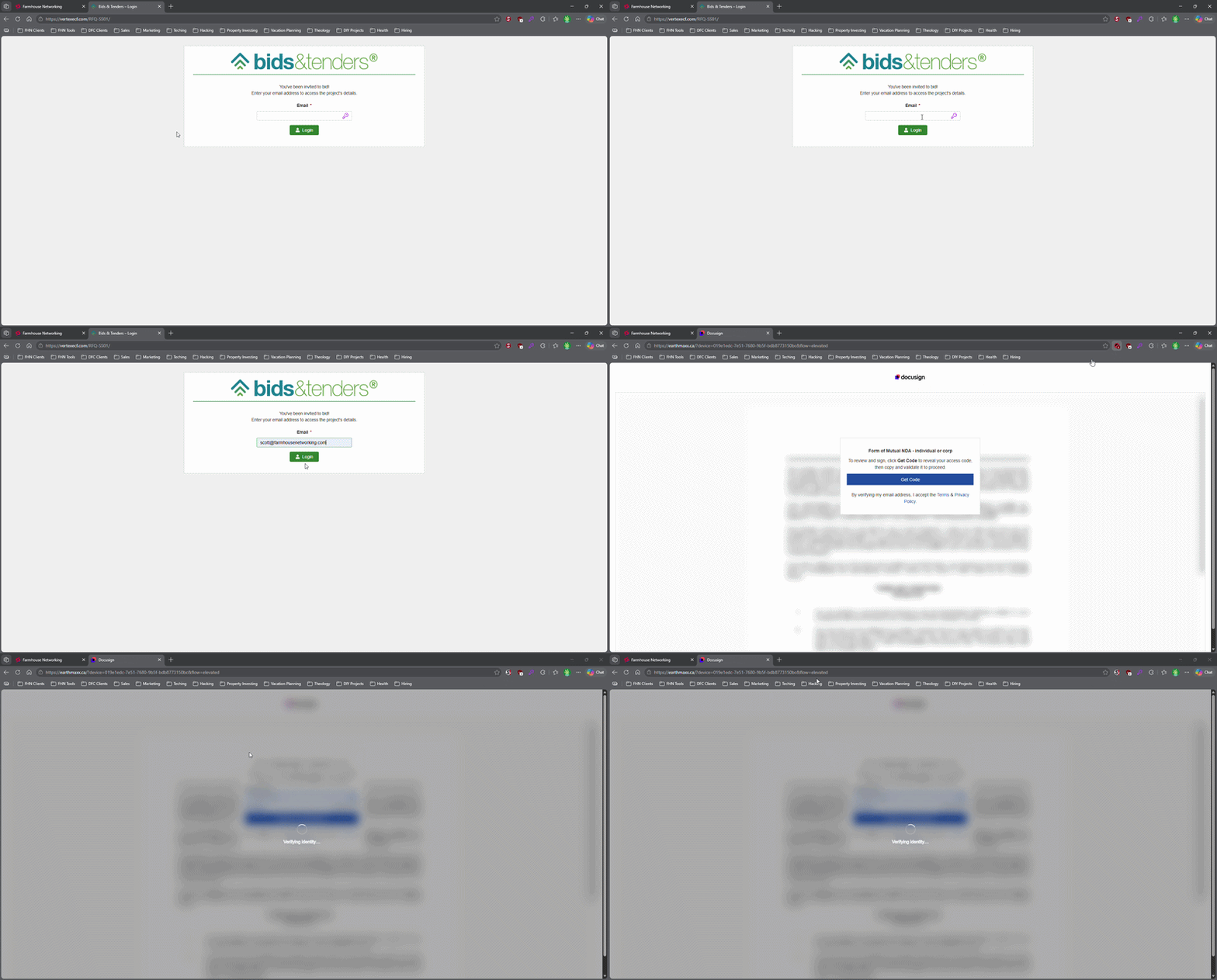
This login screen asks for an email address only, illustrating how attackers can use familiar Microsoft 365-style sign-in pages to bypass passwords.
Most small business owners believe that a strong password and multi-factor authentication make their Microsoft 365 accounts secure. That assumption is now being exploited at scale. Attackers are targeting Microsoft 365 users with device code authorization phishing – a technique that fools users into approving access tokens, bypassing multi-factor authentication protection entirely.
Campaigns using this method have surged since September 2025, representing a significant shift from limited, targeted attacks to widespread exploitation. Both organized criminal groups and nation-state actors are now using it. If your business runs on Microsoft 365, and most do, you need to act.
How the Attack Works
Microsoft has a login feature designed for devices like smart TVs and printers that can’t display a normal login screen. Instead of typing credentials on the device, a user visits a Microsoft page on their phone or computer and enters a short code. It’s a legitimate, trusted system.
Attackers exploit that trust. They initiate the device login flow themselves, then send your employee an email designed to get them to visit Microsoft’s real login page and enter the code – completing the attacker’s authentication instead of their own.
Your employee does everything right. They visit a real Microsoft website. They complete their MFA. They never hand over their password. And the attacker now has full access to your Microsoft 365 environment.
Action Steps for Your Business
Take these steps now with your IT team or provider:
Block device code flow in Microsoft Entra Conditional Access. This is the strongest mitigation available and can be deployed in report-only mode first to assess impact before full rollout. Most small businesses don’t use this feature and have no reason to leave it enabled.
Audit your Microsoft 365 OAuth app permissions. Review which third-party applications have access to your tenant and remove anything unauthorized.
Train your team on this specific attack. Standard phishing training won’t cover it. The key message is simple: if you receive a request to enter a code on a Microsoft login page that you didn’t initiate, stop and report it.
Review sign-in logs for your Microsoft 365 accounts. Unusual locations, unfamiliar devices, and off-hours logins are indicators of compromise.
Check for email forwarding rules set up without your knowledge. This is a common post-compromise action attackers use to quietly collect your outgoing email.
Review your cyber liability coverage. Confirm that account takeover scenarios are covered and understand what your response obligations are.
Q&A: What Your Clients or Partners May Ask
“How did this happen if you had MFA turned on?” This attack bypasses both traditional credential theft defenses and multi-factor authentication controls. MFA was never designed to protect against this type of authentication abuse.
“Could my information have been accessed?” If a business email account is compromised, any data in that account – client correspondence, contracts, financial information – is potentially accessible to the attacker.
“Is this being fixed by Microsoft?” Microsoft has released tools to block it, but those tools require configuration. Microsoft has been rolling out a managed Conditional Access policy aimed at blocking device code flow authentication, but it requires an administrator to enable and configure it. It doesn’t happen automatically.
“Should I be worried about my own accounts?” If you share Microsoft 365 services with a vendor or partner whose account is compromised, there’s risk of lateral movement. Security is a supply chain concern, not just an internal one.
How Farmhouse Networking Can Help
Farmhouse Networking reviews and configures Microsoft Entra Conditional Access policies to block device code phishing, audits your Microsoft 365 environment for existing unauthorized access, trains your staff on this and other current attack types, and monitors your accounts ongoing. We work with small and mid-sized businesses across Oregon, Northern California, and New Mexico – and we explain everything in plain language without the IT jargon.
Take the Next Step
Email support@farmhousenetworking.com today and ask for a Microsoft 365 security review. We’ll tell you whether this attack vector is currently open in your environment and what it takes to close it.
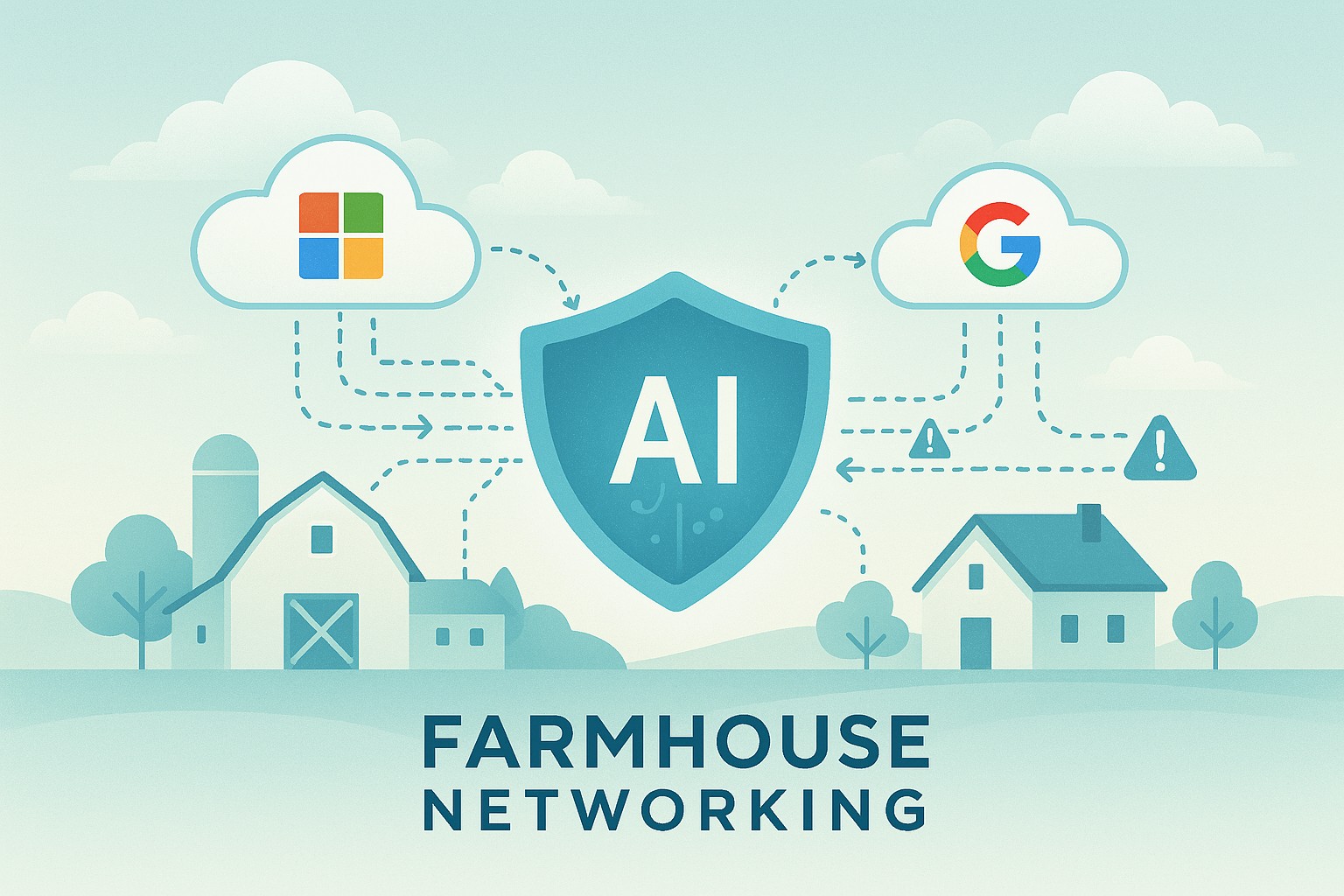
AI-Powered Microsoft 365 & Google Workspace Log Monitoring Now Included Free
Farmhouse Networking’s managed IT service now includes AI-driven log analysis for SMBs — ensuring proactive cloud security without added cost.
Small and mid-sized businesses today face the same cybersecurity threats as large enterprises — but without the same budget or in-house expertise. That’s why Farmhouse Networking is proud to announce a major upgrade to our managed IT services: AI-driven log triage and alerting for Microsoft 365 and Google Workspace. This enhanced monitoring service is automatically included in every monthly IT services contract — at no additional cost — helping business owners protect their operations, data, and reputation with enterprise-grade intelligence.
Why This Matters for Your Business
Your Microsoft 365 and Google Workspace platforms store your most vital data: emails, documents, and shared communications. Each login, file access, or configuration change generates valuable log data — but few SMBs have time or staff to analyze it.
With AI analysis, Farmhouse Networking automatically scans and prioritizes potential threats like:
Unusual logins or failed login attempts.
Unauthorized access to sensitive files.
Compromised accounts or third-party app activity.
Suspicious data downloads or sharing patterns.
Our system flags concerns in real time and alerts our team so potential incidents are triaged before they escalate into security breaches or downtime.
How AI-Enhanced Log Monitoring Works
Data ingestion: Logs from Microsoft 365 and Google Workspace are securely collected.
AI triage: Advanced machine learning detects patterns of unusual behavior.
Actionable alerts: Our technicians receive intelligent alerts prioritized by severity.
Resolution: We investigate, verify, and act before small issues become big problems.
What sets Farmhouse Networking apart is that this enterprise-grade capability is built into your existing service plan — not an add-on.
Common Questions from Business Owners
Q1: Why should my SMB care about log monitoring? A: Cloud environments record every login and activity. Monitoring those logs can detect attacks, data leaks, or insider misuse early — saving your business from costly security or compliance violations.
Q2: Does this mean I’ll get constant alerts? A: No — our AI filters the noise, so only meaningful alerts reach our support team. You see outcomes, not overwhelm.
Q3: Is my data secure when analyzed? A: Absolutely. We follow strict data handling and encryption standards to ensure privacy at every stage.
Q4: How does this benefit our productivity? A: By catching risks early, we prevent downtime, data loss, and productivity disruption — letting you focus on running your business.
How Farmhouse Networking Helps You Stay Ahead
Your business deserves the same security tools as major corporations — but without excessive cost or complexity. Our AI-assisted log triage gives you proactive protection, increased visibility, and peace of mind.
We handle the technical heavy lifting so you can keep growing.
Email support@farmhousenetworking.com today to learn how we can enhance your IT security strategy and streamline your operations.
Small businesses rely on professional email security to protect customer and financial data from phishing and hacks.
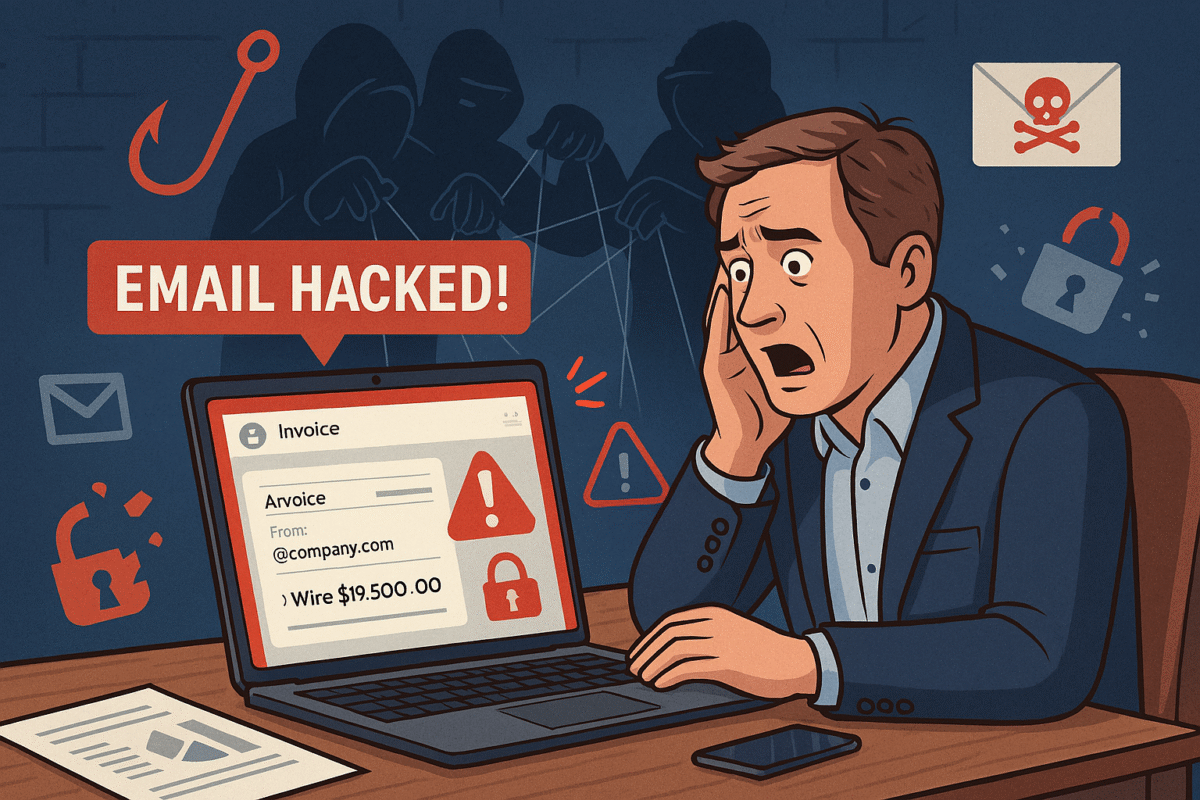
You’re running your business, responding to client messages, when suddenly strange duplicate messages and failed delivery emails flood your inbox. This is what happened to a business owner who discovered her emails—including sensitive financial data—were silently copied to hackers for weeks without her knowledge.
For small and midsized businesses (SMBs), this type of attack can result in financial loss, leaked company secrets, and damaged relationships with clients.
What Happened in This Email Breach
Hackers guessed or stole an email password.
They set up secret rules to forward every incoming message.
Confidential information like Social Security numbers, tax data, and financial records were exposed.
Farmhouse Networking responded by:
Removing malicious rules.
Securing the account with new password protections and recovery options.
Advising the business owner on how to monitor for ongoing fraud.
Practical Steps for SMBs
SMBs aren’t too small to be targeted. In fact, they’re often prime targets. Protect your business with these key actions:
Set strong passwords and enable MFA: Critical first layer of defense.
Regularly review email rules: Look for forwarding or auto-delete actions you didn’t create.
Encrypt sensitive documents: Especially contracts, employee data, and customer details.
Train employees: Staff should recognize phishing emails before they trigger a hack.
Backup systems: Ensure backups of both email and company files are offline-protected.
Have an incident response plan: Know what to do if a breach occurs.
Questions Your Clients May Ask
“Did hackers see my information?” If emails contained contracts, billing, or sensitive attachments—possibly.
“Could this affect my payments or records?” Yes. Compromised invoices or payment requests can be used in fraud scams.
“Can clients continue to trust our company?” By demonstrating enhanced security measures and a clear recovery plan, clients can regain confidence.
How Farmhouse Networking Helps SMBs
Farmhouse Networking empowers SMBs with:
Affordable enterprise-grade email security.
24/7 monitoring for account breaches.
Employee training to reduce phishing success rates.
Scalable security solutions for growing businesses.
Your business reputation is too valuable to be left to chance. Secure your email systems and protect your clients’ trust with Farmhouse Networking. Reach out today at support@farmhousenetworking.com.
Key network monitoring tools every small business needs for optimal performance
As a business owner, you know reputation and customer trust are everything. But cybercriminals don’t discriminate by size—small and midsize businesses (SMBs) are increasingly the targets of ransomware and data theft. CIS Critical Security Control 13 gives you a practical way to stay ahead of attackers and protect your company’s future.
Practical Action Steps for SMBs:
Enable real-time network monitoring: Know immediately if your systems are under attack.
Centralize your logs: Aggregate data to detect issues before they escalate.
Set threshold-based alerts: Don’t wait until damage is visible to respond.
Review reports regularly: Make monitoring part of monthly executive/IT reviews.
Q&A for SMBs:
“Aren’t we too small for hackers to notice?” No—SMBs are now among the most targeted because criminals assume defenses are weak.
“Do I need an in-house IT team for this?” Not necessarily—outsourced experts can cost-effectively handle monitoring for you.
How Farmhouse Networking Helps: Farmhouse Networking provides SMBs with managed network monitoring, advanced alerts, and proactive defense strategies. We scale solutions to fit your size, budget, and growth goals.
Don’t leave your business exposed. Email Farmhouse Networking today and start building stronger defenses for lasting success.
Small and medium-sized businesses (SMBs) are increasingly adopting cloud technologies to streamline operations, improve scalability, and reduce costs. However, with this shift comes a growing risk of cyberattacks targeting cloud environments. For SMBs, which often lack extensive IT resources, these threats can be devastating. Enter Security Information and Event Management (SIEM) solutions—a powerful tool that can help SMBs safeguard their cloud infrastructure.
Why SMBs Are Vulnerable to Cloud Attacks
SMBs face unique challenges when it comes to cybersecurity:
Limited IT Resources: Many SMBs lack dedicated security teams or the expertise to monitor and respond to threats.
Budget Constraints: Investing in enterprise-grade security tools can be prohibitively expensive.
Sophisticated Threats: Cybercriminals are increasingly targeting SMBs, knowing they may have weaker defenses compared to larger enterprises.
Cloud environments add another layer of complexity, as they introduce new vulnerabilities such as misconfigured settings, unauthorized access, and data breaches. Without proper monitoring and response mechanisms in place, these risks can spiral out of control.
How a SIEM Solution Protects Your Cloud Environment
A SIEM solution offers a centralized platform for monitoring, detecting, and responding to cybersecurity threats in real time. Here’s how it specifically benefits SMBs:
Centralized Threat Monitoring: SIEM consolidates security data from various sources—cloud applications, firewalls, endpoint devices, and more—into a single dashboard. This holistic view allows SMBs to monitor their entire cloud environment efficiently.
Early Detection of Threats: By analyzing data in real time and applying advanced correlation rules, a SIEM detects suspicious activities such as unauthorized logins or unusual data transfers. Early detection helps SMBs act swiftly before an attack escalates.
Automated Incident Response: Many SIEM solutions offer automated responses to mitigate threats immediately. For example, they can isolate compromised systems or block malicious IP addresses without human intervention. This is particularly valuable for SMBs with lean IT teams.
Simplified Compliance: Meeting regulatory requirements like GDPR or HIPAA can be daunting for SMBs. A SIEM simplifies this by automating compliance reporting and maintaining detailed audit logs. This not only ensures legal compliance but also builds customer trust.
Cost-Effective Security: Cloud-based SIEM solutions are particularly well-suited for SMBs because they reduce the need for expensive on-premises infrastructure. Subscription-based models make enterprise-level security accessible without breaking the bank.
Scalability: As your business grows, so do your cybersecurity needs. Modern SIEM solutions are highly scalable, allowing SMBs to adapt their security posture without overhauling their existing systems.
Choosing the Right SIEM Solution for Your Business
When selecting a SIEM solution for your SMB, consider the following:
Ease of Use: Opt for a user-friendly interface that doesn’t require extensive training.
Cloud Compatibility: Ensure the solution integrates seamlessly with your existing cloud infrastructure.
Automation Features: Look for automated threat detection and response capabilities.
Cost Transparency: Choose a provider with predictable pricing models to avoid unexpected costs.
Cybersecurity is no longer optional—it’s essential for protecting your business’s reputation and bottom line. A robust SIEM solution is your first line of defense against attacks on your cloud environment.
Don’t wait until it’s too late! Contact us today to learn how our tailored SIEM solutions can safeguard your business from evolving cyber threats. Let’s secure your future together!
Strategies securing small business inboxes from phishing and BEC gateway attacks
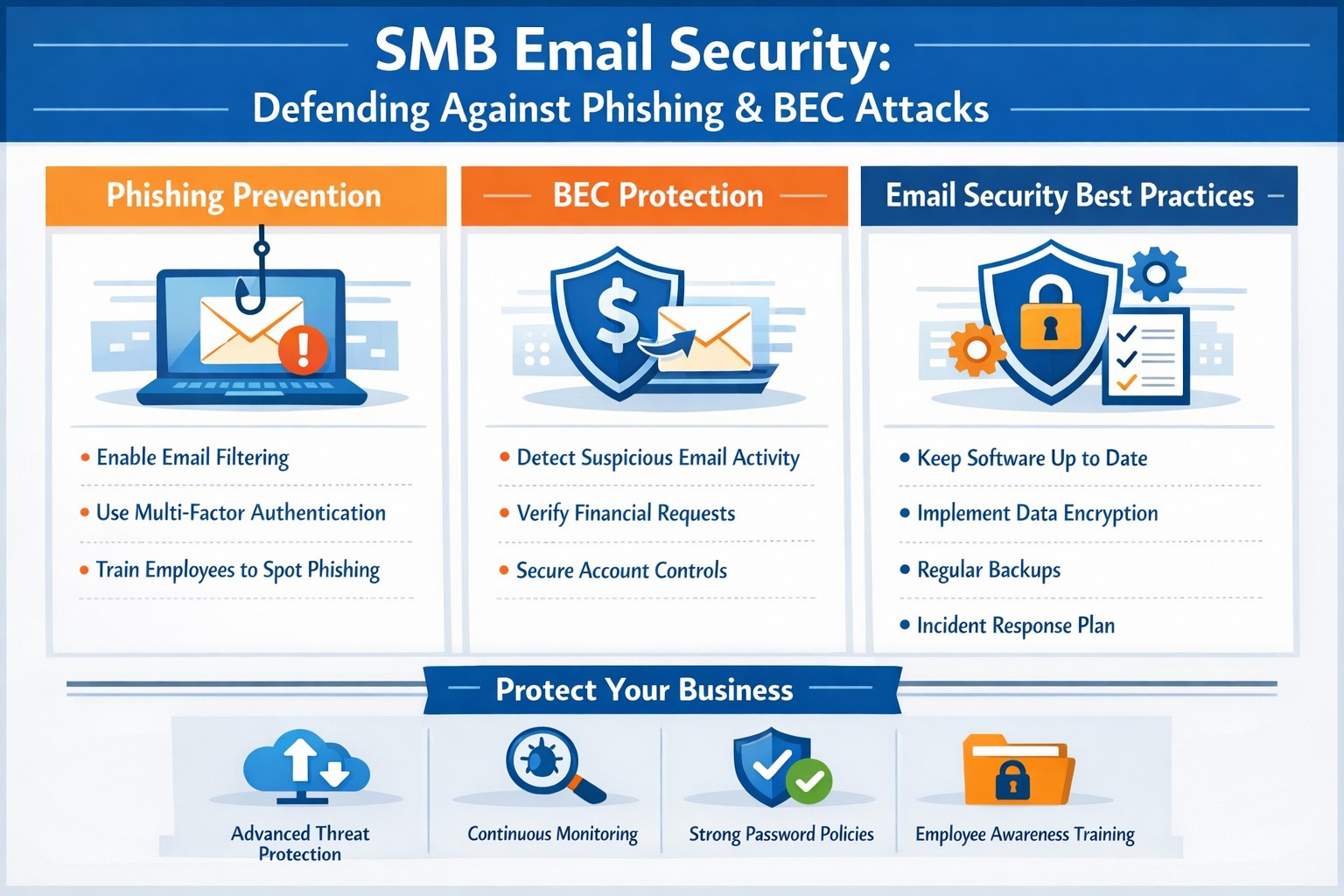
Email is the backbone of communication for small and medium-sized businesses (SMBs). You use it for everything from sending invoices to internal memos, making your business heavily reliant on this tool. However, this reliance also makes you vulnerable to cyber threats, especially Business Email Compromise (BEC) attacks, which are increasingly targeting SMBs. These attacks can have devastating consequences, but with the right email security measures, you can protect your business from falling victim.
Understanding the Threat: Phishing and BEC
Phishing is a cybercrime that uses deceptive emails to trick individuals into revealing sensitive information or taking harmful actions. These emails often look like they come from legitimate sources, such as banks or well-known companies, but they are actually designed to steal your data.
Business Email Compromise (BEC) is a sophisticated type of phishing attack where cybercriminals impersonate trusted individuals within a company to trick employees into transferring money, sharing sensitive data, or granting access to critical systems. BEC scams often target individuals in finance, human resources, or operations, with the goal of initiating fraudulent transactions or stealing confidential information. According to the FBI, there are five primary types of BEC attacks.
BEC attacks are particularly effective because they exploit human psychology. Attackers rely on impersonating authority figures, creating a sense of urgency, or crafting highly convincing emails to make employees act without questioning.
Email is the number one attack vector, responsible for 90% of phishing incidents. In 2023, BEC attacks led to $3 billion in losses.
Why SMBs are Prime Targets
While large corporations invest heavily in cybersecurity, SMBs are often more vulnerable. Cybercriminals view smaller businesses as easier targets due to their typically less robust security measures and lower awareness of emerging threats.
Here’s why SMBs are at greater risk:
Limited Cybersecurity Resources: Many SMBs have limited budgets for cybersecurity and often lack dedicated IT teams to monitor email systems for suspicious activity.
Employee Vulnerability: Employees in SMBs may not be as well-trained in spotting phishing attempts or recognizing the signs of a BEC scam.
Lack of Email Security Awareness: Small businesses may overlook the importance of securing business email accounts with multi-factor authentication (MFA) and other safeguards, leaving them exposed to attacks.
Simple Steps to Bolster Your Email Security
Employee Training: Regularly train employees to recognize and respond to threats. Run security awareness training to help your team spot phishing attempts and other common threats. Use simulated phishing exercises to test their readiness, uncover weak spots, and highlight potential weaknesses.
Multi-Factor Authentication (MFA): Add an extra layer of security to your email accounts with multi-factor authentication (MFA).
Advanced Email Filters: Use advanced spam filters to detect and block phishing emails before they reach your employees’ inboxes. Scan links automatically to spot anything suspicious.
Email Encryption: Encrypt emails, both in transit and at rest, to prevent unauthorized access.
Regular Security Audits: Schedule regular audits to spot vulnerabilities and keep an eye out for unauthorized access. Take time to review your email system’s settings, permissions, and logs for anything unusual.
Incident Response Plan: Prepare for email threats with a clear, actionable response plan. Outline the steps to contain, investigate, and recover from incidents, so your team knows exactly what to do
Cybercrime is a business, not a hobby, and incredibly lucrative. Taking a proactive approach to email security is essential for protecting sensitive information, preventing data breaches, and maintaining trust with your team and clients.
Is your business protected? Contact Farmhouse Networking today for a comprehensive email security solution tailored to your SMB’s unique needs. Don’t let your inbox be a gateway for cybercrime!
Businesses of all sizes face unprecedented cybersecurity challenges. Blackpoint Cyber emerges as a leader in providing comprehensive, cutting-edge solutions to protect organizations from cyber threats. Let’s explore why Blackpoint Cyber stands out as the premier choice for business cybersecurity.
Comprehensive Ecosystem of Security Solutions
Blackpoint Cyber offers a fully managed, integrated ecosystem of services centered around their powerful nation-state-grade Managed Detection and Response (MDR) technology. This ecosystem is designed to keep businesses ahead of potential threats by proactively understanding the threat landscape and actively neutralizing adversaries before they can cause harm.
Managed Detection & Response (MDR)
At the core of Blackpoint’s offerings is their purpose-built MDR technology. This solution combines network oversite, malicious activity detection, and endpoint security to rapidly identify and neutralize hacker and virus activities in their earliest stages. By harnessing data around suspicious events, hacker tradecraft, and endpoint activity, Blackpoint’s MDR can stop advanced attacks faster than any other solution on the market.
Cloud Response
With the shift to hybrid and cloud environments, Blackpoint’s Cloud Response extends the power of their MDR service to these critical areas. Their 24/7 Security Operations Center (SOC) actively monitors cloud environments and provides fast responses to threats on platforms like Office 365.
LogIC
LogIC enhances the value of security logs and data collected from networks, turning them into real-time threat hunting and response capabilities. With push-button setup, LogIC allows for quick addition of log sources, generation of compliance reports, and automatic mapping against hundreds of compliance requirements.
Unmatched Threat Awareness and Response Times
Blackpoint Cyber’s proprietary security operations and incident response platform, SNAP-Defense, enables continuous monitoring and response to modern threats. Their SOC, established by former US government cybersecurity operators, leverages deep knowledge of hacker tradecraft to provide 24/7 unified detection and response services.
The company boasts impressive response times, with an average of 7 minutes for cloud incidents and an overall average of 27 minutes. This rapid response capability is crucial in minimizing potential damage from cyber attacks.
Tailored Solutions for Businesses of All Sizes
While Blackpoint Cyber’s technology is enterprise-grade, they specialize in bringing these advanced solutions to small and medium-sized businesses through partnerships with Managed Service Providers (MSPs) like Farmhouse Networking. This approach allows businesses of all sizes to benefit from top-tier cybersecurity protection.
Continuous Innovation and Growth
Blackpoint Cyber continues to invest in growth and innovation. With a recent $190 million investment round and the appointment of industry veteran Manoj Srivastava as Chief Technology and Product Officer, the company is poised for further advancements in their product strategy and technology.
Blackpoint Cyber’s suite of solutions offers businesses a robust, proactive approach to cybersecurity. Their technology, combined with human expertise, provides a level of protection that’s essential in today’s threat landscape.
Ready to elevate your business’s cybersecurity with Blackpoint Cyber’s cutting-edge solutions? Contact Farmhouse Networking today to manage your cyber security needs and implement these powerful tools. Don’t wait for a breach to happen – take proactive steps to protect your business now.
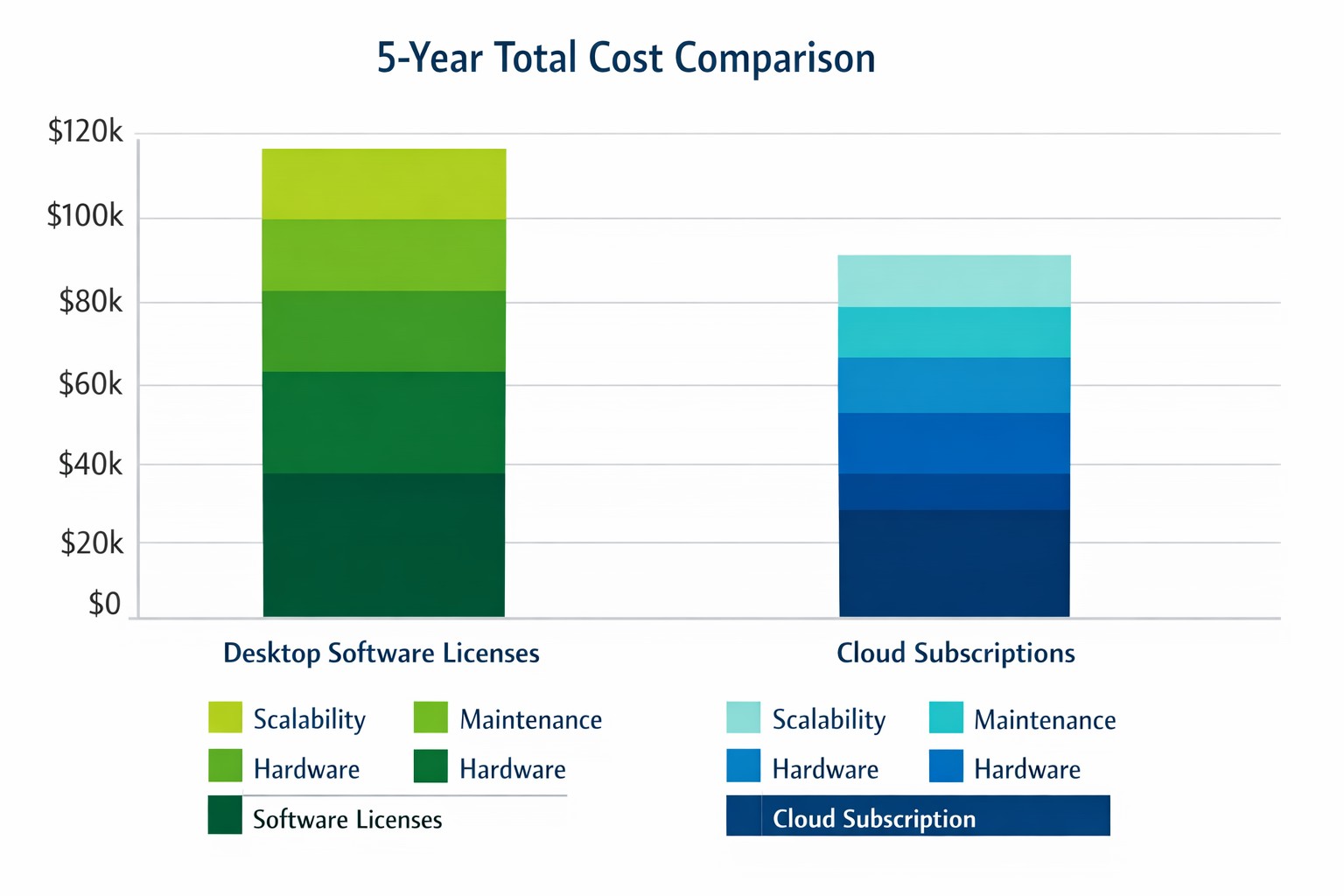
Cloud subscriptions often beat desktop software on long-term TCO and scalability.
Choosing the right productivity software for your company is a critical decision that can impact your bottom line and operational efficiency. The debate between traditional desktop software and cloud-based subscription models is particularly relevant when considering Microsoft Office, a staple in most business environments. Let’s examine the cost implications and benefits of both options to help you make an informed decision for your organization.
Microsoft Office 2024: One-Time Purchase for Business
Microsoft Office 2024 offers a perpetual license option that may appeal to businesses looking to have a single capital expenditure (CAPEX) and value ownership of a product.
Office Home & Business 2024
Price: $249.99 per license
Includes: Word, Excel, PowerPoint, OneNote, and Outlook
End of Life: 5 years from date of publication (October 1st, 2024)
This option provides access to core Office applications without the need for annual renewals. However, it’s important to note that this version lacks some features available in the subscription-based Microsoft 365, such as advanced collaboration tools and continuous updates.
Microsoft 365: Subscription Model for Businesses
Microsoft 365 offers a subscription-based model with more frequent updates and additional features tailored for business needs. This is an option that may appeal to businesses looking to have a gradual operating expenditure (OPEX).
Microsoft 365 Business Standard
Price: $12.50 per user/month (annual commitment)
Includes: All features of Business Basic plus desktop versions of Office apps
Microsoft 365 Business Premium
Price: $22.00 per user/month (annual commitment)
Includes: All features of Business Standard plus advanced security and device management
The subscription model provides more flexibility, allowing users to access Office apps on multiple devices and platforms. It also includes additional services like advanced threat protection and device management tools.
Cost Comparison for Businesses
To illustrate the cost implications, let’s consider a small business with 10 employees over a five-year period:
Office Home & Business 2024: $2,499.90 (10 licenses at $249.99 each)
Microsoft 365 Business Standard: $7,500 (10 users for 5 years at $12.50/user/month)
While the one-time purchase appears more economical initially, it’s crucial to consider the added value of the subscription model, including:
Regular feature updates and security patches
Cloud storage and collaboration tools
Multi-device access
Advanced security features
Scalability as your business grows
Factors to Consider for Business Owners
When making your decision, consider the following:
Growth projections: If you anticipate hiring more employees, the subscription model offers easier scalability.
Collaboration needs: Cloud-based solutions provide better tools for team collaboration and remote work.
IT resources: Subscription models often require less in-house IT management.
Cash flow: While subscriptions are more expensive long-term, they require less upfront investment.
Feature requirements: Evaluate if your business needs the advanced features offered in Microsoft 365.
Making the Right Choice for Your Business
The best option depends on your specific business needs:
If your company requires the latest features, values cloud integration, and needs robust collaboration tools, Microsoft 365 might be the better choice.
If you prefer a one-time purchase, have limited need for updates or cloud services, and have a stable workforce size, Office 2024 could be more cost effective.
Call to Action
Navigating the complexities of software licensing and cloud services can be challenging for business owners. At Farmhouse Networking, we specialize in helping businesses optimize their IT infrastructure and software solutions. Whether you’re considering a switch to cloud-based services or looking to streamline your current setup, our experts can guide you through the process. Contact Farmhouse Networking today to discuss your options and find the best solution for your business needs. Let us help you configure your network for maximum efficiency and cost-effectiveness, ensuring that your software choices align with your business goals and budget.
Safeguarding your business data is paramount. Cyber threats are ever-evolving, and data breaches can have severe consequences. To fortify your business defenses, consider implementing the following security and encryption tools:
Operating System Encryption
Encryption is the process where normal data is transformed into something unreadable without the keys unlock it. Windows has encryption built in using BitLocker software in conjunction with modern hardware to keep data safe on physical hard drives. In case a computer is stolen or lost the data is unreadable (assuming the password protecting the computer is strong).
Virtual Private Network / Zero Trust Network Access
Whenever employees are remote or working from home they need to be able to connect to company resources without endangering company data. This is best done through Zero Trust Network Access (ZTNA) which is the next-gen replacement for the older virtual private network connection ZTNA assumes that all connections are threats unless proven otherwise and those who are connecting must have their computers tested to make sure they are safe. This approach also only allows users to connect to the resources that are specifically needed to function.
Antivirus / Extended Detection and Response
One key to staying cyber secure is to recognize and repel threats before they do any damage. Utilizing AI and automation extended detection and response (XDR) is the modern replacement for antivirus. It is able to detect behavior patterns that malicious software and hackers use when attacking your systems then automatically undue any changes they have made.
Email Encryption and SPAM Filtering
When sending sensitive data via email it is now the standard to send it via encrypted channels with each message also being encrypted. Most companies that provide encryption also provide SPAM filtering which keeps phishing, spoofing, and malicious emails from targeting employees. This is often the most effective means hackers use to gain a foot hold in networks.
Backups
There will inevitably be times when hackers are able to breach even the best defenses, so the only recourse at that time is to have good backups in multiple locations to recover once the attacker is repelled. Without good backups many companies have had to pay ransoms and hope for a response or go out of business.
Remember, data security is an ongoing process. Combine these tools with user education and strong password practices,. Stay vigilant, adapt to new threats, and invest wisely in protecting your digital assets and reputation. Call Farmhouse Networking to advise you on how to best secure your business.
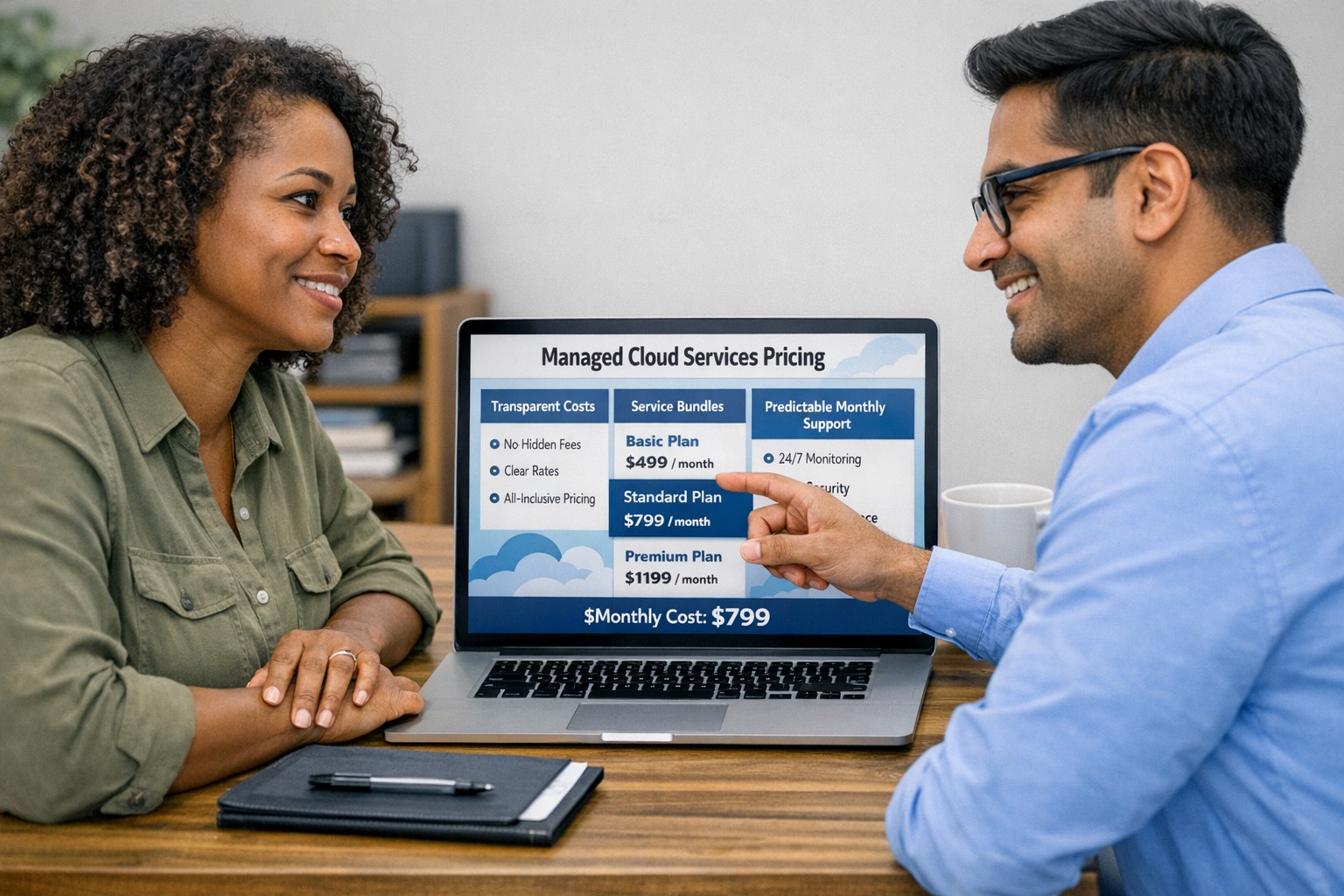
Managed cloud services pricing helps small businesses control IT costs with transparent, predictable monthly cloud support.
We have received numerous inquiries from potential customers regarding our pricing structure. Specifically, they want to know if we offer monthly contracts or if we charge an hourly rate. The answer is Yes.
Hourly Rate
For customers who require a one-time fix or need a project completed, we offer a service based on an hourly rate. Our rate for remote or on-site work that is not covered under a contract is $150 per hour. We bill in 15-minute increments and take pride in our efficiency. For clients with more than 2 service requests per month, we highly recommend signing up for a contract to save money and benefit from our expert oversight.
Monthly Contracts
There are three types of monthly contracts:
Remote Maintenance Contract
This is the package that most of our clients choose. It includes automated maintenance, cyber security protections, and unlimited remote support. Since most problems and questions can be handled remotely, this package offers real value.
Full Service Maintenance Contract
This package is for clients who want complete peace of mind. It includes all services, whether remote or at their offices. Additionally, it provides some additional benefits, such as top priority in our support queue.
Co-Managed IT Contract
This special package is designed for companies that already have a full-time IT employee or IT service companies in need of extra help. It provides them with the necessary automations and tools to make their jobs easier, allowing them to focus on what matters. This package also includes a discount on our remote and on-site services.
All contracts are based on a per-device model, taking into account the number of workstations, printers, servers, switches, etc. on the client’s network. We use this model because the other popular model, per user, is too vague and can easily hide excessive profit margins. Contracts can be month-to-month or a yearly commitment. The difference is that with a yearly commitment, you are protected from price increases for the entire year. We also offer many optional add-ons for our clients, such as Office 365, Employee Security Training, Penetration/Vulnerability Scanning, Mobile Device Management, Compliance, Secure Remote Access, and Security Operations Center.
Are you looking for reliable IT support that suits your business’s unique requirements? Look no further! Our flexible pricing options cater to businesses of all sizes. Whether you require one-time assistance or ongoing support, we have the right plan for you. Ready to take your business IT support to the next level? Contact us today to discuss your needs and find the perfect plan for your business.
Post-merger email failure: Overcome no access issues and restore operations swiftly
We had a client referred to us last week who were in dire straits. They had been in the process of being bought by another similar company. The buyers had worked with the sellers to merge email hosting into their Office 365 account. Part way into the one year transition process the buyers became hostile and decided to cancel the deal. The buyers then stopped access to some of the key email accounts for the sellers. Then the buyers began contacting vendors that the sellers had worked with for years requesting that they cancel their accounts. They even went on social media and tried to blanket the sellers in bad reviews or derogatory posts.
Farmhouse Networking was brought in to help the sellers regain access to their email. We were able to regain access to the sellers former G-Suite account and get email flowing into those accounts again. We were also able to unblock the seller’s other email accounts in Office 365 and archive the data from those accounts for future reference. The seller is back in busines and continues the struggle to clean up the damage done by the buyer.
In light of the unfortunate situation faced by the sellers in the recent merger, it’s crucial for businesses to take proactive measures to safeguard their operations during such transitions. Here are some actionable steps to protect your business from similar scenarios:
Ensure Security During Mergers:
Never give access to your company email system to the buyers until the deal is finalized.
Create a backup admin account to allow administrator access in case someone gets control of the main administrator account.
Involve IT Experts:
Have an IT company manage your company’s email accounts and involve them in the merger process. Their expertise can be invaluable in ensuring the security and integrity of your email systems during transitions.
Don’t let a merger gone bad jeopardize your business. Contact Farmhouse Networking today to fortify your email systems and protect your operations from unforeseen disruptions.
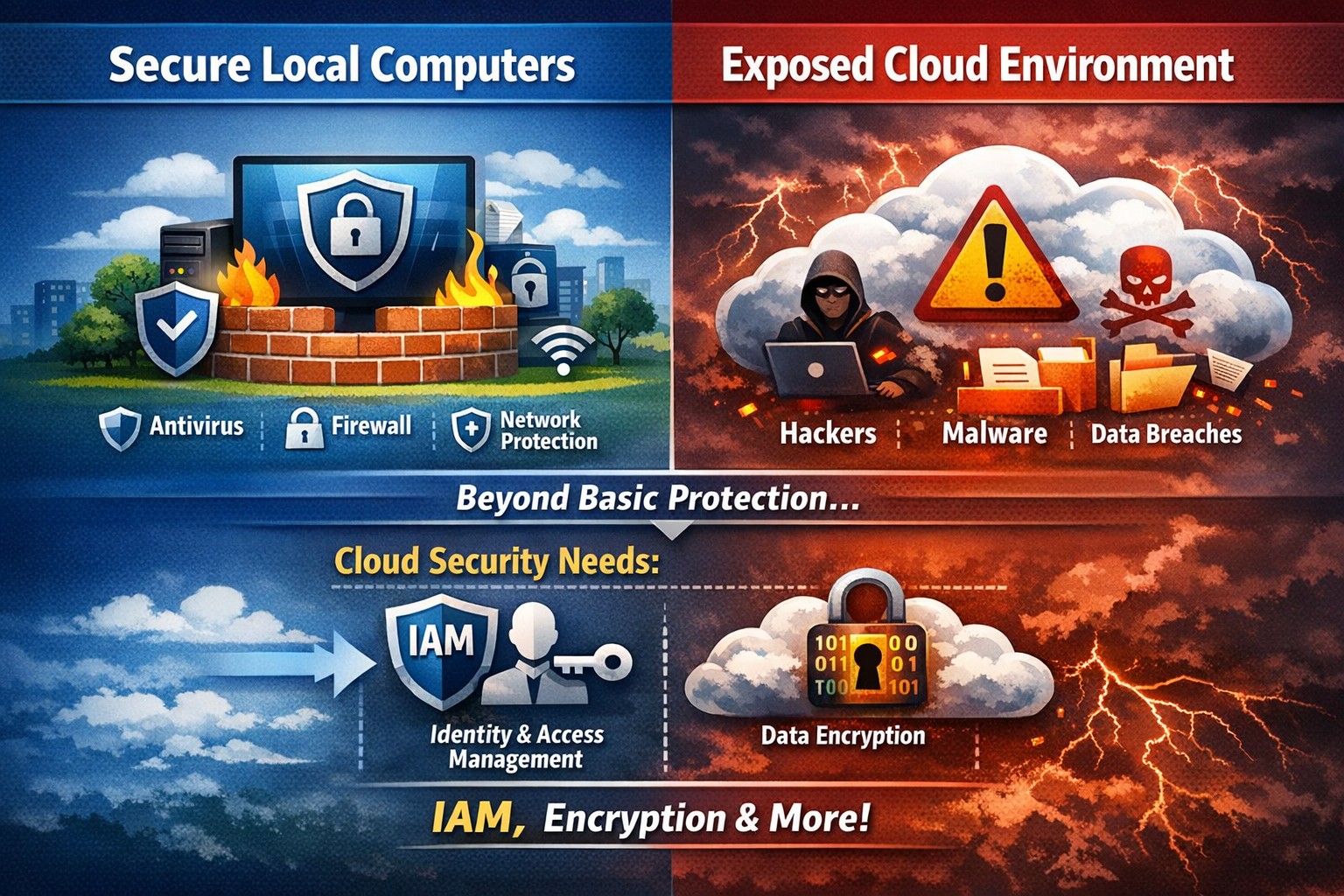
Secure endpoints don’t guarantee cloud safety—address cloud-specific risks now
The ability to store and access data remotely in the cloud has revolutionized the way organizations operate, providing flexibility, scalability, and cost-efficiency. However, with this convenience comes the need for robust security measures to protect sensitive information from cyber threats. This article explores the importance of cloud security and provides strategies to safeguard your company’s data in the cloud.
Understanding Cloud Security
Cloud security encompasses a set of controls, processes, technologies, and policies designed to protect cloud-based systems, infrastructure, and data. It is one part of computer security and information security, aiming to safeguard businesses from financial, legal, and reputational repercussions of data breaches and loss.
Cloud security involves various strategies and best practices to ensure the confidentiality, integrity, and availability of cloud resources. It includes measures such as real-time monitoring, multi-factor authentication (MFA), identity and access management (IAM), cloud-to-cloud backup solutions, systematic off-boarding processes, and anti-phishing training.
Real-time Monitoring
Real-time monitoring is a crucial strategy to detect and respond to suspicious threats promptly. By implementing real-time monitoring tools, businesses can gain visibility into their employee activity and cloud systems to proactively identify any potential cyber attacks. This allows for immediate action to mitigate risks and minimize the impact of data breaches. According to IBM, the global average total cost of a data breach in 2023 was $4.45 million, highlighting the financial implications of inadequate security measures.
Multi-Factor Authentication (MFA)
Traditional username and password combinations are no longer sufficient to protect user accounts from hackers. MFA adds an extra layer of security by requiring users to provide multiple pieces of evidence to verify their identities. This could include a combination of something they know (password), something they have (a mobile device or security key), or something they are (biometric data like a fingerprint or facial recognition). By implementing MFA, businesses can significantly reduce the risk of account compromise attacks and prevent unauthorized access to cloud applications.
Identity and Access Management (IAM)
Identity and access management (IAM) is a critical component of cloud security. It involves assigning proper levels of authorization and access controls to ensure that employees only have access to the information and resources necessary for their roles. IAM not only prevents accidental data breaches but also protects businesses from external threats by limiting the potential attack surface. By implementing IAM solutions, organizations can enforce strict access controls, reduce the risk of unauthorized data access, and maintain data privacy.
Cloud-to-Cloud Backup Solutions
While cloud providers typically have robust data protection measures in place, businesses should not solely rely on them for data backup. Cloud-to-cloud backup solutions provide an additional layer of protection by replicating data from one cloud service to another. This helps mitigate the risk of data loss due to cloud provider mistakes or system failures. Organizations using software-as-a-service (SaaS) applications can benefit from cloud-to-cloud backup solutions, ensuring advanced data protection beyond the basic safeguards provided by the applications themselves.
Systematic Off-boarding Process
When employees leave a company, it is crucial to have a systematic off-boarding process in place to revoke their access rights immediately. According to a survey conducted by Cyberark, “88% of IT workers would take sensitive data with them or abscond with company passwords if they were fired.” Additionally, 50% of ex-employees can still access corporate apps. To prevent unauthorized access and protect sensitive data, organizations should ensure that departing employees’ access rights are promptly revoked. This includes revoking access to systems, data, cloud storage, intellectual property, and consumer information.
Offering Anti-Phishing Training
Phishing remains a prevalent threat in the cybersecurity landscape. Hackers often gain access to secure information by stealing employees’ login credentials or utilizing social engineering techniques. Offering anti-phishing training to employees can help raise awareness about these scams and prevent them from falling victim to phishing attacks. By educating employees on how to identify and report phishing attempts, organizations can safeguard their sensitive data without compromising productivity.
Strengthening Cloud Security Measures
While the above strategies are crucial for securing cloud operations, it is essential to adopt a comprehensive approach to cloud security. Here are additional best practices to strengthen your cloud security measures:
Enforce reliable passwords: Implement password policies that require complex, unique passwords and regular password updates. Encourage the use of password managers to reduce the risk of weak passwords.
Use encryption: Encrypting sensitive data helps protect it from unauthorized access. Implement encryption measures for data at rest and in transit.
Test security continuously: Regularly conduct vulnerability assessments and penetration testing to identify and address security weaknesses in your cloud infrastructure. This proactive approach ensures that potential vulnerabilities are discovered and remediated before they can be exploited.
Ensure local backup: In addition to cloud-to-cloud backup solutions, consider implementing local backups of critical data. This provides an extra layer of protection in case of cloud provider outages or data loss incidents.
Implement additional security measures: Explore additional security solutions such as intrusion detection systems (IDS), firewalls, and data loss prevention (DLP) tools to enhance your overall cloud security posture.
Avoid storage of sensitive data: Minimize the storage of sensitive data in the cloud. Identify and classify data based on its sensitivity and apply appropriate security controls accordingly. This reduces the risk of data breaches and ensures compliance with data protection regulations.
Why Is Cloud Security Important?
Cloud security is crucial for organizations migrating their sensitive data and applications to the cloud. By adopting secure cloud practices, businesses can protect highly sensitive data from hackers and ensure compliance with regulatory requirements. Here are a few reasons why cloud security is important:
Control Access
Cloud security enables organizations to monitor and regulate access to their data. By formulating policies and implementing access controls, businesses can prevent unauthorized users from accessing sensitive information. Cloud management tools provide visibility into user behavior and help maintain strong access controls.
Encrypting Sensitive Data
Encryption plays a vital role in securing data in the cloud. By encrypting data at rest and in transit, organizations can protect it from unauthorized access. Implementing encryption with strong access and control policies minimizes the impact of compromised keys and ensures data confidentiality.
Using Automation
Automation helps minimize human errors and misconfigurations in cloud environments. By automating routine tasks and configurations, organizations can ensure that their infrastructure is deployed and maintained correctly. Cloud automation tools streamline everyday configuration items and provisioning, reducing the risk of security vulnerabilities.
Extend Vulnerability Management Tools
Vulnerability management tools scan networks to identify potential threats or weaknesses that attackers can exploit. These tools help manage and mitigate attacks on the network by suggesting remedies and actions to reduce the prospect of network breaches. Regular scanning and remediation of vulnerabilities are essential to maintain a secure cloud environment.
Implementing Enhancements
Continuous improvement is crucial for maintaining cloud security. Organizations should continuously enhance their security measures throughout the entire lifecycle of their operations. As new threats emerge, businesses must adapt and implement necessary enhancements to safeguard against potential risks.
Deploying Multi-Factor Authentication (MFA)
Deploying MFA increases security and authentication for enterprise applications. Weak or reused passwords are a significant cause of data breaches. By implementing MFA, businesses can protect their cloud applications from unauthorized access attempts. Authorized personnel are granted access, minimizing the risk of data breaches.
Local businesses rely on Farmhouse Networking to simplify their cloud security management and enhance overall security posture. Click here to get started.
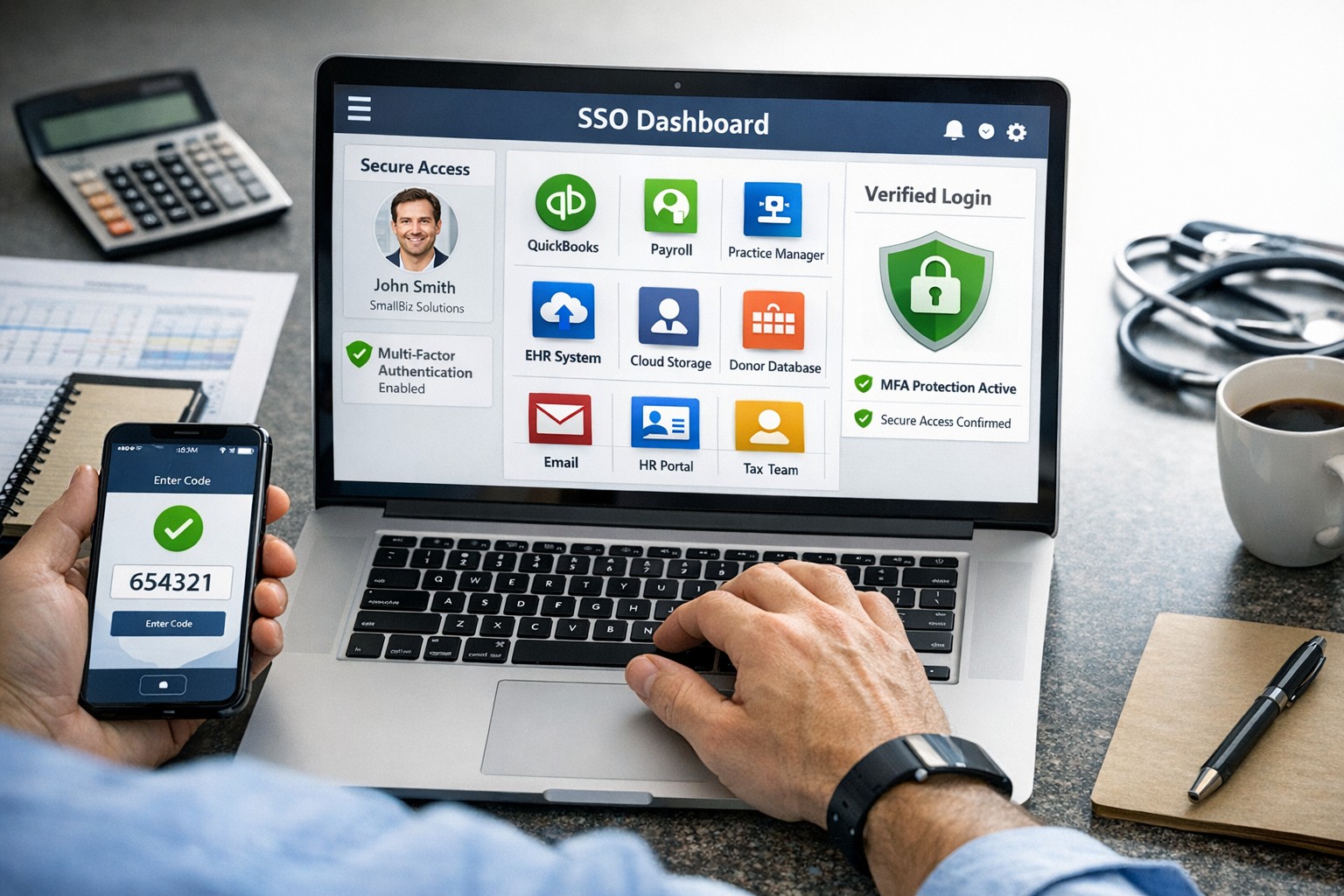
SSO for BYOD provides secure, convenient single sign-on access across apps on personal devices for small business teams.
Individuals and organizations rely heavily on various online platforms and services, the need for a secure and convenient way to access these resources is paramount. This is where SSO Single Sign-On comes into play. SSO Single Sign-On is a powerful authentication method that allows users to securely sign in to multiple applications and platforms using just one set of credentials. In this article, we will explore the benefits of SSO Single Sign-On, its implementation, and how it enhances security while streamlining the user experience.
Understanding SSO Single Sign-On
What is SSO Single Sign-On? SSO Single Sign-On is an authentication process that enables users to access multiple applications and platforms using a single set of login credentials. With SSO Single Sign-On, users only need to remember one username and password, eliminating the hassle of managing multiple credentials for different services. This not only saves time but also enhances convenience for users.
How does SSO Single Sign-On work? SSO Single Sign-On works by establishing a trust relationship between an identity provider (IdP) and the various service providers (SPs). When a user attempts to access a service, the IdP verifies the user’s identity and provides a token to the SP, which grants the user access without requiring additional authentication. This seamless process simplifies the login experience and eliminates the need for users to repeatedly enter their credentials.
Benefits of SSO Single Sign-On
Enhanced Security: One of the key advantages of SSO Single Sign-On is its ability to enhance security. By consolidating login credentials into a single set, users are less likely to resort to weak passwords or reuse passwords across multiple platforms. This reduces the risk of password-related security breaches. Additionally, SSO Single Sign-On allows for stronger authentication methods, such as two-factor authentication, further bolstering security without requiring multiple accounts.
Streamlined User Experience: With SSO Single Sign-On, users no longer have to remember and enter multiple sets of login credentials. This significantly reduces the login friction and streamlines the user experience. Users can seamlessly navigate between different applications and platforms without the need for repetitive logins. This convenience not only saves time but also improves productivity.
Centralized Access Management: SSO Single Sign-On provides organizations with centralized access management capabilities. Administrators can easily control user access to various applications and platforms from a centralized dashboard. This simplifies user provisioning and deprovisioning, ensuring that employees have timely access to the resources they need while maintaining security and compliance.
Cost and Time Savings: Implementing SSO Single Sign-On can lead to cost and time savings for organizations. By reducing the number of password-related support requests, IT teams can focus on more strategic initiatives. Additionally, the streamlined login experience reduces the time spent by employees on authentication, leading to increased productivity and efficiency.
Implementing SSO Single Sign-On
To implement SSO Single Sign-On, organizations need to follow a few key steps:
Evaluate SSO Solutions: Begin by evaluating various SSO solutions available in the market. Consider factors such as compatibility with existing systems, scalability, security features, and ease of integration.
Choose an Identity Provider: Select an identity provider that aligns with your organization’s requirements. The identity provider will be responsible for authenticating users and issuing tokens for accessing service providers. Office 365 and Google Workspace are usually the best, most prolific IdP sources to use.
Configure Service Providers: Configure the service providers that you want to integrate with SSO Single Sign-On. This involves establishing trust relationships between the identity provider and the service providers.
User Provisioning and Deprovisioning: Implement a user provisioning and deprovisioning process to ensure that users have the necessary access to the applications and platforms they require. This process should be integrated with the SSO Single Sign-On solution to maintain centralized access management.
Test and Monitor: Thoroughly test the SSO Single Sign-On implementation to ensure its functionality and security. Regularly monitor the system to identify and address any potential issues or vulnerabilities.
Best Practices for SSO Single Sign-On Implementation
When implementing SSO Single Sign-On, it is essential to follow best practices to maximize security and usability:
Strong Authentication: Implement strong authentication methods such as two-factor authentication or biometric authentication to enhance security.
Regular Auditing: Conduct regular audits of user access rights and permissions to ensure compliance and detect any unauthorized access.
User Education: Educate users about the benefits of SSO Single Sign-On and best practices for password management to promote secure behavior.
Continuous Monitoring: Implement a robust monitoring system to detect and respond to any suspicious activities or potential security threats.
Regular Updates: Keep the SSO Single Sign-On solution and all integrated applications up to date with the latest security patches and updates.
Remember, security should never be compromised, and SSO Single Sign-On provides a robust solution to protect user identities and streamline access to applications and platforms. Embrace the power of SSO Single Sign-On and enjoy the benefits of enhanced security and convenience.
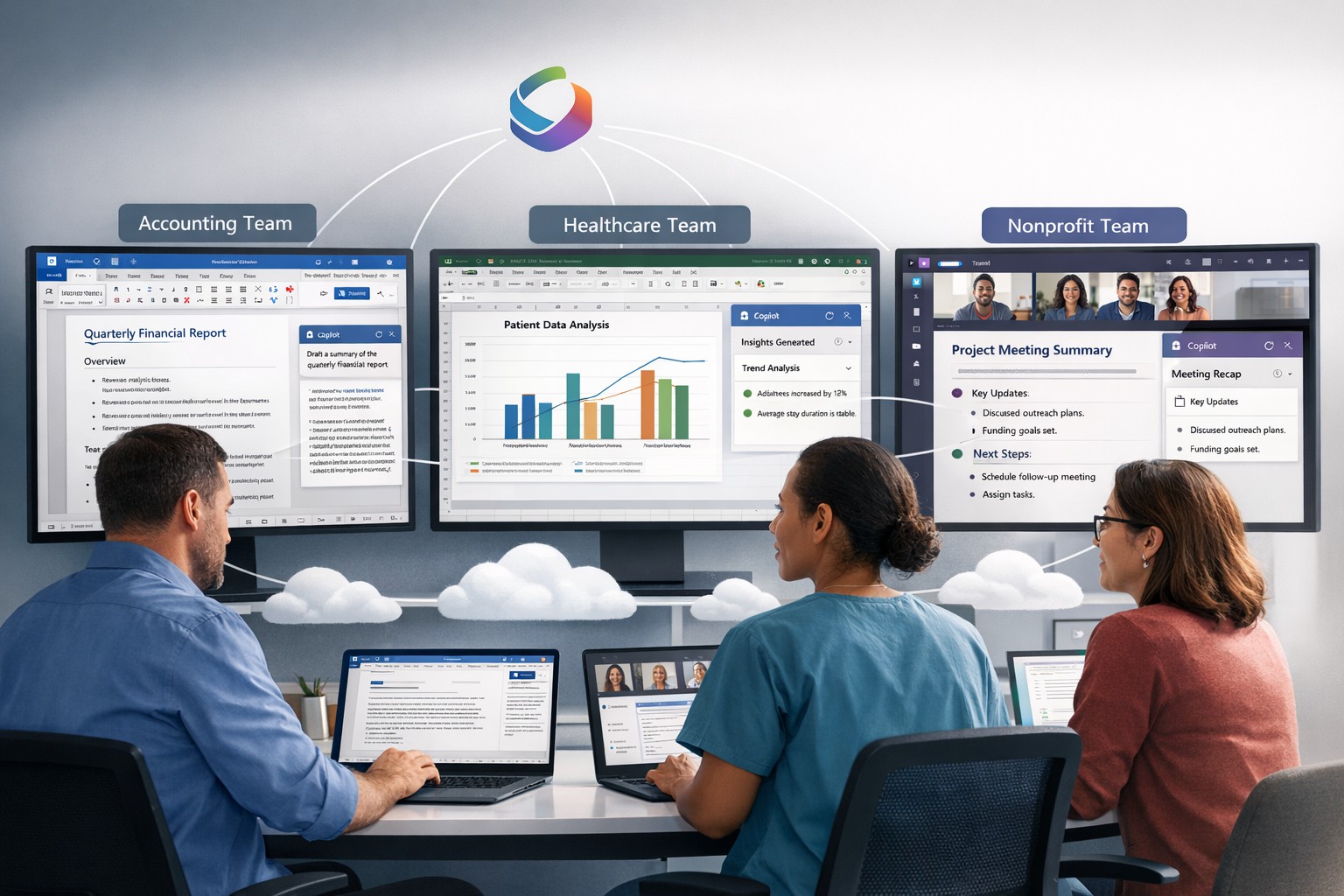
Microsoft 365 Copilot delivers AI-powered productivity across Word, Excel, Teams, and Outlook for small business efficiency.
Microsoft has recently unveiled a groundbreaking addition to its suite of Microsoft 365 apps and services – the AI-powered Copilot. This innovative tool is designed to assist users in generating documents, emails, presentations, and more, revolutionizing the way people work and interact with technology.
The Evolution of Copilot
Copilot, powered by GPT-4 from OpenAI, functions as an AI assistant embedded within Microsoft 365 apps such as Word, Excel, PowerPoint, Outlook, and Teams. It takes on the role of a chatbot, appearing in the sidebar, and can be summoned by users to perform a wide range of tasks. Whether it’s generating text in documents, creating presentations based on Word files, or providing assistance with Excel features like PivotTables, Copilot is there to lend a helping hand.
Streamlining Workflows
One of the key advantages of Copilot is its ability to enhance productivity and streamline workflows. For instance, users can leverage Copilot’s capabilities to prepare for meetings by providing information on related projects, organizational changes, and updates on co-workers who may have returned from vacation. In Word, Copilot can draft documents based on other files, allowing users to freely edit and adapt the AI-generated text. Similarly, Copilot can instantly create SWOT analyses or PivotTables in Excel based on data, making complex tasks easier and more efficient. In Microsoft Teams, Copilot can even transcribe meetings and summarize action items, ensuring that no important information is missed.
The Power of Copilot in Outlook
Copilot also extends its functionality to Outlook, helping users save time and improve email management. It can summarize email threads, create draft responses, and even adapt the tone and length of an email based on user preferences. By automating these tasks, Copilot allows users to focus on more strategic and meaningful work, increasing overall productivity.
The Role of AI Ethics
While Copilot offers significant benefits, Microsoft acknowledges that it may not always be perfect. Jared Spataro, head of Microsoft 365, emphasizes that Copilot might occasionally provide suggestions that are not entirely accurate. However, he also highlights the value of these imperfect suggestions, as they can still provide users with a head start and spark creative ideas.
To address concerns around the accuracy and ethical implications of AI, Microsoft emphasizes transparency and user control. They make it clear how the system makes decisions, provide links to sources, and prompt users to review and fact-check content based on their subject-matter expertise. Microsoft is committed to learning and improving Copilot based on user feedback and scaling the AI tool responsibly.
Copilot’s Integration and Pricing
Microsoft announced yesterday that it would be allowing all customers to purchase Copilot integration for Office 365 as long as you have one of the compatible licenses. The cost is $360 per user per year which equates to $30 per month – highly competitive with other AI services that will not directly integrate with Office 365 apps.
Considerations for Enterprises
While the potential value of Copilot in saving time and improving productivity is significant, organizations must also address potential risks. One concern is the potential for Copilot to provide inaccurate information, leading to what is known as “hallucinations.” Users should exercise caution and verify outputs from Copilot, supplementing its suggestions with human review and fact-checking.
Another critical consideration is data protection. Copilot’s ability to access a wide range of corporate data raises concerns about information oversharing and exposure of sensitive files. Organizations must ensure that proper data governance is in place, including robust permissions and access controls. Securing unstructured data and addressing potential data leaks are essential steps in mitigating risks associated with the deployment of Copilot.
Deployment and Adoption
While Copilot holds great promise, the deployment and adoption process for businesses will likely be gradual and cautious. Microsoft acknowledges the typical enterprise cycle times for adoption and ramp-up. The company expects a gradual growth in the adoption of Copilot, with around one-third of Microsoft 365 customers in the US expected to invest in Copilot within the first year. Businesses that choose to deploy Copilot are estimated to provide licenses to around 40% of their employees during this period.
Real-World Use Cases
During the early access program, several businesses, including Chevron, Goodyear, and General Motors, participated in trials of Copilot. These companies have already started reaping the benefits of the AI tool. Dentsu, a marketing firm, reported that the most common use case for Copilot was information summarization, particularly for Teams calls. Employees found value in Copilot’s ability to quickly pull information from various sources, saving time and improving efficiency.
The feedback from businesses involved in the early access program has been overwhelmingly positive, with employees experiencing increased productivity and more time for higher-level tasks. Different roles within organizations have found value in Copilot for various tasks, such as analysis in Excel or document drafting in Word. The versatility of Copilot makes it a valuable tool for a wide range of job functions and industries.
Microsoft’s AI-powered Copilot is set to revolutionize the way users interact with Microsoft 365 apps, providing enhanced productivity and streamlining workflows. As a trusted Microsoft Partner, Farmhouse Networking, can guide your company into adopting this game changing technology.
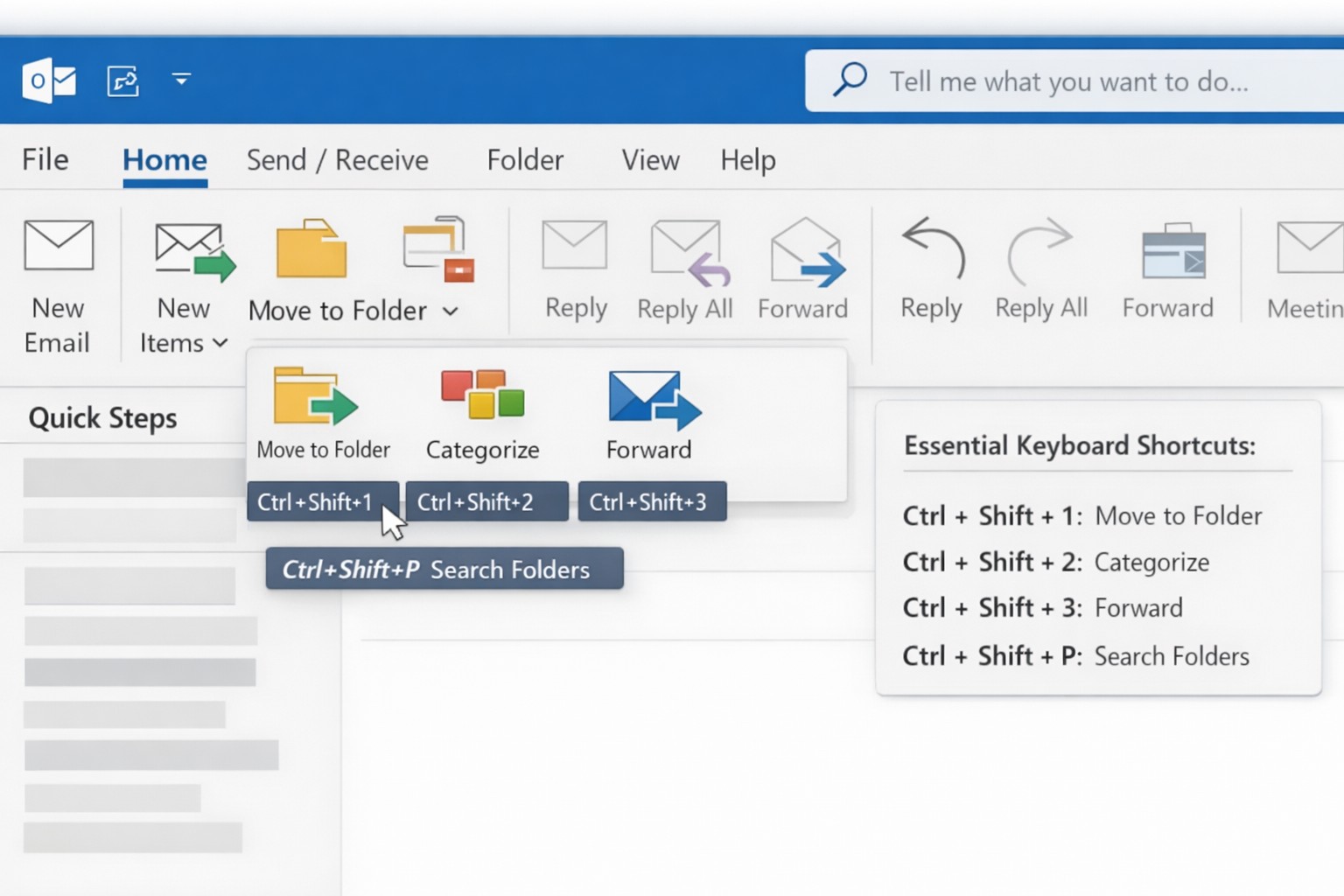
Outlook Quick Steps automation rules and focused inbox organization.
Are you a business owner who heavily relies on Microsoft Outlook? Here are some pro tips and tricks to help you get the most out of your Outlook experience. Whether you’re a seasoned Outlook pro or just getting started, these tips are guaranteed to improve your productivity and streamline your daily workflow.
Keyboard Shortcuts
Outlook offers a plethora of keyboard shortcuts that can save you valuable time. Instead of navigating through multiple menus and options, simply memorize a few key strokes:
Ctrl + N: Compose a new email.
Delete: Deletes the currently selected message.
Ctrl + Enter: Sends the current message.
Ctrl + Shift + M: Create a new meeting request.
Ctrl + Shift + A: Create a new appointment.
Ctrl + R: Reply to an email.
Ctrl + Shift + R: Reply All to an email.
Ctrl + F: Forwards the currently selected message.
Ctrl + Shift + V: Move a message to a different folder.
By using keyboard shortcuts you can perform common tasks with lightning speed, getting more done each day. Check out a more complete list here.
Advanced Search Features
With the vast amount of emails and information being managed in Outlook, finding specific messages or attachments can be a frustrating. However, Outlook’s advanced search features can be a lifesaver. By utilizing the “Search” bar at the top of your Outlook window, you can search by sender, recipient, subject, date, and even specific keywords within attachments. By harnessing these powerful search capabilities, you can save time and quickly locate important information.
Email Rules and Filters
Tired of spending precious minutes organizing your inbox manually? Outlook’s email rules and filters to the rescue. By setting up rules, you can automatically sort incoming emails into their respective folders, mark them as read, forward them to specific recipients, or even delete them. This way, your inbox stays clutter-free, and you can easily prioritize or categorize emails based on your needs.
Outlook’s Calendar Features
Managing your schedule and appointments effectively is crucial for any business owner. Outlook’s calendar features can simplify this process. Here are a couple of tips to optimize your calendar usage:
Color-code your appointments: Assign specific colors to different types of appointments (e.g., meetings, conferences, personal events). This visual distinction makes it easier to differentiate between various engagements at a glance.
Share your calendar: Collaborate and stay connected with your team by sharing your calendar. This feature enables everyone to view your availability and schedule meetings accordingly, eliminating unnecessary back-and-forth communication.
Customize Your Outlook
Outlook can be customized to fit your specific work preferences. Take advantage of the following customization options:
Quick Steps: Create customized shortcuts for common tasks and actions.
Quick Access Toolbar: Add frequently-used features to the toolbar at the top for quick access.
Themes and Fonts: Personalize the visual appearance of Outlook to match your style and make it more visually appealing and user-friendly.
By customizing Outlook to align with your work habits, you’ll find yourself navigating the application more efficiently and enhancing your overall productivity.
Want to learn more about Outlook’s advanced features? Reach out to our team of experts today and discover how we can further enhance your business operations with Microsoft Outlook.
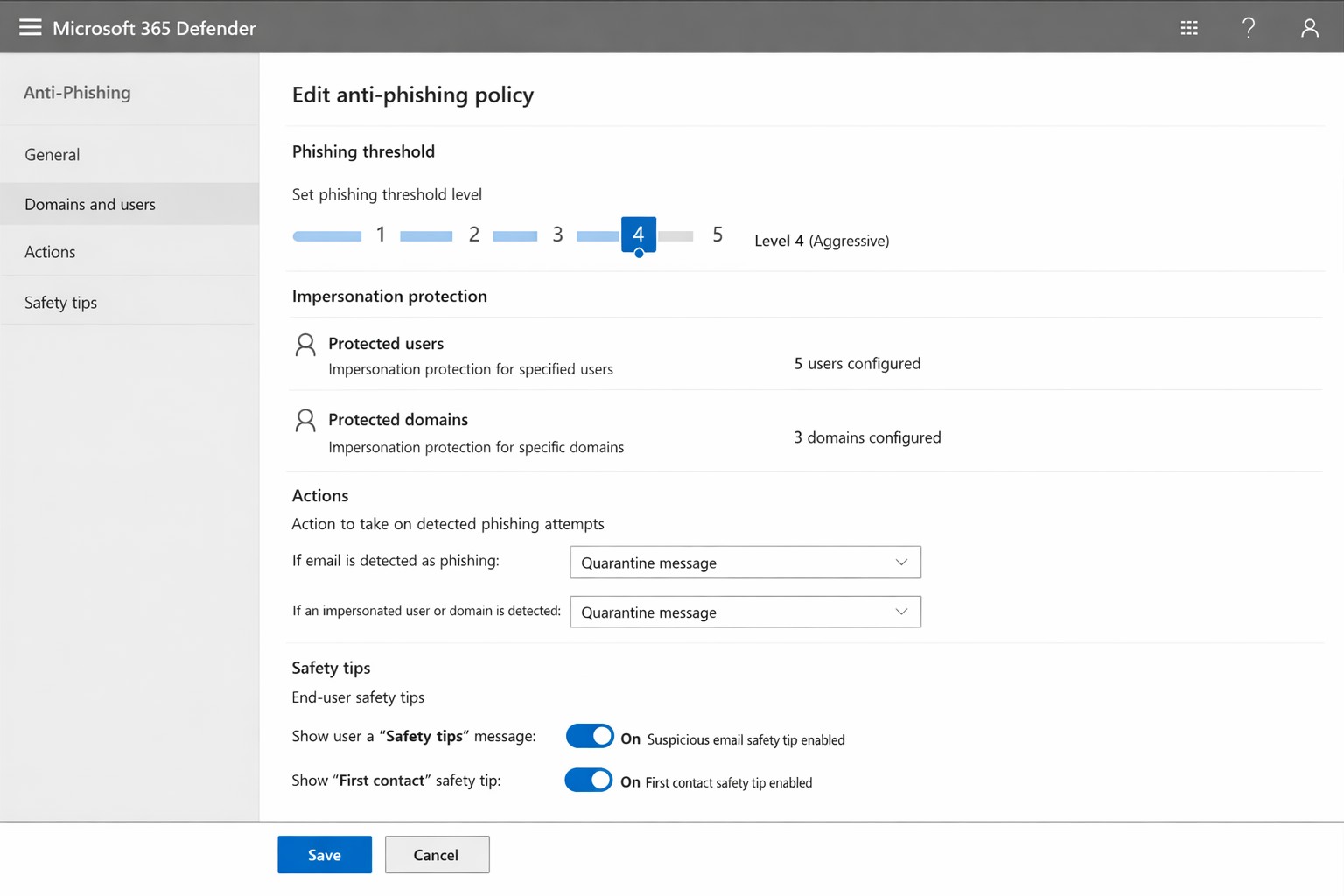
Office 365 anti-phishing policy configuration with impersonation protection enabled.
Phishing Protection
Enable This in Office 365 Now
Had a charity notify us that they were getting a ton of phishing attempts to their email every day and wanted to know what we could do for them. They use Office 365, so we looked through the settings and found one called “First Contact Safety Tip” which makes a small banner appear at the top of the email like this:
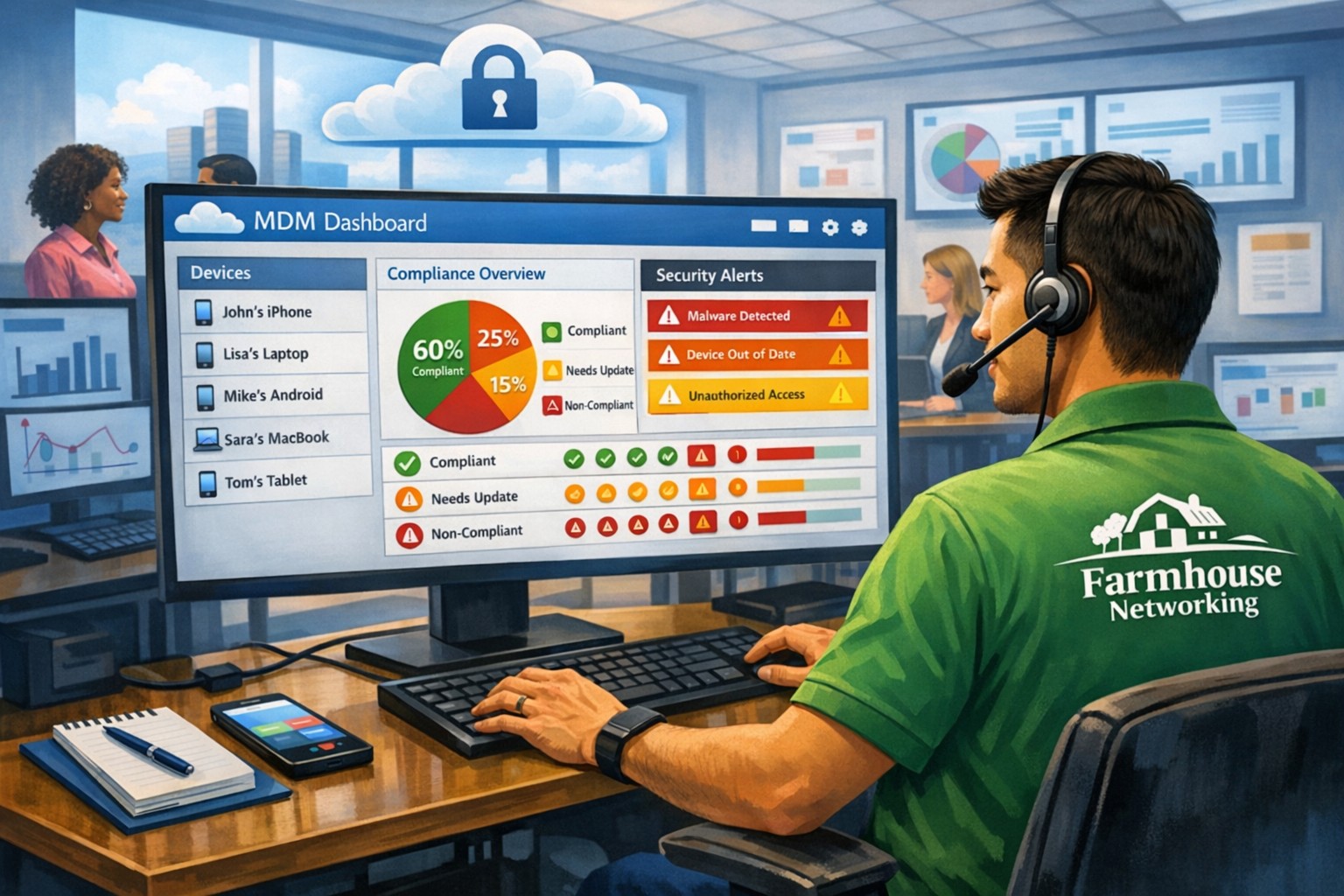
MSP console managing SMB BYOD smartphones and laptops with centralized MDM and security policies.
Small and medium-sized businesses (SMBs) face numerous challenges when it comes to managing their IT. Limited resources (both human and money), lack of expertise, and the need to focus on core business operations often make it difficult for SMBs to understand and manage technology needs. This is where Managed Service Providers (MSPs) come in. In this blog article, we will explore the reasons why SMBs should consider partnering with MSPs to enhance their IT capabilities and drive business growth.
Cost-Effective IT Solutions:
One of the primary reasons why SMBs need MSPs is the cost-effectiveness they offer. By outsourcing their IT needs to MSPs, SMBs can avoid the high costs associated with hiring and training an in-house IT team. MSPs provide a range of services, including network monitoring, data backup and recovery, cybersecurity, and software updates, all at a predictable monthly cost. This allows SMBs to allocate their resources more efficiently and focus on their core business.
Access to Expertise and Advanced Technology:
MSPs are experts in providing IT services and have a team of highly skilled professionals with expertise in variety of technology. By partnering with MSPs, SMBs gain access to the depth of knowledge and experience from IT experts who can handle complex tasks and provide strategic guidance. Additionally, MSPs stay up-to-date with the latest technology trends and can recommend and implement solutions that can help SMBs stay competitive in the market and safe from hackers.
Proactive IT Support and Maintenance:
MSPs offer proactive IT support and maintenance, which is crucial for SMBs. They monitor networks, identify potential issues, and take preventive measures to avoid downtime and disruptions. MSPs also provide regular software updates, security patches, and system maintenance, ensuring that SMBs’ IT remains secure and up-to-date. This proactive approach helps SMBs minimize the risk of costly IT failures and ensures smooth business operations.
Enhanced Data Security:
Data breaches and cyberattacks pose a significant threat to SMBs. MSPs play a vital role in safeguarding SMBs’ sensitive data and protecting them from potential security breaches. They implement robust cybersecurity measures, such as firewalls, antivirus software, and encryption, to ensure data confidentiality and integrity. MSPs can also conduct regular security audits and vulnerability assessments to identify and address any potential weaknesses in the IT infrastructure.
Scalability and Flexibility:
As SMBs grow, their IT needs evolve. MSPs offer scalable solutions that can adapt to changing business requirements. Whether it’s adding new users, expanding storage capacity, or integrating new software, MSPs can quickly and efficiently accommodate these changes. This scalability and flexibility allow SMBs to focus on their growth without worrying about the limitations of their IT infrastructure.
If your company could use the cost-effective solutions, access to expertise, proactive support, enhanced data security, and scalability that come from using a MSP, then contact us for assistance.
2FA dashboard displaying account protection compliance metrics and phishing defenses.
Businesses are face an increasing number of cyber threats. To protect sensitive data and prevent hackers from gaining access, implementing stronger security measures is crucial. One such measure is 2-factor authentication (2FA). Let’s look at the importance and security benefits of 2FA for businesses.
Enhanced Account Security:
2FA adds an extra layer of security to the traditional username and password login process. By requiring users to provide a second form of authentication, such as a unique code sent to their mobile device, it significantly reduces the risk of hackers from gaining access. Even if a hacker manages to obtain a user’s password, they would still need the second factor to gain access.
Mitigation of Password-related Risks:
Passwords are often the weakest link in security systems. Many users tend to reuse passwords across multiple accounts or choose weak and easily guessable ones or re-use the same password while incrementally changing a digit or two. With 2FA, even if a password is compromised, the additional authentication factor acts as a safeguard, making it significantly harder for attackers to gain access.
Protection Against Phishing Attacks:
Phishing attacks, where attackers trick users into revealing their login credentials, are a common threat to businesses. 2FA provides an additional layer of defense against such attacks. Even if a user unknowingly falls victim to a phishing attempt and enters their credentials on a fake website, the second authentication factor would prevent the attacker from accessing the account.
Compliance with Industry Regulations:
Many industries, such as finance, healthcare, government contractors, and e-commerce, are subject to strict data protection regulations. Implementing 2FA helps businesses meet compliance requirements and avoid potential penalties. It demonstrates a commitment to safeguarding sensitive customer information and builds trust with clients.
Cost-Effective Security Measure:
Implementing 2FA does not require significant financial investment. Many 2FA solutions are readily available and can be easily integrated into existing systems. Considering the potential financial and brand reputation damage caused by a security breach, the cost of implementing 2FA is minimal compared to the benefits it provides.
In an era where cyber threats are constantly evolving, businesses must prioritize security measures to protect their valuable data. 2-factor authentication offers a simple yet effective way to do so.
If your company is interested in implementing 2FA across the entire organization, then contact us for assistance.
And God will generously provide all you need. Then you will always have everything you need and plenty left over to share with others. As the Scriptures say, “They share freely and give generously to the poor. Their good deeds will be remembered forever.” For God is the one who provides seed for the farmer and then bread to eat. In the same way, he will provide and increase your resources and then produce a great harvest of generosity in you. - 2 Corinthians 9:8-10
We use cookies to ensure that we give you the best experience on our website. If you continue to use this site we will assume that you are happy with it.