RMM Automation: Forward Synology NAS Logs to Wazuh via Bash
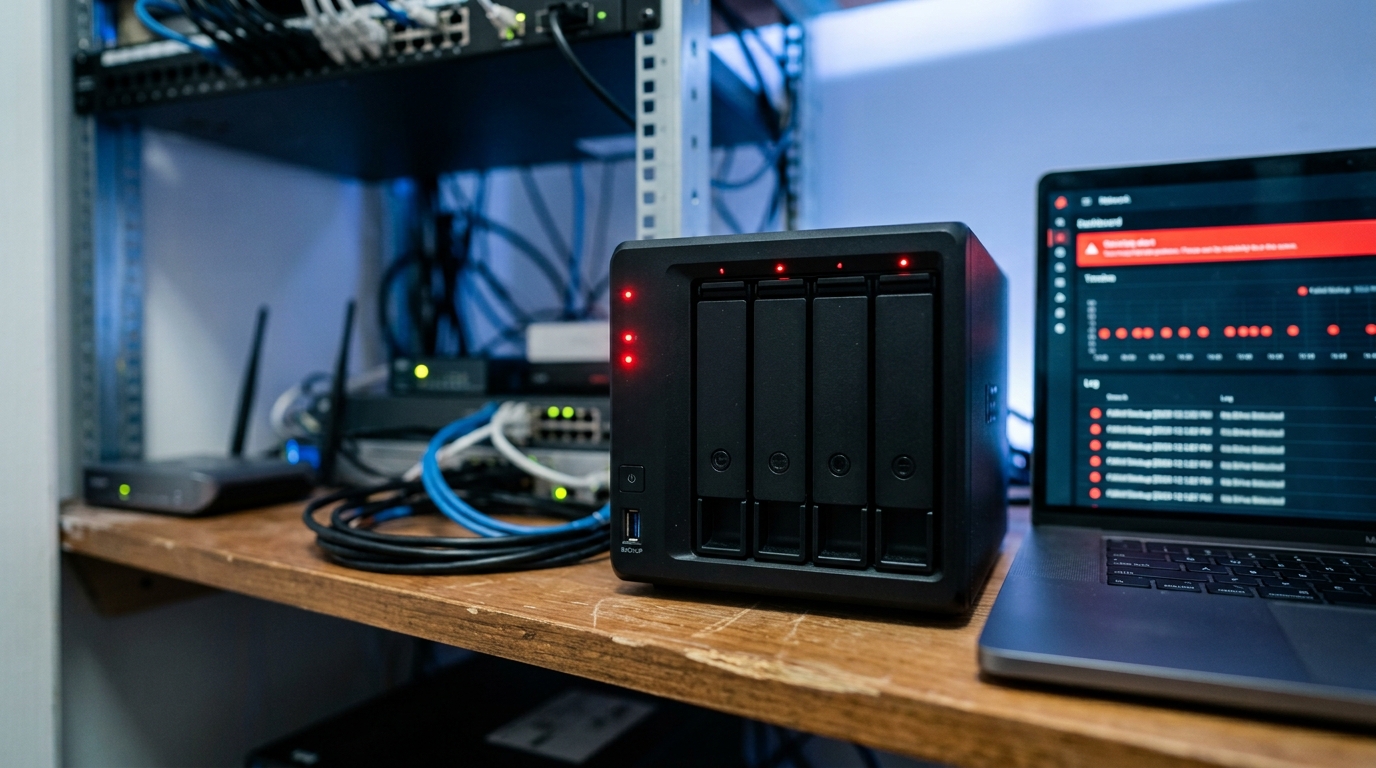
A NAS can record backup failures every night for weeks. Without centralized log monitoring, nobody sees them.
As an MSP, our focus is providing white labeled Tier 3 IT support services, RMM as a service, and co-managed IT for other IT providers and businesses. This blog will share tips on forwarding Synology NAS logs into a self-hosted Wazuh SIEM using a Bash script.
We recently connected a client’s Synology NAS to their onsite Wazuh server while they worked toward CMMC Level 2. Sending NAS sign-ins, configuration changes, file activity and backup results to a central SIEM supports NIST 800-171 controls 3.3.1 (create and retain audit records) and 3.3.2 (trace actions to individual users). It also gave the client a backup-failure alert they did not have before. We packaged the work into one script that can be run by hand on the Wazuh manager or through SuperOps RMM.
Research
Wazuh does not ship Synology decoders, so the NAS’s syslog arrives and is silently dropped as “no decoder matched.” Getting it right took longer than expected, because almost every mistake fails without an error:
The protocol has to match. DSM’s Log Center was set to UDP while our Wazuh syslog listener was TCP. A Wazuh <remote> syslog block accepts exactly one protocol. tcpdump on the manager still shows the packets, because it sees them before any program does.
DSM only sends the priorities you select. With Info and Notice unticked in Log Filters, failed sign-ins arrived and nothing else did.
Active Backup for Business has its own syslog setting. It does not go through Log Center at all, and its transfer protocol also has to be TCP.
DSM uses several line formats, and Wazuh treats them differently. Lines with a program name (“Connection:”, “ActiveBackup[pid]:”, “Hyper_Backup:”) are only checked against decoders that declare a <program_name>. Lines without one (“System user:”, “FileStation Event:”) are only checked against decoders that don’t. A decoder on the wrong list loads cleanly and never runs. We confirmed this in Wazuh’s source (decoders_list.c and cleanevent.c).
Child rule order is by level, not by file order. Wazuh tries a parent’s children highest level first. A specific rule meant to beat a general one must be at a higher level, or at the same level and earlier in the file.
Not every DSM change writes a log entry. Toggling Log Center’s own archive settings writes nothing. Creating and deleting a scheduled task always does, so that became our end-to-end test.
The results were worth it. The client’s Hyper Backup history showed one stretch of 40 days in a row with no successful backup, because no USB drive was attached. The NAS’s own notification emails had been failing too, so nobody was told. That failure now raises an alert. A scheduled report also flags any 26-hour window without a successful backup, since no rule can fire on a message that is never sent.
Variables
SynologyNasIp = NAS address, or several separated by commas (required for install)
SynologyAction = install, status or uninstall (optional, default install)
SynologyWatchUsers = break-glass account name(s); every sign-in raises a level 10 alert (optional)
SynologyAddListener = yes or no; use no if the NAS is already allowed in an existing syslog block (optional, default yes)
SynologyPort = listener port (optional, default 514)
SynologyProtocol = tcp or udp (optional, default tcp)
SynologyRuleBase = first rule ID (optional, default 127500)
SynologyOpenFirewall = yes or no; opens ufw or firewalld for the NAS address only (optional, default yes)
SynologyRestart = yes or no (optional, default yes)
Script Snippet
Before the manager restarts, the full script:
checks for rule ID collisions and listener conflicts
backs up ossec.conf
compares wazuh-analysisd -t output before and after
feeds 23 real DSM log lines through wazuh-logtest
It rolls back automatically if any of those fail. Here are the key pieces:
# Syslog listener restricted to the NAS, wrapped in markers so re-runs and uninstall can find it
<!-- BEGIN synology-wazuh-install listener -->
<remote>
  <connection>syslog</connection>
  <port>514</port>
  <protocol>tcp</protocol>
  <allowed-ips>192.0.2.10</allowed-ips>
</remote>
<!-- END synology-wazuh-install listener -->

# "Connection:" lines have a program name, so this decoder must declare one
<decoder name="synology-conn">
  <program_name>^Connection$</program_name>
  <prematch type="pcre2">User \[[^\]]*\] from \[[^\]]+\]|Host \[[^\]]+\] (?:was blocked|failed to connect)</prematch>
</decoder>

# "System user:<TAB>message" lines have no program name, so this one must not
<decoder name="synology-system">
  <prematch type="pcre2">^System \S+:\s</prematch>
</decoder>

# Hyper Backup: a rotated-out USB drive is expected (level 5); anything else is a real failure (level 10)
<rule id="127564" level="10">
  <if_sid>127560</if_sid>
  <match type="pcre2">Failed to access the backup destination|Exception occurred while backing up data|Backup task was cancell?ed|Failed to start backup task(?!\. \(The backup destination does not exist)</match>
  <description>Hyper Backup: task $(syno_task) failed - $(syno_event)</description>
  <group>backup,backup_failure,</group>
</rule>
<rule id="127563" level="5">
  <if_sid>127560</if_sid>
  <match type="pcre2">Failed to (?:run|start) backup task</match>
  <description>Hyper Backup: task $(syno_task) did not run - $(syno_event)</description>
</rule>

# Self-test: every sample line must land on its expected rule, or the install rolls back
while IFS='|' read -r off line; do
  want="$(rule_id "$off")"
  out="$(printf '%s\n' "$line" | "$OSSEC_DIR/bin/wazuh-logtest" 2>&1)"
  got="$(printf '%s\n' "$out" | sed -n "s/^[[:space:]]*id: '\([0-9]*\)'.*/\1/p" | tail -n 1)"
  [ "$got" = "$want" ] || fails=$((fails + 1))
done < <(self_test_samples)
The full script, the SuperOps edition, the decoders and the complete ruleset are free on our GitHub. There are 65 rule IDs, covering:
sign-ins and brute force
file activity and mass deletion
account and privilege changes
audit logging being turned down
storage pool and iSCSI LUN failures
power and UPS events
Active Backup for Business and Hyper Backup results
And God will generously provide all you need. Then you will always have everything you need and plenty left over to share with others. As the Scriptures say, “They share freely and give generously to the poor. Their good deeds will be remembered forever.” For God is the one who provides seed for the farmer and then bread to eat. In the same way, he will provide and increase your resources and then produce a great harvest of generosity in you. - 2 Corinthians 9:8-10
We use cookies to ensure that we give you the best experience on our website. If you continue to use this site we will assume that you are happy with it.