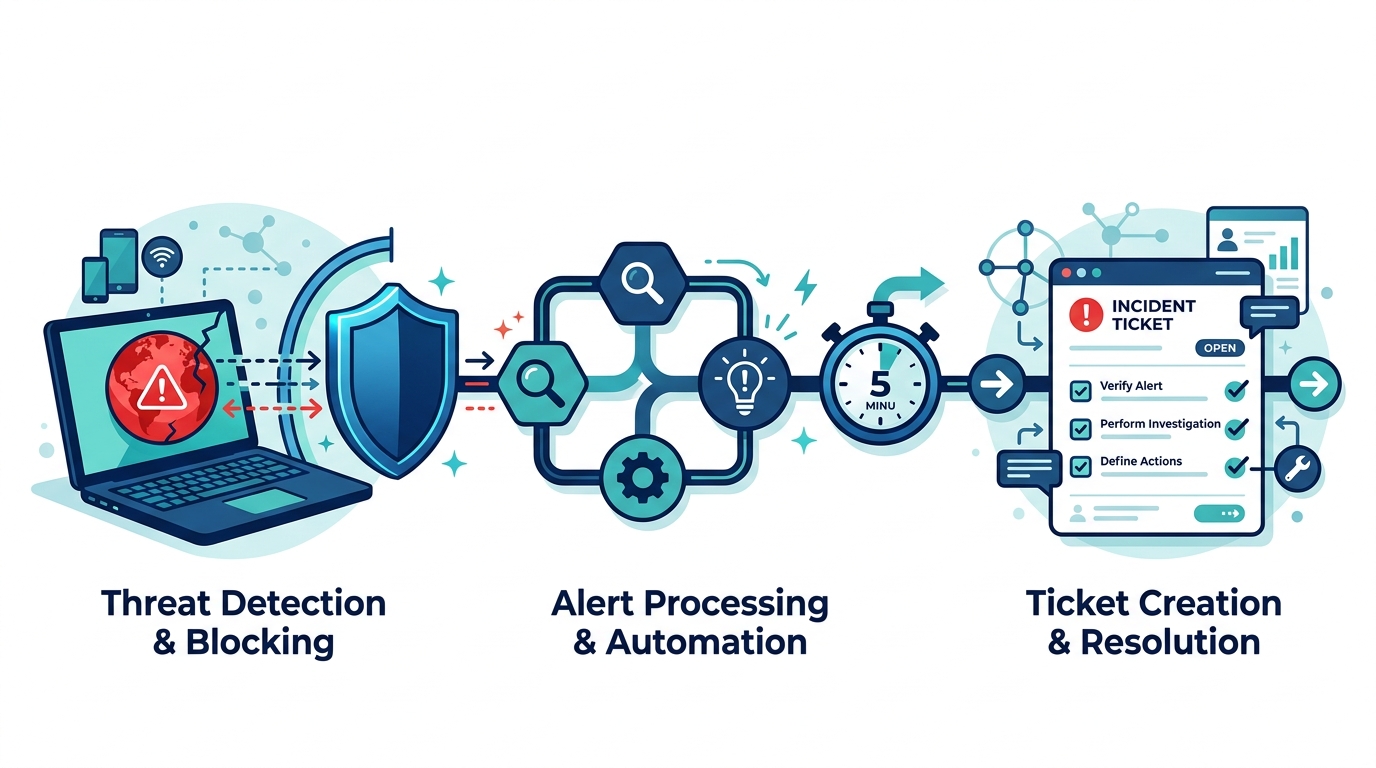
A blocked malware site in DefensX becomes a SuperOps ticket within five minutes, with no technician watching a dashboard.
As our business continues to grow our focus is on providing white labeled Tier 3 IT support services, RMM as a service, and co-managed IT services. This blog will be highlighting tips for using an n8n workflow to watch a DefensX global URL group and open a SuperOps ticket whenever a client machine tries to reach a site on it. We keep a global malware list in DefensX that applies to every customer. A block on that list is not routine web filtering. It means something on that machine tried to reach a known bad destination, and we want a technician looking at it in minutes, not at the next report review.
Research
DefensX has a Partner API with log endpoints for every customer, and SuperOps has a GraphQL API that can create tickets. The plan was simple: poll DefensX, find blocks from our list, create a ticket for the right client. Getting there took more discovery than expected. Here is what we ran into:
There is no webhook, and the logs don’t say which group caused the block. The URL log gives you the URL, the action and a category, but not the URL group that matched. The workflow has to pull the group’s entries itself and do the matching. That means handling all three entry styles DefensX allows: exact hostnames, *.domain.com wildcards, and full URLs with a path.
Browser logs are only half the picture. Our first test was a curl from a command prompt, and it never appeared in the URL logs. The browser extension only sees browser traffic. Anything else, including scripts and processes running as SYSTEM, is caught by the agent and written to the DNS logs. Since malware rarely uses the browser, the workflow checks both endpoints for every customer.
DNS logs are large. One customer returned more than 5,700 DNS rows in a 20-minute window, which is over the 5,000-row page limit. Pagination is not optional.
SuperOps required a field the schema calls optional. Our first ticket failed with mandatory_validation_failed on requestType, even though introspection shows it as a plain optional string. The tenant enforces it.
The next error named a field we never sent. After adding requestType: "Incident", SuperOps answered with referred_value_does_not_exist on ticketType. The field was renamed at some point and the error still uses the old name. The real problem was the value: ticket types are customizable per tenant, and ours has no type called “Incident”. It has “Incident – Security”.
Our API token could not look up the answer. We tried reading the type from existing tickets. The list query returned a total count of 429 and zero rows, and single-ticket lookups returned forbidden. The token could create tickets but not read them. What finally explained everything was asking the schema for field descriptions, not just field types. The description for requestType states that it replaced ticketType and tells you which query lists the valid options.
Repeat hits would flood the board. A machine retrying a blocked connection every few seconds would create a ticket on every run. The workflow remembers each user and site pair for 24 hours and tickets it once. It also keeps a separate time cursor per customer, so a failed API call for one customer is retried from where it left off without holding up the others.
Variables
Everything you need to change lives in one Set node at the top of the workflow:
urlGroupName – the exact name of the DefensX URL group to watch, for example Global Malware List
groupOwnerCustomerId – leave blank if the group lives on your partner account; otherwise the ID of the customer that owns it
suppressHours – how long to stay quiet about the same user and site after a ticket is created (default 24)
overlapMinutes – how far each run reaches back past the last one, to catch logs that arrive late (default 5)
includeConsented – whether to report blocks the user clicked through (default true)
defangUrls – writes sites as example[.]com in the ticket so nobody clicks one by accident (default true)
superopsSubdomain – your SuperOps subdomain, sent as the CustomerSubDomain header
ticketRequestType – one of your own ticket type names, spelled exactly as it appears in SuperOps
fallbackSuperOpsAccountId – the client that receives the ticket when a DefensX customer name has no match in SuperOps
customerNameMap – optional JSON for customers whose names differ between the two systems
API keys go in n8n credentials, never in the workflow itself.
Script Snippet
The matching logic runs in a Code node. Wildcard entries match the domain and every subdomain, and path entries are only checked against URL logs because a DNS lookup has no path:
function findEntry(target, hasPath) {
  for (const e of ctx.entries) {
    const hostOk = e.wildcard
      ? (target.host === e.host || target.host.endsWith('.' + e.host))
      : target.host === e.host;
    if (!hostOk) continue;
    if (!e.path) return e;
    if (hasPath && (target.path === e.path || target.path.startsWith(e.path + '/'))) return e;
  }
  return null;
}
Both log endpoints use the same pagination settings on the HTTP Request node:
Each ticket lands on the matching SuperOps client with a table showing the time, user, device, site, number of blocks and whether it came from the browser or the agent. Query strings are stripped from URLs before they are written, so session tokens never end up in a ticket.
The complete workflow, with the customer loop, DNS and URL log handling, SuperOps client matching and duplicate suppression, is free on our GitHub: [GITHUB LINK]
If your company is a MSP or wants to become one and automation just seems out of reach, then contact us to run your RMM for you.
Why Root Cause Analysis Belongs in Your Incident Response Plan
Finding the root cause of an IT incident is what stops it from happening again.
If your last IT issue got fixed but never explained, you may already be sitting on a repeat problem.
Here’s how it usually goes: an employee’s email gets compromised, your IT provider resets the password, the alerts stop, and everyone moves on. But almost nobody asks the harder question — how did the attacker actually get in, and is that same weakness still open somewhere else in your business?
That question is the entire purpose of root cause analysis (RCA). It’s the difference between putting out a fire and finding out what’s been leaking gas into the building. Skip it, and you’re not preventing the next incident — you’re just waiting for it.
What Root Cause Analysis Actually Means for Your Business
Incident response is the emergency part: contain the threat, restore access, get back to work. Root cause analysis is the follow-up step that asks why it happened in the first place — a phishing gap, a missing security policy, an unpatched system, a training blind spot. Without that step, your business ends up treating the same underlying weakness as a brand-new crisis every time it resurfaces.
Action Steps for You and Your IT Provider
Require a written root cause summary after any security incident — not just a “resolved” notification.
Ask whether your provider monitors for unusual sign-in locations and session activity, not just failed login attempts.
Confirm Conditional Access policies are enforced to block logins from unexpected countries or unmanaged devices.
Review whether staff training addresses the specific method behind the last incident, not just general reminders.
Ask your provider whether an incident was isolated or part of a broader pattern across your systems.
Build a root cause step into your written incident response plan, if you don’t already have one.
Schedule a 30-day follow-up review to confirm the fix actually held.
Questions Your Team Might Ask You
Q: We already fixed it — why dig further? A: Fixing the account doesn’t fix the door the attacker used to get in. Without knowing how it happened, you can’t be confident it won’t happen again the same way.
Q: Doesn’t this slow down how fast issues get resolved? A: No. Containment happens immediately, every time. Root cause review is a short follow-up step afterward — usually a summary or a brief call, not a delay.
Q: Is this really worth the extra step for a business our size? A: Yes — arguably more so. Smaller businesses often can’t absorb the same incident twice. Understanding the cause the first time is what keeps a bad week from becoming a bad year.
How Farmhouse Networking Helps
We recently helped a client contain an incident where an employee’s login session — not just her password — was stolen through a convincing fake sign-in page that looked identical to a real Microsoft 365 login. Containing it was step one. The real work was tracing exactly how the attacker got that session, confirming nothing else in the environment was exposed the same way, and closing the gap permanently.
That’s the process we apply to every incident we handle. Farmhouse Networking documents root cause on every security event, gives you a plain-language explanation of what actually happened and why, and makes sure the fix addresses the cause — not just the symptom.
Want to Know What’s Really Behind Your Last IT Incident?
If your business has had an IT issue that got resolved but never really explained, that’s worth a second look before it repeats itself. Email us at support@farmhousenetworking.com and we’ll walk you through what a proper root cause review looks like — plainly, and without the jargon.
That AI tool looked affordable in the demo. Here’s what most small business owners discover after the first real invoice.
You signed up for a sleek AI tool. The demo was impressive. The monthly price seemed reasonable. Then three months later you’re staring at a vendor bill that’s twice what you expected, your team is still confused about how to use the software, and you’re not sure who owns the data you’ve been feeding into it.
If that sounds familiar, you’re not alone. According to a 2025 Fortune analysis, the advertised price of AI automation represents only 20–40% of the true first-year cost for most small businesses. The rest hides in plain sight — buried in data preparation, staff training, integration fees, security gaps, and consumption-based pricing that scales faster than your revenue does.
AI tools promise to save you money. But are they quietly spending it instead? Here’s what every business owner needs to know before the next invoice arrives.
What the Brochure Doesn’t Tell You: The 6 Hidden Costs of AI
1. Data Cleanup Costs: Before AI can do anything useful, it needs clean, structured data. Most businesses discover their records have duplicate entries, inconsistent formatting, or files locked in formats the AI can’t read. Getting data “AI-ready” commonly costs $1,000–$10,000 and is rarely mentioned upfront.
2. Consumption-Based Billing Surprises: Many AI tools — including Microsoft Copilot, ChatGPT, and Salesforce Agentforce — charge by usage (tokens, conversations, or seat upgrades). A 2025 Zylo survey found 78% of IT leaders reported unexpected charges from consumption-based AI pricing. The more your team uses the tool, the higher the bill climbs, often mid-contract.
3. Integration Expenses: Plugging an AI tool into your existing systems — your accounting software, CRM, email platform, or operations tools — typically costs 30–50% of your total AI budget on top of licensing fees. Legacy systems make this worse, adding another 30–50% to integration costs.
4. The Productivity Dip (The J-Curve): Staff productivity typically drops 15–25% for 3–6 months after an AI tool is introduced. Workflows change. People need training. Mistakes happen. This “J-curve” is a real cost that hits your output before the benefits kick in.
5. Ongoing Maintenance and Monitoring: AI tools don’t run themselves. They need updates, performance monitoring, and occasional retraining. Industry estimates put annual AI maintenance at 15–30% of the original implementation cost — every year.
6. Security and Compliance Gaps: When employees use unsanctioned AI tools — what experts call “shadow AI” — your data goes places you haven’t approved. This creates real liability, especially if you handle any customer financial, health, or personal data.
What You and Your IT Team Should Do Now
Audit every AI tool currently in use — sanctioned or not. Shadow AI is a real and growing problem.
Review your vendor contracts for consumption-based pricing clauses and usage caps.
Assess your data quality before adding any new AI tool. Budget time and money for cleanup.
Map out how each AI tool connects to your existing systems and what it costs to integrate.
Train your team with structured onboarding — not just a login link.
Set a usage policy that defines which AI tools are approved and what data can be shared with them.
Schedule quarterly AI cost reviews so billing surprises don’t compound.
Work with your IT provider to conduct a security review of all AI platforms you’ve adopted.
Questions Your Clients or Team May Ask You
Q: Is it really that expensive? The tool only costs $30 a month.
A: The license is just the entry fee. Once you add integration, training, data cleanup, and monitoring, that $30/month tool commonly becomes $300–$500/month in real total cost. Budgeting for only the license is the most common AI financial mistake small businesses make.
Q: Can’t we just let employees figure it out on their own?
A: Research shows that organizations with unstructured AI adoption see double the training costs and far lower ROI. Worse, employees who figure it out on their own often use unapproved tools that create security and compliance exposure.
Q: What happens if we don’t address the security side?
A: Unsanctioned AI usage has been linked to data breaches that add an average of $200,000 to breach costs, according to IBM’s 2025 Cost of a Data Breach report. For a small business, that’s potentially company-ending exposure.
Q: How do we know if our AI investment is actually paying off?
A: You need to measure specific KPIs before and after AI adoption — things like hours saved per week, error rates, and customer resolution times. Without baseline data, ROI is invisible.
How Farmhouse Networking Can Help
Farmhouse Networking specializes in helping SMBs navigate exactly these kinds of IT cost pitfalls. Our local team can help you:
Conduct a full AI tool audit to identify shadow AI and hidden spend across your organization.
Review your vendor contracts and consumption-based pricing to protect you from billing surprises.
Assess data readiness so you’re not paying for expensive data cleanup after the fact.
Build a secure AI governance policy so your team knows what’s approved, what’s not, and why.
Provide proactive IT monitoring that catches cost and security issues before they become crises.
Ready to Find Out What AI Is Really Costing You?
Don’t wait for the surprise invoice. Send us a message and we’ll schedule a free AI cost and security review for your business. We’ll show you exactly where you stand — no obligation, no jargon, no pressure. Email us today: support@farmhousenetworking.com
The right technology stack helps SMBs improve security, streamline operations, and support long-term growth.
Businesses need technology that makes the company easier to run, safer to operate, and better at winning customers. The right stack can reduce manual work, improve communication, and create a more professional experience across every part of the business.
For owners, the focus should be on growth and operational clarity. For IT, the goal is secure, reliable systems that support collaboration, backup, automation, and customer-facing workflows.
Practical action steps
Replace disconnected tools with integrated platforms for email, files, CRM, and scheduling.
Use MFA, endpoint protection, and automated backups on every business device.
Improve your website and local SEO so customers can find and contact you more easily.
Automate repetitive workflows like reminders, approvals, and intake forms.
Create a technology roadmap so upgrades happen proactively instead of reactively.
Client questions and answers
Q: Do we need a managed IT provider? A: If technology downtime, security risk, or slow support hurts productivity, yes.
Q: What should we prioritize first? A: Security, backups, and the systems your team uses every day.
Q: How does technology help growth? A: Better tools improve response time, customer experience, visibility in search, and team efficiency.
Farmhouse Networking helps SMBs build dependable, secure, and growth-ready technology foundations without overcomplicating the stack. Email support@farmhousenetworking.com for more information about how Farmhouse Networking can help improve their business.
What Small Business Owners Need to Know About Health Plans and IT Risk
Small business leaders and IT teams should review how the 2027 NBPP proposed rule will change employee health plans, compliance requirements, and data security.
The 2027 NBPP proposed rule, issued February 11, 2026, will reset key rules for ACA Exchanges and small‑group health plans starting in 2027. As a small or mid‑sized business owner, these changes affect your benefit strategy, your HR workload, and the IT systems that support them.
Big Picture: What’s Changing
Catastrophic and some bronze plans can carry significantly higher out‑of‑pocket maximums, shifting more financial risk to employees.
CMS proposes multi‑year catastrophic plans and broader hardship exemptions, making catastrophic coverage more common among workers who cannot or do not enroll in richer plans.
Agents, brokers, and web‑brokers must use standardized HHS‑approved consent and eligibility review forms, creating more structured documentation.
Certain state‑mandated benefits will be treated as “in addition to” Essential Health Benefits, affecting plan design and cost structure.
Concrete Action Steps for Owners and IT
For the business owner/CEO:
Reevaluate your health benefits package
Ask your broker which 2027 plan designs they expect to offer and whether your team could be pushed toward higher‑OOP bronze or catastrophic options.
Model the total compensation impact if benefits become less generous and consider offsetting with stipends, HRAs, or plan upgrades.
Upgrade HR policy and employee education
Provide clear, written explanations of how deductibles, out‑of‑pocket maximums, and catastrophic coverage work under the new rules.
Set expectations about documentation employees should keep (especially standardized federal consent and eligibility forms tied to subsidies).
For your IT department or MSP:
Prepare your systems for new standardized forms and proofs
Ensure HRIS, payroll, and document systems can accept, tag, and secure HHS‑approved consent and application review forms your broker will use.
Build simple workflows for HR to retrieve this documentation during audits, disputes, or employee questions.
Tighten security around benefits and PHI‑adjacent data
Implement strong identity and access management, encryption, logging, and vendor controls for any system that touches health coverage or subsidy information.
Confirm that contracts with benefits platforms, brokers’ portals, and HR tools reflect updated privacy and security expectations.
Likely Employee Questions – And How to Answer
“Why did my maximum out‑of‑pocket jump so much?”
Under the 2027 NBPP, some bronze and catastrophic plans are allowed to exceed prior out‑of‑pocket caps, which can significantly increase your financial exposure if you get sick or injured.
“What are these new standardized forms from the broker?”
Federal rules now require standardized HHS‑approved consent and eligibility review forms to document the accuracy of your application and protect your subsidy eligibility.
“Are all state‑mandated benefits still fully covered?”
Not always; certain state‑required benefits are treated as outside the core Essential Health Benefits package, which may affect how they’re funded and covered.
How Farmhouse Networking Helps SMBs
Farmhouse Networking partners with small and mid‑sized businesses to turn regulatory change into structured, low‑friction processes:
Integrate new federal consent and eligibility documentation into your HR and document‑management stack, so HR can find what they need in seconds.
Implement or enhance cybersecurity controls around benefits, payroll, and identity data to reduce risk as health coverage documentation becomes more standardized and audit‑friendly.
Coordinate with your broker and benefits platforms so technical changes (new forms, new plan designs) are reflected cleanly in your systems with minimal disruption.
Call to Action Email support@farmhousenetworking.com to get a focused assessment of how the 2027 NBPP proposed rule intersects with your benefits, IT, and employee experience – and a concrete plan to get ahead of it.
Small business owner collaborating with IT support to update the company’s website privacy policy ahead of the February 16, 2026 HIPAA privacy changes.
If you own a small or mid‑sized business, you are already feeling the pressure from changing privacy expectations, high‑profile breaches, and new regulations worldwide. The February 16, 2026 HIPAA deadline for updated Notices of Privacy Practices is a reminder that regulators are steadily raising the bar on transparency and data protection across all sectors, not just healthcare.
Why Your Website Needs a Privacy Policy
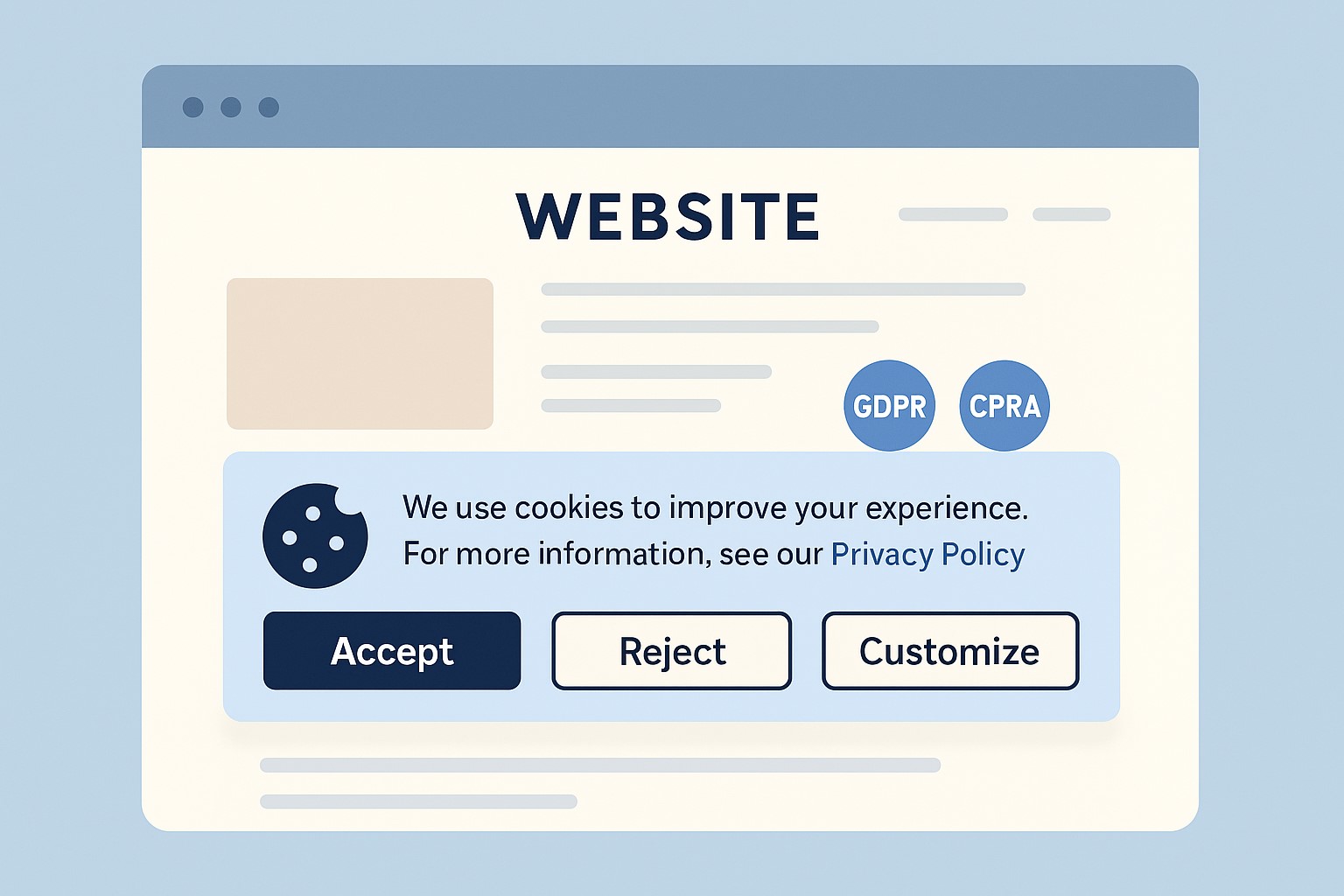
Modern privacy regimes like GDPR and CCPA require businesses that collect personal data online to publish a clear privacy policy explaining what data they collect, why, and how users can exercise their rights.
Many small businesses underestimate how much data they collect—contact forms, job applications, newsletter sign‑ups, and analytics all capture personal information.
Without a clear policy, you risk lawsuits, regulatory fines, and lost customer trust if your data practices are challenged.
Practical Actions for You and Your IT Team
For the business owner:
Catalog the types of data you collect from customers, prospects, and employees through your website and internal systems.
Engage legal or privacy expertise to draft or update a privacy policy that matches your actual practices and covers all relevant jurisdictions you serve.
Decide how privacy ties into your broader brand promise—positioning your business as transparent and trustworthy in how it handles data.
For your IT team or provider:
Publish a prominent “Privacy Policy” link on every page of your site (typically in the footer) and ensure it is mobile‑friendly and easy to read.
Align technical controls—encryption, access management, logging, and data retention—with the commitments your privacy policy makes.
Review third‑party tools (chat widgets, trackers, analytics, CRMs, marketing automation) and make sure their data use is reflected accurately in your policy.
Questions Customers Are Likely to Ask
“What information do you collect when I contact you or buy from you?”
Your privacy policy should list the categories of data collected (identifiers, payment info, browsing data, etc.) in plain language.
“Do you sell or share my information with other companies?”
Your policy should clearly state whether you sell or share personal data, and how customers can opt out where required.
“How do I request a copy of my data or ask you to delete it?”
Users from certain jurisdictions have clear access and deletion rights, which your policy must describe along with contact methods.
How Farmhouse Networking Helps SMB Owners
Farmhouse Networking partners with small and mid‑sized businesses to turn privacy from a risk into a competitive advantage. We can map your data flows, implement secure infrastructure and website configurations, coordinate with your legal advisors, and ensure that your published privacy policy is accurate, technically enforced, and easy for customers to understand.
If you want your business to be ready for evolving privacy expectations—and to earn more trust from every website visitor—email support@farmhousenetworking.com for more information about how Farmhouse Networking can help improve your business.
Modern IT and cybersecurity tools help rural small businesses strengthen resilience, protect customer data, and apply lessons from the Rural Health Transformation Program.
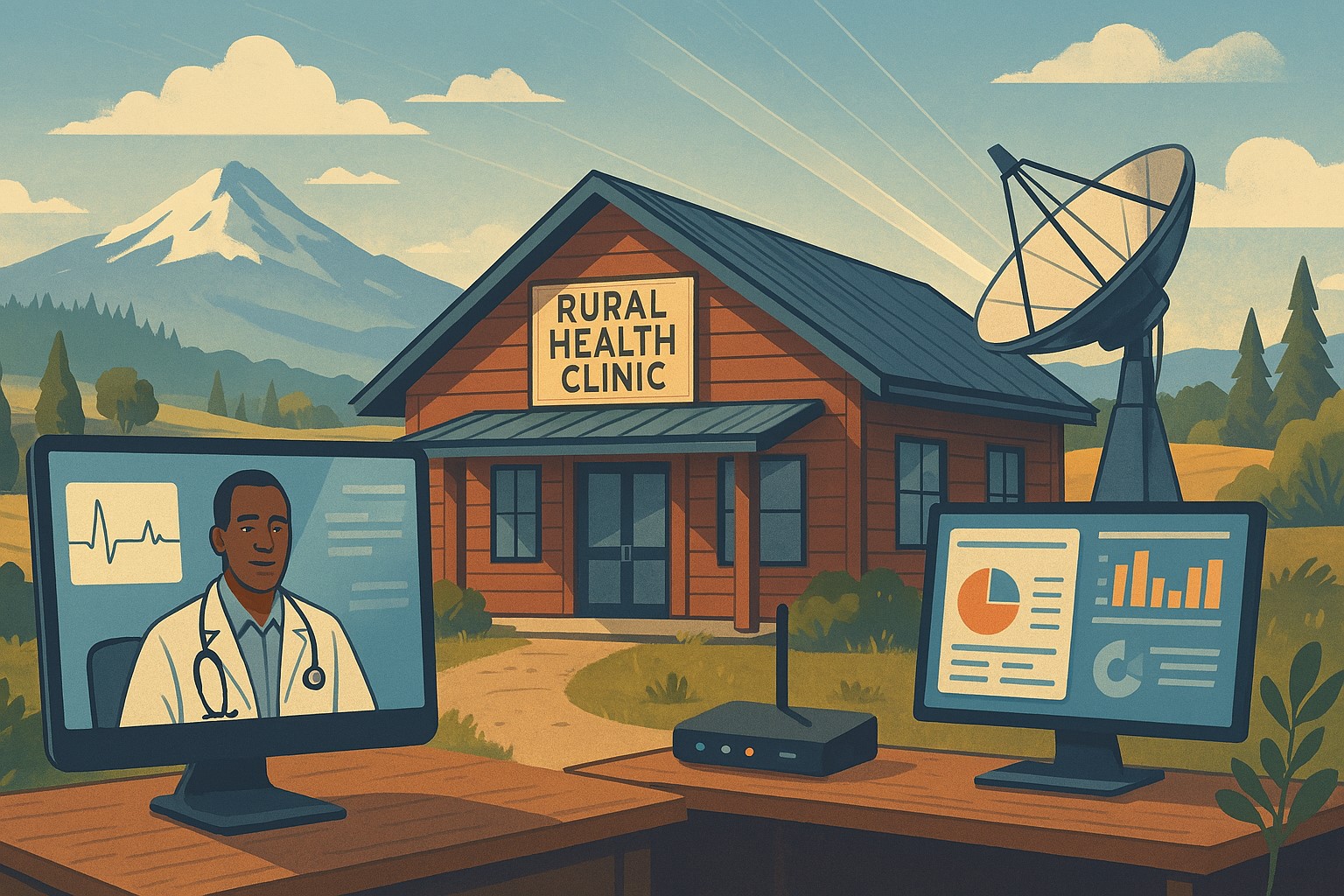
The Rural Health Transformation Program is a five-year, $50 billion national initiative focused on stabilizing and modernizing rural health systems through better technology, stronger cybersecurity, and more resilient operations. Even if your business is not in healthcare, the same principles apply: modern, secure IT and good data are now core to long-term sustainability.
Why Business Owners Should Pay Attention
The program explicitly invests in IT support, cybersecurity, and technology-enabled efficiency as critical to sustainable operations in rural settings.
Oregon’s plan emphasizes tech modernization, workforce resilience, and strong regional partnerships as keys to surviving funding shifts and market changes.
SMBs that adopt these same priorities gain resilience against outages, cyberattacks, and regulatory pressure—without waiting for a crisis.
Practical Action Steps for You and Your IT Team
Treat IT as critical infrastructure, not overhead
Conduct a full inventory and risk assessment: hardware, software, data flows, third-party platforms, and security controls.
Identify single points of failure and systems that would halt operations if compromised.
Invest in modernization and cybersecurity
Prioritize upgrades that increase efficiency and security: cloud migration, MFA, endpoint protection, secure backups, and network segmentation.
Align IT investments with measurable business outcomes such as uptime, recovery time, and staff productivity.
Build reporting and data capability
Ensure your systems can generate the metrics you need to manage performance and respond to customer or regulator questions.
Standardize data structures so growth, audits, or new partnerships do not require rebuilding your information from scratch.
Plan for multi-year resilience, not quick fixes
Create a three- to five-year IT roadmap similar to how RHTP structures its budget periods and milestones.
Include cybersecurity training, periodic testing, and regular reviews of your business continuity and disaster recovery plans.
Likely Customer Questions – With Suggested Answers
“Is my data safe with your company?”
Yes. We use modern security practices—encryption, secure access controls, and monitored systems—to protect your information.
“Can you keep operating if there’s an outage or cyberattack?”
Yes. We maintain tested backups, continuity plans, and resilient systems so we can continue serving you even during disruptions.
“How do you handle sensitive information?”
We limit access to only those who need it, track system activity, and use secure tools to store and transmit sensitive data.
How Farmhouse Networking Helps SMBs Apply These Lessons
Farmhouse Networking has helped organizations that participate in complex state and federal programs build robust, secure IT environments that pass strict scrutiny. Those same capabilities translate directly to SMBs in any industry. Farmhouse Networking can:
Conduct comprehensive IT and cybersecurity assessments focused on business risk and resilience.
Design and implement a modernization roadmap—cloud, security, backups, remote work, and compliance-aligned practices.
Provide ongoing, proactive support so your internal team can focus on revenue, customers, and strategic growth.
Call to Action
To apply the same modernization, security, and resilience principles behind Rural Health Transformation to your own business, email support@farmhousenetworking.com and discover how Farmhouse Networking can help improve your systems and protect your bottom line.
A small business owner collaborates with an IT security partner to elevate cybersecurity from a technical task to a core business risk management priority.
Across regions and industries, executives now rank cybersecurity as their top external risk, ahead of supply chain issues, regulatory changes, and macroeconomic concerns. For small and mid‑sized businesses, cyber incidents can rapidly translate into operational outages, reputational damage, and long‑term financial loss.
What this means for SMBs
Security has moved out of the server room Leaders are embedding cybersecurity within enterprise risk management, using business continuity plans, risk frameworks, and scenario planning rather than treating it as a pure IT issue. Business owners must therefore own cyber risk in the same way they own cash flow and strategy.
Skill gaps and competing priorities Executives report that talent shortages, workload pressure, and cost constraints make it difficult to execute technology and security plans effectively. Many SMBs rely on a small IT team that spends most of its time on basic maintenance instead of proactive defense.
Vendor pressure and forced upgrades A significant share of executives cite vendor lock‑in and forced upgrades that constrain security planning, delay patching, and divert funds from higher‑value initiatives such as AI and modernization. SMBs need more control over when and how they adopt changes.
Practical action steps for owners and IT
Treat cybersecurity as a business risk
Add cyber risk to your leadership agenda, risk register, and strategic planning sessions.
Define risk scenarios in business terms: downtime costs, lost sales, regulatory penalties, and reputational impact.
Build structured risk, continuity, and investment processes
Implement a risk framework and business continuity plan that cover key systems, suppliers, and customer touchpoints.
Evaluate security investments based on multi‑year business value, including reduced incident costs and improved resilience.
Leverage outsourcing as a strategy
Follow the many organizations that already outsource or are planning to outsource cybersecurity services to stabilize operations and address skill shortages.
Let internal IT prioritize strategic initiatives and innovation while a specialist partner handles monitoring, vulnerabilities, and incident response.
Customer questions – and your answers
“How do you protect our data and services?” Cybersecurity is managed at the leadership level, supported by formal risk management, continuity planning, and external security expertise.
“Can you stay operational if you are attacked?” We create tested business continuity and disaster recovery plans, including backups, alternate processes, and clear responsibilities during incidents.
“Are you keeping up with evolving threats?” We evaluate technology with security as a key criterion, and we work with dedicated security partners to adapt to changing risks.
How Farmhouse Networking helps SMBs
Farmhouse Networking helps business owners turn cybersecurity into a manageable, measurable business function by:
Designing and managing secure, resilient IT environments that align with your risk appetite and growth plans.
Delivering outsourced cybersecurity services to tackle monitoring, patching, and incident response so your internal team can focus on innovation.
Advising on vendor strategies and technology investments so security, cost, and flexibility stay in balance.
Call to action
To find out how Farmhouse Networking can help your business make cybersecurity a strategic advantage, email support@farmhousenetworking.com for more information about how Farmhouse Networking can help improve your business.
Use clear metrics like response time, uptime, and customer satisfaction to see if your IT provider is truly doing their job.
Businesses heavily rely on their IT providers to ensure smooth operations, enhance productivity, and safeguard data. However, determining whether your IT provider is doing their job effectively can be challenging. Here are some key indicators and evaluation criteria to help you assess their performance.
Quality of Service
1. Response Time and Resolution: A reliable IT provider should have short response times and lasting resolutions. Track how quickly they respond to issues and how often they resolve problems on the first attempt. Consistent delays or repeat issues may indicate they aren’t able to take care of your business properly.
2. Service Quality and Expertise: Evaluate the technical expertise of your IT provider. They should have a proven track record and relevant industry experience. Their ability to manage complex IT environments and provide innovative solutions is crucial.
Cost and Value
1. Cost Structure: Analyze the cost of your IT services, focus on the overall value of what they provide. A transparent pricing model with no hidden fees is also preferable.
2. Budget Management: Your IT provider should help you maintain a predictable IT budget. Proactive management of IT infrastructure should prevent unexpected costs and downtime.
Reliability and Security
1. Uptime and Availability: Assess the reliability of your IT provider in terms of network uptime and system availability. Downtime can lead to significant business losses, so aim for a provider with strong customer centric service level agreements (SLAs) that guarantee high uptime.
2. Security Measures: Inquire about the provider’s security protocols and compliance with regulations like PCI, CMMC, or HIPAA. A comprehensive security framework is essential to protect sensitive data from cyber threats .
Communication and Support
1. Communication Channels: Evaluate the effectiveness of the provider’s communication. They should offer multiple channels for support and maintain open, proactive communication about system updates or maintenance. You should not have to call them for issue status.
2. Customer Support: A dedicated support team can significantly enhance the user experience. Ensure that your provider offers readily available customer support and is responsive to inquiries .
Strategic Alignment
1. Business Understanding: Your IT provider should demonstrate an interest in your business strategy and goals. They should be involved in strategic discussions and provide technology solutions that align with your long-term objectives.
2. Flexibility and Scalability: The ability to customize services to meet your unique needs and scale them as your business grows is a valuable trait in an IT provider. This flexibility can enhance the overall value of their services. Your company should not have to bend to their technology stack.
Regular assessments and open communication with your provider can help ensure that they continue to meet your evolving needs. If you have doubts about your current IT provider, contact Farmhouse Networking to provide a free network evaluation.
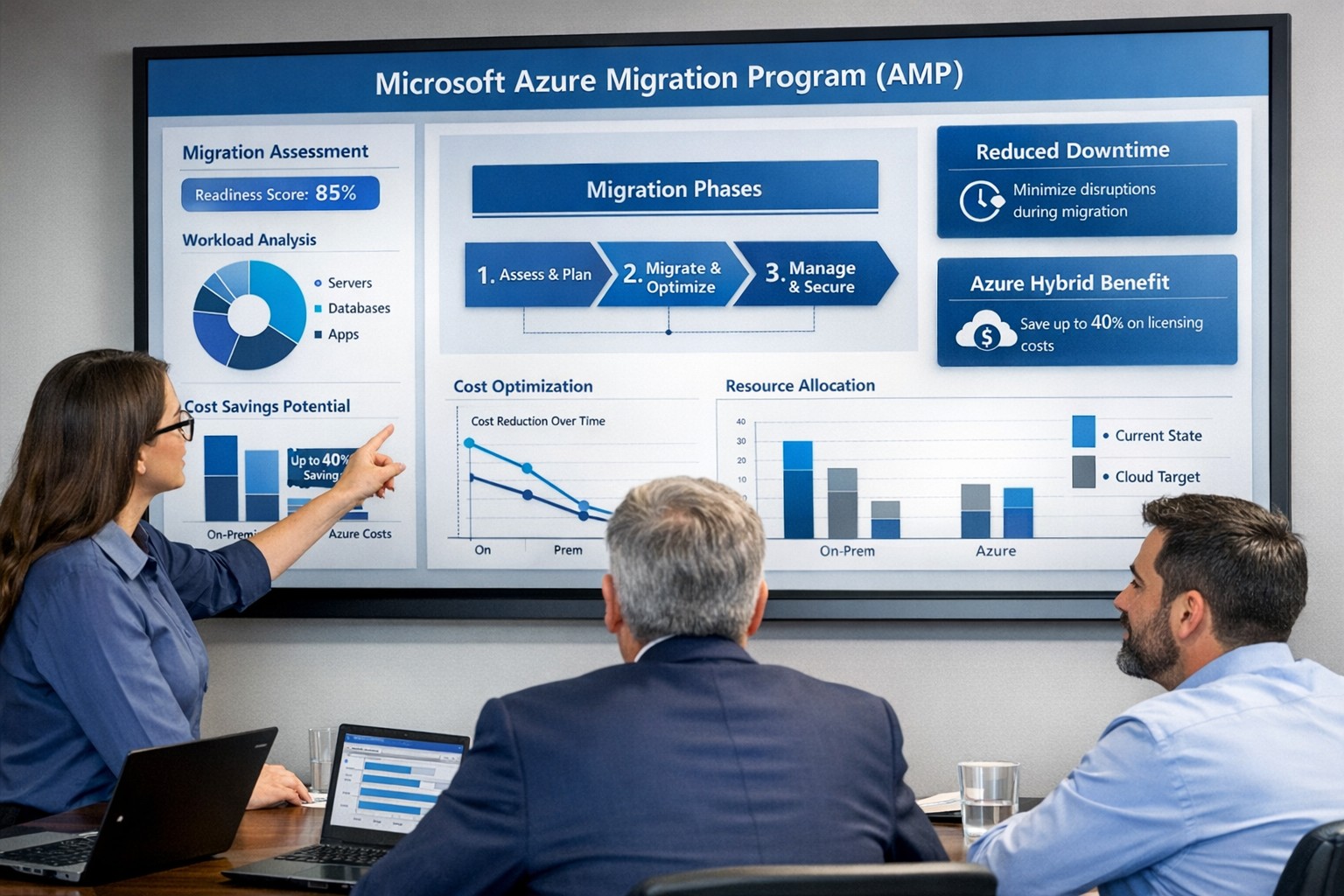
Visualize your Azure migration success with the Microsoft Azure Migration Program (AMP)—structured steps, cost savings, and expert guidance for seamless cloud adoption.
If you are considering moving servers, line‑of‑business apps, or databases into Microsoft Azure, the Azure Migration Program (often called AMP) is designed to reduce risk, speed up the project, and lower your total cost of migration. For a business owner, AMP means structured guidance from Microsoft and certified partners, funded assessments, and proven tools instead of “figure it out as we go.”
What Is the Azure Migration Program (AMP)?
Microsoft’s Azure Migration Program provides a guided, end‑to‑end approach to moving workloads into Azure, based on the Cloud Adoption Framework. It combines technical guidance, training, migration tools, and cost‑saving offers so your team is not reinventing the wheel.
Key elements include:
Curated, step‑by‑step guidance from Microsoft experts and specialized migration partners.
Free Azure migration tools such as Azure Migrate, Azure Site Recovery, and Database Migration Service.
Cost‑reduction offers like Azure Hybrid Benefit and extended security updates for legacy Windows Server and SQL Server.
Training and skill building for your IT staff so they can operate confidently in Azure after the move.
Practical Action Steps for You and Your IT Team
As the owner, your role is to set business priorities and ensure the migration stays aligned with revenue, risk, and customer impact, while IT handles the technical execution.
Step 1: Define business outcomes and constraints
Identify which systems are most critical (ERP, EMR, accounting, CRM) and what can tolerate downtime.
Set financial guardrails: target monthly cloud budget and acceptable payback period on the migration.
Step 2: Assess your current environment Your IT team, often with an AMP‑qualified partner, should:
Inventory servers, applications, databases, and dependencies (who talks to what, and when).
Use Azure Migrate to scan workloads and estimate right‑sized Azure resources and costs.
Group applications into logical waves (low‑risk first, mission‑critical later).
Decide per workload: rehost (“lift and shift”), refactor, or modernize.
Agree on success metrics: performance, availability, RPO/RTO, and cost per workload.
Step 4: Secure funding and enroll in AMP
Confirm AMP eligibility and available funding for assessments and implementation with a certified partner.
Use funded assessments to validate architecture, security, and migration approach before committing to a full rollout.
Step 5: Execute, optimize, then expand
Start with a pilot migration to prove performance, security, and cost assumptions.
Monitor usage with Azure Cost Management and tune sizing, auto‑scaling, and reserved instances.
Apply lessons from the pilot to subsequent waves to reduce timelines and surprises.
Common Client Questions (and Clear Answers)
Q1: Is Azure really more cost‑effective than keeping my servers on‑premises? A: For most organizations, especially those facing hardware refresh, licensing renewals, or colo costs, Azure can be more cost‑effective when workloads are right‑sized and governed. AMP helps you estimate costs with real data and use cost‑optimization tools like Azure Hybrid Benefit and Azure Cost Management from day one.
Q2: How will this impact uptime and my customers? A: The program is designed to minimize disruption using tools such as Azure Site Recovery and structured migration waves. With proper planning, most critical workload cutovers are scheduled during low‑usage windows and can be rolled back if required.
Q3: What about security and compliance? A: Azure includes built‑in security controls, encryption, identity management, and compliance certifications that often exceed what small and mid‑sized businesses maintain on‑premises. AMP engagements incorporate security and governance reviews so your new environment aligns with industry and regulatory requirements.
Q4: My internal IT team is stretched. Do they have to do everything? A: No—AMP is explicitly structured around collaboration between your team, Microsoft engineers, and certified partners. Your staff focuses on business knowledge and application nuances while the partner handles the heavy lifting and trains your team on new cloud operations.
Q5: We tried “cloud” before and it was painful. Why will this be different? A: Most failed migrations lacked a standardized framework, proper assessment, or cost governance. AMP enforces a proven methodology, tooling, and checkpoints, reducing the likelihood of budget overruns, downtime, or security gaps.
How Farmhouse Networking Helps You Succeed with AMP
Farmhouse Networking aligns your Azure migration with your business strategy, not just your server list. We help you translate goals like “reduce downtime,” “improve security posture,” or “support remote work” into a concrete cloud roadmap.
Here is how we typically engage:
Eligibility and strategy session – We review your environment, validate AMP eligibility, and map out a phased migration aligned with risk and cash‑flow tolerance.
AMP‑style assessment and planning – We perform an in‑depth inventory, dependency analysis, and sizing estimate using Azure’s migration tools, then deliver a prioritized migration plan and business‑level impact summary.
Hands‑on migration and modernization – We handle the technical execution: configuring Azure landing zones, security and networking, moving servers and databases, and modernizing apps where it makes financial sense.
Training and ongoing optimization – We coach your IT staff on Azure operations and put cost, security, and performance monitoring in place so you continue to see value after the cutover.
Take the Next Step
If you are ready to explore whether the Azure Migration Program is the right path for your business—and want a partner who understands both the technical and financial side of migration—Farmhouse Networking is ready to help. Email support@farmhousenetworking.com for more information about how Farmhouse Networking can help improve your business with a structured, low‑risk move to Azure.
And God will generously provide all you need. Then you will always have everything you need and plenty left over to share with others. As the Scriptures say, “They share freely and give generously to the poor. Their good deeds will be remembered forever.” For God is the one who provides seed for the farmer and then bread to eat. In the same way, he will provide and increase your resources and then produce a great harvest of generosity in you. - 2 Corinthians 9:8-10
We use cookies to ensure that we give you the best experience on our website. If you continue to use this site we will assume that you are happy with it.