Defend your business WiFi from becoming a hacker target with robust wireless security measures against common threats
Reliable and secure internet access is critical, especially for satellite offices relying on connectivity to central locations. Recently, one of our healthcare clients was nearly shut down by their ISP after the Recording Industry Association of America (RIAA) reported illegal music downloads traced to their IP address. The source? An open guest wireless network left unprotected.
How the Incident Unfolded
The ISP alerted the client via email, having received a complaint from the RIAA alleging that copyrighted music was illegally copied and distributed through BitTorrent on their network. Farmhouse Networking’s investigation pinpointed the activity: at 2 a.m., someone exploited the guest WiFi, which lacked any password protection, to download files illegally.
Had the ISP shut down the internet, this satellite healthcare office would have faced canceled appointments and redirected patients, impacting not only their reputation but costing thousands in lost revenue.
Key Wireless Network Security Lessons for Healthcare Providers
This incident highlights crucial vulnerabilities common in healthcare and other sectors:
Never leave guest WiFi networks open. Any unsecured network is an open invitation to unauthorized use and legal risks.
Use strong encryption and passwords on all wireless networks, including guest access, to block unauthorized connections.
Implement DNS filtering to prevent illicit peer-to-peer activity and block access to unauthorized sites.
Separate guest traffic from internal business-critical networks to safeguard sensitive data and operations.
Regularly audit network access points and update security settings, including changing default passwords on routers and regularly changing the wireless passwords.
Steps Farmhouse Networking Took to Protect the Client’s Wireless Network
Working closely with the healthcare office, Farmhouse Networking:
Secured their wireless network with strong WPA3 encryption and complex passwords.
Added DNS filtering to the guest wireless network to prevent peer-to-peer and similar applications.
Advised on ongoing monitoring and best security practices to safeguard against future misuse.
Emphasized the importance of network segmentation to protect sensitive healthcare data.
Why Wireless Network Security Matters in Healthcare
Beyond avoiding ISP shutdowns and illegal activity accusations, securing wireless networks in healthcare is essential for compliance with regulations like HIPAA, protecting Electronic Protected Health Information (ePHI), and maintaining patient trust.
Protect Your Business WiFi Today
Don’t risk your healthcare practice’s internet access, reputation, or compliance by allowing unsecured wireless access. Contact Farmhouse Networking to perform a comprehensive wireless network security assessment tailored to your industry’s unique needs. Secure your internet, protect your patients, and keep your practice running smoothly.
How MSP Automation Transforms Manual Workflows for Business Owners
MSP automation eliminates manual tasks and boosts operational efficiency
Are you still relying on manual processes and inefficient workflows to run your business? If so, you’re not alone—but you may be leaving significant productivity and profitability on the table. Modern Managed Service Providers (MSPs) are helping business owners like you automate routine tasks, integrate essential applications, and streamline operations like never before. Here’s how MSP-driven automation can revolutionize your daily operations and set your business up for scalable success.
The Problem: Manual Workflows Are Costing You Time and Money
Manual data entry, repetitive administrative tasks, and disconnected systems can bog down even the most dedicated teams. These inefficiencies lead to:
Wasted time: Employees spend hours on tasks that could be automated.
Increased errors: Manual processes are prone to mistakes, leading to costly corrections.
Slower growth: When staff are overwhelmed with routine tasks, there’s little bandwidth left for innovation and strategic initiatives.
Seamless Integration of Essential Business Applications
Many businesses use a patchwork of tools for CRM, accounting, project management, and more. When these systems don’t communicate, data silos form, leading to confusion and inefficiency.
MSPs help you:
Integrate your tech stack: Connect CRM, email, project management, and other tools so data flows smoothly between them.
Eliminate manual data entry: Employees no longer need to copy information from one system to another, reducing errors and saving time.
Gain unified visibility: Centralized dashboards provide real-time insights into performance, helping you make informed decisions quickly.
Streamlined Workflows for Maximum Productivity
With automation and integration in place, MSPs help you:
Simplify complex processes: Workflows are automated and streamlined, reducing manual intervention and freeing up your team.
Reduce errors and delays: Automation minimizes human error and ensures tasks are completed on time.
Improve employee satisfaction: Staff can focus on meaningful work, leading to higher morale and better retention.
The Results: More Time, Fewer Errors, and a Stronger Bottom Line
Businesses that embrace MSP-driven automation see:
40%+ improvement in process efficiency
75% reduction in manual errors
ROI within six months
These gains translate into faster growth, happier clients, and a more resilient business.
Ready to Transform Your Business?
Don’t let manual processes hold your business back. Farmhouse Networking specializes in helping business owners automate routine tasks, integrate essential applications, and streamline workflows—so you can focus on what you do best.
Contact Farmhouse Networking today to discover how MSP automation can boost your productivity and accuracy—and set your business on the path to lasting success.
AI transcribes meetings in cloud, generates summaries, action items instantly.
AI technology has transforming how businesses operate, and one of the most practical applications for business owners today is AI-powered note taking during client interactions. Leveraging AI to take notes can revolutionize the way you capture, organize, and utilize information from meetings, calls, and other client engagements, delivering significant benefits to your business.
How AI Can Take Notes in Client Interactions
AI notetakers use advanced speech recognition and natural language processing to automatically transcribe spoken conversations in real time. These tools can:
Capture every detail accurately without the distraction of manual note-taking.
Organize notes by topics, speakers, and action items.
Summarize long discussions into concise, actionable points.
Integrate with other business tools like CRM systems, calendars, patient management systems, client document managers and project management software for seamless workflow coordination.
This means during patient or client meetings, whether virtual or in-person, you can focus fully on the conversation, knowing that the AI is reliably recording and structuring the information for you.
Benefits for Business Owners
1. Save Time and Increase Productivity
Traditional note taking is time consuming and often inefficient. Business owners typically spend 15-20 hours a week in meetings and an additional 5-7 hours on follow-ups and documentation. AI notetakers can reduce meeting follow-up time by up to 70%, saving you approximately 4-5 hours weekly that can be redirected towards strategic business activities.
2. Improve Accuracy and Decision-Making
AI-powered notes are more accurate and comprehensive than manual notes, capturing nuances, speaker distinctions, and context. This accuracy reduces the risk of missing critical details or misinterpreting client needs, enabling better-informed decisions and stronger client relationships.
3. Enhance Organization and Collaboration
AI note-taking tools standardize note formats, making it easier for you and your team to review and act on meeting outcomes. They automatically generate and distribute action items, improving accountability and ensuring everyone stays aligned—even those who missed the meeting.
4. Boost Client Service and Satisfaction
By capturing detailed client requirements and preferences accurately, AI notetakers help you deliver personalized service. This leads to improved client satisfaction and loyalty, as your business can respond more effectively to client needs and follow up promptly with relevant actions.
5. Gain Competitive Advantage
Utilizing AI for note taking and knowledge management frees up valuable time and mental bandwidth. This allows you to focus on innovation, market expansion, and personalized client engagement strategies that differentiate your business in a crowded marketplace.
Practical Applications in Your Business
Sales Calls: Automatically transcribe calls, sync notes to your CRM, and track commitments to close deals faster.
Project Meetings: Document discussions, assign tasks, and maintain searchable records for better project management.
Patient / Client Consultations: Capture detailed patient / client feedback and preferences to tailor your services effectively.
Internal Strategy Sessions: Focus on high-level thinking while AI handles the documentation and follow-up.
Embracing AI notetakers means freeing yourself and your team from administrative burdens and focusing on what truly matters: building relationships, making informed decisions, and growing your business.
Ready to transform the way your business handles client interactions?
Contact Farmhouse Networking today to discover how AI-powered note taking can save you time, boost accuracy, and elevate your client service. Let us show you how easy it is to get started – reach out now and take the first step toward smarter, more efficient meetings
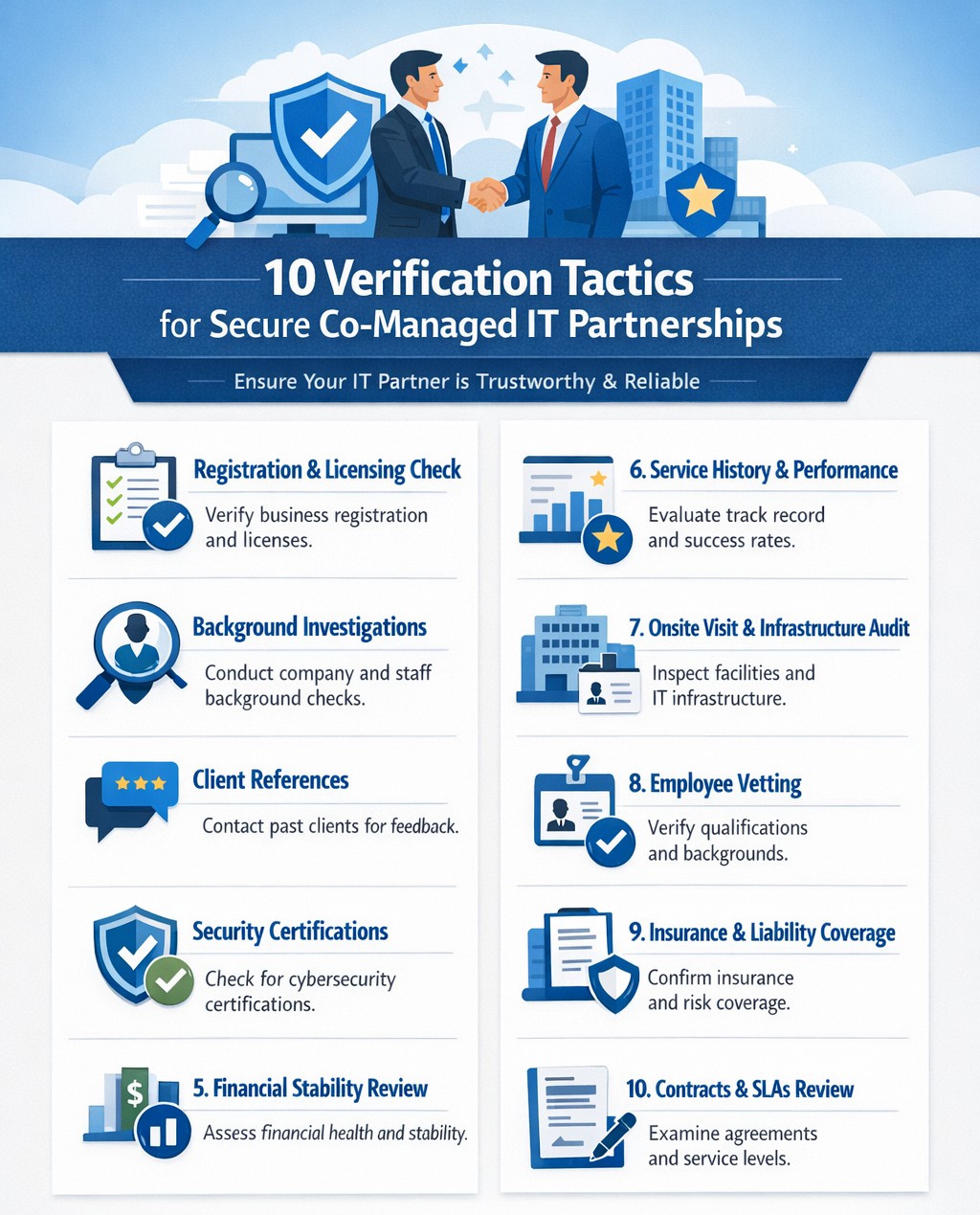
Infographic outlines key steps for due diligence and vetting partners effectively.
It’s easier than ever to connect with businesses globally. However, this convenience comes with risks, as fraudulent companies are becoming increasingly sophisticated. Whether you’re considering a new vendor, partner, or service provider, it’s crucial to ensure their integrity before committing. Below are ten actionable strategies to help you assess the legitimacy of a business you’ve never worked with before.
1. Verify Business Registration
Start by checking if the company is officially registered with the appropriate authorities. Search the Secretary of State website for their registration details or consult platforms like the Better Business Bureau (BBB) or Duns & Bradstreet (DUNS) for additional information. A legitimate business will have clear records of incorporation, licenses, and operating permits.
2. Analyze Their Online Presence
A professional online presence is often a hallmark of a credible business. Review their website for up-to-date information, polished design, and clear branding. Also, check their social media activity for consistent engagement and interactions with customers. Inactive or poorly maintained profiles can be red flags. You can also check a websites WHOIS information to see when it was created and if their registration address and name match their company name.
3. Look for Customer Reviews
Customer feedback is invaluable in assessing credibility. Search for reviews on independent platforms like Google Reviews, Yelp, or Trustpilot rather than relying solely on testimonials posted on their website. Look for detailed reviews that reflect real experiences rather than vague or overly positive comments.
4. Check for Awards and Media Mentions
Reputable companies often receive recognition from industry organizations or media outlets. Search for awards, certifications, or mentions in trusted publications to confirm their standing in the market.
5. Assess Employee Feedback
Platforms like Glassdoor can provide insights into how employees view the company. Consistent negative feedback from employees may indicate deeper issues within the organization.
6. Confirm Contact Information
Legitimate businesses provide clear and accessible contact details, including physical addresses, phone numbers, and email addresses. Cross-check these details against Google Maps and other sources to ensure they match up.
7. Conduct Social Proof Checks
Look for signs of social proof such as customer testimonials, case studies, or partnerships with other reputable companies. These indicators can help validate the company’s credibility.
8. Search for Red Flags
Be alert to warning signs such as unprofessional websites, conflicting contact information, or a lack of customer reviews. Additionally, search for the company name alongside terms like “scam” or “fraud” to uncover any potential issues.
9. Use Reputation Monitoring Tools
Leverage tools like media monitoring platforms and sentiment analysis software to gauge public perception of the company across social media and news outlets. A sudden spike in negative mentions could indicate potential problems.
10. Request Documentation
Don’t hesitate to ask for proof of registration, certifications, or client references directly from the company. Legitimate businesses will readily provide this information as part of your due diligence process.
Why Due Diligence Matters
Failing to vet a business properly can lead to financial losses, reputational damage, and even legal complications. By following these steps, you can protect your organization from fraudulent actors and build partnerships rooted in trust.
Need expert IT managed services and want a business with integrity? Farmhouse Networking is the clear choice. Contact us today to learn how we can support your business IT needs and rest assured our partnership is built on trust!
Elevate from MSP tech guru to true business partner driving growth and efficiency
Having a Managed Service Provider (MSP) has become crucial for businesses of all sizes. But not all MSPs are created equal. While many can handle your tech needs, the real value comes from an MSP that truly understands your business. Let’s explore how to distinguish between an MSP that’s merely tech-savvy and one that’s a genuine business partner.
They Speak Your Language, Not Just Tech Jargon
A tech-focused MSP will bombard you with technical terms and specifications. In contrast, a business-savvy MSP translates complex tech concepts into business outcomes. They discuss how technology solutions can drive growth, improve efficiency, and boost your bottom line.
They Ask the Right Questions
Business-centric MSPs will:
Inquire about your business model and competitive landscape
Show interest in your long-term goals and challenges
Seek to understand your industry-specific needs and regulations
They Offer Tailored Solutions, Not One-Size-Fits-All
An MSP that knows your business will:
Provide customized solutions addressing your unique challenges
Adapt their services as your business evolves
Demonstrate flexibility in their approach to meet your changing needs
They’re Proactive, Not Just Reactive
While a tech-focused MSP might wait for problems to arise, a business-oriented partner will:
Monitor your systems to spot potential issues before they escalate
Suggest improvements that align with your business objectives
Provide regular performance updates and strategic recommendations
They Understand Your Industry
A true business partner will:
Have experience in your specific market
Offer insights into industry-specific challenges and opportunities
Provide case studies or references from similar businesses in your sector
They Focus on User Experience
An MSP that prioritizes your business will:
Emphasize the importance of user satisfaction and productivity
Offer flexible support options tailored to your team’s preferences
Provide customized training to help your staff leverage technology effectively
They Align with Your Growth Plans
A business-savvy MSP will:
Discuss how their services can scale with your company
Help you plan for future technological needs as you expand
Offer insights into emerging tech trends relevant to your industry
The Bottom Line
Choosing an MSP that truly understands your business can be the difference between simply maintaining your IT infrastructure and leveraging technology to drive real business growth. Look for a partner who speaks your language, asks the right questions, and aligns their services with your unique business goals.
Ready to find an MSP that’s more than just a tech expert? Contact Farmhouse Networking today to discover how we can be your strategic IT partner, driving your business forward with tailored technology solutions.
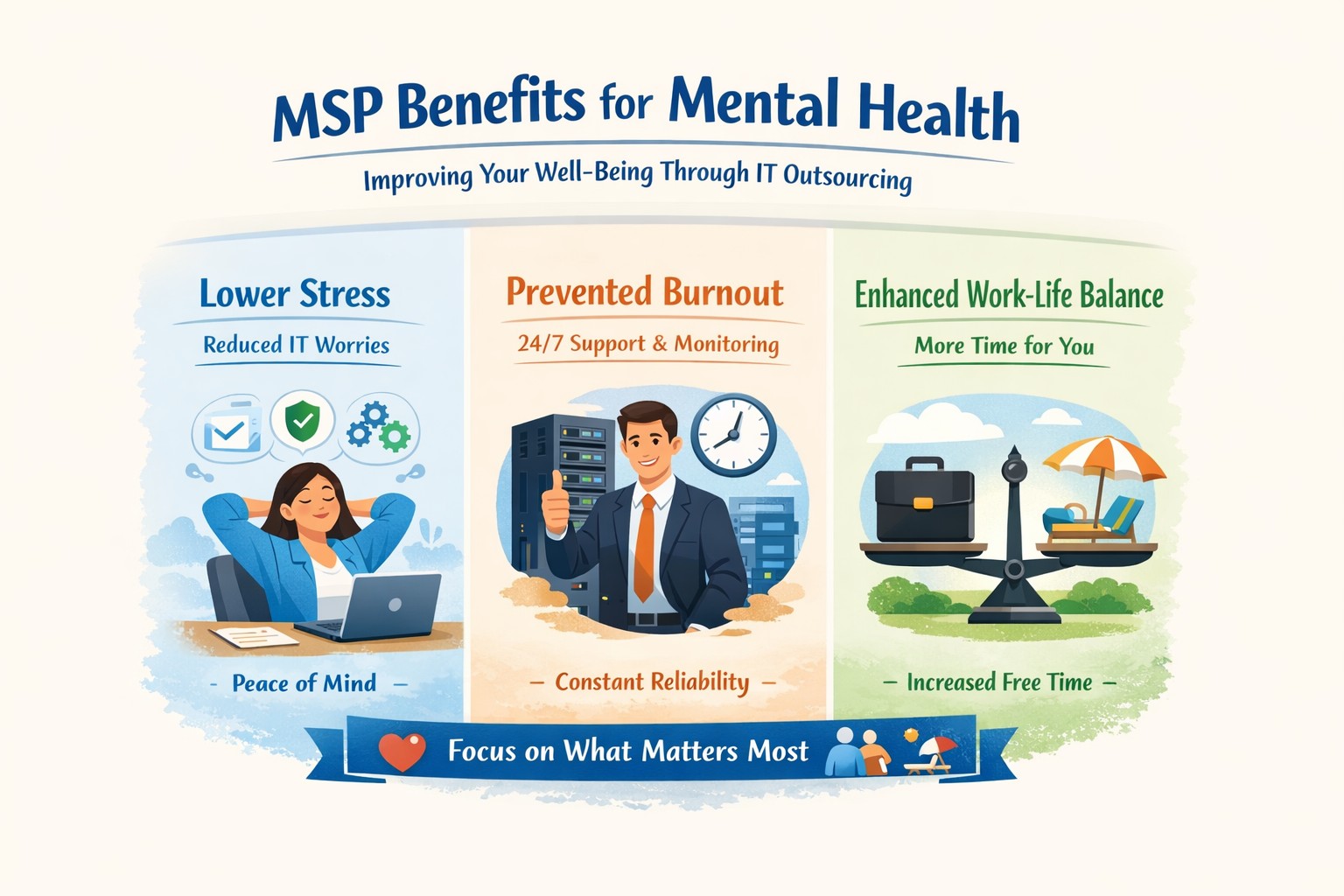
Co-managed IT MSP improving mental health through proactive support and reduced technical worries
The mental health of employees is more crucial than ever. As companies navigate the complexities of technology and cybersecurity, many are turning to Managed Service Providers (MSPs) to alleviate IT burdens. This partnership not only enhances operational efficiency but also significantly contributes to the mental well-being of employees. Here’s how having an MSP handle your company’s IT can lead to a healthier workplace.
Reducing Stress and Anxiety
IT-related issues can be a significant source of stress for employees. Frequent disruptions, outdated technology, and cybersecurity threats create an environment of constant anxiety. By outsourcing these responsibilities to an MSP, businesses can minimize these stressors. MSPs proactively manage IT systems, ensuring that potential problems are addressed before they escalate, which leads to a more stable work environment.
Promoting Work-Life Balance
One of the most profound benefits of partnering with an MSP is the ability to foster a healthier work-life balance. With an MSP managing routine IT tasks, employees can focus on their core responsibilities without the distraction of technical issues. This shift allows for better time management and reduces the likelihood of burnout, as employees can dedicate their energy to meaningful work rather than troubleshooting IT problems.
Enhancing Productivity
When employees are relieved from the constant pressure of managing IT issues, their productivity naturally increases. Studies show that mental health issues can severely impact productivity; by ensuring that technology runs smoothly and efficiently, MSPs contribute to a more engaged and productive workforce. Employees who feel supported in their roles are more likely to be motivated and perform at their best.
Investing in an MSP is not just about improving your IT infrastructure; it’s about enhancing your workplace culture and supporting your team’s mental health. By alleviating stressors associated with technology management, you empower your employees to thrive both personally and professionally.
Ready to transform your business operations while prioritizing mental well-being? Contact Farmhouse Networking today for a free consultation! Let us help you take the first step towards a healthier workplace where your team can excel without the burden of IT challenges.
Real-world fix for server disappearance using co-managed IT proactive monitoring
Today’s story highlights how we helped a Co-Managed client resolve a perplexing issue with their network. Random workstations were losing connection to the server at inconsistent intervals throughout the day. Despite the on-site technician’s best efforts, the root cause remained elusive, so they called us in to investigate.
We began by examining the suspected source of the problem: the server. Tracing all network cables from the server to the connected switches, we discovered a secondary failover server designed to take over in case of primary server failure. However, both servers had multiple network connections that weren’t properly configured. We corrected this setup, confident it would resolve the issue. Yet, the very next day, we received reports that the problem persisted.
In response, the on-site technician replaced the main server with the failover server, configuring it with the same name and IP address as the original. Unfortunately, this didn’t fix the issue, so we were called back for further investigation.
Drawing on our experience with similar cases, we suspected an IP address conflict. Specifically, two devices might have been assigned the same IP—one set statically and the other dynamically via DHCP. To test this theory, we asked the on-site tech to power down the server.
Our hunch was correct. A misconfigured network allowed an iPhone on the guest wireless network to obtain the same IP address as the server, causing both devices to compete for network traffic. We resolved the issue by isolating the guest wireless network from the main network, ensuring no overlap could occur.
With this fix in place, our client’s network has been running smoothly, allowing them to return to business as usual.
Uncover the Ghosts in Your Network! Contact Farmhouse Networking today to solve your IT mysteries and get back to business seamlessly. Don’t let hidden issues slow you down—schedule your consultation now!
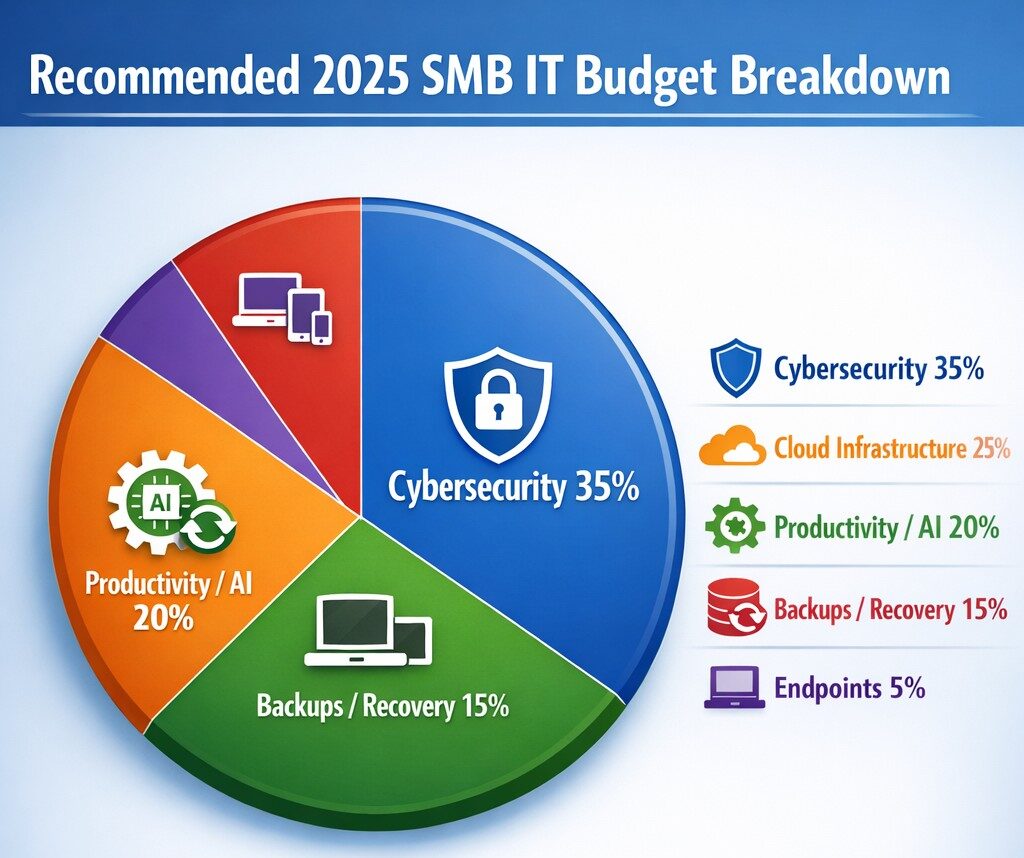
Allocate 30%+ of 2025 IT budget to cybersecurity per industry benchmarks.
Small and medium-sized businesses (SMBs) must strategically plan their IT budgets to stay competitive and efficient. It’s crucial to allocate resources wisely to support both day-to-day operations and long-term growth. Let’s explore the key areas SMBs should focus on when budgeting for tech in 2025.
Cybersecurity Investments
With no end to cyber threats in site, cybersecurity should be a top priority in your 2025 IT budget. Consider allocating funds for:
– Advanced firewalls and intrusion detection systems – Multi-factor authentication (MFA) implementation – Regular security audits and penetration testing
Remember, the cost of preventing a cyber attack is far less than the potential losses from a successful breach.
Artificial Intelligence and Automation
AI is no longer a luxury reserved for large enterprises. In 2025, SMBs should budget for AI-powered tools to enhance efficiency and decision-making. Consider investments in:
– Chatbots for customer support – AI-driven analytics for business insights – Automated workflow tools to streamline operations
These technologies can help SMBs do more with less, improving productivity and customer satisfaction.
Hardware and Device Upgrades
SMBs still need to budget for essential hardware. This includes:
– Laptops and desktops for employees – Mobile devices for remote work – Networking equipment for reliable connectivity
Plan for a hardware refresh cycle to ensure your team has up-to-date tools to work efficiently. (Remember we meet with our clients twice a year in the Spring and Fall to discuss budget and replacement scheduling.)
Software Licenses and Subscriptions
Software is the backbone of modern business operations. Your 2025 IT budget should account for:
– Operating system licenses (Windows 10 is no longer supported as of October 2025) – Productivity suite subscriptions (e.g., Microsoft 365, Google Workspace) – Industry-specific software licenses – Collaboration and communication tools
Regularly review your software subscriptions to ensure you’re only paying for what you need and use.
IT Support and Managed Services
Consider outsourcing some or all of your IT support to a managed service provider (MSP) like Farmhouse Networking to reduce in-house IT costs and gain access to specialized expertise. Budget for:
– Help desk support – Compliance assistance – Network monitoring and management – Backup and disaster recovery services
Employee Cybersecurity Training
Hackers keep getting better at their crimes, so should it is mandatory to invest in your team’s cybersecurity skills. Allocate budget for:
– Yearly assessments of baseline knowledge – Weekly trainings with quizzes to make sure they are paying attention – Interactive or gamified content to keep people interested
Investing in your team’s skills can lead to better technology adoption and improved productivity.
Ready to optimize your IT budget for 2025? Don’t navigate this complex landscape alone. Contact Farmhouse Networking today to help you create a tailored IT budget that aligns with your business goals and maximizes your technology investments. Our experts can guide you through the process, ensuring you’re prepared for the technological challenges and opportunities that lie ahead. Let’s work together to future-proof your business and drive success.
Resolve to strengthen cyber defenses in 2025 with zero trust and employee training.
Stepping into 2025, SMBs face an scary and complex cybersecurity field of battle. With hackers evolving cyber threats at a rapid pace, it’s crucial to make strengthening your digital defenses a top priority. Let’s explore some essential tips to boost your cybersecurity posture in the coming year.
Embrace a Zero Trust Mindset
Start the new year by adopting a Zero Trust approach to cybersecurity. This means verifying every user, device, and application attempting to access your network, regardless of their location. Implement Zero Trust Network Access protocols and use Application Allow/Deny lists to control which software can run on your systems.
Strengthen Your Network Defenses
Secure Your Wi-Fi: Ensure your Wi-Fi network is encrypted and properly configured. Use strong passwords and consider implementing network segmentation to isolate guest networks from your internal systems.
Implement Firewalls and Intrusion Prevention Systems: Deploy robust firewalls to filter incoming and outgoing traffic. Couple this with intrusion prevention systems that actively seek out and block known threats.
Protect Your Data
Encrypt Sensitive Information: Apply encryption to both data at rest and in transit. This includes emails, file transfers, and stored documents.
Implement Data Loss Prevention (DLP) Tools: Use DLP tools to track critical data and prevent unauthorized exfiltration attempts.
Enhance Authentication Measures
Multi-Factor Authentication (MFA): Implement MFA across all your systems, applications, and websites. This additional layer of security significantly reduces the risk of unauthorized access.
Use Password Managers: Encourage the use of password managers to generate and store complex, unique passwords for each account.
Educate Your Employees
Regular Security Awareness Training: Conduct ongoing cybersecurity training for all employees. Focus on recognizing phishing attempts, proper handling of sensitive data, and best practices for remote work.
Prepare for the Worst
Develop an Incident Response Plan: Create a comprehensive plan that outlines procedures for responding to various cybersecurity incidents. Regularly test and update this plan.
Implement Robust Backup Solutions: Establish a regular backup schedule for all critical data and systems. Store backups securely, preferably in multiple locations, including off-site.
Stay Updated and Vigilant
Keep Software and Systems Current: Regularly update all software, applications, and operating systems. Automate updates where possible and conduct periodic audits to ensure nothing is missed.
Implement Real-Time Monitoring: Deploy solutions that provide continuous, real-time monitoring of your network and systems. This allows for immediate detection and response to potential threats.
Secure Your Remote Workforce
With hybrid work models likely to persist, ensure your remote workers are equipped with secure tools:
– Provide Zero Trust VPN access for secure connections – Implement endpoint security measures even on employee’s own laptops – Educate on the risks of using public Wi-Fi
Address IoT Security
As the Internet of Things (IoT) expands, so do the associated risks. Inventory your IoT devices, regularly update their firmware, and implement network segmentation to isolate these devices.
Ready to make cybersecurity your New Year’s resolution? Contact Farmhouse Networking today. Our team of experts is ready to guide you through every step of enhancing your cybersecurity posture, ensuring that your business stays protected throughout 2025 and beyond. Let’s work together to create a robust, tailored cybersecurity strategy that meets your unique needs and keeps your business safe in the digital age.
Merry Christmas from your trusted IT networking partner!
A Very Merry Christmas and Prosperous New Year
We wanted to share with you why Jesus is the real reason for our joy and merriment at Christmas time.
The Gift of Salvation
Jesus’ birth marks the beginning of God’s plan to save humanity. The angel who appeared to the shepherds on that holy night proclaimed, “I bring you good tidings of great joy, which shall be for all the people. For unto you is born this day in the city of David a savior who is God’s chosen Messiah the Lord of Everything”. This announcement heralded the arrival of our Savior, who came to rescue us from un-rightness and its effects.
Hope and Purpose
In Jesus, we find hope and meaning for our lives. His coming brings light to a world often shrouded in darkness. Through Him, we have the opportunity to be reconciled with God and experience eternal life and freedom. This profound truth gives us a reason to celebrate with genuine joy, knowing that our future is secure in Christ.
Joy in All Circumstances
Jesus demonstrated that it’s possible to have joy even in the midst of difficulties. He endured the cross “for the joy set before Him”. This teaches us that true joy isn’t dependent on our circumstances but on our relationship with God. Like Mary, who rejoiced despite facing uncertainty, we too can find joy in Christ regardless of our situations.
The Promise of His Presence
Christmas reminds us that God is with us. Jesus, whose name “Immanuel” means “God with us,” came to dwell among us. His presence in our lives through the Holy Spirit continues to be a source of comfort, strength, and joy.
A Future Hope
Our Christmas joy isn’t just about the past or present, but also the future. Jesus promised to return and establish His kingdom of righteousness and justice. This gives us a joyful anticipation of a world made new, where we will live and reign with Him forever.
As we celebrate this Christmas, let’s remember that our merriment isn’t just about the festivities, but about the profound joy we have in Christ. He is the greatest gift we could ever receive, and His love for us is the reason we can truly rejoice.
May your Christmas be filled with the joy that comes from knowing Jesus!
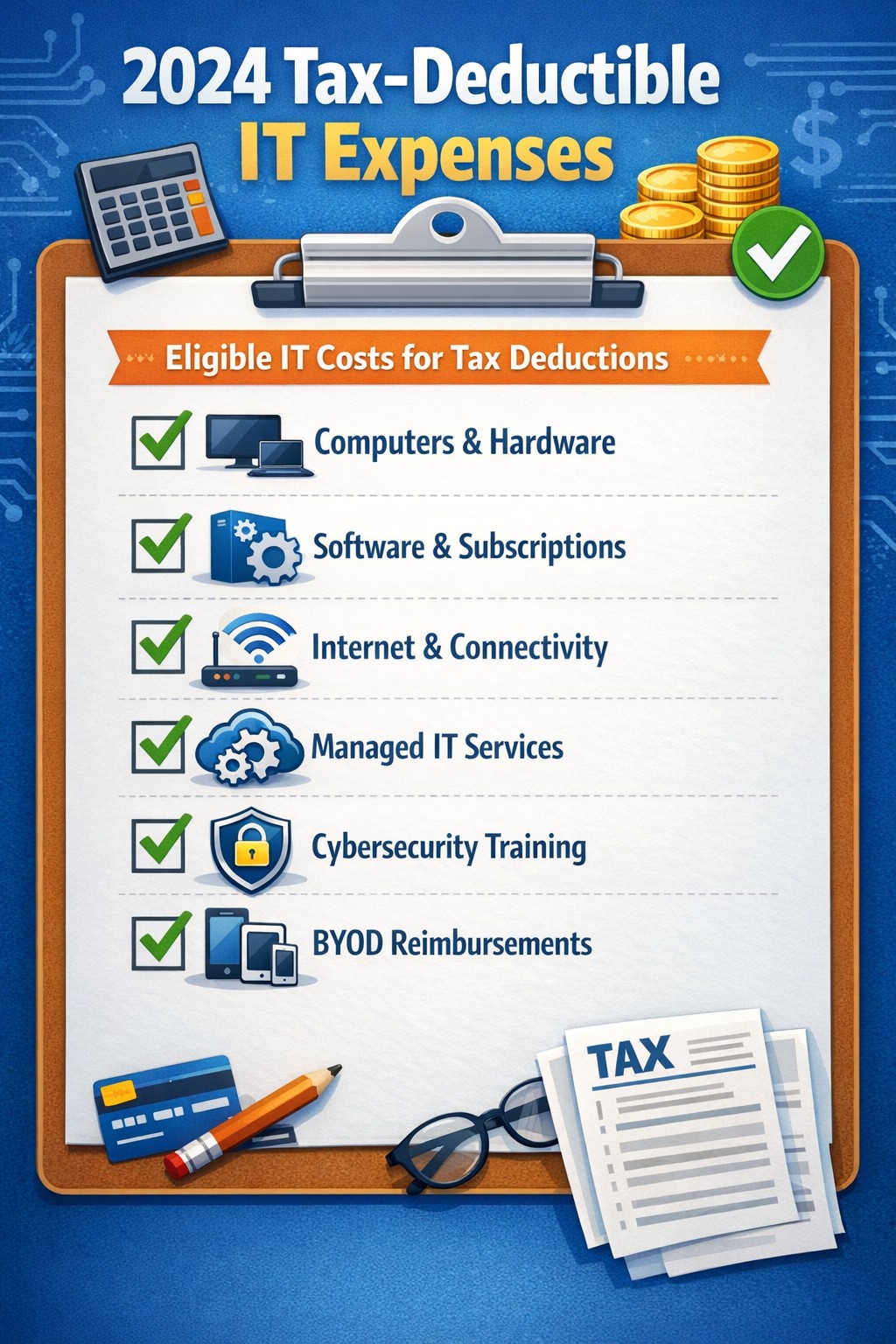
Claim Section 179, cloud subscriptions, cybersecurity as business tax deductions.
As we approach the end of the year, it’s crucial for businesses to understand the tax deductions available for their IT expenses. Maximizing these deductions can significantly reduce your tax burden and free up capital for further investment in your company’s technology infrastructure. Let’s explore the top tax-deductible IT expenses for 2024 that every business should be aware of.
Hardware and Equipment
Computers and Devices
Investing in new computers, tablets, or smartphones for your business can provide substantial tax benefits. The entire cost of these devices can be deducted from your taxable income. However, if the equipment is used partially for personal purposes, you may only be able to deduct a portion of the cost.
Office Equipment
Printers, scanners, and other office equipment are 100% tax-deductible in the year of purchase. This includes any IT-related furniture, such as ergonomic chairs or standing desks for your tech team.
Software and Services
Business Software
Software used for business purposes is eligible for tax deductions. This includes:
The deductible amount will depend on whether the software is purchased outright or subscribed to on a monthly basis.
Cloud Services
As more businesses move their operations to the cloud, it’s important to note that cloud service subscriptions are tax-deductible. This includes services like:
– Data storage – Backup solutions – Cloud-based productivity suites
Telecommunications
Internet Expenses
Internet services are crucial for most businesses today. You can deduct the full cost of your business internet connection[. If you work from home, you may be able to deduct a portion of your home internet expenses based on the percentage used for business purposes.
Phone Systems
All telecommunications fees within a commercial space can be deducted[1]. This includes:
– Business phone lines – VoIP systems – Cell phone contracts used for business
IT Services and Support
Managed IT Services
Fees paid for managed IT services, including network management, cybersecurity monitoring, and help desk support, are fully deductible as a business expense.
IT Consulting and Training
Any costs associated with IT consulting or training for your staff to use new technologies are tax-deductible. This can include workshops, online courses, or one-on-one training sessions.
Cybersecurity Measures
With the increasing importance of data protection, investments in cybersecurity are not only wise but also tax-deductible. This includes:
– Firewalls and antivirus software – Security audits – Employee cybersecurity training programs
Website Expenses
Development and Maintenance
Costs related to developing, hosting, and maintaining your business website are tax-deductible. This includes domain registration fees, hosting costs, and payments to web developers or designers.
E-commerce Solutions
If your business sells products online, the expenses for e-commerce platforms and payment processing systems are also deductible.
Home Office Technology
For those running businesses from home or with remote workers, the home office deduction can apply to technology expenses. You can deduct a portion of your home internet, personal computer use, and other tech equipment based on the percentage of your home used exclusively for business.
Ready to optimize your IT infrastructure while maximizing your tax benefits? Contact Farmhouse Networking today. Our expert team can help you implement cutting-edge IT solutions that not only boost your productivity but also provide substantial tax advantages. Don’t leave money on the table – let us help you navigate the complex world of IT expenses and tax deductions. Reach out now to schedule a consultation and start saving!
B2B leaders embracing Industry 4.0: Connect for smart manufacturing and automation opportunities
Small manufacturers are discovering the transformative power of Industry 4.0 technologies. By leveraging smart technologies like the Internet of Things (IoT), Artificial Intelligence (AI), and machine learning, these businesses are not only staying competitive but also revolutionizing their manufacturing processes. Let’s explore how these cutting-edge tools can benefit small manufacturers and propel them into the future of production.
The Power of Real-Time Data
One of the most significant advantages of smart manufacturing technologies is the ability to harness real-time data. By integrating IoT sensors into production lines, small manufacturers can gain unprecedented visibility into their operations. This continuous stream of information allows for:
Improved Cost Control: Real-time monitoring helps identify inefficiencies, reduce waste, and optimize resource allocation, leading to significant cost savings.
Enhanced Supply Chain Management: With up-to-the-minute data on inventory levels and production rates, manufacturers can make informed decisions to keep their supply chains running smoothly.
Proactive Maintenance: IoT sensors can detect early signs of equipment wear, allowing for predictive maintenance that prevents costly downtime and extends machinery lifespan.
AI-Powered Decision Making
Artificial Intelligence is revolutionizing how small manufacturers approach decision-making and problem-solving. By leveraging AI technologies, businesses can:
Optimize Production Schedules: AI algorithms can analyze complex data sets to create efficient production schedules that maximize resource utilization and meet customer demands.
Enhance Quality Control: Machine learning models can identify subtle patterns in production data, helping to detect and prevent quality issues before they escalate.
Personalize Customer Experiences: AI-powered recommendation engines can offer tailored product suggestions, improving customer satisfaction and driving sales.
Machine Learning for Process Optimization
Machine learning is proving to be a game-changer for small manufacturers looking to streamline their operations. This technology offers several key benefits:
Predictive Analytics: By analyzing historical data, machine learning algorithms can forecast future trends, helping manufacturers make proactive decisions about production, inventory, and maintenance.
Automated Quality Assurance: Machine learning models can be trained to detect defects or anomalies in products with high accuracy, reducing the need for manual inspections.
Process Optimization: Through continuous analysis of production data, machine learning can identify opportunities for process improvements, leading to increased efficiency and reduced costs.
Overcoming Implementation Challenges
While the benefits of Industry 4.0 technologies are clear, small manufacturers may face challenges in adoption. These can include:
Data Security Concerns: As more devices become connected, ensuring the security of sensitive manufacturing data becomes crucial.
Investment Costs: Implementing new technologies often requires upfront investment, which can be daunting for smaller businesses.
Skills Gap: Adopting advanced technologies may require upskilling existing staff or hiring new talent with specialized expertise.
The Path Forward
Despite these challenges, the potential rewards of embracing Industry 4.0 technologies far outweigh the risks. Small manufacturers who invest in smart technologies position themselves for:
– Increased competitiveness in the global market – Improved operational efficiency and cost savings – Enhanced product quality and customer satisfaction – Greater agility in responding to market changes
As we move further into the digital age, the adoption of smart manufacturing technologies is no longer a luxury—it’s a necessity for small manufacturers who want to thrive in an increasingly competitive landscape.
Ready to take your manufacturing operations to the next level? Don’t let the complexities of Industry 4.0 technologies hold you back. Contact Farmhouse Networking today to learn how we can help you implement smart manufacturing solutions tailored to your unique needs. Let’s work together to unlock the full potential of your manufacturing business and pave the way for a smarter, more efficient future.
Cybersecurity Skills Through Innovative Funding Program
Innovative funding accelerates cybersecurity training for stronger team defenses.
Farmhouse Networking, a leading provider of managed IT services, today announced a groundbreaking initiative to enhance its cybersecurity capabilities by leveraging the Rogue Business Elevate program to fund comprehensive cybersecurity training for all employees through TryHackMe. Farmhouse Networking is taking proactive steps to fortify its clients’ defenses and cultivate a culture of cybersecurity awareness across all the organization it supports. By partnering with Rogue Business Elevate and TryHackMe, the company is demonstrating its commitment to staying ahead of potential security risks while investing in the professional development of its workforce.
Empowering Employees with Cutting-Edge Skills The TryHackMe platform offers an innovative, gamified approach to cybersecurity education, making the learning process both engaging and effective .Employees will have access to:
Interactive lessons that bridge theory and practice
Simulated network environments for hands-on experience
Real-world challenges based on actual cybersecurity scenarios
This comprehensive training program will equip Farmhouse Networking’s staff with the skills to identify, prevent, and respond to a wide range of cyber threats.
Investing in the Future of Cybersecurity “At Farmhouse Networking, we recognize that our employees are our first line of defense against cyber attacks for many businesses throughout Oregon,” said Scott G. Carr II, CEO of Farmhouse Networking. “By investing in their skills through this innovative funding program and partnering with TryHackMe, we’re not just enhancing our clients’ security posture; we’re also providing our team with valuable, career-advancing knowledge.” The initiative aligns with Farmhouse Networking’s long-term strategy to build a resilient and knowledgeable workforce capable of addressing the complex cybersecurity challenges faced by businesses today.
Community and Collaboration Beyond individual skill development, this program will foster a sense of community among Farmhouse Networking’s employees. TryHackMe’s platform encourages collaboration, allowing team members to connect with like-minded professionals, share knowledge, and learn from each other’s experiences. Farmhouse Networking’s innovative approach to employee development and cybersecurity preparedness sets a new standard in the industry. By leveraging the Rogue Business Elevate program to fund this initiative, the company is maximizing its investment in both its people and its technological defenses.
Cybersecurity isn’t just an option—it’s a necessity. At Farmhouse Networking, we’re not only enhancing our own security measures but we’re also ready to help you fortify your defenses. Don’t wait for a breach to happen. Take proactive steps to protect your business today. Contact Farmhouse Networking today for a free consultation. Let’s work together to create a robust security strategy that safeguards your business, your data, and your peace of mind.
Use clear metrics like response time, uptime, and customer satisfaction to see if your IT provider is truly doing their job.
Businesses heavily rely on their IT providers to ensure smooth operations, enhance productivity, and safeguard data. However, determining whether your IT provider is doing their job effectively can be challenging. Here are some key indicators and evaluation criteria to help you assess their performance.
Quality of Service
1. Response Time and Resolution: A reliable IT provider should have short response times and lasting resolutions. Track how quickly they respond to issues and how often they resolve problems on the first attempt. Consistent delays or repeat issues may indicate they aren’t able to take care of your business properly.
2. Service Quality and Expertise: Evaluate the technical expertise of your IT provider. They should have a proven track record and relevant industry experience. Their ability to manage complex IT environments and provide innovative solutions is crucial.
Cost and Value
1. Cost Structure: Analyze the cost of your IT services, focus on the overall value of what they provide. A transparent pricing model with no hidden fees is also preferable.
2. Budget Management: Your IT provider should help you maintain a predictable IT budget. Proactive management of IT infrastructure should prevent unexpected costs and downtime.
Reliability and Security
1. Uptime and Availability: Assess the reliability of your IT provider in terms of network uptime and system availability. Downtime can lead to significant business losses, so aim for a provider with strong customer centric service level agreements (SLAs) that guarantee high uptime.
2. Security Measures: Inquire about the provider’s security protocols and compliance with regulations like PCI, CMMC, or HIPAA. A comprehensive security framework is essential to protect sensitive data from cyber threats .
Communication and Support
1. Communication Channels: Evaluate the effectiveness of the provider’s communication. They should offer multiple channels for support and maintain open, proactive communication about system updates or maintenance. You should not have to call them for issue status.
2. Customer Support: A dedicated support team can significantly enhance the user experience. Ensure that your provider offers readily available customer support and is responsive to inquiries .
Strategic Alignment
1. Business Understanding: Your IT provider should demonstrate an interest in your business strategy and goals. They should be involved in strategic discussions and provide technology solutions that align with your long-term objectives.
2. Flexibility and Scalability: The ability to customize services to meet your unique needs and scale them as your business grows is a valuable trait in an IT provider. This flexibility can enhance the overall value of their services. Your company should not have to bend to their technology stack.
Regular assessments and open communication with your provider can help ensure that they continue to meet your evolving needs. If you have doubts about your current IT provider, contact Farmhouse Networking to provide a free network evaluation.
Not every business fits our co-managed IT model—this image shows when the partnership puzzle pieces dont align between your team and ours.
Wanted to take a look at why prospective customers would not want Farmhouse Networking to be their Managed IT Service Provider. This article will be a little tongue-in-cheek, but will hopefully give you a fresh perspective on what to look for in a Managed IT Service Provider.
Why You Don’t Want to Work with Us
We are IT Experts: They will point fingers and blame others instead of taking ownership of your IT problems. Who needs real solutions to problem or to do things the right way the first time – Band-Aid the issues until they go away themselves.
We know your software and hardware: There are lots of other Managed IT Service Providers who are IT generalists who have no experience in your industry who will charge you for their time while they stumble through fixing things.
We live answer our phones: Why would you want to talk to a human who cares when you can simply leave voicemails and hope for a callback? Better yet you can spend your day in the maze of an automated phone menu trying to get to the department that is in charge of your problem.
We communicate: Who really needs to know what is going on with the tickets that are submitted? Isn’t it easier to just make a ticket and have faith in your Managed IT Service Provider to finish the task. It’s even better when they take over your computer and reboot the server before you can save anything.
We only hire the best: There are so many Managed IT Service Providers who are willing to hire just anyone and let them pretend to know how to fix your problems.
We’re local: Who wants to have their computer issues handled by someone in their own country let alone within range to be able to show up quickly when things are really broken? Outsource everything important to your business to the lowest bidder from whatever country and make sure that they are unable to communicate effectively in English.
We’re established and growing: Fly-by-night companies are the way to go. Call up the company that advertises on obscure streaming videos to handle precious customer data.
In all seriousness, take time to think about who is your company’s Managed IT Service Provider and how they are treating you. Consider Farmhouse Networking to take better care of your IT needs.
We saved one client $1600 through targeted server optimization—real results from managed IT that reduces costs without sacrificing performance.
It’s story time again!
This time we will be telling the story of Dr. Nick one of our monthly IT service clients. Back in March, Farmhouse Networking began the process of migrating Dr. Nick’s chiropractic office from their old server to a new one. After carefully preparing the server we contacted their practice management software vendor to get the software moved from the old to the new. The vendor simply asked us to provide them with remote access to the server to allow their techs to do the migration. During this process their tech asked our junior tech who was just there to babysit the process a question about the configuration of the old server. Our tech responded that he was not sure and the software vendor’s tech proceeded to follow his process for setting up the server.
A couple of months go by and we at Farmhouse Networking notice that the new server is not performing as fast as it should be. We investigate the issue and find out that the software vendor’s had installed a free version of a critical piece of the software puzzle instead of re-using the license Dr. Nick had already purchased. Farmhouse Networking then went to the software vendor and explained the issue. We went back and forth with them for months to get them to the point where they finally agreed that they were at fault for the upgrade problem and agreed to pay for the software license to complete the puzzle and fix the speed issue that Dr. Nick and his team were experiencing.
The moral of the story is that Dr. Nick did the right thing by having a support contract with a managed IT service provider, like Farmhouse Networking, who would take ownership of the problem and see it through to the best possible outcome.
CrowdStrike Falcon update triggers massive IT outage across cloud services
The recent CrowdStrike IT outage on July 19, 2024, caused by a defective update for Windows, serves as a stark reminder of the importance of managing IT infrastructure and proactive measures to prevent system downtime. While no system is entirely immune to outages, there are several strategies businesses can implement to minimize the risk and impact of such incidents.
Key Strategies to Prevent IT Outages
Improve Continuous Integration / Continuous Deployment (CI/CD) Practices: One of the most effective ways to prevent outages caused by software updates is to enhance CI/CD practices. This approach involves:
Automating the testing and deployment process
Implementing rigorous quality assurance checks
Using staging environments to test updates before full deployment
Gradually rolling out updates to detect issues early
By improving CI/CD practices, businesses can catch potential issues before they affect the entire network, reducing the likelihood of widespread outages.
Implement Comprehensive Load / Failure Testing: Regular load testing is crucial to ensure that systems can handle typical use cases and determine their potential in high use scenarios. A game plan should also be put in place for when systems fail to map out the road to recovery. This involves:
Simulating various levels of user activity
Identifying performance bottlenecks
Optimizing system architecture and configuration
Preparing for crisis scenarios, such as partial resource failures
Practice response to system failures before they become reality
Load / failure testing helps businesses understand their system’s limitations and address potential issues before they lead to outages.
Ensure Proper Scalability: As businesses grow, their IT infrastructure must be able to scale accordingly. This includes:
Designing systems with future growth in mind
Utilizing cloud technologies for flexible resource allocation
Regularly reviewing and updating system architecture
Implementing efficient systems that can handle increased business
Proper scalability ensures that systems can continue to function effectively as demand increases, reducing the risk of outages due to overload.
Enable Automatic Updates with Caution: While automatic updates can help keep systems secure and up-to-date, they should be implemented carefully. Best practices include:
Testing updates in a controlled environment before widespread deployment
Staggering updates across different system components
Having a rollback plan in case of issues
Monitoring systems closely after updates are applied
Automatic updates can help prevent security vulnerabilities, but they must be managed carefully to avoid introducing new issues.
Implement Comprehensive Monitoring: A robust monitoring system is essential for detecting and addressing potential issues before they escalate into outages. This includes:
Using a centralized monitoring platform for all IT infrastructure
Outsourcing it management is resources are not available
Setting up alerts for unusual system behavior or performance metrics
Implementing predictive analytics to identify potential issues early
Regularly reviewing and updating monitoring parameters
Comprehensive monitoring allows businesses to take a proactive approach to system management, reducing the risk of unexpected outages.
Conduct Regular Employee Training: Human error is a common cause of IT outages. Regular employee training can help mitigate this risk. Training should cover:
Best practices for system usage
Recognizing and reporting potential security threats
Proper procedures for applying updates and patches
Emergency response protocols in case of system issues
Well-trained employees are less likely to make mistakes that could lead to outages and are better equipped to respond effectively when issues do occur.
Don’t let IT outages disrupt your business. Take action now to protect your company’s technology infrastructure. Call Farmhouse Networking today at (541) 761-9549 to schedule a comprehensive IT assessment and learn how our expert team can implement strategies to prevent costly downtime. Secure your business’s future with proactive IT management.
We pray daily for client prosperity, protection, and thriving businesses
We are a faith forward company and part of our expression of the faith is our interaction with our clients.
Why pray?
We meet with our clients twice a year and during those meetings we discuss what is going on in their business. Part of this discussion is asking our clients if there is anything that we can be praying for their business or personally. Our owner believes in the power of prayer and takes each of these requests to God in prayer each morning. We have seen specific and powerful answers to our prayers, so we give God the credit for that.
If you or your company would like to be prayed for each morning then contact us and we will lift them up in prayer.
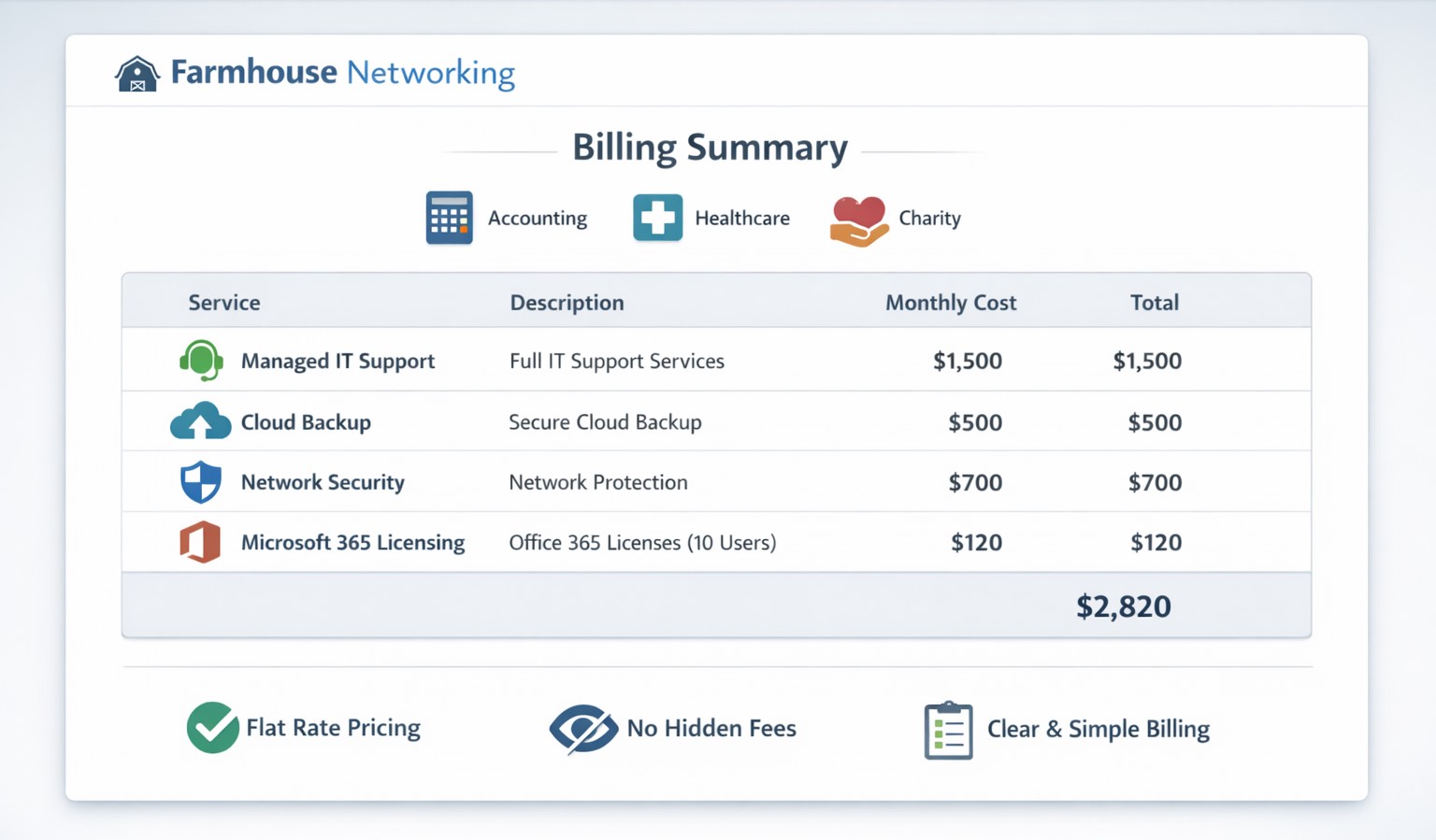
Our billing practices make us unique by offering clear, predictable pricing and no hidden fees for co‑managed IT services.
Our owner, Scott Carr, has been working in the Managed IT Service Provider (MSP) and computer support industry for over 30 years. During that time he owned several different companies and has worked for other larger MSPs. The main take away from this experience is that other companies are out for profit at the expense of the client’s business success. They bill for their time and hardware in ways that make them the most money without concern about whether it is a good fit for the client.
So what are your billing practices?
Hourly billing: Farmhouse Networking has always had the policy that to bill clients for a full hour when only working on the task for couple of minutes is just taking more than our fair share. We decided from the beginning to bill our clients in 15 minute increments to keep billing honest and fair to the companies we serve.
Contracts: For years, Farmhouse Networking would only have month-to-month contracts with all of its monthly managed clients. We recently made the change to shielding our clients from inflationary price increases by having them sign a year contract to lock in prices for that term. We still offer month-to-month contracts for our clients who want the freedom that kind of agreement brings.
Hardware: When Farmhouse Networking takes on the management of a new client, we do not have requirement for clients to change out their hardware to using only the vendors that we recommend. We work with the client to develop a 5-year plan of hardware replacement to spread the costs of keeping equipment up-to-date. We have partnered with several hardware wholesalers to get the best-fit products for our client’s need at the best prices. We cannot compete with major online retailers prices, but trust our clients want to support us and allow us to have the reasonable markup of 15% on the products we sell.
Charity prices: For those companies that meet our charitable donation criteria, Farmhouse Networking offers deeply discounted hourly rates, contract terms, and hardware. We do this so that the causes we believe in are able to better serve those in the deepest need.
If your company is looking to partner with a Managed IT Service Provider that is transparent and fair with their biling practices, then contact Farmhouse Networking to get a free quote.
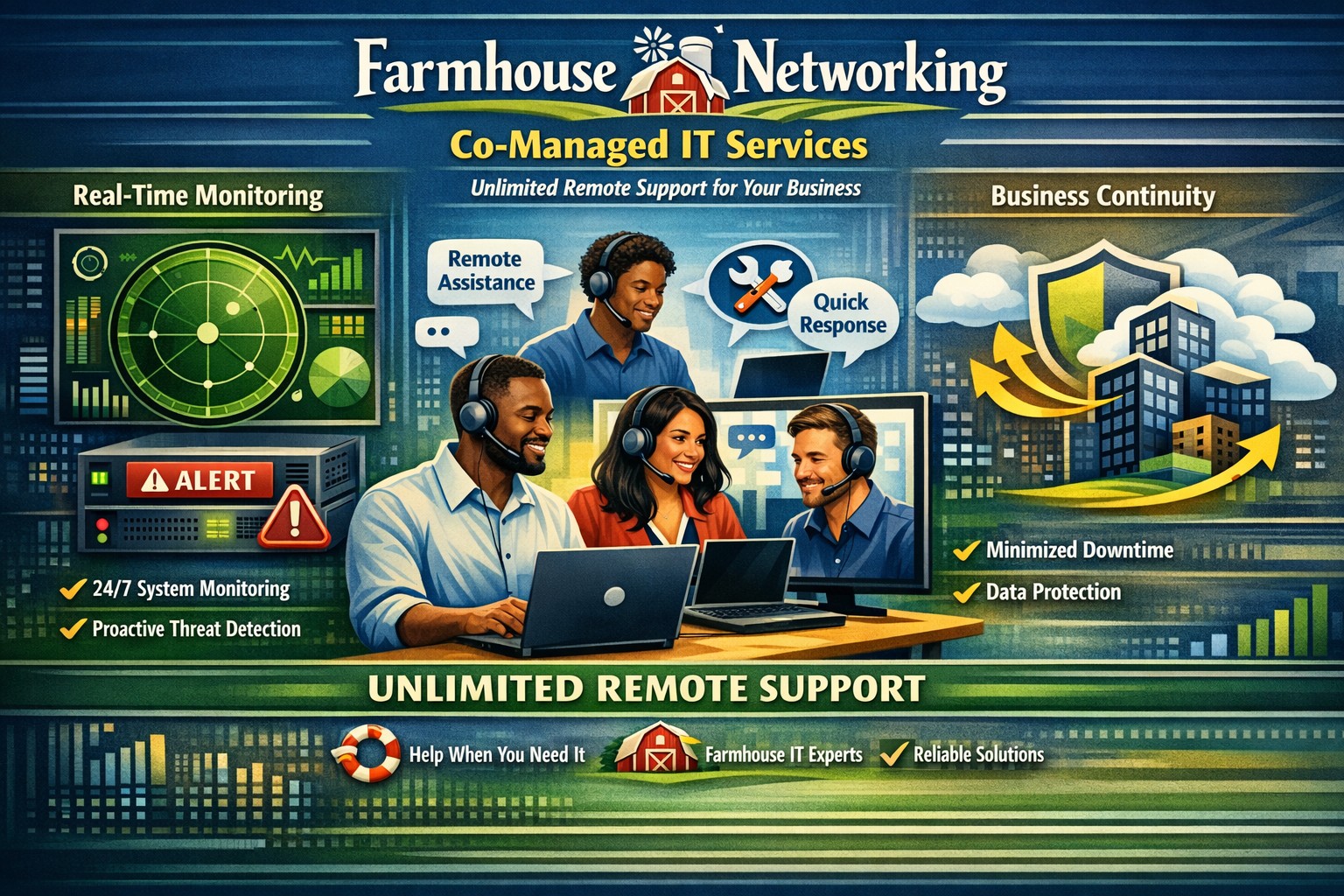
Co-managed IT delivers unlimited remote support to minimize downtime and enhance productivity
Some may wonder why we include unlimited remote support in our most popular monthly IT managed services contracts. The answer is simple. Our founder worked for other MSPs and has kept tabs on the industry standards and does not agree with how they bill their clients.
How the other guys do it
Block Hour Contracts: There are many managed IT service companies out there who use this model which is very similar to the way many attorneys use a retainer – except in this case it is usually a monthly re-occurring charge. You pay a flat fee for a specified number of hours. The draw back of this is there are some months where you are over paying for the amount of time used and other months where you are charged overage fees.
Per User Contracts: The latest trend is to count the number of employees and charge a per user fee. This may seem appealing to companies with small numbers of users and large numbers of devices. The price for this kind of service is usually very high and the services included in the contract are not always clear. There is just too much room for inflated margins here. There can also be caps on the number of remote hours included in the contract which could result in overages.
How Farmhouse Networking does it
Per Device Contract: We take the average cost of supporting a particular device across all our clients then add a small margin to keep the lights on and our employees fed. There are no hidden fees or hour caps to our most popular monthly IT managed service contracts. Call us during business hours, have the phone answered by our professional staff, get fast and effective support, and go on with your work day.
If you are tired of getting the run around from your current IT service provider, call Farmhouse Networking for simple unlimited remote support.
And God will generously provide all you need. Then you will always have everything you need and plenty left over to share with others. As the Scriptures say, “They share freely and give generously to the poor. Their good deeds will be remembered forever.” For God is the one who provides seed for the farmer and then bread to eat. In the same way, he will provide and increase your resources and then produce a great harvest of generosity in you. - 2 Corinthians 9:8-10
We use cookies to ensure that we give you the best experience on our website. If you continue to use this site we will assume that you are happy with it.