Streamline service provider management: Achieve IT compliance with robust vendor security and risk assessment protocols
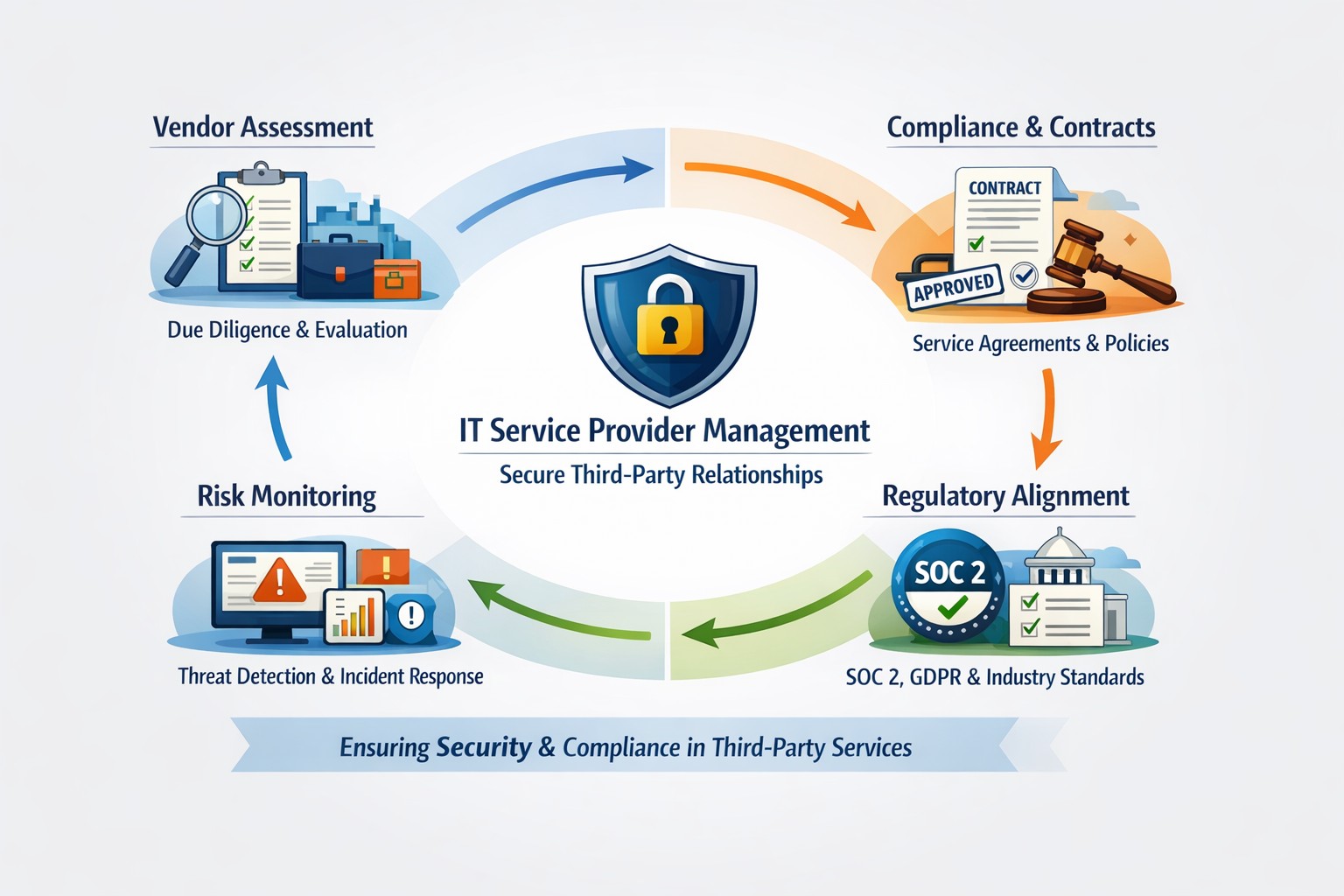
As a business owner, you likely rely on outside vendors for IT, cloud services, or financial software. But if those service providers aren’t properly managed, they can become your greatest security risk. The CIS Controls framework, specifically Control 15 (Service Provider Management), offers a roadmap to protecting your company from third-party threats.
Action Steps You Should Take Now:
Inventory Your Providers – List all third-party vendors with access to your systems and data.
Evaluate Security Practices – Review how vendors secure your data. Do they meet CIS control standards?
Define Contractual Requirements – Update contracts to include security obligations (like encryption or incident response timelines).
Develop an Exit Strategy – Ensure data can be safely transferred or destroyed when contracts end.
Common Questions Business Owners Ask:
“Why does this matter if my provider is well-known?” Even trusted vendors face breaches. CIS Controls ensure you’re not blindly relying on brand reputation.
“Is this too complicated for a small business?” No. By following a structured checklist, SMBs can apply scalable protections.
“What happens if my provider won’t comply?” That’s a red flag. It might be time to reconsider the partnership.
How Farmhouse Networking Helps: At Farmhouse Networking, we help businesses create service provider inventories, negotiate stronger contracts, and set up monitoring strategies aligned with CIS Controls. We act as your vendor management partner so you can focus on growth rather than worrying about third-party risks.
Want to secure your business through smarter Service Provider Management? Email us at support@farmhousenetworking.com to learn how we can build a safer future for your company.
Windows 10 end of life preparation: audit compatibility, plan Windows 11 upgrades, and partner with managed IT before support ends October 14, 2025.
As the end of support for Windows 10 approaches in about a year on October 14, 2025, it’s crucial for businesses to start preparing for the transition. This article will guide you through the essential steps to ensure a smooth and secure move to the next phase of your computing experience.
Understanding Windows 10 End of Life
Windows 10 End of Life (EOL) marks the point when Microsoft will cease providing updates, security patches, and technical support for the operating system. This event is significant because it leaves users vulnerable to security risks, compatibility issues with newer software and hardware, and non-compliant with standards like HIPAA, PCI, and CMMC.
Key Steps to Prepare
Assess Your Current Setup: Before making any changes, take stock of your current system:
Identify all devices running Windows 10
Check hardware specifications to make sure old computers are compatible
List essential software and applications
Evaluate Upgrade Options: Consider these alternatives:
Upgrading to Windows 11 for free (if your hardware supports it)
Purchasing new devices with the latest operating system to replace older ones
Plan for Software Compatibility: Ensure your critical applications will work post-transition:
Check compatibility with newer operating systems
Contact software vendors for upgrade options
Consider alternative software solutions if needed
Train Your Team: If you’re managing a business environment:
Educate employees about the upcoming changes
Provide training on new systems or procedures
Establish a support system for the transition period
Set a Timeline: Create a realistic schedule for your transition:
Set milestones for each phase of the preparation
Allow ample time for testing and troubleshooting
Plan for potential downtime during the switch
Financial Considerations: Budgeting for the transition is crucial:
Allocate funds for new hardware if needed
Account for potential software upgrade costs
Consider the long-term cost benefits of modernizing your IT infrastructure
Security Implications: Understand the risks of running an unsupported OS:
Increased vulnerability to malware and cyber attacks
Potential compliance issues for regulated industries
Lack of technical support for critical issues
Remember, a well-planned transition not only safeguards your system but also opens up opportunities for improved performance and productivity. Take the first step now: conduct an inventory of your Windows 10 devices and begin researching upgrade paths. Your future self will thank you for your foresight and preparation.
Don’t wait until the last minute to prepare for Windows 10 End of Life. Start your transition plan today to ensure a secure and efficient computing environment for the future. Let Farmhouse Networking do the heavy lifting by assessing your needs, exploring your options, and taking proactive steps to protect your digital assets.
We hold SABR meetings with clients to review IT performance, risks, and strategy, ensuring your business stays aligned, secure, and ahead of issues.
As a Managed Service Provider (MSP), one of our main objectives is to provide our clients with top-notch IT solutions. In order to achieve this, it is essential to have a clear understanding of your client’s needs, goals, and challenges. This is where Semi-Annual Business Review (SABR) meetings come in.
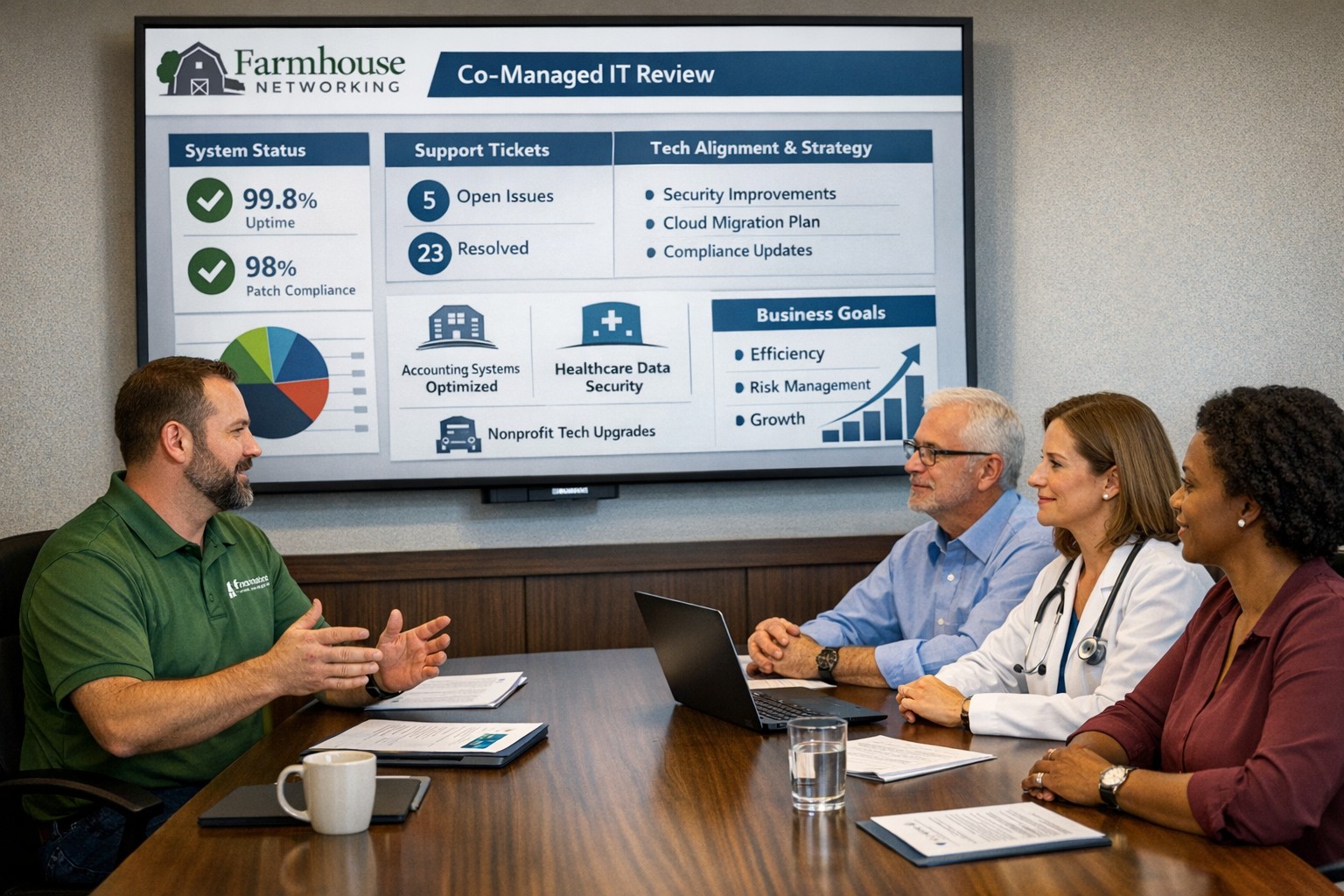
A SABR is a meeting between the Farmhouse Networking and the client, typically held in the Spring and Fall, to review the client’s IT infrastructure, identify areas of improvement, and develop a roadmap for the future. The SABR provides a structured framework for discussing IT needs and aligning them with business goals.
Why does Farmhouse Networking use SABR meetings with their clients?
Improve communication: SABR meetings are an opportunity for Farmhouse Networking to strengthen their relationships with clients. Through regular SABR meetings, Farmhouse Networking can improve communication with the clients, identify pain points, and develop a better understanding of the client’s business operations.
Identify areas for improvement: Regular network inventories and standards compliance reviews provide Farmhouse Networking with a comprehensive view of the client’s IT infrastructure, allowing us to identify areas for improvement, non-alignment with industry standards, and to develop a roadmap for addressing those areas.
Align IT with business goals: The SABR meeting helps align IT objectives with business goals by allowing the client to disclose their vision for the companies future. This ensures that the client’s IT infrastructure is working towards achieving those objectives that are important to the business.
Proactive approach: SABR meetings allow Farmhouse Networking to take a proactive approach to IT management. By identifying potential problems before they occur, Farmhouse Networking can prevent downtime, system crashes, and other issues that can negatively impact the client’s business operations.
By regularly conducting SABR meetings, Farmhouse Networking can ensure that their clients are receiving the best possible IT solutions, positioning them as trusted advisors in their field.
Regular IT budget discussions prevent cost overruns and align spending with business goals
Technology plays a crucial role in the success of businesses across all industries. From small startups to large corporations, having a well-planned and properly allocated IT budget is essential. In this article, we will explore the significance of IT budgeting and how it can drive success in your business.
Why IT Budgeting Matters
IT budgeting is more than just crunching numbers and allocating funds. It is a strategic process that helps you align your IT goals with your overall business objectives. By creating a well-defined IT budget, you can effectively plan and allocate resources to support your business operations and drive growth. Here are some key reasons why IT budgeting matters:Financial Planning and Control: Creating an IT budget allows you to have a clear understanding of your financial resources and how they will be utilized. It helps you identify the costs associated with your IT infrastructure, software licenses, hardware upgrades, and maintenance. With a well-planned budget, you can effectively manage your IT expenses, monitor costs, and make informed financial decisions.
Goal Setting and Performance Evaluation: An IT budget provides a roadmap for your business by setting realistic goals and targets. It allows you to define measurable objectives and track your progress towards achieving them. By regularly evaluating your actual expenses against the budgeted amounts, you can identify areas for improvement, make necessary adjustments, and ensure that your IT initiatives align with your business goals.
Resource Allocation and Prioritization: With a well-defined IT budget, you can allocate resources effectively and prioritize projects based on their strategic importance. It helps you identify areas where you need to invest more resources and areas where you can optimize costs. By aligning your IT budget with your business priorities, you can ensure that your resources are utilized efficiently and that your IT initiatives deliver maximum value.
Risk Management and Contingency Planning: IT budgeting allows you to anticipate potential risks and plan for contingencies. By conducting thorough risk assessments and scenario planning, you can identify potential threats to your IT infrastructure and develop strategies to mitigate them. This proactive approach helps you minimize downtime, ensure business continuity, and safeguard your critical data and systems.
Key Elements of an Effective IT Budget
Creating an effective IT budget requires careful consideration of various factors. Here are some key elements to consider when developing your IT budget:Understand Your Business Objectives: Before diving into the budgeting process, it is essential to have a clear understanding of your business objectives. Identify the key IT initiatives that will support your business goals and prioritize them accordingly. This will help you allocate resources effectively and ensure that your IT budget is aligned with your overall business strategy.
Assess Your Current IT Infrastructure: Conduct a comprehensive assessment of your existing IT infrastructure, including hardware, software, and network infrastructure. Identify any outdated or underutilized assets that may need to be replaced or retired. This will help you optimize your IT spending and ensure that your budget reflects the actual needs of your business.
Consider Future Growth and Scalability: When creating an IT budget, it is important to consider future growth and scalability. Anticipate the technology needs of your business in the coming years and allocate resources accordingly. This will help you avoid costly upgrades or replacements down the line and ensure that your IT infrastructure can support your business expansion.
Factor in Maintenance and Support Costs: In addition to the initial investment in hardware and software, it is crucial to factor in ongoing maintenance and support costs. Consider the costs associated with software licenses, equipment maintenance, and technical support. By including these expenses in your budget, you can ensure that you have the necessary resources to keep your IT infrastructure running smoothly.
Stay Up-to-Date with Industry Trends: The technology landscape is constantly evolving, and it is important to stay up-to-date with the latest industry trends. Consider emerging technologies that may impact your business operations and evaluate their potential benefits and costs. By incorporating innovative solutions into your IT budget, you can future-proof your business and stay ahead of the competition.
Involve Key Stakeholders: When developing your IT budget, it is crucial to involve key stakeholders from across your organization. Engage with department heads, IT managers, and finance professionals to gather insights and perspectives. This collaborative approach will help you gain buy-in for your budget, ensure that it meets the needs of different departments, and foster a sense of ownership and accountability.
The Impact of IT Budgeting on Business Operations
A well-planned and properly executed IT budget can have a significant impact on your business operations. Let’s explore some key areas where IT budgeting can drive success:Improved Cost Management: By creating an IT budget, you can effectively manage your IT expenses and optimize costs. It helps you identify areas where you can reduce spending, negotiate better contracts with vendors, and eliminate unnecessary expenses. This improved cost management allows you to free up resources for strategic investments and drive business growth.
Enhanced Decision-Making: An IT budget provides you with the necessary data and insights to make informed decisions. By tracking your actual expenses against the budgeted amounts, you can identify areas of overspending or underutilization. This information enables you to make timely adjustments, reallocate resources, and prioritize projects based on their impact on your business objectives.
Increased Operational Efficiency: By aligning your IT budget with your business objectives, you can streamline your operations and improve efficiency. It enables you to identify areas where you can automate processes, implement new technologies, and eliminate bottlenecks. This increased operational efficiency not only reduces costs but also enhances productivity and customer satisfaction.
Mitigated Risks and Improved Security: IT budgeting plays a crucial role in mitigating risks and ensuring the security of your IT infrastructure. By allocating resources for cybersecurity measures, backup and recovery systems, and disaster preparedness, you can minimize the impact of potential threats. This proactive approach helps you safeguard your critical data, protect your systems from cyber-attacks, and ensure business continuity.
Enhanced Employee Productivity: A well-planned IT budget can also enhance employee productivity and satisfaction. By investing in modern tools and technologies, you can provide your employees with the necessary resources to perform their jobs efficiently. This improved productivity not only drives business results but also fosters a positive work environment and helps attract and retain top talent.
Contact Farmhouse Networking to develop a complimentary, comprehensive IT budget and reap the benefits it can bring to your business.
As our business continues to focus on providing white labeled Tier 3 IT support services, RMM as a service, and co-managed IT services this blog will be highlighting tips for Synology resource monitoring. We have developed best practices for alerting on a Synology device for resources like CPU, Memory, and Disk Usage. When these Synology resource monitoring alerts are consistently triggered it show that the device is over utilized or if they remain triggered for long periods of time then it shows there is an issue on the device itself. We also setup weekly Storage Reports to get an accurate view of the changes and growth going on with client storage.
Setup Notifications
Make sure that Notifications are setup on the Synology first
Open Control Panel
Click on Notifications
Check enable email notifications
Choose Service Provider
Login to Gmail or use Custom SMTP server for Office 365 as the sender
Change Subject to indicate name of device
Add recipient email (Best to use one that ties into a PSA or RMM)
Click Apply
Send a Test Email
Setup Synology Resource Monitoring
Open Resource Monitor app
Click on Performance Alarm to the left
Click on Rules tab
Click Create
Create the following Rules one by one
Volume Critical
Select which volume [create multiple rules if more than one volume]
Select Disk I/O utilization
Greater than 90%
Level Critical
Volume Warning
Select which volume [create multiple rules if more than one volume]
Select Disk I/O utilization
Greater than 75%
Level Warning
System Memory Critical
Memory Usage
Greater than 90%
Level Critical
System Memory Warning
Memory Usage
Greater than 75%
Level Warning
System CPU Critical
CPU Usage
Greater than 90%
Level Critical
System CPU Warning
CPU Usage
Greater than 75%
Level Warning
Click Settings and check box to Enable usage history then click Save
Setup Storage Reports
Open Storage Analyzer
Select new location
Create new shared folder named Log Files – hide from network
Go back to Storage Analyzer and select new folder
Set volume usage data to be collected Daily at 2am
Create report task
Send to email (Best to use one that ties into a PSA)
Generate reports at Monday 4am
Keep 60 reports then click Next
Select report items
Volume Usage
Shared Folders
Potential Duplicate Files
Large Files
Least Recently Modified Files then click Next
Analyze all folders then click Next
Leave duplicate file defaults then click Next
Click Done
Close App
Once this is setup you will start getting email alerts sent to you or better yet your PSA / RMM for ticket creation and review.
If your company is a MSP or wants to become one and automation just seems out of reach, then contact us to run your RMM for you.
Farmhouse Networking leads as top-reviewed collaboration consultant optimizing Microsoft Teams for Oregon businesses.
At Farmhouse Networking, we provide professional support for small to medium business networks. Our mission is to bring grass-roots IT support to local and national businesses. We analyze the processes that make business happen, then help you develop long-term plans to ensure that your IT system fosters the growth your business requires to blossom.
For this reason, we proudly share a milestone for Farmhouse Networking. The Manifest has recognized us as a leading and most reviewed global productivity and collaboration company. The Manifest is a business blog and reviews platform aiming to link buyers with vendors that can help them with their ongoing or upcoming projects.
Since our establishment in 2015, we have worked with trusted hardware and software vendors to add the essential elements which provide a nourishing medium to make your business flourish. Since our founding, we have developed the breadth and depth of knowledge required to manage business-class networks properly.
Chief Aircraft Inc, an online aircraft parts retailer, engaged in an ongoing collaboration with us in 2016 for managed IT services. The project started when the client was transitioning, and we stepped in to help modernize their systems and set up a solution to back up and monitor their network properly.
“In upgrading our network and data backups Scott has managed to lower the cost to us on a long-term basis and make everything easier to access as well as more secure.” – Josh Confer, Webmaster, Chief Aircraft Inc
The whole team at Farmhouse Networking would like to use this opportunity to communicate how much we value all our clients and partners. The feedback they’ve written means so much to us and will help us cement our name in the industry. If you need a caring expert to tend to your computers and network while you do business, get in touch with us. Our organic IT support is only a phone call away
And God will generously provide all you need. Then you will always have everything you need and plenty left over to share with others. As the Scriptures say, “They share freely and give generously to the poor. Their good deeds will be remembered forever.” For God is the one who provides seed for the farmer and then bread to eat. In the same way, he will provide and increase your resources and then produce a great harvest of generosity in you. - 2 Corinthians 9:8-10
We use cookies to ensure that we give you the best experience on our website. If you continue to use this site we will assume that you are happy with it.