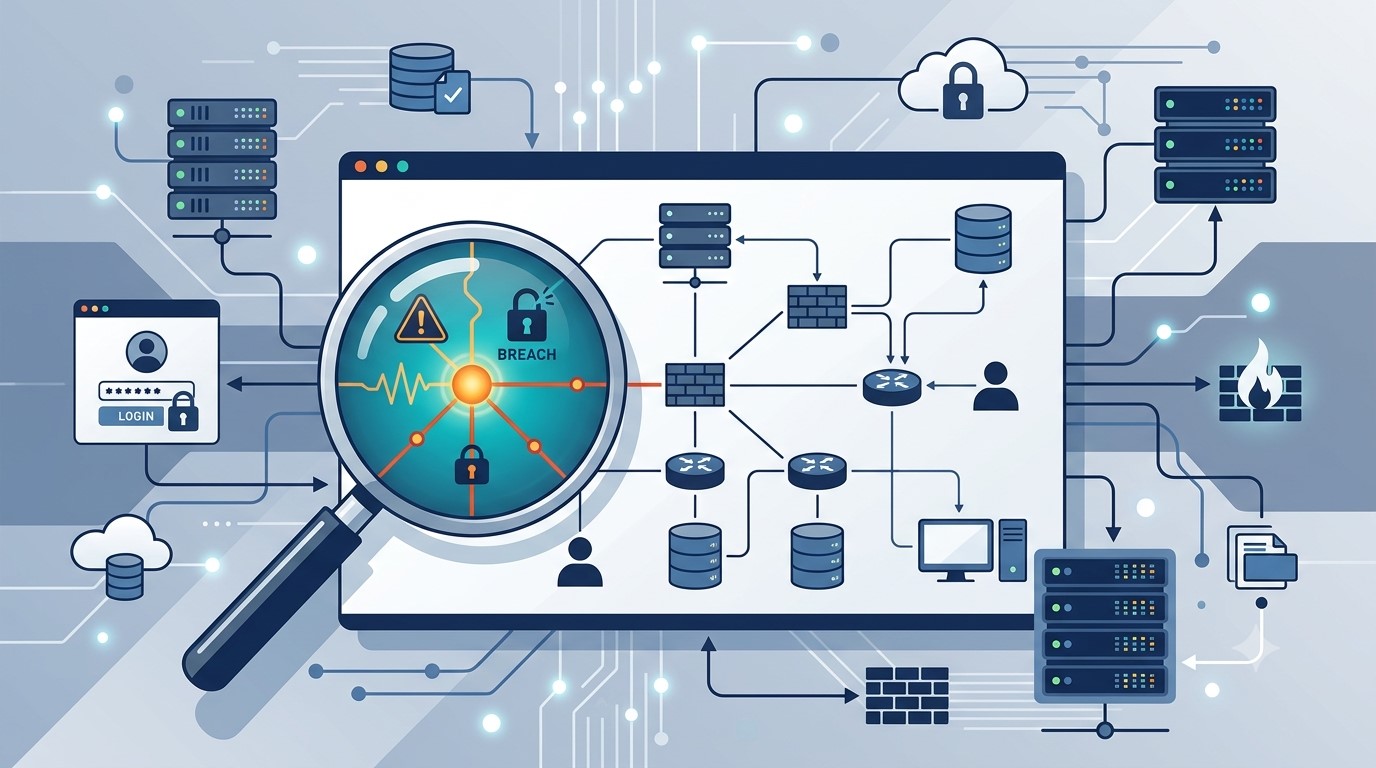
Audit logs won’t stop an incident from happening. They’re what tells you exactly what happened, how bad it is, and how to move forward with confidence instead of guesswork.
Reviewing audit logs regularly helps small business owners catch problems early and respond with confidence.
An employee’s laptop gets stolen from their car. A phishing email lands and someone clicks it. A contractor’s access is never fully removed after the project ends. Any of these can turn into a genuine crisis, or a contained, well-understood incident, and the difference usually comes down to one unglamorous thing: whether your systems were keeping a record of who did what before anyone knew there was a problem.
Audit logs are the timestamped trail of activity across your network, systems, and accounts. Most small business owners never think about them until an incident forces the question: what actually happened here, and how far did it go? Without logs, that question gets answered with guesswork, which means overreacting, locking down everything and alarming customers unnecessarily, or underreacting, missing that the problem is worse than it looks. With logs, you get a fast, factual answer.
Action steps for you and your IT team:
Enable logging on your core systems: email, file storage, remote access tools such as VPN or RDP, and any line-of-business software holding customer or financial data.
Log both successful and failed logins. Repeated failures followed by success is one of the clearest signs of a compromised account.
Set a retention period of at least a year for critical systems, and confirm logs aren’t being quietly overwritten by default settings.
Remove access immediately when an employee or contractor leaves, and confirm the removal itself is logged.
Store logs somewhere separate from the systems they’re monitoring, so an attacker who compromises one system can’t also erase the evidence.
Review logs on a regular schedule, not only when something feels wrong. Most warning signs show up as patterns over time.
Know who on your team, or which vendor, is actually responsible for watching this. If the answer is no one, that’s the gap to close first.
Questions clients ask us about this:
Q: We’re a small business. Do we really need this level of tracking? A: Attackers don’t skip small businesses because they’re small. Many target them specifically because defenses tend to be lighter. Basic logging is inexpensive and often the deciding factor in how quickly you recover from an incident.
Q: We have antivirus and a firewall. Isn’t that enough? A: Those tools help prevent and detect threats, but they don’t give you a full history of user activity across your systems. Logs answer the who and when that other tools weren’t built to track.
Q: If nothing bad has ever happened to us, why start now? A: Most businesses that suffer an incident didn’t see it coming either. Logging is cheap insurance you set up before you need it, because you can’t go back and turn it on after the fact.
How Farmhouse Networking helps: We help small and mid-sized businesses put practical monitoring and logging in place without overcomplicating your environment or your budget. That means configuring logging across your key systems, setting retention that actually covers you, and reviewing activity on a regular schedule so small issues get caught before they become expensive ones. If something does happen, you get a fast, clear answer from a U.S.-based team who already knows your setup, instead of starting from zero during a crisis.
Why Root Cause Analysis Belongs in Your Incident Response Plan
Finding the root cause of an IT incident is what stops it from happening again.
If your last IT issue got fixed but never explained, you may already be sitting on a repeat problem.
Here’s how it usually goes: an employee’s email gets compromised, your IT provider resets the password, the alerts stop, and everyone moves on. But almost nobody asks the harder question — how did the attacker actually get in, and is that same weakness still open somewhere else in your business?
That question is the entire purpose of root cause analysis (RCA). It’s the difference between putting out a fire and finding out what’s been leaking gas into the building. Skip it, and you’re not preventing the next incident — you’re just waiting for it.
What Root Cause Analysis Actually Means for Your Business
Incident response is the emergency part: contain the threat, restore access, get back to work. Root cause analysis is the follow-up step that asks why it happened in the first place — a phishing gap, a missing security policy, an unpatched system, a training blind spot. Without that step, your business ends up treating the same underlying weakness as a brand-new crisis every time it resurfaces.
Action Steps for You and Your IT Provider
Require a written root cause summary after any security incident — not just a “resolved” notification.
Ask whether your provider monitors for unusual sign-in locations and session activity, not just failed login attempts.
Confirm Conditional Access policies are enforced to block logins from unexpected countries or unmanaged devices.
Review whether staff training addresses the specific method behind the last incident, not just general reminders.
Ask your provider whether an incident was isolated or part of a broader pattern across your systems.
Build a root cause step into your written incident response plan, if you don’t already have one.
Schedule a 30-day follow-up review to confirm the fix actually held.
Questions Your Team Might Ask You
Q: We already fixed it — why dig further? A: Fixing the account doesn’t fix the door the attacker used to get in. Without knowing how it happened, you can’t be confident it won’t happen again the same way.
Q: Doesn’t this slow down how fast issues get resolved? A: No. Containment happens immediately, every time. Root cause review is a short follow-up step afterward — usually a summary or a brief call, not a delay.
Q: Is this really worth the extra step for a business our size? A: Yes — arguably more so. Smaller businesses often can’t absorb the same incident twice. Understanding the cause the first time is what keeps a bad week from becoming a bad year.
How Farmhouse Networking Helps
We recently helped a client contain an incident where an employee’s login session — not just her password — was stolen through a convincing fake sign-in page that looked identical to a real Microsoft 365 login. Containing it was step one. The real work was tracing exactly how the attacker got that session, confirming nothing else in the environment was exposed the same way, and closing the gap permanently.
That’s the process we apply to every incident we handle. Farmhouse Networking documents root cause on every security event, gives you a plain-language explanation of what actually happened and why, and makes sure the fix addresses the cause — not just the symptom.
Want to Know What’s Really Behind Your Last IT Incident?
If your business has had an IT issue that got resolved but never really explained, that’s worth a second look before it repeats itself. Email us at support@farmhousenetworking.com and we’ll walk you through what a proper root cause review looks like — plainly, and without the jargon.
A growing attack technique lets criminals steal a live login session instead of a password — and most businesses have no idea it’s happening until it’s too late.
A single stolen login session can be enough for attackers to bypass MFA and take over a business email account.
For years, business owners have been told the same thing: turn on multi-factor authentication (MFA) and you’re safe. That advice is still mostly true — but a newer style of attack is proving it isn’t the whole story. We recently helped a regional nonprofit contain an incident that shows exactly how this plays out, and it’s a pattern every small business owner should understand.
Here’s what happened, in short: an employee was directed to a fake login page that looked identical to the real Microsoft 365 sign-in screen. She entered her password and completed her MFA step normally. But the fake page was secretly relaying everything to the real Microsoft servers in real time — and it captured the “session” created after she logged in. That session is like a hall pass: once you have it, you don’t need the password or the MFA code again. The attacker used it to log in as her, days later, from the other side of the world.
From there, the attacker spent time reading email, quietly created a mail rule to auto-delete replies, and used the compromised account to send hundreds of file-sharing invitations and emails to external contacts — all appearing to come from a real, trusted employee.
Action steps for you and your IT provider:
Ask your IT provider whether your email platform is monitoring for “impossible travel” or suspicious sign-in locations, not just failed MFA attempts.
Enable and enforce Conditional Access or equivalent policies that block sign-ins from unexpected countries or devices.
Shorten session lifetimes so a stolen session expires faster.
Train staff to check the URL bar before entering credentials — even on pages that look pixel-perfect.
Make sure your provider can see and revoke active sessions instantly, not just reset passwords.
Review mail rules periodically; attackers often hide behind rules named with punctuation marks so they’re invisible in a quick glance.
Confirm your incident response plan includes session token revocation, not just password resets.
Q&A
Q: If we have MFA, aren’t we protected? A: MFA blocks most attacks, but this technique steals the session created after MFA succeeds. You need monitoring and Conditional Access policies layered on top of MFA, not instead of it.
Q: How would we even know this happened? A: Often the first sign is unusual outbound email, unexpected file-sharing invitations, or partners asking why they received a strange invoice link. Proactive monitoring catches it earlier.
Q: Is this expensive to defend against? A: Most of the defenses — Conditional Access policies, session timeout settings, monitoring — are configuration changes, not new purchases, if your provider has the expertise to set them up correctly.
How Farmhouse Networking Helps
Farmhouse Networking configures and monitors Microsoft 365 environments specifically to catch this kind of attack — unusual sign-in locations, hidden mail rules, mass outbound activity — before it turns into a full-blown incident. We also help small businesses put the right guardrails in place from the start, so a stolen password or session doesn’t become a company-wide problem.
Not sure if your email environment could catch an attack like this? Email us at support@farmhousenetworking.com to schedule an MFA and email-security review. We’ll walk through your current setup and tell you plainly where the gaps are.
What the CMMC suspension teaches every small business about the danger of waiting on compliance
Building a cybersecurity policy before it’s required can save your business time, money, and trust.
On July 13, 2026, the Department of War suspended Phase II of its Cybersecurity Maturity Model Certification (CMMC) program — the rule that would have required over 100,000 defense contractors to complete third-party cybersecurity assessments starting this November. The reason wasn’t that cybersecurity stopped mattering. It’s that the compliance system itself couldn’t scale: too few certified assessors, costs approaching $600,000 per certification, and a timeline small businesses couldn’t meet.
That story has nothing to do with defense contracts if you’re not one. But it has everything to do with a mistake we see constantly: business owners treating cybersecurity policy as something to build only when a regulator forces the issue. When the deadline moves or disappears, so does the motivation — right up until a breach, an insurance audit, or a client contract makes it urgent again, usually at the worst possible time.
Why Waiting Is the Expensive Choice
Government programs get delayed, revised, or scrapped. Your actual risk — ransomware, phishing, a stolen laptop, an employee clicking the wrong link — doesn’t wait for anyone’s regulatory calendar. Businesses that build security practices proactively spend less, recover faster, and rarely scramble when a client or insurer asks for documentation they don’t have.
Action Steps for Business Owners
Write down your security policies now, even in simple form: password requirements, data handling rules, who can access what.
Inventory your systems and data — you can’t protect what you haven’t mapped.
Set a patch and update schedule instead of reacting to alerts.
Back up data regularly and actually test that restores work.
Train staff on phishing and basic security hygiene at least twice a year.
Review vendor contracts for the security commitments you’re already making to clients or partners.
Revisit your plan quarterly — don’t let it go stale.
Questions Business Owners Are Likely Asking
“If the government paused its own program, why should I move faster on mine?” Because your risk was never tied to their timeline. The suspension was about assessment logistics, not about cyber threats becoming less real.
“Isn’t this overkill for a small business?” No — attackers target small businesses precisely because they assume no one built a plan. A written policy costs far less than a breach.
“Do I need a full compliance framework?” Not necessarily. You need documented, consistently applied practices. Formal frameworks can come later if a client or contract requires them.
“What if I don’t have an in-house IT person?” That’s exactly where a managed partner earns their keep — building and maintaining the plan so you don’t have to.
How Farmhouse Networking Helps
We help small and mid-sized businesses build the security foundation regulators eventually ask for — without waiting for a mandate to force the issue. That means clear, documented policies, practical safeguards like MFA and monitored backups, and straightforward guidance you can actually act on, without the jargon.
Don’t Wait for the Next Deadline to Get Serious
Regulations pause. Real risk doesn’t. If you’ve been putting off a cybersecurity policy because “nothing’s required yet,” now is the time to close that gap — before something else forces the timeline.
Email us at support@farmhousenetworking.com for a free cybersecurity policy review. We’ll tell you plainly where you stand and what to fix first.
What this summer’s federal security campaign means for any business holding sensitive data
Taking a few hours this summer to review your security practices can prevent a costly data breach later.
What this summer’s federal security campaign means for any business holding sensitive data
This July, the IRS and its Security Summit partners launched Protect Your Clients; Protect Yourself, a five-week campaign built for tax preparers. It walks through the phishing schemes, impersonation scams, and stolen-credential attacks criminals are using against professionals who hold sensitive client data, along with the basic safeguards, written security plans, and verification tools meant to stop them.
Your business may have nothing to do with taxes. But the tactics described in this campaign — fake “new client” emails carrying malware, spoofed calls, and urgent requests designed to pressure someone into clicking or sharing information — are used against every kind of small business, not just tax firms. If your company stores customer records, payment details, or employee data, you’re a target using the same playbook. Summer is a good time to check whether your own safeguards would hold up.
Action Steps for You and Your IT Team
Write down your security practices. A simple, documented policy covering data handling, access, and response is far better than relying on informal habits.
Enable multi-factor authentication on email, financial systems, and any remote access used by your team.
Review employee access regularly, and immediately revoke access for anyone who leaves the company.
Train your team to spot phishing and impersonation attempts, especially fake vendor invoices, urgent executive requests, and unexpected attachments.
Test your backups, not just assume they’re running, to confirm you could actually recover if something went wrong.
Document an incident response plan so your team knows exactly who to call and what to do the moment something looks wrong.
Questions Your Customers or Employees Might Ask
“How do you protect the information you have on file for us?” We maintain a documented security policy, require multi-factor authentication across our systems, and regularly review who has access to sensitive data.
“What would happen if your systems were breached?” We have a tested response plan and know exactly how we’d respond and notify anyone affected.
“Why do you keep asking us to verify things that used to be simple?” Because verification steps protect both of us from scams that specifically exploit shortcuts and urgency.
How Farmhouse Networking Can Help
Farmhouse Networking helps small and mid-sized businesses turn good intentions into an actual, documented security program: written policies, MFA across your critical systems, cleaned-up user access, tested backups, and a clear incident response plan. We handle the technical details so you can run your business with confidence instead of guesswork.
Find Out Where Your Business Actually Stands
Email support@farmhousenetworking.com for a free security assessment, and close the gaps the IRS is warning everyone else about — before they cost you something worse.
A new attack method bypasses MFA and uses Microsoft’s own login system against you. Every business owner using Microsoft 365 needs to read this.
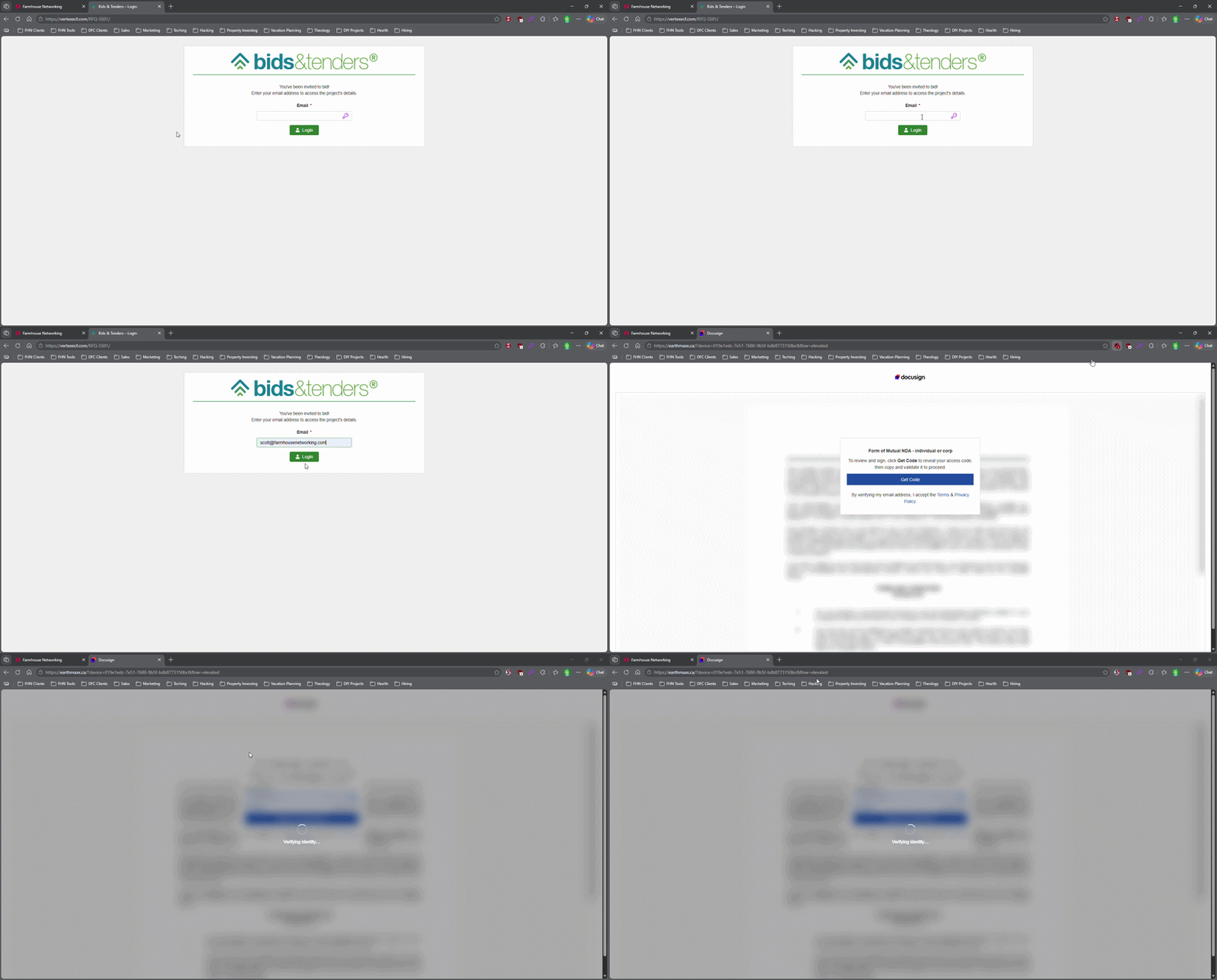
This login screen asks for an email address only, illustrating how attackers can use familiar Microsoft 365-style sign-in pages to bypass passwords.
Most small business owners believe that a strong password and multi-factor authentication make their Microsoft 365 accounts secure. That assumption is now being exploited at scale. Attackers are targeting Microsoft 365 users with device code authorization phishing – a technique that fools users into approving access tokens, bypassing multi-factor authentication protection entirely.
Campaigns using this method have surged since September 2025, representing a significant shift from limited, targeted attacks to widespread exploitation. Both organized criminal groups and nation-state actors are now using it. If your business runs on Microsoft 365, and most do, you need to act.
How the Attack Works
Microsoft has a login feature designed for devices like smart TVs and printers that can’t display a normal login screen. Instead of typing credentials on the device, a user visits a Microsoft page on their phone or computer and enters a short code. It’s a legitimate, trusted system.
Attackers exploit that trust. They initiate the device login flow themselves, then send your employee an email designed to get them to visit Microsoft’s real login page and enter the code – completing the attacker’s authentication instead of their own.
Your employee does everything right. They visit a real Microsoft website. They complete their MFA. They never hand over their password. And the attacker now has full access to your Microsoft 365 environment.
Action Steps for Your Business
Take these steps now with your IT team or provider:
Block device code flow in Microsoft Entra Conditional Access. This is the strongest mitigation available and can be deployed in report-only mode first to assess impact before full rollout. Most small businesses don’t use this feature and have no reason to leave it enabled.
Audit your Microsoft 365 OAuth app permissions. Review which third-party applications have access to your tenant and remove anything unauthorized.
Train your team on this specific attack. Standard phishing training won’t cover it. The key message is simple: if you receive a request to enter a code on a Microsoft login page that you didn’t initiate, stop and report it.
Review sign-in logs for your Microsoft 365 accounts. Unusual locations, unfamiliar devices, and off-hours logins are indicators of compromise.
Check for email forwarding rules set up without your knowledge. This is a common post-compromise action attackers use to quietly collect your outgoing email.
Review your cyber liability coverage. Confirm that account takeover scenarios are covered and understand what your response obligations are.
Q&A: What Your Clients or Partners May Ask
“How did this happen if you had MFA turned on?” This attack bypasses both traditional credential theft defenses and multi-factor authentication controls. MFA was never designed to protect against this type of authentication abuse.
“Could my information have been accessed?” If a business email account is compromised, any data in that account – client correspondence, contracts, financial information – is potentially accessible to the attacker.
“Is this being fixed by Microsoft?” Microsoft has released tools to block it, but those tools require configuration. Microsoft has been rolling out a managed Conditional Access policy aimed at blocking device code flow authentication, but it requires an administrator to enable and configure it. It doesn’t happen automatically.
“Should I be worried about my own accounts?” If you share Microsoft 365 services with a vendor or partner whose account is compromised, there’s risk of lateral movement. Security is a supply chain concern, not just an internal one.
How Farmhouse Networking Can Help
Farmhouse Networking reviews and configures Microsoft Entra Conditional Access policies to block device code phishing, audits your Microsoft 365 environment for existing unauthorized access, trains your staff on this and other current attack types, and monitors your accounts ongoing. We work with small and mid-sized businesses across Oregon, Northern California, and New Mexico – and we explain everything in plain language without the IT jargon.
Take the Next Step
Email support@farmhousenetworking.com today and ask for a Microsoft 365 security review. We’ll tell you whether this attack vector is currently open in your environment and what it takes to close it.
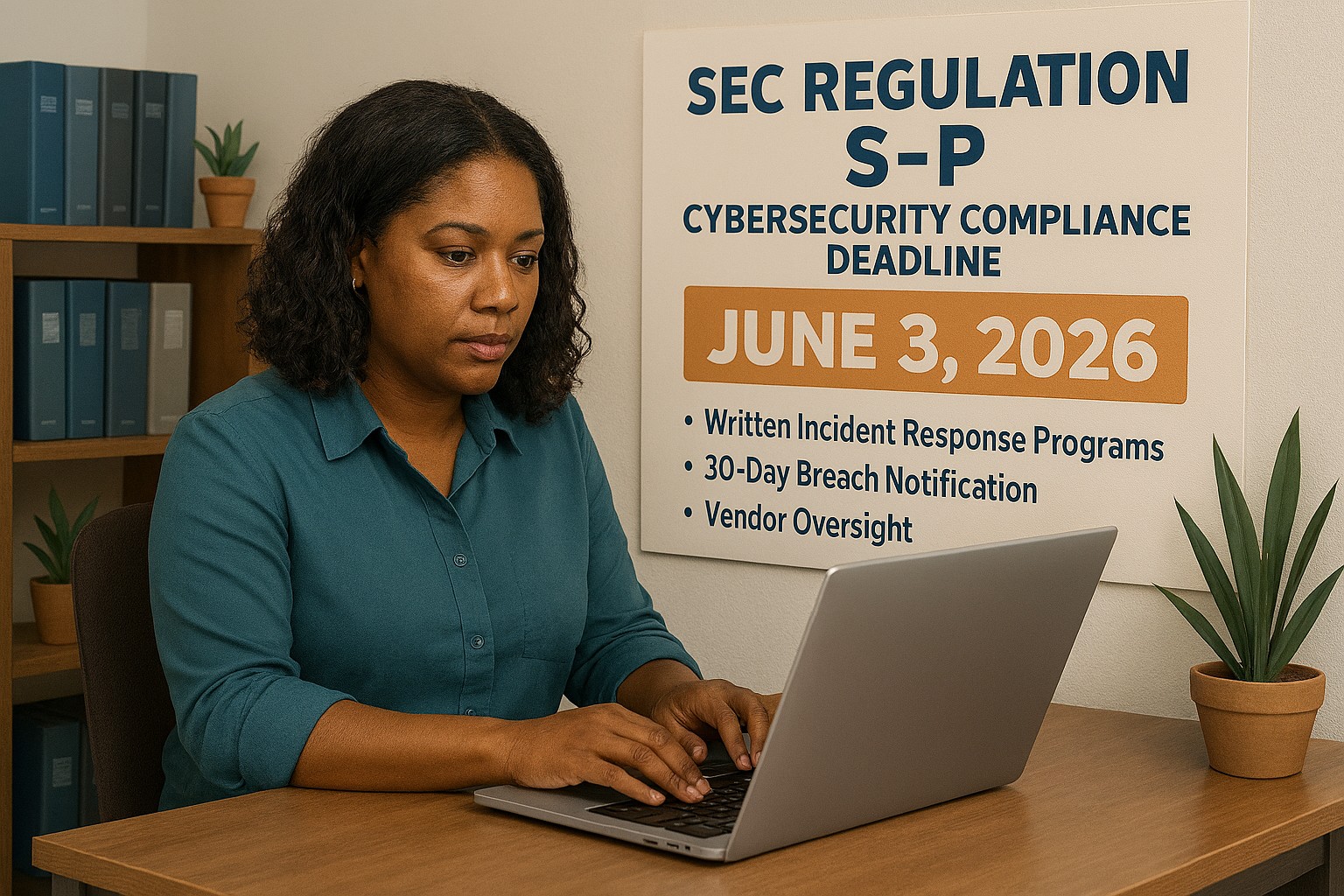
What Every Small Business Owner Needs to Know Before June 3 — Even If You’re Not a Bank
The SEC’s updated Regulation S-P sets a new standard for data protection that every small business owner needs to understand — not just financial firms. Is your incident response plan ready?
A practical guide to the new cybersecurity standard that financial regulators are enforcing — and that your customers, partners, and insurers are already expecting.
Why June 3 Should Be on Your Radar
On June 3, 2026, smaller SEC-regulated financial institutions, investment advisers, broker-dealers, and similar firms, hit their final compliance deadline under the SEC’s updated Regulation S-P. After 20+ years without a major update, the SEC overhauled how these businesses must protect customer data, respond to breaches, and oversee their technology vendors.
So why does this matter to you as a small business owner outside the financial sector?
Because the requirements the SEC is now enforcing represent the new normal for data protection across all industries. Your cyber liability insurance carrier already asks about these controls. Your enterprise clients are putting them in vendor agreements. Your customers assume you have them. And regulators in healthcare, retail, and professional services are moving in the same direction.
This is your roadmap – not just for compliance, but for running a business that customers can trust.
What Regulation S-P Requires (and What It Means for You)
The six pillars of the SEC’s updated data protection framework – applicable in spirit to every business handling customer information:
Incident Response Program – A written, tested plan for what happens when you’re breached. Not if. When.
30-Day Breach Notification – Customers must be notified quickly. Waiting weeks or months is no longer acceptable to regulators or the public.
Vendor Oversight – If a third-party vendor can access your customer data, you are responsible for their security practices.
Secure Data Disposal – Customer information must be destroyed securely when no longer needed.
Written Recordkeeping – You need to be able to prove you have a program, not just claim it.
Practical Action Steps for Your Business
For You, the Business Owner
Identify what sensitive customer data you hold, credit cards, SSNs, health information, financial records, and where it lives.
Review your cyber liability insurance policy for coverage gaps and required controls.
Audit your vendor relationships: which ones can access your customer data, and do they have security obligations in writing?
Designate someone, internal or external, responsible for cybersecurity decisions and incident response.
Draft a customer breach notification letter template now, before you need it.
For Your IT Department or Provider
Perform a full security assessment covering endpoints, cloud accounts, email, and network access.
Implement multi-factor authentication on every system – this alone stops 99% of credential-based attacks.
Establish and test an encrypted, off-site backup routine.
Write and test an Incident Response Plan – including who to call (legal, insurance, IT forensics) and in what order.
Update vendor contracts to include explicit security requirements and breach notification timelines.
Implement a data retention and secure disposal policy.
Document your security controls in writing – for insurance audits, client questionnaires, and regulatory inquiries.
Questions Your Customers and Partners May Ask
Q: How do you protect my personal information when I do business with you?
A: We use encrypted storage, access controls that limit who can view customer data, and multi-factor authentication for all staff. We also have a written security policy and an incident response plan in place.
Q: What happens if you experience a data breach? Will I be told?
A: Yes. If your information is involved in a breach, we are committed to notifying you promptly – within 30 days of discovering the incident. We have a documented notification process ready.
Q: Our company requires vendors to meet certain cybersecurity standards. Do you comply?
A: We have a written security program, documented controls, and an incident response plan. We’re happy to provide documentation and answer your vendor security questionnaire.
Q: I heard new SEC rules are tightening cybersecurity requirements. Should I be worried about businesses I work with?
A: It’s a fair question. The SEC’s updated Regulation S-P has raised the bar for financial firms, and similar standards are spreading across industries. We’ve proactively aligned our security practices with this framework — and we work with Farmhouse Networking to maintain and demonstrate compliance.
How Farmhouse Networking Helps Small Businesses
Farmhouse Networking is a Managed IT Services provider built for small and mid-sized businesses that take data protection seriously but don’t have an in-house IT team. We make enterprise-grade security practical and affordable:
Security Assessments – We evaluate your current posture and give you a prioritized action plan, not a list of scary jargon.
Incident Response Planning – We write your IRP, help you test it, and make sure your team knows what to do under pressure.
Vendor Security Reviews – We assess the tools and platforms you rely on and flag gaps in your vendor agreements.
MFA, Encryption, and Endpoint Protection – Deployed correctly, documented thoroughly.
Compliance Documentation – We produce the written records that satisfy insurance carriers, enterprise clients, and regulators.
Ongoing Managed IT – We become your IT department, watching your systems so you can run your business.
Ready to Get Compliant? Let Farmhouse Networking Help.
Don’t wait for a breach to take cybersecurity seriously. Email us today for a free SMB security assessment: support@farmhousenetworking.com
You don’t have to be a Fortune 500 company to be a target. You just have to be open for business.
Cybercriminals no longer need technical skills to target your business — Fraud-as-a-Service puts sophisticated attack tools in anyone’s hands.
You’ve heard of Software-as-a-Service. Now meet its criminal counterpart.
Fraud-as-a-Service (FaaS) is a booming underground economy where cybercriminals sell ready-made attack tools, stolen credentials, phishing kits, and ransomware packages to anyone willing to pay a subscription fee. No technical skill required. No barriers to entry. Just a dark web account and criminal intent.
This new economy lowers the barrier for entry and accelerates the pace of attacks. Even young and inexperienced fraudsters can access sophisticated tools that can be deployed with minimal technical knowledge. The result? A surge in attacks aimed squarely at small and mid-sized businesses — businesses exactly like yours.
In 2025, the FBI received over one million cybercrime complaints for the first time ever. Cyber-enabled fraud accounted for $17.7 billion in total losses. And small businesses are absorbing a disproportionate share of the damage.
Why Your Business Is the Target
Large corporations have security teams, compliance officers, and dedicated budgets. You have a team wearing multiple hats and a firewall that hasn’t been updated since the last administration.
Criminals who used to target only large enterprises now see small businesses as easier prey — because many don’t think they’re targets and often lack the protections to defend themselves.
FaaS attacks against SMBs typically arrive as:
Business Email Compromise (BEC): A convincing email, apparently from your bank or a vendor, redirects a payment to a criminal’s account.
Phishing kits: Pre-built fake login pages that steal employee credentials in seconds.
Ransomware subscriptions: Criminals rent ransomware, deploy it against your files, and split the ransom with the developer.
AI-generated deepfakes: Voice or video impersonations of you or your staff, used to authorize fraudulent transfers.
Business Email Compromise alone generated over $3 billion in losses in 2025.
Practical Action Steps for You and Your IT Team
Enable Multi-Factor Authentication (MFA) on everything — email, banking portals, cloud tools, and remote access. This one step blocks the majority of credential-based attacks.
Conduct a phishing simulation and security awareness training with all staff at least twice per year.
Verify all payment change requests by phone using a known number — never by replying to the email that requested the change.
Audit your email environment for misconfigured permissions, stale accounts, and unusual forwarding rules.
Review and restrict vendor and third-party access to your systems on a quarterly basis.
Maintain tested, offline data backups so ransomware cannot encrypt your only copy.
Create an incident response plan — a written document that tells your team exactly what to do if an attack succeeds.
Questions Your Clients May Ask You
“How do I know my data is safe with you?” You should be able to describe exactly where client data is stored, who has access, and what protections are in place. If you can’t answer this with confidence, it’s time to find out.
“Has your business ever experienced a data breach?” Transparency builds trust. If the answer is yes, explain what happened and what changed afterward.
“What would happen to my files if you got hit with ransomware?” Your answer should include a clear backup and recovery plan with a defined recovery time.
“Do your employees know how to recognize a phishing attempt?” This should be a confident yes — backed by regular training, not just a one-time onboarding video.
How Farmhouse Networking Helps
Farmhouse Networking helps SMBs build the defenses that FaaS criminals count on you not having. From setting up MFA and email authentication, to proactive monitoring, security awareness training, and incident response planning — we make enterprise-grade protection practical for businesses your size.
Ready to Stop Being an Easy Target?
Email us at support@farmhousenetworking.com to schedule a free security consultation. We’ll show you exactly where you’re exposed — and how to fix it before someone else finds out first.
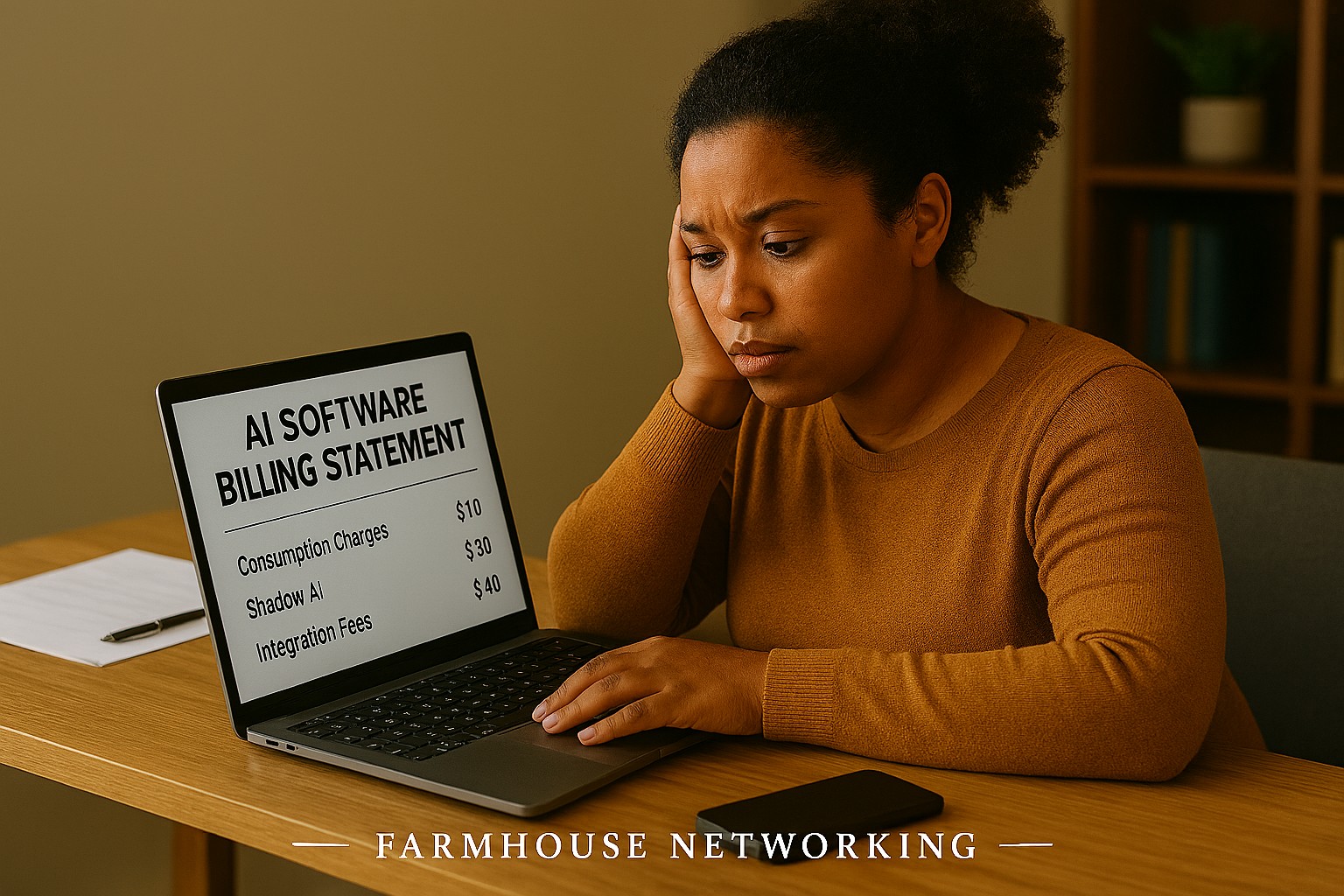
That AI tool looked affordable in the demo. Here’s what most small business owners discover after the first real invoice.
You signed up for a sleek AI tool. The demo was impressive. The monthly price seemed reasonable. Then three months later you’re staring at a vendor bill that’s twice what you expected, your team is still confused about how to use the software, and you’re not sure who owns the data you’ve been feeding into it.
If that sounds familiar, you’re not alone. According to a 2025 Fortune analysis, the advertised price of AI automation represents only 20–40% of the true first-year cost for most small businesses. The rest hides in plain sight — buried in data preparation, staff training, integration fees, security gaps, and consumption-based pricing that scales faster than your revenue does.
AI tools promise to save you money. But are they quietly spending it instead? Here’s what every business owner needs to know before the next invoice arrives.
What the Brochure Doesn’t Tell You: The 6 Hidden Costs of AI
1. Data Cleanup Costs: Before AI can do anything useful, it needs clean, structured data. Most businesses discover their records have duplicate entries, inconsistent formatting, or files locked in formats the AI can’t read. Getting data “AI-ready” commonly costs $1,000–$10,000 and is rarely mentioned upfront.
2. Consumption-Based Billing Surprises: Many AI tools — including Microsoft Copilot, ChatGPT, and Salesforce Agentforce — charge by usage (tokens, conversations, or seat upgrades). A 2025 Zylo survey found 78% of IT leaders reported unexpected charges from consumption-based AI pricing. The more your team uses the tool, the higher the bill climbs, often mid-contract.
3. Integration Expenses: Plugging an AI tool into your existing systems — your accounting software, CRM, email platform, or operations tools — typically costs 30–50% of your total AI budget on top of licensing fees. Legacy systems make this worse, adding another 30–50% to integration costs.
4. The Productivity Dip (The J-Curve): Staff productivity typically drops 15–25% for 3–6 months after an AI tool is introduced. Workflows change. People need training. Mistakes happen. This “J-curve” is a real cost that hits your output before the benefits kick in.
5. Ongoing Maintenance and Monitoring: AI tools don’t run themselves. They need updates, performance monitoring, and occasional retraining. Industry estimates put annual AI maintenance at 15–30% of the original implementation cost — every year.
6. Security and Compliance Gaps: When employees use unsanctioned AI tools — what experts call “shadow AI” — your data goes places you haven’t approved. This creates real liability, especially if you handle any customer financial, health, or personal data.
What You and Your IT Team Should Do Now
Audit every AI tool currently in use — sanctioned or not. Shadow AI is a real and growing problem.
Review your vendor contracts for consumption-based pricing clauses and usage caps.
Assess your data quality before adding any new AI tool. Budget time and money for cleanup.
Map out how each AI tool connects to your existing systems and what it costs to integrate.
Train your team with structured onboarding — not just a login link.
Set a usage policy that defines which AI tools are approved and what data can be shared with them.
Schedule quarterly AI cost reviews so billing surprises don’t compound.
Work with your IT provider to conduct a security review of all AI platforms you’ve adopted.
Questions Your Clients or Team May Ask You
Q: Is it really that expensive? The tool only costs $30 a month.
A: The license is just the entry fee. Once you add integration, training, data cleanup, and monitoring, that $30/month tool commonly becomes $300–$500/month in real total cost. Budgeting for only the license is the most common AI financial mistake small businesses make.
Q: Can’t we just let employees figure it out on their own?
A: Research shows that organizations with unstructured AI adoption see double the training costs and far lower ROI. Worse, employees who figure it out on their own often use unapproved tools that create security and compliance exposure.
Q: What happens if we don’t address the security side?
A: Unsanctioned AI usage has been linked to data breaches that add an average of $200,000 to breach costs, according to IBM’s 2025 Cost of a Data Breach report. For a small business, that’s potentially company-ending exposure.
Q: How do we know if our AI investment is actually paying off?
A: You need to measure specific KPIs before and after AI adoption — things like hours saved per week, error rates, and customer resolution times. Without baseline data, ROI is invisible.
How Farmhouse Networking Can Help
Farmhouse Networking specializes in helping SMBs navigate exactly these kinds of IT cost pitfalls. Our local team can help you:
Conduct a full AI tool audit to identify shadow AI and hidden spend across your organization.
Review your vendor contracts and consumption-based pricing to protect you from billing surprises.
Assess data readiness so you’re not paying for expensive data cleanup after the fact.
Build a secure AI governance policy so your team knows what’s approved, what’s not, and why.
Provide proactive IT monitoring that catches cost and security issues before they become crises.
Ready to Find Out What AI Is Really Costing You?
Don’t wait for the surprise invoice. Send us a message and we’ll schedule a free AI cost and security review for your business. We’ll show you exactly where you stand — no obligation, no jargon, no pressure. Email us today: support@farmhousenetworking.com
Use DNS Filtering to Stay Safe and Open for Business
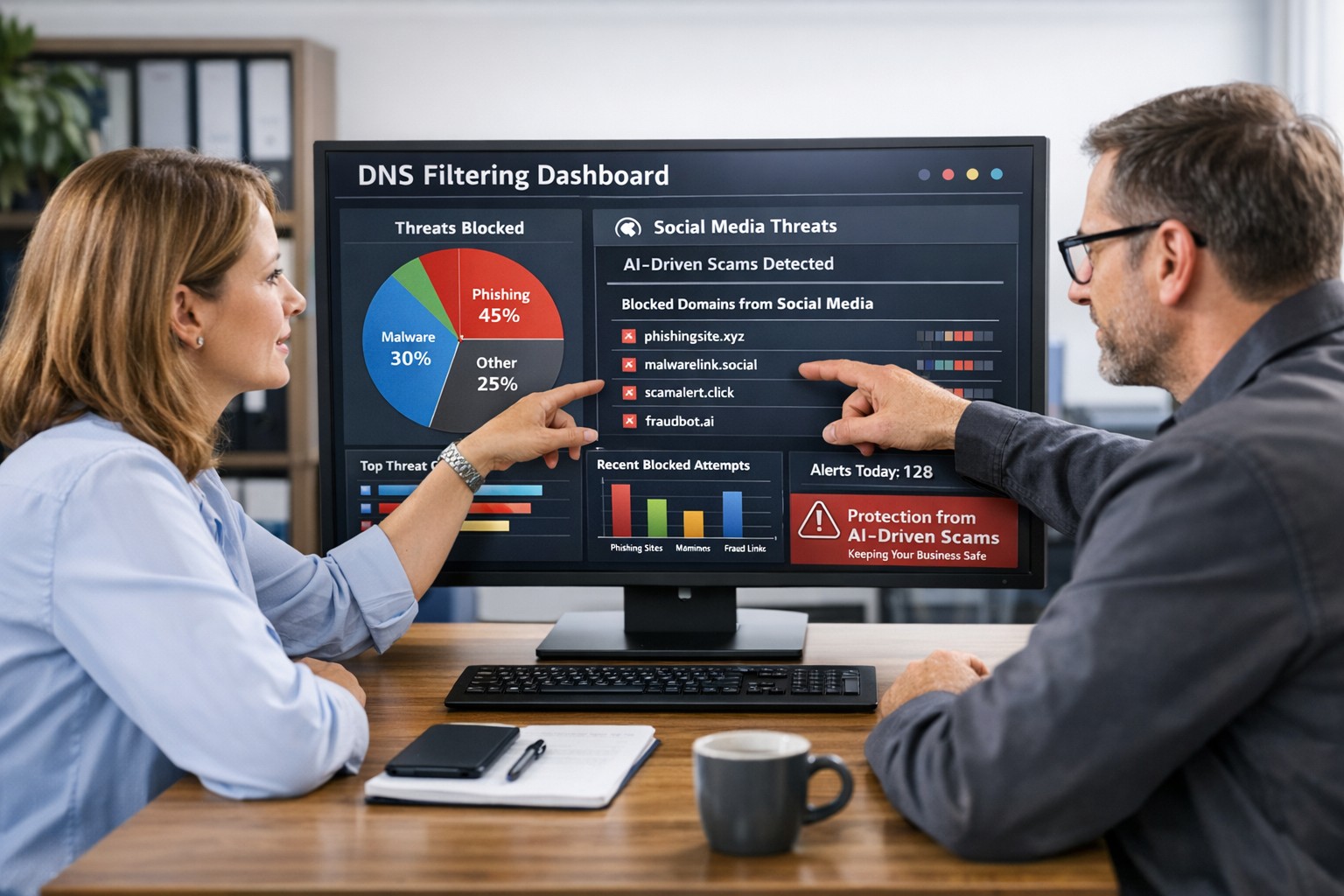
DNS filtering helps small business owners block AI powered social media scams before employees can reach malicious websites
AI tools now let scammers quickly generate deepfake videos, realistic ads, and convincing phishing messages that target small and mid‑sized businesses on social media. These attacks trick employees into clicking malicious links that steal logins, install ransomware, or divert payments, and incident rates and losses are climbing. DNS filtering offers your business a practical, affordable way to block dangerous sites at the network level before a bad click turns into downtime.
Why AI-Driven Social Media Threats Matter for SMBs
AI deepfakes and fake ads can impersonate your brand or suppliers and lead to look‑alike scam sites.
AI-enhanced phishing leverages details from your website and social media to sound like real customers, partners, or executives.
Web‑based phishing and spoofing attempts are rising sharply year over year, driven by generative AI.
What DNS Filtering Does for Your Business
DNS filtering checks where your employees’ devices are trying to connect and blocks known or suspected malicious domains. For SMBs, this:
Prevents access to phishing pages and fake login screens linked from social media or email.
Reduces malware and ransomware risk by blocking communication with malicious servers.
Gives you visibility into risky browsing and helps enforce acceptable‑use policies.
Action Steps for Business Owners and IT
Document where and how your team uses social media for sales, support, and marketing.
Roll out DNS filtering to office networks, remote workers, and any company‑managed laptops or phones.
Integrate DNS filtering logs with your security monitoring to quickly investigate suspicious activity.
Establish a clear process for verifying unusual requests (wire transfers, password resets, gift card purchases) received via social media or email.
Sample Customer Questions and Answers
“Is it safe to click promotions I see about your business on social media?” We recommend visiting our official website or verified profiles directly, because scammers can create fake ads that lead to malicious sites.
“How do you protect my data from online scams?” We use layered security including DNS filtering to block malicious websites, alongside secure payment providers and strong internal controls.
How Farmhouse Networking Helps SMBs
Farmhouse Networking works with you to understand your business, social media use, and risk tolerance, then designs and manages a DNS filtering solution that fits your size and budget. We deploy, configure, and monitor the service, fine‑tune policies over time, and provide clear reports so you always know how your network is being protected. This is included at no additional cost to all our monthly managed IT services clients.
Call to Action: Email support@farmhousenetworking.com for more information about how Farmhouse Networking can help improve your business and defend against AI‑driven social media threats.
And God will generously provide all you need. Then you will always have everything you need and plenty left over to share with others. As the Scriptures say, “They share freely and give generously to the poor. Their good deeds will be remembered forever.” For God is the one who provides seed for the farmer and then bread to eat. In the same way, he will provide and increase your resources and then produce a great harvest of generosity in you. - 2 Corinthians 9:8-10
We use cookies to ensure that we give you the best experience on our website. If you continue to use this site we will assume that you are happy with it.