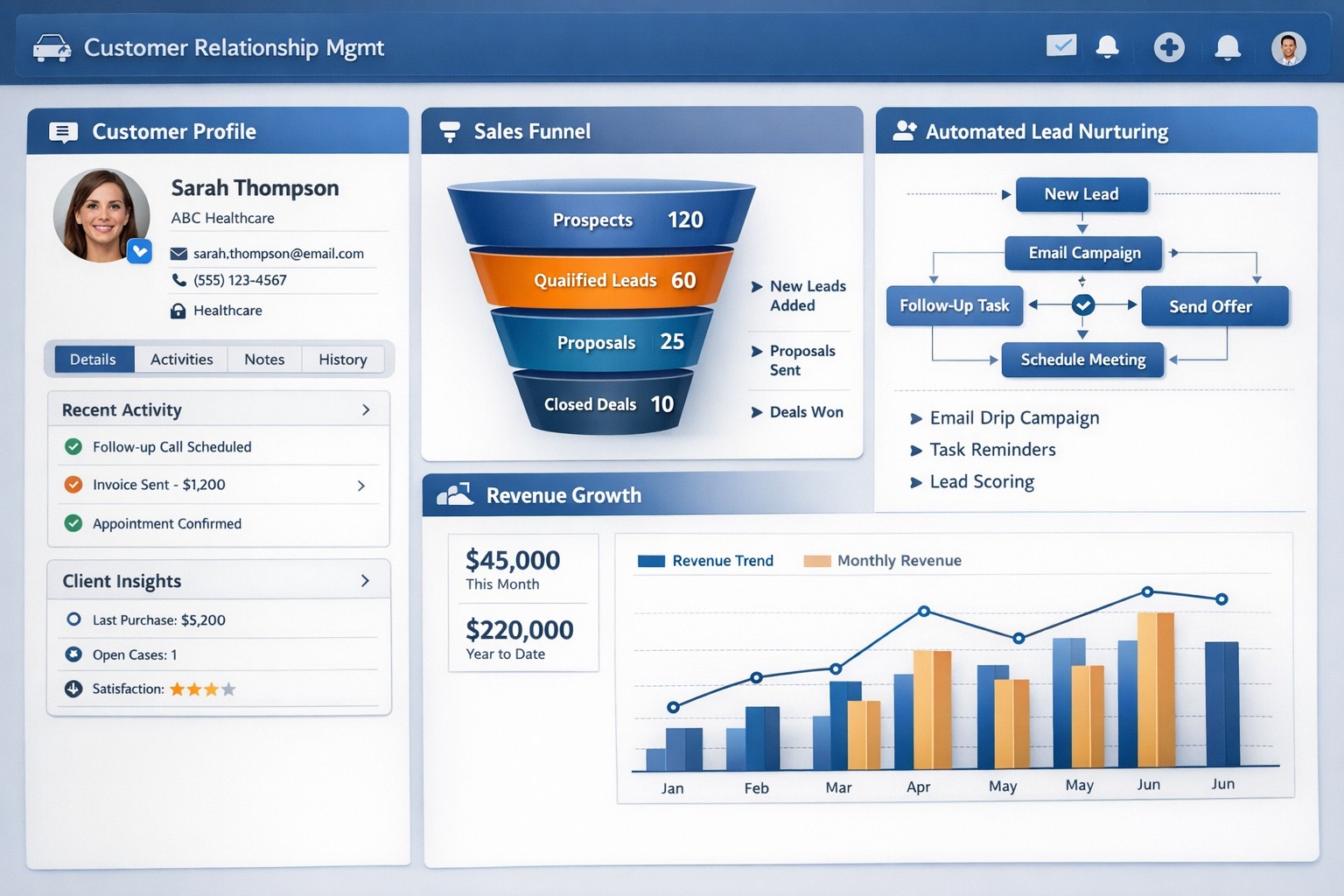
CRM software centralizes customer data and automates sales processes to drive small business growth and retention.
Every business should be constantly seeking ways to manage and grow their customer base. Customer Relationship Management (CRM) software is a powerful solution. With its extensive capabilities, CRM software enables business owners to streamline operations, enhance customer interactions, and ultimately drive business growth.
Streamline Customer Data Management
A primary advantages of CRM software is its ability to centralize customer data. Gone are the days of spreadsheets and scattered information across different departments. CRM software consolidates customer data into a single, easily accessible platform. This comprehensive view of customer information allows business owners to gain valuable insights into customer behavior, preferences, and buying patterns. With this data at their fingertips, business owners can align their strategies to focus on customer needs more effectively, resulting in higher customer satisfaction and increased sales.
Enhanced Customer Interactions
CRM software empowers businesses to forge stronger relationships with their customers. By tracking customers’ interactions and preferences, businesses can personalize their approach and provide tailored experiences. CRM also enables businesses to automate routine tasks such as email marketing, follow-ups, and appointment setting / reminders. This automation not only saves time and effort for business owners and employees but also ensures consistent and timely communication with customers. A personal touch, combined with timely responses, fosters trust and loyalty, and ultimately contributes to business growth.
Improved Sales and Marketing Strategies
CRM software provides invaluable assistance when it comes to sales and marketing strategies. By tracking the entire sales process, from lead generation to closing deals, CRM enables businesses to identify areas of improvement and refine their sales strategies. Additionally, CRM software enables targeted marketing campaigns by segmenting customers based on various factors such as demographics, purchase history, and preferences. By reaching out to the right customers with personalized offerings, businesses can significantly boost their marketing ROI and achieve higher conversion rates.
Efficient Task and Team Management
Efficient task and team management play a pivotal role in business success. CRM software offers features such as task tracking, workflow automation, and team collaboration tools that streamline operations. With tasks assigned and tracked within the CRM system, businesses can ensure that nothing falls through the cracks. Moreover, CRM software facilitates collaboration among team members, improving communication and coordination. By eliminating redundancies and enhancing productivity, CRM empowers businesses to work smarter and achieve their growth objectives.
Data-Driven Decision Making
Data is king. CRM software equips business owners with real-time analytics and reporting capabilities. By accessing key metrics such as sales forecasting, customer acquisition costs, and customer lifetime value, businesses can make informed decisions and strategic plans. With the ability to measure and analyze their performance, businesses can identify trends, pinpoint areas of weakness, and devise actionable solutions. This data-driven approach mitigates risks and provides a competitive edge in the marketplace.
Investing in a robust CRM solution today will reap immeasurable benefits tomorrow, enabling businesses to thrive in an increasingly competitive landscape. Contact us to embrace the power of CRM software and unlock the full potential of your business.
Configure Synology RADIUS for secure EAP enterprise WiFi authentication
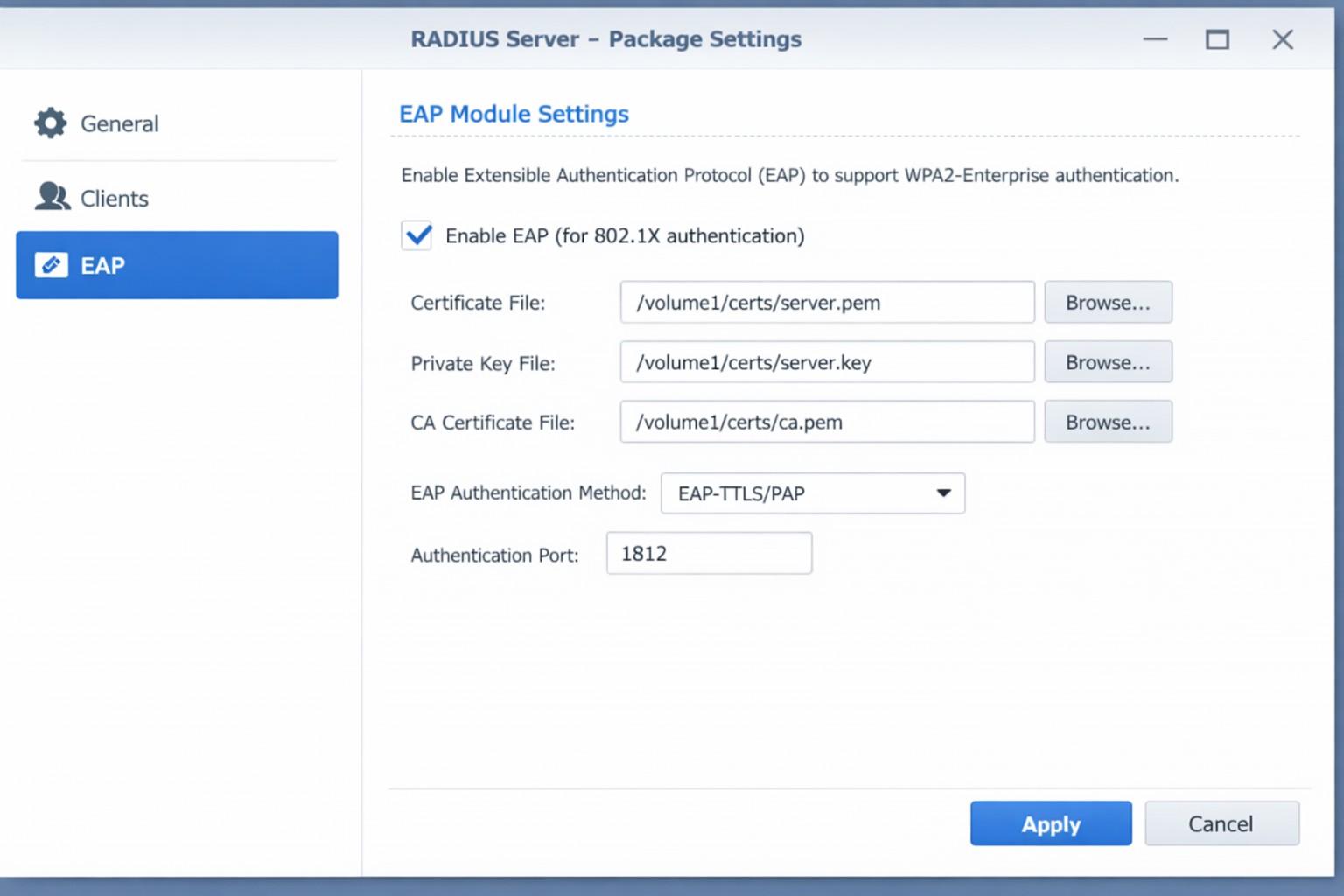
This is the eighth and final of a series that documents the Tier 3 / Co-Managed IT work we did to setup a wireless test bed for a Linux based scientific device. The testing environment included two different wireless network hardware types (Ubiquiti and Cisco). There was also a Synology device used for various purposes including hosting the Ubiquiti controller inside a Kubernetes container, providing certificate services, providing LDAP authentication, and providing RADIUS authentication. Each article has detailed a separate piece of the project. This article shows the setup of Synology RADIUS server for EAP authentication via EAP-PEAP, EAP-TLS, and EAP-TTLS.
Setup Synology Radius for EAP-PEAP
Login to Synology IP via SSH
Use admin login credentials
Go to the Radius certificate directory cd /var/packages/RadiusServer/target/etc/raddb/certs/
Radius must be configured on our certificates: sudo vi ../mods-enabled/eap
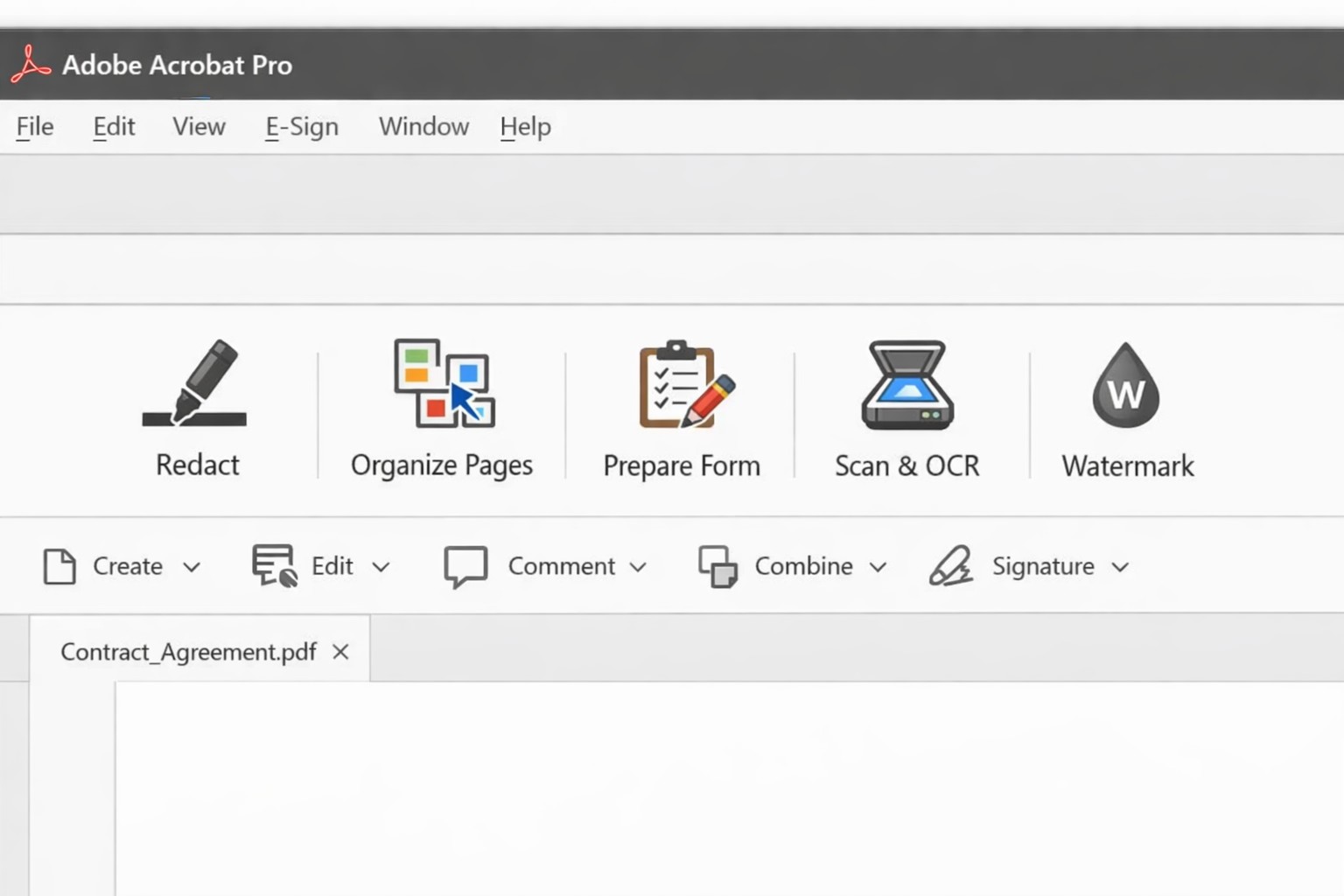
Acrobat Pro tools panel: redact combine edit OCR workflow actions.
Businesses are increasingly reliant on digital documents. From contracts to invoices, these important files need to be easily shared and accessible across different platforms and devices. This is where Adobe Acrobat comes in. Adobe Acrobat is a powerful tool that allows you to create, edit, and secure PDFs effectively. To help you make the most of this software, we have compiled a list of useful tips:
Create Interactive Forms
One of the key features of Adobe Acrobat is its ability to create interactive forms. Rather than wasting paper on printing out forms and having people fill them out manually, you can create digital forms that can be filled out electronically. This not only saves time and the planet but also reduces errors and allows you to collect data more efficiently.
Edit PDFs on the Go
With the Adobe Acrobat app, you can edit PDFs directly on your mobile device. This is incredibly useful for business owners who are constantly on the go and need to make quick edits to their documents. Whether it’s adding text, resizing images, or rearranging pages, you can do it all from the convenience of your phone or tablet.
Combine Multiple Files into a Single PDF
If you have multiple files that you want to combine into a single PDF, Adobe Acrobat makes it easy. You can simply drag and drop the files into Acrobat, rearrange them, and save them as a single PDF. This feature is ideal for business owners who often need to merge multiple documents into one proposal, contract, or report.
Protect your PDFs with Encryption
Security needs to be a top priority for businesses, especially when it comes to sensitive documents. Adobe Acrobat allows you to protect your PDFs by adding encryption. You can set passwords and permissions to ensure that only authorized individuals can access, print, or modify your files. This level of security is crucial for protecting confidential business and customer information.
Optimize PDFs for Web Viewing
PDFs can easily become large files, which can slow down loading times when viewing them online. Adobe Acrobat offers a feature called “Optimize for Web” that reduces the file size while preserving the document’s quality. This is particularly useful when sharing PDFs on your website or via email. When customers have to wait for things to load they are more likely to go somewhere else for what they are looking for.
Collaborate and Review Documents
Adobe Acrobat has collaboration features that allow multiple users to work on the same PDF simultaneously. You can easily share documents with colleagues, clients, or partners and track changes made by each. This streamlines the review and approval process, reducing the need for endless email threads and ensuring everyone is on the same page.
Automate Workflows with Adobe Sign
Adobe Sign, a component of Adobe Acrobat, enables you to send, sign, and track important documents online. It eliminates the need for paper-based signatures and accelerates the approval process. With Adobe Sign, you can automate workflows, whether it’s obtaining client signatures, approving contracts, or completing employee onboarding documents. This tool can streamline your business processes and save you a significant amount of time.
By familiarizing yourself with Adobe Acrobat, you can harness the full potential of this software and enhance your business’s productivity and efficiency. As an Adobe partner, Farmhouse Networking can help your company get the most out of its PDFs.
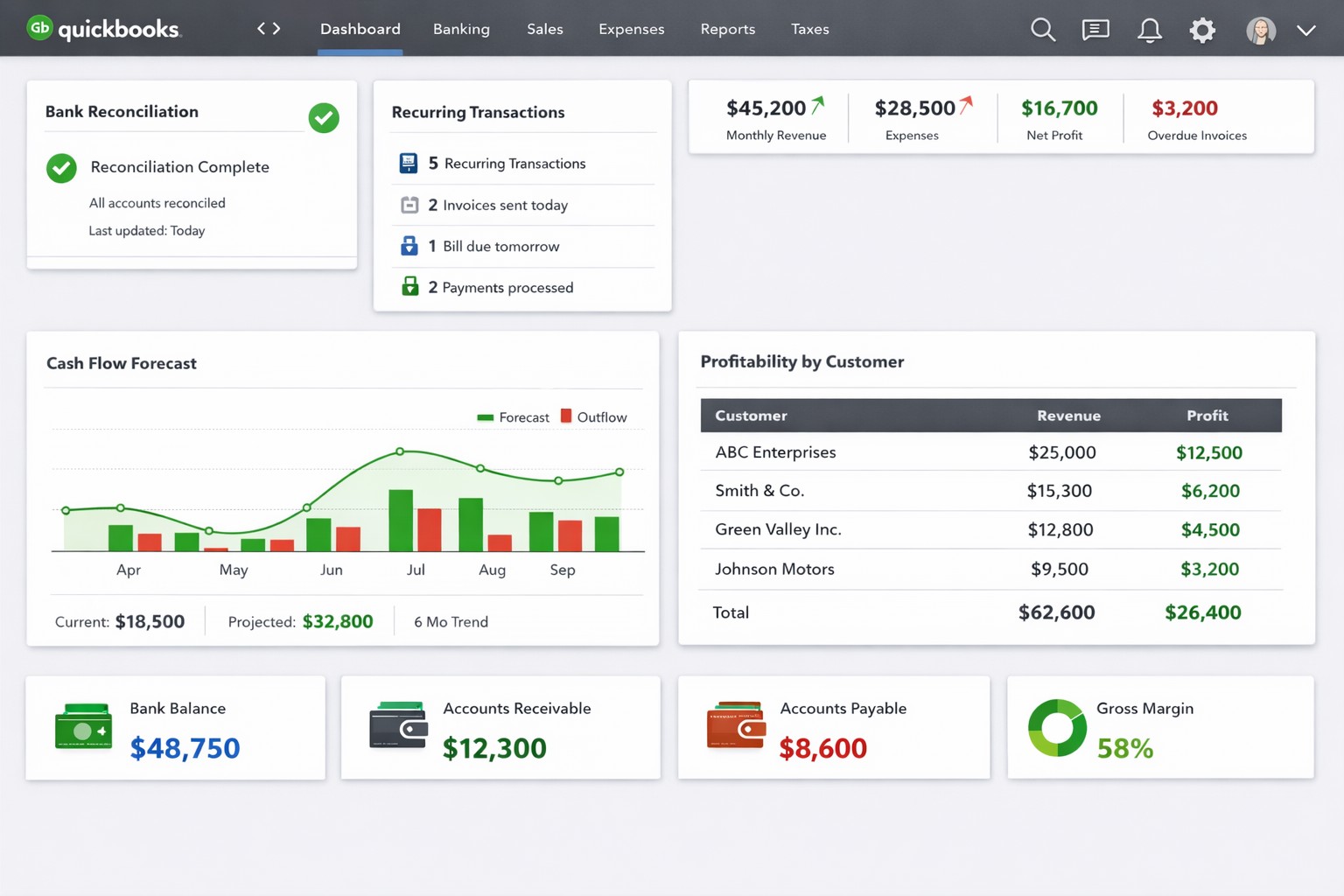
QuickBooks dashboard with automated bank feeds custom reports real-time analytics.
QuickBooks Tips for Business Owners
For business owners, managing finances and keeping track of transactions can be a time-consuming and challenging task. Thankfully, QuickBooks comes to the rescue by simplifying the process and providing valuable insights into the financial health of your business. To help you effectively leverage QuickBooks, here are some essential tips:
Tailor QuickBooks to Your Business
Customize QuickBooks to fit the specific needs of your business. Set up your chart of accounts (might get a professional bookkeeper involved in this one), design invoice templates, and format reports to reflect your company brand, industry, and business structure. This will ensure accurate tracking and reporting of your financial data.
Automate Routine Tasks
Save time and reduce errors by automating routine tasks in QuickBooks. Utilize features like recurring invoices, bill payments, and bank feeds to streamline your financial processes. By automating these tasks, you can focus on more strategic activities and have more accurate data.
Regularly Reconcile Bank Accounts
Reconciling your bank accounts with QuickBooks is crucial for accuracy. Perform bank reconciliations at least monthly if not weekly to ensure that all transactions are recorded correctly, and any discrepancies are resolved promptly (another one you might want the help of a bookkeeper with). This process helps identify errors, fraud, and improves the accuracy of financial reporting.
Utilize Financial Reports
QuickBooks provides a range of financial reports that give you valuable insights into your business’s financial performance. Regularly review reports such as Profit and Loss, Balance Sheet, Cash Flow Statement, and Accounts Receivable/Payable Aging. These reports help in making informed decisions, keep finances on track, and identify areas for improvement.
Take Advantage of Integrations
QuickBooks integrates with a variety of other business tools such as CRM/ERP systems, payment processors, and inventory management software. Explore and leverage these integrations to automatically sync data and improve efficiency. This helps eliminate manual data entry and ensures seamless information flow between different systems.
Backup Your Data
Regularly backup your QuickBooks data to prevent any potential loss due to system failure or data corruption. Utilize both local and cloud-based backup options to keep your information secure. Additionally, test the restore process periodically to ensure that your backup is functional.
Stay Updated and Seek Expert Help
QuickBooks frequently releases updates and new features to enhance user experience and address any issues. Make sure to keep your software version up to date to access the latest improvements. Additionally, if you encounter any complex accounting or technical questions, don’t hesitate to seek help from QuickBooks experts or certified professionals.
Farmhouse Networking has been supporting Quickbooks for our client for many years. We are experts at installing and maintaining Quickbooks in companies that have multiple users.
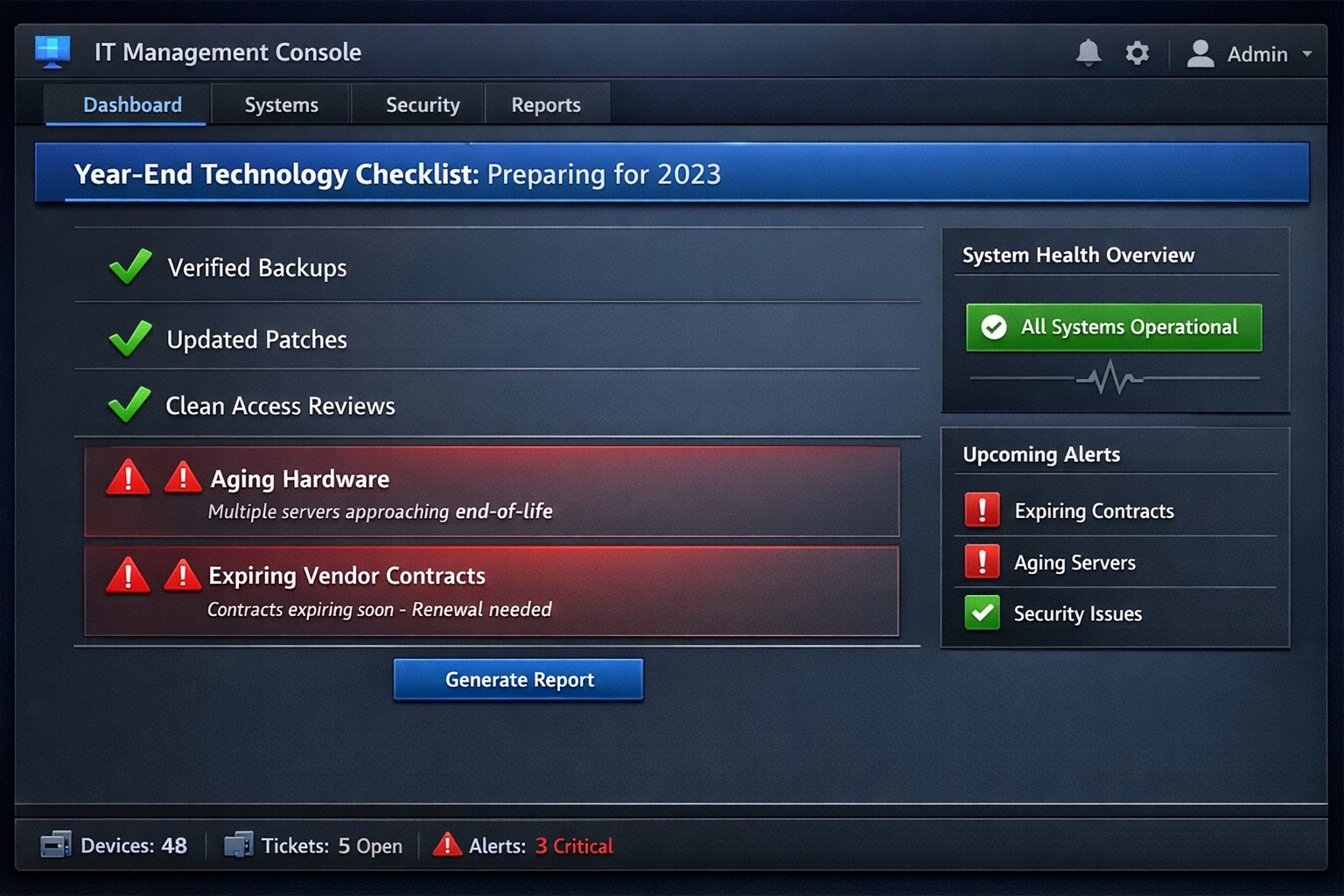
Year-end technology audit dashboard with critical tasks and compliance status.
As the year comes to a close, we at Farmhouse Networking want to ensure that your business technology is in optimal shape for a successful transition into the new year. We’ve put together a checklist to help you wrap up the year on a technologically high note. Some of these items we will work on together, and others will be the responsibility of your team.
Items we will work on together:
Asset Inventory: We have recently conducted a thorough review of your technology assets, including hardware, software, and networking equipment. We updated your inventory list to account for any additions or retirements of assets throughout the year. You should be receiving an invite to our new system called Narmada which gives you constant access to our replacement recommendations.
Password Security: Prompt your team to implement multi-factor authentication for critical systems and applications. This will help to enhance password security. This is not something that should be put off till later. Get it setup on every site possible. It can be made easier with a password manager.
Software Updates: We ensure that standard software applications, operating systems, and antivirus programs are up to date with the latest patches and updates. If you have industry specific software it would be a good time to check with them on the status of your support contract and if there are needed updates.
Data Backups: Verify that your data backup systems are functioning correctly. Test the restoration process to confirm that your business can recover essential data in the event of a disaster. If you don’t have backups in place now is the time to get this critical technology in place.
Security Assessment: Conduct a Security Risk Assessment to identify and address potential vulnerabilities. Ensure that your cybersecurity measures are up to date to protect against evolving threats. Many companies don’t realize that current compliance standards require this.
Employee Training: Provide cybersecurity training to employees to reinforce best practices and raise awareness about potential threats. This should be mandated by your team’s management.
Items you should work on with your team:
Subscription Reviews: Review and audit all software and service subscriptions to ensure they align with your business needs. Cancel any unnecessary subscriptions to optimize costs.
Budget Review: Evaluate your technology budget for the year and identify any areas where adjustments may be needed for the upcoming year.
Technology Roadmap: Develop or update your technology roadmap for the coming year, aligning it with your business goals and objectives.
Compliance Check: Ensure that your technology practices comply with industry regulations and standards applicable to your business.
Communication Plan: Communicate any upcoming changes or upgrades to your team to ensure a smooth transition without disruptions.
Policies & Procedures: Review current documentation to make sure that it includes all needed items like disaster recovery, incident response, computer use, BYOD, and AI usage.
Once you have determined some of your goals and budget, we should meet to discuss the implementation plan for any changes. We will be contacting you in February to setup our next Semi-Annual Business Review (SABR) meetings to discuss this years plan.
If you have any questions or need assistance with any of these items, please don’t hesitate to reach out to our support team. We’re here to help you navigate the year-end process and ensure a seamless start to the new year.
And God will generously provide all you need. Then you will always have everything you need and plenty left over to share with others. As the Scriptures say, “They share freely and give generously to the poor. Their good deeds will be remembered forever.” For God is the one who provides seed for the farmer and then bread to eat. In the same way, he will provide and increase your resources and then produce a great harvest of generosity in you. - 2 Corinthians 9:8-10
We use cookies to ensure that we give you the best experience on our website. If you continue to use this site we will assume that you are happy with it.