Why waiting on that hardware upgrade could cost you more the longer you put it off
As computer prices continue to climb, planning your hardware refresh now can help your business avoid paying more later.
If you’ve been telling yourself “next quarter” every time a laptop upgrade comes up, it’s time to rethink that plan. Industry analysts are now projecting one of the steepest computer price increases in years, driven by a global memory chip shortage that shows no sign of easing. For business owners who’ve been putting off replacing aging machines, the math has changed. The equipment you delay buying today will likely cost meaningfully more tomorrow.
Why prices are rising now
The root cause is a supply crunch in memory chips — the RAM and storage components inside every computer. Analysts at Gartner project soaring memory costs will cut global PC shipments by over 10% in 2026, while pushing PC prices up 17% compared to 2025 levels. Combined DRAM and solid-state drive prices are expected to surge roughly 130% by the end of the year. The driver is straightforward: massive AI data center buildouts are consuming memory chip production, leaving less supply for everyday computers and laptops.
This isn’t a short-term blip. Analysts don’t expect prices to stabilize until sometime after 2027. Some manufacturers have already begun raising prices on popular devices and reducing memory in standard configurations to manage costs. Beyond pricing, availability is tightening too — component shortages are extending lead times on replacement parts and new equipment for many buyers.
For a business owner sitting on a five- or six-year-old fleet of machines, this creates a narrow window. Replacing aging hardware now, while at least some current-generation pricing is still available, is very likely cheaper than waiting another year.
Action steps to take now
Inventory your current hardware. List every workstation and laptop with its age and current performance issues.
Identify machines nearing end of useful life — slow boot times, frequent crashes, or inability to run current software are red flags.
Get a written quote for replacement now, even if you’re not ready to buy immediately, so you have a pricing baseline.
Prioritize replacements by business risk. Machines running critical software or storing sensitive data should move to the front of the line.
Build a rolling replacement budget instead of one large annual purchase, so future price swings hit smaller batches of equipment.
Ask your IT provider about bulk purchasing or reserving inventory ahead of need, which can help lock in current pricing.
Questions business owners are asking
Should we wait to see if prices come back down? Based on current forecasts, prices are expected to stay elevated well into 2027. Waiting is more likely to cost you more than save you.
Do we need to replace everything at once? No. A phased approach — prioritizing your oldest or most critical machines first — spreads out the cost while addressing the biggest risks.
Will refurbished or off-lease equipment help? It can be a reasonable option for lower-priority machines, but it should be evaluated case by case for reliability and support.
How do we know if a machine still has useful life left? Age, performance under current workloads, and whether it can run supported software are the key indicators. An IT assessment can quantify this clearly.
How Farmhouse Networking can help
Farmhouse Networking works with business owners across Oregon, Northern California, and New Mexico to plan hardware refreshes that make financial sense. We start with a straightforward assessment of your current equipment, flag machines that are approaching risk, and help you build a realistic replacement timeline and budget — not just a shopping list. We also help source and configure new equipment so you’re not left navigating a volatile market on your own.
The bottom line
The cost of waiting is no longer hypothetical. Every quarter you delay is a quarter closer to higher prices and tighter availability. If you’ve been meaning to upgrade, now is the time to plan it — not next year.
Email us at support@farmhousenetworking.com for a free hardware and lifecycle assessment. We’ll help you understand exactly where you stand and what a smart, budget-conscious upgrade plan looks like for your business.
That AI tool looked affordable in the demo. Here’s what most small business owners discover after the first real invoice.
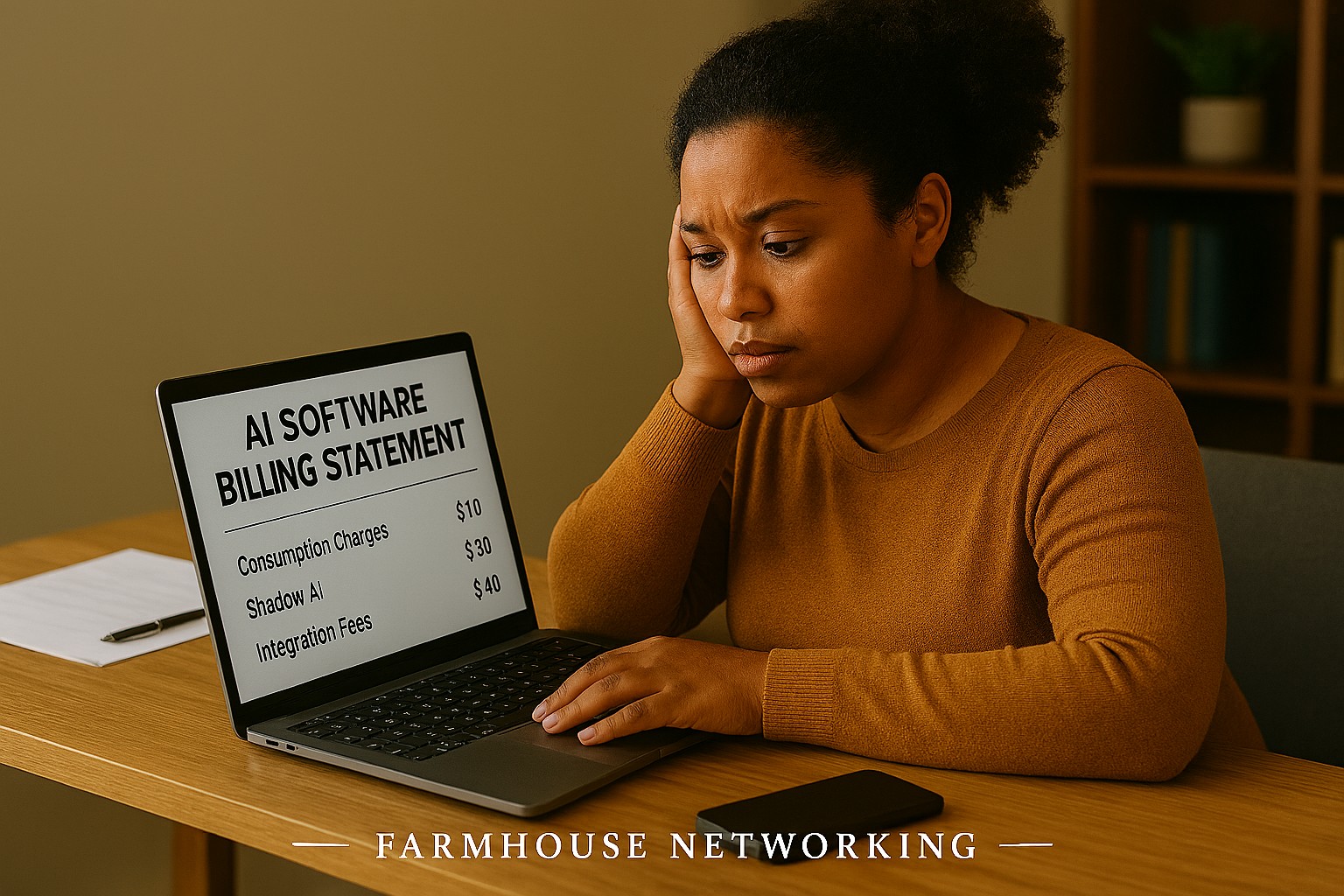
You signed up for a sleek AI tool. The demo was impressive. The monthly price seemed reasonable. Then three months later you’re staring at a vendor bill that’s twice what you expected, your team is still confused about how to use the software, and you’re not sure who owns the data you’ve been feeding into it.
If that sounds familiar, you’re not alone. According to a 2025 Fortune analysis, the advertised price of AI automation represents only 20–40% of the true first-year cost for most small businesses. The rest hides in plain sight — buried in data preparation, staff training, integration fees, security gaps, and consumption-based pricing that scales faster than your revenue does.
AI tools promise to save you money. But are they quietly spending it instead? Here’s what every business owner needs to know before the next invoice arrives.
What the Brochure Doesn’t Tell You: The 6 Hidden Costs of AI
1. Data Cleanup Costs: Before AI can do anything useful, it needs clean, structured data. Most businesses discover their records have duplicate entries, inconsistent formatting, or files locked in formats the AI can’t read. Getting data “AI-ready” commonly costs $1,000–$10,000 and is rarely mentioned upfront.
2. Consumption-Based Billing Surprises: Many AI tools — including Microsoft Copilot, ChatGPT, and Salesforce Agentforce — charge by usage (tokens, conversations, or seat upgrades). A 2025 Zylo survey found 78% of IT leaders reported unexpected charges from consumption-based AI pricing. The more your team uses the tool, the higher the bill climbs, often mid-contract.
3. Integration Expenses: Plugging an AI tool into your existing systems — your accounting software, CRM, email platform, or operations tools — typically costs 30–50% of your total AI budget on top of licensing fees. Legacy systems make this worse, adding another 30–50% to integration costs.
4. The Productivity Dip (The J-Curve): Staff productivity typically drops 15–25% for 3–6 months after an AI tool is introduced. Workflows change. People need training. Mistakes happen. This “J-curve” is a real cost that hits your output before the benefits kick in.
5. Ongoing Maintenance and Monitoring: AI tools don’t run themselves. They need updates, performance monitoring, and occasional retraining. Industry estimates put annual AI maintenance at 15–30% of the original implementation cost — every year.
6. Security and Compliance Gaps: When employees use unsanctioned AI tools — what experts call “shadow AI” — your data goes places you haven’t approved. This creates real liability, especially if you handle any customer financial, health, or personal data.
What You and Your IT Team Should Do Now
Audit every AI tool currently in use — sanctioned or not. Shadow AI is a real and growing problem.
Review your vendor contracts for consumption-based pricing clauses and usage caps.
Assess your data quality before adding any new AI tool. Budget time and money for cleanup.
Map out how each AI tool connects to your existing systems and what it costs to integrate.
Train your team with structured onboarding — not just a login link.
Set a usage policy that defines which AI tools are approved and what data can be shared with them.
Schedule quarterly AI cost reviews so billing surprises don’t compound.
Work with your IT provider to conduct a security review of all AI platforms you’ve adopted.
Questions Your Clients or Team May Ask You
Q: Is it really that expensive? The tool only costs $30 a month.
A: The license is just the entry fee. Once you add integration, training, data cleanup, and monitoring, that $30/month tool commonly becomes $300–$500/month in real total cost. Budgeting for only the license is the most common AI financial mistake small businesses make.
Q: Can’t we just let employees figure it out on their own?
A: Research shows that organizations with unstructured AI adoption see double the training costs and far lower ROI. Worse, employees who figure it out on their own often use unapproved tools that create security and compliance exposure.
Q: What happens if we don’t address the security side?
A: Unsanctioned AI usage has been linked to data breaches that add an average of $200,000 to breach costs, according to IBM’s 2025 Cost of a Data Breach report. For a small business, that’s potentially company-ending exposure.
Q: How do we know if our AI investment is actually paying off?
A: You need to measure specific KPIs before and after AI adoption — things like hours saved per week, error rates, and customer resolution times. Without baseline data, ROI is invisible.
How Farmhouse Networking Can Help
Farmhouse Networking specializes in helping SMBs navigate exactly these kinds of IT cost pitfalls. Our local team can help you:
Conduct a full AI tool audit to identify shadow AI and hidden spend across your organization.
Review your vendor contracts and consumption-based pricing to protect you from billing surprises.
Assess data readiness so you’re not paying for expensive data cleanup after the fact.
Build a secure AI governance policy so your team knows what’s approved, what’s not, and why.
Provide proactive IT monitoring that catches cost and security issues before they become crises.
Ready to Find Out What AI Is Really Costing You?
Don’t wait for the surprise invoice. Send us a message and we’ll schedule a free AI cost and security review for your business. We’ll show you exactly where you stand — no obligation, no jargon, no pressure. Email us today: support@farmhousenetworking.com
The right technology stack helps SMBs improve security, streamline operations, and support long-term growth.
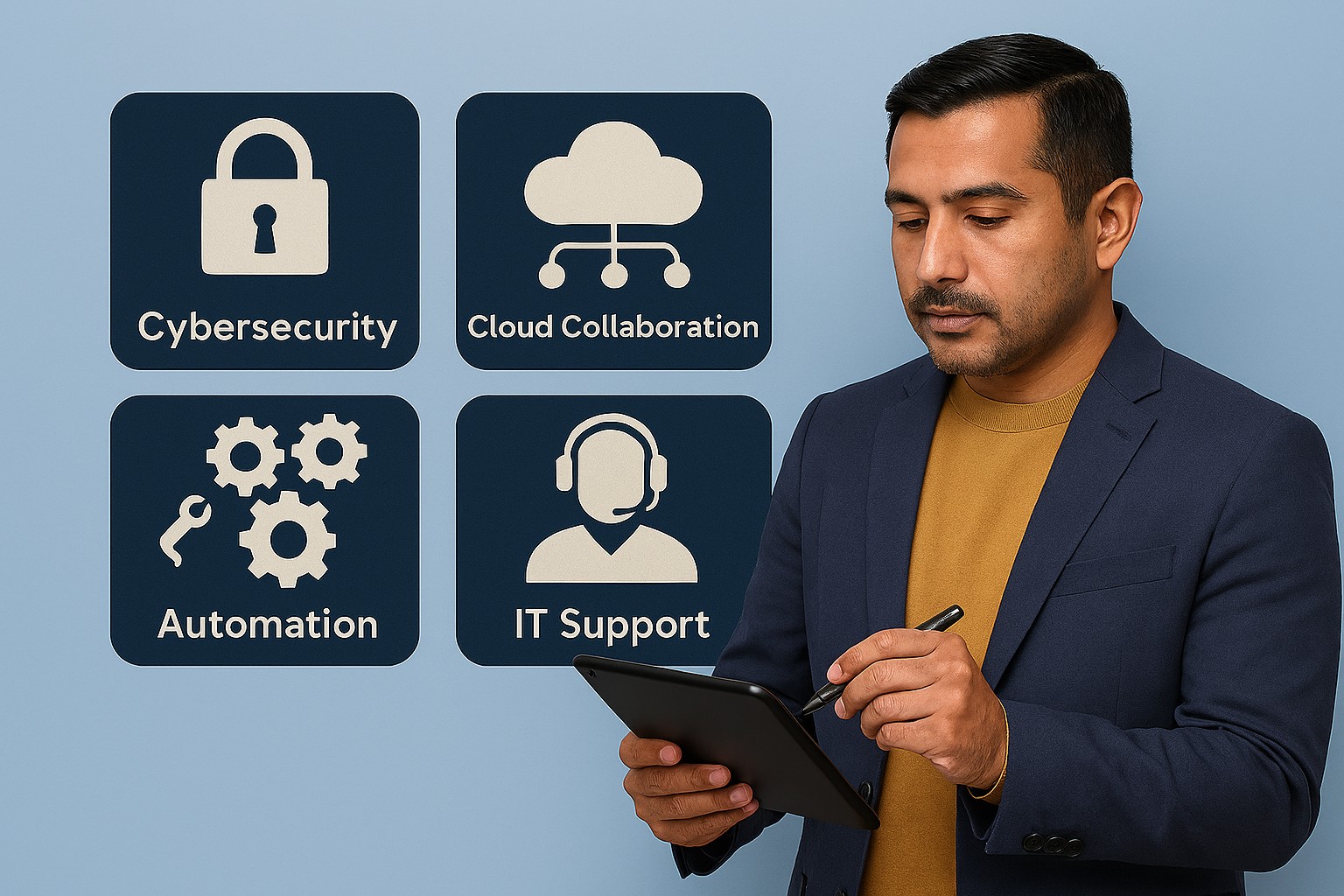
Businesses need technology that makes the company easier to run, safer to operate, and better at winning customers. The right stack can reduce manual work, improve communication, and create a more professional experience across every part of the business.
For owners, the focus should be on growth and operational clarity. For IT, the goal is secure, reliable systems that support collaboration, backup, automation, and customer-facing workflows.
Practical action steps
Replace disconnected tools with integrated platforms for email, files, CRM, and scheduling.
Use MFA, endpoint protection, and automated backups on every business device.
Improve your website and local SEO so customers can find and contact you more easily.
Automate repetitive workflows like reminders, approvals, and intake forms.
Create a technology roadmap so upgrades happen proactively instead of reactively.
Client questions and answers
Q: Do we need a managed IT provider? A: If technology downtime, security risk, or slow support hurts productivity, yes.
Q: What should we prioritize first? A: Security, backups, and the systems your team uses every day.
Q: How does technology help growth? A: Better tools improve response time, customer experience, visibility in search, and team efficiency.
Farmhouse Networking helps SMBs build dependable, secure, and growth-ready technology foundations without overcomplicating the stack. Email support@farmhousenetworking.com for more information about how Farmhouse Networking can help improve their business.
Essential email and web browser protections based on CIS Control 9 help SMBs guard against phishing, malware, and cyber threats.
Small and medium-sized businesses (SMBs) are increasingly targeted by cyberattacks through email and web browsers. Often lacking the resources of larger firms, SMBs must prioritize practical security steps to reduce risks of breaches and data loss.
Practical Action Steps:
Ensure all employees use fully updated browsers and email clients.
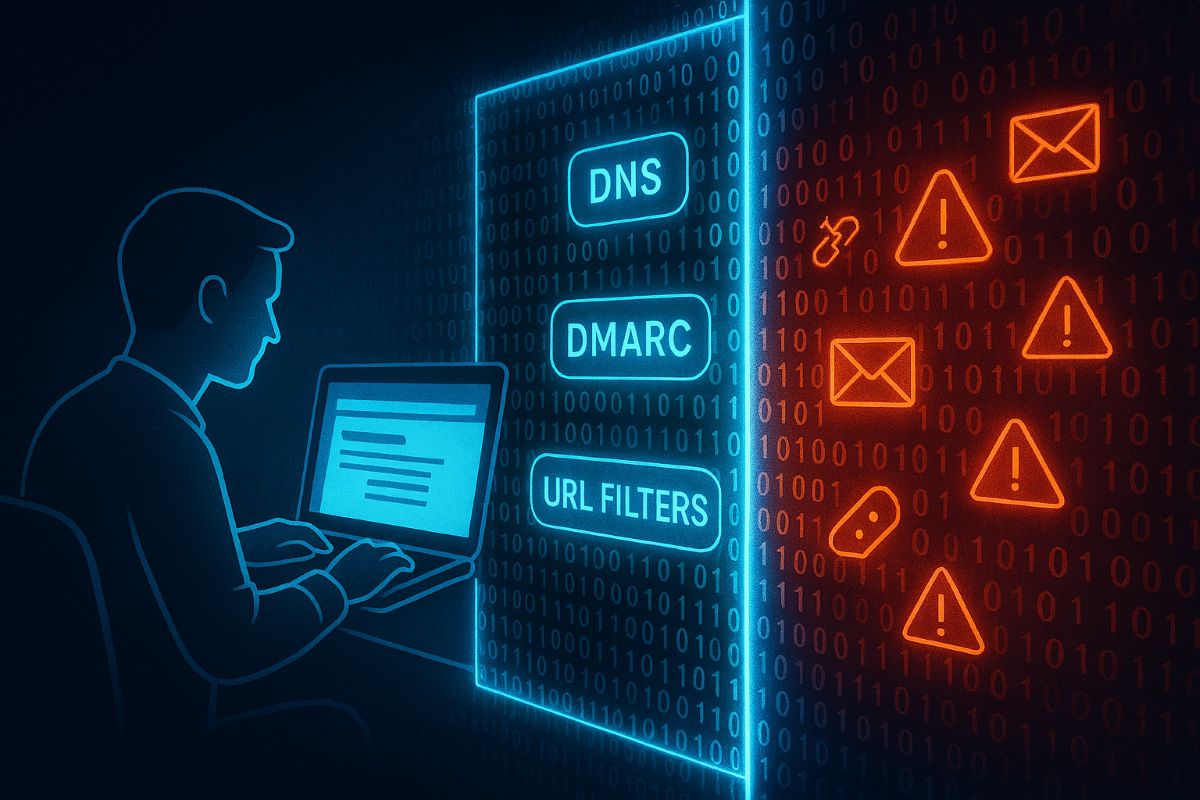
Deploy SPF, DKIM, and DMARC email authentication protocols.
Use DNS and URL filtering to block access to malicious websites.
Limit browser extensions to only those essential for business.
Scan inbound email for malware, blocking dangerous attachments and links.
Provide ongoing phishing awareness training to employees.
Enable multi-factor authentication (MFA) on email accounts.
Client Questions & Answers:
Q: What are the most common email threats? A: Phishing attacks and malware-laden attachments remain top threats.
Q: Can small businesses really defend against these risks? A: Yes, with best practices and right technology, SMBs can build strong defenses.
How Farmhouse Networking Can Help: We specialize in helping SMBs implement tailored email and browser protections per CIS guidelines, maximizing security without overcomplicating your IT environment. Our experts work with your team to improve security posture and train employees.
Call to Action: Reach out to support@farmhousenetworking.com now to start securing your business email and browsing environment.
A strong data recovery plan protects businesses from data loss, downtime, and cyberattacks.
Every small and medium-sized business faces the risk of data loss—from ransomware, accidental deletions, or system failures. According to CIS Critical Security Control 11, a strong data recovery plan is essential for staying operational and protecting your reputation.
Key Action Steps for SMBs
Implement regular automated backups: Set daily schedules with both onsite and cloud solutions.
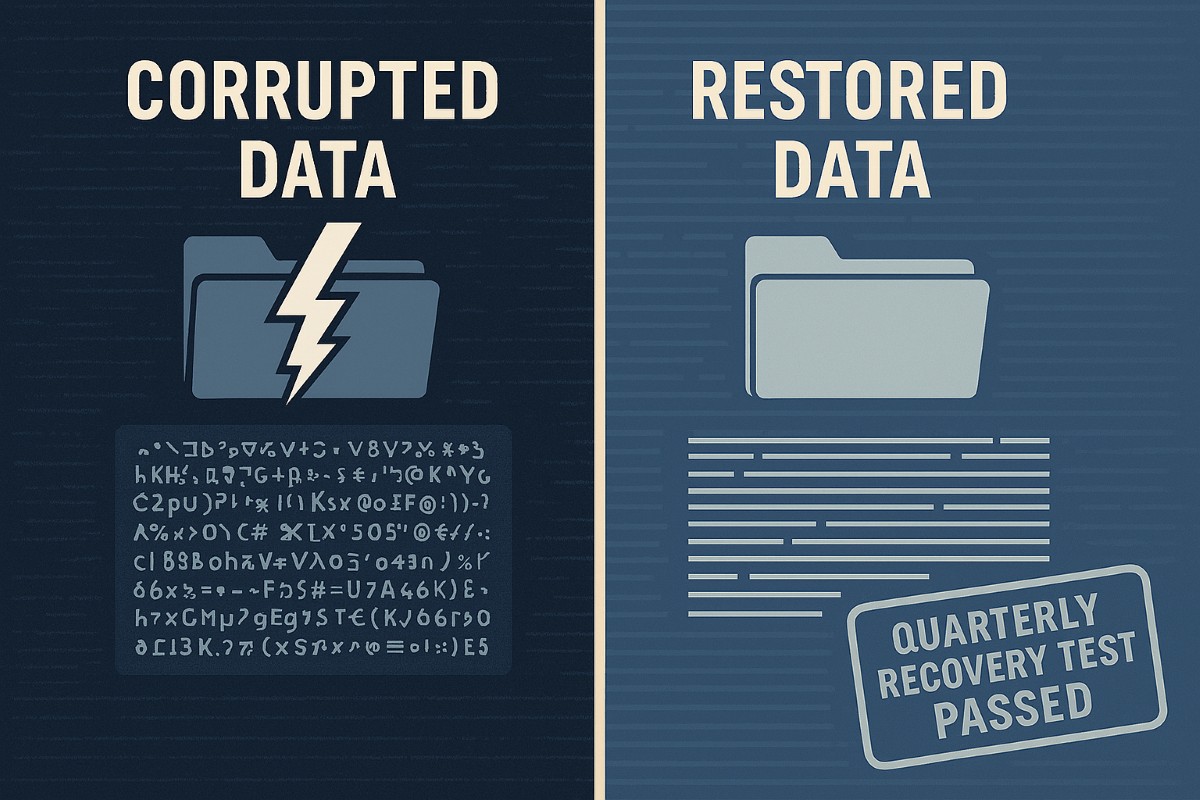
Review and test recovery plans: Don’t wait for a crisis—run annual recovery drills.
Update recovery policies as the business grows: Ensure new systems are included.
Common Client Questions
Aren’t backups enough? Not quite. You need tested recovery processes to guarantee downtime is minimal.
What if we don’t have IT staff? Partnering with an expert provider like Farmhouse Networking keeps your systems protected without you needing in-house IT.
How Farmhouse Networking Helps
We deliver reliable and cost-effective recovery strategies, handling everything from setup to ongoing monitoring, so you can focus on growth while we protect your data.
How an MSP Can Bring Predictability to Your Business Technology Budget
MSP transforming unpredictable IT spending into stable monthly budgeting for business financial planning
Unpredictable IT expenses can feel like a never-ending rollercoaster for business owners. One month, everything runs smoothly; the next, you’re hit with an unexpected server crash, cybersecurity scares, or a costly software upgrade. These surprises not only disrupt your operations but also wreak havoc on your budget and long-term planning. There’s a better way: partnering with a Managed Service Provider (MSP) like Farmhouse Networking.
Why Are IT Costs So Unpredictable?
Traditional, in-house IT management often relies on a “break-fix” approach—waiting for something to go wrong before addressing it. This reactive model leads to:
Emergency repair bills
Unplanned hardware replacements
Downtime that impacts productivity and revenue
High costs for hiring and training IT staff
Constantly shifting technology needs and compliance requirements
How an MSP Brings Cost Control and Predictability
An MSP transforms your IT from a source of stress into a strategic asset. Here’s how:
Fixed Monthly Pricing With an MSP, you pay a predictable monthly fee for comprehensive IT support. No more surprise bills—just one flat rate that covers monitoring, maintenance, support, and security. This makes budgeting straightforward and allows you to allocate resources with confidence.
Reduced Operational and Staffing Costs Outsourcing IT means you don’t need a large in-house team or to worry about ongoing training and certifications. MSPs leverage economies of scale, providing expert support and access to the latest technology at a fraction of the cost of building it yourself.
Proactive Maintenance and Security Instead of waiting for things to break, MSPs monitor your systems 24/7, apply updates, and address vulnerabilities before they become expensive problems. This proactive approach drastically reduces downtime and the risk of costly cyber incidents.
Scalable Solutions As your business grows or changes, an MSP can quickly scale services up or down. You only pay for what you need, when you need it—no wasted resources or surprise expenses.
Streamlined Infrastructure MSPs optimize your IT environment, eliminating redundant software, consolidating hardware, and managing licenses efficiently. This not only cuts costs but also maximizes the value of your technology investments.
The Bottom Line: Peace of Mind and Predictable Growth
With a trusted MSP like Farmhouse Networking, you gain:
Consistent, predictable IT expenses
Reduced risk of expensive downtime and security breaches
Access to a team of experts and the latest technology
Freedom to focus on growing your business, not fighting IT fires
Ready to Take Control of Your IT Costs?
Stop letting unpredictable IT expenses hold your business back. Contact Farmhouse Networking today to discover how our managed IT services can bring stability, security, and savings to your technology budget. Let’s turn your IT from a wild card into a strategic advantage—reach out now for a free consultation!
Enhanced DNS filtering protects networks from phishing, malware, and non-compliant content.
This is a quick note to all current and future customers, we have made a business decision to move from our old DNS filter / web filter software (called DNSFilter) to a new provider called DefensX.
Why Does This Even Matter?
We recently performed network inventory for all our Monthly Managed IT Services clients and found that many of them had an issue where the filtering software was in an error state and needed to be re-installed. This started our search for a more reliable partner. We found that DefensX provided all the needed functionality and gave our clients the added benefit of reports to see who is looking at what on the internet – something we think that business owners will find extremely valuable.
What Happens Now?
We are automatically removing the old software and deploying the new software to those who have already signed up for service. If you are Monthly Managed IT Services client and do not currently use our DNS filtering service, then reach out to get started at No Additional Cost!
This new service has many new categories to choose from as well, so if there are any sites being blocked or not blocked that you see in your new reports, then just let us know and we can quickly make those changes.
Don’t wait for a cyber attack to compromise your business. Take proactive steps to safeguard your network today! Contact Farmhouse Networking now to implement our advanced DNS filtering solution. Our experts will tailor a protection plan that fits your unique business needs.
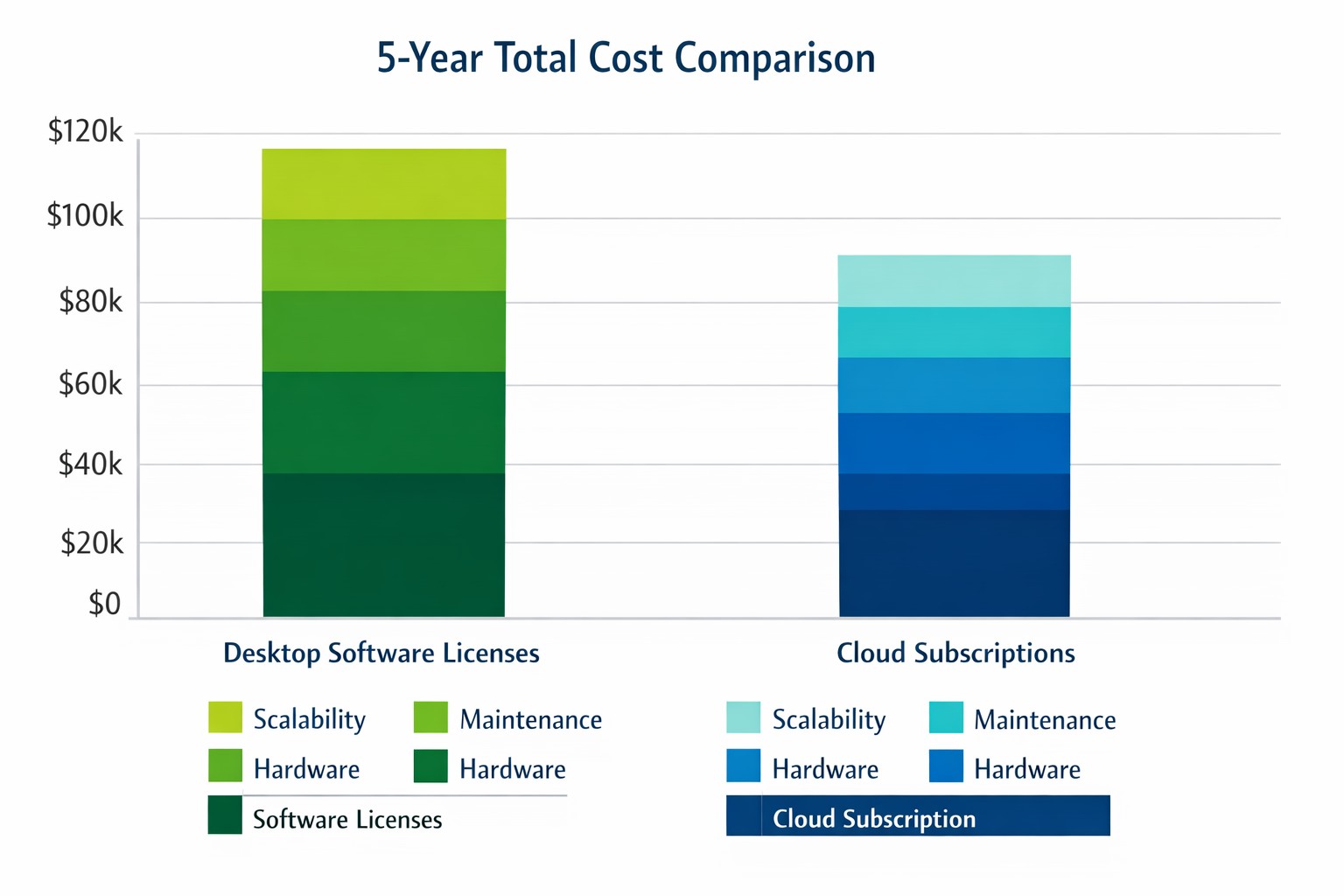
Cloud subscriptions often beat desktop software on long-term TCO and scalability.
Choosing the right productivity software for your company is a critical decision that can impact your bottom line and operational efficiency. The debate between traditional desktop software and cloud-based subscription models is particularly relevant when considering Microsoft Office, a staple in most business environments. Let’s examine the cost implications and benefits of both options to help you make an informed decision for your organization.
Microsoft Office 2024: One-Time Purchase for Business
Microsoft Office 2024 offers a perpetual license option that may appeal to businesses looking to have a single capital expenditure (CAPEX) and value ownership of a product.
Office Home & Business 2024
Price: $249.99 per license
Includes: Word, Excel, PowerPoint, OneNote, and Outlook
End of Life: 5 years from date of publication (October 1st, 2024)
This option provides access to core Office applications without the need for annual renewals. However, it’s important to note that this version lacks some features available in the subscription-based Microsoft 365, such as advanced collaboration tools and continuous updates.
Microsoft 365: Subscription Model for Businesses
Microsoft 365 offers a subscription-based model with more frequent updates and additional features tailored for business needs. This is an option that may appeal to businesses looking to have a gradual operating expenditure (OPEX).
Microsoft 365 Business Standard
Price: $12.50 per user/month (annual commitment)
Includes: All features of Business Basic plus desktop versions of Office apps
Microsoft 365 Business Premium
Price: $22.00 per user/month (annual commitment)
Includes: All features of Business Standard plus advanced security and device management
The subscription model provides more flexibility, allowing users to access Office apps on multiple devices and platforms. It also includes additional services like advanced threat protection and device management tools.
Cost Comparison for Businesses
To illustrate the cost implications, let’s consider a small business with 10 employees over a five-year period:
Office Home & Business 2024: $2,499.90 (10 licenses at $249.99 each)
Microsoft 365 Business Standard: $7,500 (10 users for 5 years at $12.50/user/month)
While the one-time purchase appears more economical initially, it’s crucial to consider the added value of the subscription model, including:
Regular feature updates and security patches
Cloud storage and collaboration tools
Multi-device access
Advanced security features
Scalability as your business grows
Factors to Consider for Business Owners
When making your decision, consider the following:
Growth projections: If you anticipate hiring more employees, the subscription model offers easier scalability.
Collaboration needs: Cloud-based solutions provide better tools for team collaboration and remote work.
IT resources: Subscription models often require less in-house IT management.
Cash flow: While subscriptions are more expensive long-term, they require less upfront investment.
Feature requirements: Evaluate if your business needs the advanced features offered in Microsoft 365.
Making the Right Choice for Your Business
The best option depends on your specific business needs:
If your company requires the latest features, values cloud integration, and needs robust collaboration tools, Microsoft 365 might be the better choice.
If you prefer a one-time purchase, have limited need for updates or cloud services, and have a stable workforce size, Office 2024 could be more cost effective.
Call to Action
Navigating the complexities of software licensing and cloud services can be challenging for business owners. At Farmhouse Networking, we specialize in helping businesses optimize their IT infrastructure and software solutions. Whether you’re considering a switch to cloud-based services or looking to streamline your current setup, our experts can guide you through the process. Contact Farmhouse Networking today to discuss your options and find the best solution for your business needs. Let us help you configure your network for maximum efficiency and cost-effectiveness, ensuring that your software choices align with your business goals and budget.
TCO chart reveals when repair beats replacement for network hardware.
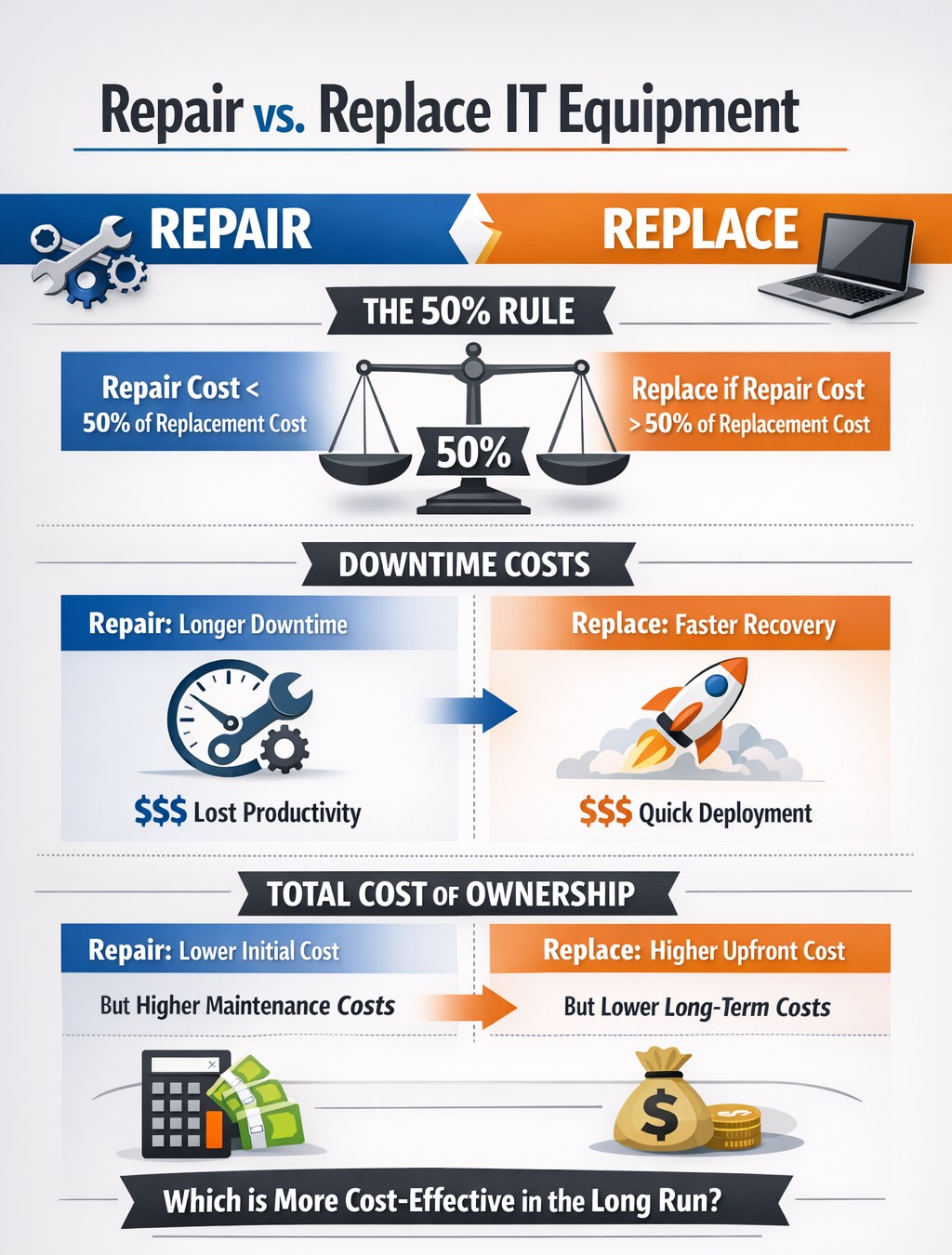
With the end of the year approaching, we are continuing our Budget Talk series our newsletter. This time we are diving into the cost of repairing a computer verses the cost of replacing it. Here are the considerations
Why Repair a Computer?
For those who are looking to save money and extend the value of the assets they already have should consider either repairing or upgrading their current computers. There are some repairs or upgrades that are worth considering:
Network Adapter: This is usually simple and cheap to repair in the majority of desktops and some laptops.
Memory: This is a good way to breath new life and performance into a computer. Depending on the age of the memory technology this is another simple and cheap repair or upgrade on all systems.
Hard Drive: Especially for older computers still using the spinning disk type of hard drive, a repair or upgrade is worth the money for the easy boost in performance.
Laptop Keyboard: This item could go either way, the price from the manufacturer is sometimes high but the repair time is fairly low.
These will often allow computers to continue being used for an additional 1-2 years, but it is our experience that if internal components have started to fail then it is best to start budgeting for replacement.
Why Replace a Computer?
There are repairs and upgrades that are not worth the cost. These items should definitely make you consider replacement:
CPU: The main processor of the computer is usually not easily upgraded and every year they come out with significant improvements in them. If your CPU is more than 3 years old then there is enough of an increase in speed that replacement it best.
Motherboard: If the motherboard of the computer is failing, especially for computers that from major manufacturers, the cost of repair is usually too high (over half the cost of new computer). Best to replace the computer if not under warranty.
Laptop Screen: This item, especially if it is a touch screen, is absolutely not worth replacing. The cost of the part is usually around half the cost of the laptop and the labor involved can be prohibitive. If your screen is broken best to get a replacement.
Please remember that all new computers are able to be depreciated for up to four years based on industry standards and that repairs do not qualify.
Don’t wait until system failures disrupt your operations. Contact Farmhouse Networking now to schedule a comprehensive IT lifecycle assessment. Let’s work together to optimize your technology investments and keep your business running smoothly into the new year and beyond.
Cloud backups enable robust DR and BCP for seamless business operations.
Businesses face numerous threats that can disrupt operations and compromise critical data. From natural disasters to cyberattacks, the potential for catastrophic events looms large. This is where comprehensive disaster recovery and business continuity planning comes into play, offering a lifeline for organizations in times of crisis.
The Importance of Preparedness
Disaster recovery (DR) and business continuity planning (BCP) are essential components of any robust IT strategy. While often used interchangeably, these two concepts have distinct focuses:
Disaster Recovery primarily deals with restoring data access and IT infrastructure after a disaster. It’s about getting systems back online and operational as quickly as possible.
Business Continuity focuses on keeping the business operational during a disaster. It ensures that critical functions can continue even in unfavorable circumstances.
When combined, DR and BCP create a powerful shield against potential disruptions, minimizing downtime and protecting valuable data.
Benefits of a Comprehensive Plan
A well-crafted DR and BCP strategy offers numerous advantages:
Ensures Business Continuity: With a solid plan in place, businesses can quickly restart operations after a disaster, reducing costly downtime.
Enhances System Security: Integrated data protection and backup processes limit the impact of security threats like ransomware and malware.
Improves Customer Retention: A swift response to disasters instills confidence in customers, showcasing the organization’s reliability.
Reduces Recovery Costs: By enabling rapid system restoration, a robust plan helps avoid unnecessary financial losses.
Key Components of an Effective Plan
A comprehensive DR and BCP strategy should include:
Clear Communication Protocols: Ensuring all stakeholders know their roles and responsibilities during a crisis.
Regular Data Backups: Implementing backup solutions with both onsite and offsite aka cloud storage options.
Redundant Infrastructure: Establishing backup systems to maintain operations during primary system failures.
Employee Training: Conducting regular drills and awareness programs to prepare staff for potential disasters.
Regular Testing and Updates: Periodically reviewing and updating the plan to address evolving threats and business needs.
The Role of Managed IT Services
Partnering with a managed IT services provider can significantly enhance your DR and BCP efforts. These experts bring specialized knowledge and resources to:
Develop comprehensive strategies tailored to your business needs
Implement resilient backup and recovery solutions
Provide monitoring and rapid incident response
Conduct regular testing and plan updates
By leveraging managed IT services, businesses can ensure they’re prepared for any eventuality, minimizing the risk of prolonged downtime and data loss.
Don’t wait for disaster to strike before taking action. A proactive approach to DR and BCP can mean the difference between a minor setback and a major catastrophe for your business. Contact Farmhouse Networking today to start developing your comprehensive disaster recovery and business continuity plan. Our team of experts will work with you to assess your unique needs, identify potential risks, and create a tailored strategy to keep your business running smoothly, no matter what challenges arise. Don’t leave your business’s future to chance.
And God will generously provide all you need. Then you will always have everything you need and plenty left over to share with others. As the Scriptures say, “They share freely and give generously to the poor. Their good deeds will be remembered forever.” For God is the one who provides seed for the farmer and then bread to eat. In the same way, he will provide and increase your resources and then produce a great harvest of generosity in you. - 2 Corinthians 9:8-10
We use cookies to ensure that we give you the best experience on our website. If you continue to use this site we will assume that you are happy with it.