AI usage limits are now part of every business plan. Here is what happens when your team hits one, and how to keep company data from walking out the door with them.
When AI usage limits stop work, employees often switch to free AI tools. That is how shadow AI puts company data at risk.
It’s 3:40 on a Thursday. Your office manager is halfway through a customer proposal when the company AI assistant stops responding: usage limit reached, try again later. The deadline is 5:00. So she opens a free AI chatbot on her phone, pastes in the customer’s details, and finishes the job. The proposal goes out on time. The customer’s information now sits on a server you have never vetted, under terms nobody at your company has read.
That is the real risk behind AI token limits. The interruption is annoying. What your people do next can be expensive.
What Are AI Tokens and Why Do They Run Out?
Tokens are how AI tools measure work. A token is a small piece of text, often part of a word, and everything counts: the question, any file you attach, the running conversation history, and the answer. Business AI plans come with an allowance, whether the vendor calls it tokens, credits, or messages.
In 2026 those allowances are tighter and more closely metered. Vendors are moving away from flat, unlimited-feeling plans toward usage-based billing. Microsoft, for example, now bills some Copilot features in Copilot Credits with admin spending limits. At the same time, teams are using AI harder. AI agents that handle multi-step tasks, long chat threads, and large uploaded documents burn through tokens far faster than a quick question does.
What Happens When You Hit the Limit
Depending on the tool and plan, one of three things usually happens:
Work stops. New requests are blocked until the allowance resets or an admin raises it. One source reported one consultant waiting 13 hours for tokens to refresh.
The bill grows. Overage billing keeps things running, then shows up as a surprise on next month’s invoice.
People improvise. Employees switch to whatever AI tool they can reach, usually a free personal account.
That third outcome is called shadow AI: AI tools used for work without the company’s approval or oversight. Free consumer tools may retain what you paste in and, depending on settings, may use it to improve their models. IBM’s 2025 Cost of a Data Breach Report found that 63% of the breached organizations it studied had no AI governance policy, and that high levels of shadow AI added about $670,000 to the average cost of a breach.
Action Steps for Business Owners and IT
Inventory every AI tool in use. Ask staff what they use, including free and browser-based tools. IT should confirm with web traffic and application reports.
Standardize on business-grade plans. Choose approved tools with admin controls and contract terms that keep your data out of model training.
Right-size the allowance. Review usage reports monthly. Set spending caps and threshold alerts so IT hears about a limit before employees hit it.
Write an AI acceptable use policy. Spell out approved tools, data that must never be entered, and exactly what to do when a limit is reached.
Build a fast escalation path. If requesting more capacity takes a day, people will go around it. Make the safe option the easy option.
Restrict unapproved AI sites on company devices. Use web filtering and data loss prevention tools to block or flag sensitive data headed to unknown AI services.
Teach token-smart habits. Start a new chat for each new task, attach only the pages you need, and use lighter models for simple work.
Add AI to your continuity plan. List the workflows that depend on AI and document the manual fallback if the tool is unavailable.
Questions Your Customers May Ask
Do you put my information into AI tools? Only into tools we have approved and configured for business use, under agreements that keep your data out of model training. Our policy prohibits entering customer information into personal or free AI accounts.
What happens if an employee uses an unapproved AI app? Our systems restrict unapproved AI services on company devices, and our policy treats it as a security issue. We would investigate and respond just as we would to any other data concern.
If your AI tool goes down or hits a limit, will my project be delayed? No. AI helps our team work faster, but every AI-assisted process has a documented manual fallback.
Does a person check AI-generated work? Yes. A member of our team reviews anything AI helps produce before it reaches you.
How Farmhouse Networking Can Help
Most small businesses adopted AI one employee at a time, which means few owners know which tools are in use, what they cost, or where the data goes. Farmhouse Networking helps you take control without slowing your team down.
We start by identifying every AI tool touching your network, approved or not. From there we help you choose and configure business-grade accounts, set up usage alerts and spending controls, apply web filtering and data loss prevention to stop shadow AI, and write an acceptable use policy your staff will actually follow. We also train your team on efficient, secure AI habits and add AI dependencies to your continuity plan.
Our 100% U.S.-based team answers the phone live, and most issues are resolved in about 15 minutes, so a blocked tool never becomes an all-afternoon problem.
Get Your Free AI Acceptable Use Policy Template
Your employees are going to hit an AI limit. The only question is whether they have a safe path forward when it happens. Email support@farmhousenetworking.com with AI Policy in the subject line and we will send you our free AI Acceptable Use Policy template, ready to customize for your business.
Why how your staff uses AI matters more than whether they use it
Experienced staff use AI to work faster. New hires should watch and learn from it, not let it do the job for them.
Why how your staff uses AI matters more than whether they use it
Somewhere in your business right now, an employee is probably using AI to draft an email, summarize a document, or answer a customer question. Whether you approved it or not, AI has already found its way into your workday. The real question for your business isn’t whether to allow AI. It’s whether the people using it know the difference between a tool that makes them better and a shortcut that replaces their judgment.
Here’s a useful way to think about it: AI should act as a tool in the hands of a master and a mentor in the hands of a novice. Your most experienced employees already know what good work looks like in your business, whether that’s a client proposal, a service call, or a piece of finished work. For them, AI is a force multiplier that speeds up the parts of the job they already understand. For your newest hires, the ones still learning how your business actually operates, AI shouldn’t hand them a finished answer to pass along. It should be something they watch work through a problem and learn from, the way they’d learn by shadowing an experienced coworker.
Get that balance backward and the risk is real. Gartner predicts that by 2030, 30 percent of organizations will see worse decision-making tied directly to overreliance on AI, a risk concentrated among less experienced employees in roles that depend on judgment. In practice, that looks like a new hire who never develops real expertise because AI has always supplied the answer. There’s also a more immediate problem: recent workplace surveys found a majority of employees already use AI tools their employer never approved or reviewed, often entering business or customer information into them without a second thought. For any business that handles customer data, that’s a real exposure, not a hypothetical one.
What This Means for Your Business
The goal isn’t to slow down AI adoption. It’s to make sure your best people are using it to work faster, while your newest employees are actually building skill, not just prompting their way through the job.
Action Steps for You as the Business Owner
Put a simple written AI use policy in place: which tools are approved, what business or customer data can go into them, and who signs off on new tools.
Separate low-risk uses, like drafting internal notes, from anything touching customer data, financial information, or work that goes out under your name.
Require experienced staff to review AI-assisted work until you’ve established confidence in the results, not just approved it once and moved on.
Treat AI as a training tool for new hires: have them explain how the AI arrived at an answer to a supervisor, rather than submitting the output directly.
Revisit the policy every few months. AI tools and the risks around them change faster than most small business policies do.
Action Steps for Your IT Department or Provider
Take inventory of the AI tools already touching your network, including ones employees adopted on their own without telling anyone.
Confirm which tools meet your data security and privacy standards, and restrict or block the ones that don’t.
Set up monitoring that flags new or unapproved AI tool use before it becomes a habit across the team.
Check whether AI features built into your existing software, like your CRM or accounting platform, meet the same security bar as the rest of your systems.
Put technical controls behind the written policy, such as access restrictions and activity logs, so it’s more than a memo employees forget.
Questions Your Customers Might Ask You
“Are you using AI to handle my information or my order?” Be direct about where AI helps, such as drafting a first response, and reassure them a staff member reviews anything that matters before it reaches them.
“Is my information safe if you’re using these tools?” Point to your policy: only vetted, secure tools are used, and customer information never goes into a tool that hasn’t been reviewed.
“Will AI replace the people I usually work with at your business?” Explain that AI supports your team’s work, it doesn’t make the final call, and every decision that affects a customer still comes from a person.
“How do I know your newer staff aren’t just letting AI do their job?” Explain that your business uses AI as a supervised training tool for newer employees, always reviewed by an experienced coworker, not a substitute for learning the job.
How Farmhouse Networking Can Help
Setting the right guardrails takes more than good intentions. Farmhouse Networking helps small and mid-sized businesses build AI usage policies that match how their teams actually work, put practical safeguards behind those policies, and monitor the network for AI tools employees may have adopted without approval. We help you see clearly what’s already running on your systems, close the security gaps, and put a structure in place so your experienced staff can work faster with AI while your newest employees are actually learning the job.
If you’re not sure what AI tools are already touching your business data, or you want a policy that actually holds up, we can help you find out and fix it.
Email us at support@farmhousenetworking.com and let’s talk about what a safe, practical AI approach looks like for your business.
How small business owners can use AI to simplify HR — hiring, onboarding, and staff support — without adding headcount or risk
Small business owners are turning to AI to simplify hiring, onboarding, and everyday HR tasks.
If you’re running a small business, HR is probably one of a dozen hats you wear, not a full-time job. AI tools built for HR — screening applicants, automating onboarding paperwork, answering common staff questions — can take real work off your plate. The opportunity is significant, but so is the need to choose and set up these tools carefully so they don’t create new security gaps.
Action Steps for Owners and IT
List the HR tasks currently taking the most time: recruiting, onboarding, PTO tracking, or answering repeat staff questions.
Evaluate AI-assisted applicant screening and interview scheduling tools that fit your team size and budget.
Set up an AI-powered internal FAQ or chatbot trained on your policies so staff get quick answers without interrupting you.
Have your IT provider review any new HR tool’s data handling and access controls before your team starts using it.
Use AI-generated summaries of employee feedback or engagement surveys to catch problems before they become turnover.
Create a simple written policy on what information staff can and can’t enter into AI tools.
Confirm data storage location and vendor security practices before rolling out any HR software company-wide.
Questions Staff Might Ask
Is the company using AI to decide who gets hired or promoted? AI speeds up early-stage screening, but hiring and promotion decisions still come from you or your managers.
Is my personal information safe with these tools? Properly vetted tools keep employee data secure and separate from other business systems — your IT provider should confirm this before adoption.
Will this replace my manager or HR contact? No — these tools reduce repetitive administrative work so the people around you have more time for you.
How Farmhouse Networking Can Help
Farmhouse Networking helps small business owners vet, integrate, and secure AI-powered HR tools — from applicant screening to internal chatbots — so you get the time savings without the security headaches. We handle the technical review and staff training so you can adopt these tools with confidence.
What this summer’s federal security campaign means for any business holding sensitive data
Taking a few hours this summer to review your security practices can prevent a costly data breach later.
What this summer’s federal security campaign means for any business holding sensitive data
This July, the IRS and its Security Summit partners launched Protect Your Clients; Protect Yourself, a five-week campaign built for tax preparers. It walks through the phishing schemes, impersonation scams, and stolen-credential attacks criminals are using against professionals who hold sensitive client data, along with the basic safeguards, written security plans, and verification tools meant to stop them.
Your business may have nothing to do with taxes. But the tactics described in this campaign — fake “new client” emails carrying malware, spoofed calls, and urgent requests designed to pressure someone into clicking or sharing information — are used against every kind of small business, not just tax firms. If your company stores customer records, payment details, or employee data, you’re a target using the same playbook. Summer is a good time to check whether your own safeguards would hold up.
Action Steps for You and Your IT Team
Write down your security practices. A simple, documented policy covering data handling, access, and response is far better than relying on informal habits.
Enable multi-factor authentication on email, financial systems, and any remote access used by your team.
Review employee access regularly, and immediately revoke access for anyone who leaves the company.
Train your team to spot phishing and impersonation attempts, especially fake vendor invoices, urgent executive requests, and unexpected attachments.
Test your backups, not just assume they’re running, to confirm you could actually recover if something went wrong.
Document an incident response plan so your team knows exactly who to call and what to do the moment something looks wrong.
Questions Your Customers or Employees Might Ask
“How do you protect the information you have on file for us?” We maintain a documented security policy, require multi-factor authentication across our systems, and regularly review who has access to sensitive data.
“What would happen if your systems were breached?” We have a tested response plan and know exactly how we’d respond and notify anyone affected.
“Why do you keep asking us to verify things that used to be simple?” Because verification steps protect both of us from scams that specifically exploit shortcuts and urgency.
How Farmhouse Networking Can Help
Farmhouse Networking helps small and mid-sized businesses turn good intentions into an actual, documented security program: written policies, MFA across your critical systems, cleaned-up user access, tested backups, and a clear incident response plan. We handle the technical details so you can run your business with confidence instead of guesswork.
Find Out Where Your Business Actually Stands
Email support@farmhousenetworking.com for a free security assessment, and close the gaps the IRS is warning everyone else about — before they cost you something worse.
A new attack method bypasses MFA and uses Microsoft’s own login system against you. Every business owner using Microsoft 365 needs to read this.
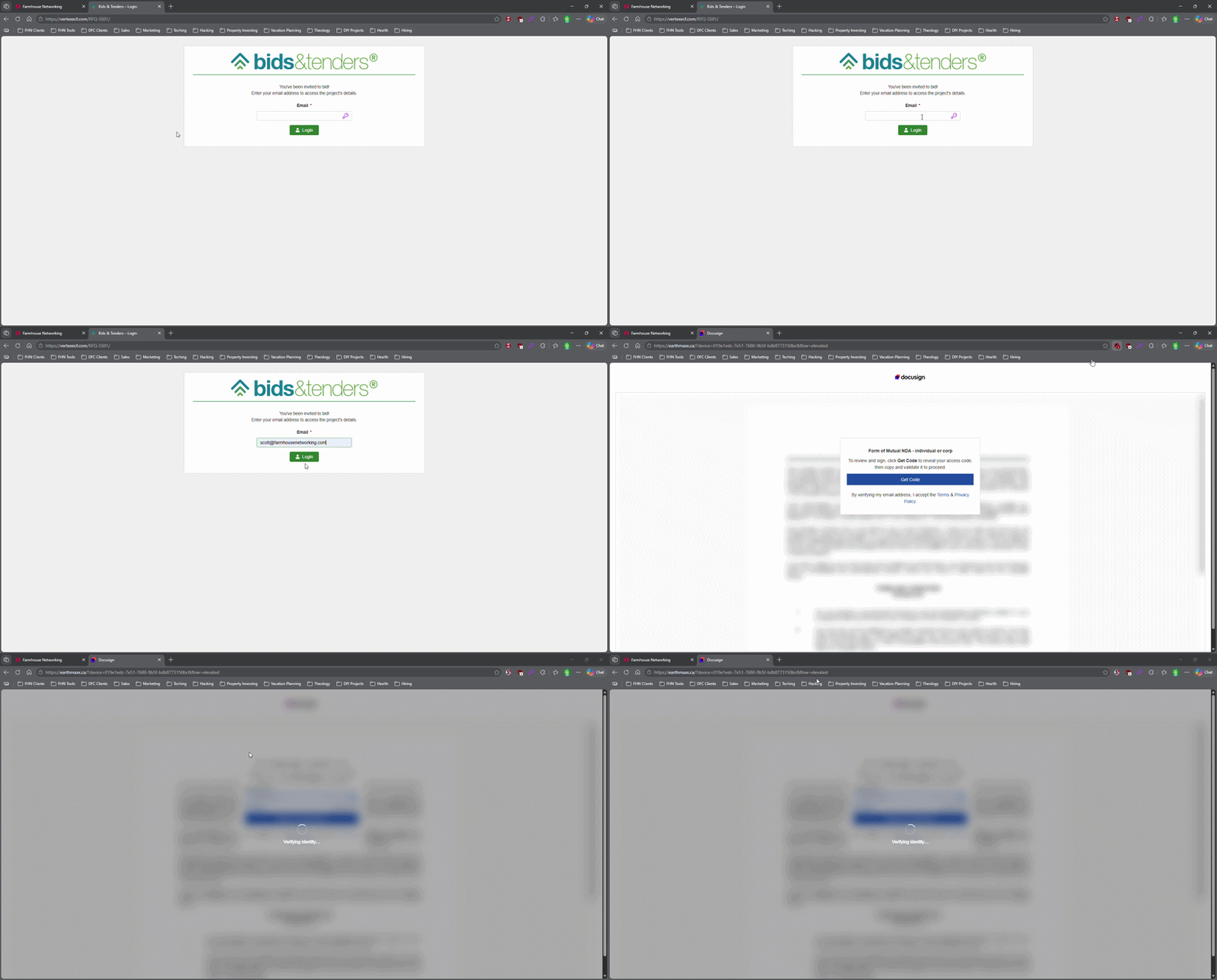
This login screen asks for an email address only, illustrating how attackers can use familiar Microsoft 365-style sign-in pages to bypass passwords.
Most small business owners believe that a strong password and multi-factor authentication make their Microsoft 365 accounts secure. That assumption is now being exploited at scale. Attackers are targeting Microsoft 365 users with device code authorization phishing – a technique that fools users into approving access tokens, bypassing multi-factor authentication protection entirely.
Campaigns using this method have surged since September 2025, representing a significant shift from limited, targeted attacks to widespread exploitation. Both organized criminal groups and nation-state actors are now using it. If your business runs on Microsoft 365, and most do, you need to act.
How the Attack Works
Microsoft has a login feature designed for devices like smart TVs and printers that can’t display a normal login screen. Instead of typing credentials on the device, a user visits a Microsoft page on their phone or computer and enters a short code. It’s a legitimate, trusted system.
Attackers exploit that trust. They initiate the device login flow themselves, then send your employee an email designed to get them to visit Microsoft’s real login page and enter the code – completing the attacker’s authentication instead of their own.
Your employee does everything right. They visit a real Microsoft website. They complete their MFA. They never hand over their password. And the attacker now has full access to your Microsoft 365 environment.
Action Steps for Your Business
Take these steps now with your IT team or provider:
Block device code flow in Microsoft Entra Conditional Access. This is the strongest mitigation available and can be deployed in report-only mode first to assess impact before full rollout. Most small businesses don’t use this feature and have no reason to leave it enabled.
Audit your Microsoft 365 OAuth app permissions. Review which third-party applications have access to your tenant and remove anything unauthorized.
Train your team on this specific attack. Standard phishing training won’t cover it. The key message is simple: if you receive a request to enter a code on a Microsoft login page that you didn’t initiate, stop and report it.
Review sign-in logs for your Microsoft 365 accounts. Unusual locations, unfamiliar devices, and off-hours logins are indicators of compromise.
Check for email forwarding rules set up without your knowledge. This is a common post-compromise action attackers use to quietly collect your outgoing email.
Review your cyber liability coverage. Confirm that account takeover scenarios are covered and understand what your response obligations are.
Q&A: What Your Clients or Partners May Ask
“How did this happen if you had MFA turned on?” This attack bypasses both traditional credential theft defenses and multi-factor authentication controls. MFA was never designed to protect against this type of authentication abuse.
“Could my information have been accessed?” If a business email account is compromised, any data in that account – client correspondence, contracts, financial information – is potentially accessible to the attacker.
“Is this being fixed by Microsoft?” Microsoft has released tools to block it, but those tools require configuration. Microsoft has been rolling out a managed Conditional Access policy aimed at blocking device code flow authentication, but it requires an administrator to enable and configure it. It doesn’t happen automatically.
“Should I be worried about my own accounts?” If you share Microsoft 365 services with a vendor or partner whose account is compromised, there’s risk of lateral movement. Security is a supply chain concern, not just an internal one.
How Farmhouse Networking Can Help
Farmhouse Networking reviews and configures Microsoft Entra Conditional Access policies to block device code phishing, audits your Microsoft 365 environment for existing unauthorized access, trains your staff on this and other current attack types, and monitors your accounts ongoing. We work with small and mid-sized businesses across Oregon, Northern California, and New Mexico – and we explain everything in plain language without the IT jargon.
Take the Next Step
Email support@farmhousenetworking.com today and ask for a Microsoft 365 security review. We’ll tell you whether this attack vector is currently open in your environment and what it takes to close it.
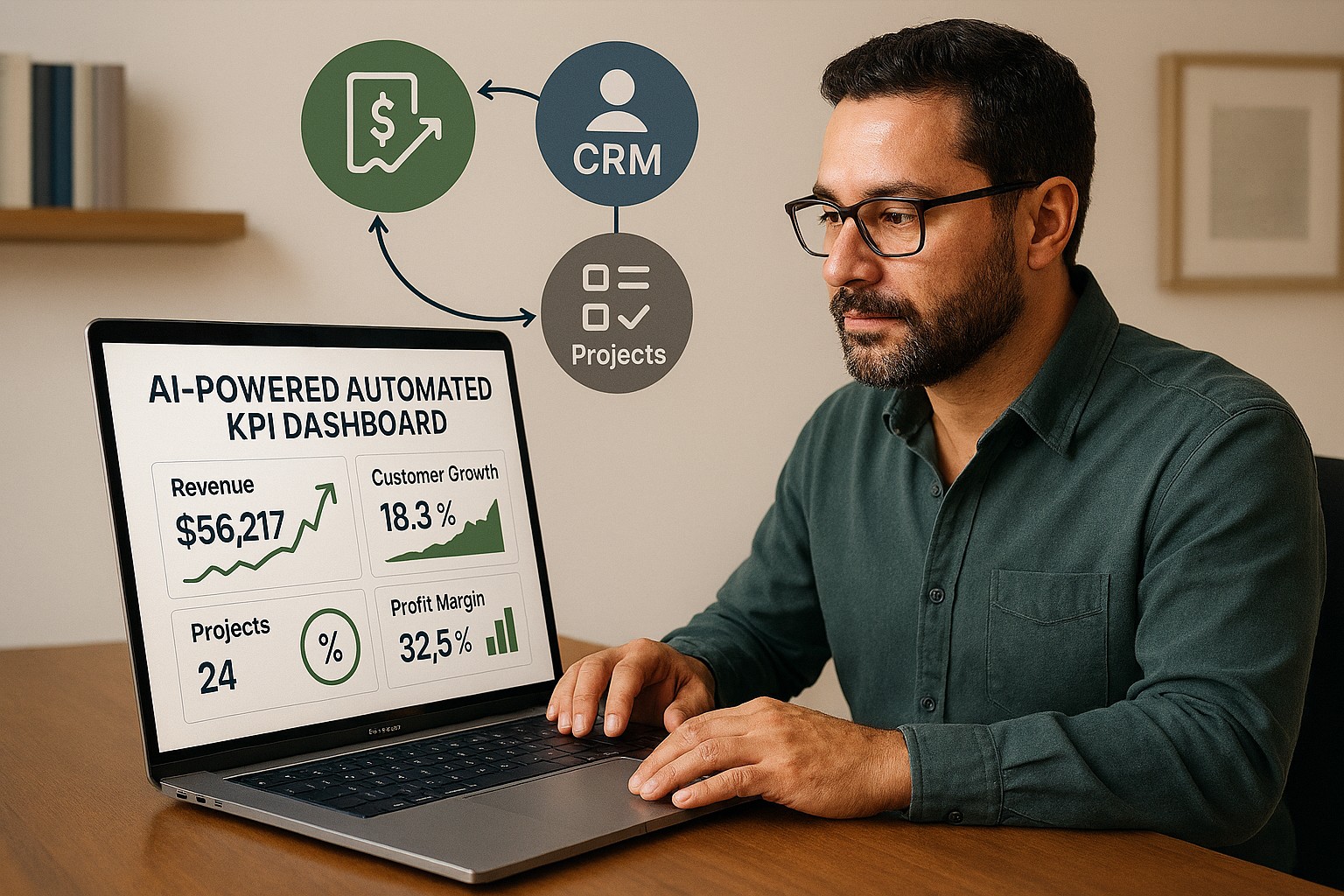
How AI and workflow automation let SMBs track real performance in real time — by turning the software you already use into a live intelligence system.
When your business software is connected and automated, your performance data works for you — in real time, without manual reporting.
Most small business owners make decisions based on incomplete information. Not because the data does not exist — it does. It’s sitting in your accounting software, your CRM, your project management tool, your inventory system, your scheduling platform, and half a dozen other applications your team uses every day.
The problem is that nobody has connected those systems. So instead of a clear, current view of your business performance, you get fragmented snapshots — last month’s financials here, a manual spreadsheet there, a gut feeling filling in the rest.
AI-powered workflow automation closes that gap. By connecting your line-of-business (LOB) applications and letting AI automatically harvest and analyze your key performance indicators (KPIs), you get a real-time picture of how your business is actually performing — without adding staff, without manual reporting, and without waiting until the end of the month.
What This Actually Means for Your Business
When your LOB applications are connected and your KPIs are being harvested automatically, you might open Monday morning to a dashboard showing: revenue versus target week-to-date, outstanding receivables by age, your five largest at-risk accounts, staff utilization rates, and inventory levels approaching reorder thresholds.
That dashboard was built by your systems, overnight, while you were not working. When a number moves outside its normal range, you receive an alert — before it becomes a crisis.
This is not technology reserved for large enterprises. The tools that make this possible are now accessible, affordable, and increasingly straightforward to implement for businesses of any size.
Practical Action Steps for You and Your IT Team
Step 1: List every software platform your business uses. Accounting, CRM, inventory, scheduling, project management, payroll, point of sale — document all of it. These are your data sources.
Step 2: Decide what your most important KPIs are. Revenue, gross margin, accounts receivable aging, customer acquisition cost, employee utilization, inventory turnover — agree on the ten numbers that, if you tracked them weekly, would help you make better decisions.
Step 3: Check your platforms’ integration capabilities. Most modern business software supports API connections or data exports. Your IT provider should assess what’s possible with your current tools before recommending anything new.
Step 4: Choose an automation and reporting platform. Tools like Microsoft Power Automate, Zapier, and Make connect thousands of business applications. Microsoft Power BI or similar tools turn that data into visual dashboards. Your IT provider can recommend the right fit for your size and stack.
Step 5: Configure your data pipelines. Have your IT provider build the automated connections between your platforms so that data flows into your reporting environment on a scheduled or real-time basis — without anyone manually exporting spreadsheets.
Step 6: Set up threshold alerts. Define the KPI boundaries that should trigger a notification — a receivable aging past 45 days, a sales pipeline dropping below a minimum, or inventory falling to reorder level. AI-driven alerting means you act on problems before they compound.
Step 7: Build a review habit. Dashboards create value when business owners and managers use them consistently. Set a weekly 20-minute review of your KPI dashboard as a fixed part of your management routine.
Questions You or Your Team Might Ask
“Is our business data safe passing between systems automatically?” Yes — when properly configured. Your IT provider should use encrypted, authenticated connections between platforms and ensure that access is controlled by role. Data security should be a stated requirement from day one.
“Do we need to replace our existing software?” No. Workflow automation connects the tools you already use. The goal is to make your existing stack smarter, not to start over.
“How long does it take to set this up?” A basic KPI dashboard connecting three to four applications can typically be implemented in two to four weeks. More complex environments take longer but are built in logical phases.
“What does it cost?” It depends on your complexity and existing platforms. Many of the core automation tools are available on subscription plans that are affordable for small businesses. Your IT provider should walk you through the realistic cost before any commitment is made.
How Farmhouse Networking Can Help
Farmhouse Networking helps small and mid-sized businesses build connected technology environments that make real-time KPI tracking practical and sustainable. We assess your current application stack, identify integration opportunities, configure secure data flows, and build dashboards that give you the clarity to lead your business with confidence.
We handle everything in-house — no outsourcing — and we focus on practical solutions that fit your size and budget. Our clients tell us we fix problems other IT firms cannot, and we answer the phone when they call.
You Should Know How Your Business Is Performing Right Now — Not Last Month
If your business decisions are based on delayed, manual, or fragmented data, your competitors who have automated this have an edge you can close.
Email us at support@farmhousenetworking.com to schedule a free consultation. We’ll take a look at your current systems, identify your best opportunities for automation and KPI visibility, and give you a clear picture of what’s possible — and what it will take to get there.
That AI tool looked affordable in the demo. Here’s what most small business owners discover after the first real invoice.
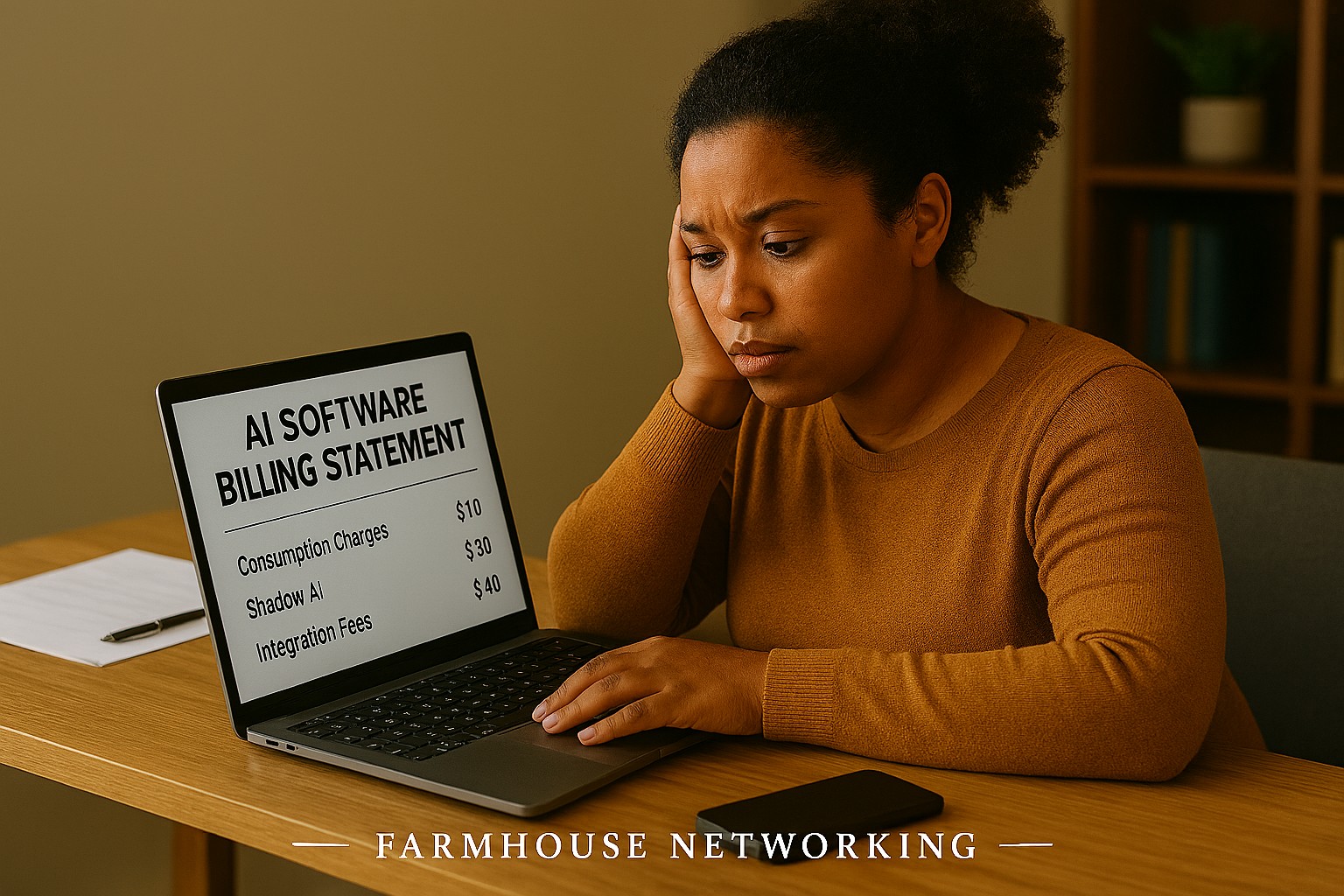
You signed up for a sleek AI tool. The demo was impressive. The monthly price seemed reasonable. Then three months later you’re staring at a vendor bill that’s twice what you expected, your team is still confused about how to use the software, and you’re not sure who owns the data you’ve been feeding into it.
If that sounds familiar, you’re not alone. According to a 2025 Fortune analysis, the advertised price of AI automation represents only 20–40% of the true first-year cost for most small businesses. The rest hides in plain sight — buried in data preparation, staff training, integration fees, security gaps, and consumption-based pricing that scales faster than your revenue does.
AI tools promise to save you money. But are they quietly spending it instead? Here’s what every business owner needs to know before the next invoice arrives.
What the Brochure Doesn’t Tell You: The 6 Hidden Costs of AI
1. Data Cleanup Costs: Before AI can do anything useful, it needs clean, structured data. Most businesses discover their records have duplicate entries, inconsistent formatting, or files locked in formats the AI can’t read. Getting data “AI-ready” commonly costs $1,000–$10,000 and is rarely mentioned upfront.
2. Consumption-Based Billing Surprises: Many AI tools — including Microsoft Copilot, ChatGPT, and Salesforce Agentforce — charge by usage (tokens, conversations, or seat upgrades). A 2025 Zylo survey found 78% of IT leaders reported unexpected charges from consumption-based AI pricing. The more your team uses the tool, the higher the bill climbs, often mid-contract.
3. Integration Expenses: Plugging an AI tool into your existing systems — your accounting software, CRM, email platform, or operations tools — typically costs 30–50% of your total AI budget on top of licensing fees. Legacy systems make this worse, adding another 30–50% to integration costs.
4. The Productivity Dip (The J-Curve): Staff productivity typically drops 15–25% for 3–6 months after an AI tool is introduced. Workflows change. People need training. Mistakes happen. This “J-curve” is a real cost that hits your output before the benefits kick in.
5. Ongoing Maintenance and Monitoring: AI tools don’t run themselves. They need updates, performance monitoring, and occasional retraining. Industry estimates put annual AI maintenance at 15–30% of the original implementation cost — every year.
6. Security and Compliance Gaps: When employees use unsanctioned AI tools — what experts call “shadow AI” — your data goes places you haven’t approved. This creates real liability, especially if you handle any customer financial, health, or personal data.
What You and Your IT Team Should Do Now
Audit every AI tool currently in use — sanctioned or not. Shadow AI is a real and growing problem.
Review your vendor contracts for consumption-based pricing clauses and usage caps.
Assess your data quality before adding any new AI tool. Budget time and money for cleanup.
Map out how each AI tool connects to your existing systems and what it costs to integrate.
Train your team with structured onboarding — not just a login link.
Set a usage policy that defines which AI tools are approved and what data can be shared with them.
Schedule quarterly AI cost reviews so billing surprises don’t compound.
Work with your IT provider to conduct a security review of all AI platforms you’ve adopted.
Questions Your Clients or Team May Ask You
Q: Is it really that expensive? The tool only costs $30 a month.
A: The license is just the entry fee. Once you add integration, training, data cleanup, and monitoring, that $30/month tool commonly becomes $300–$500/month in real total cost. Budgeting for only the license is the most common AI financial mistake small businesses make.
Q: Can’t we just let employees figure it out on their own?
A: Research shows that organizations with unstructured AI adoption see double the training costs and far lower ROI. Worse, employees who figure it out on their own often use unapproved tools that create security and compliance exposure.
Q: What happens if we don’t address the security side?
A: Unsanctioned AI usage has been linked to data breaches that add an average of $200,000 to breach costs, according to IBM’s 2025 Cost of a Data Breach report. For a small business, that’s potentially company-ending exposure.
Q: How do we know if our AI investment is actually paying off?
A: You need to measure specific KPIs before and after AI adoption — things like hours saved per week, error rates, and customer resolution times. Without baseline data, ROI is invisible.
How Farmhouse Networking Can Help
Farmhouse Networking specializes in helping SMBs navigate exactly these kinds of IT cost pitfalls. Our local team can help you:
Conduct a full AI tool audit to identify shadow AI and hidden spend across your organization.
Review your vendor contracts and consumption-based pricing to protect you from billing surprises.
Assess data readiness so you’re not paying for expensive data cleanup after the fact.
Build a secure AI governance policy so your team knows what’s approved, what’s not, and why.
Provide proactive IT monitoring that catches cost and security issues before they become crises.
Ready to Find Out What AI Is Really Costing You?
Don’t wait for the surprise invoice. Send us a message and we’ll schedule a free AI cost and security review for your business. We’ll show you exactly where you stand — no obligation, no jargon, no pressure. Email us today: support@farmhousenetworking.com
The right technology stack helps SMBs improve security, streamline operations, and support long-term growth.
Businesses need technology that makes the company easier to run, safer to operate, and better at winning customers. The right stack can reduce manual work, improve communication, and create a more professional experience across every part of the business.
For owners, the focus should be on growth and operational clarity. For IT, the goal is secure, reliable systems that support collaboration, backup, automation, and customer-facing workflows.
Practical action steps
Replace disconnected tools with integrated platforms for email, files, CRM, and scheduling.
Use MFA, endpoint protection, and automated backups on every business device.
Improve your website and local SEO so customers can find and contact you more easily.
Automate repetitive workflows like reminders, approvals, and intake forms.
Create a technology roadmap so upgrades happen proactively instead of reactively.
Client questions and answers
Q: Do we need a managed IT provider? A: If technology downtime, security risk, or slow support hurts productivity, yes.
Q: What should we prioritize first? A: Security, backups, and the systems your team uses every day.
Q: How does technology help growth? A: Better tools improve response time, customer experience, visibility in search, and team efficiency.
Farmhouse Networking helps SMBs build dependable, secure, and growth-ready technology foundations without overcomplicating the stack. Email support@farmhousenetworking.com for more information about how Farmhouse Networking can help improve their business.
How SMB leaders can use an AI boardroom bot to improve preparation, analysis, and decision‑making in their meetings.
Lloyds Banking Group’s deployment of an AI boardroom bot is more than a banking headline. It shows that AI is becoming a serious business tool for better preparation, faster analysis, and smarter decision-making, and SMB owners who adopt it early—with proper controls—can gain a competitive edge.
Practical steps for owners and IT
Start with one business problem, such as meeting summaries, document review, or internal reporting.
Create a simple AI policy that defines approved tools, responsible users, and escalation rules.
Review security, permissions, and data retention before connecting AI to company information.
Put IT in charge of testing, monitoring, and patching any AI-related systems.
Measure results with clear metrics like time saved, error reduction, and decision speed.
Client questions and answers
Q: Is AI only for large enterprises? A: No. SMBs can benefit from targeted use cases if they adopt AI carefully and securely.
Q: What is the biggest risk? A: Uncontrolled access to sensitive information and overreliance on outputs without review.
How Farmhouse Networking helps
Farmhouse Networking helps SMB owners turn AI interest into a secure, practical rollout. We can support strategy, vendor evaluation, security hardening, and IT execution so your team can adopt AI without losing control.
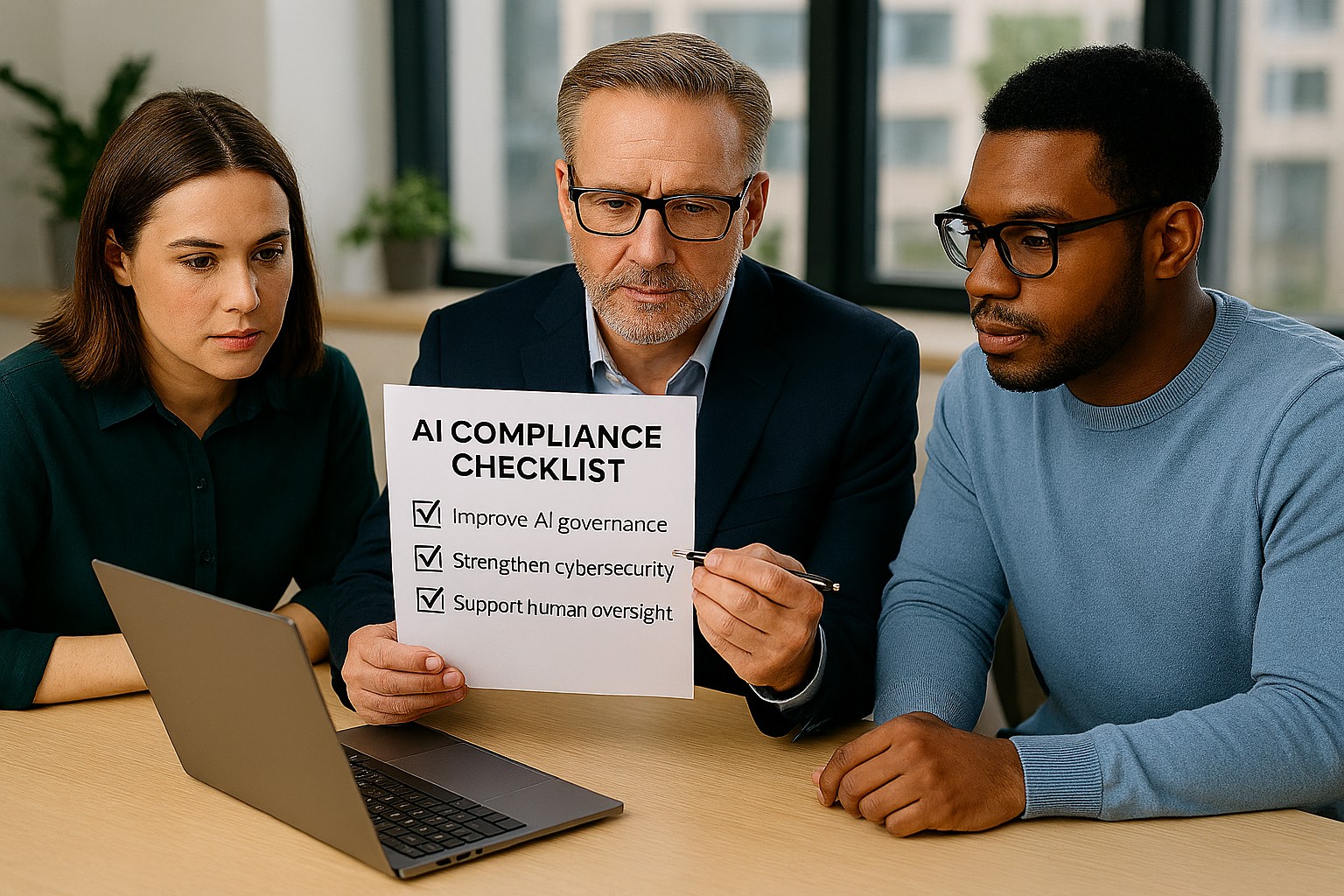
Small business leaders can reduce AI risk by building governance, review processes, and secure IT controls
Businesses are adopting AI faster than ever, often without realizing how many tools already include automation. The Colorado AI Act matters because if AI influences decisions that affect customers, employees, or applicants, your business may need to add oversight, disclosures, and human review.
For SMB owners, the best strategy is simple: know what AI you use, know what it affects, and know who is responsible. That keeps compliance manageable and reduces risk.
What your business should do
Start with an AI inventory across software, plugins, and cloud apps. Then identify which tools affect important decisions, customer experiences, or internal workflows.
Your IT team should review vendor contracts, access controls, logging, and data retention. They should also create a clear process for reviewing AI outputs, correcting mistakes, and responding to customer questions.
Questions customers may ask
Q: Is your business using AI to evaluate me? A: It may be, depending on the service or process.
Q: Can a person review the decision? A: Your business should be able to provide human review where needed.
Q: Why should I care about AI use? A: Because it affects fairness, accuracy, and transparency.
How Farmhouse Networking can help
Farmhouse Networking helps SMBs build a stronger IT foundation for AI governance, security, and compliance. We can help you identify risks, secure systems, and support the operational steps your business needs to take.
Email support@farmhousenetworking.com for more information about how Farmhouse Networking can help improve their business.
And God will generously provide all you need. Then you will always have everything you need and plenty left over to share with others. As the Scriptures say, “They share freely and give generously to the poor. Their good deeds will be remembered forever.” For God is the one who provides seed for the farmer and then bread to eat. In the same way, he will provide and increase your resources and then produce a great harvest of generosity in you. - 2 Corinthians 9:8-10
We use cookies to ensure that we give you the best experience on our website. If you continue to use this site we will assume that you are happy with it.