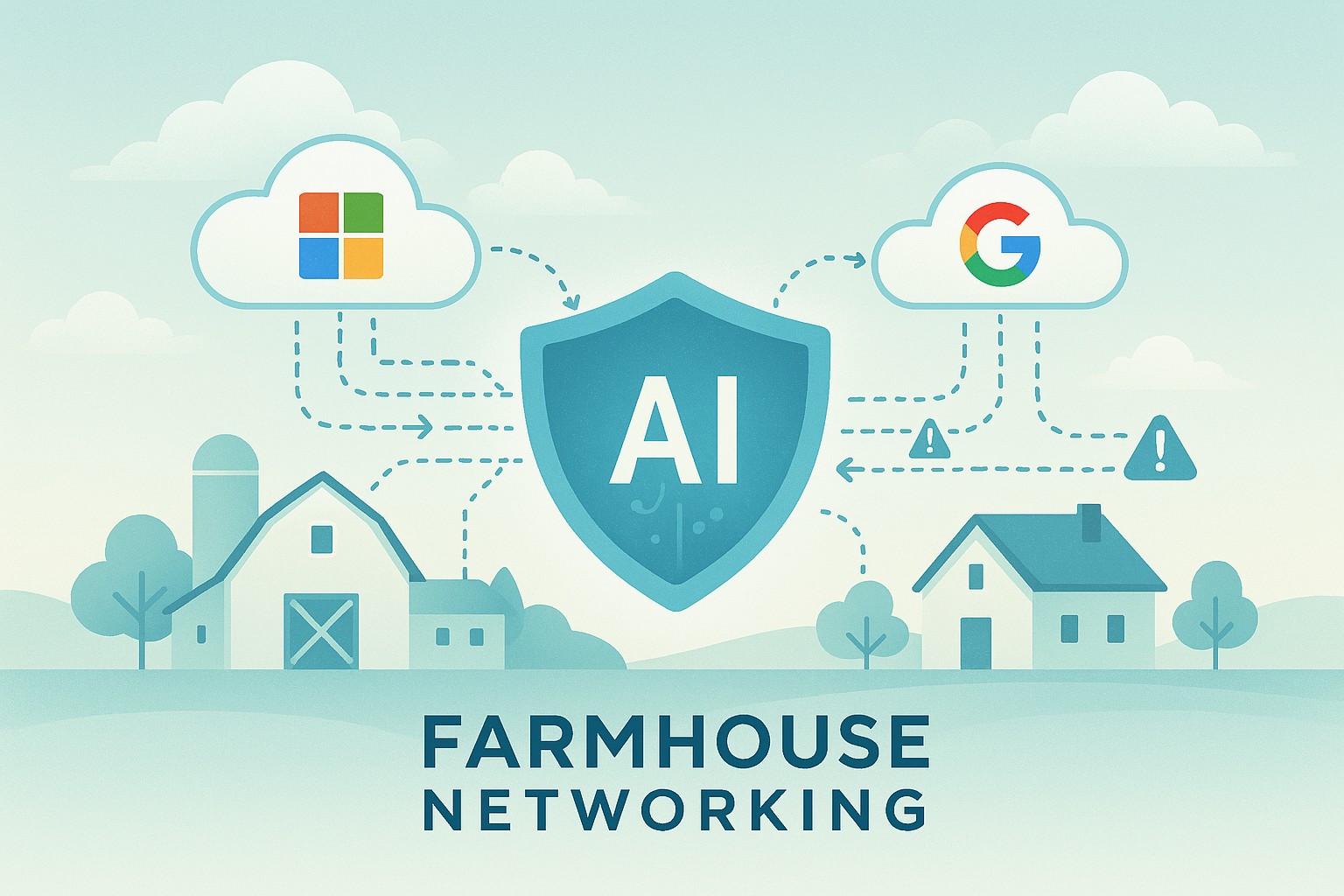
AI usage limits are now part of every business plan. Here is what happens when your team hits one, and how to keep company data from walking out the door with them.
When AI usage limits stop work, employees often switch to free AI tools. That is how shadow AI puts company data at risk.
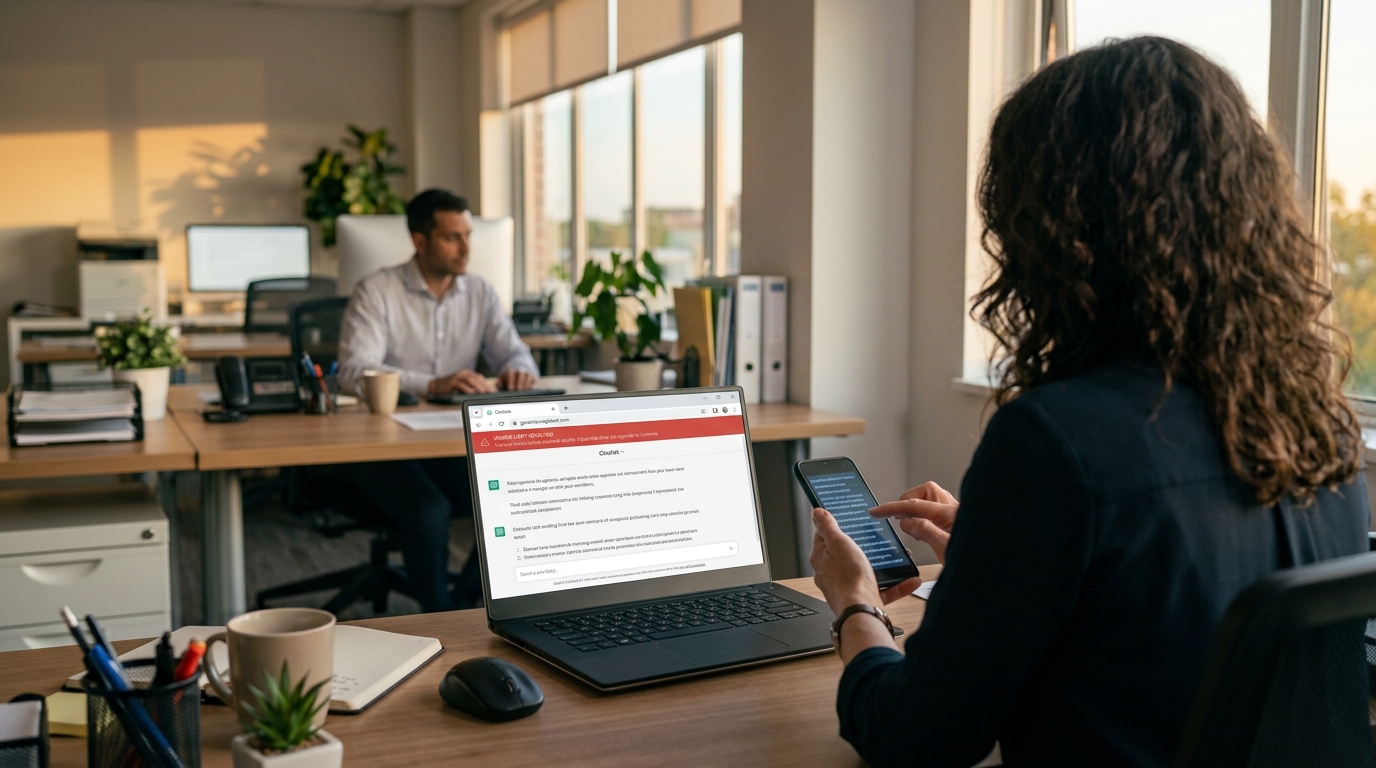
It’s 3:40 on a Thursday. Your office manager is halfway through a customer proposal when the company AI assistant stops responding: usage limit reached, try again later. The deadline is 5:00. So she opens a free AI chatbot on her phone, pastes in the customer’s details, and finishes the job. The proposal goes out on time. The customer’s information now sits on a server you have never vetted, under terms nobody at your company has read.
That is the real risk behind AI token limits. The interruption is annoying. What your people do next can be expensive.
What Are AI Tokens and Why Do They Run Out?
Tokens are how AI tools measure work. A token is a small piece of text, often part of a word, and everything counts: the question, any file you attach, the running conversation history, and the answer. Business AI plans come with an allowance, whether the vendor calls it tokens, credits, or messages.
In 2026 those allowances are tighter and more closely metered. Vendors are moving away from flat, unlimited-feeling plans toward usage-based billing. Microsoft, for example, now bills some Copilot features in Copilot Credits with admin spending limits. At the same time, teams are using AI harder. AI agents that handle multi-step tasks, long chat threads, and large uploaded documents burn through tokens far faster than a quick question does.
What Happens When You Hit the Limit
Depending on the tool and plan, one of three things usually happens:
Work stops. New requests are blocked until the allowance resets or an admin raises it. One source reported one consultant waiting 13 hours for tokens to refresh.
The bill grows. Overage billing keeps things running, then shows up as a surprise on next month’s invoice.
People improvise. Employees switch to whatever AI tool they can reach, usually a free personal account.
That third outcome is called shadow AI: AI tools used for work without the company’s approval or oversight. Free consumer tools may retain what you paste in and, depending on settings, may use it to improve their models. IBM’s 2025 Cost of a Data Breach Report found that 63% of the breached organizations it studied had no AI governance policy, and that high levels of shadow AI added about $670,000 to the average cost of a breach.
Action Steps for Business Owners and IT
Inventory every AI tool in use. Ask staff what they use, including free and browser-based tools. IT should confirm with web traffic and application reports.
Standardize on business-grade plans. Choose approved tools with admin controls and contract terms that keep your data out of model training.
Right-size the allowance. Review usage reports monthly. Set spending caps and threshold alerts so IT hears about a limit before employees hit it.
Write an AI acceptable use policy. Spell out approved tools, data that must never be entered, and exactly what to do when a limit is reached.
Build a fast escalation path. If requesting more capacity takes a day, people will go around it. Make the safe option the easy option.
Restrict unapproved AI sites on company devices. Use web filtering and data loss prevention tools to block or flag sensitive data headed to unknown AI services.
Teach token-smart habits. Start a new chat for each new task, attach only the pages you need, and use lighter models for simple work.
Add AI to your continuity plan. List the workflows that depend on AI and document the manual fallback if the tool is unavailable.
Questions Your Customers May Ask
Do you put my information into AI tools? Only into tools we have approved and configured for business use, under agreements that keep your data out of model training. Our policy prohibits entering customer information into personal or free AI accounts.
What happens if an employee uses an unapproved AI app? Our systems restrict unapproved AI services on company devices, and our policy treats it as a security issue. We would investigate and respond just as we would to any other data concern.
If your AI tool goes down or hits a limit, will my project be delayed? No. AI helps our team work faster, but every AI-assisted process has a documented manual fallback.
Does a person check AI-generated work? Yes. A member of our team reviews anything AI helps produce before it reaches you.
How Farmhouse Networking Can Help
Most small businesses adopted AI one employee at a time, which means few owners know which tools are in use, what they cost, or where the data goes. Farmhouse Networking helps you take control without slowing your team down.
We start by identifying every AI tool touching your network, approved or not. From there we help you choose and configure business-grade accounts, set up usage alerts and spending controls, apply web filtering and data loss prevention to stop shadow AI, and write an acceptable use policy your staff will actually follow. We also train your team on efficient, secure AI habits and add AI dependencies to your continuity plan.
Our 100% U.S.-based team answers the phone live, and most issues are resolved in about 15 minutes, so a blocked tool never becomes an all-afternoon problem.
Get Your Free AI Acceptable Use Policy Template
Your employees are going to hit an AI limit. The only question is whether they have a safe path forward when it happens. Email support@farmhousenetworking.com with AI Policy in the subject line and we will send you our free AI Acceptable Use Policy template, ready to customize for your business.
Audit logs won’t stop an incident from happening. They’re what tells you exactly what happened, how bad it is, and how to move forward with confidence instead of guesswork.
Reviewing audit logs regularly helps small business owners catch problems early and respond with confidence.
An employee’s laptop gets stolen from their car. A phishing email lands and someone clicks it. A contractor’s access is never fully removed after the project ends. Any of these can turn into a genuine crisis, or a contained, well-understood incident, and the difference usually comes down to one unglamorous thing: whether your systems were keeping a record of who did what before anyone knew there was a problem.
Audit logs are the timestamped trail of activity across your network, systems, and accounts. Most small business owners never think about them until an incident forces the question: what actually happened here, and how far did it go? Without logs, that question gets answered with guesswork, which means overreacting, locking down everything and alarming customers unnecessarily, or underreacting, missing that the problem is worse than it looks. With logs, you get a fast, factual answer.
Action steps for you and your IT team:
Enable logging on your core systems: email, file storage, remote access tools such as VPN or RDP, and any line-of-business software holding customer or financial data.
Log both successful and failed logins. Repeated failures followed by success is one of the clearest signs of a compromised account.
Set a retention period of at least a year for critical systems, and confirm logs aren’t being quietly overwritten by default settings.
Remove access immediately when an employee or contractor leaves, and confirm the removal itself is logged.
Store logs somewhere separate from the systems they’re monitoring, so an attacker who compromises one system can’t also erase the evidence.
Review logs on a regular schedule, not only when something feels wrong. Most warning signs show up as patterns over time.
Know who on your team, or which vendor, is actually responsible for watching this. If the answer is no one, that’s the gap to close first.
Questions clients ask us about this:
Q: We’re a small business. Do we really need this level of tracking? A: Attackers don’t skip small businesses because they’re small. Many target them specifically because defenses tend to be lighter. Basic logging is inexpensive and often the deciding factor in how quickly you recover from an incident.
Q: We have antivirus and a firewall. Isn’t that enough? A: Those tools help prevent and detect threats, but they don’t give you a full history of user activity across your systems. Logs answer the who and when that other tools weren’t built to track.
Q: If nothing bad has ever happened to us, why start now? A: Most businesses that suffer an incident didn’t see it coming either. Logging is cheap insurance you set up before you need it, because you can’t go back and turn it on after the fact.
How Farmhouse Networking helps: We help small and mid-sized businesses put practical monitoring and logging in place without overcomplicating your environment or your budget. That means configuring logging across your key systems, setting retention that actually covers you, and reviewing activity on a regular schedule so small issues get caught before they become expensive ones. If something does happen, you get a fast, clear answer from a U.S.-based team who already knows your setup, instead of starting from zero during a crisis.
Voice phishing scams are getting harder to spot, and they’re not just an enterprise problem anymore. Here’s what business owners need to do now.
One convincing phone call is often all it takes. Verification before action is the strongest defense against vishing.
A hedge fund employee gets a phone call. The voice sounds exactly like a colleague, tone and pacing included. Within minutes, the caller has talked their way into a password reset. That scenario played out at several major investment firms in August 2026, when AI-generated voice cloning was used to target Point72, Citadel, and Millennium Management. Two Sigma caught the attempt before any damage was done, according to Bloomberg’s reporting.
Most small and mid-sized businesses don’t have that level of security scrutiny watching over them. This is vishing: voice phishing, where a scammer uses a phone call instead of an email to trick someone into handing over credentials, approving a wire transfer, or granting system access. It’s not a future threat. It’s active right now, and AI voice tools are making it more convincing every month.
Why Vishing Works So Well
People trust a human voice more than a written message, and criminals know it. According to Verizon’s 2026 Data Breach Investigations Report, phone-based social engineering succeeds roughly 40% more often per attempt than email phishing. Gartner research found that 35% of organizations have already experienced at least one deepfake-related incident, yet only 10% of security leaders prioritize training staff to recognize a cloned voice, compared to 73% who focus on email phishing alone.
The financial risk is real. In 2023, a vishing call to an IT help desk was the entry point for a breach that cost MGM Resorts an estimated $100 million.
Action Steps for Owners and IT
For the business owner:
Set a rule that no wire transfer, password reset, or system access is approved based on a phone call alone. Require a callback to a known, independently verified number first.
Build a culture where staff can pause and question an “urgent” request without fear of looking difficult.
Schedule recurring, not one-time, staff training on phone-based scams.
For your IT team or provider:
Enforce multi-factor authentication on every account that supports it, and never let it be disabled based on a phone request.
Require independent identity verification before any help desk password reset.
Document and block known scam and spoofed numbers where possible.
Run periodic simulated vishing tests to find gaps before criminals do.
Questions Clients Are Asking
“How do I know if a call is legitimate?” Hang up and call the company or person back using a number you already have on file, not one the caller gives you.
“What should my team do if they’re unsure?” Stop, verify, then act. No legitimate request will penalize someone for double-checking.
“Can this really happen to a business our size?” Yes. Smaller businesses are often targeted precisely because attackers assume less security is in place.
“What’s the first thing we should change?” Put a callback verification policy in place this week. It costs nothing and closes the biggest gap immediately.
How Farmhouse Networking Can Help
Farmhouse Networking builds vishing and social-engineering awareness training around how your team actually works, not a generic slideshow. We run realistic simulated call scenarios, show you exactly where the gaps are, and help you put clear verification procedures in place your staff will actually follow. As a locally based, USA-only provider, we invest heavily in our own team’s ongoing security training, and we bring that same standard to yours.
Protect Your Business Before the Call Comes In
Vishing attacks succeed because they catch people off guard. A short, honest conversation now is a lot less costly than the one you’d have after a breach. Email us at support@farmhousenetworking.com for a free risk assessment. We’ll give you a clear picture of where your business stands, not just against vishing, but across your full security posture.
What this summer’s federal security campaign means for any business holding sensitive data
Taking a few hours this summer to review your security practices can prevent a costly data breach later.
What this summer’s federal security campaign means for any business holding sensitive data
This July, the IRS and its Security Summit partners launched Protect Your Clients; Protect Yourself, a five-week campaign built for tax preparers. It walks through the phishing schemes, impersonation scams, and stolen-credential attacks criminals are using against professionals who hold sensitive client data, along with the basic safeguards, written security plans, and verification tools meant to stop them.
Your business may have nothing to do with taxes. But the tactics described in this campaign — fake “new client” emails carrying malware, spoofed calls, and urgent requests designed to pressure someone into clicking or sharing information — are used against every kind of small business, not just tax firms. If your company stores customer records, payment details, or employee data, you’re a target using the same playbook. Summer is a good time to check whether your own safeguards would hold up.
Action Steps for You and Your IT Team
Write down your security practices. A simple, documented policy covering data handling, access, and response is far better than relying on informal habits.
Enable multi-factor authentication on email, financial systems, and any remote access used by your team.
Review employee access regularly, and immediately revoke access for anyone who leaves the company.
Train your team to spot phishing and impersonation attempts, especially fake vendor invoices, urgent executive requests, and unexpected attachments.
Test your backups, not just assume they’re running, to confirm you could actually recover if something went wrong.
Document an incident response plan so your team knows exactly who to call and what to do the moment something looks wrong.
Questions Your Customers or Employees Might Ask
“How do you protect the information you have on file for us?” We maintain a documented security policy, require multi-factor authentication across our systems, and regularly review who has access to sensitive data.
“What would happen if your systems were breached?” We have a tested response plan and know exactly how we’d respond and notify anyone affected.
“Why do you keep asking us to verify things that used to be simple?” Because verification steps protect both of us from scams that specifically exploit shortcuts and urgency.
How Farmhouse Networking Can Help
Farmhouse Networking helps small and mid-sized businesses turn good intentions into an actual, documented security program: written policies, MFA across your critical systems, cleaned-up user access, tested backups, and a clear incident response plan. We handle the technical details so you can run your business with confidence instead of guesswork.
Find Out Where Your Business Actually Stands
Email support@farmhousenetworking.com for a free security assessment, and close the gaps the IRS is warning everyone else about — before they cost you something worse.
What Every Small Business Owner Needs to Know Before June 3 — Even If You’re Not a Bank
The SEC’s updated Regulation S-P sets a new standard for data protection that every small business owner needs to understand — not just financial firms. Is your incident response plan ready?
A practical guide to the new cybersecurity standard that financial regulators are enforcing — and that your customers, partners, and insurers are already expecting.
Why June 3 Should Be on Your Radar
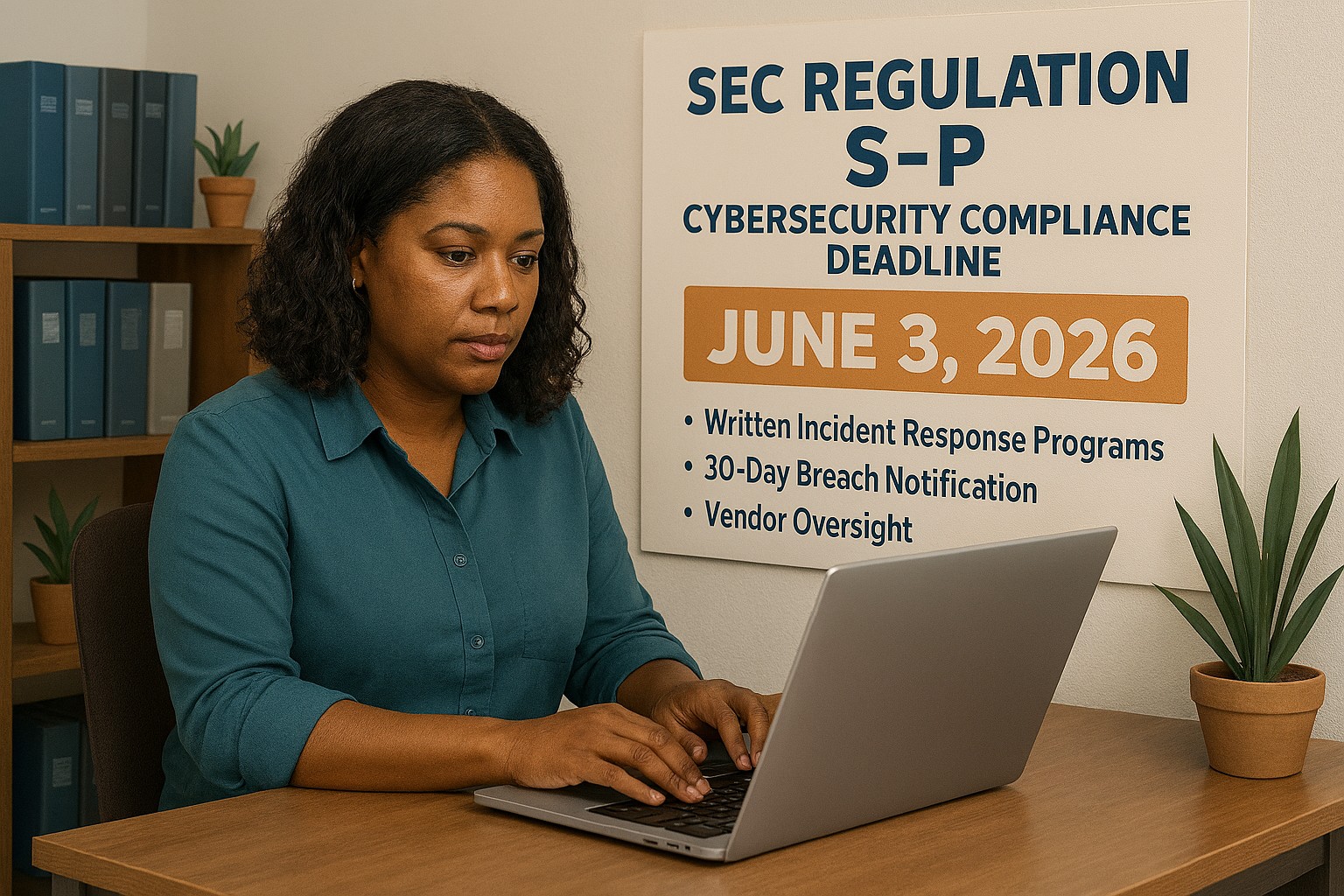
On June 3, 2026, smaller SEC-regulated financial institutions, investment advisers, broker-dealers, and similar firms, hit their final compliance deadline under the SEC’s updated Regulation S-P. After 20+ years without a major update, the SEC overhauled how these businesses must protect customer data, respond to breaches, and oversee their technology vendors.
So why does this matter to you as a small business owner outside the financial sector?
Because the requirements the SEC is now enforcing represent the new normal for data protection across all industries. Your cyber liability insurance carrier already asks about these controls. Your enterprise clients are putting them in vendor agreements. Your customers assume you have them. And regulators in healthcare, retail, and professional services are moving in the same direction.
This is your roadmap – not just for compliance, but for running a business that customers can trust.
What Regulation S-P Requires (and What It Means for You)
The six pillars of the SEC’s updated data protection framework – applicable in spirit to every business handling customer information:
Incident Response Program – A written, tested plan for what happens when you’re breached. Not if. When.
30-Day Breach Notification – Customers must be notified quickly. Waiting weeks or months is no longer acceptable to regulators or the public.
Vendor Oversight – If a third-party vendor can access your customer data, you are responsible for their security practices.
Secure Data Disposal – Customer information must be destroyed securely when no longer needed.
Written Recordkeeping – You need to be able to prove you have a program, not just claim it.
Practical Action Steps for Your Business
For You, the Business Owner
Identify what sensitive customer data you hold, credit cards, SSNs, health information, financial records, and where it lives.
Review your cyber liability insurance policy for coverage gaps and required controls.
Audit your vendor relationships: which ones can access your customer data, and do they have security obligations in writing?
Designate someone, internal or external, responsible for cybersecurity decisions and incident response.
Draft a customer breach notification letter template now, before you need it.
For Your IT Department or Provider
Perform a full security assessment covering endpoints, cloud accounts, email, and network access.
Implement multi-factor authentication on every system – this alone stops 99% of credential-based attacks.
Establish and test an encrypted, off-site backup routine.
Write and test an Incident Response Plan – including who to call (legal, insurance, IT forensics) and in what order.
Update vendor contracts to include explicit security requirements and breach notification timelines.
Implement a data retention and secure disposal policy.
Document your security controls in writing – for insurance audits, client questionnaires, and regulatory inquiries.
Questions Your Customers and Partners May Ask
Q: How do you protect my personal information when I do business with you?
A: We use encrypted storage, access controls that limit who can view customer data, and multi-factor authentication for all staff. We also have a written security policy and an incident response plan in place.
Q: What happens if you experience a data breach? Will I be told?
A: Yes. If your information is involved in a breach, we are committed to notifying you promptly – within 30 days of discovering the incident. We have a documented notification process ready.
Q: Our company requires vendors to meet certain cybersecurity standards. Do you comply?
A: We have a written security program, documented controls, and an incident response plan. We’re happy to provide documentation and answer your vendor security questionnaire.
Q: I heard new SEC rules are tightening cybersecurity requirements. Should I be worried about businesses I work with?
A: It’s a fair question. The SEC’s updated Regulation S-P has raised the bar for financial firms, and similar standards are spreading across industries. We’ve proactively aligned our security practices with this framework — and we work with Farmhouse Networking to maintain and demonstrate compliance.
How Farmhouse Networking Helps Small Businesses
Farmhouse Networking is a Managed IT Services provider built for small and mid-sized businesses that take data protection seriously but don’t have an in-house IT team. We make enterprise-grade security practical and affordable:
Security Assessments – We evaluate your current posture and give you a prioritized action plan, not a list of scary jargon.
Incident Response Planning – We write your IRP, help you test it, and make sure your team knows what to do under pressure.
Vendor Security Reviews – We assess the tools and platforms you rely on and flag gaps in your vendor agreements.
MFA, Encryption, and Endpoint Protection – Deployed correctly, documented thoroughly.
Compliance Documentation – We produce the written records that satisfy insurance carriers, enterprise clients, and regulators.
Ongoing Managed IT – We become your IT department, watching your systems so you can run your business.
Ready to Get Compliant? Let Farmhouse Networking Help.
Don’t wait for a breach to take cybersecurity seriously. Email us today for a free SMB security assessment: support@farmhousenetworking.com
Why Length Beats Complexity for Today’s Businesses
Long passphrases provide stronger protection and easier usability than outdated complexity rules, as recommended by NIST.
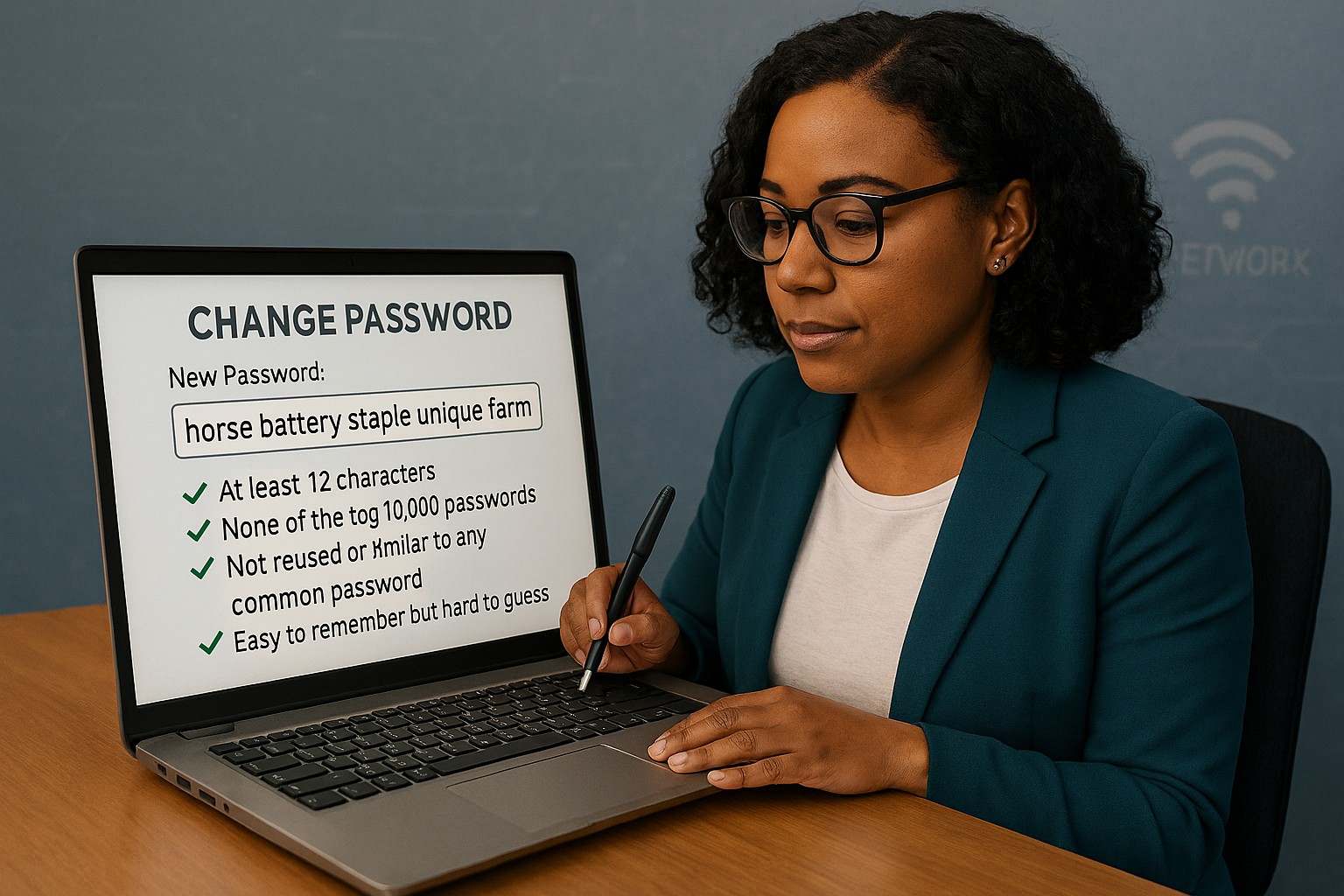
Businesses often believe adding symbols and monthly password resets makes them secure. NIST’s latest guidance says otherwise: a long, easy‑to‑remember passphrase offers more real protection than complexity tricks.
Password Style
Example Password
Notes on Strength and Usability
Old Complexity Rule (Outdated)
Tr@v3l!92
Short, hard to remember; may be reused or written down; easier for automated attacks to guess.
Old Complexity Rule (Outdated)
Pa$$w0rd!
Common pattern, predictable substitutions (“a”→“@”, “s”→“$”); easily cracked despite complexity.
Old Complexity Rule (Outdated)
M1cR0#Biz
Limited entropy due to short length; users frequently forget or reuse similar versions.
Modern NIST Approach (Recommended)
coffeeandcodeinthefall
Long, natural phrase; easy to remember; high entropy from length and unpredictability.
Modern NIST Approach (Recommended)
mydoglovesthebeachwalks
Secure through length, words chosen personally; human‑friendly without sacrificing strength.
Modern NIST Approach (Recommended)
sevencloudsdriftbyslowlytoday
Strong against brute‑force attacks because of sheer character count and mixed word structure.
Action Steps for Business Owners
Update Your Security Policy: Review password guidelines against NIST SP 800‑63B. Shift to length‑based passphrases.
Use Professional Password Management: Centralize storage and compliance while simplifying employee access.
Add Multifactor Authentication: Combine long passwords with MFA for the strongest possible protection.
Educate Staff Regularly: Train teams to create strong, unique passphrases and spot common cyber threats.
Monitor Access: Implement logging and alerts for suspicious password usage or failed login attempts.
Client Q&A
Q: Why did NIST change its recommendations? A: Research showed that complexity rules lead to bad habits — predictable substitutions and reused passwords — while longer ones resist attacks better.
Q: Do these changes apply to small businesses? A: Yes, small firms face the same credential attacks big ones do. NIST’s standards are scalable and easy to implement.
Q: How can I simplify all this? A: Centralized password management enforces standards automatically and keeps credentials secure without manual oversight.
How Farmhouse Networking Can Help
Farmhouse Networking works with SMBs to implement secure password policy frameworks based on NIST, automate credential management, and train users. Our goal: reduce risk, improve productivity, and strengthen compliance.
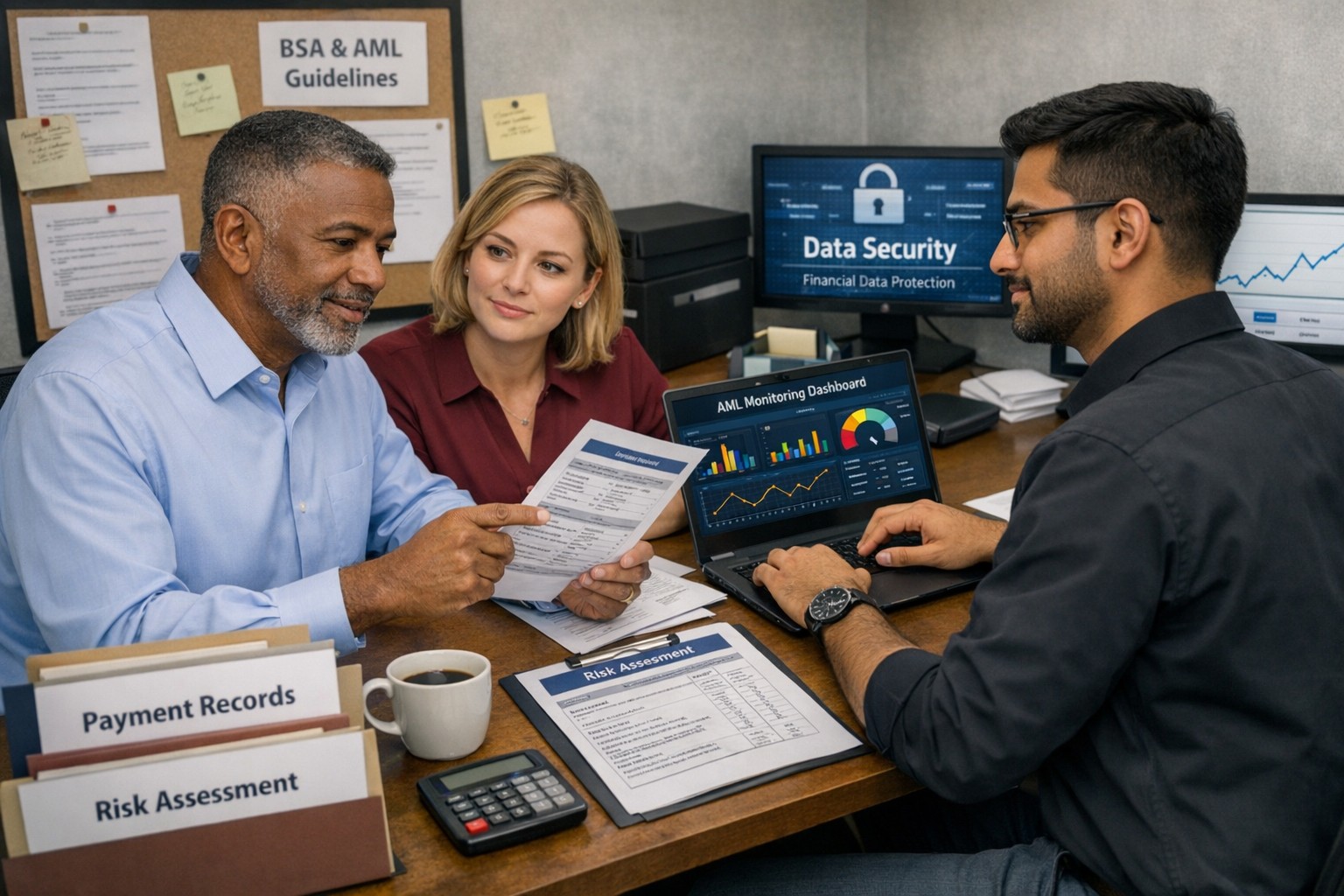
Business owner and IT team working together to strengthen BSA AML compliance, improve financial recordkeeping, and reduce banking risk
Even if you are not a bank, your business can be pulled into Bank Secrecy Act (BSA) and Anti‑Money Laundering (AML) expectations through how you move money, handle client funds, or work with financial institutions. Regulators expect banks to understand their customers’ risk profile, which means your business practices, recordkeeping, and security controls matter more than ever.
What BSA/AML Means for Your Business
BSA requires financial institutions to keep records and file reports on certain currency and suspicious transactions to help detect and prevent money laundering.
Banks use a risk‑based approach and look closely at higher‑risk customers such as cash‑intensive businesses or those sending frequent international payments.
Poor documentation, weak controls, or opaque ownership structures at your company can prompt more questions, delays, or even de‑risking by your bank.
Practical Steps for Owners and IT
Business owner actions:
Map money flows: Document where funds come from, where they go, and who approves each step; share this with your bank when asked.
Clarify ownership: Maintain updated records of beneficial owners and key executives so you can respond quickly to due‑diligence requests.
Define policies: Create written policies on accepting payments, refunds, wires, and handling unusual or large cash transactions.
IT actions:
Centralize records: Implement systems that retain transaction logs, invoices, and client identity data securely and for required retention periods.
Monitor anomalies: Use monitoring tools to flag unusual payment patterns (new countries, unusual amounts, odd timing) for review by management.
Secure access: Enforce least‑privilege access, MFA, and audit trails on finance, billing, and banking systems to support internal controls.
Common Client Questions (with Answers)
“Why are you asking for my ID or entity details?”
Banks and their business customers must perform customer due diligence and verify ownership for certain transactions.
“Why did my payment get delayed or flagged?”
Transactions that deviate from expected patterns may trigger additional review under BSA/AML monitoring rules.
“Are my data and documents safe with you?”
Strong access controls, encryption, and logging protect client information used to meet financial and compliance obligations.
How Farmhouse Networking Helps
Farmhouse Networking can design and implement the technical side of your BSA‑friendly environment so your bank sees you as a well‑controlled, lower‑risk customer. Services include:
Mapping and hardening financial data flows across accounting, CRM, and banking systems.
Implementing logging, alerting, and secure storage to support transaction monitoring and documentation.
Preparing your IT environment for bank questionnaires, vendor risk reviews, and audits.
Call to action: Email support@farmhousenetworking.com for more information about how Farmhouse Networking can help improve your business.
AI-Powered Microsoft 365 & Google Workspace Log Monitoring Now Included Free
Farmhouse Networking’s managed IT service now includes AI-driven log analysis for SMBs — ensuring proactive cloud security without added cost.
Small and mid-sized businesses today face the same cybersecurity threats as large enterprises — but without the same budget or in-house expertise. That’s why Farmhouse Networking is proud to announce a major upgrade to our managed IT services: AI-driven log triage and alerting for Microsoft 365 and Google Workspace. This enhanced monitoring service is automatically included in every monthly IT services contract — at no additional cost — helping business owners protect their operations, data, and reputation with enterprise-grade intelligence.
Why This Matters for Your Business
Your Microsoft 365 and Google Workspace platforms store your most vital data: emails, documents, and shared communications. Each login, file access, or configuration change generates valuable log data — but few SMBs have time or staff to analyze it.
With AI analysis, Farmhouse Networking automatically scans and prioritizes potential threats like:
Unusual logins or failed login attempts.
Unauthorized access to sensitive files.
Compromised accounts or third-party app activity.
Suspicious data downloads or sharing patterns.
Our system flags concerns in real time and alerts our team so potential incidents are triaged before they escalate into security breaches or downtime.
How AI-Enhanced Log Monitoring Works
Data ingestion: Logs from Microsoft 365 and Google Workspace are securely collected.
AI triage: Advanced machine learning detects patterns of unusual behavior.
Actionable alerts: Our technicians receive intelligent alerts prioritized by severity.
Resolution: We investigate, verify, and act before small issues become big problems.
What sets Farmhouse Networking apart is that this enterprise-grade capability is built into your existing service plan — not an add-on.
Common Questions from Business Owners
Q1: Why should my SMB care about log monitoring? A: Cloud environments record every login and activity. Monitoring those logs can detect attacks, data leaks, or insider misuse early — saving your business from costly security or compliance violations.
Q2: Does this mean I’ll get constant alerts? A: No — our AI filters the noise, so only meaningful alerts reach our support team. You see outcomes, not overwhelm.
Q3: Is my data secure when analyzed? A: Absolutely. We follow strict data handling and encryption standards to ensure privacy at every stage.
Q4: How does this benefit our productivity? A: By catching risks early, we prevent downtime, data loss, and productivity disruption — letting you focus on running your business.
How Farmhouse Networking Helps You Stay Ahead
Your business deserves the same security tools as major corporations — but without excessive cost or complexity. Our AI-assisted log triage gives you proactive protection, increased visibility, and peace of mind.
We handle the technical heavy lifting so you can keep growing.
Email support@farmhousenetworking.com today to learn how we can enhance your IT security strategy and streamline your operations.
Essential network firewall for business setup—safeguard your SMB cybersecurity today.
Cyberattacks hit 43% of SMBs last year—costing time and revenue. A network firewall changes that, acting as your business’s frontline defense. Unlock practical insights to protect operations and grow confidently.
The Power of Network Firewalls for SMBs
Firewalls monitor traffic, blocking malware, hackers, and data leaks at the network edge. Ideal for email servers, cloud apps, and remote work, they provide visibility basic antivirus misses.
SMB breaches average $25,000-$100,000; firewalls reduce risks by 75%.
Hands-On Setup Steps
Guide your IT with this roadmap:
Inventory Assets: List devices, apps; identify weak points.
Choose SMB-Friendly Firewall: Next-Gen Firewalls (NGFWs) like Ubiquiti or Araknis—easy, affordable.
Apply Baseline Rules: Block common exploits; enable web filtering.
Deploy Monitoring: Use alerts and reports for proactive defense.
Common SMB Questions Answered
Q: DIY or professional install? A: DIY for basics; pros for complex setups.
Q: Cloud or on-premise? A: Cloud for scalability; on-premise for control.
Q: Impact on speed? A: Negligible with modern hardware.
Q: Ongoing costs? A: $1,000-$5,000/year, offset by risk reduction.
Let Farmhouse Networking Handle It
We specialize in SMB firewall deployments, from assessment to management—driving secure growth for businesses like yours.
Secure Your Business Future: Enterprise Asset and Software Configuration for Today’s SMBs
A small business owner implements security configuration for business devices and software as part of IT best practices.
Small to mid-sized business owners face the same cyber dangers as Fortune 500 companies. Misconfigurations can open the door to data theft, financial loss, and operational chaos. Secure configuration of every company asset and software is a non-negotiable step in your risk management plan.
Practical Steps for SMBs
Inventory all hardware, mobile devices, and software—no asset is too small to track.
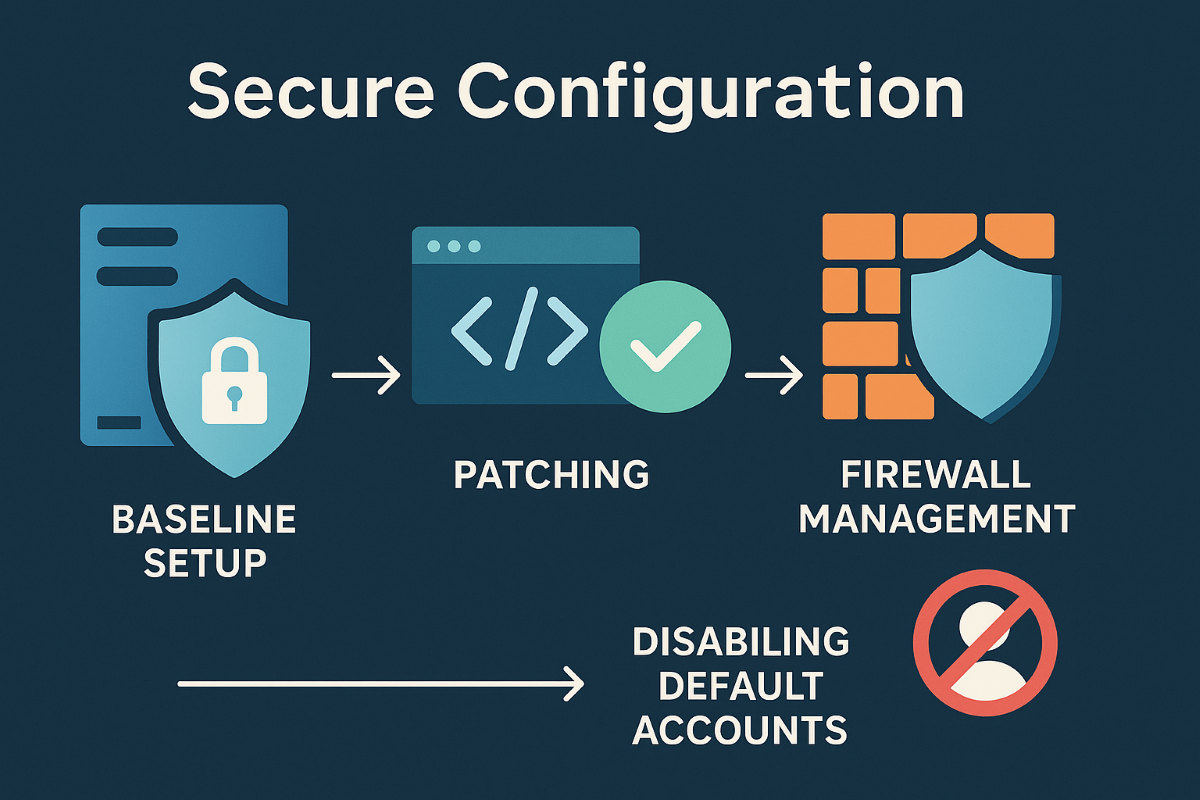
Apply baseline security configurations using global standards, such as CIS Benchmarks and NIST guidelines.
Schedule regular patching and enforce automatic updates.
Limit admin access, enforce strong authentication, and document all configuration changes.
Uninstall anything not needed and disable unused network ports and services.
Encrypt sensitive business data transmissions and use secure protocols for all connections.
Monitor for any changes or vulnerabilities with automated tools.
Client Q&A
Q: Is this overkill? We’re not a bank. A: Basic misconfigurations fuel most breaches, regardless of company size. A secure foundation keeps your doors open and customers confident.
Q: How do I make sure this is all kept up to date? A: Farmhouse Networking offers managed services that maintain and audit your configurations, ensuring nothing slips through the cracks.
How Farmhouse Networking Can Help
Farmhouse Networking is your partner in building, managing, and auditing secure configurations for all your business assets. Trust us to streamline processes, improve productivity, and safeguard data.
And God will generously provide all you need. Then you will always have everything you need and plenty left over to share with others. As the Scriptures say, “They share freely and give generously to the poor. Their good deeds will be remembered forever.” For God is the one who provides seed for the farmer and then bread to eat. In the same way, he will provide and increase your resources and then produce a great harvest of generosity in you. - 2 Corinthians 9:8-10
We use cookies to ensure that we give you the best experience on our website. If you continue to use this site we will assume that you are happy with it.