AI usage limits are now part of every business plan. Here is what happens when your team hits one, and how to keep company data from walking out the door with them.
When AI usage limits stop work, employees often switch to free AI tools. That is how shadow AI puts company data at risk.
It’s 3:40 on a Thursday. Your office manager is halfway through a customer proposal when the company AI assistant stops responding: usage limit reached, try again later. The deadline is 5:00. So she opens a free AI chatbot on her phone, pastes in the customer’s details, and finishes the job. The proposal goes out on time. The customer’s information now sits on a server you have never vetted, under terms nobody at your company has read.
That is the real risk behind AI token limits. The interruption is annoying. What your people do next can be expensive.
What Are AI Tokens and Why Do They Run Out?
Tokens are how AI tools measure work. A token is a small piece of text, often part of a word, and everything counts: the question, any file you attach, the running conversation history, and the answer. Business AI plans come with an allowance, whether the vendor calls it tokens, credits, or messages.
In 2026 those allowances are tighter and more closely metered. Vendors are moving away from flat, unlimited-feeling plans toward usage-based billing. Microsoft, for example, now bills some Copilot features in Copilot Credits with admin spending limits. At the same time, teams are using AI harder. AI agents that handle multi-step tasks, long chat threads, and large uploaded documents burn through tokens far faster than a quick question does.
What Happens When You Hit the Limit
Depending on the tool and plan, one of three things usually happens:
Work stops. New requests are blocked until the allowance resets or an admin raises it. One source reported one consultant waiting 13 hours for tokens to refresh.
The bill grows. Overage billing keeps things running, then shows up as a surprise on next month’s invoice.
People improvise. Employees switch to whatever AI tool they can reach, usually a free personal account.
That third outcome is called shadow AI: AI tools used for work without the company’s approval or oversight. Free consumer tools may retain what you paste in and, depending on settings, may use it to improve their models. IBM’s 2025 Cost of a Data Breach Report found that 63% of the breached organizations it studied had no AI governance policy, and that high levels of shadow AI added about $670,000 to the average cost of a breach.
Action Steps for Business Owners and IT
Inventory every AI tool in use. Ask staff what they use, including free and browser-based tools. IT should confirm with web traffic and application reports.
Standardize on business-grade plans. Choose approved tools with admin controls and contract terms that keep your data out of model training.
Right-size the allowance. Review usage reports monthly. Set spending caps and threshold alerts so IT hears about a limit before employees hit it.
Write an AI acceptable use policy. Spell out approved tools, data that must never be entered, and exactly what to do when a limit is reached.
Build a fast escalation path. If requesting more capacity takes a day, people will go around it. Make the safe option the easy option.
Restrict unapproved AI sites on company devices. Use web filtering and data loss prevention tools to block or flag sensitive data headed to unknown AI services.
Teach token-smart habits. Start a new chat for each new task, attach only the pages you need, and use lighter models for simple work.
Add AI to your continuity plan. List the workflows that depend on AI and document the manual fallback if the tool is unavailable.
Questions Your Customers May Ask
Do you put my information into AI tools? Only into tools we have approved and configured for business use, under agreements that keep your data out of model training. Our policy prohibits entering customer information into personal or free AI accounts.
What happens if an employee uses an unapproved AI app? Our systems restrict unapproved AI services on company devices, and our policy treats it as a security issue. We would investigate and respond just as we would to any other data concern.
If your AI tool goes down or hits a limit, will my project be delayed? No. AI helps our team work faster, but every AI-assisted process has a documented manual fallback.
Does a person check AI-generated work? Yes. A member of our team reviews anything AI helps produce before it reaches you.
How Farmhouse Networking Can Help
Most small businesses adopted AI one employee at a time, which means few owners know which tools are in use, what they cost, or where the data goes. Farmhouse Networking helps you take control without slowing your team down.
We start by identifying every AI tool touching your network, approved or not. From there we help you choose and configure business-grade accounts, set up usage alerts and spending controls, apply web filtering and data loss prevention to stop shadow AI, and write an acceptable use policy your staff will actually follow. We also train your team on efficient, secure AI habits and add AI dependencies to your continuity plan.
Our 100% U.S.-based team answers the phone live, and most issues are resolved in about 15 minutes, so a blocked tool never becomes an all-afternoon problem.
Get Your Free AI Acceptable Use Policy Template
Your employees are going to hit an AI limit. The only question is whether they have a safe path forward when it happens. Email support@farmhousenetworking.com with AI Policy in the subject line and we will send you our free AI Acceptable Use Policy template, ready to customize for your business.
Voice phishing scams are getting harder to spot, and they’re not just an enterprise problem anymore. Here’s what business owners need to do now.
One convincing phone call is often all it takes. Verification before action is the strongest defense against vishing.
A hedge fund employee gets a phone call. The voice sounds exactly like a colleague, tone and pacing included. Within minutes, the caller has talked their way into a password reset. That scenario played out at several major investment firms in August 2026, when AI-generated voice cloning was used to target Point72, Citadel, and Millennium Management. Two Sigma caught the attempt before any damage was done, according to Bloomberg’s reporting.
Most small and mid-sized businesses don’t have that level of security scrutiny watching over them. This is vishing: voice phishing, where a scammer uses a phone call instead of an email to trick someone into handing over credentials, approving a wire transfer, or granting system access. It’s not a future threat. It’s active right now, and AI voice tools are making it more convincing every month.
Why Vishing Works So Well
People trust a human voice more than a written message, and criminals know it. According to Verizon’s 2026 Data Breach Investigations Report, phone-based social engineering succeeds roughly 40% more often per attempt than email phishing. Gartner research found that 35% of organizations have already experienced at least one deepfake-related incident, yet only 10% of security leaders prioritize training staff to recognize a cloned voice, compared to 73% who focus on email phishing alone.
The financial risk is real. In 2023, a vishing call to an IT help desk was the entry point for a breach that cost MGM Resorts an estimated $100 million.
Action Steps for Owners and IT
For the business owner:
Set a rule that no wire transfer, password reset, or system access is approved based on a phone call alone. Require a callback to a known, independently verified number first.
Build a culture where staff can pause and question an “urgent” request without fear of looking difficult.
Schedule recurring, not one-time, staff training on phone-based scams.
For your IT team or provider:
Enforce multi-factor authentication on every account that supports it, and never let it be disabled based on a phone request.
Require independent identity verification before any help desk password reset.
Document and block known scam and spoofed numbers where possible.
Run periodic simulated vishing tests to find gaps before criminals do.
Questions Clients Are Asking
“How do I know if a call is legitimate?” Hang up and call the company or person back using a number you already have on file, not one the caller gives you.
“What should my team do if they’re unsure?” Stop, verify, then act. No legitimate request will penalize someone for double-checking.
“Can this really happen to a business our size?” Yes. Smaller businesses are often targeted precisely because attackers assume less security is in place.
“What’s the first thing we should change?” Put a callback verification policy in place this week. It costs nothing and closes the biggest gap immediately.
How Farmhouse Networking Can Help
Farmhouse Networking builds vishing and social-engineering awareness training around how your team actually works, not a generic slideshow. We run realistic simulated call scenarios, show you exactly where the gaps are, and help you put clear verification procedures in place your staff will actually follow. As a locally based, USA-only provider, we invest heavily in our own team’s ongoing security training, and we bring that same standard to yours.
Protect Your Business Before the Call Comes In
Vishing attacks succeed because they catch people off guard. A short, honest conversation now is a lot less costly than the one you’d have after a breach. Email us at support@farmhousenetworking.com for a free risk assessment. We’ll give you a clear picture of where your business stands, not just against vishing, but across your full security posture.
What the CMMC suspension teaches every small business about the danger of waiting on compliance
Building a cybersecurity policy before it’s required can save your business time, money, and trust.
On July 13, 2026, the Department of War suspended Phase II of its Cybersecurity Maturity Model Certification (CMMC) program — the rule that would have required over 100,000 defense contractors to complete third-party cybersecurity assessments starting this November. The reason wasn’t that cybersecurity stopped mattering. It’s that the compliance system itself couldn’t scale: too few certified assessors, costs approaching $600,000 per certification, and a timeline small businesses couldn’t meet.
That story has nothing to do with defense contracts if you’re not one. But it has everything to do with a mistake we see constantly: business owners treating cybersecurity policy as something to build only when a regulator forces the issue. When the deadline moves or disappears, so does the motivation — right up until a breach, an insurance audit, or a client contract makes it urgent again, usually at the worst possible time.
Why Waiting Is the Expensive Choice
Government programs get delayed, revised, or scrapped. Your actual risk — ransomware, phishing, a stolen laptop, an employee clicking the wrong link — doesn’t wait for anyone’s regulatory calendar. Businesses that build security practices proactively spend less, recover faster, and rarely scramble when a client or insurer asks for documentation they don’t have.
Action Steps for Business Owners
Write down your security policies now, even in simple form: password requirements, data handling rules, who can access what.
Inventory your systems and data — you can’t protect what you haven’t mapped.
Set a patch and update schedule instead of reacting to alerts.
Back up data regularly and actually test that restores work.
Train staff on phishing and basic security hygiene at least twice a year.
Review vendor contracts for the security commitments you’re already making to clients or partners.
Revisit your plan quarterly — don’t let it go stale.
Questions Business Owners Are Likely Asking
“If the government paused its own program, why should I move faster on mine?” Because your risk was never tied to their timeline. The suspension was about assessment logistics, not about cyber threats becoming less real.
“Isn’t this overkill for a small business?” No — attackers target small businesses precisely because they assume no one built a plan. A written policy costs far less than a breach.
“Do I need a full compliance framework?” Not necessarily. You need documented, consistently applied practices. Formal frameworks can come later if a client or contract requires them.
“What if I don’t have an in-house IT person?” That’s exactly where a managed partner earns their keep — building and maintaining the plan so you don’t have to.
How Farmhouse Networking Helps
We help small and mid-sized businesses build the security foundation regulators eventually ask for — without waiting for a mandate to force the issue. That means clear, documented policies, practical safeguards like MFA and monitored backups, and straightforward guidance you can actually act on, without the jargon.
Don’t Wait for the Next Deadline to Get Serious
Regulations pause. Real risk doesn’t. If you’ve been putting off a cybersecurity policy because “nothing’s required yet,” now is the time to close that gap — before something else forces the timeline.
Email us at support@farmhousenetworking.com for a free cybersecurity policy review. We’ll tell you plainly where you stand and what to fix first.
Why waiting for an audit notice is the most expensive compliance strategy there is
Proactive compliance planning costs far less than scrambling to fix gaps after an audit notice arrives.
Most business owners don’t think about compliance until someone forces the issue – a new client contract requiring proof of security controls, an insurance renewal asking for documentation, or worse, an audit letter. By then, the real cost isn’t the audit itself. It’s everything you didn’t do in the months or years leading up to it: the gaps that piled up, the records that don’t exist, and the scramble to fix it all under a deadline. Research consistently shows that organizations that wait until they’re forced to comply end up paying roughly two-and-a-half to three times more than those who treat compliance as an ongoing practice. That gap isn’t fines alone – it’s lost productivity, disrupted operations, and the cost of fixing things the hard way instead of the easy way.
What “Waiting” Actually Costs
Lost productivity during the scramble. When an audit notice arrives, someone has to drop everything to assemble records, policies, and proof of controls that should have already existed. That’s time not spent serving customers.
Higher remediation costs. Fixing a security gap proactively might mean a software update or a policy change. Fixing it during an active audit often means emergency vendor calls, rushed system changes, and premium pricing.
Weaker negotiating position. Auditors and regulators view a track record of good-faith effort favorably. A business with no documentation looks like it never tried – and that perception drives harsher outcomes.
Business disruption. Operations can grind to a halt while staff redirect their attention to corrective action plans, investigations, or reporting requirements.
Reputational fallout. Clients, vendors, and partners notice when a business fails an audit or discloses a breach. Rebuilding trust takes far longer than building it the first time.
Action Steps to Take Now
Inventory what you actually have. List every system, vendor, and data type your business touches. You can’t protect, or document, what you haven’t identified.
Run a basic risk assessment. Identify where sensitive data lives, who has access to it, and what would happen if it were exposed or lost.
Document your policies in writing. Verbal habits don’t count as a compliance program. Write down password requirements, data handling rules, and incident response steps.
Check your vendor agreements. Make sure any vendor handling sensitive data on your behalf has appropriate contractual protections in place.
Train your staff and keep records of it. A single untrained employee can undo your entire compliance posture. Training without documentation is nearly as risky as no training at all.
Test your backups and recovery plan. A backup you’ve never tested is a backup you don’t actually have.
Set a recurring review cadence. Quarterly or biannual reviews catch small gaps before they become big ones.
Questions Business Owners Are Likely Asking
“We’ve never had a problem. Why worry about this now?” Most compliance failures aren’t discovered until something else goes wrong – a breach, a complaint, or a routine review triggered by a client or insurer. The absence of a problem so far isn’t the same as the absence of risk.
“Isn’t this what our IT vendor is already handling?” Possibly, but it’s worth confirming directly. Compliance documentation, policy writing, and risk assessments are distinct from day-to-day IT support, and gaps often hide in that space between the two.
“How much time does this realistically take?” A basic risk assessment and documentation cleanup can often be completed in a few weeks. Waiting until an audit forces the same work into days, with far less room for error.
“What’s the actual return on doing this now instead of later?” Beyond avoiding fines, proactive compliance tends to reduce insurance premiums, speed up vendor and client onboarding, and protect the business from disruption that has nothing to do with regulators – like a ransomware attack or a lost laptop.
How Farmhouse Networking Can Help
Farmhouse Networking works with business owners to close compliance gaps before they become expensive problems – not after. That means risk assessments that actually identify where your exposure lives, documentation that holds up under scrutiny, employee training programs with the paper trail to prove it, and ongoing monitoring so nothing slips through the cracks between reviews. Instead of a one-time scramble, you get a system that keeps working in the background, year-round.
The Bottom Line
Compliance isn’t a deadline – it’s a discipline. The businesses that treat it that way spend less, sleep better, and never have to explain to a client, an insurer, or a regulator why the paperwork doesn’t exist. If you’re not sure where your gaps are, that’s the best possible reason to find out now, while you still have the luxury of time.
Don’t wait for an audit notice to find out where you stand. Email support@farmhousenetworking.com and let’s talk about what a proactive compliance check would look like for your business.
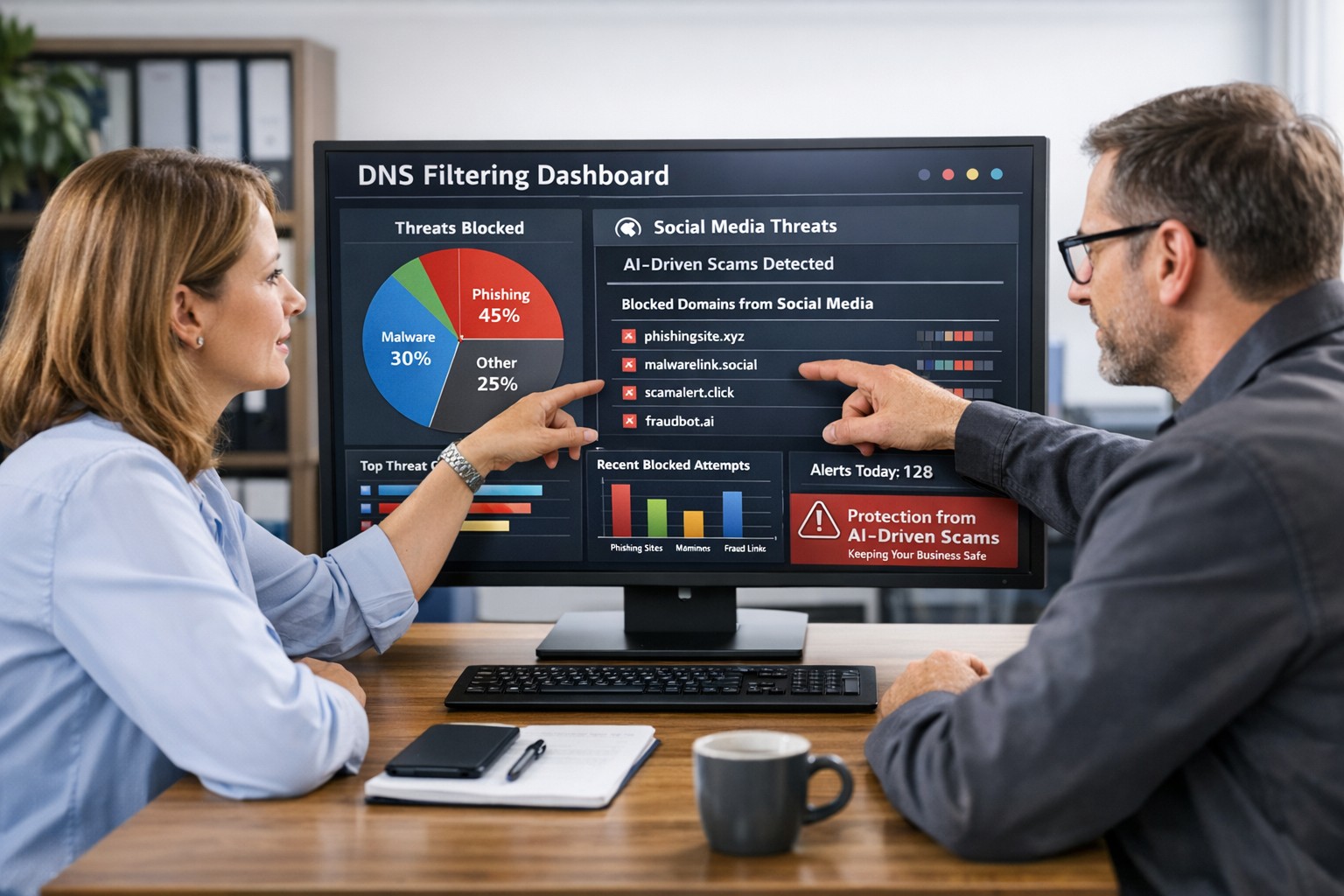
Use DNS Filtering to Stay Safe and Open for Business
DNS filtering helps small business owners block AI powered social media scams before employees can reach malicious websites
AI tools now let scammers quickly generate deepfake videos, realistic ads, and convincing phishing messages that target small and mid‑sized businesses on social media. These attacks trick employees into clicking malicious links that steal logins, install ransomware, or divert payments, and incident rates and losses are climbing. DNS filtering offers your business a practical, affordable way to block dangerous sites at the network level before a bad click turns into downtime.
Why AI-Driven Social Media Threats Matter for SMBs
AI deepfakes and fake ads can impersonate your brand or suppliers and lead to look‑alike scam sites.
AI-enhanced phishing leverages details from your website and social media to sound like real customers, partners, or executives.
Web‑based phishing and spoofing attempts are rising sharply year over year, driven by generative AI.
What DNS Filtering Does for Your Business
DNS filtering checks where your employees’ devices are trying to connect and blocks known or suspected malicious domains. For SMBs, this:
Prevents access to phishing pages and fake login screens linked from social media or email.
Reduces malware and ransomware risk by blocking communication with malicious servers.
Gives you visibility into risky browsing and helps enforce acceptable‑use policies.
Action Steps for Business Owners and IT
Document where and how your team uses social media for sales, support, and marketing.
Roll out DNS filtering to office networks, remote workers, and any company‑managed laptops or phones.
Integrate DNS filtering logs with your security monitoring to quickly investigate suspicious activity.
Establish a clear process for verifying unusual requests (wire transfers, password resets, gift card purchases) received via social media or email.
Sample Customer Questions and Answers
“Is it safe to click promotions I see about your business on social media?” We recommend visiting our official website or verified profiles directly, because scammers can create fake ads that lead to malicious sites.
“How do you protect my data from online scams?” We use layered security including DNS filtering to block malicious websites, alongside secure payment providers and strong internal controls.
How Farmhouse Networking Helps SMBs
Farmhouse Networking works with you to understand your business, social media use, and risk tolerance, then designs and manages a DNS filtering solution that fits your size and budget. We deploy, configure, and monitor the service, fine‑tune policies over time, and provide clear reports so you always know how your network is being protected. This is included at no additional cost to all our monthly managed IT services clients.
Call to Action: Email support@farmhousenetworking.com for more information about how Farmhouse Networking can help improve your business and defend against AI‑driven social media threats.
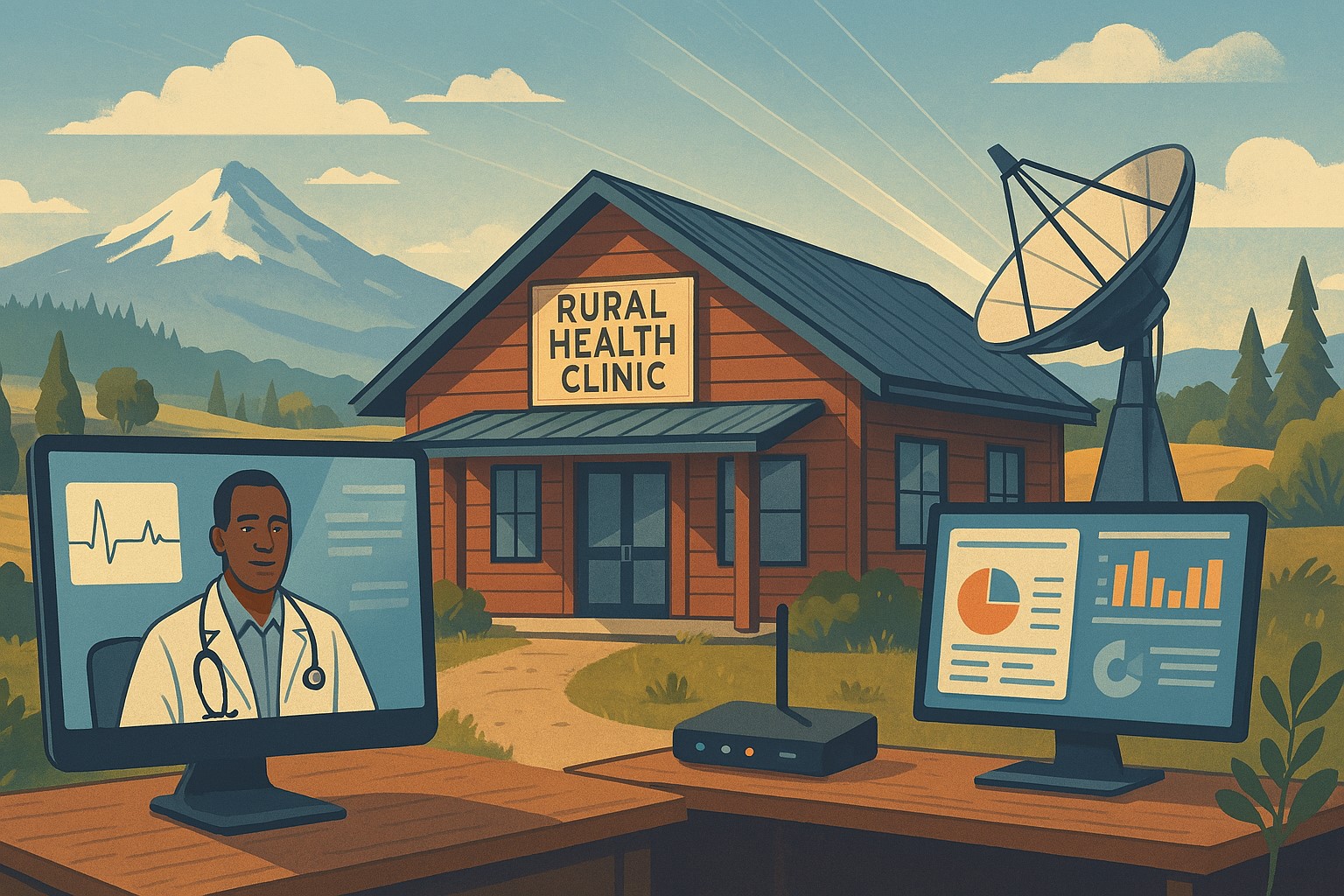
Modern IT and cybersecurity tools help rural small businesses strengthen resilience, protect customer data, and apply lessons from the Rural Health Transformation Program.
The Rural Health Transformation Program is a five-year, $50 billion national initiative focused on stabilizing and modernizing rural health systems through better technology, stronger cybersecurity, and more resilient operations. Even if your business is not in healthcare, the same principles apply: modern, secure IT and good data are now core to long-term sustainability.
Why Business Owners Should Pay Attention
The program explicitly invests in IT support, cybersecurity, and technology-enabled efficiency as critical to sustainable operations in rural settings.
Oregon’s plan emphasizes tech modernization, workforce resilience, and strong regional partnerships as keys to surviving funding shifts and market changes.
SMBs that adopt these same priorities gain resilience against outages, cyberattacks, and regulatory pressure—without waiting for a crisis.
Practical Action Steps for You and Your IT Team
Treat IT as critical infrastructure, not overhead
Conduct a full inventory and risk assessment: hardware, software, data flows, third-party platforms, and security controls.
Identify single points of failure and systems that would halt operations if compromised.
Invest in modernization and cybersecurity
Prioritize upgrades that increase efficiency and security: cloud migration, MFA, endpoint protection, secure backups, and network segmentation.
Align IT investments with measurable business outcomes such as uptime, recovery time, and staff productivity.
Build reporting and data capability
Ensure your systems can generate the metrics you need to manage performance and respond to customer or regulator questions.
Standardize data structures so growth, audits, or new partnerships do not require rebuilding your information from scratch.
Plan for multi-year resilience, not quick fixes
Create a three- to five-year IT roadmap similar to how RHTP structures its budget periods and milestones.
Include cybersecurity training, periodic testing, and regular reviews of your business continuity and disaster recovery plans.
Likely Customer Questions – With Suggested Answers
“Is my data safe with your company?”
Yes. We use modern security practices—encryption, secure access controls, and monitored systems—to protect your information.
“Can you keep operating if there’s an outage or cyberattack?”
Yes. We maintain tested backups, continuity plans, and resilient systems so we can continue serving you even during disruptions.
“How do you handle sensitive information?”
We limit access to only those who need it, track system activity, and use secure tools to store and transmit sensitive data.
How Farmhouse Networking Helps SMBs Apply These Lessons
Farmhouse Networking has helped organizations that participate in complex state and federal programs build robust, secure IT environments that pass strict scrutiny. Those same capabilities translate directly to SMBs in any industry. Farmhouse Networking can:
Conduct comprehensive IT and cybersecurity assessments focused on business risk and resilience.
Design and implement a modernization roadmap—cloud, security, backups, remote work, and compliance-aligned practices.
Provide ongoing, proactive support so your internal team can focus on revenue, customers, and strategic growth.
Call to Action
To apply the same modernization, security, and resilience principles behind Rural Health Transformation to your own business, email support@farmhousenetworking.com and discover how Farmhouse Networking can help improve your systems and protect your bottom line.
A small business owner collaborates with an IT security partner to elevate cybersecurity from a technical task to a core business risk management priority.
Across regions and industries, executives now rank cybersecurity as their top external risk, ahead of supply chain issues, regulatory changes, and macroeconomic concerns. For small and mid‑sized businesses, cyber incidents can rapidly translate into operational outages, reputational damage, and long‑term financial loss.
What this means for SMBs
Security has moved out of the server room Leaders are embedding cybersecurity within enterprise risk management, using business continuity plans, risk frameworks, and scenario planning rather than treating it as a pure IT issue. Business owners must therefore own cyber risk in the same way they own cash flow and strategy.
Skill gaps and competing priorities Executives report that talent shortages, workload pressure, and cost constraints make it difficult to execute technology and security plans effectively. Many SMBs rely on a small IT team that spends most of its time on basic maintenance instead of proactive defense.
Vendor pressure and forced upgrades A significant share of executives cite vendor lock‑in and forced upgrades that constrain security planning, delay patching, and divert funds from higher‑value initiatives such as AI and modernization. SMBs need more control over when and how they adopt changes.
Practical action steps for owners and IT
Treat cybersecurity as a business risk
Add cyber risk to your leadership agenda, risk register, and strategic planning sessions.
Define risk scenarios in business terms: downtime costs, lost sales, regulatory penalties, and reputational impact.
Build structured risk, continuity, and investment processes
Implement a risk framework and business continuity plan that cover key systems, suppliers, and customer touchpoints.
Evaluate security investments based on multi‑year business value, including reduced incident costs and improved resilience.
Leverage outsourcing as a strategy
Follow the many organizations that already outsource or are planning to outsource cybersecurity services to stabilize operations and address skill shortages.
Let internal IT prioritize strategic initiatives and innovation while a specialist partner handles monitoring, vulnerabilities, and incident response.
Customer questions – and your answers
“How do you protect our data and services?” Cybersecurity is managed at the leadership level, supported by formal risk management, continuity planning, and external security expertise.
“Can you stay operational if you are attacked?” We create tested business continuity and disaster recovery plans, including backups, alternate processes, and clear responsibilities during incidents.
“Are you keeping up with evolving threats?” We evaluate technology with security as a key criterion, and we work with dedicated security partners to adapt to changing risks.
How Farmhouse Networking helps SMBs
Farmhouse Networking helps business owners turn cybersecurity into a manageable, measurable business function by:
Designing and managing secure, resilient IT environments that align with your risk appetite and growth plans.
Delivering outsourced cybersecurity services to tackle monitoring, patching, and incident response so your internal team can focus on innovation.
Advising on vendor strategies and technology investments so security, cost, and flexibility stay in balance.
Call to action
To find out how Farmhouse Networking can help your business make cybersecurity a strategic advantage, email support@farmhousenetworking.com for more information about how Farmhouse Networking can help improve your business.
Why Every Minute Matters and How Farmhouse Networking Delivers
Every minute of system downtime costs your small business money—proactive monitoring and managed IT services dramatically reduce outages and protect your revenue.
Imagine your business suddenly grinds to a halt—orders can’t be processed, patient records are inaccessible, and your team is scrambling to keep up. Technical issues or downtime can stop operations in their tracks, leading to lost revenue, frustrated customers, and even dissatisfied patients in healthcare settings. Today every second of downtime can cost thousands of dollars and erode the trust your clients and patients place in your organization.
Why Farmhouse Networking Stands Out Among MSPs
Farmhouse Networking isn’t just another managed service provider (MSP)—we’re your proactive partner in preventing costly system interruptions. While many MSPs offer basic monitoring and support, Farmhouse Networking delivers a competitive advantage through a blend of advanced technology, rapid response protocols, and a deep understanding of the unique challenges faced by healthcare, manufacturing, and charity sectors.
Our approach is built on proactive monitoring, which means we detect potential issues—such as failing hardware, network bottlenecks, or cyber threats—before they impact your operations. With 24/7 monitoring and clearly defined Service Level Agreements (SLAs), we guarantee swift issue resolution, minimizing downtime and keeping your business running smoothly. Unlike in-house IT teams limited to business hours, our team is always on standby, ready to tackle urgent problems the moment they arise.
Key Features and Benefits: What Farmhouse Networking Offers
Proactive Network Monitoring: Continuous oversight of your IT infrastructure to catch and resolve issues before they escalate.
Rapid Issue Resolution: Fast response times with clear SLAs, ensuring minimal disruption to your business operations.
Disaster Recovery Planning: Comprehensive plans tailored to your organization, including risk assessment, backup strategies, and clear communication protocols to restore services quickly in case of a disaster.
Customized Support: Solutions designed specifically for healthcare, manufacturing, and nonprofit sectors, addressing industry-specific compliance and security needs.
Employee and Patient Satisfaction: By keeping systems online and data secure, we help you maintain trust with both your team and your clients or patients.
A Real-World Example: The Value of Proactive MSP Support
Consider a healthcare provider facing a network outage. Without proactive monitoring and rapid response, clinicians may be unable to access electronic health records, leading to delayed diagnoses, treatment errors, and frustrated patients. Farmhouse Networking’s proactive approach ensures these scenarios are prevented or swiftly resolved, safeguarding both patient safety and your organization’s reputation.
Secure Your Business Continuity
Don’t let system downtime disrupt your business or compromise your clients’ trust. Farmhouse Networking is ready to help you minimize downtime, maximize productivity, and keep your operations running smoothly—no matter what challenges arise.
Email us today to learn more about how Farmhouse Networking can improve your business continuity and end system downtime for good. Let’s build a more resilient future together.
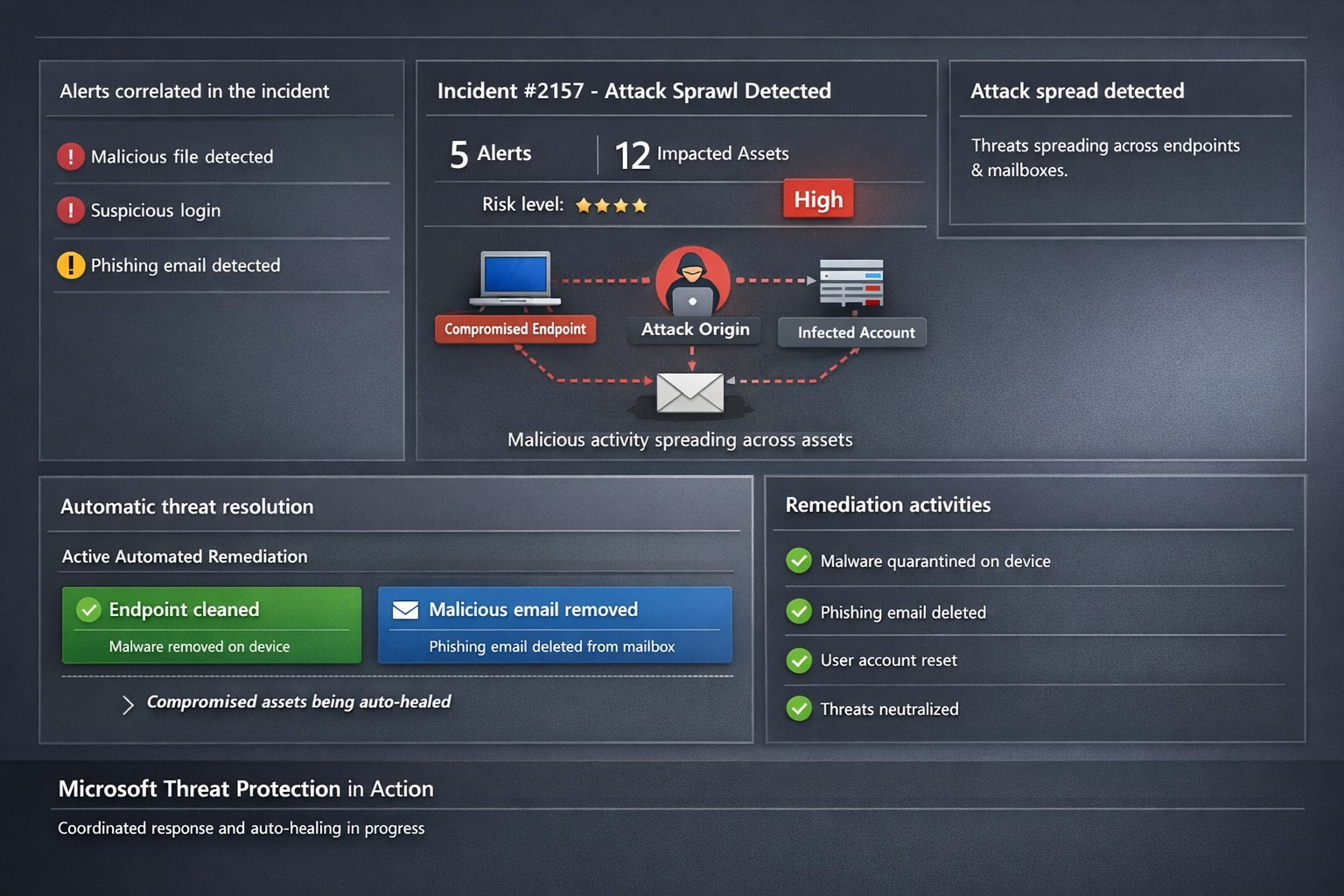
Microsoft 365 Defender auto-disrupts threats across endpoints and identities, healing assets in real-time to prevent sprawl.
One cyberattack can cripple operations, expose sensitive data, and cost millions in recovery. Microsoft Threat Protection (now evolved into Microsoft 365 Defender) integrates defenses across endpoints, email, identity, and apps to halt attack sprawl—where threats spread unchecked—and automatically heals compromised assets, minimizing downtime and risk.
What Is Attack Sprawl and Auto-Healing?
Attack sprawl happens when adversaries breach one domain, like email, then pivot to endpoints or identities via weak seams in siloed tools. Microsoft Threat Protection correlates signals across Microsoft Defender for Endpoint, Office 365 ATP, Azure ATP, and Cloud App Security to detect the full attack chain in real time.
It stops sprawl by blocking persistence mechanisms, such as malicious processes or credential abuse, and auto-heals assets—terminating threats on devices, removing harmful email rules, and flagging compromised users in Azure AD—restoring safety without manual intervention. Recent updates add automatic attack disruption for critical assets like domain controllers, disrupting threats days earlier in the kill chain.
Practical Action Steps for Implementation
Business owners and IT teams can deploy Microsoft Threat Protection systematically to fortify defenses. Follow these steps:
Assess Your Environment: Inventory endpoints, email, identities, and apps using Microsoft 365 Defender portal. Enable integration for Defender ATP, Office 365 ATP, Azure ATP, and MCAS via the unified console.
Enable Cross-Domain Correlation: Activate incident correlation in the Microsoft 365 Defender portal to prioritize high-fidelity threats. Configure conditional access policies to block risky logins automatically.
Turn On Auto-Healing and Disruption: In Defender settings, enable automated response actions like process termination and asset isolation. Test automatic attack disruption for critical assets via Security Exposure Management integration.
Conduct Proactive Hunting: Use custom queries in the portal to hunt cross-domain threats with your org-specific indicators. Review Threat Analytics reports for exposure insights and patches.
Monitor and Refine: Set up Action Center to track automated actions. Schedule monthly reviews to harden configurations based on incident data.
These steps reduce response times from hours to minutes, cutting breach costs by limiting sprawl.
FAQ: Client Inquiries Answered
How does Microsoft Threat Protection differ from standalone tools? It unifies siloed solutions into one XDR platform, correlating alerts for end-to-end visibility—unlike fragmented tools that miss cross-domain sprawl.
What assets does auto-healing cover? Endpoints (malicious processes), mailboxes (forwarding rules), identities (compromised flags), and apps. New capabilities target domain controllers and high-value servers.
Is it suitable for small businesses without a full IT team? Yes—built-in automation handles most responses. Pair with Microsoft 365 E5 licensing for seamless setup, scaling from SMBs to enterprises.
How effective is it against ransomware? It disrupts human-operated ransomware early by inoculating devices org-wide upon initial detection, reducing dwell time significantly.
What are setup costs and timelines? Licensing starts in Microsoft 365 plans; deployment takes days for integrated environments. Expect ROI via reduced incidents within weeks.
How Farmhouse Networking Boosts Your Efforts
Farmhouse Networking specializes in tailored Microsoft 365 security for accounting, healthcare, and charity sectors—industries handling sensitive data under strict compliance like HIPAA or GAAP. We handle assessment, configuration, and optimization of Threat Protection to stop attack sprawl and enable auto-healing.
Our team deploys custom integrations, trains your staff on hunting tools, and monitors via proactive managed services. We’ve helped similar clients cut threat response by 70%, ensuring business continuity. As your partner, we align SEO-driven website branding with lead-gen strategies to attract secure B2B growth.
Ready to protect your business? Email support@farmhousenetworking.com for a free Threat Protection audit and custom strategy.
It is astounding to think that many servers in small businesses are plugged directly into the wall for power without any protection from outages or dirty electric current. It is easy to mitigate up to 44% of data loss incidents that are due to hardware failure by providing clean and consistent power to servers on the network. Installing a server battery backup is quite easy to do and the possible return on investment will never be seen due to the possible issues being taken care of. Here is a basic list of best practices for purchasing and setting up the monitoring software that comes with the unit:
Server Battery Backup Purchasing:
Budget to purchase new battery backup devices every 5-6 years
Replace internal battery on unit at the 3 year mark
Based on maximum load (think power supply total watts) select an Uninterupted Power Supply (UPS) that will not be loaded over 80% which protects the unit from undue wear and allows for some growth
Consider redundant UPS configuration for larger servers with multiple power supplies
In high production environments, consider adding an UPS for each workstation to allow for file saves before file server shutdown occurs.
Server Battery Backup Setup:
Make sure buildings elecrical breakers are rated to handle the 80-100% load of the UPS
If single UPS used in multiple power supply server scenario then put one plug into the wall and the other into the UPS, but please consider redundant power supplies.
Plug in serial, usb or network management and install the management software that comes with it
Configure the management software to gracefully shutdown the Operating System (OS) of all connected servers
If using sequential shutdown of servers then shutdown database servers first, file servers second and domain controllers last.
Configure either SNMP alerting or email alerting to get status updates from the device
Configure regular self-test of the battery to make sure there is no failure of the internal battery before the replacement period
Taking the time to do this right the first time will save headaches later when things go wrong. Call or email us to do an evaluation of your power infrastructure.
And God will generously provide all you need. Then you will always have everything you need and plenty left over to share with others. As the Scriptures say, “They share freely and give generously to the poor. Their good deeds will be remembered forever.” For God is the one who provides seed for the farmer and then bread to eat. In the same way, he will provide and increase your resources and then produce a great harvest of generosity in you. - 2 Corinthians 9:8-10
We use cookies to ensure that we give you the best experience on our website. If you continue to use this site we will assume that you are happy with it.