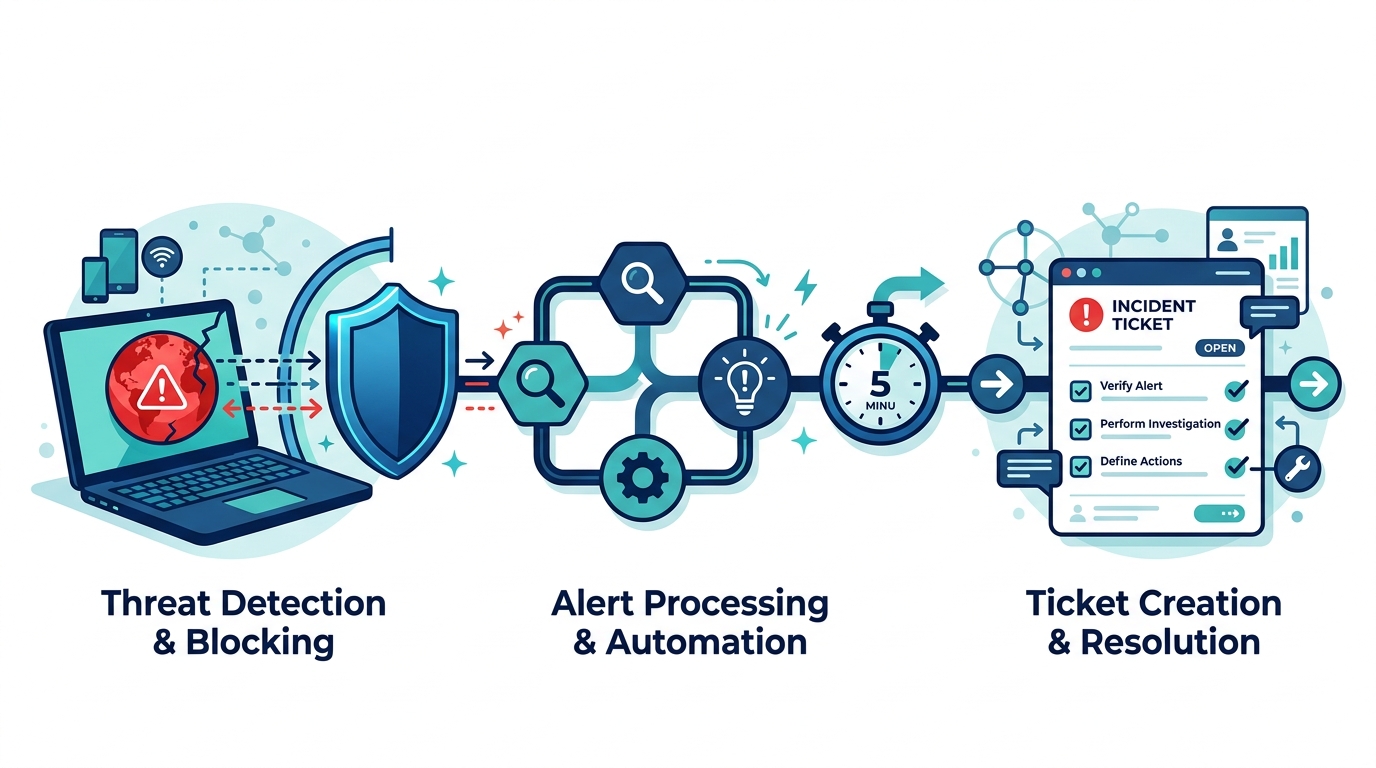
A blocked malware site in DefensX becomes a SuperOps ticket within five minutes, with no technician watching a dashboard.
As our business continues to grow our focus is on providing white labeled Tier 3 IT support services, RMM as a service, and co-managed IT services. This blog will be highlighting tips for using an n8n workflow to watch a DefensX global URL group and open a SuperOps ticket whenever a client machine tries to reach a site on it. We keep a global malware list in DefensX that applies to every customer. A block on that list is not routine web filtering. It means something on that machine tried to reach a known bad destination, and we want a technician looking at it in minutes, not at the next report review.
Research
DefensX has a Partner API with log endpoints for every customer, and SuperOps has a GraphQL API that can create tickets. The plan was simple: poll DefensX, find blocks from our list, create a ticket for the right client. Getting there took more discovery than expected. Here is what we ran into:
There is no webhook, and the logs don’t say which group caused the block. The URL log gives you the URL, the action and a category, but not the URL group that matched. The workflow has to pull the group’s entries itself and do the matching. That means handling all three entry styles DefensX allows: exact hostnames, *.domain.com wildcards, and full URLs with a path.
Browser logs are only half the picture. Our first test was a curl from a command prompt, and it never appeared in the URL logs. The browser extension only sees browser traffic. Anything else, including scripts and processes running as SYSTEM, is caught by the agent and written to the DNS logs. Since malware rarely uses the browser, the workflow checks both endpoints for every customer.
DNS logs are large. One customer returned more than 5,700 DNS rows in a 20-minute window, which is over the 5,000-row page limit. Pagination is not optional.
SuperOps required a field the schema calls optional. Our first ticket failed with mandatory_validation_failed on requestType, even though introspection shows it as a plain optional string. The tenant enforces it.
The next error named a field we never sent. After adding requestType: "Incident", SuperOps answered with referred_value_does_not_exist on ticketType. The field was renamed at some point and the error still uses the old name. The real problem was the value: ticket types are customizable per tenant, and ours has no type called “Incident”. It has “Incident – Security”.
Our API token could not look up the answer. We tried reading the type from existing tickets. The list query returned a total count of 429 and zero rows, and single-ticket lookups returned forbidden. The token could create tickets but not read them. What finally explained everything was asking the schema for field descriptions, not just field types. The description for requestType states that it replaced ticketType and tells you which query lists the valid options.
Repeat hits would flood the board. A machine retrying a blocked connection every few seconds would create a ticket on every run. The workflow remembers each user and site pair for 24 hours and tickets it once. It also keeps a separate time cursor per customer, so a failed API call for one customer is retried from where it left off without holding up the others.
Variables
Everything you need to change lives in one Set node at the top of the workflow:
urlGroupName – the exact name of the DefensX URL group to watch, for example Global Malware List
groupOwnerCustomerId – leave blank if the group lives on your partner account; otherwise the ID of the customer that owns it
suppressHours – how long to stay quiet about the same user and site after a ticket is created (default 24)
overlapMinutes – how far each run reaches back past the last one, to catch logs that arrive late (default 5)
includeConsented – whether to report blocks the user clicked through (default true)
defangUrls – writes sites as example[.]com in the ticket so nobody clicks one by accident (default true)
superopsSubdomain – your SuperOps subdomain, sent as the CustomerSubDomain header
ticketRequestType – one of your own ticket type names, spelled exactly as it appears in SuperOps
fallbackSuperOpsAccountId – the client that receives the ticket when a DefensX customer name has no match in SuperOps
customerNameMap – optional JSON for customers whose names differ between the two systems
API keys go in n8n credentials, never in the workflow itself.
Script Snippet
The matching logic runs in a Code node. Wildcard entries match the domain and every subdomain, and path entries are only checked against URL logs because a DNS lookup has no path:
function findEntry(target, hasPath) {
  for (const e of ctx.entries) {
    const hostOk = e.wildcard
      ? (target.host === e.host || target.host.endsWith('.' + e.host))
      : target.host === e.host;
    if (!hostOk) continue;
    if (!e.path) return e;
    if (hasPath && (target.path === e.path || target.path.startsWith(e.path + '/'))) return e;
  }
  return null;
}
Both log endpoints use the same pagination settings on the HTTP Request node:
Each ticket lands on the matching SuperOps client with a table showing the time, user, device, site, number of blocks and whether it came from the browser or the agent. Query strings are stripped from URLs before they are written, so session tokens never end up in a ticket.
The complete workflow, with the customer loop, DNS and URL log handling, SuperOps client matching and duplicate suppression, is free on our GitHub: [GITHUB LINK]
If your company is a MSP or wants to become one and automation just seems out of reach, then contact us to run your RMM for you.
And God will generously provide all you need. Then you will always have everything you need and plenty left over to share with others. As the Scriptures say, “They share freely and give generously to the poor. Their good deeds will be remembered forever.” For God is the one who provides seed for the farmer and then bread to eat. In the same way, he will provide and increase your resources and then produce a great harvest of generosity in you. - 2 Corinthians 9:8-10
We use cookies to ensure that we give you the best experience on our website. If you continue to use this site we will assume that you are happy with it.