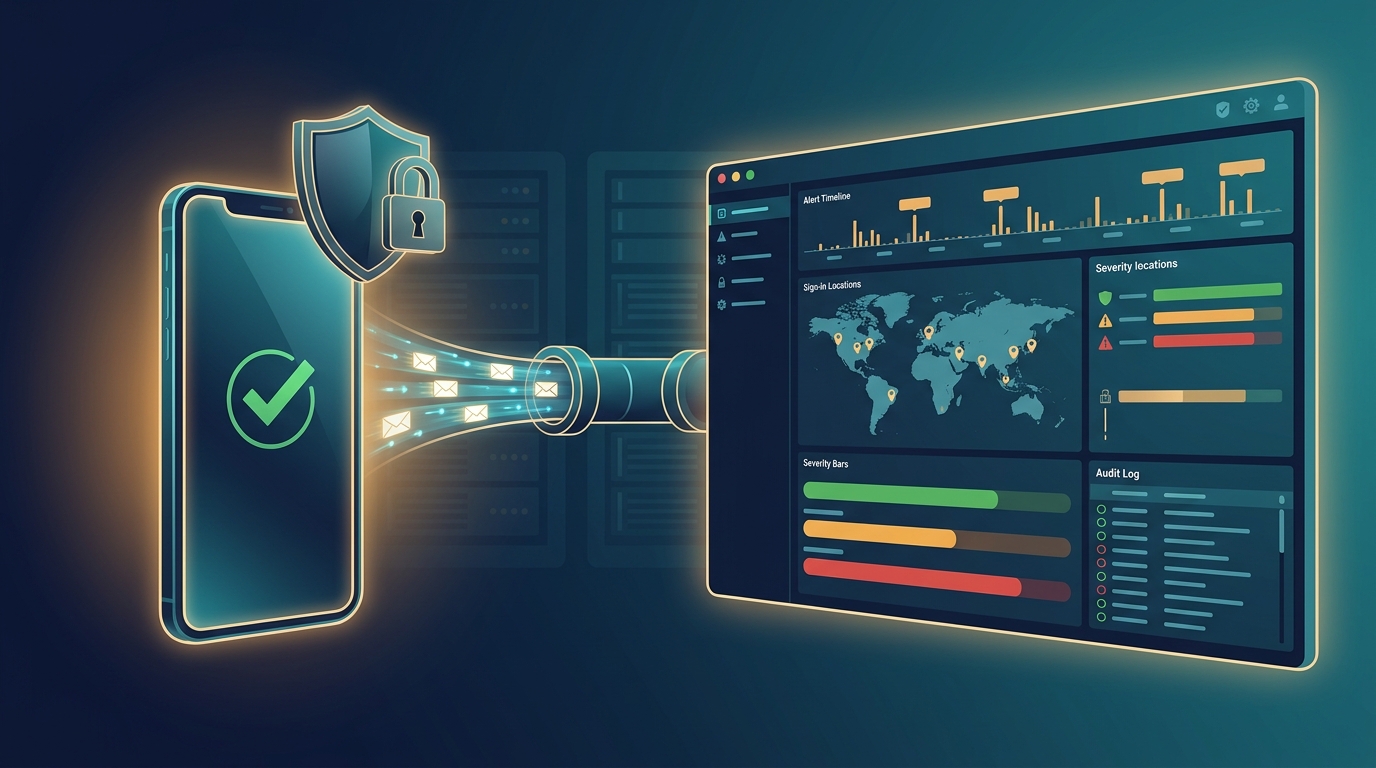
Duo authentication and admin activity logs flowing into a self-hosted Wazuh SIEM, ready for MFA monitoring and CMMC audit evidence.
As our business continues to grow our focus is on providing white labeled Tier 3 IT support services, RMM as a service, and co-managed IT services. This blog will be highlighting tips for using a Bash script to forward Cisco Duo MFA logs into a self-hosted Wazuh SIEM.
We recently connected Duo to the onsite Wazuh server of a client working toward CMMC Level 2. Logging every MFA event and every admin change is part of the evidence an assessor wants to see (NIST 800-171 controls 3.3.1 and 3.5.3). Duo ships an official tool for exactly this. Getting it to produce real Wazuh alerts took some work, so we turned everything we learned into one script that you can run by hand or from SuperOps RMM.
Research
Duo publishes DuoLogSync (github.com/duosecurity/duo_log_sync), a small Python service that pulls logs from the Duo Admin API and sends them as JSON over TCP. The plan was simple: run DuoLogSync on the Wazuh manager, send its output to a syslog listener that only accepts local connections, and let Wazuh’s built-in JSON decoder do the rest. No agent, no public port, no custom decoder.
In practice, five things got in the way. They aren’t obvious from the documentation:
Stock Wazuh rule 86600 (Suricata) matches any JSON event that has both “timestamp” and “event_type” fields. Duo auth logs have both, so every event was captured by a level 0 rule and silently thrown away. Our rules now hang under 86600 as child rules.
Wazuh loads every rule file, stock and custom together, in alphabetical order. Naming the file 9999_duo_rules.xml makes sure it loads after the stock rules it depends on.
“action” is a reserved Wazuh field name, so a field match on it stops the whole ruleset from loading. Use the <action> tag or a dotted field like action.name instead.
DuoLogSync 2.4 retired the “adminaction” endpoint. Admin events now come from the “activity” log, which has a completely different JSON layout.
DuoLogSync opens one TCP connection and never reconnects. Every Wazuh manager restart quietly lost the next batch of logs. The fix is a systemd unit tied to the manager with PartOf=wazuh-manager.service.
The payoff showed up right away. The 180-day history pull surfaced twelve failed Active Directory syncs, all caused by a Duo Authentication Proxy outage. If an AD sync fails, a user you just disabled in AD can still pass Duo, so that’s a finding worth knowing about.
Variables
DuoIntegrationKey = The integration key of a Duo Admin API application with only “Grant read log” permission – i.e. DIXXXXXXXXXXXXXXXXXX DuoSecretKey = The secret key for that application (mark this as a secure variable in SuperOps) DuoApiHost = The API hostname from the same application – i.e. api-xxxxxxxx.duosecurity.com DuoEndpoints = Optional. Which Duo logs to pull – default auth,telephony,activity DuoOffsetDays = Optional. How many days of history to pull on the first run, maximum 180 DuoAction = Optional. install, status, resend or uninstall
Script Snippet
The full script handles prerequisite checks, backups, validation, automatic rollback, and a final check with wazuh-logtest. These are the core pieces:
# DuoLogSync config - single quotes are required by DLS
cat > /opt/duologsync/config.yml <<EOF
version: '1.0.0'
dls_settings:
  log_format: 'JSON'
  api:
    offset: $DLS_OFFSET_DAYS
  checkpointing:
    enabled: True
    directory: '/opt/duologsync/checkpoints'
servers:
  - id: 'wazuh'
    hostname: '127.0.0.1'
    port: 5140
    protocol: 'TCP'
account:
  ikey: '$DUO_IKEY'
  skey: '$DUO_SKEY'
  hostname: '$DUO_API_HOST'
  endpoint_server_mappings:
    - endpoints: ['auth', 'telephony', 'activity']
      server: 'wazuh'
EOF

# Local-only listener added to ossec.conf
<remote>
  <connection>syslog</connection>
  <port>5140</port>
  <protocol>tcp</protocol>
  <local_ip>127.0.0.1</local_ip>
  <allowed-ips>127.0.0.1</allowed-ips>
</remote>

# Duo auth events are claimed by Suricata rule 86600 - attach under it
<rule id="120000" level="0">
  <if_sid>86600</if_sid>
  <field name="txid">\.+</field>
  <field name="factor">\.+</field>
  <description>Duo: authentication event</description>
</rule>

# systemd: restart with the manager, wait for the listener first
[Unit]
After=wazuh-manager.service
PartOf=wazuh-manager.service
[Service]
ExecStartPre=/bin/bash -c 'until ss -ltn | grep -q "127.0.0.1:5140 "; do sleep 2; done'
ExecStart=/opt/duologsync/venv/bin/duologsync /opt/duologsync/config.yml
Restart=always
The complete script, the SuperOps edition, and the full ruleset (with alerts for MFA fraud reports, MFA fatigue, admin panel brute force, Duo configuration changes and AD sync failures, all tagged for NIST 800-171) are free on our GitHub: https://github.com/FarmhouseNetworking/Duo-Wazuh-LogSync
If your company is a MSP or wants to become one and automation just seems out of reach, then contact us to run your RMM for you.
RapidDeploy creates its Cloud Aided Dispatch systems to help first responders act quickly to protect the public. There’s a lot at stake, and the company’s cloud-native platform must be secure against an array of serious cybersecurity threats. So, when RapidDeploy implemented a Security Information and Event Management (SIEM) system, it chose Microsoft Azure Sentinel, one of the world’s first cloud-native SIEMs. See the full story in the video below.
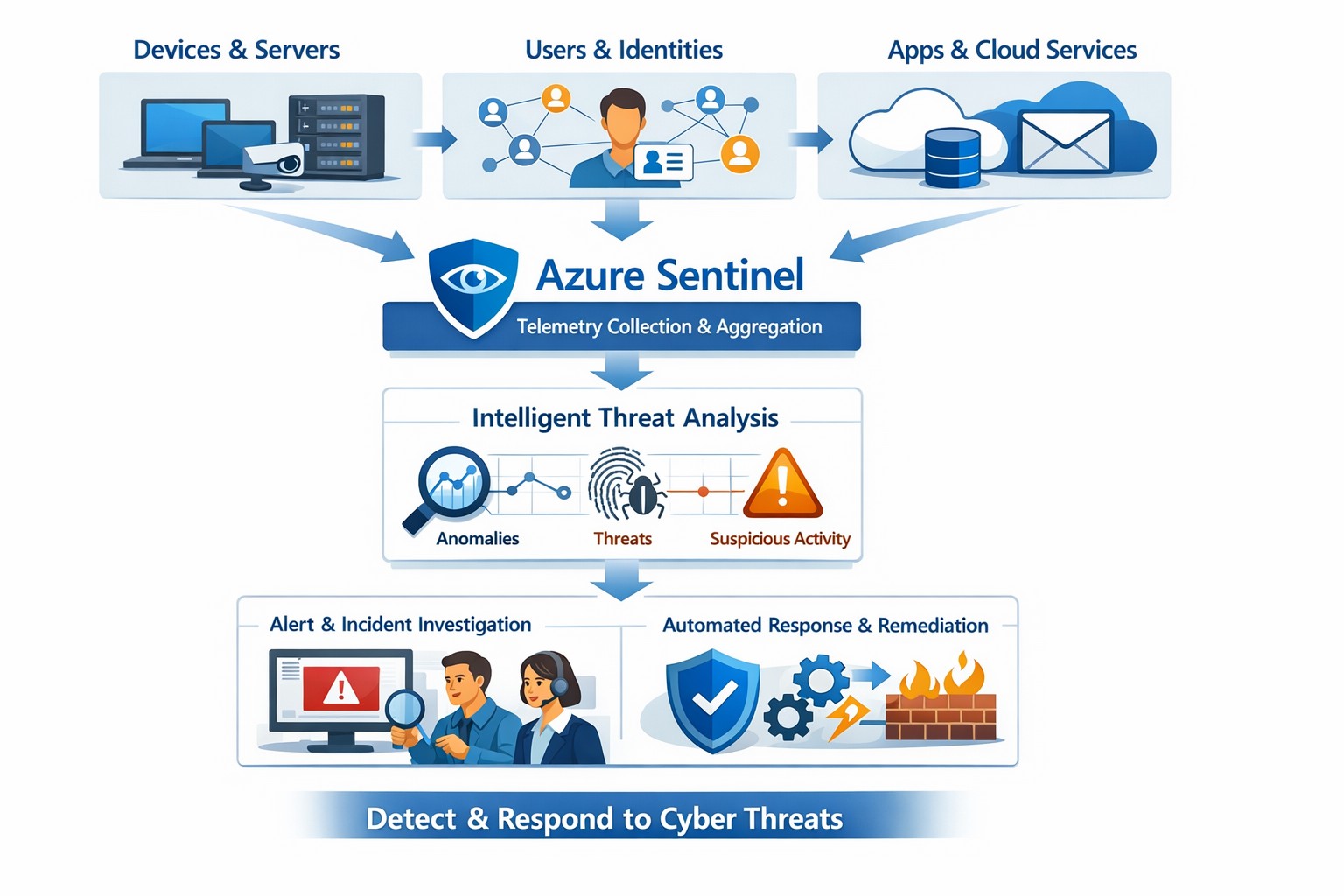
Azure Sentinel provides a unified view of your enterprise security data, allowing you to collect logs, detect threats, investigate incidents, and automate responses across cloud and on‑premises systems.
Cyber threats are a constant reality for businesses of all sizes. As your company grows, your IT environment becomes more complex, with data scattered across on-premises systems, cloud platforms, and third-party applications. This complexity makes it harder to detect and respond to security incidents quickly. Azure Sentinel, Microsoft’s cloud-native SIEM (Security Information and Event Management) solution, offers an intelligent way to collect, detect, investigate, and respond to security threats across your entire enterprise. For business owners, this means better protection, reduced downtime, and faster incident response—without the need for massive infrastructure investments.
What Azure Sentinel Does for Your Business
Azure Sentinel collects security data from your entire IT ecosystem, including devices, users, applications, and hybrid environments, both on-premises and in the cloud. It uses advanced analytics and threat intelligence to detect threats, often uncovering risks that traditional tools miss. With machine learning and AI, Azure Sentinel helps your security team investigate suspicious activities, hunt for hidden threats, and automate responses to common incidents. This reduces alert fatigue, lowers false positives, and speeds up resolution times, allowing your business to operate more securely and efficiently.
Practical Steps for Business Owners and IT Teams
To get the most out of Azure Sentinel, business owners and their IT departments need to take several practical steps. First, conduct a thorough assessment of your current security infrastructure to identify gaps and define clear objectives, such as improving threat detection or enhancing incident response. Next, choose the right data connectors to integrate logs from your existing systems into Azure Sentinel, ensuring comprehensive visibility across your environment. Establish clear objectives that align with your business goals, such as achieving regulatory compliance or reducing downtime. Train your security team to use Azure Sentinel effectively, providing ongoing education to stay ahead of emerging threats. Finally, continuously tune and optimize detection rules and automate routine response actions to maximize the platform’s potential.
Common Questions and Answers
Q: How does Azure Sentinel reduce downtime for my business? Azure Sentinel operates on the Azure cloud platform, which includes built-in load balancing and automated failover. This ensures that your security operations continue even during disruptions, minimizing downtime and ensuring that critical cloud applications remain secure and available.
Q: Can Azure Sentinel work with my existing security tools? Yes, Azure Sentinel integrates seamlessly with a wide range of security tools and data sources. It supports numerous connectors for cloud platforms like Azure, AWS, and GCP, as well as on-premises systems and third-party security solutions. This allows you to centralize your security operations without replacing your existing investments.
Q: How does Azure Sentinel handle automated incident response? Azure Sentinel uses playbooks based on Azure Logic Apps to automate common security tasks. For example, when an alert is triggered, a playbook can automatically assign the incident to a team member, update its status, or integrate with your ticketing system to create a new incident ticket, reducing manual effort and speeding up response times.
How Farmhouse Networking Can Help
Farmhouse Networking specializes in helping businesses in the accounting, healthcare, and charity industries implement and optimize Azure Sentinel. We can conduct a comprehensive assessment of your current security posture, identify gaps, and define clear objectives tailored to your business needs. Our team can also help you set up the right data connectors, train your IT staff, and continuously tune your detection rules to reduce noise and improve threat detection. Additionally, we can assist with automating incident response workflows to ensure that your security operations are as efficient and effective as possible.
If you’re ready to take the next step in securing your business with Azure Sentinel, contact Farmhouse Networking today. Email support@farmhousenetworking.com to learn more about how we can help improve your business’s security posture and protect your critical data from cyber threats.
And God will generously provide all you need. Then you will always have everything you need and plenty left over to share with others. As the Scriptures say, “They share freely and give generously to the poor. Their good deeds will be remembered forever.” For God is the one who provides seed for the farmer and then bread to eat. In the same way, he will provide and increase your resources and then produce a great harvest of generosity in you. - 2 Corinthians 9:8-10
We use cookies to ensure that we give you the best experience on our website. If you continue to use this site we will assume that you are happy with it.