Essential cybersecurity measures safeguarding accounting client data from breaches and compliance risks
Accounting firms are more vulnerable than ever to cyber threats. With sensitive financial data at stake, ensuring robust cybersecurity measures is not just a regulatory requirement but also a cornerstone of client trust and business continuity. This guide outlines the cybersecurity essentials every accounting practice must implement to safeguard client data effectively.
Why Cybersecurity Matters for Accounting Firms
Accounting firms handle vast amounts of sensitive information, from social security numbers to financial records. A breach can result in:
Financial Loss: Cyberattacks like ransomware can lead to significant monetary damage.
Legal Penalties: Non-compliance with regulations such as GDPR, SOX, or PCI DSS can result in hefty fines.
Reputation Damage: Losing client trust can have long-term repercussions on your firm’s credibility.
Key Cybersecurity Practices for Accounting Firms
Understand Your Threat Landscape
Cyber threats like phishing, ransomware, and social engineering are common in the financial sector. Stay informed about emerging risks and trends.
Train Your Team
Educate employees on recognizing phishing attempts, safe browsing habits, and secure data handling practices. Human error remains one of the leading causes of breaches.
Comply with Regulations
Ensure compliance with industry standards like GDPR and SOX by implementing necessary controls and documenting your cybersecurity measures.
Implement Access Controls
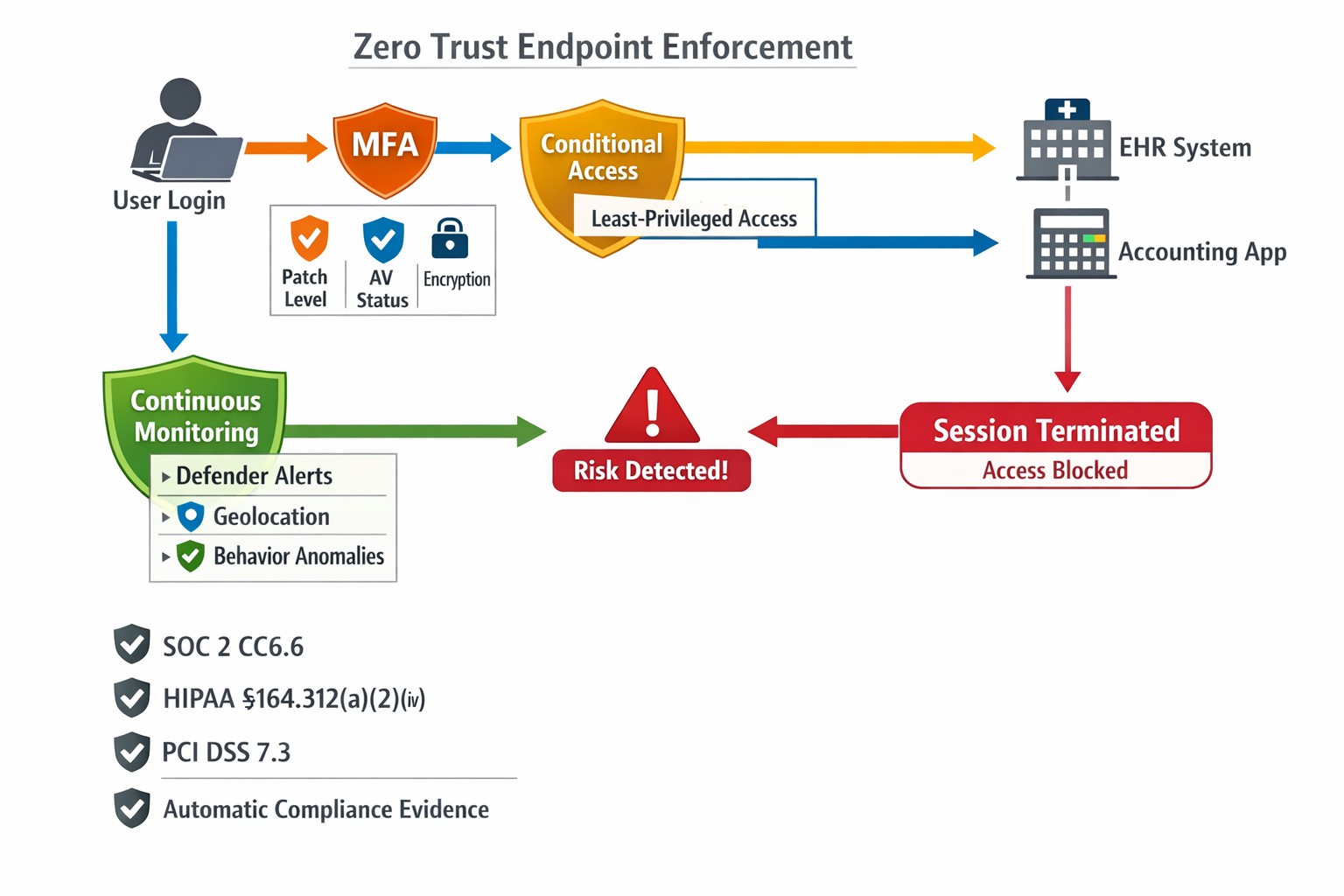
Limit access to sensitive data based on roles. Use multi-factor authentication (MFA) and encryption to secure files and systems.
Use Reliable Accounting Software
Invest in software with strong encryption, automated security features, and compatibility with your firm’s processes. This ensures both efficiency and security.
Regular Backups
Maintain encrypted backups of all critical data to mitigate the impact of potential breaches or system failures.
Secure Your Network
Use firewalls, antivirus software, and endpoint detection systems to protect your network from unauthorized access.
Patch Management
Regularly update all software and systems to close vulnerabilities that hackers could exploit.
The Role of Professional IT Support
While implementing these measures is essential, managing them effectively requires expertise. Partnering with a trusted IT service provider ensures that your cybersecurity strategy is robust, up-to-date, and aligned with your business needs.
Why Choose Farmhouse Networking?
Farmhouse Networking specializes in providing tailored IT solutions for small to medium-sized businesses, including accounting firms. With years of experience in cybersecurity, network maintenance, and compliance support, we ensure your firm is protected against evolving threats while maintaining operational efficiency.
Don’t leave your clients’ data vulnerable to cyber threats. Contact Farmhouse Networking today to develop a customized cybersecurity plan that protects your firm’s integrity and builds trust with your clients. Let us help you focus on what you do best—managing finances—while we handle your IT needs!
Businesses of all sizes face unprecedented cybersecurity challenges. Blackpoint Cyber emerges as a leader in providing comprehensive, cutting-edge solutions to protect organizations from cyber threats. Let’s explore why Blackpoint Cyber stands out as the premier choice for business cybersecurity.
Comprehensive Ecosystem of Security Solutions
Blackpoint Cyber offers a fully managed, integrated ecosystem of services centered around their powerful nation-state-grade Managed Detection and Response (MDR) technology. This ecosystem is designed to keep businesses ahead of potential threats by proactively understanding the threat landscape and actively neutralizing adversaries before they can cause harm.
Managed Detection & Response (MDR)
At the core of Blackpoint’s offerings is their purpose-built MDR technology. This solution combines network oversite, malicious activity detection, and endpoint security to rapidly identify and neutralize hacker and virus activities in their earliest stages. By harnessing data around suspicious events, hacker tradecraft, and endpoint activity, Blackpoint’s MDR can stop advanced attacks faster than any other solution on the market.
Cloud Response
With the shift to hybrid and cloud environments, Blackpoint’s Cloud Response extends the power of their MDR service to these critical areas. Their 24/7 Security Operations Center (SOC) actively monitors cloud environments and provides fast responses to threats on platforms like Office 365.
LogIC
LogIC enhances the value of security logs and data collected from networks, turning them into real-time threat hunting and response capabilities. With push-button setup, LogIC allows for quick addition of log sources, generation of compliance reports, and automatic mapping against hundreds of compliance requirements.
Unmatched Threat Awareness and Response Times
Blackpoint Cyber’s proprietary security operations and incident response platform, SNAP-Defense, enables continuous monitoring and response to modern threats. Their SOC, established by former US government cybersecurity operators, leverages deep knowledge of hacker tradecraft to provide 24/7 unified detection and response services.
The company boasts impressive response times, with an average of 7 minutes for cloud incidents and an overall average of 27 minutes. This rapid response capability is crucial in minimizing potential damage from cyber attacks.
Tailored Solutions for Businesses of All Sizes
While Blackpoint Cyber’s technology is enterprise-grade, they specialize in bringing these advanced solutions to small and medium-sized businesses through partnerships with Managed Service Providers (MSPs) like Farmhouse Networking. This approach allows businesses of all sizes to benefit from top-tier cybersecurity protection.
Continuous Innovation and Growth
Blackpoint Cyber continues to invest in growth and innovation. With a recent $190 million investment round and the appointment of industry veteran Manoj Srivastava as Chief Technology and Product Officer, the company is poised for further advancements in their product strategy and technology.
Blackpoint Cyber’s suite of solutions offers businesses a robust, proactive approach to cybersecurity. Their technology, combined with human expertise, provides a level of protection that’s essential in today’s threat landscape.
Ready to elevate your business’s cybersecurity with Blackpoint Cyber’s cutting-edge solutions? Contact Farmhouse Networking today to manage your cyber security needs and implement these powerful tools. Don’t wait for a breach to happen – take proactive steps to protect your business now.
Safeguarding your business data is paramount. Cyber threats are ever-evolving, and data breaches can have severe consequences. To fortify your business defenses, consider implementing the following security and encryption tools:
Operating System Encryption
Encryption is the process where normal data is transformed into something unreadable without the keys unlock it. Windows has encryption built in using BitLocker software in conjunction with modern hardware to keep data safe on physical hard drives. In case a computer is stolen or lost the data is unreadable (assuming the password protecting the computer is strong).
Virtual Private Network / Zero Trust Network Access
Whenever employees are remote or working from home they need to be able to connect to company resources without endangering company data. This is best done through Zero Trust Network Access (ZTNA) which is the next-gen replacement for the older virtual private network connection ZTNA assumes that all connections are threats unless proven otherwise and those who are connecting must have their computers tested to make sure they are safe. This approach also only allows users to connect to the resources that are specifically needed to function.
Antivirus / Extended Detection and Response
One key to staying cyber secure is to recognize and repel threats before they do any damage. Utilizing AI and automation extended detection and response (XDR) is the modern replacement for antivirus. It is able to detect behavior patterns that malicious software and hackers use when attacking your systems then automatically undue any changes they have made.
Email Encryption and SPAM Filtering
When sending sensitive data via email it is now the standard to send it via encrypted channels with each message also being encrypted. Most companies that provide encryption also provide SPAM filtering which keeps phishing, spoofing, and malicious emails from targeting employees. This is often the most effective means hackers use to gain a foot hold in networks.
Backups
There will inevitably be times when hackers are able to breach even the best defenses, so the only recourse at that time is to have good backups in multiple locations to recover once the attacker is repelled. Without good backups many companies have had to pay ransoms and hope for a response or go out of business.
Remember, data security is an ongoing process. Combine these tools with user education and strong password practices,. Stay vigilant, adapt to new threats, and invest wisely in protecting your digital assets and reputation. Call Farmhouse Networking to advise you on how to best secure your business.
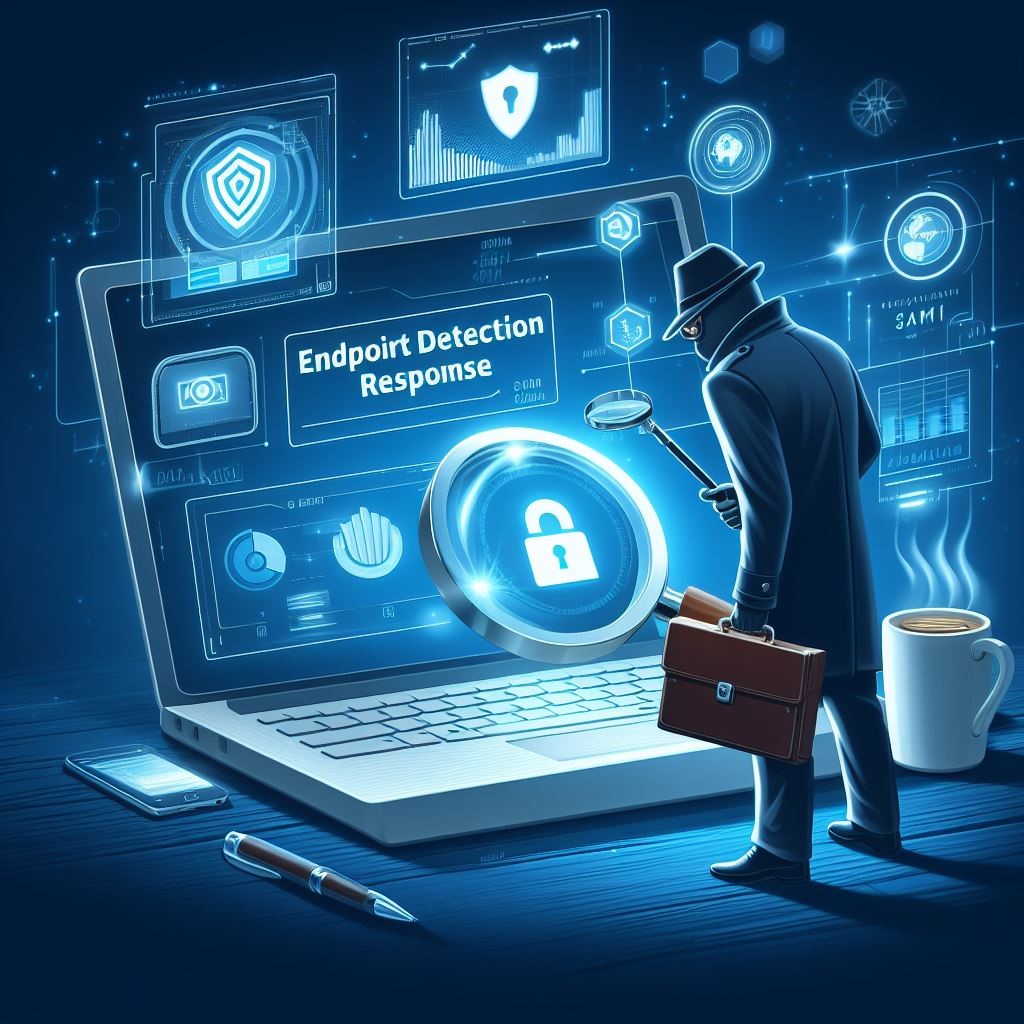
EDR provides SMBs with real-time endpoint monitoring, automatic threat quarantine, and rapid incident response to minimize breaches.
Cybersecurity is more important than ever. Cyber threats are evolving and becoming increasingly sophisticated, making it essential for small and medium-sized businesses (SMBs) to protect their sensitive information. One crucial tool in the cybersecurity arsenal is Endpoint Detection & Response (EDR). In this article, we will explore why SMBs should prioritize EDR and the benefits it brings to their cybersecurity posture.
Understanding Endpoint Detection & Response
Endpoint Detection & Response (EDR) is a proactive cybersecurity solution that focuses on detecting, investigating, and mitigating advanced threats at the endpoint level. Endpoint refers to any device connected to a network, such as laptops, desktops, servers, or even mobile devices. EDR solutions monitor endpoints in real-time, collecting and analyzing data to identify and respond to suspicious activities or potential security breaches.
The Rising Threat Landscape for SMBs
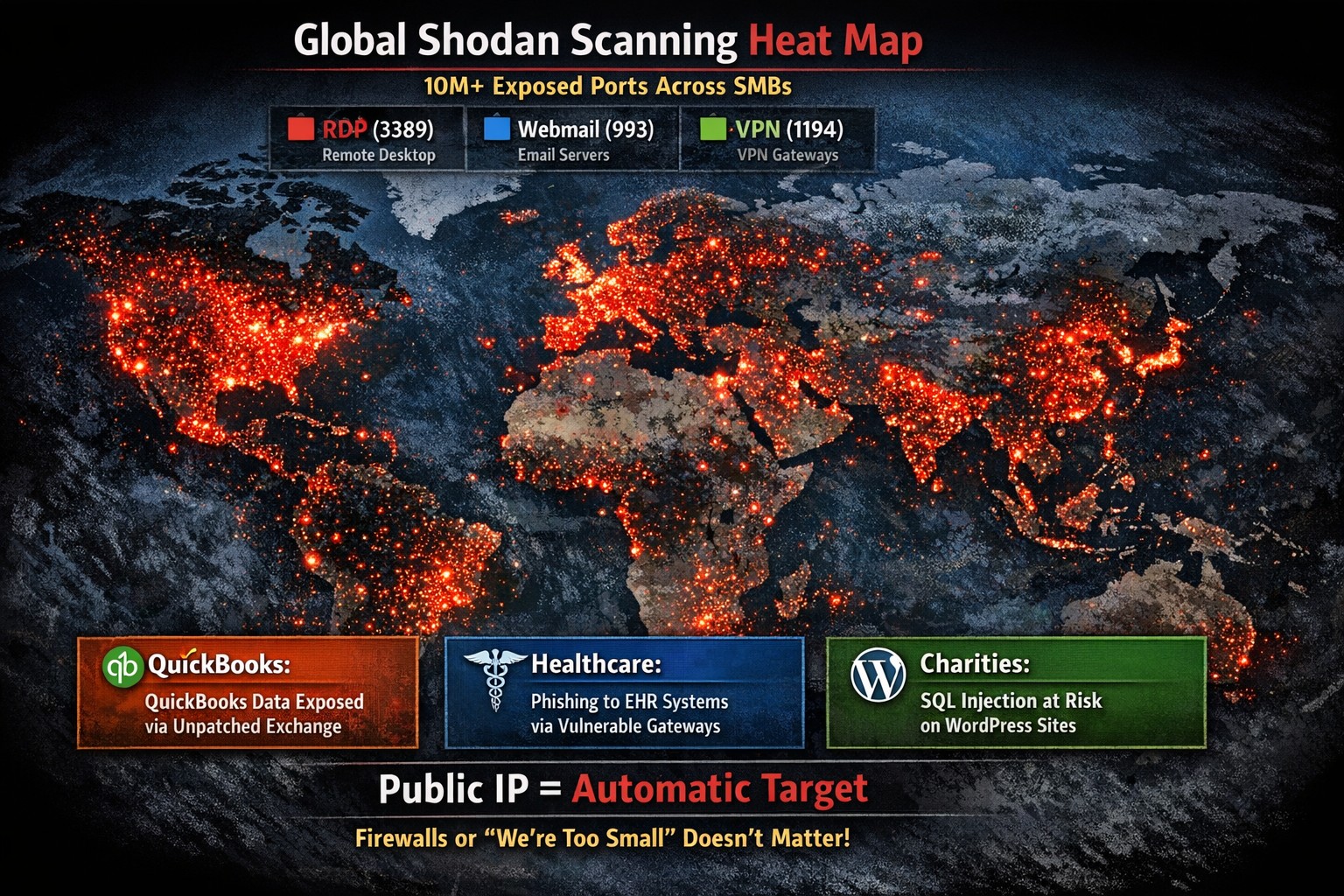
SMBs often mistakenly believe that they aren’t attractive targets for cybercriminals due to their size. However, the reality is quite different. In fact, SMBs are increasingly being targeted by cybercriminals because they often have fewer resources dedicated to cybersecurity, making them an easier target. According to recent studies, nearly half of all cyberattacks target SMBs.
Moreover, the consequences of a successful cyberattack on an SMB can be devastating. From financial loss to reputational damage, the impact can be significant, and in some cases, even cause businesses to shut down. This highlights the urgent need for SMBs to invest in robust cybersecurity measures, such as EDR.
The Benefits of Endpoint Detection & Response for SMBs
Real-time Threat Detection: EDR solutions provide continuous monitoring of endpoint activities, enabling real-time threat detection. By analyzing behavioral patterns and indicators of compromise, EDR can quickly identify potential threats, allowing businesses to respond promptly and mitigate risks before they result in data breaches or system compromises.
Improved Incident Response Capabilities: EDR not only detects threats but also provides valuable insights to aid in incident response. It records endpoint activity logs, allowing security teams to investigate incidents, identify root causes, and take appropriate action to contain and remediate the threat effectively.
Visibility and Control: SMBs often struggle with limited visibility into their IT environments. EDR solutions provide deeper visibility into endpoints across the network, allowing IT teams to identify vulnerabilities, enforce security policies, and ensure compliance with regulatory requirements.
Proactive Threat Hunting: EDR empowers SMBs to take a proactive approach to cybersecurity by actively hunting for potential threats. By leveraging advanced detection techniques and threat intelligence, EDR can identify and mitigate emerging threats even before they have a chance to impact the organization.
Simplified Security Operations: Automating threat detection and response processes frees up valuable time for IT teams, enabling them to focus on other critical tasks. EDR solutions can automatically contain and remediate threats, reducing the burden on IT staff and improving overall efficiency.
Overcoming Challenges in Implementing EDR
While EDR offers immense benefits, implementing and managing EDR solutions can pose challenges for SMBs. Common obstacles include limited budgets and resources, the complexity of deployment, and the need for ongoing monitoring and maintenance. However, by partnering with a reliable cybersecurity provider, like Farmhouse Networking, that understands the unique needs of SMBs, these challenges can be overcome and the full potential of EDR can be realized.
It is not a matter of if you will be targeted, but when. Let Farmhouse Networking take proactive steps to secure your endpoints and fortify your cybersecurity defenses with EDR.
Every modern business has one thing in common – the internet.
Businesses are using computers, smart phones, tablets, etc. to connect to the internet for research, shopping, advertising, or any number of things. With a connection to the internet comes the need for routers, switches, wireless, and other network hardware to distribute internet connectivity across the company. There are malicious people on the internet that are setting traps and trying to break into companies which necessitate the use of tools like antivirus, internet filtering, spam filtering, and other protective measures. There are also people who work from their homes and need to have a way of tunneling safely into the network to use the resources there.
All of this has to be managed by someone in the company or you can contract with a managed IT service provider.
If your company needs help managing all the things connected to your internet, then contact us for assistance.
This is the eighth in a series about the concept of Zero Trust, which means in the IT sense that you trust nothing and always verify everything surrounding and connected to your network. Today’s discussion will be on Application Whitelisting.
Application Whitelisting
Application Whitelisting is a process of determining which software programs the company absolutely needs to do business, marking them as safe, and blocking any other program that tries to run on company computers. This methodology has the distinct advantage of blocking almost all forms of malware on computers. Pairing this with a good next-gen antivirus creates an impenetrable wall against malware threats. It also prevents users from accidentally or intentionally running something that should not be on company computers. Here are some questions to ask:
Do you know all software on your computers?
Do your users spend time on company computers listening to music?
Have any of your users ever downloaded software without asking?
Do you have a computer use policy? How is that enforced?
If your company is wanting to lock down what is running on company computers, then contact us for assistance.
This is the sixth in a series about the concept of Zero Trust, which means in the IT sense that you trust nothing and always verify everything surrounding and connected to your network. Today’s discussion will be on endpoint security.
Endpoint Security
Endpoint security is a fancy term used to describe how the computers on the network are protected. This used to be done by antivirus but due to the complexity of the attacks hackers are using to compromise networks these days, the definition has expanded greatly. This now includes things like Enhanced Detection & Response software, Security Operations Centers, DNS Filtering, employee train and more. Here are some questions that you should be asking yourself:
Are your endpoints protected by antivirus or enhanced detection & response?
Is website traffic being monitored? Restricted?
Are your employees being trained in cyber security?
Are computer logs being monitored for malicious activity?
Would unusual or suspicious activity on a computer be noticed? Alerted on?
Do you have security permissions set on all file shares?
Do you have least privileged access configured on those shares?
Do you keep track of what software is installed on all workstations?
Do you block access to unauthorized software?
Are files encrypted on servers and workstations?
Are your mobile devices managed? Can you wipe them remotely?
Are USB ports blocking removeable storage devices?
Are endpoints set to automatically log-out?
If your company is going to use full disk encryption or has compliance requirements that you need consulting for, then contact us for assistance.
We caught wind of two separate actions the US has taken against Cyber Threats from Russia over the weekend:
Kaspersky
The first is news that the US Federal Communications Commission has added Russian cybersecurity company Kaspersky Lab to its list of entities that pose an “unacceptable risk to US national security,” according to a report from Bloomberg. This company has been banned from use by government agencies since 2017 when a bill was signed due to the companies ties to the Kremlin.
Russian Hackers
The second article was a press release from the FBI stating that:
“The Department of Justice unsealed two indictments today charging four defendants, all Russian nationals who worked for the Russian government, with attempting, supporting and conducting computer intrusions that together, in two separate conspiracies, targeted the global energy sector between 2012 and 2018. In total, these hacking campaigns targeted thousands of computers, at hundreds of companies and organizations, in approximately 135 countries.”
This hacking activity should be another wake-up call to American businesses to harden their defenses and remain vigilant against cyber security threats. These people are nationally sponsored criminals and we must protect ourselves.
If your company is currently using Kaspersky or any other Russian based vendors, then it is time to carefully consider whether to continue being connected with them and contact us for assistance migrating to a trusted source.
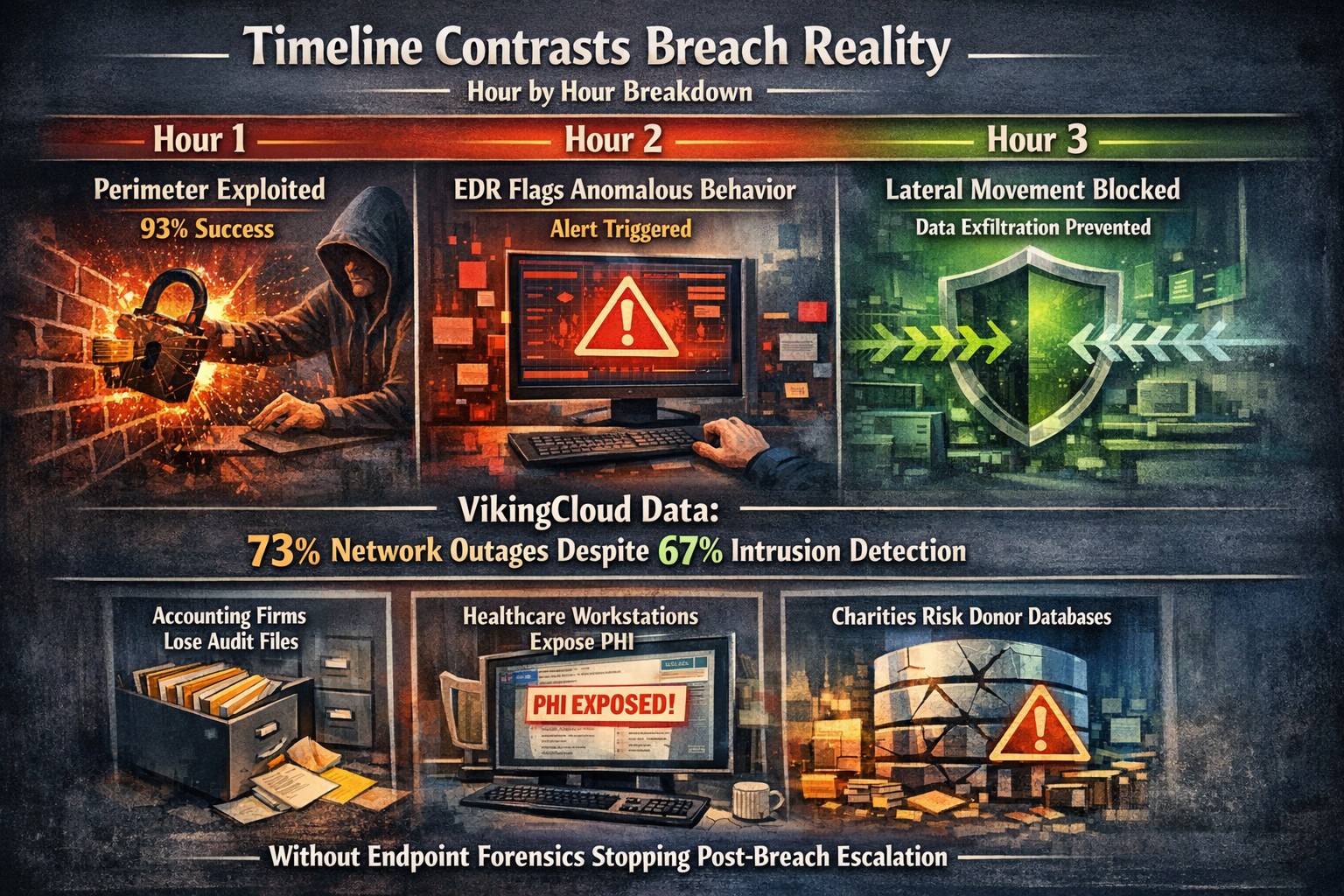
Security researchers performed penetration testing on the networks of 45 various mid-sized companies and found that in real life scenarios 93% of those networks were able to be compromised to the point of business disruption. Here are the details:
The Target
The 45 companies were polled to determine what would be an unacceptable business interruption. They decided that the following met that criteria:
Disruption of production processes
Disruption of service delivery processes
Compromise of the digital identity of top management
Theft of funds
Theft of sensitive information
Fraud against users
These became the target for the penetration testers.
The Process
In order for the penetration tester to achieve their target, they followed the following process:
Breach the network perimeter – This was done by the use of compromised passwords found on the Dark Web and know vulnerabilities on devices that were directly connected to the internet
Obtain maximum privileges – In 100% of the networks, once an attacker was inside the network
Gaining access to key systems – With maximum privileges, the testers are able to gain access to other areas of the network including databases, executives computers, and production servers
Develop attacks on target systems – Once key systems are compromised the testers then figured out how to create the unacceptable business interruption. Although they could have created these interruptions, they only gathered proof that they could to present the data to the companies.
How to Defend
There are a couple main ways to defend against these kinds of attacks:
Security Controls / Segmentation – Creating least privileged access to key systems and segmenting the network will keep hackers from traversing the network once inside
Enhanced Network Monitoring – Modern cyber security tools watch activity and traffic on the network to find indicators of compromise. They pool this information into an attack history that can be used to remediate and further protect.
Your company is not as safe as you think, so contact us for free initial cybersecurity evaluation and risk report. .
Nobody wants to be hacked, breached, compromised, or whatever else they are calling it now. Here is a quick list of things to think about to keep your company safe:
Compromise Prevention
Keep track of your inventory, both software and hardware.
Make sure to properly dispose of these things (recycle or responsible destruction)
Scan your network for vulnerabilities
Patch or remediate everything you find
Manage your antivirus & keep it up-to-date
Keep your passwords complex & safely stored
Remove all users / accounts when no longer in use
Look at best practices to harden your computers / network to attacks
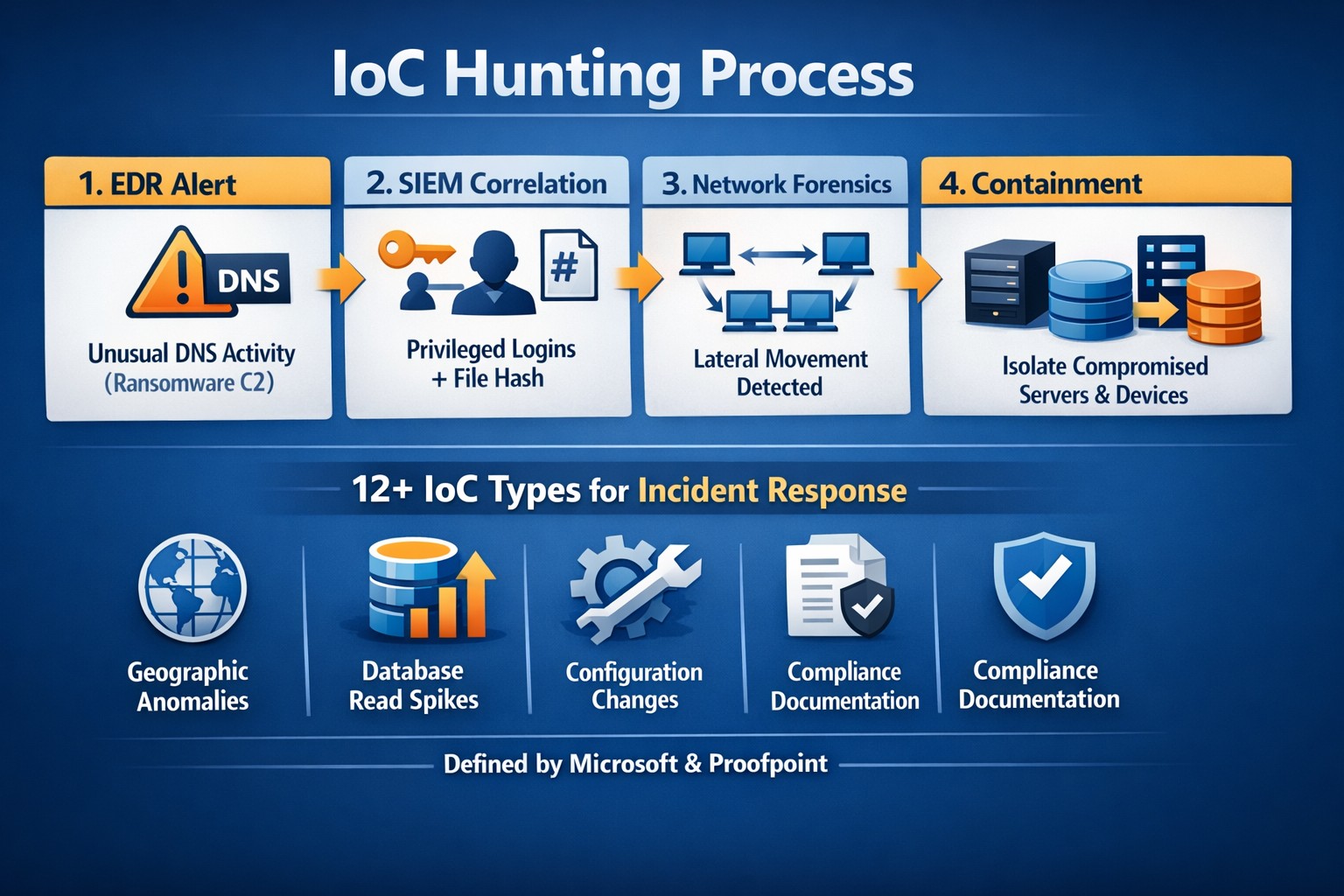
Monitor your network for strange activity (indicators of compromise)
If your company is concerned about security, then contact us to take care of it for you.
Read a recent study on the origins of malicious software aka malware. Here are the highlights:
Current Malware Statistics
29% – Malware is previously unknown to security vendors due to the continued efforts of malware creators to hide the software or make it undetectable.
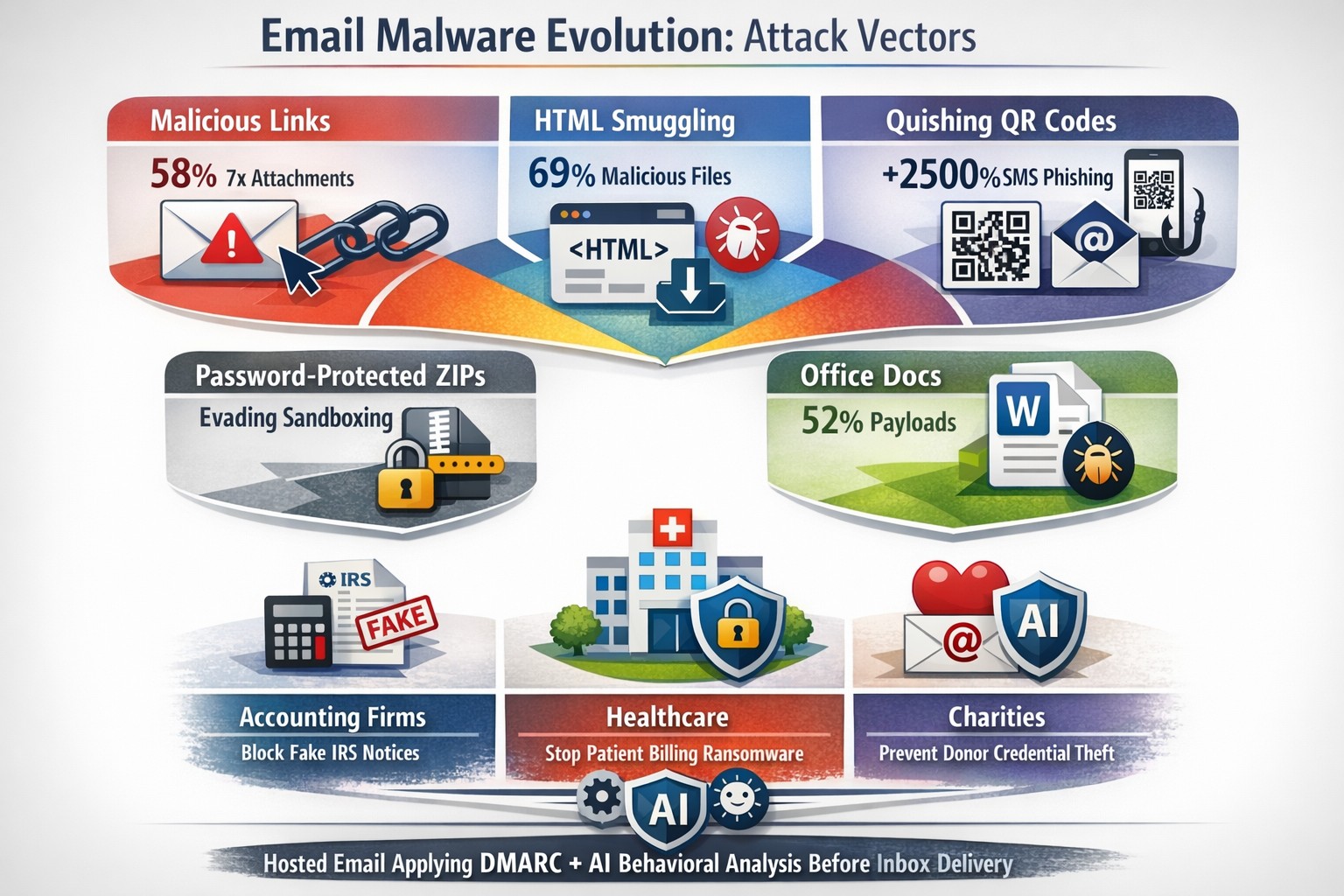
88% – Malware is delivered to people’s inboxes and some of it bypassing normal SPAM filters.
8.8 Days – Time before regular antivirus vendors have discovered the malware and added it to their lists for detection.
$50 – The cost of a pre-fabricated malware kit that can be bought currently on the dark web.
“The most common type of malicious attachments were: documents (Word – 31%), archive files (ZIP & RAR – 28%), spreadsheets (Excel – 19%) and executable files (EXE – 17%).”
What can be done?
A multi-tiered approach to security remains the best solution:
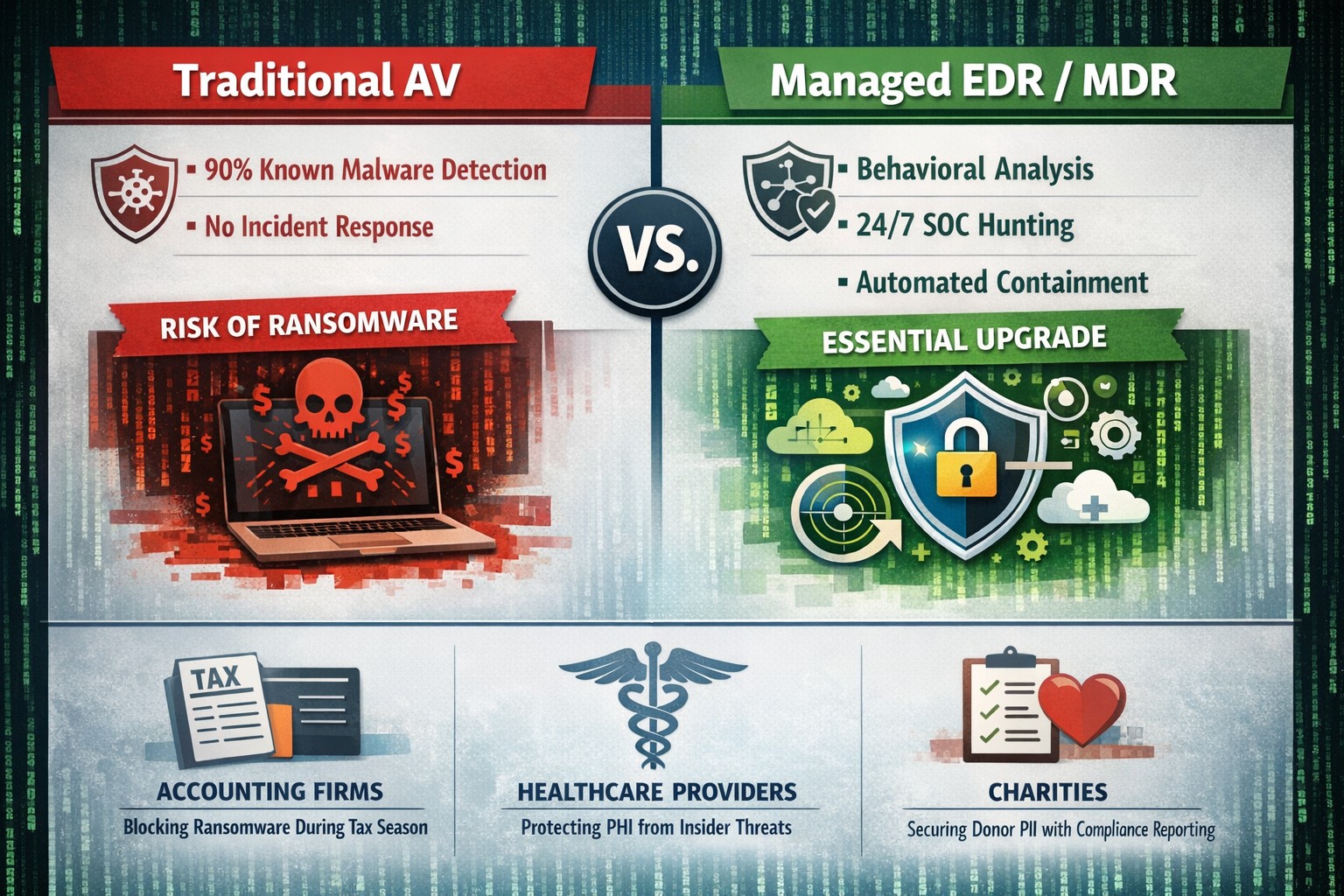
Moving from traditional antivirus to Enhanced Detection & Response (EDR) software to go beyond lists of know infections to behavior tracking of software
Moving from traditional SPAM filters to Email Advanced Threat Protection which scans each email and opens each attachment to see if there is any malicious activity cause by them
Moving from traditional router to a business class firewall with Intrusion Prevention System to monitor traffic for suspicious activity
Employee training is also key to keep your staff aware of immerging trends and threats
If your company is looking to enhance your network security posture, then contact us for assistance.
There has been information released by a security research firm called Eclypsium that there is a vulnerability dubbed Boothole in Unified Extensible Firmware Interface (UEFI) Secure Boot that would allow an attacker to completely take over a workstation, laptop, or server and be nearly undetectable. All hardware vendors will have to send out updates in the near future to patch the UEFI code to secure it against this “BootHole” vulnerability. Due to the difficulty in designing and testing these types of updates it will be some time before they are released. We will keep you posted as to the release of these updates as they become available.
If your company is concerned about security, then contact us for assistance.
Cyberattacks aren’t just targeting large corporations anymore — small and mid-sized businesses are in the crosshairs, often because attackers assume you have weaker defenses. One click on a malicious email or one unpatched system can open the door to ransomware, data theft, or business downtime that costs thousands.
As a business owner, you can’t afford to wait until something goes wrong. The key is being proactive: discover threats quickly, remediate issues immediately, and mitigate the impact of malware and breaches before they spiral out of control.
Why Quick Detection and Response Matters
Every minute counts when it comes to cybersecurity. According to IBM’s 2025 Cost of a Data Breach Report, the average time to identify and contain a breach is 207 days — and the faster a business can detect and respond, the lower the cost and damage.
For small businesses, early detection can mean the difference between minor disruption and major data loss. Automated tools, continuous system monitoring, and staff cybersecurity training all play vital roles in keeping your operations safe.
Practical Steps to Protect Your Business
Here are actionable steps you and your IT department can take to strengthen your cybersecurity posture today:
Implement Continuous Threat Monitoring Use endpoint detection and response (EDR) tools or managed detection and response (MDR) services to monitor your systems 24/7. These tools use AI to identify suspicious activity before it becomes a breach.
Keep Systems and Software Updated Outdated software is a hacker’s best friend. Schedule regular updates and patches for operating systems, firewalls, and applications to close known vulnerabilities.
Use Multi-Factor Authentication (MFA) Protect user accounts with multiple verification layers. MFA stops 99% of automated attacks, even if passwords are leaked.
Create a Clear Incident Response Plan Develop a step-by-step playbook for how your team will respond to a security incident — including who to contact, how to isolate affected systems, and how to communicate with clients.
Backup Data Regularly (and Securely) Use automated, encrypted backups stored both onsite and offsite. Test restores regularly to ensure reliability during an emergency.
Train Employees on Cyber Hygiene Human error causes most breaches. Run regular phishing simulations and cybersecurity awareness sessions so your team can spot risks early.
Engage a Trusted IT Partner Collaborate with professionals who specialize in threat detection and breach response. A managed IT provider can bring enterprise-level security to your SMB without the enterprise-level price.
Clients Often Ask…
Q: What’s the best way to know if a threat is active in my network? A: Real-time monitoring is the gold standard. Tools like EDR or SOC-as-a-Service actively scan your endpoints, networks, and cloud systems for anomalies so you catch incidents before data is compromised.
Q: How do we remediate a breach once it’s detected? A: First, isolate affected systems to stop the spread. Next, identify the source, remove the malware, and restore clean backups. Finally, perform a full post-incident review to close the gap that allowed the breach.
Q: Is all this cybersecurity really affordable for small businesses? A: Yes — scalable managed IT services make advanced protection accessible. Think of it as business insurance that pays for itself by preventing downtime and data loss.
Q: How do I explain cybersecurity investments to my leadership team or board? A: Focus on the financial impact — downtime, lost data, and reputational damage often cost far more than preventative cybersecurity services. Showing this risk-to-cost ratio makes the business case clear.
How Farmhouse Networking Can Help
At Farmhouse Networking, we’ve helped Oregon SMBs stay secure, compliant, and productive through tailored cybersecurity solutions designed for real-world small business needs.
Here’s what we offer to help you discover, remediate, and mitigate threats effectively:
24/7 Threat Monitoring: Managed detection and response (MDR) tools that catch threats before they cause harm.
Rapid Remediation Support: Our specialists act fast to contain and remove threats as soon as they appear.
Comprehensive Incident Response Planning: From establishing protocols to training your team, we help you prepare for the unexpected.
Data Backup and Recovery Solutions: Automated, encrypted backups ensure you can restore your systems quickly after an incident.
Employee Training Programs: Interactive sessions help staff recognize phishing attempts and adopt safe online habits.
We don’t just sell tools — we partner with your business to strengthen your defenses and give you peace of mind.
Stay Ahead of Cyber Threats
Cyber threats evolve every day, but your business doesn’t have to face them alone. With the right combination of proactive monitoring, smart response, and expert guidance, you can keep operations smooth and your data secure.
Ready to protect your business? Email support@farmhousenetworking.com today to learn how Farmhouse Networking can help you stop threats before they stop your business.
24/7 cyber defense protects small business critical data
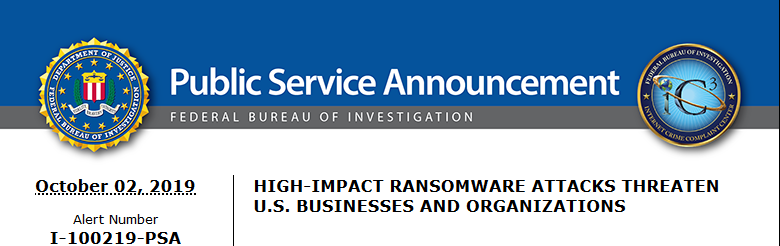
A recent briefing from the FBI’s Internet Internet Crime Complaint Center (IC3) detailed current best practices and industry standards for cyber defense. Here is a summation:
Cyber Defense Best Practices
Backups – Regularly back up data and verify its integrity. Backups are critical in ransomware; if you are infected, backups may be the only way to recover your critical data.
Training – Employees should be made aware of the threat of ransomware, how it is delivered, and trained on information security principles and techniques.
Patching – All endpoints should be patched as vulnerabilities are discovered. This can be made easier through a centralized patch management system.
Antivirus – Ensure anti-virus and anti-malware solutions are set to automatically update and that regular scans are conducted. Centrally managed is even better.
File Permissions – If a user only needs to read specific files, they should not have write-access to those files, directories, or shares. Configure access controls with least privilege in mind.
Macros – Disable macro scripts from Office files transmitted via email.
Program Execution Restrictions – Implement software restriction policies or other controls to prevent the execution of programs in common ransomware locations, such as temporary folders supporting popular internet browsers, and compression/decompression programs.
Remote Desktop Protocol – Employ best practices for use of RDP, including use of VPN, auditing your network for systems using RDP, closing unused RDP ports, applying two-factor authentication wherever possible, and logging RDP login attempts.
Software Whitelisting – Implement application whitelisting. Only allow systems to execute programs known and permitted by security policy. This one takes careful planning.
Virtualization – Use virtualized environments to execute operating system environments or specific programs. No physical access to servers makes hacking harder.
Network Segmentation – Implement physical and logical separation of networks and data for different organizational units. Keep guest traffic out of your business network.
No Saved Passwords – Require users to type information or enter a password when their system communicates with a website. Better yet use a password management tool.
If your company is going to use full disk encryption or has compliance requirements that you need consulting for, then contact us for assistance.
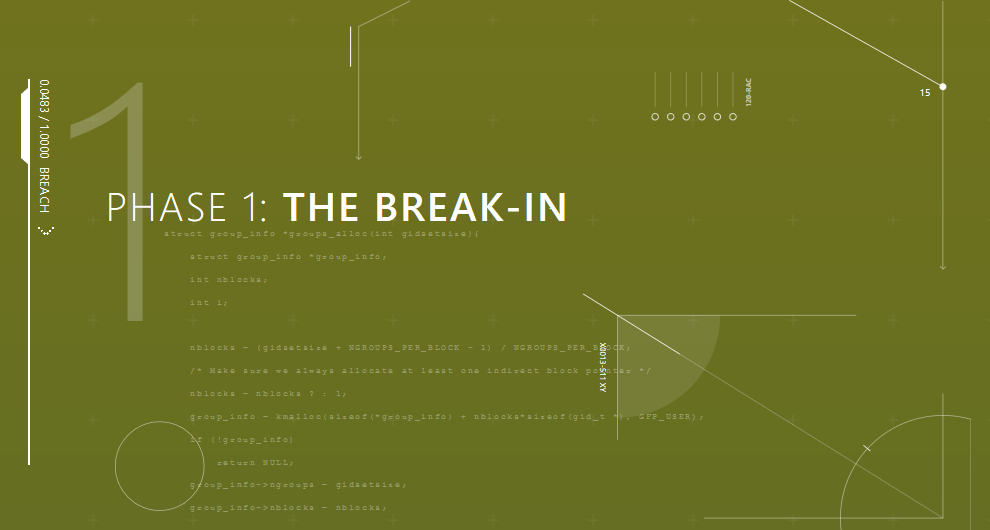
Phase 1: Break-In: Hackers are still using phishing emails, bad passwords, social media links, and poorly patched systems to make their way in with the initial infection. Employee training is the first step towards preventing breaches for 9 out of 10 companies now (and it is included in the price for all our monthly clients).
Phase 2: The Inside Man: Once inside the hacker will scan the network for further vulnerable systems, employees with more access rights than they need, and systems that allow access into other parts of the network. Having systems in place that detect strange or malicious activity are key to stopping an infection in its tracks.
Phase 3: Spread Out: This is where the hacker has all the access they need and start to find the data that is worth selling. Hackers will usually start moving data to places it doesn’t belong on the network then downloading it to their computers for resell. This is where strong access policies that are clearly defined and enforced make the greatest impact to protect sensitive data.
Phase 4: The Long Con: Once a hacker has taken all they need for the short term payout, they will setup remote access back doors to allow for future access whenever they want to. It almost pays to assume that a breach has already occurred and continually scan the network for these kinds of activity to catch the hackers in the act.
Take the time to read this article, it is a wake-up call on security.
If you would like to learn more about creating an effective cyber defense strategy and mitigating risk, then contact us for assistance.
It’s an unfortunate reality but our workforce can often times be our worst enemies, often creating vulnerabilities and leaving our systems open to hackers, viruses, data breaches and data loss. More often than not, we do this through completely harmless, everyday activities like opening compromised emails and links.
As a leader in your organization it’s your role to monitor your team and arm them with the knowledge of good security practices. Without implementing a company-wide security training program, you leave your systems vulnerable to a host of attacks.
Another crucial step in preventing system attacks, is to configure a firewall to monitor user activity and website visits throughout your organization. An Acceptable Use Policy is helpful in establishing what your organization will and will not allow from its employees.
Curious how we can help you establish a more secure company infrastructure?
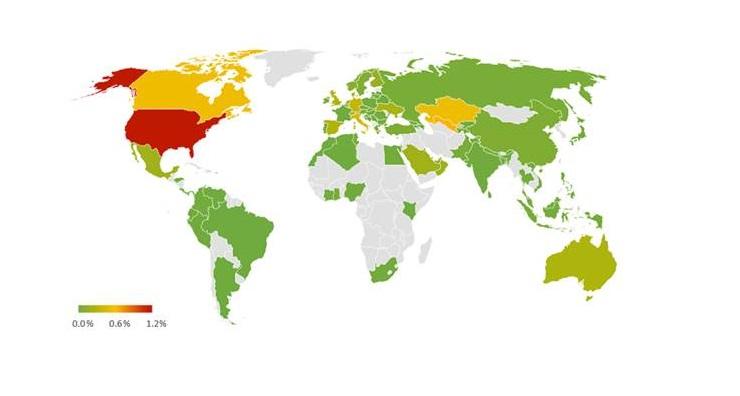
We’ve got a bit of bad news. Ransomware attacks are on the rise. Don’t think so? In 2017 alone, ransomware attacks rose a whopping 250%, with those attacks hitting the U.S. the hardest
Unmanaged BYOD devices create critical data breach pathways
Below are just a few of the attacks that led to such a staggering spike in malicious activity as well as several new trends.
ATTACKS WannaCry: In May 2017, the WannaCry ransomware attack affected computers worldwide running the Microsoft Windows OS. This ransomware cryptoworm worked by encrypting data and demanding ransom payments by made in Bitcoin. The attack was estimated to have impacted 200,000+ computers in 150 countries, with damages exceeding hundreds of millions of dollars.
NotPetya: The NotPetya virus was similar to its 2016 predecessor, Petya in that it encrypts the master file table and demands a Bitcoin ransom to restore access to the files. The reason NotPetya was so damaging and different from Petya is that NotPetya spread on its own and did not require human intervention in order to spread.
RANSOMWARE TRENDS TO KNOW • Ransomware as a Service (RaaS): RaaS refers to the practice that allows attackers to rent ransomware infrastructure in lieu of developing it themselves. It’s widely believed that this practice will continue to grow in popularity. • Boutique Ransomware: Boutique ransomware is ransomware that typically affects the attacked for a shorter duration and is sent to hundreds of thousands of potential victims instead millions or more at a time. This trend is likely to continue in 2018, as developers of malware try and continue to add ransomware to new methods of attacks.
Did you know that malware accounts for 20% of all security incidents?
And that’s just one threat! Your data, no matter how proactive you are from a security standpoint, is constantly vulnerable to a multitude of security threats, the list of which is constantly growing. From ransomware, worms and phishing attacks to human error, your data needs to have a multi-layer defense in place to not only prevent downtime but recover quickly in the event that disaster strikes.
The following are just a few staggering facts about just how vulnerable our systems are to attacks and outages:
• According to Microsoft, the potential cost of cyber-crime to the global community is a $500 billion, and a data breach will cost the average company about $3.8 million!1 • A whopping 1 in 131 emails contain malware2 • 230,000 new malware samples are produced every day, and that number is projected to continue growing3 • It will take the average business about 197 days to detect a breach on their network4
It is official – the month of September marks three years in business for Farmhouse Networking. We have been truly blessed by God to have been able to serve the Grants Pass and surrounding business communities by providing exceptional IT managed services. We look forward to many more years of giving you the highest level of support possible so that you can focus on getting business done. With this anniversary we plan on rolling out some enhancements to our monthly service offerings:
Enhanced Monthly Maintenance
Standard Maintenance: For those who are not current managed clients, these basics have always been a part of our service offering:
5-year Technology Plan & Budget
Full Network Inventory
Hard Disk Checkups (Bi-Monthly)
Hard Disk Defragmentation (Monthly)
Temporary File Cleaning (Weekly)
Anti-Virus Software (Constant Monitoring)
Operating System Updates (Weekly)
Error Log Monitoring (Constant Monitoring)
Power Settings Management (Constant Monitoring)
Windows Services (Constant Monitoring)
Continued Improvements: Over the past 3 years we have also added the following features to our service at no additional costs:
Ticketing System Portal
Email Support to Create Tickets
Security Incident Response Plan
Vendor Information Tracking
Third-Party Software Updates (Monthly on Firefox, Chrome, Acrobat Reader, ….)
Email Blacklist Checking (Daily)
Warranty Checking (Monthly on All Major Brands)
Operating System Intrusion Detection (Constant Monitoring)
Support for MacOS & Linux (Constant Monitoring)
Server Applications (Constant Monitoring)
Hardware Events (Constant Monitoring)
Enhancements to Come: In September, we will be adding these new exciting features to our service:
DNS filtering – this will further protect your network from external threats by stopping accidental surfing to malicious sites. It also can increase productivity and network speeds by limiting wasteful frivolous surfing during company time.
Dark Web Scan – Each monthly client will have the “Dark Web” scanned to see if any email addresses connected to the company have been involved in a previous password breach.
Weekly Security Newsletter – Farmhouse Networking is partnering with a national security non-profit to deliver up-to-date news and information about how to stay safe online. These weekly newsletters will be packed with valuable information and delivered to everyone in your organization.
As our service offering has expanded, we have deepened our ability to monitor our customers networks to proactively respond to alerts before they become problems. We have continued to add levels of protection to make sure that our clients systems are safe from the ever-expanding list of threats. All this has been done at no additional cost, despite inflation, up to this point. To continue offering this high level of service, Farmhouse Networking is making a couple small changes to its prices that will be effective September 1st, 2018.
Monthly Maintenance Clients – our services are based on a per device basis and the cost per workstation will be $25 per month for remote maintenance and $50 per month for full service maintenance. All other prices will remain the same for every other device on the network. This will only effect clients whose contracts are renewing after September 1st, 2018 – any renewed before that will keep their prices the same for the next 12-month term.
Small Business Clients – those who do not have a server and have less than 5 workstations, our hourly rate will be $80 per hour for on-site service and $40 per hour for remote service (billed in 15-minute increments). That is only $10 more for on-site support and $5 more for remote support.
Standard to Medium Clients – those with a server or more than 5 workstations, our hourly rate will be $120 per hour for on-site service and $60 per hour for remote service (billed in 15-minute increments). That is only $10 more for on-site support and $5 more for remote support.
Tier-3 Clients – those technology companies that utilize our advanced expertise to better serve their clients, our hourly rate will be $40 per hour for remote service (billed in 15-minute increments). That is only $5 more for remote support.
Charity Clients – those non-profits that pay for support, our hourly rate will remain at $70 per hour for on-site service and $35 per hour for remote service (billed in 15-minute increments).
For all our monthly maintenance clients, we will be calling to schedule our semi-annual meeting to check-in with you during the month of September. At that time we will be performing another network inventory to insure that all network assets are covered properly under your current contract. We cannot thank all our clients enough for your continued use of our IT services. We look forward to continuing to serve you.
Know the state of your flocks, and put your heart into caring for your herds, for riches don’t last forever, and the crown might not be passed to the next generation. After the hay is harvested and the new crop appears and the mountain grasses are gathered in, your sheep will provide wool for clothing, and your goats will provide the price of a field. And you will have enough goats’ milk for yourself, your family, and your servant girls. Proverbs 27:23-27
Ran into an issue with Scan to Folder on Windows 10 Home from a Xerox Versalink C7025 via SMB. Contacted support and they stated that Xerox does not support this setup. Further digging found that Windows 10 Home folder shares need passwords in a [Computername]\[Username] format that the Xerox Versalink could not provide correctly. I found another option that works well in this situation:
Scan to Folder via FTP
Create a Scan folder in the Users directory
Download and install Filezilla FTP Server with the defaults (I prefer to set “start user interface: to manually)
Click on the Edit > Users menu item.
Click on the Add button and create a username (case sensitive)
Check the password box and create a password
Click on the Shared Folders tab on the left then click on the Add under Shared Folders
Browse to the Scan folder and click OK
Check all File & Directory permissions then click OK at bottom left
With this setup on the Windows 10 Home computer an Address Book entry can be created for Scan to Folder via FTP on the Xerox Versalink. The only thing that could be a problem after that is a software firewall link Windows Firewall or McAfee LiveSafe.
If your company wants to utilize more functionality from your multi-function device, then contact us for assistance.
And God will generously provide all you need. Then you will always have everything you need and plenty left over to share with others. As the Scriptures say, “They share freely and give generously to the poor. Their good deeds will be remembered forever.” For God is the one who provides seed for the farmer and then bread to eat. In the same way, he will provide and increase your resources and then produce a great harvest of generosity in you. - 2 Corinthians 9:8-10
We use cookies to ensure that we give you the best experience on our website. If you continue to use this site we will assume that you are happy with it.