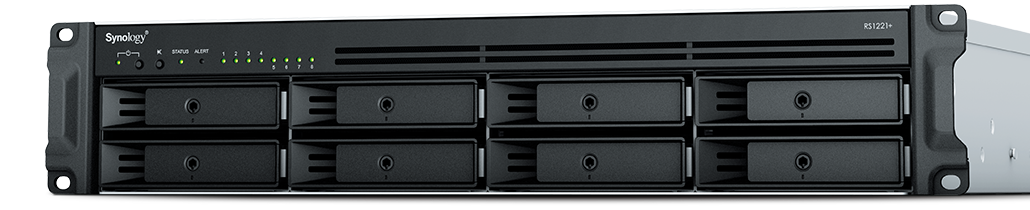
As our business continues to focus on providing white labeled Tier 3 IT support services, RMM as a service, and co-managed IT services this blog will be highlighting tips for Synology resource monitoring. We have developed best practices for alerting on a Synology device for resources like CPU, Memory, and Disk Usage. When these Synology resource monitoring alerts are consistently triggered it show that the device is over utilized or if they remain triggered for long periods of time then it shows there is an issue on the device itself. We also setup weekly Storage Reports to get an accurate view of the changes and growth going on with client storage.
Setup Notifications
Make sure that Notifications are setup on the Synology first
Open Control Panel
Click on Notifications
Check enable email notifications
Choose Service Provider
Login to Gmail or use Custom SMTP server for Office 365 as the sender
Change Subject to indicate name of device
Add recipient email (Best to use one that ties into a PSA or RMM)
Click Apply
Send a Test Email
Setup Synology Resource Monitoring
Open Resource Monitor app
Click on Performance Alarm to the left
Click on Rules tab
Click Create
Create the following Rules one by one
Volume Critical
Select which volume [create multiple rules if more than one volume]
Select Disk I/O utilization
Greater than 90%
Level Critical
Volume Warning
Select which volume [create multiple rules if more than one volume]
Select Disk I/O utilization
Greater than 75%
Level Warning
System Memory Critical
Memory Usage
Greater than 90%
Level Critical
System Memory Warning
Memory Usage
Greater than 75%
Level Warning
System CPU Critical
CPU Usage
Greater than 90%
Level Critical
System CPU Warning
CPU Usage
Greater than 75%
Level Warning
Click Settings and check box to Enable usage history then click Save
Setup Storage Reports
Open Storage Analyzer
Select new location
Create new shared folder named Log Files – hide from network
Go back to Storage Analyzer and select new folder
Set volume usage data to be collected Daily at 2am
Create report task
Send to email (Best to use one that ties into a PSA)
Generate reports at Monday 4am
Keep 60 reports then click Next
Select report items
Volume Usage
Shared Folders
Potential Duplicate Files
Large Files
Least Recently Modified Files then click Next
Analyze all folders then click Next
Leave duplicate file defaults then click Next
Click Done
Close App
Once this is setup you will start getting email alerts sent to you or better yet your PSA / RMM for ticket creation and review.
If your company is a MSP or wants to become one and automation just seems out of reach, then contact us to run your RMM for you.
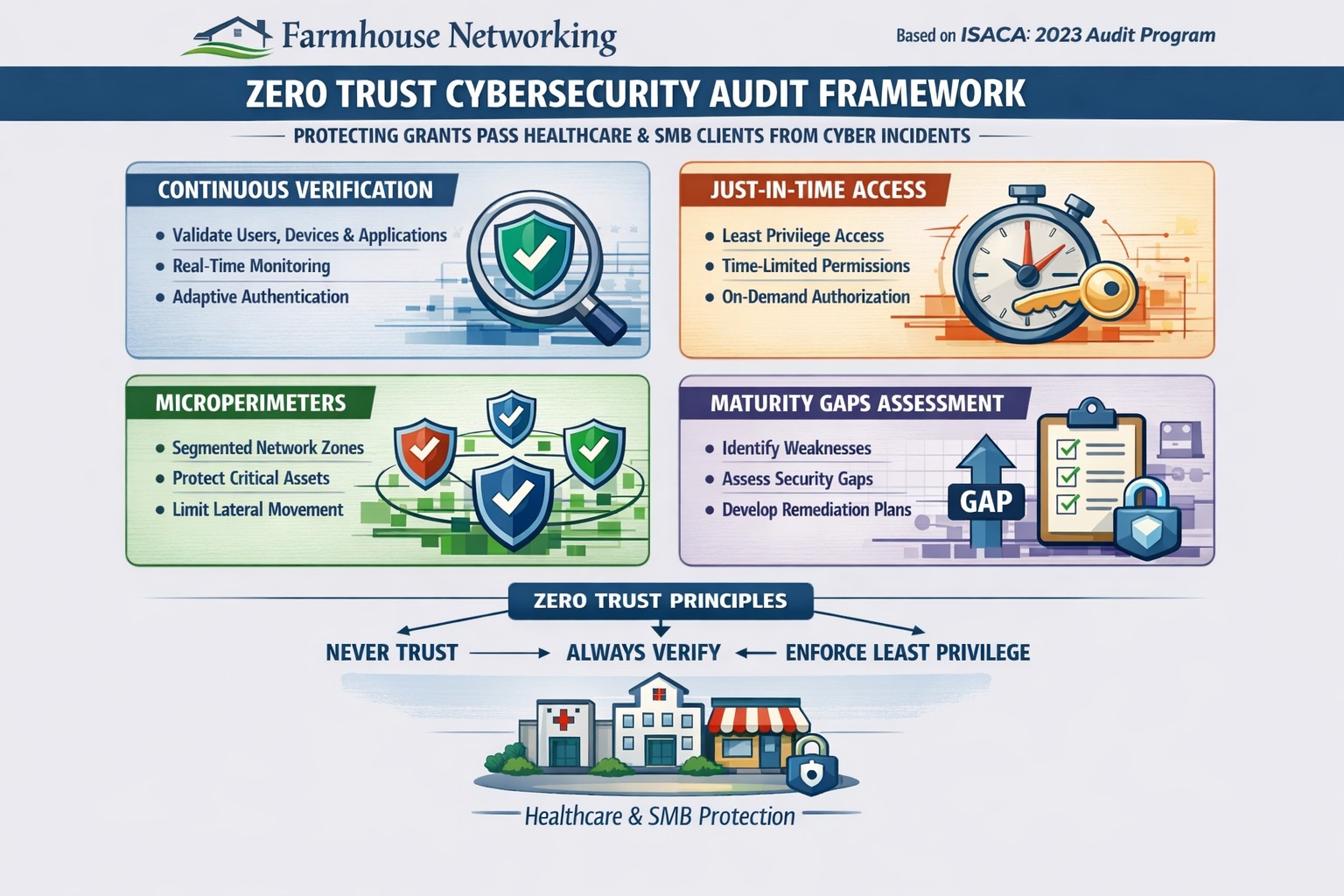
This is the eighth in a series about the concept of Zero Trust, which means in the IT sense that you trust nothing and always verify everything surrounding and connected to your network. Today’s discussion will be on Application Whitelisting.
Application Whitelisting
Application Whitelisting is a process of determining which software programs the company absolutely needs to do business, marking them as safe, and blocking any other program that tries to run on company computers. This methodology has the distinct advantage of blocking almost all forms of malware on computers. Pairing this with a good next-gen antivirus creates an impenetrable wall against malware threats. It also prevents users from accidentally or intentionally running something that should not be on company computers. Here are some questions to ask:
Do you know all software on your computers?
Do your users spend time on company computers listening to music?
Have any of your users ever downloaded software without asking?
Do you have a computer use policy? How is that enforced?
If your company is wanting to lock down what is running on company computers, then contact us for assistance.
Farmhouse Networking leads as top-reviewed collaboration consultant optimizing Microsoft Teams for Oregon businesses.
At Farmhouse Networking, we provide professional support for small to medium business networks. Our mission is to bring grass-roots IT support to local and national businesses. We analyze the processes that make business happen, then help you develop long-term plans to ensure that your IT system fosters the growth your business requires to blossom.
For this reason, we proudly share a milestone for Farmhouse Networking. The Manifest has recognized us as a leading and most reviewed global productivity and collaboration company. The Manifest is a business blog and reviews platform aiming to link buyers with vendors that can help them with their ongoing or upcoming projects.
Since our establishment in 2015, we have worked with trusted hardware and software vendors to add the essential elements which provide a nourishing medium to make your business flourish. Since our founding, we have developed the breadth and depth of knowledge required to manage business-class networks properly.
Chief Aircraft Inc, an online aircraft parts retailer, engaged in an ongoing collaboration with us in 2016 for managed IT services. The project started when the client was transitioning, and we stepped in to help modernize their systems and set up a solution to back up and monitor their network properly.
“In upgrading our network and data backups Scott has managed to lower the cost to us on a long-term basis and make everything easier to access as well as more secure.” – Josh Confer, Webmaster, Chief Aircraft Inc
The whole team at Farmhouse Networking would like to use this opportunity to communicate how much we value all our clients and partners. The feedback they’ve written means so much to us and will help us cement our name in the industry. If you need a caring expert to tend to your computers and network while you do business, get in touch with us. Our organic IT support is only a phone call away
Farmhouse Networking in Grants Pass Oregon celebrates earning the UpCity Best of Oregon Award for trusted managed IT services and local business IT support.
Farmhouse Networking has been working to establish our reputation and grow our business to serve others in the surrounding areas. God has continued to be gracious to provide that growth and it is being recognized.
“Every year, UpCity’s Best of Awards honor our B2B service providers’ tremendous work within rotating focus areas. Winners are selected using a variety of online credibility ranking factors which remain consistent regardless of the year’s focus area. In 2022, we celebrate the best providers at the local level for each U.S. state and Canadian province.”
Thank you to all our clients for making this possible as we continue to serve your IT needs.
This is the seventh in a series about the concept of Zero Trust, which means in the IT sense that you trust nothing and always verify everything surrounding and connected to your network. Today’s discussion will be on software patching.
Software Patching
Software patching is a neccesity because no person who writes code is perfect and hackers are actively looking for these mistakes. The hackers find the mistakes and then develop ways of using these to exploit the software, computer, or whatever else they can gain access to. The only way to combat both the mistakes and the exploits is to discover them before the hackers do and patch the hole in the software. This patch can however lead to unforseen consequences to the software, so a plan for testing and deployment of patches is needed to avoid unexpected downtime to businesses.Here are some questions to ask:
Do you know all of the hardware and software on your network?
Do you check for hardware, operating system, and other software regularly?
How do you check for updates, patches, or upgrades to software?
How do you install these patches? Is it automated?
Are these patches tested before installation?
What happens if a patch causes problems?
Do you have a log of all installed updates?
Are any systems or software on your network no longer supported for updates?
If your company is going to use full disk encryption or has compliance requirements that you need consulting for, then contact us for assistance.
Farmhouse Networking protects Grants Pass businesses from Rogue River floods with secure cloud backups and rapid IT disaster recovery.
Had a client walk into their office to find it flooded with an inch and a half of water on the ground and it got me thinking about what could be done to mitigate the risks associated with this sort of “Act of God” at the office.
Can’t Stop the Flood
It goes without saying that there is no way to realistically prevent a flood besides the usual preventative building maintenance that most businesses are not in control of anyways. It makes sense then to choose an office space where the owner is into proactive repairs on the building, even if it costs a little extra per month. It would also be good to talk to your business insurance provider to make sure that such Acts of God are covered. Clean-up and recovery though usually covered by the building owner can get expensive if your contract doesn’t cover it.
Prepare for the Worst
Practically speaking it may not be possible to keep computers out of the water in a flood. At this particular client we did have the computers up on blocks just in case of this very thing. All network equipment should also be in a safe place, ideally in a locked cabinet high off the ground.
Recovery can happen
If the worst does happen, the first thing to do is shut off the electricity to the building. After that take careful inventory of all that is plugged in and remove it from electrical outlets. If equipment is wet, keep it unplugged for a couple days in a dry environment to make sure it is free from moisture. Once sure it is dry, plug in the equipment and test whether it will come back online. If anything was submerged in water, it is best to plan on replacing it as most water has minerals in it that will stick to components in the computer and could cause and electrical short.
If your company is not ready for the worst, then contact us for assistance.
As our business continues to focus on providing white labeled Tier 3 IT support services, RMM as a service, and co-managed IT services this blog will be highlighting tips for RMM automation. Here is a script that we came up with to handle a particular client that dumps tons of PDFs into a folder unsorted and wants individual folders created for each unique file name. We have tailored this script to be used not only at that client but for any folder on any Microsoft Windows computer that needs to be sorted in this manner. This script could easily be modified to sort other types of files.
Variables
Here are the variables we are using for this script:
$SourceFolder = This is the target folder to be sorted
Script Snippet
# Defines the folder that sorted data will go into
$TargetFolder = $SourceFolder + " Sorted"
#Defines how to match files with similar names, in this case we put files with the same name then a dash or underscore and other numbers or letters to be placed in the same folder
$MatchRegEx = "[-_]"
#Grabs only the PDF files in the folder being sorted (modify for other extension types or remove filter to sort all files)
Get-ChildItem -Path $SourceFolder -Filter *.pdf |
ForEach-Object {
#Creates folder name for child folders in sorted data
$FileNameFolder = $_.Name -split $MatchRegEx
$ChildPath = Join-Path -Path $FileNameFolder[0].Replace('.pdf','') -ChildPath $_.Name
[System.IO.FileInfo]$Destination = Join-Path -Path $TargetFolder -ChildPath $ChildPath
#Checks if folder exists and if not creates child folder
if( -not ( Test-Path -Path $Destination.Directory.FullName -erroraction silentlycontinue) ){
New-Item -ItemType Directory -Path $Destination.Directory.FullName
}
#Copies file into child folder
Copy-Item -Path $_.FullName -Destination $Destination.FullName
}
This script is non-destructive meaning that the files are copied and not moved. This script gives screen output of each new child folder created.
If your company is a MSP or wants to become one and automation just seems out of reach, then contact us to run your RMM for you.
This is the sixth in a series about the concept of Zero Trust, which means in the IT sense that you trust nothing and always verify everything surrounding and connected to your network. Today’s discussion will be on endpoint security.
Endpoint Security
Endpoint security is a fancy term used to describe how the computers on the network are protected. This used to be done by antivirus but due to the complexity of the attacks hackers are using to compromise networks these days, the definition has expanded greatly. This now includes things like Enhanced Detection & Response software, Security Operations Centers, DNS Filtering, employee train and more. Here are some questions that you should be asking yourself:
Are your endpoints protected by antivirus or enhanced detection & response?
Is website traffic being monitored? Restricted?
Are your employees being trained in cyber security?
Are computer logs being monitored for malicious activity?
Would unusual or suspicious activity on a computer be noticed? Alerted on?
Do you have security permissions set on all file shares?
Do you have least privileged access configured on those shares?
Do you keep track of what software is installed on all workstations?
Do you block access to unauthorized software?
Are files encrypted on servers and workstations?
Are your mobile devices managed? Can you wipe them remotely?
Are USB ports blocking removeable storage devices?
Are endpoints set to automatically log-out?
If your company is going to use full disk encryption or has compliance requirements that you need consulting for, then contact us for assistance.
Farmhouse Networking implements zero trust password management with passwordless MFA for secure Grants Pass business cloud access.
This is the fifth in a series about the concept of Zero Trust, which means in the IT sense that you trust nothing and always verify everything surrounding and connected to your network. Today’s discussion will be on password management.
Password Management
Password management is the concept that you are not using the same password for all sites and services. So it is necessary to have a means to track and protect those passwords from others accessing or using them without consent. Here are some questions that you should be asking yourself:
How do you keep track of passwords? paper? spreadsheet? program?
Are your passwords encrypted? Are they guessable? Are they changed regularly?
Do you have a password policy?
What do you do when someone leaves the company?
Do you take advantage of 2FA or MFA?
Do you take advantage of single sign-on?
Take time to think about these questions and decide where changes can be made to better protect your passwords, or contact us to do the thinking for you.
And God will generously provide all you need. Then you will always have everything you need and plenty left over to share with others. As the Scriptures say,
“They share freely and give generously to the poor. Their good deeds will be remembered forever.”
For God is the one who provides seed for the farmer and then bread to eat. In the same way, he will provide and increase your resources and then produce a great harvest of generosity in you. - 2 Corinthians 9:8-10
We use cookies to ensure that we give you the best experience on our website. If you continue to use this site we will assume that you are happy with it.