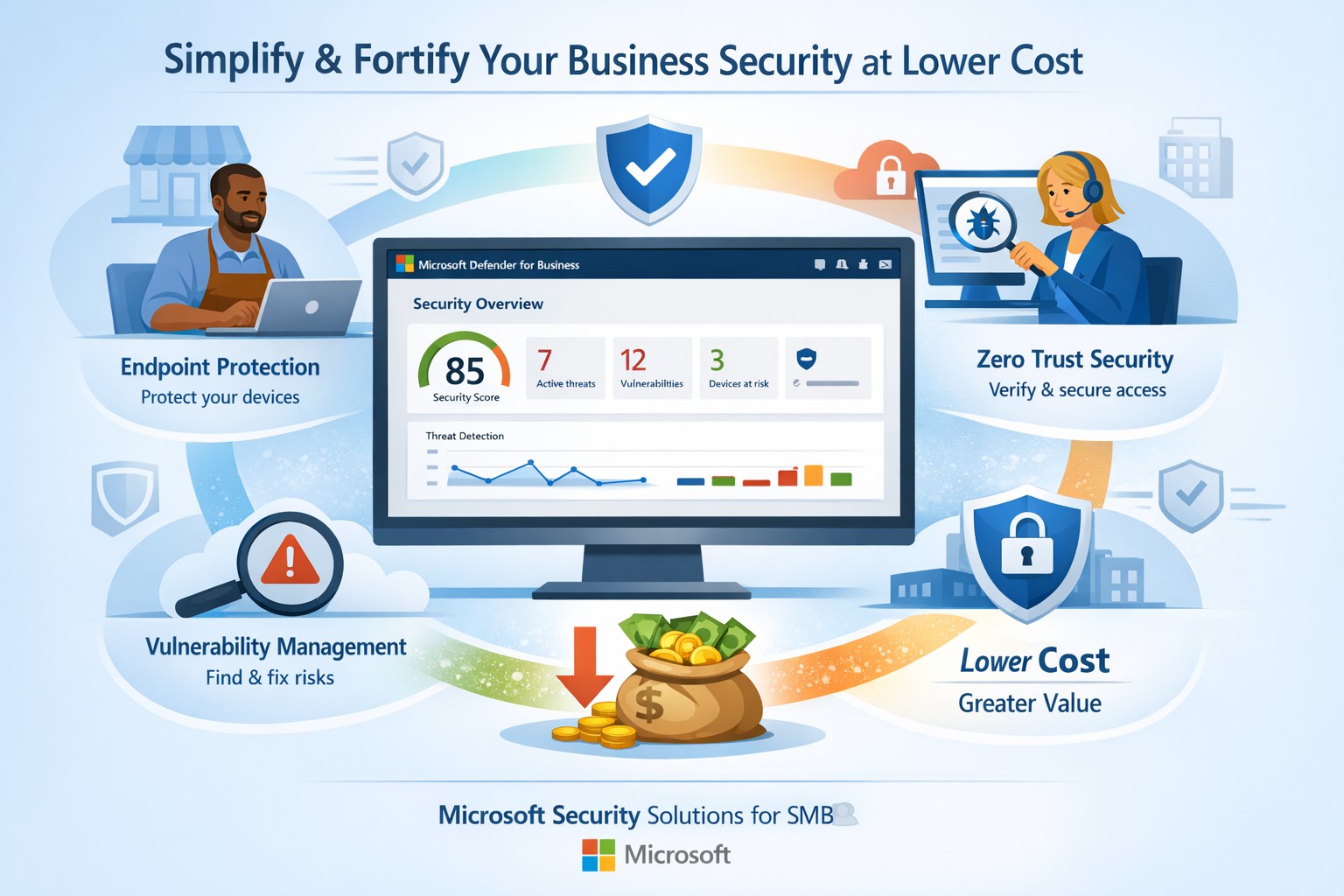
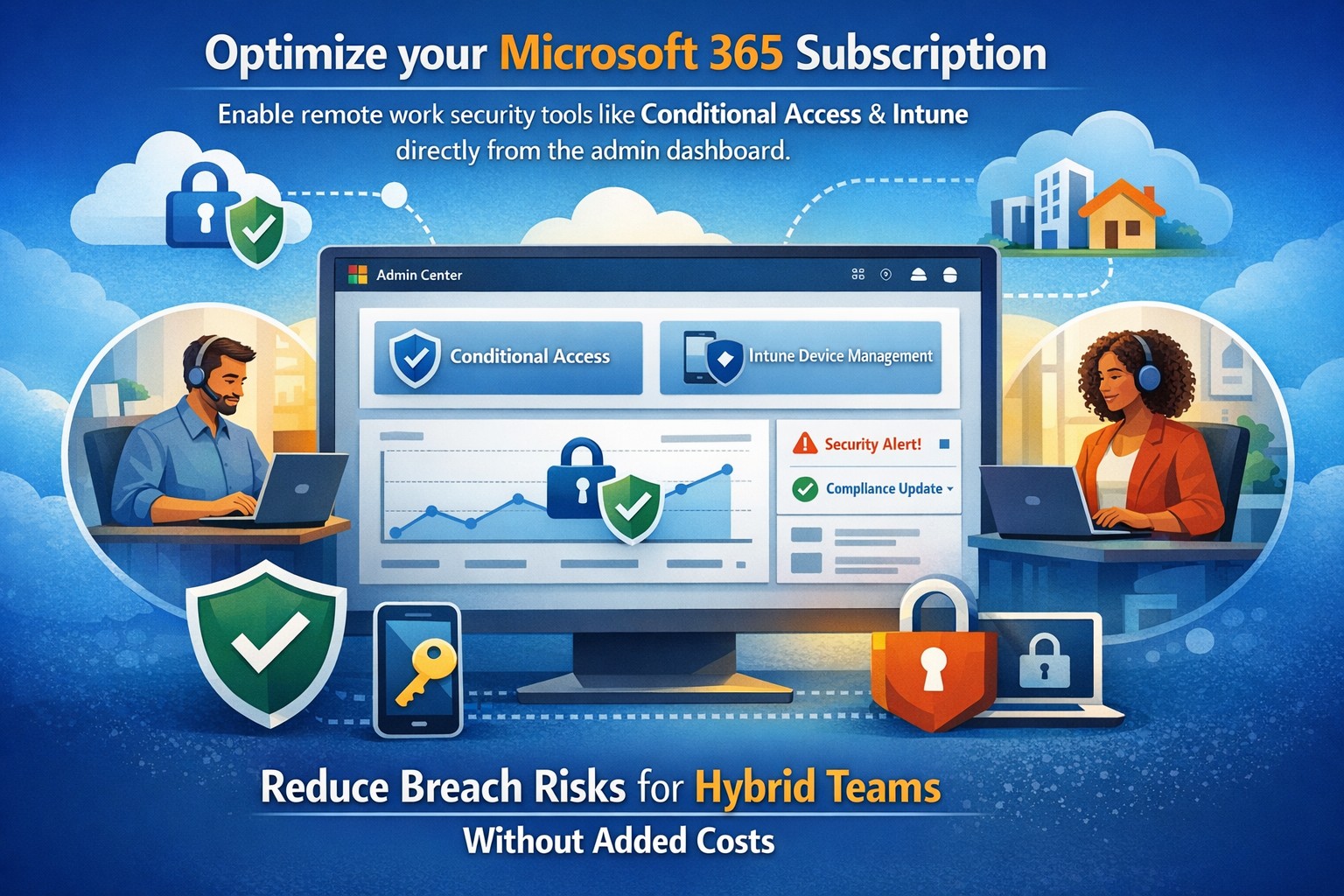
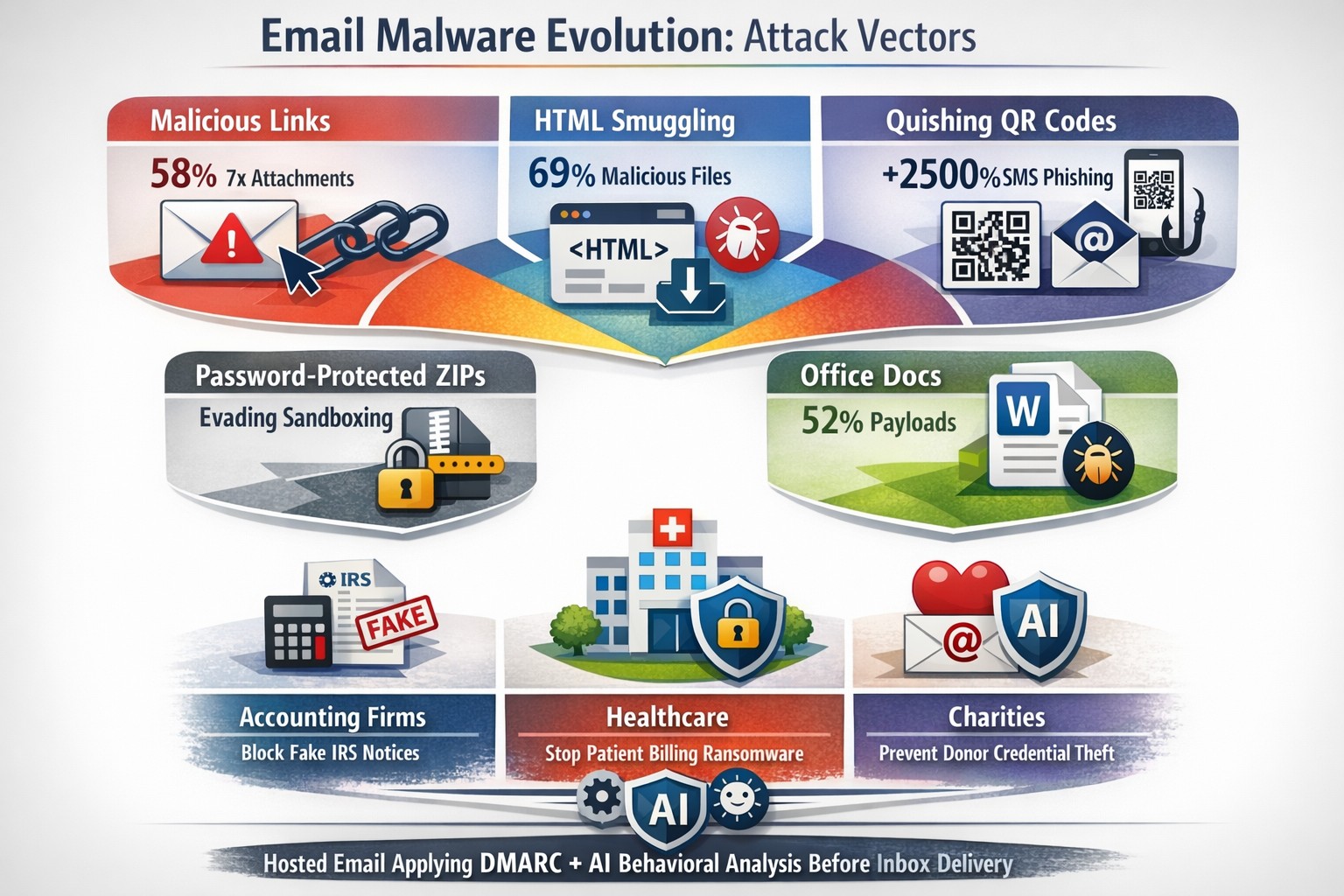
Fortify your SMB with Microsoft Defender for Business—enterprise-grade security at affordable prices via Microsoft 365.
Business owners face rising cyber threats but shrinking budgets for protection. Microsoft security solutions deliver enterprise-grade defenses at small-business prices, simplifying operations while fortifying your operations.
Why Microsoft Security Fits SMBs
Microsoft Defender for Business targets companies up to 300 employees, offering AI-driven endpoint protection across Windows, macOS, iOS, and Android. It includes next-gen antivirus, vulnerability management, and automated attack disruption—often bundled in Microsoft 365 Business Premium for cost efficiency. Combined with Purview suites, you get data loss prevention, insider risk detection, and compliance tools, reducing total ownership costs by consolidating vendors. This unified approach cuts complexity, with wizard-based onboarding and monthly reports that save IT time.
Action Steps for Implementation
Follow these steps with your IT team to deploy Microsoft security effectively:
Assess Current Risks: Use Microsoft Secure Score (free in Defender portal) to scan endpoints, identities, and apps for vulnerabilities—prioritize high-risk fixes first.
Select the Right Bundle: Start with Microsoft 365 Business Premium for Defender XDR, adding Defender for Business if needed (up to 5 devices/user). Enable multi-factor authentication via Entra ID Plan 1.
Onboard Devices: Run the wizard in the Microsoft Defender portal to deploy agents; test on a pilot group of 10-20 devices before full rollout.
Configure Policies: Set up Zero Trust basics—verify every access request, enable phishing simulations monthly, and automate data classification with Purview.
Monitor and Review: Schedule quarterly audits using built-in reports; integrate threat hunting for proactive response.
These steps typically take 2-4 weeks, yielding immediate ROI through reduced breach risks.
FAQs on Microsoft Security
How much does it cost compared to competitors? Microsoft bundles start under $10/user/month via Business Premium, far below standalone EDR tools (often $15-30/user). Consolidation avoids multi-vendor fees.
Is it scalable for growing businesses? Yes, Defender scales seamlessly to 300+ users with add-ons like server protection; no rip-and-replace needed.
What about training my team? Built-in simulations and reports require minimal training; AI automates 70%+ of responses, freeing staff.
Does it cover cloud apps and email? Fully—Defender includes SaaS security, phishing protection, and XDR across email, endpoints, and identities.
How secure is it against ransomware? AI-powered EDR disrupts attacks in real-time, with auto-remediation recovering systems quickly.
How Farmhouse Networking Assists
Farmhouse Networking specializes in Microsoft security deployments for accounting, healthcare, and charity sectors. We handle assessments, configurations, and ongoing managed detection—ensuring compliance (e.g., HIPAA for healthcare) without in-house expertise. Our team optimizes your setup for maximum ROI, conducts penetration tests, and provides 24/7 monitoring via Microsoft tools. Clients see 30-50% cost savings through streamlined licensing and automation. We’ve helped similar B2B firms fortify defenses while boosting productivity.
Ready to secure your business affordably? Email support@farmhousenetworking.com for a free security audit and custom Microsoft strategy.
Kennametal has invested heavily in Microsoft cloud technologies as part of its digital transformation journey to reduce costs, increase productivity, and empower workers to deliver superior results for their customers. In this video, see how they utilize Microsoft Azure cloud platform and services to Microsoft Dynamics 365 business applications to Microsoft 365 productivity, security, and mobility tools. Kennametal believes that Microsoft resources will help the company fulfill its business promises.
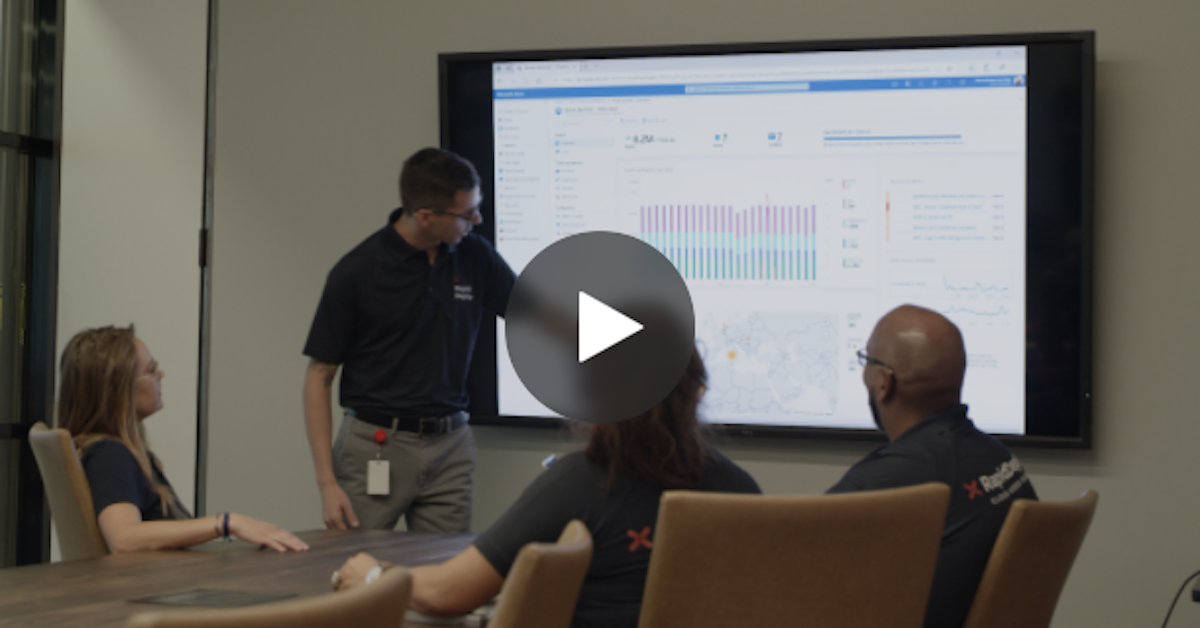
RapidDeploy creates its Cloud Aided Dispatch systems to help first responders act quickly to protect the public. There’s a lot at stake, and the company’s cloud-native platform must be secure against an array of serious cybersecurity threats. So, when RapidDeploy implemented a Security Information and Event Management (SIEM) system, it chose Microsoft Azure Sentinel, one of the world’s first cloud-native SIEMs. See the full story in the video below.
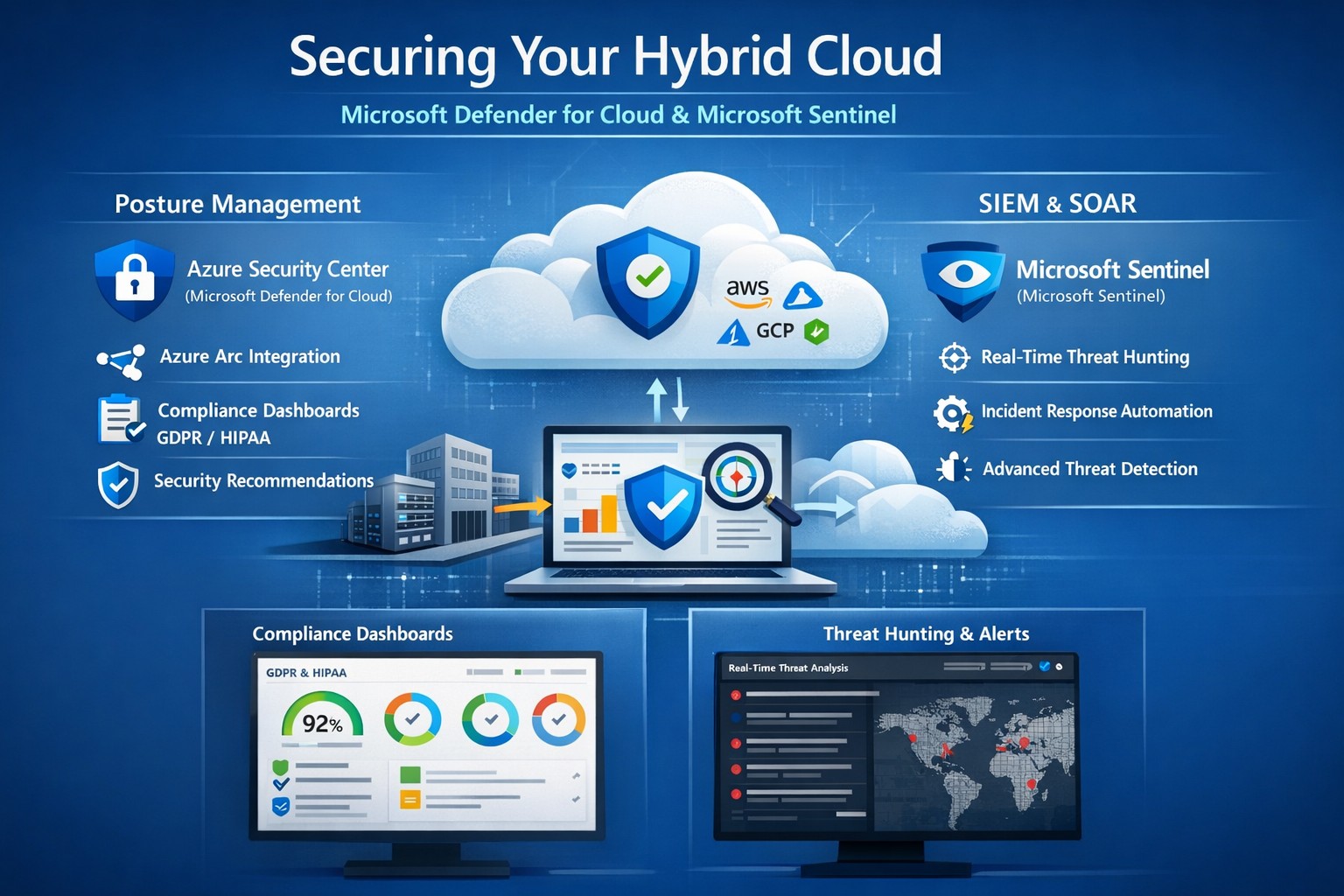
Unified hybrid cloud security: Monitor Secure Score and Sentinel alerts across on-premises and Azure resources.
Managing on-premises systems and cloud workloads, hybrid cloud security threats like ransomware and data breaches can disrupt operations and erode customer trust. Azure Security Center (now evolving into Microsoft Defender for Cloud) and Azure Sentinel (now Microsoft Sentinel) deliver unified protection across your hybrid environment, combining posture management with AI-driven threat detection.
Why Hybrid Cloud Security Matters Now
Hybrid setups amplify risks—on-prem servers lack cloud-scale monitoring, while Azure resources face misconfigurations. Security Center provides cloud security posture management (CSPM), tracking secure scores, compliance (e.g., GDPR, HIPAA), and just-in-time VM access. Sentinel acts as your SIEM/SOAR, ingesting Security Center alerts plus firewall logs, user data, and multi-cloud inputs (AWS, GCP) for proactive hunting and automated response.
This duo scales with your business: Security Center prevents threats at IaaS/PaaS layers (VMs, SQL, IoT); Sentinel correlates data enterprise-wide, cutting alert fatigue by 50% via AI. For accounting firms handling sensitive financials or healthcare providers under HIPAA, this means fewer breaches and faster recovery.
Practical Action Steps for Implementation
Work with your IT team to deploy these in phases for minimal disruption:
Enable Security Center: In Azure Portal, navigate to Defender for Cloud > Environment settings. Select your subscription, turn on plans for Hybrid + multicloud (servers, apps, databases). Onboard on-prem VMs via Azure Arc agents—install Log Analytics agent, assign policies.
Connect to Sentinel: Create a Sentinel workspace (Log Analytics resource). In Defender for Cloud, go to Integrations > Azure Sentinel > Connect. This streams alerts automatically. Add connectors for Office 365, firewalls, and endpoints.
Configure Posture and Detection: Review Secure Score dashboard; remediate top recommendations (e.g., enable MFA, update endpoints). In Sentinel, build analytics rules for anomalies (e.g., rare logins) and playbooks for auto-quarantine.
Test and Monitor: Simulate threats via Azure Attack Simulator. Set up workbooks for dashboards; review incidents weekly. Scale with automation—e.g., SOAR for ticket routing.
These steps take 1-2 days initially, yielding continuous monitoring without rip-and-replace.
Step
Owner
Time
Key Outcome
Enable Security Center
IT Admin
30 min
Secure Score baseline
Connect Sentinel
Security Lead
15 min
Unified alerts
Configure Rules
IT/Security
2-4 hrs
AI threat hunting
Test Response
Full Team
1 day
Incident playbook ready
FAQs: Client Questions Answered
How do Security Center and Sentinel differ? Security Center focuses on prevention and posture (e.g., misconfig fixes, EDR); Sentinel handles analytics, hunting, and orchestration across all sources. Use both: Security Center feeds Sentinel for holistic views.
Does this work for non-Azure hybrid setups? Yes—Arc agents extend coverage to on-prem, AWS/GCP via connectors. Sentinel ingests any log via APIs.
What about costs? Pay-per-ingest: Security Center ~$0.02/VM/day; Sentinel ~$2.60/GB ingested (free first 10GB/mo). Optimize with alert streaming.
Is setup complex for small IT teams? Minimal—Portal wizards guide you. Common pitfalls: data connector misconfigs (fix via docs); overcome with phased rollout.
How secure is data in transit? Encrypted end-to-end; complies with SOC 2, ISO 27001. Retention policies customizable.
How Farmhouse Networking Boosts Your Security
Farmhouse Networking specializes in B2B setups for accounting, healthcare, and nonprofits—industries facing strict compliance like SOX or HIPAA. We handle full implementation: Arc onboarding, custom Sentinel rules tuned to your workloads, and 24/7 SOC monitoring via our managed services. Our clients see 40% faster threat response and Azure cost optimizations, freeing you to focus on growth. We’ve secured 50+ hybrid environments, integrating Sentinel with your existing tools seamlessly.
Call to Action
Ready to lock down your hybrid cloud? Email support@farmhousenetworking.com for a free security posture assessment and personalized roadmap.
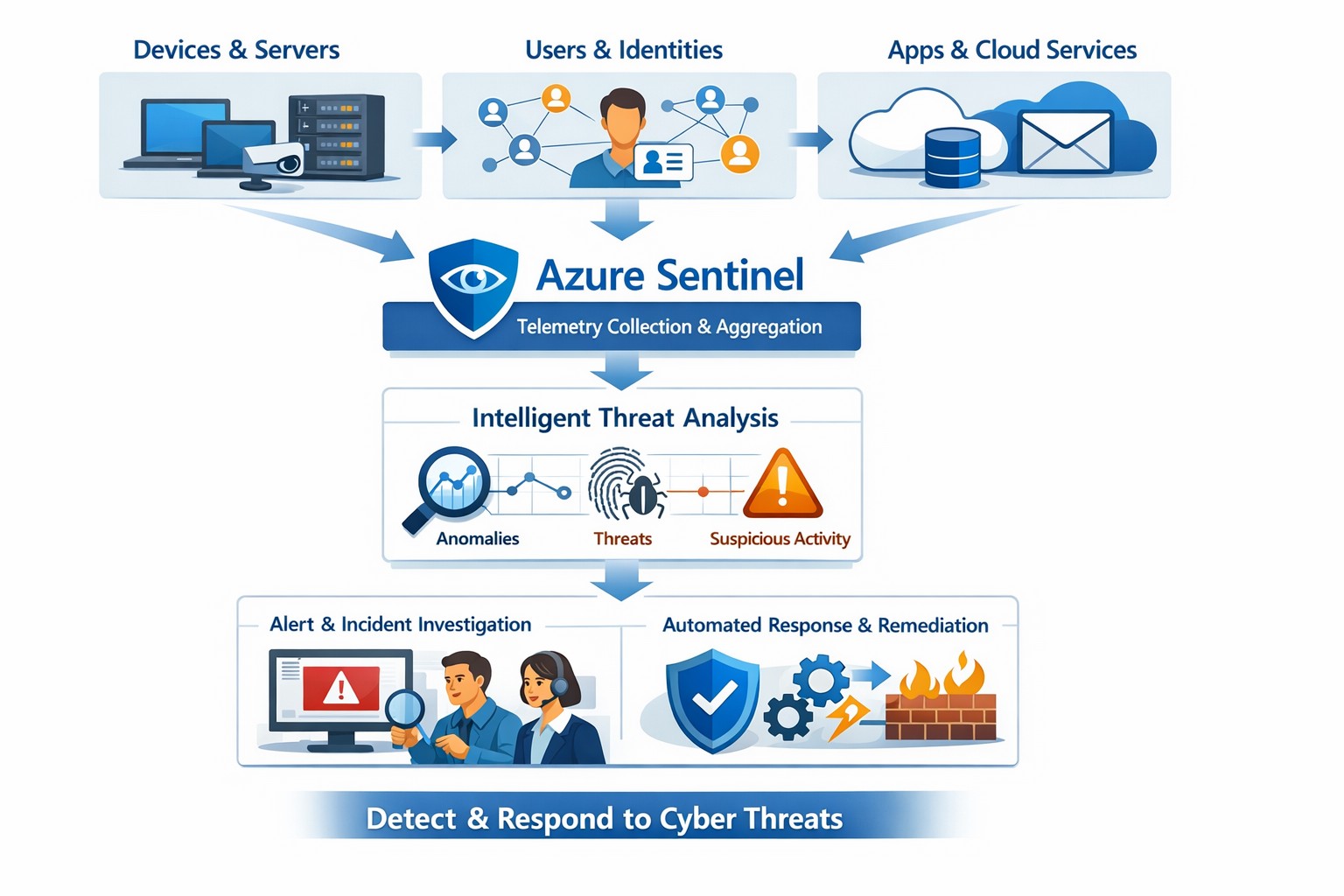
Azure Sentinel provides a unified view of your enterprise security data, allowing you to collect logs, detect threats, investigate incidents, and automate responses across cloud and on‑premises systems.
Cyber threats are a constant reality for businesses of all sizes. As your company grows, your IT environment becomes more complex, with data scattered across on-premises systems, cloud platforms, and third-party applications. This complexity makes it harder to detect and respond to security incidents quickly. Azure Sentinel, Microsoft’s cloud-native SIEM (Security Information and Event Management) solution, offers an intelligent way to collect, detect, investigate, and respond to security threats across your entire enterprise. For business owners, this means better protection, reduced downtime, and faster incident response—without the need for massive infrastructure investments.
What Azure Sentinel Does for Your Business
Azure Sentinel collects security data from your entire IT ecosystem, including devices, users, applications, and hybrid environments, both on-premises and in the cloud. It uses advanced analytics and threat intelligence to detect threats, often uncovering risks that traditional tools miss. With machine learning and AI, Azure Sentinel helps your security team investigate suspicious activities, hunt for hidden threats, and automate responses to common incidents. This reduces alert fatigue, lowers false positives, and speeds up resolution times, allowing your business to operate more securely and efficiently.
Practical Steps for Business Owners and IT Teams
To get the most out of Azure Sentinel, business owners and their IT departments need to take several practical steps. First, conduct a thorough assessment of your current security infrastructure to identify gaps and define clear objectives, such as improving threat detection or enhancing incident response. Next, choose the right data connectors to integrate logs from your existing systems into Azure Sentinel, ensuring comprehensive visibility across your environment. Establish clear objectives that align with your business goals, such as achieving regulatory compliance or reducing downtime. Train your security team to use Azure Sentinel effectively, providing ongoing education to stay ahead of emerging threats. Finally, continuously tune and optimize detection rules and automate routine response actions to maximize the platform’s potential.
Common Questions and Answers
Q: How does Azure Sentinel reduce downtime for my business? Azure Sentinel operates on the Azure cloud platform, which includes built-in load balancing and automated failover. This ensures that your security operations continue even during disruptions, minimizing downtime and ensuring that critical cloud applications remain secure and available.
Q: Can Azure Sentinel work with my existing security tools? Yes, Azure Sentinel integrates seamlessly with a wide range of security tools and data sources. It supports numerous connectors for cloud platforms like Azure, AWS, and GCP, as well as on-premises systems and third-party security solutions. This allows you to centralize your security operations without replacing your existing investments.
Q: How does Azure Sentinel handle automated incident response? Azure Sentinel uses playbooks based on Azure Logic Apps to automate common security tasks. For example, when an alert is triggered, a playbook can automatically assign the incident to a team member, update its status, or integrate with your ticketing system to create a new incident ticket, reducing manual effort and speeding up response times.
How Farmhouse Networking Can Help
Farmhouse Networking specializes in helping businesses in the accounting, healthcare, and charity industries implement and optimize Azure Sentinel. We can conduct a comprehensive assessment of your current security posture, identify gaps, and define clear objectives tailored to your business needs. Our team can also help you set up the right data connectors, train your IT staff, and continuously tune your detection rules to reduce noise and improve threat detection. Additionally, we can assist with automating incident response workflows to ensure that your security operations are as efficient and effective as possible.
If you’re ready to take the next step in securing your business with Azure Sentinel, contact Farmhouse Networking today. Email support@farmhousenetworking.com to learn more about how we can help improve your business’s security posture and protect your critical data from cyber threats.
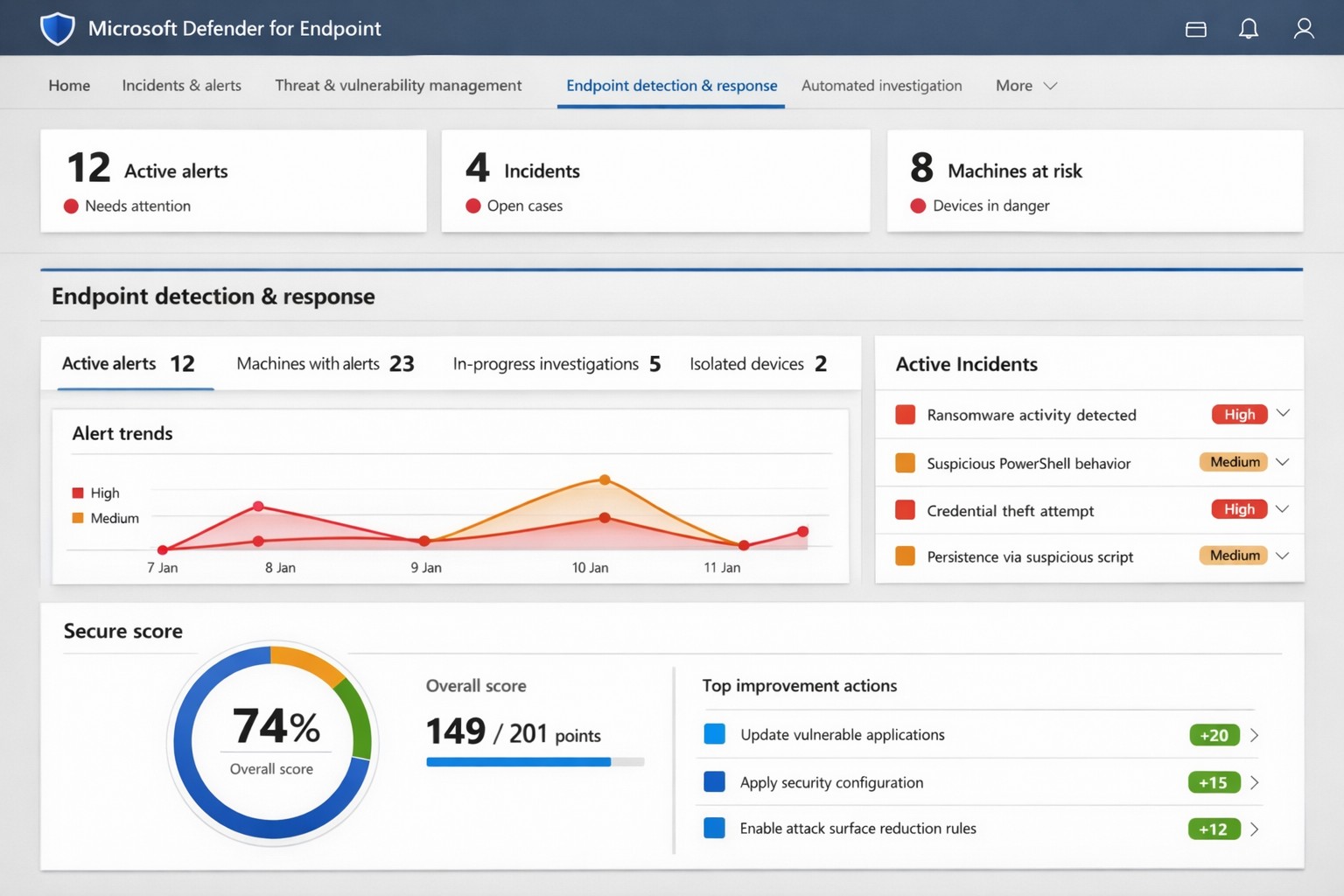
Microsoft Defender for Endpoint (ATP) portal: Monitor advanced threats, EDR alerts, and secure score to safeguard your business devices.
Cyber threats like ransomware and data breaches can cripple operations, costing millions in downtime and recovery. Microsoft Defender for Endpoint—previously known as Microsoft Defender Advanced Threat Protection (ATP)—delivers enterprise-grade endpoint security to detect, investigate, and stop these attacks before they escalate.
What is Microsoft Defender for Endpoint?
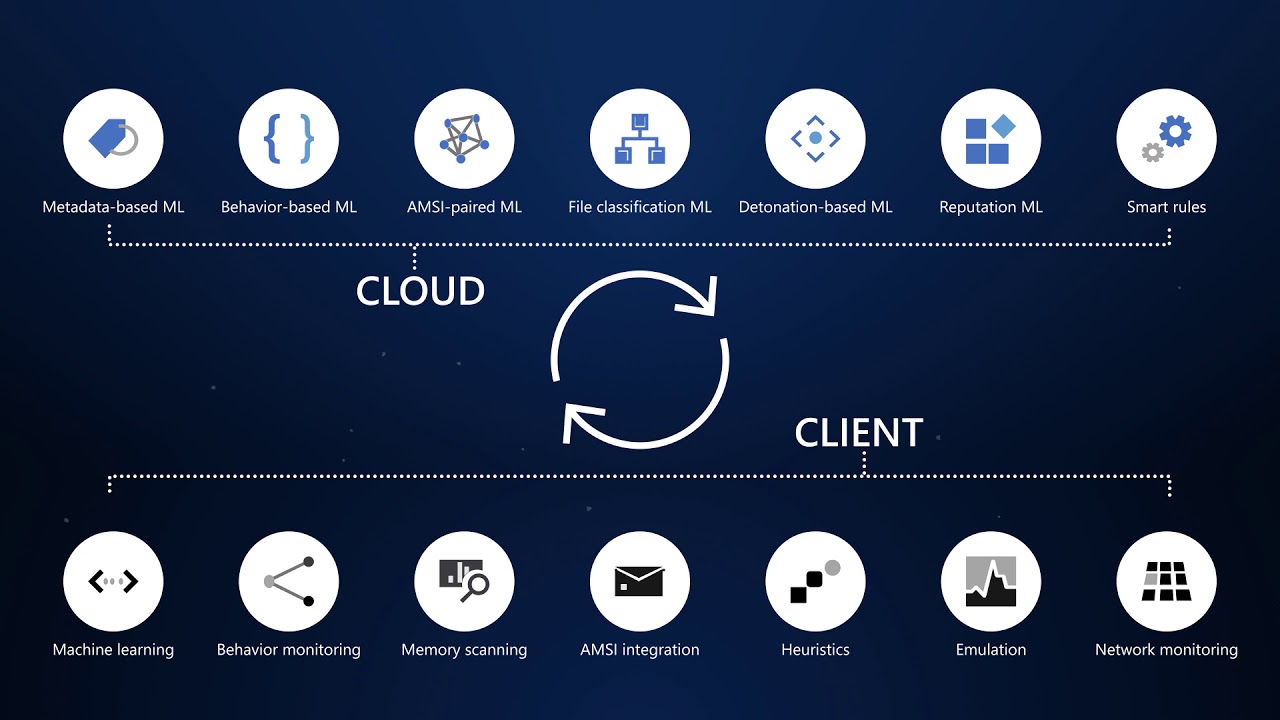
This cloud-native platform safeguards devices like laptops, servers, and mobiles from advanced threats using AI-driven analytics, behavioral monitoring, and automated response. Key capabilities include next-generation antivirus, endpoint detection and response (EDR), threat and vulnerability management, attack surface reduction, and automated investigations that group alerts into incidents for faster triage.
It integrates seamlessly with Microsoft 365, offering Plan 1 (basic protection, network controls) and Plan 2 (full EDR, vulnerability management, sandboxing). Businesses gain a “secure score” to benchmark and improve security posture.
Practical Action Steps for Implementation
Follow these steps with your IT team to deploy effectively:
Assess Eligibility and License: Confirm Microsoft 365 E3/E5 or standalone Defender licensing via the Microsoft 365 admin center. Start a 30-day trial if needed.
Onboard Devices: Use Microsoft Endpoint Manager or Group Policy to enable onboarding scripts for Windows, macOS, Linux, iOS, and Android. Prioritize high-value assets like executive laptops.
Configure Policies: Set attack surface reduction rules, enable cloud-delivered protection, and deploy controlled folder access to block ransomware. Test in audit mode first.
Monitor and Respond: Review the Defender portal daily for incidents. Use automated remediation to isolate devices and run live response commands like file quarantine.
Train Staff and Review Secure Score: Conduct phishing simulations and user training. Aim for a secure score above 80% by addressing recommendations.
Expect initial setup in 1-2 weeks for 50 devices, with ongoing management under 1 hour daily post-configuration.
FAQ: Client Inquiries Answered
How does Defender differ from basic antivirus? Unlike traditional AV, it provides EDR for post-breach hunting, cloud analytics for zero-day threats, and cross-device incident correlation—reducing detection time from 200+ days to hours.
What about performance impact? Minimal; sensors use hardware acceleration and run lightweight scans. Enterprises report <1% CPU overhead.
Is it suitable for small businesses without IT staff? Yes, Defender for Business offers simplified P1/P2 features with guided setup. It scales from 5 to 50,000 endpoints.
How secure is data in Defender? Microsoft isolates customer data by tenant, with no use for training AI. Compliance includes GDPR, HIPAA.
What if we use non-Windows devices? Full support for macOS, Linux, mobile; unified console prevents silos.
How Farmhouse Networking Can Help
Farmhouse Networking specializes in B2B cybersecurity for accounting, healthcare, and nonprofits—industries handling sensitive data under strict compliance like HIPAA and PCI-DSS. We conduct cloud security assessments to baseline your posture, implement Defender onboarding, customize policies for your endpoints, and integrate with existing Microsoft stacks for automated threat hunting.
Our team handles vulnerability prioritization, staff training, and 24/7 monitoring, freeing you to focus on growth. Clients see 40% faster threat response and improved secure scores within months.
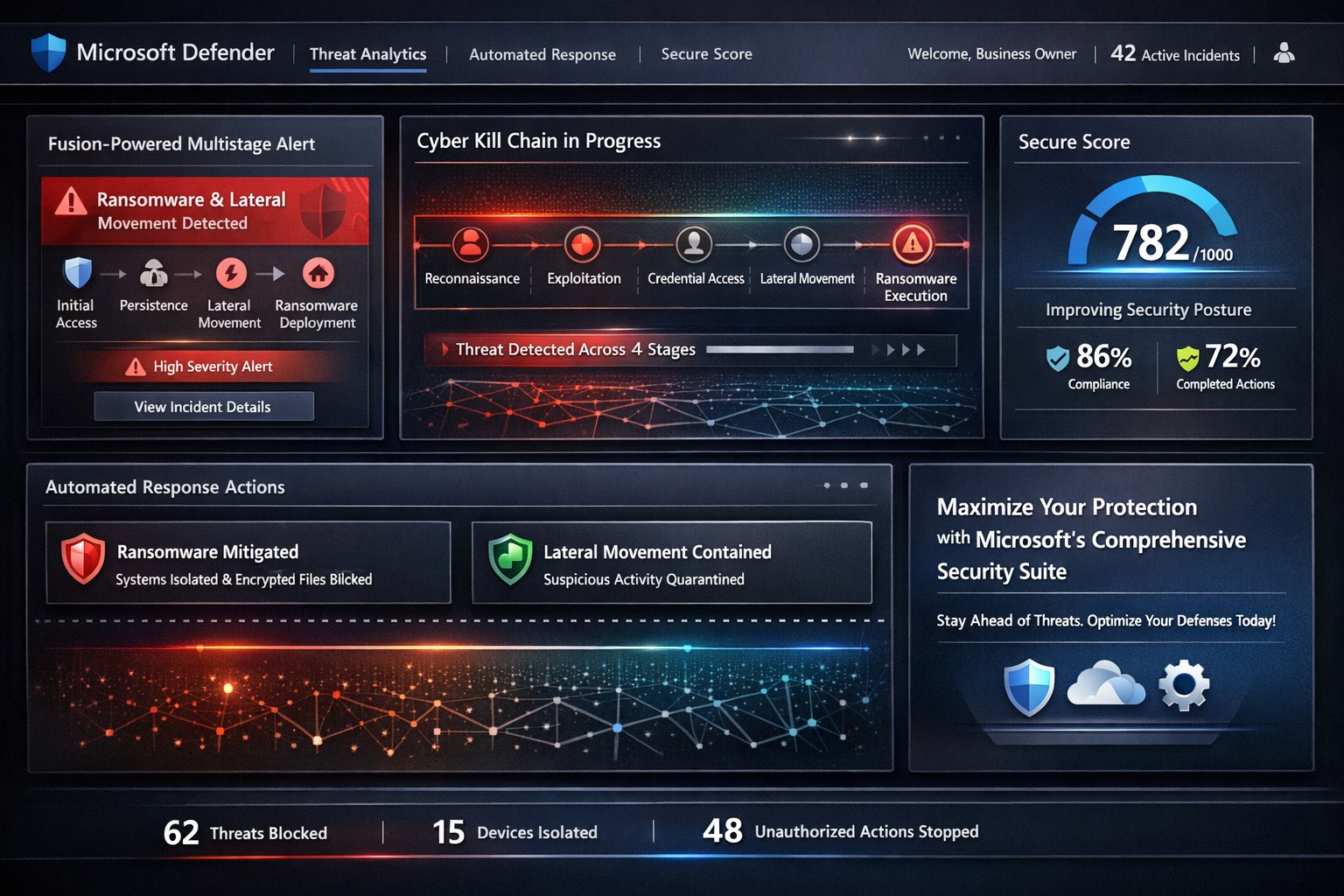
Visualize multistage attack detection with Microsoft security suite—stop threats from reconnaissance to exfiltration using Sentinel and Defender XDR.
Cyber threats evolve rapidly, targeting businesses at every stage of the attack chain—from reconnaissance to exfiltration. Microsoft’s integrated security solutions, like Sentinel and Defender, empower business owners to detect and neutralize these threats proactively, safeguarding operations and revenue.
Understanding the Cyber Kill Chain
The cyber kill chain framework outlines eight stages: reconnaissance, weaponization, delivery, exploitation, installation, command and control (C2), actions on objectives, and monetization. Microsoft’s tools map directly to these, using AI-driven correlation to spot multistage attacks that single-point defenses miss.
Microsoft Sentinel’s Fusion engine exemplifies this by analyzing anomalous behaviors across stages, generating high-fidelity incidents from low-volume alerts—like ransomware execution following suspicious sign-ins. Defender XDR unifies endpoints, identity, email, and cloud signals for end-to-end visibility.
Practical Action Steps for Implementation
Business owners and IT teams can deploy these solutions methodically to maximize detection.
Assess Current Posture: Log into the Microsoft 365 Defender portal (security.microsoft.com). Review Secure Score for Devices to identify unprotected systems and prioritize fixes, such as enabling multifactor authentication (MFA).
Enable Fusion in Sentinel: In Azure Sentinel, activate the Advanced Multistage Attack Detection rule—it’s enabled by default but requires data connectors for Microsoft Entra ID, Office 365, and endpoints. Ingest logs from these sources to detect scenarios like mass file deletion post-suspicious sign-in.
Configure Defender Policies: Set Strict preset policies for Safe Attachments, Safe Links, and anti-phishing in Email & Collaboration > Threat Policies. Test with advanced hunting queries to proactively scan for breaches.
Monitor and Respond: Use the unified dashboard for prioritized incidents. Automate investigations in Defender XDR to triage alerts, focusing IT efforts on high-severity threats like lateral movement or data exfiltration.
Test and Iterate: Run tabletop exercises simulating kill chain stages. Leverage Threat Analytics for tailored briefings on risks specific to your infrastructure, such as exposed servers vulnerable to ransomware.
These steps typically yield results within weeks, reducing alert fatigue and dwell time.
FAQ: Client Inquiries Answered
Q: How does Microsoft detect threats across all kill chain stages? A: Fusion in Sentinel correlates alerts from reconnaissance (suspicious sign-ins) to exfiltration (mass file downloads), covering compute abuse, credential theft, ransomware, and more via ML algorithms.
Q: Is this suitable for small businesses without a full SOC? A: Yes—preset policies and automated response in Defender XDR minimize manual effort. Secure Score provides actionable recommendations without deep expertise.
Q: What about integration with existing tools like firewalls? A: Sentinel ingests data from Palo Alto, Cisco, and Fortinet, enhancing detections like beaconing post-sign-in or anomalous traffic after WMI execution.
Q: How much does it cost, and what’s the ROI? A: Pricing scales with data ingestion; starts low for Microsoft 365 E5 users. ROI comes from stopping breaches early—e.g., preventing ransomware via stage-specific alerts.
Q: Can it handle cloud-specific threats? A: Attack Path Analysis in Security Exposure Management identifies exploitable paths to critical assets, validating exposures in storage, APIs, and AI agents.
How Farmhouse Networking Elevates Your Security
Farmhouse Networking specializes in deploying Microsoft security stacks for accounting, healthcare, and charity sectors—industries facing strict compliance like HIPAA and PCI-DSS. We handle initial assessments, custom Fusion rule tuning beyond defaults, and ongoing optimization to align with your kill chain risks.
Our team integrates Sentinel with your endpoints and cloud environments, trains IT staff on Defender workflows, and monitors via managed detection services. Clients see 40-60% faster threat response, driving organic traffic to secure operations that convert partners and donors confidently.
Call to Action
Ready to fortify your business against multistage attacks? Email support@farmhousenetworking.com for a free threat posture audit and personalized Microsoft security roadmap.
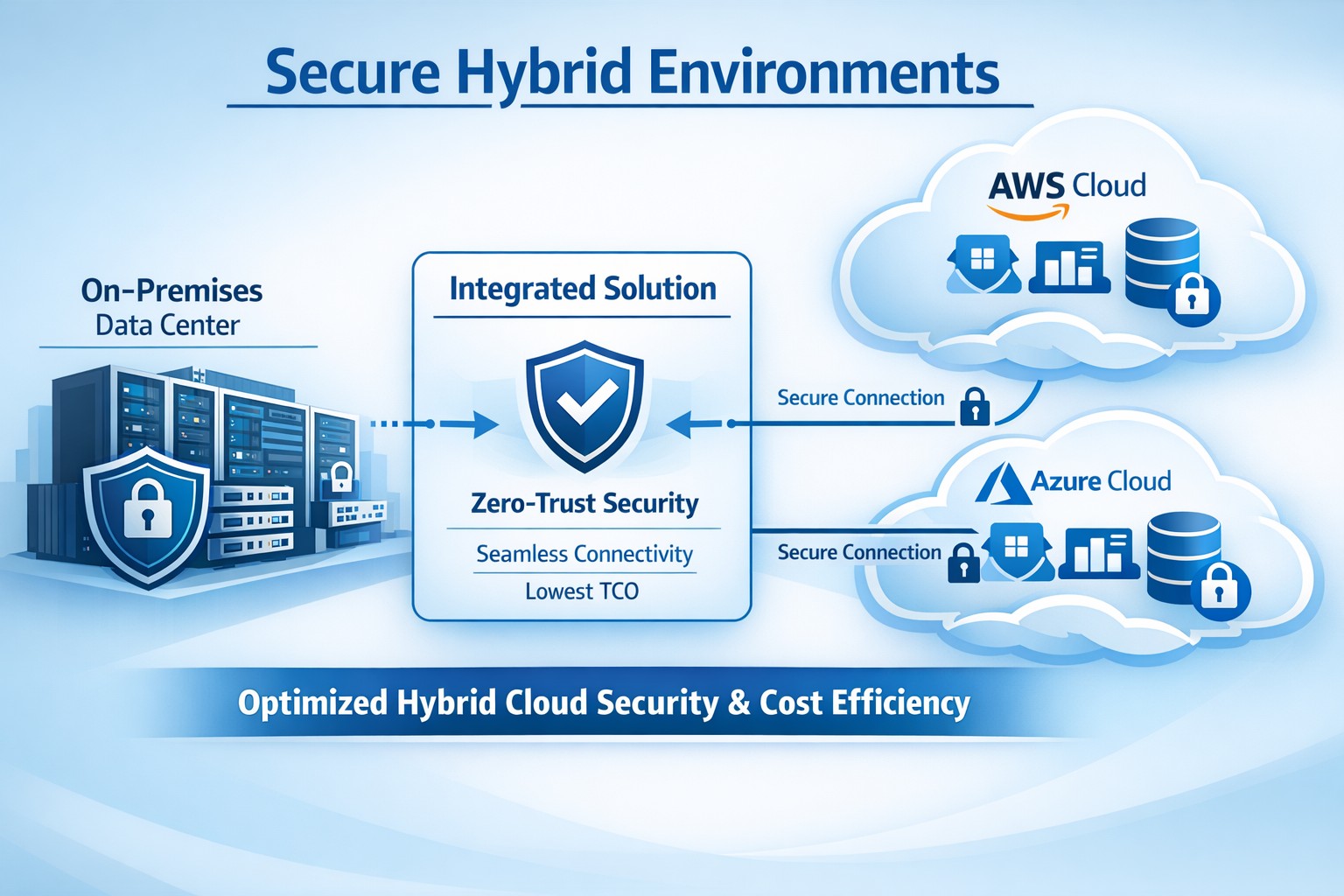
Integrated platform connecting on-prem and cloud for secure hybrid environments, minimizing TCO through automation and zero-trust security.
You’re dealing with rising IT costs while demanding ironclad security in hybrid setups—on-prem servers alongside AWS, Azure, or Google Cloud. Integrated solutions like IBM Hybrid Cloud Mesh or Cisco Secure Workload deliver secure hybrid environments at the lowest total cost of ownership (TCO) by automating connectivity, enforcing zero-trust security, and optimizing resources without vendor lock-in.
Why Integrated Solutions Cut TCO
Hybrid environments blend on-premises and cloud resources for flexibility, but silos breed inefficiency—manual configs spike ops costs by 30-70%, per industry benchmarks. Integrated platforms streamline this with application-centric networking: they auto-provision secure links based on app needs, slashing setup from days to minutes and avoiding over-provisioning.
Zero-trust models and end-to-end encryption are baked in, reducing third-party tool spends and compliance overhead. Real-world cases show 30% TCO drops via dynamic scaling and cross-cloud mobility, freeing budget for growth.
Action Steps for Implementation
Follow these steps with your IT team to deploy a secure hybrid setup minimizing TCO.
Assess Current Infrastructure: Inventory workloads, map on-prem/cloud dependencies, and calculate baseline TCO (hardware, labor, cloud bills). Use tools like AWS TCO Calculator for benchmarks—target 20-40% savings.
Select Integrated Platform: Choose solutions like Cisco Secure Workload for microsegmentation or IBM Hybrid Cloud Mesh for intent-driven connectivity. Prioritize plug-and-play integration to cut custom dev by 50%.
Pilot and Automate Connectivity: Deploy in a sandbox: define app policies, enable zero-trust, and automate provisioning. Monitor for 2-4 weeks, optimizing resource use to eliminate idle cloud spend.
Scale Securely with Monitoring: Roll out firm-wide, integrating DevOps/CloudOps workflows. Set alerts for anomalies; audit quarterly to maintain <5% over-provisioning.
Measure and Iterate: Track KPIs—provisioning time, downtime, TCO reduction. Adjust via platform dashboards for ongoing 15-30% savings.
FAQs from Business Owners
Q: What’s the real TCO impact? A: Integrated solutions reduce TCO 30-50% by automating ops, cutting manual errors, and enabling cost-optimized cloud choices without lock-in.
Q: How secure is hybrid without complexity? A: Zero-trust enforcement, workload visibility, and policy-based microsegmentation protect across environments, minimizing breach risks and extra security tools.
Q: Will this work for my industry (accounting/healthcare/charity)? A: Yes—compliance-ready for HIPAA/SOX, scalable for variable charity workloads, and cost-sensitive for accounting firms handling sensitive data.
Q: Migration downtime? A: Minimal—platforms support agentless deployment and phased rollout, with 70% faster configs than legacy setups.
Farmhouse Networking specializes in tailored hybrid environments for accounting, healthcare, and charity sectors, driving organic traffic and B2B leads via SEO-optimized strategies. We handle full implementation: infrastructure audits, platform selection (e.g., Cisco/IBM integrations), secure automation, and 24/7 monitoring.
Our clients see 25-40% TCO cuts plus enhanced security postures, with custom branding and lead-gen funnels converting visitors to long-term partners. We optimize for keywords like “secure hybrid environments lowest TCO” to boost your site’s rankings.
Microsoft Defender Secure Score dashboard—key to evaluating and activating built-in remote work security features for your business.
You’re likely paying for Microsoft 365 subscriptions but underutilizing their built-in security arsenal. With cyber threats targeting remote setups—phishing up 30% year-over-year per recent Microsoft telemetry—it’s critical to activate these features now to protect data, cut breach risks, and avoid costly add-ons.
Key Microsoft Security Features
Microsoft 365 packs robust remote work protections like Multi-Factor Authentication (MFA), Conditional Access, Microsoft Intune for device management, and Defender suite tools. MFA blocks 99.9% of automated attacks, while Conditional Access enforces policies based on location, device health, or risk signals. Intune enables endpoint detection and response (EDR), remote wipes, and compliance checks, ensuring laptops on home Wi-Fi stay secure without VPN overkill.
These tools integrate seamlessly across E3/E5 plans, with 2026 updates adding AI-driven Copilot security agents and expanded Intune Remote Help.
Practical Action Steps
Work with your IT team to implement these prioritized steps, achievable in 1-2 weeks for most SMBs.
Enable MFA Everywhere: In Azure AD, turn on Security Defaults or Conditional Access policies requiring MFA for all users, prioritizing admins. Use Microsoft Authenticator app over SMS.
Set Up Conditional Access: Block logins from risky locations/devices; require compliant endpoints. Go to Azure AD > Security > Conditional Access > New policy.
Enroll Devices in Intune: Automate BitLocker encryption, OS updates, and EDR via Microsoft Defender. Test remote wipe on a pilot group first.
Activate Defender Protections: Enable Safe Links/Attachments in Defender for Office 365, plus XDR for cross-app threat detection. Review Secure Score dashboard weekly.
Audit and Train: Run Microsoft Secure Score to baseline posture, then deploy awareness training via Attack Simulator.
Step
Owner
Time Estimate
Impact
MFA Enablement
IT Admin
1 day
Blocks 99.9% credential attacks
Intune Enrollment
IT + Owners
3-5 days
Secures remote endpoints
Defender Activation
IT Admin
2 days
AI threat response
FAQs for Business Owners
How much does this cost if we have Microsoft 365? Most features are included in E3/E5 plans—no extras needed. Check licensing in admin center; upgrades like Defender P2 cost ~$5/user/month if required.
What if our team resists MFA? Start with risk-based policies (e.g., MFA only on unusual logins) for low friction, then phase to full enforcement. Training reduces pushback by 40%.
Can we secure non-Windows devices? Yes, Intune supports macOS, iOS, Android for MAM policies and compliance.
How do we measure success? Track Secure Score improvements (aim for 80%+), reduced alerts in Defender portal, and zero MFA-blocked breaches.
Is VPN still required? Not always—Conditional Access + Intune often suffices for cloud apps, minimizing latency.
How Farmhouse Networking Helps
Farmhouse Networking specializes in Microsoft 365 optimizations for accounting, healthcare, and charity sectors, where compliance (HIPAA, PCI) is non-negotiable. We audit your tenant, implement these steps via remote sessions, and provide ongoing monitoring—delivering 25% risk reduction in 30 days without downtime. Our SEO-driven websites and lead-gen strategies have boosted organic traffic 3x for similar clients.
Read a recent study on the origins of malicious software aka malware. Here are the highlights:
Current Malware Statistics
29% – Malware is previously unknown to security vendors due to the continued efforts of malware creators to hide the software or make it undetectable.
88% – Malware is delivered to people’s inboxes and some of it bypassing normal SPAM filters.
8.8 Days – Time before regular antivirus vendors have discovered the malware and added it to their lists for detection.
$50 – The cost of a pre-fabricated malware kit that can be bought currently on the dark web.
“The most common type of malicious attachments were: documents (Word – 31%), archive files (ZIP & RAR – 28%), spreadsheets (Excel – 19%) and executable files (EXE – 17%).”
What can be done?
A multi-tiered approach to security remains the best solution:
Moving from traditional antivirus to Enhanced Detection & Response (EDR) software to go beyond lists of know infections to behavior tracking of software
Moving from traditional SPAM filters to Email Advanced Threat Protection which scans each email and opens each attachment to see if there is any malicious activity cause by them
Moving from traditional router to a business class firewall with Intrusion Prevention System to monitor traffic for suspicious activity
Employee training is also key to keep your staff aware of immerging trends and threats
If your company is looking to enhance your network security posture, then contact us for assistance.
And God will generously provide all you need. Then you will always have everything you need and plenty left over to share with others. As the Scriptures say, “They share freely and give generously to the poor. Their good deeds will be remembered forever.” For God is the one who provides seed for the farmer and then bread to eat. In the same way, he will provide and increase your resources and then produce a great harvest of generosity in you. - 2 Corinthians 9:8-10
We use cookies to ensure that we give you the best experience on our website. If you continue to use this site we will assume that you are happy with it.