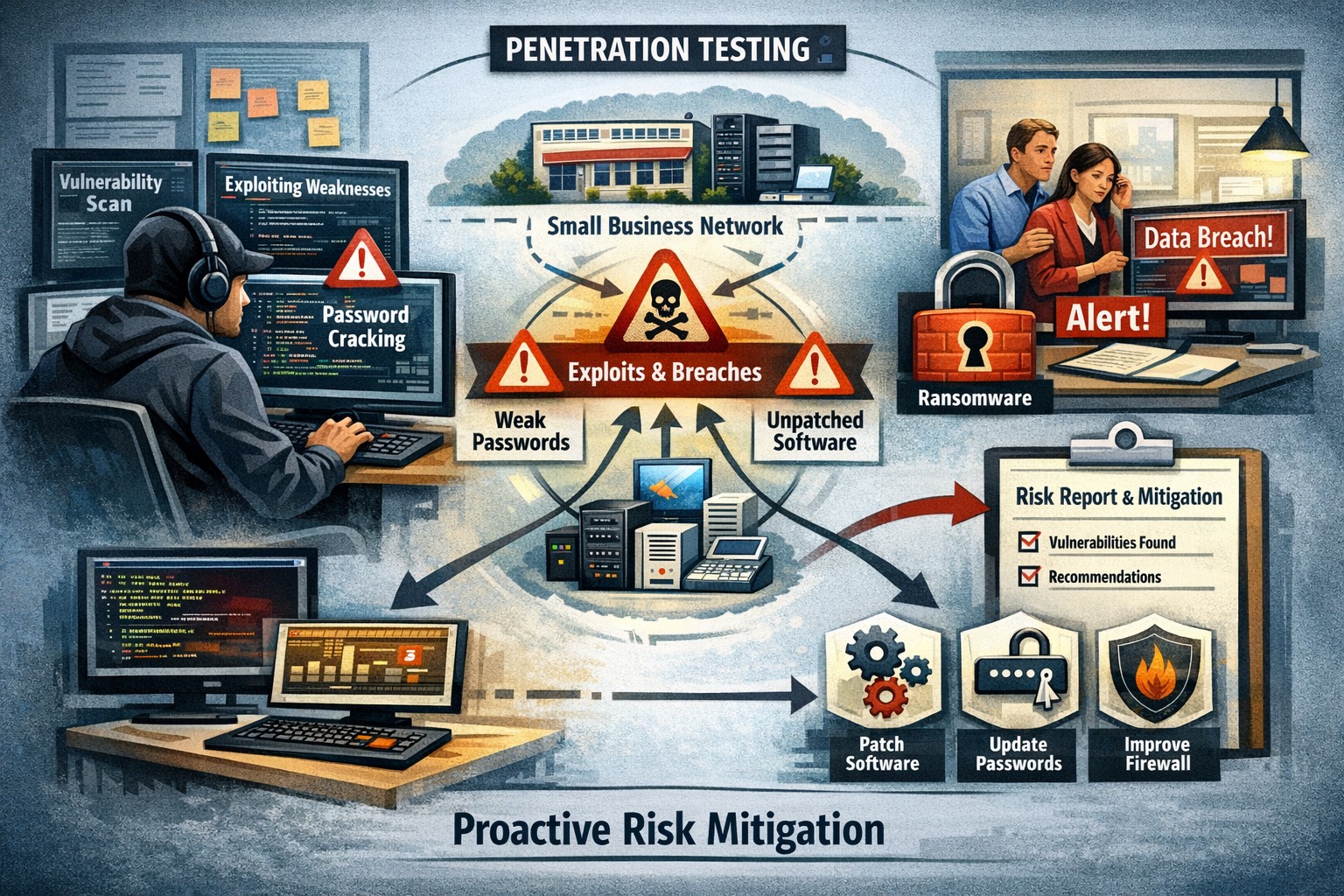
Proactive pentesting safeguards SMBs from cyber threats and ensures compliance
Cyberattacks are on the rise and the cost of data breaches continues to climb – it’s crucial for every organization, regardless of its size, to prioritize cybersecurity. Small and medium-sized businesses (SMBs) often assume they are not attractive targets for hackers due to their perceived limited resources. However, this very assumption can leave them vulnerable to cyber threats. In this blog post, we will explore the value of penetration testing for SMBs and highlight how they can play a crucial role in protecting your business from potential attacks.
Understanding Penetration Tests:
Penetration tests, also known as pentests or ethical hacking, involve simulating real-world cyberattacks on your organization’s systems and networks. This process aims to identify vulnerabilities and weaknesses that could potentially be exploited by malicious actors. By conducting comprehensive testing, you can gain insights into your organization’s security posture, discover any weaknesses, and take proactive measures to mitigate risks.
Value for SMBs:
A common misconception is that penetration tests are only suitable for large enterprises with extensive resources. However, SMBs can significantly benefit from these tests as well. Here are some compelling reasons why penetration tests are valuable for SMBs:
Proactive Defense: Penetration tests allow SMBs to adopt a proactive approach in identifying vulnerabilities and addressing them before malicious actors can exploit them. This helps prevent potential cyberattacks and the subsequent damage to your business, reputation, and customer trust.
Risk Mitigation: SMBs often lack the robust security measures and dedicated teams that larger organizations have. Conducting penetration tests helps identify and prioritize vulnerabilities, allowing you to allocate resources effectively and address the most critical risks within your limited budget.
Compliance Requirements: Many SMBs operate in highly regulated industries such as healthcare, finance, or legal sectors. Compliance standards often require regular security testing, including penetration tests. By conducting such tests, SMBs can demonstrate compliance with industry regulations and avoid potential penalties or legal complications.
Challenges and Considerations:
While penetration tests offer numerous advantages for SMBs, it’s essential to understand and address potential challenges:
Cost: Budget constraints are a common concern for SMBs. However, bear in mind that the potential cost of a data breach or cyberattack can be far more detrimental to your business. Prioritize your security investments wisely and consider partnering with a reputable and cost-effective cybersecurity provider like Farmhouse Networking.
Skill Gap: SMBs may lack in-house expertise to conduct penetration tests. Engaging a skilled and reputable penetration testing firm can provide expert insights and tailor the tests to your specific requirements.
By investing in proactive security measures, SMBs can stay one step ahead of cyber threats and build a resilient foundation for sustained growth and success. Partner with a trusted cybersecurity provider to conduct regular penetration tests and fortify your organization’s security posture.
Follow these steps to make your office paperless and embrace a digital workflow that improves efficiency, reduces clutter, and keeps files secure.
Many businesses are seeking ways to reduce their environmental footprint and optimize operations. One significant step towards achieving these goals is transitioning from a traditional paper file office setup to a paperless environment. This article will explore how to make your office paperless, highlighting the myriad benefits this shift can bring, and providing a step-by-step approach to embracing a digital workflow.
The need for a paperless office
The journey towards a paperless office is not merely a trend; it’s a necessary evolution in the way we conduct business. Traditional office settings, characterized by towering filing cabinets and desks littered with paper, are not only environmentally unsustainable but also inefficient in today’s fast-paced business world. The need for a paperless office stems from the growing awareness of our environmental impact, coupled with the technological advancements that enable more efficient ways to store, share, and manage information. Embracing a digital workflow allows businesses to operate more dynamically, with improved accessibility to information and a significant reduction in physical storage requirements.
The transition to a paperless office also aligns with the increasing demand for remote and flexible work arrangements. In the wake of global shifts towards work from home, having digital systems in place ensures that teams can collaborate effectively, irrespective of their physical location. This not only enhances productivity but also opens up opportunities for businesses to tap into a global talent pool.
Benefits of a paperless office
Transitioning to a paperless office brings a multitude of benefits, far beyond the immediate environmental impact of reducing paper use. Firstly, it leads to significant cost savings. The expenses associated with printing, storing, and disposing of paper documents can accumulate, especially for larger organizations. By cutting down on these costs, businesses can allocate resources more effectively towards growth and development initiatives.
Secondly, a paperless office enhances operational efficiency. Digital documents are easier to search, access, and share, saving employees valuable time that would otherwise be spent on manual filing and retrieval. This streamlined workflow not only boosts productivity but also reduces the likelihood of errors associated with manual handling.
Lastly, adopting a digital workflow improves data security and compliance. Digital documents can be encrypted, backed up, and protected with access controls, ensuring sensitive information is safeguarded against unauthorized access and data breaches. Additionally, digital records facilitate easier compliance with legal and regulatory requirements, as they can be organized and presented more effectively during audits.
Steps to make your office paperless
Embarking on the path to a paperless office requires a strategic approach, beginning with a commitment from leadership and a clear communication of the benefits to all employees. The first step is to conduct an audit of your current paper usage. This involves identifying the types of documents that are routinely printed and understanding the purposes they serve. With this insight, you can pinpoint processes that can be digitized.
The next step is to establish guidelines for digital document management. This includes setting standards for document formatting, naming conventions, and storage protocols. Establishing these guidelines early on ensures consistency and eases the transition for employees.
Another critical step is to invest in the necessary technology. This encompasses both hardware, such as scanners and digital signature pads, and software, like document management systems and collaboration tools. Selecting the right technology stack is crucial for a smooth transition and will be discussed in more detail in the following sections.
Choosing the right tools for a digital workflow
The cornerstone of a successful paperless office is the technology that enables it. When selecting tools for a digital workflow, consider both functionality and usability. The goal is to find solutions that not only meet your business needs but are also easy for your team to adopt and use effectively.
Document management systems (DMS) are at the heart of a paperless office. A robust DMS can store, organize, and manage digital documents, making them easily accessible to authorized users. Features to look for in a DMS include powerful search capabilities, version control, and integration with other tools used in your business, such as email platforms and customer relationship management (CRM) systems.
Collaboration tools are also vital for a paperless office. These tools enable real-time communication, collaboration, and document sharing, which is particularly important for teams that are geographically dispersed. Options range from comprehensive platforms that include video conferencing, messaging, and file sharing, to more specialized tools focused on project management and team collaboration.
Implementing document management systems
Implementing a document management system is a significant step towards a paperless office. The process begins with selecting a DMS that aligns with your business requirements. Consider factors such as the volume of documents you manage, the level of security required, and the specific features that will benefit your workflow.
Once a system is chosen, the next step is to migrate existing documents into the digital realm. This can be a daunting task, especially for businesses with extensive paper archives. Prioritize documents based on their relevance and frequency of use, starting with those that are accessed regularly. Scanning and digitizing these documents not only reduces physical storage needs but also makes them more accessible to your team.
Training is another crucial component of implementing a DMS. Ensure that all employees are familiar with how to use the system effectively. This includes understanding how to upload and retrieve documents, as well as how to use any additional features that the system offers. Regular training sessions and support can help ease the transition and ensure that your team is making the most of the digital tools at their disposal.
Transitioning to digital file storage and organization
Digital file storage and organization are key components of a paperless office. Moving away from physical filing cabinets to digital storage solutions not only saves space but also enhances the accessibility and security of your documents. Cloud-based storage solutions are particularly effective, as they allow files to be accessed from anywhere, at any time, provided there is an internet connection. This is invaluable for businesses with remote teams or those that require access to documents outside of the office.
When transitioning to digital file storage, it’s important to establish a clear organizational structure. This should mimic the structure of your physical filing system as closely as possible, to minimize confusion and ensure a smooth transition. Utilize folders and subfolders to categorize documents, and adhere to the naming conventions and document management guidelines established earlier.
Regular backups are also crucial when relying on digital storage. Ensure that your data is backed up automatically and frequently, to protect against data loss due to technical failures or cyber attacks. Many cloud storage providers offer built-in backup and recovery options, making this process easier to manage.
Ensuring security and compliance in a paperless office
One of the concerns that businesses often have when transitioning to a paperless office is ensuring the security and compliance of their digital documents. This is particularly relevant for industries that handle sensitive information, such as finance and healthcare. Digital documents must be protected with appropriate security measures, including encryption, access controls, and secure authentication methods.
Compliance is another critical consideration. Many industries are subject to regulations regarding the management and retention of documents. Ensure that your digital workflow complies with these requirements, and that documents can be easily retrieved and audited if necessary. This may involve implementing specific features within your document management system, such as audit trails and retention policies.
Training employees on best practices for data security is also essential. This includes using strong passwords, recognizing phishing attempts, and understanding the importance of protecting sensitive information. Regular training sessions and updates on security policies can help maintain a high level of awareness and compliance among your team.
Training and onboarding employees for a digital workflow
Successfully transitioning to a paperless office requires the buy-in and cooperation of your entire team. Training and onboarding employees for a digital workflow are therefore critical components of the process. Start by explaining the benefits of going paperless, both for the business and for employees individually. This can help foster a positive attitude towards the change.
Provide comprehensive training on the tools and systems that will be used in the paperless office. This should cover not only the basic functions but also any advanced features that can enhance productivity and efficiency. Make use of online tutorials, webinars, and live training sessions to accommodate different learning styles and schedules.
It’s also important to offer ongoing support as employees adapt to the new systems. Establish a helpdesk or designate “digital champions” within your team who can provide assistance and answer questions. Encouraging a culture of continuous improvement and openness to feedback can help identify issues early and ensure that your digital workflow evolves to meet the needs of your team.
Overcoming challenges of going paperless
Transitioning to a paperless office is not without its challenges. One of the biggest hurdles can be resistance from employees who are accustomed to traditional ways of working. Addressing concerns and providing adequate training and support can help mitigate this resistance.
Technical issues can also arise, particularly in the early stages of implementation. Choosing reliable tools and systems, and ensuring they are properly set up and integrated, can help minimize these issues. Additionally, maintaining a flexible approach and being prepared to make adjustments as needed can help overcome any obstacles that arise.
Another challenge is ensuring that digital documents are properly organized and managed. This requires a disciplined approach to document management and adherence to the guidelines and protocols established at the outset. Regular audits and reviews can help maintain order and prevent digital clutter from accumulating.
Let Farmhouse Networking show you how to make your business paperless. Our expertise and tailored solutions can help you navigate the transition smoothly and effectively, ensuring your office is equipped for the digital age. Embrace a sustainable and efficient digital workflow today, and propel your business into a future where efficiency and sustainability go hand in hand.
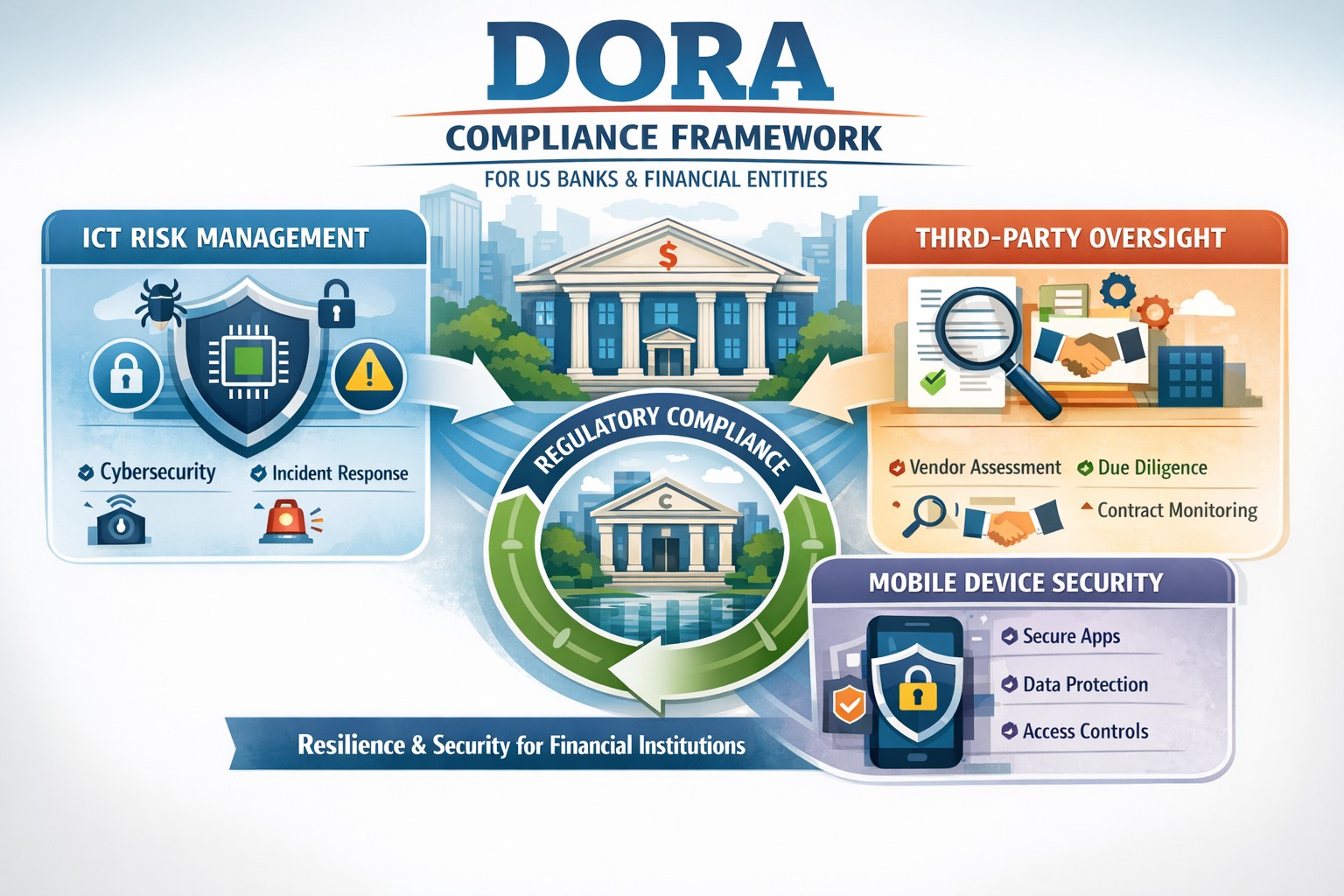
Navigating DORA changes with robust BYOD MDM for financial resilience
For US financial institutions, regulatory frameworks play a pivotal role in shaping operational protocols, enhancing security measures, and ensuring the resilience of the financial sector against a myriad of risks and vulnerabilities. Among these regulatory frameworks, the Digital Operational Resilience Act (DORA) stands out as a beacon of change, heralding a new era of compliance requirements and operational standards for financial entities.
This comprehensive guide aims to demystify the intricacies of DORA, shedding light on its key provisions, compliance requirements, and the broader implications for information and communication technology (ICT) within the financial sector. We will provide actionable insights into navigating these changes, adopting effective strategies for adaptation, overcoming potential challenges, and adhering to best practices for ensuring DORA compliance. As we delve into this exploration, the role of technology in facilitating compliance and the future landscape of US financial institutions under DORA’s influence will also be examined.
Introduction to DORA and its impact on US financial institutions
The introduction of DORA is a testament to the increasing recognition of the critical role that digital operational resilience plays in the stability and security of financial institutions. When cyber threats are looming large and the dependency on ICT infrastructures has become indispensable, DORA emerges as a regulatory response to the need for a harmonized, rigorous framework aimed at bolstering the digital defenses of financial entities. Its impact on US financial institutions is far-reaching, affecting not only the internal processes and technological deployments but also the strategic orientation towards digital operational resilience.
For US financial institutions, DORA represents both a challenge and an opportunity. The challenge lies in the comprehensive nature of the requirements, demanding a thorough reassessment of existing ICT systems, operational policies, and compliance mechanisms. On the other hand, the opportunity emerges from the potential for enhanced operational resilience, reduced vulnerability to cyber incidents, and a stronger competitive position in a digitally driven market. The anticipation of these changes has already begun to shape the strategic planning and investment priorities of financial institutions, with a clear focus on aligning with DORA’s stipulations.
The significance of DORA extends beyond mere compliance. It encapsulates a paradigm shift towards viewing digital operational resilience as a cornerstone of financial stability and consumer trust. As such, the efforts to meet DORA’s requirements are not just about adhering to a regulatory mandate but about embracing a culture of continuous improvement and risk-awareness in the digital domain. This cultural shift is fundamental to navigating the changes brought about by DORA and leveraging them to build a more resilient, trustworthy financial sector.
Understanding the key provisions of DORA
DORA is structured around several key provisions that collectively aim to enhance the digital operational resilience of financial institutions. These provisions cover a broad spectrum of requirements, from ICT risk management and incident reporting to third-party dependency management and testing of digital defenses. Understanding these key provisions is essential for financial institutions to grasp the full extent of DORA’s implications and to formulate a coherent strategy for compliance.
The first of these provisions centers on robust ICT risk management practices. Financial institutions are required to implement comprehensive risk management frameworks that can identify, assess, mitigate, and monitor ICT risks. This entails not only the deployment of advanced security measures and protocols but also the establishment of governance structures that ensure continuous oversight and accountability for ICT risk management.
Another critical provision of DORA pertains to the reporting of significant cyber incidents. Financial institutions must establish mechanisms for timely detection and reporting of such incidents to relevant regulatory authorities. This enhances the collective resilience of the financial sector by enabling a coordinated response to cyber threats and the sharing of critical information that can prevent the propagation of cyberattacks.
Lastly, DORA places a strong emphasis on the management of third-party risks. Given the interconnected nature of today’s financial ecosystem, where institutions rely heavily on external vendors for ICT services, DORA mandates stringent due diligence, monitoring, and contractual safeguards to manage the risks associated with third-party dependencies. This includes the requirement for financial institutions to ensure that their third-party providers adhere to equivalent standards of digital operational resilience.
Implications of DORA on information and communication technology (ICT)
The implications of DORA on ICT within financial institutions are profound, encompassing both the technological infrastructure and the operational processes that underpin the institution’s digital activities. At its core, DORA seeks to ensure that financial institutions have resilient, secure, and efficient ICT systems capable of withstanding a wide range of digital threats and challenges.
One of the primary implications relates to the enhancement of cybersecurity measures. DORA drives financial institutions to adopt state-of-the-art security technologies and practices, from advanced encryption methods and intrusion detection systems to comprehensive data protection protocols. This not only strengthens the institution’s defenses against cyberattacks but also fosters a culture of cybersecurity awareness and vigilance among employees and stakeholders.
Another significant implication is the focus on operational continuity and disaster recovery. DORA mandates that financial institutions develop and test robust business continuity plans (BCPs) and disaster recovery strategies (DRS) that ensure the institution can maintain or quickly resume critical operations in the event of an ICT-related disruption. This requires a careful analysis of critical business functions, the identification of potential vulnerabilities, and the implementation of measures to mitigate these risks.
Additionally, DORA underscores the importance of ICT governance and accountability. Financial institutions are expected to establish clear governance structures that define roles, responsibilities, and accountability for ICT risk management. This involves senior management taking an active role in overseeing ICT strategies, ensuring that digital operational resilience is embedded in the institution’s strategic planning and decision-making processes.
Navigating the changes brought by DORA in the financial sector
Navigating the changes brought by DORA requires a strategic, proactive approach that goes beyond mere compliance. Financial institutions must view these changes as an opportunity to enhance their operational resilience, competitive advantage, and trustworthiness in the digital age. This involves embracing a holistic view of digital operational resilience, integrating it into the institution’s overall strategic framework, and fostering a culture of continuous improvement and innovation.
The first step in this journey is to conduct a comprehensive assessment of the institution’s current ICT landscape and operational practices. This assessment should identify gaps in compliance with DORA’s provisions, areas of vulnerability to digital risks, and opportunities for enhancing digital operational resilience. Based on this assessment, financial institutions can develop a tailored action plan that addresses these gaps, leverages technological innovations, and aligns with the institution’s strategic objectives.
Engagement and collaboration across the organization are also crucial for successfully navigating the changes brought by DORA. This involves fostering an inclusive dialogue among stakeholders, including senior management, ICT professionals, risk managers, and operational staff, to ensure a shared understanding and commitment to digital operational resilience. Training and awareness programs can also play a key role in equipping employees with the knowledge and skills needed to contribute to the institution’s resilience efforts.
Furthermore, financial institutions should leverage the potential of technology to facilitate compliance and enhance operational resilience. This includes exploring advanced technologies such as artificial intelligence (AI), machine learning (ML), and blockchain, which can offer innovative solutions for risk management, incident detection, and secure transactions. Technology can also enable more efficient and effective compliance processes, from automated reporting mechanisms to real-time monitoring of third-party risks.
Strategies for adapting to DORA’s requirements
Adapting to DORA’s requirements necessitates a strategic approach that aligns with the institution’s operational realities and long-term objectives. One effective strategy is to prioritize the institution’s efforts based on the criticality of different ICT systems and processes, focusing initially on areas that present the highest risk or are most crucial for the institution’s operations. This prioritization helps to allocate resources efficiently and achieve significant enhancements in digital operational resilience.
Another key strategy involves fostering partnerships and collaboration both within the financial sector and with external technology providers. Collaborative initiatives can facilitate the sharing of best practices, insights, and experiences related to DORA compliance and digital operational resilience. Engaging with technology providers, like Farmhouse Networking, can also enable financial institutions to access innovative solutions and expertise that support compliance efforts and enhance the institution’s digital capabilities.
Continuous monitoring and evaluation are also essential for adapting to DORA’s requirements. Financial institutions should establish mechanisms for ongoing assessment of their compliance status, digital risk landscape, and the effectiveness of implemented resilience measures. This enables the institution to identify emerging risks, adapt to changes in the regulatory environment, and continuously improve its digital operational resilience.
Key challenges faced by financial institutions in implementing DORA
Implementing DORA presents a range of challenges for financial institutions, from the complexity of compliance requirements to the need for significant investments in technology and skills. One of the primary challenges is the integration of DORA’s provisions into the institution’s existing risk management and operational frameworks. This requires a comprehensive understanding of DORA’s requirements, as well as the ability to align these with the institution’s processes and objectives.
Another significant challenge is the management of third-party risks. The reliance on external providers for critical ICT services introduces a layer of complexity to compliance efforts, necessitating thorough due diligence, effective contractual arrangements, and ongoing monitoring. Ensuring that third-party providers adhere to equivalent standards of digital operational resilience can be a daunting task, requiring dedicated resources and expertise.
Additionally, the rapid pace of technological change and the evolving cyber threat landscape pose challenges for maintaining compliance and ensuring continuous digital operational resilience. Financial institutions must remain agile, constantly updating their risk assessments, cybersecurity measures, and resilience strategies to address new vulnerabilities and threats.
Best practices for ensuring DORA compliance
Ensuring DORA compliance requires a structured, diligent approach that encompasses several best practices. One of the foundational best practices is the establishment of a cross-functional team dedicated to DORA compliance. This team should include representatives from various departments, including ICT, risk management, legal, and operations, ensuring a comprehensive perspective on compliance efforts and facilitating effective coordination across the institution.
Developing a detailed compliance roadmap is another critical best practice. This roadmap should outline the key steps and milestones for achieving compliance, from initial assessments and gap analyses to the implementation of required measures and ongoing monitoring. The roadmap should also include timelines and responsibilities, providing a clear framework for the institution’s compliance efforts.
Continuous training and awareness programs are also essential for ensuring DORA compliance. Financial institutions should invest in educating their employees about the importance of digital operational resilience, the specific requirements of DORA, and their roles and responsibilities in maintaining compliance. Training programs should be regularly updated to reflect changes in the regulatory environment and emerging best practices.
Furthermore, leveraging technology can significantly enhance compliance efforts. Advanced technologies such as AI, ML, and blockchain can offer innovative solutions for risk assessment, incident detection, and secure data management. Financial institutions should explore these technologies, assessing their potential to support compliance objectives and enhance overall digital operational resilience.
The role of technology in facilitating DORA compliance
Technology plays a crucial role in facilitating DORA compliance, offering powerful tools and solutions that can enhance digital operational resilience and streamline compliance processes. One of the key areas where technology can make a significant impact is in risk assessment and management. Advanced analytics, AI, and ML can enable financial institutions to conduct more sophisticated risk assessments, identifying potential vulnerabilities and threats with greater accuracy and efficiency.
Incident detection and response is another area where technology can provide substantial benefits. Automated monitoring systems, intrusion detection technologies, and cybersecurity platforms can help financial institutions to quickly identify and respond to cyber incidents, minimizing their impact and ensuring timely reporting to regulatory authorities.
Technology can also support the management of third-party risks. Platforms and tools for vendor risk management enable financial institutions to conduct thorough due diligence, monitor third-party providers’ compliance with DORA requirements, and manage contractual arrangements more effectively. This facilitates a more robust approach to managing the risks associated with external ICT service providers.
Moreover, technology can enhance the efficiency of compliance processes, from automated reporting mechanisms to digital record-keeping systems. These technologies can reduce the administrative burden of compliance, allowing financial institutions to focus more resources on enhancing their digital operational resilience and providing value to their customers.
For financial institutions seeking to navigate the complexities of DORA compliance and enhance their digital operational resilience, partnering with expert service providers can offer valuable support. Contact Farmhouse Networking to manage your company’s ICT and protect from cyber threats, ensuring you stay ahead of the regulatory changes and build a stronger, more resilient financial institution for the future.
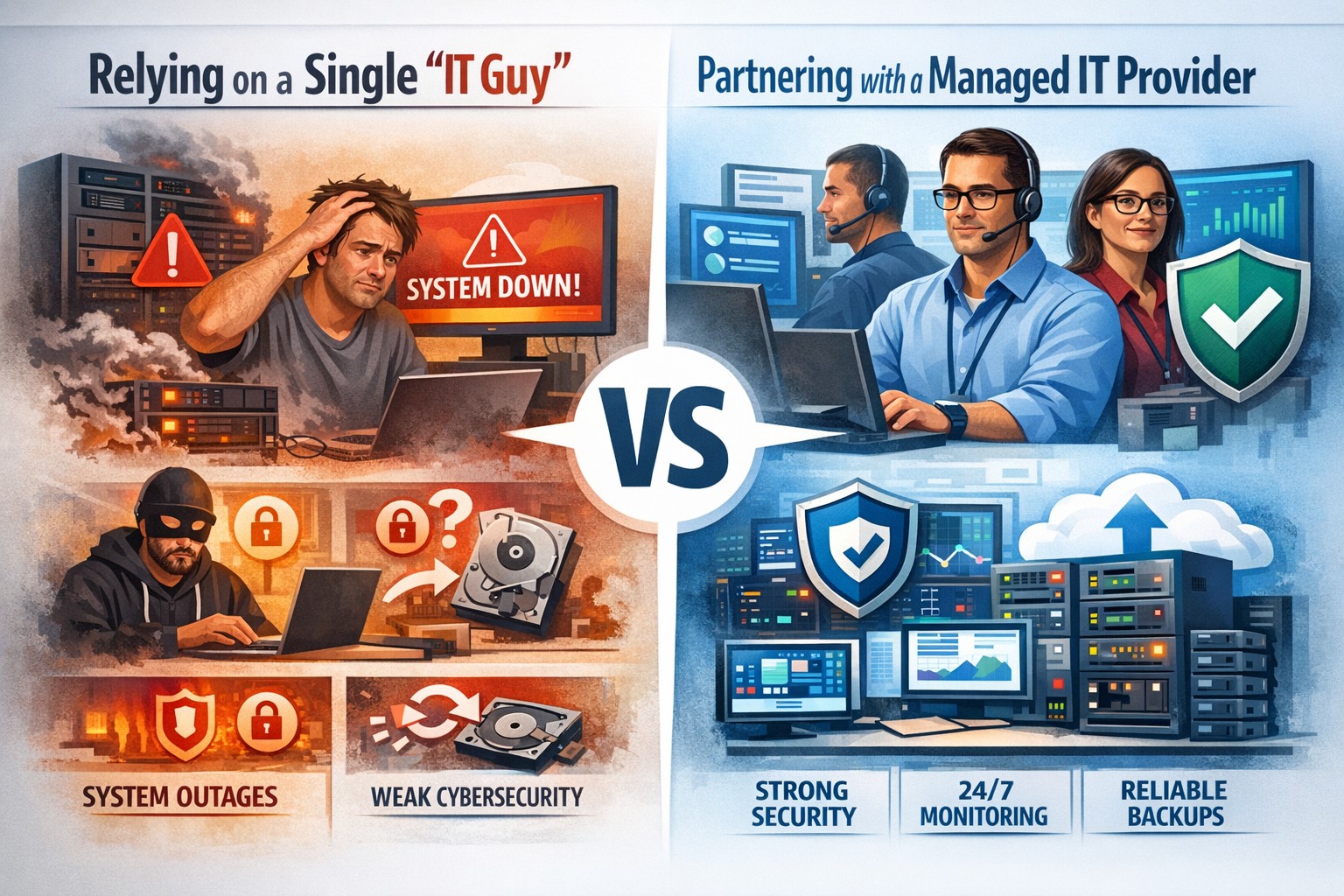
Relying on one IT guy can expose your small business to downtime, data loss, and security vulnerabilities—managed IT services offer stronger protection.
The role of Information Technology (IT) in business success cannot be overstated. IT systems and infrastructure form the backbone of modern businesses, facilitating communication, data management, and efficient workflow. From managing customer databases to ensuring network security, IT plays a crucial role in driving productivity and competitiveness. However, many businesses make the mistake of relying on a single IT guy to handle all their technological needs. In this article, I will discuss the risks associated with this approach and the importance of adopting a team-based approach to IT support.
The risks of relying on a single IT guy
Lack of expertise and knowledge
When you rely on a single IT guy, you are limited to their individual skills and expertise. While they may be knowledgeable in certain areas, they may not possess the breadth of knowledge required to handle all aspects of your business’s IT infrastructure. IT is a vast field that encompasses various domains such as network administration, cybersecurity, software development, and hardware maintenance. By relying on a single guy, you risk missing out on specialized expertise that could greatly benefit your business.
Limited availability and support
Another significant risk of relying on a single IT guy is limited availability and support. IT issues can arise at any time, and if your IT guy is unavailable or overwhelmed with other responsibilities, it can lead to significant downtime and disruptions in your business operations. With a single point of contact, you may have to wait for extended periods before your IT issues are resolved, resulting in decreased productivity and potential financial losses.
Single point of failure
Relying on a single IT guy also means that your business is vulnerable to a single point of failure. If your IT guy falls ill, takes a vacation, or leaves the company, you may be left without any IT support. Singular IT techs often don’t have the time or resources to properly document procedures and critical passwords, so when they go this information is lost. This can be particularly problematic during critical times when you need immediate assistance. Having a backup plan or a team of IT professionals ensures that your business operations can continue uninterrupted, even if one person is unavailable.
The impact of downtime on business operations
Downtime can have severe consequences on your business operations. Every minute your systems are down translates to lost revenue, missed opportunities, and frustrated customers. According to a study conducted by Gartner, the average cost of IT downtime is $5,600 per minute. Imagine the financial implications if your IT guy is unavailable for an extended period. With a team-based approach to IT support, you can minimize downtime and ensure swift resolution of any issues, thereby safeguarding your business’s success.
The importance of a team approach to IT support
Adopting a team approach to IT support offers numerous benefits for your business. Firstly, it provides a diverse set of skills and expertise that can be leveraged to address various IT challenges effectively. Each team member brings their unique knowledge and experience, allowing for comprehensive and well-rounded support. Additionally, with a team, you have the advantage of increased availability and faster response times. By distributing responsibilities among team members, you can ensure that someone is always available to address your IT needs promptly.
The benefits of outsourcing IT support
Outsourcing IT support is a viable solution for businesses looking to avoid the risks associated with relying on a single IT guy. Outsourcing allows you to tap into a pool of talented professionals with specialized expertise in different IT domains. Moreover, outsourcing IT support can often be more cost-effective than hiring a full-time IT staff, especially for small and medium-sized businesses. By partnering with an external IT support provider, like Farmhouse Networking, you can access a wide range of services, including network monitoring, cybersecurity, data backup, and software maintenance, all while enjoying the benefits of a dedicated team.
Finding the right IT support provider
Finding the right IT support provider is crucial to ensuring a successful and secure IT infrastructure. When evaluating potential providers, consider their experience, track record, and the range of services they offer. Look for certifications and qualifications that demonstrate their expertise and commitment to quality. It is also essential to assess their responsiveness and availability to ensure that they can meet your business’s IT needs promptly. Ask them about their record keeping habits, make sure they document everything and keep your information secure with industry standard protocols. By conducting thorough research and seeking recommendations, you can find an IT support provider that aligns with your business goals and requirements.
By adopting a team-based approach to IT support or outsourcing your IT needs, you can mitigate these risks and ensure a successful and secure IT infrastructure. Don’t get stuck when your IT guy no longer responds; contact us to experience the comfort of having a team look after your business IT. With the right IT support provider, you can focus on growing your business while leaving your technological needs in capable hands.
IT experts configure network, internet, and workstations to minimize downtime during a business office move to a new location.
Relocating your business to a new office can be an exciting and challenging endeavor. It offers an opportunity for growth, expansion, and a fresh start. However, it also involves careful planning and consideration of various factors to ensure a smooth transition. In this article, we will explore ten essential factors that you should consider when relocating your business to a new office.
Importance of planning a business relocation
Planning is crucial when it comes to relocating your business to a new office. It helps you organize the entire process and ensures that everything is done efficiently and effectively. Without proper planning, you may encounter delays, unexpected expenses, and other complications. Start by creating a detailed timeline that includes tasks such as finding a new office space, notifying employees and clients, packing and moving equipment, and setting up the new office. This will help you stay on track and minimize disruptions to your business operations.
Assessing your business needs and requirements
Before you start searching for a new office space, it’s important to assess your business needs and requirements. Consider factors such as the size of your team, the nature of your business, and the amenities you need. Determine if you need a larger space to accommodate future growth or if you can downsize to reduce costs. Also, think about the layout and design of the office. Will it support collaboration among your team members? Will it provide a comfortable and productive work environment? Assessing your needs and requirements will help you find a new office that aligns with your business goals.
Budgeting for the relocation process
Relocating your business to a new office involves various expenses, including moving costs, lease deposits, renovation expenses, and new furniture and equipment. It’s important to create a budget and allocate funds accordingly. Research the costs associated with each aspect of the relocation process to ensure that you have enough funds to cover everything. Consider obtaining quotes from moving companies, contractors, and furniture suppliers to get a better idea of the expenses involved. By budgeting properly, you can avoid financial strain and ensure a smooth transition to your new office.
Legal and regulatory factors to consider
When relocating your business to a new office, it’s crucial to consider the legal and regulatory factors that may come into play. Research zoning laws, building codes, and permits required for your new location. Ensure that your business is compliant with local regulations and obtain any necessary licenses or permits before you move. Additionally, review your lease agreement for the current office space and understand the terms and conditions regarding termination. By addressing these legal and regulatory factors in advance, you can avoid potential legal issues and ensure a seamless relocation process.
Employee considerations during the relocation process
Your employees are an essential part of your business, and their well-being and satisfaction should be a priority during the relocation process. Keep your employees informed and involved throughout the process. Communicate the reasons for the move, the timeline, and any changes that may affect them. Consider their commuting distance and accessibility to public transportation when selecting a new office location. Provide support and resources to help them adjust to the new office environment. By considering your employees’ needs and concerns, you can maintain morale and productivity during the relocation process.
Location considerations for a new office
The location of your new office plays a significant role in the success of your business. Consider factors such as proximity to clients, suppliers, and partners. Evaluate the accessibility of the location in terms of transportation and parking facilities. Research the neighborhood to ensure that it aligns with your brand image and values. Also, consider the availability of amenities such as restaurants, cafes, and shops nearby. Choosing the right location for your new office can enhance your business reputation and attract both clients and talented employees.
Space and layout requirements for the new office
The space and layout of your new office are crucial for creating a productive and efficient work environment. Consider the number of employees you have and the type of work they do. Evaluate if the new office space can accommodate your current team and future growth. Think about the layout and configuration of the space. Will it allow for collaboration and communication among team members? Will it provide privacy when needed? Pay attention to factors such as natural light, ventilation, and acoustics to ensure a comfortable and conducive work environment.
Furniture and equipment considerations
When relocating to a new office, it’s important to consider your furniture and equipment needs. Assess what furniture and equipment can be moved from your current office and what needs to be replaced or upgraded. Consider the functionality, durability, and aesthetics of the furniture and equipment you choose. Invest in ergonomic furniture that promotes employee health and productivity. Research suppliers and obtain quotes to ensure that you get the best value for your money. By carefully considering your furniture and equipment needs, you can create a functional and visually appealing office space.
IT infrastructure and technology needs
IT infrastructure and technology are essential for the smooth operation of any business. When relocating to a new office, consider your IT infrastructure and technology needs. Assess your internet requirements, network infrastructure, and telecommunication systems. Determine if you need to upgrade your hardware or software. Plan for the installation and configuration of IT systems in the new office. Consider working with IT professionals, like Farmhouse Networking, who can ensure a seamless transition and provide ongoing support. By addressing your IT infrastructure and technology needs, you can minimize downtime and ensure that your business operations are not disrupted.
Relocating your business to a new office is a significant decision that should not be taken lightly. Before you choose a new office, call Farmhouse Networking to discuss the details.
Modern accounting firm using managed IT services to keep tax software and client data online during busy season
Tax season is when every minute of billable time matters, and even a one-hour outage can cost thousands in lost work, delayed returns, and stressed staff. As a firm owner, the right IT strategy is the difference between a smooth March and a “fire drill” every week.
Why Downtime Is So Costly During Tax Season
Accounting teams regularly work 60+ hour weeks during peak busy season, so any outage hits during extended hours, not just 9–5.
Firms that move from reactive to proactive IT strategies have been able to cut downtime by 60–80%, protecting both billable hours and client trust.
Technology advances have already helped 69% of firms reduce time spent on admin tasks, which means you’re increasingly dependent on always-available systems.
In practice, that means tax software, QuickBooks, email, client portals, and e-file systems must stay fast and available—even at 9 PM on a Saturday in March.
Practical Actions You and Your IT Team Should Take
As the owner, your job is to set expectations, fund the right solutions, and make sure your IT partner or internal team executes before tax season hits.
1. Define Acceptable Downtime and Recovery Targets
Set Recovery Time Objective (RTO) for critical apps (e.g., “tax software back online within 30 minutes”).
Set Recovery Point Objective (RPO) for data (e.g., “no more than 15 minutes of work lost if something fails”).
Require your IT provider to document how their backup and disaster recovery design actually meets those targets.
2. Harden and Modernize Your Infrastructure
Move key workloads (tax apps, file shares, QuickBooks, portals) to scalable cloud or private hosting so performance doesn’t collapse under peak load.
Decommission old servers and unused software that increase failure risk and maintenance overhead.
Implement redundant systems for critical functions—at minimum, dual internet connections from different providers.
3. Automate the “Failure-Prone” Tasks
Enable automated patch management so security and stability updates happen after hours, not manually in the middle of busy season.
Automate data backup verification so someone doesn’t have to remember to check if last night’s backups actually completed.
Use automation for repetitive workflows like recurring invoice generation and batch processing of returns during off-hours.
4. Lock Down Cybersecurity Without Slowing Staff
Enforce multi-factor authentication (MFA) on all remote access, portals, and email accounts that touch client financial data.
Standardize access control (no shared logins, immediate offboarding for departed staff, clear least-privilege rules).
Maintain a written information security plan aligned with IRS Publication 4557 and FTC Safeguards expectations.
5. Demand 24/7 Support and Clear Escalation
Make 24/7 support a non-negotiable during tax season so issues at night or weekends are addressed immediately.
Require defined SLAs (response and resolution times) for any outage that touches tax apps, QuickBooks, or client-facing portals.
Ask your IT provider to test an incident response plan at least annually, including simulated ransomware or major vendor outages (like the July 2024 CrowdStrike event that disrupted 8.5 million devices).
6. Train Your Team to Avoid Preventable Incidents
Run short, focused phishing and security awareness training for staff before busy season.
Provide simple playbooks for “what to do if X happens” (ransomware popup, strange login alert, application freeze).
Make it clear that reporting a problem early is rewarded, not punished—this reduces hidden incidents that later explode into full outages.
Common Client Questions (and Strong Answers You Can Give)
You can turn solid IT preparation into a client trust advantage by proactively answering these questions.
Q1: “What happens to my data if your system goes down during tax season?” A: Our systems are backed up frequently with both onsite and cloud-based, immutable backups, and we have defined recovery objectives so we can restore access quickly even in a worst-case scenario.
Q2: “How do you protect my financial data from hackers?” A: We use multi-factor authentication, strict access controls, encryption, and continuously updated security tools aligned with IRS and FTC guidelines to safeguard your information.
Q3: “Will a cyberattack or outage delay my return filing?” A: We’ve engineered redundancy and disaster recovery around our tax applications, with clear recovery time targets and 24/7 IT monitoring, so even if something happens, we can recover quickly without missing filing deadlines.
Q4: “Can I still access my documents if your office is closed?” A: Yes, our cloud-based portals and systems are designed for secure remote access, allowing us and you to access documents from anywhere as long as there is internet connectivity.
How Farmhouse Networking Helps Accountants Minimize Downtime
Farmhouse Networking specializes in managed IT services for fast-growing accounting and finance firms, with a focus on performance, uptime, and client experience. As a business owner, you get a partner that understands both the technical and regulatory pressures of tax season.
Here’s how Farmhouse Networking can support the action steps above:
Proactive managed IT and cloud services: We design and manage scalable infrastructure and cloud solutions built specifically to handle tax-season peak loads for accounting firms.
Business continuity and disaster recovery: We implement and test backup strategies (including immutable and cloud backups), document RTO/RPO, and prepare runbooks so your team knows exactly what happens when something fails.
Security and compliance alignment: We deploy MFA, patch management, endpoint protection, and network hardening that align with IRS and FTC expectations, helping you protect client data and avoid regulatory headaches.
24/7 monitoring and support: We provide round-the-clock monitoring and responsive support, so your late-night tax work is covered and small issues don’t become revenue-killing outages.
Strategic technology roadmap: We help you decommission legacy systems, plan upgrades, and “future-proof” your practice so each year’s tax season gets easier, not harder.
Take the Next Step Before the Next Busy Season
If you wait until March to “fix IT,” you’re already too late. The easiest way to protect your firm’s revenue, reputation, and sanity is to partner with an IT team that lives and breathes accounting workflows and tax-season realities.
Email support@farmhousenetworking.com for more information about how Farmhouse Networking can help improve your business, minimize downtime next tax season, and give you and your team the confidence to focus on client work instead of fighting technology.
Neglected IT infrastructure quickly turns into costly downtime and data loss, but proactive managed IT services help businesses stay online and protected.
Has your business ever experienced a technology crisis that could have been easily prevented? Learn from the cautionary tale of a non-managed client who recently faced a major setback due to neglected IT infrastructure. This compelling story underscores the importance of proactive IT management and the need for robust backup solutions.
The Story: A Cautionary Tale
Neglected IT Infrastructure: After 5 years of radio silence, a panicked non-managed client reached out to us when their aging computer, hosting their crucial order processing system, malfunctioned.
DIY Mishap: Attempting to fix the issue themselves, the client inadvertently worsened the situation by installing the wrong part, leading to a cascade of problems.
Costly Consequences: The subsequent visit to a local repair shop and improper part replacement led to the corruption of critical files, including the Windows Operating System and the database containing vital client data.
Backup Oversight: The client’s failure to maintain updated database backups exacerbated the crisis, with the only available backup being approximately 5 years old.
The Solution: Managed IT Services
Proactive Maintenance: With managed IT services, critical components like the aged computer would have been promptly replaced before catastrophic failure, averting the entire crisis.
Remote Support: Swift remote intervention by a managed IT provider would have prevented the corruption of the operating system and database, substantially reducing the overall cost of the incident.
Comprehensive Backup Strategy: Every business should prioritize regular, imaged-based backups to safeguard their crucial data, ensuring seamless restoration in the event of a disaster.
Expert Guidance: Embracing managed IT services equips businesses with expert recommendations and proactive measures to avoid potentially devastating technology pitfalls.
Take the Right Step for Your Business!
Don’t let your business fall victim to preventable IT disasters. Embrace the proactive protection and expert guidance offered by a managed IT service provider to ensure uninterrupted business operations.
Charities need to prioritize their cybersecurity measures. It’s no longer a matter of if, but when, a cyber attack will occur. This extensive guide outlines the essential steps charities can take to enhance their cybersecurity and protect their valuable data.
Understanding Cybersecurity Risks for Charities
Charities, like all organizations, are at risk of cyber attacks. These attacks can have severe consequences, including data leakage, financial loss, and damage to the charity’s reputation. Understanding these risks is the first step toward effective protection.
– The Reality of Cyber Threats:
Cyber threats are a reality for all organizations, including charities. With the rise of sophisticated cyber attacks, no organization can confidently say they will not be targeted. The aim is to make it as challenging as possible for cybercriminals to penetrate the charity’s defenses.
– The Importance of Cybersecurity in Charities:
The importance of cybersecurity in charities cannot be overstated. Charities hold sensitive data like donor information, employee details, and financial records. A cyber breach could lead to the loss or exposure of this data, damaging the trust of donors, employees, and beneficiaries.
Initial Cybersecurity Measures for Charities
Implementing initial cybersecurity measures can greatly reduce a charity’s vulnerability to attacks. These measures should focus on both end users and the charity’s IT infrastructure.
– Password Policies:
Establishing or revising a company password policy is a crucial first step. Passwords should be required on all devices employees use. They should be changed regularly, and employees should not be allowed to reuse old passwords. Furthermore, consider using multi-factor authentication (MFA) for an added layer of security.
– Cybersecurity Training
Training end users to be aware of various threats is a longer-term effort that can pay dividends. This includes being suspicious of emails requesting credential confirmation, checking website security before visiting, and ensuring sensitive information is transmitted securely.
– Limiting Access
Not all employees need access to all aspects of the charity’s operations. It’s essential to emphasize that limiting access is a critical part of protecting the charity against cyber attacks.
IT Infrastructure-Focused Measures
Charities also need to take measures focused on their IT infrastructure. These actions can further strengthen the charity’s defenses against cyber threats.
– Installing Protection
Installing additional protection, such as firewalls and antivirus software, can help shield the charity’s IT infrastructure against cyber attacks. Regularly updating and patching all software is also essential.
– Backing Up Files
Backing up files is another immediate action charities should take. This can be done offline, using external hard drives, or by backing up to the cloud. Furthermore, encrypting backups can provide an extra layer of security.
– Implementing Security Tools
Implementing security tools like browser management, DNS filtering, network monitoring, and endpoint protection can help detect and prevent cyber attacks.
External Resources for Cybersecurity Guidance
There are many external resources available to help charities improve their cybersecurity. These include government agencies, nonprofit organizations, and specific groups associated with nonprofit verticals.
– Government Agencies
Government agencies like the U.S. Department of Homeland Security Cybersecurity & Infrastructure Security Agency (CISA), the Federal Trade Commission, and the National Institute of Standards and Technology (NIST) offer resources on cybersecurity.
– Nonprofit Organizations
Nonprofit organizations like the Cyber Readiness Institute, Global Cyber Alliance, and the National Council of Nonprofits also offer resources to help charities improve their cybersecurity.
Following the NIST Cybersecurity Framework
The National Institute of Standards and Technology (NIST) has developed a five-part best practices framework to help firms focus resources for cybersecurity protection. These steps include identifying, protecting, detecting, responding, and recovering from cyber attacks. The NIST framework offers a systematic approach to managing cybersecurity risks. It includes identifying all equipment, software, and data used; protecting data with security software and regular backups; detecting unauthorized access; responding effectively to attacks; and recovering after an attack.
Implementing Advanced Cybersecurity Measures
Implementing advanced cybersecurity measures can provide an additional layer of protection for charities. These measures include identity and access management (IAM), securing networks, and moving to the cloud.
– Implementing IAM
Implementing IAM can streamline access for users internally and externally. Features like single sign-on (SSO), social sign-on, and multi-factor authentication (MFA) can make it easier for authorized users to access the charity’s websites and applications.
– Securing Networks
Securing networks business class equipment from trusted brands can boost a charity’s network security. This includes using wired and wireless networking hardware to create a functioning network and protecting against online threats.
– Moving to the Cloud
Moving to the cloud can provide charities with flexibility and resilience. Cloud-hosted systems allow for secure work from anywhere and can help charities bounce back faster after a cyber attack.
Preparing for Cyber Attack Recovery
Preparing for cyber attack recovery is crucial. When defenses fail, charities need the ability to bounce back quickly.
– Data Backup and Restoration
Data backup and restoration is a key part of cyber attack recovery. Charities should regularly back up their data to protect against data-loss disasters. If an attack occurs, they can restore their data and resume operations quickly.
– Developing a Continuity of Operations Plan
Developing a continuity of operations plan can ensure that a charity can continue to serve its community even when disaster strikes. This includes planning for how to keep business operations up and running and reporting the attack to law enforcement and other authorities.
Contact us today to explore how to best setup your cybersecurity efforts, ensuring protection and compliance in an ever-evolving cybersecurity landscape.
A Comprehensive Cost Guide for Government Contractors
CMMC certification costs by level: Budget $75K-$150K for most small DoD contractors pursuing Level 2 compliance.
CMMC Certification is a new cybersecurity standard for the Defense Industrial Base (DIB) and defense supply chain, crucial for DoD contractors to protect sensitive information and prevent security breaches. The framework’s introduction and integration into the acquisition and contracting process underscore its importance for cybersecurity maturity assessment and the safeguarding of Controlled Unclassified Information (CUI).
Changes implemented with CMMC 2.0, including the use of Plans of Actions and Milestones (POA&Ms) and limited waivers, aim to streamline the certification process while ensuring rigorous cybersecurity standards align with NIST guidelines. These adaptations demonstrate an evolving approach towards enhancing the cybersecurity infrastructure of government contractors and maintaining public trust.
Factors Influencing CMMC Compliance Costs
Understanding the multifaceted nature of CMMC certification costs is crucial for DoD contractors aiming to achieve compliance. The cost factors are primarily influenced by:
Current Security Maturity: Organizations with a higher level of NIST 800-171 compliance face lower costs in adopting CMMC. This underscores the importance of existing cybersecurity practices within the organization.
Organization Size and Complexity: Larger organizations and those with multiple locations generally incur higher compliance and maintenance costs due to the scale of operations and the complexity of securing a wider network.
Scope and Access of Controlled Unclassified Information (CUI): The extent of CUI access significantly impacts compliance costs. Organizations with broader access to CUI are required to implement more stringent security measures, thereby increasing the cost.
Additionally, the approach to system changes plays a critical role:
Full Approach vs. Enclave Approach: Opting for a full overhaul of operations to meet CMMC standards can be more costly compared to creating a secure enclave for CUI. The choice between these approaches affects the overall cost and strategy for achieving compliance.
These factors, combined with the costs associated with audits, expert consultation, and documentation, form the backbone of the financial planning required for CMMC certification. Understanding these elements is essential for DoD contractors to navigate the path to compliance efficiently and cost-effectively.
Estimated Costs by CMMC Level
Breaking down the estimated costs by CMMC level can provide a clearer picture for DoD contractors on what financial commitments might be expected. Here’s a concise breakdown:
CMMC Level 1: Basic Cybersecurity
Small Entity: Self-assessment and affirmation cost roughly $6,000.
Larger Entity: Self-assessment and affirmation cost about $4,000.
CMMC Level 2: Intermediate Cybersecurity
Small Entity: Self-assessment and related affirmations over $37,000; Certification by C3PAO nearly $105,000 [5].
Larger Entity: Self-assessment and related affirmations nearly $49,000; Certification by C3PAO approximately $118,000.
CMMC Level 3: Good Cybersecurity Practices
Small Organization: Recurring engineering costs $490,000; Nonrecurring costs $2.7 million; Certification assessment over $10,000.
Larger Organization: Recurring engineering costs $4.1 million; Nonrecurring costs $21.1 million; Certification assessment more than $41,000.
This tiered structure illustrates the significant investment in cybersecurity infrastructure required at each level, highlighting the importance of accurate budgeting and financial planning for compliance.
Strategies for Minimizing Compliance Costs
To minimize CMMC certification costs effectively, consider the following strategies:
Streamline Your Compliance Efforts:
Leverage the streamlined requirements of CMMC 2.0, including self-assessments for certain levels, which are expected to lower assessment costs compared to CMMC 1.0.
Familiarize yourself with the revised CMMC 2.0 framework to understand how it aims to reduce costs and increase trust in the assessment ecosystem.
Conduct a comprehensive self-assessment using NIST’s guide for NIST SP 800-171, focusing on foundational security measures and managing consulting fees.
Optimize Your CMMC Project Scope:
Determine the exact scope of your CMMC project. Consider storing CUI in a separate, secure enclave and using expert consultants to save money.
If only a portion of your organization handles CUI, create a separate enclave for a simpler assessment process, thereby reducing your compliance boundary.
Choose technologies and platforms that are easy to deploy and use, which support the NIST SP 800-171 security controls, and offers a compliance documentation package.
Invest Wisely in Technology and Expertise:
Utilize automated platforms to centralize various types of GRC programs, reducing siloed tasks and leveraging technology to cut costs.
Consider outsourcing for SIEM, vulnerability scanning, and hardware/software monitoring to manage costs effectively:
Engage consultants who are familiar with your technology, helping to ensure a smooth and cost-effective compliance process.
Contact us today to explore how to best align your cybersecurity efforts with the demands of CMMC Certification, ensuring protection and compliance in an ever-evolving cybersecurity landscape.
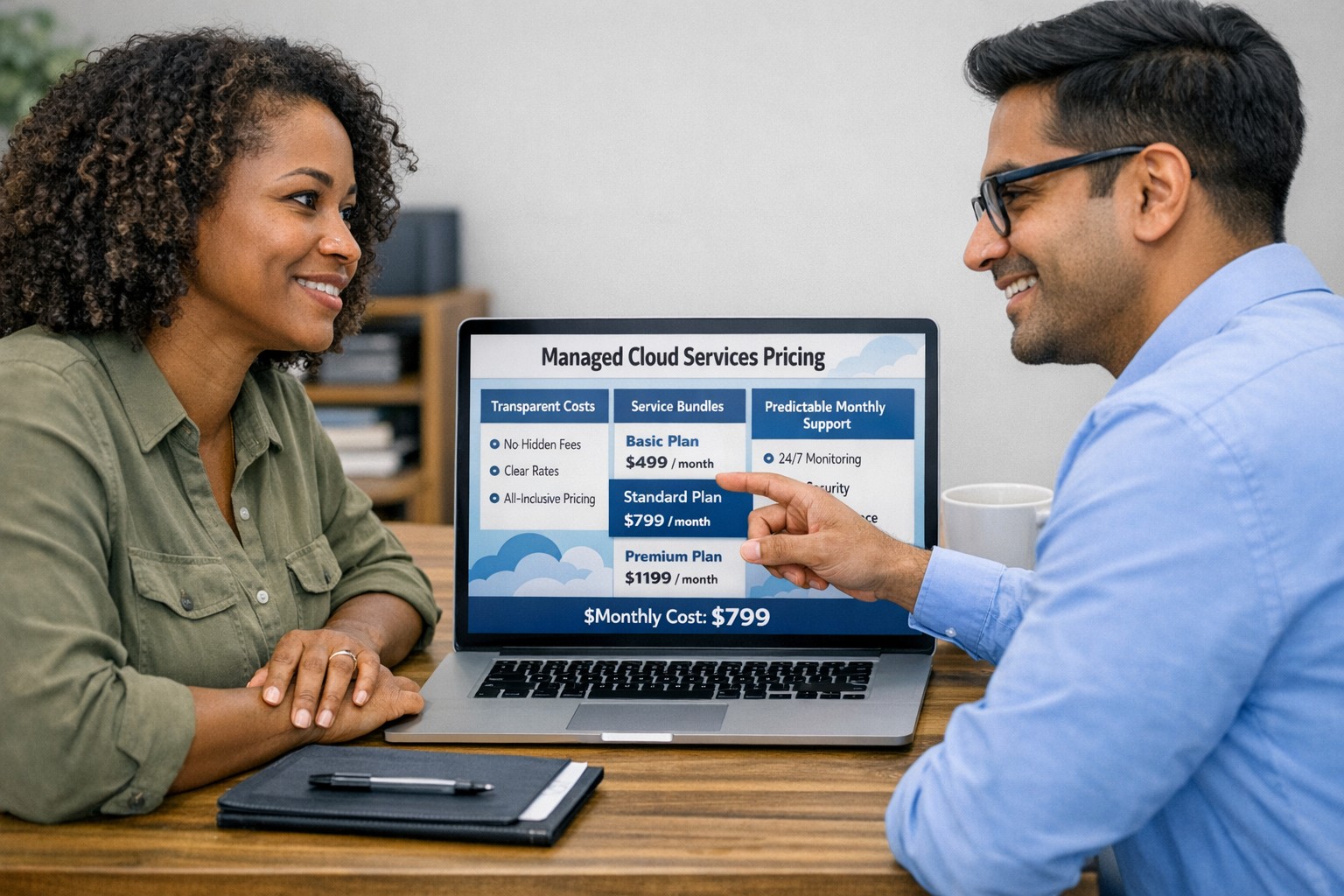
Managed cloud services pricing helps small businesses control IT costs with transparent, predictable monthly cloud support.
We have received numerous inquiries from potential customers regarding our pricing structure. Specifically, they want to know if we offer monthly contracts or if we charge an hourly rate. The answer is Yes.
Hourly Rate
For customers who require a one-time fix or need a project completed, we offer a service based on an hourly rate. Our rate for remote or on-site work that is not covered under a contract is $150 per hour. We bill in 15-minute increments and take pride in our efficiency. For clients with more than 2 service requests per month, we highly recommend signing up for a contract to save money and benefit from our expert oversight.
Monthly Contracts
There are three types of monthly contracts:
Remote Maintenance Contract
This is the package that most of our clients choose. It includes automated maintenance, cyber security protections, and unlimited remote support. Since most problems and questions can be handled remotely, this package offers real value.
Full Service Maintenance Contract
This package is for clients who want complete peace of mind. It includes all services, whether remote or at their offices. Additionally, it provides some additional benefits, such as top priority in our support queue.
Co-Managed IT Contract
This special package is designed for companies that already have a full-time IT employee or IT service companies in need of extra help. It provides them with the necessary automations and tools to make their jobs easier, allowing them to focus on what matters. This package also includes a discount on our remote and on-site services.
All contracts are based on a per-device model, taking into account the number of workstations, printers, servers, switches, etc. on the client’s network. We use this model because the other popular model, per user, is too vague and can easily hide excessive profit margins. Contracts can be month-to-month or a yearly commitment. The difference is that with a yearly commitment, you are protected from price increases for the entire year. We also offer many optional add-ons for our clients, such as Office 365, Employee Security Training, Penetration/Vulnerability Scanning, Mobile Device Management, Compliance, Secure Remote Access, and Security Operations Center.
Are you looking for reliable IT support that suits your business’s unique requirements? Look no further! Our flexible pricing options cater to businesses of all sizes. Whether you require one-time assistance or ongoing support, we have the right plan for you. Ready to take your business IT support to the next level? Contact us today to discuss your needs and find the perfect plan for your business.
And God will generously provide all you need. Then you will always have everything you need and plenty left over to share with others. As the Scriptures say, “They share freely and give generously to the poor. Their good deeds will be remembered forever.” For God is the one who provides seed for the farmer and then bread to eat. In the same way, he will provide and increase your resources and then produce a great harvest of generosity in you. - 2 Corinthians 9:8-10
We use cookies to ensure that we give you the best experience on our website. If you continue to use this site we will assume that you are happy with it.