Safeguarding your business data is paramount. Cyber threats are ever-evolving, and data breaches can have severe consequences. To fortify your business defenses, consider implementing the following security and encryption tools:
Operating System Encryption
Encryption is the process where normal data is transformed into something unreadable without the keys unlock it. Windows has encryption built in using BitLocker software in conjunction with modern hardware to keep data safe on physical hard drives. In case a computer is stolen or lost the data is unreadable (assuming the password protecting the computer is strong).
Virtual Private Network / Zero Trust Network Access
Whenever employees are remote or working from home they need to be able to connect to company resources without endangering company data. This is best done through Zero Trust Network Access (ZTNA) which is the next-gen replacement for the older virtual private network connection ZTNA assumes that all connections are threats unless proven otherwise and those who are connecting must have their computers tested to make sure they are safe. This approach also only allows users to connect to the resources that are specifically needed to function.
Antivirus / Extended Detection and Response
One key to staying cyber secure is to recognize and repel threats before they do any damage. Utilizing AI and automation extended detection and response (XDR) is the modern replacement for antivirus. It is able to detect behavior patterns that malicious software and hackers use when attacking your systems then automatically undue any changes they have made.
Email Encryption and SPAM Filtering
When sending sensitive data via email it is now the standard to send it via encrypted channels with each message also being encrypted. Most companies that provide encryption also provide SPAM filtering which keeps phishing, spoofing, and malicious emails from targeting employees. This is often the most effective means hackers use to gain a foot hold in networks.
Backups
There will inevitably be times when hackers are able to breach even the best defenses, so the only recourse at that time is to have good backups in multiple locations to recover once the attacker is repelled. Without good backups many companies have had to pay ransoms and hope for a response or go out of business.
Remember, data security is an ongoing process. Combine these tools with user education and strong password practices,. Stay vigilant, adapt to new threats, and invest wisely in protecting your digital assets and reputation. Call Farmhouse Networking to advise you on how to best secure your business.
Secure endpoints don’t guarantee cloud safety—address cloud-specific risks now
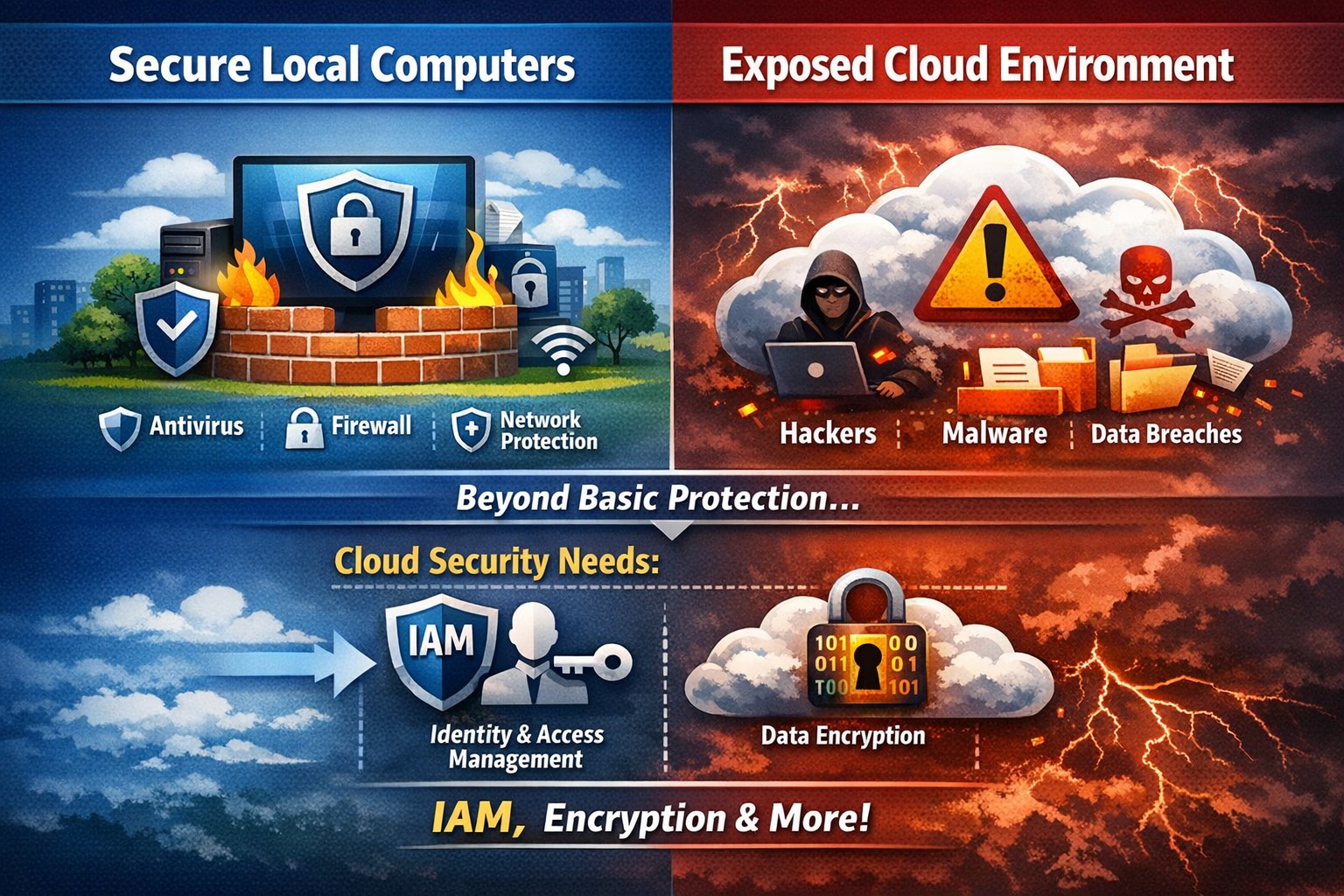
The ability to store and access data remotely in the cloud has revolutionized the way organizations operate, providing flexibility, scalability, and cost-efficiency. However, with this convenience comes the need for robust security measures to protect sensitive information from cyber threats. This article explores the importance of cloud security and provides strategies to safeguard your company’s data in the cloud.
Understanding Cloud Security
Cloud security encompasses a set of controls, processes, technologies, and policies designed to protect cloud-based systems, infrastructure, and data. It is one part of computer security and information security, aiming to safeguard businesses from financial, legal, and reputational repercussions of data breaches and loss.
Cloud security involves various strategies and best practices to ensure the confidentiality, integrity, and availability of cloud resources. It includes measures such as real-time monitoring, multi-factor authentication (MFA), identity and access management (IAM), cloud-to-cloud backup solutions, systematic off-boarding processes, and anti-phishing training.
Real-time Monitoring
Real-time monitoring is a crucial strategy to detect and respond to suspicious threats promptly. By implementing real-time monitoring tools, businesses can gain visibility into their employee activity and cloud systems to proactively identify any potential cyber attacks. This allows for immediate action to mitigate risks and minimize the impact of data breaches. According to IBM, the global average total cost of a data breach in 2023 was $4.45 million, highlighting the financial implications of inadequate security measures.
Multi-Factor Authentication (MFA)
Traditional username and password combinations are no longer sufficient to protect user accounts from hackers. MFA adds an extra layer of security by requiring users to provide multiple pieces of evidence to verify their identities. This could include a combination of something they know (password), something they have (a mobile device or security key), or something they are (biometric data like a fingerprint or facial recognition). By implementing MFA, businesses can significantly reduce the risk of account compromise attacks and prevent unauthorized access to cloud applications.
Identity and Access Management (IAM)
Identity and access management (IAM) is a critical component of cloud security. It involves assigning proper levels of authorization and access controls to ensure that employees only have access to the information and resources necessary for their roles. IAM not only prevents accidental data breaches but also protects businesses from external threats by limiting the potential attack surface. By implementing IAM solutions, organizations can enforce strict access controls, reduce the risk of unauthorized data access, and maintain data privacy.
Cloud-to-Cloud Backup Solutions
While cloud providers typically have robust data protection measures in place, businesses should not solely rely on them for data backup. Cloud-to-cloud backup solutions provide an additional layer of protection by replicating data from one cloud service to another. This helps mitigate the risk of data loss due to cloud provider mistakes or system failures. Organizations using software-as-a-service (SaaS) applications can benefit from cloud-to-cloud backup solutions, ensuring advanced data protection beyond the basic safeguards provided by the applications themselves.
Systematic Off-boarding Process
When employees leave a company, it is crucial to have a systematic off-boarding process in place to revoke their access rights immediately. According to a survey conducted by Cyberark, “88% of IT workers would take sensitive data with them or abscond with company passwords if they were fired.” Additionally, 50% of ex-employees can still access corporate apps. To prevent unauthorized access and protect sensitive data, organizations should ensure that departing employees’ access rights are promptly revoked. This includes revoking access to systems, data, cloud storage, intellectual property, and consumer information.
Offering Anti-Phishing Training
Phishing remains a prevalent threat in the cybersecurity landscape. Hackers often gain access to secure information by stealing employees’ login credentials or utilizing social engineering techniques. Offering anti-phishing training to employees can help raise awareness about these scams and prevent them from falling victim to phishing attacks. By educating employees on how to identify and report phishing attempts, organizations can safeguard their sensitive data without compromising productivity.
Strengthening Cloud Security Measures
While the above strategies are crucial for securing cloud operations, it is essential to adopt a comprehensive approach to cloud security. Here are additional best practices to strengthen your cloud security measures:
Enforce reliable passwords: Implement password policies that require complex, unique passwords and regular password updates. Encourage the use of password managers to reduce the risk of weak passwords.
Use encryption: Encrypting sensitive data helps protect it from unauthorized access. Implement encryption measures for data at rest and in transit.
Test security continuously: Regularly conduct vulnerability assessments and penetration testing to identify and address security weaknesses in your cloud infrastructure. This proactive approach ensures that potential vulnerabilities are discovered and remediated before they can be exploited.
Ensure local backup: In addition to cloud-to-cloud backup solutions, consider implementing local backups of critical data. This provides an extra layer of protection in case of cloud provider outages or data loss incidents.
Implement additional security measures: Explore additional security solutions such as intrusion detection systems (IDS), firewalls, and data loss prevention (DLP) tools to enhance your overall cloud security posture.
Avoid storage of sensitive data: Minimize the storage of sensitive data in the cloud. Identify and classify data based on its sensitivity and apply appropriate security controls accordingly. This reduces the risk of data breaches and ensures compliance with data protection regulations.
Why Is Cloud Security Important?
Cloud security is crucial for organizations migrating their sensitive data and applications to the cloud. By adopting secure cloud practices, businesses can protect highly sensitive data from hackers and ensure compliance with regulatory requirements. Here are a few reasons why cloud security is important:
Control Access
Cloud security enables organizations to monitor and regulate access to their data. By formulating policies and implementing access controls, businesses can prevent unauthorized users from accessing sensitive information. Cloud management tools provide visibility into user behavior and help maintain strong access controls.
Encrypting Sensitive Data
Encryption plays a vital role in securing data in the cloud. By encrypting data at rest and in transit, organizations can protect it from unauthorized access. Implementing encryption with strong access and control policies minimizes the impact of compromised keys and ensures data confidentiality.
Using Automation
Automation helps minimize human errors and misconfigurations in cloud environments. By automating routine tasks and configurations, organizations can ensure that their infrastructure is deployed and maintained correctly. Cloud automation tools streamline everyday configuration items and provisioning, reducing the risk of security vulnerabilities.
Extend Vulnerability Management Tools
Vulnerability management tools scan networks to identify potential threats or weaknesses that attackers can exploit. These tools help manage and mitigate attacks on the network by suggesting remedies and actions to reduce the prospect of network breaches. Regular scanning and remediation of vulnerabilities are essential to maintain a secure cloud environment.
Implementing Enhancements
Continuous improvement is crucial for maintaining cloud security. Organizations should continuously enhance their security measures throughout the entire lifecycle of their operations. As new threats emerge, businesses must adapt and implement necessary enhancements to safeguard against potential risks.
Deploying Multi-Factor Authentication (MFA)
Deploying MFA increases security and authentication for enterprise applications. Weak or reused passwords are a significant cause of data breaches. By implementing MFA, businesses can protect their cloud applications from unauthorized access attempts. Authorized personnel are granted access, minimizing the risk of data breaches.
Local businesses rely on Farmhouse Networking to simplify their cloud security management and enhance overall security posture. Click here to get started.
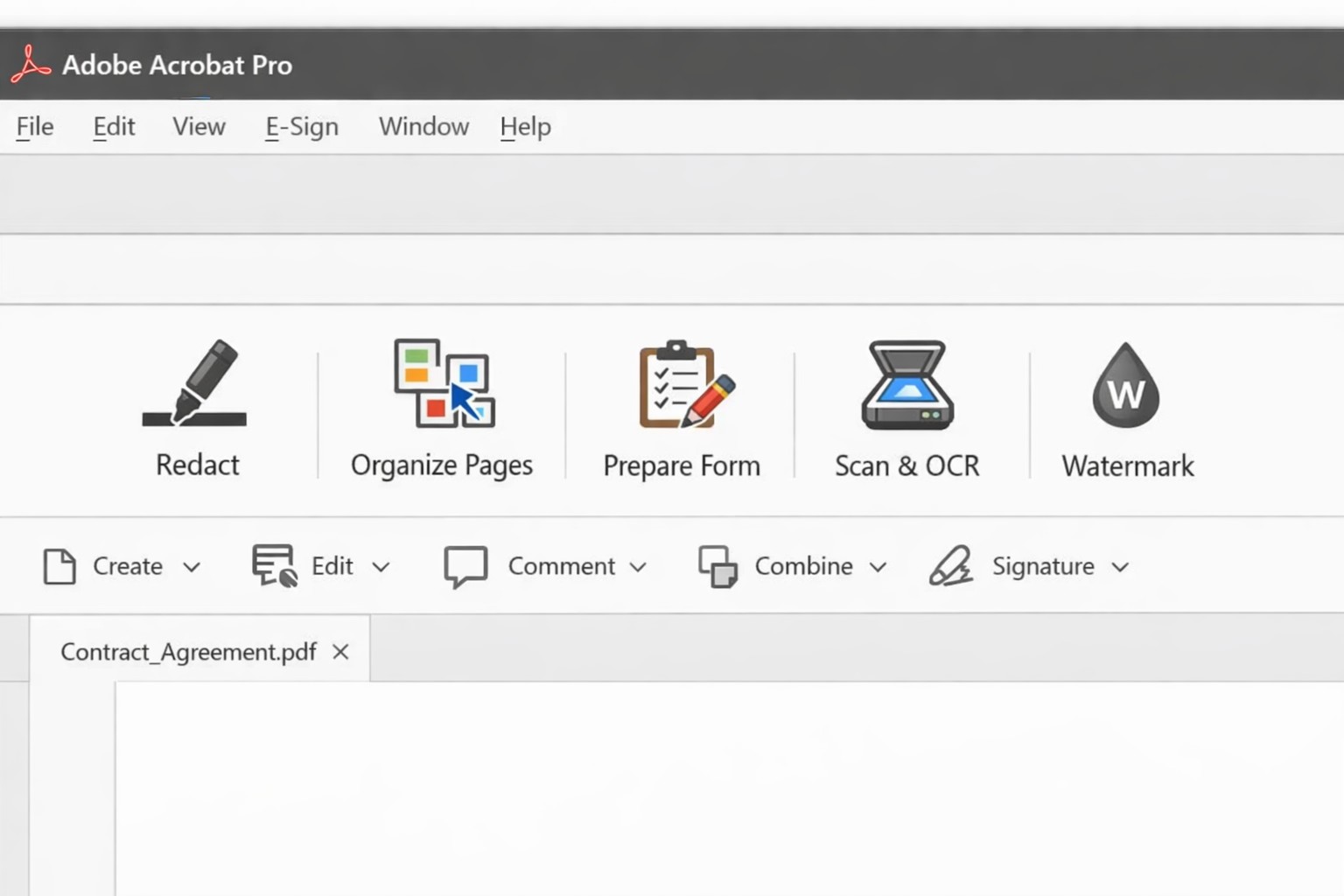
Acrobat Pro tools panel: redact combine edit OCR workflow actions.
Businesses are increasingly reliant on digital documents. From contracts to invoices, these important files need to be easily shared and accessible across different platforms and devices. This is where Adobe Acrobat comes in. Adobe Acrobat is a powerful tool that allows you to create, edit, and secure PDFs effectively. To help you make the most of this software, we have compiled a list of useful tips:
Create Interactive Forms
One of the key features of Adobe Acrobat is its ability to create interactive forms. Rather than wasting paper on printing out forms and having people fill them out manually, you can create digital forms that can be filled out electronically. This not only saves time and the planet but also reduces errors and allows you to collect data more efficiently.
Edit PDFs on the Go
With the Adobe Acrobat app, you can edit PDFs directly on your mobile device. This is incredibly useful for business owners who are constantly on the go and need to make quick edits to their documents. Whether it’s adding text, resizing images, or rearranging pages, you can do it all from the convenience of your phone or tablet.
Combine Multiple Files into a Single PDF
If you have multiple files that you want to combine into a single PDF, Adobe Acrobat makes it easy. You can simply drag and drop the files into Acrobat, rearrange them, and save them as a single PDF. This feature is ideal for business owners who often need to merge multiple documents into one proposal, contract, or report.
Protect your PDFs with Encryption
Security needs to be a top priority for businesses, especially when it comes to sensitive documents. Adobe Acrobat allows you to protect your PDFs by adding encryption. You can set passwords and permissions to ensure that only authorized individuals can access, print, or modify your files. This level of security is crucial for protecting confidential business and customer information.
Optimize PDFs for Web Viewing
PDFs can easily become large files, which can slow down loading times when viewing them online. Adobe Acrobat offers a feature called “Optimize for Web” that reduces the file size while preserving the document’s quality. This is particularly useful when sharing PDFs on your website or via email. When customers have to wait for things to load they are more likely to go somewhere else for what they are looking for.
Collaborate and Review Documents
Adobe Acrobat has collaboration features that allow multiple users to work on the same PDF simultaneously. You can easily share documents with colleagues, clients, or partners and track changes made by each. This streamlines the review and approval process, reducing the need for endless email threads and ensuring everyone is on the same page.
Automate Workflows with Adobe Sign
Adobe Sign, a component of Adobe Acrobat, enables you to send, sign, and track important documents online. It eliminates the need for paper-based signatures and accelerates the approval process. With Adobe Sign, you can automate workflows, whether it’s obtaining client signatures, approving contracts, or completing employee onboarding documents. This tool can streamline your business processes and save you a significant amount of time.
By familiarizing yourself with Adobe Acrobat, you can harness the full potential of this software and enhance your business’s productivity and efficiency. As an Adobe partner, Farmhouse Networking can help your company get the most out of its PDFs.
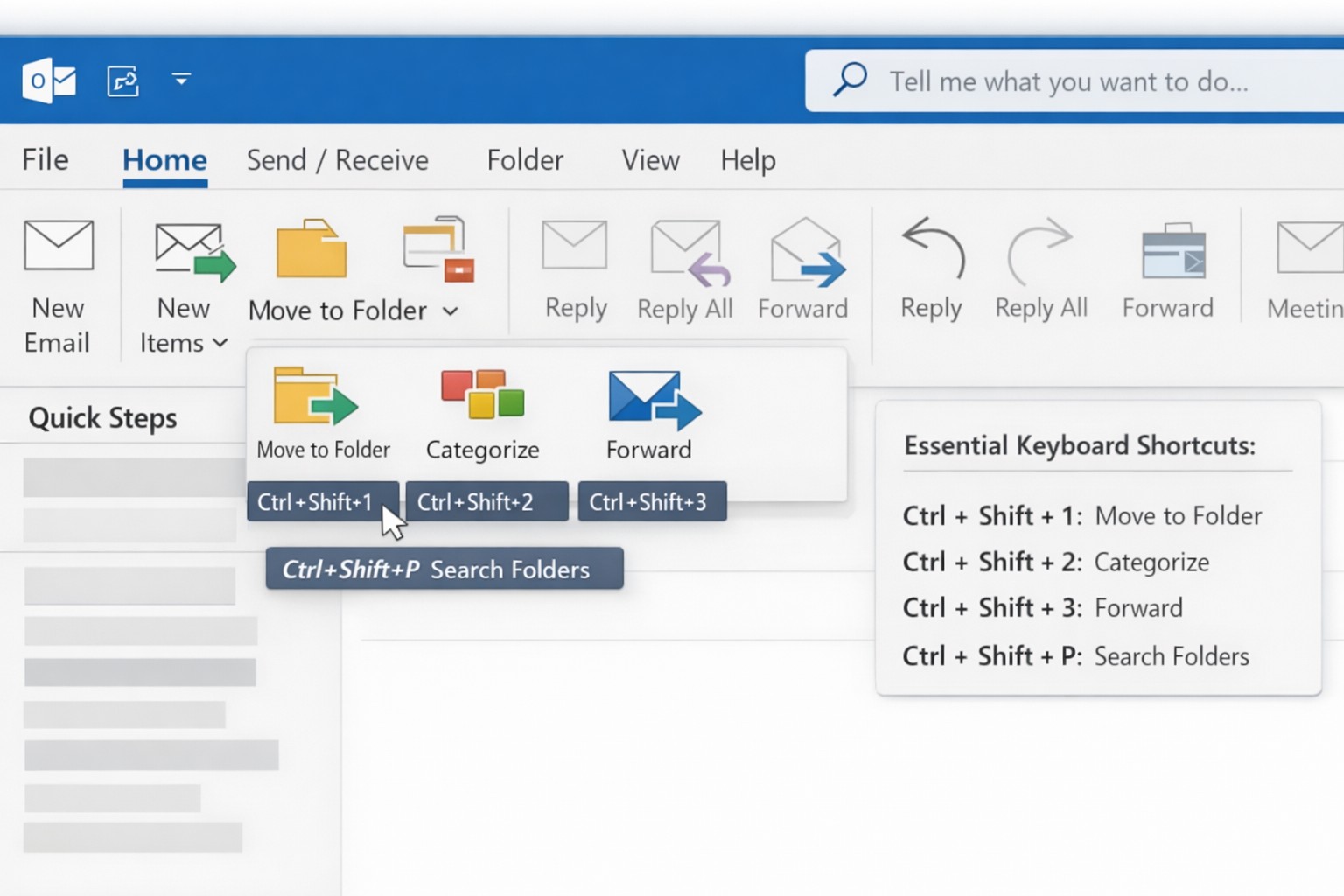
Outlook Quick Steps automation rules and focused inbox organization.
Are you a business owner who heavily relies on Microsoft Outlook? Here are some pro tips and tricks to help you get the most out of your Outlook experience. Whether you’re a seasoned Outlook pro or just getting started, these tips are guaranteed to improve your productivity and streamline your daily workflow.
Keyboard Shortcuts
Outlook offers a plethora of keyboard shortcuts that can save you valuable time. Instead of navigating through multiple menus and options, simply memorize a few key strokes:
Ctrl + N: Compose a new email.
Delete: Deletes the currently selected message.
Ctrl + Enter: Sends the current message.
Ctrl + Shift + M: Create a new meeting request.
Ctrl + Shift + A: Create a new appointment.
Ctrl + R: Reply to an email.
Ctrl + Shift + R: Reply All to an email.
Ctrl + F: Forwards the currently selected message.
Ctrl + Shift + V: Move a message to a different folder.
By using keyboard shortcuts you can perform common tasks with lightning speed, getting more done each day. Check out a more complete list here.
Advanced Search Features
With the vast amount of emails and information being managed in Outlook, finding specific messages or attachments can be a frustrating. However, Outlook’s advanced search features can be a lifesaver. By utilizing the “Search” bar at the top of your Outlook window, you can search by sender, recipient, subject, date, and even specific keywords within attachments. By harnessing these powerful search capabilities, you can save time and quickly locate important information.
Email Rules and Filters
Tired of spending precious minutes organizing your inbox manually? Outlook’s email rules and filters to the rescue. By setting up rules, you can automatically sort incoming emails into their respective folders, mark them as read, forward them to specific recipients, or even delete them. This way, your inbox stays clutter-free, and you can easily prioritize or categorize emails based on your needs.
Outlook’s Calendar Features
Managing your schedule and appointments effectively is crucial for any business owner. Outlook’s calendar features can simplify this process. Here are a couple of tips to optimize your calendar usage:
Color-code your appointments: Assign specific colors to different types of appointments (e.g., meetings, conferences, personal events). This visual distinction makes it easier to differentiate between various engagements at a glance.
Share your calendar: Collaborate and stay connected with your team by sharing your calendar. This feature enables everyone to view your availability and schedule meetings accordingly, eliminating unnecessary back-and-forth communication.
Customize Your Outlook
Outlook can be customized to fit your specific work preferences. Take advantage of the following customization options:
Quick Steps: Create customized shortcuts for common tasks and actions.
Quick Access Toolbar: Add frequently-used features to the toolbar at the top for quick access.
Themes and Fonts: Personalize the visual appearance of Outlook to match your style and make it more visually appealing and user-friendly.
By customizing Outlook to align with your work habits, you’ll find yourself navigating the application more efficiently and enhancing your overall productivity.
Want to learn more about Outlook’s advanced features? Reach out to our team of experts today and discover how we can further enhance your business operations with Microsoft Outlook.
IT tax deductions: Section 179 bonus depreciation cybersecurity software.
It’s that time of year, business owners need to start thinking about tax deductions and ways to maximize profit protection. One area not to be overlooked is IT expenses since IT plays a crucial role in every business. The good news is that many IT expenses can be deducted from your taxes. From hardware and software purchases to cybersecurity measures and cloud services, there are several essential IT tax deductions that can help you lower your tax bill and keep more money in your profit column.
IT Tax Deductions for Business Owners
As a business owner, it is crucial to recognize the importance of taking advantage of IT tax deductions before the end of the year. These deductions can significantly impact your bottom line. By deducting IT expenses, you are not only reducing your tax liability but also creating funds to re-invest in the growth of your business and upgrading to the latest technology, which positions your business for long-term success.
IT Tax Deductions to Maximize Your Savings
Take advantage of these IT tax deductions to maximize their profit savings:
Software and Hardware Expenses: Deducting the cost of industry specific software and hardware purchases is an excellent way to save on taxes. Whether you invested in new computer systems or upgraded your existing software, remember to include these expenses in your deductions as capital expenditures. Profit savings can be compounded by taking the amount saved through IT tax deductions and spending it on further software and hardware purchases.
Cybersecurity Measures: With the increasing threat of cyberattacks, investing in cybersecurity measures is crucial. These expenses can also be deducted from your taxes. From firewalls to antivirus software, make sure to claim any cybersecurity investments you have made throughout the year.
Cloud Services: Many businesses have moved to using cloud services for their storage and daily operations. These operational expenses are also eligible for tax deductions. Whether you use cloud computing, backup services, or cloud-based software, remember to include these costs in your deductions.
By focusing on these essential IT tax deductions, you will minimize your tax liability and position your business for success in the coming year.
Consulting with a Certified Public Accountant
While it’s important to have a basic understanding of the IT tax deductions for your business, it is equally important to consult with a certified public accountant. A knowledgeable CPA can provide you with personalized financial advice and guidance based on your company’s unique situation.
Tax laws and regulations are constantly changing, and it can be challenging to keep up with all the updates. By working closely with a CPA, you can stay updated on the latest deductions and strategies to maximize your savings while staying compliant with the law. They can review your financial records, identify missed deductions, and help you make informed decisions that positively impact your bottom line.
Remember, seeking advice from a tax professional will not only help you optimize your profit savings but also give you peace of mind knowing that your tax returns are accurate and in line with the regulations.
Keeping Detailed Records
One essential practice for maximizing your IT tax deductions is keeping detailed records of your IT expenses. Maintaining accurate and organized records throughout the year can help you claim all eligible deductions at tax time.
Start by creating a system to track and categorize your IT expenses. This can include items like software and hardware purchases, IT services, website development costs, and data storage fees. Keep receipts, invoices, and any supporting documents for each expense. Having detailed records allows you to easily identify and calculate eligible deductions. It also provides evidence and documentation if you ever face an audit or need to justify your deductions to the IRS.
Consider using accounting software or cloud-based platforms to streamline the record-keeping process. These tools can help you track expenses, generate reports, and ensure accuracy in your financial records. By maintaining detailed records of your IT expenses, you not only ensure that you are taking full advantage of available deductions, but you also create a solid foundation for your overall tax strategy.
Utilizing Section 179 Deductions
Section 179 of the tax code allows businesses to deduct the full purchase price of qualifying equipment and software purchased or financed during the tax year. By utilizing Section 179, you can deduct the entire cost of eligible technology investments in the year they are purchased. This deduction can help reduce your overall tax liability, allowing you to maximize your profit savings.
To qualify for Section 179 deductions, the equipment or software must be used for business purposes more than 50% of the time. This deduction is particularly beneficial for businesses investing in technology upgrades or replacements, as it encourages the adoption of new and improved IT systems. Be sure to consult with a tax professional to determine the eligibility of your IT investments for Section 179 deductions and to ensure you are maximizing this deduction for your business.
Bonus Depreciation for IT Purchases
Business owners can also benefit from bonus depreciation for their IT purchases. Bonus depreciation allows businesses to deduct a percentage of the cost of qualifying assets in the year they are placed in service. Under the Tax Cuts and Jobs Act, businesses can take an 80% bonus depreciation deduction for qualified property acquired and placed into service in 2023, then depreciate the remaining 20% over the course of several years.
To qualify for bonus depreciation, the property must have a recovery period of 20 years or less and be purchased for business use. This deduction is particularly valuable for businesses that are investing in new IT equipment or upgrading their existing technology infrastructure.
By timing your IT purchases strategically, you can take full advantage of bonus depreciation and significantly reduce your tax liability. However, it’s important to note that bonus depreciation is subject to change based on tax laws and regulations, so consulting with a CPA is crucial to ensure compliance and maximize your savings.
Research and Development Tax Credit
While bonus depreciation and Section 179 deductions are great for maximizing your tax deductions when it comes to IT purchases, there is another valuable tax credit that often goes unnoticed – the Research and Development (R&D) tax credit.
The R&D tax credit is designed to incentivize businesses to invest in innovation and development activities. Many business owners mistakenly believe that this credit is only applicable to scientific or technological research. However, the R&D tax credit is much broader than that and can apply to a wide range of industries and activities.
To make the most of the R&D tax credit, it’s important to keep detailed records of your qualifying activities and expenses. Consult with a tax professional who specializes in this area to ensure that you are maximizing your tax savings while staying compliant with the IRS requirements.
To make best use of your IT tax deduction spending, contact us to discuss new purchases and upgrades.
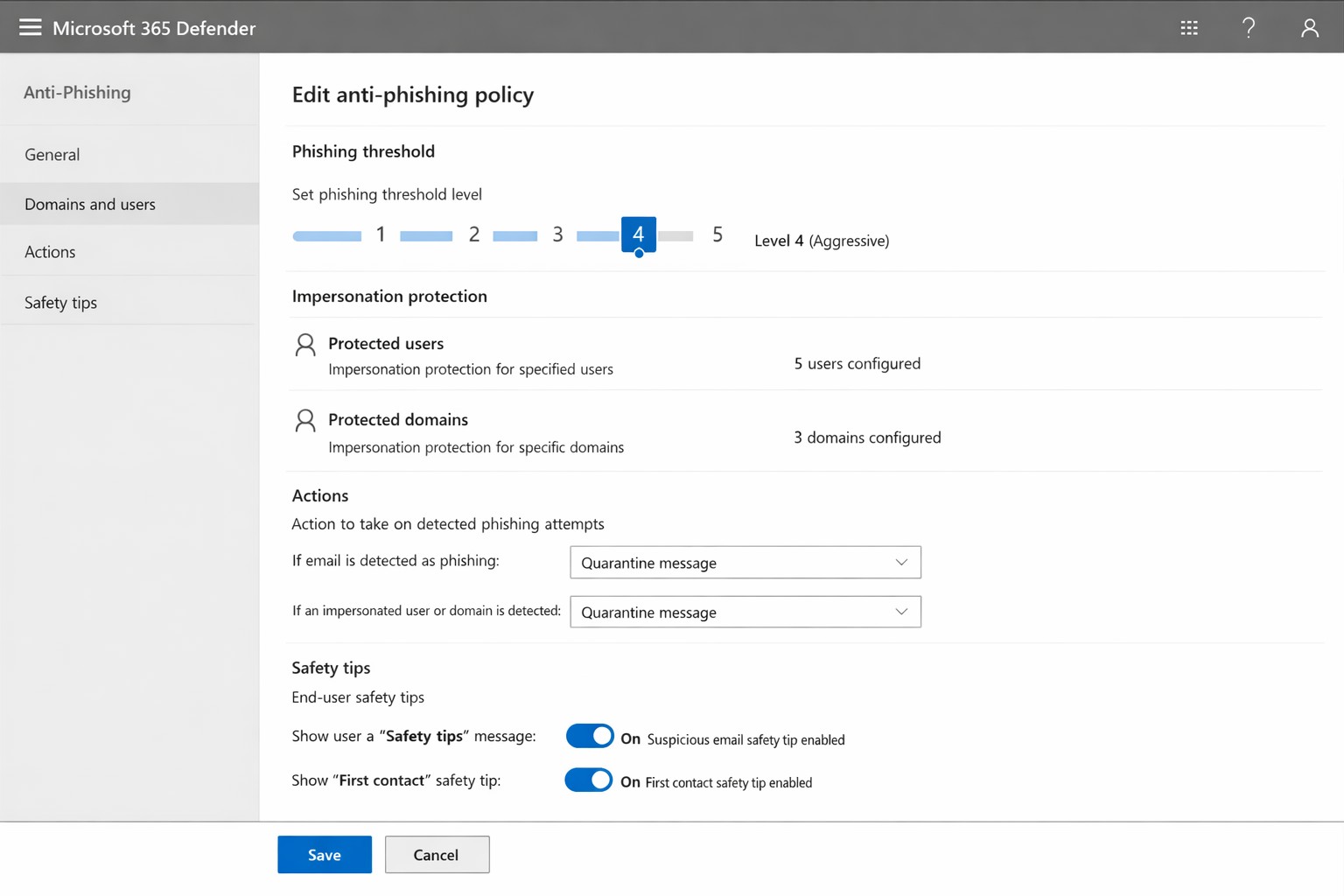
Office 365 anti-phishing policy configuration with impersonation protection enabled.
Phishing Protection
Enable This in Office 365 Now
Had a charity notify us that they were getting a ton of phishing attempts to their email every day and wanted to know what we could do for them. They use Office 365, so we looked through the settings and found one called “First Contact Safety Tip” which makes a small banner appear at the top of the email like this:
Businesses face a growing number of cybersecurity threats. Cybercriminals are constantly evolving their tactics, making it imperative to prioritize their organization’s security. One crucial step in fortifying your business against potential breaches is conducting a comprehensive security risk assessment. Let’s look at the significance of security risk assessments and how they can shield your valuable data from falling into the hands of malicious actors on the dark web.
Understanding Security Risk Assessments:
A security risk assessment is an in-depth evaluation of your organization’s digital infrastructure, systems, and processes. It aims to identify vulnerabilities and potential threats that could compromise the confidentiality, integrity, and availability of your sensitive data. By analyzing your current security measures, a risk assessment helps you gauge your organization’s resilience to cyber threats, enabling you to implement targeted mitigation strategies.
Why Security Risk Assessments Matter:
Proactive Threat Identification: Hackers often exploit vulnerabilities that go unnoticed until it’s too late. A security risk assessment enables you to proactively identify and address potential weak points in your network, applications, and data storage. By uncovering vulnerabilities before cybercriminals do, you can take preventive measures to mitigate risks and prevent unauthorized access.
Compliance and Regulatory Requirements: Depending on your industry, you may be subject to various compliance regulations that mandate data protection measures. Conducting a security risk assessment ensures that your business aligns with these requirements, helping you avoid costly penalties and reputational damage.
Data Protection and Client Trust: Data breaches can have severe consequences, including financial loss, legal ramifications, and damage to your brand’s reputation. By investing in security risk assessments, you demonstrate your commitment to protecting your clients’ sensitive information, fostering trust and long-term relationships.
Dark Web Threat Mitigation: The dark web has become a thriving marketplace for stolen data, offering cybercriminals a platform to sell and exploit compromised information. By conducting regular security risk assessments, you can identify vulnerabilities that may expose your data to the dark web. This knowledge empowers you to implement robust security measures, reducing the likelihood of your data being discovered and abused in illicit activities.
Securing your organization’s digital assets is of paramount importance. By conducting regular security risk assessments, you gain crucial insights into potential threats and vulnerabilities, which allows you to implement targeted security measures.
Protect your data from ending up on the dark web with a proactive and comprehensive approach. We can help!
Dark web stolen passwords Russian Market BreachForums accounting healthcare charity credentials
The Dark Web is a part of the internet that requires special software to access. Often used by individuals who are looking to conceal their identities and activities, it has become the ideal environment for cybercriminals seeking to carry out illicit activities. They can move anonymously in this part of the internet often engaging in criminal activities such as the sale of stolen data, hacking tools, illegal drugs, counterfeit documents, and even illicit services.
Why Should You Be Aware of It?
While the Dark Web may seem distant and irrelevant to your everyday business operations, it poses serious risks that can have far-reaching consequences. Here’s why you need to be aware of it:
Stolen Data Trade: The Dark Web serves as a marketplace for cybercriminals to sell stolen data, including usernames, passwords, financial information, and sensitive business data. By purchasing this data, hackers can launch targeted attacks against organizations like yours, leading to data breaches, financial loss, and reputational damage.
Credential Stuffing and Account Takeovers: Cybercriminals often utilize compromised login credentials from data breaches to carry out credential stuffing attacks. By leveraging automated tools, they attempt to gain unauthorized access to your business accounts. Once inside, they can exploit your resources, compromise customer data, and cause significant disruption.
Sale of Exploit Kits and Malware: The Dark Web provides a platform for the sale of malicious software, exploit kits, and hacking tools. These tools can empower cybercriminals to launch sophisticated attacks against your business, including ransomware, phishing campaigns, and network infiltration.
Insider Threats and Employee Monitoring: Employees with malicious intent may leverage the Dark Web to collaborate with external criminals or sell sensitive company information. Awareness of the Dark Web can help you implement appropriate security measures to detect and mitigate insider threats.
Reputational Damage: In the event of a data breach or cyberattack, information about your business may end up on the Dark Web. This can severely damage your reputation, erode customer trust, and lead to potential legal and financial repercussions.
What Can You Do? To protect your business from the risks associated with the Dark Web, we recommend the following actions:
Strengthen Your Security: Implement robust cybersecurity measures, such as multi-factor authentication, strong password policies, regular software updates, and network monitoring. Conduct security awareness training for your employees to educate them about the dangers of the Dark Web and how to identify potential threats.
Dark Web Monitoring: Engage with Farmhouse Networking to incorporate Dark Web monitoring solutions. These services scan the Dark Web for mentions of your business’s critical information and alert you if any compromised data is discovered.
Incident Response Planning: Develop an incident response plan that includes protocols for handling potential Dark Web-related incidents. This plan should outline steps for containing, investigating, and recovering from a data breach or cyberattack.
Regular Vulnerability Assessments: Perform periodic vulnerability assessments and penetration testing to identify and address potential weaknesses in your network infrastructure and applications.
The Dark Web is a part of the internet that requires special software to access. Often used by individuals who are looking to conceal their identities and activities, it has become the ideal environment for cybercriminals seeking to carry out illicit activities. They can move anonymously in this part of the internet often engaging in criminal activities such as the sale of stolen data, hacking tools, illegal drugs, counterfeit documents, and even illicit services.
Why Should You Be Aware of It?
While the Dark Web may seem distant and irrelevant to your everyday business operations, it poses serious risks that can have far-reaching consequences. Here’s why you need to be aware of it:
Stolen Data Trade: The Dark Web serves as a marketplace for cybercriminals to sell stolen data, including usernames, passwords, financial information, and sensitive business data. By purchasing this data, hackers can launch targeted attacks against organizations like yours, leading to data breaches, financial loss, and reputational damage.
Credential Stuffing and Account Takeovers: Cybercriminals often utilize compromised login credentials from data breaches to carry out credential stuffing attacks. By leveraging automated tools, they attempt to gain unauthorized access to your business accounts. Once inside, they can exploit your resources, compromise customer data, and cause significant disruption.
Sale of Exploit Kits and Malware: The Dark Web provides a platform for the sale of malicious software, exploit kits, and hacking tools. These tools can empower cybercriminals to launch sophisticated attacks against your business, including ransomware, phishing campaigns, and network infiltration.
Insider Threats and Employee Monitoring: Employees with malicious intent may leverage the Dark Web to collaborate with external criminals or sell sensitive company information. Awareness of the Dark Web can help you implement appropriate security measures to detect and mitigate insider threats.
Reputational Damage: In the event of a data breach or cyberattack, information about your business may end up on the Dark Web. This can severely damage your reputation, erode customer trust, and lead to potential legal and financial repercussions.
What Can You Do? To protect your business from the risks associated with the Dark Web, we recommend the following actions:
Strengthen Your Security: Implement robust cybersecurity measures, such as multi-factor authentication, strong password policies, regular software updates, and network monitoring. Conduct security awareness training for your employees to educate them about the dangers of the Dark Web and how to identify potential threats.
Dark Web Monitoring: Engage with Farmhouse Networking to incorporate Dark Web monitoring solutions. These services scan the Dark Web for mentions of your business’s critical information and alert you if any compromised data is discovered.
Incident Response Planning: Develop an incident response plan that includes protocols for handling potential Dark Web-related incidents. This plan should outline steps for containing, investigating, and recovering from a data breach or cyberattack.
Regular Vulnerability Assessments: Perform periodic vulnerability assessments and penetration testing to identify and address potential weaknesses in your network infrastructure and applications.
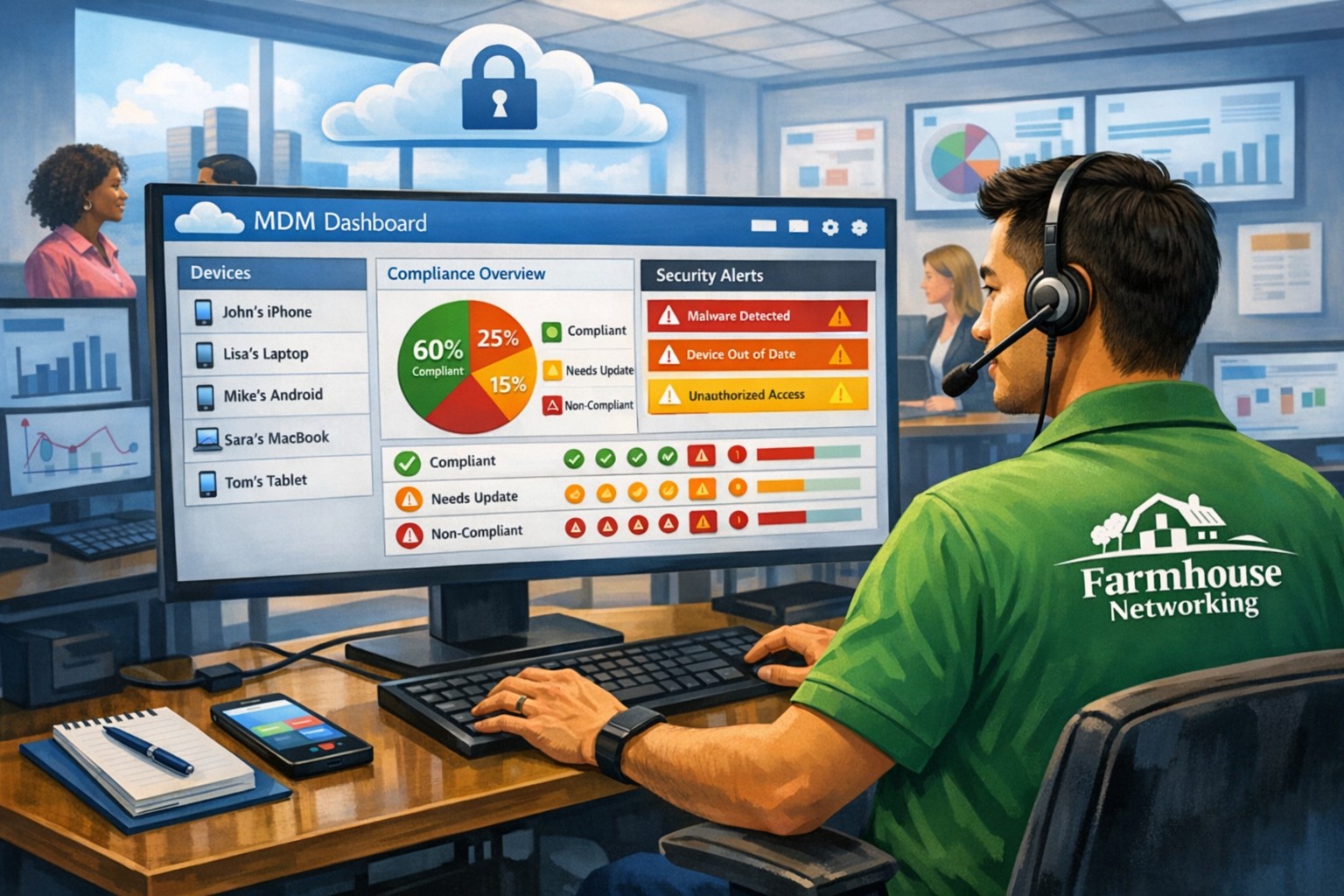
MSP console managing SMB BYOD smartphones and laptops with centralized MDM and security policies.
Small and medium-sized businesses (SMBs) face numerous challenges when it comes to managing their IT. Limited resources (both human and money), lack of expertise, and the need to focus on core business operations often make it difficult for SMBs to understand and manage technology needs. This is where Managed Service Providers (MSPs) come in. In this blog article, we will explore the reasons why SMBs should consider partnering with MSPs to enhance their IT capabilities and drive business growth.
Cost-Effective IT Solutions:
One of the primary reasons why SMBs need MSPs is the cost-effectiveness they offer. By outsourcing their IT needs to MSPs, SMBs can avoid the high costs associated with hiring and training an in-house IT team. MSPs provide a range of services, including network monitoring, data backup and recovery, cybersecurity, and software updates, all at a predictable monthly cost. This allows SMBs to allocate their resources more efficiently and focus on their core business.
Access to Expertise and Advanced Technology:
MSPs are experts in providing IT services and have a team of highly skilled professionals with expertise in variety of technology. By partnering with MSPs, SMBs gain access to the depth of knowledge and experience from IT experts who can handle complex tasks and provide strategic guidance. Additionally, MSPs stay up-to-date with the latest technology trends and can recommend and implement solutions that can help SMBs stay competitive in the market and safe from hackers.
Proactive IT Support and Maintenance:
MSPs offer proactive IT support and maintenance, which is crucial for SMBs. They monitor networks, identify potential issues, and take preventive measures to avoid downtime and disruptions. MSPs also provide regular software updates, security patches, and system maintenance, ensuring that SMBs’ IT remains secure and up-to-date. This proactive approach helps SMBs minimize the risk of costly IT failures and ensures smooth business operations.
Enhanced Data Security:
Data breaches and cyberattacks pose a significant threat to SMBs. MSPs play a vital role in safeguarding SMBs’ sensitive data and protecting them from potential security breaches. They implement robust cybersecurity measures, such as firewalls, antivirus software, and encryption, to ensure data confidentiality and integrity. MSPs can also conduct regular security audits and vulnerability assessments to identify and address any potential weaknesses in the IT infrastructure.
Scalability and Flexibility:
As SMBs grow, their IT needs evolve. MSPs offer scalable solutions that can adapt to changing business requirements. Whether it’s adding new users, expanding storage capacity, or integrating new software, MSPs can quickly and efficiently accommodate these changes. This scalability and flexibility allow SMBs to focus on their growth without worrying about the limitations of their IT infrastructure.
If your company could use the cost-effective solutions, access to expertise, proactive support, enhanced data security, and scalability that come from using a MSP, then contact us for assistance.
2FA dashboard displaying account protection compliance metrics and phishing defenses.
Businesses are face an increasing number of cyber threats. To protect sensitive data and prevent hackers from gaining access, implementing stronger security measures is crucial. One such measure is 2-factor authentication (2FA). Let’s look at the importance and security benefits of 2FA for businesses.
Enhanced Account Security:
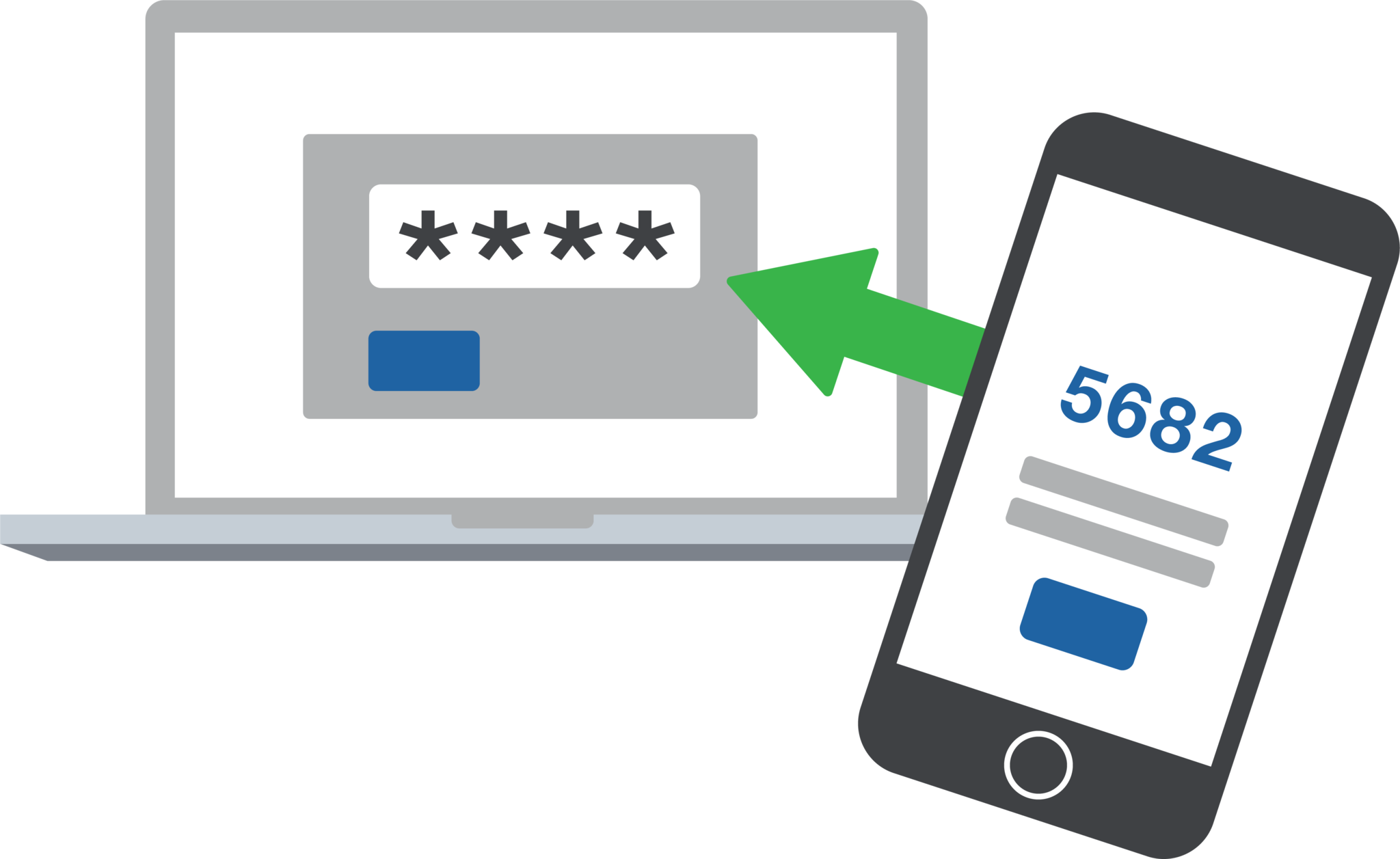
2FA adds an extra layer of security to the traditional username and password login process. By requiring users to provide a second form of authentication, such as a unique code sent to their mobile device, it significantly reduces the risk of hackers from gaining access. Even if a hacker manages to obtain a user’s password, they would still need the second factor to gain access.
Mitigation of Password-related Risks:
Passwords are often the weakest link in security systems. Many users tend to reuse passwords across multiple accounts or choose weak and easily guessable ones or re-use the same password while incrementally changing a digit or two. With 2FA, even if a password is compromised, the additional authentication factor acts as a safeguard, making it significantly harder for attackers to gain access.
Protection Against Phishing Attacks:
Phishing attacks, where attackers trick users into revealing their login credentials, are a common threat to businesses. 2FA provides an additional layer of defense against such attacks. Even if a user unknowingly falls victim to a phishing attempt and enters their credentials on a fake website, the second authentication factor would prevent the attacker from accessing the account.
Compliance with Industry Regulations:
Many industries, such as finance, healthcare, government contractors, and e-commerce, are subject to strict data protection regulations. Implementing 2FA helps businesses meet compliance requirements and avoid potential penalties. It demonstrates a commitment to safeguarding sensitive customer information and builds trust with clients.
Cost-Effective Security Measure:
Implementing 2FA does not require significant financial investment. Many 2FA solutions are readily available and can be easily integrated into existing systems. Considering the potential financial and brand reputation damage caused by a security breach, the cost of implementing 2FA is minimal compared to the benefits it provides.
In an era where cyber threats are constantly evolving, businesses must prioritize security measures to protect their valuable data. 2-factor authentication offers a simple yet effective way to do so.
If your company is interested in implementing 2FA across the entire organization, then contact us for assistance.
And God will generously provide all you need. Then you will always have everything you need and plenty left over to share with others. As the Scriptures say, “They share freely and give generously to the poor. Their good deeds will be remembered forever.” For God is the one who provides seed for the farmer and then bread to eat. In the same way, he will provide and increase your resources and then produce a great harvest of generosity in you. - 2 Corinthians 9:8-10
We use cookies to ensure that we give you the best experience on our website. If you continue to use this site we will assume that you are happy with it.