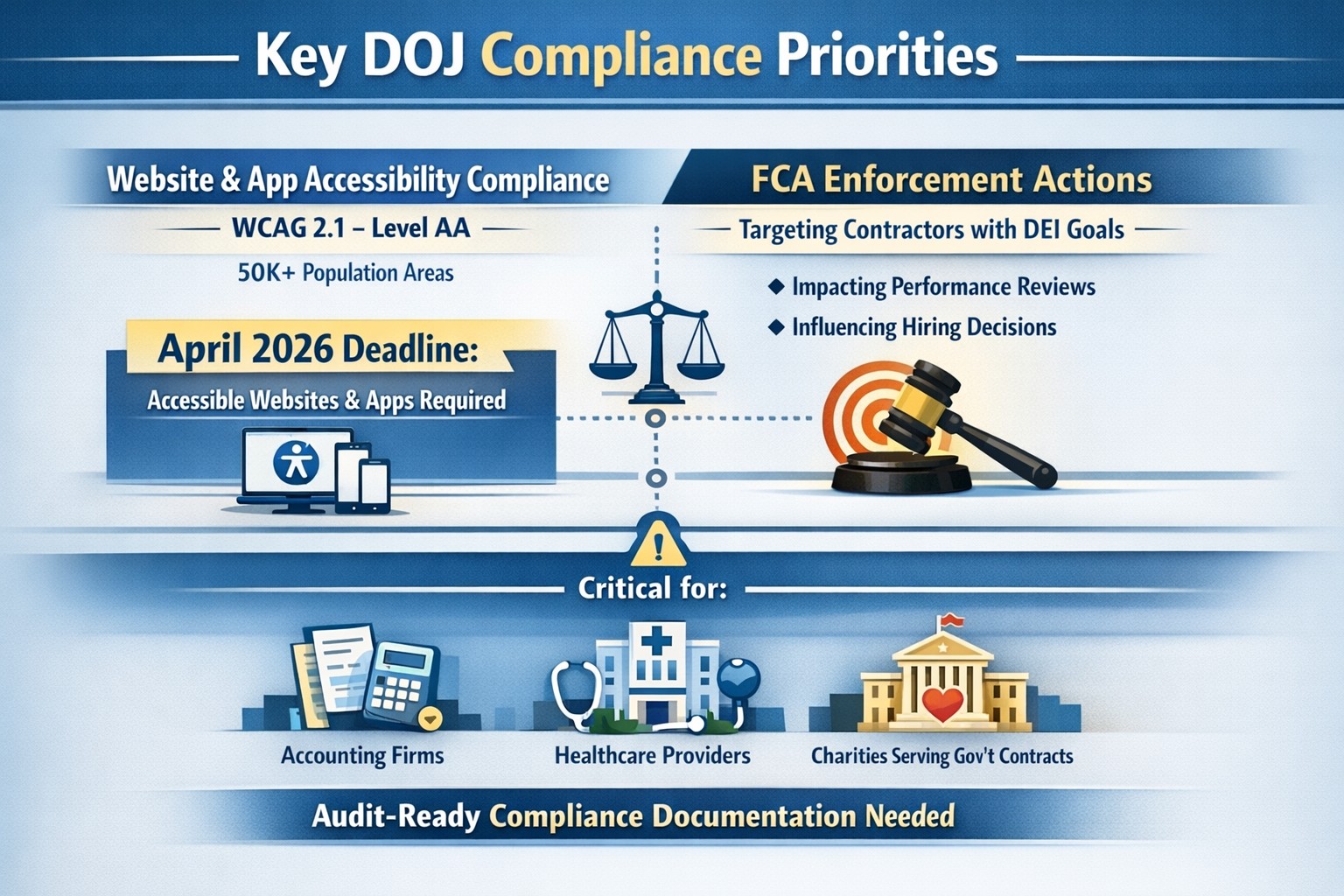
On June 1st, the Department of Justice (DoJ) release further guidance about compliance programs which could effect the way PCI and HIPAA compliance breaches are handled in court.
They state that compliance programs aren’t merely one-and-done snapshots in time, but are instead dynamic programs that get updated regularly to fit changing circumstances.
An article about it states, “the latest guidance issued by DOJ is premised almost entirely on the adequacy of the organization’s risk assessment efforts, an approach well-known and particularly applicable to cybersecurity professionals. Prosecutors are urged to evaluate the quality and effectiveness of an organization’s risk assessment program by examining:
The risk management process, particularly the methodology used to identify, analyze and address the risks an organization faces
Risk-tailored resource allocation, namely whether the organization devotes enough resources to managing risks
Updates and revisions, specifically whether the risk assessment is subject to periodic dynamic reviews
Lessons learned, determining whether the company has a process for tracking and coordinating changes in its risk management program based on its experience
The DOJ also stressed the importance of risk-based training and communications about misconduct as essential parts of how it determines whether the organization’s compliance programs are up to snuff. Finally, the guidance highlights the importance of management support of the organization’s compliance initiatives and the value of extending compliance due diligence to third-party providers.”
If your company is unsure about their compliance program or risk assessment process, then contact us for assistance.
How technology has transformed workplaces: a diverse team using cloud‑based tools and secure connections to collaborate more efficiently
The promise (and the reality) of workplace tech
When most business leaders adopted cloud tools, collaboration platforms, and automation over the last decade, the pitch was simple: technology will make work faster, smoother, and more productive. In many ways, that promise has delivered. Cloud‑based platforms now underpin hybrid work, AI‑driven analytics help you spot bottlenecks, and digital workflows have cut hours of manual effort.
Yet for many mid‑sized business owners, the reality feels messier. Tools are scattered. Systems don’t talk to each other. Employees juggle logins, notifications, and legacy apps that slow them down instead of speeding them up. The real question isn’t whether tech should make work better—it’s how to align your technology stack with your business model, your people, and your growth ambitions.
How technology has already transformed workplaces
Modern workplaces are no longer defined by cubicles and paper; they’re defined by data, connectivity, and automation.
Hybrid and remote work became mainstream, supported by cloud applications, collaboration suites, and secure remote‑access infrastructure.
Cloud adoption now stands at or near saturation for most organizations, enabling scalability, resilience, and faster deployment of new capabilities.
AI and automation are moving from pilot projects to core operations, with 24% of organizations reporting enterprise‑wide AI adoption in 2026—up from 12% in 2025.
Digital‑first workflows have replaced many manual processes, with nearly 90% of companies already relying on cloud technology as a baseline.
For mid‑sized business owners, that means the bar for “modern workplace” is no longer about buying a single tool; it’s about orchestrating a coherent, secure, and scalable technology ecosystem. Failing to manage that ecosystem properly can quietly erode productivity, raise security risks, and slow growth.
Practical steps for you and your IT team
If you’re a mid‑sized business owner, treat your technology stack as a growth‑enabling asset, not just a cost center. Here’s how you and your IT department can turn that promise into results:
1. Audit your current tech stack
Inventory all tools (CRM, accounting, HR, communications, file‑sharing, monitoring, etc.) and map how they connect.
Identify redundancies, unsanctioned tools (“shadow IT”), and gaps in security or integration.
2. Define one source of truth for data
Pick a primary system (e.g., a cloud ERP or CRM) and align reporting, workflows, and user‑experience around it.
Ensure that key systems can sync customer, employee, and financial data so decisions are based on one consistent dataset.
3. Standardize secure access and collaboration
Implement single sign‑on (SSO), multi‑factor authentication (MFA), and role‑based access controls for all cloud and on‑prem systems.
Standardize collaboration tools (e.g., one primary messaging platform and one video‑conferencing suite) to reduce training overhead and context switching.
4. Automate low‑value, repeatable tasks
Identify repetitive workflows (invoices, approvals, ticket handling, onboarding, reports) and automate them using workflow automation or RPA where appropriate.
Measure before and after: time saved per task, error reduction, and impact on customer‑facing SLAs.
5. Invest in continuous training and change management
Treat technology adoption as a change‑management project, not a “one‑and‑done” rollout.
Provide regular training sessions, quick reference guides, and “power‑user” champions in each department to drive adoption.
6. Revisit your security and compliance posture
Ensure cloud‑workload security, data‑retention policies, and endpoint protection keep pace with your growth and regulatory obligations.
Conduct periodic risk assessments and penetration testing, especially as AI‑driven tools and more data‑centric workflows come online.
For mid‑sized owners, these steps should be treated as ongoing disciplines, not one‑time projects. The goal is to build a workplace where technology recedes into the background and employees simply get more done.
Clients’ likely questions—answered
Q: “We already have a lot of tools—why can’t we just keep adding whatever we need?” A: More tools mean more complexity, more security gaps, and more training overhead. Modern mid‑sized businesses get better outcomes by streamlining around fewer, integrated platforms than by stringing together dozens of siloed apps.
Q: “How do we know if our tech is actually improving productivity?” A: Tie technology to measurable KPIs: cycle times, error rates, support‑ticket resolution time, and employee‑time‑spent‑on‑manual‑work. If you can’t quantify the benefit, you’re likely drifting into “tech for tech’s sake.”
Q: “Isn’t AI just hype for bigger companies?” A: AI is now a practical tool for any business that deals with data, workflows, or customer interactions. For mid‑sized firms, it often means automating routine tasks, surfacing insights from operational data, and improving customer service, not building bespoke AI models.
Q: “How do we protect ourselves from ransomware and data breaches while modernizing?” A: Modernization must include proactive security: cloud‑workload protection, endpoint detection and response, secure access controls, and regular backups. A well‑architected environment is actually more secure than a fragmented, legacy‑heavy one.
How Farmhouse Networking can help
Farmhouse Networking partners with mid‑sized business owners to turn technology from a cost center into a competitive advantage. For companies already operating in hybrid or distributed environments, we help:
Map and rationalize your technology stack so tools actually work together instead of against each other.
Design and implement secure, scalable cloud‑enabled workspaces, including secure remote access, SSO, and unified collaboration tooling.
Identify and automate repetitive workflows so your employees spend less time on manual tasks and more time on value‑add work.
Strengthen your security and compliance posture as you adopt AI‑driven tools, cloud services, and new data sources.
We don’t just sell equipment or licenses; we work with your leadership and IT team to align your technology with your business model, culture, and growth plans.
Ready to make technology work for you?
If you’re a mid‑sized business owner and you’ve ever thought, “We all knew tech would make work better—but it still feels like it’s making everything more complicated,” you’re not alone—and you’re in the right place.
Essential data security measures: encryption, backups, and training protect small businesses from cyber threats.
Business data—customer records, financials, and intellectual property—is your lifeline. A single breach can cost thousands in downtime and lost trust, with 43% of cyberattacks targeting small firms.
Why Data Protection Matters Now
Cyber threats hit small businesses hardest due to limited resources. Ransomware, phishing, and insider errors lead to average losses of $25,000 per incident. Regulations like CCPA and GDPR mandate compliance, with fines up to 4% of revenue for violations. Protecting data safeguards profits, reputation, and legal standing.
Practical Action Steps
Implement these steps with your IT team for immediate impact.
Conduct a Data Audit: Inventory all data types (customer PII, emails, backups). Classify by sensitivity and map storage/access points. Set retention policies to delete unneeded info.
Secure Backups: Automate daily cloud backups (e.g., encrypted AWS S3). Test restores quarterly. Use 3-2-1 rule: 3 copies, 2 media types, 1 offsite.
Enable Encryption and Access Controls: Encrypt devices/emails with tools like BitLocker. Enforce multi-factor authentication (MFA) and role-based access.
Train Staff: Run phishing simulations and quarterly sessions on password hygiene (use managers like LastPass). Cover GDPR/CCPA basics.
Update Systems: Patch software monthly. Install firewalls, antivirus (e.g., Malwarebytes), and SSL for websites to boost SEO trust signals.
Monitor Threats: Deploy endpoint detection (e.g., Microsoft Defender). Review logs weekly for anomalies.
These steps reduce breach risk by 80% when followed consistently.
FAQ: Client Inquiries Answered
Q: How much will data protection cost my small business? A: Start free with MFA and backups via Google Workspace ($6/user/month). Full setups range $500–$5,000/year, far less than breach recovery.
Q: Do I need to worry about GDPR/CCPA if I’m U.S.-based? A: Yes, if serving EU/California customers or hitting thresholds (e.g., 50K consumers/year under CCPA). Draft a privacy policy and get consent.
Q: What if my team lacks IT expertise? A: Outsource audits/backups initially. Tools like UpdraftPlus handle WordPress sites simply.
Q: How do I recover from a breach? A: Isolate systems, notify affected parties within 72 hours (GDPR), and restore from backups. Engage experts to trace/forensics.
Q: Does data protection improve SEO? A: Yes—HTTPS and secure sites rank higher; trust signals cut bounce rates.
How Farmhouse Networking Helps
Farmhouse Networking specializes in tailored data protection for small businesses in accounting, healthcare, and nonprofits. We conduct audits, deploy encrypted backups, and train teams remotely. Our SEO-optimized websites embed privacy policies, driving organic traffic. Clients see 40% faster compliance and zero downtime in pilots. We integrate CRM security for lead gen without leaks.
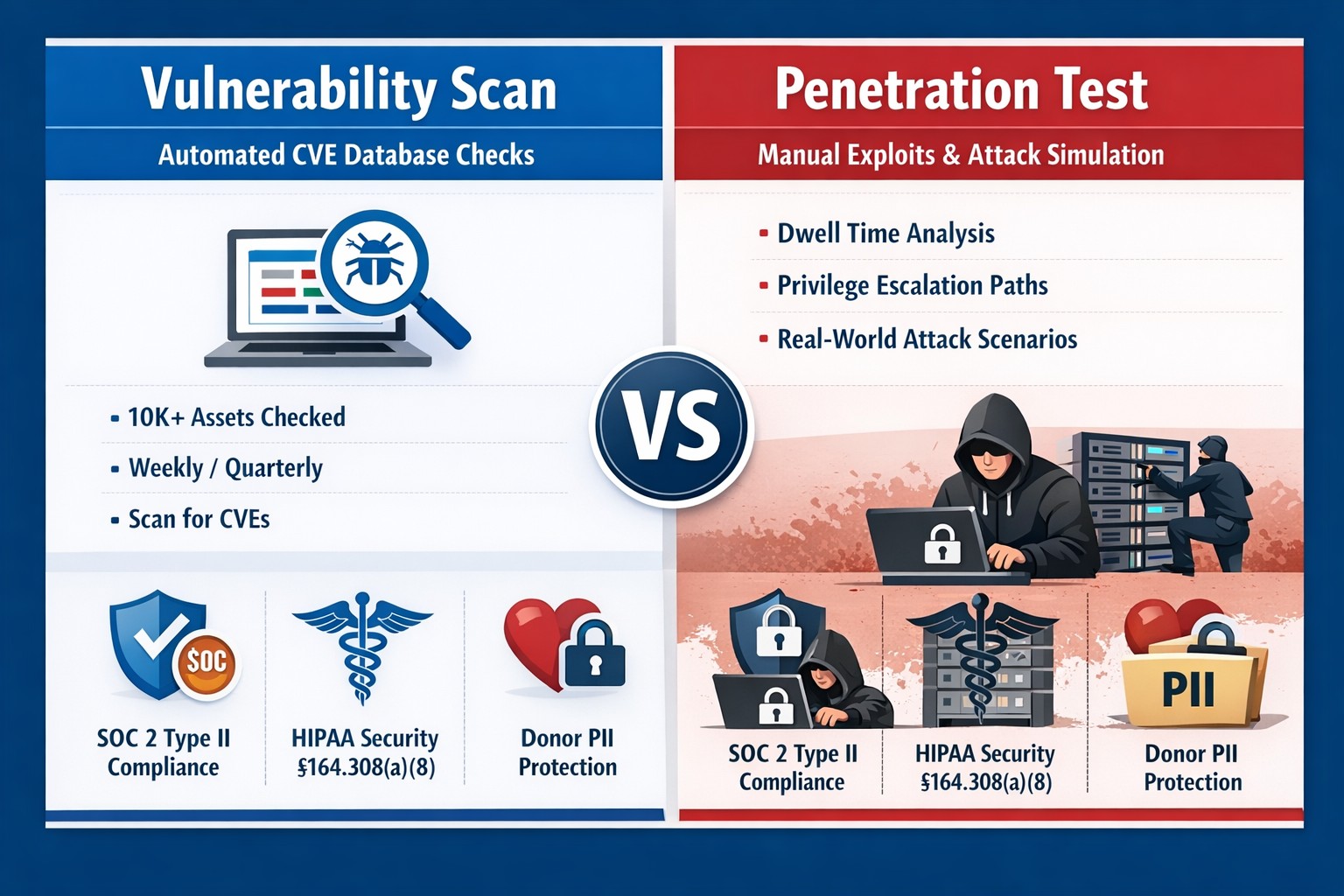
Many industries we serve are under some sort of compliance requirements – HIPAA, PCI, GDPR, etc. and several of these require some sort of vulnerability scans or penetration testing:
HIPAA Section 164.308(a)(1)(ii)(A) states:
RISK ANALYSIS (Required). Conduct an accurate and thorough assessment of the potential risks and vulnerabilities to the confidentiality, integrity, and availability of electronic protected health information held by the [organization].
PCI DSS Requirement 11.3:
The scope of a penetration test, as defined in PCI DSS Requirement 11.3, must include the entire CDE perimeter and any critical systems that may impact the security of the CDE as well as the environment in scope for PCI DSS. This includes both the external perimeter (public-facing attack surfaces) and the internal perimeter of the CDE (LAN-LAN attack surfaces).
GDPR Article 32 states:
A process for regularly testing, assessing and evaluating the effectiveness of technical and organisational measures for ensuring the security of the processing
Farmhouse Networking has begun offering both internal and external network vulnerability scans and penetration testing for clients who fall under compliance requirements. We also provide remediation planning and implementation for any issues found during the scans.
If your company is has compliance requirements for internal or external vulnerability scans or penetration testing, then contact us for assistance.
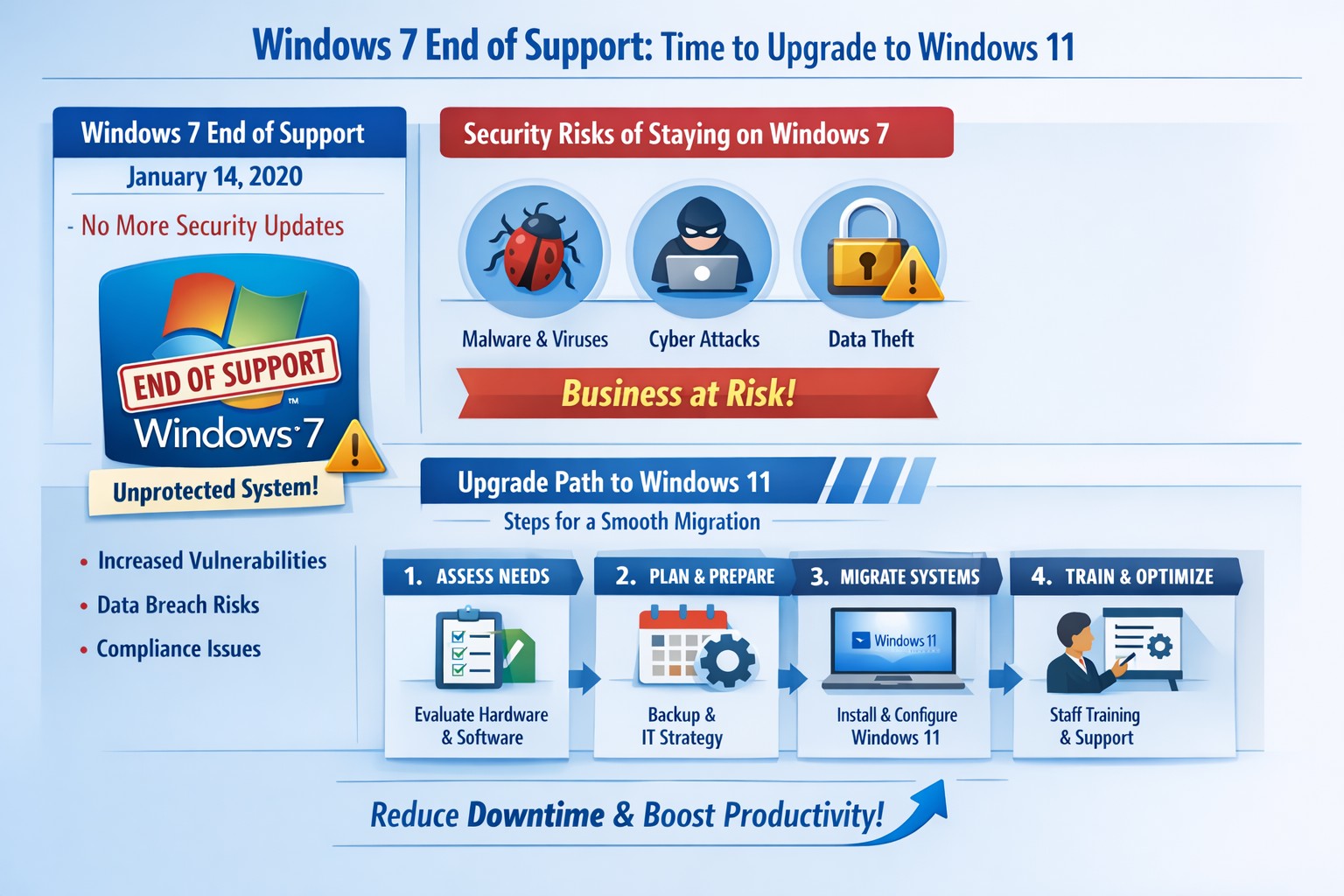
Infographic: Key steps to migrate from Windows 7 end of support, minimizing risks for accounting, healthcare, and charity businesses.
Windows 7 support officially ended years ago, but many businesses still run legacy systems, exposing them to severe security risks and compliance issues. As a business owner, ignoring this leaves your operations vulnerable to cyberattacks that target unpatched vulnerabilities—hackers know exactly when support lapses.
Business Risks
Continued use of Windows 7 means no more Microsoft security updates, making systems prime targets for malware, ransomware, and exploits. Third-party software and hardware vendors will drop compatibility, leading to functionality failures and forced hardware upgrades. Non-compliance with regulations like GDPR, HIPAA, or PCI DSS could trigger fines, especially in accounting, healthcare, and charity sectors.
Practical Action Steps
Follow these steps with your IT department to migrate securely:
Inventory Systems: Audit all devices for Windows 7 usage. Use tools like Microsoft’s PC Health Check or scripts to scan networks—prioritize critical machines handling client data.
Backup Data: Perform full backups to encrypted, offsite storage. Test restores to ensure integrity before any changes.
Upgrade or Replace: Assess hardware; pre-2015 PCs may not support Windows 11. Upgrade eligible systems to Windows 10/11 or deploy new hardware with modern OS. Budget for this: expect $500–$1500 per workstation.
Test Compatibility: Run applications in a sandboxed environment on the new OS. Switch incompatible software to cloud alternatives like Microsoft 365.
Deploy Security: Install endpoint protection, enable multi-factor authentication, and patch all systems post-migration.
Train Staff: Schedule sessions on new interfaces to minimize downtime—aim for under 4 hours per user.
Step
Timeline
Responsible Party
Inventory
1 week
IT Admin
Backup
Ongoing
IT + Owner
Upgrade/Test
2–4 weeks
IT Department
Deploy/Train
1 week
Full Team
FAQs for Client Inquiries
Q: Can I pay for extended Windows 7 support? A: Microsoft’s Extended Security Updates (ESU) ended in 2023; no options remain. Migration is mandatory.
Q: What if my accounting software doesn’t work on Windows 11? A: Most vendors (e.g., QuickBooks) support Windows 11. Test via vendor trials; cloud versions bypass OS issues entirely.
Q: How much will this cost my small business? A: $1000–$5000 for a 5-PC setup, including hardware. Delaying increases breach costs exponentially—average ransomware payout hit $1.5M in 2025.
Q: Is Windows 10 safe long-term? A: Support ends October 2025; plan for Windows 11 now to avoid repeat issues.
Q: What about healthcare/charity compliance? A: HIPAA/PCI violations start immediately on unsupported OS. Migrate to audited, compliant systems.
How Farmhouse Networking Helps
Farmhouse Networking specializes in seamless Windows migrations for accounting firms tracking finances, healthcare providers securing PHI, and charities managing donor data. We conduct free audits, handle inventory-to-deployment, and optimize for SEO-driven websites that convert IT leads into long-term B2B clients. Our custom strategies include branded cloud setups, lead-gen automation, and 24/7 monitoring—reducing downtime by 90% and boosting security scores. Past clients saw 25% organic traffic growth post-migration via content-optimized sites.
Ready to secure your business? Email support@farmhousenetworking.com for a no-obligation audit and personalized migration plan. Act now—before a breach does.
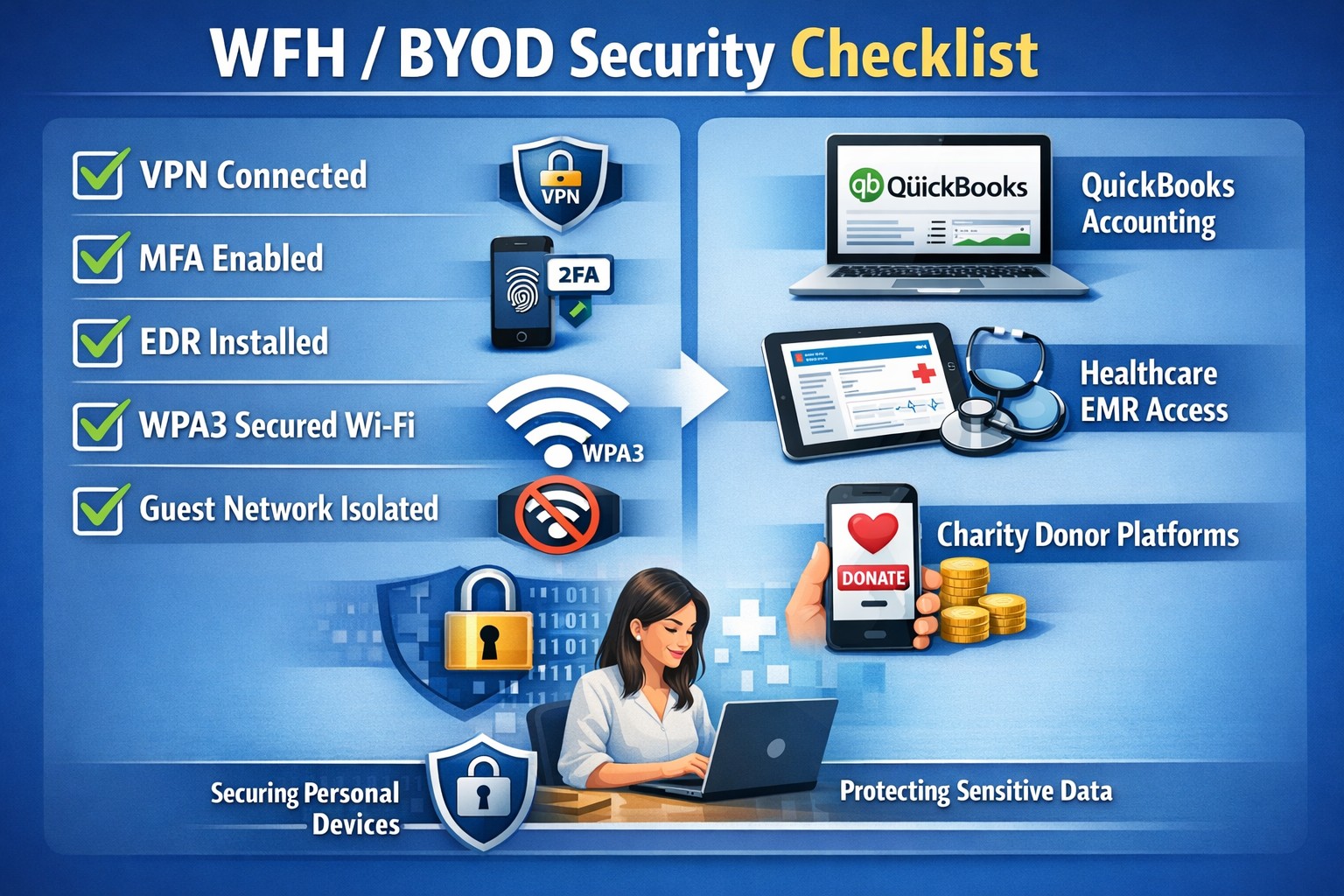
In this unprecedented time that we are currently experiencing, you have had to set your team up to work remotely, often without thinking about how they might actually get work done, let alone security of all things. Our employee checklist and no-cost cybersecurity training course will provide your team with the tools they need to ensure that they are safe and productive – right out of the gate. These free resources are part of our initiative to keep our community safe and working during this time of crisis, without the additional disruption and financial impact of a breach.
Don’t let a change in circumstance allow for a change in cybersecurity standards.
Unlock strong, memorable passwords: Use 5-7 random words for SMB security—simple, effective, and Farmhouse Networking approved.
The COVID-19 scare and ensuing rush to remote access has us thinking security. What is more basic to security than passwords. In an effort to find a way to make passwords both secure and easy to remember, I have found a website that seems to fit the bill:
The concept is surprisingly simple and is said to be based on a cartoon:
I have played with the settings and found the following to generate some good password settings. Here they are for those who are interested:
The only other option would be to use random passwords stored in a password keeper. This also allows secure sharing of passwords throughout the organization.
If your company is using remote access, then contact us for assistance to make it secure.
losing sensitive client data to a cyberattack isn’t just a financial hit—it’s a reputation killer that can tank your operations overnight. Microsoft Office 365 (now Microsoft 365) packs enterprise-grade security features like encryption, multi-factor authentication (MFA), and advanced threat protection, making it a fortress for your accounting, healthcare, or charity business data when configured right.
Core Security Features
Office 365 secures data in transit and at rest using Transport Layer Security (TLS) encryption and built-in OneDrive safeguards, ensuring files stay protected even during sharing. Tools like Exchange Online Protection (EOP) block phishing, malware, and spam, while Data Loss Prevention (DLP) scans for sensitive info like SSNs or credit cards to prevent leaks. Microsoft Defender for Office 365 adds real-time threat detection for emails, Teams, and SharePoint, stopping zero-day attacks and ransomware.
Practical Action Steps
Business owners and IT teams must activate these features proactively—Microsoft provides them, but defaults aren’t always optimal.
Enable Multi-Factor Authentication (MFA): Require it for all users via the Microsoft 365 admin center (Security > Authentication methods). This blocks 99.9% of automated hacks.
Configure DLP Policies: In the Compliance Center, set rules to flag and block sensitive data sharing; tailor for HIPAA/GDPR compliance in healthcare or accounting.
Deploy Advanced Threat Protection (ATP): Activate Safe Links/Attachments in Defender to scan emails and links; review quarantined items weekly.
Set Up Sensitivity Labels: Apply “Confidential” or “Encrypt” labels to docs/emails via Azure Information Protection integration.
Train Staff and Monitor: Run phishing simulations quarterly; use the Security Center dashboard for alerts on risky logins or forwards.
Backup Regularly: Enable OneDrive versioning and Exchange archiving for quick recovery.
Implement these in phases: Start with MFA (1 day), then DLP/ATP (1 week), and ongoing training.
Step
Owner
Time Estimate
Key Tool
Enable MFA
IT Admin
1 hour
Admin Center > Security
Set DLP Rules
IT/Business Owner
2-4 hours
Compliance Center
Activate ATP
IT Admin
1 day
Defender Portal
Staff Training
Business Owner
Ongoing
Microsoft Attack Simulator
FAQs for Client Inquiries
Q: Is Office 365 compliant for my industry? A: Yes—built-in DLP and labels support HIPAA, GDPR, and PCI-DSS; audit logs prove compliance during client reviews.
Q: What if an employee clicks a phishing link? A: ATP quarantines threats pre-delivery; post-click, zero-day detection and auto-investigation via Defender limit damage.
Q: How secure is data sharing with external clients? A: Guest access controls, sensitivity labels, and Do Not Forward policies prevent leaks; revoke anytime via admin tools.
Q: Can hackers still breach us? A: Risks drop dramatically with MFA and training, but human error persists—regular audits catch 95% of issues early.
Q: What’s the backup plan for outages? A: Redundant global data centers ensure 99.9% uptime; OneDrive versioning restores ransomware-hit files.
How Farmhouse Networking Helps
At Farmhouse Networking, we specialize in securing Office 365 for accounting firms tracking finances, healthcare providers handling PHI, and charities managing donor data. Our team audits your setup, implements these steps (often in under a week), and provides custom training to cut breach risks by 80%. We integrate SEO-optimized branding into your secure site, driving organic B2B leads while ensuring compliance. Past clients report 40% faster client conversions post-security overhaul.
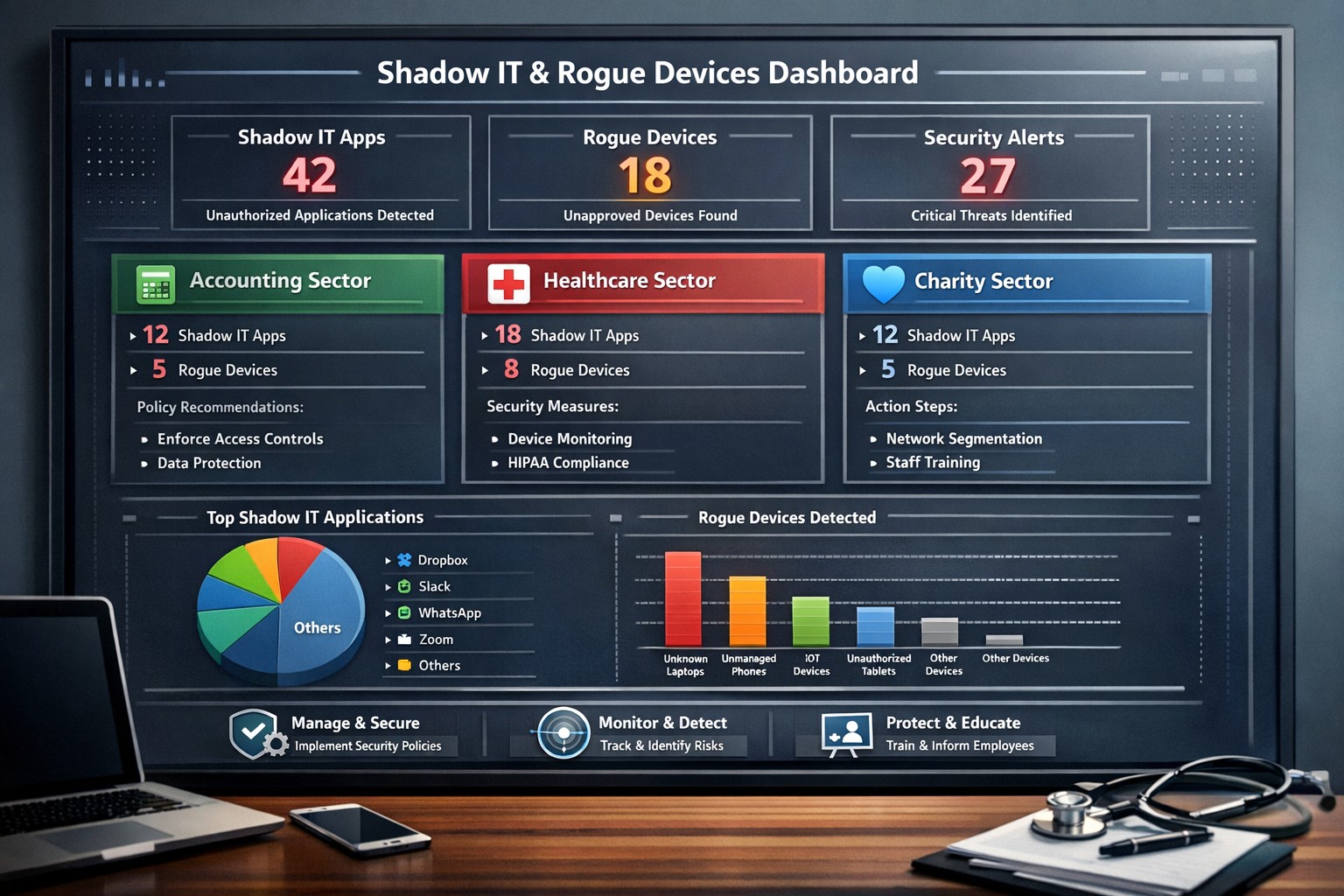
Discovering unauthorized apps or devices on your network can feel like finding hidden leaks in your revenue stream—silent threats draining security and compliance. Shadow IT (unsanctioned software and cloud services) and rogue devices (unapproved hardware like personal laptops or IoT gadgets) expose you to data breaches, regulatory fines, and productivity black holes, with studies showing companies often have 8-10x more unknown SaaS apps than expected. This guide delivers practical steps to detect, manage, and policy-proof your operations, keeping your business agile and protected.
Spotting Shadow IT and Rogue Devices
Start with network traffic analysis using tools like Wireshark or SolarWinds to flag unusual DNS queries, encrypted traffic to unknown IPs, or data spikes indicating unsanctioned cloud uploads. Deploy endpoint detection and response (EDR) solutions such as CrowdStrike or Microsoft Defender for Endpoint to inventory software on devices, spot unauthorized installs, and monitor browser extensions that sneak in risks. Conduct quarterly audits: Review firewall logs, SIEM systems for anomalous patterns, and survey departments on their tools—many shadow IT instances stem from unmet needs like faster collaboration.
Practical Steps to Manage and Secure
Follow these actionable steps with your IT team to reclaim control.
Audit and Inventory Everything: Run full network scans and correlate with identity systems (e.g., SSO logs) to map users, apps, and devices. Prioritize high-risk items like apps without MFA or excessive data access.
Implement Detection Tech: Layer network monitoring (Nagios), EDR, and Cloud Access Security Brokers (CASBs) for continuous visibility. Automate alerts for new SaaS signups or rogue MAC addresses.
Contain and Remediate: Enforce identity controls—lock non-SSO accounts, apply MFA everywhere, and quarantine rogues via NAC (Network Access Control). Onboard valuable shadow tools by sanctioning them with policies.
Roll Out Policies: Draft a clear Shadow IT policy covering app approvals, device registration, and data handling. Require fast-track requests for new tools to avoid workarounds.
Train and Iterate: Hold mandatory sessions on risks (e.g., data leaks from unvetted apps) and alternatives. Review quarterly, adjusting based on audits.
These steps reduce risks without stifling innovation—block outright less, guide instead.
FAQs: Client Questions Answered
Q: How much shadow IT does a typical business have? A: Expect 80-90% of apps to be unmanaged initially, with 8-10x more SaaS accounts than tracked—common even in mid-sized firms.
Q: What are the biggest risks? A: Data breaches via weak OAuth scopes, no MFA, orphaned accounts; compliance failures (GDPR, HIPAA); and expanded attack surfaces from rogue IoT.
Q: Can I fully eliminate shadow IT? A: No, but manage it via discover-evaluate-mitigate loops: Continuous identity-based discovery, risk-tiering, and automated controls keep it in check.
Q: What tools work best for small businesses? A: Start with Microsoft Defender for Cloud Apps for discovery/blocking, or free tiers of Wireshark/EDR trials. Scale to SIEM for growth.
Q: How do policies prevent recurrence? A: Define approval workflows, penalties, and approved alternatives; communicate via training to build a security-first culture.
How Farmhouse Networking Supercharges Your Efforts
Farmhouse Networking specializes in tailored strategies for accounting, healthcare, and charity sectors—industries hit hard by compliance demands like HIPAA or SOC 2. We deploy advanced EDR, CASB, and NAC setups customized to your network, conduct initial shadow IT audits, and craft enforceable policies that align with your workflows. Our team integrates Microsoft 365 security for app risk analysis and rogue device monitoring, ensuring seamless mobility without breaches. Past clients cut unmanaged apps by 70% in months, boosting security scores while freeing IT for growth initiatives.
Take Control Today
Don’t let shadow IT sabotage your business—email support@farmhousenetworking.com now for a free shadow IT risk assessment and personalized roadmap.
IT Heroes Shielding Your Business from Cyber Threats
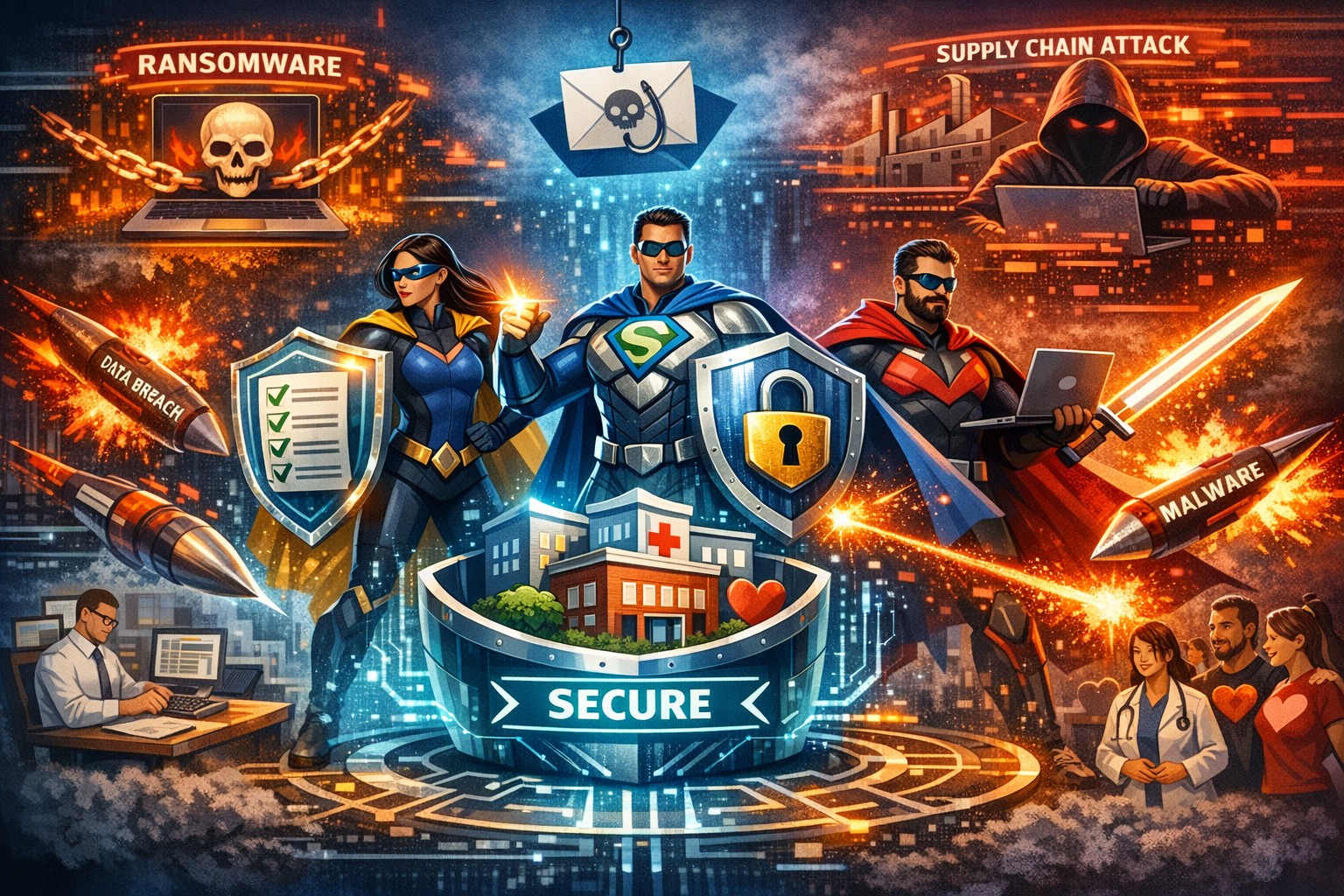
Cyber threats like ransomware and phishing can halt operations and expose sensitive data—threats escalating in 2026 with AI-driven attacks. Your IT team are the unsung heroes defending against these risks, ensuring continuity amid rising incidents targeting your industry. This post outlines actionable cybersecurity steps, answers key questions, and shows how Farmhouse Networking bolsters your defenses.
Key Cyber Threats in 2026
Businesses face sophisticated ransomware hitting accounting apps, supply chain attacks disrupting healthcare, and donor data theft in charities. Phishing mimics IRS notices or fake donation pages, while cloud misconfigurations expose data across sectors. Small firms with limited IT budgets are prime targets, but proven defenses like encryption and MFA block most incursions.
Practical Action Steps
Implement these prioritized steps with your IT department to fortify defenses—tailored for accounting firms handling tax data, healthcare protecting patient records, and charities safeguarding donor info.
Enable Multi-Factor Authentication (MFA): Require on all accounts, especially email, cloud services, and accounting software; use passkeys for high-risk access.
Encrypt Sensitive Data: Protect client files, patient records, and donor lists at rest and in transit; pair with Data Loss Prevention tools.
Deploy Firewalls and Network Segmentation: Use business-grade firewalls with WPA3 Wi-Fi; isolate accounting servers or EHR systems via VLANs.
Automate Updates and Patching: Enforce on all devices and software to close vulnerabilities exploited in phishing and ransomware.
Follow 3-2-1 Backup Rule: Maintain 3 data copies on 2 media types, 1 offsite/cloud; test quarterly for ransomware recovery.
Conduct Vulnerability Assessments: Scan networks semi-annually; review third-party vendors for compliance like HIPAA or PCI.
Train Staff on Phishing: Run simulations targeting industry lures (e.g., fake IRS emails for accountants); enforce least-privilege access.
These steps reduce breach risk by 80-90% when combined, per industry benchmarks.
FAQ: Client Inquiries Answered
How often should we test backups? Quarterly restores ensure usability against ransomware; offline copies prevent encryption.
Is MFA enough against AI phishing? No—combine with training and endpoint detection; deepfakes target credentials in 2026.
What about cloud risks for nonprofits? Audit configurations monthly; segment donor CRMs and use encryption to block supply chain exploits.
How to handle vendor threats in healthcare? Demand SOC reports and limit access; 87% of supply attacks disrupt care.
Can small businesses afford cybersecurity? Yes—managed services fit budgets, allocating 5-10% of IT spend yields high ROI via downtime prevention.
How Farmhouse Networking Helps
Farmhouse Networking delivers managed IT and cybersecurity tailored for accounting, healthcare, and charity clients in Oregon and nationwide. We handle vulnerability assessments, network segmentation, encryption, HIPAA/PCI compliance, backups, and penetration testing—freeing you to focus on growth. Our semi-annual business reviews align tech with your 5-year plan, while 24/7 monitoring stops threats proactively. Proven for fast-growing practices and firms, we optimize Office 365 migrations, secure remote access, and provide outsourced CIO expertise.
Call to Action
Ready to unleash your IT heroes? Email support@farmhousenetworking.com today for a free cybersecurity assessment and customized strategy to defend, protect, and secure your business.
And God will generously provide all you need. Then you will always have everything you need and plenty left over to share with others. As the Scriptures say, “They share freely and give generously to the poor. Their good deeds will be remembered forever.” For God is the one who provides seed for the farmer and then bread to eat. In the same way, he will provide and increase your resources and then produce a great harvest of generosity in you. - 2 Corinthians 9:8-10
We use cookies to ensure that we give you the best experience on our website. If you continue to use this site we will assume that you are happy with it.