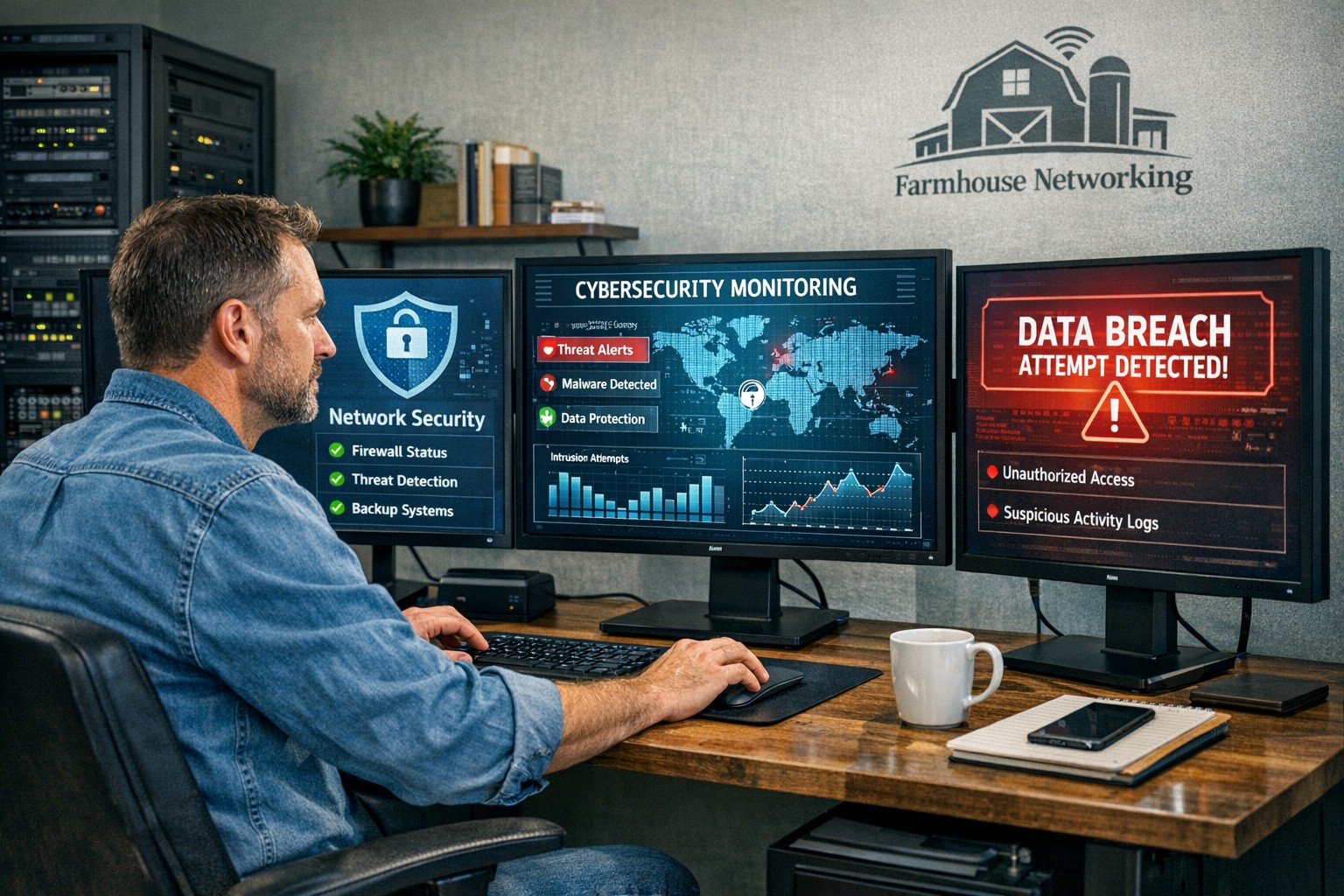
Proactive cybersecurity measures help business owners protect critical data and prevent costly security breaches.
One security breach can cost your business more than money — it can cost your reputation. From phishing scams to ransomware attacks, data security threats are becoming more sophisticated each year. But here’s the good news: with the right protection strategies, you can dramatically reduce your risk.
Whether you’re running a small company or a growing enterprise, protecting business data is no longer optional — it’s a core part of your business strategy.
Why Business Data Security Matters
Cybercriminals target businesses of all sizes — especially small and midsize companies that often have fewer security defenses. According to IBM’s Cost of a Data Breach Report, the average small business breach costs over $4 million when factoring in downtime, lost trust, and legal fees.
Beyond financial losses, breaches can leak customer information, expose proprietary data, and permanently erode credibility. In short: the most successful companies treat cybersecurity as an investment, not an expense.
Action Steps to Protect Your Business Data
Here are practical steps you and your IT team can take today to guard your systems from digital threats:
Implement Multi-Factor Authentication (MFA) Require MFA across all systems — especially for email, remote access, and cloud platforms. It adds an extra layer of defense beyond passwords.
Keep Software and Devices Updated Outdated systems are one of the easiest entry points for cyberattacks. Regularly patch software, update firmware, and remove unsupported devices from your network.
Encrypt Sensitive Data Data encryption ensures that even if files are stolen, they’re unreadable without authorization. Use encryption for files both at rest (stored) and in transit (sent).
Train Employees on Cybersecurity Best Practices Human error accounts for nearly 9 in 10 breaches. Conduct regular training on phishing awareness, password hygiene, and safe device handling.
Back Up Data Securely and Frequently Maintain automated backups stored in secure, isolated environments. Test your recovery process regularly to ensure data can be restored quickly.
Use Endpoint Protection and Firewalls Deploy advanced endpoint protection tools that include antivirus, intrusion detection, and behavior analysis. Combine this with a next-generation firewall to monitor network traffic.
Establish an Incident Response Plan Have a clearly documented procedure for detecting, reporting, and containing breaches. This reduces downtime and ensures a coordinated response if an attack occurs.
Client Questions and Expert Answers
Q: What’s the biggest cybersecurity risk for small businesses today? A: Phishing attacks remain the top threat. Cybercriminals trick employees into revealing passwords or installing malicious software via deceptive emails. Continuous employee training is the best defense.
Q: How often should we audit our security systems? A: At least once per year — but ideally every six months. Regular security assessments can uncover vulnerabilities before they evolve into costly breaches.
Q: We already use antivirus software. Isn’t that enough? A: Unfortunately, antivirus alone can’t detect modern threats like ransomware or insider attacks. A layered approach — combining advanced endpoint protection, MFA, and encrypted backups — provides broader coverage.
Q: What if we don’t have an in-house IT team? A: Partnering with a managed IT provider, like Farmhouse Networking, ensures your security systems are monitored, updated, and optimized by professionals without needing to hire full time staff.
How Farmhouse Networking Can Help
At Farmhouse Networking, we specialize in helping businesses strengthen their cybersecurity from the ground up. Our team provides proactive services that protect your data, improve network reliability, and ensure compliance with today’s data protection standards.
Here’s how we can support your efforts:
Comprehensive Security Audits: Identify weaknesses and design customized security improvements.
Managed IT & Monitoring: 24/7 system monitoring and rapid-threat response to prevent downtime.
Employee Security Training: Ongoing education sessions to keep your team prepared against the latest threats.
Data Backup and Recovery Planning: Secure cloud backup solutions designed to safeguard business continuity.
With Farmhouse Networking, you gain a trusted partner who’s dedicated to protecting your systems so you can focus on running your business with confidence.
Take the Next Step
Your business data deserves protection that’s proactive, not reactive. Don’t wait until an attack happens — act now to build a secure digital foundation.
Email support@farmhousenetworking.com to learn how Farmhouse Networking can help secure your data, reduce risk, and keep your operations running smoothly.
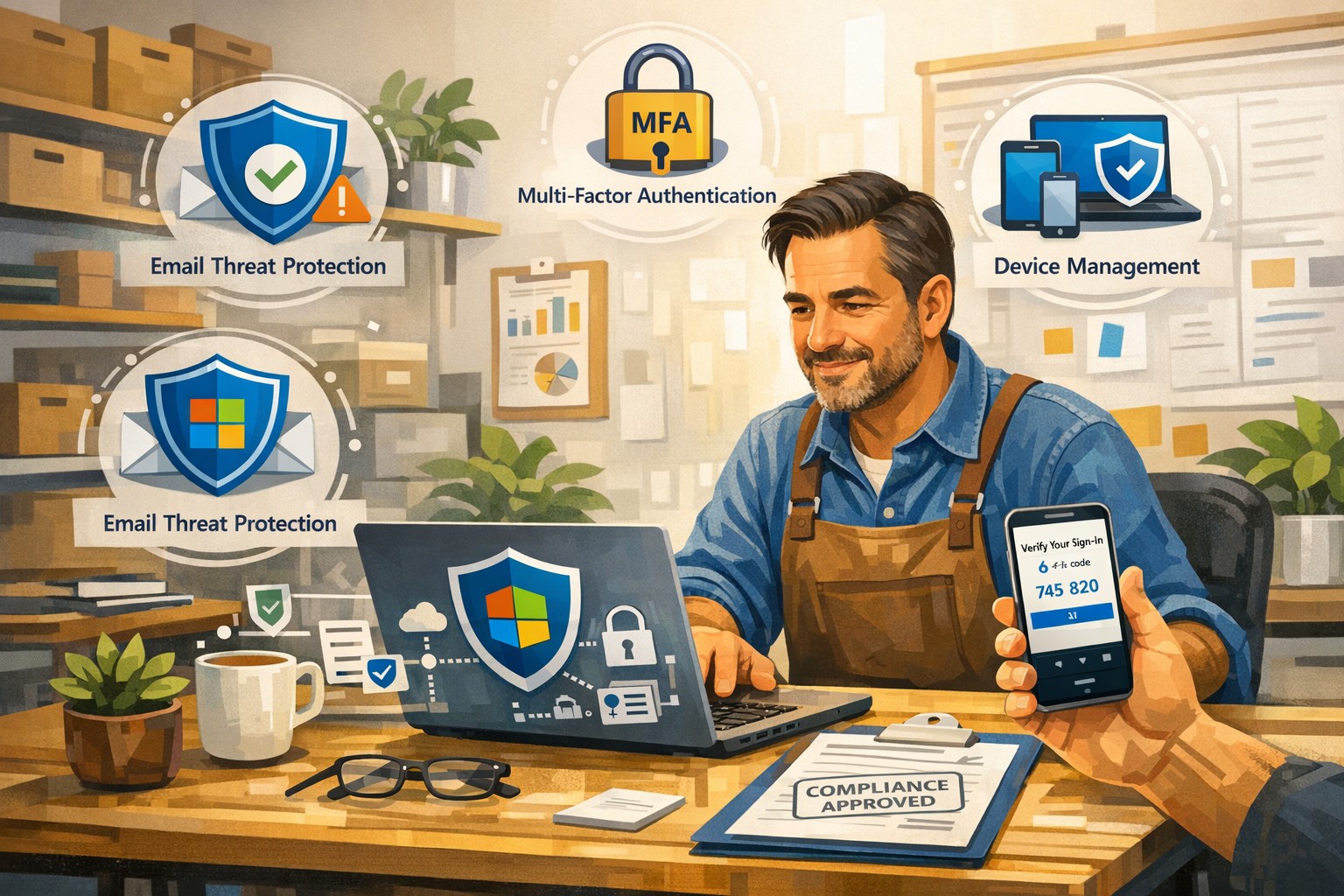
A small business owner uses Microsoft 365 Business to protect email, files, and devices with advanced security features like MFA and device management.
You’re a target whether you have 5 employees or 150. A single compromised email account, lost laptop, or bogus invoice can cost more than a year of IT budget. Microsoft 365 Business (especially Business Premium) includes advanced security—multi-factor authentication, threat protection, and device management—that, when configured correctly, can dramatically reduce your risk without slowing your team down.
Why Microsoft 365 Security Matters to Owners
Microsoft 365 Business plans include built-in protections for email, files, identities, and devices, not just productivity tools. They provide anti-phishing, anti-spam, and anti-malware for cloud mailboxes, plus additional capabilities in Business Premium such as endpoint protection, data loss prevention, and advanced email threat protection. These capabilities are designed specifically for small and mid-sized businesses with up to about 300 users.
For you as an owner, the business outcomes are clear: fewer successful phishing attacks, protection if a device is lost or stolen, better control over who can see what, and evidence you’re taking reasonable steps for compliance and cyber insurance.
Practical Action Steps for You and Your IT
Below is a prioritized, owner-friendly checklist you can drive with your IT provider or internal IT lead.
1. Lock down accounts and logins
Owner responsibilities:
Require multi-factor authentication (MFA) for all staff, especially executives and finance.
Make it policy that shared accounts (info@, billing@) are tightly controlled and monitored.
Approve a standard for strong passwords and password reset processes.
IT responsibilities:
Turn on MFA for all users and admins and enforce it with security defaults or Conditional Access.
Protect admin accounts (separate admin IDs, no email or browsing from admin accounts, strong MFA).
Disable legacy authentication protocols that bypass modern security controls.
2. Harden email and collaboration
Owner responsibilities:
Decide which types of sensitive information must never be sent unencrypted (SSNs, health info, financials, donor lists, etc.).
Set expectations that staff must report suspicious emails instead of clicking or deleting quietly.
IT responsibilities:
Enable advanced anti-phishing, Safe Links, and Safe Attachments if you have Business Premium or Defender add-ons.
Configure preset security policies for Exchange Online to enforce consistent spam and malware filtering.
Enable email encryption policies for sensitive communications and configure data loss prevention (DLP) rules for critical data types.
3. Protect laptops, desktops, and mobile devices
Owner responsibilities:
Require all company devices to be enrolled in device management before accessing business data.
Decide whether personal (BYOD) phones can access company data and under what conditions.
IT responsibilities:
Use mobile device management and mobile app management to enforce PIN/biometric locks and device encryption.
Configure endpoint protection (Microsoft Defender for Business) on Windows devices and ensure automatic security updates.
Enable the ability to remotely wipe corporate data from lost or stolen devices.
4. Control access to files and data
Owner responsibilities:
Define which departments or roles should have access to which data (HR, finance, operations, executive, etc.).
Nominate “data owners” in each area who approve access changes.
IT responsibilities:
Use role-based access and groups to control who can see what in SharePoint, OneDrive, and Teams.
Implement sensitivity labels (e.g., Public, Internal, Confidential) to classify and protect documents and emails.
Set file-sharing policies (internal-only for sensitive data, restricted external sharing where needed).
5. Train people and monitor the environment
Owner responsibilities:
Mandate short, recurring security awareness training and phishing simulations.
Make it clear that reporting a mistake early is rewarded, not punished.
IT responsibilities:
Turn on security dashboards/secure score reporting and review them routinely.
Run regular phishing simulations and track improvement over time.
Document an incident response plan: who does what in the first hour of a suspected breach.
Common Client Questions and Straightforward Answers
Q1: Isn’t Microsoft 365 secure “out of the box”? A: It’s secure by default compared to many platforms, but critical features like MFA, device policies, and data loss prevention must be deliberately configured. Think of it like a building with locks installed—you still have to decide who gets keys and when doors stay locked.
Q2: Will all this security make it harder for my employees to work? A: Done properly, most changes are almost invisible after setup. MFA adds a few seconds at sign-in but can drastically cut account takeovers; device policies and automatic updates run in the background.
Q3: We’re a small business. Are we really a target? A: Yes. Automated attacks scan the internet for easy targets regardless of size, and small businesses are often seen as “soft” targets with weaker controls.
Q4: Do we need Business Premium, or is Basic/Standard enough? A: Basic and Standard include core email protections and collaboration tools, but Business Premium adds advanced threat protection, full device management, and better data protection—those are often required to meet cyber insurance and compliance expectations.
Q5: How long does it take to put all this in place? A: A phased rollout is typical: MFA and email protection in days, device and data controls over a few weeks, followed by ongoing tuning and training.
How Farmhouse Networking Helps You Implement This
Farmhouse Networking specializes in turning Microsoft 365 Business into a practical, business-grade security platform tailored for small and mid-sized organizations in accounting, healthcare, and nonprofit sectors.
Here is what implementation looks like with us:
Security assessment and roadmap We review your current Microsoft 365 tenant, licensing, and security posture, then build a prioritized, owner-friendly roadmap focused on quick wins (MFA, admin protection, baseline email security) and longer-term improvements (device management, DLP, labeling).
Secure configuration and deployment We configure MFA, Conditional Access, advanced email security, device protection, and file-sharing policies following Microsoft best practices, while aligning with your industry-specific requirements and compliance pressures.
Data classification and access design We work with you to define which information is most sensitive, who should access it, and how to label and protect it across email, SharePoint, OneDrive, and Teams.
User training and ongoing support We provide concise training for your staff, phishing simulations, and ongoing monitoring so that your security posture keeps improving instead of drifting over time.
Coordination with your IT team If you already have internal IT, we act as a specialist partner, focusing on Microsoft 365 security design, documentation, and escalation support while your team handles day-to-day operations.
Call to Action
If you want to turn Microsoft 365 Business into a true security shield for your organization—not just an email and Office subscription—Farmhouse Networking can design and implement a right-sized security program for you.
Email support@farmhousenetworking.com for more information about how Farmhouse Networking can help improve your business and better protect it with advanced security from Microsoft 365 Business.
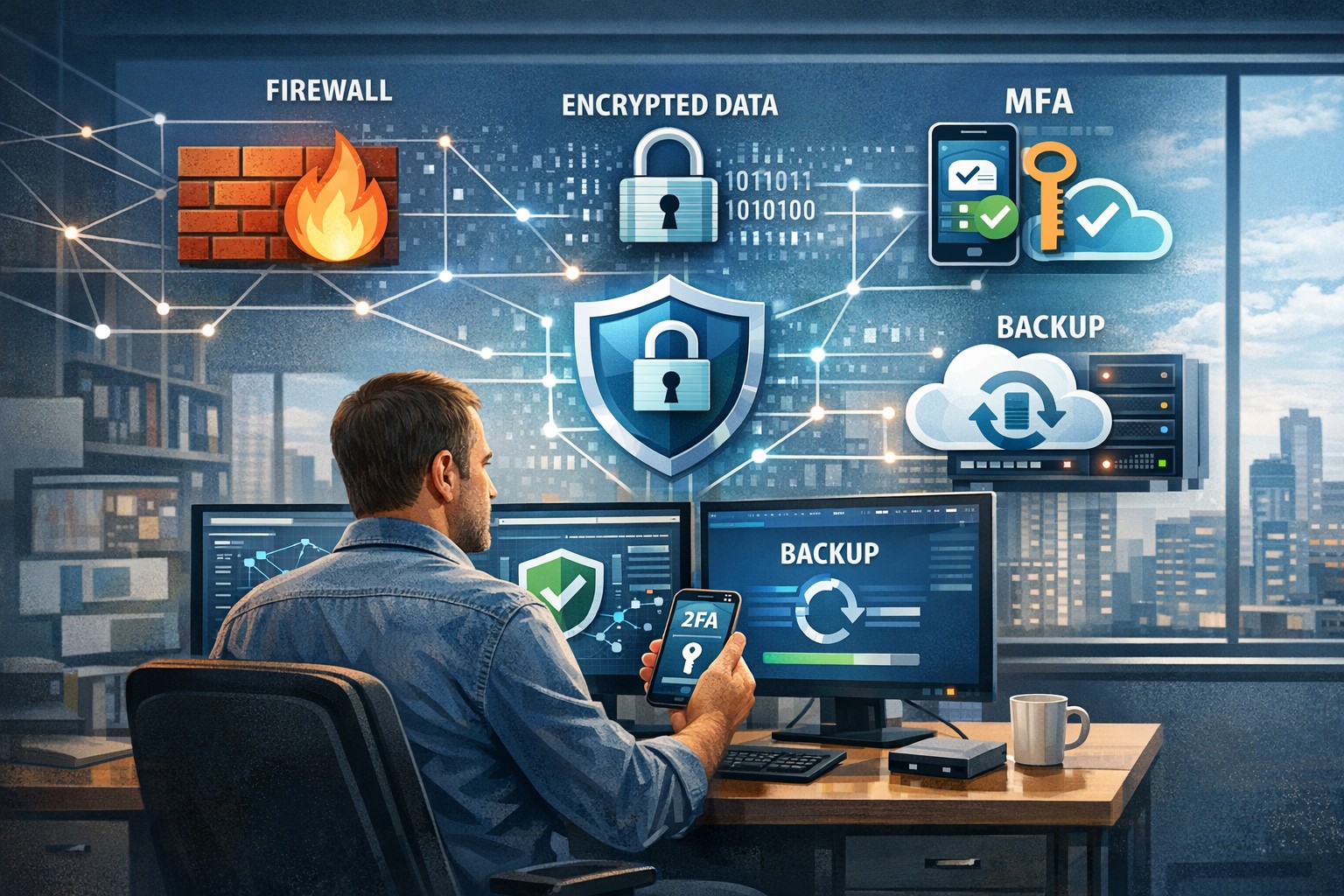
A small business owner leveraging modern cybersecurity tools—firewalls, multi‑factor authentication, and backups—to protect their company’s network and sensitive client data from cyber threats.
You may think cyberattacks are a “big‑company problem.” In 2026, that assumption is one of the most dangerous blind spots you can have. Cybercriminals increasingly target SMBs precisely because budgets are tighter, security is lighter, and breaches in small environments can be just as costly as in large enterprises. The question is no longer if a threat will hit your business, but when—and whether your people, data, and reputation are ready.
For a business‑owner audience, this post breaks down what “good cybersecurity” actually looks like in practice, gives you concrete steps your team can take, answers common client‑facing concerns, and shows how Farmhouse Networking can help you implement and maintain these protections without overhauling your operations.
Why SMBs Are Prime Targets
Cybercriminals are opportunistic: they look for the path of least resistance. SMBs often have limited IT staff, minimal security budgets, and patchy policies around email, passwords, and backups. That combination makes them ideal targets for ransomware, phishing, and data‑theft campaigns that can cripple operations and destroy customer trust in a matter of hours.
Regulatory scrutiny is also tightening. Even if you’re not a multinational, you may still face fines or contractual penalties if client or partner data is lost in a breach. Investing in cybersecurity is no longer “optional overhead”—it’s a core cost of doing business in 2026.
Practical Cybersecurity Steps for Business Owners
You don’t need a Fortune‑500‑level security team, but you do need structure. Here are the key areas every small or mid‑size business should address, along with specific actions your owner and IT team can immediately act on.
1. Lock Down Access with Strong Authentication
Require multi‑factor authentication (MFA) for all accounts that hold customer data, email, banking, or cloud services.
Prefer authenticator apps or hardware keys over SMS‑based codes to reduce phishing and SIM‑swapping risk.
Enforce strong password policies and provide a company‑approved password manager so teams don’t reuse passwords across personal and business services.
2. Patch Systems and Secure Endpoints
Turn on automatic updates for operating systems, browsers, and core business software (accounting, CRM, practice management).
Deploy next‑generation antivirus or EDR tools that monitor unusual behavior, not just known malware signatures.
Ensure every device that touches business data has disk encryption, screen‑lock timing, and basic firewall rules enabled.
3. Protect Networks and Wi‑Fi
Use business‑grade firewalls with default‑deny rules and logging, and avoid exposing unnecessary ports to the internet.
Configure Wi‑Fi networks with WPA3 encryption (or WPA2‑Enterprise), and keep guest Wi‑Fi on a separate, isolated segment.
Segment your network so that high‑value systems (financial and HR data, servers) sit on a separate, more tightly controlled segment.
4. Back Up Data and Plan for Incidents
Define what data is critical (client records, financials, contracts) and back it up regularly to an encrypted, cloud‑ or off‑site‑based solution.
Store multiple recovery points and test restorations periodically to ensure backups actually work.
Put a simple incident response plan in place: who gets notified, who talks to clients, and how you’ll isolate affected systems during a breach.
5. Train Your Team and Manage Email Risk
Conduct regular, short security training focused on phishing, password hygiene, and safe handling of sensitive data.
Deploy an email security gateway that scans attachments, rewrites malicious URLs, and quarantines suspicious messages before they reach inboxes.
Establish clear rules for sharing sensitive data via email (e.g., no client SSNs or insurance numbers in plain text) and enforce them.
Common Client Questions (and How to Answer Them)
When you talk to clients about cybersecurity, they’ll naturally ask around cost, risk, and responsibility. Framing these clearly builds trust and positions your business as a professional partner, not just a vendor.
“Won’t this slow down our operations?”
Answer: Modern security tools are designed to run quietly in the background. Properly configured firewalls, MFA, and endpoint protection add minimal friction while stopping the vast majority of automated attacks. Think of it like seat belts and airbags: you don’t feel them every day, but they’re critical when something goes wrong.
“We’re a small business; do we really need this much protection?”
Answer: Cybercriminals are increasingly using AI‑driven tools to probe and exploit small businesses precisely because defenses are weaker. A single breach can mean downtime, legal fees, and reputational damage that can take years to recover from. Basic, layered security is now table stakes for reputable SMBs.
“How do you know if our network is secure enough?”
Answer: There’s no “perfectly secure” state, but there are measurable baselines:
Are critical systems encrypted and backed up?
Is MFA enforced on all key accounts?
Are software and firmware updated regularly?
Are there clear policies and training for staff? A third‑party security audit or network assessment can map these gaps and prioritize where to invest next.
How Farmhouse Networking Can Help
Farmhouse Networking is built to help small and mid‑size businesses implement, manage, and maintain these cybersecurity measures without the overhead of a full‑time, in‑house security team. We focus on practical, cost‑effective solutions that fit your budget and workflow.
Here’s how we support your cybersecurity efforts:
Network and firewall configuration: We design and harden your network so that only necessary services are exposed, and sensitive systems are segmented and monitored.
Endpoint protection and patch management: We deploy and manage modern antivirus/EDR tools, ensure automatic updates, and enforce device‑level security policies across laptops, desktops, and mobile devices.
MFA, password policy, and access controls: We help you implement MFA everywhere it matters and set up role‑based access so employees only see the data they need.
Backup and incident readiness: We design a backup strategy tailored to your business‑critical data and help you define a simple incident response playbook so you know what to do if something goes wrong.
Ongoing monitoring and training support: We can monitor key security events and provide guidance on regular, brief security training sessions so your team stays alert without disrupting daily operations.
Take the Next Step Today
If you’re a small or mid‑size business owner, now is the time to treat cybersecurity as a core business function, not an afterthought. Simple, layered defenses—strong authentication, regular patching, secure networks, and reliable backups—can dramatically reduce your risk and keep your operations running even when threats emerge.
If you’d like to see how Farmhouse Networking can help you implement these steps with minimal disruption to your team, email us atsupport@farmhousenetworking.comfor a consultation. We’ll review your current setup, identify your top risks, and build a tailored plan that keeps your data, customers, and reputation safe in 2026 and beyond.
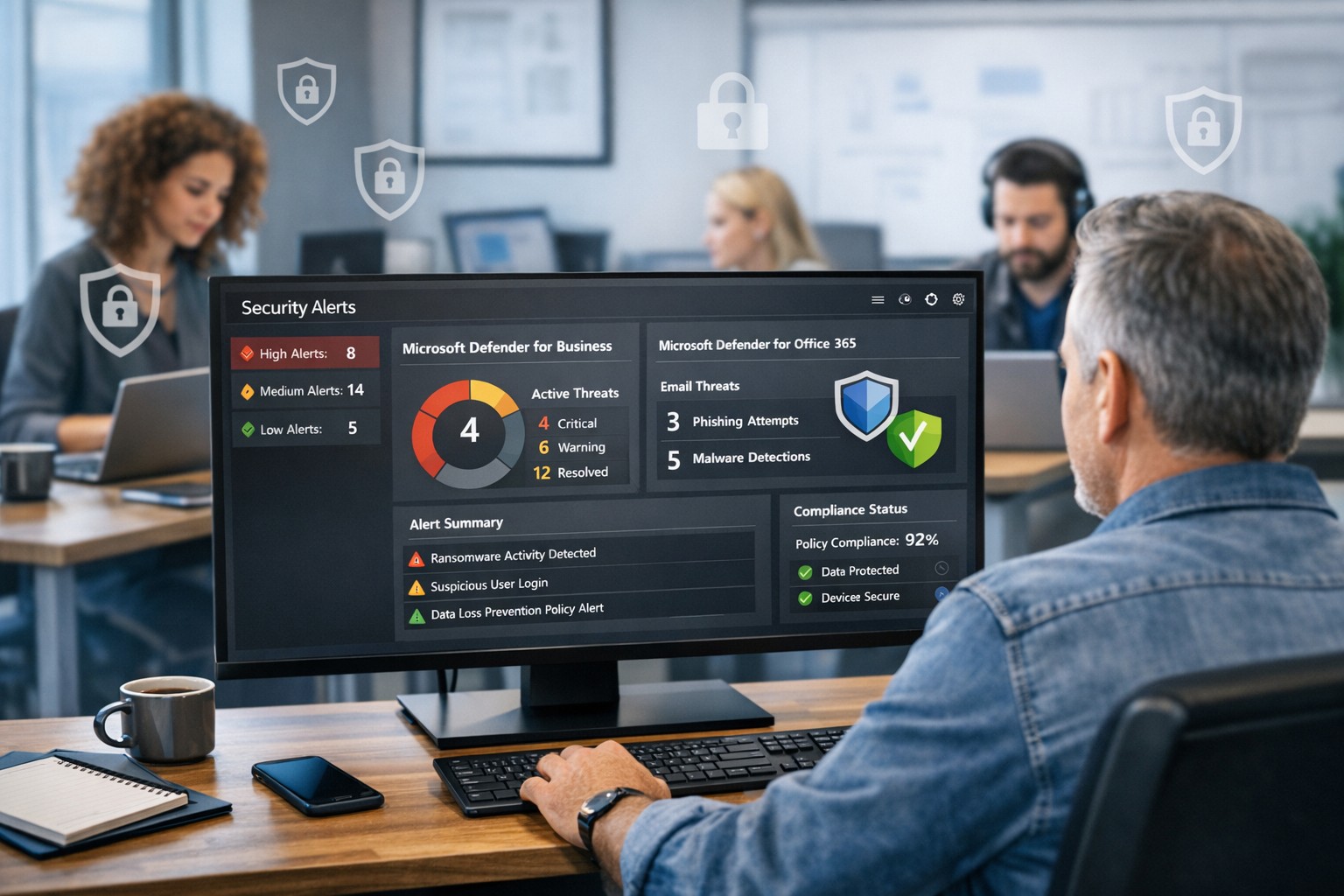
Protect your company with Microsoft security solutions: Microsoft Defender for Business and Microsoft 365 security help small and mid‑sized businesses block ransomware, phishing, and data breaches.
Smart technology integration helps employees collaborate effectively without digital overload.
Technology can be both a blessing and a burden. Mid-sized companies often find themselves on the front line of this tension — investing in new platforms to boost productivity, only to watch employees struggle with information overload, tool fatigue, and fragmented workflows.
As a business owner, your challenge is not choosing more technology but choosing the right technology — solutions that empower employees rather than overwhelm them. The goal is simple: create a digital ecosystem that enhances efficiency, fosters engagement, and reduces stress across your organization.
The Double Edge of Digital Transformation
Modern workforces depend on an expanding set of tools — from project management platforms and communication apps to cybersecurity systems and cloud file sharing. When managed well, these systems streamline operations, enable collaboration, and free up time for higher-value work.
However, when poorly integrated or excessively complex, they create barriers:
Tool fragmentation — Too many applications requiring logins, updates, and context switching.
Digital burnout — Employees experiencing fatigue from constant notifications and app switching.
Productivity decline — Time lost navigating systems rather than performing core job functions.
According to Gartner, 80% of employees report using more than six collaboration tools daily, and nearly half say they frequently feel fatigued by technology. The key is not just deploying technology — it’s creating enablement through thoughtful design, integration, and support.
Action Steps for Business Owners and IT Departments
To restore balance between enablement and overload, mid-sized businesses should take a deliberate, strategic approach.
Audit Your Digital Ecosystem Conduct a complete inventory of all software, platforms, and devices currently in use. Identify redundancies, unused tools, and areas where systems overlap.
Evaluate Employee Workflows Partner with department leaders to understand how employees use technology in practice. Look for pain points — such as repetitive data entry or slow cross-department coordination — and streamline accordingly.
Prioritize Integration and Automation Choose technologies that talk to each other. A well-integrated stack eliminates duplicate data entry and minimizes learning curves. Automation of routine tasks can return hours of productivity per week.
Promote Digital Literacy Invest in regular training and clear documentation. Empower employees with knowledge, ensuring they use technology effectively rather than bypassing it out of frustration.
Monitor and Adjust IT leadership should treat technology adoption as a continuous improvement process. Regularly gather feedback through quick pulse surveys or team meetings to monitor user experience and satisfaction.
Common Questions Business Owners Ask
Q: How can I tell if my employees are experiencing digital overload? A: Warning signs include rising support tickets, declining software adoption, missed communication, and increased employee fatigue or dissatisfaction. Regular engagement surveys and help desk analytics can reveal early signals.
Q: What should I look for when selecting new tools? A: Prioritize solutions that integrate seamlessly with your existing systems, have strong vendor support, and directly improve employee workflows. Avoid flashy features that add complexity without solving real problems.
Q: Is there a way to measure technology enablement? A: Yes. Metrics like time-to-completion for key tasks, help desk resolution times, adoption rates of new tools, and employee satisfaction scores can quantify how effectively your technology ecosystem supports your team.
How Farmhouse Networking Can Help
At Farmhouse Networking, we specialize in helping mid-sized businesses optimize their technology environment to drive performance while maintaining employee well-being. Our approach includes:
Comprehensive IT audits to uncover inefficiencies and redundant tools.
Custom integration planning to consolidate systems and improve cross-platform communication.
Network and cloud management that prioritizes speed, reliability, and user experience.
Ongoing IT support and training designed to reduce frustration and build digital confidence across your workforce.
By focusing on both technical and human factors, we help you achieve the right balance between digital enablement and operational simplicity — turning technology into a competitive advantage rather than a burden.
Take the Next Step
If your business is ready to enhance productivity while reducing employee technology fatigue, reach out today. Email support@farmhousenetworking.com to schedule a consultation and learn how Farmhouse Networking can help you design a smarter, more efficient digital workplace.
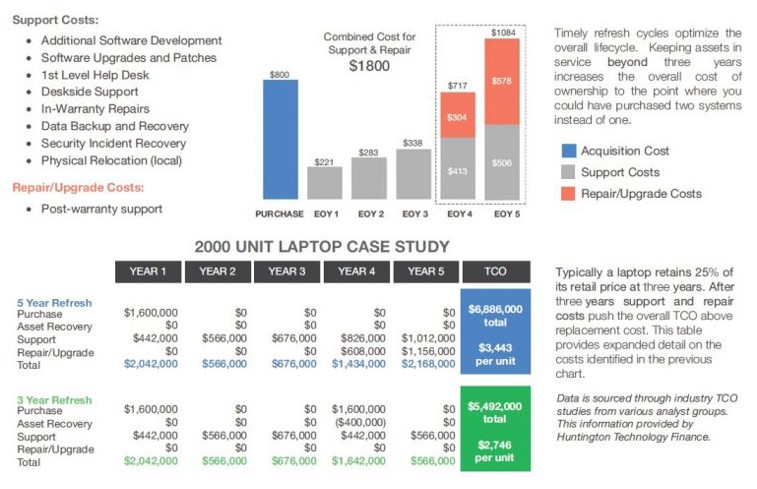
Farmhouse Networking continues to make strides in providing our customers with the best, most cost effective, and environmentally friendly computing experience possible. Part of that process is what has come to be known as Lifecycle Management. Each piece of hardware has an expected amount of time in which it is cost effective to use and support it. Once this time frame has been exceeded the cost of supporting the device becomes greater than the cost as shown in the following graph:
Turn retired IT assets into profit through strategic lifecycle management
FHN Lifecycle Management
So the question remains what to do with the old computers when the time comes to replace them. Previously here in Grants Pass, OR we could support a local charity by taking them to Southern Oregon Aspire to have the computers dismantled and hard drives shredded. Now that their doors are closed we are stuck with dropping them off at the local dump, but what if you could make money while being responsible with the environment?
Farmhouse Networking is now partnering with a company called Arcoa, who do just that. Here is what they do in their R2 rated responsible recycling facility:
“We help you recover value from retired electronic equipment through responsible methods of reuse and recycling. Resale offers the best potential for value recovery, but the fast pace of innovations in technology and short product life cycles can limit equipment’s potential for reuse. From there, the best option may be to recycle the items in an environmentally friendly manner. We’ve built a robust de-manufacturing process to offer additional options for asset value recovery by disassembling equipment for commodity grade materials, which can be diverted from landfills and be used to create new materials.”
Hard drives will be electronically wiped, magnetically degaussed, or shredded based on need. The rest of the parts will be dismantled and sold with part of the profit returning to your company to help offset the cost of buying new computers. What could be better than making money on the buy?
If your company is heading towards a hardware refresh, then make the environmentally sound choice by contacting us for assistance.
There has been information released by a security research firm called Eclypsium that there is a vulnerability dubbed Boothole in Unified Extensible Firmware Interface (UEFI) Secure Boot that would allow an attacker to completely take over a workstation, laptop, or server and be nearly undetectable. All hardware vendors will have to send out updates in the near future to patch the UEFI code to secure it against this “BootHole” vulnerability. Due to the difficulty in designing and testing these types of updates it will be some time before they are released. We will keep you posted as to the release of these updates as they become available.
If your company is concerned about security, then contact us for assistance.
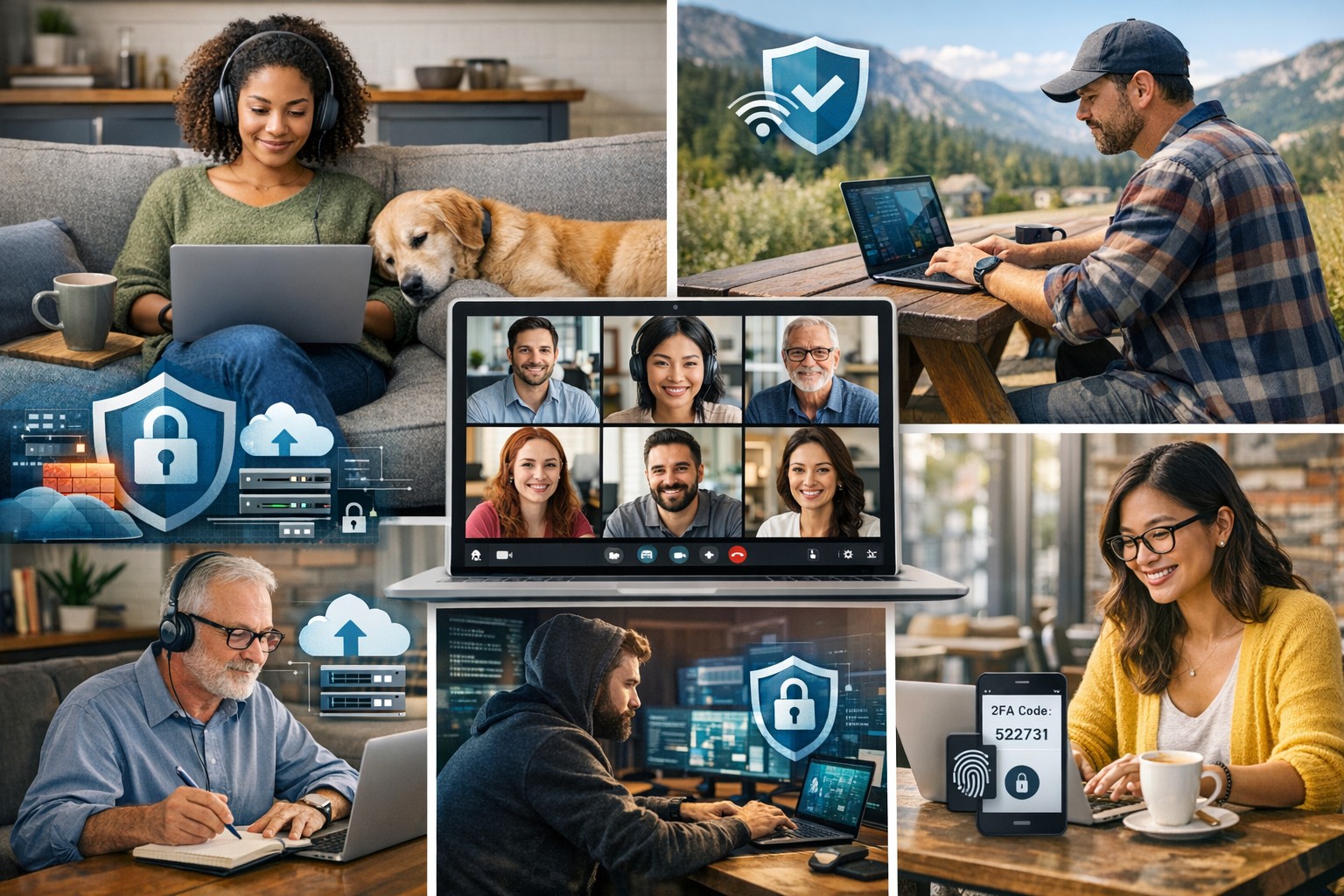
Understanding the six types of remote workers helps business owners create effective IT strategies for secure and productive remote teams.
Remote and hybrid work are here to stay. The challenge for business owners isn’t just keeping people connected — it’s understanding how different types of remote employees work best and what they need to succeed. Each worker type has unique technology, communication, and security requirements. Knowing these differences allows you to design a smart remote work strategy that boosts productivity, security, and morale.
The Six Types of Remote Workers and What They Need
1. The Independent Expert
These are the self-driven specialists who know their craft and value flexibility. They dislike micromanagement and prefer getting results on their own terms. How to support them: Ensure secure system access through a VPN and cloud-based tools. Automate routine updates to reduce interruptions, and provide strong endpoint protection to guard data while they work independently.
2. The Collaborative Communicator
This group thrives on constant interaction and quick collaboration. They drive team culture and creativity but can feel isolated when technology fails. How to support them: Use reliable communication tools like Slack, Microsoft Teams, or Zoom — and make sure your network bandwidth and security policies support uninterrupted real-time collaboration. Encourage scheduled check-ins to keep morale high and information flowing.
3. The Road Warrior
Always on the move, these employees rely on mobile devices and public networks. Field service reps, consultants, or remote managers often fall into this category. How to support them: Implement mobile device management (MDM) software, enforce two-factor authentication, and train employees on safe Wi-Fi practices. Cloud-based storage with encryption protects their data while ensuring accessibility from anywhere.
4. The Structured Performer
These workers thrive on order and clarity. They rely on defined rules, timelines, and expectations to perform well remotely. How to support them: Standardize communication and file-sharing tools, and document IT policies. Use dashboards and project management platforms like Trello or Asana to maintain structured workflows and consistent accountability.
5. The Emerging Remote Starter
New to remote work, these employees often need extra guidance, consistent access to IT resources, and reassurance that help is available when technology inevitably fails. How to support them: Provide onboarding sessions covering remote setup, company security protocols, and common troubleshooting steps. Make sure they have access to your IT helpdesk for instant support and schedule regular one-on-one check-ins as they get comfortable with their new environment.
6. The Hybrid Connector
They split time between office and home, juggling two environments with different setups. Seamless syncing is critical to maintain efficiency. How to support them: Standardize software, data access, and authentication across both locations. Unified communication systems and synchronized hardware (like docking stations and remote desktops) ensure their transition between workspaces is frictionless.
Practical Steps for Business Owners and IT Teams
Supporting these different worker types doesn’t require six distinct systems. Instead, focus on building a flexible IT framework that adapts to everyone’s needs:
Audit your current IT environment to identify weak spots in connectivity, access, and cybersecurity.
Segment employees by work type and align their tools accordingly.
Standardize collaboration platforms to minimize confusion and ensure security consistency.
Implement cybersecurity best practices: firewalls, MFA, regular backups, and continuous network monitoring.
Train your team on safe remote practices to reduce phishing and human errors.
Create IT response and recovery plans for downtime or breaches — prevention is cheaper than disruption.
When IT is intentional and tailored, your business operates efficiently regardless of where employees log in.
Client Questions Answered
Q: How do I keep remote employees productive without micromanaging? A: Use transparent project management tools that track results, not time. Metrics-based performance systems give employees freedom while keeping you informed.
Q: Are cloud applications like Microsoft 365 and Google Workspace safe for remote work? A: They are — when configured properly. Encryption, file permissions, multi-factor authentication, and user activity logging are essential security layers.
Q: What’s the key to balancing flexibility with network security? A: Centralized IT management. By having a managed service provider monitor devices and apply consistent policies, you maintain both freedom and control.
How Farmhouse Networking Helps
Farmhouse Networking specializes in helping small businesses master remote and hybrid work environments. Whether your challenge is cybersecurity, employee onboarding, or remote infrastructure stability, our team designs tailored IT ecosystems that match how your people actually work.
We help you:
Identify which remote worker types make up your team.
Implement secure cloud access, VPNs, and remote monitoring.
Provide proactive IT support that keeps downtime minimal.
Strengthen your cybersecurity posture with continuous network protection.
Our goal is simple — to make your remote operations secure, seamless, and scalable.
Ready to build a smarter, more resilient remote workforce? Contact Farmhouse Networking at support@farmhousenetworking.com to learn how we can optimize your remote work systems and empower your team to perform at their best — wherever they are.
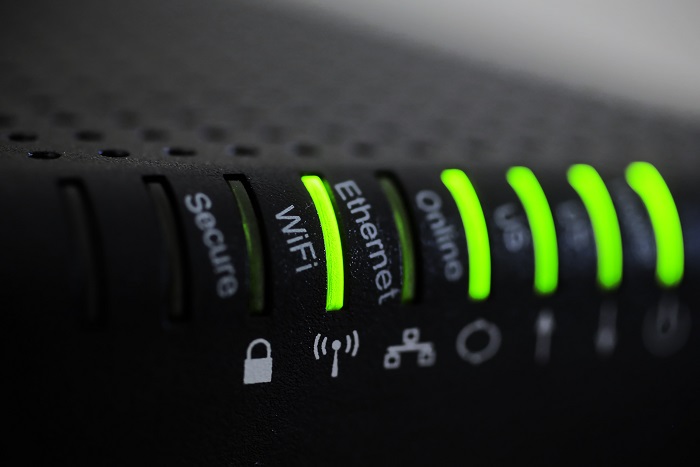
Consumer routers = compliance nightmares for business networks
Even though we recently sent out another email newsletter about this topic, we have to keep raising this issue as the work from home remains a regular occurrence. A German think tank analyzed 127 popular home routers with the majority having at least one flaw (D-Link, Netgear, ASUS, Linksys, TP-Link and Zyxel were affected by 53 critical-rated vulnerabilities each). The biggest problem is that most (91%) are built on top of an old version of Linux operating system and their makers rarely publish updates.
There are several solutions that we can discuss to secure your work from home networks, so contact us for assistance.
And God will generously provide all you need. Then you will always have everything you need and plenty left over to share with others. As the Scriptures say, “They share freely and give generously to the poor. Their good deeds will be remembered forever.” For God is the one who provides seed for the farmer and then bread to eat. In the same way, he will provide and increase your resources and then produce a great harvest of generosity in you. - 2 Corinthians 9:8-10
We use cookies to ensure that we give you the best experience on our website. If you continue to use this site we will assume that you are happy with it.