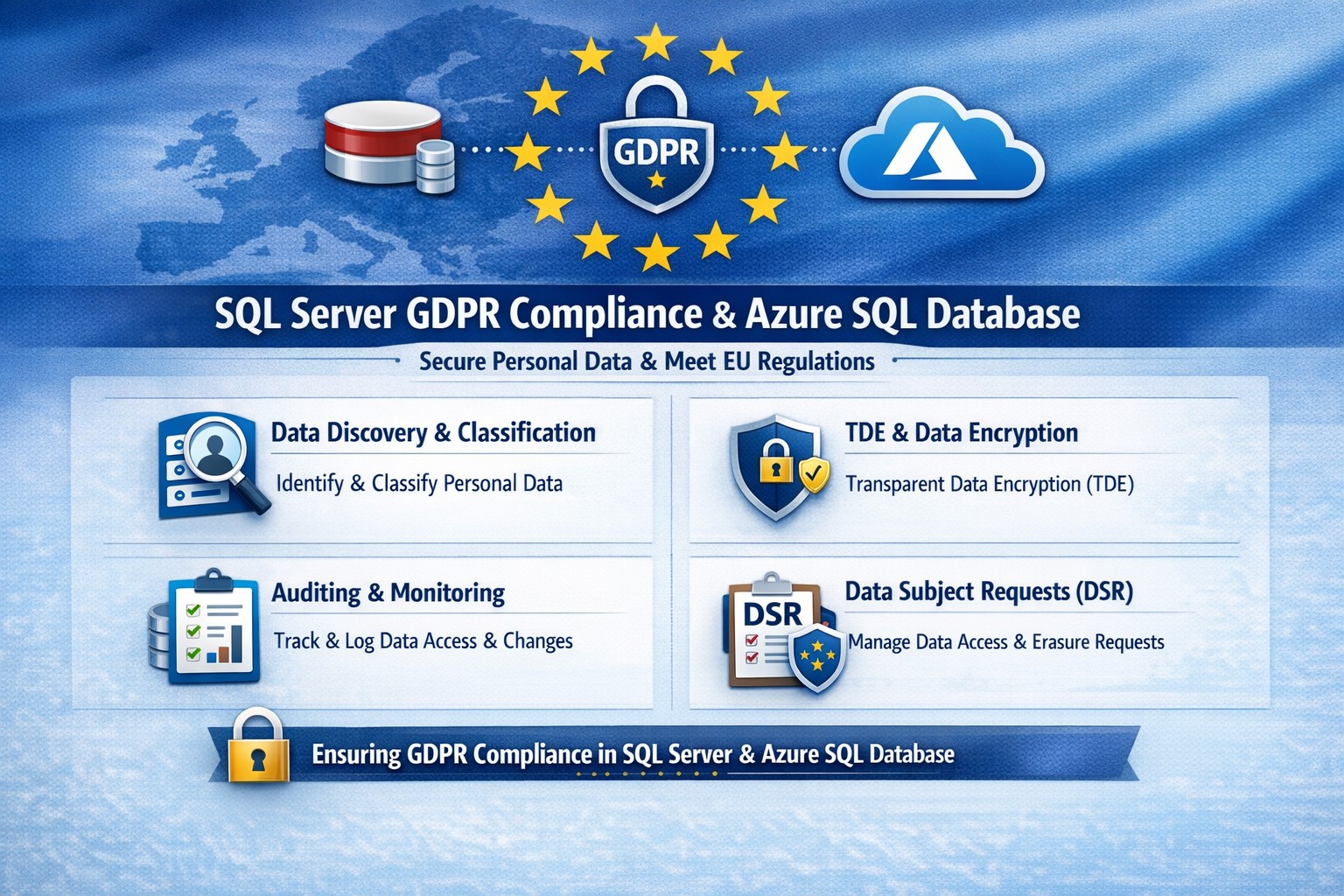
Essential GDPR compliance steps for SQL Server and Azure SQL Database: Classify data, encrypt, audit, and respond to requests.
Non-compliance with GDPR can cost millions in fines—up to 4% of global revenue. Microsoft SQL Server and Azure SQL Database offer built-in tools to secure personal data, but proper setup is essential for businesses handling EU customer info.
Why GDPR Matters for Your SQL Databases
GDPR mandates discovering personal data, controlling access, protecting it, and enabling reporting. SQL Server and Azure SQL Database support this via features like data discovery, encryption, and auditing, reducing compliance risks while maintaining performance.
Microsoft’s four-step framework aligns directly: discover data locations, govern access, strengthen protection, and record activities. This applies to on-premises SQL Server and cloud-based Azure SQL, making hybrid setups viable for growing businesses.
Practical Action Steps for Compliance
Follow these steps with your IT team to achieve GDPR readiness.
Discover Personal Data: Use SQL Server Data Discovery & Classification (right-click database > Tasks > Classify Data). Scan columns for PII like names, emails, or health info; label sensitivity (e.g., Confidential-GDPR).
Govern Access: Enable Azure AD authentication over SQL logins. Configure row-level security (RLS) and firewall rules to enforce least privilege. Limit IT staff to role-based access.
Strengthen Protection: Turn on Transparent Data Encryption (TDE), Always Encrypted for sensitive columns, and Dynamic Data Masking (DDM) to hide PII from non-privileged users. Encrypt backups with long-term retention policies.
Monitor and Report: Activate SQL Auditing and Advanced Threat Protection for logs on access, changes, and threats. Set email alerts for breaches. Handle Data Subject Requests (DSR) like “right to be forgotten” via built-in tools for discover, access, rectify, and delete.
Test quarterly: Simulate DSRs and review audit logs to ensure 72-hour breach notifications per GDPR Article 33.
FAQ: Client Questions Answered
Q: Does Azure SQL automatically make us GDPR compliant? A: No—features like auditing and encryption help, but you must configure them and conduct gap analysis. GDPR requires organizational processes beyond tech.
Q: How do we handle PII in backups or audit logs? A: Encrypt backups; purge PII from long-term storage on DSRs. Audit logs may capture PII—treat as scoped under GDPR, deleting on request unless legally retained.
Q: What’s the difference for SQL Server vs. Azure SQL? A: Both offer core tools (e.g., classification, TDE), but Azure adds managed services like auto-threat detection and easier scaling. Hybrid works via Azure Arc.
Q: How long to respond to data access requests? A: One month max; use SQL tools for quick exports. Non-compliance risks supervisory fines.
How Farmhouse Networking Helps
Farmhouse Networking specializes in B2B tech for accounting, healthcare, and nonprofits—industries heavy on regulated data. We audit your SQL Server/Azure SQL setups, implement classification/encryption, and automate DSR workflows to cut compliance time by 50%.
Our team handles gap analysis, custom policies, and ongoing monitoring, integrating with your CRM/ERP for seamless ops. We’ve helped similar clients avoid audits while boosting data-driven growth.
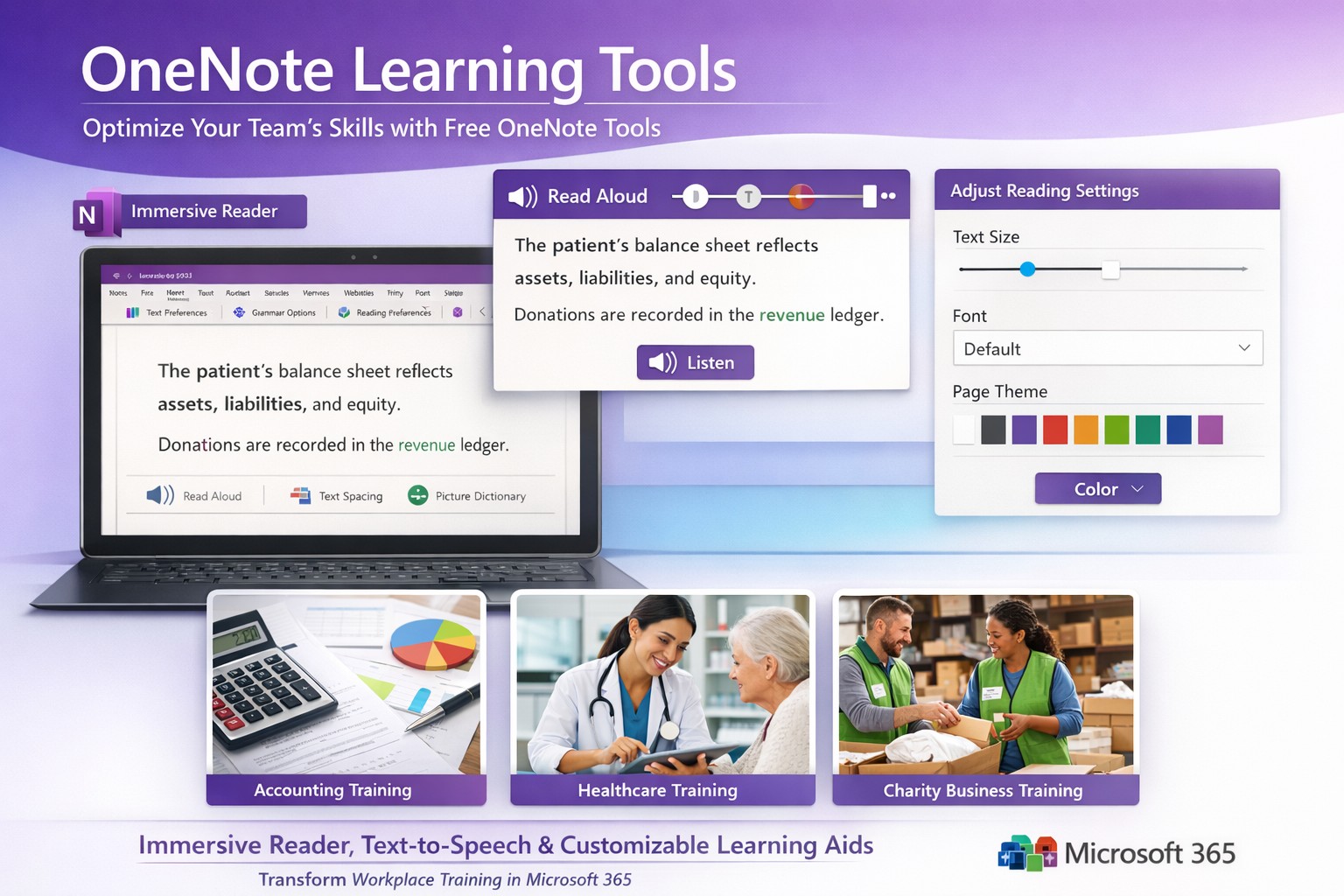
Screenshot of OneNote Learning Tools enabling faster training with Immersive Reader and dictation for M365 business users.
Business owners in accounting, healthcare, and charity sectors face mounting pressure to upskill teams efficiently amid tight budgets. Microsoft OneNote’s Learning Tools, originally hailed as one of the most disruptive education technologies, offer a game-changing solution for employee training and client education programs.
Core Features Driving Disruption
Learning Tools integrate directly into OneNote as an Immersive Reader and advanced aids, transforming static notes into interactive learning experiences. Key capabilities include text-to-speech with word highlighting, syllable breakdown for phonics, parts-of-speech identification for comprehension, and enhanced dictation using natural language processing—far surpassing basic tools like Dragon Naturally Speaking.
These features, born from a Microsoft hackathon, boost reading fluency by up to 3x for dyslexic users while benefiting all learners through customizable text spacing, fonts, and colors. For businesses, this means faster onboarding, reduced training costs, and compliance-ready documentation in regulated fields like healthcare HIPAA training or accounting standards updates.
Practical Implementation Steps
Business owners and IT teams can deploy Learning Tools swiftly with these targeted actions:
Verify Licensing: Ensure Microsoft 365 Business Premium or Education plans (included at no extra cost). Check via admin center: Settings > Apps > OneNote.
Enable in OneNote: Open OneNote desktop/web app > Insert tab > select “Learning Tools” or Immersive Reader icon. IT: Push via Intune for organization-wide rollout.
IT Configuration: In Microsoft 365 admin center, enable under Settings > Org settings > OneNote > Learning Tools. Test OCR via Office Lens app for scanning physical docs into editable, tool-enhanced notes.
Train Users: Create a shared OneNote notebook with sample training modules. Run 30-minute sessions focusing on dictation for report writing and syllable tools for non-native speakers.
Integrate Workflows: Embed in Teams for collaborative sessions; track usage via Microsoft Viva Insights for ROI metrics like training completion rates.
Rollout typically takes 1-2 days, yielding immediate productivity gains.
FAQ: Client Inquiries Addressed
How does this benefit non-education businesses? Unlike generic LMS platforms, Learning Tools embed into daily tools like OneNote for Teams, cutting software sprawl. Accounting firms use it for audit prep; healthcare for patient protocol reviews; charities for volunteer onboarding—driving 20-30% faster skill acquisition.
Is it secure for sensitive data? Fully compliant with GDPR, HIPAA via Microsoft Purview. Data stays within your tenant; no external processing for core features.
What about mobile/customization? Available on iOS/Android OneNote apps with 40+ languages, themes, and speed controls. Customize per user group via admin policies.
Does it replace trainers? No—it augments them. Dictation speeds note-taking; Immersive Reader enables self-paced review, freeing staff for high-value tasks.
Cost and scalability? Zero add-on cost in M365 subscriptions. Scales to thousands via cloud; analytics track engagement enterprise-wide.
Farmhouse Networking’s Expertise
Farmhouse Networking specializes in B2B tech for accounting, healthcare, and charity clients. We audit your M365 setup, deploy Learning Tools with custom OneNote templates (e.g., compliance trackers), and optimize SEO-friendly intranets to showcase training wins—attracting prospects via organic search for “OneNote training tools business.”
Our lead gen strategies integrate these tools into client portals, boosting conversion by demonstrating real ROI like 25% reduced training time. Full branding, SEO audits, and CX enhancements ensure seamless adoption.
Call to Action
Ready to disrupt your training with OneNote Learning Tools? Email support@farmhousenetworking.com for a free M365 assessment and custom rollout plan.
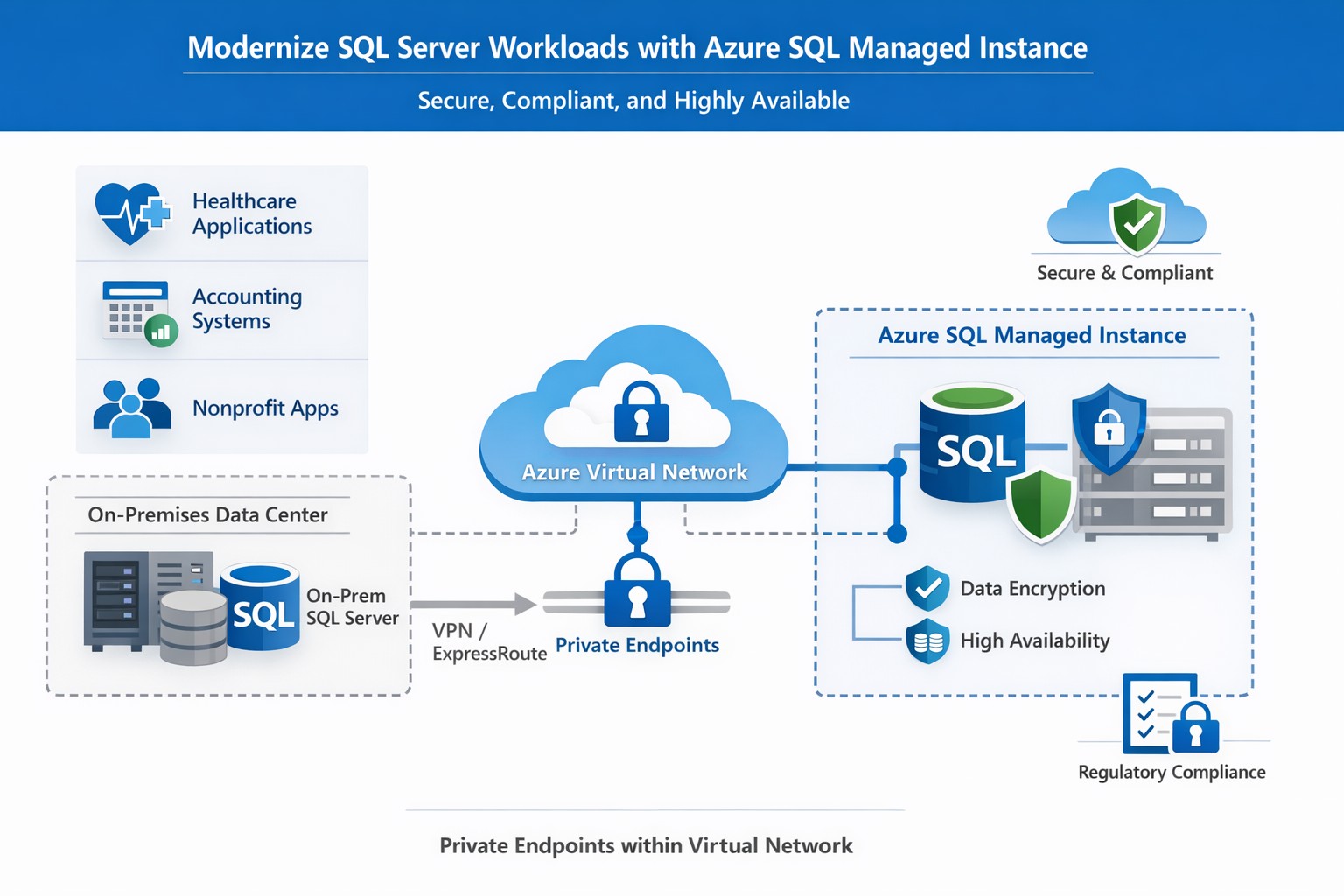
How Azure SQL Managed Instance integrates into your Azure environment, providing secure, managed SQL Server‑compatible databases for business‑critical workloads.
If you run a business that still relies on on‑premises SQL Server databases, “Azure SQL Database Managed Instance” might sound like just another cloud buzzword. In reality, it is one of the most powerful ways to modernize your data infrastructure without ripping and replacing your core applications. Azure SQL Managed Instance is a fully managed, cloud‑based SQL Server environment that gives you near‑complete compatibility with your existing SQL Server workloads, while off‑loading backups, patching, high‑availability setup, and security overhead to Microsoft.
For a business owner, this means lower operational risk, reduced IT labor, and a more predictable, scalable database platform that can grow as your customers, transactions, and data do.
What Azure SQL Managed Instance Really Is
Azure SQL Managed Instance is a Platform‑as‑a‑Service (PaaS) offering that sits between traditional on‑premises SQL Server and the more locked‑down Azure SQL Database. It runs on the latest stable version of the SQL Server Database Engine, with automatic patching and 99.99% built‑in high availability, while staying inside your own virtual network (VNet) for security and isolation.
Key things it gives you out‑of‑the‑box:
Near‑100% feature compatibility with SQL Server Enterprise Edition (including cross‑database queries, linked servers, SQL Server Agent, and many advanced security features).
Automated backups, point‑in‑time restore, and disaster‑recovery options backed by Azure’s global infrastructure.
Managed high availability and maintenance, so your team spends less time on patching and downtime coordination.
For a business owner, this translates to fewer “SQL Server emergencies,” lower total cost of ownership, and a smoother path to cloud‑based applications and analytics.
Why This Matters to Your Business
If your accounting, healthcare, or nonprofit systems depend on complex SQL Server features (multi‑tenant SaaS, reporting servers, integration services, or legacy apps), a simple lift‑and‑shift to Azure SQL Managed Instance is often the safest and most cost‑effective upgrade.
Benefits you can communicate internally:
Lower IT overhead: Microsoft handles engine and OS updates; your staff focuses on business‑specific reporting, compliance, and optimization.
Stronger security and compliance: Managed Instance supports Microsoft Entra ID, Transparent Data Encryption (TDE), Always Encrypted, auditing, and dynamic data‑masking—critical for healthcare and finance.
Better scalability and uptime: You can scale compute and storage without major re‑architecting, and rely on built‑in 99.99% availability for mission‑critical workloads.
Practical Steps for Your Business and IT Team
Here is a realistic, step‑by‑step path a business owner can ask their IT team (or a partner like Farmhouse Networking) to execute:
Inventory and prioritize databases
Document all SQL Server instances, databases, and applications that depend on them.
Identify which systems are mission‑critical (patient records, financial data, donor systems) and which can be migrated first.
Assess compatibility and readiness
Use Microsoft’s compatibility assessment tools and check which SQL Server features your workloads depend on (linked servers, SQL Agent jobs, cross‑database transactions, etc.).
Map databases to the two main service tiers:
General Purpose: typical web apps and reporting.
Business Critical: low‑latency, high‑availability needs (core transactional systems).
Design networking and security
Create a dedicated Azure Virtual Network (VNet) and subnet for SQL Managed Instances.
Configure private endpoints so databases are not exposed to the public internet.
Integrate with your existing identity provider (Microsoft Entra ID or on‑prem Active Directory via hybrid connectivity).
Plan and execute migration
For many on‑prem SQL Server workloads, use the Managed Instance link or Azure Database Migration Service to perform low‑downtime, near‑online migrations.
Start with a non‑production environment to validate performance, security, and connectivity.
Gradually shift production workloads once testing passes.
Establish monitoring and governance
Enable Azure Monitor, SQL‑level auditing, and alerts for latency, storage, and failover events.
Define backup retention, geo‑backup policies, and RPO/RTO targets for key workloads.
Train and document
Ensure your IT team knows how to use the Azure portal, SQL Server Management Studio (SSMS), and PowerShell/CLI for ongoing management.
Common Questions Business Owners Ask
Below are likely questions from your stakeholders, phrased in owner‑friendly language.
Q: Is this “just another cloud database,” or is it really the same SQL Server we already use? Azure SQL Managed Instance uses the same SQL Server Database Engine as on‑prem SQL Server, with near‑complete compatibility of enterprise features such as cross‑database queries, SQL Agent, and many security controls. In practice, many existing applications can be moved with minimal code changes.
Q: How does this improve security and compliance? Managed Instance runs inside your own virtual network, with private endpoints and deep integration with Azure security tools. It supports encryption‑at‑rest and‑in‑transit, auditing, and role‑based access, which simplifies HIPAA, financial, and nonprofit compliance requirements.
Q: What happens to backups and disaster recovery? Azure automatically manages backups, including long‑term retention and geo‑backups if you choose. You can restore to any point‑in‑time within your retention window, and failover to another region for disaster recovery.
Q: How much will this cost us monthly? Costs depend on compute (vCores), storage, and service tier (General Purpose vs. Business Critical). While you trade some licensing cost for Azure subscription fees, you often reduce spending on hardware, on‑prem licenses, and operational labor.
How Farmhouse Networking Can Help
Farmhouse Networking specializes in helping accountants, healthcare providers, and charities successfully migrate and manage Azure‑based data platforms without disrupting day‑to‑day operations. For Azure SQL Managed Instance, we can:
Assess your current SQL Server environment and identify which databases and apps are best suited for Managed Instance.
Design secure, compliant architectures that meet your industry’s regulatory needs (e.g., HIPAA‑aligned designs for clinics, FERPA‑friendly setups for nonprofits).
Plan and execute low‑downtime migrations using Microsoft’s recommended tools and best practices.
Train your internal IT team on monitoring, governance, and cost‑management so you retain control while reducing risk.
Your Next Step
If you’re ready to explore whether Azure SQL Managed Instance is the right fit for your business, reach out to Farmhouse Networking today. Email support@farmhousenetworking.com with a brief overview of your current database environment, and we’ll schedule a consultation to walk through your options, costs, and migration roadmap tailored to your accounting, healthcare, or nonprofit workload.
What is the economic impact of switching from an on-premises SQL Server to Azure? Microsoft asked Forrester to find out. Four client interviews later, the results are in: See how you can save by switching to Azure!
STIR/SHAKEN authentication prevents legitimate business calls from spam filters
Here is a quick tip for anyone doing advertising from their phone number, you can be marked as SPAM LIKELY or SPAM RISK by phone companies. Each phone carrier keeps a list of numbers they determine to be spam risks based on the history of the number. Unfortunately, there is no central database or service so far that manages this number designation.
What Causes the SPAM Designation?
In short, here are the most obvious reasons for designation:
Volume of Outbound Calls Per Day Per Number
Someone Flagged a call from your number in that carrier’s app as spam
Outbound Caller ID number is not set properly from your system and incomplete will probably be flagged as spam automatically
How to Get De-Listed
You can use the links or email addresses below to register legitimate numbers and also address any incorrect labeling or call blocking with other carriers:
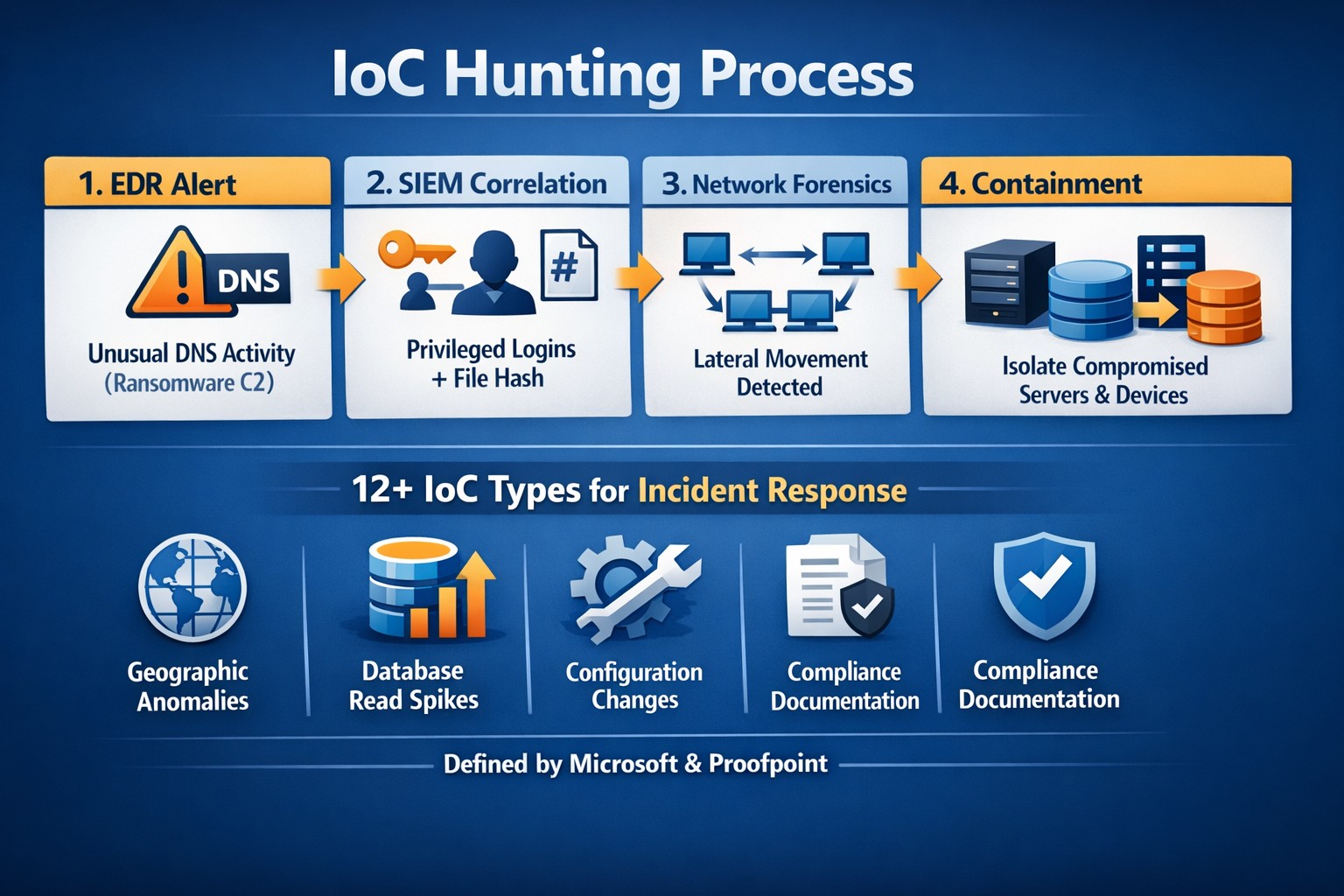
Nobody wants to be hacked, breached, compromised, or whatever else they are calling it now. Here is a quick list of things to think about to keep your company safe:
Compromise Prevention
Keep track of your inventory, both software and hardware.
Make sure to properly dispose of these things (recycle or responsible destruction)
Scan your network for vulnerabilities
Patch or remediate everything you find
Manage your antivirus & keep it up-to-date
Keep your passwords complex & safely stored
Remove all users / accounts when no longer in use
Look at best practices to harden your computers / network to attacks
Monitor your network for strange activity (indicators of compromise)
If your company is concerned about security, then contact us to take care of it for you.
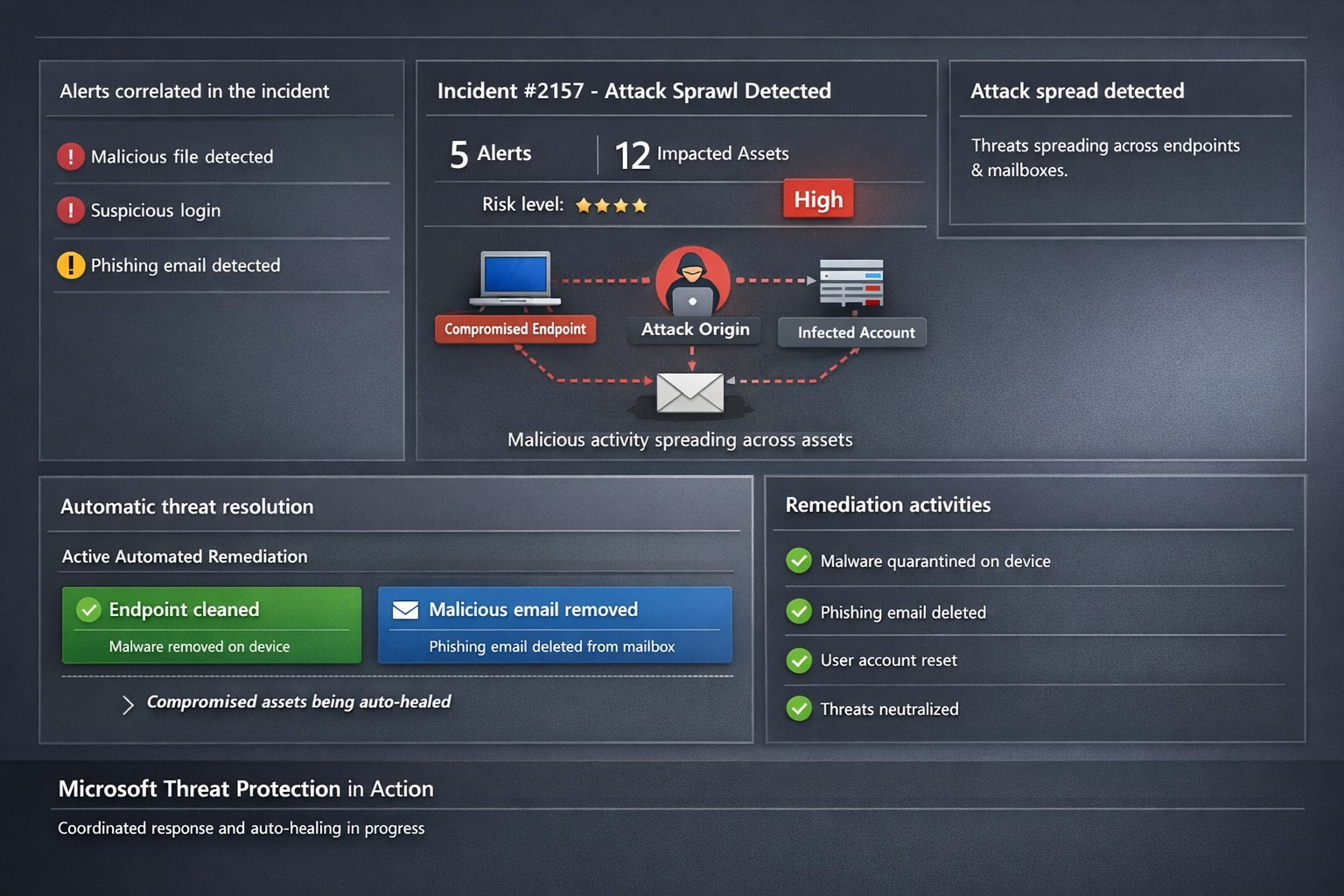
Microsoft 365 Defender auto-disrupts threats across endpoints and identities, healing assets in real-time to prevent sprawl.
One cyberattack can cripple operations, expose sensitive data, and cost millions in recovery. Microsoft Threat Protection (now evolved into Microsoft 365 Defender) integrates defenses across endpoints, email, identity, and apps to halt attack sprawl—where threats spread unchecked—and automatically heals compromised assets, minimizing downtime and risk.
What Is Attack Sprawl and Auto-Healing?
Attack sprawl happens when adversaries breach one domain, like email, then pivot to endpoints or identities via weak seams in siloed tools. Microsoft Threat Protection correlates signals across Microsoft Defender for Endpoint, Office 365 ATP, Azure ATP, and Cloud App Security to detect the full attack chain in real time.
It stops sprawl by blocking persistence mechanisms, such as malicious processes or credential abuse, and auto-heals assets—terminating threats on devices, removing harmful email rules, and flagging compromised users in Azure AD—restoring safety without manual intervention. Recent updates add automatic attack disruption for critical assets like domain controllers, disrupting threats days earlier in the kill chain.
Practical Action Steps for Implementation
Business owners and IT teams can deploy Microsoft Threat Protection systematically to fortify defenses. Follow these steps:
Assess Your Environment: Inventory endpoints, email, identities, and apps using Microsoft 365 Defender portal. Enable integration for Defender ATP, Office 365 ATP, Azure ATP, and MCAS via the unified console.
Enable Cross-Domain Correlation: Activate incident correlation in the Microsoft 365 Defender portal to prioritize high-fidelity threats. Configure conditional access policies to block risky logins automatically.
Turn On Auto-Healing and Disruption: In Defender settings, enable automated response actions like process termination and asset isolation. Test automatic attack disruption for critical assets via Security Exposure Management integration.
Conduct Proactive Hunting: Use custom queries in the portal to hunt cross-domain threats with your org-specific indicators. Review Threat Analytics reports for exposure insights and patches.
Monitor and Refine: Set up Action Center to track automated actions. Schedule monthly reviews to harden configurations based on incident data.
These steps reduce response times from hours to minutes, cutting breach costs by limiting sprawl.
FAQ: Client Inquiries Answered
How does Microsoft Threat Protection differ from standalone tools? It unifies siloed solutions into one XDR platform, correlating alerts for end-to-end visibility—unlike fragmented tools that miss cross-domain sprawl.
What assets does auto-healing cover? Endpoints (malicious processes), mailboxes (forwarding rules), identities (compromised flags), and apps. New capabilities target domain controllers and high-value servers.
Is it suitable for small businesses without a full IT team? Yes—built-in automation handles most responses. Pair with Microsoft 365 E5 licensing for seamless setup, scaling from SMBs to enterprises.
How effective is it against ransomware? It disrupts human-operated ransomware early by inoculating devices org-wide upon initial detection, reducing dwell time significantly.
What are setup costs and timelines? Licensing starts in Microsoft 365 plans; deployment takes days for integrated environments. Expect ROI via reduced incidents within weeks.
How Farmhouse Networking Boosts Your Efforts
Farmhouse Networking specializes in tailored Microsoft 365 security for accounting, healthcare, and charity sectors—industries handling sensitive data under strict compliance like HIPAA or GAAP. We handle assessment, configuration, and optimization of Threat Protection to stop attack sprawl and enable auto-healing.
Our team deploys custom integrations, trains your staff on hunting tools, and monitors via proactive managed services. We’ve helped similar clients cut threat response by 70%, ensuring business continuity. As your partner, we align SEO-driven website branding with lead-gen strategies to attract secure B2B growth.
Ready to protect your business? Email support@farmhousenetworking.com for a free Threat Protection audit and custom strategy.
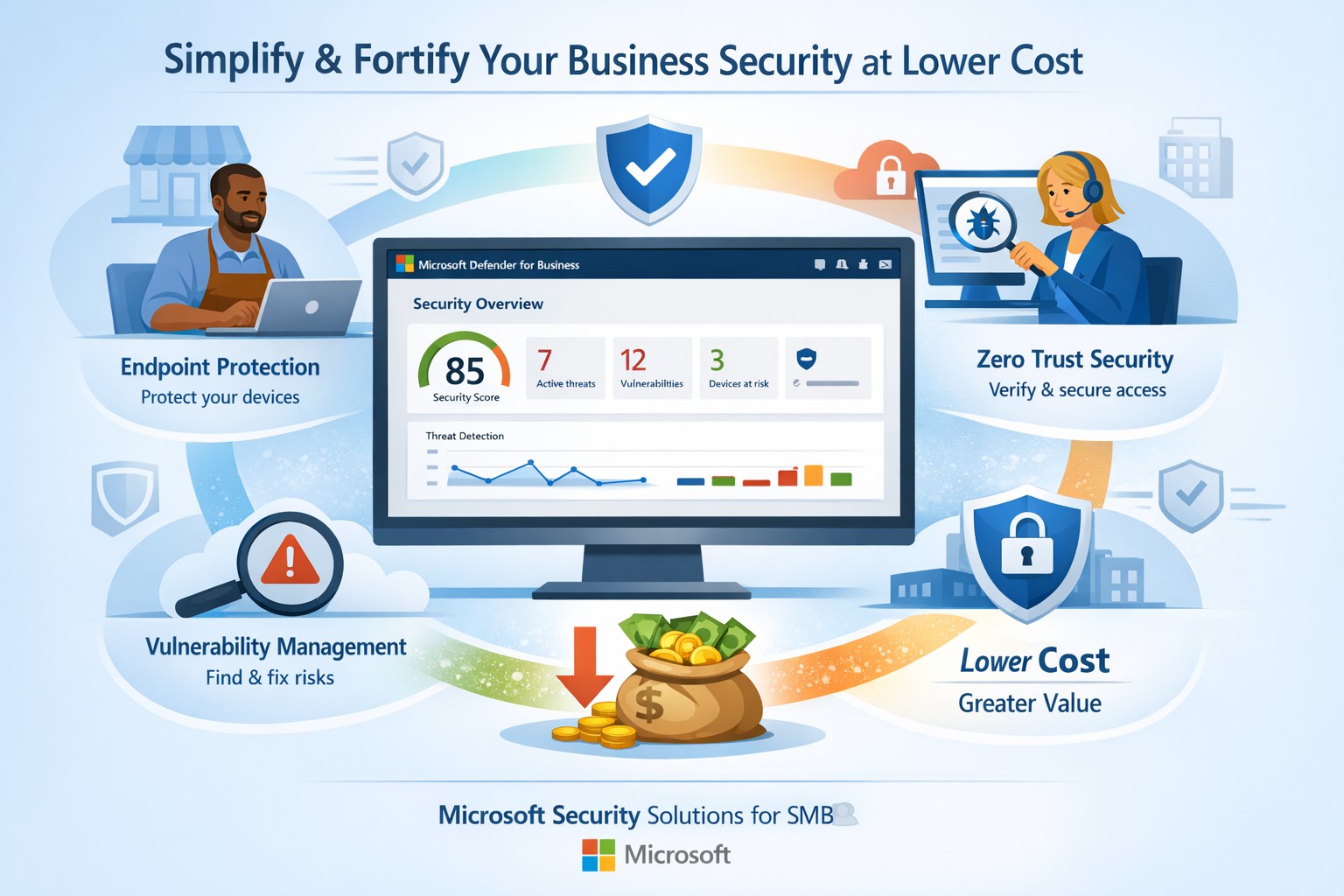
Fortify your SMB with Microsoft Defender for Business—enterprise-grade security at affordable prices via Microsoft 365.
Business owners face rising cyber threats but shrinking budgets for protection. Microsoft security solutions deliver enterprise-grade defenses at small-business prices, simplifying operations while fortifying your operations.
Why Microsoft Security Fits SMBs
Microsoft Defender for Business targets companies up to 300 employees, offering AI-driven endpoint protection across Windows, macOS, iOS, and Android. It includes next-gen antivirus, vulnerability management, and automated attack disruption—often bundled in Microsoft 365 Business Premium for cost efficiency. Combined with Purview suites, you get data loss prevention, insider risk detection, and compliance tools, reducing total ownership costs by consolidating vendors. This unified approach cuts complexity, with wizard-based onboarding and monthly reports that save IT time.
Action Steps for Implementation
Follow these steps with your IT team to deploy Microsoft security effectively:
Assess Current Risks: Use Microsoft Secure Score (free in Defender portal) to scan endpoints, identities, and apps for vulnerabilities—prioritize high-risk fixes first.
Select the Right Bundle: Start with Microsoft 365 Business Premium for Defender XDR, adding Defender for Business if needed (up to 5 devices/user). Enable multi-factor authentication via Entra ID Plan 1.
Onboard Devices: Run the wizard in the Microsoft Defender portal to deploy agents; test on a pilot group of 10-20 devices before full rollout.
Configure Policies: Set up Zero Trust basics—verify every access request, enable phishing simulations monthly, and automate data classification with Purview.
Monitor and Review: Schedule quarterly audits using built-in reports; integrate threat hunting for proactive response.
These steps typically take 2-4 weeks, yielding immediate ROI through reduced breach risks.
FAQs on Microsoft Security
How much does it cost compared to competitors? Microsoft bundles start under $10/user/month via Business Premium, far below standalone EDR tools (often $15-30/user). Consolidation avoids multi-vendor fees.
Is it scalable for growing businesses? Yes, Defender scales seamlessly to 300+ users with add-ons like server protection; no rip-and-replace needed.
What about training my team? Built-in simulations and reports require minimal training; AI automates 70%+ of responses, freeing staff.
Does it cover cloud apps and email? Fully—Defender includes SaaS security, phishing protection, and XDR across email, endpoints, and identities.
How secure is it against ransomware? AI-powered EDR disrupts attacks in real-time, with auto-remediation recovering systems quickly.
How Farmhouse Networking Assists
Farmhouse Networking specializes in Microsoft security deployments for accounting, healthcare, and charity sectors. We handle assessments, configurations, and ongoing managed detection—ensuring compliance (e.g., HIPAA for healthcare) without in-house expertise. Our team optimizes your setup for maximum ROI, conducts penetration tests, and provides 24/7 monitoring via Microsoft tools. Clients see 30-50% cost savings through streamlined licensing and automation. We’ve helped similar B2B firms fortify defenses while boosting productivity.
Ready to secure your business affordably? Email support@farmhousenetworking.com for a free security audit and custom Microsoft strategy.
Kennametal has invested heavily in Microsoft cloud technologies as part of its digital transformation journey to reduce costs, increase productivity, and empower workers to deliver superior results for their customers. In this video, see how they utilize Microsoft Azure cloud platform and services to Microsoft Dynamics 365 business applications to Microsoft 365 productivity, security, and mobility tools. Kennametal believes that Microsoft resources will help the company fulfill its business promises.
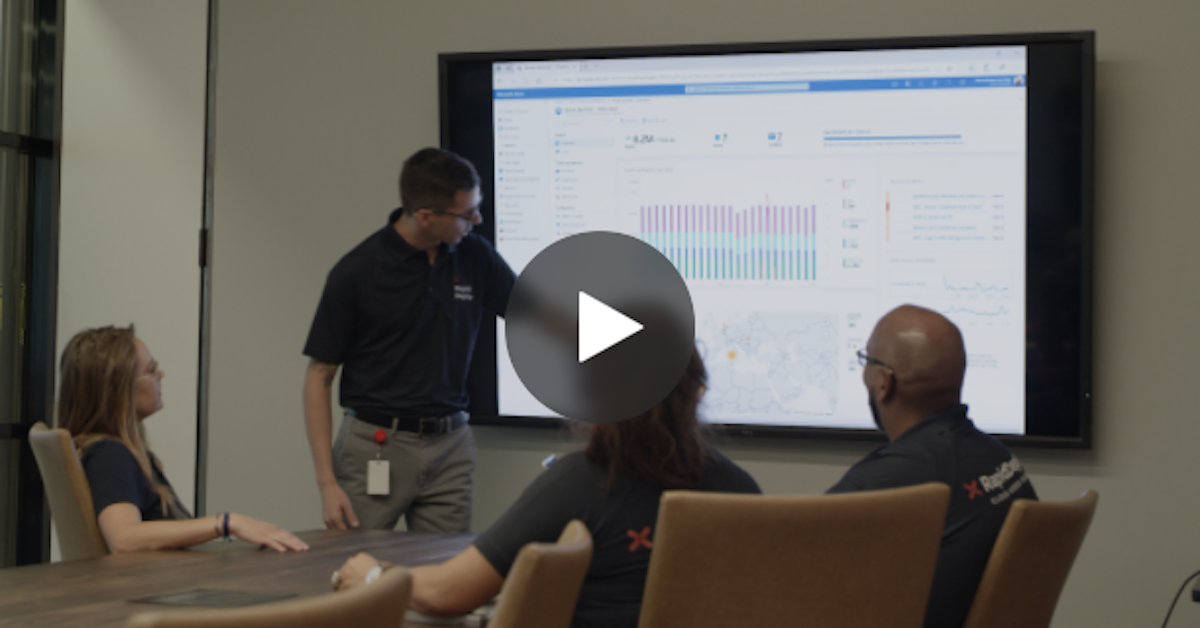
RapidDeploy creates its Cloud Aided Dispatch systems to help first responders act quickly to protect the public. There’s a lot at stake, and the company’s cloud-native platform must be secure against an array of serious cybersecurity threats. So, when RapidDeploy implemented a Security Information and Event Management (SIEM) system, it chose Microsoft Azure Sentinel, one of the world’s first cloud-native SIEMs. See the full story in the video below.
And God will generously provide all you need. Then you will always have everything you need and plenty left over to share with others. As the Scriptures say, “They share freely and give generously to the poor. Their good deeds will be remembered forever.” For God is the one who provides seed for the farmer and then bread to eat. In the same way, he will provide and increase your resources and then produce a great harvest of generosity in you. - 2 Corinthians 9:8-10
We use cookies to ensure that we give you the best experience on our website. If you continue to use this site we will assume that you are happy with it.