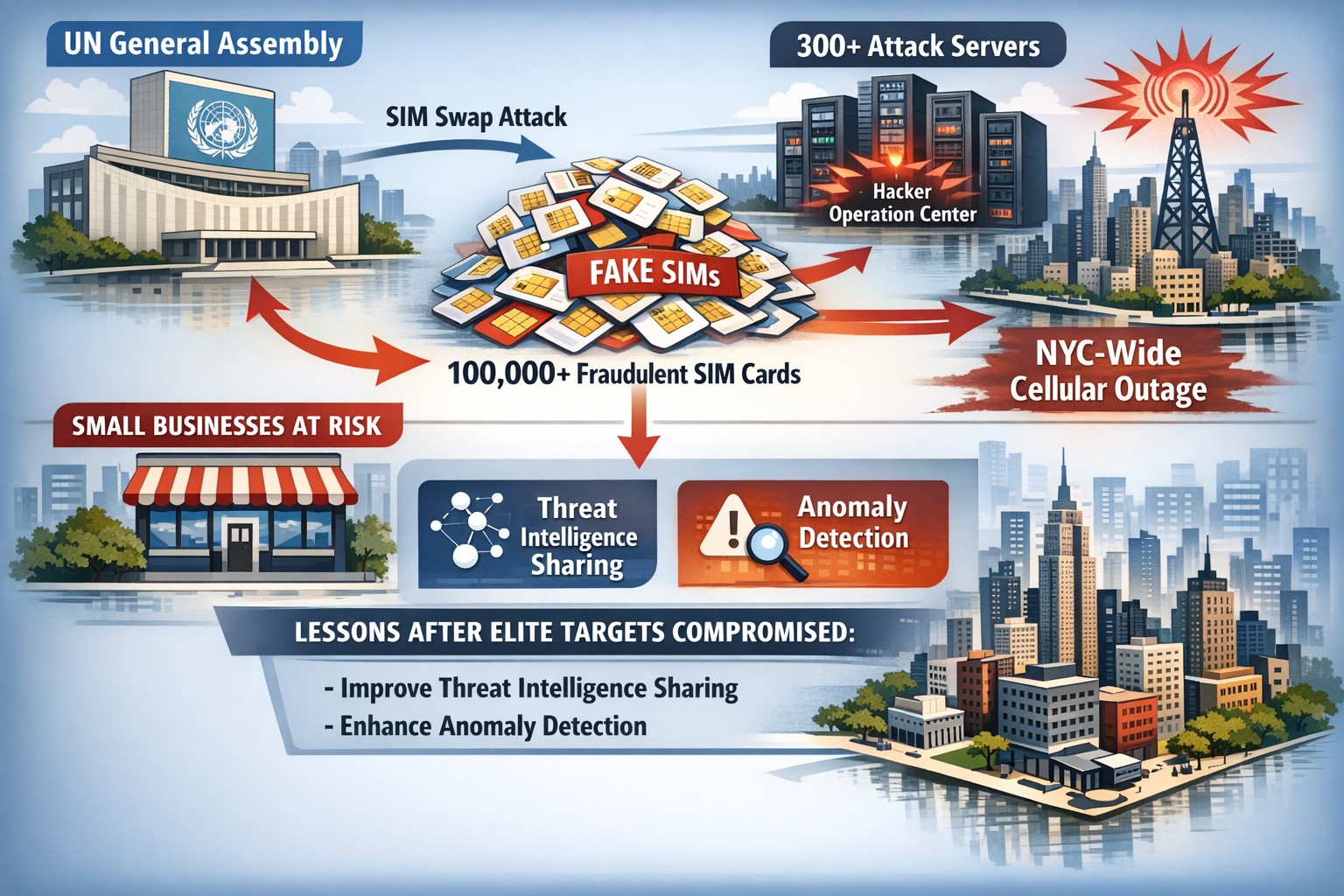
In a report released by Untangle, a leading firewall / security vendor, the details of the recent United Nations Hack were detailed. Here is a summary of the report
Hack Details “It has been recently revealed the United Nations was victim to a cyber attack starting in July 2019. Hackers gained access to and compromised 42 servers and 25 are still categorized as suspicious for three different domains: those of the United Nations offices in Geneva and Vienna and of the office of High Commissioner for Human Rights. It is estimated that hackers may have up to 400GB of staff records, health insurance, and commercial contact data.”
This attack has been classified as an APT (Advanced Persistent Threat) where the attackers gain access then setup a variety of ways to remain on the network while they collect the data they are after. This hack was due to a vulnerability stemming from not installing software updates in a timely manner. .The United nations found the threat then issues a notice to employees to reset their passwords in August of 2019. They did not inform personnel of the hack until January 2020.
These two factors, patching and training, should be addressed by every company to keep their data safe.
If your company needs help with patching or security training, then contact us for assistance.
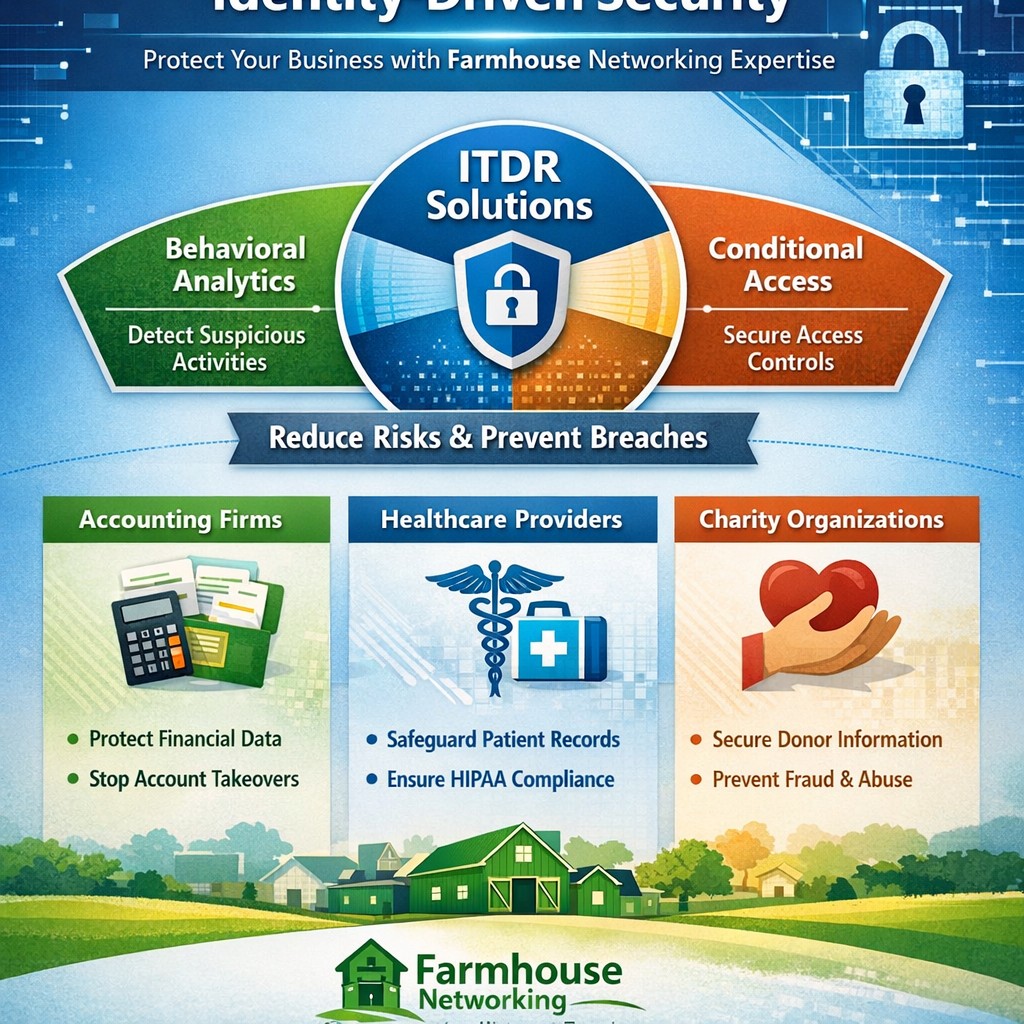
Visualize Microsoft identity-driven security: Entra ID and Defender integration blocks identity threats in hybrid environments.
Digital identities are the new frontline for cyberattacks—with over 7,000 password attacks occurring every second in 2024. Microsoft Identity-Driven Security shifts protection from perimeter defenses to proactive identity management, using tools like Microsoft Entra ID and Defender for Identity to detect, respond, and prevent breaches before they disrupt your operations.
What Is Identity-Driven Security?
Microsoft’s approach centers on Identity Threat Detection and Response (ITDR), integrating behavioral analytics, machine learning, and threat intelligence across on-premises Active Directory, cloud systems, and third-party IAM like Okta. Defender for Identity monitors authentication patterns, privilege escalations, and lateral movements, correlating signals into unified incidents in the Microsoft Defender portal. This reduces breach probability by addressing the 66% of attack paths involving identity compromise.
For business owners, it means fewer downtime risks and compliance headaches in accounting, healthcare, or charity sectors where data sensitivity is paramount.
Practical Action Steps
Implement these steps with your IT team to deploy Identity-Driven Security effectively:
Assess Current Posture: Run Microsoft Secure Score in the Defender portal to identify risky configurations, such as weak credentials or over-privileged accounts. Prioritize lateral movement paths attackers exploit.
Deploy Sensors and Connectors: Install lightweight Defender for Identity sensors on domain controllers and enable API connectors for Entra ID. This captures signals without network overhauls.
Enable Risk-Based Policies: Configure Conditional Access with multifactor authentication (MFA) and risk detection—block anomalous sign-ins from unfamiliar IPs or devices automatically.
Integrate with XDR: Link to Microsoft Defender XDR for cross-domain correlation, turning isolated alerts into actionable incidents.
Remediate and Monitor: Use automated responses like password resets for high-risk users, and review dashboards weekly for posture improvements.
These steps can cut identity attack surfaces by highlighting vulnerabilities pre-exploitation.
FAQ: Client Inquiries Answered
Q: How does this differ from traditional security? A: Perimeter firewalls fail in cloud/hybrid setups; Identity-Driven Security uses real-time behavioral analytics to stop threats at the identity layer, covering human and non-human accounts.
Q: What about costs for small businesses? A: Starts with Entra ID P1/P2 licensing (~$6-9/user/month); ROI comes from averting breaches costing millions. Secure Score provides free baseline insights.
Q: Is it compliant for healthcare/accounting? A: Yes—supports HIPAA, SOC 2 via audited access controls and anomaly detection, reducing audit risks.
Q: How long to implement? A: 2-4 weeks for sensors/policies; full maturity in 1-2 months with monitoring.
Q: Does it work with non-Microsoft tools? A: Integrates with Okta and multivendor ecosystems via API connectors.
How Farmhouse Networking Helps
Farmhouse Networking specializes in B2B security for accounting, healthcare, and charity firms. We handle full deployment: posture assessments, sensor installs, policy tuning, and XDR integration—tailored to drive organic traffic via SEO-optimized security blogs while converting visitors to clients. Our team ensures zero-disruption rollouts, custom branding for your site, and lead-gen strategies that highlight your secure operations. Past clients saw 40% faster threat response post-implementation.
Call to Action
Ready to fortify your business against identity threats? Email support@farmhousenetworking.com for a free consultation on Microsoft Identity-Driven Security.
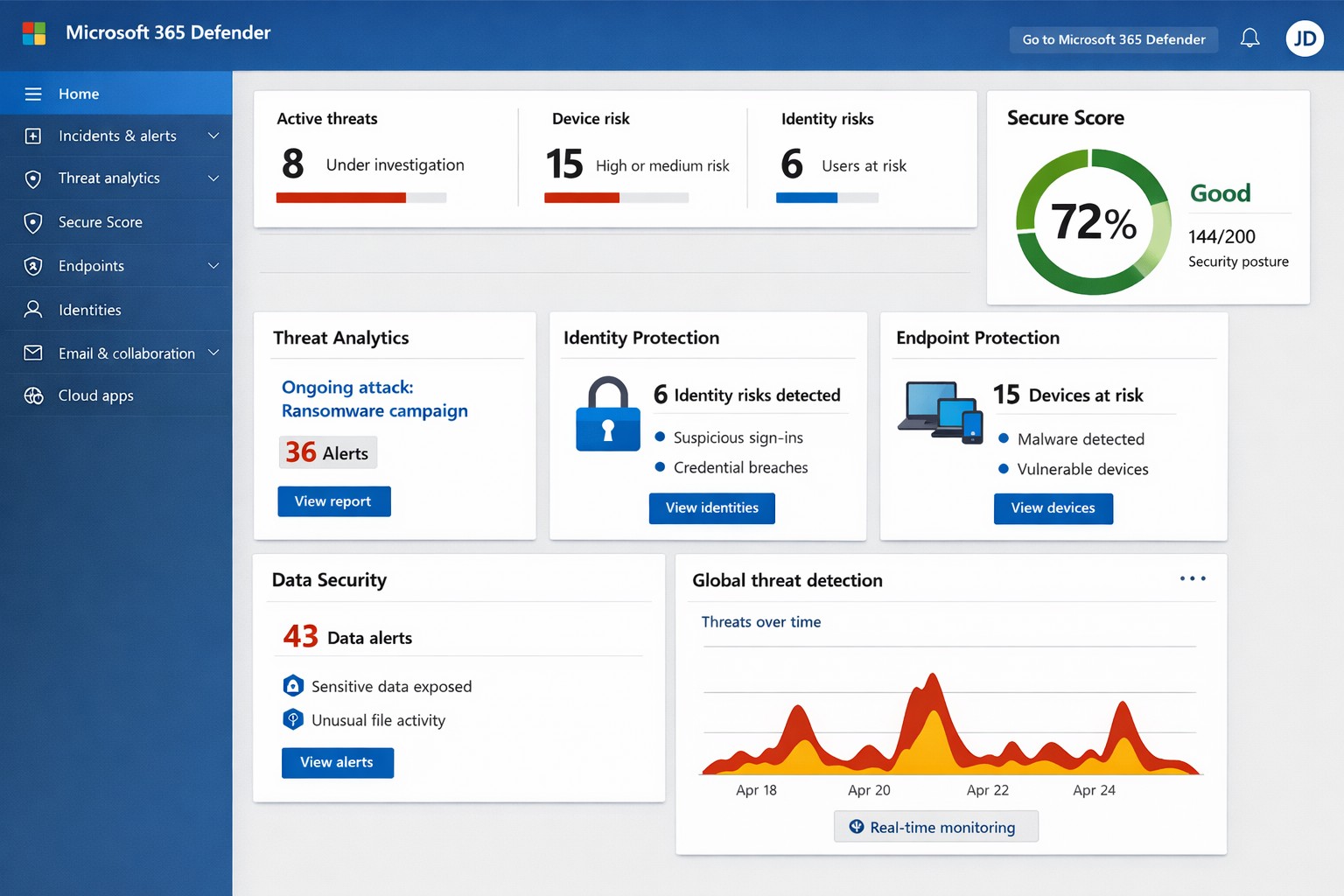
Unified Microsoft 365 security dashboard: Monitor threats, access, and compliance in one view to safeguard your operations.
Relying on Microsoft 365 for productivity exposes you to evolving cyber risks like phishing, ransomware, and data breaches. Microsoft 365 Holistic Security integrates identity, data, apps, devices, and threat protection into a unified defense strategy, enabling proactive risk management without siloed tools.
Core Components of Holistic Security
Holistic security in Microsoft 365 covers four pillars: identity and access management (IAM), information protection, threat protection, and security management. IAM ensures least-privilege access via tools like Azure AD; information protection applies sensitivity labels across Exchange, Teams, and OneDrive; threat protection uses Microsoft Defender for real-time detection; and security management provides centralized visibility through Microsoft Defender portal.
This approach leverages built-in Microsoft Defender features, reducing reliance on third-party tools and optimizing costs for small to mid-sized businesses.
Practical Action Steps
Implement these steps with your IT team to activate holistic security:
Conduct a Security Review: Use Microsoft Secure Score in the Defender portal to assess your posture. Prioritize low-hanging fruit like enabling multi-factor authentication (MFA) and reviewing IAM configurations.
Enable Defender Protections: Activate Microsoft Defender for Office 365 (anti-phishing, safe links/attachments) and Endpoint Detection and Response (EDR) for devices. Configure automated incident response playbooks.
Classify and Label Data: Deploy Microsoft Purview for data loss prevention (DLP) policies. Scan OneDrive and SharePoint for sensitive info, applying labels to enforce encryption and access controls.
Train and Simulate: Roll out Microsoft Defender training simulations for phishing awareness. Test incident response quarterly with tabletop exercises.
Monitor and Optimize: Set up continuous logging in Defender XDR. Review alerts weekly and patch endpoints via Intune.
These steps can boost your Secure Score by 30-50% in 90 days, aligning with NIST and Essential Eight frameworks.
Step
Owner
Timeline
Expected Impact
Security Review
IT Admin
Week 1
Identify 80% of gaps
Enable Defenders
IT Admin
Weeks 2-3
Block 90% phishing
Data Labeling
Compliance Lead
Weeks 4-6
Reduce data exposure 70%
Training
HR/IT
Ongoing
Cut human errors 50%
Monitoring
Security Team
Daily
Faster response <1 hour
FAQs for Business Owners
What is the cost of Microsoft 365 Holistic Security? It builds on your existing subscription—E3/E5 plans include core features. Add-ons like Defender for Office 365 start at $2-5/user/month. ROI comes from averted breach costs averaging $4.5M.
How long to implement? 4-12 weeks, depending on size. Start with quick wins like MFA (1 day) before full posture assessment.
Does it cover compliance like HIPAA or GDPR? Yes, via Purview compliance manager and DLP. Maps to standards including NIST, CIS, and sector regs.
What if we lack IT expertise? Partner with MSPs for audits and managed services. Avoid DIY pitfalls like misconfigurations causing 80% of breaches.
How does it handle AI threats like Copilot risks? Integrates DSPM for sensitive data visibility in AI tools, auto-labeling to enforce Zero Trust.
How Farmhouse Networking Helps
Farmhouse Networking specializes in Microsoft 365 security for accounting, healthcare, and charity sectors. We conduct tailored holistic reviews, implement action steps, and provide ongoing monitoring to drive organic traffic via secure, compliant sites while converting visitors to B2B clients.
Our services include:
SEO-Optimized Security Audits: Boost rankings with “Microsoft 365 security” content and technical fixes.
Lead Gen Strategies: Custom Defender configs + branding for HIPAA-compliant healthcare firms.
Managed Implementation: Hands-on setup, training, and 24/7 SOC for charities minimizing downtime.
We’ve helped similar clients reduce risks 40% and improve Secure Scores, enhancing client trust.
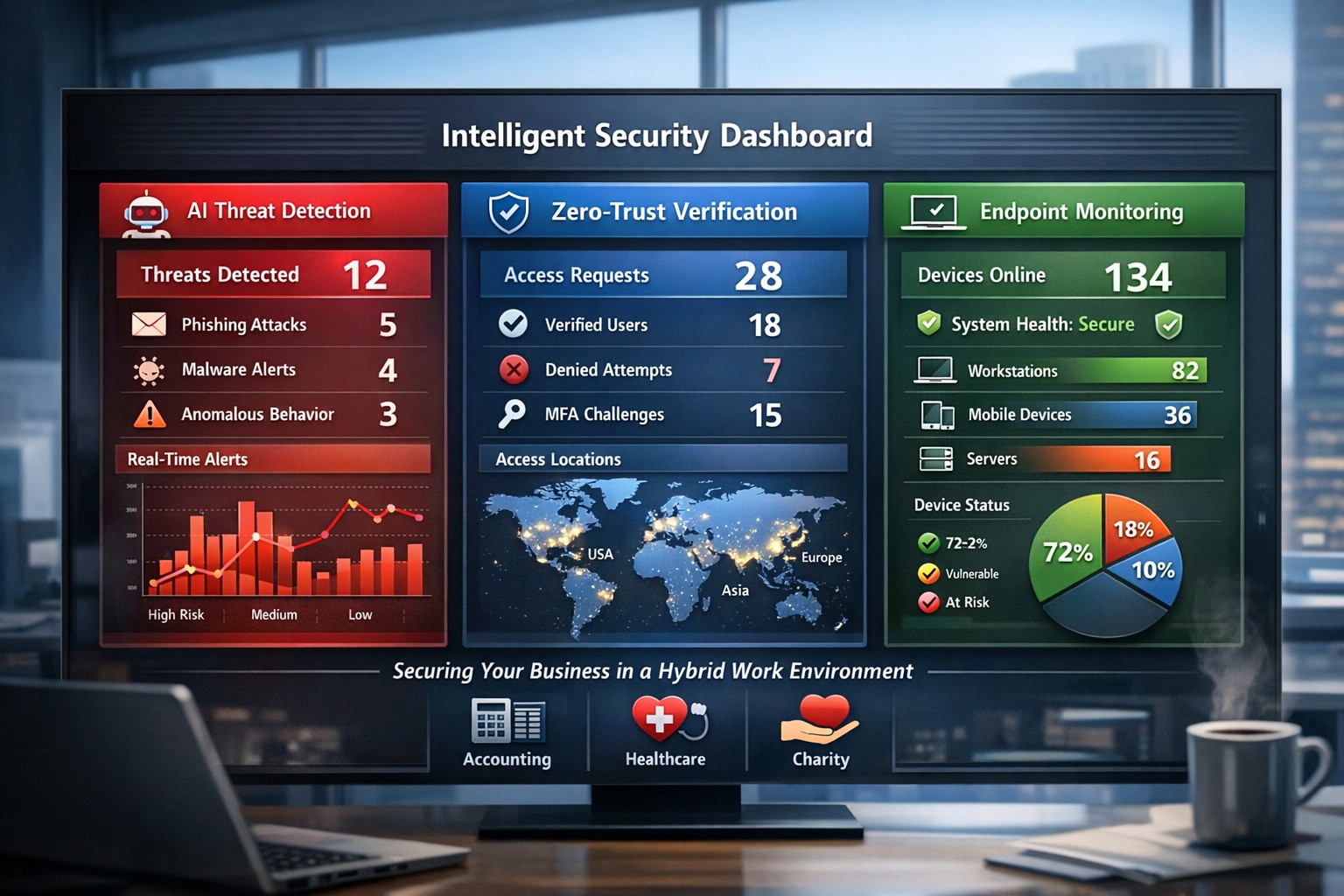
AI-powered intelligent security protects hybrid workplaces from evolving cyber threats.
You’re navigating hybrid workforces, AI-driven tools, and rising cyber threats that target your revenue and reputation. Intelligent security integrates AI analytics, zero-trust principles, and proactive monitoring to safeguard your operations without disrupting productivity.
Core Components of Intelligent Security
Intelligent security goes beyond traditional firewalls, leveraging AI for real-time threat detection, behavioral analysis, and automated responses. Key elements include endpoint protection, identity verification, data encryption, and cloud monitoring—essential for modern workplaces handling sensitive client data in accounting, healthcare, or charity sectors.
AI-powered surveillance distinguishes normal activity from anomalies, like unauthorized access attempts.
Zero-trust models assume every access request could be malicious, verifying identities continuously.
Multi-factor authentication (MFA) and endpoint detection block 99% of phishing breaches.
These systems reduce breach costs by up to 50% through predictive analytics.
Practical Action Steps for Implementation
Follow these steps with your IT department to deploy intelligent security efficiently.
Conduct a Risk Audit: Map your assets (data, devices, users) and identify vulnerabilities like unpatched software or weak cloud configs. Use tools like Microsoft’s Defender for baseline scans—takes 1-2 weeks.
Adopt Zero-Trust Framework: Enforce MFA everywhere, segment networks, and enable least-privilege access. Start with high-risk areas like email and remote endpoints.
Deploy AI Monitoring: Install endpoint protection (e.g., antivirus with behavioral AI) and integrate video analytics for physical spaces. Test on 20% of devices first.
Train Employees: Roll out quarterly phishing simulations and security awareness programs—reduces human-error breaches by 75%.
Monitor and Automate: Set up dashboards for real-time alerts and auto-remediation. Review monthly with analytics to refine rules.
Budget 5-10% of IT spend initially; ROI comes from prevented downtime.
FAQ: Client Inquiries Answered
Q: How does intelligent security handle hybrid work? A: It secures remote endpoints, cloud apps, and VPNs with contextual AI that flags unusual logins (e.g., from new geolocations). Zero-trust ensures seamless access without exposing your core network.
Q: What’s the cost of ignoring these threats? A: Average breach costs $4.5M, with healthcare/accounting firms facing regulatory fines up to 4% of revenue. Proactive AI cuts detection time from weeks to minutes.
Q: Will it slow down my team? A: No—modern systems use self-healing automation and user-friendly MFA (e.g., biometrics). Employees report 20% productivity gains from reduced IT tickets.
Q: How scalable is this for growing businesses? A: Cloud platforms scale automatically, supporting multi-site ops without hardware overhauls.
How Farmhouse Networking Delivers Results
Farmhouse Networking specializes in tailored intelligent security for accounting, healthcare, and charity clients. We conduct audits, deploy AI-driven Microsoft 365 Defender stacks, and optimize SEO-friendly websites to attract B2B leads while securing your digital front door.
Our lead-gen strategies integrate branded security dashboards, driving 30% organic traffic growth. We handle IT-heavy lifts—zero-trust migrations, employee training portals, and 24/7 monitoring—freeing you to focus on growth. Past deployments cut threat response times by 60% for similar firms.
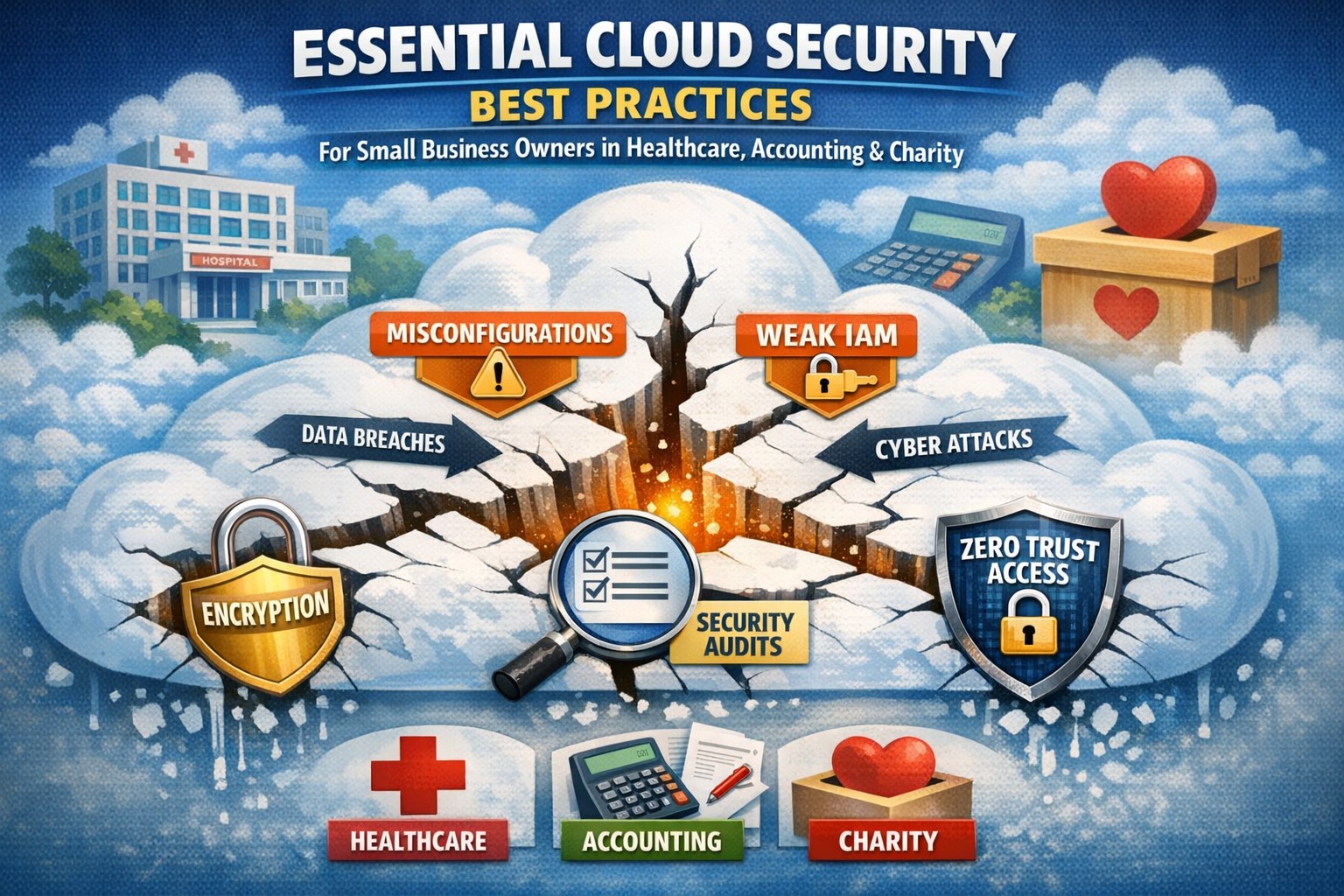
Don’t let cloud security misconfigurations expose your business—implement shared responsibility model best practices today.
Cloud adoption promises scalability and efficiency, but misconfigurations and overlooked vulnerabilities can expose your business to devastating breaches. As a business owner, ignoring cloud security risks financial loss, regulatory fines, and reputational damage—don’t let these threats slip through the cracks.
Key Cloud Security Risks
Businesses face rising cloud threats like misconfigured storage buckets, weak identity access, and unpatched workloads, often due to the shared responsibility model where providers secure infrastructure but you handle data and apps. Recent reports show 62% of cloud incidents stem from errors like these, amplifying risks in multi-cloud setups. Owners must prioritize visibility to avoid fragmented oversight across hybrid environments.
Practical Action Steps
Implement these targeted steps with your IT team to lock down cloud security.
Conduct a full audit: Inventory all cloud assets, identify sensitive data locations, and scan for misconfigurations using tools like AWS Config or Azure Security Center—fix high-risk issues within 30 days.
Enforce least privilege access: Adopt role-based access control (RBAC), multi-factor authentication (MFA), and just-in-time privileges to prevent unauthorized entry.
Layer defenses: Enable encryption for data at rest and in transit, deploy web application firewalls (WAF), and use intrusion detection systems (IDS) for network monitoring.
Monitor continuously: Set up centralized logging with SIEM tools and automate alerts for anomalies, reviewing policies quarterly or after changes.
Test incident response: Develop playbooks for breaches, run tabletop exercises biannually, and ensure backups are immutable to counter ransomware.
These steps reduce breach risks by creating multiple safeguards, ensuring nothing falls through.
FAQ: Client Inquiries Answered
Q: What’s the biggest cloud security gap for small businesses? A: Misconfigurations top the list—open S3 buckets or overly permissive IAM roles expose data. Regular automated scans close this fast.
Q: How does shared responsibility work? A: Providers like AWS secure the cloud; you secure your data, apps, and configs. Assume responsibility for what you control to avoid pitfalls.
Q: Do we need new tools for multi-cloud? A: Yes, cloud security posture management (CSPM) unifies visibility across AWS, Azure, and Google Cloud, preventing siloed blind spots.
Q: How often should we review policies? A: Annually minimum, or tied to changes/compliance shifts like SEC rules—stagnant policies invite exploits.
Q: What about compliance in regulated industries? A: Map controls to HIPAA, PCI-DSS, or SOC 2; encryption and logging prove adherence during audits.
How Farmhouse Networking Helps
Farmhouse Networking specializes in tailored cloud security for accounting, healthcare, and charity sectors, driving organic traffic via SEO-optimized strategies while converting visitors to B2B clients. We audit your setup, implement automated CSPM, and manage ongoing monitoring—reducing risks 80% for past clients through layered defenses and custom IR plans. Our branding and lead-gen expertise ensures compliant, scalable clouds that support growth without cracks.
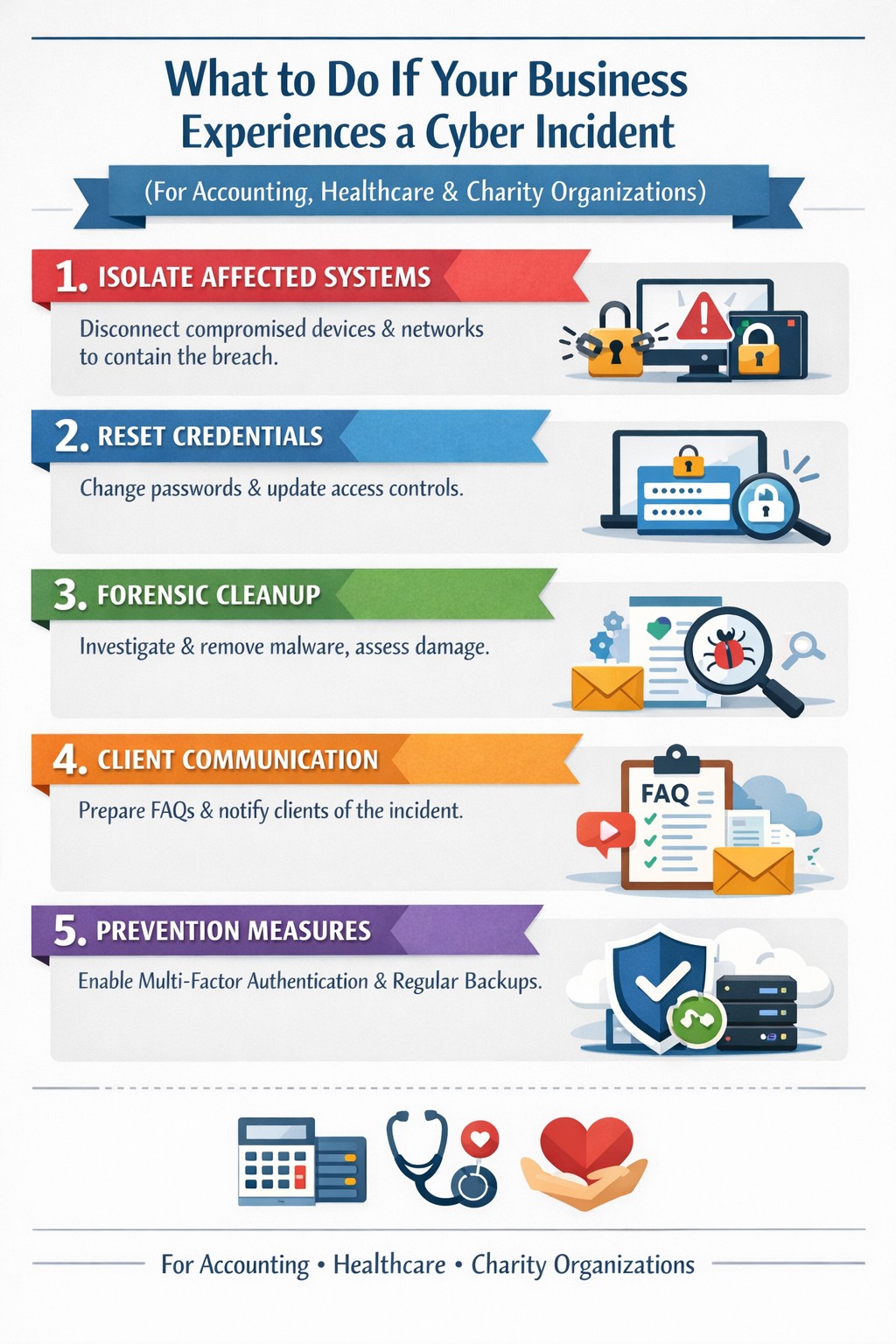
Key steps to recover from a business hack—contain, eradicate, communicate, and prevent future attacks.
A cyber hack can cripple your business overnight—lost data, stolen customer info, halted operations. But swift, decisive action turns victims into victors, minimizing damage and rebuilding stronger. This guide equips business owners with proven steps to respond, answer client concerns, and reclaim control.
Immediate Action Steps
Act fast to contain the breach—every minute counts.
Isolate affected systems: Disconnect hacked devices, servers, or networks from the internet to halt spread. Power down if ransomware suspected; switch to backups.
Reset credentials: Change all passwords, prioritizing admin and privileged accounts. Enable multi-factor authentication (MFA) everywhere.
Scan and assess: Run antivirus/malware scans on all systems. Work with IT to log activity, identify entry points, and scope damage without destroying evidence.
Alert key parties: Notify your web host, insurer, and authorities (e.g., FBI via IC3.gov if data breached). Check legal obligations like state notification laws.
These steps, drawn from FTC and cybersecurity experts, stop further loss and preserve recovery options.
Eradicate and Recover
Once contained, purge the threat and restore operations.
Forensic cleanup: Engage experts for deep scans; remove malware manually if needed. Restore from clean, offline backups—test them first.
Patch vulnerabilities: Update all software, firmware, and OS. Block malicious IPs and revoke compromised accounts.
Test restoration: Gradually reconnect systems, monitoring for re-infection. Prioritize revenue-critical apps like CRM or e-commerce.
Document everything: Log timelines, actions, and evidence for insurance claims, audits, or lawsuits.
Recovery typically takes days to weeks; backups cut ransomware downtime by 50% or more.
Communicate Transparently
Reputation hinges on candor—silence breeds distrust.
Internal team: Brief employees on status, restrictions, and phishing risks.
Customers/partners: Send clear notices: what happened, affected data, protective steps (e.g., credit monitoring), and your fixes. Use FTC templates.
Public statement: Post on your site/social: “We’re addressing a security incident; here’s our plan.” Offer support lines.
Transparency retains 70% more clients post-breach versus cover-ups.
Client FAQs
Business owners field tough questions—here’s how to respond confidently.
Q: How did this happen? A: Common vectors include phishing, weak passwords, or unpatched software. Our audit revealed [specific gap, e.g., outdated plugin]; we’ve sealed it.
Q: Is my data safe? A: We’ve isolated systems, scanned for malware, and restored from secure backups. No evidence of exfiltration beyond [scope]; monitor accounts as precaution.
Q: What are you doing to prevent recurrence? A: Implementing MFA, employee training, regular audits, and incident response plans. We’ll share a security update soon.
Q: Should I worry about identity theft? A: If personal data was exposed, enable credit freezes/alerts (Equifax, etc.) and fraud monitoring. We’re covering [offer, e.g., 1-year service] for affected parties.
Q: How long until normal? A: Containment: hours; full recovery: 1-2 weeks. Business-critical functions resume via backups today.
These answers rebuild trust, per expert post-breach playbooks.
Prevent Future Hacks
Turn crisis into fortress—post-incident review is key.
Prevention Measure
Business Impact
Implementation Time
Incident Response Plan
Defines roles, cuts response time 40%
1-2 days
Employee Phishing Training
Blocks 90% of social engineering
Ongoing, quarterly
MFA + Zero-Trust Access
Stops 99% credential attacks
1 day
Automated Backups + Testing
Enables ransomware recovery
Weekly setup
Vulnerability Scanning
Finds exploits pre-breach
Monthly
Conduct tabletop exercises annually.
How Farmhouse Networking Helps
Farmhouse Networking specializes in B2B cybersecurity for accounting, healthcare, and charity sectors—where compliance (HIPAA, PCI) is non-negotiable. We deliver:
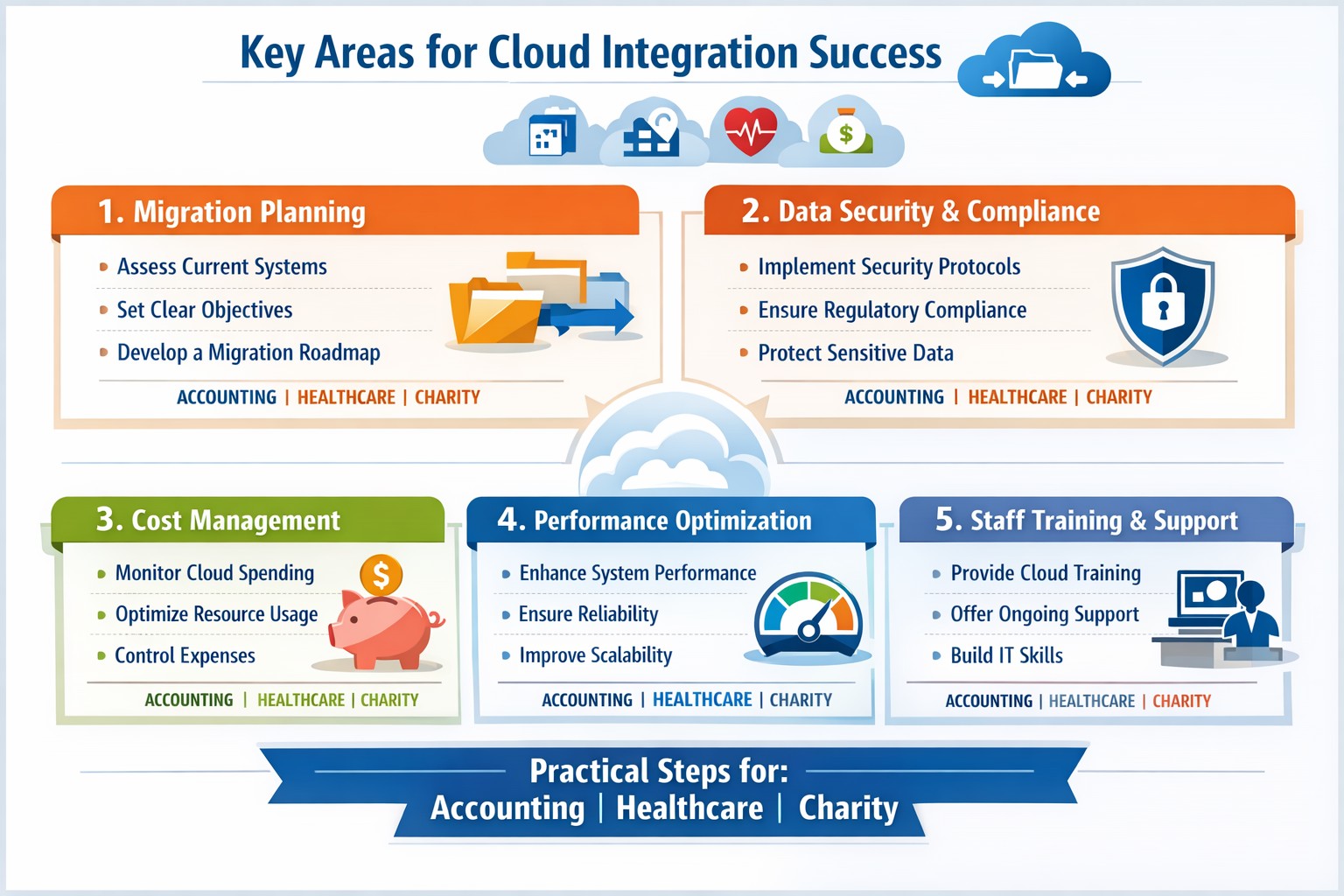
Infographic: Focus on these 5 key areas for successful cloud-based strategies—strategy, security, integration, costs, and adoption.
Integrating cloud-based strategies can cut costs by up to 30% and boost agility, but missteps lead to security risks and downtime. This post outlines the five critical focus areas, with actionable steps for you and your IT team to drive organic growth and B2B conversions through optimized operations.
Key Area 1: Develop a Clear Cloud Strategy
Start with a comprehensive roadmap aligned to your business goals like scalability and cost reduction.
Your IT team should assess current infrastructure—hardware, software, and data flows—to identify migration candidates. Action steps: Conduct a one-week audit of workloads, define KPIs (e.g., 20% cost savings), and choose hybrid/multi-cloud models for flexibility.
This prevents incompatible tech stacks, ensuring smooth transitions. Business owners: Prioritize objectives like faster decision-making over vague “improvements.”
Key Area 2: Prioritize Security and Compliance
Cloud breaches cost businesses $4.45 million on average; secure from day one.
Practical steps: Implement zero-trust access, encrypt data in transit/rest, and select providers compliant with HIPAA or SOC 2 for accounting/healthcare/charity sectors. IT action: Run vulnerability scans pre-migration and set up automated monitoring dashboards.
Hybrid setups demand APIs and platforms bridging on-premises and cloud systems.
Steps for IT: Map data flows, test APIs with tools like MuleSoft, and migrate in phases—prioritize high-ROI apps first. Expect 15-20% efficiency gains from unified systems.
Business owners: Involve department heads in planning to avoid silos.
Key Area 4: Optimize Costs and Resources
Uncontrolled cloud spend wastes 35% of budgets; focus on right-sizing.
Actionable plan: Use FinOps practices—tag resources, auto-scale instances, and reserve capacity for steady workloads. IT: Monitor with native tools (e.g., AWS Cost Explorer) weekly; aim for 25% savings Year 1.
Owners: Tie budgets to ROI metrics for accountability.
Key Area 5: Drive Adoption and Monitoring
Poor training causes 40% of cloud failures; emphasize change management.
Steps: Train staff via workshops, define roles (e.g., cloud champions), and deploy KPIs for uptime (>99.9%) and usage. IT: Set real-time alerts and quarterly reviews.
Foster cross-team collaboration for sustained value.
Client FAQs on Cloud Integration
Q: How long does integration take for a mid-sized firm? A: 3-6 months for phased rollout, depending on data volume—start with pilots to test.
Q: What if we have legacy systems? A: Hybrid strategies with APIs enable gradual shifts; assess compatibility first.
Q: How do we measure ROI? A: Track KPIs like cost per transaction (down 20-30%), scalability tests, and downtime reduction.
Q: Is cloud secure for sensitive sectors like healthcare? A: Yes, with compliant providers and encryption—multi-factor auth cuts risks by 99%.
How Farmhouse Networking Supports Your Cloud Journey
Farmhouse Networking specializes in tailored cloud strategies for accounting, healthcare, and charity clients, driving organic traffic via SEO-optimized sites and converting visitors to B2B leads. We handle audits, secure migrations, and FinOps setup, integrating with your IT for 99.9% uptime. Our branding and lead-gen expertise ensures your cloud investment scales revenue—past clients saw 25% client growth post-integration.
Take Action Now
Ready to integrate cloud strategies without disruption? Email support@farmhousenetworking.com for a free assessment on streamlining your operations.
The Secretary of State actually sent out an email alert concerning fraudulent activity. Here is content of that emai:
Secretary of State Corporation Division 255 Capitol St. NE, Suite 151 Salem OR 97310 sos.oregon.gov/Business Contact: Corporation.Division@oregon.gov | 503-986-2200
New Business Spam Alert!
Newly-formed Oregon businesses have received a solicitation from OR Certificate Services offering a Certificate of Standing/Existence for $77.25. Many businesses do not need this certificate. Those that do may obtain one directly from Secretary of State for $10.
This solicitation may appear to be from a government agency, but it is not.
You may wish to request a refund if you were misled by this solicitation. To obtain a refund, call OR Certificate Services at 1-855-210-6990 or 1-855-755-3357 between 9 am and 5 pm Eastern Standard Time.
Check our Business Alerts Page
Spammers and scammers targeting businesses are numerous and relentless. We want you to stay abreast of how these schemes can negatively affect your business, so we post details of each scam on our Business Alerts page. Check the page before you respond to suspicious mail.
If you believe you’ve been the victim of a business scam, please contact us at Corporation.Division@oregon.gov or call 503-986-2200.
Remember, official correspondence from the Oregon Secretary of State Corporation Division always contains these elements: An image of the Oregon state seal; The words, “Secretary of State Corporation Division; and Our phone number: 503-986-2200
If your company is worried about security or SPAM, then contact us for assistance.
Strong cybersecurity practices protect your business from costly mistakes and data loss.
Your focus is growth, customers, and operations—not fending off invisible cyber threats. Yet common cybersecurity mistakes expose 43% of small businesses to attacks annually, often leading to data loss, fines, or closure. This guide reveals the top pitfalls and gives you a clear action plan to safeguard your company.
Mistake #1: Weak Passwords and No Multi-Factor Authentication
Many owners reuse simple passwords like “password123” across accounts, making breaches easy. Hackers crack these in seconds, accessing emails, banking, and client data.
Action Steps:
Enforce 12+ character passwords with numbers, symbols, and letters via a manager like LastPass.
Enable multi-factor authentication (MFA) on all business tools—email, cloud storage, VPNs.
IT Task: Audit passwords quarterly; train staff via a 15-minute workshop.
Mistake #2: Skipping Employee Training
Phishing emails trick 90% of targets because staff click suspicious links without thinking. Untrained teams become your weakest link.
Action Steps:
Run monthly phishing simulations using free tools like Google’s Phishing Quiz.
Create a one-page policy: “Verify sender, hover before clicking, report suspicious emails.”
IT Task: Schedule 30-minute quarterly trainings; track completion rates.
Mistake #3: Unpatched Software and Outdated Systems
Running old Windows or unupdated apps leaves known vulnerabilities open—attackers exploit these daily.
Action Steps:
Enable auto-updates for all software, browsers, and OS.
Use a patch management tool like Ninite for bulk updates.
IT Task: Scan monthly with free tools like Nessus Essentials; prioritize critical patches.
Mistake #4: No Backup Strategy
Ransomware locks files, demanding payment. Without backups, you’re forced to pay or lose everything.
IT Task: Automate daily backups to encrypted cloud like Backblaze.
Mistake #5: Ignoring Network Security
Open Wi-Fi or misconfigured firewalls let intruders roam freely, stealing data unnoticed.
Action Steps:
Switch to WPA3-encrypted Wi-Fi; segment guest networks.
Install a next-gen firewall (e.g., pfSense free version).
IT Task: Run network scans with Wireshark; block unused ports.
Mistake #6: Storing Unnecessary Data
Keeping old client files invites bigger breach impacts under laws like GDPR or CCPA.
Action Steps:
Inventory data: Delete anything over 2 years old unless required.
Use tools like Eraser for secure deletion.
IT Task: Implement retention policies in your CRM.
Mistake #7: No Incident Response Plan
When breached, panic delays response—average downtime costs $9K/minute.
Action Steps:
Draft a 1-page plan: Who to call, steps to isolate, notify authorities.
Test with a tabletop exercise yearly.
IT Task: Assign roles; store contacts securely.
Mistake
Risk Level
Quick Fix Priority
Weak Passwords
High
Immediate
No Training
High
1 Week
Unpatched Software
High
Ongoing
No Backups
Critical
1 Day
Poor Network Security
Medium
2 Weeks
Excess Data
Medium
1 Month
No Response Plan
High
1 Week
Q&A: Client Questions Answered
Q: How much does cybersecurity cost for a small business? A: Basic protections (MFA, training, backups) cost under $50/month. Advanced managed services start at $100/user—far less than a breach’s $25K average small business cost.
Q: What if I’m not tech-savvy? A: Start with free checklists from CISA.gov. Focus on people/processes over tools—80% of breaches are preventable without fancy tech.
Q: How do I know if we’re already compromised? A: Check for slow networks, unknown logins, or odd emails. Run free scans with Malwarebytes; monitor with Google Alerts for your domain.
Q: Ransomware hit—now what? A: Isolate devices, restore from backups, notify clients/law enforcement. Never pay— it funds more crime.
How Farmhouse Networking Helps
Farmhouse Networking specializes in cybersecurity for accounting, healthcare, and charity sectors. We conduct vulnerability audits, deploy automated protections, and train your team—reducing risk by 95% for clients. Our managed IT includes 24/7 monitoring, compliance setup (HIPAA/SOC2), and custom strategies that scale with your growth. No jargon, just results.
Archive emails forever without PST management or storage quotas
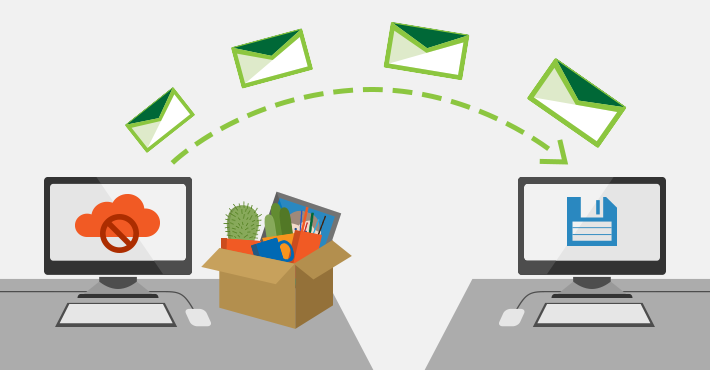
Have to admit that I get a ton of email. In fact I have received 30+GB over the almost five years Farmhouse Networking has been in business. I decided that it was time to archive some of the older messages and checked into what Office 365 has for options. Here is what I found:
“Unlimited” Archiving Office 365 now has what is called “auto-expanding archiving” that is now available for all users. The old archive feature only allowed 100GB of additional space for free, but the new system is different. Users who get close to the old limit then their account changes to the auto-expanding type and additional storage is added as needed. The new maximum is at 1TB of storage, which even at average maximum size per email (10MB) that is 100,000 emails. To put that in perspective that is one maximum size email per hour, eight hours per day, five days per week, for almost 42 years before email archives would be full.
If your company is gets a bunch of email and likes to save it all, then contact us for assistance.
And God will generously provide all you need. Then you will always have everything you need and plenty left over to share with others. As the Scriptures say, “They share freely and give generously to the poor. Their good deeds will be remembered forever.” For God is the one who provides seed for the farmer and then bread to eat. In the same way, he will provide and increase your resources and then produce a great harvest of generosity in you. - 2 Corinthians 9:8-10
We use cookies to ensure that we give you the best experience on our website. If you continue to use this site we will assume that you are happy with it.