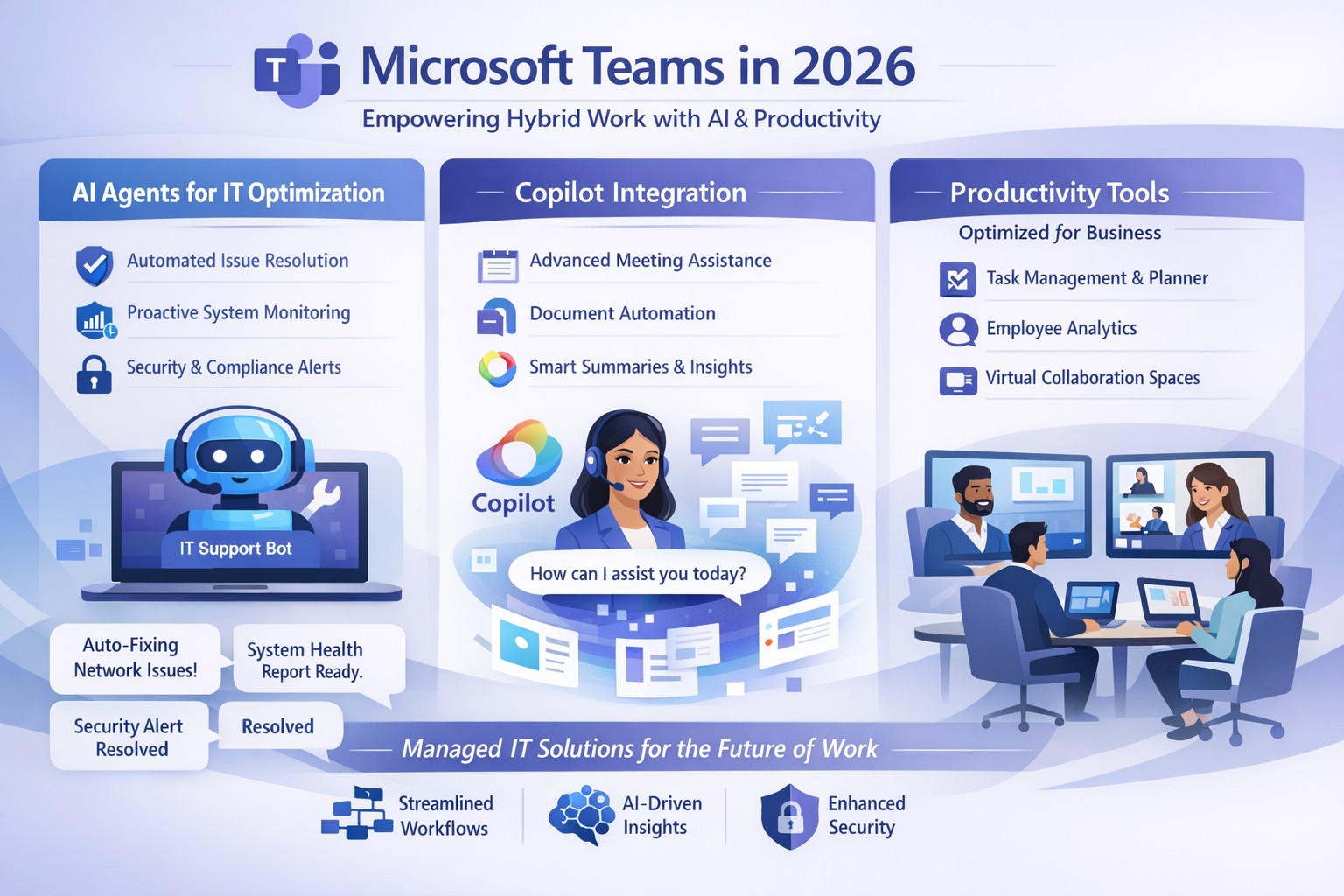
Microsoft Teams 2026 AI-powered features like intelligent agents and screen-aware Copilot transforming business collaboration.
Staying ahead of Microsoft Teams’ rapid evolution is critical for team productivity and competitive edge. 2026 brings AI-powered updates like intelligent agents, screen-aware Copilot, and smarter recaps that transform Teams from a chat tool into a strategic hub—directly impacting your bottom line through reduced meeting time and better decisions.
Key Future Features in Teams 2026
Microsoft Teams’ 2026 roadmap emphasizes AI integration via Copilot, making collaboration proactive. Highlights include AI agents joining meetings to answer questions and track agendas in real-time; Copilot analyzing shared screens for context-aware insights; enhanced chat summaries extracting decisions from threads; and meeting recaps auto-posting to SharePoint for searchable knowledge bases. Interactive annotations let all participants mark up shared content, boosting hybrid brainstorming. These features cut manual work by 30-50%, per early adopter reports, freeing teams for high-value tasks.
Practical Action Steps
Implement these steps with your IT department to leverage Teams’ future features.
Audit Current Setup: Review Teams licenses—upgrade to Microsoft 365 Copilot or Teams Premium for AI access. IT: Run Microsoft 365 admin center audit for usage gaps.
Enable AI Agents and Copilot: In Teams admin center, activate Copilot Studio for custom agents and screen analysis. Test in pilot meetings; train leaders via 15-minute sessions.
Optimize Meetings and Chats: Configure recap templates with visual references; set SharePoint auto-sync. IT: Deploy policies for resizable galleries and multilingual captions.
Secure and Scale: Apply external user trust badges; integrate with frontline tools. Monitor via analytics dashboard, targeting 20% productivity gains quarterly.
Train and Measure: Roll out via Viva Learning modules; track adoption with usage reports.
These steps ensure seamless rollout, minimizing disruption.
Client FAQs on Teams Future Features
Q: How do AI agents impact small business operations? A: Agents handle real-time summaries and nudges, saving 1-2 hours weekly per team on notes—ideal for lean operations without dedicated admins.
Q: What about security with screen analysis? A: Copilot processes data in your tenant with enterprise-grade encryption; admins control via sensitivity labels, compliant with GDPR and HIPAA.
Q: Will these features work for hybrid teams? A: Yes—interactive annotations and resizable views enhance remote participation; automatic language detection supports global clients.
Q: How much do upgrades cost? A: Copilot adds $30/user/month to E3/E5 plans; ROI comes from 25% faster decision-making, per Microsoft benchmarks.
Q: Can we customize recaps? A: Fully—preset templates or Copilot prompts tailor outputs to your workflows, integrating with SharePoint for persistence.
How Farmhouse Networking Helps
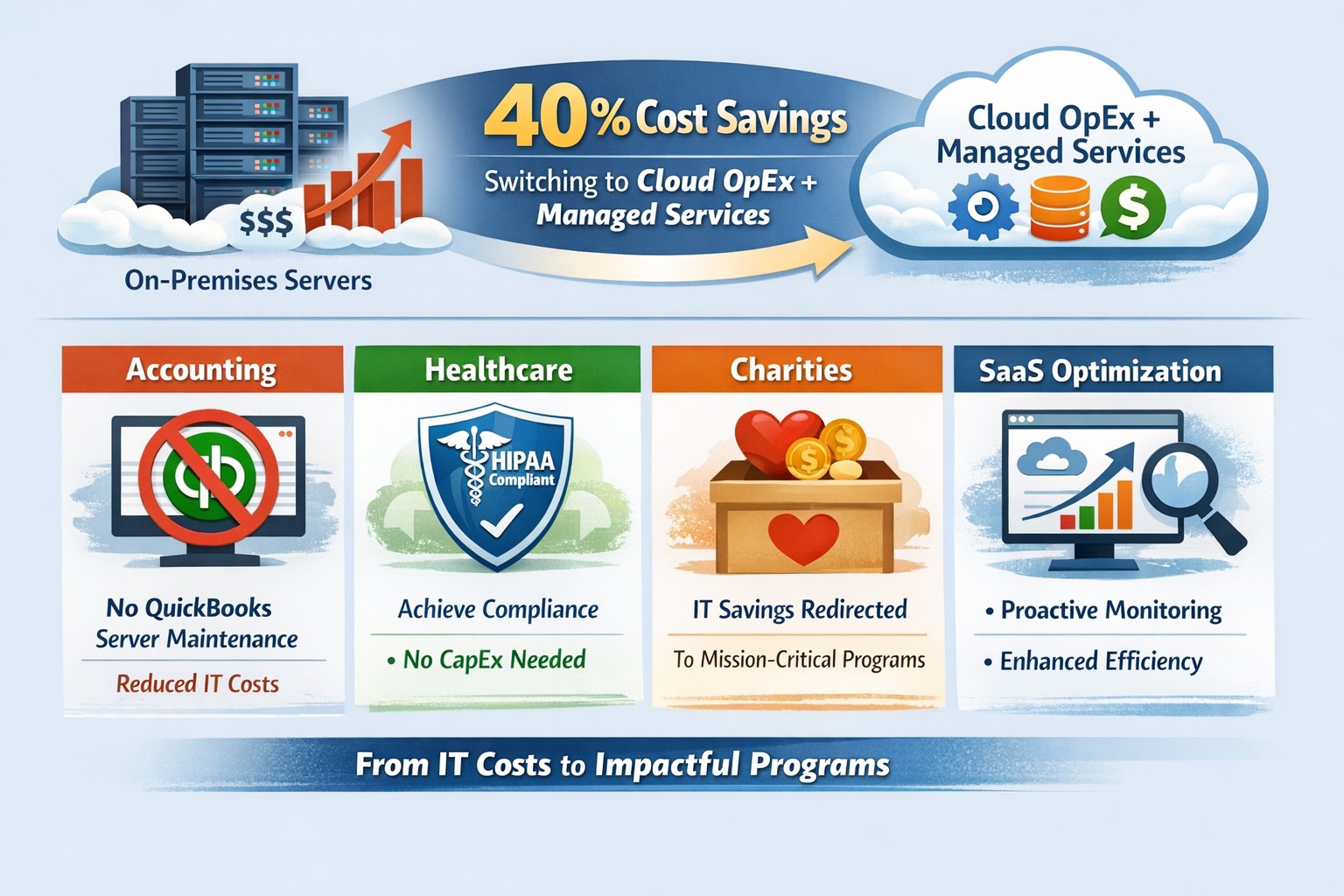
Farmhouse Networking specializes in managed IT for accounting, healthcare, and charity sectors, delivering Microsoft Teams optimization as your strategic partner. We handle full audits, Copilot deployments, custom AI agent builds, and compliance setups—reducing your IT overhead by 40%. Our experts integrate Teams with existing systems, train your staff, and monitor performance via proactive dashboards. For seamless adoption of 2026 features, we provide tailored roadmaps that drive organic growth and B2B conversions.
Ready to future-proof your Teams? Email support@farmhousenetworking.com today for a free consultation on boosting business efficiency.
Leverage Windows 11 and Office apps to boost business productivity and enhance security—key Microsoft 365 features for accounting, healthcare, and charity firms.
As a business owner in accounting, healthcare, or charity sectors, you’re juggling tight deadlines, sensitive data, and remote teams. Windows and Microsoft Office apps, powered by Microsoft 365, deliver seamless productivity gains and enterprise-grade security to protect your operations without complexity.
Key Benefits for Your Business
Windows 11 integrates tightly with Office apps like Teams, OneDrive, and Outlook, enabling real-time collaboration that cuts email chains by 30-50% in typical teams. Security features such as multi-factor authentication (MFA) and advanced threat protection block 99% of phishing attempts, vital for HIPAA-compliant healthcare or IRS-regulated accounting firms. Cloud syncing via OneDrive ensures data accessibility across devices while encrypting files end-to-end, reducing downtime from lost laptops.
Practical Action Steps
Follow these steps with your IT department for quick wins.
Upgrade to Windows 11 and Microsoft 365 E3/E5: Audit current licenses via the Microsoft 365 admin center; migrate from legacy Windows 10 (support ended October 2025) to avoid vulnerabilities. Enable auto-updates for patches.
Deploy MFA and Endpoint Protection: In the Microsoft Entra admin center, enforce MFA for all users; activate Defender for Endpoint to monitor threats in real-time. Test on a pilot group of 10 users first.
Optimize Teams and Power Automate: Set up Teams channels for projects; use Power Automate to automate invoice approvals or donor reports, saving 5-10 hours weekly per employee.
Secure OneDrive Sharing: Configure sensitivity labels for client files; train staff via Microsoft Learn modules (free, 30-minute sessions).
Monitor with Insights Tools: Use Microsoft Viva Insights to track productivity metrics; review monthly for bottlenecks.
These steps yield ROI in 3-6 months through reduced breaches (average cost $120K for small firms) and 20% time savings.
FAQ: Client Inquiries Answered
How does this improve remote work security? Windows and Office apps use Zero Trust security, verifying every access attempt. Remote users get the same protections as in-office via Intune device management.
What’s the cost for a 50-employee firm? Microsoft 365 Business Premium starts at $22/user/month, including all apps, 1TB OneDrive, and advanced security—often cheaper than disjointed tools.
Will it disrupt daily operations? Minimal: Phased rollout with co-pilot AI assistance eases adoption. Teams integrates with existing email in under an hour.
How to comply with industry regs like HIPAA or 990 filings? Built-in compliance tools like data loss prevention (DLP) and audit logs map directly to standards; export reports for audits.
Can we customize for accounting workflows? Yes—Power Apps builds no-code tools for QuickBooks integration or charity donor tracking, boosting efficiency 25%.
How Farmhouse Networking Helps
Farmhouse Networking specializes in tailored Microsoft 365 deployments for accounting, healthcare, and charity clients. We handle audits, migrations, custom automations, and ongoing optimization—ensuring 99.9% uptime and full compliance. Our team conducts free assessments, trains your staff, and integrates with existing systems like EHRs or fund management software. Past clients report 40% productivity lifts and zero breaches post-implementation.
Switch to OpEx IT—slash costs without sacrificing reliability
Here are some quick tips to save money on IT expenses during these tough times.
Ways to cut IT expenses
Software Licensing: Take an inventory of all software licensing that is either auto-renewal or subscription based to determine if you actually need all the features that you are purchasing. There may be a license that is less expensive with less features that you can use instead. It is also good to regularly check for un-used licensing for users that are no longer with the company also. Let us do a full evaluation on your software licensing at no cost.
Paperless: By not printing you save the environment and save on money. Less toner and less paper equal more money in the reserves. It also saves on maintenance or replacement costs on those expensive large multi-function printer devices.
Phone Service: Take a look at the phone bill to see if your carrier has recently changed your pricing from the original discounted price to their standard pricing. Also consider how many lines you have and if they all need separate phone numbers. These kinds of service can often cost more money. It might be time to start shopping for a new vendor to get better rates and Farmhouse Networking is there to help with low rates and no setup charges.
Hardware Consolidation: Multiple servers and extra network equipment due to improper wiring can be an unseen extra expense on the electric bill and increase cooling costs in the office. Using virtual server technology or migrating to the cloud can help lessen the impact of servers in your office. Centralizing / consolidating servers and network equipment will decrease the overall cooling expenses for the building too.
Support Contracts: Are you paying for IT support on a monthly basis? Are you sure you are getting the best deal and only the services you need to keep business functioning? Let us take a look at your contract to see if there are any cuts that can be made to decrease support contract costs.
If your company is going through a tough time financially and looking to save money on IT expenses, then contact us for assistance.
Modernization = immediate 30% IT cost reduction with compliance
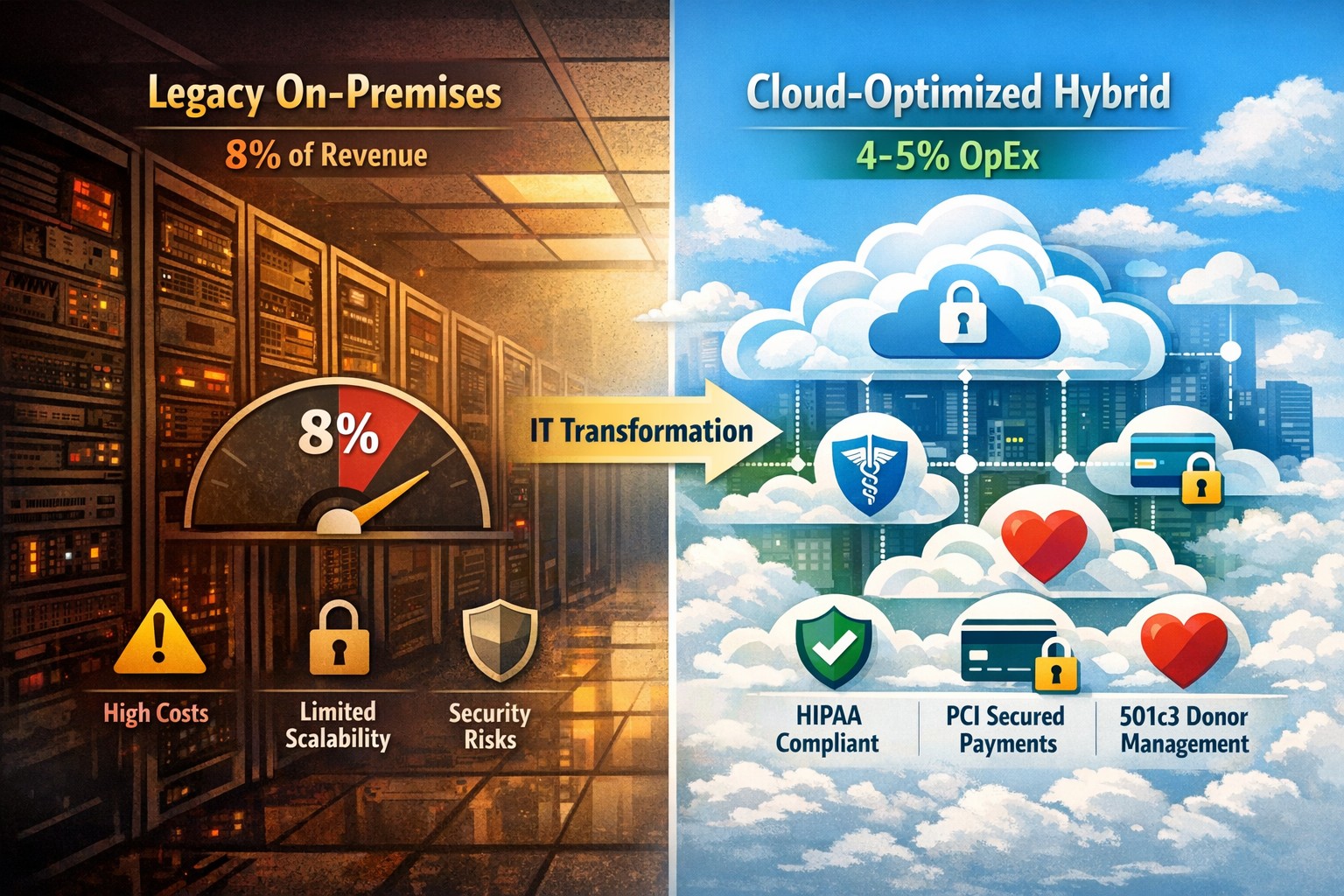
Legacy infrastructure can limit scalability, increase downtime, and require expensive patchwork fixes. Modern solutions — whether in the cloud or hybrid configurations — give small businesses flexibility, automation, and predictable operating costs.
According to Gartner, companies that modernize their IT environments reduce infrastructure costs by up to 30% and improve operational efficiency by 25% or more. For small business owners, these savings can directly impact profitability and competitiveness.
Action Steps to Modernize and Optimize IT
To start seeing results, take a structured approach to IT modernization:
Assess Your Current Infrastructure Conduct a full audit of your hardware, software, and network assets. Identify outdated servers, unsupported software, and bottlenecks that affect performance or security.
Move to Scalable Cloud Solutions Transition from on-premises systems to cloud-based environments like Microsoft Azure or Google Workspace. Cloud solutions reduce capital expenditures, improve accessibility, and support remote teams.
Virtualize Where Possible Replace physical servers with virtual machines. Virtualization consolidates workloads, reduces energy usage, and simplifies disaster recovery planning.
Implement Automation and AI Tools Automate repetitive IT maintenance tasks such as updates, monitoring, and backups. Modern IT management software decreases manual intervention and minimizes human error.
Enhance Cybersecurity Frameworks As you modernize, integrate advanced security tools — firewalls, endpoint detection, and multi-factor authentication — to prevent modern cyber threats.
Adopt Predictable Cost Models Consider a managed IT service provider (MSP) that delivers infrastructure and support under a fixed monthly fee. This approach eliminates unpredictable repair costs and frees capital for innovation.
Common Questions from Business Owners
Q: How do I know if my infrastructure is outdated? A: Signs include frequent downtime, slow systems, incompatible applications, or rising maintenance costs. If your servers are older than five years or your support software is no longer updated, it’s time for a change.
Q: What’s the ROI of IT modernization? A: Beyond cost savings, modernization improves workforce productivity, customer satisfaction, and business agility. Many SMBs see full ROI within 12–24 months through improved uptime and reduced service calls.
Q: Is the cloud secure for small businesses? A: Yes, if configured properly. Major cloud providers maintain rigorous security standards and compliance certifications. Working with an IT partner ensures proper access controls and data backup procedures.
Q: How disruptive is the modernization process? A: With professional planning, disruption can be minimized. Migration often occurs after-hours or in stages to ensure operations continue smoothly.
How Farmhouse Networking Can Help
At Farmhouse Networking, we specialize in helping small and mid-sized businesses modernize their IT infrastructure for measurable cost savings. Our services include:
Comprehensive infrastructure assessments to identify inefficiencies.
Cloud migration and virtualization support tailored to your industry needs.
Cybersecurity modernization to protect against evolving threats.
Managed IT services with predictable monthly pricing and rapid support response times.
We handle the transformation process end to end — from planning and deployment to monitoring and optimization — so you can focus on running your business rather than managing technology.
Email us at support@farmhousenetworking.com to learn how Farmhouse Networking can help you modernize your IT infrastructure and optimize your company’s technology spend.
And God will generously provide all you need. Then you will always have everything you need and plenty left over to share with others. As the Scriptures say, “They share freely and give generously to the poor. Their good deeds will be remembered forever.” For God is the one who provides seed for the farmer and then bread to eat. In the same way, he will provide and increase your resources and then produce a great harvest of generosity in you. - 2 Corinthians 9:8-10
We use cookies to ensure that we give you the best experience on our website. If you continue to use this site we will assume that you are happy with it.