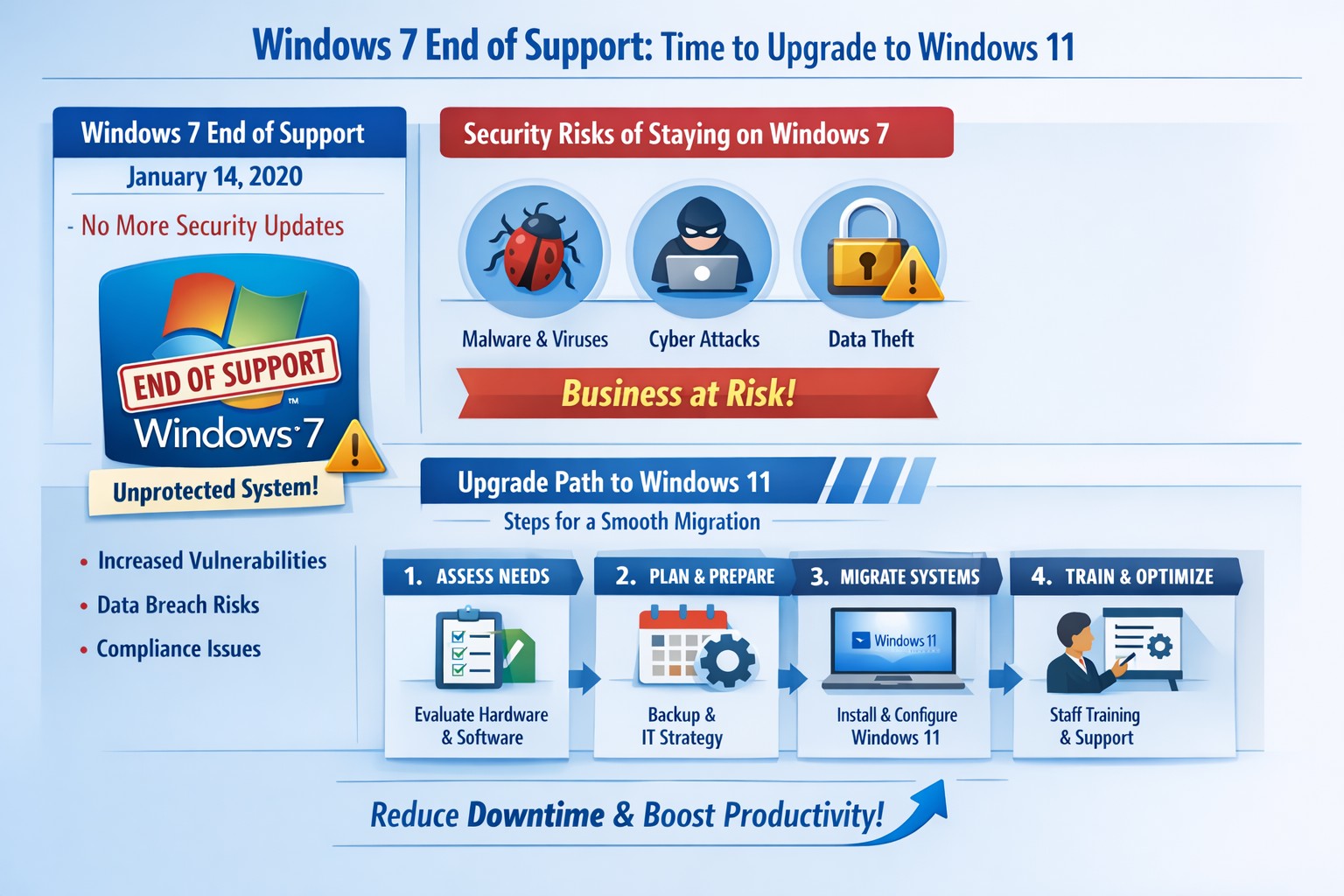
Infographic: Key steps to migrate from Windows 7 end of support, minimizing risks for accounting, healthcare, and charity businesses.
Windows 7 support officially ended years ago, but many businesses still run legacy systems, exposing them to severe security risks and compliance issues. As a business owner, ignoring this leaves your operations vulnerable to cyberattacks that target unpatched vulnerabilities—hackers know exactly when support lapses.
Business Risks
Continued use of Windows 7 means no more Microsoft security updates, making systems prime targets for malware, ransomware, and exploits. Third-party software and hardware vendors will drop compatibility, leading to functionality failures and forced hardware upgrades. Non-compliance with regulations like GDPR, HIPAA, or PCI DSS could trigger fines, especially in accounting, healthcare, and charity sectors.
Practical Action Steps
Follow these steps with your IT department to migrate securely:
Inventory Systems: Audit all devices for Windows 7 usage. Use tools like Microsoft’s PC Health Check or scripts to scan networks—prioritize critical machines handling client data.
Backup Data: Perform full backups to encrypted, offsite storage. Test restores to ensure integrity before any changes.
Upgrade or Replace: Assess hardware; pre-2015 PCs may not support Windows 11. Upgrade eligible systems to Windows 10/11 or deploy new hardware with modern OS. Budget for this: expect $500–$1500 per workstation.
Test Compatibility: Run applications in a sandboxed environment on the new OS. Switch incompatible software to cloud alternatives like Microsoft 365.
Deploy Security: Install endpoint protection, enable multi-factor authentication, and patch all systems post-migration.
Train Staff: Schedule sessions on new interfaces to minimize downtime—aim for under 4 hours per user.
Step
Timeline
Responsible Party
Inventory
1 week
IT Admin
Backup
Ongoing
IT + Owner
Upgrade/Test
2–4 weeks
IT Department
Deploy/Train
1 week
Full Team
FAQs for Client Inquiries
Q: Can I pay for extended Windows 7 support? A: Microsoft’s Extended Security Updates (ESU) ended in 2023; no options remain. Migration is mandatory.
Q: What if my accounting software doesn’t work on Windows 11? A: Most vendors (e.g., QuickBooks) support Windows 11. Test via vendor trials; cloud versions bypass OS issues entirely.
Q: How much will this cost my small business? A: $1000–$5000 for a 5-PC setup, including hardware. Delaying increases breach costs exponentially—average ransomware payout hit $1.5M in 2025.
Q: Is Windows 10 safe long-term? A: Support ends October 2025; plan for Windows 11 now to avoid repeat issues.
Q: What about healthcare/charity compliance? A: HIPAA/PCI violations start immediately on unsupported OS. Migrate to audited, compliant systems.
How Farmhouse Networking Helps
Farmhouse Networking specializes in seamless Windows migrations for accounting firms tracking finances, healthcare providers securing PHI, and charities managing donor data. We conduct free audits, handle inventory-to-deployment, and optimize for SEO-driven websites that convert IT leads into long-term B2B clients. Our custom strategies include branded cloud setups, lead-gen automation, and 24/7 monitoring—reducing downtime by 90% and boosting security scores. Past clients saw 25% organic traffic growth post-migration via content-optimized sites.
Ready to secure your business? Email support@farmhousenetworking.com for a no-obligation audit and personalized migration plan. Act now—before a breach does.
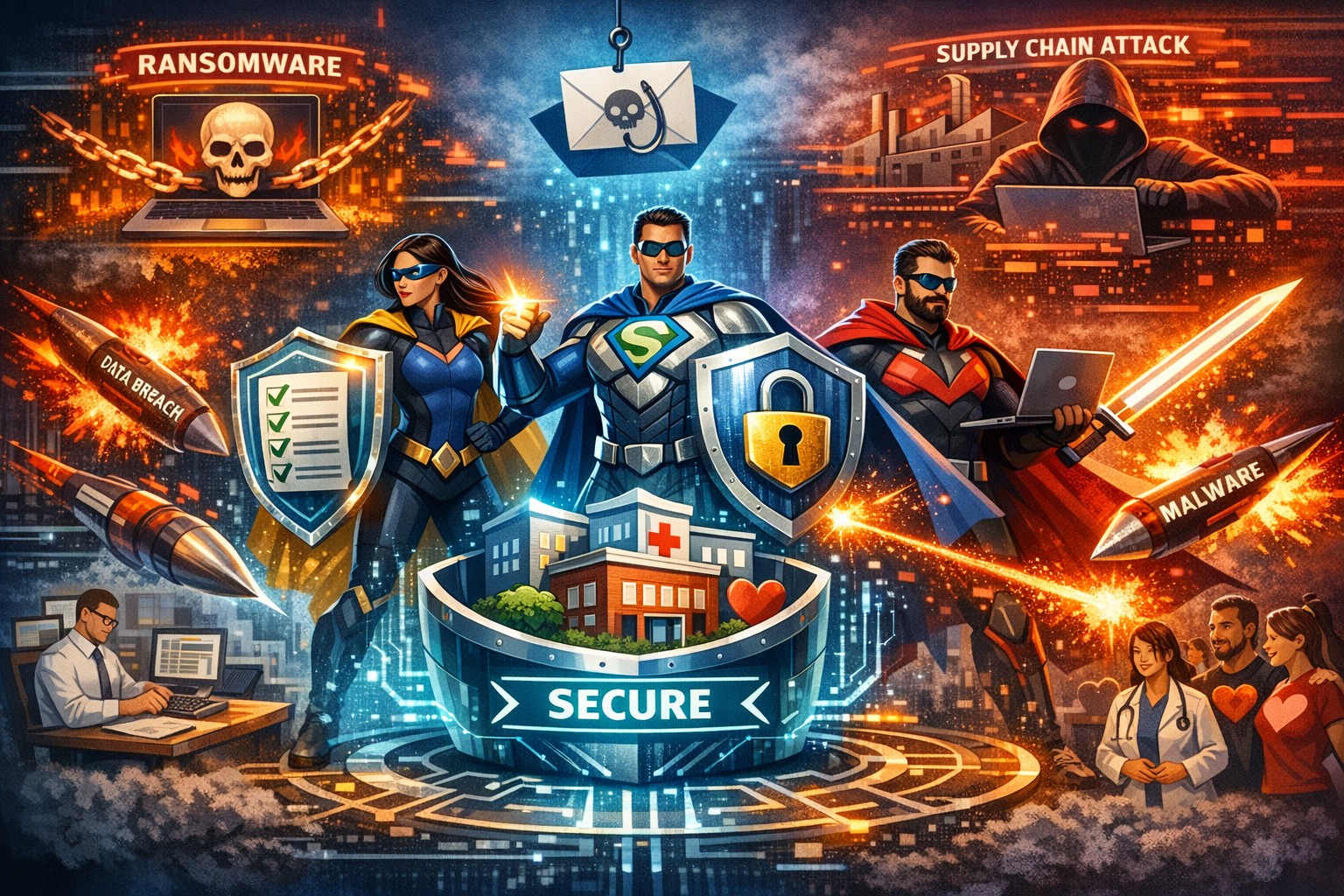
IT Heroes Shielding Your Business from Cyber Threats
Cyber threats like ransomware and phishing can halt operations and expose sensitive data—threats escalating in 2026 with AI-driven attacks. Your IT team are the unsung heroes defending against these risks, ensuring continuity amid rising incidents targeting your industry. This post outlines actionable cybersecurity steps, answers key questions, and shows how Farmhouse Networking bolsters your defenses.
Key Cyber Threats in 2026
Businesses face sophisticated ransomware hitting accounting apps, supply chain attacks disrupting healthcare, and donor data theft in charities. Phishing mimics IRS notices or fake donation pages, while cloud misconfigurations expose data across sectors. Small firms with limited IT budgets are prime targets, but proven defenses like encryption and MFA block most incursions.
Practical Action Steps
Implement these prioritized steps with your IT department to fortify defenses—tailored for accounting firms handling tax data, healthcare protecting patient records, and charities safeguarding donor info.
Enable Multi-Factor Authentication (MFA): Require on all accounts, especially email, cloud services, and accounting software; use passkeys for high-risk access.
Encrypt Sensitive Data: Protect client files, patient records, and donor lists at rest and in transit; pair with Data Loss Prevention tools.
Deploy Firewalls and Network Segmentation: Use business-grade firewalls with WPA3 Wi-Fi; isolate accounting servers or EHR systems via VLANs.
Automate Updates and Patching: Enforce on all devices and software to close vulnerabilities exploited in phishing and ransomware.
Follow 3-2-1 Backup Rule: Maintain 3 data copies on 2 media types, 1 offsite/cloud; test quarterly for ransomware recovery.
Conduct Vulnerability Assessments: Scan networks semi-annually; review third-party vendors for compliance like HIPAA or PCI.
Train Staff on Phishing: Run simulations targeting industry lures (e.g., fake IRS emails for accountants); enforce least-privilege access.
These steps reduce breach risk by 80-90% when combined, per industry benchmarks.
FAQ: Client Inquiries Answered
How often should we test backups? Quarterly restores ensure usability against ransomware; offline copies prevent encryption.
Is MFA enough against AI phishing? No—combine with training and endpoint detection; deepfakes target credentials in 2026.
What about cloud risks for nonprofits? Audit configurations monthly; segment donor CRMs and use encryption to block supply chain exploits.
How to handle vendor threats in healthcare? Demand SOC reports and limit access; 87% of supply attacks disrupt care.
Can small businesses afford cybersecurity? Yes—managed services fit budgets, allocating 5-10% of IT spend yields high ROI via downtime prevention.
How Farmhouse Networking Helps
Farmhouse Networking delivers managed IT and cybersecurity tailored for accounting, healthcare, and charity clients in Oregon and nationwide. We handle vulnerability assessments, network segmentation, encryption, HIPAA/PCI compliance, backups, and penetration testing—freeing you to focus on growth. Our semi-annual business reviews align tech with your 5-year plan, while 24/7 monitoring stops threats proactively. Proven for fast-growing practices and firms, we optimize Office 365 migrations, secure remote access, and provide outsourced CIO expertise.
Call to Action
Ready to unleash your IT heroes? Email support@farmhousenetworking.com today for a free cybersecurity assessment and customized strategy to defend, protect, and secure your business.
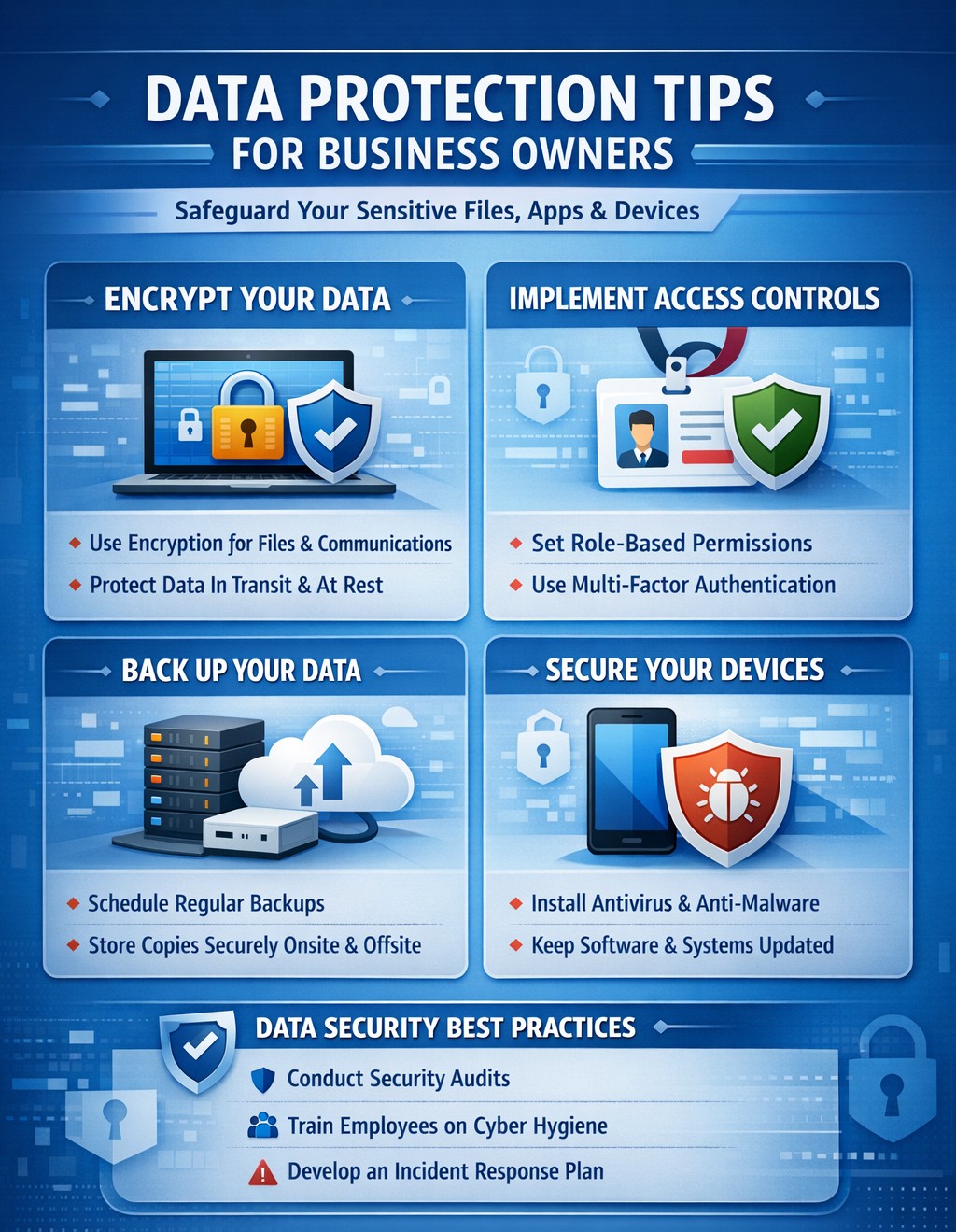
A single data breach can cost millions in losses, legal fees, and lost trust—FTC data shows average costs exceeding $4.5 million per incident. Protecting data across files, apps, devices, and your entire organization isn’t optional; it’s essential for survival in 2026’s threat landscape.
Practical Action Steps
Implement these steps with your IT team to secure data organization-wide. Prioritize based on risk assessment.
Inventory and Classify Data: Catalog all sensitive information (e.g., client financials, employee records) across files, apps, and devices. Use tools to tag by sensitivity—high (e.g., PII), medium, low. Review quarterly.
Enforce Least Privilege Access: Limit access to need-to-know basis via role-based controls. Require multi-factor authentication (MFA) everywhere; disable unused accounts.
Encrypt Everything: Apply encryption to data at rest (files/devices) and in transit (apps/email). Use AES-256 standards; enable full-disk encryption on laptops.
Secure Devices and Networks: Install anti-malware, firewalls, and endpoint detection. Segment networks to isolate critical systems; secure WiFi with WPA3.
Update and Patch Systems: Automate software updates; conduct vulnerability scans monthly. Train staff on phishing via simulations.
Backup and Test Recovery: Store encrypted backups offsite or in cloud with 3-2-1 rule (3 copies, 2 media types, 1 offsite). Test restores biannually.
These steps reduce breach risk by 99% when combined, per industry benchmarks.
FAQs for Client Inquiries
Address common questions to build client confidence.
What if we suffer a breach? Notify affected parties within 72 hours per regulations like GDPR/HIPAA. Conduct forensics, then audit and remediate. Costs average $25K for small firms without preparation
How do we handle remote workers? Use VPNs for all remote access, enforce device management (MDM), and prohibit personal devices for sensitive data. Encrypt all endpoints.
Is cloud storage safe? Yes, with provider SLAs for encryption and compliance (e.g., SOC 2). Avoid shadow IT; centralize via approved platforms with DLP.
What’s the ROI on these measures? Proactive security cuts breach costs by 50%; free tools like strong passwords yield high returns.
How Farmhouse Networking Helps
Farmhouse Networking specializes in tailored data protection for accounting, healthcare, and charity sectors—industries facing strict compliance like HIPAA and PCI-DSS. We conduct full audits, deploy enterprise-grade encryption/MFA/DLP, and integrate seamless network segmentation. Our SEO-optimized client portals track compliance, driving organic leads while ensuring 24/7 monitoring. Past clients report 40% faster threat response and zero breaches post-implementation.
Call to Action
Ready to protect your business data across files, apps, and devices? Email support@farmhousenetworking.com for a free risk assessment and custom strategy.
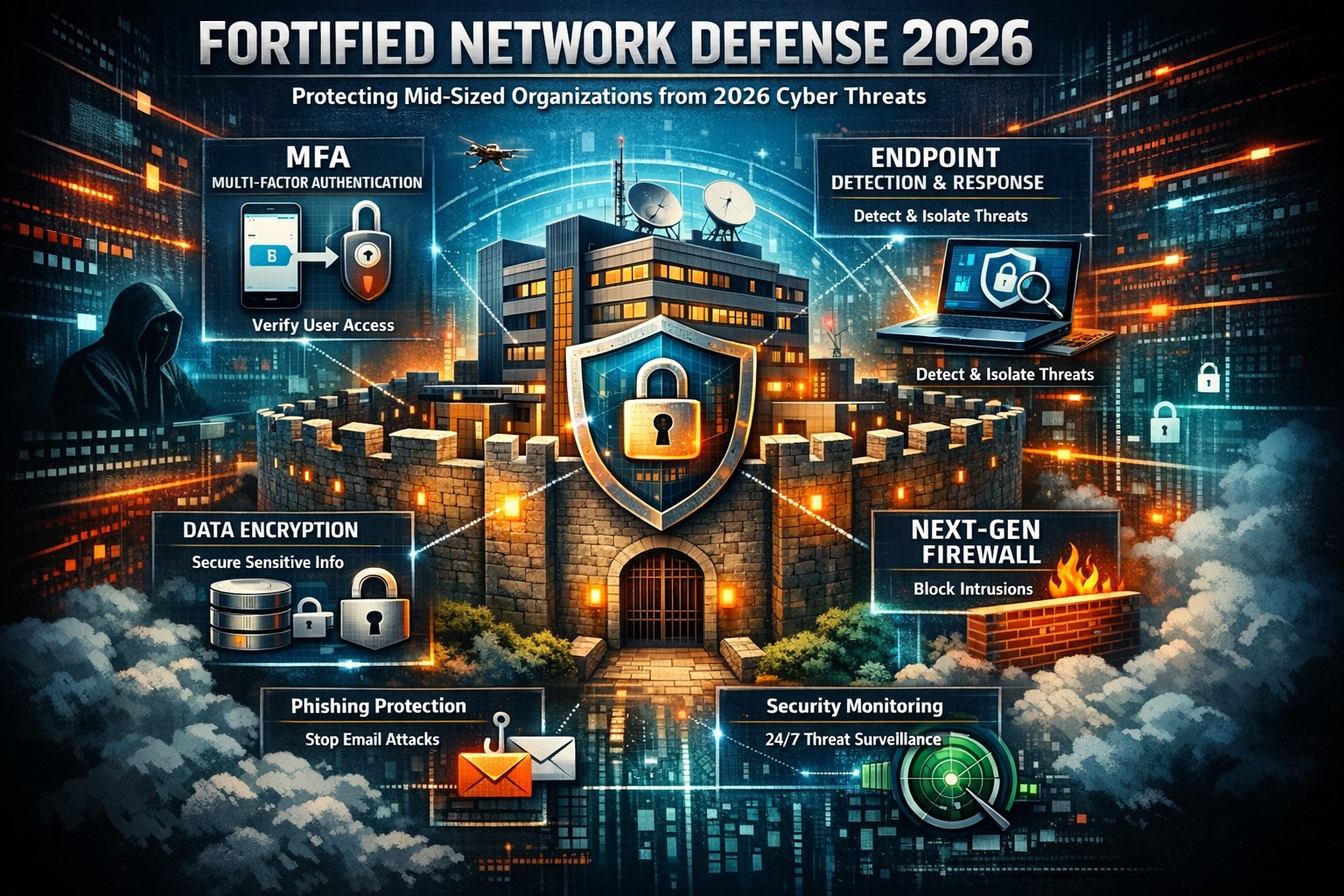
Data breaches strike mid-sized businesses every day, costing millions in downtime, fines, and lost trust. As a business owner, you can’t eliminate risks entirely, but you can build defenses that minimize damage and keep operations running.
Why Mid-Sized Firms Face Heightened Risks
Mid-sized organizations (50-500 employees) often lack enterprise-level resources yet handle sensitive data like client records and financials, making them prime targets for ransomware and phishing. Recent trends show attackers exploiting hybrid work setups and third-party vendors. Proactive steps turn vulnerability into resilience.
Practical Action Steps for Owners and IT Teams
Implement these prioritized steps to fortify your defenses. Assign IT leads for execution, with owner oversight on budgets and compliance.
Enforce Multi-Factor Authentication (MFA): Require MFA on email, remote access, and cloud apps. Separate admin accounts from daily use to block credential theft, a top entry point.
Adopt Zero Trust Architecture: Verify every user, device, and access request. Inventory identities, disable dormant accounts, and apply conditional access based on location and behavior. Shorten session times.
Deploy Endpoint Detection and Response (EDR): Install EDR on all devices for real-time threat monitoring. Combine with XDR for unified visibility across endpoints, networks, and cloud.
Secure Backups and Incident Response: Create immutable, offline backups of critical systems. Develop a playbook with escalation paths, containment actions, and recovery protocols. Test via tabletop exercises quarterly.
Patch Management and Vulnerability Scans: Automate updates and scans for unpatched software. Segment networks to isolate finance or HR systems. Review firewall rules annually.
Employee Training and Vendor Audits: Run phishing simulations and awareness programs. Inventory third parties, limit their access, and test integrations in staging environments.
These steps reduce breach likelihood by up to 99% when layered properly, per industry benchmarks.
Step
Owner/IT Role
Timeline
Expected Impact
MFA Rollout
IT: Deploy; Owner: Approve budget
1-2 weeks
Blocks 80% of account takeovers
Zero Trust Setup
IT: Inventory & configure
1 month
Limits lateral movement
EDR/XDR Implementation
IT: Install & monitor
2-4 weeks
Speeds detection by 50%
Backup Playbook
Joint: Develop & test
Ongoing
Ensures <24hr recovery
Q&A: Client Inquiries Answered
Q: How much will these measures cost a mid-sized firm? A: Basic MFA and training start under $10/user/year; EDR/XDR scales to $50-100/endpoint annually. ROI comes from avoiding $4.5M average breach costs. Prioritize high-impact basics first.
Q: What if we already had a breach? A: Isolate affected systems, notify per regulations (e.g., Notifiable Data Breaches), and audit for persistence. Engage experts for forensics to prevent recurrence.
Q: How do we stay compliant with regs like HIPAA or GDPR? A: Document data handling, audit access logs, and align with frameworks like NIST or ACSC Essential Eight. Link to cyber insurance for lower premiums.
Q: Can small IT teams manage XDR/EDR? A: Yes—automation handles alerts, reducing workload. Start with managed services for 24/7 monitoring.
How Farmhouse Networking Supports Your Efforts
Farmhouse Networking specializes in mid-sized business cybersecurity, delivering tailored IT solutions for accounting, healthcare, and charity sectors. We handle EDR/XDR deployments, zero trust setups, and playbook development, integrating with your existing infrastructure.
Our team conducts vulnerability assessments, runs training simulations, and provides ongoing monitoring—freeing your IT staff for core tasks. We’ve helped similar firms cut breach risks by 70% through scalable, compliant strategies that boost SEO-friendly client trust signals like security badges.
Take Control Today
Breaches happen, but preparation wins. Email support@farmhousenetworking.com now for a free cybersecurity audit and personalized roadmap to safeguard your mid-sized organization.
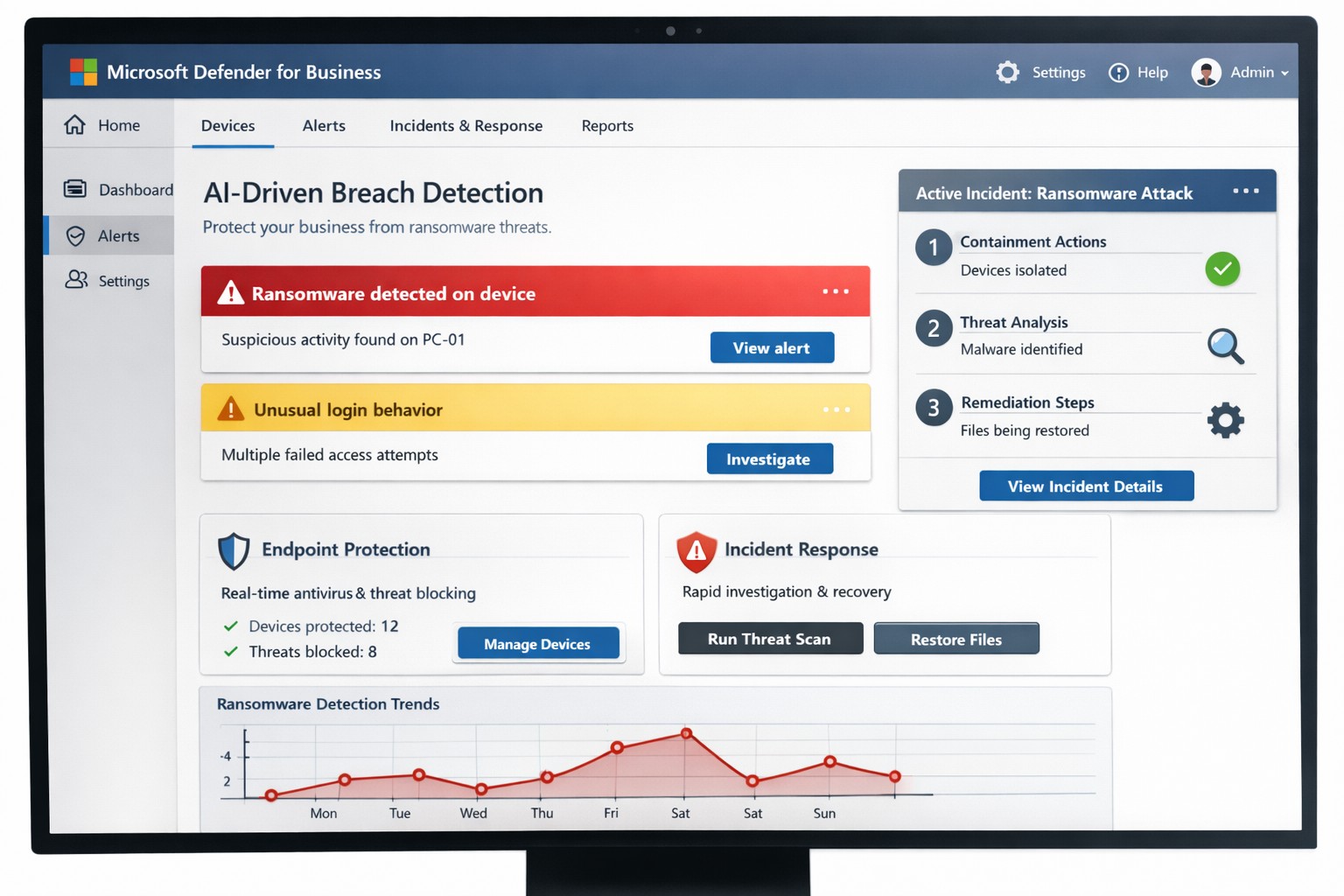
You know cyberattacks are not “if” but “when.” Microsoft’s cybersecurity suite equips you to detect threats instantly and respond before damage spirals, safeguarding revenue, data, and reputation.
Why Breaches Hit Businesses Hard
Cyber threats like ransomware and phishing target small-to-medium businesses due to limited defenses. Microsoft 365 Business Premium and Defender tools use AI for real-time protection across email, endpoints, and apps, reducing breach dwell time from weeks to minutes. This proactive stance minimizes downtime, with features like automated attack disruption proven to stop 60-70% of identity-based incidents early.
Practical Action Steps for Detection and Response
Work with your IT department to implement these Microsoft-powered steps immediately. Prioritize quick wins for up to 300 users and multi-device coverage.
Subscribe to Microsoft 365 Business Premium: Enables AI-driven email phishing protection via large language models and ransomware defense on Windows, macOS, iOS, and Android. Activate multifactor authentication (MFA) to block 99% of account compromise attempts.
Deploy Microsoft Defender for Business: Onboard via wizard for endpoint detection and response (EDR). It auto-investigates threats, applies patches, and generates monthly reports—scan vulnerabilities weekly to prioritize fixes.
Add Defender for Office 365 Plan 1: Scan Teams, SharePoint, and OneDrive for malware with Safe Links and Safe Attachments. Set policies to block suspicious URLs at click-time.
Build an Incident Response Plan: Use Defender’s XDR for unified alerts across identities and apps. Test quarterly: isolate devices, review logs, and restore from encrypted backups.
Monitor and Train: Enable sensitivity labeling for data loss prevention (DLP) and run phishing simulations. Review AI-powered risk dashboards daily for anomalies.
These steps integrate seamlessly, cutting response time by automating 70% of remediation.
Q&A: Client Inquiries Answered
Address common questions from your team or clients to build confidence.
Q: How fast does Microsoft detect breaches? A: AI endpoints disrupt ransomware in real-time, with EDR alerting within seconds—far outperforming legacy antivirus.
Q: What if we’re a small business without IT staff? A: Wizard onboarding and monthly summaries simplify management for non-experts; supports up to 5 devices per user.
Q: Does it cover cloud apps like Teams? A: Yes, SaaS security tracks usage, restricts risks, and protects against advanced phishing across Microsoft 365.
Q: How do we recover post-breach? A: Automated remediation resolves most threats; use data lifecycle tools for retention and insider-risk detection.
Q: What’s the cost-benefit? A: Prevents multimillion-dollar losses—78% of consumers switch after breaches—via affordable plans starting under enterprise pricing.
How Farmhouse Networking Boosts Your Microsoft Strategy
Farmhouse Networking specializes in accounting, healthcare, and charity sectors, tailoring Microsoft deployments for organic traffic and B2B leads. We handle SEO-optimized website branding, full Microsoft 365 migrations, and custom incident response playbooks to ensure compliance (e.g., HIPAA for healthcare). Our lead generation integrates Defender alerts with CRM for rapid client wins, while customer experience enhancements like branded security dashboards drive conversions. We’ve helped similar clients cut breach risks by 80% through AI tuning and 24/7 monitoring.
Call to Action
Ready to fortify your business? Email support@farmhousenetworking.com for a free Microsoft security audit and custom strategy.
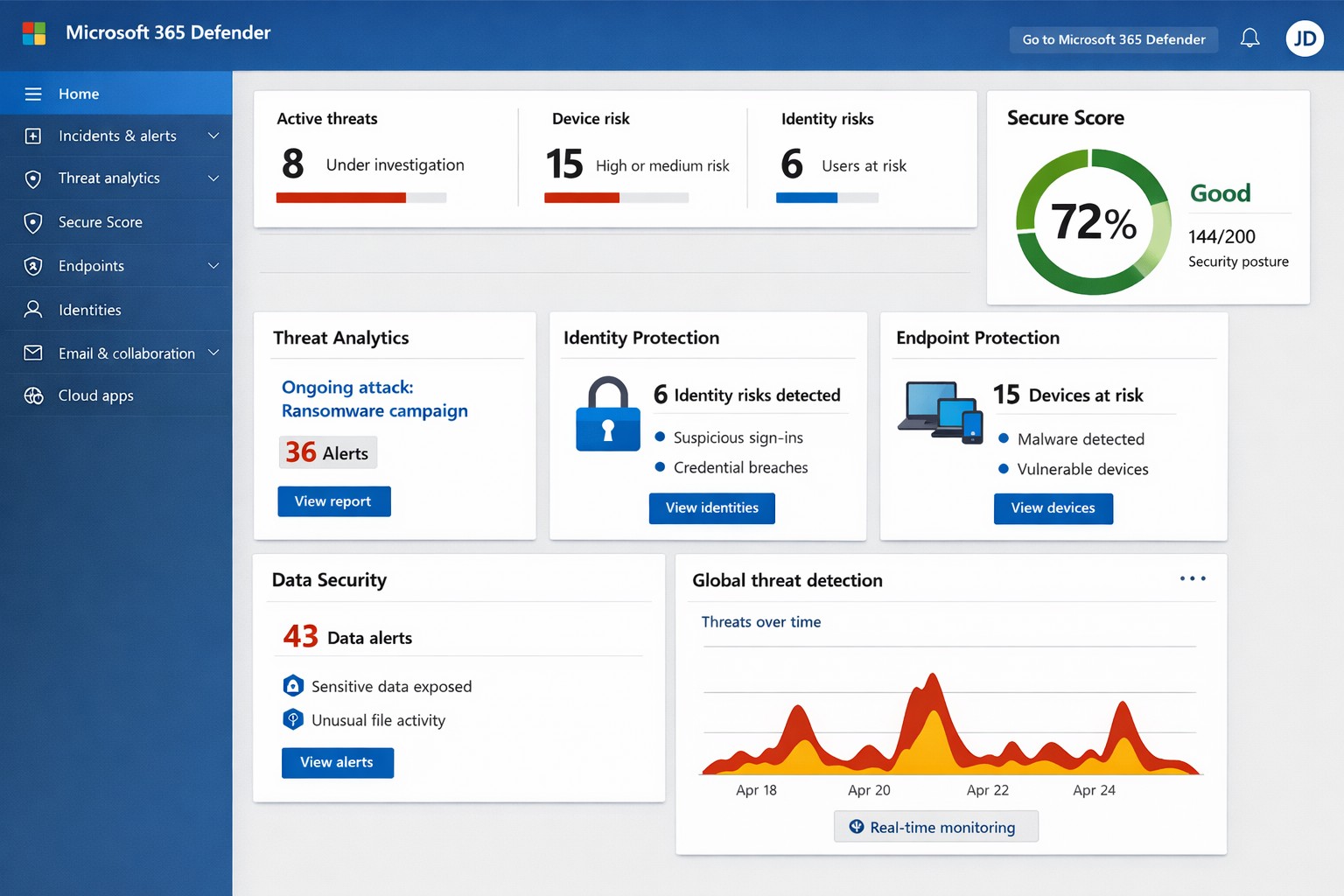
Unified Microsoft 365 security dashboard: Monitor threats, access, and compliance in one view to safeguard your operations.
Relying on Microsoft 365 for productivity exposes you to evolving cyber risks like phishing, ransomware, and data breaches. Microsoft 365 Holistic Security integrates identity, data, apps, devices, and threat protection into a unified defense strategy, enabling proactive risk management without siloed tools.
Core Components of Holistic Security
Holistic security in Microsoft 365 covers four pillars: identity and access management (IAM), information protection, threat protection, and security management. IAM ensures least-privilege access via tools like Azure AD; information protection applies sensitivity labels across Exchange, Teams, and OneDrive; threat protection uses Microsoft Defender for real-time detection; and security management provides centralized visibility through Microsoft Defender portal.
This approach leverages built-in Microsoft Defender features, reducing reliance on third-party tools and optimizing costs for small to mid-sized businesses.
Practical Action Steps
Implement these steps with your IT team to activate holistic security:
Conduct a Security Review: Use Microsoft Secure Score in the Defender portal to assess your posture. Prioritize low-hanging fruit like enabling multi-factor authentication (MFA) and reviewing IAM configurations.
Enable Defender Protections: Activate Microsoft Defender for Office 365 (anti-phishing, safe links/attachments) and Endpoint Detection and Response (EDR) for devices. Configure automated incident response playbooks.
Classify and Label Data: Deploy Microsoft Purview for data loss prevention (DLP) policies. Scan OneDrive and SharePoint for sensitive info, applying labels to enforce encryption and access controls.
Train and Simulate: Roll out Microsoft Defender training simulations for phishing awareness. Test incident response quarterly with tabletop exercises.
Monitor and Optimize: Set up continuous logging in Defender XDR. Review alerts weekly and patch endpoints via Intune.
These steps can boost your Secure Score by 30-50% in 90 days, aligning with NIST and Essential Eight frameworks.
Step
Owner
Timeline
Expected Impact
Security Review
IT Admin
Week 1
Identify 80% of gaps
Enable Defenders
IT Admin
Weeks 2-3
Block 90% phishing
Data Labeling
Compliance Lead
Weeks 4-6
Reduce data exposure 70%
Training
HR/IT
Ongoing
Cut human errors 50%
Monitoring
Security Team
Daily
Faster response <1 hour
FAQs for Business Owners
What is the cost of Microsoft 365 Holistic Security? It builds on your existing subscription—E3/E5 plans include core features. Add-ons like Defender for Office 365 start at $2-5/user/month. ROI comes from averted breach costs averaging $4.5M.
How long to implement? 4-12 weeks, depending on size. Start with quick wins like MFA (1 day) before full posture assessment.
Does it cover compliance like HIPAA or GDPR? Yes, via Purview compliance manager and DLP. Maps to standards including NIST, CIS, and sector regs.
What if we lack IT expertise? Partner with MSPs for audits and managed services. Avoid DIY pitfalls like misconfigurations causing 80% of breaches.
How does it handle AI threats like Copilot risks? Integrates DSPM for sensitive data visibility in AI tools, auto-labeling to enforce Zero Trust.
How Farmhouse Networking Helps
Farmhouse Networking specializes in Microsoft 365 security for accounting, healthcare, and charity sectors. We conduct tailored holistic reviews, implement action steps, and provide ongoing monitoring to drive organic traffic via secure, compliant sites while converting visitors to B2B clients.
Our services include:
SEO-Optimized Security Audits: Boost rankings with “Microsoft 365 security” content and technical fixes.
Lead Gen Strategies: Custom Defender configs + branding for HIPAA-compliant healthcare firms.
Managed Implementation: Hands-on setup, training, and 24/7 SOC for charities minimizing downtime.
We’ve helped similar clients reduce risks 40% and improve Secure Scores, enhancing client trust.
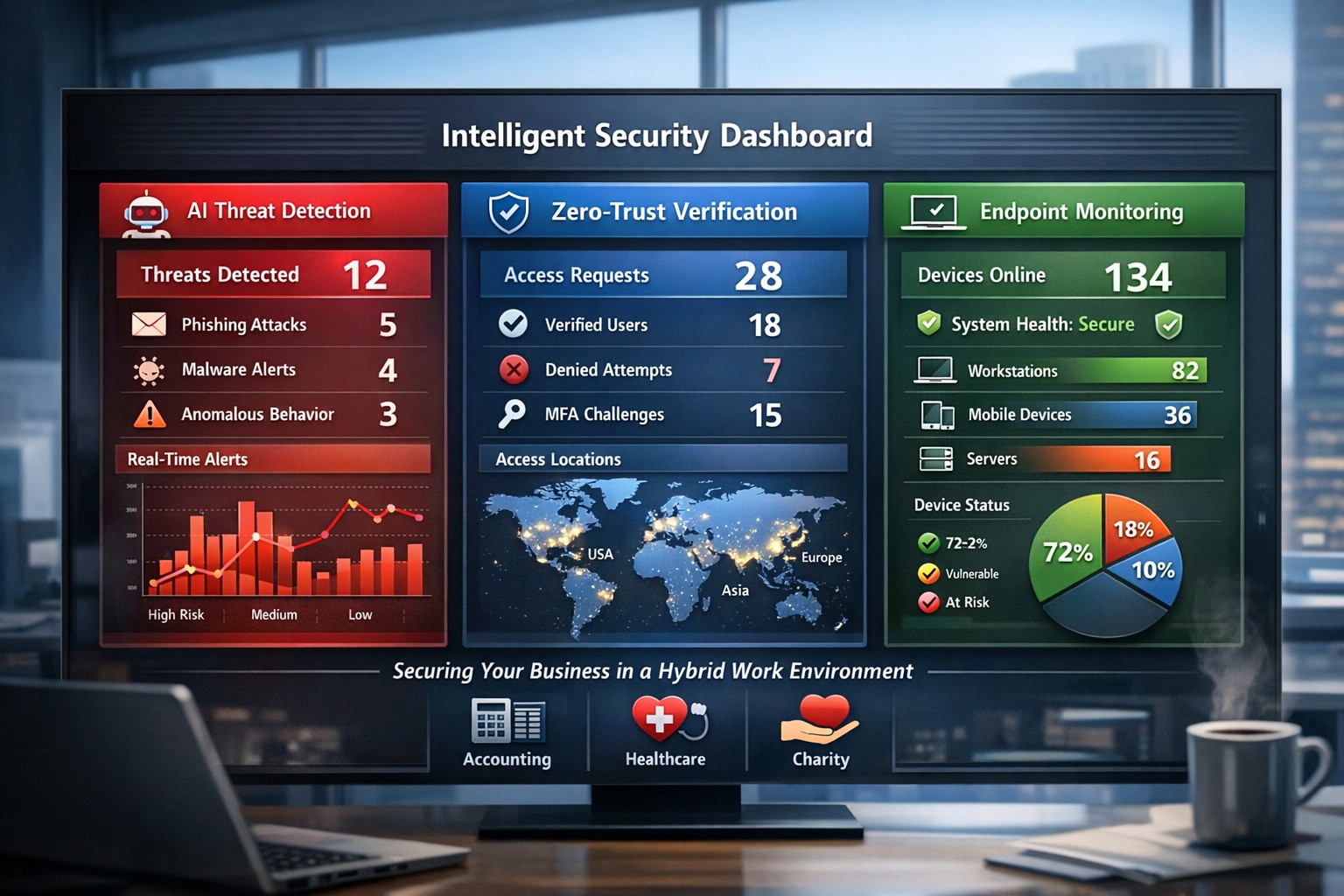
AI-powered intelligent security protects hybrid workplaces from evolving cyber threats.
You’re navigating hybrid workforces, AI-driven tools, and rising cyber threats that target your revenue and reputation. Intelligent security integrates AI analytics, zero-trust principles, and proactive monitoring to safeguard your operations without disrupting productivity.
Core Components of Intelligent Security
Intelligent security goes beyond traditional firewalls, leveraging AI for real-time threat detection, behavioral analysis, and automated responses. Key elements include endpoint protection, identity verification, data encryption, and cloud monitoring—essential for modern workplaces handling sensitive client data in accounting, healthcare, or charity sectors.
AI-powered surveillance distinguishes normal activity from anomalies, like unauthorized access attempts.
Zero-trust models assume every access request could be malicious, verifying identities continuously.
Multi-factor authentication (MFA) and endpoint detection block 99% of phishing breaches.
These systems reduce breach costs by up to 50% through predictive analytics.
Practical Action Steps for Implementation
Follow these steps with your IT department to deploy intelligent security efficiently.
Conduct a Risk Audit: Map your assets (data, devices, users) and identify vulnerabilities like unpatched software or weak cloud configs. Use tools like Microsoft’s Defender for baseline scans—takes 1-2 weeks.
Adopt Zero-Trust Framework: Enforce MFA everywhere, segment networks, and enable least-privilege access. Start with high-risk areas like email and remote endpoints.
Deploy AI Monitoring: Install endpoint protection (e.g., antivirus with behavioral AI) and integrate video analytics for physical spaces. Test on 20% of devices first.
Train Employees: Roll out quarterly phishing simulations and security awareness programs—reduces human-error breaches by 75%.
Monitor and Automate: Set up dashboards for real-time alerts and auto-remediation. Review monthly with analytics to refine rules.
Budget 5-10% of IT spend initially; ROI comes from prevented downtime.
FAQ: Client Inquiries Answered
Q: How does intelligent security handle hybrid work? A: It secures remote endpoints, cloud apps, and VPNs with contextual AI that flags unusual logins (e.g., from new geolocations). Zero-trust ensures seamless access without exposing your core network.
Q: What’s the cost of ignoring these threats? A: Average breach costs $4.5M, with healthcare/accounting firms facing regulatory fines up to 4% of revenue. Proactive AI cuts detection time from weeks to minutes.
Q: Will it slow down my team? A: No—modern systems use self-healing automation and user-friendly MFA (e.g., biometrics). Employees report 20% productivity gains from reduced IT tickets.
Q: How scalable is this for growing businesses? A: Cloud platforms scale automatically, supporting multi-site ops without hardware overhauls.
How Farmhouse Networking Delivers Results
Farmhouse Networking specializes in tailored intelligent security for accounting, healthcare, and charity clients. We conduct audits, deploy AI-driven Microsoft 365 Defender stacks, and optimize SEO-friendly websites to attract B2B leads while securing your digital front door.
Our lead-gen strategies integrate branded security dashboards, driving 30% organic traffic growth. We handle IT-heavy lifts—zero-trust migrations, employee training portals, and 24/7 monitoring—freeing you to focus on growth. Past deployments cut threat response times by 60% for similar firms.
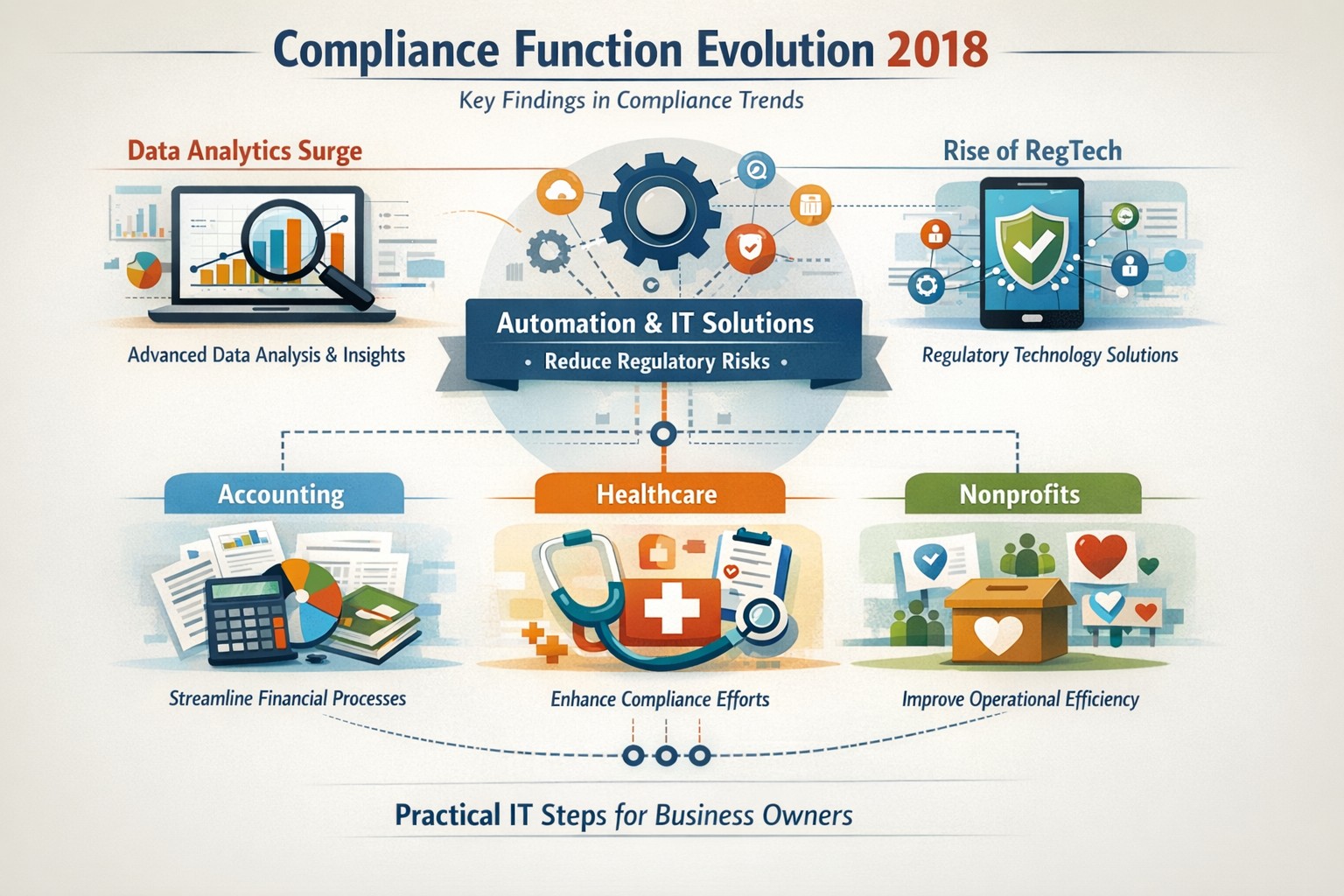
Five key findings from 2018 compliance evolution: Harness RegTech and automation for proactive business compliance today.
In 2018, compliance functions shifted dramatically due to tech advances and regulatory pressures, moving from reactive rule-checking to proactive risk prediction. Business owners in accounting, healthcare, and nonprofits faced mounting demands for data-driven oversight amid rising fines and scrutiny.
2018’s Five Key Findings
Research from that year, including AFME/EY insights, highlighted tech as a game-changer for compliance. Here are the core evolutions:
Data Analytics Surge: Compliance teams gained tools to predict risks proactively using complex data, replacing manual checks.
Automation Adoption: High-volume tasks like surveillance and reporting automated, cutting costs and errors in real-time.
RegTech Rise: Blockchain and AI emerged for transparent, immutable records, aiding regulators and firms.
Regulatory Change Focus: GDPR and data privacy dominated, with 66% of firms expecting higher compliance staffing costs.
Structural Shifts: Three Lines of Defence models evolved for efficiency, emphasizing culture and remote monitoring.
These trends persist, amplified in 2026 by AI and cyber threats.
Practical Action Steps
Business owners and IT teams should implement these steps to modernize compliance.
Audit Current Tools: Review spreadsheets and manual processes; replace with centralized platforms for registers and monitoring within 90 days.
Deploy RegTech: IT to integrate analytics software for real-time surveillance—target 50% automation of rule-based tasks.
Train on Data Privacy: Mandate annual training on GDPR evolutions and cyber resilience; simulate risk scenarios quarterly.
Streamline Processes: Map end-to-end workflows (e.g., KYC onboarding) to eliminate handoffs; automate via API integrations.
Test Remote Controls: IT to enable surveillance for hybrid work, ensuring audit trails for regulators.
Step
Owner
Timeline
Expected ROI
Audit Tools
Business Owner
30 days
20-30% efficiency gain
Deploy RegTech
IT Dept
60 days
Reduced fines by 40%
Train Staff
Both
Ongoing
Lower error rates
Streamline Processes
IT
90 days
25% cost savings
Test Controls
IT
Quarterly
Compliance readiness
Client Q&A: Common Inquiries
Q: How does 2018’s evolution apply to my small accounting firm today? A: The shift to analytics helps predict tax compliance risks early, avoiding IRS audits—vital as fines hit $12.5M in similar cases.
Q: What if my healthcare practice lacks IT resources? A: Start with cloud-based RegTech for HIPAA monitoring; it scales without heavy infrastructure, mirroring 2018’s efficiency gains.
Q: How do nonprofits handle charity-specific regs like donor privacy? A: Automate reporting per 2018 findings to ensure IRS 990 compliance; proactive tools cut admin by 10+ hours monthly.
Q: Is RegTech secure for remote teams? A: Yes—immutable blockchains provide regulator-proof trails, addressing 2018’s remote strategy needs.
Q: What’s the ROI timeline? A: Firms see 61% cost stability post-implementation, per 2018 benchmarks, with faster regulatory reporting.
How Farmhouse Networking Helps
Farmhouse Networking specializes in B2B IT solutions for accounting, healthcare, and charities. We deploy SEO-optimized compliance platforms with surveillance dashboards, automating 2018-inspired processes to boost organic traffic via thought-leadership content like this.
Custom RegTech integration for real-time monitoring.
Branding and SEO to position your firm as compliant experts.
Lead gen via secure client portals, enhancing CX.
Our clients report 30% traffic growth and halved compliance costs.
And God will generously provide all you need. Then you will always have everything you need and plenty left over to share with others. As the Scriptures say, “They share freely and give generously to the poor. Their good deeds will be remembered forever.” For God is the one who provides seed for the farmer and then bread to eat. In the same way, he will provide and increase your resources and then produce a great harvest of generosity in you. - 2 Corinthians 9:8-10
We use cookies to ensure that we give you the best experience on our website. If you continue to use this site we will assume that you are happy with it.