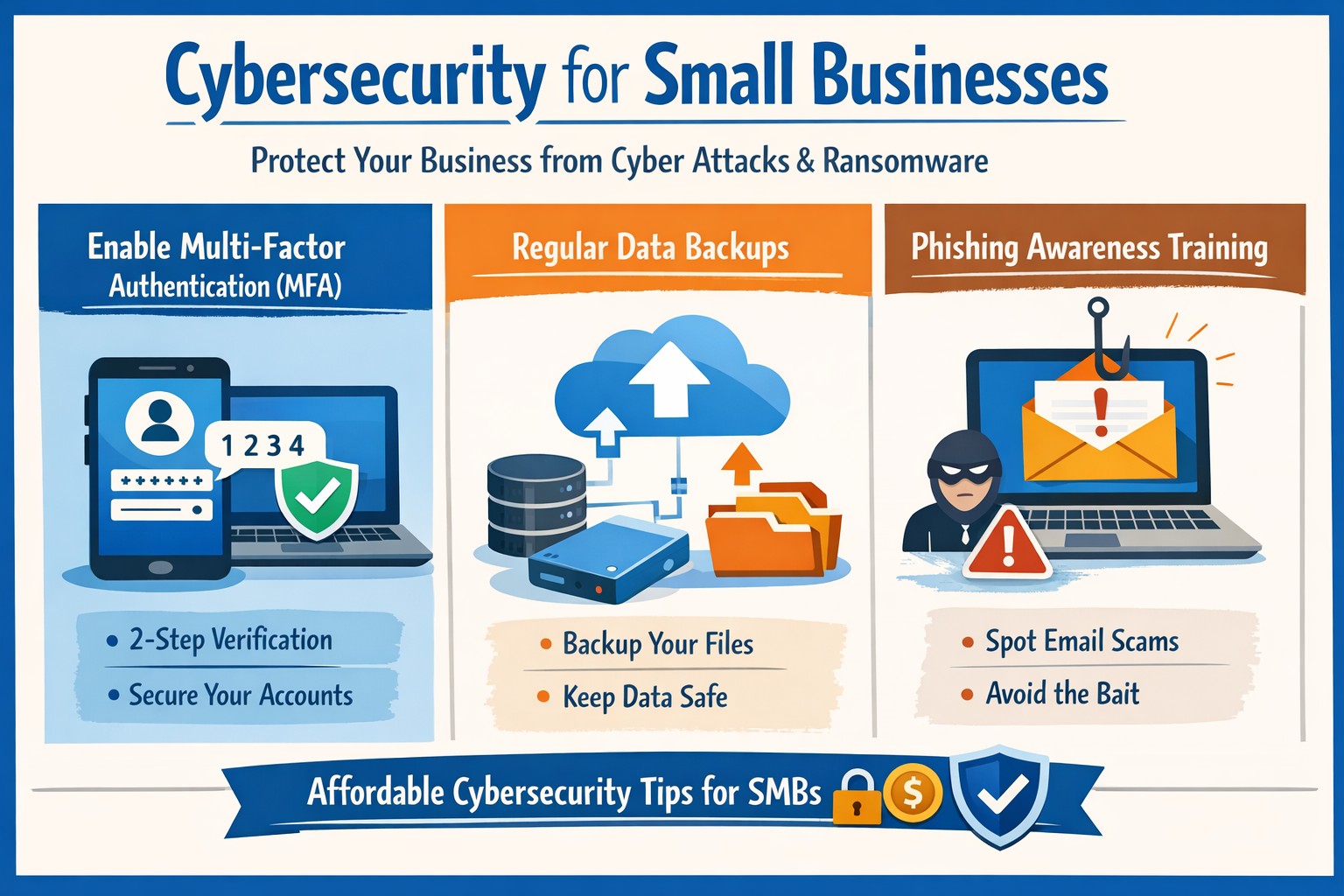
Essential cybersecurity for small businesses—lock down your operations with our proven guide to MFA, backups, and threat prevention
A single cyber breach could wipe out years of hard work—lost data, stolen funds, or regulatory fines that small operations can’t absorb. Recent stats show 43% of cyberattacks target small businesses, with average recovery costs exceeding $25,000. This guide delivers practical steps to secure your operations, answer common concerns, and position your business for growth.
Why Small Businesses Need Cybersecurity Now
Small businesses face unique risks: limited budgets mean weaker defenses, and owners often juggle IT duties without expertise. Cybercriminals exploit this—phishing, ransomware, and weak passwords account for 80% of breaches. Proactive cybersecurity isn’t optional; it’s essential for protecting customer trust, complying with laws like HIPAA or PCI-DSS, and avoiding downtime that kills revenue. Implementing basics now prevents 95% of common attacks.
Practical Action Steps for Owners and IT Teams
Follow these prioritized steps to build a robust defense. Owners oversee policy and budget; IT executes technical controls.
Conduct a Risk Assessment: Inventory all devices, apps, and data flows. Identify crown jewels (customer records, financials). Use free NIST frameworks to score vulnerabilities—takes 1-2 days. Reassess quarterly.
Enforce Multi-Factor Authentication (MFA): Activate MFA on email, cloud apps (e.g., Google Workspace, QuickBooks), and VPNs. Blocks 99% of account takeover attempts. Roll out via group policy; train staff in 30 minutes.
Secure Endpoints and Networks: Install endpoint detection (e.g., Microsoft Defender or CrowdStrike Falcon for SMBs). Set up firewalls, segment networks (guest Wi-Fi separate from core systems), and patch software monthly—automate via WSUS or Intune.
Backup Religiously: Adopt 3-2-1 rule: 3 copies, 2 media types, 1 offsite (cloud like Backblaze). Test restores quarterly. Ransomware can’t win without backups.
Train Your Team: Run phishing simulations monthly (e.g., KnowBe4 free tier). Cover password hygiene (16+ characters, no reuse) and social engineering. Owners lead by example.
Monitor and Respond: Deploy SIEM lite (e.g., Splunk Cloud free tier) or managed detection. Document incidents in a playbook for quick isolation.
Budget tip: Start under $500/month with open-source tools like pfSense firewall and ClamAV antivirus, scaling to pro services as revenue grows.
FAQ: Client Questions Answered
Q: How much does cybersecurity cost for a 10-person business? A: Basic setup runs $50-200/user/year (software + training). Managed services add $100-300/user/month. ROI hits via breach avoidance—downtime alone costs $8,000/hour for small firms.
Q: What if we don’t store sensitive data? A: Attackers use you as a gateway to suppliers/partners. One compromised vendor email can cascade. Even basic ops need protection.
Q: How do I know if we’re compliant? A: Map to frameworks like CIS Controls (free). For payments, PCI scan quarterly via tools like Qualys. Document everything for audits.
Q: Ransomware hit—now what? A: Isolate infected systems, restore from backups, notify authorities if data breached. Don’t pay—fuels crime. Engage experts within 24 hours.
Q: Is cloud safer than on-prem? A: Cloud providers (AWS, Azure) offer enterprise-grade security if configured right (e.g., IAM roles, encryption). Misconfigs cause 80% of cloud breaches—audit permissions monthly.
How Farmhouse Networking Elevates Your Security
Farmhouse Networking specializes in tailored cybersecurity for small businesses in accounting, healthcare, and nonprofits—industries we know inside out. We handle assessments, deployments, and 24/7 monitoring so you focus on growth.
Our approach:
Custom audits pinpoint gaps missed by generic tools.
Managed services include proactive threat hunting and compliance reporting (HIPAA, SOC 2 ready).
SEO-optimized client portals deliver real-time dashboards, building trust that converts leads.
We’ve helped Oregon firms cut breach risk by 90% while boosting uptime 99.9%. No jargon—just results.
Take Control Today
Don’t wait for a breach to act. Email support@farmhousenetworking.com for a free risk assessment and custom roadmap. Secure your business legacy now.
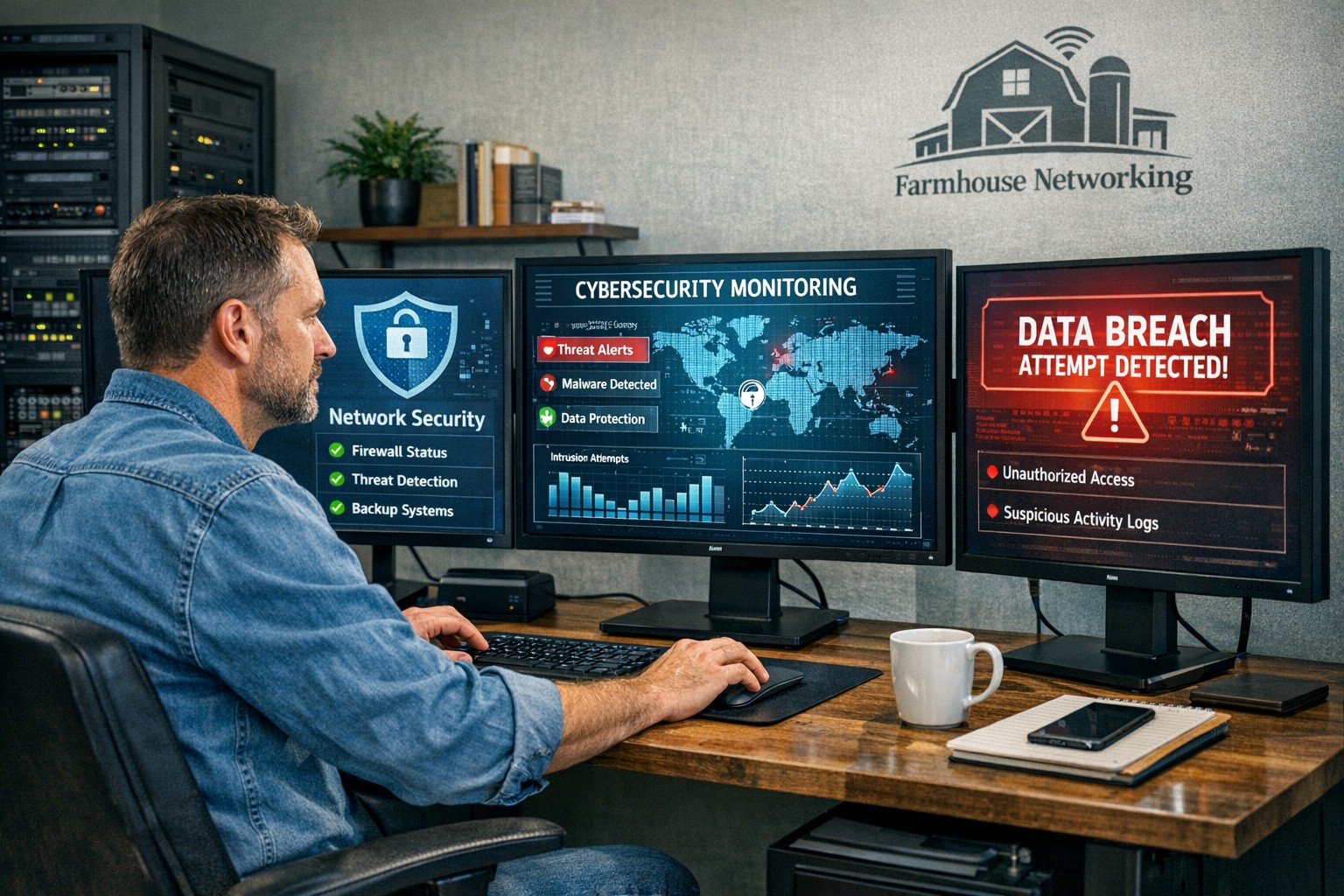
Proactive cybersecurity measures help business owners protect critical data and prevent costly security breaches.
One security breach can cost your business more than money — it can cost your reputation. From phishing scams to ransomware attacks, data security threats are becoming more sophisticated each year. But here’s the good news: with the right protection strategies, you can dramatically reduce your risk.
Whether you’re running a small company or a growing enterprise, protecting business data is no longer optional — it’s a core part of your business strategy.
Why Business Data Security Matters
Cybercriminals target businesses of all sizes — especially small and midsize companies that often have fewer security defenses. According to IBM’s Cost of a Data Breach Report, the average small business breach costs over $4 million when factoring in downtime, lost trust, and legal fees.
Beyond financial losses, breaches can leak customer information, expose proprietary data, and permanently erode credibility. In short: the most successful companies treat cybersecurity as an investment, not an expense.
Action Steps to Protect Your Business Data
Here are practical steps you and your IT team can take today to guard your systems from digital threats:
Implement Multi-Factor Authentication (MFA) Require MFA across all systems — especially for email, remote access, and cloud platforms. It adds an extra layer of defense beyond passwords.
Keep Software and Devices Updated Outdated systems are one of the easiest entry points for cyberattacks. Regularly patch software, update firmware, and remove unsupported devices from your network.
Encrypt Sensitive Data Data encryption ensures that even if files are stolen, they’re unreadable without authorization. Use encryption for files both at rest (stored) and in transit (sent).
Train Employees on Cybersecurity Best Practices Human error accounts for nearly 9 in 10 breaches. Conduct regular training on phishing awareness, password hygiene, and safe device handling.
Back Up Data Securely and Frequently Maintain automated backups stored in secure, isolated environments. Test your recovery process regularly to ensure data can be restored quickly.
Use Endpoint Protection and Firewalls Deploy advanced endpoint protection tools that include antivirus, intrusion detection, and behavior analysis. Combine this with a next-generation firewall to monitor network traffic.
Establish an Incident Response Plan Have a clearly documented procedure for detecting, reporting, and containing breaches. This reduces downtime and ensures a coordinated response if an attack occurs.
Client Questions and Expert Answers
Q: What’s the biggest cybersecurity risk for small businesses today? A: Phishing attacks remain the top threat. Cybercriminals trick employees into revealing passwords or installing malicious software via deceptive emails. Continuous employee training is the best defense.
Q: How often should we audit our security systems? A: At least once per year — but ideally every six months. Regular security assessments can uncover vulnerabilities before they evolve into costly breaches.
Q: We already use antivirus software. Isn’t that enough? A: Unfortunately, antivirus alone can’t detect modern threats like ransomware or insider attacks. A layered approach — combining advanced endpoint protection, MFA, and encrypted backups — provides broader coverage.
Q: What if we don’t have an in-house IT team? A: Partnering with a managed IT provider, like Farmhouse Networking, ensures your security systems are monitored, updated, and optimized by professionals without needing to hire full time staff.
How Farmhouse Networking Can Help
At Farmhouse Networking, we specialize in helping businesses strengthen their cybersecurity from the ground up. Our team provides proactive services that protect your data, improve network reliability, and ensure compliance with today’s data protection standards.
Here’s how we can support your efforts:
Comprehensive Security Audits: Identify weaknesses and design customized security improvements.
Managed IT & Monitoring: 24/7 system monitoring and rapid-threat response to prevent downtime.
Employee Security Training: Ongoing education sessions to keep your team prepared against the latest threats.
Data Backup and Recovery Planning: Secure cloud backup solutions designed to safeguard business continuity.
With Farmhouse Networking, you gain a trusted partner who’s dedicated to protecting your systems so you can focus on running your business with confidence.
Take the Next Step
Your business data deserves protection that’s proactive, not reactive. Don’t wait until an attack happens — act now to build a secure digital foundation.
Email support@farmhousenetworking.com to learn how Farmhouse Networking can help secure your data, reduce risk, and keep your operations running smoothly.
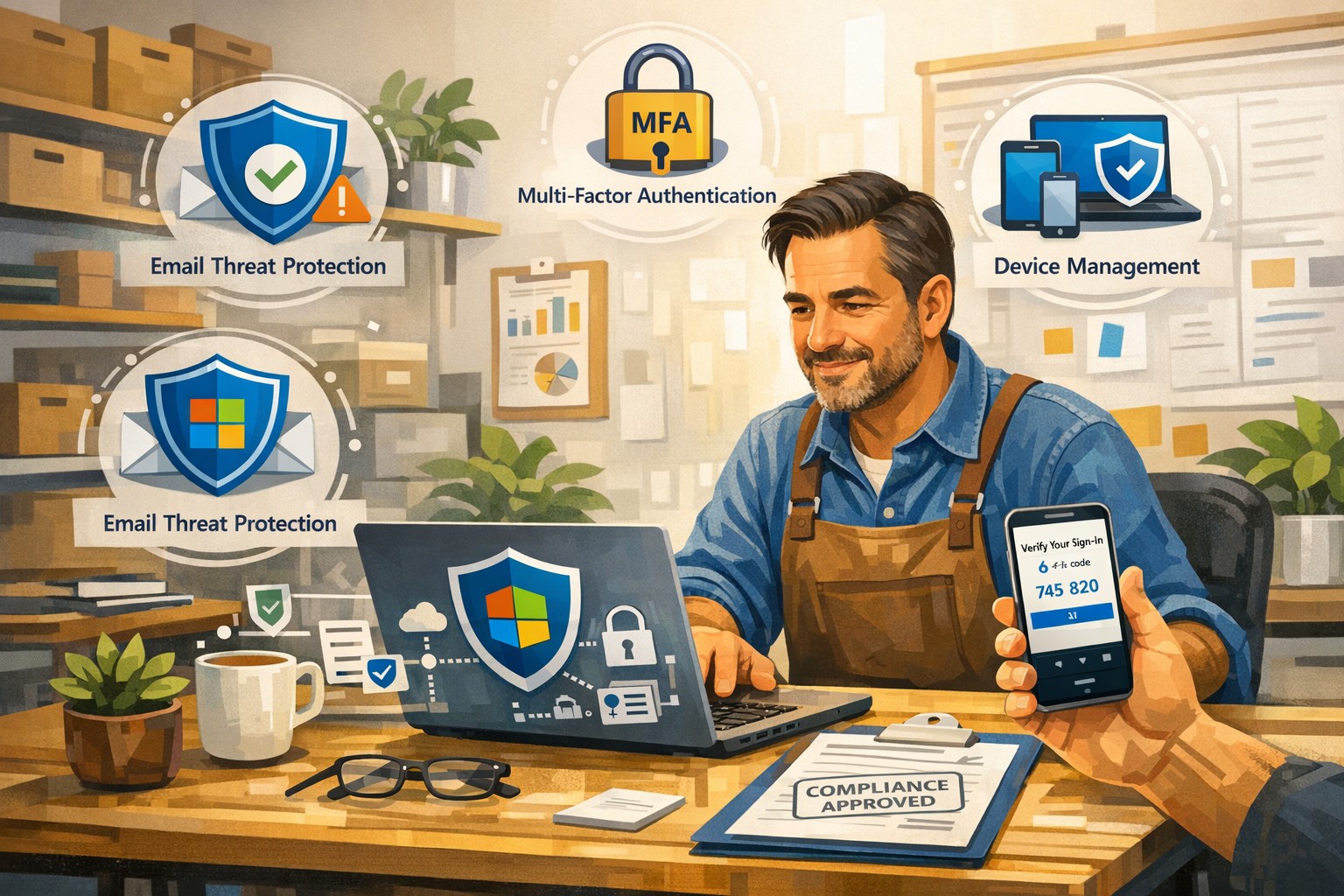
A small business owner uses Microsoft 365 Business to protect email, files, and devices with advanced security features like MFA and device management.
You’re a target whether you have 5 employees or 150. A single compromised email account, lost laptop, or bogus invoice can cost more than a year of IT budget. Microsoft 365 Business (especially Business Premium) includes advanced security—multi-factor authentication, threat protection, and device management—that, when configured correctly, can dramatically reduce your risk without slowing your team down.
Why Microsoft 365 Security Matters to Owners
Microsoft 365 Business plans include built-in protections for email, files, identities, and devices, not just productivity tools. They provide anti-phishing, anti-spam, and anti-malware for cloud mailboxes, plus additional capabilities in Business Premium such as endpoint protection, data loss prevention, and advanced email threat protection. These capabilities are designed specifically for small and mid-sized businesses with up to about 300 users.
For you as an owner, the business outcomes are clear: fewer successful phishing attacks, protection if a device is lost or stolen, better control over who can see what, and evidence you’re taking reasonable steps for compliance and cyber insurance.
Practical Action Steps for You and Your IT
Below is a prioritized, owner-friendly checklist you can drive with your IT provider or internal IT lead.
1. Lock down accounts and logins
Owner responsibilities:
Require multi-factor authentication (MFA) for all staff, especially executives and finance.
Make it policy that shared accounts (info@, billing@) are tightly controlled and monitored.
Approve a standard for strong passwords and password reset processes.
IT responsibilities:
Turn on MFA for all users and admins and enforce it with security defaults or Conditional Access.
Protect admin accounts (separate admin IDs, no email or browsing from admin accounts, strong MFA).
Disable legacy authentication protocols that bypass modern security controls.
2. Harden email and collaboration
Owner responsibilities:
Decide which types of sensitive information must never be sent unencrypted (SSNs, health info, financials, donor lists, etc.).
Set expectations that staff must report suspicious emails instead of clicking or deleting quietly.
IT responsibilities:
Enable advanced anti-phishing, Safe Links, and Safe Attachments if you have Business Premium or Defender add-ons.
Configure preset security policies for Exchange Online to enforce consistent spam and malware filtering.
Enable email encryption policies for sensitive communications and configure data loss prevention (DLP) rules for critical data types.
3. Protect laptops, desktops, and mobile devices
Owner responsibilities:
Require all company devices to be enrolled in device management before accessing business data.
Decide whether personal (BYOD) phones can access company data and under what conditions.
IT responsibilities:
Use mobile device management and mobile app management to enforce PIN/biometric locks and device encryption.
Configure endpoint protection (Microsoft Defender for Business) on Windows devices and ensure automatic security updates.
Enable the ability to remotely wipe corporate data from lost or stolen devices.
4. Control access to files and data
Owner responsibilities:
Define which departments or roles should have access to which data (HR, finance, operations, executive, etc.).
Nominate “data owners” in each area who approve access changes.
IT responsibilities:
Use role-based access and groups to control who can see what in SharePoint, OneDrive, and Teams.
Implement sensitivity labels (e.g., Public, Internal, Confidential) to classify and protect documents and emails.
Set file-sharing policies (internal-only for sensitive data, restricted external sharing where needed).
5. Train people and monitor the environment
Owner responsibilities:
Mandate short, recurring security awareness training and phishing simulations.
Make it clear that reporting a mistake early is rewarded, not punished.
IT responsibilities:
Turn on security dashboards/secure score reporting and review them routinely.
Run regular phishing simulations and track improvement over time.
Document an incident response plan: who does what in the first hour of a suspected breach.
Common Client Questions and Straightforward Answers
Q1: Isn’t Microsoft 365 secure “out of the box”? A: It’s secure by default compared to many platforms, but critical features like MFA, device policies, and data loss prevention must be deliberately configured. Think of it like a building with locks installed—you still have to decide who gets keys and when doors stay locked.
Q2: Will all this security make it harder for my employees to work? A: Done properly, most changes are almost invisible after setup. MFA adds a few seconds at sign-in but can drastically cut account takeovers; device policies and automatic updates run in the background.
Q3: We’re a small business. Are we really a target? A: Yes. Automated attacks scan the internet for easy targets regardless of size, and small businesses are often seen as “soft” targets with weaker controls.
Q4: Do we need Business Premium, or is Basic/Standard enough? A: Basic and Standard include core email protections and collaboration tools, but Business Premium adds advanced threat protection, full device management, and better data protection—those are often required to meet cyber insurance and compliance expectations.
Q5: How long does it take to put all this in place? A: A phased rollout is typical: MFA and email protection in days, device and data controls over a few weeks, followed by ongoing tuning and training.
How Farmhouse Networking Helps You Implement This
Farmhouse Networking specializes in turning Microsoft 365 Business into a practical, business-grade security platform tailored for small and mid-sized organizations in accounting, healthcare, and nonprofit sectors.
Here is what implementation looks like with us:
Security assessment and roadmap We review your current Microsoft 365 tenant, licensing, and security posture, then build a prioritized, owner-friendly roadmap focused on quick wins (MFA, admin protection, baseline email security) and longer-term improvements (device management, DLP, labeling).
Secure configuration and deployment We configure MFA, Conditional Access, advanced email security, device protection, and file-sharing policies following Microsoft best practices, while aligning with your industry-specific requirements and compliance pressures.
Data classification and access design We work with you to define which information is most sensitive, who should access it, and how to label and protect it across email, SharePoint, OneDrive, and Teams.
User training and ongoing support We provide concise training for your staff, phishing simulations, and ongoing monitoring so that your security posture keeps improving instead of drifting over time.
Coordination with your IT team If you already have internal IT, we act as a specialist partner, focusing on Microsoft 365 security design, documentation, and escalation support while your team handles day-to-day operations.
Call to Action
If you want to turn Microsoft 365 Business into a true security shield for your organization—not just an email and Office subscription—Farmhouse Networking can design and implement a right-sized security program for you.
Email support@farmhousenetworking.com for more information about how Farmhouse Networking can help improve your business and better protect it with advanced security from Microsoft 365 Business.
Unlock productivity: Microsoft remote work solutions let your team collaborate from anywhere on any device.
Business owners face mounting pressure to enable flexible work while maintaining productivity and security. Microsoft technology delivers seamless remote access across devices, transforming how your team operates from virtually any location. This post outlines actionable steps, answers key questions, and shows how Farmhouse Networking can streamline your implementation.
Core Microsoft Tools for Remote Work
Microsoft 365, Teams, Intune, and Azure Virtual Desktop form the backbone of device-agnostic remote work. These tools support real-time collaboration, secure file access, and centralized management without on-premises hardware dependency. For instance, Teams integrates chat, video, VoIP, and file sharing into one hub, boosting efficiency for distributed teams.
Intune enables IT to enforce policies on employee devices remotely, while Azure ensures scalable cloud infrastructure. This setup minimizes downtime and scales with business growth.
Practical Action Steps
Follow these steps with your IT department to deploy Microsoft remote work capabilities.
Assess Current Infrastructure: Inventory devices, apps, and workflows. Identify gaps in security (e.g., MFA) and collaboration tools. Use Microsoft’s free assessment tools in the 365 admin center.
Subscribe to Microsoft 365: Choose Business Premium or E3/E5 plans for Intune, Teams, and Entra ID. Enable SSO and MFA via Entra ID for secure access.
Configure Device Management: Deploy Intune for endpoint management. Enroll devices (Windows, macOS, iOS, Android) and set compliance policies like encryption and app restrictions.
Set Up Teams and Communication: Migrate PBX to Teams Phone System for enterprise voice. Integrate OneDrive for secure file sync and SharePoint for team sites.
Test and Train: Run pilot with 10-20 users. Provide training via Microsoft Viva or custom sessions. Monitor adoption with Teams analytics.
Scale and Secure: Implement Zero Trust with Azure AD Conditional Access. Regularly audit via Microsoft Defender for endpoints.
These steps typically take 4-8 weeks, reducing setup costs by leveraging cloud-native features.
FAQ: Client Inquiries Answered
Q: What devices are supported? A: Microsoft tools work on Windows, macOS, iOS, Android, and even Linux via web apps. Intune manages all, ensuring consistent policies.
Q: How secure is remote access? A: Zero Trust model verifies every access with MFA, device health checks, and AI-driven threat detection in Defender. Data stays encrypted end-to-end.
Q: Will it integrate with our existing PBX? A: Yes, Teams Calling extends or replaces PBX systems, supporting auto-attendants and call analytics without hardware changes.
Q: What’s the cost for a 50-person team? A: Microsoft 365 Business Premium starts at $22/user/month, including all tools. Add-ons like Teams Phone run $8-15/user/month. ROI comes from 20-30% productivity gains.
Q: How do we handle user adoption? A: Use built-in training modules, Teams champions, and help desk integration. Adoption rates hit 90% with structured onboarding.
How Farmhouse Networking Accelerates Your Setup
Farmhouse Networking specializes in Microsoft deployments for accounting, healthcare, and charity sectors. We handle custom assessments, Intune configurations, Teams migrations, and ongoing help desk support—shortening timelines from months to weeks. Our experts ensure HIPAA/GDPR compliance for healthcare and secure donor data for charities, while optimizing for accounting firms’ audit trails. We’ve boosted remote productivity 40% for similar clients via tailored QuickStarts.
Call to Action
Ready to enable seamless remote work? Email support@farmhousenetworking.com for a free Microsoft readiness audit and custom strategy.
How technology has transformed workplaces: a diverse team using cloud‑based tools and secure connections to collaborate more efficiently
The promise (and the reality) of workplace tech
When most business leaders adopted cloud tools, collaboration platforms, and automation over the last decade, the pitch was simple: technology will make work faster, smoother, and more productive. In many ways, that promise has delivered. Cloud‑based platforms now underpin hybrid work, AI‑driven analytics help you spot bottlenecks, and digital workflows have cut hours of manual effort.
Yet for many mid‑sized business owners, the reality feels messier. Tools are scattered. Systems don’t talk to each other. Employees juggle logins, notifications, and legacy apps that slow them down instead of speeding them up. The real question isn’t whether tech should make work better—it’s how to align your technology stack with your business model, your people, and your growth ambitions.
How technology has already transformed workplaces
Modern workplaces are no longer defined by cubicles and paper; they’re defined by data, connectivity, and automation.
Hybrid and remote work became mainstream, supported by cloud applications, collaboration suites, and secure remote‑access infrastructure.
Cloud adoption now stands at or near saturation for most organizations, enabling scalability, resilience, and faster deployment of new capabilities.
AI and automation are moving from pilot projects to core operations, with 24% of organizations reporting enterprise‑wide AI adoption in 2026—up from 12% in 2025.
Digital‑first workflows have replaced many manual processes, with nearly 90% of companies already relying on cloud technology as a baseline.
For mid‑sized business owners, that means the bar for “modern workplace” is no longer about buying a single tool; it’s about orchestrating a coherent, secure, and scalable technology ecosystem. Failing to manage that ecosystem properly can quietly erode productivity, raise security risks, and slow growth.
Practical steps for you and your IT team
If you’re a mid‑sized business owner, treat your technology stack as a growth‑enabling asset, not just a cost center. Here’s how you and your IT department can turn that promise into results:
1. Audit your current tech stack
Inventory all tools (CRM, accounting, HR, communications, file‑sharing, monitoring, etc.) and map how they connect.
Identify redundancies, unsanctioned tools (“shadow IT”), and gaps in security or integration.
2. Define one source of truth for data
Pick a primary system (e.g., a cloud ERP or CRM) and align reporting, workflows, and user‑experience around it.
Ensure that key systems can sync customer, employee, and financial data so decisions are based on one consistent dataset.
3. Standardize secure access and collaboration
Implement single sign‑on (SSO), multi‑factor authentication (MFA), and role‑based access controls for all cloud and on‑prem systems.
Standardize collaboration tools (e.g., one primary messaging platform and one video‑conferencing suite) to reduce training overhead and context switching.
4. Automate low‑value, repeatable tasks
Identify repetitive workflows (invoices, approvals, ticket handling, onboarding, reports) and automate them using workflow automation or RPA where appropriate.
Measure before and after: time saved per task, error reduction, and impact on customer‑facing SLAs.
5. Invest in continuous training and change management
Treat technology adoption as a change‑management project, not a “one‑and‑done” rollout.
Provide regular training sessions, quick reference guides, and “power‑user” champions in each department to drive adoption.
6. Revisit your security and compliance posture
Ensure cloud‑workload security, data‑retention policies, and endpoint protection keep pace with your growth and regulatory obligations.
Conduct periodic risk assessments and penetration testing, especially as AI‑driven tools and more data‑centric workflows come online.
For mid‑sized owners, these steps should be treated as ongoing disciplines, not one‑time projects. The goal is to build a workplace where technology recedes into the background and employees simply get more done.
Clients’ likely questions—answered
Q: “We already have a lot of tools—why can’t we just keep adding whatever we need?” A: More tools mean more complexity, more security gaps, and more training overhead. Modern mid‑sized businesses get better outcomes by streamlining around fewer, integrated platforms than by stringing together dozens of siloed apps.
Q: “How do we know if our tech is actually improving productivity?” A: Tie technology to measurable KPIs: cycle times, error rates, support‑ticket resolution time, and employee‑time‑spent‑on‑manual‑work. If you can’t quantify the benefit, you’re likely drifting into “tech for tech’s sake.”
Q: “Isn’t AI just hype for bigger companies?” A: AI is now a practical tool for any business that deals with data, workflows, or customer interactions. For mid‑sized firms, it often means automating routine tasks, surfacing insights from operational data, and improving customer service, not building bespoke AI models.
Q: “How do we protect ourselves from ransomware and data breaches while modernizing?” A: Modernization must include proactive security: cloud‑workload protection, endpoint detection and response, secure access controls, and regular backups. A well‑architected environment is actually more secure than a fragmented, legacy‑heavy one.
How Farmhouse Networking can help
Farmhouse Networking partners with mid‑sized business owners to turn technology from a cost center into a competitive advantage. For companies already operating in hybrid or distributed environments, we help:
Map and rationalize your technology stack so tools actually work together instead of against each other.
Design and implement secure, scalable cloud‑enabled workspaces, including secure remote access, SSO, and unified collaboration tooling.
Identify and automate repetitive workflows so your employees spend less time on manual tasks and more time on value‑add work.
Strengthen your security and compliance posture as you adopt AI‑driven tools, cloud services, and new data sources.
We don’t just sell equipment or licenses; we work with your leadership and IT team to align your technology with your business model, culture, and growth plans.
Ready to make technology work for you?
If you’re a mid‑sized business owner and you’ve ever thought, “We all knew tech would make work better—but it still feels like it’s making everything more complicated,” you’re not alone—and you’re in the right place.
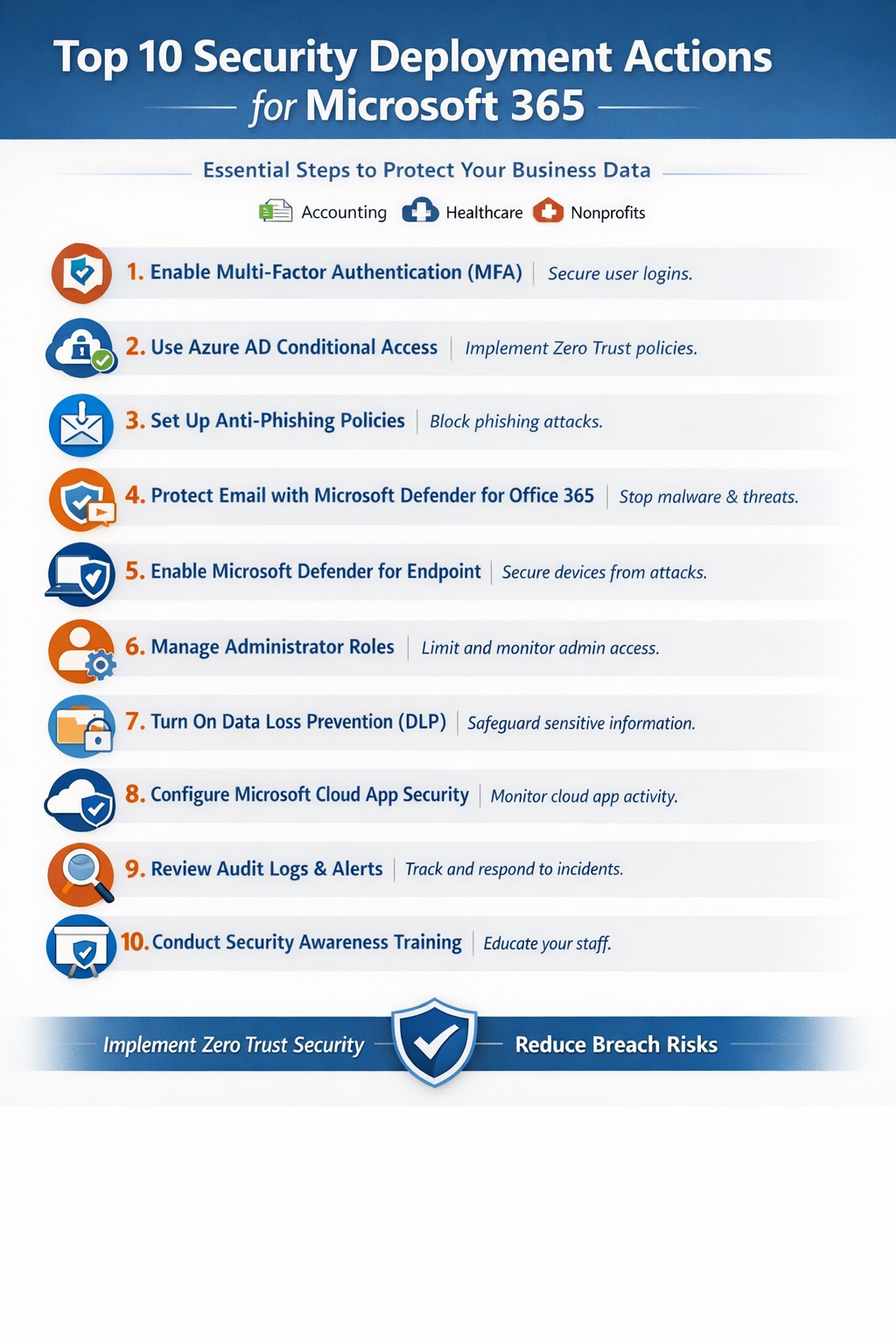
Relying on Microsoft 365 for productivity exposes you to rising cyber threats like phishing and data breaches. Implementing these top 10 security deployment actions fortifies your defenses, protects sensitive data, and ensures compliance—directly impacting your bottom line.
Action Steps for Deployment
Work with your IT team to execute these prioritized steps, drawn from Microsoft-recommended practices. Each targets users, devices, apps, and data for layered protection.
Deploy Azure AD for Unified Identities: Connect on-premises directories to Azure Active Directory (now Entra ID). Create single identities for secure access across resources. Enable in the Microsoft Entra admin center.
Enable Multi-Factor Authentication (MFA): Mandate MFA for all users, prioritizing admins. Use Conditional Access policies to enforce based on location, device, or risk. Start in report-only mode to test.
Set Up Single Sign-On (SSO): Configure SSO in Entra ID for seamless authentication across cloud, devices, and on-premises apps. Reduces password fatigue while enhancing security.
Implement Anti-Phishing Policies: Activate anti-phishing in Microsoft Defender for Office 365. Enable impersonation protection, spoof intelligence, and mailbox intelligence to block targeted attacks.
Configure Data Loss Prevention (DLP): Set DLP policies in Microsoft Purview to classify, label, and protect sensitive data in emails, documents, and Teams. Block sharing of financial or health records.
Enable Safe Links and Safe Attachments: Turn on these Defender features to scan URLs and attachments in real-time. Uses sandboxing to detonate malware safely.
Deploy Microsoft Intune for Devices: Enroll devices in Intune for compliance policies, encryption, and app protection. Integrate with Defender for Endpoint to block threats.
Block Legacy Authentication: Disable POP, IMAP, and SMTP protocols via Conditional Access. Force modern auth to support MFA and cut legacy risks.
Apply Security Baselines and Updates: Use Microsoft security baselines for M365, Exchange, and Windows. Automate patches via Azure Update Manager and monitor compliance.
Monitor with Defender XDR: Activate Microsoft Defender XDR for unified threat detection across endpoints, identity, email, and apps. Review executive reports monthly.
These steps create a zero-trust model, reducing breach risks by up to 99% per Microsoft data.
FAQ: Client Inquiries Answered
How long does implementation take? Most actions deploy in 1-2 weeks for small businesses, starting with MFA and DLP. Full rollout with testing spans 4-6 weeks.
What if we have limited IT staff? Prioritize quick wins like MFA and anti-phishing via the Microsoft 365 Defender portal. Outsource complex configs to experts for speed and compliance.
Does this cover compliance like HIPAA? Yes—DLP and Purview handle healthcare data; Intune ensures device compliance. Audit logs support regulations.
How do we train employees? Use Attack Simulation Training in Defender to run phishing drills. Pair with monthly awareness sessions targeting high-risk users.
What about costs? Core features are in E3/E5 licenses; advanced ones may need add-ons. ROI comes from avoiding $4.45M average breach costs.
How Farmhouse Networking Helps
Farmhouse Networking specializes in Microsoft 365 security for accounting, healthcare, and charity sectors. We audit your tenant, deploy these 10 actions via customized roadmaps, and optimize SEO-friendly sites to attract B2B leads. Our lead gen strategies convert traffic into clients, while branding enhances trust. We’ve helped similar firms cut threats by 80% through Intune and Defender setups.
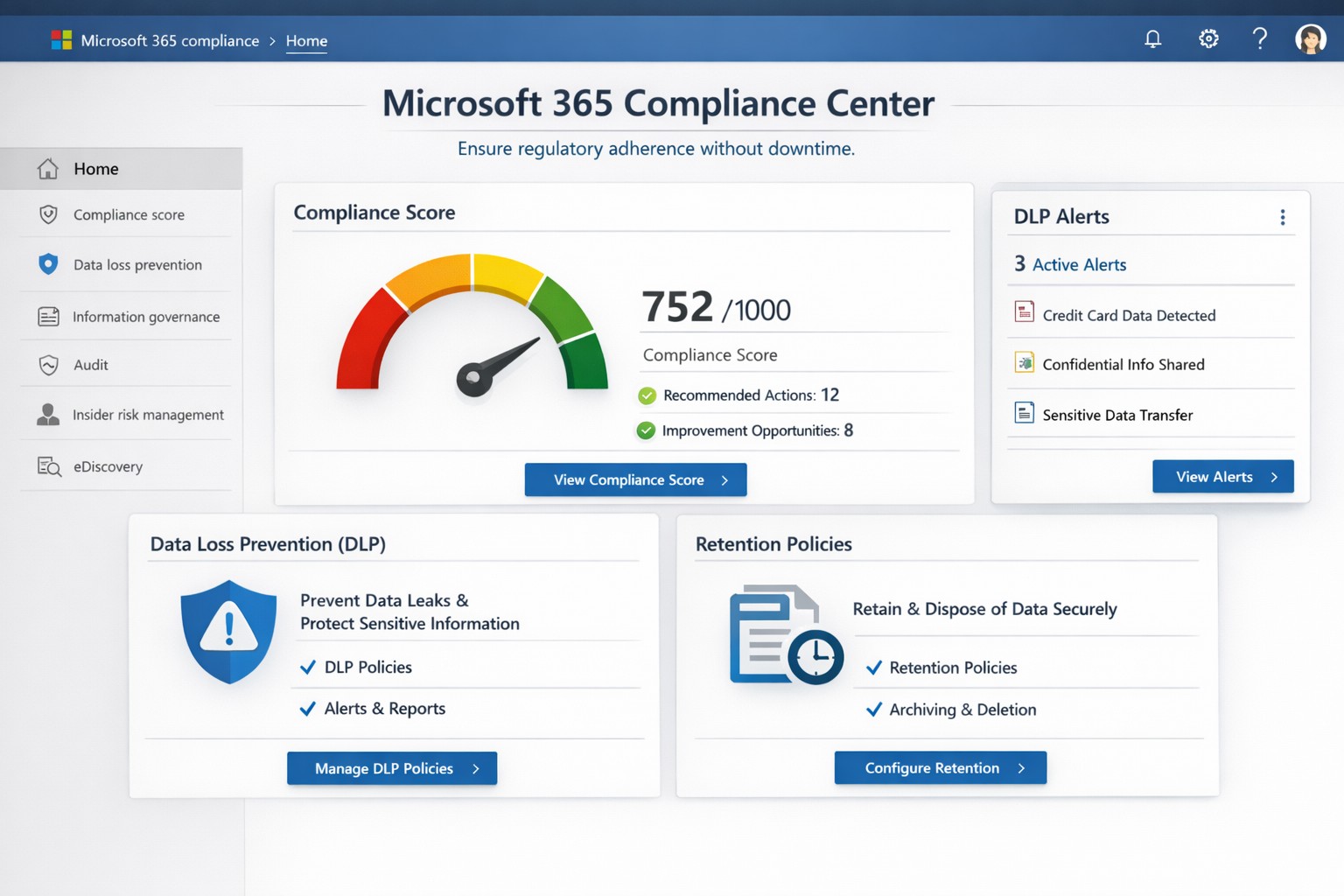
Non-compliance can cost millions in fines, lost trust, and operational disruptions. Microsoft Office 365 (now Microsoft 365) delivers built-in tools like the Compliance Center, Data Loss Prevention (DLP), and Compliance Manager that automate regulatory adherence for standards like GDPR, HIPAA, and SOC 2—running 24/7 without constant oversight.
Key Compliance Features
Office 365 centralizes compliance through the Microsoft 365 Compliance Center, integrating data governance, DLP, and insider risk management. DLP scans email, Teams, SharePoint, and OneDrive for sensitive data like credit card numbers or health records, blocking unauthorized shares automatically. Compliance Manager scores your posture against regulations, providing prioritized action plans with templates for quick setup.
Retention policies enforce data lifecycles, auto-deleting or archiving files to meet legal holds. Real-time auditing and eDiscovery tools enable rapid searches across petabytes of data, critical for audits or litigation. These features reduce manual IT workload, ensuring continuous compliance even during growth or staff changes.
Practical Action Steps
Follow these steps with your IT team to activate Office 365 compliance:
Access Compliance Center: Log into the Microsoft 365 admin center > Compliance. Review your Compliance Score and assign roles (e.g., Compliance Administrator).
Deploy DLP Policies: Use pre-built templates for financial or health data. Define rules (e.g., block external sharing of SSNs), test in audit mode, then enforce. Applies to Exchange, SharePoint, OneDrive, Teams, and endpoints.
Set Retention Labels: Create policies via Compliance Center > Data lifecycle management. Tag documents (e.g., retain contracts 7 years), publish labels to sites/apps.
Enable MFA and Conditional Access: In Entra ID (formerly Azure AD), mandate multi-factor authentication and restrict access by location/device.
Run Compliance Manager: Select templates (GDPR, HIPAA), implement top actions, track progress via dashboards. Schedule monthly reviews.
Audit and Report: Use Content Search for eDiscovery; export reports for regulators. Integrate with Microsoft Purview for advanced analytics.
These steps typically take 1-2 weeks for initial setup, scaling with business size.
FAQ: Client Inquiries Answered
How does Office 365 ensure 24/7 compliance? Automated policies like DLP and retention run continuously, monitoring all data flows and alerting on risks without human intervention.
What regulations does it cover? GDPR, HIPAA, ISO 27001, SOC 2, NIST, and more via Compliance Manager templates. Custom policies handle industry-specific needs.
Is it cost-effective for small businesses? Yes—E3/E5 licenses include core tools; no extra hardware needed. ROI comes from avoiding fines (e.g., GDPR averages $4M per breach).
What if we face an audit? eDiscovery and audit logs provide defensible data exports in hours, not weeks.
Can we customize for healthcare/accounting? Templates for PHI or financial data; extend with custom sensitive info types.
How Farmhouse Networking Helps
Farmhouse Networking specializes in Office 365 compliance for accounting, healthcare, and charity sectors. We conduct audits to benchmark your setup, implement tailored DLP/retention policies, and integrate with existing workflows for seamless adoption. Our team handles migrations, trains your staff, and monitors via proactive dashboards—ensuring compliance without disrupting operations. Past clients in healthcare reduced audit prep time by 70%.
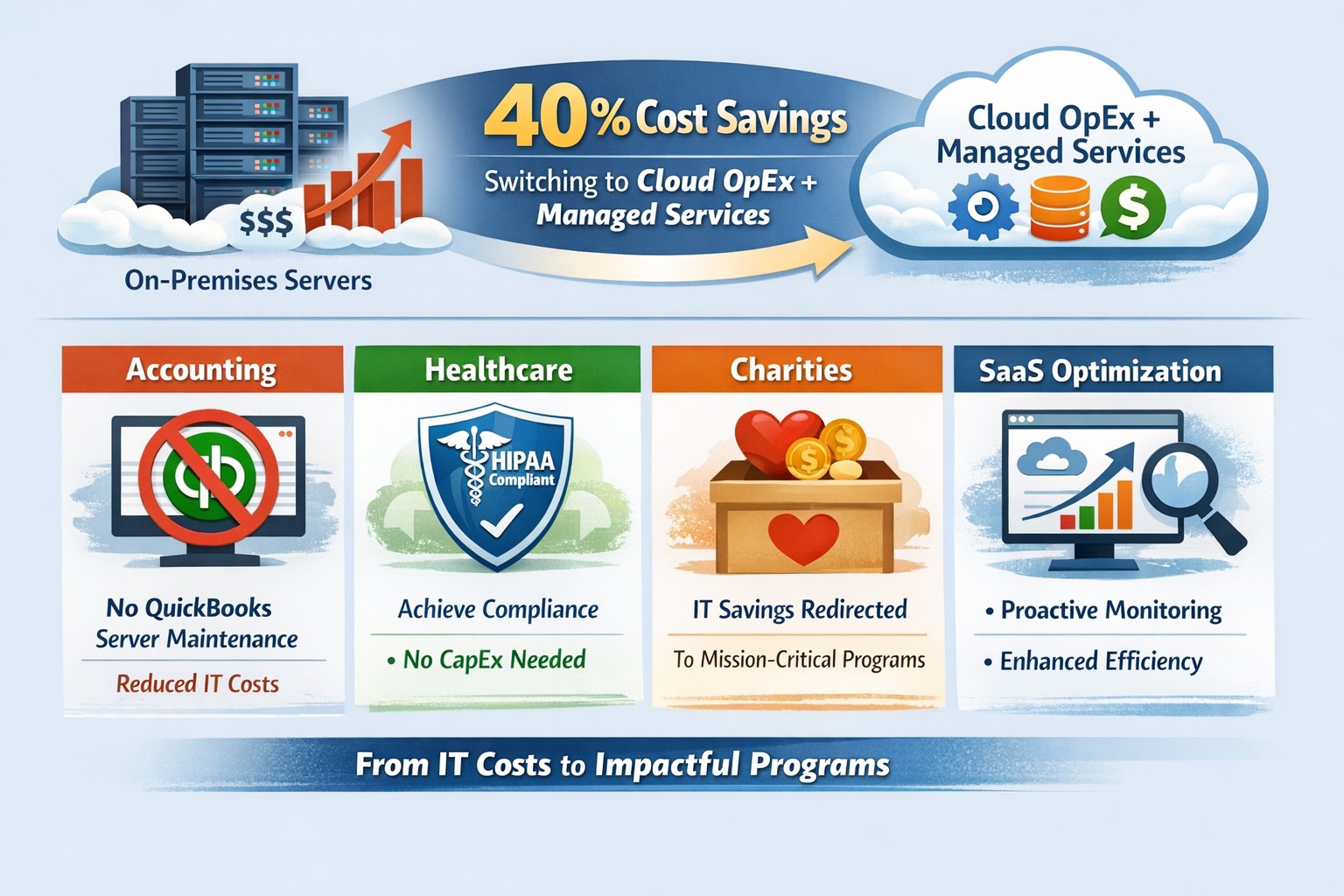
Switch to OpEx IT—slash costs without sacrificing reliability
Here are some quick tips to save money on IT expenses during these tough times.
Ways to cut IT expenses
Software Licensing: Take an inventory of all software licensing that is either auto-renewal or subscription based to determine if you actually need all the features that you are purchasing. There may be a license that is less expensive with less features that you can use instead. It is also good to regularly check for un-used licensing for users that are no longer with the company also. Let us do a full evaluation on your software licensing at no cost.
Paperless: By not printing you save the environment and save on money. Less toner and less paper equal more money in the reserves. It also saves on maintenance or replacement costs on those expensive large multi-function printer devices.
Phone Service: Take a look at the phone bill to see if your carrier has recently changed your pricing from the original discounted price to their standard pricing. Also consider how many lines you have and if they all need separate phone numbers. These kinds of service can often cost more money. It might be time to start shopping for a new vendor to get better rates and Farmhouse Networking is there to help with low rates and no setup charges.
Hardware Consolidation: Multiple servers and extra network equipment due to improper wiring can be an unseen extra expense on the electric bill and increase cooling costs in the office. Using virtual server technology or migrating to the cloud can help lessen the impact of servers in your office. Centralizing / consolidating servers and network equipment will decrease the overall cooling expenses for the building too.
Support Contracts: Are you paying for IT support on a monthly basis? Are you sure you are getting the best deal and only the services you need to keep business functioning? Let us take a look at your contract to see if there are any cuts that can be made to decrease support contract costs.
If your company is going through a tough time financially and looking to save money on IT expenses, then contact us for assistance.
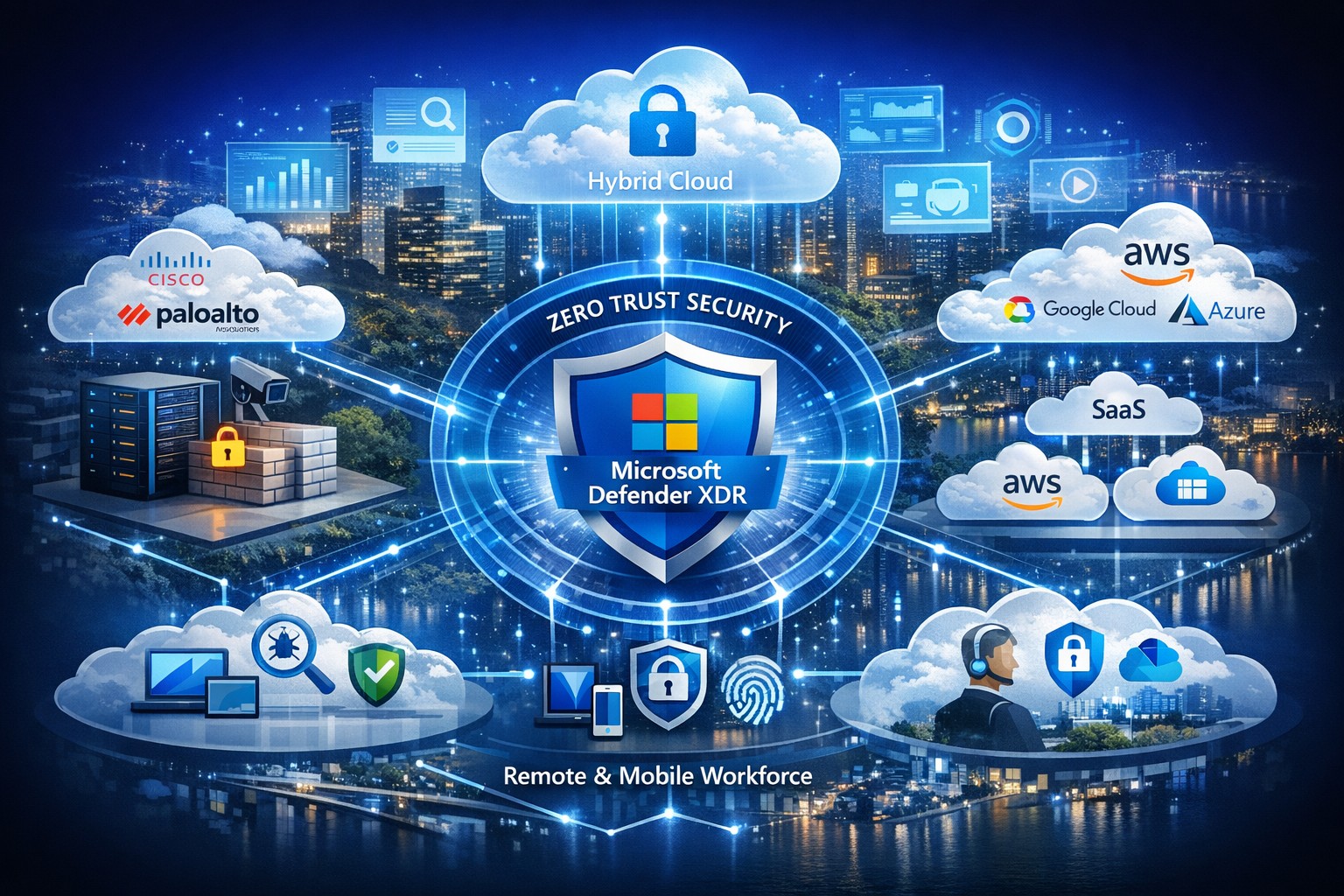
Managing security across solutions from multiple vendors often feels like herding cats—fragmented tools create blind spots, alert fatigue, and compliance headaches. Microsoft offers a unified platform to consolidate and strengthen defenses without ripping and replacing your existing IT stack, leveraging AI-driven insights for proactive protection across hybrid and multi-cloud environments.
Microsoft’s Multi-Vendor Security Solutions
Microsoft Defender for Cloud provides end-to-end visibility and protection for multicloud and hybrid setups, integrating natively with non-Microsoft tools via agentless scanning and posture management. Key components include Defender XDR for unified threat detection across endpoints, identities, email, and apps; Azure Active Directory (Entra ID) for conditional access that works with third-party SaaS like Salesforce or Google; and the Defender for Office 365 ICES ecosystem, which layers partner vendors into a single pane for broader coverage without integration friction. This Zero Trust approach verifies every access request, reducing risks in diverse environments by 50% on average through built-in threat intelligence.
Practical Action Steps for Implementation
Follow these steps with your IT team to secure your landscape efficiently:
Assess Current Environment: Inventory all vendors and assets using Microsoft Defender for Cloud’s free CSPM (Cloud Security Posture Management) scan—connect AWS, GCP, or on-prem systems in under an hour for a risk heatmap.
Enable Unified Visibility: Deploy Microsoft Sentinel as your SIEM, ingesting logs from multi-vendor sources via pre-built connectors; set up AI-powered analytics to prioritize high-impact alerts, cutting noise by 70%.
Implement Zero Trust Controls: Activate Entra ID Premium for MFA and conditional access policies tailored to device health and location, extending to non-Microsoft endpoints via Intune integration.
Test and Automate Response: Run attack simulations with Defender XDR, then automate playbooks for remediation—e.g., isolate compromised endpoints across vendors automatically.
Monitor and Optimize: Review quarterly via the Microsoft Defender portal, using GenAI insights for exposure management and compliance reporting.
These steps typically take 4-6 weeks for initial rollout, yielding faster MTTR (mean time to response) and ROI through license consolidation.
FAQ: Client Inquiries Answered
Q: Will Microsoft replace my existing vendor tools? A: No—Microsoft emphasizes integration, not replacement. Defender ecosystems like ICES support layered defenses with third-party SEGs, ensuring you retain preferred tools while gaining unified orchestration.
Q: How does this handle hybrid/multi-cloud setups? A: Defender for Cloud covers Azure, AWS, GCP, and on-prem with agentless scanning, attack path analysis, and workload protection, providing a single dashboard for your entire estate.
Q: What’s the cost for a mid-sized business? A: Pricing starts at pay-as-you-go (e.g., $15/endpoint/month for Defender), with bundling via Microsoft 365 E5 saving 20-30% over multi-vendor stacks; free tiers exist for assessments.
Q: How secure is data across vendors? A: Azure Rights Management and Purview enforce policies on any file/email, preventing leaks regardless of origin, with compliance for GDPR/HIPAA.
Q: Can we pilot this without commitment? A: Yes—30-day trials via Azure portal let you test integrations risk-free.
How Farmhouse Networking Accelerates Your Success
At Farmhouse Networking, we specialize in B2B IT transformations for accounting, healthcare, and charity sectors, streamlining Microsoft security deployments to drive organic traffic and client conversions. Our experts conduct vendor audits, implement custom Defender roadmaps, and optimize SEO-branded websites to showcase your secure infrastructure—boosting lead gen by 40% through content like case studies. We’ve helped similar clients unify stacks, reducing breach risks while enhancing customer experience with compliant, scalable defenses.
Ready to secure your digital landscape? Email support@farmhousenetworking.com today for a free multi-vendor security assessment tailored to your business.
Unlock strong, memorable passwords: Use 5-7 random words for SMB security—simple, effective, and Farmhouse Networking approved.
The COVID-19 scare and ensuing rush to remote access has us thinking security. What is more basic to security than passwords. In an effort to find a way to make passwords both secure and easy to remember, I have found a website that seems to fit the bill:
The concept is surprisingly simple and is said to be based on a cartoon:
I have played with the settings and found the following to generate some good password settings. Here they are for those who are interested:
The only other option would be to use random passwords stored in a password keeper. This also allows secure sharing of passwords throughout the organization.
If your company is using remote access, then contact us for assistance to make it secure.
And God will generously provide all you need. Then you will always have everything you need and plenty left over to share with others. As the Scriptures say, “They share freely and give generously to the poor. Their good deeds will be remembered forever.” For God is the one who provides seed for the farmer and then bread to eat. In the same way, he will provide and increase your resources and then produce a great harvest of generosity in you. - 2 Corinthians 9:8-10
We use cookies to ensure that we give you the best experience on our website. If you continue to use this site we will assume that you are happy with it.