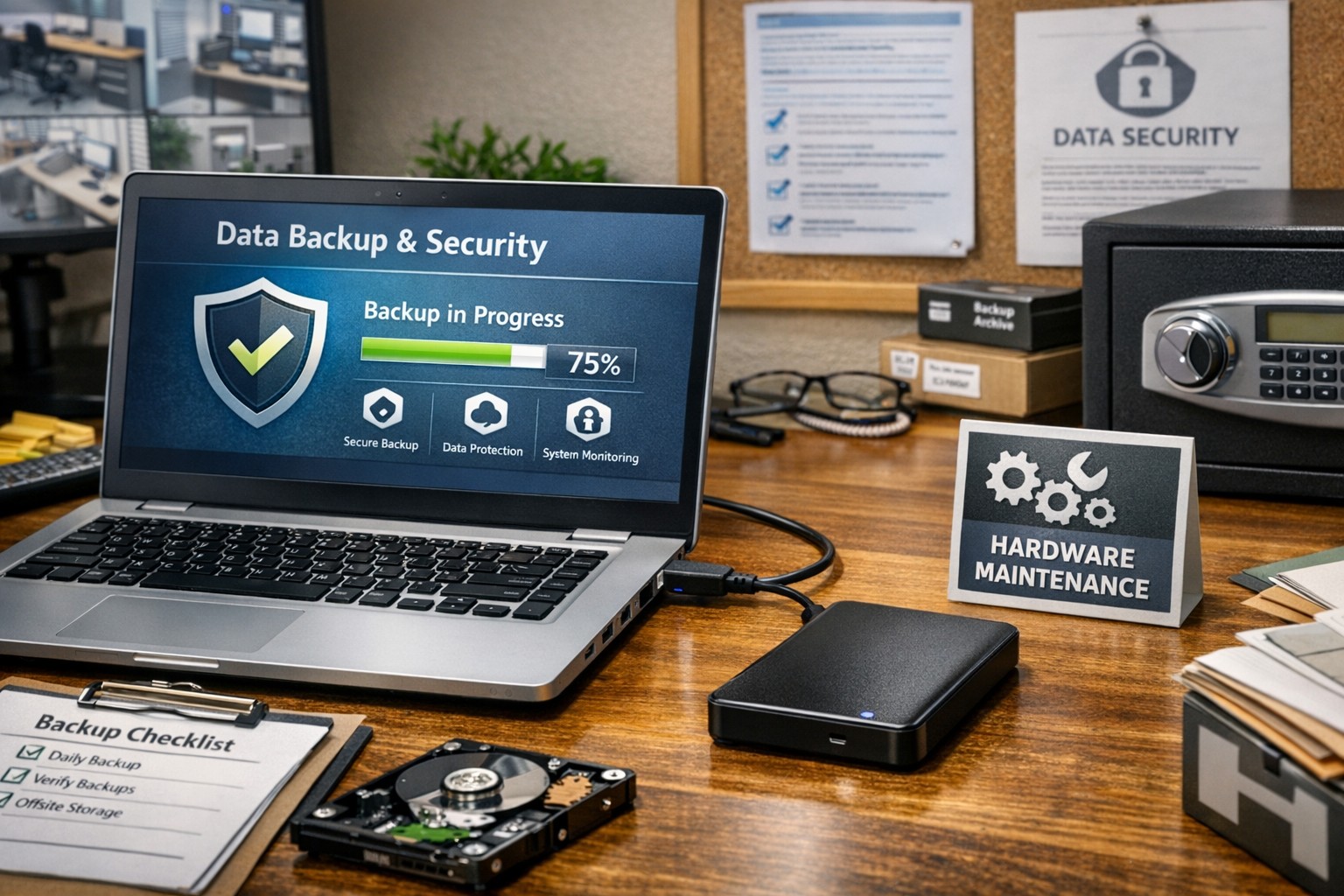
Proper care and maintenance of external hard drives keeps small business data secure and ensures reliable backup performance.
Your external hard drives are more than just storage devices—they’re the backbone of your backup and disaster recovery strategy. Whether you’re safeguarding financial records, client data, or project files, keeping these drives in top condition is crucial to prevent data loss and ensure smooth operations. Yet, many small- to medium-sized businesses (SMBs) neglect proper external hard drive care until it’s too late.
This guide outlines practical steps your business and IT team can take to maintain your external drives, answers common questions, and explains how Farmhouse Networking can help you protect your data investment.
Step-by-Step External Hard Drive Care for Businesses
1. Store Drives Safely and Strategically Keep your external hard drives in a cool, dry environment away from heat sources, direct sunlight, and moisture. Avoid stacking them or placing them near magnets or heavy equipment. A temperature-controlled office with minimal dust exposure reduces the risk of drive failure.
2. Use Regular Backup and Testing Routines Set up scheduled backups (daily, weekly, or monthly) depending on how often your business data changes. Test your backups regularly by restoring sample files to confirm they’re not corrupted. This extra step ensures your data will be recoverable when it truly counts.
3. Avoid Unplugging During Use Never disconnect an external hard drive while it’s transferring data. Doing so can interrupt write processes, causing data corruption or even physical disk damage. Always use the “Safely Remove Hardware” option before unplugging.
4. Protect Against Electrical Surges Use surge protectors or uninterruptible power supplies (UPS) to prevent sudden voltage spikes or power failures from damaging your drives. Power fluctuations are one of the leading causes of hardware failure.
5. Label and Track Your Drives For businesses using multiple backups or rotating drives, label each device clearly with its backup date, purpose, and drive ID. Maintain a simple log so your IT team can easily identify which drive holds which data.
6. Encrypt and Password-Protect Sensitive Data Even if your drives are physically safe, data security remains a top priority. Enable encryption and use strong passwords to protect sensitive company and client information, especially for industries handling confidential data or regulated information.
7. Monitor Drive Health Use disk-monitoring software to check drive health indicators like temperature, bad sectors, or read/write errors. Common tools include CrystalDiskInfo or SMART monitoring utilities—many of which can integrate directly into business IT systems for proactive alerts.
Common Questions About External Hard Drive Maintenance
Q: How often should my business replace external drives? Generally, replace drives every 3–5 years, depending on usage and storage environment. Drives used for daily backups may wear faster than those used occasionally for archiving.
Q: What’s the best file system for business backups? For Windows users, NTFS offers stability and large file support. Cross-platform users (macOS and Windows) may prefer exFAT. The choice depends on your backup software and workflow.
Q: How can I tell if my external hard drive is failing? Warning signs include slower performance, clicking or grinding noises, frequent disconnections, or error messages. At the first sign of trouble, stop using the drive immediately and back up data elsewhere to prevent further damage.
Q: Are SSD external drives better than HDDs? Solid-state drives (SSDs) are faster and more durable (no moving parts), but typically more expensive per gigabyte. SMBs focused on speed and portability often find them worth the investment.
How Farmhouse Networking Can Help
At Farmhouse Networking, we partner with small- and medium-sized businesses to create comprehensive data protection plans that go beyond just devices. Our team offers:
Automated backup solutions that reduce the risk of human error.
Drive health monitoring systems to detect early signs of failure.
Data encryption and security compliance consulting to safeguard sensitive information.
Disaster recovery services that ensure your business can bounce back quickly from any data loss event.
We understand how critical reliable storage is to your operations. Our IT experts can assess your current backup process, recommend appropriate external drives, secure your devices, and set up reliable offsite backups or cloud redundancy.
Keep Your Data Safe — Start Today
External hard drives are a dependable and affordable part of any SMB’s data management strategy, but they require proper care to remain effective. By following the steps above and partnering with a trusted IT service provider like Farmhouse Networking, you can extend the life of your drives, reduce risk, and maintain business continuity.
Ready to strengthen your backup strategy or troubleshoot your current storage setup? Email support@farmhousenetworking.com today to learn how Farmhouse Networking can help protect your business from data loss.
A series of recent security bulletins from Cisco, on February 2nd, detail an issue that has been discovered in several of their devices. Here is a summation:
Cisco ASA Security Appliances
FN-64228 : ASA 5506, ASA 5506W, ASA 5506H, ASA 5508, and ASA 5516 – these models all use the same clock signal part from the same vendor which has been found to degrade over time. After 18 months of continued operation this component will fail and cause the device to stop functioning, no longer boot, and will not be recoverable.
“Customers with affected products that are under warranty or covered by any valid service contract as of November 16, 2016 should go to the Clock Signal Component Issue page and follow the instructions in order to request replacements.” These replacements will be prioritized based on time in operation.
Meraki Router & Wireless APs
Meraki Notification – MX 84 & MS350 Series – these models all use the same clock signal part from the same vendor which has been found to degrade over time. After 18 months of continued operation this component will fail and cause the device to stop functioning, no longer boot, and will not be recoverable.
” Meraki will reach out to customers via email and on the dashboard to arrange replacement and the return of affected units.”
If your company is currently using one of the affected devices and have not heard from your current IT services provider about the replacement schedule, then contact us for assistance.
During a recent briefing from the FBI’s Oregon Cyber Task Force in Medford, OR they detailed best practices and industry standards for cyber attack mitigation. FBI special agents started with information and statistics about the most recent threats giving specifics of how the attacks were executed. Security Architect from the State of Oregon then outlined the specifics of how to mitigate these threats properly. Here is a summation:
Current Threat Landscape
Business Email Compromise (CEO Fraud): Involves cyber criminals posing as business executives at companies that regularly perform wire transfers. After compromising the executive’s email, the criminal requests employees to perform wire transfers to the criminal’s bank account. FBI Internet Crime Complaint Center (IC3) has reported over $3 billion of losses worldwide due to this threat.
Ransomware: Ransomware is a form of malware that targets weaknesses in networks to deny the availability of critical data by encrypting it and demanding a ransom for the encryption keys to decrypt the data. Ransomware is frequently delivered through spear phishing emails to end users.
Point of Sale (PoS) Malware: Cyber criminal steals payment card data by remotely infecting PoS systems with malware without the need to physically access the cards or the devices used to process them. This allows criminals to compromise PoS systems on a large scale with larger victim base.
Insider Threat: An insider is a current or former employee who has access to an organization’s network and intentionally misuses that access to negatively affect the company. IC3 has recorded business losses from insider threat to be between $5,000 to $3 million.
Internet Extortion: Victims are threatened by cyber criminal with Distributed Denial of Service (DDoS) attack that will make access to their e-commerce site severely degraded or impossible if they victim does not pay to appease them. These can be real or fake with price tags in the neighborhood of 50 bitcoin or about $30,000.
Cyber Attack Mitigation
Here is a list of items that will need to be addressed to comprise a complete mitigation plan:
Create company policy in regards to how wire transfers are handled that require verbal or in-person authorization from multiple company executives
Create company policy restricting details that can be shared about job duties and company hierarchy on social media
Review National Institute of Standards and Technology (NIST) Cybersecurity Framework and adopt risk management processes
Create, implement and keep up-to-date an incident response plan
Create company policy and implement lawful network monitoring
Have proactive relationships with law enforcement agencies – silence is letting cyber criminals win
Practical Security Best Practices
Network Segmentation – keep the guest wireless separate from the local network, keep payment processing in its own network and keep web servers in the Demilitarized Zone (DMZ) of the network.
Use firewall access rules, Active Directory Group Policy and physical security measures to limit unsecure access to every segment of your network.
Restrict usage of administrator level access by creating alternative accounts for these purposes that are not used for local login. Keep these accounts monitored.
Implement automated patching and managed virus scanning on all systems. Remove any unsupported / non-updateable software or sytems on the network.
Restrict remote access to the network to specific users and use only secure protocols like RDP through VPN
Conduct periodic testing of all security measures to identify weakness or failing procedures and adjust systems accordingly
Advanced Mitigation Processes
Use multi-factor authentication wherever possible
Establish baseline of applications used then implement application whitelisting
Standardize encryption for data both at-rest and in-transit
Conduct perimeter filtering via Intrusion Detection System (IDS)
Regularly backup system logs in a segregated portion of the network to prevent tampering
If your company is going to use full disk encryption or has compliance requirements that you need consulting for, then contact us for assistance.
After finishing the migration of a client to their new cloud-based Line of Business SaaS application, it was time to finally get rid of the last Windows 2003 Small Business Server that we manage. The client had a Windows Server 2008 R2 Standard server that used to be the database server for the on-premise application which was being re-purposed as the new Primary Domain Controller (PDC) for the domain. After installing the Active Directory Domain Services (ADDS) role on the new server, I went to run DCPROMO on the new server and found that it asked me to run ADPREP /FORESTPREP on the domain. Took me a little bit of searching to find the Windows 2003 Server media and ran the command successfully, but this did not do the trick – turns out I needed the Windows 2008 R2 Server media and run the ADPREP32 command several times to complete the domain preparation for the new server to be DCPROMO successfully. Extracted the support directory from the media ISO to a folder on the root of the old Windows 2003 Small Business Server and then ran the following commands in order:
ADPREP32 /FORESTPREP
This one took a long time as the server was going from Schema 31 to Schema 47.
ADPREP32 /DOMAINPREP
This one stated that I needed to run the next command, so I did.
ADPREP32 /DOMAINPREP /GPPREP
The command actually stated that the update was already applied. So went back to the Windows 2008 R2 Standard server and ran DCPROMO again which told me that I needed to run one more command.
ADPREP32 /RODCPREP
Ran this one even though I had no plans of having a Read-Only Domain Controller (RODC) in the domain. After all these commands the new server was able to be DCPROMO into the domain controller role. Now all that is left is FSMO roles, DNS, DHCP, printers and file shares.
If your company is going to use full disk encryption or has compliance requirements that you need consulting for, then contact us for assistance.
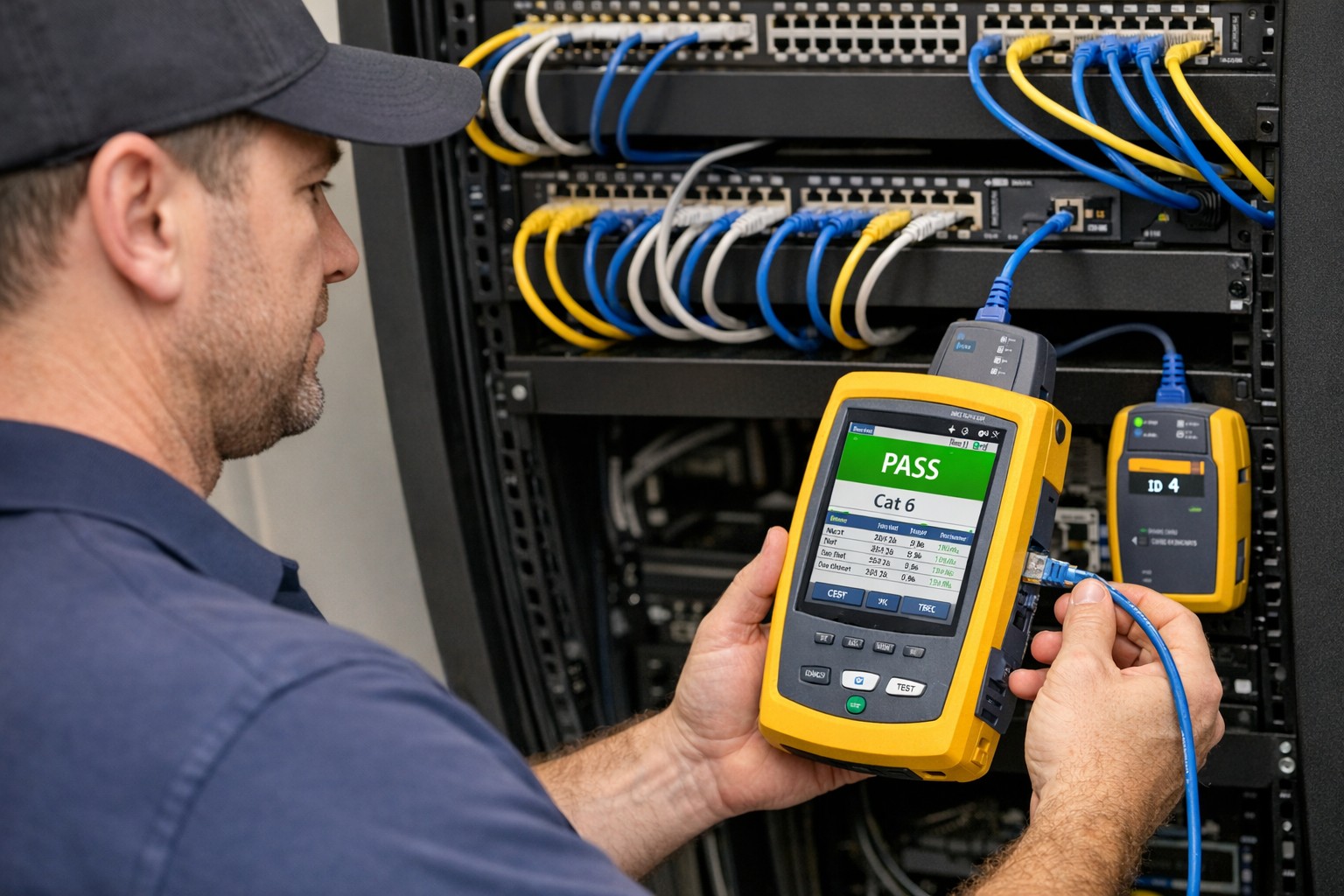
Reading through a whitepaper from an industry leader in structured cable certification and realized the importance and cost savings that comes from the certification process. Here is a summation of their findings:
Cable Certification Less Expensive Than Downtime
Running the numbers against enterprise sized environments showed that for an average cost of $750 worth of cable certification and repair the business was able to insure themselves against $67,000 of downtime. Consider how much each hour of downtime is worth to your organization then think about how much even 8 hours of downtime per year will cost you – that is the difference between 99.9% and 99.99% uptime.
Product Warranties Don’t Cover Workmanship
Even if you have product warranties from the manufactures of your network equipment and cable there is no guarantee as to the quality of the installation without cable certification.
Certification & Re-certification
The idea here is to future proof your business by making sure that cabling exceeds the current standards. This often can lead to extended return on investment (ROI) when newer technology standards are introduced and the current cabling can go through cable certification again to prove that it meets those standards. For example many Cat6 installations that originally were thought to be running at 1Gbps have been proven to run at 10Gbps over short distances thereby saving the company money and expanding their network bandwidth.
Cable Certification Saves Money
Landlords are mentioned here as a direct beneficiary of the cost savings inherent in cable certification. The costs of certifying a building full of cable prior to new tenants moving in is minimal in comparison with the cost of running all new wires – often only 5-10% of the cost.
Reducing Waste
Instead of demolishing current cable infrastructure to comply with National Electric Code standards of removing abandoned cabling, why not have the cable certification done to mark it for future use? It saves money and the environment
Unscrupulous Installers
No-name copper vendors are putting out so-called Cat5 or Cat6 cables that are manufacture outside the country with inferior goods and facilities. This is then used by unscrupulous installers to lower their overall costs whether or not they pass that savings on to the client. To avoid the use of these inferior cables make sure to only use vendors that supply cable certification for their work.
If your company is unsure about their current structured cable infrastructure or is looking to have new network cabling done, then contact us for assistance.
Very weird occurrence the other day, checked the post office box and found a letter regarding my son’s protected health information (PHI) had been improperly accessed in an Asante employee breach that started in 2014. Shortly there after upon returning home, found an email from Yahoo stating that they had been hacked back in 2014 and had just now finished their investigation which could have effected my wife’s personal email. Seems a strange coincidence that both firms had this happen two years ago and it took both firms two years to notice / do the investigation piece to rectify the situation. Here are some quotes from their responses:
Asante Employee Breach
“While Asante cannot provide details regarding the outcome of this internal investigation, we can assure you that we applied our employment policies and processes appropriately. A final audit of the employee’s actions showed that the employee inappropriately accessed records from August 18, 2014 to July 21, 2016 that may have included your child’s name, date of birth, medical records number, medications, diagnosis, and lab results… To date, we have no evidence that any patient information has been misused, nor do we have any reason to believe that the information will be misused. However, as a precaution, we wanted to notify you regarding this incident and assure you that we take it very seriously.”
Yahoo Hack
“A copy of certain user account information was stolen from our systems in late 2014 by what we believe is a state-sponsored actor… The stolen user account information may have included names, email addresses, telephone numbers, dates of birth, hashed passwords (the vast majority with bcrypt) and, in some cases, encrypted or unencrypted security questions and answers.”
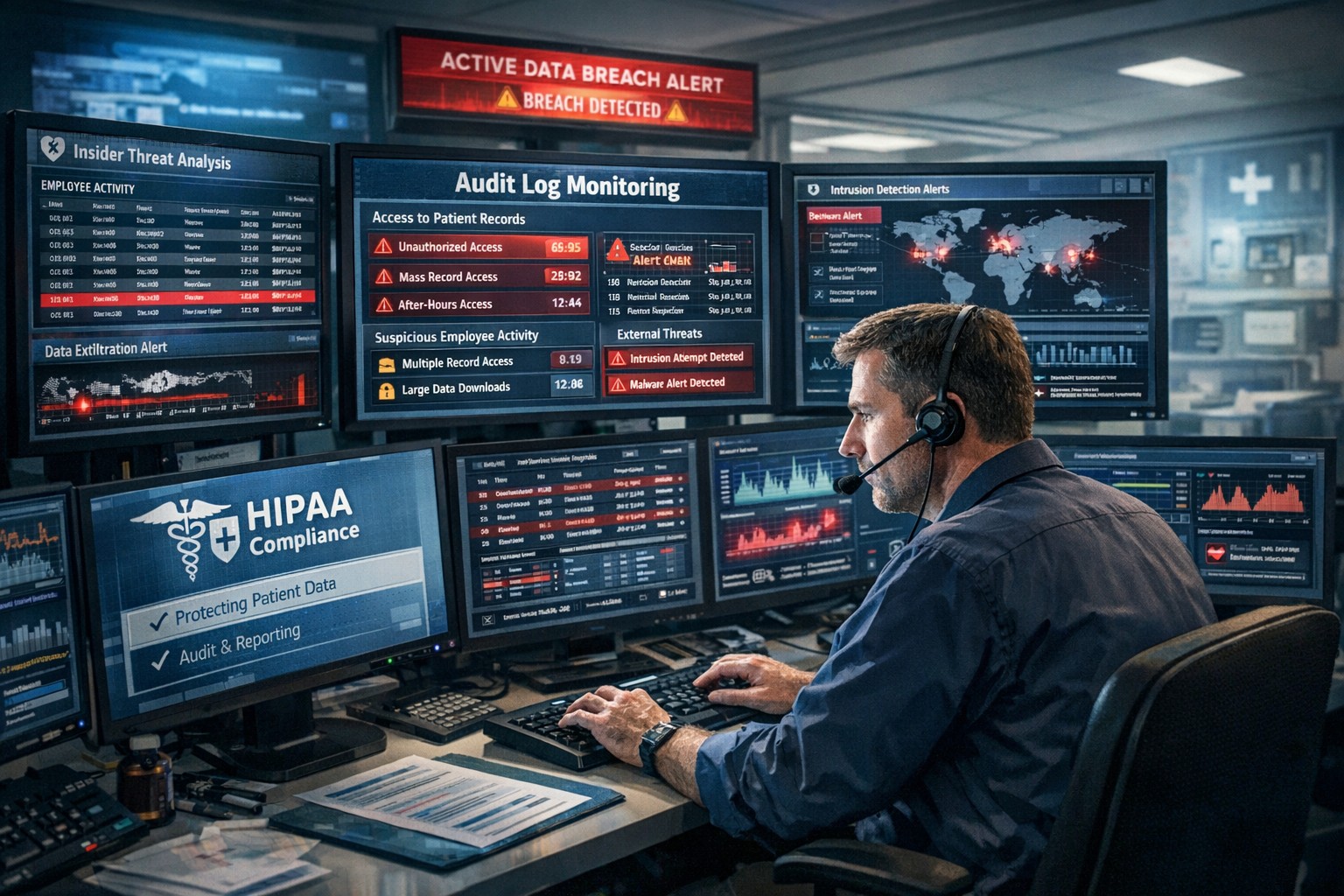
So these two things were not related but it is scary to think that it took two years to notice this activity. Even if Asante believes that the employee didn’t do anything malicious with the information, it shows that their information access policies and audit logging on them is severely lacking. They need to step up their game and possibly adopt some behavioral based analysis of the audit logs for inappropriate access like this in the future.
As for Yahoo, why are some of the security questions unencrypted while others were and were the passwords just hashed? If a state-sponsored actor had unsalted password hashes for two years before being detected then the likelihood of them being able to crack the passwords is extremely high. They also state that they are working closely with law enforcement on this one, but what is law enforcement going to do against another government’s hacking crew (aka state-sponsored actor)?
If your company is unsure of its information security posture or needs an evaluation of audit logging / reporting, then contact us for assistance.
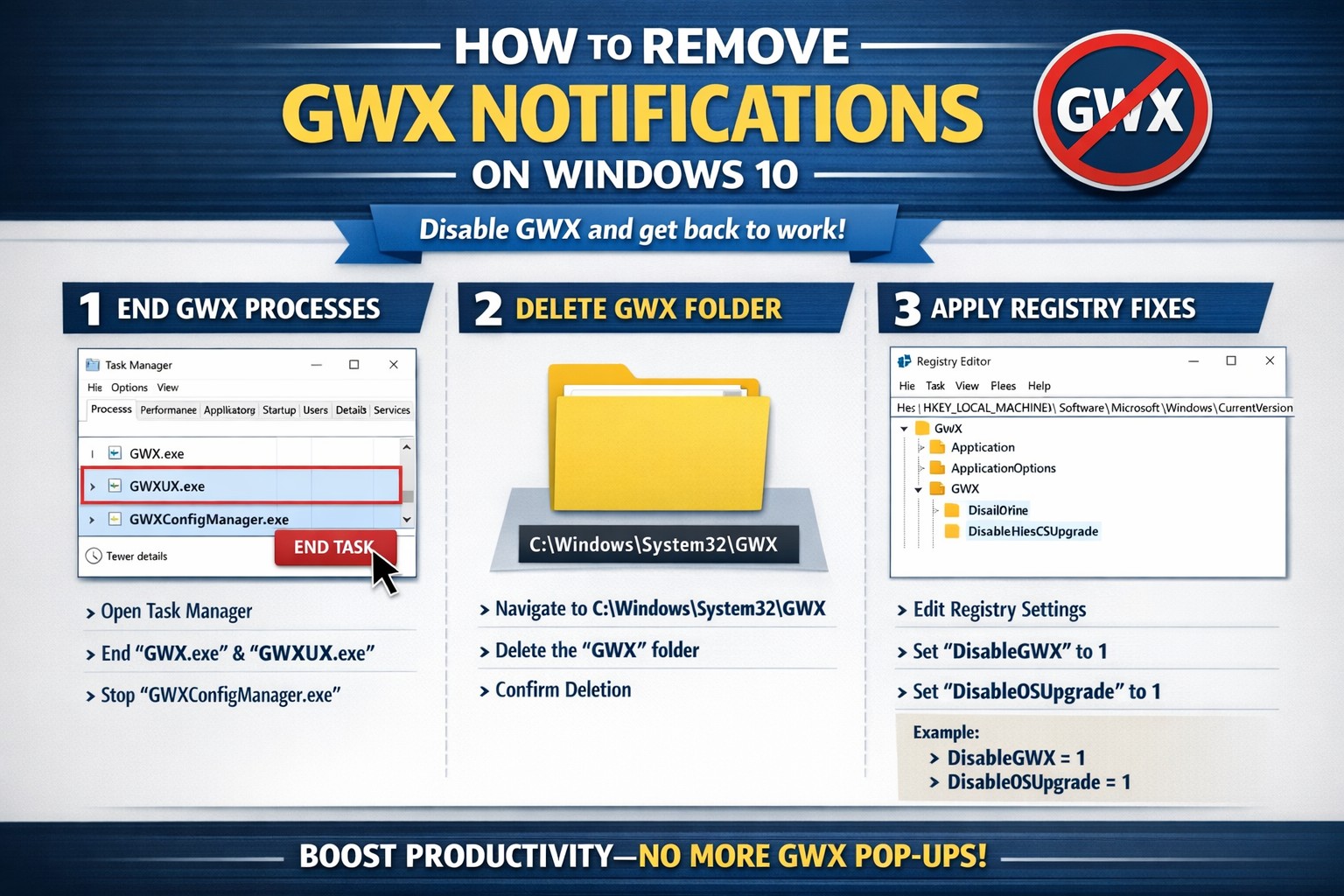
Many have by now experienced the annoyance of the Get Windows 10 (GWX) notification icon down by the clock and the subsequent pop-ups asking to install this update. There have also been reports that the update for some has automatically started and without user intervention the update will install itself. I have found two tools that will help to remove the notification, its related files and block the update from happening automatically.
GRC – Never10
Never10 is a great little tool made by Steve Gibson to both disable the update but also remove the files. This is done in two easy clicks of the “Disable Win10 Upgrade” button and “Remove Win10 Files” buttons on the main program screen.
Ultimate Outsider – GWX Control Panel
GWX Control Panel is more in-depth tool that allows removal of every trace of the Get Windows 10 update. There are several buttons that will need to be pressed here to complete the removal process, so for you techie people this is the way to go.
If your company is having issues with the Get Windows 10 update or would like to proceed with a deployment of Windows 10 to your network, then contact us for assistance.
While marketing Farmhouse Networking to the city of Grants Pass via the old fashioned method of knocking on doors, I came across a local company that does SEO for website and social media management. They are called Moving Mountains and though based in Grants Pass, OR they are really a global presence thanks to social media and marketing via SEO on Google. While speaking to the owner of this company I was pointed in the direction of a WordPress migration for my blog and eventually my whole site. After some consideration, I decided to take the plunge and learned the basics of WordPress and SEO to bring my readers a better experience than the old Serendipity blog could offer.
Serendipity to WordPress Migration
Export the Current Serendipity Blog to RSS
Make the following change to the rss.php file in the Seredipity blog install directory:
Administrators who have been using the tried and true DirSync utility from Microsoft will be pleasantly surprised by the upgrade / replacement by the Windows Azure AD Connect utility for password sync with Active Directory or Hybrid configurations. Here are the basics on an upgrade for a site with only password sync enabled:
Office 365 Azure AD Connect Upgrade
The way to see if your organization is ready for the upgrade is to check under Admin > Users > Active Users > Active Directory Synchronization > Manage in the Office 365 portal.
Click on the Upgrade link which will redirect to the download site for the Microsoft Azure Active Directory Connect utility.
Download and run the utility as administrator which will bring up the following welcome screen which requires agreement to continue the conversion process.
The tool will then examine the current DirSync setup for your organization.
Once done it will present you with the option to continue with the upgrade.
Enter your organization’s Office 365 global administrator credentials.
Enter local domain administrator credentials
Then there is the option to enable hybrid configuration or start a manual first sync. Choose the first sync and continue.
After much labor on the part of the tool it will finish successfully.
Finally a couple notes to make life easier. First is to add a shortcut to the Synchronization Service Manager on the desktop pointing to the following:
%systemdrive%\Program Files\Microsoft Azure AD Sync\UIShell\miisclient.exe
Second is to create a powershell script to start a manual sync as follows:
This will then begin to use the Azure AD Connect utility to run the password sync to Office 365 from local Active Directory domain. If you company needs any help with Office 365, Exchange or Active Directory then don’t hesitate to contact us for assistance.
We undertook the task of complying with Google HTTPS-Everywhere on the web standards that are incentivizing the move to HTTPS by increasing search rankings for those that comply. The first step in this process was acquiring an SSL certificate for our website’s domain name from a provider. We went the cheap route and went with StartSSL using their Level 1 certificate that is good for one year and FREE. The process was not for the faint of heart as it included encryption keys, decryption of public keys, downloading of several certificates and importing them properly into our webhost. As you can see it is just a basic certificate with no verification information, so no green bar in the browser as some other sites have:
If you need to acquire a SSL certificate (especially those with wildcards or extended validation) or looking for help getting your SSL certificate configured on your website, just drop an email and I would be happy to help.
The next step in the process was to change the .htaccess file in the public_html folder on the webserver (this is for Linux hosts and is different for Windows IIS users as they will be editing web.config file). Once this is done the server will start automatically sending people to the same pages you already have on the server but will use https:// instead of http:// to display them. This is universal if you put it in the public_html folder, so be careful. I had some non-relative, absolute links on my pages that were causing issues with displaying them – had to go through each link to my own pages and update them to either be relative or the correct absolute values (this does not apply to any external links). As you can see things are running great now in SSL mode on our site.
And God will generously provide all you need. Then you will always have everything you need and plenty left over to share with others. As the Scriptures say, “They share freely and give generously to the poor. Their good deeds will be remembered forever.” For God is the one who provides seed for the farmer and then bread to eat. In the same way, he will provide and increase your resources and then produce a great harvest of generosity in you. - 2 Corinthians 9:8-10
We use cookies to ensure that we give you the best experience on our website. If you continue to use this site we will assume that you are happy with it.