For those that missed us this week, our CEO Scott Carr was one of the guest speaking panel and the event pictured above. During our discussion, the question was asked – “What is the one thing business owners can do to protect themselves from ransomware?” Scott’s answer was – “If you do nothing else, at the very least have a backup of your data. If anything goes wrong you will be able to go back to your previous data and skip paying the ransom.”
Why Backup?
Ransomware attacks have become an increasingly prevalent threat to businesses of all sizes. As cybercriminals continue to evolve their tactics, it’s crucial for organizations to implement robust defense strategies. One of the most effective ways to protect your business from the devastating effects of ransomware is through a comprehensive backup strategy.
The Rising Threat of Ransomware
Ransomware attacks have surged dramatically in recent years, with 2024 seeing unprecedented levels of both frequency and sophistication. In the first half of 2024 alone, the average extortion demand per ransomware attack exceeded $5.2 million, with a record-breaking payment of $75 million in March. These staggering figures underscore the critical need for businesses to fortify their defenses against such attacks.
The Role of Backups in Ransomware Protection
Data backups serve as a crucial line of defense against ransomware threats. They provide a safety net that can help your company prevent irreparable damage in the event of an attack. Here’s why backups are so important:
Added Data Security: By maintaining backups of your critical data, you remove one of the primary vectors for ransomware attacks. If you can still access your data from a backup, hackers lose their leverage in demanding a ransom
Recovery Options: Reliable and well-tested backups give ransomware victims more options. Without backups, organizations have limited choices for recovery. However, with confidence in their ability to restore from backups, businesses can make more nuanced decisions during ransomware recovery and negotiations.
Best Practices for Ransomware-Resilient Backups
To ensure your backups provide effective protection against ransomware, consider implementing these best practices:
Implement the 3-2-1 Backup Strategy: This strategy involves maintaining at least three copies of your data on two different storage types, with one copy kept offsite. This approach significantly reduces the risk of losing all your data in a single attack
Use Immutable Storage: Immutable backups cannot be modified, altered, or deleted for a specified period. This ensures that your backup data remains intact and tamper-proof, protecting against both accidental and malicious changes
Maintain Offline Backups: Keep a secondary offline backup copy that ransomware cannot reach. Network attached storage devices can be an effective method for this purpose.
Increase Backup Frequency: Consider backing up mission-critical data at least once per hour. This reduces the amount of data that could potentially be lost in a ransomware attack.
Employ Endpoint Protection: Use modern endpoint protection platforms that can detect ransomware processes as they begin, even if the type of ransomware is new and unknown.
The Business Impact of Ransomware
The consequences of a ransomware attack extend far beyond the immediate financial loss. Businesses may experience:
Extensive downtime, leading to significant revenue loss
Damaged reputation among customers and partners
Delayed project timelines
Potential loss of sensitive customer data
These impacts underscore the importance of a robust backup strategy as part of your overall cybersecurity plan.
Don’t wait until it’s too late to protect your business from the devastating effects of ransomware. Contact Farmhouse Networking today to develop a comprehensive backup and cybersecurity strategy tailored to your organization’s needs. Our expert team can help you implement robust protection measures, ensuring your business remains resilient in the face of evolving cyber threats. Secure your data, protect your reputation, and safeguard your bottom line—reach out to Farmhouse Networking now.
Windows 10 end of life preparation: audit compatibility, plan Windows 11 upgrades, and partner with managed IT before support ends October 14, 2025.
As the end of support for Windows 10 approaches in about a year on October 14, 2025, it’s crucial for businesses to start preparing for the transition. This article will guide you through the essential steps to ensure a smooth and secure move to the next phase of your computing experience.
Understanding Windows 10 End of Life
Windows 10 End of Life (EOL) marks the point when Microsoft will cease providing updates, security patches, and technical support for the operating system. This event is significant because it leaves users vulnerable to security risks, compatibility issues with newer software and hardware, and non-compliant with standards like HIPAA, PCI, and CMMC.
Key Steps to Prepare
Assess Your Current Setup: Before making any changes, take stock of your current system:
Identify all devices running Windows 10
Check hardware specifications to make sure old computers are compatible
List essential software and applications
Evaluate Upgrade Options: Consider these alternatives:
Upgrading to Windows 11 for free (if your hardware supports it)
Purchasing new devices with the latest operating system to replace older ones
Plan for Software Compatibility: Ensure your critical applications will work post-transition:
Check compatibility with newer operating systems
Contact software vendors for upgrade options
Consider alternative software solutions if needed
Train Your Team: If you’re managing a business environment:
Educate employees about the upcoming changes
Provide training on new systems or procedures
Establish a support system for the transition period
Set a Timeline: Create a realistic schedule for your transition:
Set milestones for each phase of the preparation
Allow ample time for testing and troubleshooting
Plan for potential downtime during the switch
Financial Considerations: Budgeting for the transition is crucial:
Allocate funds for new hardware if needed
Account for potential software upgrade costs
Consider the long-term cost benefits of modernizing your IT infrastructure
Security Implications: Understand the risks of running an unsupported OS:
Increased vulnerability to malware and cyber attacks
Potential compliance issues for regulated industries
Lack of technical support for critical issues
Remember, a well-planned transition not only safeguards your system but also opens up opportunities for improved performance and productivity. Take the first step now: conduct an inventory of your Windows 10 devices and begin researching upgrade paths. Your future self will thank you for your foresight and preparation.
Don’t wait until the last minute to prepare for Windows 10 End of Life. Start your transition plan today to ensure a secure and efficient computing environment for the future. Let Farmhouse Networking do the heavy lifting by assessing your needs, exploring your options, and taking proactive steps to protect your digital assets.
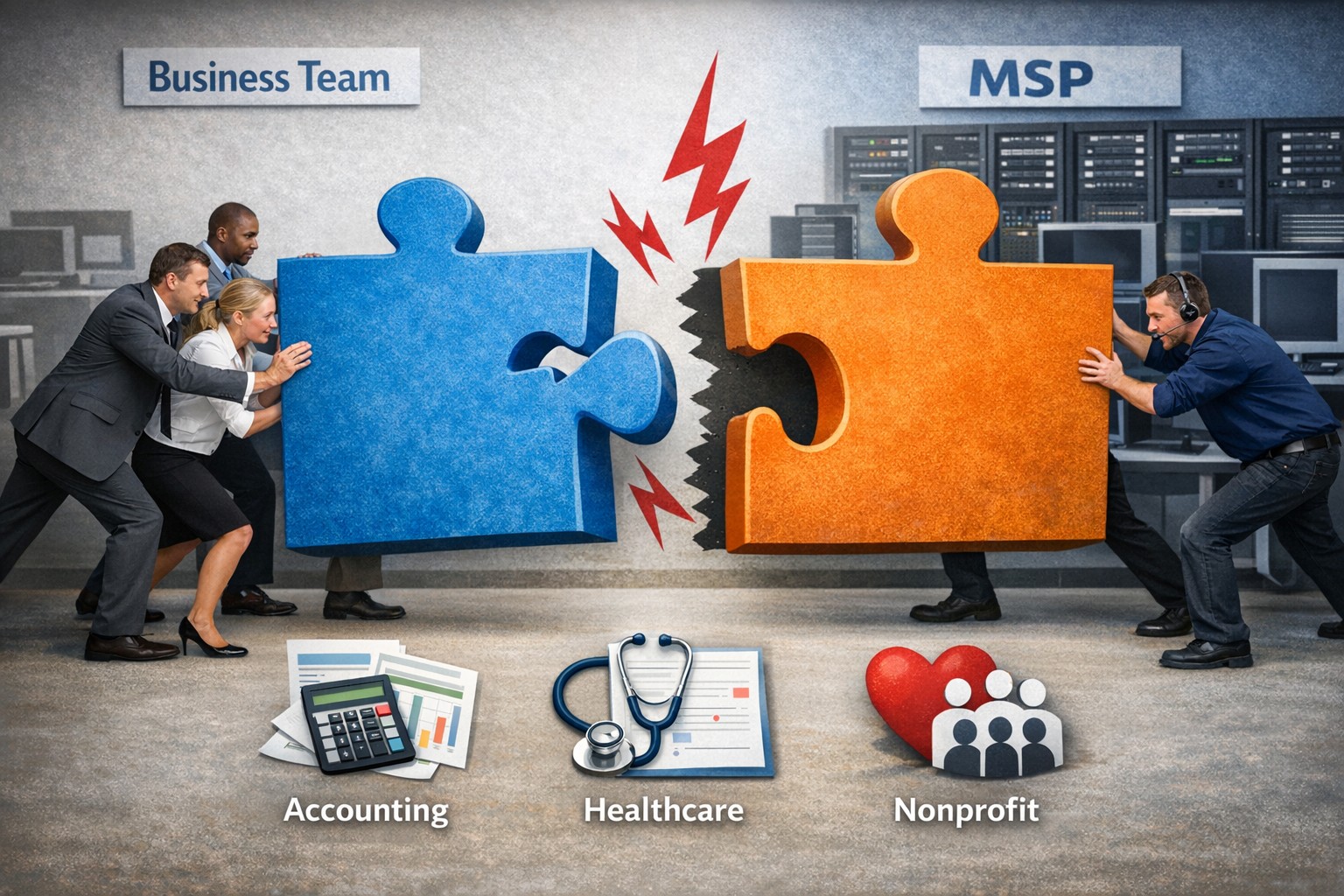
Not every business fits our co-managed IT model—this image shows when the partnership puzzle pieces dont align between your team and ours.
Wanted to take a look at why prospective customers would not want Farmhouse Networking to be their Managed IT Service Provider. This article will be a little tongue-in-cheek, but will hopefully give you a fresh perspective on what to look for in a Managed IT Service Provider.
Why You Don’t Want to Work with Us
We are IT Experts: They will point fingers and blame others instead of taking ownership of your IT problems. Who needs real solutions to problem or to do things the right way the first time – Band-Aid the issues until they go away themselves.
We know your software and hardware: There are lots of other Managed IT Service Providers who are IT generalists who have no experience in your industry who will charge you for their time while they stumble through fixing things.
We live answer our phones: Why would you want to talk to a human who cares when you can simply leave voicemails and hope for a callback? Better yet you can spend your day in the maze of an automated phone menu trying to get to the department that is in charge of your problem.
We communicate: Who really needs to know what is going on with the tickets that are submitted? Isn’t it easier to just make a ticket and have faith in your Managed IT Service Provider to finish the task. It’s even better when they take over your computer and reboot the server before you can save anything.
We only hire the best: There are so many Managed IT Service Providers who are willing to hire just anyone and let them pretend to know how to fix your problems.
We’re local: Who wants to have their computer issues handled by someone in their own country let alone within range to be able to show up quickly when things are really broken? Outsource everything important to your business to the lowest bidder from whatever country and make sure that they are unable to communicate effectively in English.
We’re established and growing: Fly-by-night companies are the way to go. Call up the company that advertises on obscure streaming videos to handle precious customer data.
In all seriousness, take time to think about who is your company’s Managed IT Service Provider and how they are treating you. Consider Farmhouse Networking to take better care of your IT needs.
Lenovo ThinkPad laptops and desktops are the best choice for business computers because of durability, security, performance, and easy integration into managed IT and TaaS.
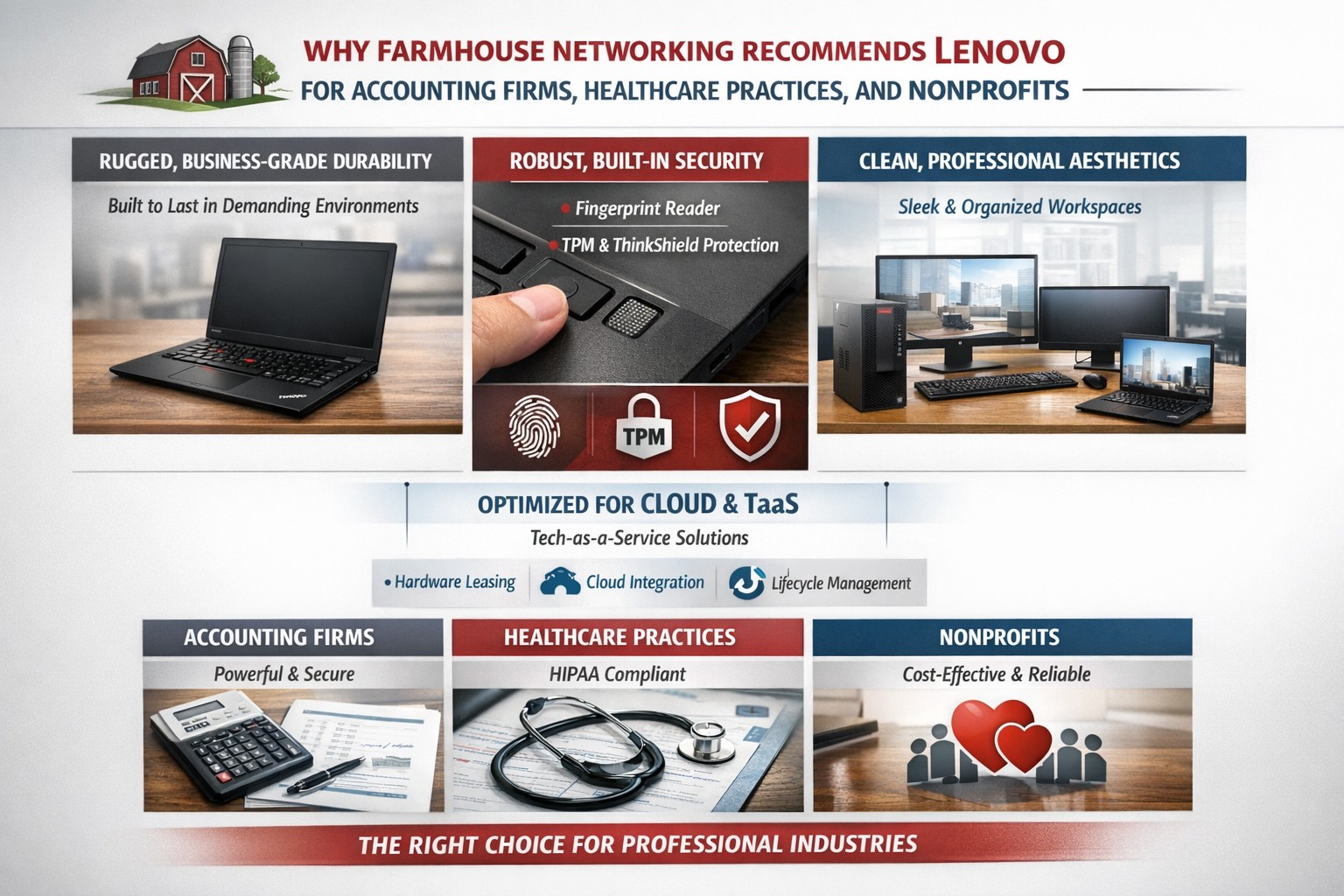
Farmhouse Networking only recommends the best computers for your business and Lenovo stands head and shoulders above the rest. Here are several reasons why Lenovo is the best company for businesses to buy computers from:
Unmatched Reliability and Durability
Lenovo’s ThinkPad series is renowned for its durability and reliability. Originally developed by IBM, ThinkPads have been a staple in the business world for decades. These laptops undergo rigorous MIL-SPEC testing to ensure they can withstand extreme conditions, making them ideal for professionals who need a dependable device.
Superior Performance
Lenovo computers are designed with performance in mind. Whether you need a powerful desktop for complex data analysis or a lightweight laptop for on-the-go productivity, Lenovo offers a range of devices equipped with the latest processors, ample memory, and high-quality graphics. This ensures that your business operations run smoothly and efficiently.
Innovative Features
Lenovo consistently integrates innovative features into their products. For instance, the ThinkPad X1 Carbon Gen 11 offers a sleek design, fast processor options, and a long battery life, making it a versatile choice for any business. Additionally, Lenovo’s business laptops often come with advanced security features, such as biometric authentication and encryption, to protect sensitive business data.
Customizability and Upgradability
One of the standout features of Lenovo computers is their customizability. Businesses can choose from a variety of configurations to meet their specific needs. Moreover, many Lenovo laptops and desktops are designed to be easily upgradable, allowing businesses to extend the lifespan of their devices by upgrading components as needed.
Excellent Support and Warranty
Lenovo offers robust customer support and comprehensive warranty options. This ensures that businesses can get timely assistance and repairs, minimizing downtime and keeping operations running smoothly. Lenovo’s support services are highly rated, providing peace of mind for business owners. We always recommend that our clients sign up for the next business day warranties because they come onsite with parts the day after your first phone call.
Eco-Friendly Initiatives
Lenovo is committed to sustainability and eco-friendly practices. The company has made significant strides in reducing its environmental impact through energy-efficient products and sustainable manufacturing processes. For businesses looking to reduce their carbon footprint, Lenovo’s eco-friendly initiatives are a significant plus.
Spread the Costs with Tech-as-a-Service
Lenovo helps owners spread out the cost of new computers by allowing clients to finance their hardware or setup Tech-as-a-Service plan that turns hardware from a capital expense to an operating expense.
If your company is looking to update your fleet of laptops for remote workers, equip your engineers with the powerful workstations to create product models, or take advantage of the latest innovations to increase productivity – call Farmhouse Networking to let us do the shopping for you.
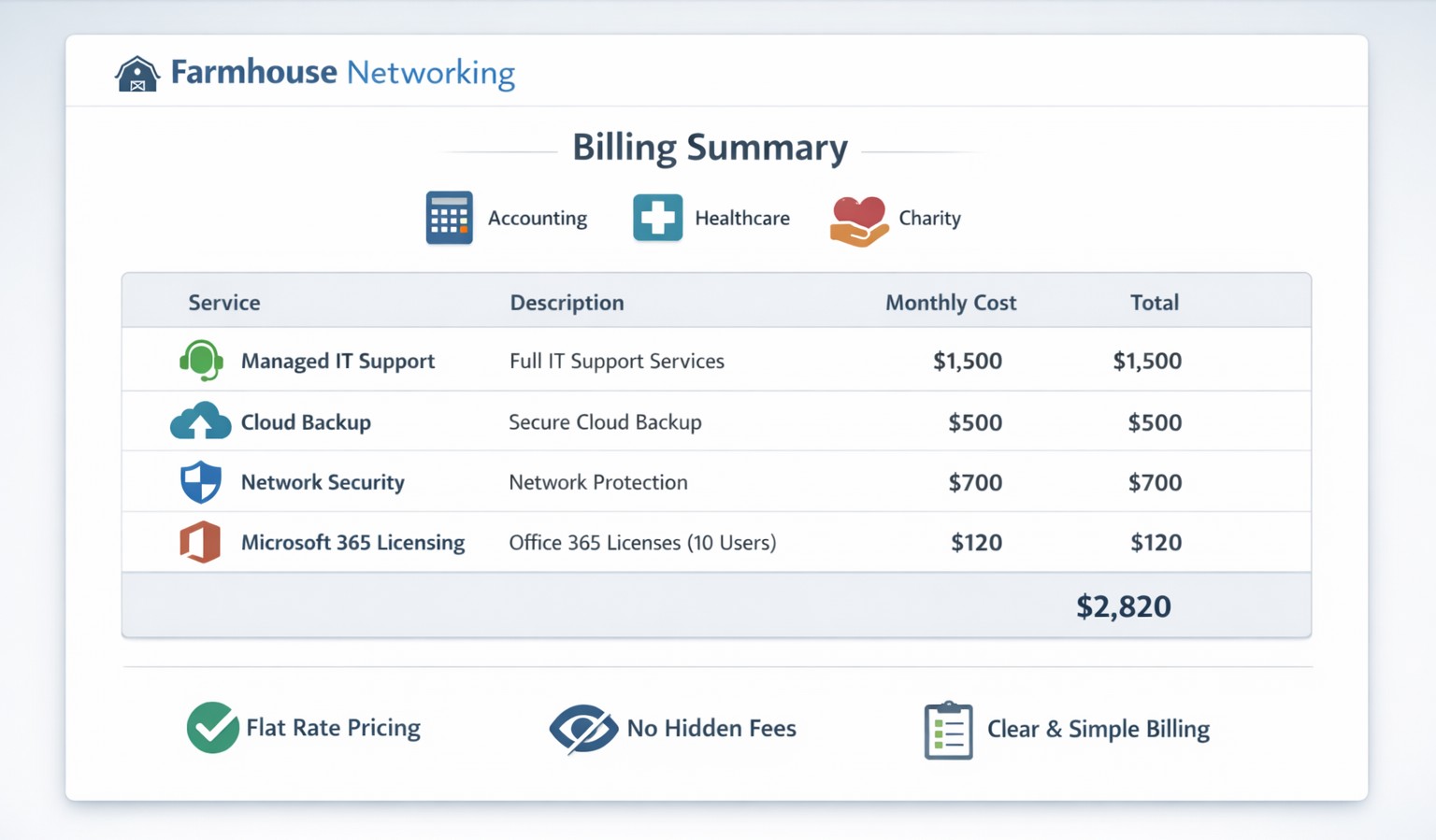
Our billing practices make us unique by offering clear, predictable pricing and no hidden fees for co‑managed IT services.
Our owner, Scott Carr, has been working in the Managed IT Service Provider (MSP) and computer support industry for over 30 years. During that time he owned several different companies and has worked for other larger MSPs. The main take away from this experience is that other companies are out for profit at the expense of the client’s business success. They bill for their time and hardware in ways that make them the most money without concern about whether it is a good fit for the client.
So what are your billing practices?
Hourly billing: Farmhouse Networking has always had the policy that to bill clients for a full hour when only working on the task for couple of minutes is just taking more than our fair share. We decided from the beginning to bill our clients in 15 minute increments to keep billing honest and fair to the companies we serve.
Contracts: For years, Farmhouse Networking would only have month-to-month contracts with all of its monthly managed clients. We recently made the change to shielding our clients from inflationary price increases by having them sign a year contract to lock in prices for that term. We still offer month-to-month contracts for our clients who want the freedom that kind of agreement brings.
Hardware: When Farmhouse Networking takes on the management of a new client, we do not have requirement for clients to change out their hardware to using only the vendors that we recommend. We work with the client to develop a 5-year plan of hardware replacement to spread the costs of keeping equipment up-to-date. We have partnered with several hardware wholesalers to get the best-fit products for our client’s need at the best prices. We cannot compete with major online retailers prices, but trust our clients want to support us and allow us to have the reasonable markup of 15% on the products we sell.
Charity prices: For those companies that meet our charitable donation criteria, Farmhouse Networking offers deeply discounted hourly rates, contract terms, and hardware. We do this so that the causes we believe in are able to better serve those in the deepest need.
If your company is looking to partner with a Managed IT Service Provider that is transparent and fair with their biling practices, then contact Farmhouse Networking to get a free quote.
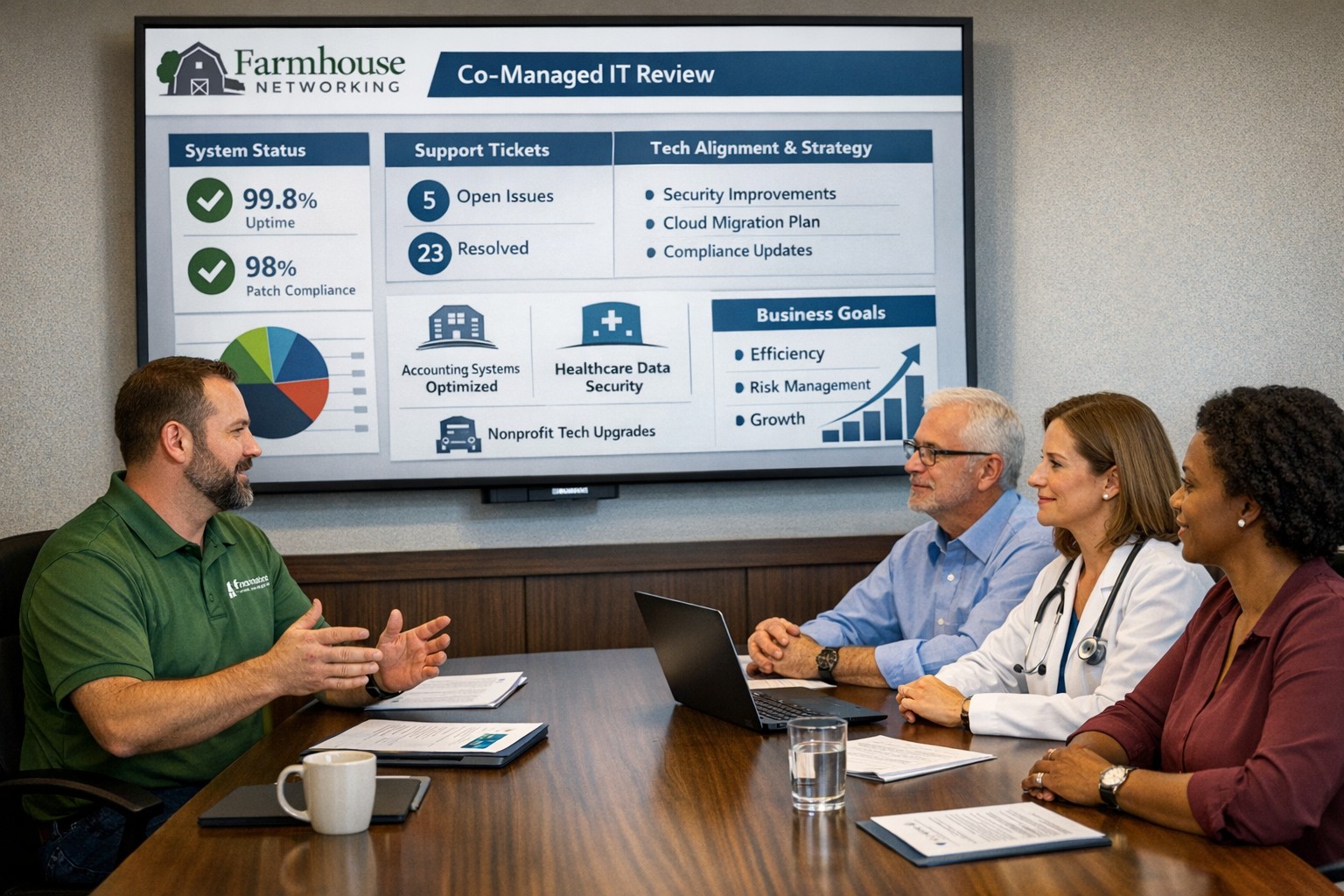
We hold SABR meetings with clients to review IT performance, risks, and strategy, ensuring your business stays aligned, secure, and ahead of issues.
As a Managed Service Provider (MSP), one of our main objectives is to provide our clients with top-notch IT solutions. In order to achieve this, it is essential to have a clear understanding of your client’s needs, goals, and challenges. This is where Semi-Annual Business Review (SABR) meetings come in.
A SABR is a meeting between the Farmhouse Networking and the client, typically held in the Spring and Fall, to review the client’s IT infrastructure, identify areas of improvement, and develop a roadmap for the future. The SABR provides a structured framework for discussing IT needs and aligning them with business goals.
Why does Farmhouse Networking use SABR meetings with their clients?
Improve communication: SABR meetings are an opportunity for Farmhouse Networking to strengthen their relationships with clients. Through regular SABR meetings, Farmhouse Networking can improve communication with the clients, identify pain points, and develop a better understanding of the client’s business operations.
Identify areas for improvement: Regular network inventories and standards compliance reviews provide Farmhouse Networking with a comprehensive view of the client’s IT infrastructure, allowing us to identify areas for improvement, non-alignment with industry standards, and to develop a roadmap for addressing those areas.
Align IT with business goals: The SABR meeting helps align IT objectives with business goals by allowing the client to disclose their vision for the companies future. This ensures that the client’s IT infrastructure is working towards achieving those objectives that are important to the business.
Proactive approach: SABR meetings allow Farmhouse Networking to take a proactive approach to IT management. By identifying potential problems before they occur, Farmhouse Networking can prevent downtime, system crashes, and other issues that can negatively impact the client’s business operations.
By regularly conducting SABR meetings, Farmhouse Networking can ensure that their clients are receiving the best possible IT solutions, positioning them as trusted advisors in their field.
Farmhouse Networking leads as top-reviewed collaboration consultant optimizing Microsoft Teams for Oregon businesses.
At Farmhouse Networking, we provide professional support for small to medium business networks. Our mission is to bring grass-roots IT support to local and national businesses. We analyze the processes that make business happen, then help you develop long-term plans to ensure that your IT system fosters the growth your business requires to blossom.
For this reason, we proudly share a milestone for Farmhouse Networking. The Manifest has recognized us as a leading and most reviewed global productivity and collaboration company. The Manifest is a business blog and reviews platform aiming to link buyers with vendors that can help them with their ongoing or upcoming projects.
Since our establishment in 2015, we have worked with trusted hardware and software vendors to add the essential elements which provide a nourishing medium to make your business flourish. Since our founding, we have developed the breadth and depth of knowledge required to manage business-class networks properly.
Chief Aircraft Inc, an online aircraft parts retailer, engaged in an ongoing collaboration with us in 2016 for managed IT services. The project started when the client was transitioning, and we stepped in to help modernize their systems and set up a solution to back up and monitor their network properly.
“In upgrading our network and data backups Scott has managed to lower the cost to us on a long-term basis and make everything easier to access as well as more secure.” – Josh Confer, Webmaster, Chief Aircraft Inc
The whole team at Farmhouse Networking would like to use this opportunity to communicate how much we value all our clients and partners. The feedback they’ve written means so much to us and will help us cement our name in the industry. If you need a caring expert to tend to your computers and network while you do business, get in touch with us. Our organic IT support is only a phone call away
Farmhouse Networking helps small businesses choose new computers where price reflects long term reliability, performance, and lower total cost of ownership.
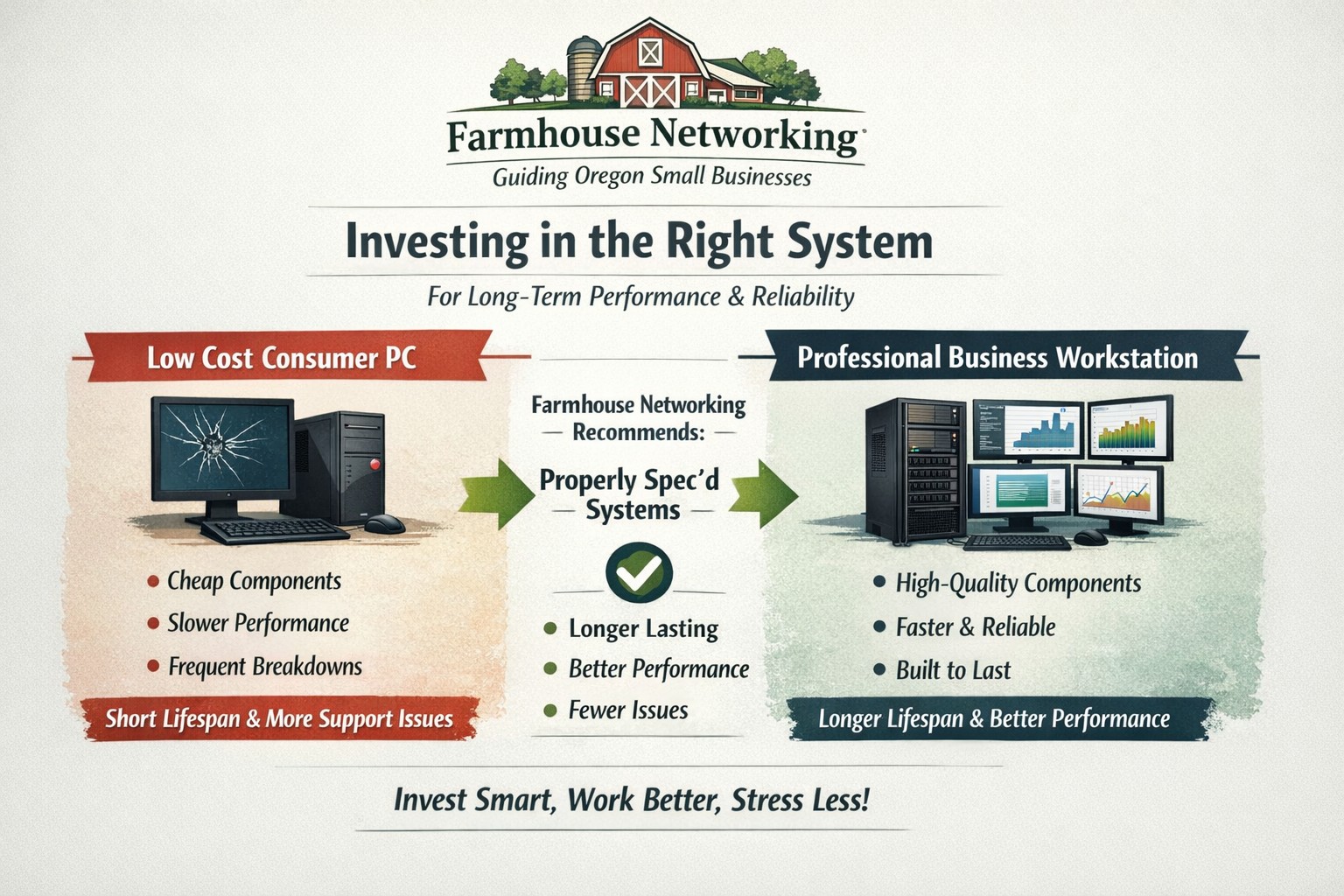
Based on some recent experiences and plenty of past experiences, we thought it would be good to help customers make good choices when shopping for new computers. The easiest and best way is to trust us to do the research and know your company’s computing needs enough to provide you with the best computer for the best price. However there are some that like the thrill of the hunt and want to find the best “deal” themselves. They try to save money via sales that we honestly cannot compete with on price. This newsletter is meant to help guide them to the best options for solid performance and longevity in their investment.
Shopping Guide
Big Box Stores (Staples, Walmart, Costco, Best Buy, etc.): Seeing the local adds, these retailers are often at the top of the list for many people when shopping for a computer. They offer the convenience of being able to physically touch the computer being purchased and not having to wait for the computer to be shipped from some other part of the country. The downside is that these retailers are selling a commodity product for the smallest cost possible to maximize their profits. This means they are willing to have computers made from the least expensive parts and lowest build quality. They also find ways of scrimping on important features and masking this deficiency with flashy claims on features or partnerships with celebrity endorsements. Don’t be fooled these are disposable computers that will not stand up to the demands of a business environment.
Online Discount Sellers (eBay, Amazon, Google. Overstock, etc.): Bargain hunters are getting savvier with online tools and searches for the products they want. This type of “retailer” works much like the big box store, but you have to trust the pictures you see online and wait for the product to arrive from across the country or globe. These online stores are often just marketplaces where smaller retailers post their products to gain greater visibility then they could on their own. They are also notorious for selling what appear to be quality computers that have been “refurbished” in-house. These refurbished computers are usually years old and are a Frankenstein monster of spare used parts from their shop. Much like buying a car from a used car lot, you get all the troubles of someone else’s computer with all the reliability of a computer that is past its prime held together with old parts.
What to look for in a new computer
Business Class: This is important because manufactures who have this distinction on their products take the time to make a quality computer with mid-range parts. These computers will have all the needed features and typically last much longer then the disposable computers from other stores. If you go directly to the manufacturers website, they will typically have a section labeled Business that you can look through the models they have given this distinction.
Processors: This is the capacity of the computer to crunch through data. There are two main companies that make these chips, Intel and AMD. Intel is what I recommend for the majority of business users (except for those who only do light office work). They currently are using a system of Generations and i-series distinctions. The Generations help determine the age of the processor with the latest being 12th-generation processors, so if you are looking at a computer with a 9th-generation processor it is likely 3 years old out of the box. The i-series consists of i3, i5, i7, and i9 which is a measure of the raw computing power that the processor contains. Our recommendation for businesses are i5 for general office work and i7 if you are a power user who does many things at once.
Memory: This is the short-term memory capacity of the computer, so the more you have the more you can accomplish at once. These chips also have designations of DDR technology and PC-speed rating. The DDR technology has slowly changed over time and they are now shipping DDR5 chips for top of the line gaming computers, but for typical office computers the DDR4 technology will be the best performance per dollar. As for the PC-speed rating, it will somewhat match the DDR number with the latest in the PC5-38400 range, but again the PC4 with the highest number possible next to it will be sufficient. General office work can be accomplished with 8GB of RAM, but 16GB is becoming the new norm. Those who want more performance will need to go to 32GB or higher.
Hard Drive: This is the long-term memory storage of the computer. There have been massive improvements in technology on these in the past few years and performance has jumped substantially. This is one of the ways that big box stores save money the most, they sell an old fashioned hard drive in a new computer and performance suffers greatly. The newest technology is called NVMe and any new computer should contain this kind of hard drive to see the best performance. If cost is prohibitive, then at least get the previous technology of an SSD installed in the computer.
Everything Else: The rest is mostly personal taste. If you want wireless, then get one with wireless in it with the latest being WiFi6 and some include Bluetooth connections too. If you want a large screen, touchscreen, fingerprint scanner, lightweight, certain specific ports for your devices, or whatever other features – these will be the finishing touches that help shape your final choice.
If your company is going to looking to buys new computer, then contact us to save yourself the time and money of getting a computer or worse the wrong computer.
And God will generously provide all you need. Then you will always have everything you need and plenty left over to share with others. As the Scriptures say,
“They share freely and give generously to the poor. Their good deeds will be remembered forever.”
For God is the one who provides seed for the farmer and then bread to eat. In the same way, he will provide and increase your resources and then produce a great harvest of generosity in you. - 2 Corinthians 9:8-10
We use cookies to ensure that we give you the best experience on our website. If you continue to use this site we will assume that you are happy with it.