Unlock strong, memorable passwords: Use 5-7 random words for SMB security—simple, effective, and Farmhouse Networking approved.
The COVID-19 scare and ensuing rush to remote access has us thinking security. What is more basic to security than passwords. In an effort to find a way to make passwords both secure and easy to remember, I have found a website that seems to fit the bill:
The concept is surprisingly simple and is said to be based on a cartoon:
I have played with the settings and found the following to generate some good password settings. Here they are for those who are interested:
The only other option would be to use random passwords stored in a password keeper. This also allows secure sharing of passwords throughout the organization.
If your company is using remote access, then contact us for assistance to make it secure.
One cyber breach could wipe out years of growth—yet most lack visibility into their vulnerabilities. Microsoft provides powerful, built-in tools like Secure Score to reveal your current security posture and deliver actionable recommendations, helping you safeguard operations without starting from scratch.
Core Microsoft Tools
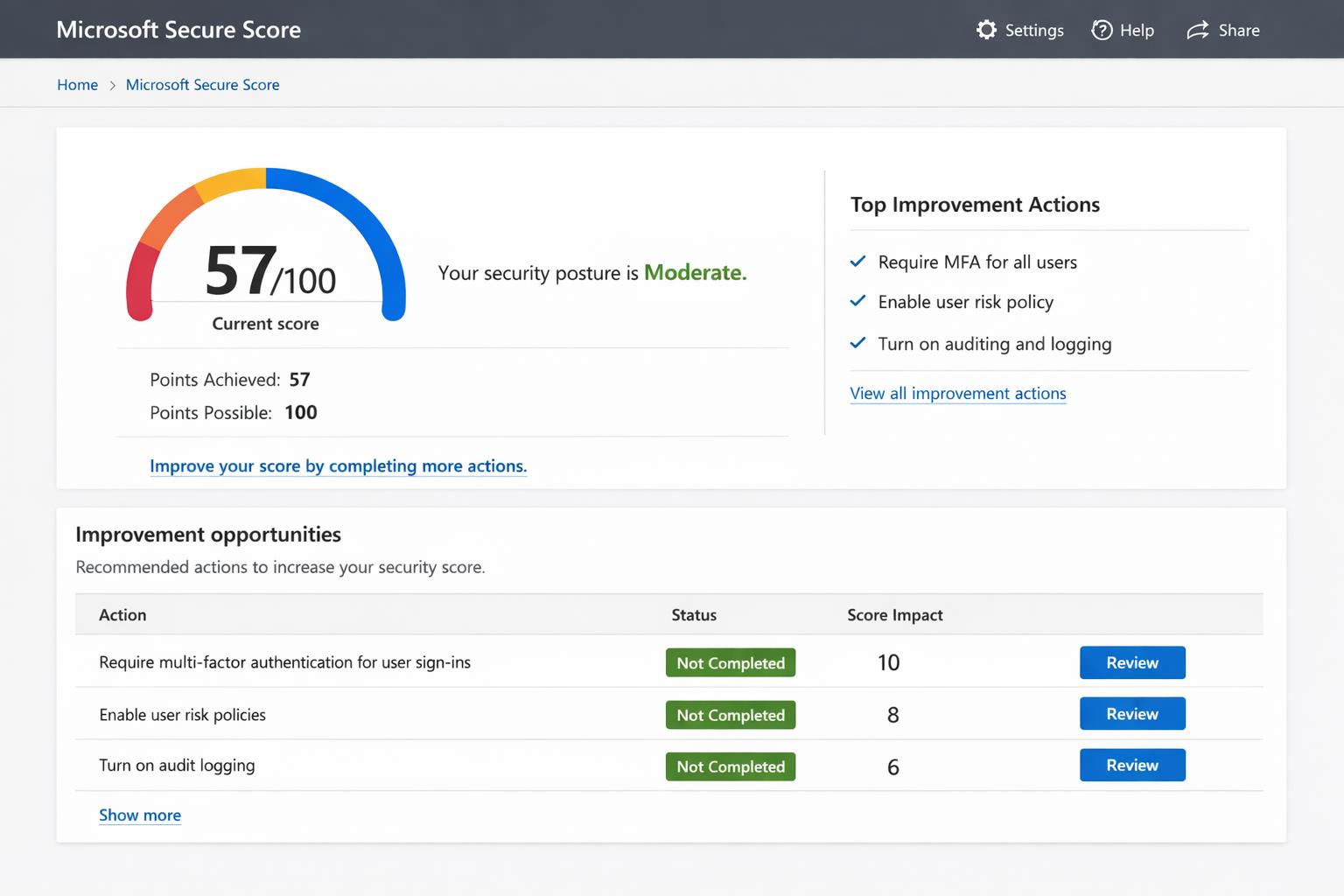
Microsoft Secure Score offers a numeric rating (out of 100%) of your security state across Microsoft 365, Defender, and Entra ID, factoring in identities, devices, apps, and data. Higher scores reflect completed recommendations, with dynamic updates as you act. Defender for Cloud extends this to hybrid/multi-cloud setups, scanning for misconfigurations via continuous posture management.
Microsoft Security Assessment Tool (MSAT) provides on-premises audits covering people, processes, and tech, generating reports on gaps like weak policies. Zero Trust assessments evaluate alignment with principles like “assume breach,” prioritizing identity and endpoints.
Practical Action Steps
Follow these steps with your IT team to assess and boost posture—targeting quick wins for maximum impact.
Access Secure Score Dashboard: Log into Microsoft 365 Defender portal (security.microsoft.com) > Secure Score. View current score, potential points, and top recommendations filtered by category (e.g., Identity).
Run Assessments: Deploy Defender sensors on domain controllers for identity checks; use agentless scanning in Defender for Cloud. Download/run MSAT for legacy systems—takes ~30 minutes.
Prioritize Fixes: Start with high-impact actions like enabling MFA (up to 30% score gain), anti-phishing policies, and data encryption. Track progress via “Planned” status.
Monitor and Iterate: Set quarterly reviews; integrate with Defender XDR for threat alerts. Aim for 80%+ score as a benchmark for robust defense.
Validate Compliance: Benchmark against CIS/NIST via Defender for Cloud’s 450+ assessments.
These yield measurable ROI: firms implementing top Secure Score actions cut breach risk by 50%+.
FAQ: Client Inquiries Answered
How accurate is Secure Score for non-Microsoft environments? It excels in Microsoft ecosystems but integrates hybrid data via sensors; supplement with MSAT for full coverage. Scores reflect licensed features only—upgrade for fuller insights.
What if my score is low—where to start? Focus on identity: 60% of breaches exploit weak auth. Enable MFA and Conditional Access first for 20-40 point gains.
Does it cost extra? Core Secure Score is free in Microsoft 365 E3+; advanced Defender features need E5 or add-ons. Posture tools like MSAT are downloadable at no cost.
How long to see improvements? Immediate for config changes (e.g., MFA rollout in days); full sensor data in 24-48 hours. Quarterly audits sustain gains.
Can small businesses use this? Yes—dashboards scale for 10-10,000 users. No IT army needed; self-guided with built-in remediation paths.
How Farmhouse Networking Helps
Farmhouse Networking, your Microsoft-specialized partner for accounting, healthcare, and charity sectors, streamlines this process. We conduct expert Secure Score audits, deploy sensors, and implement fixes—boosting scores 30-50% in 90 days while ensuring HIPAA/GLBA compliance. Our SEO-driven blogs and lead-gen strategies then convert security wins into client trust. Skip the hassle; we handle IT complexity so you focus on business growth.
Ready to fortify your defenses? Email support@farmhousenetworking.com for a free posture assessment and custom roadmap. Act now—secure your future today.
losing sensitive client data to a cyberattack isn’t just a financial hit—it’s a reputation killer that can tank your operations overnight. Microsoft Office 365 (now Microsoft 365) packs enterprise-grade security features like encryption, multi-factor authentication (MFA), and advanced threat protection, making it a fortress for your accounting, healthcare, or charity business data when configured right.
Core Security Features
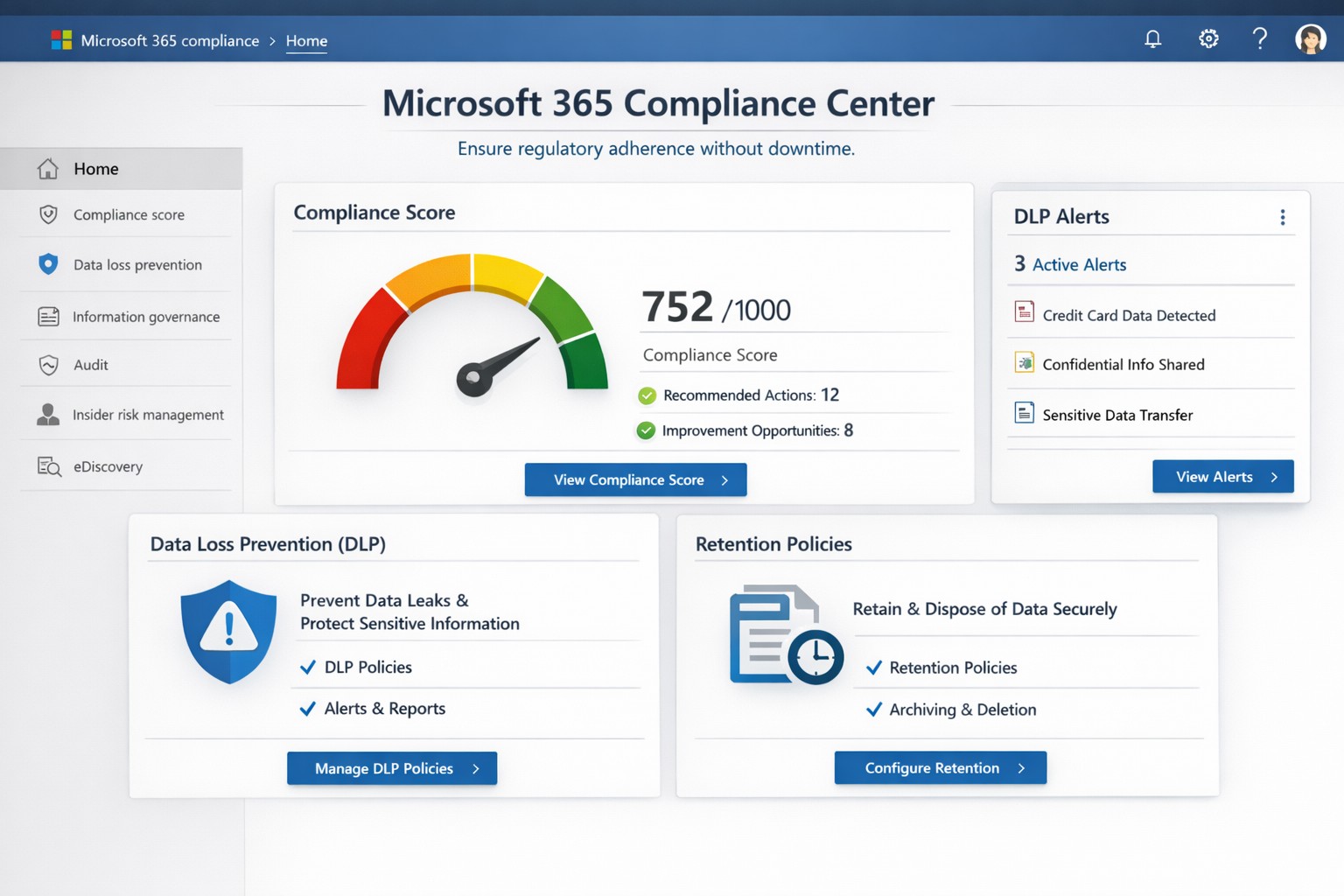
Office 365 secures data in transit and at rest using Transport Layer Security (TLS) encryption and built-in OneDrive safeguards, ensuring files stay protected even during sharing. Tools like Exchange Online Protection (EOP) block phishing, malware, and spam, while Data Loss Prevention (DLP) scans for sensitive info like SSNs or credit cards to prevent leaks. Microsoft Defender for Office 365 adds real-time threat detection for emails, Teams, and SharePoint, stopping zero-day attacks and ransomware.
Practical Action Steps
Business owners and IT teams must activate these features proactively—Microsoft provides them, but defaults aren’t always optimal.
Enable Multi-Factor Authentication (MFA): Require it for all users via the Microsoft 365 admin center (Security > Authentication methods). This blocks 99.9% of automated hacks.
Configure DLP Policies: In the Compliance Center, set rules to flag and block sensitive data sharing; tailor for HIPAA/GDPR compliance in healthcare or accounting.
Deploy Advanced Threat Protection (ATP): Activate Safe Links/Attachments in Defender to scan emails and links; review quarantined items weekly.
Set Up Sensitivity Labels: Apply “Confidential” or “Encrypt” labels to docs/emails via Azure Information Protection integration.
Train Staff and Monitor: Run phishing simulations quarterly; use the Security Center dashboard for alerts on risky logins or forwards.
Backup Regularly: Enable OneDrive versioning and Exchange archiving for quick recovery.
Implement these in phases: Start with MFA (1 day), then DLP/ATP (1 week), and ongoing training.
Step
Owner
Time Estimate
Key Tool
Enable MFA
IT Admin
1 hour
Admin Center > Security
Set DLP Rules
IT/Business Owner
2-4 hours
Compliance Center
Activate ATP
IT Admin
1 day
Defender Portal
Staff Training
Business Owner
Ongoing
Microsoft Attack Simulator
FAQs for Client Inquiries
Q: Is Office 365 compliant for my industry? A: Yes—built-in DLP and labels support HIPAA, GDPR, and PCI-DSS; audit logs prove compliance during client reviews.
Q: What if an employee clicks a phishing link? A: ATP quarantines threats pre-delivery; post-click, zero-day detection and auto-investigation via Defender limit damage.
Q: How secure is data sharing with external clients? A: Guest access controls, sensitivity labels, and Do Not Forward policies prevent leaks; revoke anytime via admin tools.
Q: Can hackers still breach us? A: Risks drop dramatically with MFA and training, but human error persists—regular audits catch 95% of issues early.
Q: What’s the backup plan for outages? A: Redundant global data centers ensure 99.9% uptime; OneDrive versioning restores ransomware-hit files.
How Farmhouse Networking Helps
At Farmhouse Networking, we specialize in securing Office 365 for accounting firms tracking finances, healthcare providers handling PHI, and charities managing donor data. Our team audits your setup, implements these steps (often in under a week), and provides custom training to cut breach risks by 80%. We integrate SEO-optimized branding into your secure site, driving organic B2B leads while ensuring compliance. Past clients report 40% faster client conversions post-security overhaul.
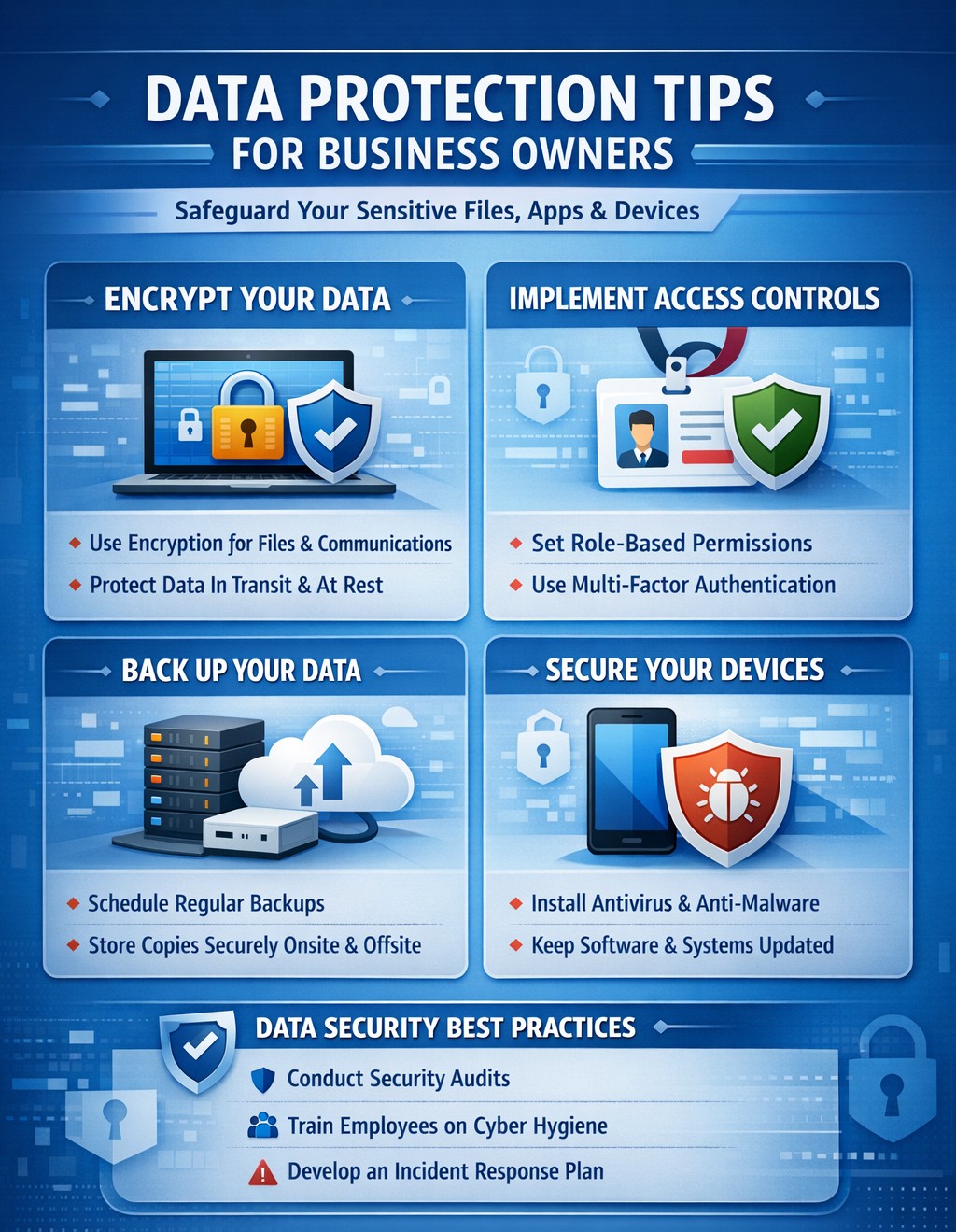
A single data breach can cost millions in losses, legal fees, and lost trust—FTC data shows average costs exceeding $4.5 million per incident. Protecting data across files, apps, devices, and your entire organization isn’t optional; it’s essential for survival in 2026’s threat landscape.
Practical Action Steps
Implement these steps with your IT team to secure data organization-wide. Prioritize based on risk assessment.
Inventory and Classify Data: Catalog all sensitive information (e.g., client financials, employee records) across files, apps, and devices. Use tools to tag by sensitivity—high (e.g., PII), medium, low. Review quarterly.
Enforce Least Privilege Access: Limit access to need-to-know basis via role-based controls. Require multi-factor authentication (MFA) everywhere; disable unused accounts.
Encrypt Everything: Apply encryption to data at rest (files/devices) and in transit (apps/email). Use AES-256 standards; enable full-disk encryption on laptops.
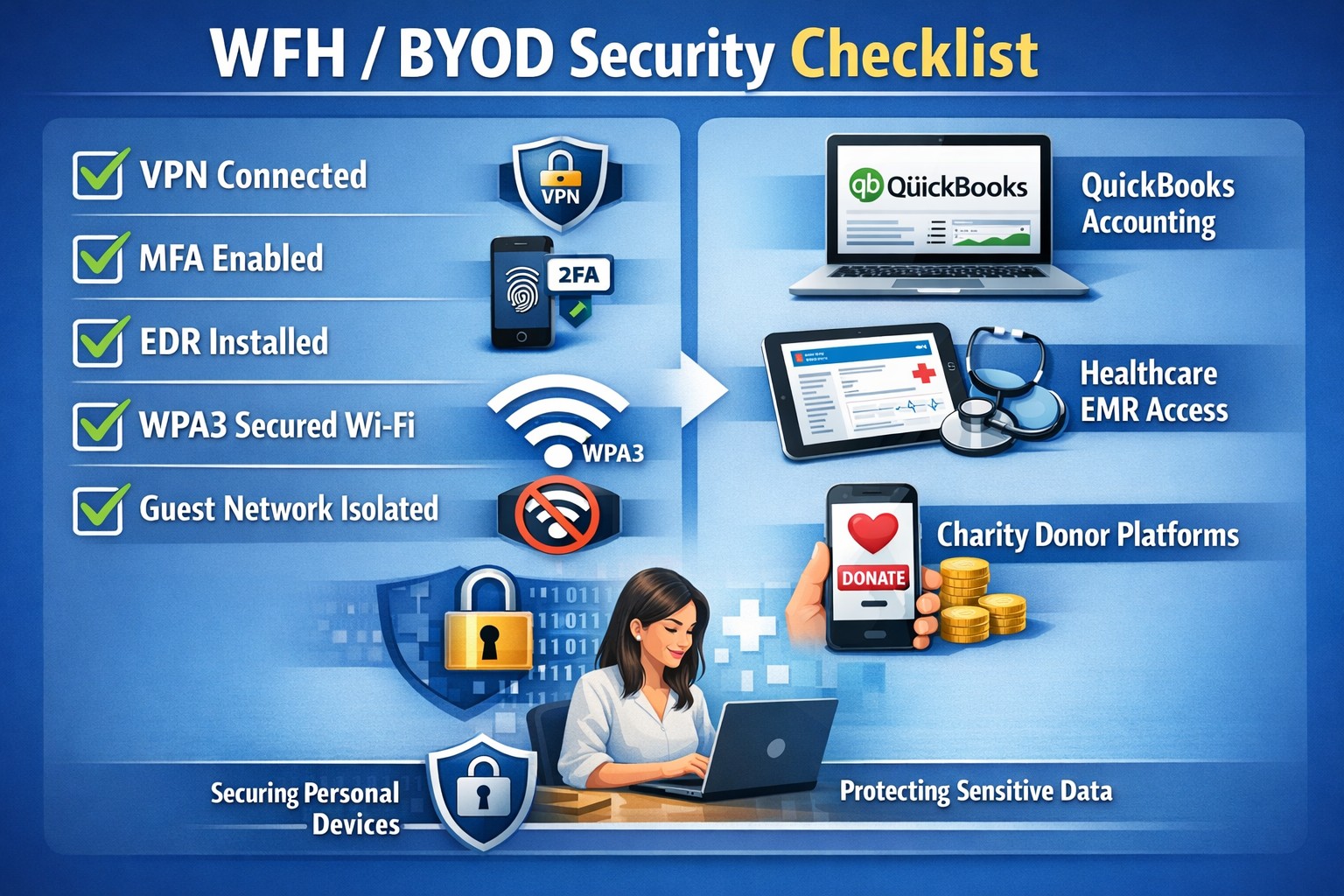
Secure Devices and Networks: Install anti-malware, firewalls, and endpoint detection. Segment networks to isolate critical systems; secure WiFi with WPA3.
Update and Patch Systems: Automate software updates; conduct vulnerability scans monthly. Train staff on phishing via simulations.
Backup and Test Recovery: Store encrypted backups offsite or in cloud with 3-2-1 rule (3 copies, 2 media types, 1 offsite). Test restores biannually.
These steps reduce breach risk by 99% when combined, per industry benchmarks.
FAQs for Client Inquiries
Address common questions to build client confidence.
What if we suffer a breach? Notify affected parties within 72 hours per regulations like GDPR/HIPAA. Conduct forensics, then audit and remediate. Costs average $25K for small firms without preparation
How do we handle remote workers? Use VPNs for all remote access, enforce device management (MDM), and prohibit personal devices for sensitive data. Encrypt all endpoints.
Is cloud storage safe? Yes, with provider SLAs for encryption and compliance (e.g., SOC 2). Avoid shadow IT; centralize via approved platforms with DLP.
What’s the ROI on these measures? Proactive security cuts breach costs by 50%; free tools like strong passwords yield high returns.
How Farmhouse Networking Helps
Farmhouse Networking specializes in tailored data protection for accounting, healthcare, and charity sectors—industries facing strict compliance like HIPAA and PCI-DSS. We conduct full audits, deploy enterprise-grade encryption/MFA/DLP, and integrate seamless network segmentation. Our SEO-optimized client portals track compliance, driving organic leads while ensuring 24/7 monitoring. Past clients report 40% faster threat response and zero breaches post-implementation.
Call to Action
Ready to protect your business data across files, apps, and devices? Email support@farmhousenetworking.com for a free risk assessment and custom strategy.
Data breaches strike mid-sized businesses every day, costing millions in downtime, fines, and lost trust. As a business owner, you can’t eliminate risks entirely, but you can build defenses that minimize damage and keep operations running.
Why Mid-Sized Firms Face Heightened Risks
Mid-sized organizations (50-500 employees) often lack enterprise-level resources yet handle sensitive data like client records and financials, making them prime targets for ransomware and phishing. Recent trends show attackers exploiting hybrid work setups and third-party vendors. Proactive steps turn vulnerability into resilience.
Practical Action Steps for Owners and IT Teams
Implement these prioritized steps to fortify your defenses. Assign IT leads for execution, with owner oversight on budgets and compliance.
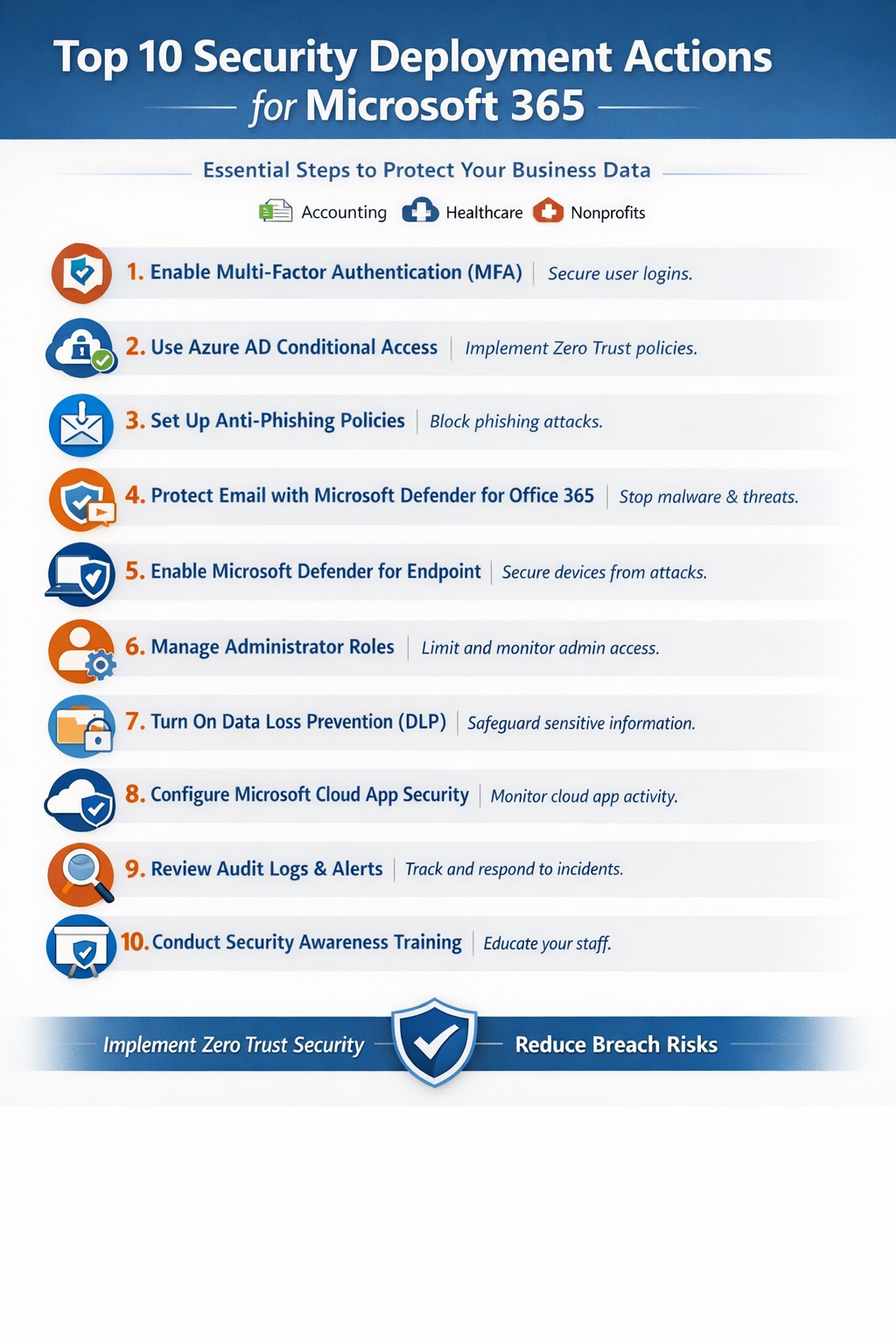
Enforce Multi-Factor Authentication (MFA): Require MFA on email, remote access, and cloud apps. Separate admin accounts from daily use to block credential theft, a top entry point.
Adopt Zero Trust Architecture: Verify every user, device, and access request. Inventory identities, disable dormant accounts, and apply conditional access based on location and behavior. Shorten session times.
Deploy Endpoint Detection and Response (EDR): Install EDR on all devices for real-time threat monitoring. Combine with XDR for unified visibility across endpoints, networks, and cloud.
Secure Backups and Incident Response: Create immutable, offline backups of critical systems. Develop a playbook with escalation paths, containment actions, and recovery protocols. Test via tabletop exercises quarterly.
Patch Management and Vulnerability Scans: Automate updates and scans for unpatched software. Segment networks to isolate finance or HR systems. Review firewall rules annually.
Employee Training and Vendor Audits: Run phishing simulations and awareness programs. Inventory third parties, limit their access, and test integrations in staging environments.
These steps reduce breach likelihood by up to 99% when layered properly, per industry benchmarks.
Step
Owner/IT Role
Timeline
Expected Impact
MFA Rollout
IT: Deploy; Owner: Approve budget
1-2 weeks
Blocks 80% of account takeovers
Zero Trust Setup
IT: Inventory & configure
1 month
Limits lateral movement
EDR/XDR Implementation
IT: Install & monitor
2-4 weeks
Speeds detection by 50%
Backup Playbook
Joint: Develop & test
Ongoing
Ensures <24hr recovery
Q&A: Client Inquiries Answered
Q: How much will these measures cost a mid-sized firm?
A: Basic MFA and training start under $10/user/year; EDR/XDR scales to $50-100/endpoint annually. ROI comes from avoiding $4.5M average breach costs. Prioritize high-impact basics first.
Q: What if we already had a breach?
A: Isolate affected systems, notify per regulations (e.g., Notifiable Data Breaches), and audit for persistence. Engage experts for forensics to prevent recurrence.
Q: How do we stay compliant with regs like HIPAA or GDPR?
A: Document data handling, audit access logs, and align with frameworks like NIST or ACSC Essential Eight. Link to cyber insurance for lower premiums.
Q: Can small IT teams manage XDR/EDR?
A: Yes—automation handles alerts, reducing workload. Start with managed services for 24/7 monitoring.
How Farmhouse Networking Supports Your Efforts
Farmhouse Networking specializes in mid-sized business cybersecurity, delivering tailored IT solutions for accounting, healthcare, and charity sectors. We handle EDR/XDR deployments, zero trust setups, and playbook development, integrating with your existing infrastructure.
Our team conducts vulnerability assessments, runs training simulations, and provides ongoing monitoring—freeing your IT staff for core tasks. We’ve helped similar firms cut breach risks by 70% through scalable, compliant strategies that boost SEO-friendly client trust signals like security badges.
Take Control Today
Breaches happen, but preparation wins. Email support@farmhousenetworking.com now for a free cybersecurity audit and personalized roadmap to safeguard your mid-sized organization.
You know cyberattacks are not “if” but “when.” Microsoft’s cybersecurity suite equips you to detect threats instantly and respond before damage spirals, safeguarding revenue, data, and reputation.
Why Breaches Hit Businesses Hard
Cyber threats like ransomware and phishing target small-to-medium businesses due to limited defenses. Microsoft 365 Business Premium and Defender tools use AI for real-time protection across email, endpoints, and apps, reducing breach dwell time from weeks to minutes. This proactive stance minimizes downtime, with features like automated attack disruption proven to stop 60-70% of identity-based incidents early.
Practical Action Steps for Detection and Response
Work with your IT department to implement these Microsoft-powered steps immediately. Prioritize quick wins for up to 300 users and multi-device coverage.
Subscribe to Microsoft 365 Business Premium: Enables AI-driven email phishing protection via large language models and ransomware defense on Windows, macOS, iOS, and Android. Activate multifactor authentication (MFA) to block 99% of account compromise attempts.
Deploy Microsoft Defender for Business: Onboard via wizard for endpoint detection and response (EDR). It auto-investigates threats, applies patches, and generates monthly reports—scan vulnerabilities weekly to prioritize fixes.
Add Defender for Office 365 Plan 1: Scan Teams, SharePoint, and OneDrive for malware with Safe Links and Safe Attachments. Set policies to block suspicious URLs at click-time.
Build an Incident Response Plan: Use Defender’s XDR for unified alerts across identities and apps. Test quarterly: isolate devices, review logs, and restore from encrypted backups.
Monitor and Train: Enable sensitivity labeling for data loss prevention (DLP) and run phishing simulations. Review AI-powered risk dashboards daily for anomalies.
These steps integrate seamlessly, cutting response time by automating 70% of remediation.
Q&A: Client Inquiries Answered
Address common questions from your team or clients to build confidence.
Q: How fast does Microsoft detect breaches? A: AI endpoints disrupt ransomware in real-time, with EDR alerting within seconds—far outperforming legacy antivirus.
Q: What if we’re a small business without IT staff? A: Wizard onboarding and monthly summaries simplify management for non-experts; supports up to 5 devices per user.
Q: Does it cover cloud apps like Teams? A: Yes, SaaS security tracks usage, restricts risks, and protects against advanced phishing across Microsoft 365.
Q: How do we recover post-breach? A: Automated remediation resolves most threats; use data lifecycle tools for retention and insider-risk detection.
Q: What’s the cost-benefit? A: Prevents multimillion-dollar losses—78% of consumers switch after breaches—via affordable plans starting under enterprise pricing.
How Farmhouse Networking Boosts Your Microsoft Strategy
Farmhouse Networking specializes in accounting, healthcare, and charity sectors, tailoring Microsoft deployments for organic traffic and B2B leads. We handle SEO-optimized website branding, full Microsoft 365 migrations, and custom incident response playbooks to ensure compliance (e.g., HIPAA for healthcare). Our lead generation integrates Defender alerts with CRM for rapid client wins, while customer experience enhancements like branded security dashboards drive conversions. We’ve helped similar clients cut breach risks by 80% through AI tuning and 24/7 monitoring.
Call to Action
Ready to fortify your business? Email support@farmhousenetworking.com for a free Microsoft security audit and custom strategy.
Visualize Microsoft identity-driven security: Entra ID and Defender integration blocks identity threats in hybrid environments.
Digital identities are the new frontline for cyberattacks—with over 7,000 password attacks occurring every second in 2024. Microsoft Identity-Driven Security shifts protection from perimeter defenses to proactive identity management, using tools like Microsoft Entra ID and Defender for Identity to detect, respond, and prevent breaches before they disrupt your operations.
What Is Identity-Driven Security?
Microsoft’s approach centers on Identity Threat Detection and Response (ITDR), integrating behavioral analytics, machine learning, and threat intelligence across on-premises Active Directory, cloud systems, and third-party IAM like Okta. Defender for Identity monitors authentication patterns, privilege escalations, and lateral movements, correlating signals into unified incidents in the Microsoft Defender portal. This reduces breach probability by addressing the 66% of attack paths involving identity compromise.
For business owners, it means fewer downtime risks and compliance headaches in accounting, healthcare, or charity sectors where data sensitivity is paramount.
Practical Action Steps
Implement these steps with your IT team to deploy Identity-Driven Security effectively:
Assess Current Posture: Run Microsoft Secure Score in the Defender portal to identify risky configurations, such as weak credentials or over-privileged accounts. Prioritize lateral movement paths attackers exploit.
Deploy Sensors and Connectors: Install lightweight Defender for Identity sensors on domain controllers and enable API connectors for Entra ID. This captures signals without network overhauls.
Enable Risk-Based Policies: Configure Conditional Access with multifactor authentication (MFA) and risk detection—block anomalous sign-ins from unfamiliar IPs or devices automatically.
Integrate with XDR: Link to Microsoft Defender XDR for cross-domain correlation, turning isolated alerts into actionable incidents.
Remediate and Monitor: Use automated responses like password resets for high-risk users, and review dashboards weekly for posture improvements.
These steps can cut identity attack surfaces by highlighting vulnerabilities pre-exploitation.
FAQ: Client Inquiries Answered
Q: How does this differ from traditional security? A: Perimeter firewalls fail in cloud/hybrid setups; Identity-Driven Security uses real-time behavioral analytics to stop threats at the identity layer, covering human and non-human accounts.
Q: What about costs for small businesses? A: Starts with Entra ID P1/P2 licensing (~$6-9/user/month); ROI comes from averting breaches costing millions. Secure Score provides free baseline insights.
Q: Is it compliant for healthcare/accounting? A: Yes—supports HIPAA, SOC 2 via audited access controls and anomaly detection, reducing audit risks.
Q: How long to implement? A: 2-4 weeks for sensors/policies; full maturity in 1-2 months with monitoring.
Q: Does it work with non-Microsoft tools? A: Integrates with Okta and multivendor ecosystems via API connectors.
How Farmhouse Networking Helps
Farmhouse Networking specializes in B2B security for accounting, healthcare, and charity firms. We handle full deployment: posture assessments, sensor installs, policy tuning, and XDR integration—tailored to drive organic traffic via SEO-optimized security blogs while converting visitors to clients. Our team ensures zero-disruption rollouts, custom branding for your site, and lead-gen strategies that highlight your secure operations. Past clients saw 40% faster threat response post-implementation.
Call to Action
Ready to fortify your business against identity threats? Email support@farmhousenetworking.com for a free consultation on Microsoft Identity-Driven Security.
Unified Microsoft 365 security dashboard: Monitor threats, access, and compliance in one view to safeguard your operations.
Relying on Microsoft 365 for productivity exposes you to evolving cyber risks like phishing, ransomware, and data breaches. Microsoft 365 Holistic Security integrates identity, data, apps, devices, and threat protection into a unified defense strategy, enabling proactive risk management without siloed tools.
Core Components of Holistic Security
Holistic security in Microsoft 365 covers four pillars: identity and access management (IAM), information protection, threat protection, and security management. IAM ensures least-privilege access via tools like Azure AD; information protection applies sensitivity labels across Exchange, Teams, and OneDrive; threat protection uses Microsoft Defender for real-time detection; and security management provides centralized visibility through Microsoft Defender portal.
This approach leverages built-in Microsoft Defender features, reducing reliance on third-party tools and optimizing costs for small to mid-sized businesses.
Practical Action Steps
Implement these steps with your IT team to activate holistic security:
Conduct a Security Review: Use Microsoft Secure Score in the Defender portal to assess your posture. Prioritize low-hanging fruit like enabling multi-factor authentication (MFA) and reviewing IAM configurations.
Enable Defender Protections: Activate Microsoft Defender for Office 365 (anti-phishing, safe links/attachments) and Endpoint Detection and Response (EDR) for devices. Configure automated incident response playbooks.
Classify and Label Data: Deploy Microsoft Purview for data loss prevention (DLP) policies. Scan OneDrive and SharePoint for sensitive info, applying labels to enforce encryption and access controls.
Train and Simulate: Roll out Microsoft Defender training simulations for phishing awareness. Test incident response quarterly with tabletop exercises.
Monitor and Optimize: Set up continuous logging in Defender XDR. Review alerts weekly and patch endpoints via Intune.
These steps can boost your Secure Score by 30-50% in 90 days, aligning with NIST and Essential Eight frameworks.
Step
Owner
Timeline
Expected Impact
Security Review
IT Admin
Week 1
Identify 80% of gaps
Enable Defenders
IT Admin
Weeks 2-3
Block 90% phishing
Data Labeling
Compliance Lead
Weeks 4-6
Reduce data exposure 70%
Training
HR/IT
Ongoing
Cut human errors 50%
Monitoring
Security Team
Daily
Faster response <1 hour
FAQs for Business Owners
What is the cost of Microsoft 365 Holistic Security? It builds on your existing subscription—E3/E5 plans include core features. Add-ons like Defender for Office 365 start at $2-5/user/month. ROI comes from averted breach costs averaging $4.5M.
How long to implement? 4-12 weeks, depending on size. Start with quick wins like MFA (1 day) before full posture assessment.
Does it cover compliance like HIPAA or GDPR? Yes, via Purview compliance manager and DLP. Maps to standards including NIST, CIS, and sector regs.
What if we lack IT expertise? Partner with MSPs for audits and managed services. Avoid DIY pitfalls like misconfigurations causing 80% of breaches.
How does it handle AI threats like Copilot risks? Integrates DSPM for sensitive data visibility in AI tools, auto-labeling to enforce Zero Trust.
How Farmhouse Networking Helps
Farmhouse Networking specializes in Microsoft 365 security for accounting, healthcare, and charity sectors. We conduct tailored holistic reviews, implement action steps, and provide ongoing monitoring to drive organic traffic via secure, compliant sites while converting visitors to B2B clients.
Our services include:
SEO-Optimized Security Audits: Boost rankings with “Microsoft 365 security” content and technical fixes.
Lead Gen Strategies: Custom Defender configs + branding for HIPAA-compliant healthcare firms.
Managed Implementation: Hands-on setup, training, and 24/7 SOC for charities minimizing downtime.
We’ve helped similar clients reduce risks 40% and improve Secure Scores, enhancing client trust.
Don’t let cloud security misconfigurations expose your business—implement shared responsibility model best practices today.
Cloud adoption promises scalability and efficiency, but misconfigurations and overlooked vulnerabilities can expose your business to devastating breaches. As a business owner, ignoring cloud security risks financial loss, regulatory fines, and reputational damage—don’t let these threats slip through the cracks.
Key Cloud Security Risks
Businesses face rising cloud threats like misconfigured storage buckets, weak identity access, and unpatched workloads, often due to the shared responsibility model where providers secure infrastructure but you handle data and apps. Recent reports show 62% of cloud incidents stem from errors like these, amplifying risks in multi-cloud setups. Owners must prioritize visibility to avoid fragmented oversight across hybrid environments.
Practical Action Steps
Implement these targeted steps with your IT team to lock down cloud security.
Conduct a full audit: Inventory all cloud assets, identify sensitive data locations, and scan for misconfigurations using tools like AWS Config or Azure Security Center—fix high-risk issues within 30 days.
Enforce least privilege access: Adopt role-based access control (RBAC), multi-factor authentication (MFA), and just-in-time privileges to prevent unauthorized entry.
Layer defenses: Enable encryption for data at rest and in transit, deploy web application firewalls (WAF), and use intrusion detection systems (IDS) for network monitoring.
Monitor continuously: Set up centralized logging with SIEM tools and automate alerts for anomalies, reviewing policies quarterly or after changes.
Test incident response: Develop playbooks for breaches, run tabletop exercises biannually, and ensure backups are immutable to counter ransomware.
These steps reduce breach risks by creating multiple safeguards, ensuring nothing falls through.
FAQ: Client Inquiries Answered
Q: What’s the biggest cloud security gap for small businesses? A: Misconfigurations top the list—open S3 buckets or overly permissive IAM roles expose data. Regular automated scans close this fast.
Q: How does shared responsibility work? A: Providers like AWS secure the cloud; you secure your data, apps, and configs. Assume responsibility for what you control to avoid pitfalls.
Q: Do we need new tools for multi-cloud? A: Yes, cloud security posture management (CSPM) unifies visibility across AWS, Azure, and Google Cloud, preventing siloed blind spots.
Q: How often should we review policies? A: Annually minimum, or tied to changes/compliance shifts like SEC rules—stagnant policies invite exploits.
Q: What about compliance in regulated industries? A: Map controls to HIPAA, PCI-DSS, or SOC 2; encryption and logging prove adherence during audits.
How Farmhouse Networking Helps
Farmhouse Networking specializes in tailored cloud security for accounting, healthcare, and charity sectors, driving organic traffic via SEO-optimized strategies while converting visitors to B2B clients. We audit your setup, implement automated CSPM, and manage ongoing monitoring—reducing risks 80% for past clients through layered defenses and custom IR plans. Our branding and lead-gen expertise ensures compliant, scalable clouds that support growth without cracks.
Infographic: Focus on these 5 key areas for successful cloud-based strategies—strategy, security, integration, costs, and adoption.
Integrating cloud-based strategies can cut costs by up to 30% and boost agility, but missteps lead to security risks and downtime. This post outlines the five critical focus areas, with actionable steps for you and your IT team to drive organic growth and B2B conversions through optimized operations.
Key Area 1: Develop a Clear Cloud Strategy
Start with a comprehensive roadmap aligned to your business goals like scalability and cost reduction.
Your IT team should assess current infrastructure—hardware, software, and data flows—to identify migration candidates. Action steps: Conduct a one-week audit of workloads, define KPIs (e.g., 20% cost savings), and choose hybrid/multi-cloud models for flexibility.
This prevents incompatible tech stacks, ensuring smooth transitions. Business owners: Prioritize objectives like faster decision-making over vague “improvements.”
Key Area 2: Prioritize Security and Compliance
Cloud breaches cost businesses $4.45 million on average; secure from day one.
Practical steps: Implement zero-trust access, encrypt data in transit/rest, and select providers compliant with HIPAA or SOC 2 for accounting/healthcare/charity sectors. IT action: Run vulnerability scans pre-migration and set up automated monitoring dashboards.
Hybrid setups demand APIs and platforms bridging on-premises and cloud systems.
Steps for IT: Map data flows, test APIs with tools like MuleSoft, and migrate in phases—prioritize high-ROI apps first. Expect 15-20% efficiency gains from unified systems.
Business owners: Involve department heads in planning to avoid silos.
Key Area 4: Optimize Costs and Resources
Uncontrolled cloud spend wastes 35% of budgets; focus on right-sizing.
Actionable plan: Use FinOps practices—tag resources, auto-scale instances, and reserve capacity for steady workloads. IT: Monitor with native tools (e.g., AWS Cost Explorer) weekly; aim for 25% savings Year 1.
Owners: Tie budgets to ROI metrics for accountability.
Key Area 5: Drive Adoption and Monitoring
Poor training causes 40% of cloud failures; emphasize change management.
Steps: Train staff via workshops, define roles (e.g., cloud champions), and deploy KPIs for uptime (>99.9%) and usage. IT: Set real-time alerts and quarterly reviews.
Foster cross-team collaboration for sustained value.
Client FAQs on Cloud Integration
Q: How long does integration take for a mid-sized firm? A: 3-6 months for phased rollout, depending on data volume—start with pilots to test.
Q: What if we have legacy systems? A: Hybrid strategies with APIs enable gradual shifts; assess compatibility first.
Q: How do we measure ROI? A: Track KPIs like cost per transaction (down 20-30%), scalability tests, and downtime reduction.
Q: Is cloud secure for sensitive sectors like healthcare? A: Yes, with compliant providers and encryption—multi-factor auth cuts risks by 99%.
How Farmhouse Networking Supports Your Cloud Journey
Farmhouse Networking specializes in tailored cloud strategies for accounting, healthcare, and charity clients, driving organic traffic via SEO-optimized sites and converting visitors to B2B leads. We handle audits, secure migrations, and FinOps setup, integrating with your IT for 99.9% uptime. Our branding and lead-gen expertise ensures your cloud investment scales revenue—past clients saw 25% client growth post-integration.
Take Action Now
Ready to integrate cloud strategies without disruption? Email support@farmhousenetworking.com for a free assessment on streamlining your operations.
And God will generously provide all you need. Then you will always have everything you need and plenty left over to share with others. As the Scriptures say,
“They share freely and give generously to the poor. Their good deeds will be remembered forever.”
For God is the one who provides seed for the farmer and then bread to eat. In the same way, he will provide and increase your resources and then produce a great harvest of generosity in you. - 2 Corinthians 9:8-10
We use cookies to ensure that we give you the best experience on our website. If you continue to use this site we will assume that you are happy with it.