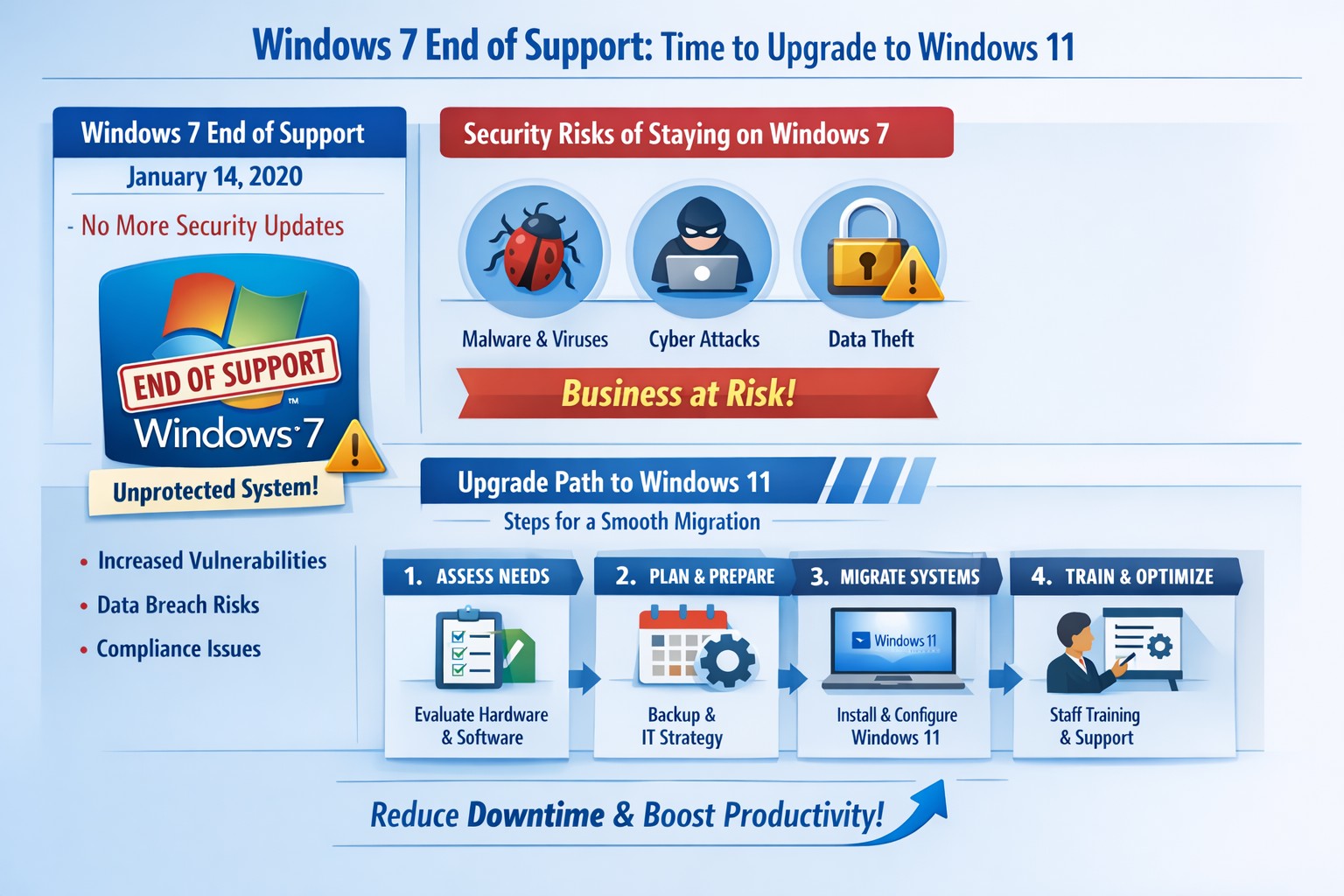
Infographic: Key steps to migrate from Windows 7 end of support, minimizing risks for accounting, healthcare, and charity businesses.
Windows 7 support officially ended years ago, but many businesses still run legacy systems, exposing them to severe security risks and compliance issues. As a business owner, ignoring this leaves your operations vulnerable to cyberattacks that target unpatched vulnerabilities—hackers know exactly when support lapses.
Business Risks
Continued use of Windows 7 means no more Microsoft security updates, making systems prime targets for malware, ransomware, and exploits. Third-party software and hardware vendors will drop compatibility, leading to functionality failures and forced hardware upgrades. Non-compliance with regulations like GDPR, HIPAA, or PCI DSS could trigger fines, especially in accounting, healthcare, and charity sectors.
Practical Action Steps
Follow these steps with your IT department to migrate securely:
Inventory Systems: Audit all devices for Windows 7 usage. Use tools like Microsoft’s PC Health Check or scripts to scan networks—prioritize critical machines handling client data.
Backup Data: Perform full backups to encrypted, offsite storage. Test restores to ensure integrity before any changes.
Upgrade or Replace: Assess hardware; pre-2015 PCs may not support Windows 11. Upgrade eligible systems to Windows 10/11 or deploy new hardware with modern OS. Budget for this: expect $500–$1500 per workstation.
Test Compatibility: Run applications in a sandboxed environment on the new OS. Switch incompatible software to cloud alternatives like Microsoft 365.
Deploy Security: Install endpoint protection, enable multi-factor authentication, and patch all systems post-migration.
Train Staff: Schedule sessions on new interfaces to minimize downtime—aim for under 4 hours per user.
Step
Timeline
Responsible Party
Inventory
1 week
IT Admin
Backup
Ongoing
IT + Owner
Upgrade/Test
2–4 weeks
IT Department
Deploy/Train
1 week
Full Team
FAQs for Client Inquiries
Q: Can I pay for extended Windows 7 support? A: Microsoft’s Extended Security Updates (ESU) ended in 2023; no options remain. Migration is mandatory.
Q: What if my accounting software doesn’t work on Windows 11? A: Most vendors (e.g., QuickBooks) support Windows 11. Test via vendor trials; cloud versions bypass OS issues entirely.
Q: How much will this cost my small business? A: $1000–$5000 for a 5-PC setup, including hardware. Delaying increases breach costs exponentially—average ransomware payout hit $1.5M in 2025.
Q: Is Windows 10 safe long-term? A: Support ends October 2025; plan for Windows 11 now to avoid repeat issues.
Q: What about healthcare/charity compliance? A: HIPAA/PCI violations start immediately on unsupported OS. Migrate to audited, compliant systems.
How Farmhouse Networking Helps
Farmhouse Networking specializes in seamless Windows migrations for accounting firms tracking finances, healthcare providers securing PHI, and charities managing donor data. We conduct free audits, handle inventory-to-deployment, and optimize for SEO-driven websites that convert IT leads into long-term B2B clients. Our custom strategies include branded cloud setups, lead-gen automation, and 24/7 monitoring—reducing downtime by 90% and boosting security scores. Past clients saw 25% organic traffic growth post-migration via content-optimized sites.
Ready to secure your business? Email support@farmhousenetworking.com for a no-obligation audit and personalized migration plan. Act now—before a breach does.
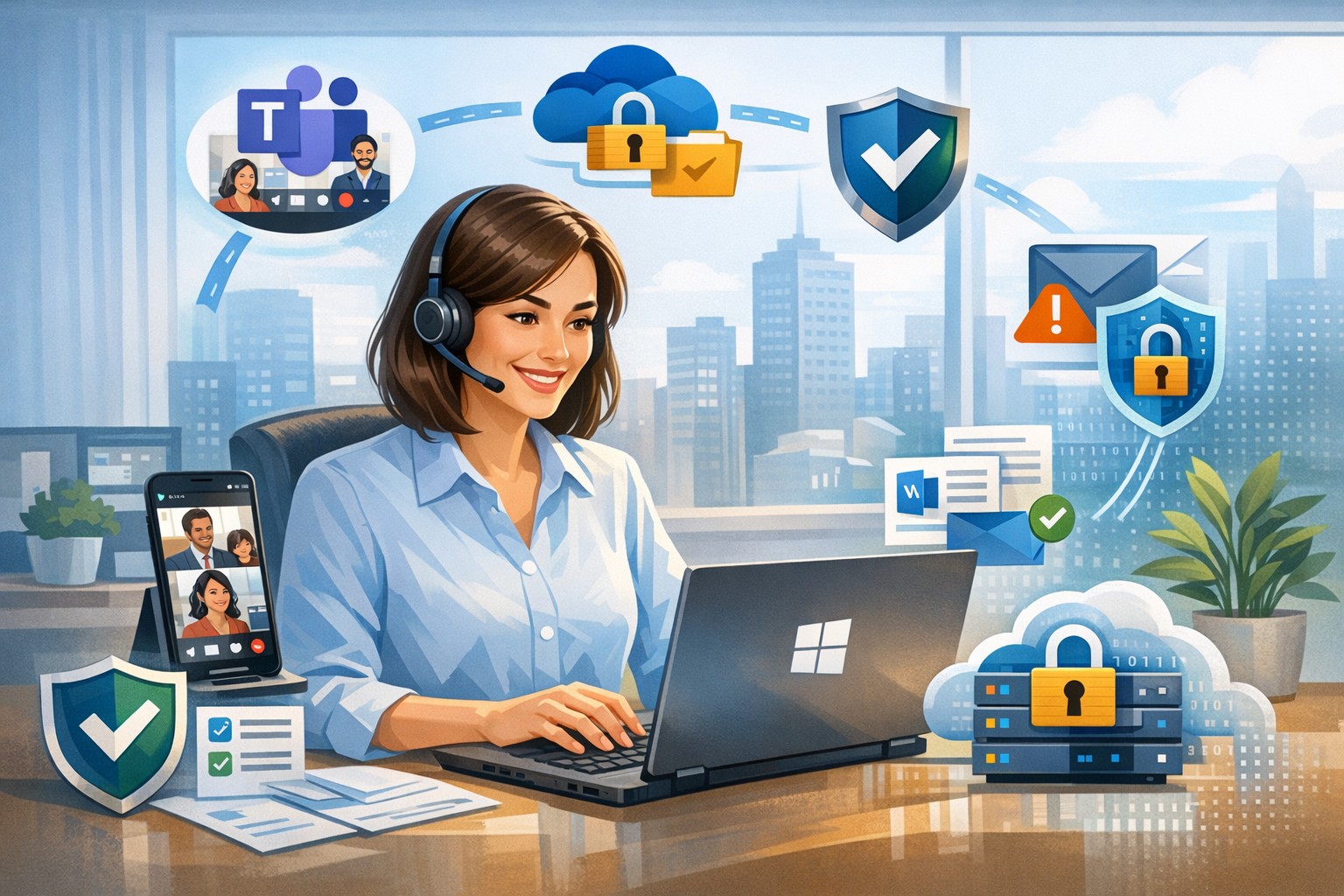
Leverage Windows 11 and Office apps to boost business productivity and enhance security—key Microsoft 365 features for accounting, healthcare, and charity firms.
As a business owner in accounting, healthcare, or charity sectors, you’re juggling tight deadlines, sensitive data, and remote teams. Windows and Microsoft Office apps, powered by Microsoft 365, deliver seamless productivity gains and enterprise-grade security to protect your operations without complexity.
Key Benefits for Your Business
Windows 11 integrates tightly with Office apps like Teams, OneDrive, and Outlook, enabling real-time collaboration that cuts email chains by 30-50% in typical teams. Security features such as multi-factor authentication (MFA) and advanced threat protection block 99% of phishing attempts, vital for HIPAA-compliant healthcare or IRS-regulated accounting firms. Cloud syncing via OneDrive ensures data accessibility across devices while encrypting files end-to-end, reducing downtime from lost laptops.
Practical Action Steps
Follow these steps with your IT department for quick wins.
Upgrade to Windows 11 and Microsoft 365 E3/E5: Audit current licenses via the Microsoft 365 admin center; migrate from legacy Windows 10 (support ended October 2025) to avoid vulnerabilities. Enable auto-updates for patches.
Deploy MFA and Endpoint Protection: In the Microsoft Entra admin center, enforce MFA for all users; activate Defender for Endpoint to monitor threats in real-time. Test on a pilot group of 10 users first.
Optimize Teams and Power Automate: Set up Teams channels for projects; use Power Automate to automate invoice approvals or donor reports, saving 5-10 hours weekly per employee.
Secure OneDrive Sharing: Configure sensitivity labels for client files; train staff via Microsoft Learn modules (free, 30-minute sessions).
Monitor with Insights Tools: Use Microsoft Viva Insights to track productivity metrics; review monthly for bottlenecks.
These steps yield ROI in 3-6 months through reduced breaches (average cost $120K for small firms) and 20% time savings.
FAQ: Client Inquiries Answered
How does this improve remote work security? Windows and Office apps use Zero Trust security, verifying every access attempt. Remote users get the same protections as in-office via Intune device management.
What’s the cost for a 50-employee firm? Microsoft 365 Business Premium starts at $22/user/month, including all apps, 1TB OneDrive, and advanced security—often cheaper than disjointed tools.
Will it disrupt daily operations? Minimal: Phased rollout with co-pilot AI assistance eases adoption. Teams integrates with existing email in under an hour.
How to comply with industry regs like HIPAA or 990 filings? Built-in compliance tools like data loss prevention (DLP) and audit logs map directly to standards; export reports for audits.
Can we customize for accounting workflows? Yes—Power Apps builds no-code tools for QuickBooks integration or charity donor tracking, boosting efficiency 25%.
How Farmhouse Networking Helps
Farmhouse Networking specializes in tailored Microsoft 365 deployments for accounting, healthcare, and charity clients. We handle audits, migrations, custom automations, and ongoing optimization—ensuring 99.9% uptime and full compliance. Our team conducts free assessments, trains your staff, and integrates with existing systems like EHRs or fund management software. Past clients report 40% productivity lifts and zero breaches post-implementation.
A single ransomware infection can freeze a church’s donations, records, and operations
Got a call a couple weeks ago from a local church:
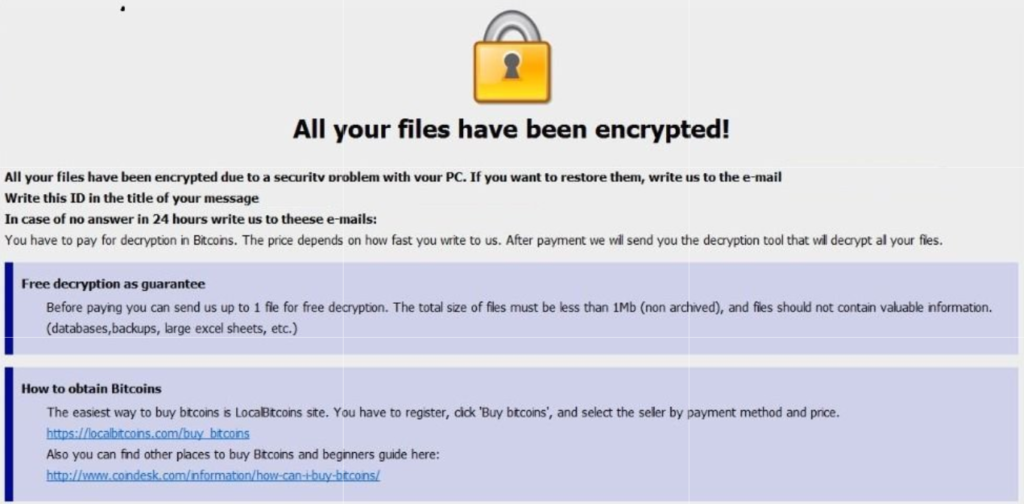
“we came in and open the computer and we have ransomware on there. We can’t even get to any of our stuff. It’s telling us to email somebody and so that they can free up the computer.”
How does this happen?
Generally these things happen because people click on things they shouldn’t. Whether in an attachment in email from someone they don’t recognize, a link in social media that sounds too good to pass up, or an advertisement for something they can’t live without. Once the user gives permission for something to open or run on their computer the game is over and the hacker wins.
What to do when it happen?
Stop using the computer.
Leave the computer alone! Do not carry out any further commands, including commands to Save data.
Do not close any of the computer’s windows or programs. Leave the computer alone.
Leave everything plugged in and do not turn off the computer or peripheral devices.
If possible, physically disconnect the computer from networks to which it is attached.
Call us immediately. Write down any unusual behavior of the computer (screen messages, unexpected disk access, unusual responses to commands) and the time when they were first noticed.
Write down any changes in hardware, software, or usage that preceded the malfunction.
Do not attempt to remove a suspected virus! Let the professionals do the dirty work.
How to prevent this from happening?
Layers of protection is the simple answer. A good antivirus installed to stop the bad programs from running, DNS filtering to keep users off of bad sites / advertisements, a good backup of all data to recover when this does happen, and most important of all EDUCATION – teaching users what safe internet usage looks like and having policies in effect to train them can mitigate 60-70% of infections.
If your company is would like to discuss the layers of security you have in place, then contact us for assistance.
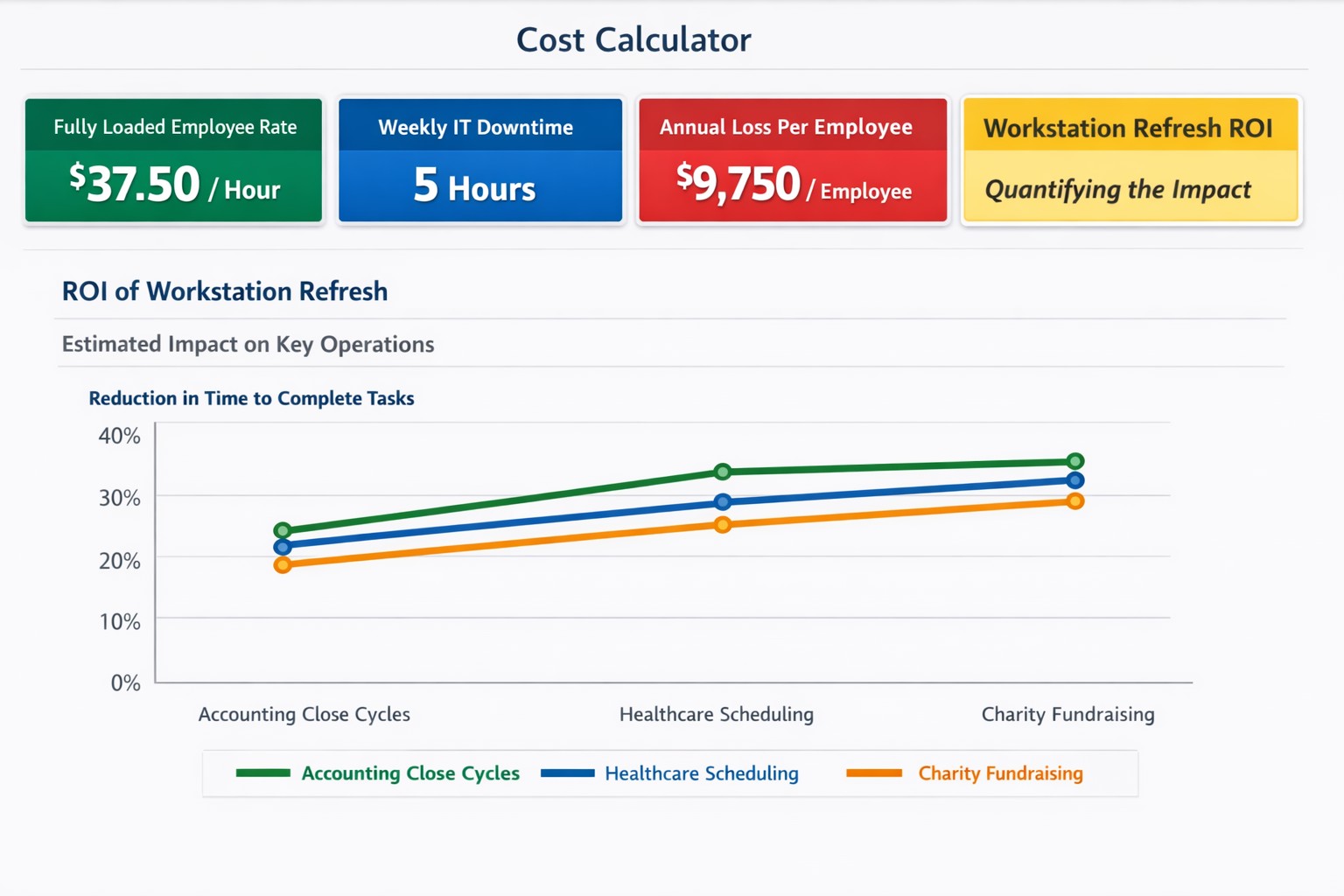
$37+/hour wasted on IT issues = $9,000+ annually per employee
“Office workers across the UK are wasting 14 days per person each year — or 1.8 billion hours a year in total — because the technology they’re given isn’t good enough.” – BetaNews
Outdated Tech = Wasted Time
Slowness: When a computer is slow, so is the worker operating it. As a computer ages, like anything else, the parts inside wear down. Regular maintenance and replacement are the solution to increasing employee productivity.
Crashing: As computer crashes happen data is damaged or lost. This means work has to be re-done. Crashing can be a sign of software issues or hardware issues that require proper diagnosis. Once fixed employees can get back to business without interruptions.
Incompatibility: Out-dated software or hardware can cause what used to work perfectly to stop all together. Regular updates of all software and replacement of aging hardware is always the best policy. Helping employees stay on track with standard operating procedures makes work flow possible.
Security: Hackers are constantly working to find new ways of breaching security measures. Without current security solutions (firewall / DNS filtering / antivirus / SPAM filtering / password management ) and up-to-date systems, your network is a sitting duck. Network downtime due to a breach can be a business killer.
If your company is using out-of-date technology, then contact us for assistance.
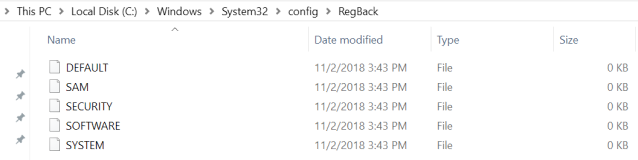
In a new Windows 10 Support article, dated June 28th, Microsoft comes clean that they will no longer be backing up the registry file with its built in backup feature. “This change is by design, and is intended to help reduce the overall disk footprint size of Windows.” They instead recommend that System Restore be enabled and used to recover in case of registry corruption (which by the way uses disk space too).
Ending Registry Backup
The Windows Registry is a hierarchical database that stores low-level settings for Windows 10 and installed applications that rely on it. The kernel, device drivers, services, Security Accounts Manager, and user interface configuration are all in the registry. If the registry is lost then system settings, drivers, user interface tweaks, and many programs will all need to be fixed or re-installed from scratch.
If your company is using the built in Windows Backup feature, then contact us for assistance moving to a system that provides complete backup of your systems.
Farmhouse Networking has had a long standing policy that we do not keep a record of client passwords (except when needed for device administration). That is about to change, but before we talk about our new password policy let’s talk password storage:
Common Password Storage
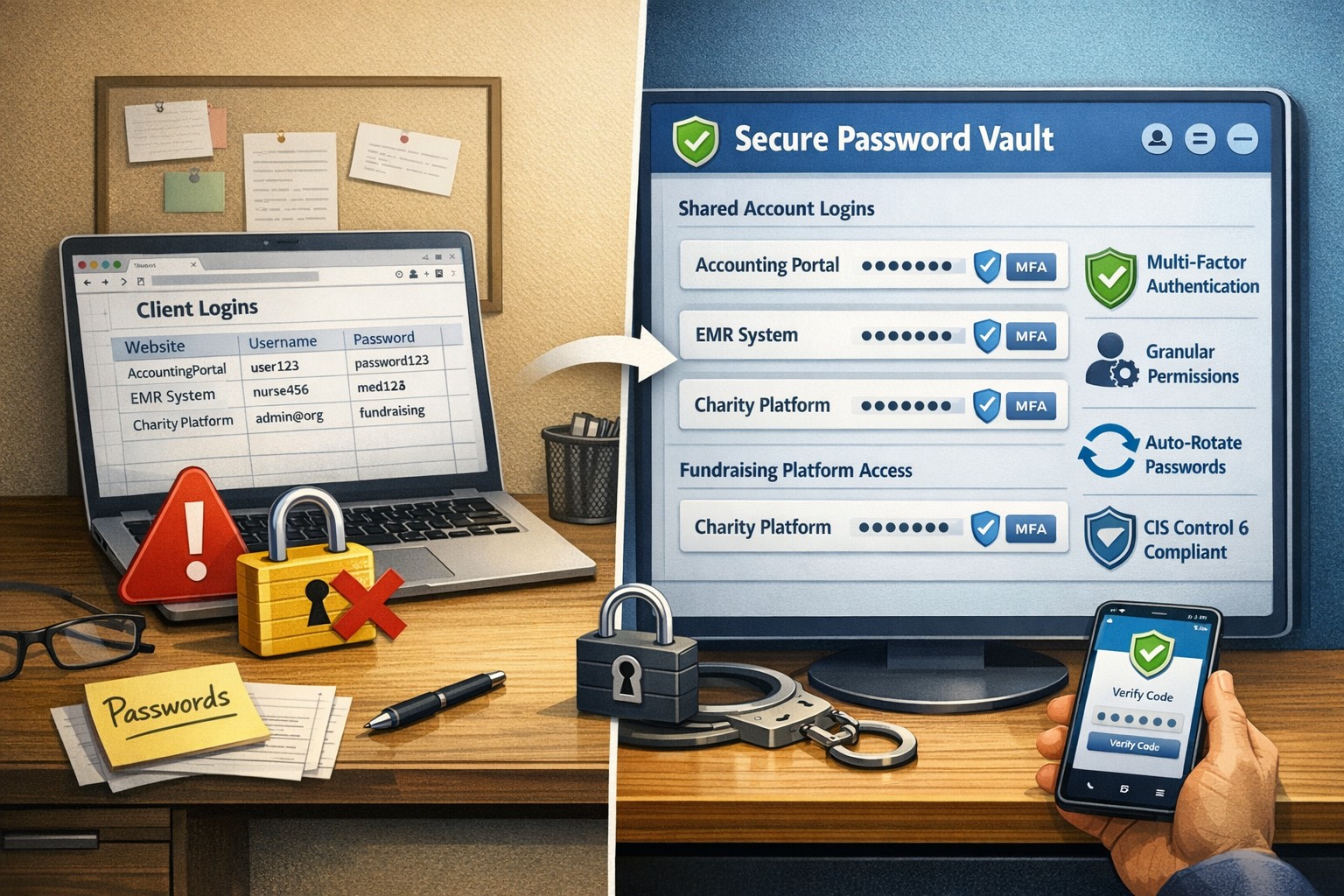
Here are some popular places where many businesses store their passwords that make them very vulnerable to being stolen.
Passwords written on paper (that are not under lock and key):
On your desk under your keyboard (or taped underneath)
Under your stapler or desk decorations
On sticky notes stuck to your monitor or desk
On a scrap of paper on your desk or in a drawer
In a notebook or address book
In a old-fashioned Rolodex file
Paper printouts or photocopies of your passwords
Anyone with access to your office could easily find and steal passwords stored like this.
Passwords stored in your computer (without using encryption):
Remembered in your web browser
A document called “Passwords” that you’ve created anywhere on your computer, perhaps using Microsoft Word or Excel
A document with any other name on your computer (including the password as the name)
Email drafts that you’ve created (but not sent) containing password information
Anyone with access to your computer could easily find and steal passwords stored like this, including both a person with physical access to it as well as a virus or hacker gaining access via the internet, or scamming you into granting them access, even once.
Passwords stored in your smartphone or tablet (without using encryption):
Electronic “Notes” containing password information
Other documents or emails similar to the ones listed in computer storage above
Anyone with access to your device could easily find and steal passwords stored like this.
Passwords sent via regular (insecure) email:
Emails that you have sent to yourself containing password information
Emails that you have sent to anyone else containing password information
Any information that you send using regular (unencrypted) email puts that information at risk of being stolen. Email is neither private nor secure. Sending an email is like mailing a postcard, and hackers and thieves can easily read the contents. You should never send passwords (or any other confidential or sensitive data) via regular email.
Secure Password Storage
Now for the discussion of Farmhouse Networking’s new password policy. We are partnering with a company to provide a storage of passwords and other client documentation with military grade encryption. This partnership also allows us to address the dangers that common password storage present by offering our clients this same encrypted password storage service. Here are some of the benefits of this service:
Unlimited users
Unlimited passwords
Each user has a personal password vault
Shared company password vault
Security groups to manage access
Auditing & reporting (Compliance)
Secure password sharing
1-Click Login Tool (for all major browsers)
Mobile Device Access
Only $15 per month (Compared to Lastpass Business at $4 per user per month)
If your company is using common password storage of any kind do yourself a security favor and contact us to upgrade to secure password storage.
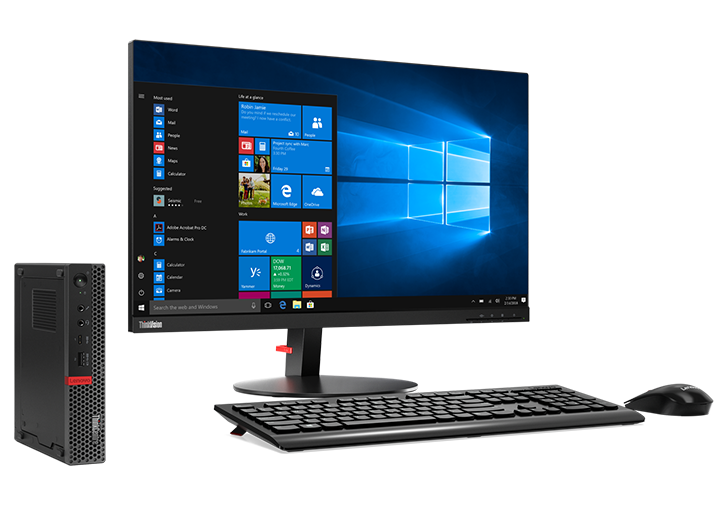
As the last email stated, I would like to give the above pictured computer to a well deserving non-profit or struggling business that would benefit from a technology infusion. There was an underwhelming single response to my request, so I have decided to give the computer to the one suggested organization:
Woodland Charter School
This computer is suitable for normal office work and will be replacing an aging laptop used in there front office by the staff. I will be including free setup of the computer to help get them connected properly.
Please contact us with ideas on who could best use our next free new computer.
As a partner with Lenovo and Intel, I have been given the opportunity to give one of my clients (or perspective clients) a brand new computer and workstation as pictured above. It contain a new memory cache chip from Intel that they would like some feedback on, so the company that accepts this will have to fill out a survey and be on a single phone interview. The computer will be used with the cache enabled and disabled to see the difference the chip makes. Once the testing is done the computer is FREE to keep.
I would like to give this computer to a well deserving non-profit or struggling business that would benefit from a technology infusion. This computer is suitable for normal office work. I will include free setup of the computer to help get them connected properly. I will decide who gets the computer at the end of March 2019.
Please contact us with ideas on who could best use this free new computer.
Local expertise + rapid response = minimal business disruption
I was chatting with my son who works for a large local company who
contracts with a local Managed Service Provider to help with their IT
needs. Due to a clause in their contract they are now locked into paying
over $15,000 per month for IT services for the next three years. This
includes $300 per server (they have 5 of them) and $70 per workstation
(they have over 100 of them) plus some other mysterious charges for the
network. Personally I think that this is outrageous.
Here at Farmhouse Networking we do not believing in locking our clients
into a contract. Our IT services are always month to month so that if
either of us are dissatisfied with the relationship then we can easily
end things with no obligations. Our services are also reasonably priced
due to keeping our overhead low – we charge $65 per server and $25 per
workstation plus a small per device charge for other network devices.
That is a mind boggling 280-460% savings over the local competition. For
that large company that would be a realized savings of somewhere
between $9,600 and $11,700 per month – enough to hire several new
employees or purchase new equipment to increase production.
If your company is looking to keep the costs of IT services down and keep more working capital for true business needs, then contact us for assistance.
Phase 1: Break-In: Hackers are still using phishing emails, bad passwords, social media links, and poorly patched systems to make their way in with the initial infection. Employee training is the first step towards preventing breaches for 9 out of 10 companies now (and it is included in the price for all our monthly clients).
Phase 2: The Inside Man: Once inside the hacker will scan the network for further vulnerable systems, employees with more access rights than they need, and systems that allow access into other parts of the network. Having systems in place that detect strange or malicious activity are key to stopping an infection in its tracks.
Phase 3: Spread Out: This is where the hacker has all the access they need and start to find the data that is worth selling. Hackers will usually start moving data to places it doesn’t belong on the network then downloading it to their computers for resell. This is where strong access policies that are clearly defined and enforced make the greatest impact to protect sensitive data.
Phase 4: The Long Con: Once a hacker has taken all they need for the short term payout, they will setup remote access back doors to allow for future access whenever they want to. It almost pays to assume that a breach has already occurred and continually scan the network for these kinds of activity to catch the hackers in the act.
Take the time to read this article, it is a wake-up call on security.
If you would like to learn more about creating an effective cyber defense strategy and mitigating risk, then contact us for assistance.
And God will generously provide all you need. Then you will always have everything you need and plenty left over to share with others. As the Scriptures say, “They share freely and give generously to the poor. Their good deeds will be remembered forever.” For God is the one who provides seed for the farmer and then bread to eat. In the same way, he will provide and increase your resources and then produce a great harvest of generosity in you. - 2 Corinthians 9:8-10
We use cookies to ensure that we give you the best experience on our website. If you continue to use this site we will assume that you are happy with it.