AI-powered RingCentral solutions enhancing SMB VoIP productivity and customer interactions
Small and medium-sized businesses (SMBs) face numerous challenges in maintaining efficient communication systems. The integration of Artificial Intelligence (AI) into business communications has emerged as a game-changer, offering solutions that enhance productivity, improve customer experiences, and drive revenue growth. RingCentral, a leader in AI-powered cloud communications, is at the forefront of this transformation. Here’s how RingCentral’s innovative AI solutions are revolutionizing SMB communications.
Enhancing Employee Efficiency with Real-Time Notes
RingCentral’s AI Notes feature automatically captures key points from meetings and calls in real-time. This allows sales teams to focus on client interactions while ensuring that all details are documented accurately for future reference. Customer service teams can also benefit by instantly logging customer queries and solutions, improving service quality over time.
Smarter SMS Interactions
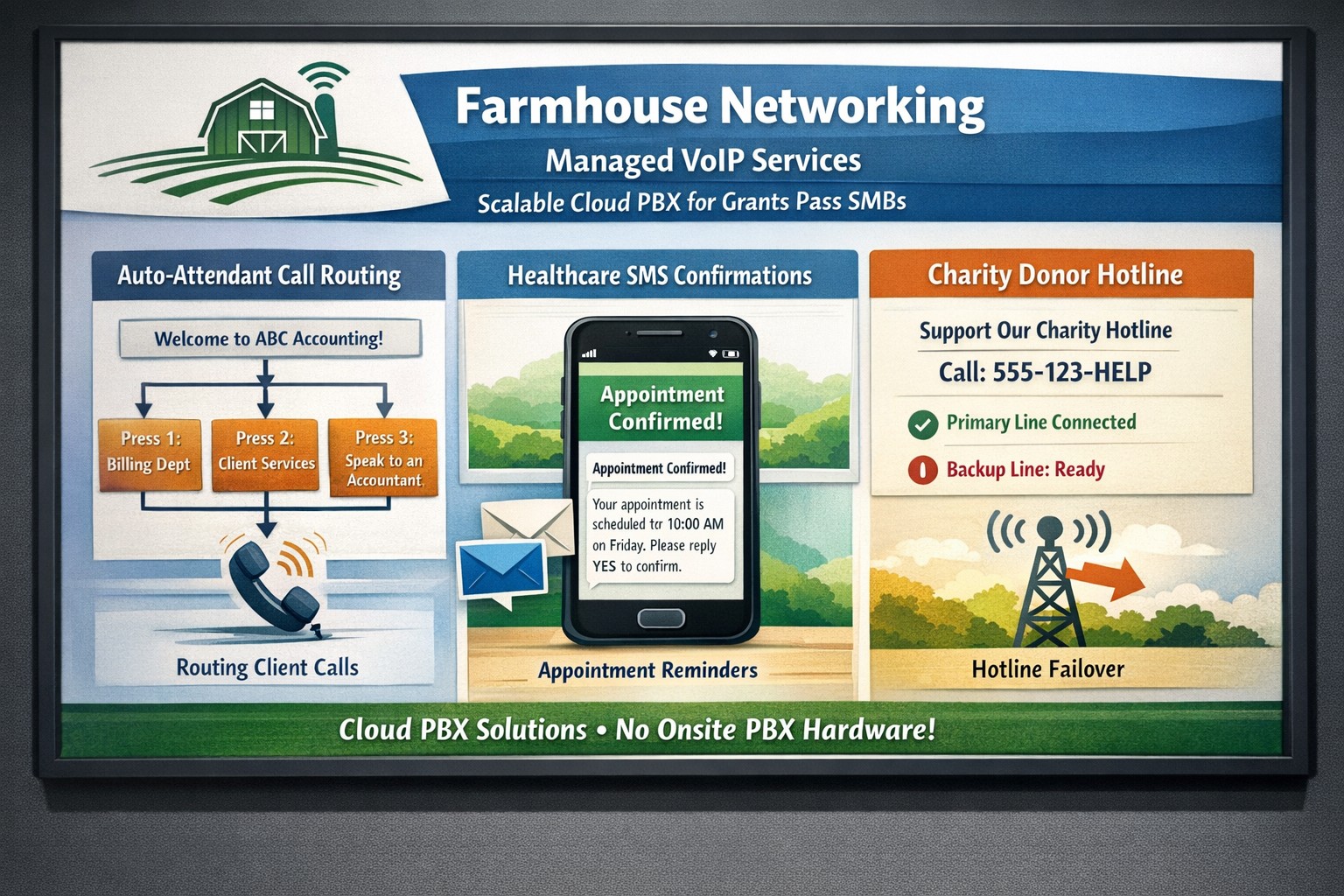
RingCentral’s SMS enhancements provide businesses with tools to streamline text messaging interactions. Features like muting notifications during meetings and organizing SMS threads help keep conversations organized and distraction-free. Additionally, integrating SMS APIs can automate processes such as appointment confirmations and real-time updates, significantly reducing costs while speeding up customer response times.
Intelligent Virtual Assistants for Superior Self-Service
Small businesses can leverage intelligent virtual assistants (IVAs) to offer superior self-service options through digital and voice interactions. These IVAs automate tasks like answering frequent questions or providing basic support information without human intervention.
Unlocking Insights with Conversation Intelligence
RingSense AI provides conversation intelligence that unlocks valuable insights from every customer interaction across calls, emails, contact centers, and video meetings. This empowers sales teams with actionable intelligence for revenue optimization by analyzing trends in customer interactions and seamlessly integrating with CRMs.
Simplifying Event Management with AI-Powered Events
RingCentral Events simplifies end-to-end event management using AI capabilities such as Q&A categorization and auto-generated summaries for social media clips. This helps marketing teams manage virtual or hybrid events more efficiently.
If you’re interested in transforming your SMB’s communication landscape using RingCentral’s cutting-edge AI solutions, contact Farmhouse Networking, a trusted RingCentral Partner today! Our team will guide you through the process of implementing these innovative tools tailored specifically to your business needs.
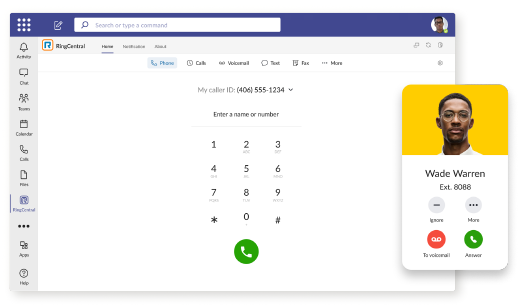
RingCentral VoIP app within Teams interface with call messaging and video features.
We have decided to make a business change that includes no longer directly selling phone services, but instead we are moving our clients to RingCentral. They are the industry leaders in this type of service and their rates are very competitive. One of their killer features is the Teams integration
RingCentral for Teams – Embedded App
RingCentral for Teams embedded app enables calling from the Teams app to both internal extensions and external numbers. It’s the simplest way to supercharge the phone experience for both end users and IT admins without having to deploy a new app to end users. Most importantly, there’s no need for an added Microsoft calling or E5 license to capture this value. This solution is ideal for organizations that want to:
leverage RingCentral’s superior telephony while maximizing the value of their Teams investment
avoid the added cost of Microsoft’s calling license
With the RingCentral for Teams embedded app, users access an icon presented in Microsoft Teams. They can then place and receive calls, access voicemails and voicemail transcriptions, and send or receive an SMS or fax. These tools fill critical gaps in Microsoft Teams, transforming it from messaging and video meeting tool to a communications powerhouse. This approach is also a money saver, as it doesn’t require the added cost of a Teams Phone or E5 license.
If your company is currently using Microsoft Teams for communications and want to add the incredible functionality that RingCentral brings, then contact us for assistance.
Local VoIP expertise eliminates traditional phone system costs
When it comes to phone service there is not much difference between providers. They all bring dial tone to your business and route calls to their destination. They all provide the same set of features that users have come to know and use.
What Makes Farmhouse Networking Different
No Introductory Rates: Most local providers will offer an attractive introductory rate to get your business. The only bad part is after one years time you are automatically changed to the regular price which is often $10-$20 more per line.
No Installation Costs: As we are a growing provider of phone services, anyone signing up for phone service with us this year will have no installation costs.
No Bogus Taxes or Fees: We have looked at phone bills from the major local providers and each of them has some bogus tax or fee added to the phone bill. (The only valid ones are Telecommunications Relay Service, Telephone Assistance Program, the Telecommunications Devices Access Program, E911 (VoIP), FCC Regulatory Fee (VoIP), FUSF (VoIP), and P.U.C. Fee – in case you were wondering)
Phone Costs: Unlike computers, there is no reason why you need to buy brand new phones. There are vendor programs that sell re-conditioned phones at much lower costs and they work just as good as the new ones. There is also leasing options available to help ease the pain of purchasing phones too.
Our Prices: We are not out to gouge our clients or nickel / dime them to death as you have already read. The only question now is how much do we charge? For the standard user, the cost of a phone line is only $29.95 per month. The cost of a standard fax line is only $22.50 per month.
Extra Features: We have several features that most of the other providers just don’t. A customer portal that clients can use to chat with fellow employees, check voicemails, track expenses, and make other account changes. A mobile app that can be used to turn your smart phone into an extension of your desk phone and more. Also failover to another phone number – if the power or internet is out you can have your calls routed to any other phone.
If your company uses phones for business, then contact us to see the true difference.
Voicemails land in inbox with playable audio + instant transcription
These days, you only need to step away from your desk for a few minutes to have a heap of missed calls and new emails awaiting your return:
What Voicemail to Email Does:
As the name suggests, a Voicemail to Email solution uses artificial intelligence (AI) technology to automatically transcribe voicemails received by a user’s voice mailbox. Voicemail to Email is ideal for busy professionals who can’t be accessible at a moment’s notice, are often in meetings, or in an environment where it’s not feasible to listen to messages in sequential order. Voicemail to Email offers a practical, at-a-glance way to keep up with the messages that need your attention and prioritization. With Voicemail to Email transcription, you can consult your voice messages at a time and place that’s most convenient for you. Users can efficiently hone in on specific transcribed messages to find exactly the information they need – from contact information to payment details to an address for their next meeting.
What are the Benefits of Voicemail to Email?
Maximum Accuracy: Voicemail to Email solution uses Google’s Cloud Speech API for Speech to Text transcription which has better accuracy than many voice transcription solutions. The transcriptions made over our platform represent the truest content of your customers’ voicemails.
Efficiency and Flexibility: Users can read their Voicemail to Email transcriptions at their own convenience – via email, SMS, or a mobile app.
Flexible Billing: Users can choose between a flat rate per line ($4.95 per month) or choose to be billed per transcription ($0.14 per voicemail).
Future Features: We are looking to add Spanish Voicemail to Email transcription to our services in the future. We are also looking to add live call transcription, so that a user can have a complete text transcript of their phone calls in writing emailed to them.
If your company is looking to expand what their phone system can do for them, then contact us for assistance.
Recently wrestled with a Juniper SRX 220 router that a client needed help with securing RingCentral on. This entailed creating port forwarding rules for specific secure port ranges for TLS transport and linking those with rules for specific IP ranges belonging to RingCentral servers. Here are the specific lines of code that were used to make this connection possible (I am also throwing in the CoS settings used to shape traffic for good measure):
security policies from-zone Internet to-zone LAN policy RingCentral_IP1_NAT match source-address RingCentral_IP1
security policies from-zone Internet to-zone LAN policy RingCentral_IP1_NAT match destination-address any
security policies from-zone Internet to-zone LAN policy RingCentral_IP1_NAT match application RingCentral
security policies from-zone Internet to-zone LAN policy RingCentral_IP1_NAT then permit
security policies from-zone Internet to-zone LAN policy RingCentral_IP2_NAT match source-address RingCentral_IP2
security policies from-zone Internet to-zone LAN policy RingCentral_IP2_NAT match destination-address any
security policies from-zone Internet to-zone LAN policy RingCentral_IP2_NAT match application RingCentral
security policies from-zone Internet to-zone LAN policy RingCentral_IP2_NAT then permit
security zones security-zone Internet address-book address RingCentral_IP1 199.255.120.0/22
security zones security-zone Internet address-book address RingCentral_IP2 199.68.212.0/22
applications application RingCentral term Mobile_App_Media destination-port 4000-5000 protocol udp
applications application RingCentral term Phone_Registration_UDP destination-port 5060-6000 protocol udp
applications application RingCentral term Phone_Registration_TCP destination-port 5060-6000 protocol tcp
applications application RingCentral term RTP_SRTP_Softphone1 destination-port 8000-8200 protocol udp
applications application RingCentral term RC_Meeting_Signaling_UDP destination-port 8801-8802 protocol udp
applications application RingCentral term RC_Meeting_Signaling_TCP destination-port 8801-8802 protocol tcp
applications application RingCentral term RTP_SRTP_Deskphone destination-port 16384-16482 protocol udp
applications application RingCentral term RTP_SRTP_Softphone2 destination-port 20000-60000 protocol udp
This should be everything unless you have custom firewall filters to lock down management access or something else like that. Please feel free to contact us if you need any help configuring either your RingCentral account or Juniper routers or switches.
And God will generously provide all you need. Then you will always have everything you need and plenty left over to share with others. As the Scriptures say,
“They share freely and give generously to the poor. Their good deeds will be remembered forever.”
For God is the one who provides seed for the farmer and then bread to eat. In the same way, he will provide and increase your resources and then produce a great harvest of generosity in you. - 2 Corinthians 9:8-10
We use cookies to ensure that we give you the best experience on our website. If you continue to use this site we will assume that you are happy with it.