A Practical Guide for Business Owners in Grants Pass
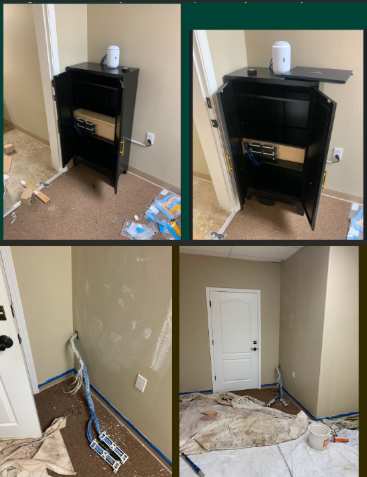
Before and after office network cabling remodel showing messy wires transformed into clean structured cabling installation in Grants Pass office space
A remodeled office is the perfect time to fix slow Wi‑Fi, random disconnects, and that tangle of mystery cables in the closet. Investing in office network cabling during construction gives your business faster speeds, fewer outages, and a cleaner, more professional workspace that is ready to grow with you.
Why Network Cabling Matters
Well‑planned cabling is the backbone of reliable internet, phones, and cloud apps your team uses every day.
Structured cabling (typically CAT6 or CAT6a) supports current needs and future upgrades like faster internet and new workstations without re‑opening walls.
For owners, this is about business continuity and productivity, not just “wires in the walls.”
Key Steps for You and Your IT Team
Use this checklist to keep your remodel on track and avoid expensive rework later.
Define business and growth needs
List how many employees, workstations, phones, printers, and Wi‑Fi access points you need now and in the next 3–5 years.
Note special areas like conference rooms, reception, and break rooms that need extra connectivity.
Review floor plans with IT before walls close
Have your IT provider mark data jack locations, wireless access point locations, and network closet placement on the architect’s plans.
Confirm there is proper power, ventilation, and space in the network closet for switches, patch panels, and future equipment.
Choose the right cabling standard
For most small and midsize offices, CAT6 or CAT6a structured cabling is recommended for performance and cost‑effectiveness.
Ensure all cabling, jacks, and patch panels are rated consistently (e.g., all CAT6) to avoid bottlenecks.
Plan clean cable pathways and labeling
Require cables to be run through ceilings/walls with proper supports, avoiding sharp bends and electrical interference.
Insist on clear labeling on both ends of every cable and a simple network map so future troubleshooting is fast and inexpensive.
Coordinate access and scheduling
Provide keys/access codes and confirm work windows so your cabling team can work efficiently without disrupting other trades or your staff.
Schedule final testing and certification of each cable run before you move in equipment and people.
Common Questions Owners Ask
Q: Why not just rely on Wi‑Fi instead of running cables? A: Wi‑Fi is great for mobility, but wired connections are faster, more secure, and more stable for desktops, VoIP phones, and servers. A hybrid approach (wired for fixed devices, Wi‑Fi for mobile) gives the best performance.
Q: Is CAT6 enough, or should we pay more for CAT6a or fiber? A: For most standard offices, CAT6 or CAT6a supports typical internet speeds and internal traffic very well. Fiber is usually reserved for backbone links between floors or high‑density areas where very high bandwidth is required.
Q: How much disruption will cabling cause during our remodel? A: If cabling is coordinated early with your contractor and scheduled while walls are open, most work happens before staff move in, greatly reducing disruption. Final terminations and testing can be done after painting and flooring.
Q: What should I ask for in documentation when the job is done? A: Request:
A simple diagram of the network closet and cabling layout.
Labeling that matches the diagram and wall jacks.
Test results showing each cable passed certification. This documentation saves hours of billable troubleshooting later.
How Farmhouse Networking Helps Business Owners
Farmhouse Networking specializes in turning remodel projects in Grants Pass and Southern Oregon into an opportunity to upgrade your IT foundation, not just “pull wire.”
Here is how the team can support you:
Consultative planning with owners
Translate your business goals (more staff, new phone system, better Wi‑Fi for clients) into a practical cabling and network design in plain English, not jargon.
Coordinate with your general contractor, electrician, and low‑voltage vendors so you are not stuck in the middle relaying technical details.
Professional structured cabling and cleanup
Design and install structured cabling, patch panels, and network racks that are neat, labeled, and ready for growth.
Fix legacy “spaghetti closets” by organizing existing cables, documenting the layout, and improving reliability.
End‑to‑end IT support after the remodel
Configure switches, firewalls, Wi‑Fi, and workstations so the new cabling actually delivers faster, more stable performance for your team.
Provide ongoing managed IT services to monitor your network, catch issues early, and support your staff.
Take the Next Step
If you are planning an office remodel—or just finished one and want to be sure your office network cabling was done right—this is the ideal moment to set your business up for years of smooth, reliable operations.
Email support@farmhousenetworking.com for more information about how Farmhouse Networking can help improve your business with smarter office network cabling and ongoing IT support.
Defend your business WiFi from becoming a hacker target with robust wireless security measures against common threats
Reliable and secure internet access is critical, especially for satellite offices relying on connectivity to central locations. Recently, one of our healthcare clients was nearly shut down by their ISP after the Recording Industry Association of America (RIAA) reported illegal music downloads traced to their IP address. The source? An open guest wireless network left unprotected.
How the Incident Unfolded
The ISP alerted the client via email, having received a complaint from the RIAA alleging that copyrighted music was illegally copied and distributed through BitTorrent on their network. Farmhouse Networking’s investigation pinpointed the activity: at 2 a.m., someone exploited the guest WiFi, which lacked any password protection, to download files illegally.
Had the ISP shut down the internet, this satellite healthcare office would have faced canceled appointments and redirected patients, impacting not only their reputation but costing thousands in lost revenue.
Key Wireless Network Security Lessons for Healthcare Providers
This incident highlights crucial vulnerabilities common in healthcare and other sectors:
Never leave guest WiFi networks open. Any unsecured network is an open invitation to unauthorized use and legal risks.
Use strong encryption and passwords on all wireless networks, including guest access, to block unauthorized connections.
Implement DNS filtering to prevent illicit peer-to-peer activity and block access to unauthorized sites.
Separate guest traffic from internal business-critical networks to safeguard sensitive data and operations.
Regularly audit network access points and update security settings, including changing default passwords on routers and regularly changing the wireless passwords.
Steps Farmhouse Networking Took to Protect the Client’s Wireless Network
Working closely with the healthcare office, Farmhouse Networking:
Secured their wireless network with strong WPA3 encryption and complex passwords.
Added DNS filtering to the guest wireless network to prevent peer-to-peer and similar applications.
Advised on ongoing monitoring and best security practices to safeguard against future misuse.
Emphasized the importance of network segmentation to protect sensitive healthcare data.
Why Wireless Network Security Matters in Healthcare
Beyond avoiding ISP shutdowns and illegal activity accusations, securing wireless networks in healthcare is essential for compliance with regulations like HIPAA, protecting Electronic Protected Health Information (ePHI), and maintaining patient trust.
Protect Your Business WiFi Today
Don’t risk your healthcare practice’s internet access, reputation, or compliance by allowing unsecured wireless access. Contact Farmhouse Networking to perform a comprehensive wireless network security assessment tailored to your industry’s unique needs. Secure your internet, protect your patients, and keep your practice running smoothly.
Enhance business cybersecurity defenses using advanced website filtering from Farmhouse Networking.
Businesses are faced with an ever-growing number of cybersecurity threats. One effective method to protect your organization’s sensitive data and network is implementing website filtering. Website filtering solutions offer businesses an essential tool to manage and safeguard their networks, ensuring employees are protected from accessing malicious or inappropriate websites. We will explore the importance of website filtering for business cybersecurity and provide practical insights for implementation.
Understanding Website Filtering:
Website filtering is an advanced security measure that enables organizations to control the websites that can be accessed by their employees. This essential cybersecurity practice helps mitigate risks associated with malware, phishing attacks, and overall data breaches. Through the implementation of website filtering, businesses can proactively manage internet usage, reduce network congestion, and improve productivity.
Benefits of Website Filtering:
Enhanced Network Security: By filtering out potentially harmful websites, businesses can significantly reduce the risk of malware infiltration, phishing attempts, and other cyber threats. Website filtering acts as a vital line of defense, preventing employees from inadvertently accessing websites hosting malicious content and safeguarding sensitive corporate data.
Regulatory Compliance: As the healthcare industry is subject to strict compliance regulations, implementing website filtering can help organizations maintain adherence to industry-specific regulations such as HIPAA. By blocking access to unauthorized websites or content, businesses ensure they are aligning with compliance requirements, reducing the potential for fines or legal repercussions.
Increased Employee Productivity: Unrestricted internet access often leads to time-wasting activities, reducing overall productivity within the organization. With website filtering, businesses can minimize distractions by blocking access to social media platforms, gaming websites, or other non-work-related sites, fostering a more focused work environment.
Bandwidth Optimization: Streaming services and large media files can significantly impact network bandwidth, leading to slower connections and decreased productivity. Website filtering helps alleviate this strain by allowing organizations to control access to bandwidth-intensive websites or file-sharing platforms, optimizing network performance.
Choosing the Right Website Filtering Solution:
When selecting a website filtering solution, organizations should consider the following:
Granular Control: Look for a solution that offers granular control, allowing you to tailor website filtering policies to specific departments or individual users. This flexibility ensures that employees only have access to relevant websites and content necessary for their job roles.
Real-Time Updates: The cybersecurity landscape evolves rapidly, with new threats emerging constantly. Ensure your chosen website filtering solution offers AI powered real-time updates and threat intelligence to protect against the latest risks effectively.
User-Friendly Interface: Implementing a user-friendly website filtering solution simplifies management. Look for a solution with an intuitive interface that enables easy configuration and monitoring of website filtering policies.
Potential Challenges and Mitigation Strategies:
While website filtering can provide numerous benefits, there are potential challenges to consider:
False Positives: Overzealous website filtering policies can sometimes lead to legitimate websites being inaccurately blocked, causing frustration for employees. Regularly review and fine-tune filtering policies to minimize the risk of false positives, striking a balance between security and productivity.
BYOD (Bring Your Own Device) Environments: There is an increasing reliance on personal devices to access corporate networks. Ensure that your website filtering solution extends to cover such devices and effectively enforces security policies, mitigating the risk of potential threats from unsecured devices.
Ongoing Maintenance and Monitoring: Website filtering requires ongoing maintenance and monitoring to ensure optimal performance and adaptability to emerging threats. Assign dedicated IT staff or consider a managed service provider (MSP) like Farmhouse Networking to oversee the implementation, management, and updates of your website filtering solution.
Website filtering is a critical component of any business’s cybersecurity strategy, providing robust protection against web-based threats and enhancing network security. Farmhouse Networking provides website filtering service to all our monthly managed clients at no additional cost. Sign-up today to become cyber secure.
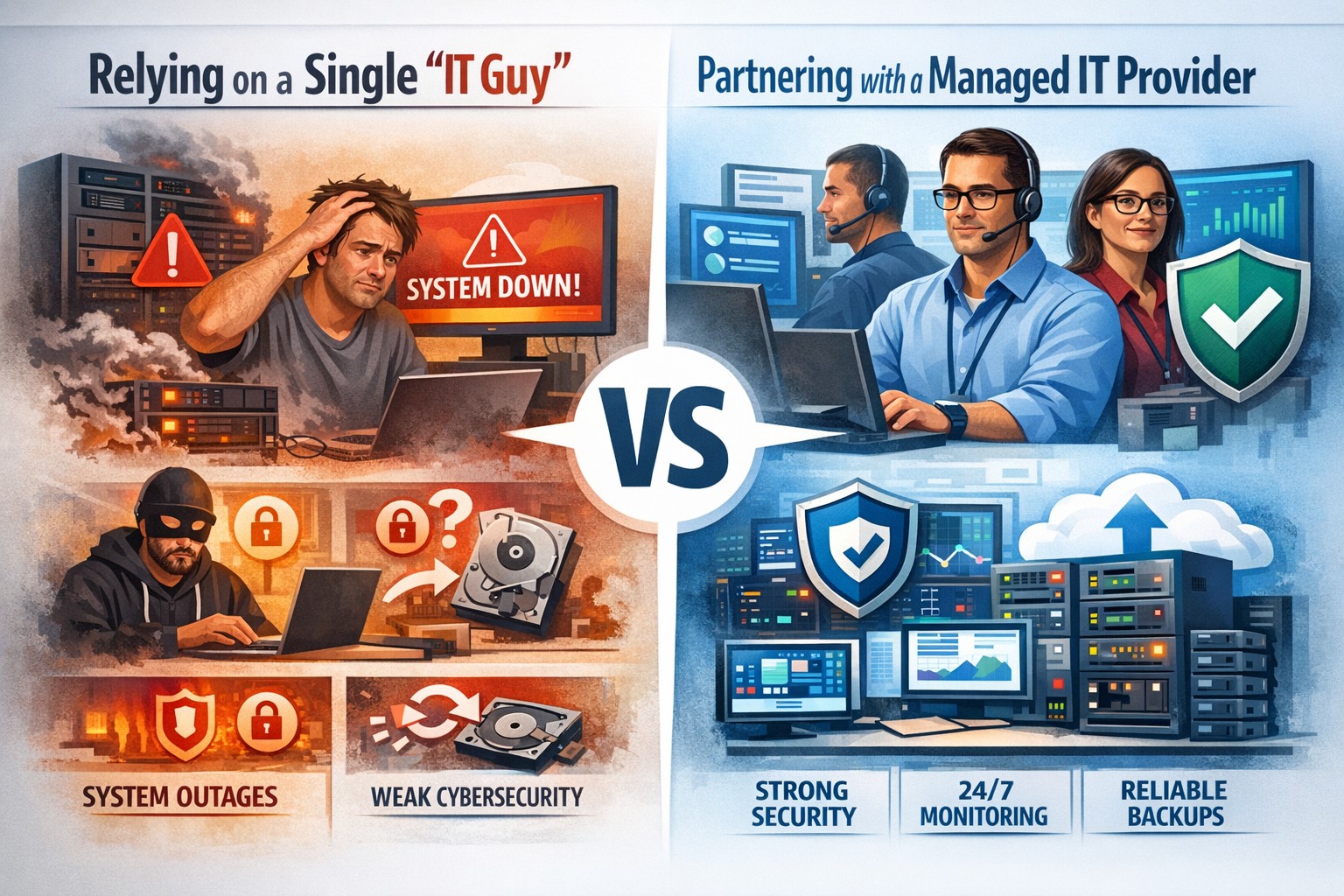
Relying on one IT guy can expose your small business to downtime, data loss, and security vulnerabilities—managed IT services offer stronger protection.
The role of Information Technology (IT) in business success cannot be overstated. IT systems and infrastructure form the backbone of modern businesses, facilitating communication, data management, and efficient workflow. From managing customer databases to ensuring network security, IT plays a crucial role in driving productivity and competitiveness. However, many businesses make the mistake of relying on a single IT guy to handle all their technological needs. In this article, I will discuss the risks associated with this approach and the importance of adopting a team-based approach to IT support.
The risks of relying on a single IT guy
Lack of expertise and knowledge
When you rely on a single IT guy, you are limited to their individual skills and expertise. While they may be knowledgeable in certain areas, they may not possess the breadth of knowledge required to handle all aspects of your business’s IT infrastructure. IT is a vast field that encompasses various domains such as network administration, cybersecurity, software development, and hardware maintenance. By relying on a single guy, you risk missing out on specialized expertise that could greatly benefit your business.
Limited availability and support
Another significant risk of relying on a single IT guy is limited availability and support. IT issues can arise at any time, and if your IT guy is unavailable or overwhelmed with other responsibilities, it can lead to significant downtime and disruptions in your business operations. With a single point of contact, you may have to wait for extended periods before your IT issues are resolved, resulting in decreased productivity and potential financial losses.
Single point of failure
Relying on a single IT guy also means that your business is vulnerable to a single point of failure. If your IT guy falls ill, takes a vacation, or leaves the company, you may be left without any IT support. Singular IT techs often don’t have the time or resources to properly document procedures and critical passwords, so when they go this information is lost. This can be particularly problematic during critical times when you need immediate assistance. Having a backup plan or a team of IT professionals ensures that your business operations can continue uninterrupted, even if one person is unavailable.
The impact of downtime on business operations
Downtime can have severe consequences on your business operations. Every minute your systems are down translates to lost revenue, missed opportunities, and frustrated customers. According to a study conducted by Gartner, the average cost of IT downtime is $5,600 per minute. Imagine the financial implications if your IT guy is unavailable for an extended period. With a team-based approach to IT support, you can minimize downtime and ensure swift resolution of any issues, thereby safeguarding your business’s success.
The importance of a team approach to IT support
Adopting a team approach to IT support offers numerous benefits for your business. Firstly, it provides a diverse set of skills and expertise that can be leveraged to address various IT challenges effectively. Each team member brings their unique knowledge and experience, allowing for comprehensive and well-rounded support. Additionally, with a team, you have the advantage of increased availability and faster response times. By distributing responsibilities among team members, you can ensure that someone is always available to address your IT needs promptly.
The benefits of outsourcing IT support
Outsourcing IT support is a viable solution for businesses looking to avoid the risks associated with relying on a single IT guy. Outsourcing allows you to tap into a pool of talented professionals with specialized expertise in different IT domains. Moreover, outsourcing IT support can often be more cost-effective than hiring a full-time IT staff, especially for small and medium-sized businesses. By partnering with an external IT support provider, like Farmhouse Networking, you can access a wide range of services, including network monitoring, cybersecurity, data backup, and software maintenance, all while enjoying the benefits of a dedicated team.
Finding the right IT support provider
Finding the right IT support provider is crucial to ensuring a successful and secure IT infrastructure. When evaluating potential providers, consider their experience, track record, and the range of services they offer. Look for certifications and qualifications that demonstrate their expertise and commitment to quality. It is also essential to assess their responsiveness and availability to ensure that they can meet your business’s IT needs promptly. Ask them about their record keeping habits, make sure they document everything and keep your information secure with industry standard protocols. By conducting thorough research and seeking recommendations, you can find an IT support provider that aligns with your business goals and requirements.
By adopting a team-based approach to IT support or outsourcing your IT needs, you can mitigate these risks and ensure a successful and secure IT infrastructure. Don’t get stuck when your IT guy no longer responds; contact us to experience the comfort of having a team look after your business IT. With the right IT support provider, you can focus on growing your business while leaving your technological needs in capable hands.
Configure Synology RADIUS for secure EAP enterprise WiFi authentication
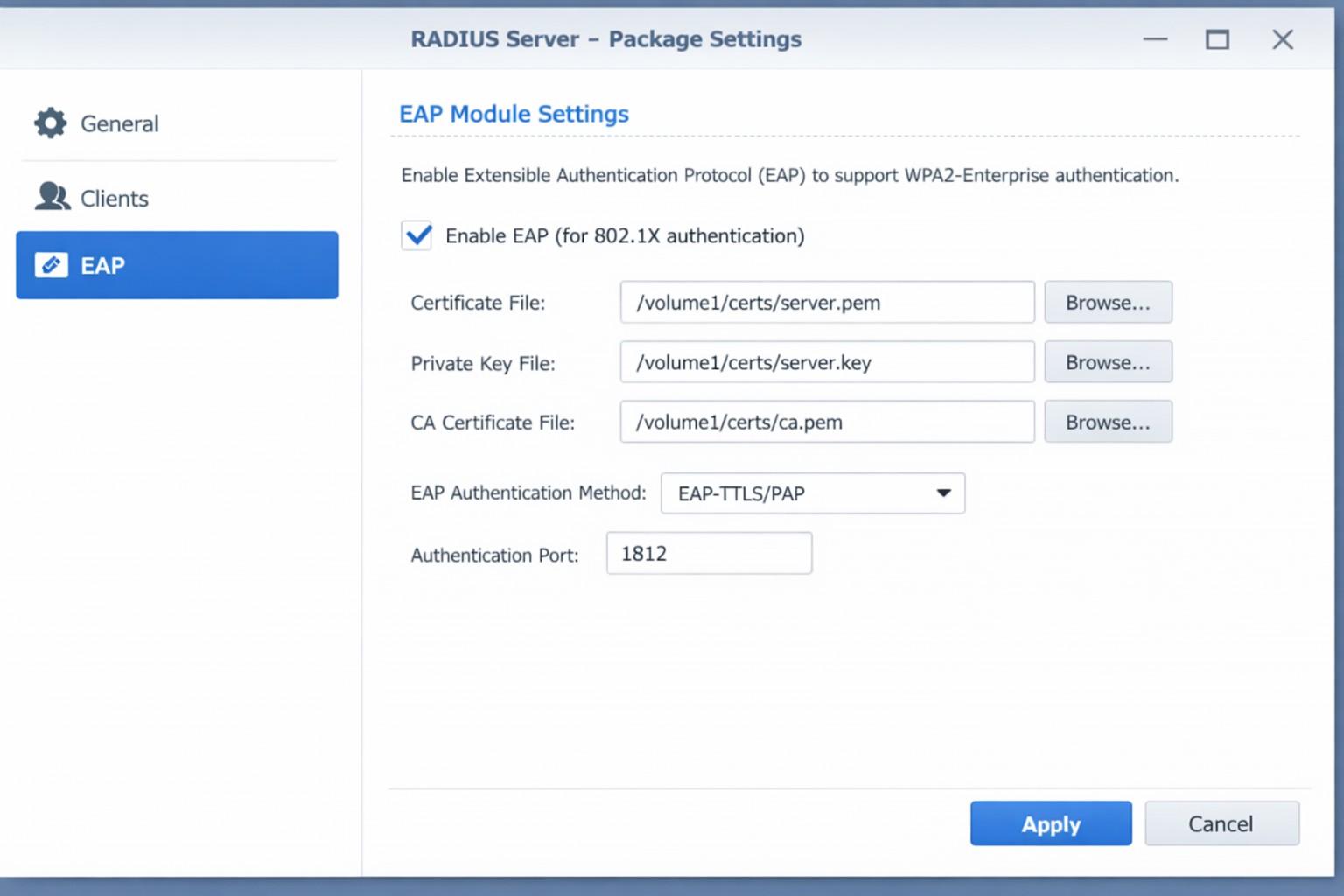
This is the eighth and final of a series that documents the Tier 3 / Co-Managed IT work we did to setup a wireless test bed for a Linux based scientific device. The testing environment included two different wireless network hardware types (Ubiquiti and Cisco). There was also a Synology device used for various purposes including hosting the Ubiquiti controller inside a Kubernetes container, providing certificate services, providing LDAP authentication, and providing RADIUS authentication. Each article has detailed a separate piece of the project. This article shows the setup of Synology RADIUS server for EAP authentication via EAP-PEAP, EAP-TLS, and EAP-TTLS.
Setup Synology Radius for EAP-PEAP
Login to Synology IP via SSH
Use admin login credentials
Go to the Radius certificate directory cd /var/packages/RadiusServer/target/etc/raddb/certs/
Radius must be configured on our certificates: sudo vi ../mods-enabled/eap
This is the seventh in a series that document the Tier 3 / Co-Managed IT work we did to setup a wireless test bed for a Linux based scientific device. The testing environment included two different wireless network hardware types (Ubiquiti and Cisco). There was also a Synology device used for various purposes including hosting the Ubiquiti controller inside a Kubernetes container, providing certificate services, providing LDAP authentication, and providing RADIUS authentication. Each article will detail a separate piece of the project. This article shows the basic setup of Ubiquiti Controller for PSK and RADIUS authentication from wireless devices.
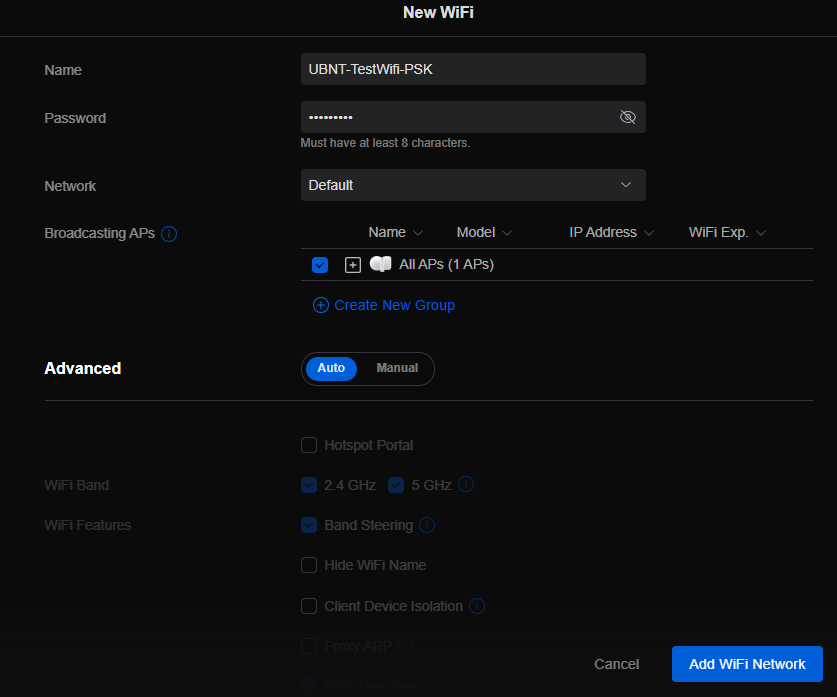
Setup Ubiquiti Wireless Network with PSK
Login to Ubiquiti controller previously created – Here
Click on Setting gear icon at bottom left
Make sure you are on Wifi tab and click Create New link
Set network BSSID
Create Password
Click Add Wifi Network button
UniFi SSID advanced security settings with RADIUS profile and PPSK configuration.
Setup Ubiquiti Wireless Network with RADIUS
Login to Ubiquiti controller previously created – Here
Click on Setting gear icon at bottom left
Click on Profiles
Click on Radius Tab
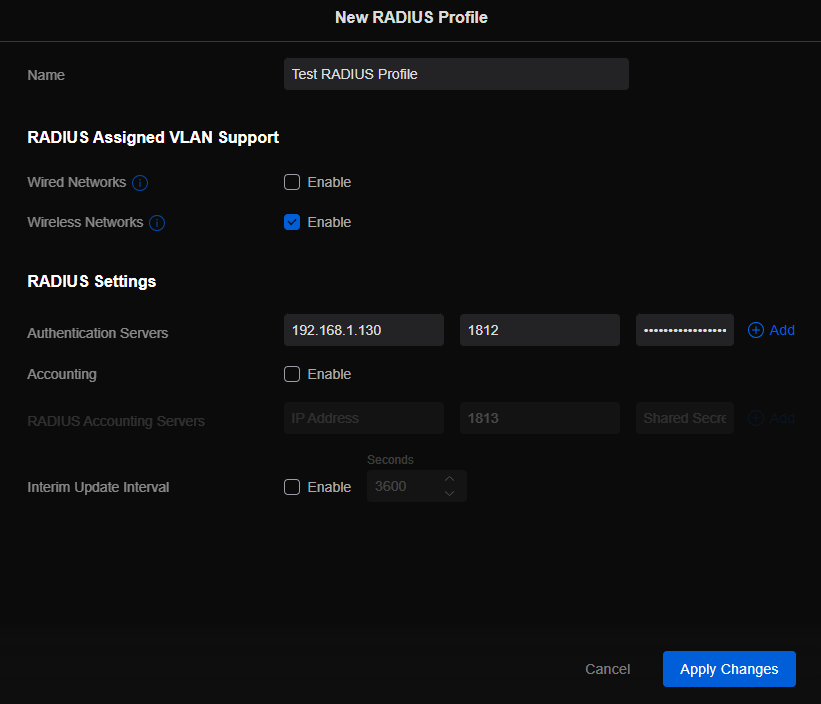
Click on Create New link
Give the Profile a name
Enter RADIUS server IP address as Authentication Server
Enter RADIUS shared secret
Click Add
Click Apply Changes
Click on Wifi Tab
Click on Create New link
Set network BSSID
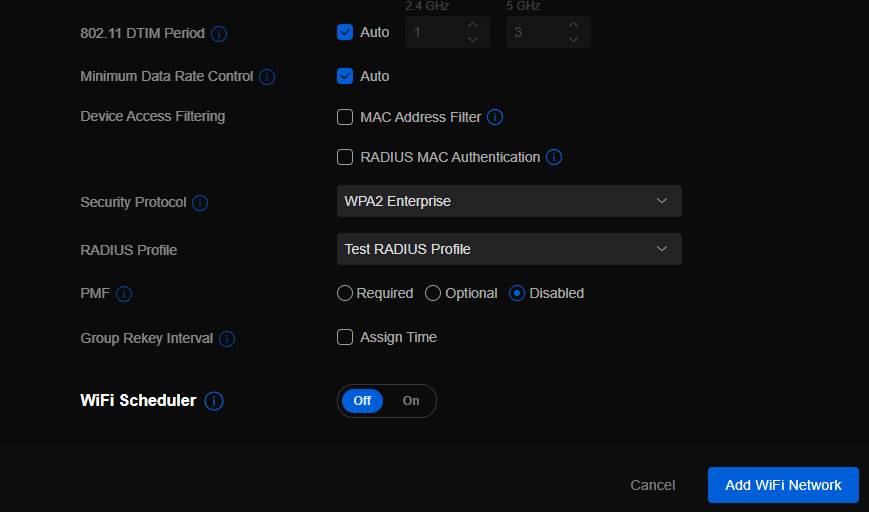
Change Advanced to Manual
Set Security Protocol – WPA2 Enterprise
Select new RADIUS Profile
Click Add Wifi Network
If your company has highly customized setup requirements that you need consulting for, then contact us for assistance.
Cisco WLC WLAN configuration enabling PSK with RADIUS backend authentication.
This is the sixth in a series that document the Tier 3 / Co-Managed IT work we did to setup a wireless test bed for a Linux based scientific device. The testing environment included two different wireless network hardware types (Ubiquiti and Cisco). There was also a Synology device used for various purposes including hosting the Ubiquiti controller inside a Kubernetes container, providing certificate services, providing LDAP authentication, and providing RADIUS authentication. Each article will detail a separate piece of the project. This article shows the basic setup of Cisco Wireless Controller for PSK and RADIUS authentication from wireless devices.
Setup Cisco Wireless Network with PSK
Login to Cisco Wireless Controller
Click on WLANs tab at top
Click on GO next to Create New drop down
Create Profile Name & SSID
Click Apply
Click Enabled next to Status
Click Apply
Click on Security tab
Uncheck 802.1x
Check PSK
Enter Pre-Shared Key next to PSK format
Click Apply
Click Save Configuration at the top
Setup Cisco Wireless Network with RADIUS
Log into Cisco Wireless Controller
Click on Security tab at top
Click on Authentication under RADIUS on left hand side
Change both Acct Call Station ID Type to IP Address
Click Apply
Click on New
Add RADIUS server IP address
Add Shared Secret
Uncheck management
Click Apply
Click on WLANs tab at top
Edit WLAN 1
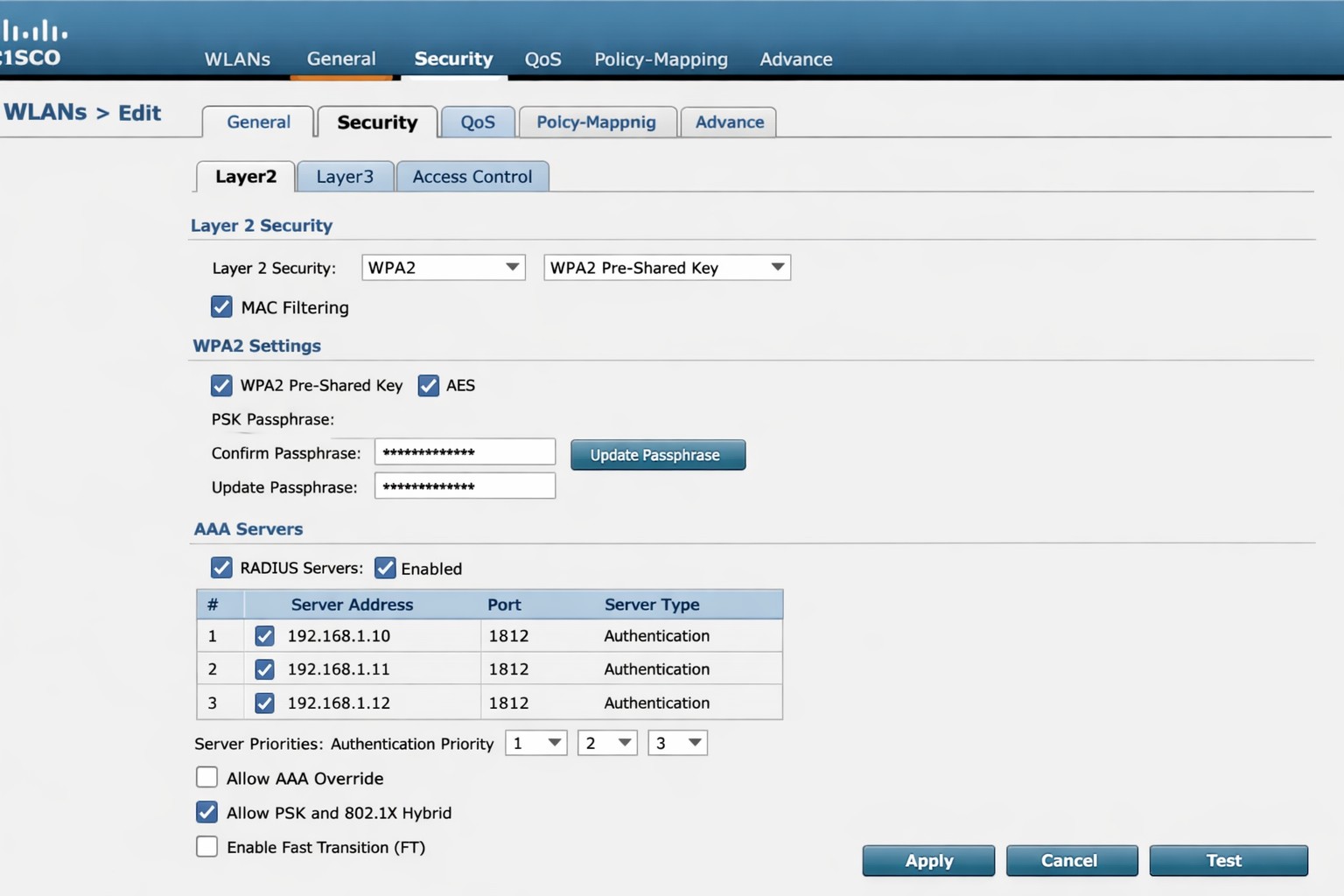
Click on Security tab
Click on AAA Servers tab
Change Server 1 to the one entered on RADIUS Authentication page
Click Apply
Click on Layer 2 tab
Change Authentication type to 802.11x
Click Apply
Click Save Configuration at the top
If your company has highly customized setup requirements that you need consulting for, then contact us for assistance.
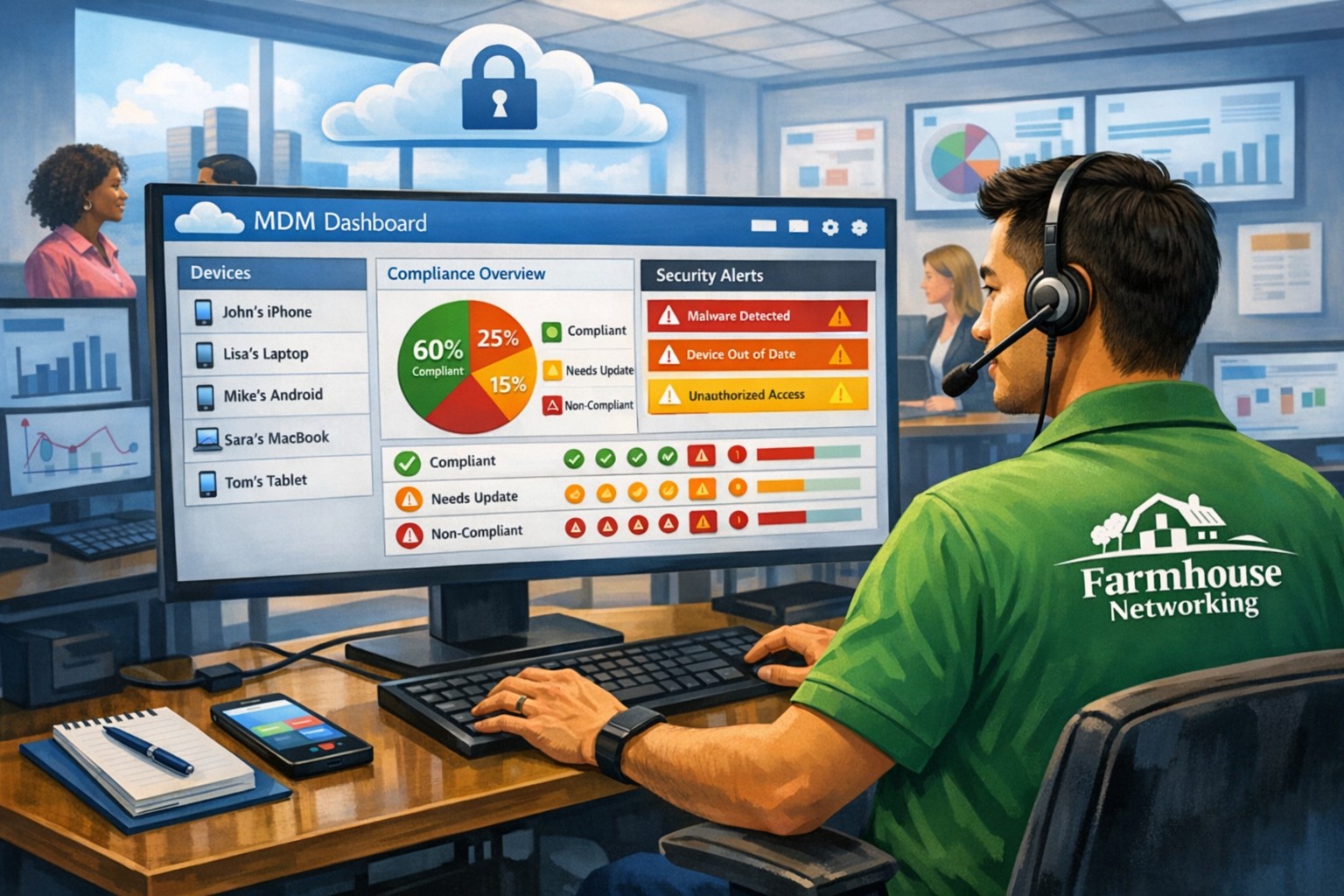
MSP console managing SMB BYOD smartphones and laptops with centralized MDM and security policies.
Small and medium-sized businesses (SMBs) face numerous challenges when it comes to managing their IT. Limited resources (both human and money), lack of expertise, and the need to focus on core business operations often make it difficult for SMBs to understand and manage technology needs. This is where Managed Service Providers (MSPs) come in. In this blog article, we will explore the reasons why SMBs should consider partnering with MSPs to enhance their IT capabilities and drive business growth.
Cost-Effective IT Solutions:
One of the primary reasons why SMBs need MSPs is the cost-effectiveness they offer. By outsourcing their IT needs to MSPs, SMBs can avoid the high costs associated with hiring and training an in-house IT team. MSPs provide a range of services, including network monitoring, data backup and recovery, cybersecurity, and software updates, all at a predictable monthly cost. This allows SMBs to allocate their resources more efficiently and focus on their core business.
Access to Expertise and Advanced Technology:
MSPs are experts in providing IT services and have a team of highly skilled professionals with expertise in variety of technology. By partnering with MSPs, SMBs gain access to the depth of knowledge and experience from IT experts who can handle complex tasks and provide strategic guidance. Additionally, MSPs stay up-to-date with the latest technology trends and can recommend and implement solutions that can help SMBs stay competitive in the market and safe from hackers.
Proactive IT Support and Maintenance:
MSPs offer proactive IT support and maintenance, which is crucial for SMBs. They monitor networks, identify potential issues, and take preventive measures to avoid downtime and disruptions. MSPs also provide regular software updates, security patches, and system maintenance, ensuring that SMBs’ IT remains secure and up-to-date. This proactive approach helps SMBs minimize the risk of costly IT failures and ensures smooth business operations.
Enhanced Data Security:
Data breaches and cyberattacks pose a significant threat to SMBs. MSPs play a vital role in safeguarding SMBs’ sensitive data and protecting them from potential security breaches. They implement robust cybersecurity measures, such as firewalls, antivirus software, and encryption, to ensure data confidentiality and integrity. MSPs can also conduct regular security audits and vulnerability assessments to identify and address any potential weaknesses in the IT infrastructure.
Scalability and Flexibility:
As SMBs grow, their IT needs evolve. MSPs offer scalable solutions that can adapt to changing business requirements. Whether it’s adding new users, expanding storage capacity, or integrating new software, MSPs can quickly and efficiently accommodate these changes. This scalability and flexibility allow SMBs to focus on their growth without worrying about the limitations of their IT infrastructure.
If your company could use the cost-effective solutions, access to expertise, proactive support, enhanced data security, and scalability that come from using a MSP, then contact us for assistance.
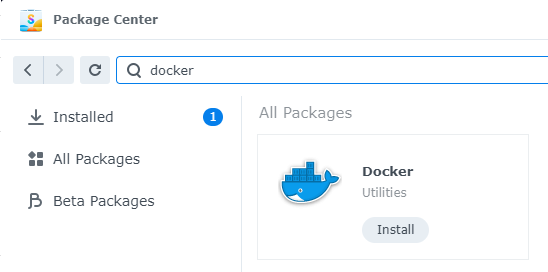
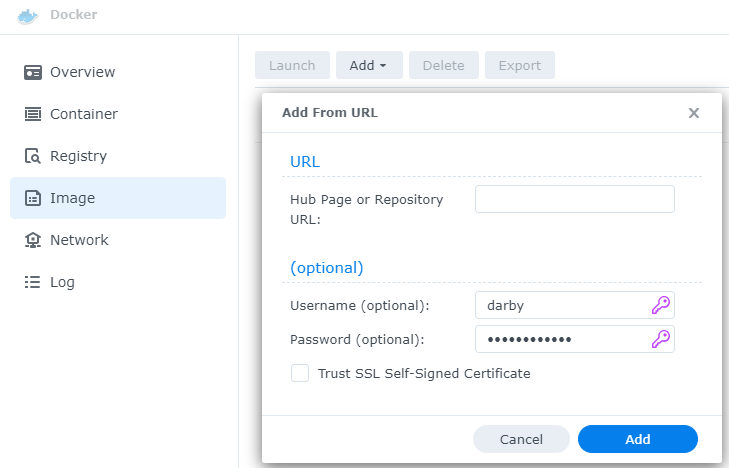
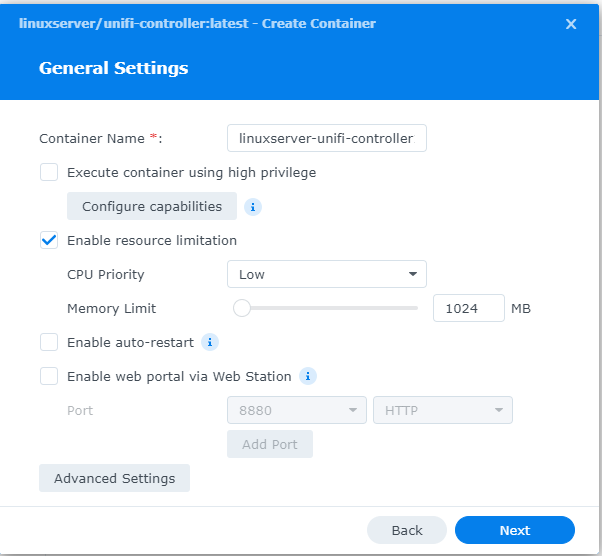
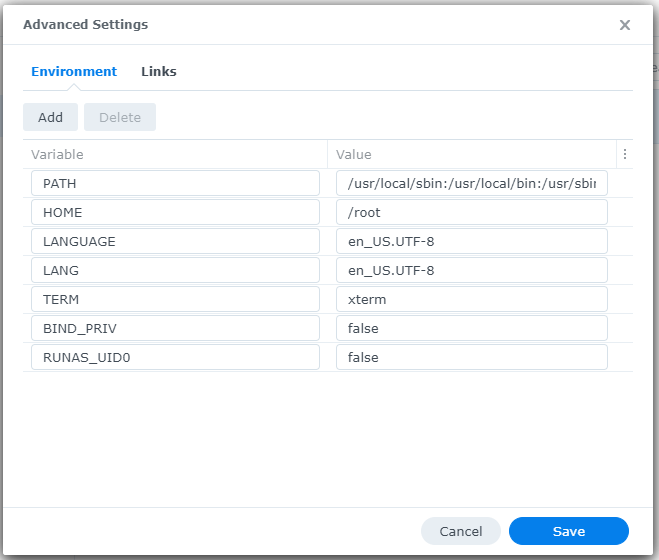
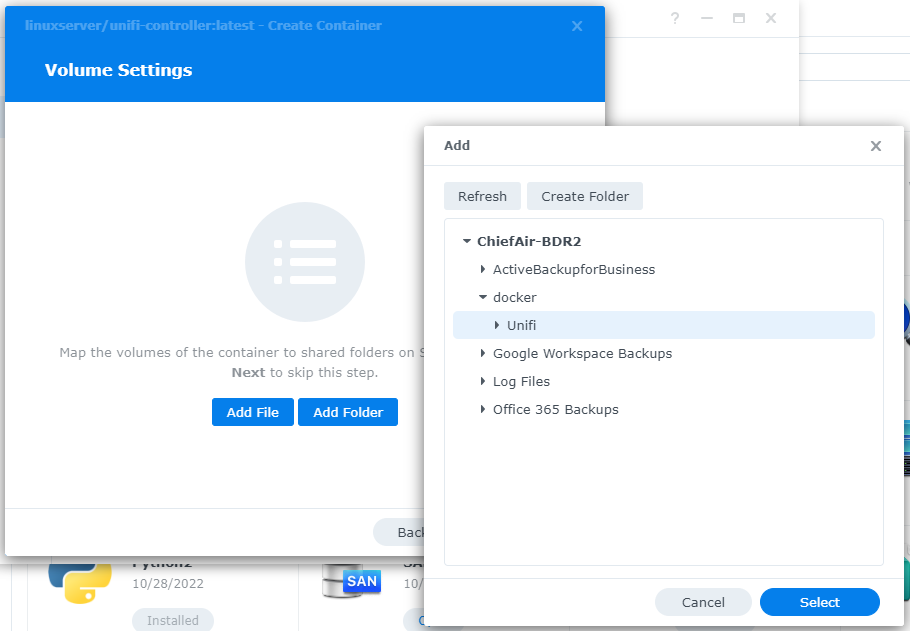
This is the third in a series that documents the Tier 3 / Co-Managed IT work we did to setup a wireless test bed for a Linux based scientific device. The testing environment included two different wireless network hardware types (Ubiquiti and Cisco). There was also a Synology device used for various purposes including hosting the Ubiquiti controller inside a Kubernetes container, providing certificate services, providing LDAP authentication, and providing RADIUS authentication. Each article will detail a separate piece of the project. This article shows the basic setup of Ubiquiti Wireless Controller as a Docker instance on the Synology.
Cisco wireless controller setup wizard with SSID and management VLAN configuration.
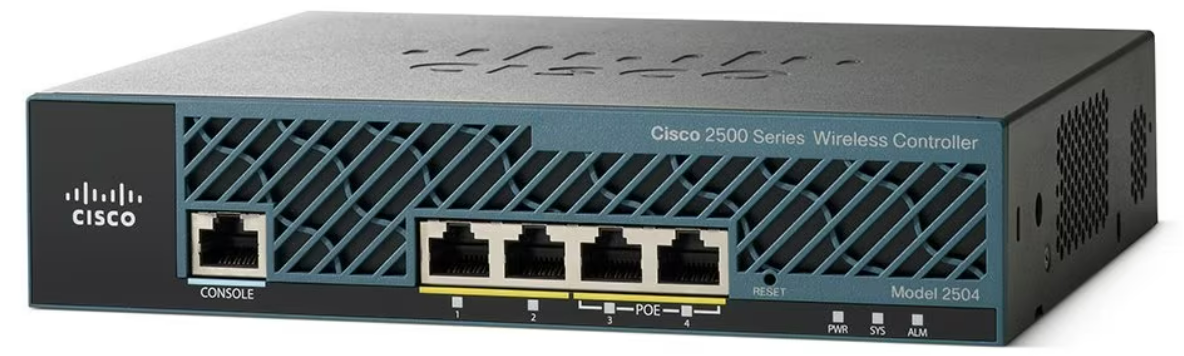
This is the first in a series that document the Tier 3 / Co-Managed IT work we did to setup a wireless test bed for a Linux based scientific device. The testing environment included two different wireless network hardware types (Ubiquiti and Cisco). There was also a Synology device used for various purposes including hosting the Ubiquiti controller inside a Kubernetes container, providing certificate services, providing LDAP authentication, and providing RADIUS authentication. Each article will detail a separate piece of the project. This article shows the basic setup of Cisco Wireless Controller.
Setup of Cisco Wireless Controller
Plug -in ethernet of Computer to port 2 on controller
Boot controller and wait for SYS light to go solid
Open web browser to http://192.168.1.1
Create admin username
Create password
Fill in the needed information:
System nameManagement IP Subnet MaskDefault Gateway
Click Next
Fill in temporary information for wireless
Network BSSIDCreate PassphraseEnter local DHCP server address
Click Next
Click Apply and wait for reboot
Click on Commands tab
Click on Set Time on the left-hand menu
Change needed values
Click Set Date and Time
Click Save Configuration at the top
If your company has highly customized setup requirements that you need consulting for, then contact us for assistance.
And God will generously provide all you need. Then you will always have everything you need and plenty left over to share with others. As the Scriptures say,
“They share freely and give generously to the poor. Their good deeds will be remembered forever.”
For God is the one who provides seed for the farmer and then bread to eat. In the same way, he will provide and increase your resources and then produce a great harvest of generosity in you. - 2 Corinthians 9:8-10
We use cookies to ensure that we give you the best experience on our website. If you continue to use this site we will assume that you are happy with it.