Effective audit log management is vital for business cybersecurity and regulatory compliance, helping owners monitor and secure critical IT systems.
Audit log management is a critical security pillar for any business owner looking to safeguard their assets, ensure compliance, and respond swiftly to cybersecurity incidents. The Center for Internet Security (CIS) provides clear standards—known as CIS Control 8—that outline how to properly establish, collect, store, and review audit logs.
What Is Audit Log Management and Why Should You Care?
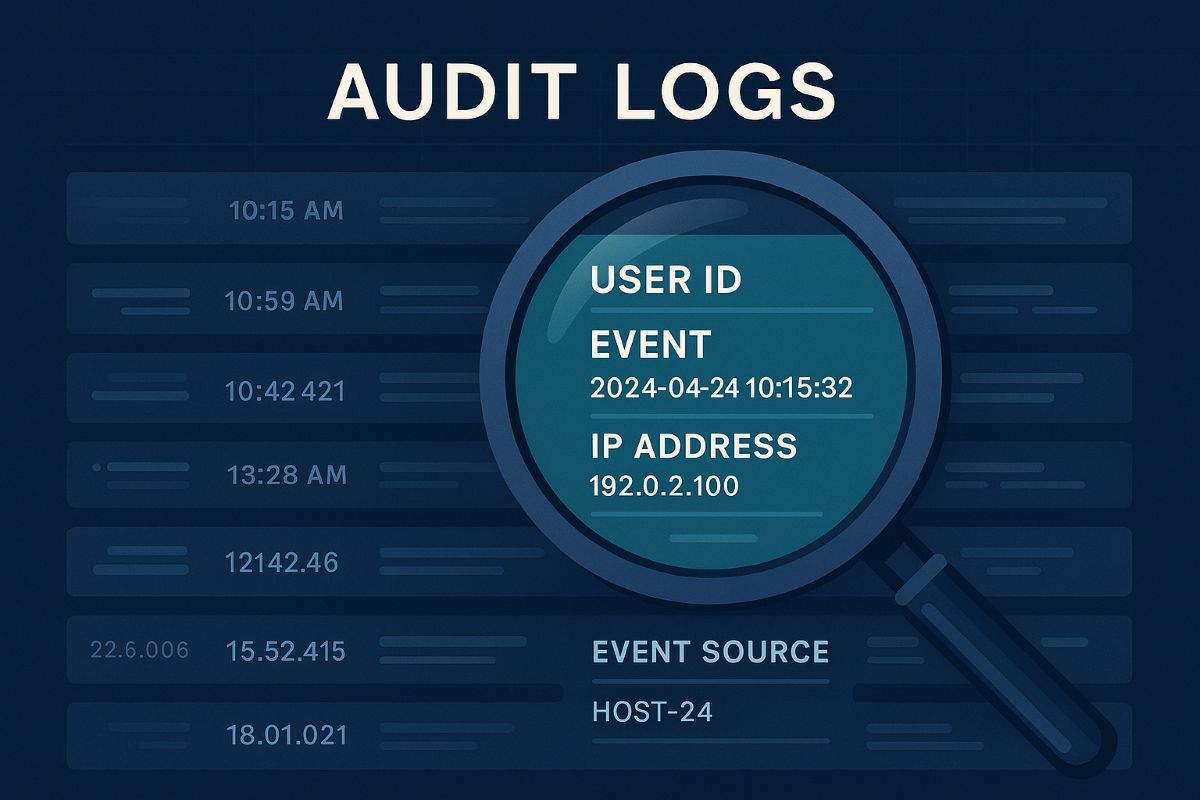
Audit logs are detailed records of system and user activities across your IT environment. They provide a forensic trail that can reveal how, when, and by whom your systems were accessed or altered. Proper audit log management helps detect breaches early, supports regulatory compliance, and ensures you can investigate incidents thoroughly.
CIS Control 8 emphasizes a systematic process that includes:
Defining logging requirements aligned with business needs
Ensuring all key systems and applications generate logs
Centralizing secure storage with time synchronization
Regular review and response to anomalies
Retaining logs based on legal and operational needs
Practical Steps for You and Your IT Team
Define Your Audit Log Policy: Start by setting a formal process that documents which events must be logged, who reviews them, and for how long logs are kept.
Enable Logging Across All Systems: Collaborate with your IT department to ensure firewalls, servers, workstations, applications, and other devices generate comprehensive logs—both system and user-level events.
Centralize and Secure Logs: Use centralized logging solutions to collect logs securely. Ensure all logs have synchronized timestamps via a Network Time Protocol (NTP) server to establish an accurate event timeline.
Review Logs Regularly: Establish regular routine checks to spot suspicious activity early. Automate alerts for key events like unauthorized access attempts.
Maintain Storage and Retention: Allocate sufficient and safe storage for logs, complying with industry regulations. Implement log rotation policies to manage data volumes.
Train Your Teams: Ensure everyone involved understands the importance of audit logs and knows their role in the management and response process.
FAQs: What Your Clients Might Ask
Q: Why are audit logs important for my business?
Audit logs provide an essential record to detect and investigate security incidents and prove compliance with regulations.
Q: How long should audit logs be kept?
Retention depends on your industry and legal standards but typically ranges from 6 months to several years.
Q: Can audit logs be tampered with? How do we protect them?
Logs can be targeted; secure logging systems enforce access controls and integrity checks to prevent unauthorized changes.
Q: Do I need to review logs daily?
Frequency depends on risk level; automated alerts can prioritize critical events to review promptly.
How Farmhouse Networking Supports You
Farmhouse Networking specializes in helping businesses implement audit log management practices effectively. We assist with:
Designing tailored audit log policies
Deploying and configuring secure, compliant logging solutions
Training your IT teams on log analysis and incident response
Ongoing monitoring and optimization of your security posture
Take the guesswork out of audit log management and strengthen your business defenses with expert help.
Ready to Secure Your Business?
Email us at support@farmhousenetworking.com to learn how Farmhouse Networking can help you meet CIS standards and improve your audit log management today.
Key network monitoring tools every small business needs for optimal performance
As a business owner, you know reputation and customer trust are everything. But cybercriminals don’t discriminate by size—small and midsize businesses (SMBs) are increasingly the targets of ransomware and data theft. CIS Critical Security Control 13 gives you a practical way to stay ahead of attackers and protect your company’s future.
Practical Action Steps for SMBs:
Enable real-time network monitoring: Know immediately if your systems are under attack.
Centralize your logs: Aggregate data to detect issues before they escalate.
Set threshold-based alerts: Don’t wait until damage is visible to respond.
Review reports regularly: Make monitoring part of monthly executive/IT reviews.
Q&A for SMBs:
“Aren’t we too small for hackers to notice?” No—SMBs are now among the most targeted because criminals assume defenses are weak.
“Do I need an in-house IT team for this?” Not necessarily—outsourced experts can cost-effectively handle monitoring for you.
How Farmhouse Networking Helps: Farmhouse Networking provides SMBs with managed network monitoring, advanced alerts, and proactive defense strategies. We scale solutions to fit your size, budget, and growth goals.
Don’t leave your business exposed. Email Farmhouse Networking today and start building stronger defenses for lasting success.
Stabilize SMB IT costs and eliminate downtime risks with proactive management
Surprise technology bills, emergency repairs, and the high expense of an in-house IT team create a constant strain on business budgets. For owners aiming to grow while staying in control of expenses, these unpredictable costs aren’t just an annoyance—they can derail plans, erode trust, and limit your business’s ability to invest in what really matters.
Why In-House IT Costs So Much
Maintaining your own IT staff is far more expensive than it first appears:
Salaries and Benefits: A modest in-house IT team for a 40-employee business can run upwards of $192,600 per year—about $402 per user per month. This includes wages for technicians, managers, and benefits that typically add 31% or more to the base salary.
Recruitment and Training: The average cost-per-hire for IT roles is about $4,700, not counting the 8 to 26 weeks of ramp-up time. Added to this are regular education costs needed to keep skills up to date in a rapidly changing tech landscape.
Overhead: Beyond staff, you’re paying for hardware, software licenses (ranging from $500–$18,000 monthly), space, insurance, PTO, and infrastructure.
Turnover: IT has one of the highest turnover rates in any industry. Every time someone leaves, you lose critical knowledge and must bear the cost of recruitment, onboarding, and lost productivity—sometimes as much as 200% of annual salary for that position.
Why Unpredictable IT Costs Threaten Your Business
Budget Surprises: Emergency fixes, one-time service charges, and unclear contracts can cause your monthly expenses to swing wildly, making it impossible to forecast cash flow or plan for the year ahead.
Productivity Losses: Downtime due to system failures not only costs thousands in lost business per hour but also damages your reputation and relationships.
Reactive Spending: Fixing problems as they arise is always more expensive than proactively maintaining equipment or systems. Without a predictable monthly IT plan, you’re forced to “rob Peter to pay Paul” when something inevitably breaks.
Take Action: Steps to Regain Control
Conduct an IT Audit: Know exactly what you’re spending, where, and why.
Distinguish Must-Haves: Separate essential services from legacy software or non-critical expenses.
Move to a Managed IT Model: Managed IT services typically cost just $125–$220 per user per month, offering budgeting clarity and reducing surprises.
Schedule Reviews: Revisit IT budgets quarterly and adjust for business changes early.
Consolidate Vendors: Limit the number of external suppliers so that responsibility is clear, and costs are contained.
How Farmhouse Networking Can Help
Farmhouse Networking partners with you to:
Uncover Hidden Savings: Our audits often find areas to cut unnecessary costs.
Flat-Rate Managed IT: We offer comprehensive support—including monitoring, proactive maintenance, cybersecurity, and strategy sessions—for one predictable monthly fee.
Quarterly Reviews and Strategic Planning: Stay ahead of risks and keep your IT spend aligned with your business goals.
Hands-Off Vendor Management: Eliminate redundant contracts and ensure every dollar spent delivers real value.
Ready to End Unpredictable IT Spending?
Take charge of your IT budget and redirect savings to initiatives that drive your business forward. Contact Farmhouse Networking to schedule your complimentary IT cost assessment.
Relieve IT staff burnout with co-managed services, ensuring vacations don’t disrupt business operations
Imagine this: Your trusted IT staff member, the backbone of your business’s technology, needs a well-deserved vacation or calls in sick. Suddenly, your entire operation is at risk—projects stall, security gaps widen, and stress levels spike. For many business owners, this scenario is all too familiar. Relying on a single person for all IT needs can lead to burnout, costly downtime, and vulnerabilities that threaten your success.
Why Co-Managed IT Is the Smart Solution
Co-managed IT is a partnership that blends your in-house IT expertise with the resources and experience of a dedicated IT provider. This approach ensures there’s always IT support, so your business never misses a beat. Here’s why it matters:
Avoid the costs and risks of being understaffed or overburdened.
Gain a trusted team monitoring and managing your systems.
Your IT staff focuses on day-to-day operations and business-specific needs.
The co-managed provider handles monitoring, backups, cybersecurity, and complex projects.
Both teams communicate and collaborate, ensuring seamless coverage and peace of mind.
Practical Steps to Get Started with Co-Managed IT
If you’re ready to future-proof your business, here’s how you and your IT department can take action:
Assess Your Current IT Workload: Identify areas where your IT staff feels stretched thin or lacks specialized expertise.
Pinpoint Critical Systems: List essential operations and data that must remain secure and accessible at all times.
Open the Conversation: Discuss with your IT staff how external support could relieve pressure and enhance performance.
Research Co-Managed IT Providers: Look for partners with a proven track record, strong communication, and a collaborative approach.
Develop a Transition Plan: Work with your chosen provider to outline roles, responsibilities, and communication channels.
How Farmhouse Networking Can Help
Farmhouse Networking specializes in co-managed IT solutions tailored for businesses like yours. We work alongside, not replace, your internal IT team by offering:
24/7 monitoring and rapid response to keep your systems running smoothly.
Advanced cybersecurity to protect your data from evolving threats.
Expert support for complex projects and technology upgrades.
Seamless collaboration that empowers your staff and maximizes efficiency.
Our approach ensures your business is never vulnerable—whether your IT staff is on vacation, out sick, or simply needs an extra set of hands.
Ready to Safeguard Your Business?
Don’t let a single absence put your business at risk. Email us today to discover how Farmhouse Networking can help you achieve uninterrupted operations, reduce IT stress, and drive your business forward with confidence.
Why Every Minute Matters and How Farmhouse Networking Delivers
Every minute of system downtime costs your small business money—proactive monitoring and managed IT services dramatically reduce outages and protect your revenue.
Imagine your business suddenly grinds to a halt—orders can’t be processed, patient records are inaccessible, and your team is scrambling to keep up. Technical issues or downtime can stop operations in their tracks, leading to lost revenue, frustrated customers, and even dissatisfied patients in healthcare settings. Today every second of downtime can cost thousands of dollars and erode the trust your clients and patients place in your organization.
Why Farmhouse Networking Stands Out Among MSPs
Farmhouse Networking isn’t just another managed service provider (MSP)—we’re your proactive partner in preventing costly system interruptions. While many MSPs offer basic monitoring and support, Farmhouse Networking delivers a competitive advantage through a blend of advanced technology, rapid response protocols, and a deep understanding of the unique challenges faced by healthcare, manufacturing, and charity sectors.
Our approach is built on proactive monitoring, which means we detect potential issues—such as failing hardware, network bottlenecks, or cyber threats—before they impact your operations. With 24/7 monitoring and clearly defined Service Level Agreements (SLAs), we guarantee swift issue resolution, minimizing downtime and keeping your business running smoothly. Unlike in-house IT teams limited to business hours, our team is always on standby, ready to tackle urgent problems the moment they arise.
Key Features and Benefits: What Farmhouse Networking Offers
Proactive Network Monitoring: Continuous oversight of your IT infrastructure to catch and resolve issues before they escalate.
Rapid Issue Resolution: Fast response times with clear SLAs, ensuring minimal disruption to your business operations.
Disaster Recovery Planning: Comprehensive plans tailored to your organization, including risk assessment, backup strategies, and clear communication protocols to restore services quickly in case of a disaster.
Customized Support: Solutions designed specifically for healthcare, manufacturing, and nonprofit sectors, addressing industry-specific compliance and security needs.
Employee and Patient Satisfaction: By keeping systems online and data secure, we help you maintain trust with both your team and your clients or patients.
A Real-World Example: The Value of Proactive MSP Support
Consider a healthcare provider facing a network outage. Without proactive monitoring and rapid response, clinicians may be unable to access electronic health records, leading to delayed diagnoses, treatment errors, and frustrated patients. Farmhouse Networking’s proactive approach ensures these scenarios are prevented or swiftly resolved, safeguarding both patient safety and your organization’s reputation.
Secure Your Business Continuity
Don’t let system downtime disrupt your business or compromise your clients’ trust. Farmhouse Networking is ready to help you minimize downtime, maximize productivity, and keep your operations running smoothly—no matter what challenges arise.
Email us today to learn more about how Farmhouse Networking can improve your business continuity and end system downtime for good. Let’s build a more resilient future together.
Essential cybersecurity measures safeguarding accounting client data from breaches and compliance risks
Accounting firms are more vulnerable than ever to cyber threats. With sensitive financial data at stake, ensuring robust cybersecurity measures is not just a regulatory requirement but also a cornerstone of client trust and business continuity. This guide outlines the cybersecurity essentials every accounting practice must implement to safeguard client data effectively.
Why Cybersecurity Matters for Accounting Firms
Accounting firms handle vast amounts of sensitive information, from social security numbers to financial records. A breach can result in:
Financial Loss: Cyberattacks like ransomware can lead to significant monetary damage.
Legal Penalties: Non-compliance with regulations such as GDPR, SOX, or PCI DSS can result in hefty fines.
Reputation Damage: Losing client trust can have long-term repercussions on your firm’s credibility.
Key Cybersecurity Practices for Accounting Firms
Understand Your Threat Landscape
Cyber threats like phishing, ransomware, and social engineering are common in the financial sector. Stay informed about emerging risks and trends.
Train Your Team
Educate employees on recognizing phishing attempts, safe browsing habits, and secure data handling practices. Human error remains one of the leading causes of breaches.
Comply with Regulations
Ensure compliance with industry standards like GDPR and SOX by implementing necessary controls and documenting your cybersecurity measures.
Implement Access Controls
Limit access to sensitive data based on roles. Use multi-factor authentication (MFA) and encryption to secure files and systems.
Use Reliable Accounting Software
Invest in software with strong encryption, automated security features, and compatibility with your firm’s processes. This ensures both efficiency and security.
Regular Backups
Maintain encrypted backups of all critical data to mitigate the impact of potential breaches or system failures.
Secure Your Network
Use firewalls, antivirus software, and endpoint detection systems to protect your network from unauthorized access.
Patch Management
Regularly update all software and systems to close vulnerabilities that hackers could exploit.
The Role of Professional IT Support
While implementing these measures is essential, managing them effectively requires expertise. Partnering with a trusted IT service provider ensures that your cybersecurity strategy is robust, up-to-date, and aligned with your business needs.
Why Choose Farmhouse Networking?
Farmhouse Networking specializes in providing tailored IT solutions for small to medium-sized businesses, including accounting firms. With years of experience in cybersecurity, network maintenance, and compliance support, we ensure your firm is protected against evolving threats while maintaining operational efficiency.
Don’t leave your clients’ data vulnerable to cyber threats. Contact Farmhouse Networking today to develop a customized cybersecurity plan that protects your firm’s integrity and builds trust with your clients. Let us help you focus on what you do best—managing finances—while we handle your IT needs!
Claim Section 179, cloud subscriptions, cybersecurity as business tax deductions.
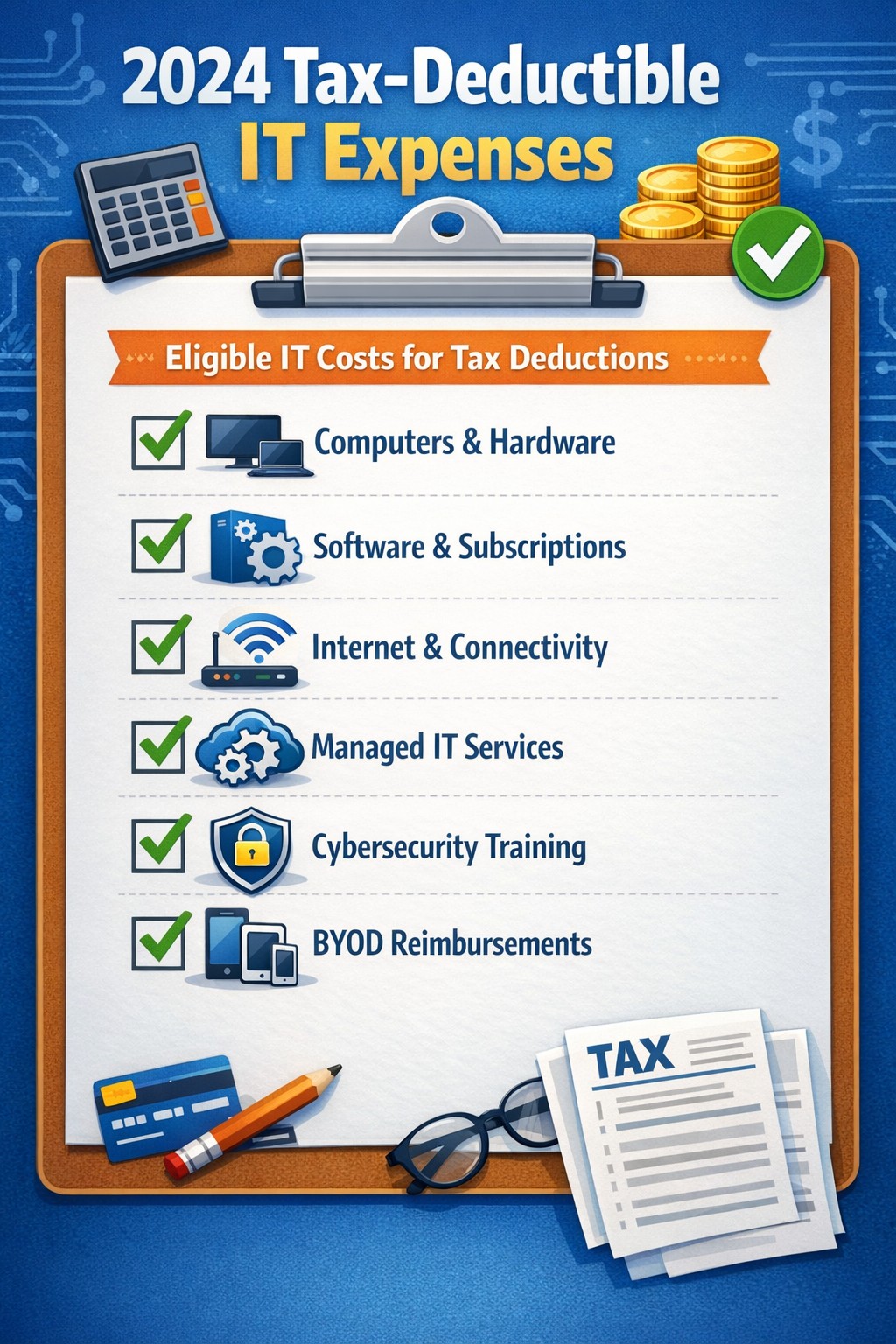
As we approach the end of the year, it’s crucial for businesses to understand the tax deductions available for their IT expenses. Maximizing these deductions can significantly reduce your tax burden and free up capital for further investment in your company’s technology infrastructure. Let’s explore the top tax-deductible IT expenses for 2024 that every business should be aware of.
Hardware and Equipment
Computers and Devices
Investing in new computers, tablets, or smartphones for your business can provide substantial tax benefits. The entire cost of these devices can be deducted from your taxable income. However, if the equipment is used partially for personal purposes, you may only be able to deduct a portion of the cost.
Office Equipment
Printers, scanners, and other office equipment are 100% tax-deductible in the year of purchase. This includes any IT-related furniture, such as ergonomic chairs or standing desks for your tech team.
Software and Services
Business Software
Software used for business purposes is eligible for tax deductions. This includes:
The deductible amount will depend on whether the software is purchased outright or subscribed to on a monthly basis.
Cloud Services
As more businesses move their operations to the cloud, it’s important to note that cloud service subscriptions are tax-deductible. This includes services like:
– Data storage – Backup solutions – Cloud-based productivity suites
Telecommunications
Internet Expenses
Internet services are crucial for most businesses today. You can deduct the full cost of your business internet connection[. If you work from home, you may be able to deduct a portion of your home internet expenses based on the percentage used for business purposes.
Phone Systems
All telecommunications fees within a commercial space can be deducted[1]. This includes:
– Business phone lines – VoIP systems – Cell phone contracts used for business
IT Services and Support
Managed IT Services
Fees paid for managed IT services, including network management, cybersecurity monitoring, and help desk support, are fully deductible as a business expense.
IT Consulting and Training
Any costs associated with IT consulting or training for your staff to use new technologies are tax-deductible. This can include workshops, online courses, or one-on-one training sessions.
Cybersecurity Measures
With the increasing importance of data protection, investments in cybersecurity are not only wise but also tax-deductible. This includes:
– Firewalls and antivirus software – Security audits – Employee cybersecurity training programs
Website Expenses
Development and Maintenance
Costs related to developing, hosting, and maintaining your business website are tax-deductible. This includes domain registration fees, hosting costs, and payments to web developers or designers.
E-commerce Solutions
If your business sells products online, the expenses for e-commerce platforms and payment processing systems are also deductible.
Home Office Technology
For those running businesses from home or with remote workers, the home office deduction can apply to technology expenses. You can deduct a portion of your home internet, personal computer use, and other tech equipment based on the percentage of your home used exclusively for business.
Ready to optimize your IT infrastructure while maximizing your tax benefits? Contact Farmhouse Networking today. Our expert team can help you implement cutting-edge IT solutions that not only boost your productivity but also provide substantial tax advantages. Don’t leave money on the table – let us help you navigate the complex world of IT expenses and tax deductions. Reach out now to schedule a consultation and start saving!
Enhanced DNS filtering protects networks from phishing, malware, and non-compliant content.
This is a quick note to all current and future customers, we have made a business decision to move from our old DNS filter / web filter software (called DNSFilter) to a new provider called DefensX.
Why Does This Even Matter?
We recently performed network inventory for all our Monthly Managed IT Services clients and found that many of them had an issue where the filtering software was in an error state and needed to be re-installed. This started our search for a more reliable partner. We found that DefensX provided all the needed functionality and gave our clients the added benefit of reports to see who is looking at what on the internet – something we think that business owners will find extremely valuable.
What Happens Now?
We are automatically removing the old software and deploying the new software to those who have already signed up for service. If you are Monthly Managed IT Services client and do not currently use our DNS filtering service, then reach out to get started at No Additional Cost!
This new service has many new categories to choose from as well, so if there are any sites being blocked or not blocked that you see in your new reports, then just let us know and we can quickly make those changes.
Don’t wait for a cyber attack to compromise your business. Take proactive steps to safeguard your network today! Contact Farmhouse Networking now to implement our advanced DNS filtering solution. Our experts will tailor a protection plan that fits your unique business needs.
TCO chart reveals when repair beats replacement for network hardware.
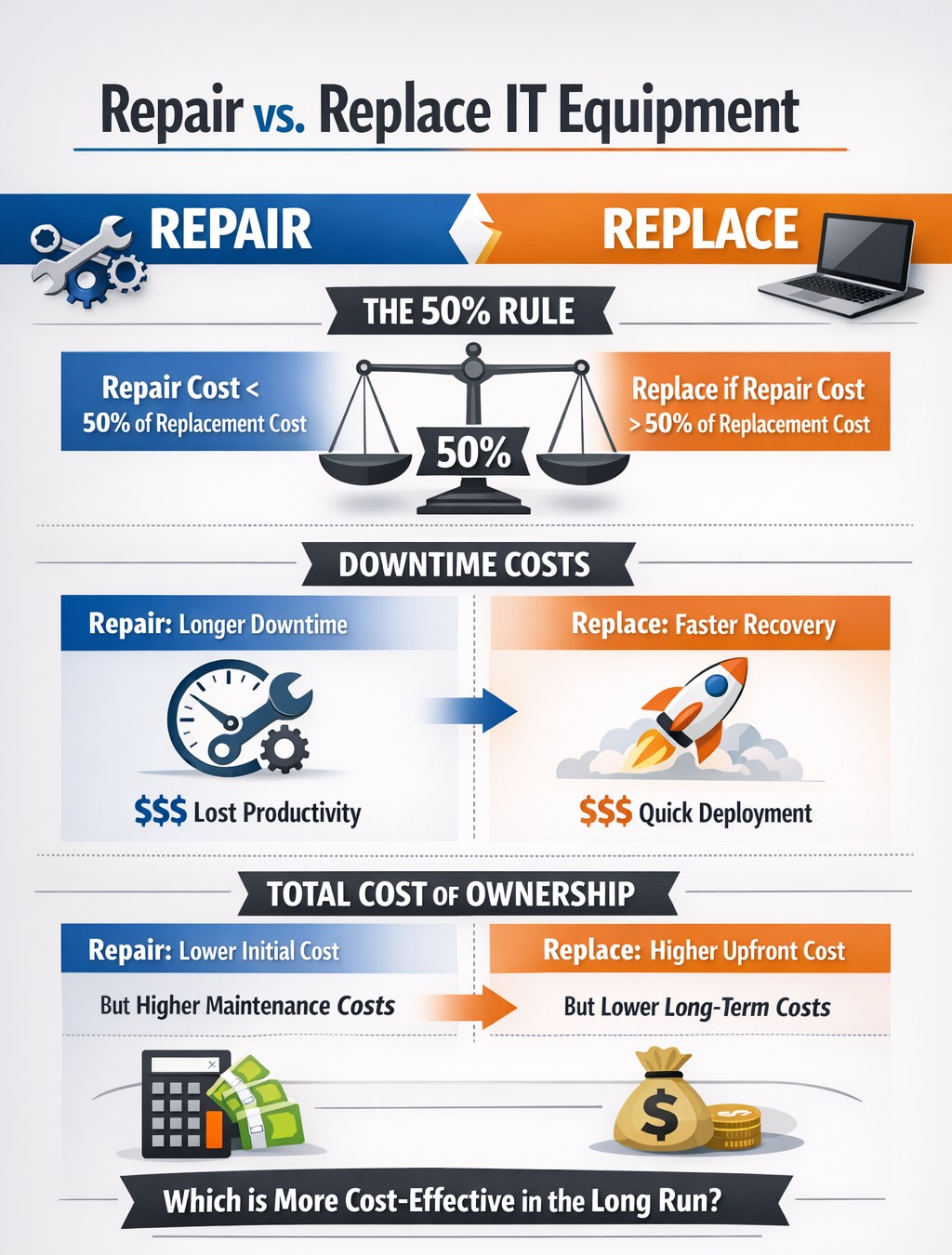
With the end of the year approaching, we are continuing our Budget Talk series our newsletter. This time we are diving into the cost of repairing a computer verses the cost of replacing it. Here are the considerations
Why Repair a Computer?
For those who are looking to save money and extend the value of the assets they already have should consider either repairing or upgrading their current computers. There are some repairs or upgrades that are worth considering:
Network Adapter: This is usually simple and cheap to repair in the majority of desktops and some laptops.
Memory: This is a good way to breath new life and performance into a computer. Depending on the age of the memory technology this is another simple and cheap repair or upgrade on all systems.
Hard Drive: Especially for older computers still using the spinning disk type of hard drive, a repair or upgrade is worth the money for the easy boost in performance.
Laptop Keyboard: This item could go either way, the price from the manufacturer is sometimes high but the repair time is fairly low.
These will often allow computers to continue being used for an additional 1-2 years, but it is our experience that if internal components have started to fail then it is best to start budgeting for replacement.
Why Replace a Computer?
There are repairs and upgrades that are not worth the cost. These items should definitely make you consider replacement:
CPU: The main processor of the computer is usually not easily upgraded and every year they come out with significant improvements in them. If your CPU is more than 3 years old then there is enough of an increase in speed that replacement it best.
Motherboard: If the motherboard of the computer is failing, especially for computers that from major manufacturers, the cost of repair is usually too high (over half the cost of new computer). Best to replace the computer if not under warranty.
Laptop Screen: This item, especially if it is a touch screen, is absolutely not worth replacing. The cost of the part is usually around half the cost of the laptop and the labor involved can be prohibitive. If your screen is broken best to get a replacement.
Please remember that all new computers are able to be depreciated for up to four years based on industry standards and that repairs do not qualify.
Don’t wait until system failures disrupt your operations. Contact Farmhouse Networking now to schedule a comprehensive IT lifecycle assessment. Let’s work together to optimize your technology investments and keep your business running smoothly into the new year and beyond.
Use clear metrics like response time, uptime, and customer satisfaction to see if your IT provider is truly doing their job.
Businesses heavily rely on their IT providers to ensure smooth operations, enhance productivity, and safeguard data. However, determining whether your IT provider is doing their job effectively can be challenging. Here are some key indicators and evaluation criteria to help you assess their performance.
Quality of Service
1. Response Time and Resolution: A reliable IT provider should have short response times and lasting resolutions. Track how quickly they respond to issues and how often they resolve problems on the first attempt. Consistent delays or repeat issues may indicate they aren’t able to take care of your business properly.
2. Service Quality and Expertise: Evaluate the technical expertise of your IT provider. They should have a proven track record and relevant industry experience. Their ability to manage complex IT environments and provide innovative solutions is crucial.
Cost and Value
1. Cost Structure: Analyze the cost of your IT services, focus on the overall value of what they provide. A transparent pricing model with no hidden fees is also preferable.
2. Budget Management: Your IT provider should help you maintain a predictable IT budget. Proactive management of IT infrastructure should prevent unexpected costs and downtime.
Reliability and Security
1. Uptime and Availability: Assess the reliability of your IT provider in terms of network uptime and system availability. Downtime can lead to significant business losses, so aim for a provider with strong customer centric service level agreements (SLAs) that guarantee high uptime.
2. Security Measures: Inquire about the provider’s security protocols and compliance with regulations like PCI, CMMC, or HIPAA. A comprehensive security framework is essential to protect sensitive data from cyber threats .
Communication and Support
1. Communication Channels: Evaluate the effectiveness of the provider’s communication. They should offer multiple channels for support and maintain open, proactive communication about system updates or maintenance. You should not have to call them for issue status.
2. Customer Support: A dedicated support team can significantly enhance the user experience. Ensure that your provider offers readily available customer support and is responsive to inquiries .
Strategic Alignment
1. Business Understanding: Your IT provider should demonstrate an interest in your business strategy and goals. They should be involved in strategic discussions and provide technology solutions that align with your long-term objectives.
2. Flexibility and Scalability: The ability to customize services to meet your unique needs and scale them as your business grows is a valuable trait in an IT provider. This flexibility can enhance the overall value of their services. Your company should not have to bend to their technology stack.
Regular assessments and open communication with your provider can help ensure that they continue to meet your evolving needs. If you have doubts about your current IT provider, contact Farmhouse Networking to provide a free network evaluation.
And God will generously provide all you need. Then you will always have everything you need and plenty left over to share with others. As the Scriptures say,
“They share freely and give generously to the poor. Their good deeds will be remembered forever.”
For God is the one who provides seed for the farmer and then bread to eat. In the same way, he will provide and increase your resources and then produce a great harvest of generosity in you. - 2 Corinthians 9:8-10
We use cookies to ensure that we give you the best experience on our website. If you continue to use this site we will assume that you are happy with it.