Use DNS Filtering to Stay Safe and Open for Business
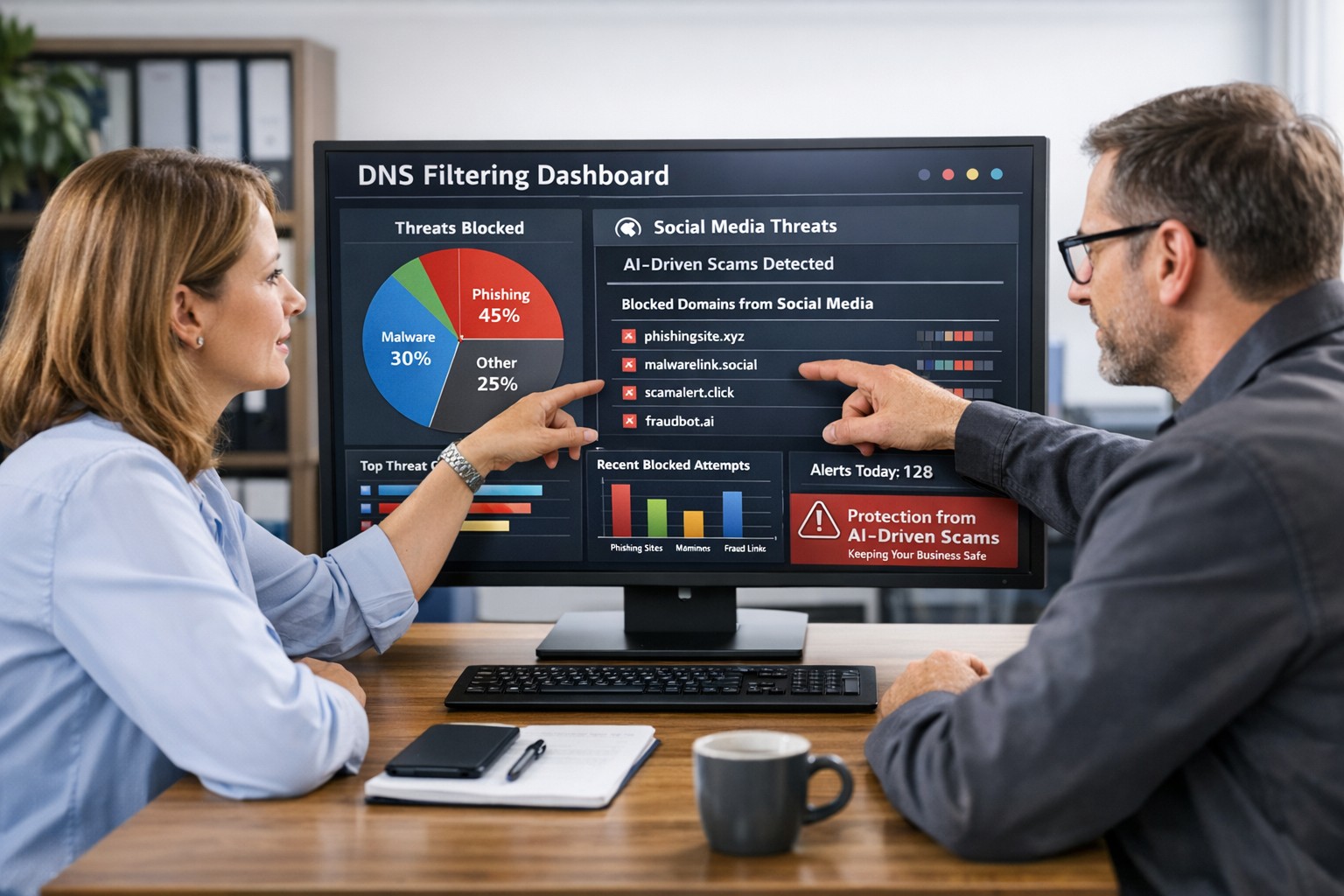
DNS filtering helps small business owners block AI powered social media scams before employees can reach malicious websites
AI tools now let scammers quickly generate deepfake videos, realistic ads, and convincing phishing messages that target small and mid‑sized businesses on social media. These attacks trick employees into clicking malicious links that steal logins, install ransomware, or divert payments, and incident rates and losses are climbing. DNS filtering offers your business a practical, affordable way to block dangerous sites at the network level before a bad click turns into downtime.
Why AI-Driven Social Media Threats Matter for SMBs
AI deepfakes and fake ads can impersonate your brand or suppliers and lead to look‑alike scam sites.
AI-enhanced phishing leverages details from your website and social media to sound like real customers, partners, or executives.
Web‑based phishing and spoofing attempts are rising sharply year over year, driven by generative AI.
What DNS Filtering Does for Your Business
DNS filtering checks where your employees’ devices are trying to connect and blocks known or suspected malicious domains. For SMBs, this:
Prevents access to phishing pages and fake login screens linked from social media or email.
Reduces malware and ransomware risk by blocking communication with malicious servers.
Gives you visibility into risky browsing and helps enforce acceptable‑use policies.
Action Steps for Business Owners and IT
Document where and how your team uses social media for sales, support, and marketing.
Roll out DNS filtering to office networks, remote workers, and any company‑managed laptops or phones.
Integrate DNS filtering logs with your security monitoring to quickly investigate suspicious activity.
Establish a clear process for verifying unusual requests (wire transfers, password resets, gift card purchases) received via social media or email.
Sample Customer Questions and Answers
“Is it safe to click promotions I see about your business on social media?” We recommend visiting our official website or verified profiles directly, because scammers can create fake ads that lead to malicious sites.
“How do you protect my data from online scams?” We use layered security including DNS filtering to block malicious websites, alongside secure payment providers and strong internal controls.
How Farmhouse Networking Helps SMBs
Farmhouse Networking works with you to understand your business, social media use, and risk tolerance, then designs and manages a DNS filtering solution that fits your size and budget. We deploy, configure, and monitor the service, fine‑tune policies over time, and provide clear reports so you always know how your network is being protected. This is included at no additional cost to all our monthly managed IT services clients.
Call to Action: Email support@farmhousenetworking.com for more information about how Farmhouse Networking can help improve your business and defend against AI‑driven social media threats.
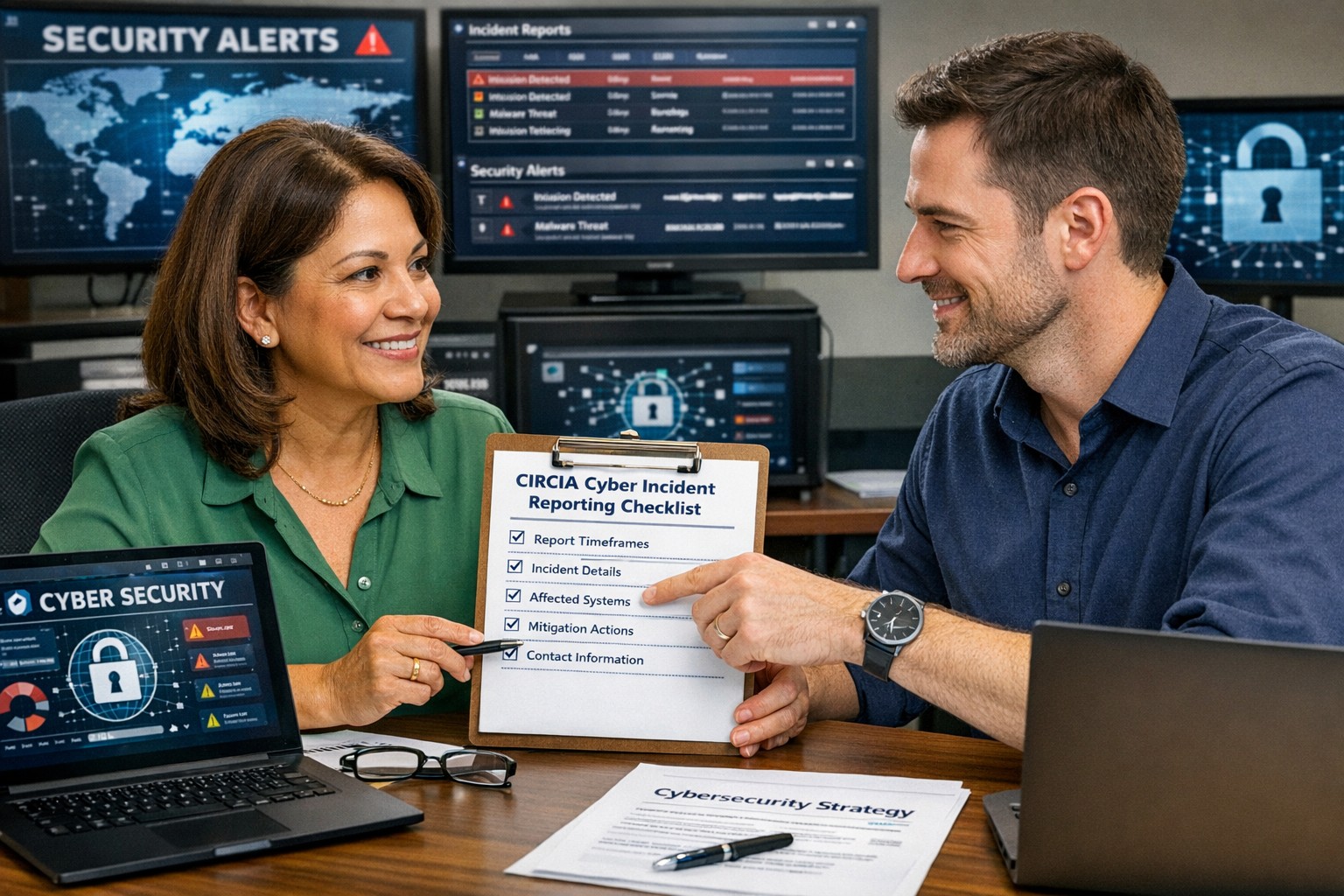
A small business owner working with their IT partner to prepare a CIRCIA‑ready cyber incident response plan.
Many small and midsize business owners assume CIRCIA is aimed only at Fortune 500 companies, but that is a risky assumption. Small and mid‑market organizations can be “covered entities” if they provide critical services or support critical infrastructure, and even those outside scope will feel the ripple effects through clients, insurers, and vendors.
CIRCIA in a Nutshell
CIRCIA (Cyber Incident Reporting for Critical Infrastructure Act) requires covered entities to report substantial cyber incidents to CISA within 72 hours.
Ransomware payments must be reported within 24 hours.
Coverage is based on critical infrastructure role, not just size; small entities can be included if their disruption would impact national or regional security, economy, or public health.
Even if you are not covered, your larger customers and partners may require you to meet CIRCIA-like standards to stay in their supply chain.
Concrete Steps for Owners and IT Teams
Owner-level actions:
Determine your exposure: Identify whether you operate in or support critical infrastructure sectors (healthcare, energy, transportation, government services, etc.).
Review contracts and insurance: Look for new clauses about cyber incident reporting, cooperation, and timelines.
Fund the basics: Approve budget for security monitoring, backups, and an incident response plan; these are now business necessities, not IT “nice‑to‑haves.”
IT / MSP actions:
Perform a security and asset inventory: Know what you have, where it is, and how it is protected.
Implement monitoring and logging: Centralized logs and alerts are essential to detect and investigate incidents fast enough for 72‑hour reporting.
Develop and test an incident response plan: Include decision trees for when to treat an incident as “substantial,” who to notify, and how to collect evidence.
Prepare for CISA reporting, even if “not covered”: Templates and processes for structured incident documentation will help with insurers, regulators, and major customers.
Questions Your Customers May Ask – Answer Set
“Are you compliant with CIRCIA?”
We have implemented incident detection, response, and reporting processes aligned with CIRCIA expectations, and we support our critical-infrastructure customers with the evidence they need.
“If a cyber incident hits you, how will it affect us?”
We maintain backups, response playbooks, and communication plans aimed at minimizing downtime and providing transparent updates.
“Will you tell us quickly if our data is involved?”
Yes. Our procedures require rapid notification to affected customers and support for any regulatory or contractual reporting they must perform.
How Farmhouse Networking Helps SMBs Turn CIRCIA into an Advantage
Farmhouse Networking helps small and midsize businesses use CIRCIA as a catalyst to get modern, business-grade cybersecurity in place:
Determining whether your business or key customers are likely covered entities and what that means for your contracts and obligations.
Implementing security controls—MFA, EDR, monitoring, backups, segmentation—that both reduce incident likelihood and support fast, evidence-based reporting.
Building, documenting, and testing an incident response and communication plan tuned to 72‑ and 24‑hour windows.
Acting as your ongoing IT and security partner so you can answer customer and regulator questions with confidence.
Call to action: Email support@farmhousenetworking.com to find out how Farmhouse Networking can help your small business prepare for CIRCIA and improve your overall cybersecurity resilience.
Small business leaders should review AI assistant security settings with their IT team to protect customer data and reduce cybersecurity risks.
Every department in your company is experimenting with AI assistants for drafting emails, analyzing documents, and answering questions—but mis‑sharing data with these tools is rapidly becoming a top cybersecurity concern. As the business owner, you need AI productivity without turning your data into the next breach headline.
Key security risks with online AI assistants
Employees paste sensitive data (contracts, passwords, customer lists, financials) into public AI tools, creating uncontrolled copies outside your security perimeter.
AI agents that connect to email, CRM, and file shares can over‑index data and ignore internal permissions, exposing information to users who should not see it.
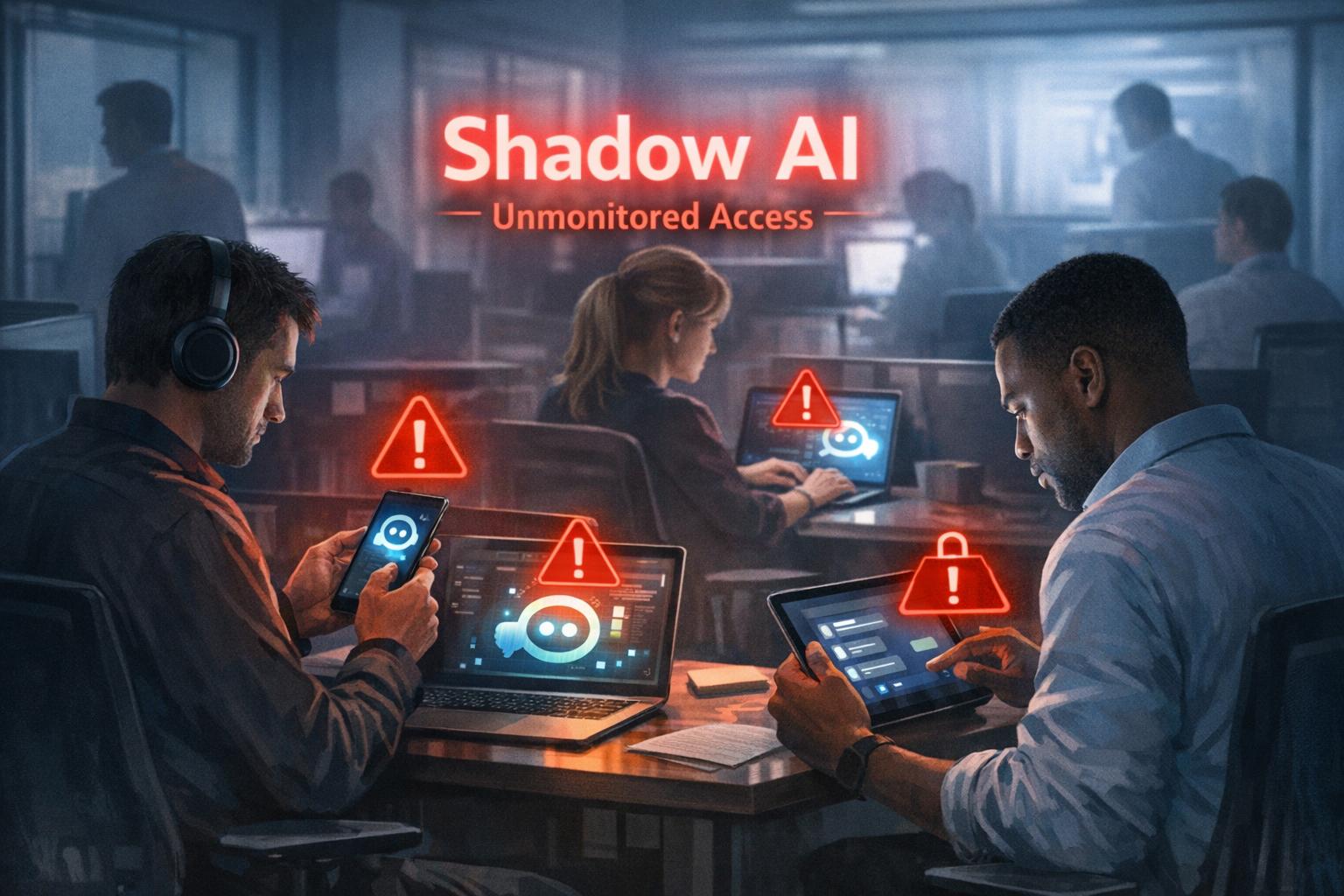
Shadow AI—unapproved tools adopted by teams—means no vendor vetting, no logging, and no consistent security controls.
Mis‑configured orchestration and weak authentication give attackers new ways to abuse AI agents to access systems and data.
Action plan for you and your IT team
Define an AI usage policy
Specify what data is never allowed in public AI (customer PII, financials, credentials, trade secrets).
List approved AI tools, who may use them, and for what business cases, and require IT review for any new AI platform.
Harden AI tools technically
Enforce single sign‑on, multifactor authentication, and role‑based access to AI assistants tied to your identity platform.
Configure least‑privilege access to email, CRM, and file systems and enable audit logging for AI actions and data access.
Monitor, train, and prepare for incidents
Monitor for unsanctioned AI usage and phase in secure alternatives.
Train staff on safe prompting habits: strip identifiers, avoid secrets, and use internal assistants where possible.
Update your incident‑response plan to include AI mis‑sharing, compromised AI accounts, and vendor‑side issues.
How to answer customer questions
“Are you putting our data into ChatGPT?”
“We only use AI within secure, approved platforms, and we prohibit staff from pasting your identifiable information into public AI tools.”
“Could your AI assistant leak our information?”
“We enforce strict access controls, logging, and vendor security requirements to prevent unauthorized access or cross‑customer exposure.”
“What happens if something goes wrong?”
“We have a defined response plan that includes containment, investigation, and transparent communication if an AI‑related incident affects your data.”
How Farmhouse Networking can help SMBs
Farmhouse Networking can assess where AI is already in use across your environment, identify the highest‑risk workflows, and recommend safer, governed alternatives. We help you implement secure AI architectures, policies, and training so your team can adopt AI confidently while keeping customer data, intellectual property, and compliance obligations under control.
Email support@farmhousenetworking.com for more information about how Farmhouse Networking can help improve your business and secure AI use.
A small business owner collaborates with an IT security partner to elevate cybersecurity from a technical task to a core business risk management priority.
Across regions and industries, executives now rank cybersecurity as their top external risk, ahead of supply chain issues, regulatory changes, and macroeconomic concerns. For small and mid‑sized businesses, cyber incidents can rapidly translate into operational outages, reputational damage, and long‑term financial loss.
What this means for SMBs
Security has moved out of the server room Leaders are embedding cybersecurity within enterprise risk management, using business continuity plans, risk frameworks, and scenario planning rather than treating it as a pure IT issue. Business owners must therefore own cyber risk in the same way they own cash flow and strategy.
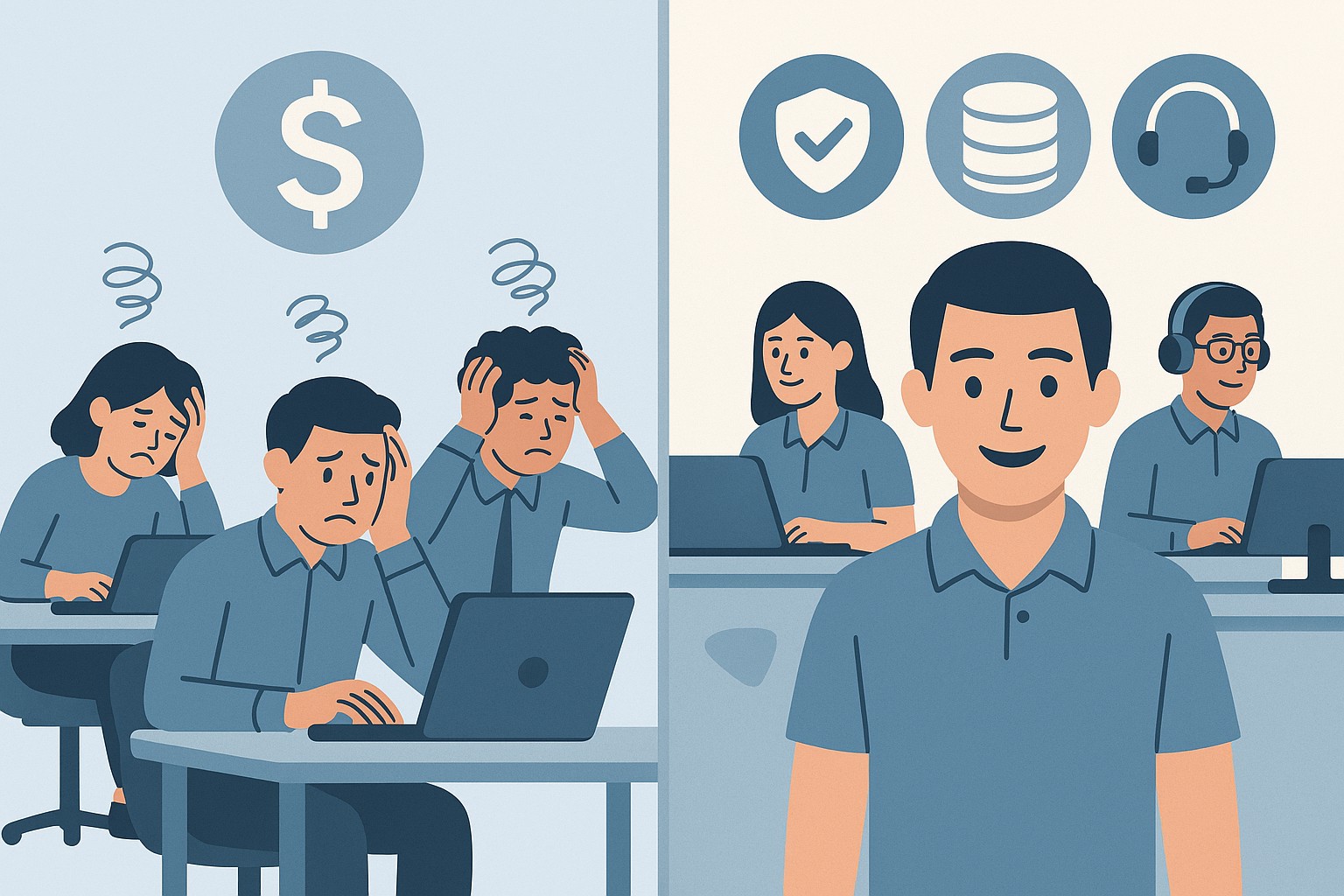
Skill gaps and competing priorities Executives report that talent shortages, workload pressure, and cost constraints make it difficult to execute technology and security plans effectively. Many SMBs rely on a small IT team that spends most of its time on basic maintenance instead of proactive defense.
Vendor pressure and forced upgrades A significant share of executives cite vendor lock‑in and forced upgrades that constrain security planning, delay patching, and divert funds from higher‑value initiatives such as AI and modernization. SMBs need more control over when and how they adopt changes.
Practical action steps for owners and IT
Treat cybersecurity as a business risk
Add cyber risk to your leadership agenda, risk register, and strategic planning sessions.
Define risk scenarios in business terms: downtime costs, lost sales, regulatory penalties, and reputational impact.
Build structured risk, continuity, and investment processes
Implement a risk framework and business continuity plan that cover key systems, suppliers, and customer touchpoints.
Evaluate security investments based on multi‑year business value, including reduced incident costs and improved resilience.
Leverage outsourcing as a strategy
Follow the many organizations that already outsource or are planning to outsource cybersecurity services to stabilize operations and address skill shortages.
Let internal IT prioritize strategic initiatives and innovation while a specialist partner handles monitoring, vulnerabilities, and incident response.
Customer questions – and your answers
“How do you protect our data and services?” Cybersecurity is managed at the leadership level, supported by formal risk management, continuity planning, and external security expertise.
“Can you stay operational if you are attacked?” We create tested business continuity and disaster recovery plans, including backups, alternate processes, and clear responsibilities during incidents.
“Are you keeping up with evolving threats?” We evaluate technology with security as a key criterion, and we work with dedicated security partners to adapt to changing risks.
How Farmhouse Networking helps SMBs
Farmhouse Networking helps business owners turn cybersecurity into a manageable, measurable business function by:
Designing and managing secure, resilient IT environments that align with your risk appetite and growth plans.
Delivering outsourced cybersecurity services to tackle monitoring, patching, and incident response so your internal team can focus on innovation.
Advising on vendor strategies and technology investments so security, cost, and flexibility stay in balance.
Call to action
To find out how Farmhouse Networking can help your business make cybersecurity a strategic advantage, email support@farmhousenetworking.com for more information about how Farmhouse Networking can help improve your business.
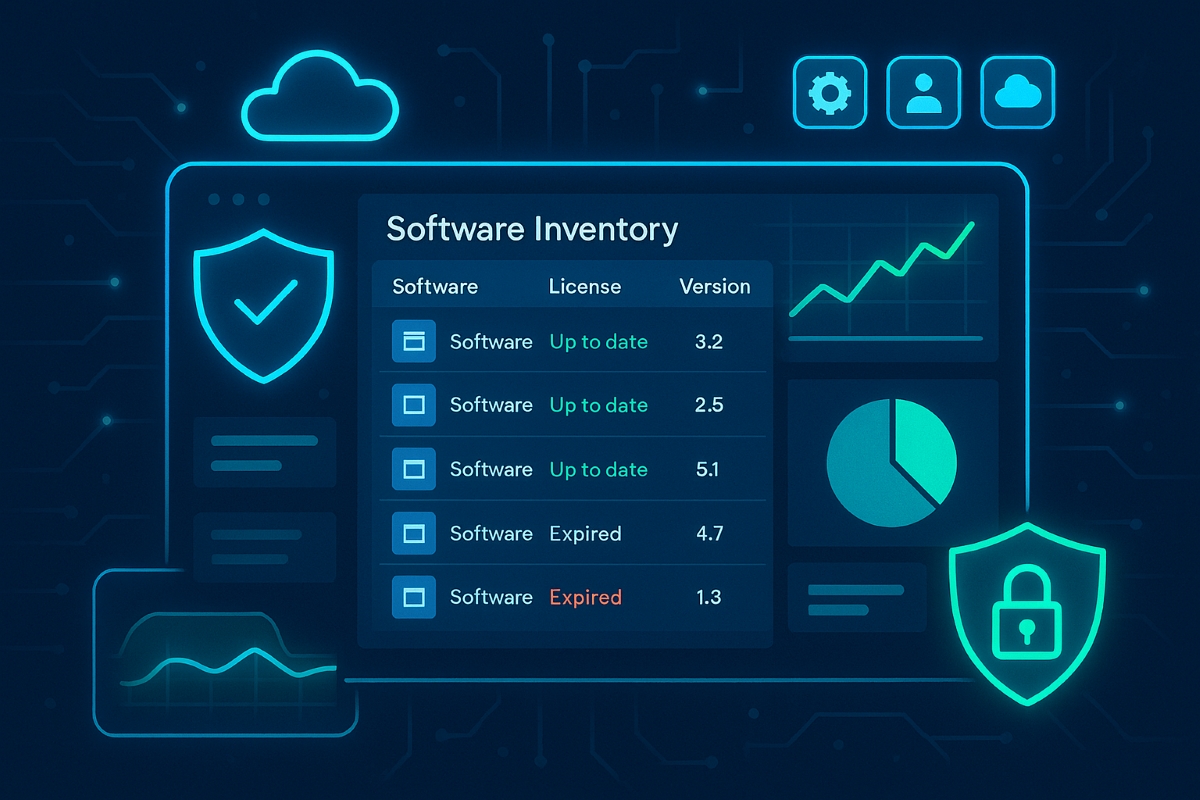
A small business owner reviews a centralized software asset inventory to reduce risk, prevent shadow IT, and control IT costs.
Businesses run on software—line-of-business apps, cloud tools, and mobile apps—but most owners have no clear list of what’s actually in use. That gap creates security holes, license risks, and surprise costs that directly threaten profitability and growth.
What “Inventory and Control of Software Assets” Means
Inventory and control of software assets (CIS Control 2) means keeping an accurate list of every application your business uses, knowing who uses it, why it exists, and ensuring only approved, secure, and licensed software is allowed to run. Done well, this reduces cyber risk, improves compliance, and cuts waste from unused or duplicate tools.
Practical Action Steps for Your Business
Business owner actions:
Require an approved software list for your company and insist that all new software requests go through IT before purchase.
Tie software decisions to business goals and budgets so you can cut unused licenses and redundant tools.
Set a policy that employees cannot install their own apps (“shadow IT”) without written approval.
IT team actions:
Build and maintain a centralized software inventory using discovery tools that scan PCs, servers, and cloud services.
Classify software (critical, important, low risk), link it to specific systems and users, and track license status and renewal dates.
Enforce an allowlist so only approved software can be installed, and regularly remove unsupported, outdated, or unauthorized applications.
Common Client Questions (With Answers)
“Is this just about saving on licenses, or is it really a security thing?” Unmanaged software is a top entry point for attackers because outdated or unknown applications often miss critical security patches. Strong software asset control improves both security and cost management at the same time.
“We’re mostly in the cloud—do we still need this?” Yes, SaaS apps, browser extensions, and cloud tools are all software assets that can leak data or create compliance problems if they aren’t tracked and approved. Cloud environments can actually increase sprawl, which makes a disciplined inventory even more important.
How Farmhouse Networking Helps
Farmhouse Networking implements CIS Controls around software inventory and control as part of a broader, practical cybersecurity and IT management program for SMBs. This includes deploying discovery tools, building your approved software catalog, enforcing policies, and reporting on license usage and security risks in plain business language you can act on.
Ready to see where your software risks and wasted spend are hiding? Email support@farmhousenetworking.com for more information about how Farmhouse Networking can help improve your business.
Why Continuous Vulnerability Management Matters for SMBs
Continuous Vulnerability Management Dashboard for Small Businesses
Small and midsize businesses are no longer flying under the radar. Cybercriminals increasingly target SMBs because they often lack the same level of protection as large enterprises. One missed update or unpatched system can open the door to major data breaches, regulatory fines, and reputation damage.
That’s where Continuous Vulnerability Management (CVM) comes in—a proactive strategy that helps your business identify, evaluate, and fix security weaknesses before attackers can exploit them.
What Is Continuous Vulnerability Management?
Continuous Vulnerability Management is the ongoing process of discovering, assessing, prioritizing, and resolving vulnerabilities across your network, cloud environments, and endpoints. Unlike one-time scans, CVM is continuous—it ensures that your systems are constantly monitored and that new threats are handled quickly.
Why Your SMB Needs CVM
Cyber threats evolve daily: New vulnerabilities appear every week in commonly used software.
Attackers automate scanning: Hackers use bots to find unpatched systems instantly.
Regulatory compliance: Businesses in finance, healthcare, and retail must maintain security standards.
Customer trust: Demonstrating strong cybersecurity builds confidence and credibility.
Action Steps for Business Owners and IT Teams
Identify assets: Know every connected device, service, and application in your network—on-site and in the cloud.
Automate vulnerability scans: Use continuous scanning tools to detect weaknesses in real-time.
Prioritize by risk level: Not all vulnerabilities are equal. Fix high-impact risks first.
Apply timely patches: Automate patch management or schedule updates systematically.
Monitor continuously: Track scan results and compliance metrics weekly or even daily.
Engage a trusted partner: A managed service provider like Farmhouse Networking ensures these steps happen seamlessly.
Common Questions Business Owners Ask
Q: Isn’t antivirus software enough? A: Antivirus protects against known malware, but it doesn’t detect system weaknesses. CVM identifies and fixes those entry points before an attack even starts.
Q: How often should we run vulnerability scans? A: Automated CVM means scanning happens continuously, not just monthly or quarterly. This ensures no gap between when a vulnerability appears and when it’s discovered.
Q: Will CVM disrupt my business operations? A: When managed properly, CVM operates quietly in the background with minimal impact on day-to-day productivity.
Q: Is CVM expensive for small businesses? A: Not when compared to the cost of a cyber breach. Farmhouse Networking customizes CVM to your size and budget, providing enterprise-level protection at SMB pricing.
How Farmhouse Networking Helps You Stay Secure
Farmhouse Networking partners with SMBs to implement comprehensive Continuous Vulnerability Management solutions tailored to their environment. Our service includes:
24/7 vulnerability monitoring
Automated scanning and patching
Risk reports that translate technical terms into plain business language
Strategic guidance to align your cybersecurity with business goals
With Farmhouse Networking managing your CVM, you can focus on growing your business while we safeguard your infrastructure.
Take Control of Your Cybersecurity Today
Don’t wait for a breach to remind you of the importance of proactive security. Continuous Vulnerability Management is the difference between reacting to an attack and preventing one altogether.
Email support@farmhousenetworking.com today to learn how Farmhouse Networking can strengthen your security posture and keep your business protected year-round.
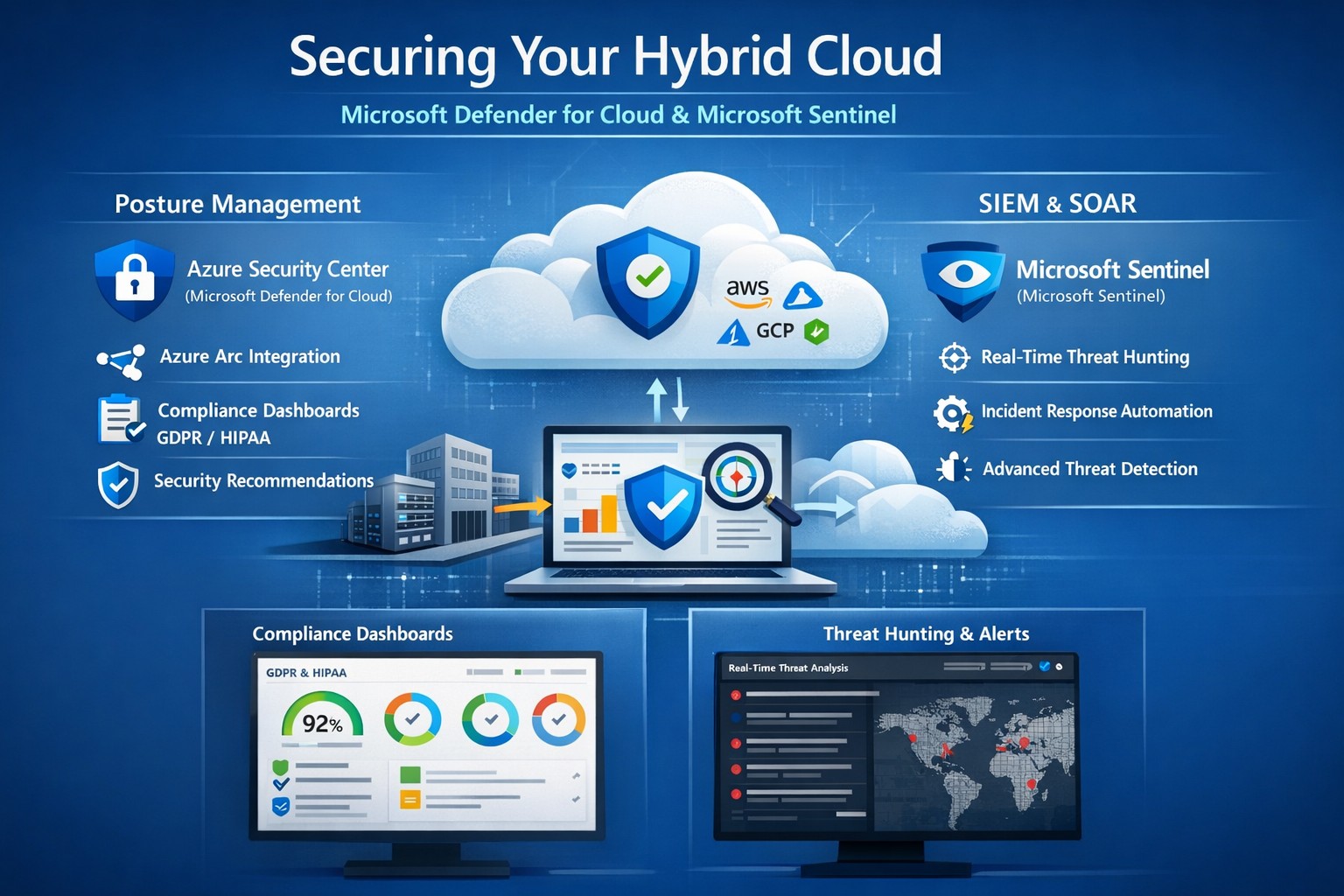
Unified hybrid cloud security: Monitor Secure Score and Sentinel alerts across on-premises and Azure resources.
Managing on-premises systems and cloud workloads, hybrid cloud security threats like ransomware and data breaches can disrupt operations and erode customer trust. Azure Security Center (now evolving into Microsoft Defender for Cloud) and Azure Sentinel (now Microsoft Sentinel) deliver unified protection across your hybrid environment, combining posture management with AI-driven threat detection.
Why Hybrid Cloud Security Matters Now
Hybrid setups amplify risks—on-prem servers lack cloud-scale monitoring, while Azure resources face misconfigurations. Security Center provides cloud security posture management (CSPM), tracking secure scores, compliance (e.g., GDPR, HIPAA), and just-in-time VM access. Sentinel acts as your SIEM/SOAR, ingesting Security Center alerts plus firewall logs, user data, and multi-cloud inputs (AWS, GCP) for proactive hunting and automated response.
This duo scales with your business: Security Center prevents threats at IaaS/PaaS layers (VMs, SQL, IoT); Sentinel correlates data enterprise-wide, cutting alert fatigue by 50% via AI. For accounting firms handling sensitive financials or healthcare providers under HIPAA, this means fewer breaches and faster recovery.
Practical Action Steps for Implementation
Work with your IT team to deploy these in phases for minimal disruption:
Enable Security Center: In Azure Portal, navigate to Defender for Cloud > Environment settings. Select your subscription, turn on plans for Hybrid + multicloud (servers, apps, databases). Onboard on-prem VMs via Azure Arc agents—install Log Analytics agent, assign policies.
Connect to Sentinel: Create a Sentinel workspace (Log Analytics resource). In Defender for Cloud, go to Integrations > Azure Sentinel > Connect. This streams alerts automatically. Add connectors for Office 365, firewalls, and endpoints.
Configure Posture and Detection: Review Secure Score dashboard; remediate top recommendations (e.g., enable MFA, update endpoints). In Sentinel, build analytics rules for anomalies (e.g., rare logins) and playbooks for auto-quarantine.
Test and Monitor: Simulate threats via Azure Attack Simulator. Set up workbooks for dashboards; review incidents weekly. Scale with automation—e.g., SOAR for ticket routing.
These steps take 1-2 days initially, yielding continuous monitoring without rip-and-replace.
Step
Owner
Time
Key Outcome
Enable Security Center
IT Admin
30 min
Secure Score baseline
Connect Sentinel
Security Lead
15 min
Unified alerts
Configure Rules
IT/Security
2-4 hrs
AI threat hunting
Test Response
Full Team
1 day
Incident playbook ready
FAQs: Client Questions Answered
How do Security Center and Sentinel differ? Security Center focuses on prevention and posture (e.g., misconfig fixes, EDR); Sentinel handles analytics, hunting, and orchestration across all sources. Use both: Security Center feeds Sentinel for holistic views.
Does this work for non-Azure hybrid setups? Yes—Arc agents extend coverage to on-prem, AWS/GCP via connectors. Sentinel ingests any log via APIs.
What about costs? Pay-per-ingest: Security Center ~$0.02/VM/day; Sentinel ~$2.60/GB ingested (free first 10GB/mo). Optimize with alert streaming.
Is setup complex for small IT teams? Minimal—Portal wizards guide you. Common pitfalls: data connector misconfigs (fix via docs); overcome with phased rollout.
How secure is data in transit? Encrypted end-to-end; complies with SOC 2, ISO 27001. Retention policies customizable.
How Farmhouse Networking Boosts Your Security
Farmhouse Networking specializes in B2B setups for accounting, healthcare, and nonprofits—industries facing strict compliance like SOX or HIPAA. We handle full implementation: Arc onboarding, custom Sentinel rules tuned to your workloads, and 24/7 SOC monitoring via our managed services. Our clients see 40% faster threat response and Azure cost optimizations, freeing you to focus on growth. We’ve secured 50+ hybrid environments, integrating Sentinel with your existing tools seamlessly.
Call to Action
Ready to lock down your hybrid cloud? Email support@farmhousenetworking.com for a free security posture assessment and personalized roadmap.
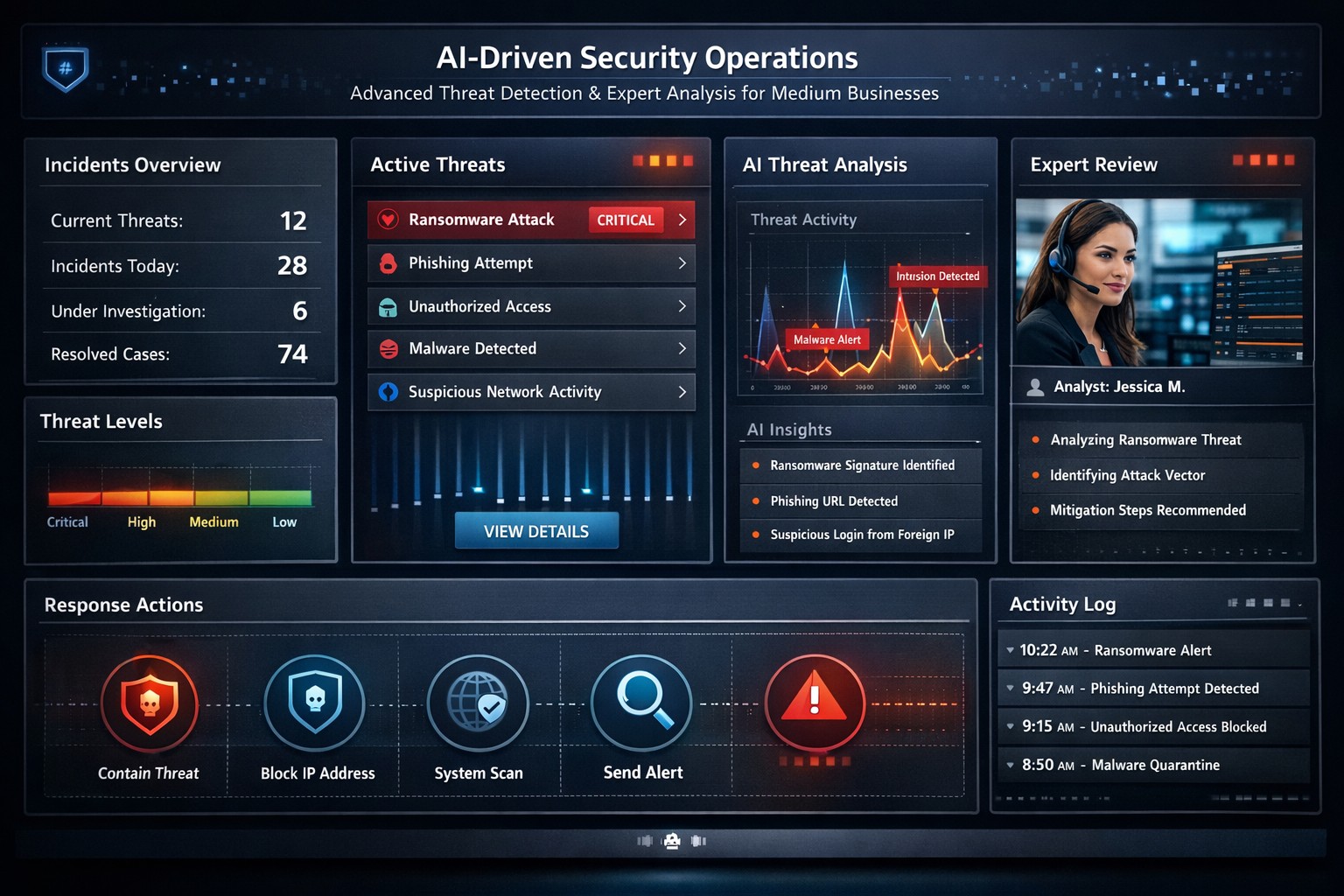
Visualizing faster threat detection: Data-driven cybersecurity with human oversight protects medium business systems from attacks.
You’re juggling growth, operations, and rising cyber threats that could halt everything overnight. A data-driven, human-guided security approach empowers you to detect and respond to attacks quicker and more accurately – reducing downtime and protecting your bottom line.
Why This Approach Wins for Medium Businesses
Traditional cybersecurity relies on static rules, often missing sophisticated threats amid complex networks from remote work and cloud tools. Data-driven strategies analyze real-time logs, user behavior, and threat intelligence with AI, spotting anomalies humans might overlook. Human oversight ensures context-aware decisions, blending machine speed with expert judgment for precision. This hybrid model cuts response times from days to minutes, vital for medium businesses lacking massive security teams.
Practical Action Steps
Implement these steps with your IT department to build this defense:
Audit Data Sources: Identify critical logs from networks, endpoints, and apps; prioritize user behavior and external threat feeds for comprehensive visibility.
Deploy Analytics Tools: Integrate AI platforms like SIEM systems with machine learning for anomaly detection; start with open-source options or scalable SaaS for cost efficiency.
Enable Automated Alerts: Set up real-time monitoring with automated responses for low-risk issues, reserving human review for high-severity events.
Train Your Team: Conduct quarterly simulations blending data insights with human decision-making; focus on root-cause analysis from past incidents.
Test and Iterate: Run monthly penetration tests, using data to rank risks and measure improvements in detection accuracy.
These steps scale affordably, leveraging existing infrastructure without overhauling your setup.
Common Questions Answered
How does this differ from basic antivirus? Antivirus scans for known signatures; data-driven security uses behavioral analytics to catch zero-day threats, with humans validating alerts for accuracy.
What’s the ROI for a medium business? Expect 50-70% faster incident response, slashing breach costs (average $4.5M per IBM data) and boosting compliance, freeing IT for growth initiatives.
How much does implementation cost? Initial setup ranges $50K-$150K for mid-tier tools and training, with ROI in 6-12 months via prevented losses; cloud options minimize upfront spend.
Can we handle this in-house? Yes for basics, but partnering accelerates expertise; human-guided layers prevent AI false positives that overwhelm small teams.
What about regulatory compliance? Automated reporting from data tools simplifies GDPR, HIPAA, or CCPA audits, proving proactive measures with auditable logs.
How Farmhouse Networking Supports You
At Farmhouse Networking, we specialize in tailored strategies for accounting, healthcare, and charity sectors—industries facing strict compliance and high-stakes data risks. Our team deploys data-driven platforms integrated with human-guided SOC services, handling audits, tool setup, and 24/7 monitoring. We’ve helped similar medium businesses cut threat response by 60%, enhancing SEO-friendly client trust signals like security badges. From branding secure websites to lead-gen funnels that highlight your defenses, we drive organic traffic and B2B conversions.
Ready to fortify your systems? Email support@farmhousenetworking.com for a free risk assessment and custom roadmap. Act now—secure your edge
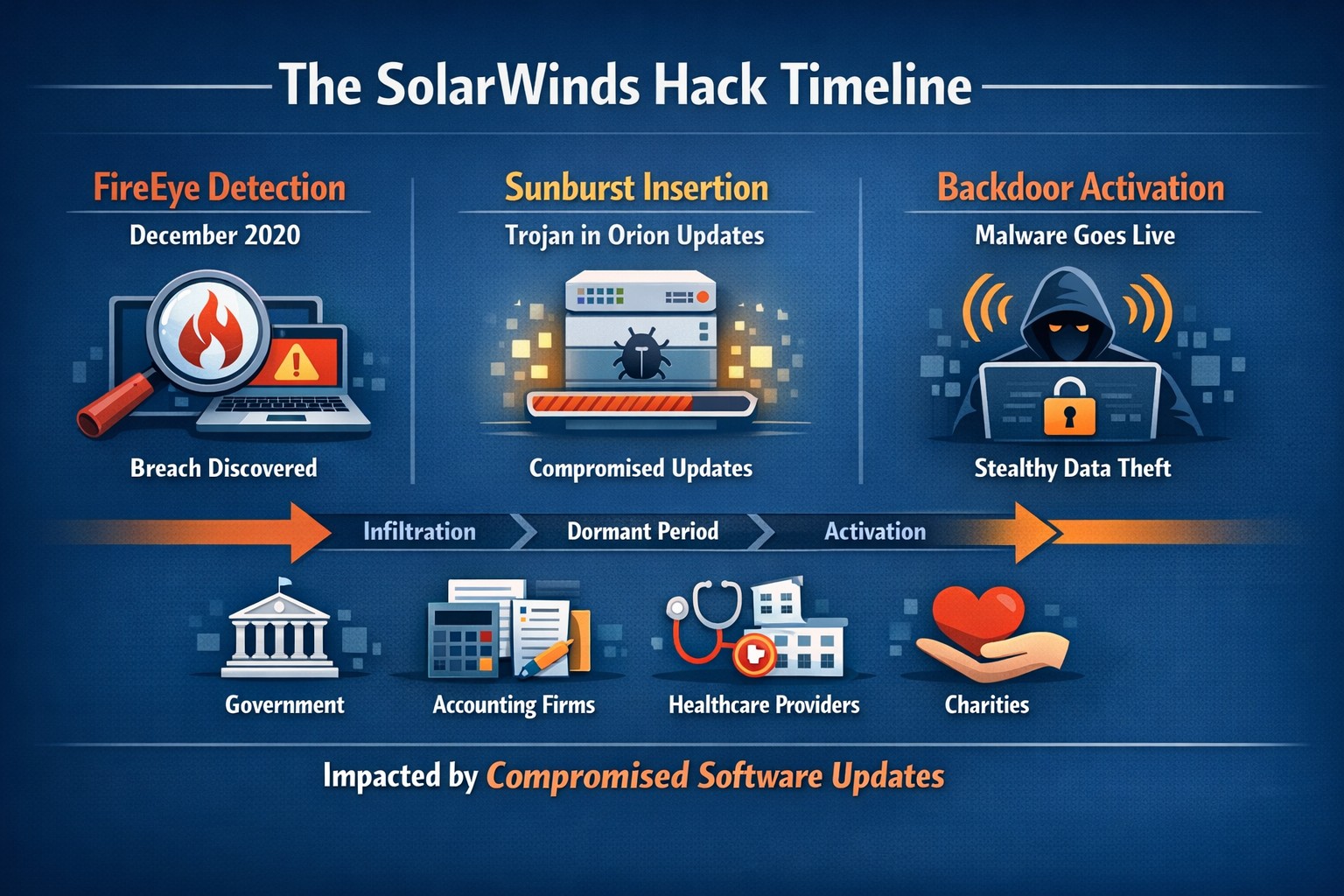
Timeline of the stealthy SolarWinds supply chain breach
We feel the need to make a full disclosure about the recent news of a hack of Solarwinds since we use the Solarwinds Remote Monitoring and Maintenance platform to manage our monthly clients. Based on a cyber incident write-up by FireEye, an enterprise security research firm, Solarwinds had one of their software packages called Orion compromised by files included in update files. This attack has effected many large organizations including many governmental agencies and larger firms worldwide. The software under attack is used by these larger organizations to monitor the performance of their networks even across multiple locations. This software is completely different from the product that we use and we have been assured by Solarwinds that no compromise of the Remote Monitoring and Maintenance platform has occurred.
We continue business as usual including allowing users to use this platform for remote access to their business. We continue to add further automation into the system to better monitor and maintain your networks and computers.
If your company is going to use full disk encryption or has compliance requirements that you need consulting for, then contact us for assistance.
Strategic planning builds confidence in your company’s ability to recover from any data breach.
A data breach isn’t just an IT problem — it’s a leadership test. When sensitive information falls into the wrong hands or your systems go down, your organization’s credibility and resilience are on the line. The question every business owner should ask isn’t if a breach could happen, but how ready are we to recover when it does?
Cybersecurity confidence isn’t built overnight. It comes from preparation, policies, and partnerships designed to protect business operations long before a hacker strikes. Let’s look at the key actions every business leader needs to take to ensure their company can bounce back swiftly and securely.
Step 1: Create (and Test) a Data Breach Response Plan
A written incident response plan is the backbone of breach preparedness. It should clearly define:
Who leads the response effort — including IT, HR, legal, and communications.
Which systems are most critical to restore first.
How to notify affected clients, vendors, and regulatory authorities.
How often to review and test the plan (at least twice per year).
Running tabletop simulations helps ensure your team reacts calmly and effectively under pressure. Confidence grows through repetition — not theory.
Step 2: Back Up and Protect Mission‑Critical Data
Your business should maintain secure, versioned backups stored both onsite and in the cloud. Regularly verify that restorations actually work — many businesses discover backup failures only after a breach.
Use layered protections: encryption, multi‑factor authentication, and least‑privilege access. By separating sensitive client and financial data from general systems, you limit exposure and reduce recovery times.
Step 3: Build a Culture of Security Awareness
Technology alone can’t stop phishing or social‑engineering attacks. Train employees to identify suspicious links, unusual requests, and fake login screens. Encourage staff to report incidents without fear of reprisal — early detection is critical to limiting damage.
When every team member sees themselves as part of the security perimeter, recovery time drops significantly.
Step 4: Evaluate Cyber Insurance and Compliance
Cyber liability insurance can offset the financial impact of investigations, legal fees, and client notifications. Ensure your policy covers restoration costs and business interruption.
Also, verify compliance with industry regulations — for healthcare (HIPAA), financial services (GLBA), or nonprofits handling donor data. Knowing where you stand legally improves confidence during breach response and reporting.
Step 5: Partner With a Trusted IT Team
Most small and midsize businesses can’t maintain an internal 24/7 cybersecurity unit — and that’s okay. A proactive IT partner like Farmhouse Networking can monitor systems, detect intrusions, patch vulnerabilities, and guide you through post‑breach recovery.
Their experts specialize in risk assessments, compliance strategies, and disaster recovery planning tailored to your organization’s real‑world needs.
Questions Business Owners Often Ask
Q: How soon should I respond after a breach? A: Immediately. Containment during the first 24 to 48 hours is critical to prevent further compromise. Your IT team should isolate affected systems, preserve logs, and begin forensic analysis.
Q: Do I have to notify my clients? A: In most cases, yes. Many state privacy laws and industry regulations require prompt notification of affected parties. Transparency also helps rebuild trust.
Q: What if I don’t have a formal response plan yet? A: You’re not alone — many small businesses don’t. Start by working with a security expert to develop one that fits your scale and operations. Farmhouse Networking can help you create and test this plan efficiently.
Q: How can I measure my recovery readiness? A: Request a cybersecurity assessment. It benchmarks your preparedness across policies, technologies, and training — identifying gaps before they become major problems.
How Farmhouse Networking Helps Businesses Recover and Prepare
At Farmhouse Networking, we understand that a breach response is more than fixing systems — it’s about restoring confidence. Our data recovery and cybersecurity services include:
24/7 system monitoring and threat response.
Managed backups with rapid restoration testing.
Compliance assessments for regulated industries.
Employee training programs on cybersecurity awareness.
Customized breach recovery and incident response plans.
We turn uncertainty into preparedness, allowing you to focus on growth instead of risk.
Your Next Step
The cost of downtime and lost trust far outweighs the investment in prevention. Start by asking: If we were breached tomorrow, could we recover smoothly?
If that answer isn’t a confident “yes,” it’s time to act. Email support@farmhousenetworking.com to learn how Farmhouse Networking can strengthen your breach recovery plan and keep your business resilient and secure.
And God will generously provide all you need. Then you will always have everything you need and plenty left over to share with others. As the Scriptures say, “They share freely and give generously to the poor. Their good deeds will be remembered forever.” For God is the one who provides seed for the farmer and then bread to eat. In the same way, he will provide and increase your resources and then produce a great harvest of generosity in you. - 2 Corinthians 9:8-10
We use cookies to ensure that we give you the best experience on our website. If you continue to use this site we will assume that you are happy with it.