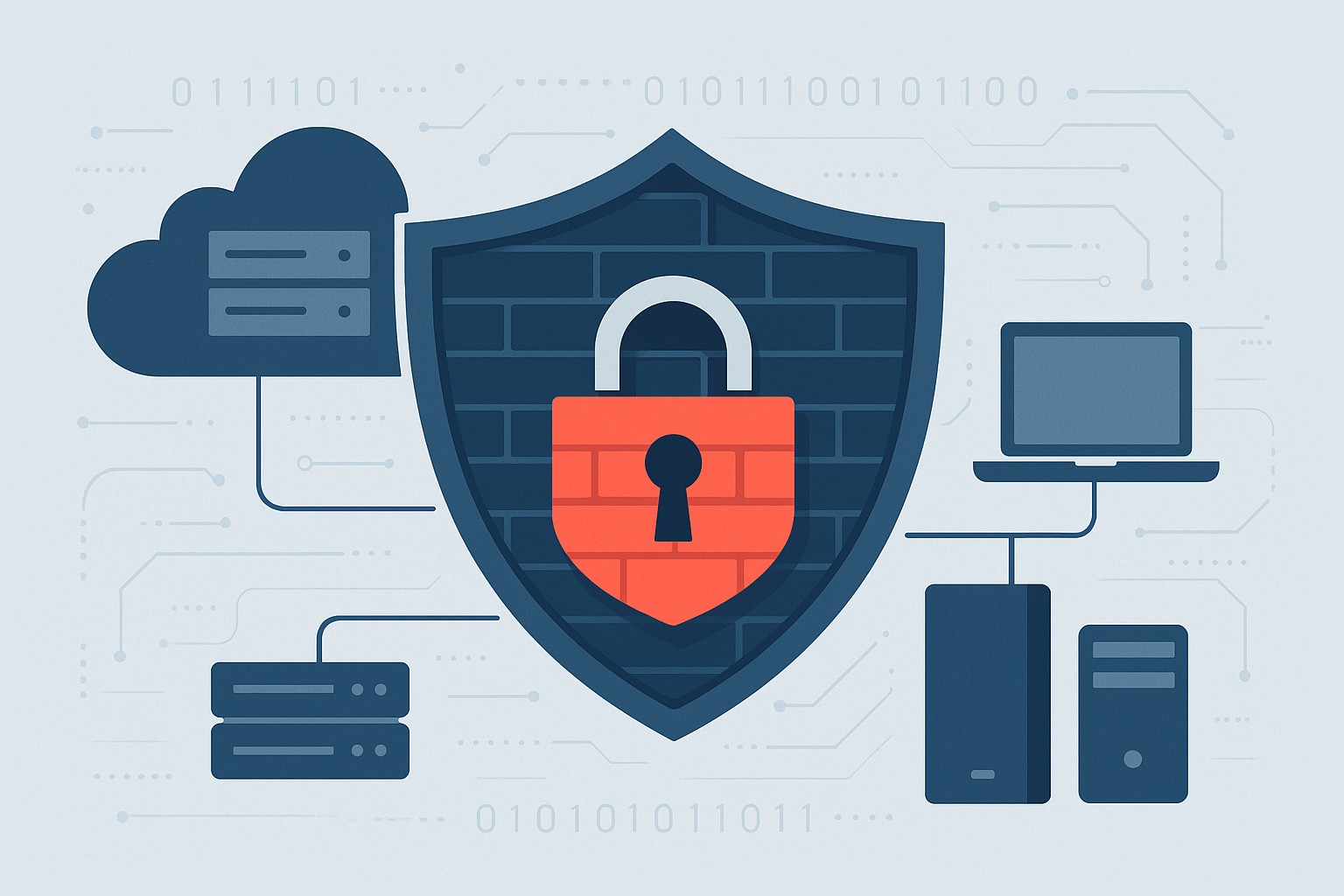
Essential network firewall for business setup—safeguard your SMB cybersecurity today.
Cyberattacks hit 43% of SMBs last year—costing time and revenue. A network firewall changes that, acting as your business’s frontline defense. Unlock practical insights to protect operations and grow confidently.
The Power of Network Firewalls for SMBs
Firewalls monitor traffic, blocking malware, hackers, and data leaks at the network edge. Ideal for email servers, cloud apps, and remote work, they provide visibility basic antivirus misses.
SMB breaches average $25,000-$100,000; firewalls reduce risks by 75%.
Hands-On Setup Steps
Guide your IT with this roadmap:
Inventory Assets: List devices, apps; identify weak points.
Choose SMB-Friendly Firewall: Next-Gen Firewalls (NGFWs) like Ubiquiti or Araknis—easy, affordable.
Apply Baseline Rules: Block common exploits; enable web filtering.
Deploy Monitoring: Use alerts and reports for proactive defense.
Common SMB Questions Answered
Q: DIY or professional install? A: DIY for basics; pros for complex setups.
Q: Cloud or on-premise? A: Cloud for scalability; on-premise for control.
Q: Impact on speed? A: Negligible with modern hardware.
Q: Ongoing costs? A: $1,000-$5,000/year, offset by risk reduction.
Let Farmhouse Networking Handle It
We specialize in SMB firewall deployments, from assessment to management—driving secure growth for businesses like yours.
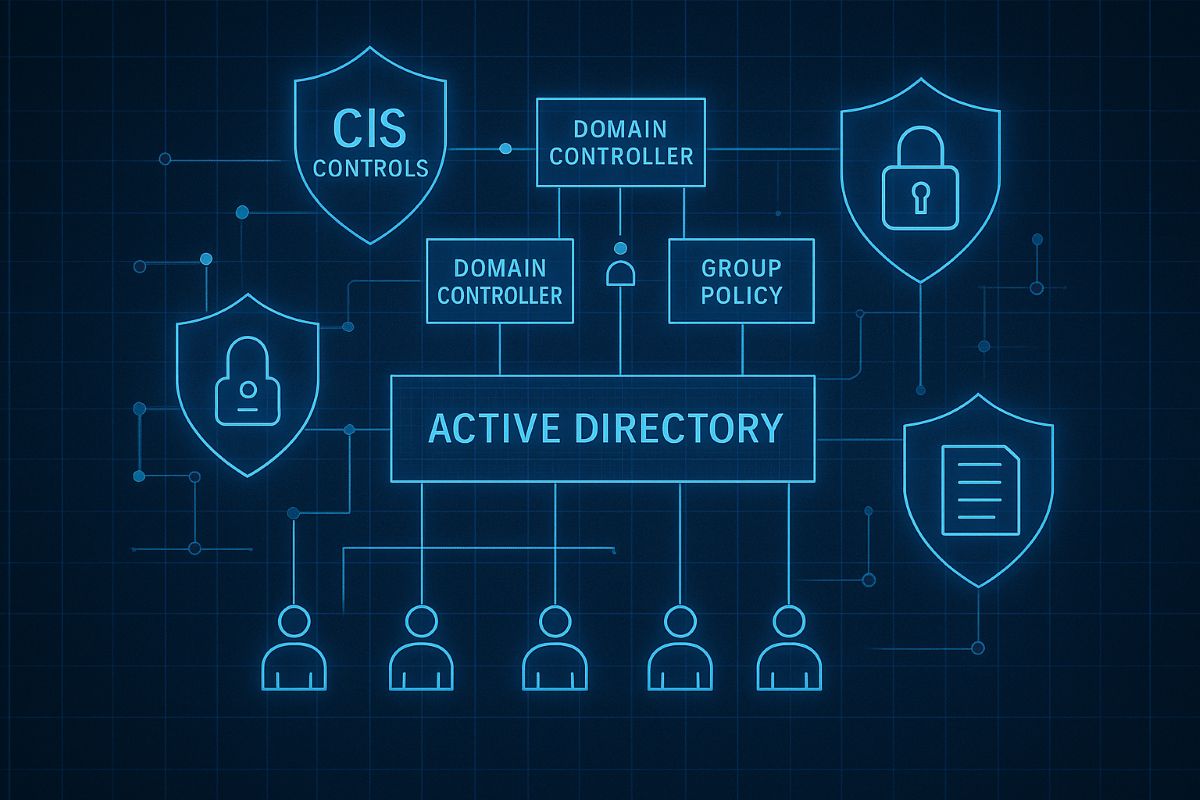
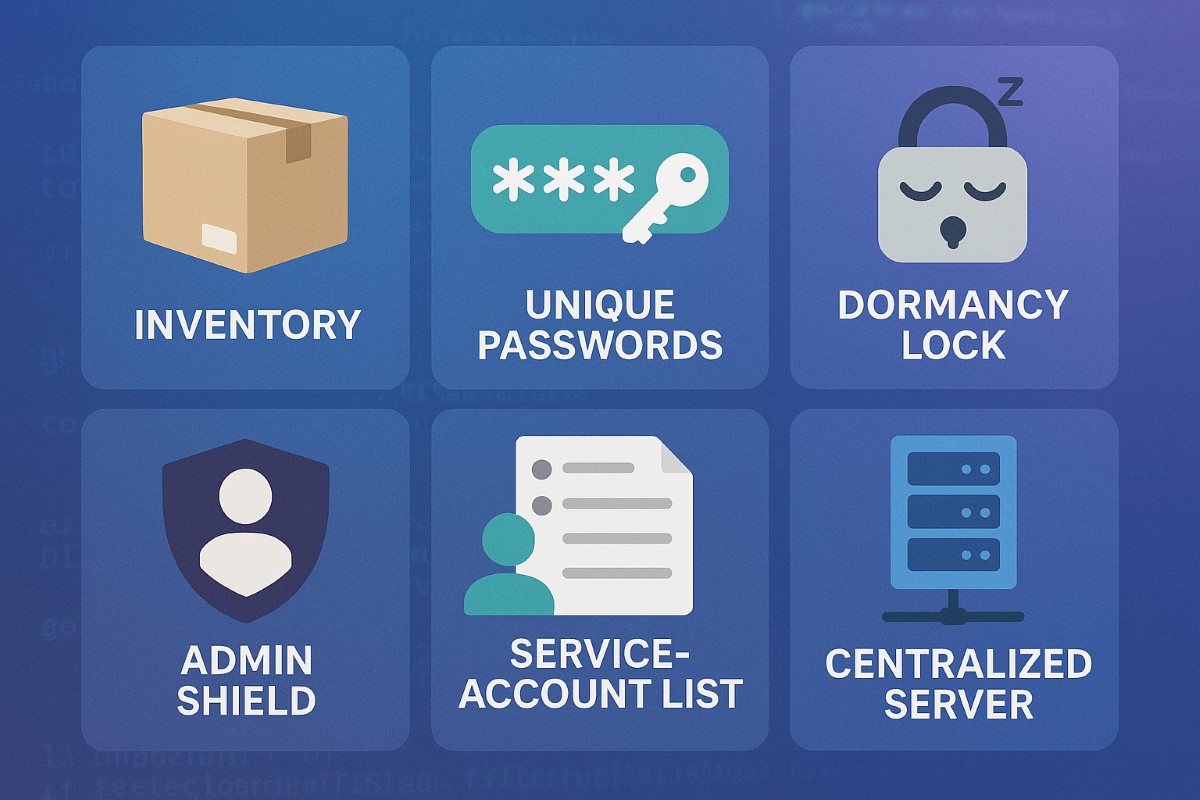
This image illustrates key CIS controls for Active Directory, including inventory of assets, secure configurations, and administrative privilege management to safeguard SMB networks from breaches. Optimize your AD security with these proven CIS benchmarks today.
SMBs are increasingly targeted by cyberattacks. Securing your Active Directory with CIS Controls is the first step to protecting your business data and maintaining operational continuity.
Practical Cybersecurity Measures for SMBs
Apply least privilege: Limit admin accounts and use normal user accounts for everyday work.
Account inventory and review: Know who has access and regularly validate permissions.
Secure domain controllers: Harden core AD servers and apply updates.
Set strong password policies: Require complexity, expiration, and lockouts.
Monitor AD activity: Use auditing to detect unauthorized changes or suspicious logins.
Common Inquiries from SMB Clients
Q: Is Active Directory security necessary for small businesses? A: Absolutely—many attacks exploit AD weaknesses to escalate privileges and steal data.
Q: How complex is implementing CIS Controls? A: The CIS Controls provide a prioritized and scalable framework suitable even for small IT teams.
How Farmhouse Networking Can Support SMBs
Our team specializes in helping SMBs implement CIS Controls for AD security, offering expert guidance, implementation, and ongoing monitoring to keep your network safe.
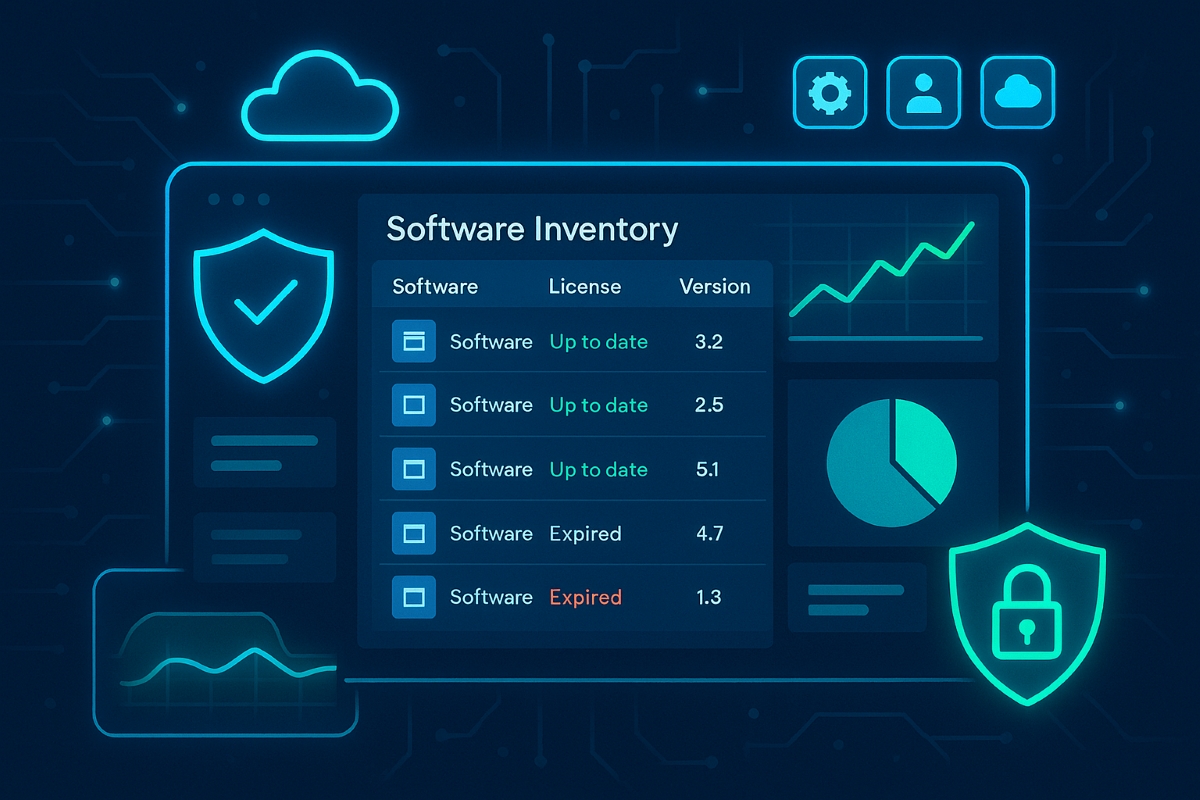
A small business owner reviews a centralized software asset inventory to reduce risk, prevent shadow IT, and control IT costs.
Businesses run on software—line-of-business apps, cloud tools, and mobile apps—but most owners have no clear list of what’s actually in use. That gap creates security holes, license risks, and surprise costs that directly threaten profitability and growth.
What “Inventory and Control of Software Assets” Means
Inventory and control of software assets (CIS Control 2) means keeping an accurate list of every application your business uses, knowing who uses it, why it exists, and ensuring only approved, secure, and licensed software is allowed to run. Done well, this reduces cyber risk, improves compliance, and cuts waste from unused or duplicate tools.
Practical Action Steps for Your Business
Business owner actions:
Require an approved software list for your company and insist that all new software requests go through IT before purchase.
Tie software decisions to business goals and budgets so you can cut unused licenses and redundant tools.
Set a policy that employees cannot install their own apps (“shadow IT”) without written approval.
IT team actions:
Build and maintain a centralized software inventory using discovery tools that scan PCs, servers, and cloud services.
Classify software (critical, important, low risk), link it to specific systems and users, and track license status and renewal dates.
Enforce an allowlist so only approved software can be installed, and regularly remove unsupported, outdated, or unauthorized applications.
Common Client Questions (With Answers)
“Is this just about saving on licenses, or is it really a security thing?” Unmanaged software is a top entry point for attackers because outdated or unknown applications often miss critical security patches. Strong software asset control improves both security and cost management at the same time.
“We’re mostly in the cloud—do we still need this?” Yes, SaaS apps, browser extensions, and cloud tools are all software assets that can leak data or create compliance problems if they aren’t tracked and approved. Cloud environments can actually increase sprawl, which makes a disciplined inventory even more important.
How Farmhouse Networking Helps
Farmhouse Networking implements CIS Controls around software inventory and control as part of a broader, practical cybersecurity and IT management program for SMBs. This includes deploying discovery tools, building your approved software catalog, enforcing policies, and reporting on license usage and security risks in plain business language you can act on.
Ready to see where your software risks and wasted spend are hiding? Email support@farmhousenetworking.com for more information about how Farmhouse Networking can help improve your business.
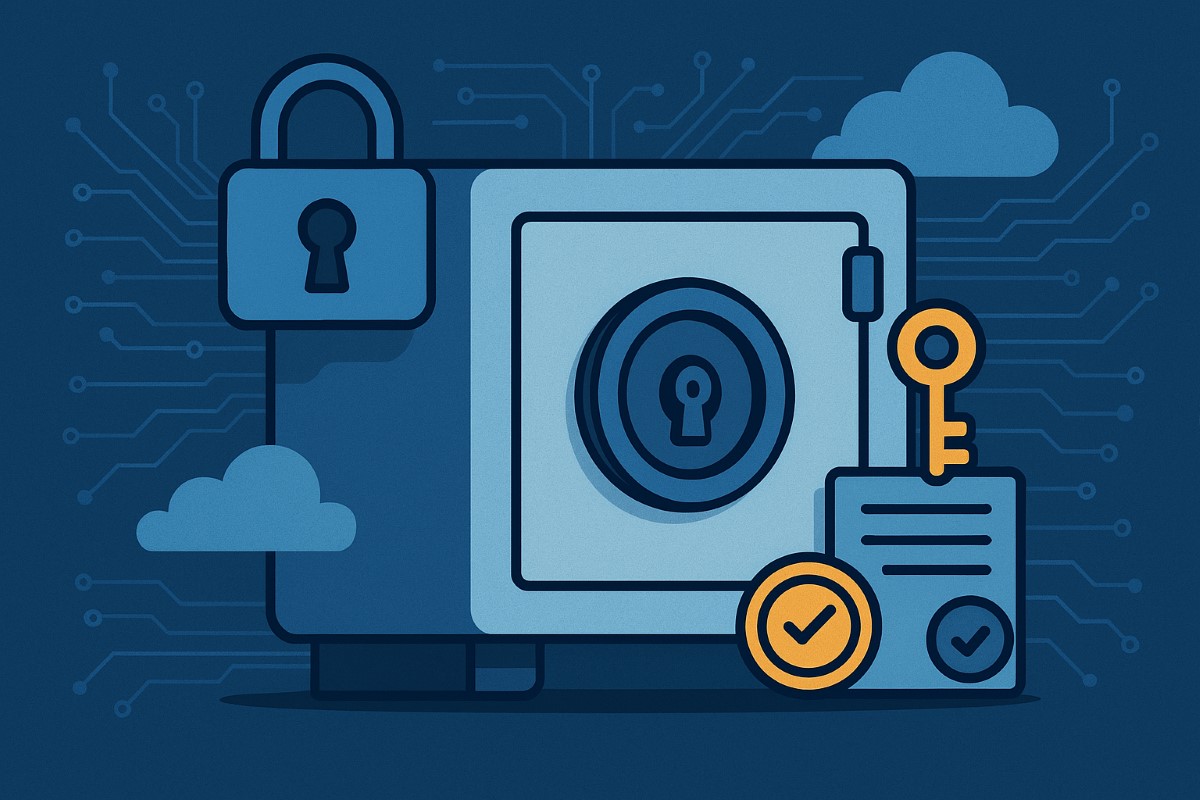
Implementing CIS Controls helps small businesses safeguard sensitive data and comply with regulations.
Data breaches can devastate small businesses, but CIS Controls give you a proven path toward robust data protection and regulatory compliance—without breaking the bank. Here’s how any business owner can get started today.
Practical Action Steps
Survey business data assets: Identify your key customer, employee, and business records and where they’re stored.
Classify business data: Assign “Public,” “Internal,” or “Sensitive” tags and limit who can access the most critical files.
Secure device and network configurations: Change default passwords, apply updates, and enable firewall protection.
Monitor and review: Turn on audit logs for key systems; routinely check logs for odd access.
Automate backups and test restores: Protect against ransomware and disasters with offsite, automatic backups.
Educate your team: Organize short trainings so every employee knows cybersecurity basics and your incident response plan.
Frequently Asked Client Questions
Q: Will CIS Controls help with industry regulations (GDPR, CCPA, etc.)? A: Absolutely! CIS Controls support the foundation of compliance for most data protection laws worldwide through access management, encryption, and monitoring.
Q: How much time and expertise does this take? A: With Farmhouse Networking, most controls are easy to implement—even for non-technical teams. We guide you step by step so your team is protected without added stress.
How Farmhouse Networking Can Help
Farmhouse Networking sets up CIS Controls for any SMB: from asset tracking to secure data access, backup management, and employee training. We implement everything, making compliance and security easy and effective for your business.
Call to Action
Protect your business and comply with regulations. Email support@farmhousenetworking.com to connect with our team and get started.
Secure Your Business Future: Enterprise Asset and Software Configuration for Today’s SMBs
A small business owner implements security configuration for business devices and software as part of IT best practices.
Small to mid-sized business owners face the same cyber dangers as Fortune 500 companies. Misconfigurations can open the door to data theft, financial loss, and operational chaos. Secure configuration of every company asset and software is a non-negotiable step in your risk management plan.
Practical Steps for SMBs
Inventory all hardware, mobile devices, and software—no asset is too small to track.
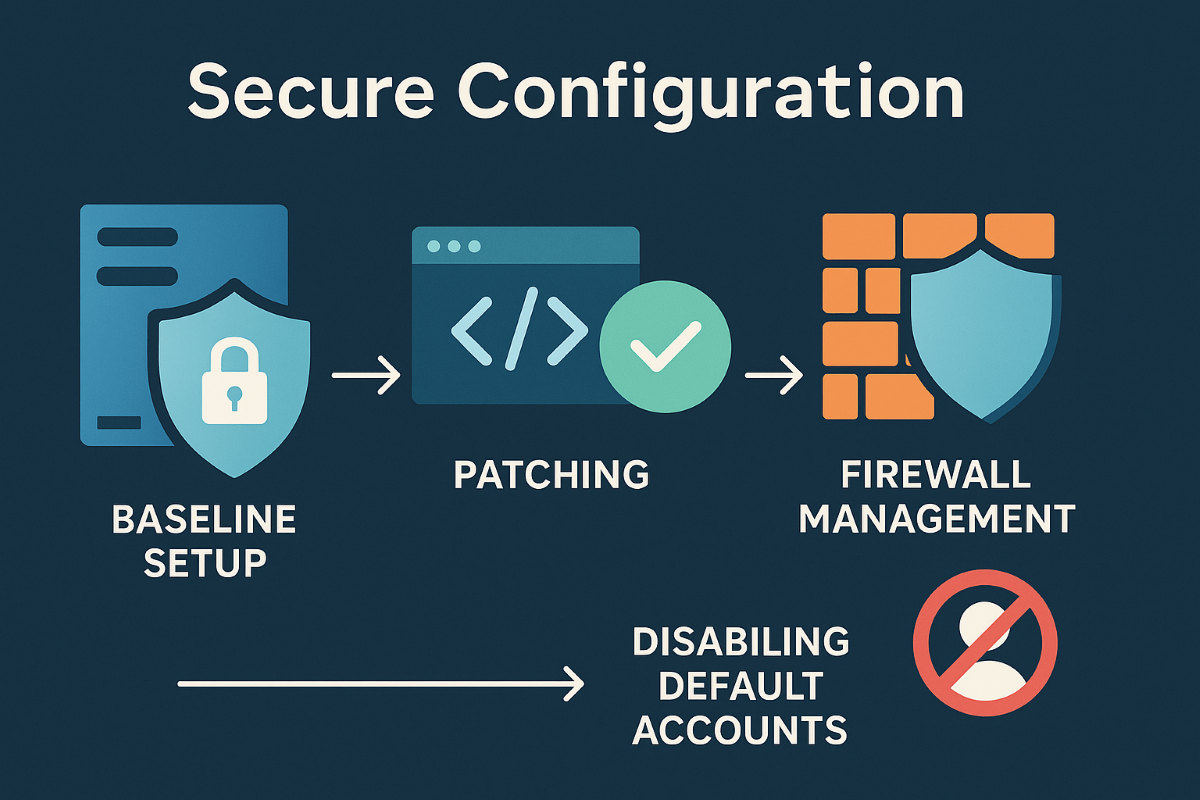
Apply baseline security configurations using global standards, such as CIS Benchmarks and NIST guidelines.
Schedule regular patching and enforce automatic updates.
Limit admin access, enforce strong authentication, and document all configuration changes.
Uninstall anything not needed and disable unused network ports and services.
Encrypt sensitive business data transmissions and use secure protocols for all connections.
Monitor for any changes or vulnerabilities with automated tools.
Client Q&A
Q: Is this overkill? We’re not a bank. A: Basic misconfigurations fuel most breaches, regardless of company size. A secure foundation keeps your doors open and customers confident.
Q: How do I make sure this is all kept up to date? A: Farmhouse Networking offers managed services that maintain and audit your configurations, ensuring nothing slips through the cracks.
How Farmhouse Networking Can Help
Farmhouse Networking is your partner in building, managing, and auditing secure configurations for all your business assets. Trust us to streamline processes, improve productivity, and safeguard data.
Small business security strengthened with CIS account management controls
Small business owners face evolving security threats and regulatory obligations. Implementing CIS Account Management Control is key to protecting data, assets, and reputation.
Practical Steps for SMBs
Catalog All User and Service Accounts: Record names, departments, and account activity for every user and automated process.
Use Strong and Unique Passwords: Demand complex passwords, rotate them annually, and use MFA whenever possible.
Disable Dormant Accounts: Purge inactive accounts every 45 days for better security hygiene.
Limit and Monitor Admin Privileges: Assign admin roles sparingly and monitor usage.
Centralize Account Oversight: Deploy a directory or identity manager for simplified user management and audit trails.
Questions & Answers
Q: What’s the biggest risk of poor account management? A: Unauthorized access can lead to financial loss, data breach, or legal liability—CIS controls dramatically reduce this risk.
Q: Does this require expensive software? A: Many tools, such as Microsoft Active Directory, are affordable and scalable for SMBs. CIS controls guide you in choosing solutions that fit your needs.
How Farmhouse Networking Helps
Farmhouse Networking guides SMBs through creating robust account management policies, deploying affordable directory services, and training your team for optimal cyber hygiene.
Call to Action
Start protecting your business today—email support@farmhousenetworking.com to learn how CIS controls can boost your cybersecurity.
Small and medium businesses are frequent cybercrime targets, often due to accidental over-privileging and lack of centralized control. CIS Control 6: Access Control Management empowers SMB owners to safeguard assets, prevent loss, and stay compliant—without upending business operations.
Practical Steps for SMBs
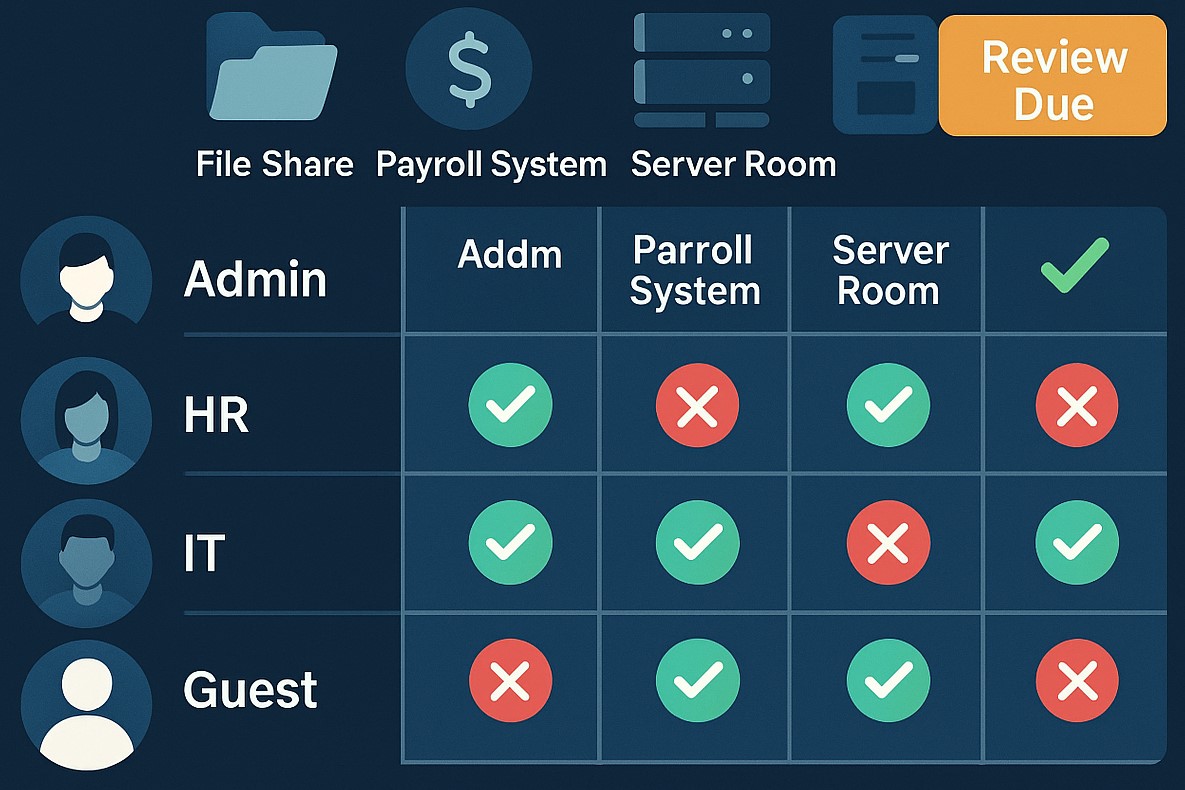
Define, automate, and track who can access what data—prefer automation.
Protect admin accounts and remote access points with MFA.
Keep an inventory of systems and authorization tools; centralize control wherever possible.
Remove unused or dormant accounts quickly.
Map roles to permissions; ensure only current staff have the right access.
Q&A: Client Concerns
Q: I’m worried about costs and complexity. A: CIS framework offers practical, scalable solutions. Automation and role-based policies save time, reduce IT costs, and lower risk.
Q: What’s the real benefit? A: You lower the risk of breaches due to human error, insider threats, or external attackers—protecting your customers and revenue.
Q: Can I do this myself, or should I get help? A: While some controls are DIY, an expert setup ensures no gaps—Farmhouse Networking automates and customizes controls for maximal security and ease.
How Farmhouse Networking Helps
Farmhouse Networking delivers access management strategies proven to reduce security incidents, increase compliance, and make IT teams more efficient. From planning to ongoing monitoring, our experts free up SMB owners to focus on growth.
For a customized access control plan, email support@farmhousenetworking.com and protect your business against today’s digital threats.
Why Continuous Vulnerability Management Matters for SMBs
Continuous Vulnerability Management Dashboard for Small Businesses
Small and midsize businesses are no longer flying under the radar. Cybercriminals increasingly target SMBs because they often lack the same level of protection as large enterprises. One missed update or unpatched system can open the door to major data breaches, regulatory fines, and reputation damage.
That’s where Continuous Vulnerability Management (CVM) comes in—a proactive strategy that helps your business identify, evaluate, and fix security weaknesses before attackers can exploit them.
What Is Continuous Vulnerability Management?
Continuous Vulnerability Management is the ongoing process of discovering, assessing, prioritizing, and resolving vulnerabilities across your network, cloud environments, and endpoints. Unlike one-time scans, CVM is continuous—it ensures that your systems are constantly monitored and that new threats are handled quickly.
Why Your SMB Needs CVM
Cyber threats evolve daily: New vulnerabilities appear every week in commonly used software.
Attackers automate scanning: Hackers use bots to find unpatched systems instantly.
Regulatory compliance: Businesses in finance, healthcare, and retail must maintain security standards.
Customer trust: Demonstrating strong cybersecurity builds confidence and credibility.
Action Steps for Business Owners and IT Teams
Identify assets: Know every connected device, service, and application in your network—on-site and in the cloud.
Automate vulnerability scans: Use continuous scanning tools to detect weaknesses in real-time.
Prioritize by risk level: Not all vulnerabilities are equal. Fix high-impact risks first.
Apply timely patches: Automate patch management or schedule updates systematically.
Monitor continuously: Track scan results and compliance metrics weekly or even daily.
Engage a trusted partner: A managed service provider like Farmhouse Networking ensures these steps happen seamlessly.
Common Questions Business Owners Ask
Q: Isn’t antivirus software enough? A: Antivirus protects against known malware, but it doesn’t detect system weaknesses. CVM identifies and fixes those entry points before an attack even starts.
Q: How often should we run vulnerability scans? A: Automated CVM means scanning happens continuously, not just monthly or quarterly. This ensures no gap between when a vulnerability appears and when it’s discovered.
Q: Will CVM disrupt my business operations? A: When managed properly, CVM operates quietly in the background with minimal impact on day-to-day productivity.
Q: Is CVM expensive for small businesses? A: Not when compared to the cost of a cyber breach. Farmhouse Networking customizes CVM to your size and budget, providing enterprise-level protection at SMB pricing.
How Farmhouse Networking Helps You Stay Secure
Farmhouse Networking partners with SMBs to implement comprehensive Continuous Vulnerability Management solutions tailored to their environment. Our service includes:
24/7 vulnerability monitoring
Automated scanning and patching
Risk reports that translate technical terms into plain business language
Strategic guidance to align your cybersecurity with business goals
With Farmhouse Networking managing your CVM, you can focus on growing your business while we safeguard your infrastructure.
Take Control of Your Cybersecurity Today
Don’t wait for a breach to remind you of the importance of proactive security. Continuous Vulnerability Management is the difference between reacting to an attack and preventing one altogether.
Email support@farmhousenetworking.com today to learn how Farmhouse Networking can strengthen your security posture and keep your business protected year-round.
Effective audit log management is vital for business cybersecurity and regulatory compliance, helping owners monitor and secure critical IT systems.
Audit log management is a critical security pillar for any business owner looking to safeguard their assets, ensure compliance, and respond swiftly to cybersecurity incidents. The Center for Internet Security (CIS) provides clear standards—known as CIS Control 8—that outline how to properly establish, collect, store, and review audit logs.
What Is Audit Log Management and Why Should You Care?
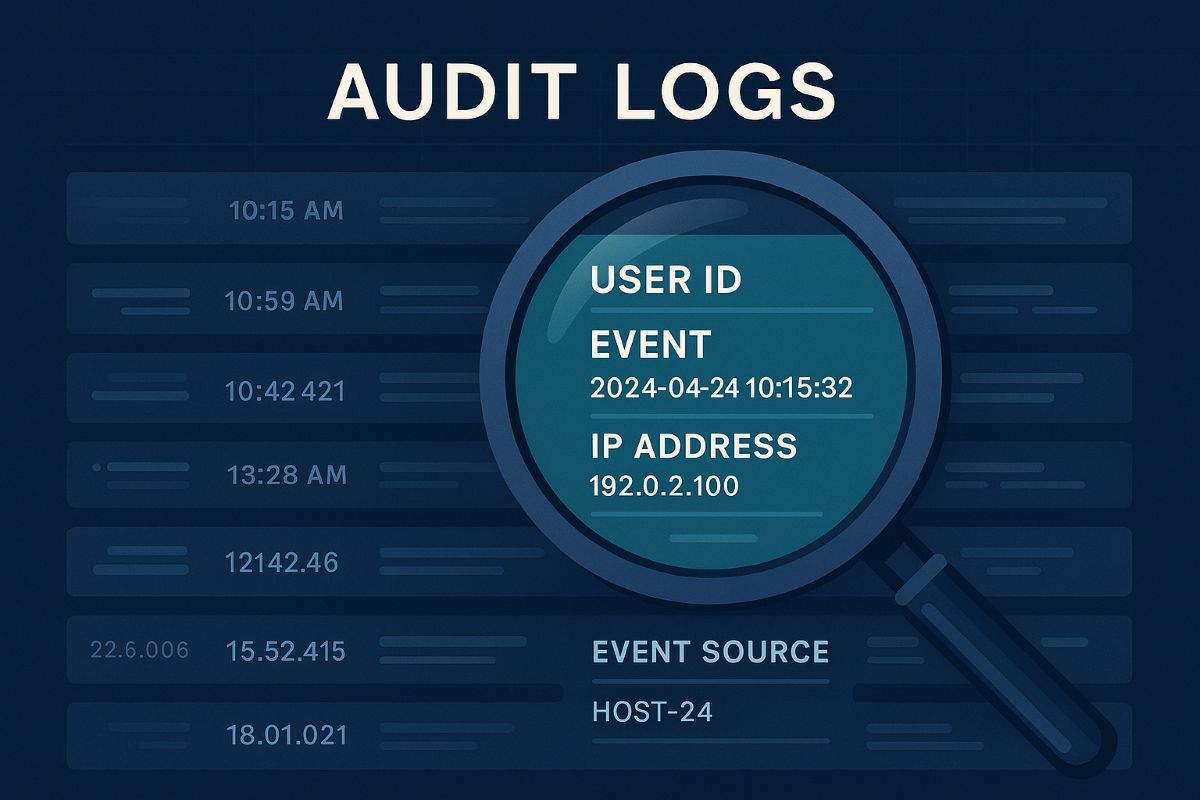
Audit logs are detailed records of system and user activities across your IT environment. They provide a forensic trail that can reveal how, when, and by whom your systems were accessed or altered. Proper audit log management helps detect breaches early, supports regulatory compliance, and ensures you can investigate incidents thoroughly.
CIS Control 8 emphasizes a systematic process that includes:
Defining logging requirements aligned with business needs
Ensuring all key systems and applications generate logs
Centralizing secure storage with time synchronization
Regular review and response to anomalies
Retaining logs based on legal and operational needs
Practical Steps for You and Your IT Team
Define Your Audit Log Policy: Start by setting a formal process that documents which events must be logged, who reviews them, and for how long logs are kept.
Enable Logging Across All Systems: Collaborate with your IT department to ensure firewalls, servers, workstations, applications, and other devices generate comprehensive logs—both system and user-level events.
Centralize and Secure Logs: Use centralized logging solutions to collect logs securely. Ensure all logs have synchronized timestamps via a Network Time Protocol (NTP) server to establish an accurate event timeline.
Review Logs Regularly: Establish regular routine checks to spot suspicious activity early. Automate alerts for key events like unauthorized access attempts.
Maintain Storage and Retention: Allocate sufficient and safe storage for logs, complying with industry regulations. Implement log rotation policies to manage data volumes.
Train Your Teams: Ensure everyone involved understands the importance of audit logs and knows their role in the management and response process.
FAQs: What Your Clients Might Ask
Q: Why are audit logs important for my business?
Audit logs provide an essential record to detect and investigate security incidents and prove compliance with regulations.
Q: How long should audit logs be kept?
Retention depends on your industry and legal standards but typically ranges from 6 months to several years.
Q: Can audit logs be tampered with? How do we protect them?
Logs can be targeted; secure logging systems enforce access controls and integrity checks to prevent unauthorized changes.
Q: Do I need to review logs daily?
Frequency depends on risk level; automated alerts can prioritize critical events to review promptly.
How Farmhouse Networking Supports You
Farmhouse Networking specializes in helping businesses implement audit log management practices effectively. We assist with:
Designing tailored audit log policies
Deploying and configuring secure, compliant logging solutions
Training your IT teams on log analysis and incident response
Ongoing monitoring and optimization of your security posture
Take the guesswork out of audit log management and strengthen your business defenses with expert help.
Ready to Secure Your Business?
Email us at support@farmhousenetworking.com to learn how Farmhouse Networking can help you meet CIS standards and improve your audit log management today.
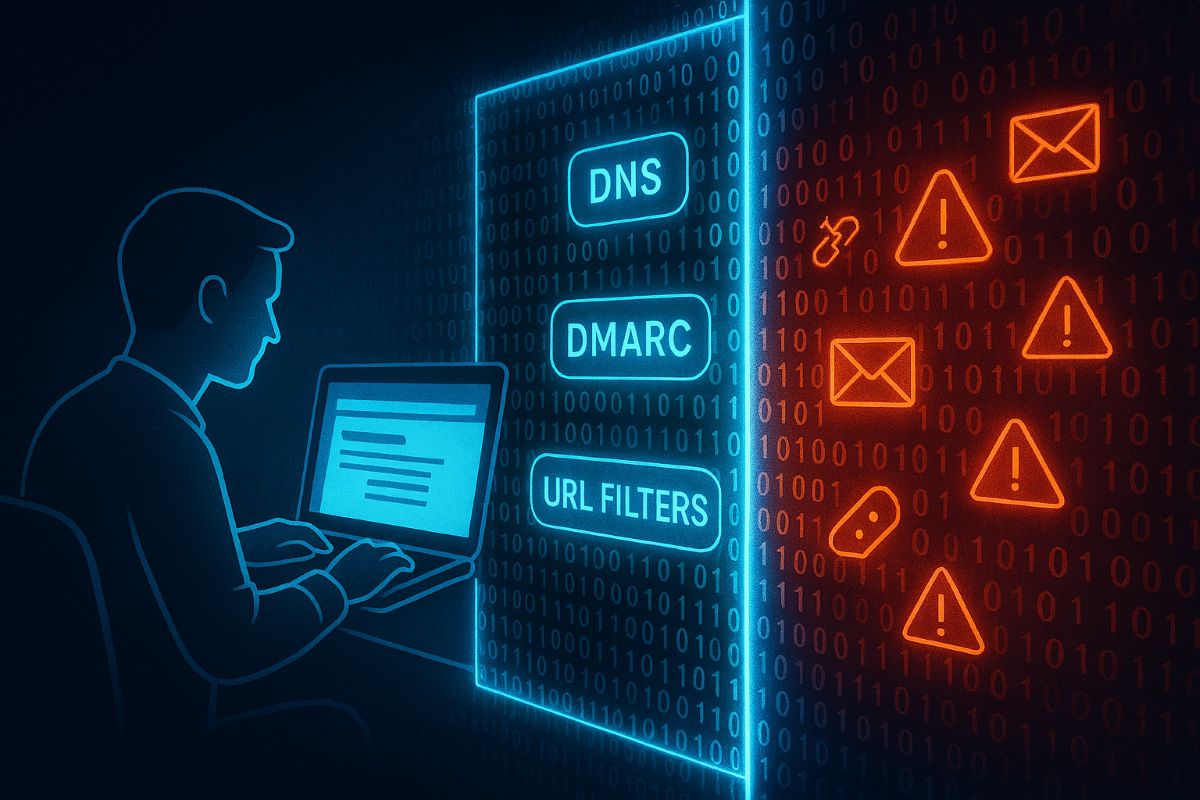
Essential email and web browser protections based on CIS Control 9 help SMBs guard against phishing, malware, and cyber threats.
Small and medium-sized businesses (SMBs) are increasingly targeted by cyberattacks through email and web browsers. Often lacking the resources of larger firms, SMBs must prioritize practical security steps to reduce risks of breaches and data loss.
Practical Action Steps:
Ensure all employees use fully updated browsers and email clients.
Deploy SPF, DKIM, and DMARC email authentication protocols.
Use DNS and URL filtering to block access to malicious websites.
Limit browser extensions to only those essential for business.
Scan inbound email for malware, blocking dangerous attachments and links.
Provide ongoing phishing awareness training to employees.
Enable multi-factor authentication (MFA) on email accounts.
Client Questions & Answers:
Q: What are the most common email threats? A: Phishing attacks and malware-laden attachments remain top threats.
Q: Can small businesses really defend against these risks? A: Yes, with best practices and right technology, SMBs can build strong defenses.
How Farmhouse Networking Can Help: We specialize in helping SMBs implement tailored email and browser protections per CIS guidelines, maximizing security without overcomplicating your IT environment. Our experts work with your team to improve security posture and train employees.
Call to Action: Reach out to support@farmhousenetworking.com now to start securing your business email and browsing environment.
And God will generously provide all you need. Then you will always have everything you need and plenty left over to share with others. As the Scriptures say, “They share freely and give generously to the poor. Their good deeds will be remembered forever.” For God is the one who provides seed for the farmer and then bread to eat. In the same way, he will provide and increase your resources and then produce a great harvest of generosity in you. - 2 Corinthians 9:8-10
We use cookies to ensure that we give you the best experience on our website. If you continue to use this site we will assume that you are happy with it.