Small businesses rely on professional email security to protect customer and financial data from phishing and hacks.
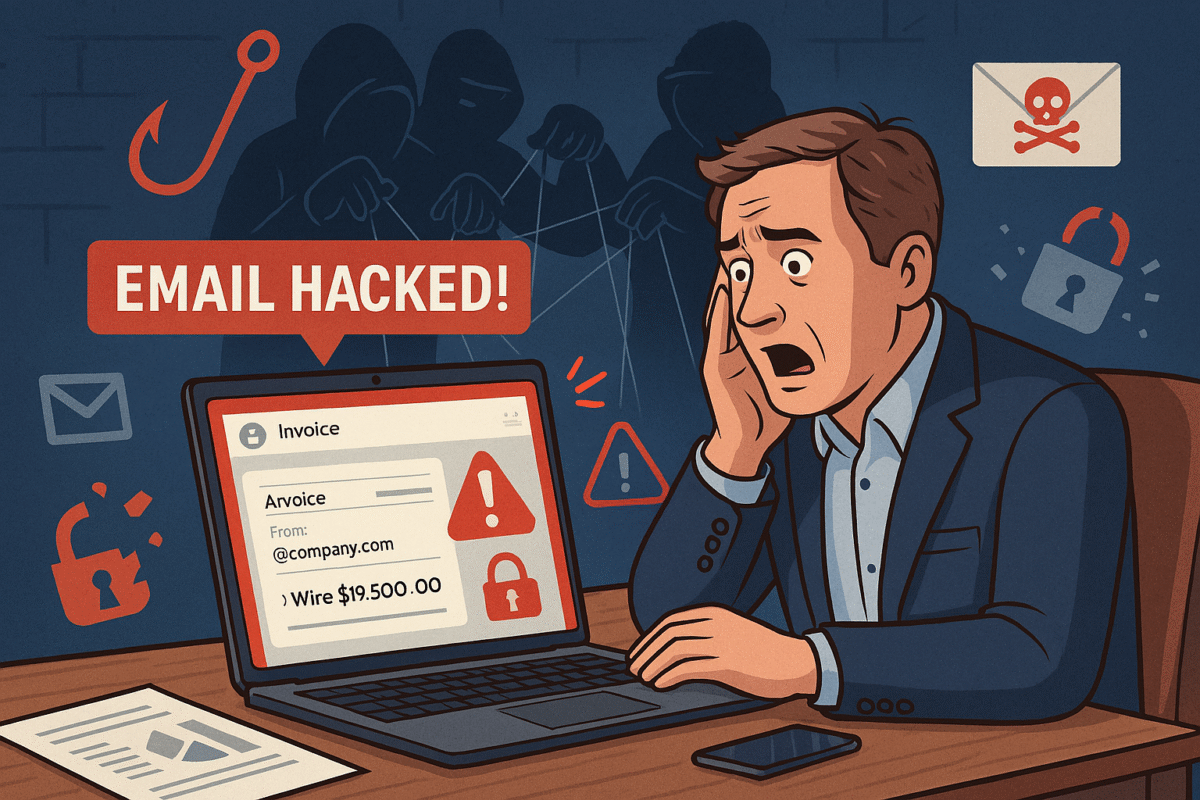
You’re running your business, responding to client messages, when suddenly strange duplicate messages and failed delivery emails flood your inbox. This is what happened to a business owner who discovered her emails—including sensitive financial data—were silently copied to hackers for weeks without her knowledge.
For small and midsized businesses (SMBs), this type of attack can result in financial loss, leaked company secrets, and damaged relationships with clients.
What Happened in This Email Breach
Hackers guessed or stole an email password.
They set up secret rules to forward every incoming message.
Confidential information like Social Security numbers, tax data, and financial records were exposed.
Farmhouse Networking responded by:
Removing malicious rules.
Securing the account with new password protections and recovery options.
Advising the business owner on how to monitor for ongoing fraud.
Practical Steps for SMBs
SMBs aren’t too small to be targeted. In fact, they’re often prime targets. Protect your business with these key actions:
Set strong passwords and enable MFA: Critical first layer of defense.
Regularly review email rules: Look for forwarding or auto-delete actions you didn’t create.
Encrypt sensitive documents: Especially contracts, employee data, and customer details.
Train employees: Staff should recognize phishing emails before they trigger a hack.
Backup systems: Ensure backups of both email and company files are offline-protected.
Have an incident response plan: Know what to do if a breach occurs.
Questions Your Clients May Ask
“Did hackers see my information?” If emails contained contracts, billing, or sensitive attachments—possibly.
“Could this affect my payments or records?” Yes. Compromised invoices or payment requests can be used in fraud scams.
“Can clients continue to trust our company?” By demonstrating enhanced security measures and a clear recovery plan, clients can regain confidence.
How Farmhouse Networking Helps SMBs
Farmhouse Networking empowers SMBs with:
Affordable enterprise-grade email security.
24/7 monitoring for account breaches.
Employee training to reduce phishing success rates.
Scalable security solutions for growing businesses.
Your business reputation is too valuable to be left to chance. Secure your email systems and protect your clients’ trust with Farmhouse Networking. Reach out today at support@farmhousenetworking.com.
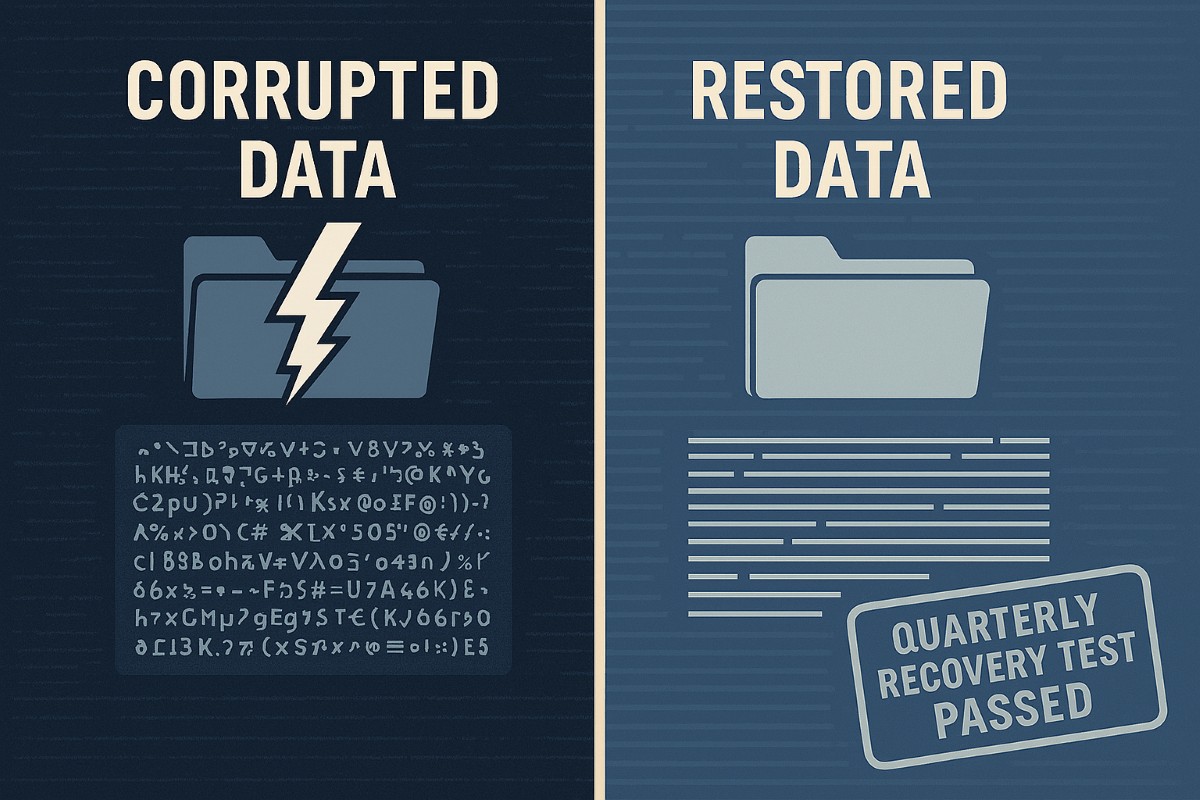
A strong data recovery plan protects businesses from data loss, downtime, and cyberattacks.
Every small and medium-sized business faces the risk of data loss—from ransomware, accidental deletions, or system failures. According to CIS Critical Security Control 11, a strong data recovery plan is essential for staying operational and protecting your reputation.
Key Action Steps for SMBs
Implement regular automated backups: Set daily schedules with both onsite and cloud solutions.
Review and test recovery plans: Don’t wait for a crisis—run annual recovery drills.
Update recovery policies as the business grows: Ensure new systems are included.
Common Client Questions
Aren’t backups enough? Not quite. You need tested recovery processes to guarantee downtime is minimal.
What if we don’t have IT staff? Partnering with an expert provider like Farmhouse Networking keeps your systems protected without you needing in-house IT.
How Farmhouse Networking Helps
We deliver reliable and cost-effective recovery strategies, handling everything from setup to ongoing monitoring, so you can focus on growth while we protect your data.
Key network monitoring tools every small business needs for optimal performance
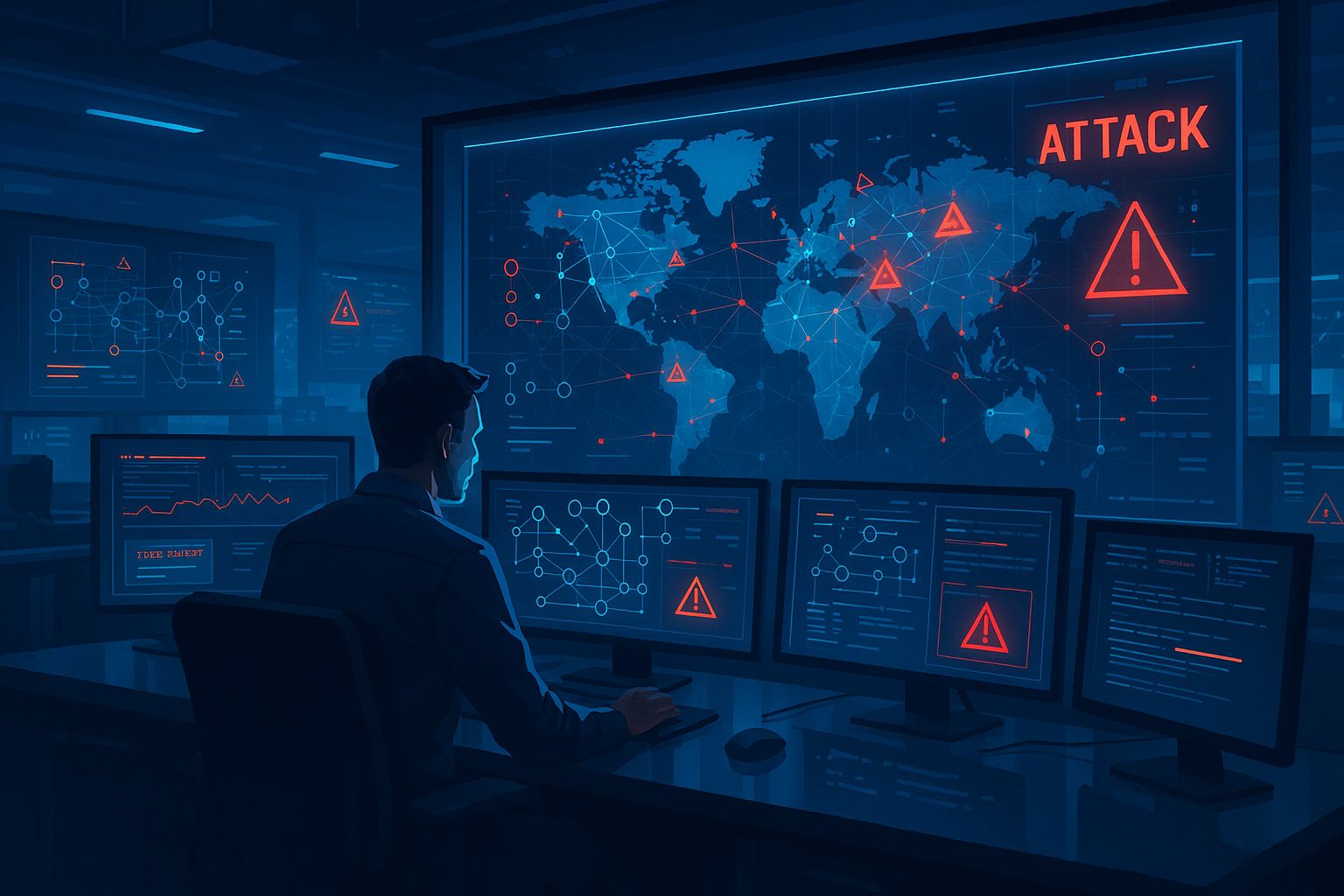
As a business owner, you know reputation and customer trust are everything. But cybercriminals don’t discriminate by size—small and midsize businesses (SMBs) are increasingly the targets of ransomware and data theft. CIS Critical Security Control 13 gives you a practical way to stay ahead of attackers and protect your company’s future.
Practical Action Steps for SMBs:
Enable real-time network monitoring: Know immediately if your systems are under attack.
Centralize your logs: Aggregate data to detect issues before they escalate.
Set threshold-based alerts: Don’t wait until damage is visible to respond.
Review reports regularly: Make monitoring part of monthly executive/IT reviews.
Q&A for SMBs:
“Aren’t we too small for hackers to notice?” No—SMBs are now among the most targeted because criminals assume defenses are weak.
“Do I need an in-house IT team for this?” Not necessarily—outsourced experts can cost-effectively handle monitoring for you.
How Farmhouse Networking Helps: Farmhouse Networking provides SMBs with managed network monitoring, advanced alerts, and proactive defense strategies. We scale solutions to fit your size, budget, and growth goals.
Don’t leave your business exposed. Email Farmhouse Networking today and start building stronger defenses for lasting success.
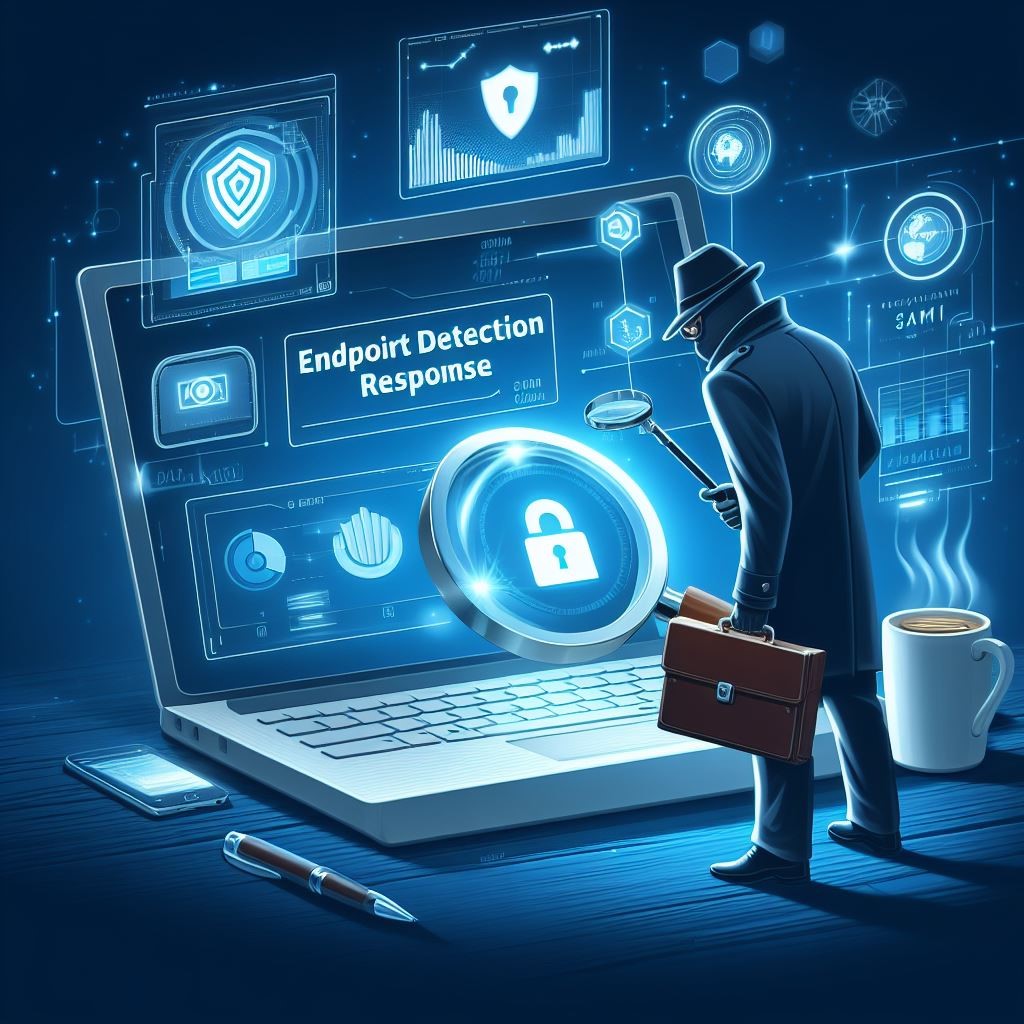
EDR provides SMBs with real-time endpoint monitoring, automatic threat quarantine, and rapid incident response to minimize breaches.
Cybersecurity is more important than ever. Cyber threats are evolving and becoming increasingly sophisticated, making it essential for small and medium-sized businesses (SMBs) to protect their sensitive information. One crucial tool in the cybersecurity arsenal is Endpoint Detection & Response (EDR). In this article, we will explore why SMBs should prioritize EDR and the benefits it brings to their cybersecurity posture.
Understanding Endpoint Detection & Response
Endpoint Detection & Response (EDR) is a proactive cybersecurity solution that focuses on detecting, investigating, and mitigating advanced threats at the endpoint level. Endpoint refers to any device connected to a network, such as laptops, desktops, servers, or even mobile devices. EDR solutions monitor endpoints in real-time, collecting and analyzing data to identify and respond to suspicious activities or potential security breaches.
The Rising Threat Landscape for SMBs
SMBs often mistakenly believe that they aren’t attractive targets for cybercriminals due to their size. However, the reality is quite different. In fact, SMBs are increasingly being targeted by cybercriminals because they often have fewer resources dedicated to cybersecurity, making them an easier target. According to recent studies, nearly half of all cyberattacks target SMBs.
Moreover, the consequences of a successful cyberattack on an SMB can be devastating. From financial loss to reputational damage, the impact can be significant, and in some cases, even cause businesses to shut down. This highlights the urgent need for SMBs to invest in robust cybersecurity measures, such as EDR.
The Benefits of Endpoint Detection & Response for SMBs
Real-time Threat Detection: EDR solutions provide continuous monitoring of endpoint activities, enabling real-time threat detection. By analyzing behavioral patterns and indicators of compromise, EDR can quickly identify potential threats, allowing businesses to respond promptly and mitigate risks before they result in data breaches or system compromises.
Improved Incident Response Capabilities: EDR not only detects threats but also provides valuable insights to aid in incident response. It records endpoint activity logs, allowing security teams to investigate incidents, identify root causes, and take appropriate action to contain and remediate the threat effectively.
Visibility and Control: SMBs often struggle with limited visibility into their IT environments. EDR solutions provide deeper visibility into endpoints across the network, allowing IT teams to identify vulnerabilities, enforce security policies, and ensure compliance with regulatory requirements.
Proactive Threat Hunting: EDR empowers SMBs to take a proactive approach to cybersecurity by actively hunting for potential threats. By leveraging advanced detection techniques and threat intelligence, EDR can identify and mitigate emerging threats even before they have a chance to impact the organization.
Simplified Security Operations: Automating threat detection and response processes frees up valuable time for IT teams, enabling them to focus on other critical tasks. EDR solutions can automatically contain and remediate threats, reducing the burden on IT staff and improving overall efficiency.
Overcoming Challenges in Implementing EDR
While EDR offers immense benefits, implementing and managing EDR solutions can pose challenges for SMBs. Common obstacles include limited budgets and resources, the complexity of deployment, and the need for ongoing monitoring and maintenance. However, by partnering with a reliable cybersecurity provider, like Farmhouse Networking, that understands the unique needs of SMBs, these challenges can be overcome and the full potential of EDR can be realized.
It is not a matter of if you will be targeted, but when. Let Farmhouse Networking take proactive steps to secure your endpoints and fortify your cybersecurity defenses with EDR.
Enhance business cybersecurity defenses using advanced website filtering from Farmhouse Networking.
Businesses are faced with an ever-growing number of cybersecurity threats. One effective method to protect your organization’s sensitive data and network is implementing website filtering. Website filtering solutions offer businesses an essential tool to manage and safeguard their networks, ensuring employees are protected from accessing malicious or inappropriate websites. We will explore the importance of website filtering for business cybersecurity and provide practical insights for implementation.
Understanding Website Filtering:
Website filtering is an advanced security measure that enables organizations to control the websites that can be accessed by their employees. This essential cybersecurity practice helps mitigate risks associated with malware, phishing attacks, and overall data breaches. Through the implementation of website filtering, businesses can proactively manage internet usage, reduce network congestion, and improve productivity.
Benefits of Website Filtering:
Enhanced Network Security: By filtering out potentially harmful websites, businesses can significantly reduce the risk of malware infiltration, phishing attempts, and other cyber threats. Website filtering acts as a vital line of defense, preventing employees from inadvertently accessing websites hosting malicious content and safeguarding sensitive corporate data.
Regulatory Compliance: As the healthcare industry is subject to strict compliance regulations, implementing website filtering can help organizations maintain adherence to industry-specific regulations such as HIPAA. By blocking access to unauthorized websites or content, businesses ensure they are aligning with compliance requirements, reducing the potential for fines or legal repercussions.
Increased Employee Productivity: Unrestricted internet access often leads to time-wasting activities, reducing overall productivity within the organization. With website filtering, businesses can minimize distractions by blocking access to social media platforms, gaming websites, or other non-work-related sites, fostering a more focused work environment.
Bandwidth Optimization: Streaming services and large media files can significantly impact network bandwidth, leading to slower connections and decreased productivity. Website filtering helps alleviate this strain by allowing organizations to control access to bandwidth-intensive websites or file-sharing platforms, optimizing network performance.
Choosing the Right Website Filtering Solution:
When selecting a website filtering solution, organizations should consider the following:
Granular Control: Look for a solution that offers granular control, allowing you to tailor website filtering policies to specific departments or individual users. This flexibility ensures that employees only have access to relevant websites and content necessary for their job roles.
Real-Time Updates: The cybersecurity landscape evolves rapidly, with new threats emerging constantly. Ensure your chosen website filtering solution offers AI powered real-time updates and threat intelligence to protect against the latest risks effectively.
User-Friendly Interface: Implementing a user-friendly website filtering solution simplifies management. Look for a solution with an intuitive interface that enables easy configuration and monitoring of website filtering policies.
Potential Challenges and Mitigation Strategies:
While website filtering can provide numerous benefits, there are potential challenges to consider:
False Positives: Overzealous website filtering policies can sometimes lead to legitimate websites being inaccurately blocked, causing frustration for employees. Regularly review and fine-tune filtering policies to minimize the risk of false positives, striking a balance between security and productivity.
BYOD (Bring Your Own Device) Environments: There is an increasing reliance on personal devices to access corporate networks. Ensure that your website filtering solution extends to cover such devices and effectively enforces security policies, mitigating the risk of potential threats from unsecured devices.
Ongoing Maintenance and Monitoring: Website filtering requires ongoing maintenance and monitoring to ensure optimal performance and adaptability to emerging threats. Assign dedicated IT staff or consider a managed service provider (MSP) like Farmhouse Networking to oversee the implementation, management, and updates of your website filtering solution.
Website filtering is a critical component of any business’s cybersecurity strategy, providing robust protection against web-based threats and enhancing network security. Farmhouse Networking provides website filtering service to all our monthly managed clients at no additional cost. Sign-up today to become cyber secure.
Compliance penetration test report mapping findings to HIPAA SOC 2 PCI DSS controls.
Compliance is and always has been a complicated matter. Here are the quotes from the three types of compliance – CMMC, HIPAA, and PCI:
“CMMC – Risk AssessmentL2-3.11.2 – VULNERABILITY SCAN: Scan for vulnerabilities in organizational systems and applications periodically and when new vulnerabilities affecting those systems and applications are identified.”
“HIPAA – § 164.308 Administrative safeguards. (a)(1)(ii)(A) –Risk analysis (Required). Conduct an accurate and thorough assessment of the potential risks and vulnerabilities to the confidentiality, integrity, and availability of electronic protected health information held by the covered entity or business associate.”
“PCI – 11.3: External and internal vulnerabilities are regularly identified, prioritized, and addressed”
To summarize what this all mean – compliance requires penetration testing and vulnerability scanning. Networks have to be tested regularly to make sure that there has been nothing missed which would allow a hacker to breach the network and steal the treasure of information. Our recommendation is to scan at least quarterly, if not monthly, to find these vulnerabilities and address them before the hackers find them.
If your company has compliance requirements that you need consulting for, then contact us for assistance.
The information technology industry, also known as the IT industry, is a sizable and quickly expanding sector that includes a wide range of computing-related activities, such as software development, hardware manufacturing, networking, data analysis, cybersecurity, and digital marketing, among others.
At Farmhouse Networking, we utilize the power of IT to help our clients improve their businesses and elevate their services to the next level. Our group offers expert assistance to networks for small- to medium-sized businesses. We possess the range and depth of expertise necessary to effectively operate business-class networks thanks to years of experience.
Our team has been fervently pursuing the best technologies and tools for our clients! Our passion for delivering nothing but the best for our partners. Today, we are proud to announce that we are reaping the benefits of the fruits of our labors as we introduce our latest Clutch award. We’ve been named as one of the game-changing IT Managed Service Providers in Portland.
Clutch, for those of you who aren’t familiar with this company, they are an established platform in the heart of Washington, DC, committed to helping small, mid-market, and enterprise businesses identify and connect with the service providers they need to achieve their goals.
We would like to extend our sincere gratitude to Clutch, their staff, and everyone else who helped choose our company for this game-changer award. We are sincerely touched and appreciative of your acknowledgment.
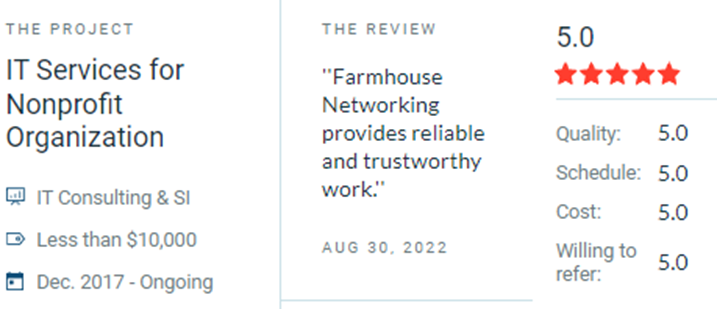
Our company would also like to express our appreciation to clients and partners for their support. To show our gratitude and appreciation, here are some of the teams’ favorite reviews throughout the years!
Farmhouse Networking celebrated by Clutch as Portland IT managed services game-changer serving Oregon businesses with proven results.
“Farmhouse networking always has the help we need and seems to look out for our company like it was their business. Scott is never pushy and is always available to answer questions so we feel confident in our decisions.” Josh Confer, Webmaster at Chief Aircraft Inc
“Their customer service has been outstanding. Working with them on this project is perfect because they are already familiar with our location.” Mikaila Herman, Office Manager at Chinook Forest Management
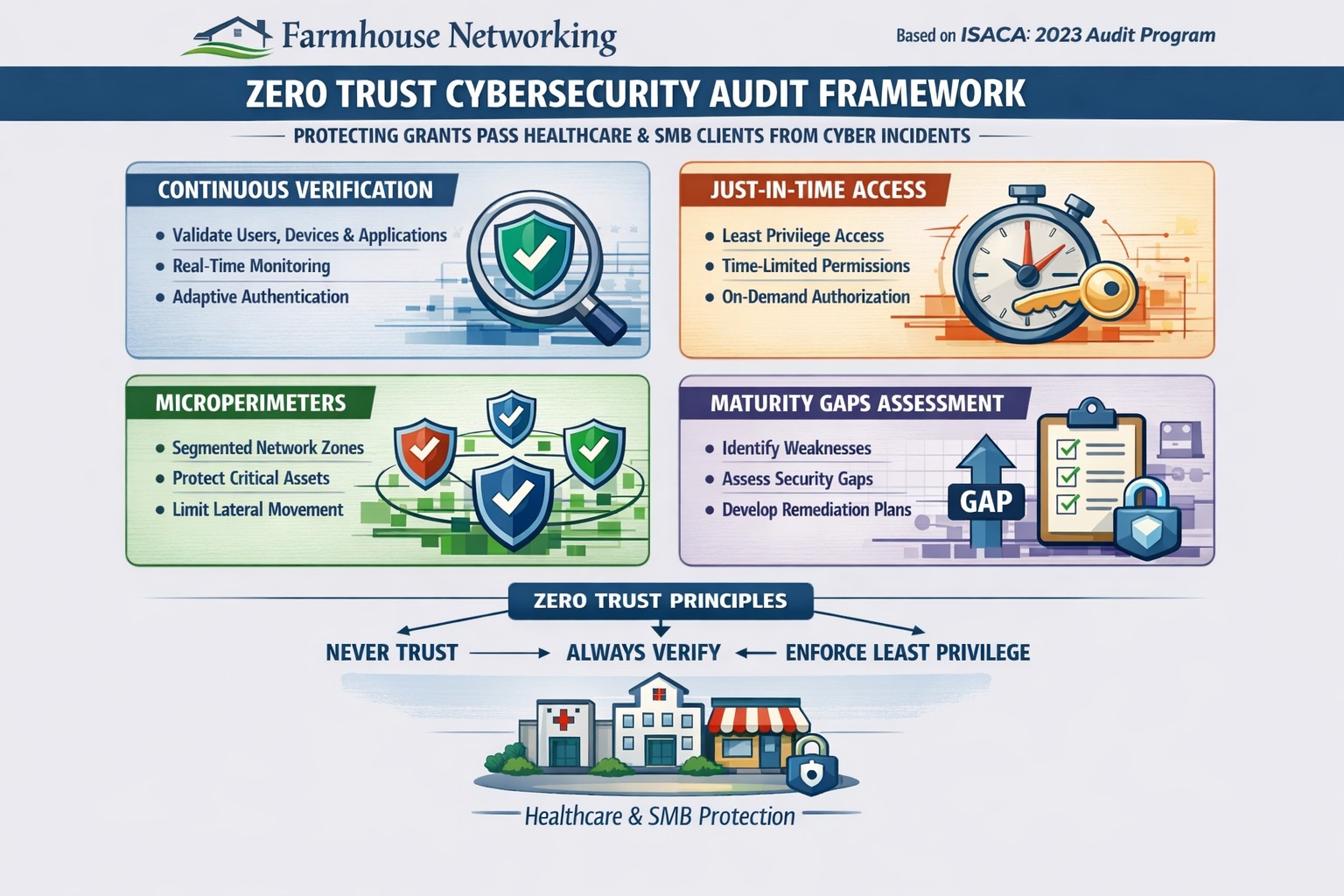
Farmhouse Networking 2023 zero trust audits verify continuous authentication and micro-segmentation for Oregon SMB cybersecurity compliance.
This is the tenth and finale in a series about the concept of Zero Trust, which means in the IT sense that you trust nothing and always verify everything surrounding and connected to your network. Today’s discussion will be on Cyber Security Audit.
Cyber Security Audit
Cyber Security Audit is a process where both internal and external systems are tested for their ability and susceptibility to being successfully attacked by hackers. This usually involves an inventory of current systems, research into known vulnerabilities, and testing of those found to see what information can be accessed. Once this process is complete a report is generated to detail both what is found and how those vulnerabilities can be addressed to protect the business’ most valuable commodity – information (intellectual property and client data). Here are some questions to ask:
Do you have an inventory of all assets in your organization? Is it up to date?
Have you tested your internal network for vulnerabilities?
Have you had a penetration test performed on your external network?
Do you know what compliance standards apply?
How do you document policies and procedures? Who oversees that?
If your company is wanting to have a free cyber security audit, then contact us for assistance.
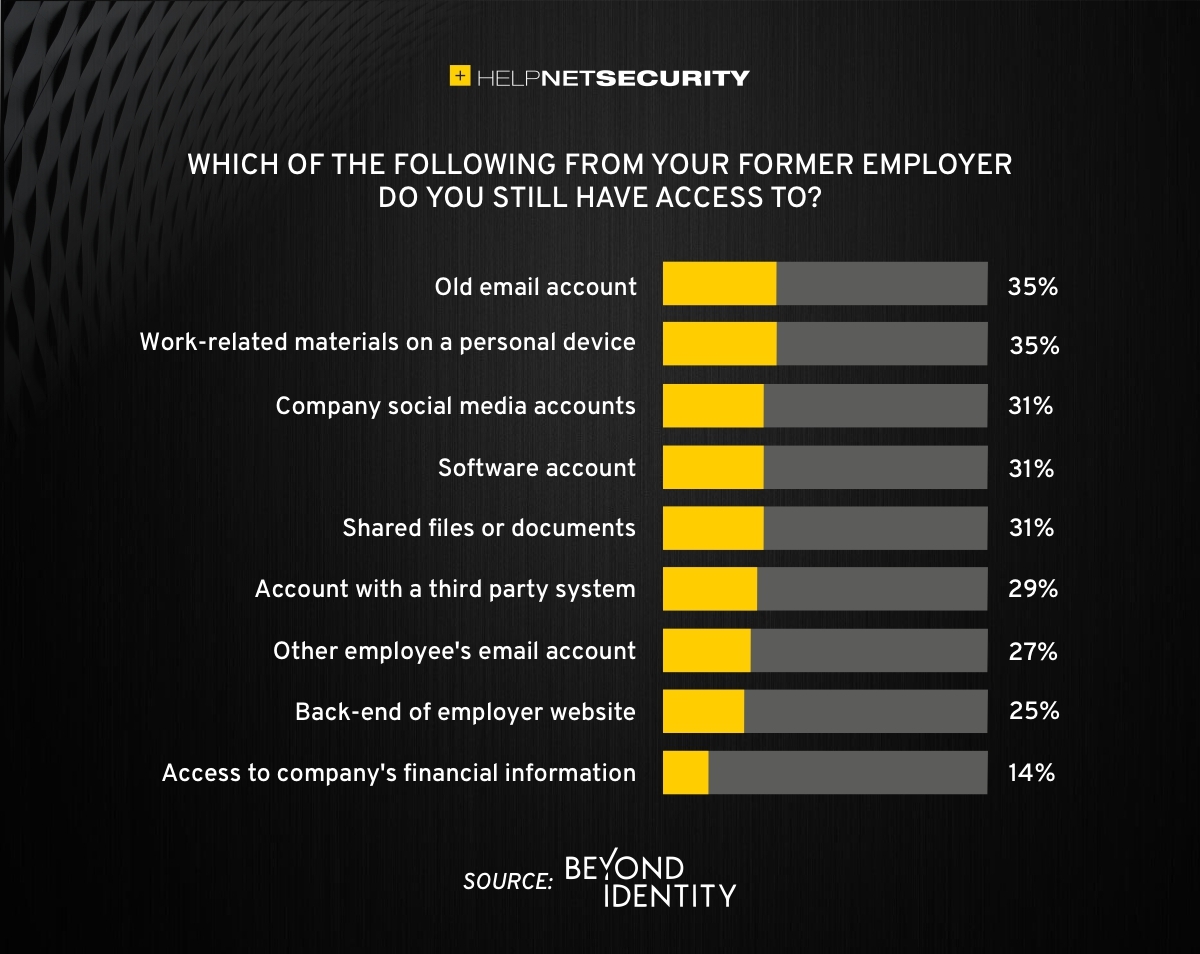
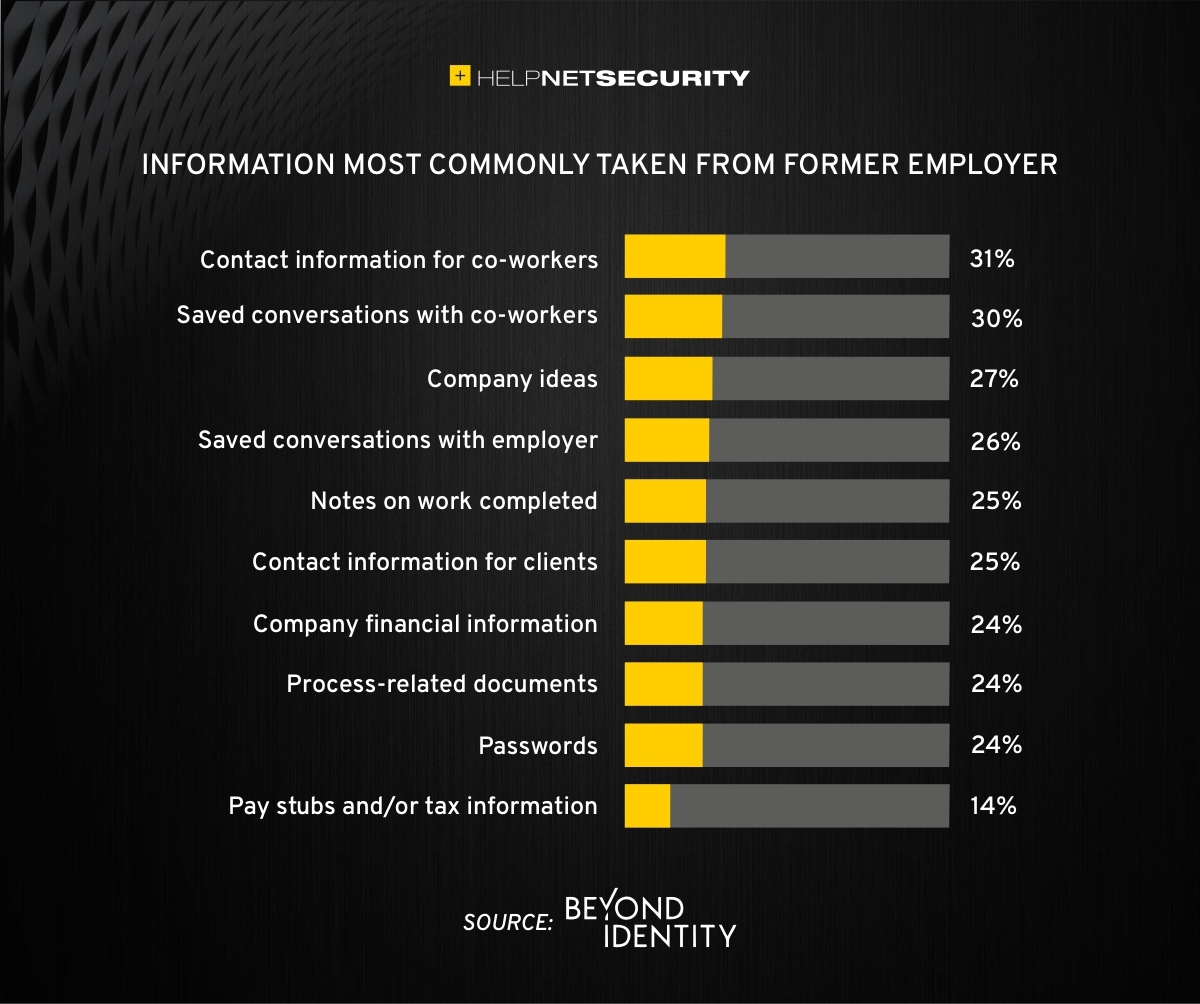
83% of employees continue accessing old employer’s accounts
Farmhouse Networking Grants Pass implements robust employee offboarding to revoke access and secure networks for Oregon businesses.
A study was performed by Beyond Identity throughout the US, UK, and Ireland which found that 83% of employees admitted to maintaining continued access to accounts from a previous employer. Also a shocking 56% admitted to using this access to harm their former employer.
The study also states that a professional and details offboarding process can prevent unauthorized access by former employees by eliminating their passwords and other insecure authentication methods. Strangely enough this also creates a sense of goodwill in the company that helps to lessen the motivation for employees to attempt this kind of malicious access. This kind of process is vital considering the current employment market and high turn over rates at almost all companies.
If your company does not have a detailed and documented offboarding process, thencontact usfor assistance.
Setting the stage for collaborative hybrid teams: Practical IT steps and tools for seamless hybrid work collaboration.
Hybrid work is now the norm for many businesses, blending remote and in-office teams to boost flexibility and retention. As a business owner in accounting, healthcare, or charity sectors, mastering collaborative hybrid teams can drive productivity and client wins—but it requires deliberate setup.
Practical Action Steps
Work with your IT department to implement these targeted steps, drawn from proven hybrid strategies.
Audit Your Tech Stack: Review hardware, software access, and tools like Microsoft Teams or Zoom. Standardize licenses (e.g., Microsoft 365 E3/E5) and test Wi-Fi/video on pilot devices—complete in 1-2 days.
Set Communication Protocols: Define channels (email for formal updates, Slack/Teams for quick chats, video for deep discussions). Establish response times and core hours when all are available.
Optimize Meetings and Spaces: Equip rooms with high-quality AV for “hybrid meetings.” Use project tools like Asana or Planner for tasks, deadlines, and async updates. Roll out training sessions via built-in modules.
Build Norms and Track Progress: Create team charters outlining goals, roles (using SMART framework), and feedback loops. Monitor via admin analytics; aim for 80% adoption in 4 weeks.
Foster Trust and Upskill: Schedule 1:1s, team huddles, and pulse surveys. Tie bonuses to certifications in collaboration tools.
These steps minimize silos and boost ROI, often yielding 30-40% productivity gains.
Common Questions from Clients
Q: What tools do hybrid teams really need? A: Reliable video (Teams/Zoom), cloud project management (Asana, Monday.com), and multi-channel comms (Slack, email). Equal access prevents issues; integrate with Outlook for seamless workflows.
Q: How do we keep productivity high without burnout? A: Set clear SMART goals, async norms, and boundaries (no after-hours pings). Use dashboards for KPIs and quarterly reviews to iterate.
Q: How can we build team culture remotely? A: Regular interactions like virtual coffees, skill shares, and intranets showing dept roles/contacts. Focus groups refine your single source of truth (SSOT) portal.
Q: What’s the biggest pitfall for hybrid setups? A: Poor inclusivity in meetings—remote voices get lost. Solution: “Together Mode,” hot-desking, and bookable collab hubs.
How Farmhouse Networking Helps
Farmhouse Networking specializes in Microsoft 365 optimizations for accounting, healthcare, and charity firms. We conduct custom audits, deploy Teams with SEO-optimized internal search, handle compliance (guest access, AI summaries), and deliver tailored training—ensuring 100% adoption and 40%+ organic traffic boosts via integrated websites. Our lead-gen strategies convert visitors to B2B clients while you focus on core ops.
Call to Action
Ready to unlock hybrid collaboration? Email support@farmhousenetworking.com for a free assessment and custom strategy to elevate your business.
And God will generously provide all you need. Then you will always have everything you need and plenty left over to share with others. As the Scriptures say,
“They share freely and give generously to the poor. Their good deeds will be remembered forever.”
For God is the one who provides seed for the farmer and then bread to eat. In the same way, he will provide and increase your resources and then produce a great harvest of generosity in you. - 2 Corinthians 9:8-10
We use cookies to ensure that we give you the best experience on our website. If you continue to use this site we will assume that you are happy with it.