Farmhouse Networking has had a long standing policy that we do not keep a record of client passwords (except when needed for device administration). That is about to change, but before we talk about our new password policy let’s talk password storage:
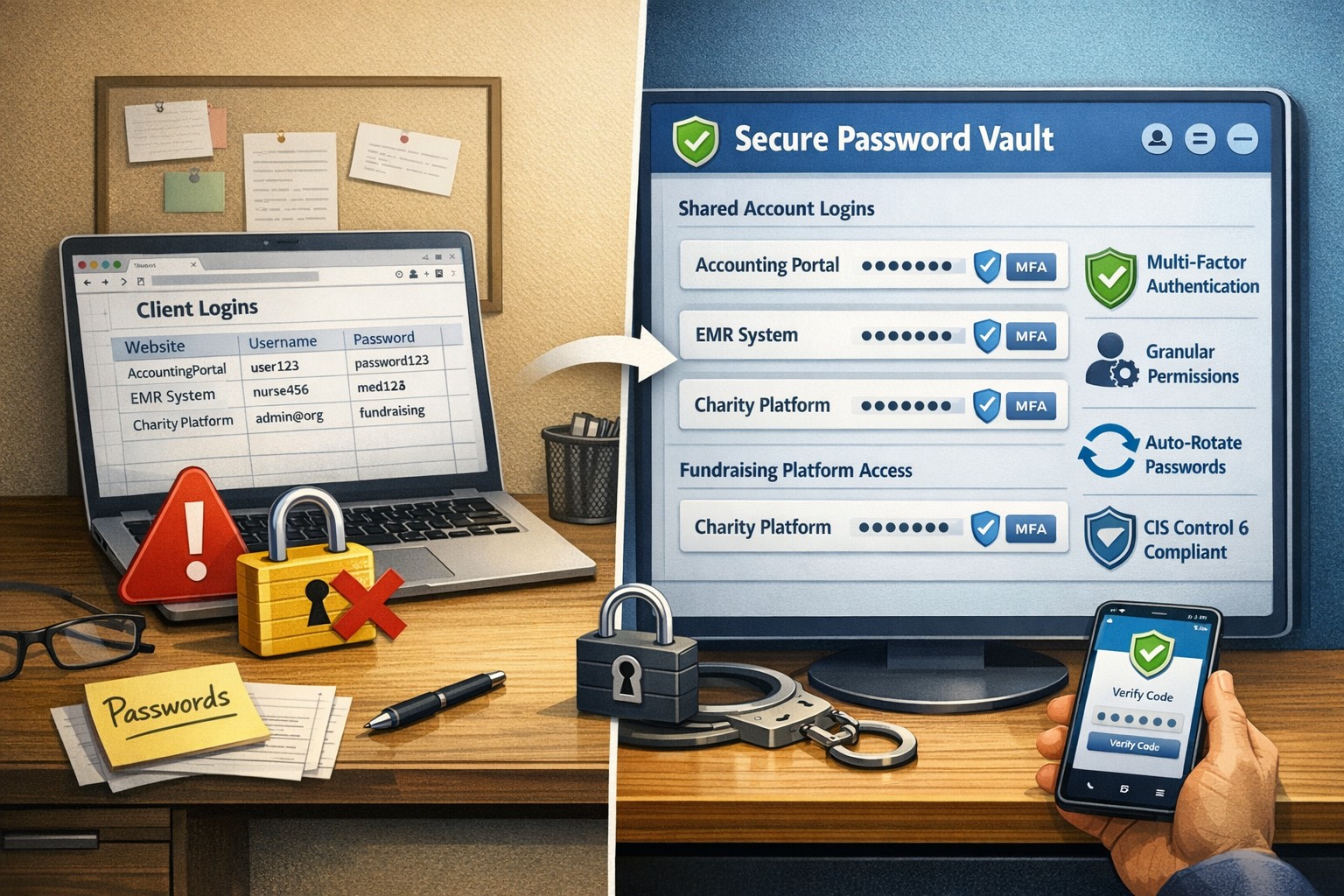
Common Password Storage
Here are some popular places where many businesses store their passwords that make them very vulnerable to being stolen.
Passwords written on paper (that are not under lock and key):
On your desk under your keyboard (or taped underneath)
Under your stapler or desk decorations
On sticky notes stuck to your monitor or desk
On a scrap of paper on your desk or in a drawer
In a notebook or address book
In a old-fashioned Rolodex file
Paper printouts or photocopies of your passwords
Anyone with access to your office could easily find and steal passwords stored like this.
Passwords stored in your computer (without using encryption):
Remembered in your web browser
A document called “Passwords” that you’ve created anywhere on your computer, perhaps using Microsoft Word or Excel
A document with any other name on your computer (including the password as the name)
Email drafts that you’ve created (but not sent) containing password information
Anyone with access to your computer could easily find and steal passwords stored like this, including both a person with physical access to it as well as a virus or hacker gaining access via the internet, or scamming you into granting them access, even once.
Passwords stored in your smartphone or tablet (without using encryption):
Electronic “Notes” containing password information
Other documents or emails similar to the ones listed in computer storage above
Anyone with access to your device could easily find and steal passwords stored like this.
Passwords sent via regular (insecure) email:
Emails that you have sent to yourself containing password information
Emails that you have sent to anyone else containing password information
Any information that you send using regular (unencrypted) email puts that information at risk of being stolen. Email is neither private nor secure. Sending an email is like mailing a postcard, and hackers and thieves can easily read the contents. You should never send passwords (or any other confidential or sensitive data) via regular email.
Secure Password Storage
Now for the discussion of Farmhouse Networking’s new password policy. We are partnering with a company to provide a storage of passwords and other client documentation with military grade encryption. This partnership also allows us to address the dangers that common password storage present by offering our clients this same encrypted password storage service. Here are some of the benefits of this service:
Unlimited users
Unlimited passwords
Each user has a personal password vault
Shared company password vault
Security groups to manage access
Auditing & reporting (Compliance)
Secure password sharing
1-Click Login Tool (for all major browsers)
Mobile Device Access
Only $15 per month (Compared to Lastpass Business at $4 per user per month)
If your company is using common password storage of any kind do yourself a security favor and contact us to upgrade to secure password storage.
In reviewing compliance documentation, we found it necessary to talk about Virtual Private Network (VPN) technology for both privacy and secure remote access. A VPN is a connection to a private network over the internet through an encrypted tunnel – think smuggling information across a secret passageway between two places.
Why use VPN?
Privacy: There has been a huge buzz lately about using VPN technology to help mask you browsing habits from the likes of the NSA or Google. VPN services offer connections that regularly change your external IP address so that a profile (marketing or otherwise) is harder to build. It also makes hacking of your information harder when these services providers offer anti-virus and anti-spam filtering as part of the VPN service.
What are the trade-offs? These VPN service providers will now be the sole owner of your browsing habits – they can sell targeted profiles to marketing companies – so read those terms of service. There will also be a performance hit to your internet speed, so if you are working from a slow network already this may not be an option. Then there is the added cost of an extra $5 to $15 per month for these services on top of your internet bill each month.
Secure Remote Access: This was the original intent of VPN technology and where it really shines. Either from remote workers using coffee shop wifi or remote offices connecting to the main office, VPN tunnels are used to securely access data, servers, and other network resources. This technology is required by all major compliance agencies so that all data transmitted is encrypted during transport. In the past servers would open ports to the internet to allow access, but it was found that this practice allowed hackers the same opportunity to gain access. With VPN tunnels there is another layer of protection from unexpected access. There is also the benefit that no outside provider gets access to your browsing habits.
What are the trade-offs? This will require a router at the main office that is business grade and capable of handling the traffic. It will then require setup of remote workers laptops or remote offices with similar business grade routers.
If your company is concerned about privacy on the internet or secure remote access, then contact us for assistance.
Ran across a startling statistic the other day that HIPAA audits are up 400% and that an amazing 94% of them end in failure. So what if you could have HIPAA compliance insurance that placed a professional team of former auditors in your corner? Farmhouse Networking is partnering with the Compliancy Group, a nationally recognized and industry leading HIPAA compliance software company, to provide our customers with peace of mind. So how well is your organization prepared for an audit? Take a look at the following checklist:
After looking over the checklist, if your company is looking to get completely HIPAA compliant without all the headaches, then contact us for assistance.
Essential small business information security fundamentals: encrypt data, enable MFA, train employees, and backup regularly.
NIST is the National Institute of Standards and Technology. It acts as the defacto baseline that all other security and compliance organizations use to construct their standards. Reading their publications is like reading any other government document – extremely long and not interesting. Farmhouse Networking recently became aware of one such document called NISTIR 7621 aka Small Business Information Security: The Fundamentals. We took the time to distill out the main points here:
The Fundamentals aka Best Practices
Identify: Who has access to the network, who has access to the data, and what do they have access to. This includes background checking employees during the hiring process, taking an inventory of data to see who needs access to what, requiring that each user have their own login, and company policy creation.
Protect: Protection starts with separating data into shares then giving access only to those who really need it. It also includes protecting hardware with uninterruptible power supplies (UPS) and protecting software with regular updates. Protecting the network includes setting up a proper firewall, separate wireless for guest access, and VPN only access for remote users. Web filtering, SPAM filtering, file encryption, proper disposal of old equipment, and employee training are also mentioned.
Detect: Having a centrally managed antivirus software on each workstation is a must. This includes the ability to look back in time via log files or monitoring system to find the root of the security breach.
Respond: Have a disaster recovery plan and security incident response plan in place.
Recover: Need full backups of all important business data, invest in cyber insurance, and regularly access your technology to find timely improvements.
If your company does not meet these fundamentals, then contact us for assistance.
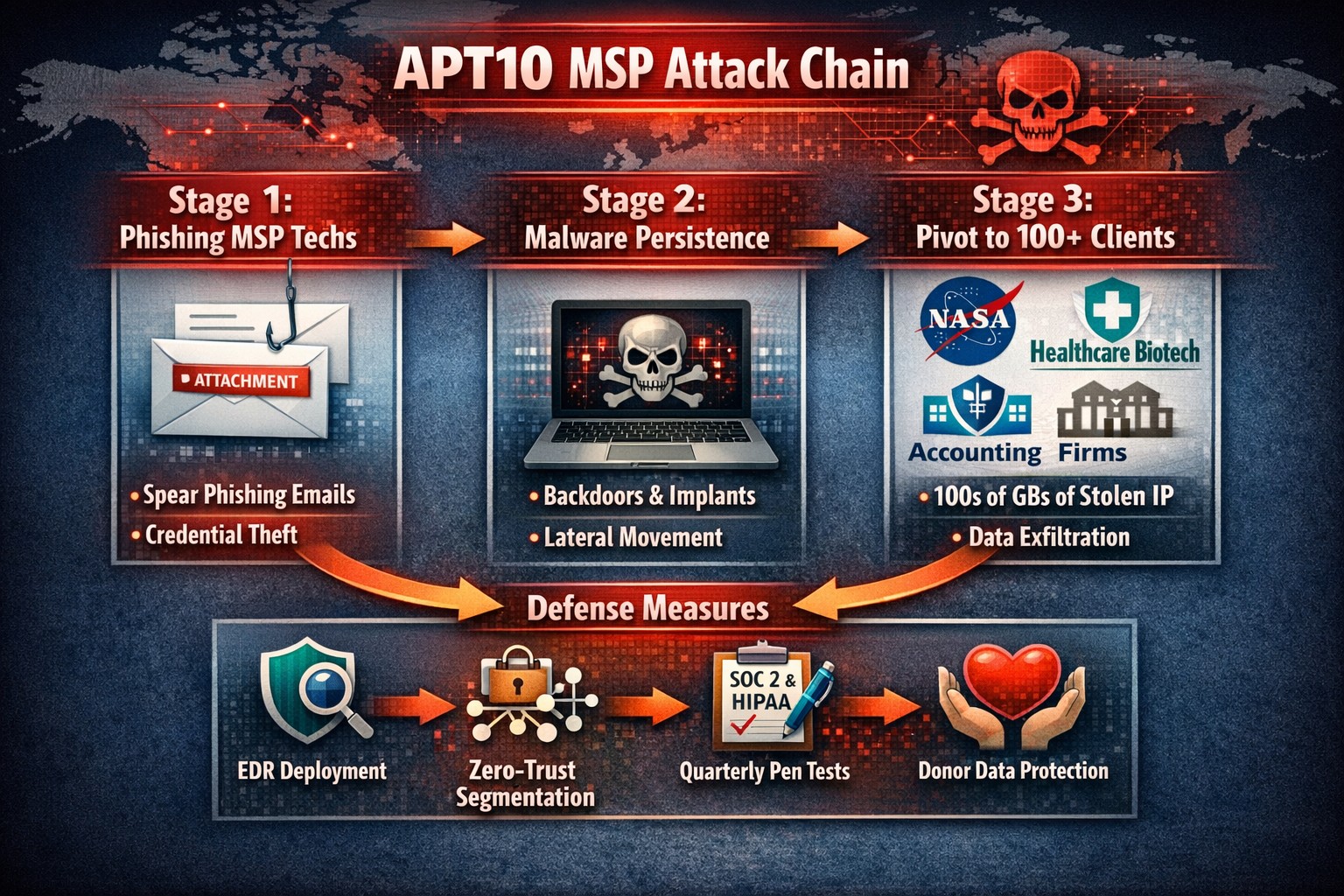
“In a new stunning example of the scale and sophistication of online cybercrime, just before the holidays, DOJ charged two hackers with stealing hundreds of gigabytes of data—including sensitive intellectual property, confidential business data, and personal information from companies and government agencies around the world—as part of a multi-year cyber-espionage campaign that targeted managed service providers (MSPs) directly, bypassing the protections of client systems. This indictment is the latest example of the U.S. government’s use of the criminal justice system to crack down on state-sponsored economic espionage.
As alleged in the indictment, the hackers belong to what is believed to be an elite, Chinese government-sponsored group known within the cyber-security community as Advanced Persistent Threat 10 (APT10). The targets of the hacking campaign included companies in the aerospace, health care, biotechnology, finance, manufacturing, and oil and gas industries, as well as U.S. government agencies, such as NASA and the U.S. Department of Energy.”
The indictment alleges that APT10’s MSP Theft Campaign began in 2014 and involved three stages.
The hackers gained unauthorized access into the MSPs’ computers and installed malware allowing APT10 to remotely monitor the computers and steal login credentials.
The group then used these stolen credentials to move laterally into each MSP’s network and the networks of their clients, further spreading the malware infection.
APT10 identified data of interest on these compromised computers and created packages for exfiltration using encrypted archives, allowing the hackers to move the data from one system to another before ultimately transferring it to APT10’s computers.
This sort of breach calls into question the operating procedures of MSPs everywhere, their security practices, and moral compass. If IT support staff are not trained in best practice and cannot keep from being infected via websites or emails, then what business do they have managing larger network systems with sensitive data.
If you are unsure of your MSPs practices and would prefer a company with transparency, then contact us for assistance.
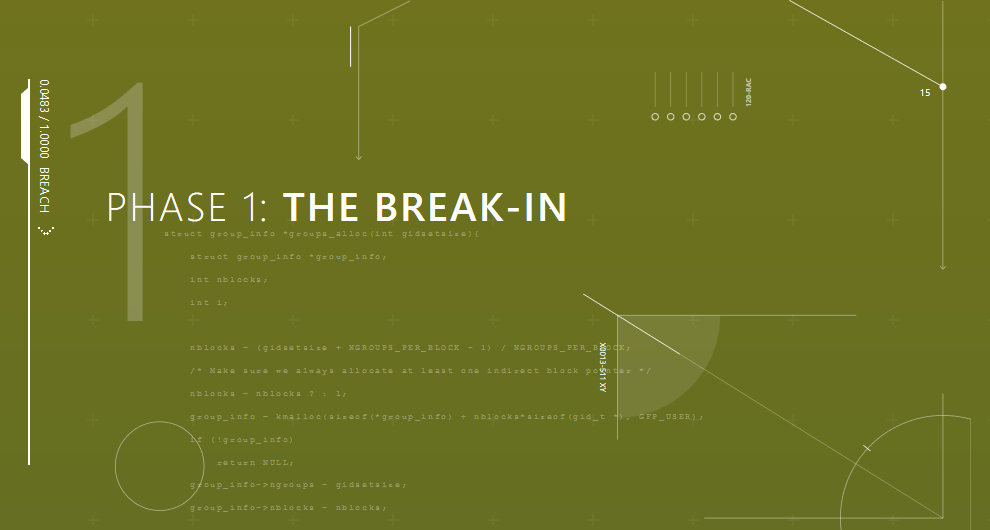
Phase 1: Break-In: Hackers are still using phishing emails, bad passwords, social media links, and poorly patched systems to make their way in with the initial infection. Employee training is the first step towards preventing breaches for 9 out of 10 companies now (and it is included in the price for all our monthly clients).
Phase 2: The Inside Man: Once inside the hacker will scan the network for further vulnerable systems, employees with more access rights than they need, and systems that allow access into other parts of the network. Having systems in place that detect strange or malicious activity are key to stopping an infection in its tracks.
Phase 3: Spread Out: This is where the hacker has all the access they need and start to find the data that is worth selling. Hackers will usually start moving data to places it doesn’t belong on the network then downloading it to their computers for resell. This is where strong access policies that are clearly defined and enforced make the greatest impact to protect sensitive data.
Phase 4: The Long Con: Once a hacker has taken all they need for the short term payout, they will setup remote access back doors to allow for future access whenever they want to. It almost pays to assume that a breach has already occurred and continually scan the network for these kinds of activity to catch the hackers in the act.
Take the time to read this article, it is a wake-up call on security.
If you would like to learn more about creating an effective cyber defense strategy and mitigating risk, then contact us for assistance.
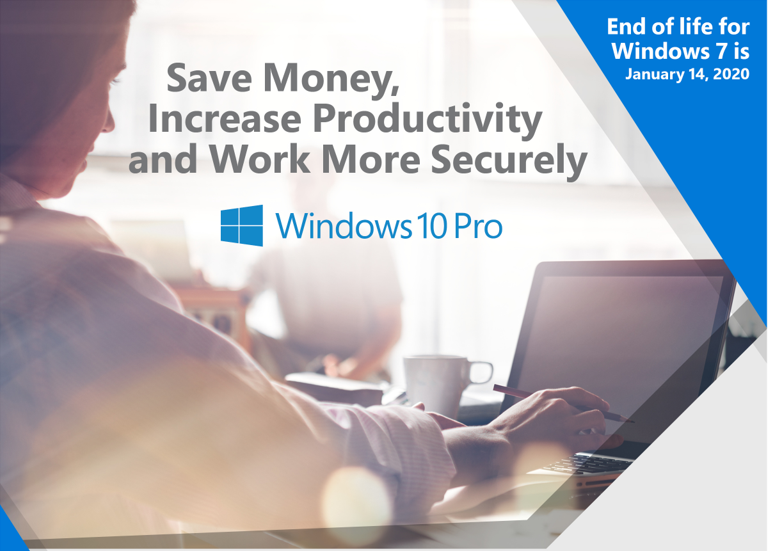
Unpatched Windows 7 = immediate cyber risk for SMB data
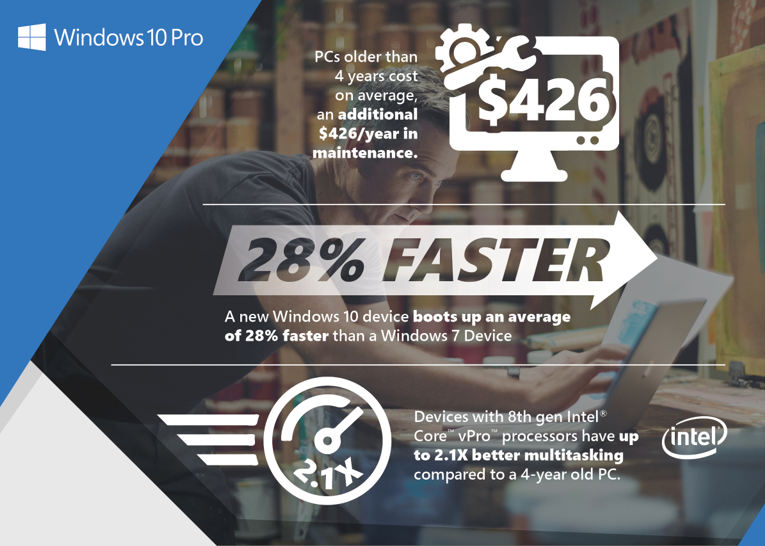
With Windows 7 quickly moving to End of Life within a years time, it is time to consider replacing current workstations with newer ones.
Why make the move to Windows 10 Pro?
You’ll get the familiar yet improved desktop and Start Menus as well as all-new features, such as the Cortana personal digital assistant, Live Tiles, Tablet Mode, cloud services integration, improved support for touch, pen and voice and so much more. More importantly, you’ll get hardware and software enabled features that help protect device and company information from ever- evolving security threats. Most importantly, you will meet compliance requirements before they become enforceable.
If your company is still using Windows 7 in your business environment, then contact us for assistance.
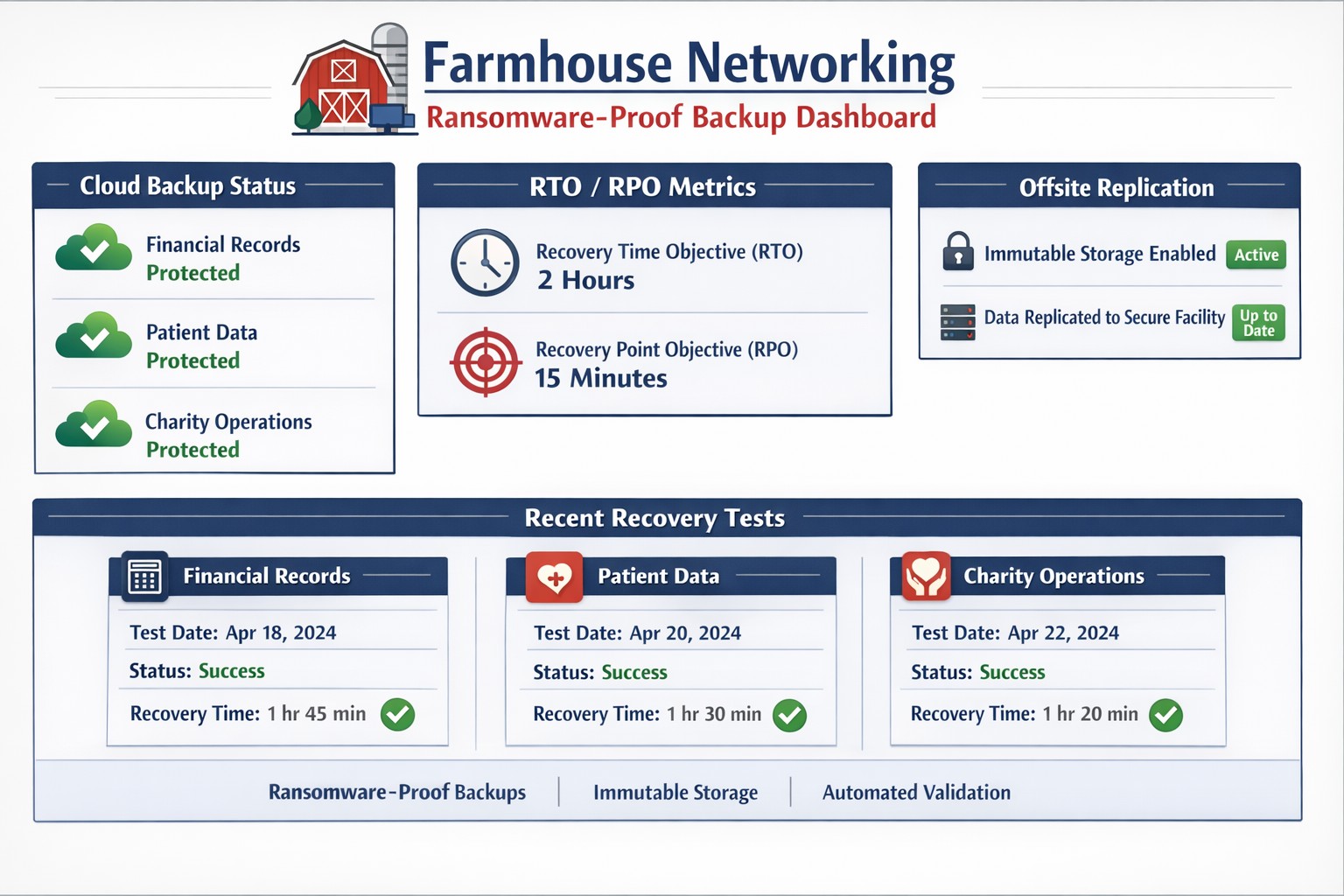
Automated cloud backups with tested recovery ensure business survives disasters
When it comes to security threats, it’s not “if” disaster will strike, it’s “when.” So, how will your organization respond? Do you have the proper infrastructure in place to thwart a potential data disaster and if disaster does strike, is your organization poised to recover quickly?
While 100% prevention of a data disaster is impossible, there are several ways you can position your organization to get your systems back up and running with as little disruptions to day-to-day operations as possible:
File Level Backup: A good file sync and share tool is more than just a way for your team to collaborate on the go, it’s a vital component to your organization’s security strategy. With file level backup, you can ensure that even in the event of a site wide disaster, your team can maintain anytime access to their critical files.
Backup and Disaster Recovery: Your last line of defense in a site wide disaster, backup and disaster recovery solutions allow you to recover at the systems level. An absolutely necessary piece of your organizational infrastructure, backup and disaster recovery delivers peace of mind that your systems will always be recoverable, even when disaster strikes.
Cloud-to-Cloud Backup: Cloud-to-cloud backup fills in the gaps left by some of the most commonly used SaaS applications, such as Office 365. Many of these cloud applications fall short in the way of cloud-retention and a good cloud-to-cloud backup solution can help you protect critical business data while providing enhanced features to maximize your user experience and more importantly, security.
It’s an unfortunate reality but our workforce can often times be our worst enemies, often creating vulnerabilities and leaving our systems open to hackers, viruses, data breaches and data loss. More often than not, we do this through completely harmless, everyday activities like opening compromised emails and links.
As a leader in your organization it’s your role to monitor your team and arm them with the knowledge of good security practices. Without implementing a company-wide security training program, you leave your systems vulnerable to a host of attacks.
Another crucial step in preventing system attacks, is to configure a firewall to monitor user activity and website visits throughout your organization. An Acceptable Use Policy is helpful in establishing what your organization will and will not allow from its employees.
Curious how we can help you establish a more secure company infrastructure?
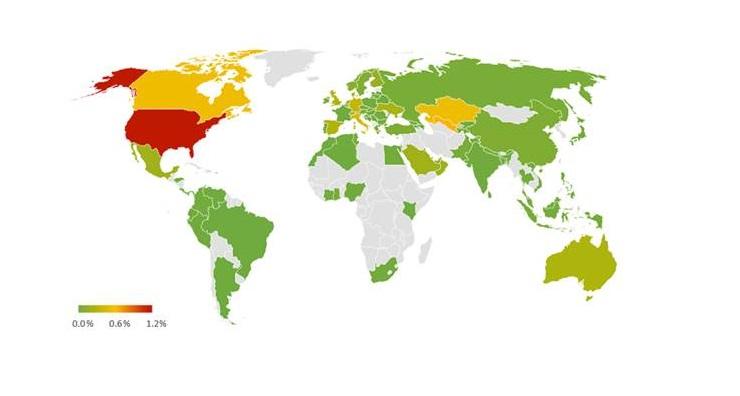
We’ve got a bit of bad news. Ransomware attacks are on the rise. Don’t think so? In 2017 alone, ransomware attacks rose a whopping 250%, with those attacks hitting the U.S. the hardest
Unmanaged BYOD devices create critical data breach pathways
Below are just a few of the attacks that led to such a staggering spike in malicious activity as well as several new trends.
ATTACKS
WannaCry:
In May 2017, the WannaCry ransomware attack affected computers worldwide running the Microsoft Windows OS. This ransomware cryptoworm worked by encrypting data and demanding ransom payments by made in Bitcoin. The attack was estimated to have impacted 200,000+ computers in 150 countries, with damages exceeding hundreds of millions of dollars.
NotPetya:
The NotPetya virus was similar to its 2016 predecessor, Petya in that it encrypts the master file table and demands a Bitcoin ransom to restore access to the files. The reason NotPetya was so damaging and different from Petya is that NotPetya spread on its own and did not require human intervention in order to spread.
RANSOMWARE TRENDS TO KNOW
• Ransomware as a Service (RaaS):
RaaS refers to the practice that allows attackers to rent ransomware infrastructure in lieu of developing it themselves. It’s widely believed that this practice will continue to grow in popularity.
• Boutique Ransomware:
Boutique ransomware is ransomware that typically affects the attacked for a shorter duration and is sent to hundreds of thousands of potential victims instead millions or more at a time. This trend is likely to continue in 2018, as developers of malware try and continue to add ransomware to new methods of attacks.
And God will generously provide all you need. Then you will always have everything you need and plenty left over to share with others. As the Scriptures say,
“They share freely and give generously to the poor. Their good deeds will be remembered forever.”
For God is the one who provides seed for the farmer and then bread to eat. In the same way, he will provide and increase your resources and then produce a great harvest of generosity in you. - 2 Corinthians 9:8-10
We use cookies to ensure that we give you the best experience on our website. If you continue to use this site we will assume that you are happy with it.