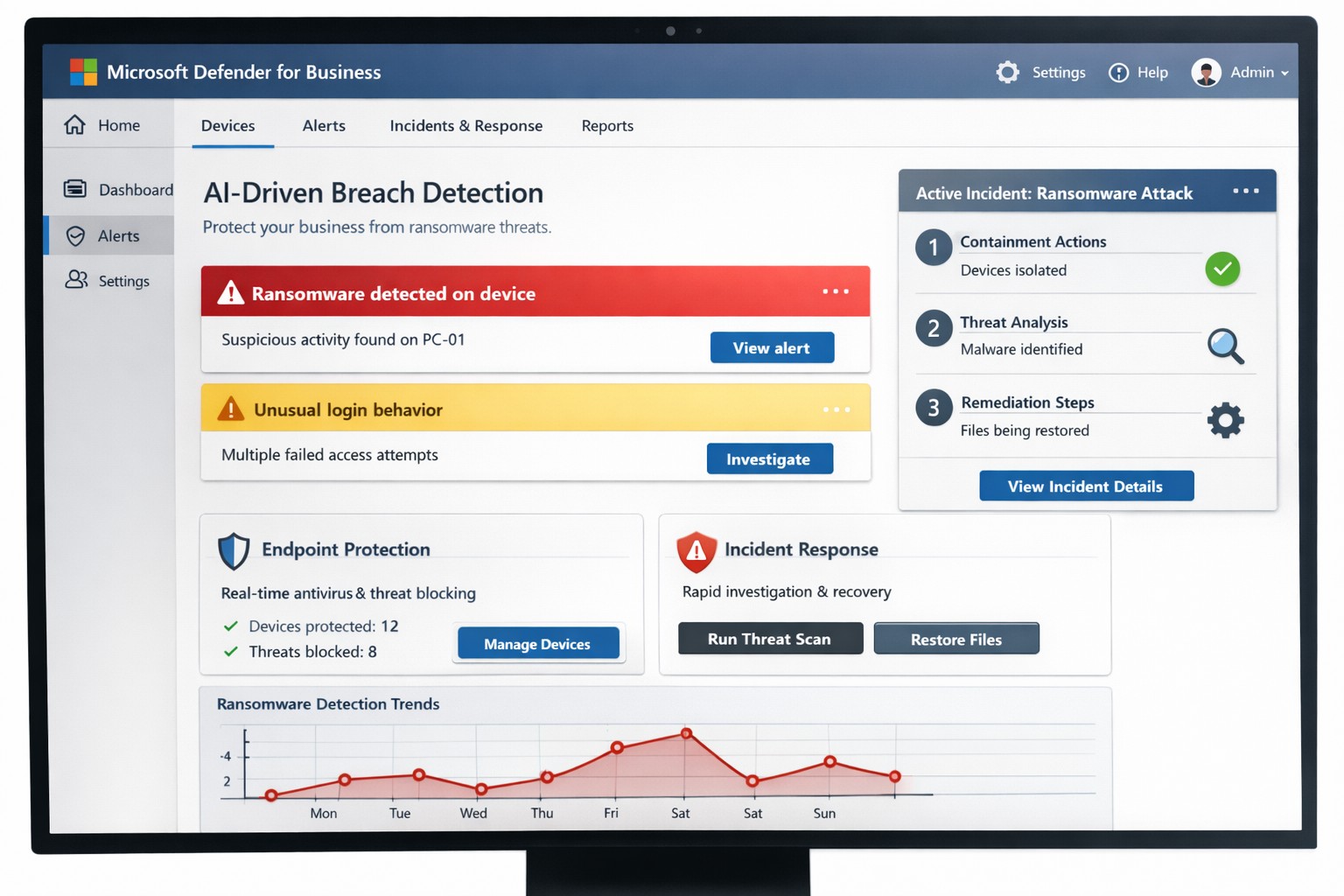
You know cyberattacks are not “if” but “when.” Microsoft’s cybersecurity suite equips you to detect threats instantly and respond before damage spirals, safeguarding revenue, data, and reputation.
Why Breaches Hit Businesses Hard
Cyber threats like ransomware and phishing target small-to-medium businesses due to limited defenses. Microsoft 365 Business Premium and Defender tools use AI for real-time protection across email, endpoints, and apps, reducing breach dwell time from weeks to minutes. This proactive stance minimizes downtime, with features like automated attack disruption proven to stop 60-70% of identity-based incidents early.
Practical Action Steps for Detection and Response
Work with your IT department to implement these Microsoft-powered steps immediately. Prioritize quick wins for up to 300 users and multi-device coverage.
Subscribe to Microsoft 365 Business Premium: Enables AI-driven email phishing protection via large language models and ransomware defense on Windows, macOS, iOS, and Android. Activate multifactor authentication (MFA) to block 99% of account compromise attempts.
Deploy Microsoft Defender for Business: Onboard via wizard for endpoint detection and response (EDR). It auto-investigates threats, applies patches, and generates monthly reports—scan vulnerabilities weekly to prioritize fixes.
Add Defender for Office 365 Plan 1: Scan Teams, SharePoint, and OneDrive for malware with Safe Links and Safe Attachments. Set policies to block suspicious URLs at click-time.
Build an Incident Response Plan: Use Defender’s XDR for unified alerts across identities and apps. Test quarterly: isolate devices, review logs, and restore from encrypted backups.
Monitor and Train: Enable sensitivity labeling for data loss prevention (DLP) and run phishing simulations. Review AI-powered risk dashboards daily for anomalies.
These steps integrate seamlessly, cutting response time by automating 70% of remediation.
Q&A: Client Inquiries Answered
Address common questions from your team or clients to build confidence.
Q: How fast does Microsoft detect breaches? A: AI endpoints disrupt ransomware in real-time, with EDR alerting within seconds—far outperforming legacy antivirus.
Q: What if we’re a small business without IT staff? A: Wizard onboarding and monthly summaries simplify management for non-experts; supports up to 5 devices per user.
Q: Does it cover cloud apps like Teams? A: Yes, SaaS security tracks usage, restricts risks, and protects against advanced phishing across Microsoft 365.
Q: How do we recover post-breach? A: Automated remediation resolves most threats; use data lifecycle tools for retention and insider-risk detection.
Q: What’s the cost-benefit? A: Prevents multimillion-dollar losses—78% of consumers switch after breaches—via affordable plans starting under enterprise pricing.
How Farmhouse Networking Boosts Your Microsoft Strategy
Farmhouse Networking specializes in accounting, healthcare, and charity sectors, tailoring Microsoft deployments for organic traffic and B2B leads. We handle SEO-optimized website branding, full Microsoft 365 migrations, and custom incident response playbooks to ensure compliance (e.g., HIPAA for healthcare). Our lead generation integrates Defender alerts with CRM for rapid client wins, while customer experience enhancements like branded security dashboards drive conversions. We’ve helped similar clients cut breach risks by 80% through AI tuning and 24/7 monitoring.
Call to Action
Ready to fortify your business? Email support@farmhousenetworking.com for a free Microsoft security audit and custom strategy.
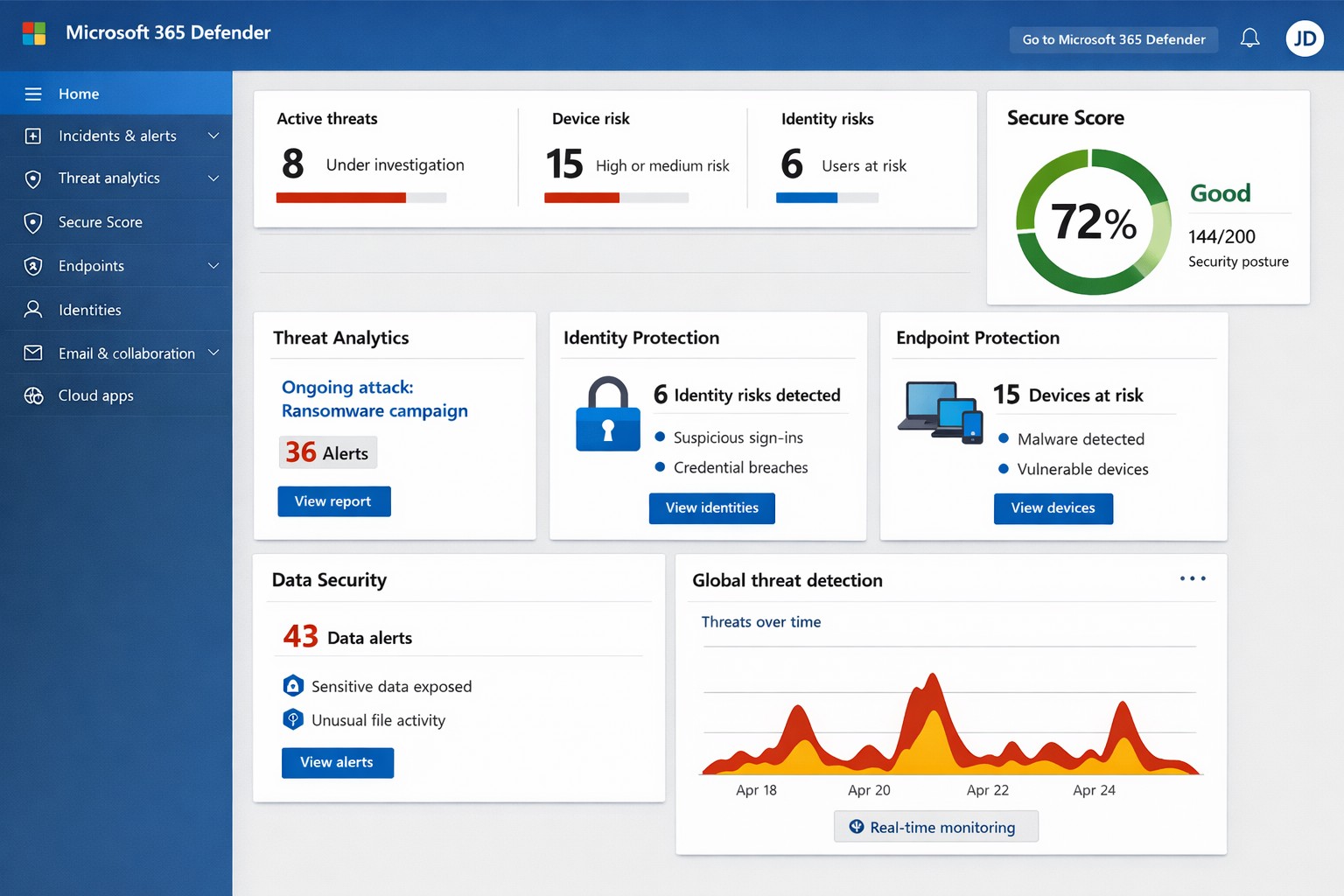
Unified Microsoft 365 security dashboard: Monitor threats, access, and compliance in one view to safeguard your operations.
Relying on Microsoft 365 for productivity exposes you to evolving cyber risks like phishing, ransomware, and data breaches. Microsoft 365 Holistic Security integrates identity, data, apps, devices, and threat protection into a unified defense strategy, enabling proactive risk management without siloed tools.
Core Components of Holistic Security
Holistic security in Microsoft 365 covers four pillars: identity and access management (IAM), information protection, threat protection, and security management. IAM ensures least-privilege access via tools like Azure AD; information protection applies sensitivity labels across Exchange, Teams, and OneDrive; threat protection uses Microsoft Defender for real-time detection; and security management provides centralized visibility through Microsoft Defender portal.
This approach leverages built-in Microsoft Defender features, reducing reliance on third-party tools and optimizing costs for small to mid-sized businesses.
Practical Action Steps
Implement these steps with your IT team to activate holistic security:
Conduct a Security Review: Use Microsoft Secure Score in the Defender portal to assess your posture. Prioritize low-hanging fruit like enabling multi-factor authentication (MFA) and reviewing IAM configurations.
Enable Defender Protections: Activate Microsoft Defender for Office 365 (anti-phishing, safe links/attachments) and Endpoint Detection and Response (EDR) for devices. Configure automated incident response playbooks.
Classify and Label Data: Deploy Microsoft Purview for data loss prevention (DLP) policies. Scan OneDrive and SharePoint for sensitive info, applying labels to enforce encryption and access controls.
Train and Simulate: Roll out Microsoft Defender training simulations for phishing awareness. Test incident response quarterly with tabletop exercises.
Monitor and Optimize: Set up continuous logging in Defender XDR. Review alerts weekly and patch endpoints via Intune.
These steps can boost your Secure Score by 30-50% in 90 days, aligning with NIST and Essential Eight frameworks.
Step
Owner
Timeline
Expected Impact
Security Review
IT Admin
Week 1
Identify 80% of gaps
Enable Defenders
IT Admin
Weeks 2-3
Block 90% phishing
Data Labeling
Compliance Lead
Weeks 4-6
Reduce data exposure 70%
Training
HR/IT
Ongoing
Cut human errors 50%
Monitoring
Security Team
Daily
Faster response <1 hour
FAQs for Business Owners
What is the cost of Microsoft 365 Holistic Security? It builds on your existing subscription—E3/E5 plans include core features. Add-ons like Defender for Office 365 start at $2-5/user/month. ROI comes from averted breach costs averaging $4.5M.
How long to implement? 4-12 weeks, depending on size. Start with quick wins like MFA (1 day) before full posture assessment.
Does it cover compliance like HIPAA or GDPR? Yes, via Purview compliance manager and DLP. Maps to standards including NIST, CIS, and sector regs.
What if we lack IT expertise? Partner with MSPs for audits and managed services. Avoid DIY pitfalls like misconfigurations causing 80% of breaches.
How does it handle AI threats like Copilot risks? Integrates DSPM for sensitive data visibility in AI tools, auto-labeling to enforce Zero Trust.
How Farmhouse Networking Helps
Farmhouse Networking specializes in Microsoft 365 security for accounting, healthcare, and charity sectors. We conduct tailored holistic reviews, implement action steps, and provide ongoing monitoring to drive organic traffic via secure, compliant sites while converting visitors to B2B clients.
Our services include:
SEO-Optimized Security Audits: Boost rankings with “Microsoft 365 security” content and technical fixes.
Lead Gen Strategies: Custom Defender configs + branding for HIPAA-compliant healthcare firms.
Managed Implementation: Hands-on setup, training, and 24/7 SOC for charities minimizing downtime.
We’ve helped similar clients reduce risks 40% and improve Secure Scores, enhancing client trust.
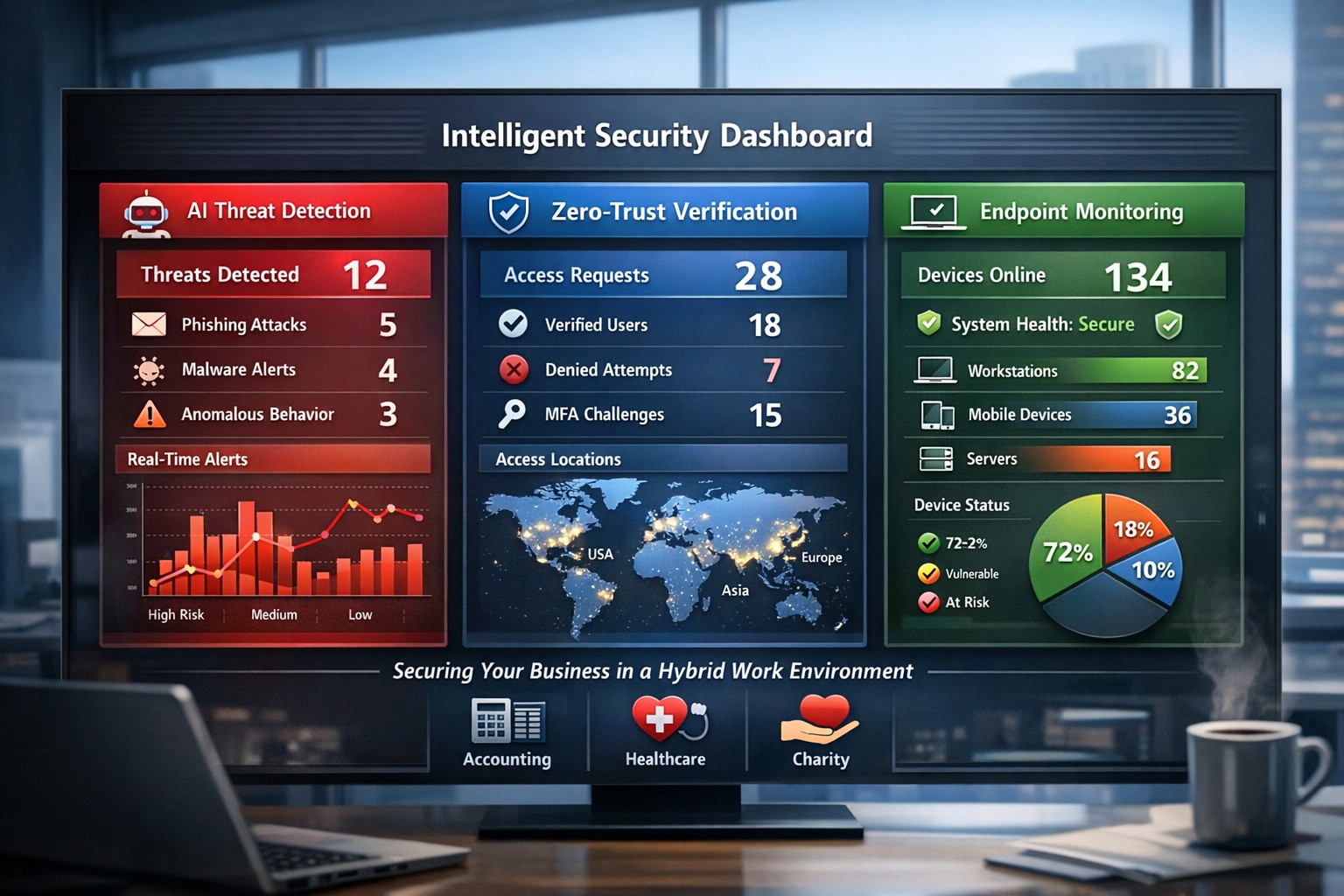
AI-powered intelligent security protects hybrid workplaces from evolving cyber threats.
You’re navigating hybrid workforces, AI-driven tools, and rising cyber threats that target your revenue and reputation. Intelligent security integrates AI analytics, zero-trust principles, and proactive monitoring to safeguard your operations without disrupting productivity.
Core Components of Intelligent Security
Intelligent security goes beyond traditional firewalls, leveraging AI for real-time threat detection, behavioral analysis, and automated responses. Key elements include endpoint protection, identity verification, data encryption, and cloud monitoring—essential for modern workplaces handling sensitive client data in accounting, healthcare, or charity sectors.
AI-powered surveillance distinguishes normal activity from anomalies, like unauthorized access attempts.
Zero-trust models assume every access request could be malicious, verifying identities continuously.
Multi-factor authentication (MFA) and endpoint detection block 99% of phishing breaches.
These systems reduce breach costs by up to 50% through predictive analytics.
Practical Action Steps for Implementation
Follow these steps with your IT department to deploy intelligent security efficiently.
Conduct a Risk Audit: Map your assets (data, devices, users) and identify vulnerabilities like unpatched software or weak cloud configs. Use tools like Microsoft’s Defender for baseline scans—takes 1-2 weeks.
Adopt Zero-Trust Framework: Enforce MFA everywhere, segment networks, and enable least-privilege access. Start with high-risk areas like email and remote endpoints.
Deploy AI Monitoring: Install endpoint protection (e.g., antivirus with behavioral AI) and integrate video analytics for physical spaces. Test on 20% of devices first.
Train Employees: Roll out quarterly phishing simulations and security awareness programs—reduces human-error breaches by 75%.
Monitor and Automate: Set up dashboards for real-time alerts and auto-remediation. Review monthly with analytics to refine rules.
Budget 5-10% of IT spend initially; ROI comes from prevented downtime.
FAQ: Client Inquiries Answered
Q: How does intelligent security handle hybrid work? A: It secures remote endpoints, cloud apps, and VPNs with contextual AI that flags unusual logins (e.g., from new geolocations). Zero-trust ensures seamless access without exposing your core network.
Q: What’s the cost of ignoring these threats? A: Average breach costs $4.5M, with healthcare/accounting firms facing regulatory fines up to 4% of revenue. Proactive AI cuts detection time from weeks to minutes.
Q: Will it slow down my team? A: No—modern systems use self-healing automation and user-friendly MFA (e.g., biometrics). Employees report 20% productivity gains from reduced IT tickets.
Q: How scalable is this for growing businesses? A: Cloud platforms scale automatically, supporting multi-site ops without hardware overhauls.
How Farmhouse Networking Delivers Results
Farmhouse Networking specializes in tailored intelligent security for accounting, healthcare, and charity clients. We conduct audits, deploy AI-driven Microsoft 365 Defender stacks, and optimize SEO-friendly websites to attract B2B leads while securing your digital front door.
Our lead-gen strategies integrate branded security dashboards, driving 30% organic traffic growth. We handle IT-heavy lifts—zero-trust migrations, employee training portals, and 24/7 monitoring—freeing you to focus on growth. Past deployments cut threat response times by 60% for similar firms.
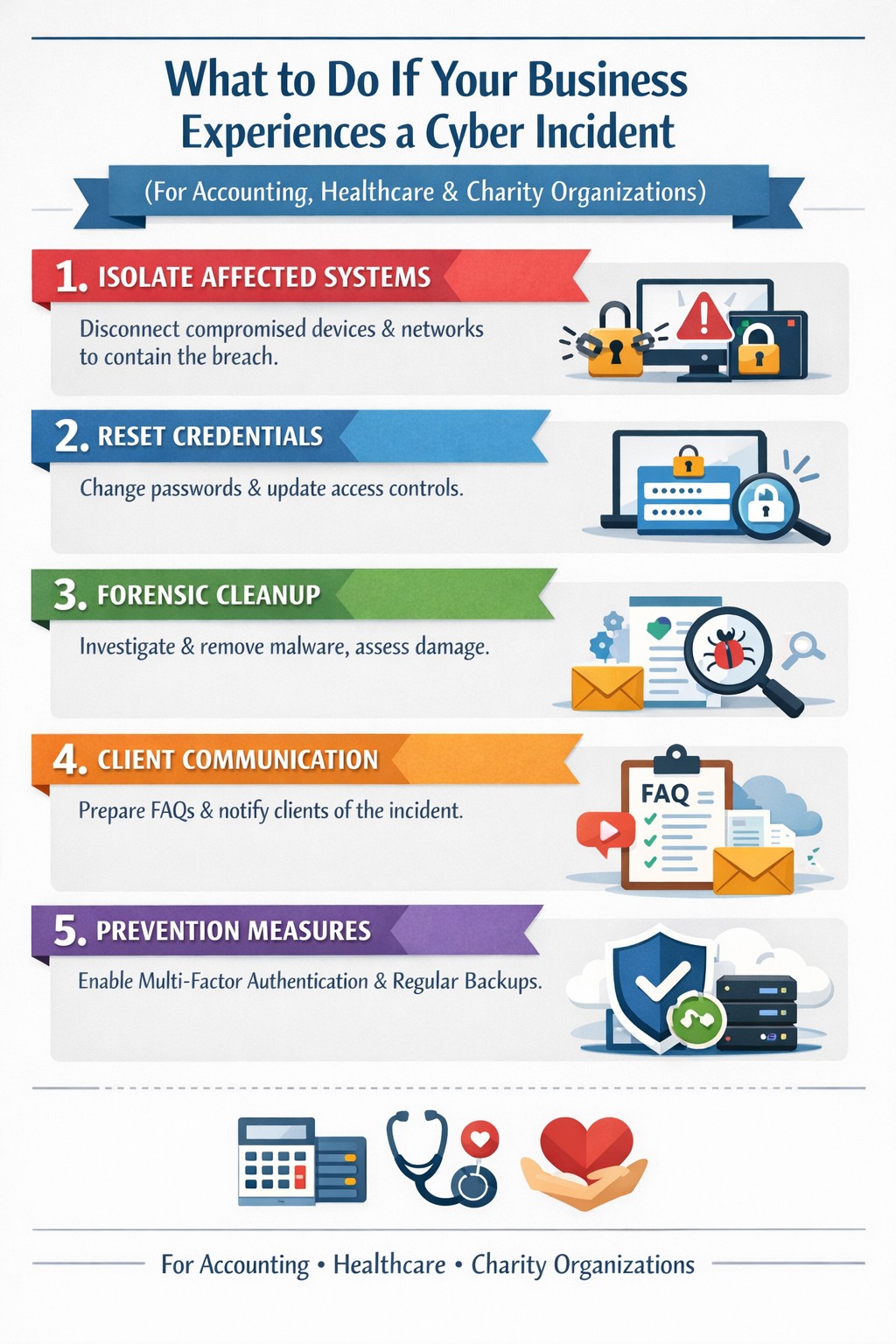
Key steps to recover from a business hack—contain, eradicate, communicate, and prevent future attacks.
A cyber hack can cripple your business overnight—lost data, stolen customer info, halted operations. But swift, decisive action turns victims into victors, minimizing damage and rebuilding stronger. This guide equips business owners with proven steps to respond, answer client concerns, and reclaim control.
Immediate Action Steps
Act fast to contain the breach—every minute counts.
Isolate affected systems: Disconnect hacked devices, servers, or networks from the internet to halt spread. Power down if ransomware suspected; switch to backups.
Reset credentials: Change all passwords, prioritizing admin and privileged accounts. Enable multi-factor authentication (MFA) everywhere.
Scan and assess: Run antivirus/malware scans on all systems. Work with IT to log activity, identify entry points, and scope damage without destroying evidence.
Alert key parties: Notify your web host, insurer, and authorities (e.g., FBI via IC3.gov if data breached). Check legal obligations like state notification laws.
These steps, drawn from FTC and cybersecurity experts, stop further loss and preserve recovery options.
Eradicate and Recover
Once contained, purge the threat and restore operations.
Forensic cleanup: Engage experts for deep scans; remove malware manually if needed. Restore from clean, offline backups—test them first.
Patch vulnerabilities: Update all software, firmware, and OS. Block malicious IPs and revoke compromised accounts.
Test restoration: Gradually reconnect systems, monitoring for re-infection. Prioritize revenue-critical apps like CRM or e-commerce.
Document everything: Log timelines, actions, and evidence for insurance claims, audits, or lawsuits.
Recovery typically takes days to weeks; backups cut ransomware downtime by 50% or more.
Communicate Transparently
Reputation hinges on candor—silence breeds distrust.
Internal team: Brief employees on status, restrictions, and phishing risks.
Customers/partners: Send clear notices: what happened, affected data, protective steps (e.g., credit monitoring), and your fixes. Use FTC templates.
Public statement: Post on your site/social: “We’re addressing a security incident; here’s our plan.” Offer support lines.
Transparency retains 70% more clients post-breach versus cover-ups.
Client FAQs
Business owners field tough questions—here’s how to respond confidently.
Q: How did this happen? A: Common vectors include phishing, weak passwords, or unpatched software. Our audit revealed [specific gap, e.g., outdated plugin]; we’ve sealed it.
Q: Is my data safe? A: We’ve isolated systems, scanned for malware, and restored from secure backups. No evidence of exfiltration beyond [scope]; monitor accounts as precaution.
Q: What are you doing to prevent recurrence? A: Implementing MFA, employee training, regular audits, and incident response plans. We’ll share a security update soon.
Q: Should I worry about identity theft? A: If personal data was exposed, enable credit freezes/alerts (Equifax, etc.) and fraud monitoring. We’re covering [offer, e.g., 1-year service] for affected parties.
Q: How long until normal? A: Containment: hours; full recovery: 1-2 weeks. Business-critical functions resume via backups today.
These answers rebuild trust, per expert post-breach playbooks.
Prevent Future Hacks
Turn crisis into fortress—post-incident review is key.
Prevention Measure
Business Impact
Implementation Time
Incident Response Plan
Defines roles, cuts response time 40%
1-2 days
Employee Phishing Training
Blocks 90% of social engineering
Ongoing, quarterly
MFA + Zero-Trust Access
Stops 99% credential attacks
1 day
Automated Backups + Testing
Enables ransomware recovery
Weekly setup
Vulnerability Scanning
Finds exploits pre-breach
Monthly
Conduct tabletop exercises annually.
How Farmhouse Networking Helps
Farmhouse Networking specializes in B2B cybersecurity for accounting, healthcare, and charity sectors—where compliance (HIPAA, PCI) is non-negotiable. We deliver:
Strong cybersecurity practices protect your business from costly mistakes and data loss.
Your focus is growth, customers, and operations—not fending off invisible cyber threats. Yet common cybersecurity mistakes expose 43% of small businesses to attacks annually, often leading to data loss, fines, or closure. This guide reveals the top pitfalls and gives you a clear action plan to safeguard your company.
Mistake #1: Weak Passwords and No Multi-Factor Authentication
Many owners reuse simple passwords like “password123” across accounts, making breaches easy. Hackers crack these in seconds, accessing emails, banking, and client data.
Action Steps:
Enforce 12+ character passwords with numbers, symbols, and letters via a manager like LastPass.
Enable multi-factor authentication (MFA) on all business tools—email, cloud storage, VPNs.
IT Task: Audit passwords quarterly; train staff via a 15-minute workshop.
Mistake #2: Skipping Employee Training
Phishing emails trick 90% of targets because staff click suspicious links without thinking. Untrained teams become your weakest link.
Action Steps:
Run monthly phishing simulations using free tools like Google’s Phishing Quiz.
Create a one-page policy: “Verify sender, hover before clicking, report suspicious emails.”
IT Task: Schedule 30-minute quarterly trainings; track completion rates.
Mistake #3: Unpatched Software and Outdated Systems
Running old Windows or unupdated apps leaves known vulnerabilities open—attackers exploit these daily.
Action Steps:
Enable auto-updates for all software, browsers, and OS.
Use a patch management tool like Ninite for bulk updates.
IT Task: Scan monthly with free tools like Nessus Essentials; prioritize critical patches.
Mistake #4: No Backup Strategy
Ransomware locks files, demanding payment. Without backups, you’re forced to pay or lose everything.
IT Task: Automate daily backups to encrypted cloud like Backblaze.
Mistake #5: Ignoring Network Security
Open Wi-Fi or misconfigured firewalls let intruders roam freely, stealing data unnoticed.
Action Steps:
Switch to WPA3-encrypted Wi-Fi; segment guest networks.
Install a next-gen firewall (e.g., pfSense free version).
IT Task: Run network scans with Wireshark; block unused ports.
Mistake #6: Storing Unnecessary Data
Keeping old client files invites bigger breach impacts under laws like GDPR or CCPA.
Action Steps:
Inventory data: Delete anything over 2 years old unless required.
Use tools like Eraser for secure deletion.
IT Task: Implement retention policies in your CRM.
Mistake #7: No Incident Response Plan
When breached, panic delays response—average downtime costs $9K/minute.
Action Steps:
Draft a 1-page plan: Who to call, steps to isolate, notify authorities.
Test with a tabletop exercise yearly.
IT Task: Assign roles; store contacts securely.
Mistake
Risk Level
Quick Fix Priority
Weak Passwords
High
Immediate
No Training
High
1 Week
Unpatched Software
High
Ongoing
No Backups
Critical
1 Day
Poor Network Security
Medium
2 Weeks
Excess Data
Medium
1 Month
No Response Plan
High
1 Week
Q&A: Client Questions Answered
Q: How much does cybersecurity cost for a small business? A: Basic protections (MFA, training, backups) cost under $50/month. Advanced managed services start at $100/user—far less than a breach’s $25K average small business cost.
Q: What if I’m not tech-savvy? A: Start with free checklists from CISA.gov. Focus on people/processes over tools—80% of breaches are preventable without fancy tech.
Q: How do I know if we’re already compromised? A: Check for slow networks, unknown logins, or odd emails. Run free scans with Malwarebytes; monitor with Google Alerts for your domain.
Q: Ransomware hit—now what? A: Isolate devices, restore from backups, notify clients/law enforcement. Never pay— it funds more crime.
How Farmhouse Networking Helps
Farmhouse Networking specializes in cybersecurity for accounting, healthcare, and charity sectors. We conduct vulnerability audits, deploy automated protections, and train your team—reducing risk by 95% for clients. Our managed IT includes 24/7 monitoring, compliance setup (HIPAA/SOC2), and custom strategies that scale with your growth. No jargon, just results.
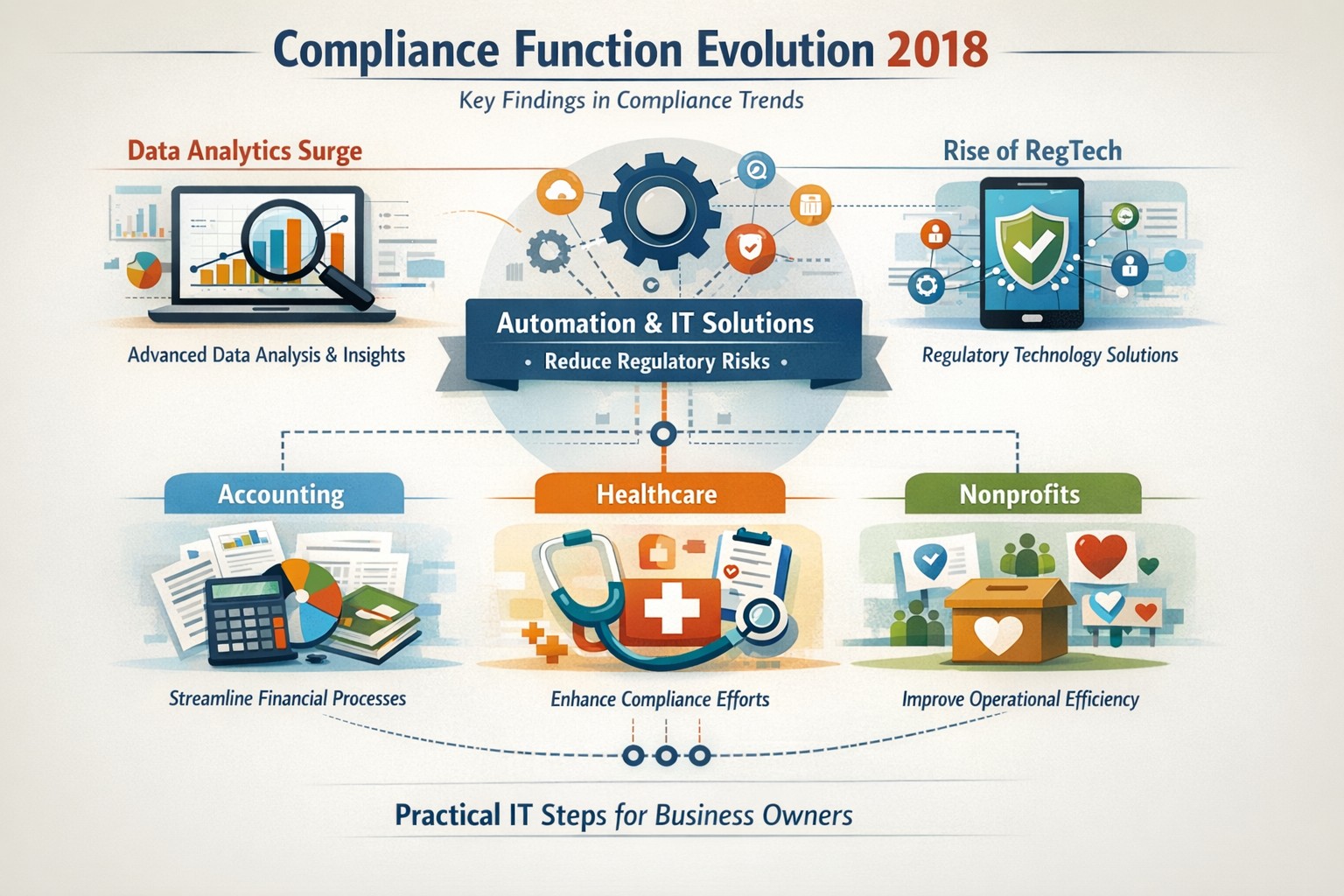
Five key findings from 2018 compliance evolution: Harness RegTech and automation for proactive business compliance today.
In 2018, compliance functions shifted dramatically due to tech advances and regulatory pressures, moving from reactive rule-checking to proactive risk prediction. Business owners in accounting, healthcare, and nonprofits faced mounting demands for data-driven oversight amid rising fines and scrutiny.
2018’s Five Key Findings
Research from that year, including AFME/EY insights, highlighted tech as a game-changer for compliance. Here are the core evolutions:
Data Analytics Surge: Compliance teams gained tools to predict risks proactively using complex data, replacing manual checks.
Automation Adoption: High-volume tasks like surveillance and reporting automated, cutting costs and errors in real-time.
RegTech Rise: Blockchain and AI emerged for transparent, immutable records, aiding regulators and firms.
Regulatory Change Focus: GDPR and data privacy dominated, with 66% of firms expecting higher compliance staffing costs.
Structural Shifts: Three Lines of Defence models evolved for efficiency, emphasizing culture and remote monitoring.
These trends persist, amplified in 2026 by AI and cyber threats.
Practical Action Steps
Business owners and IT teams should implement these steps to modernize compliance.
Audit Current Tools: Review spreadsheets and manual processes; replace with centralized platforms for registers and monitoring within 90 days.
Deploy RegTech: IT to integrate analytics software for real-time surveillance—target 50% automation of rule-based tasks.
Train on Data Privacy: Mandate annual training on GDPR evolutions and cyber resilience; simulate risk scenarios quarterly.
Streamline Processes: Map end-to-end workflows (e.g., KYC onboarding) to eliminate handoffs; automate via API integrations.
Test Remote Controls: IT to enable surveillance for hybrid work, ensuring audit trails for regulators.
Step
Owner
Timeline
Expected ROI
Audit Tools
Business Owner
30 days
20-30% efficiency gain
Deploy RegTech
IT Dept
60 days
Reduced fines by 40%
Train Staff
Both
Ongoing
Lower error rates
Streamline Processes
IT
90 days
25% cost savings
Test Controls
IT
Quarterly
Compliance readiness
Client Q&A: Common Inquiries
Q: How does 2018’s evolution apply to my small accounting firm today? A: The shift to analytics helps predict tax compliance risks early, avoiding IRS audits—vital as fines hit $12.5M in similar cases.
Q: What if my healthcare practice lacks IT resources? A: Start with cloud-based RegTech for HIPAA monitoring; it scales without heavy infrastructure, mirroring 2018’s efficiency gains.
Q: How do nonprofits handle charity-specific regs like donor privacy? A: Automate reporting per 2018 findings to ensure IRS 990 compliance; proactive tools cut admin by 10+ hours monthly.
Q: Is RegTech secure for remote teams? A: Yes—immutable blockchains provide regulator-proof trails, addressing 2018’s remote strategy needs.
Q: What’s the ROI timeline? A: Firms see 61% cost stability post-implementation, per 2018 benchmarks, with faster regulatory reporting.
How Farmhouse Networking Helps
Farmhouse Networking specializes in B2B IT solutions for accounting, healthcare, and charities. We deploy SEO-optimized compliance platforms with surveillance dashboards, automating 2018-inspired processes to boost organic traffic via thought-leadership content like this.
Custom RegTech integration for real-time monitoring.
Branding and SEO to position your firm as compliant experts.
Lead gen via secure client portals, enhancing CX.
Our clients report 30% traffic growth and halved compliance costs.
24/7 cyber defense protects small business critical data
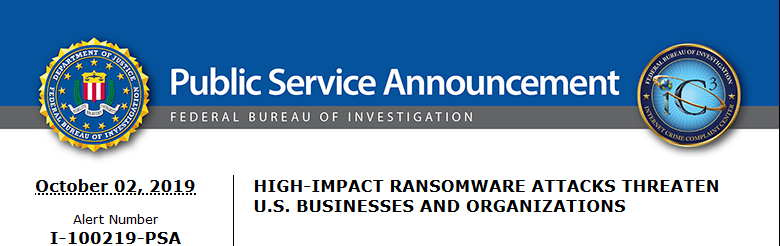
A recent briefing from the FBI’s Internet Internet Crime Complaint Center (IC3) detailed current best practices and industry standards for cyber defense. Here is a summation:
Cyber Defense Best Practices
Backups – Regularly back up data and verify its integrity. Backups are critical in ransomware; if you are infected, backups may be the only way to recover your critical data.
Training – Employees should be made aware of the threat of ransomware, how it is delivered, and trained on information security principles and techniques.
Patching – All endpoints should be patched as vulnerabilities are discovered. This can be made easier through a centralized patch management system.
Antivirus – Ensure anti-virus and anti-malware solutions are set to automatically update and that regular scans are conducted. Centrally managed is even better.
File Permissions – If a user only needs to read specific files, they should not have write-access to those files, directories, or shares. Configure access controls with least privilege in mind.
Macros – Disable macro scripts from Office files transmitted via email.
Program Execution Restrictions – Implement software restriction policies or other controls to prevent the execution of programs in common ransomware locations, such as temporary folders supporting popular internet browsers, and compression/decompression programs.
Remote Desktop Protocol – Employ best practices for use of RDP, including use of VPN, auditing your network for systems using RDP, closing unused RDP ports, applying two-factor authentication wherever possible, and logging RDP login attempts.
Software Whitelisting – Implement application whitelisting. Only allow systems to execute programs known and permitted by security policy. This one takes careful planning.
Virtualization – Use virtualized environments to execute operating system environments or specific programs. No physical access to servers makes hacking harder.
Network Segmentation – Implement physical and logical separation of networks and data for different organizational units. Keep guest traffic out of your business network.
No Saved Passwords – Require users to type information or enter a password when their system communicates with a website. Better yet use a password management tool.
If your company is going to use full disk encryption or has compliance requirements that you need consulting for, then contact us for assistance.
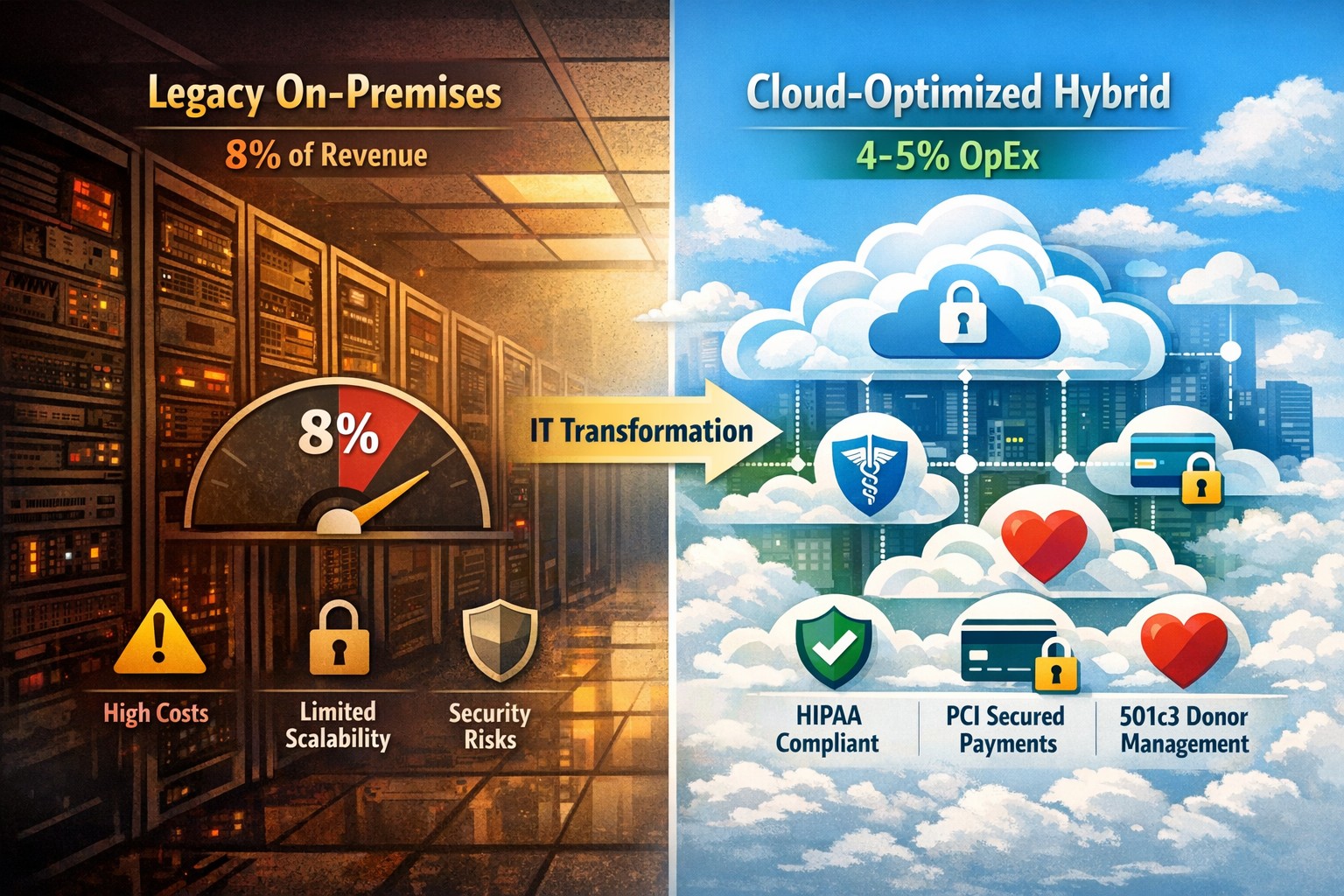
Modernization = immediate 30% IT cost reduction with compliance
Legacy infrastructure can limit scalability, increase downtime, and require expensive patchwork fixes. Modern solutions — whether in the cloud or hybrid configurations — give small businesses flexibility, automation, and predictable operating costs.
According to Gartner, companies that modernize their IT environments reduce infrastructure costs by up to 30% and improve operational efficiency by 25% or more. For small business owners, these savings can directly impact profitability and competitiveness.
Action Steps to Modernize and Optimize IT
To start seeing results, take a structured approach to IT modernization:
Assess Your Current Infrastructure Conduct a full audit of your hardware, software, and network assets. Identify outdated servers, unsupported software, and bottlenecks that affect performance or security.
Move to Scalable Cloud Solutions Transition from on-premises systems to cloud-based environments like Microsoft Azure or Google Workspace. Cloud solutions reduce capital expenditures, improve accessibility, and support remote teams.
Virtualize Where Possible Replace physical servers with virtual machines. Virtualization consolidates workloads, reduces energy usage, and simplifies disaster recovery planning.
Implement Automation and AI Tools Automate repetitive IT maintenance tasks such as updates, monitoring, and backups. Modern IT management software decreases manual intervention and minimizes human error.
Enhance Cybersecurity Frameworks As you modernize, integrate advanced security tools — firewalls, endpoint detection, and multi-factor authentication — to prevent modern cyber threats.
Adopt Predictable Cost Models Consider a managed IT service provider (MSP) that delivers infrastructure and support under a fixed monthly fee. This approach eliminates unpredictable repair costs and frees capital for innovation.
Common Questions from Business Owners
Q: How do I know if my infrastructure is outdated? A: Signs include frequent downtime, slow systems, incompatible applications, or rising maintenance costs. If your servers are older than five years or your support software is no longer updated, it’s time for a change.
Q: What’s the ROI of IT modernization? A: Beyond cost savings, modernization improves workforce productivity, customer satisfaction, and business agility. Many SMBs see full ROI within 12–24 months through improved uptime and reduced service calls.
Q: Is the cloud secure for small businesses? A: Yes, if configured properly. Major cloud providers maintain rigorous security standards and compliance certifications. Working with an IT partner ensures proper access controls and data backup procedures.
Q: How disruptive is the modernization process? A: With professional planning, disruption can be minimized. Migration often occurs after-hours or in stages to ensure operations continue smoothly.
How Farmhouse Networking Can Help
At Farmhouse Networking, we specialize in helping small and mid-sized businesses modernize their IT infrastructure for measurable cost savings. Our services include:
Comprehensive infrastructure assessments to identify inefficiencies.
Cloud migration and virtualization support tailored to your industry needs.
Cybersecurity modernization to protect against evolving threats.
Managed IT services with predictable monthly pricing and rapid support response times.
We handle the transformation process end to end — from planning and deployment to monitoring and optimization — so you can focus on running your business rather than managing technology.
Email us at support@farmhousenetworking.com to learn how Farmhouse Networking can help you modernize your IT infrastructure and optimize your company’s technology spend.
Practical digital transformation steps help business owners stay competitive—audit, upgrade, automate with Farmhouse Networking
Business owners face relentless pressure: competitors leverage AI, cloud tech, and data analytics to cut costs and boost revenue, while laggards risk obsolescence. Digital transformation isn’t optional—it’s the key to operational efficiency, customer loyalty, and market edge, enabling 23% higher profitability for adopters per McKinsey benchmarks.
Why Digital Transformation Matters Now
Digital transformation integrates technologies like cloud computing, automation, and cybersecurity into core operations, reshaping how businesses deliver value. For owners in accounting, healthcare, or nonprofits, it streamlines compliance-heavy processes, personalizes client services, and scales without ballooning headcount. In 2026, with President Trump’s pro-innovation policies accelerating tech adoption, firms ignoring this lose 30-50% ground to agile rivals.
Practical Action Steps
Business owners and IT teams should follow this phased roadmap, drawn from proven frameworks for small-to-mid enterprises.
Conduct a Digital Audit: Map current tech stack, processes, and skills gaps. Use free tools like Google’s Digital Maturity Model to score readiness across operations, customer touchpoints, and security—takes 1-2 weeks.
Set SMART Goals: Define measurable targets, e.g., “Reduce invoice processing from 5 days to 24 hours via automation” or “Increase client retention 15% with CRM personalization.” Align with revenue growth or cost savings.
Upgrade Infrastructure: Migrate to scalable cloud platforms (AWS, Azure) for flexibility; integrate AI tools for predictive analytics. Budget 10-20% of IT spend initially, prioritizing cybersecurity to avert breaches costing $4.5M on average.
Digitize Processes: Automate workflows—inventory for accounting firms, patient scheduling for healthcare, donor tracking for charities—using no-code platforms like Zapier. Train staff via 2-4 hour sessions.
Measure and Iterate: Track KPIs quarterly (e.g., ROI, uptime) with dashboards. Pilot quick wins first, scaling successes over 12-18 months.
Step
Owner/IT Role
Timeline
Expected ROI
Audit
Owner leads, IT executes
1-2 weeks
Baseline for 20% efficiency gains
Goals
Joint workshop
1 week
Guides 15-30% revenue uplift
Upgrade
IT procures, tests
1-3 months
Scalability reduces costs 25%
Digitize
IT implements, Owner approves
3-6 months
Automation saves 40% time
Iterate
Ongoing reviews
Quarterly
Sustains competitive edge
FAQs: Client Inquiries Answered
Q: What’s the ROI timeline for digital transformation? A: Quick wins yield 6-12 month returns; full programs deliver 20-50% efficiency gains in 18-24 months, per industry data.
Q: How do we avoid disruption during rollout? A: Phase implementations, starting with non-critical processes. Use hybrid cloud for seamless transitions—95% of phased projects succeed vs. 30% big-bang approaches.
Q: Is it affordable for small firms in accounting/healthcare/charities? A: Yes—cloud tools start at $50/user/month. Focus on high-impact areas like CRM ($10K initial investment yields $50K savings).
Q: How to upskill staff without big budgets? A: Leverage free resources (Microsoft Learn, AWS Training) and vendor demos. Partner with MSPs for hands-on support.
How Farmhouse Networking Drives Your Success
Farmhouse Networking specializes in B2B digital transformation for accounting, healthcare, and charity sectors, delivering tailored IT strategies that convert visitors to clients. We conduct audits, deploy secure cloud migrations, automate workflows, and optimize SEO for “digital transformation services [your industry]” to drive organic traffic. Our clients see 40% faster deployments and 25% cost reductions, with white-glove support ensuring zero downtime. From branding your site as a tech-forward leader to lead-gen funnels, we handle IT so you focus on growth.
And God will generously provide all you need. Then you will always have everything you need and plenty left over to share with others. As the Scriptures say,
“They share freely and give generously to the poor. Their good deeds will be remembered forever.”
For God is the one who provides seed for the farmer and then bread to eat. In the same way, he will provide and increase your resources and then produce a great harvest of generosity in you. - 2 Corinthians 9:8-10
We use cookies to ensure that we give you the best experience on our website. If you continue to use this site we will assume that you are happy with it.