Small businesses rely on professional email security to protect customer and financial data from phishing and hacks.
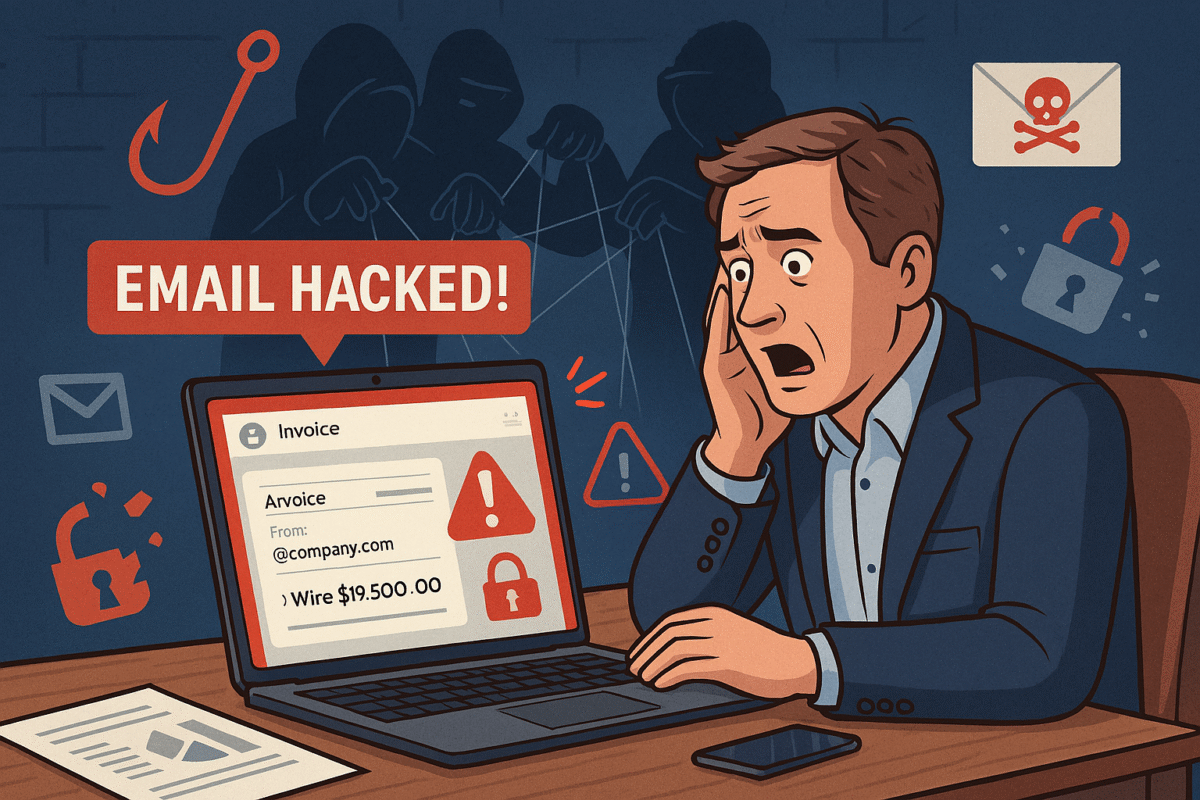
You’re running your business, responding to client messages, when suddenly strange duplicate messages and failed delivery emails flood your inbox. This is what happened to a business owner who discovered her emails—including sensitive financial data—were silently copied to hackers for weeks without her knowledge.
For small and midsized businesses (SMBs), this type of attack can result in financial loss, leaked company secrets, and damaged relationships with clients.
What Happened in This Email Breach
Hackers guessed or stole an email password.
They set up secret rules to forward every incoming message.
Confidential information like Social Security numbers, tax data, and financial records were exposed.
Farmhouse Networking responded by:
Removing malicious rules.
Securing the account with new password protections and recovery options.
Advising the business owner on how to monitor for ongoing fraud.
Practical Steps for SMBs
SMBs aren’t too small to be targeted. In fact, they’re often prime targets. Protect your business with these key actions:
Set strong passwords and enable MFA: Critical first layer of defense.
Regularly review email rules: Look for forwarding or auto-delete actions you didn’t create.
Encrypt sensitive documents: Especially contracts, employee data, and customer details.
Train employees: Staff should recognize phishing emails before they trigger a hack.
Backup systems: Ensure backups of both email and company files are offline-protected.
Have an incident response plan: Know what to do if a breach occurs.
Questions Your Clients May Ask
“Did hackers see my information?” If emails contained contracts, billing, or sensitive attachments—possibly.
“Could this affect my payments or records?” Yes. Compromised invoices or payment requests can be used in fraud scams.
“Can clients continue to trust our company?” By demonstrating enhanced security measures and a clear recovery plan, clients can regain confidence.
How Farmhouse Networking Helps SMBs
Farmhouse Networking empowers SMBs with:
Affordable enterprise-grade email security.
24/7 monitoring for account breaches.
Employee training to reduce phishing success rates.
Scalable security solutions for growing businesses.
Your business reputation is too valuable to be left to chance. Secure your email systems and protect your clients’ trust with Farmhouse Networking. Reach out today at support@farmhousenetworking.com.
Strategies securing small business inboxes from phishing and BEC gateway attacks
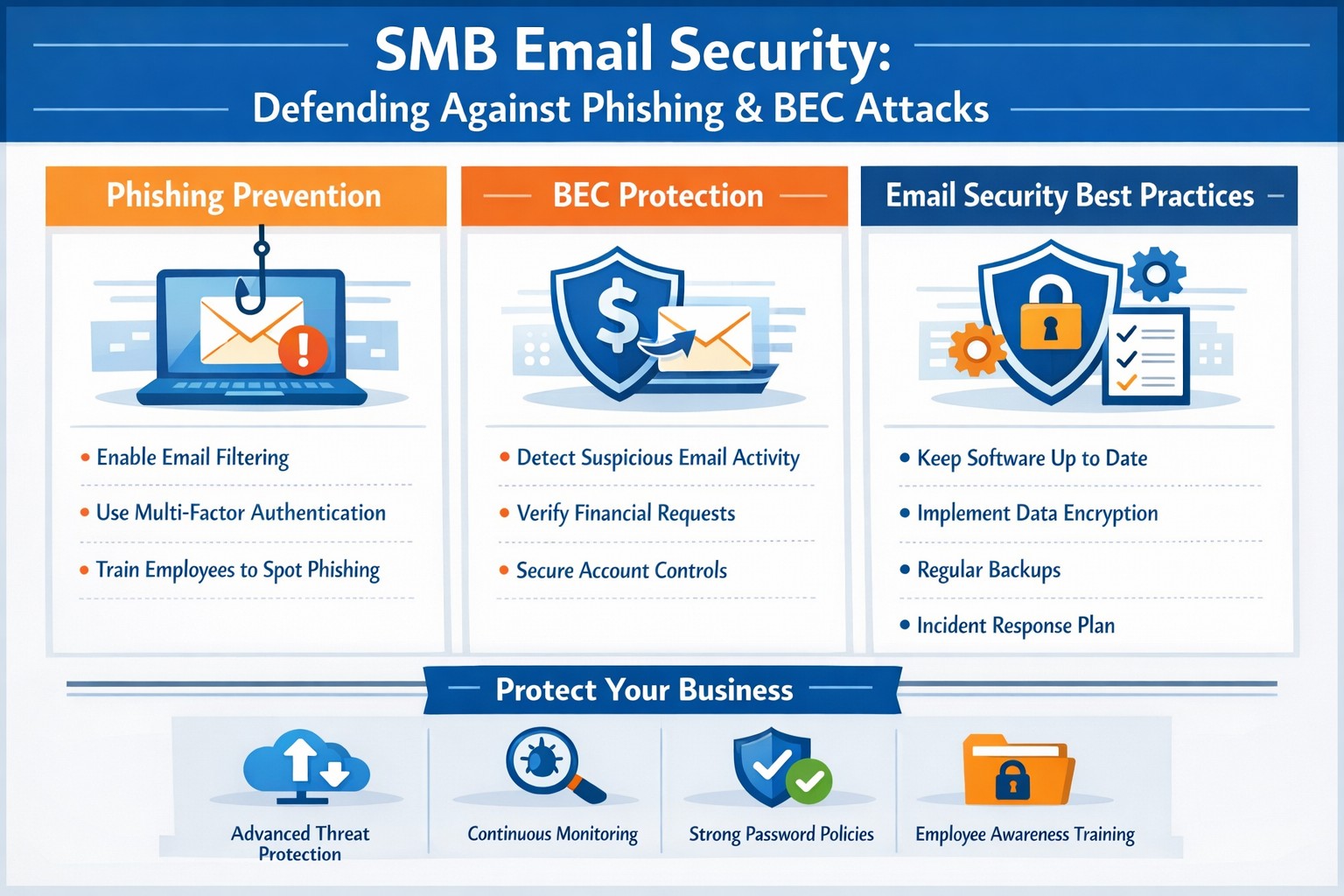
Email is the backbone of communication for small and medium-sized businesses (SMBs). You use it for everything from sending invoices to internal memos, making your business heavily reliant on this tool. However, this reliance also makes you vulnerable to cyber threats, especially Business Email Compromise (BEC) attacks, which are increasingly targeting SMBs. These attacks can have devastating consequences, but with the right email security measures, you can protect your business from falling victim.
Understanding the Threat: Phishing and BEC
Phishing is a cybercrime that uses deceptive emails to trick individuals into revealing sensitive information or taking harmful actions. These emails often look like they come from legitimate sources, such as banks or well-known companies, but they are actually designed to steal your data.
Business Email Compromise (BEC) is a sophisticated type of phishing attack where cybercriminals impersonate trusted individuals within a company to trick employees into transferring money, sharing sensitive data, or granting access to critical systems. BEC scams often target individuals in finance, human resources, or operations, with the goal of initiating fraudulent transactions or stealing confidential information. According to the FBI, there are five primary types of BEC attacks.
BEC attacks are particularly effective because they exploit human psychology. Attackers rely on impersonating authority figures, creating a sense of urgency, or crafting highly convincing emails to make employees act without questioning.
Email is the number one attack vector, responsible for 90% of phishing incidents. In 2023, BEC attacks led to $3 billion in losses.
Why SMBs are Prime Targets
While large corporations invest heavily in cybersecurity, SMBs are often more vulnerable. Cybercriminals view smaller businesses as easier targets due to their typically less robust security measures and lower awareness of emerging threats.
Here’s why SMBs are at greater risk:
Limited Cybersecurity Resources: Many SMBs have limited budgets for cybersecurity and often lack dedicated IT teams to monitor email systems for suspicious activity.
Employee Vulnerability: Employees in SMBs may not be as well-trained in spotting phishing attempts or recognizing the signs of a BEC scam.
Lack of Email Security Awareness: Small businesses may overlook the importance of securing business email accounts with multi-factor authentication (MFA) and other safeguards, leaving them exposed to attacks.
Simple Steps to Bolster Your Email Security
Employee Training: Regularly train employees to recognize and respond to threats. Run security awareness training to help your team spot phishing attempts and other common threats. Use simulated phishing exercises to test their readiness, uncover weak spots, and highlight potential weaknesses.
Multi-Factor Authentication (MFA): Add an extra layer of security to your email accounts with multi-factor authentication (MFA).
Advanced Email Filters: Use advanced spam filters to detect and block phishing emails before they reach your employees’ inboxes. Scan links automatically to spot anything suspicious.
Email Encryption: Encrypt emails, both in transit and at rest, to prevent unauthorized access.
Regular Security Audits: Schedule regular audits to spot vulnerabilities and keep an eye out for unauthorized access. Take time to review your email system’s settings, permissions, and logs for anything unusual.
Incident Response Plan: Prepare for email threats with a clear, actionable response plan. Outline the steps to contain, investigate, and recover from incidents, so your team knows exactly what to do
Cybercrime is a business, not a hobby, and incredibly lucrative. Taking a proactive approach to email security is essential for protecting sensitive information, preventing data breaches, and maintaining trust with your team and clients.
Is your business protected? Contact Farmhouse Networking today for a comprehensive email security solution tailored to your SMB’s unique needs. Don’t let your inbox be a gateway for cybercrime!
Resolve to strengthen cyber defenses in 2025 with zero trust and employee training.
Stepping into 2025, SMBs face an scary and complex cybersecurity field of battle. With hackers evolving cyber threats at a rapid pace, it’s crucial to make strengthening your digital defenses a top priority. Let’s explore some essential tips to boost your cybersecurity posture in the coming year.
Embrace a Zero Trust Mindset
Start the new year by adopting a Zero Trust approach to cybersecurity. This means verifying every user, device, and application attempting to access your network, regardless of their location. Implement Zero Trust Network Access protocols and use Application Allow/Deny lists to control which software can run on your systems.
Strengthen Your Network Defenses
Secure Your Wi-Fi: Ensure your Wi-Fi network is encrypted and properly configured. Use strong passwords and consider implementing network segmentation to isolate guest networks from your internal systems.
Implement Firewalls and Intrusion Prevention Systems: Deploy robust firewalls to filter incoming and outgoing traffic. Couple this with intrusion prevention systems that actively seek out and block known threats.
Protect Your Data
Encrypt Sensitive Information: Apply encryption to both data at rest and in transit. This includes emails, file transfers, and stored documents.
Implement Data Loss Prevention (DLP) Tools: Use DLP tools to track critical data and prevent unauthorized exfiltration attempts.
Enhance Authentication Measures
Multi-Factor Authentication (MFA): Implement MFA across all your systems, applications, and websites. This additional layer of security significantly reduces the risk of unauthorized access.
Use Password Managers: Encourage the use of password managers to generate and store complex, unique passwords for each account.
Educate Your Employees
Regular Security Awareness Training: Conduct ongoing cybersecurity training for all employees. Focus on recognizing phishing attempts, proper handling of sensitive data, and best practices for remote work.
Prepare for the Worst
Develop an Incident Response Plan: Create a comprehensive plan that outlines procedures for responding to various cybersecurity incidents. Regularly test and update this plan.
Implement Robust Backup Solutions: Establish a regular backup schedule for all critical data and systems. Store backups securely, preferably in multiple locations, including off-site.
Stay Updated and Vigilant
Keep Software and Systems Current: Regularly update all software, applications, and operating systems. Automate updates where possible and conduct periodic audits to ensure nothing is missed.
Implement Real-Time Monitoring: Deploy solutions that provide continuous, real-time monitoring of your network and systems. This allows for immediate detection and response to potential threats.
Secure Your Remote Workforce
With hybrid work models likely to persist, ensure your remote workers are equipped with secure tools:
– Provide Zero Trust VPN access for secure connections – Implement endpoint security measures even on employee’s own laptops – Educate on the risks of using public Wi-Fi
Address IoT Security
As the Internet of Things (IoT) expands, so do the associated risks. Inventory your IoT devices, regularly update their firmware, and implement network segmentation to isolate these devices.
Ready to make cybersecurity your New Year’s resolution? Contact Farmhouse Networking today. Our team of experts is ready to guide you through every step of enhancing your cybersecurity posture, ensuring that your business stays protected throughout 2025 and beyond. Let’s work together to create a robust, tailored cybersecurity strategy that meets your unique needs and keeps your business safe in the digital age.
SSO for BYOD provides secure, convenient single sign-on access across apps on personal devices for small business teams.
Individuals and organizations rely heavily on various online platforms and services, the need for a secure and convenient way to access these resources is paramount. This is where SSO Single Sign-On comes into play. SSO Single Sign-On is a powerful authentication method that allows users to securely sign in to multiple applications and platforms using just one set of credentials. In this article, we will explore the benefits of SSO Single Sign-On, its implementation, and how it enhances security while streamlining the user experience.
Understanding SSO Single Sign-On
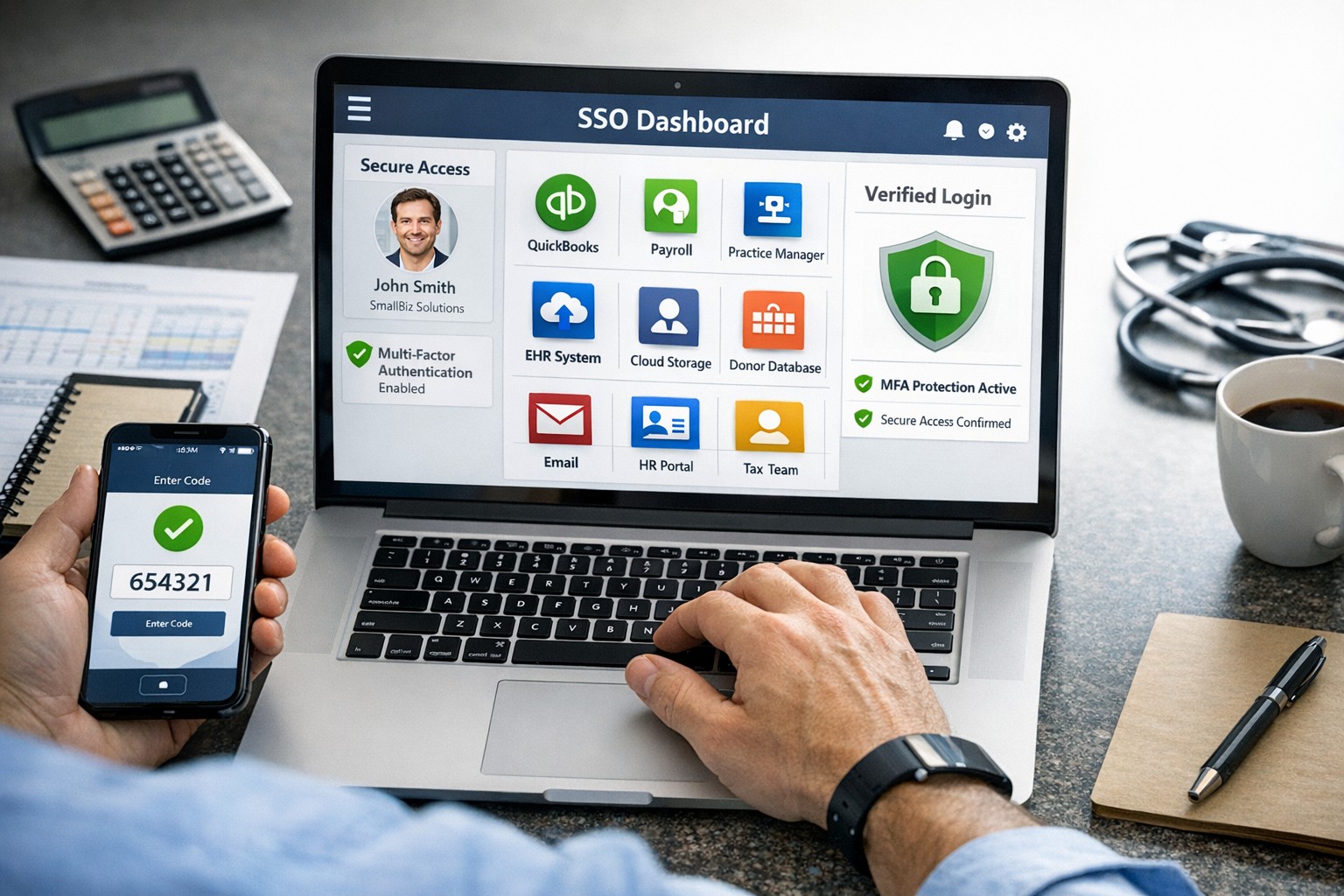
What is SSO Single Sign-On? SSO Single Sign-On is an authentication process that enables users to access multiple applications and platforms using a single set of login credentials. With SSO Single Sign-On, users only need to remember one username and password, eliminating the hassle of managing multiple credentials for different services. This not only saves time but also enhances convenience for users.
How does SSO Single Sign-On work? SSO Single Sign-On works by establishing a trust relationship between an identity provider (IdP) and the various service providers (SPs). When a user attempts to access a service, the IdP verifies the user’s identity and provides a token to the SP, which grants the user access without requiring additional authentication. This seamless process simplifies the login experience and eliminates the need for users to repeatedly enter their credentials.
Benefits of SSO Single Sign-On
Enhanced Security: One of the key advantages of SSO Single Sign-On is its ability to enhance security. By consolidating login credentials into a single set, users are less likely to resort to weak passwords or reuse passwords across multiple platforms. This reduces the risk of password-related security breaches. Additionally, SSO Single Sign-On allows for stronger authentication methods, such as two-factor authentication, further bolstering security without requiring multiple accounts.
Streamlined User Experience: With SSO Single Sign-On, users no longer have to remember and enter multiple sets of login credentials. This significantly reduces the login friction and streamlines the user experience. Users can seamlessly navigate between different applications and platforms without the need for repetitive logins. This convenience not only saves time but also improves productivity.
Centralized Access Management: SSO Single Sign-On provides organizations with centralized access management capabilities. Administrators can easily control user access to various applications and platforms from a centralized dashboard. This simplifies user provisioning and deprovisioning, ensuring that employees have timely access to the resources they need while maintaining security and compliance.
Cost and Time Savings: Implementing SSO Single Sign-On can lead to cost and time savings for organizations. By reducing the number of password-related support requests, IT teams can focus on more strategic initiatives. Additionally, the streamlined login experience reduces the time spent by employees on authentication, leading to increased productivity and efficiency.
Implementing SSO Single Sign-On
To implement SSO Single Sign-On, organizations need to follow a few key steps:
Evaluate SSO Solutions: Begin by evaluating various SSO solutions available in the market. Consider factors such as compatibility with existing systems, scalability, security features, and ease of integration.
Choose an Identity Provider: Select an identity provider that aligns with your organization’s requirements. The identity provider will be responsible for authenticating users and issuing tokens for accessing service providers. Office 365 and Google Workspace are usually the best, most prolific IdP sources to use.
Configure Service Providers: Configure the service providers that you want to integrate with SSO Single Sign-On. This involves establishing trust relationships between the identity provider and the service providers.
User Provisioning and Deprovisioning: Implement a user provisioning and deprovisioning process to ensure that users have the necessary access to the applications and platforms they require. This process should be integrated with the SSO Single Sign-On solution to maintain centralized access management.
Test and Monitor: Thoroughly test the SSO Single Sign-On implementation to ensure its functionality and security. Regularly monitor the system to identify and address any potential issues or vulnerabilities.
Best Practices for SSO Single Sign-On Implementation
When implementing SSO Single Sign-On, it is essential to follow best practices to maximize security and usability:
Strong Authentication: Implement strong authentication methods such as two-factor authentication or biometric authentication to enhance security.
Regular Auditing: Conduct regular audits of user access rights and permissions to ensure compliance and detect any unauthorized access.
User Education: Educate users about the benefits of SSO Single Sign-On and best practices for password management to promote secure behavior.
Continuous Monitoring: Implement a robust monitoring system to detect and respond to any suspicious activities or potential security threats.
Regular Updates: Keep the SSO Single Sign-On solution and all integrated applications up to date with the latest security patches and updates.
Remember, security should never be compromised, and SSO Single Sign-On provides a robust solution to protect user identities and streamline access to applications and platforms. Embrace the power of SSO Single Sign-On and enjoy the benefits of enhanced security and convenience.
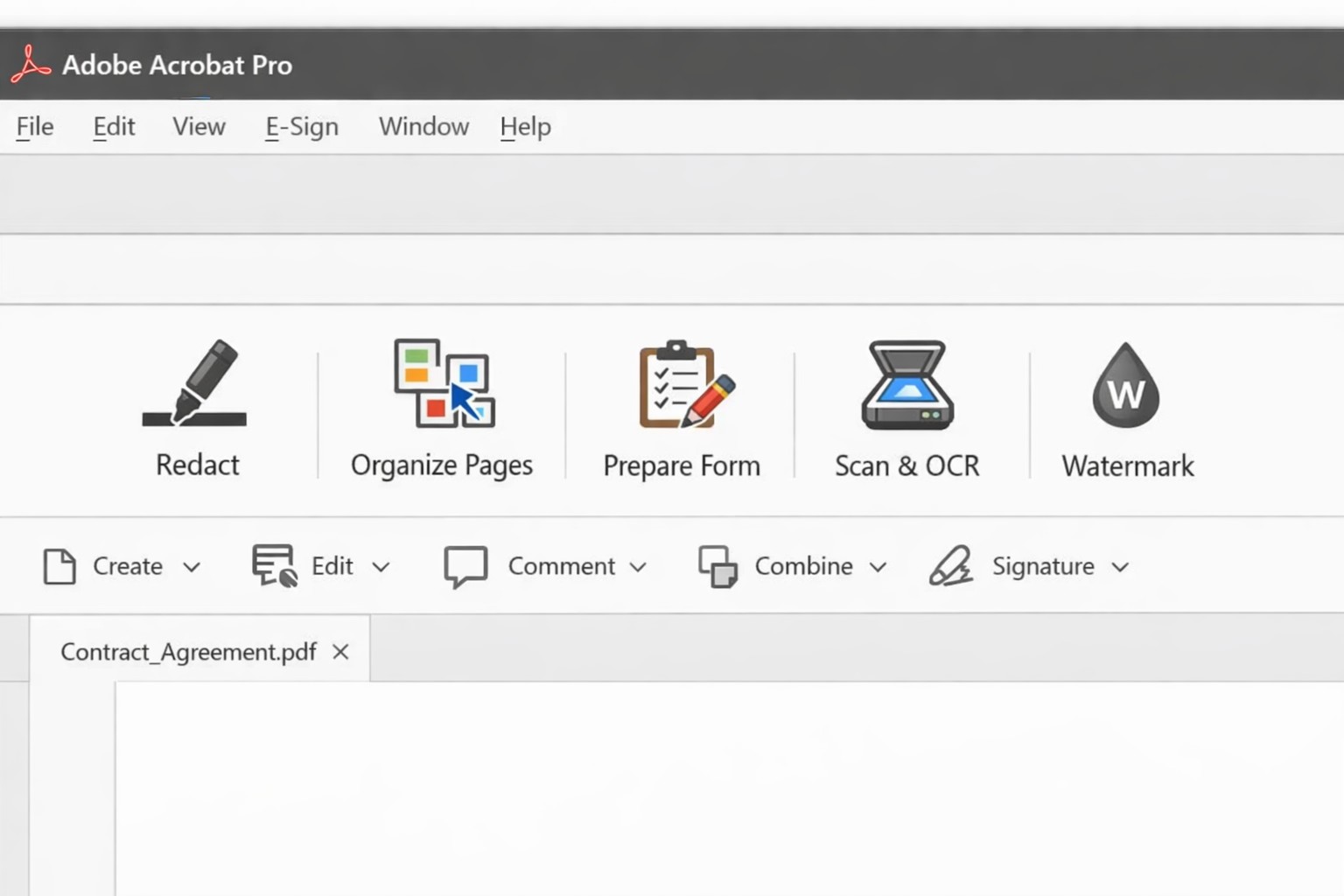
Acrobat Pro tools panel: redact combine edit OCR workflow actions.
Businesses are increasingly reliant on digital documents. From contracts to invoices, these important files need to be easily shared and accessible across different platforms and devices. This is where Adobe Acrobat comes in. Adobe Acrobat is a powerful tool that allows you to create, edit, and secure PDFs effectively. To help you make the most of this software, we have compiled a list of useful tips:
Create Interactive Forms
One of the key features of Adobe Acrobat is its ability to create interactive forms. Rather than wasting paper on printing out forms and having people fill them out manually, you can create digital forms that can be filled out electronically. This not only saves time and the planet but also reduces errors and allows you to collect data more efficiently.
Edit PDFs on the Go
With the Adobe Acrobat app, you can edit PDFs directly on your mobile device. This is incredibly useful for business owners who are constantly on the go and need to make quick edits to their documents. Whether it’s adding text, resizing images, or rearranging pages, you can do it all from the convenience of your phone or tablet.
Combine Multiple Files into a Single PDF
If you have multiple files that you want to combine into a single PDF, Adobe Acrobat makes it easy. You can simply drag and drop the files into Acrobat, rearrange them, and save them as a single PDF. This feature is ideal for business owners who often need to merge multiple documents into one proposal, contract, or report.
Protect your PDFs with Encryption
Security needs to be a top priority for businesses, especially when it comes to sensitive documents. Adobe Acrobat allows you to protect your PDFs by adding encryption. You can set passwords and permissions to ensure that only authorized individuals can access, print, or modify your files. This level of security is crucial for protecting confidential business and customer information.
Optimize PDFs for Web Viewing
PDFs can easily become large files, which can slow down loading times when viewing them online. Adobe Acrobat offers a feature called “Optimize for Web” that reduces the file size while preserving the document’s quality. This is particularly useful when sharing PDFs on your website or via email. When customers have to wait for things to load they are more likely to go somewhere else for what they are looking for.
Collaborate and Review Documents
Adobe Acrobat has collaboration features that allow multiple users to work on the same PDF simultaneously. You can easily share documents with colleagues, clients, or partners and track changes made by each. This streamlines the review and approval process, reducing the need for endless email threads and ensuring everyone is on the same page.
Automate Workflows with Adobe Sign
Adobe Sign, a component of Adobe Acrobat, enables you to send, sign, and track important documents online. It eliminates the need for paper-based signatures and accelerates the approval process. With Adobe Sign, you can automate workflows, whether it’s obtaining client signatures, approving contracts, or completing employee onboarding documents. This tool can streamline your business processes and save you a significant amount of time.
By familiarizing yourself with Adobe Acrobat, you can harness the full potential of this software and enhance your business’s productivity and efficiency. As an Adobe partner, Farmhouse Networking can help your company get the most out of its PDFs.
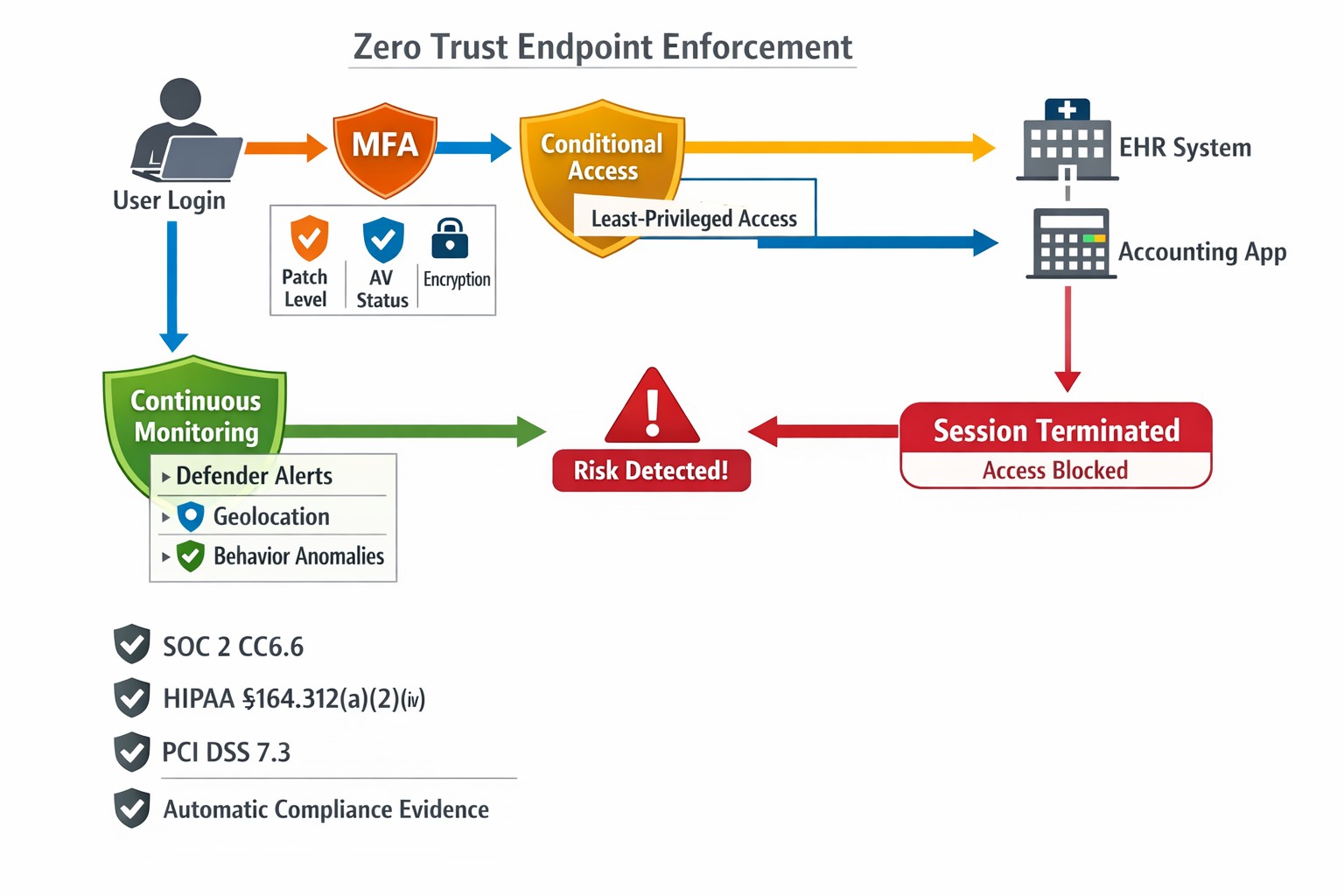
This is the sixth in a series about the concept of Zero Trust, which means in the IT sense that you trust nothing and always verify everything surrounding and connected to your network. Today’s discussion will be on endpoint security.
Endpoint Security
Endpoint security is a fancy term used to describe how the computers on the network are protected. This used to be done by antivirus but due to the complexity of the attacks hackers are using to compromise networks these days, the definition has expanded greatly. This now includes things like Enhanced Detection & Response software, Security Operations Centers, DNS Filtering, employee train and more. Here are some questions that you should be asking yourself:
Are your endpoints protected by antivirus or enhanced detection & response?
Is website traffic being monitored? Restricted?
Are your employees being trained in cyber security?
Are computer logs being monitored for malicious activity?
Would unusual or suspicious activity on a computer be noticed? Alerted on?
Do you have security permissions set on all file shares?
Do you have least privileged access configured on those shares?
Do you keep track of what software is installed on all workstations?
Do you block access to unauthorized software?
Are files encrypted on servers and workstations?
Are your mobile devices managed? Can you wipe them remotely?
Are USB ports blocking removeable storage devices?
Are endpoints set to automatically log-out?
If your company is going to use full disk encryption or has compliance requirements that you need consulting for, then contact us for assistance.
Unlock strong, memorable passwords: Use 5-7 random words for SMB security—simple, effective, and Farmhouse Networking approved.
The COVID-19 scare and ensuing rush to remote access has us thinking security. What is more basic to security than passwords. In an effort to find a way to make passwords both secure and easy to remember, I have found a website that seems to fit the bill:
The concept is surprisingly simple and is said to be based on a cartoon:
I have played with the settings and found the following to generate some good password settings. Here they are for those who are interested:
The only other option would be to use random passwords stored in a password keeper. This also allows secure sharing of passwords throughout the organization.
If your company is using remote access, then contact us for assistance to make it secure.
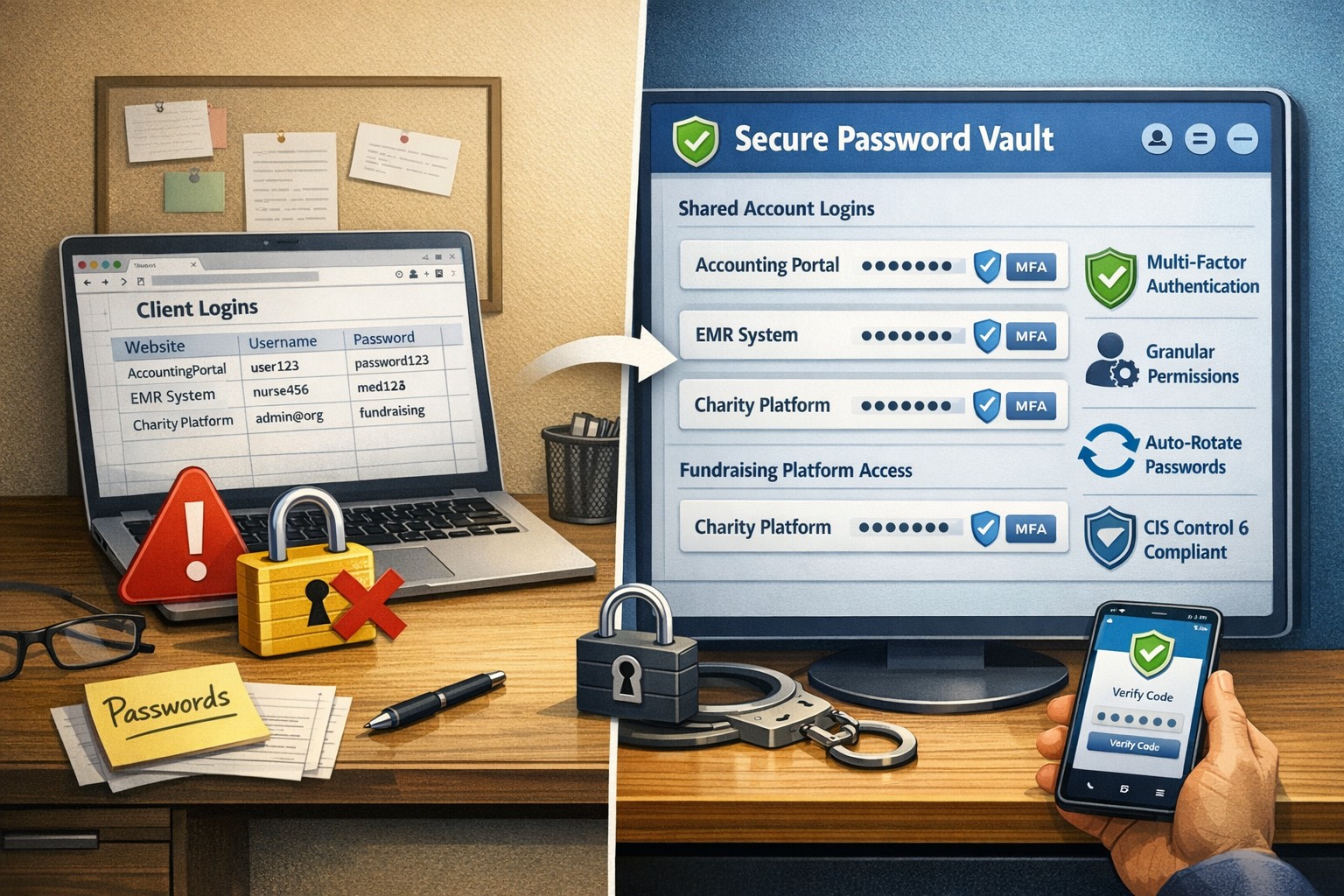
Farmhouse Networking has had a long standing policy that we do not keep a record of client passwords (except when needed for device administration). That is about to change, but before we talk about our new password policy let’s talk password storage:
Common Password Storage
Here are some popular places where many businesses store their passwords that make them very vulnerable to being stolen.
Passwords written on paper (that are not under lock and key):
On your desk under your keyboard (or taped underneath)
Under your stapler or desk decorations
On sticky notes stuck to your monitor or desk
On a scrap of paper on your desk or in a drawer
In a notebook or address book
In a old-fashioned Rolodex file
Paper printouts or photocopies of your passwords
Anyone with access to your office could easily find and steal passwords stored like this.
Passwords stored in your computer (without using encryption):
Remembered in your web browser
A document called “Passwords” that you’ve created anywhere on your computer, perhaps using Microsoft Word or Excel
A document with any other name on your computer (including the password as the name)
Email drafts that you’ve created (but not sent) containing password information
Anyone with access to your computer could easily find and steal passwords stored like this, including both a person with physical access to it as well as a virus or hacker gaining access via the internet, or scamming you into granting them access, even once.
Passwords stored in your smartphone or tablet (without using encryption):
Electronic “Notes” containing password information
Other documents or emails similar to the ones listed in computer storage above
Anyone with access to your device could easily find and steal passwords stored like this.
Passwords sent via regular (insecure) email:
Emails that you have sent to yourself containing password information
Emails that you have sent to anyone else containing password information
Any information that you send using regular (unencrypted) email puts that information at risk of being stolen. Email is neither private nor secure. Sending an email is like mailing a postcard, and hackers and thieves can easily read the contents. You should never send passwords (or any other confidential or sensitive data) via regular email.
Secure Password Storage
Now for the discussion of Farmhouse Networking’s new password policy. We are partnering with a company to provide a storage of passwords and other client documentation with military grade encryption. This partnership also allows us to address the dangers that common password storage present by offering our clients this same encrypted password storage service. Here are some of the benefits of this service:
Unlimited users
Unlimited passwords
Each user has a personal password vault
Shared company password vault
Security groups to manage access
Auditing & reporting (Compliance)
Secure password sharing
1-Click Login Tool (for all major browsers)
Mobile Device Access
Only $15 per month (Compared to Lastpass Business at $4 per user per month)
If your company is using common password storage of any kind do yourself a security favor and contact us to upgrade to secure password storage.
Strange to think that the current wireless security protocol has been in use for over a decade, but with the release of WPA3 certification today the Wi-Fi Alliance has made some serious strides towards a more secure wireless security standard.
Security Improvements
Offline Password Guessing – Attackers will now only get one guess per offline packet instead of unlimited. This will force them to interact with the wireless device directly which will make their attacks easier to detect and easier to shut them out.
Forward Secrecy – Even if the attacker is able to record a data stream and crack the current password, they will not be able to read the recorded data – only new data flowing over the network.
192-bit Encryption: – Enterprise users and tech savvy small businesses will be able to take advantage of deeper encryption for more secure connections
Wi-Fi Easy Connect – Simple to use, secure way for home users to connect their devices by scanning a QR code instead of entering a complex password.
This new security protocol mixed with the latest 802.11ax (that could bring 10 Gigabit speeds to wireless) will make 2019 a banner year for wireless technology.
If your company is interested better wireless security or faster wireless speeds, then contact us for assistance.
The SANS Institute has been putting out the OUCH! newsletter for some time now in a project called Securing the Human. In the most recent Issue, they discuss some best practices and practical advice for traveling. Here are some highlights:
Minimize Possible Losses
Here are a few tips to protect information from the hazards of traveling and possible theft:
Remove any data that is not needed on the device
Use full disk encryption & strong passwords
Perform a complete backup before leaving
Install tracking software on the device
Update OSes and Antivirus
Lost/Stolen Devices
Although crime is more of a factor in some third world nations or those in active conflict, the human element of losing the device is 100x more likely. Keep inventory of your devices before, during and after transporting from one location to another. Do not leave your device in the hotel room, have the hotel front desk put it in their safe or locked administrative offices.
Public WiFi
If you have to connect to the internet in public spaces and/or cannot afford mobile data on your trip, then make sure to do the following:
Never use public computers for sensitive information, especially banking sites
When on public wifi, only surf to sites with HTTPS:// secure connections
Consider connecting to a VPN service to further encrypt communications
If your company is requires traveling or you are planning to remotely work while on vacation, then contact us for assistance. We would be happy to walk you through the full disk encryption process, update / secure your devices and configure a company VPN service to connect to on the go.
And God will generously provide all you need. Then you will always have everything you need and plenty left over to share with others. As the Scriptures say,
“They share freely and give generously to the poor. Their good deeds will be remembered forever.”
For God is the one who provides seed for the farmer and then bread to eat. In the same way, he will provide and increase your resources and then produce a great harvest of generosity in you. - 2 Corinthians 9:8-10
We use cookies to ensure that we give you the best experience on our website. If you continue to use this site we will assume that you are happy with it.