Stepping over dollars to pick up pennies with backup can cost your business more than it saves—invest in reliable online backup instead.
It’s story time again!
This time we are talking about Dave a former client of ours. He decided several years ago to change his accounting practice’s IT support to a national company that produced one of the software packages he used. Dave listened to their sales pitch about a better understanding and support of their software for less money per month. Dave still called us once and awhile to help do things in person because this national company did not have any local presence. It had been almost a year since we had heard from Dave last when we got a phone call from another local computer repair shop asking us for any information we could provide to help them – Dave’s server had crashed and was not booting after a power outage.
It turns out that Dave’s national IT support company did not have any backups of the server. They had no idea how the server was configured and this forced Dave to reach out to the local computer repair shop. We gave them credentials that we had for the backup system we had put in place previously and talked them through reconnecting a network storage device to the server to get the server back to complete functionality. This process took them about a week to complete.
During the time that we did support Dave there was a similar incident with one of his computers. We used the backup system we had recommended to get him back to fully functional in a matter of hours – in the middle of tax season no less.
The moral of the story is that Dave should have stayed with Farmhouse Networking or moved to a managed IT support company that understands both the software and the things that can go wrong in a company like Dave’s account practice so that he could be properly protected.
CrowdStrike Falcon update triggers massive IT outage across cloud services
The recent CrowdStrike IT outage on July 19, 2024, caused by a defective update for Windows, serves as a stark reminder of the importance of managing IT infrastructure and proactive measures to prevent system downtime. While no system is entirely immune to outages, there are several strategies businesses can implement to minimize the risk and impact of such incidents.
Key Strategies to Prevent IT Outages
Improve Continuous Integration / Continuous Deployment (CI/CD) Practices: One of the most effective ways to prevent outages caused by software updates is to enhance CI/CD practices. This approach involves:
Automating the testing and deployment process
Implementing rigorous quality assurance checks
Using staging environments to test updates before full deployment
Gradually rolling out updates to detect issues early
By improving CI/CD practices, businesses can catch potential issues before they affect the entire network, reducing the likelihood of widespread outages.
Implement Comprehensive Load / Failure Testing: Regular load testing is crucial to ensure that systems can handle typical use cases and determine their potential in high use scenarios. A game plan should also be put in place for when systems fail to map out the road to recovery. This involves:
Simulating various levels of user activity
Identifying performance bottlenecks
Optimizing system architecture and configuration
Preparing for crisis scenarios, such as partial resource failures
Practice response to system failures before they become reality
Load / failure testing helps businesses understand their system’s limitations and address potential issues before they lead to outages.
Ensure Proper Scalability: As businesses grow, their IT infrastructure must be able to scale accordingly. This includes:
Designing systems with future growth in mind
Utilizing cloud technologies for flexible resource allocation
Regularly reviewing and updating system architecture
Implementing efficient systems that can handle increased business
Proper scalability ensures that systems can continue to function effectively as demand increases, reducing the risk of outages due to overload.
Enable Automatic Updates with Caution: While automatic updates can help keep systems secure and up-to-date, they should be implemented carefully. Best practices include:
Testing updates in a controlled environment before widespread deployment
Staggering updates across different system components
Having a rollback plan in case of issues
Monitoring systems closely after updates are applied
Automatic updates can help prevent security vulnerabilities, but they must be managed carefully to avoid introducing new issues.
Implement Comprehensive Monitoring: A robust monitoring system is essential for detecting and addressing potential issues before they escalate into outages. This includes:
Using a centralized monitoring platform for all IT infrastructure
Outsourcing it management is resources are not available
Setting up alerts for unusual system behavior or performance metrics
Implementing predictive analytics to identify potential issues early
Regularly reviewing and updating monitoring parameters
Comprehensive monitoring allows businesses to take a proactive approach to system management, reducing the risk of unexpected outages.
Conduct Regular Employee Training: Human error is a common cause of IT outages. Regular employee training can help mitigate this risk. Training should cover:
Best practices for system usage
Recognizing and reporting potential security threats
Proper procedures for applying updates and patches
Emergency response protocols in case of system issues
Well-trained employees are less likely to make mistakes that could lead to outages and are better equipped to respond effectively when issues do occur.
Don’t let IT outages disrupt your business. Take action now to protect your company’s technology infrastructure. Call Farmhouse Networking today at (541) 761-9549 to schedule a comprehensive IT assessment and learn how our expert team can implement strategies to prevent costly downtime. Secure your business’s future with proactive IT management.
Safeguarding your business data is paramount. Cyber threats are ever-evolving, and data breaches can have severe consequences. To fortify your business defenses, consider implementing the following security and encryption tools:
Operating System Encryption
Encryption is the process where normal data is transformed into something unreadable without the keys unlock it. Windows has encryption built in using BitLocker software in conjunction with modern hardware to keep data safe on physical hard drives. In case a computer is stolen or lost the data is unreadable (assuming the password protecting the computer is strong).
Virtual Private Network / Zero Trust Network Access
Whenever employees are remote or working from home they need to be able to connect to company resources without endangering company data. This is best done through Zero Trust Network Access (ZTNA) which is the next-gen replacement for the older virtual private network connection ZTNA assumes that all connections are threats unless proven otherwise and those who are connecting must have their computers tested to make sure they are safe. This approach also only allows users to connect to the resources that are specifically needed to function.
Antivirus / Extended Detection and Response
One key to staying cyber secure is to recognize and repel threats before they do any damage. Utilizing AI and automation extended detection and response (XDR) is the modern replacement for antivirus. It is able to detect behavior patterns that malicious software and hackers use when attacking your systems then automatically undue any changes they have made.
Email Encryption and SPAM Filtering
When sending sensitive data via email it is now the standard to send it via encrypted channels with each message also being encrypted. Most companies that provide encryption also provide SPAM filtering which keeps phishing, spoofing, and malicious emails from targeting employees. This is often the most effective means hackers use to gain a foot hold in networks.
Backups
There will inevitably be times when hackers are able to breach even the best defenses, so the only recourse at that time is to have good backups in multiple locations to recover once the attacker is repelled. Without good backups many companies have had to pay ransoms and hope for a response or go out of business.
Remember, data security is an ongoing process. Combine these tools with user education and strong password practices,. Stay vigilant, adapt to new threats, and invest wisely in protecting your digital assets and reputation. Call Farmhouse Networking to advise you on how to best secure your business.
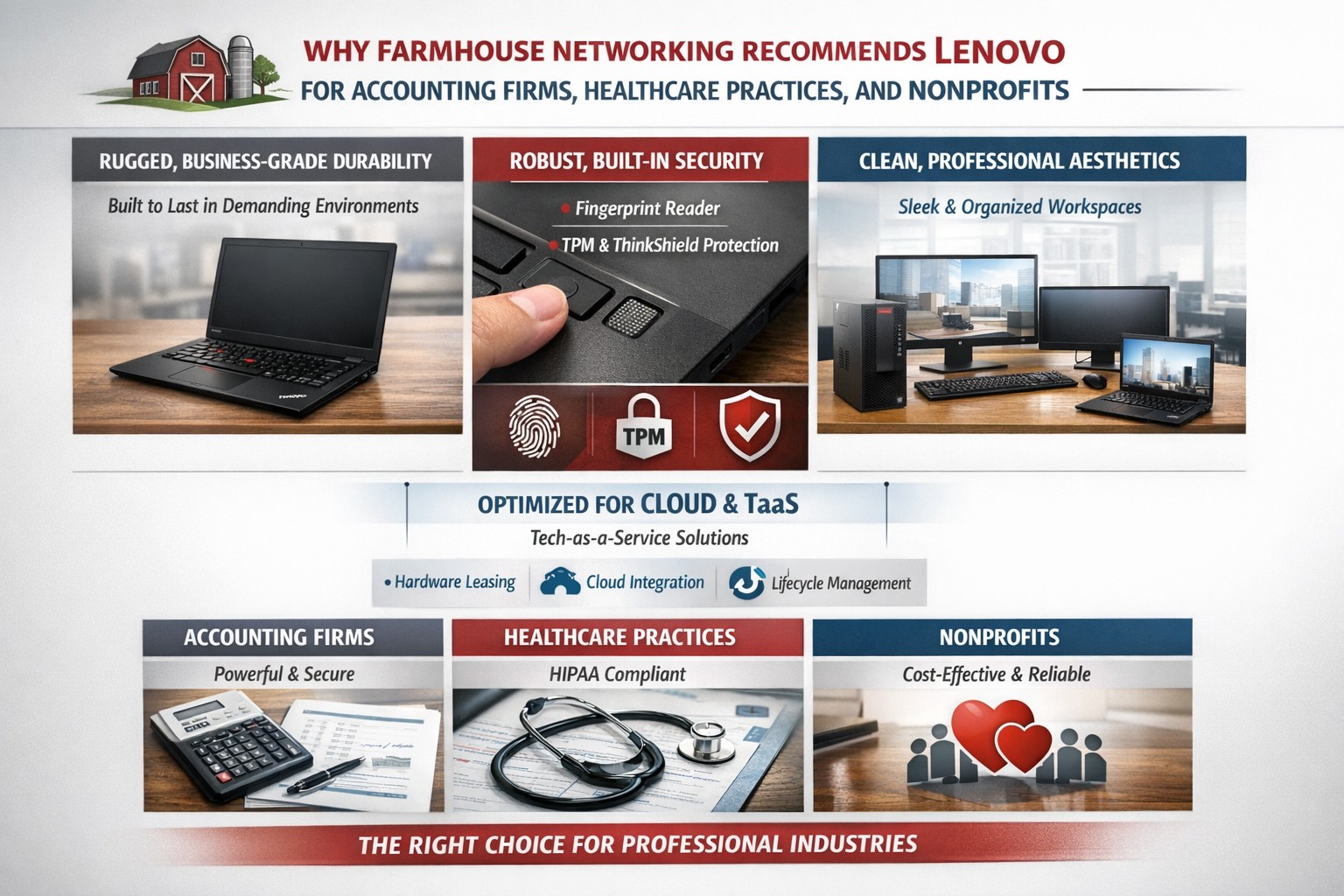
Lenovo ThinkPad laptops and desktops are the best choice for business computers because of durability, security, performance, and easy integration into managed IT and TaaS.
Farmhouse Networking only recommends the best computers for your business and Lenovo stands head and shoulders above the rest. Here are several reasons why Lenovo is the best company for businesses to buy computers from:
Unmatched Reliability and Durability
Lenovo’s ThinkPad series is renowned for its durability and reliability. Originally developed by IBM, ThinkPads have been a staple in the business world for decades. These laptops undergo rigorous MIL-SPEC testing to ensure they can withstand extreme conditions, making them ideal for professionals who need a dependable device.
Superior Performance
Lenovo computers are designed with performance in mind. Whether you need a powerful desktop for complex data analysis or a lightweight laptop for on-the-go productivity, Lenovo offers a range of devices equipped with the latest processors, ample memory, and high-quality graphics. This ensures that your business operations run smoothly and efficiently.
Innovative Features
Lenovo consistently integrates innovative features into their products. For instance, the ThinkPad X1 Carbon Gen 11 offers a sleek design, fast processor options, and a long battery life, making it a versatile choice for any business. Additionally, Lenovo’s business laptops often come with advanced security features, such as biometric authentication and encryption, to protect sensitive business data.
Customizability and Upgradability
One of the standout features of Lenovo computers is their customizability. Businesses can choose from a variety of configurations to meet their specific needs. Moreover, many Lenovo laptops and desktops are designed to be easily upgradable, allowing businesses to extend the lifespan of their devices by upgrading components as needed.
Excellent Support and Warranty
Lenovo offers robust customer support and comprehensive warranty options. This ensures that businesses can get timely assistance and repairs, minimizing downtime and keeping operations running smoothly. Lenovo’s support services are highly rated, providing peace of mind for business owners. We always recommend that our clients sign up for the next business day warranties because they come onsite with parts the day after your first phone call.
Eco-Friendly Initiatives
Lenovo is committed to sustainability and eco-friendly practices. The company has made significant strides in reducing its environmental impact through energy-efficient products and sustainable manufacturing processes. For businesses looking to reduce their carbon footprint, Lenovo’s eco-friendly initiatives are a significant plus.
Spread the Costs with Tech-as-a-Service
Lenovo helps owners spread out the cost of new computers by allowing clients to finance their hardware or setup Tech-as-a-Service plan that turns hardware from a capital expense to an operating expense.
If your company is looking to update your fleet of laptops for remote workers, equip your engineers with the powerful workstations to create product models, or take advantage of the latest innovations to increase productivity – call Farmhouse Networking to let us do the shopping for you.
And God will generously provide all you need. Then you will always have everything you need and plenty left over to share with others. As the Scriptures say,
“They share freely and give generously to the poor. Their good deeds will be remembered forever.”
For God is the one who provides seed for the farmer and then bread to eat. In the same way, he will provide and increase your resources and then produce a great harvest of generosity in you. - 2 Corinthians 9:8-10
We use cookies to ensure that we give you the best experience on our website. If you continue to use this site we will assume that you are happy with it.