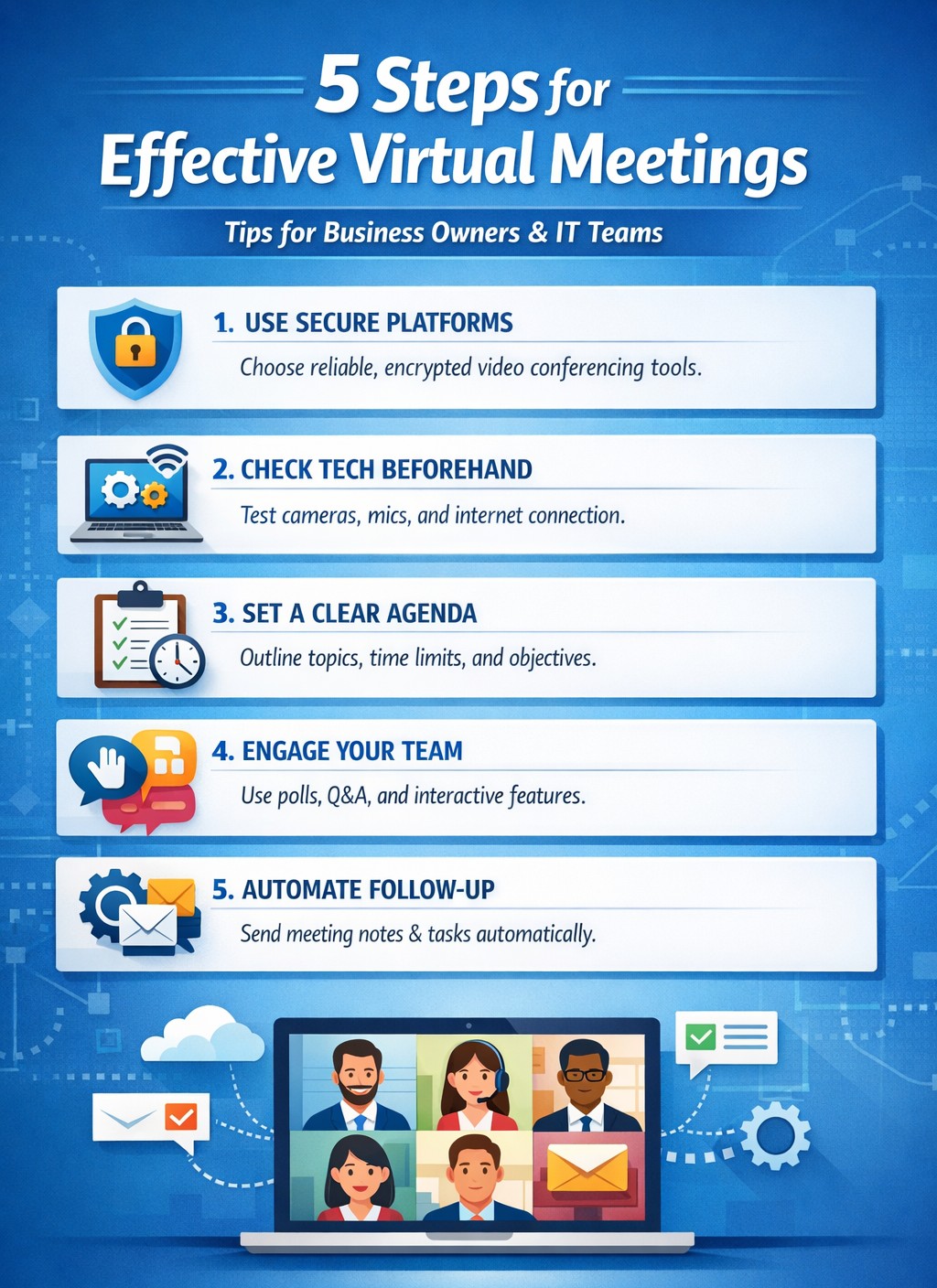
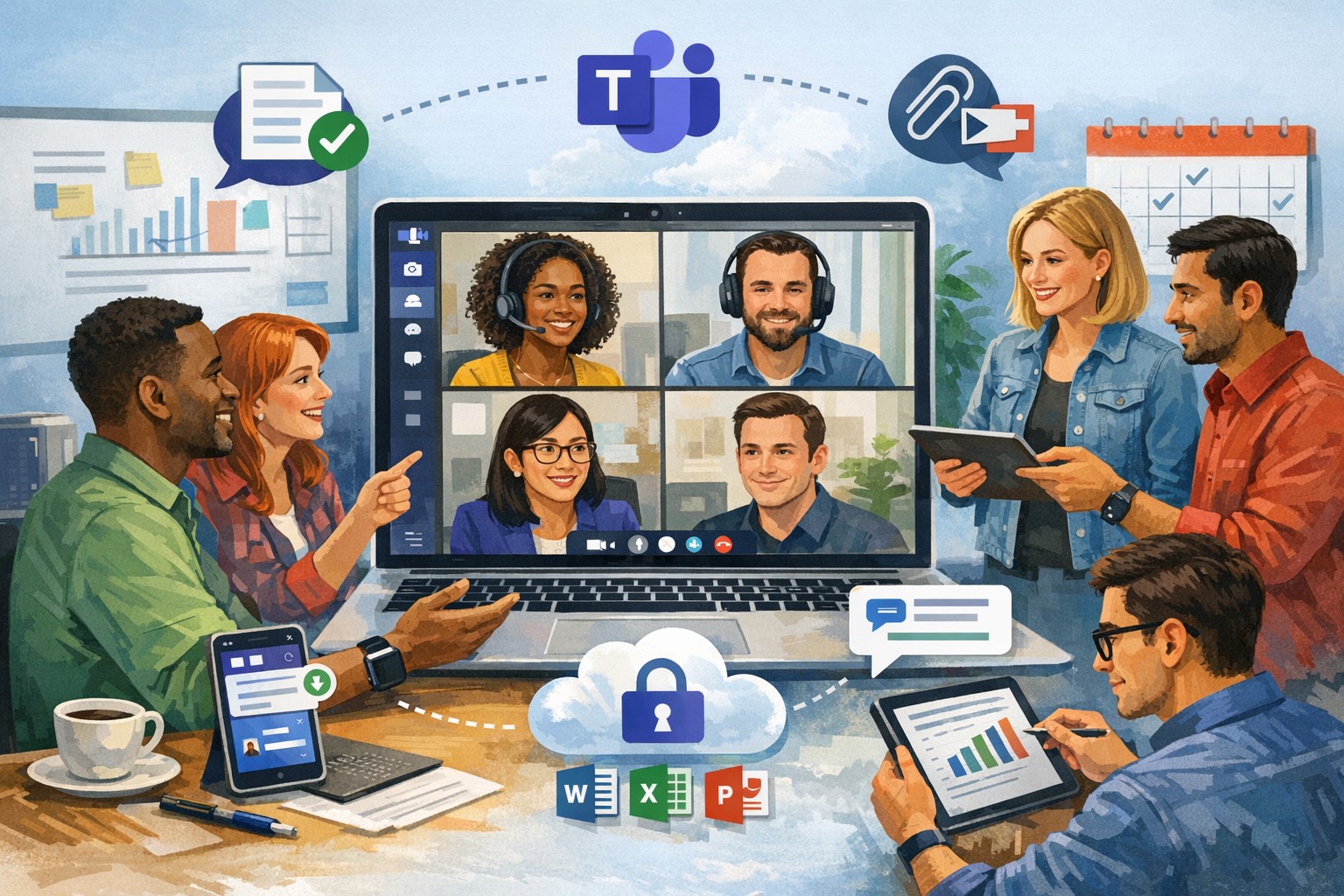
IT-backed strategies for business owners: standardize platforms and automate follow-ups for productive remote team meetings.
Wasted virtual meetings cost small businesses thousands in lost productivity annually. As a business owner managing remote teams, you need IT-backed strategies that deliver results fast. This post reveals five practical, tech-focused steps—tailored for you and your IT department—to transform chaotic calls into high-impact sessions that drive growth.
Standardize Your Meeting Platform
Choose one secure, scalable platform like Microsoft Teams or Zoom Enterprise to eliminate tool-switching chaos. IT teams should evaluate bandwidth needs, enable end-to-end encryption, and integrate with calendars/CRMs for seamless scheduling.
Business owners: Mandate platform use in your remote work policy.
IT steps: Deploy single sign-on (SSO), test integrations with tools like Slack or Google Workspace, and set up auto-updates to prevent vulnerabilities. This cuts setup time by 40% and boosts attendance reliability.
Pre-Meeting Tech Checks and Training
Technical glitches derail 30% of virtual meetings. Require all participants—including yourself—to test audio, video, and internet 15 minutes prior using platform diagnostics.
Business owners: Schedule mandatory quarterly training sessions.
IT steps: Roll out a “tech readiness checklist” via email automation, monitor network performance with tools like Wireshark, and provide on-call support during peak hours. Result: Fewer dropouts, higher engagement.
Create Structured Agendas with Role Assignments
Vague agendas lead to rambling; detailed ones keep teams focused. Share agendas 24 hours ahead via the platform, assigning roles like facilitator, note-taker, and timekeeper.
Business owners: Approve agendas before distribution to align with goals.
IT steps: Use platform features for polls, timers, and shared docs; integrate with project tools like Asana for real-time action item tracking. This ensures decisions stick post-meeting.
Enforce Engagement Tools and Moderation
Remote teams disengage twice as fast without visuals. Activate cameras, use polls/reactions, and designate an IT-trained moderator to manage chat and mute distractions.
Business owners: Set ground rules like “cameras on for key discussions.”
IT steps: Configure breakout rooms for sub-teams, enable AI transcription for recaps, and monitor for security breaches. Keeps meetings interactive and inclusive.
Post-Meeting Follow-Up Automation
Meetings fail without accountability. Send automated recaps with action items, recordings, and feedback surveys within 30 minutes.
Business owners: Review metrics like completion rates weekly.
IT steps: Automate via platform APIs (e.g., Zapier integrations), archive securely, and analyze attendance data for trends. Drives 25% better follow-through.
Common Questions from Business Owners
Q: How do we secure meetings against hacks? A: IT should enable waiting rooms, passcodes, and regular firmware updates; avoid free tiers prone to breaches.
Q: What if team internet varies by location? A: IT assesses remote setups, recommends VPNs or QoS routing, and offers audio-only fallbacks.
Q: How to measure meeting ROI? A: Track via platform analytics: engagement scores, task completion rates, and time saved.
How Farmhouse Networking Helps
Farmhouse Networking specializes in IT infrastructure for remote teams in accounting, healthcare, and nonprofits. We audit your setup, deploy secure platforms, train staff, and monitor 24/7—ensuring zero downtime. Our clients see 35% productivity gains from optimized virtual collaboration.
Call to Action
Ready to supercharge your virtual meetings? Email support@farmhousenetworking.com for a free IT assessment tailored to your business.
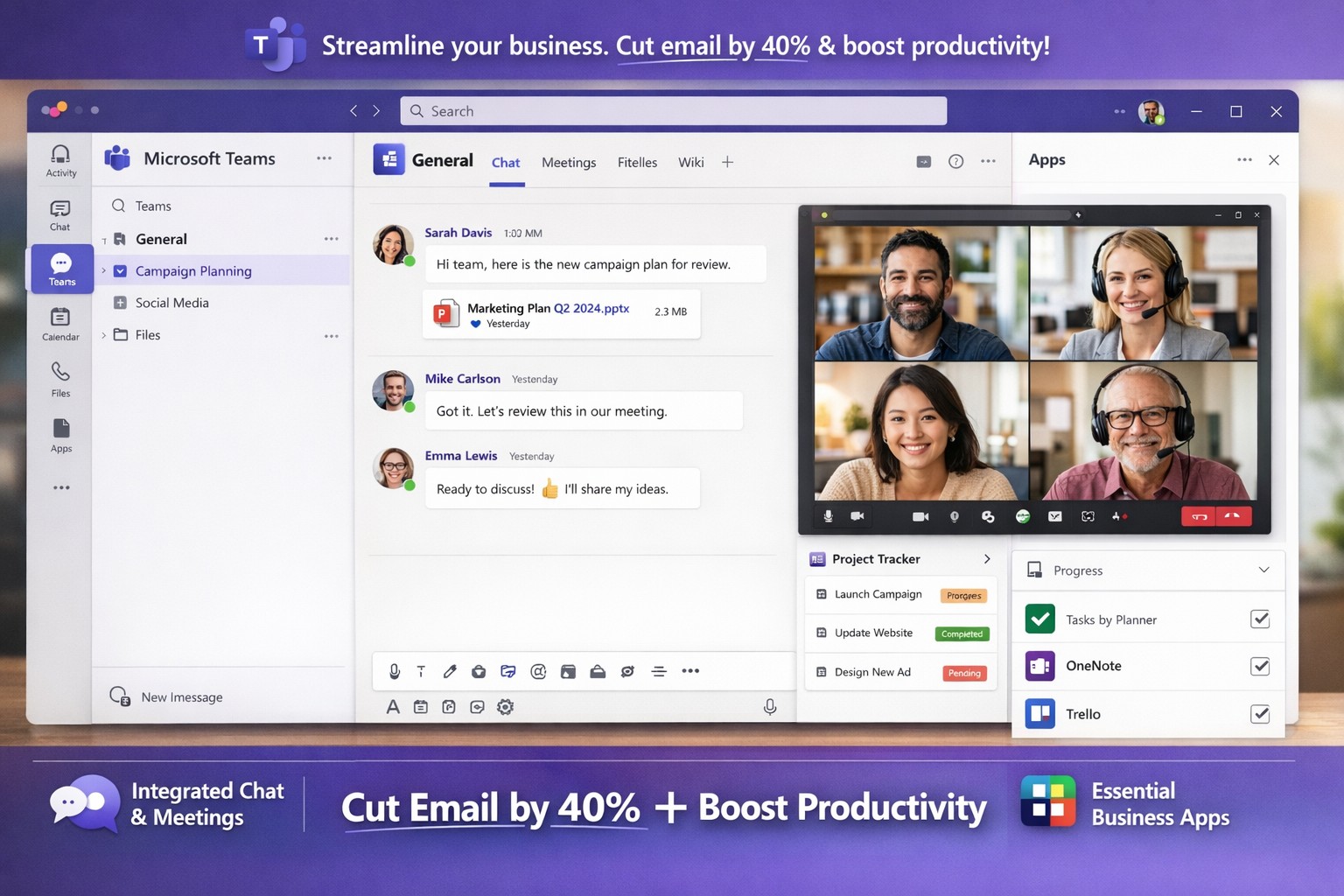
Microsoft Teams interface helping business owners streamline communication, collaboration, and workflows seamlessly.
You’re juggling endless tasks while keeping your team aligned amid remote and hybrid work. Microsoft Teams streamlines communication, collaboration, and workflows into one secure platform, slashing email overload and boosting productivity by up to 40% for similar clients.
Key Benefits for Business Owners
Microsoft Teams integrates chat, video meetings, file sharing, and project tools, ideal for accounting firms tracking audits, healthcare providers ensuring HIPAA compliance, or charities managing donor campaigns. It supports real-time co-editing via OneDrive/SharePoint, channels for department-specific discussions, and 1,000+ app integrations like Salesforce or Zoom. This setup reduces silos, enables secure guest access for clients, and scales with growth without heavy IT overhead.
Practical Implementation Steps
Follow these actionable steps with your IT department for a smooth rollout.
Assess Needs and Licenses: Audit current Microsoft 365 licenses (most include Teams) or select SMB plans like Teams Essentials. Define teams/channels by department (e.g., “Accounting-Audits”, “Healthcare-PatientBilling”).
Prepare Network and Governance: Optimize bandwidth for video; use Teams Admin Center to set policies on guest access, app approvals, and data retention. Enable MFA and compliance for regulated industries.
Install and Configure: Deploy desktop/mobile apps and web access. Create naming conventions (e.g., [Project-Client-YYYY]) for SEO-like internal search. Integrate tools via Power Automate for workflows.
Train and Pilot: Run a one-department pilot with hands-on sessions. Use AI recaps and polls to track adoption; gather feedback via Forms.
Monitor and Optimize: Leverage analytics for usage; automate backups and provide ongoing support to hit ROI in weeks.
FAQs: Client Inquiries Answered
How secure is Teams for sensitive data like patient records or financials? Teams offers enterprise-grade encryption, DLP policies, and audit logs compliant with HIPAA/GDPR. Admins control retention and eDiscovery.
What about user adoption—our team resists new tools? Pilot small, highlight wins like 30% less email time. Provide bite-sized training and champions; we’ve seen 90% uptake in 30 days.
Can it handle hybrid/remote teams across time zones? Yes—async channels, meeting recordings, and live captions keep everyone synced. Mobile access ensures productivity anywhere.
Does it integrate with our existing CRM or accounting software? Over 1,000 connectors (e.g., QuickBooks, Salesforce) plus custom Power Automate flows streamline ops without rip-and-replace.
What’s the cost for small businesses? Starts free/basic; Essentials at low per-user/monthly. Bundled in M365 Business plans scales affordably.
How Farmhouse Networking Helps
Farmhouse Networking, your Grants Pass-based IT experts since 2015, specializes in Microsoft 365/Teams deployments for accounting, healthcare, and charity sectors. We conduct custom audits, handle governance/IT setups, deliver SEO-optimized channel structures (e.g., keyword-rich for fast internal finds), staff training, and 24/7 monitoring—cutting deployment from months to weeks.
Our proactive support ensures compliance, 40% productivity gains, and seamless scaling, as proven with local clients.
For the 2018 racing season, NASCAR imposed new regulations on competitors, including limiting the number of team members allowed on the track during races. For legendary race team Hendrick Motorsports, this meant that many of the race-day crew would now need to perform their critical duties remotely from the team headquarters in Concord, NC. Hendrick Motorsports adjusted to the new regulations with technology, by making Microsoft Teams their new hub for all race communications and decision making.
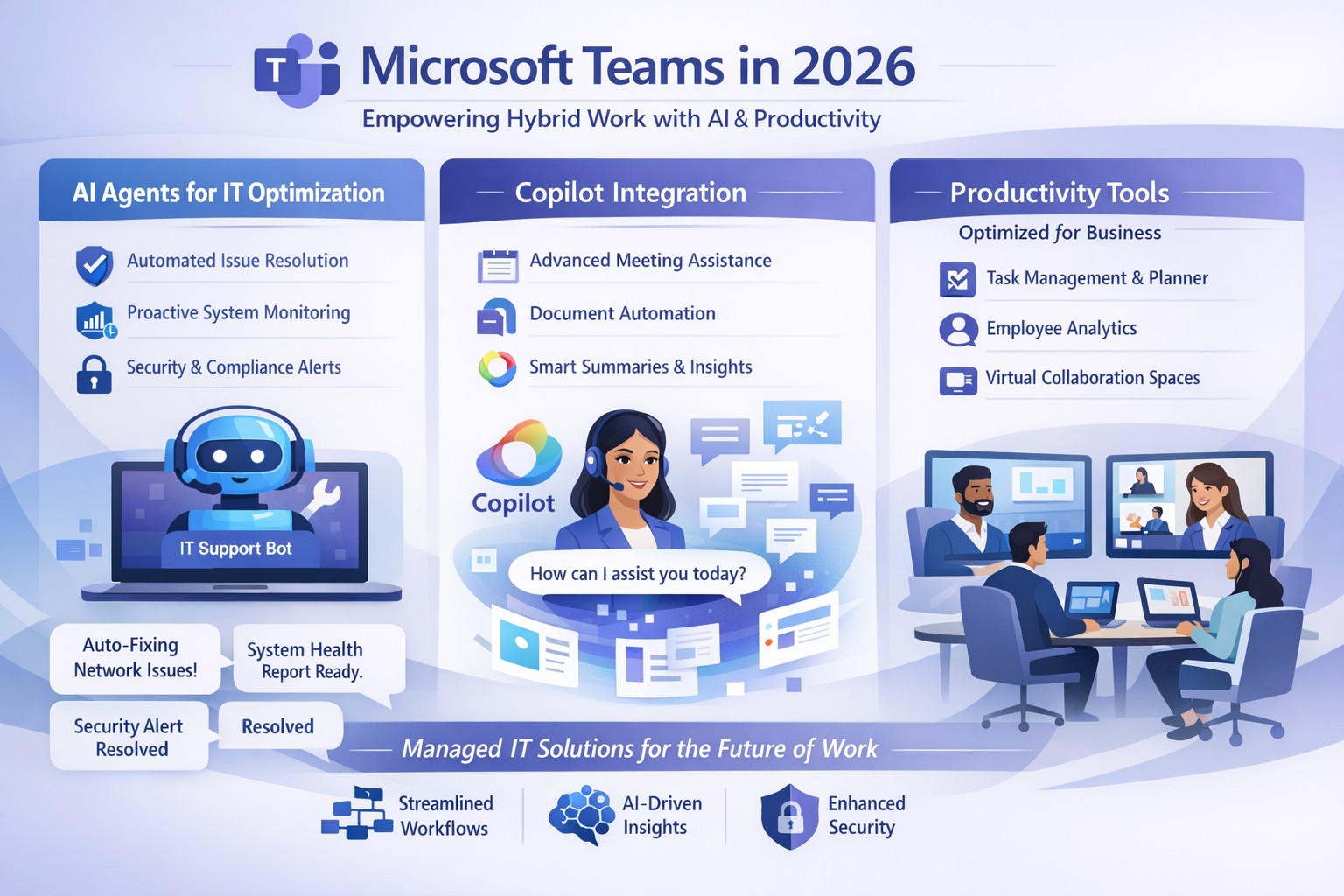
Microsoft Teams 2026 AI-powered features like intelligent agents and screen-aware Copilot transforming business collaboration.
Staying ahead of Microsoft Teams’ rapid evolution is critical for team productivity and competitive edge. 2026 brings AI-powered updates like intelligent agents, screen-aware Copilot, and smarter recaps that transform Teams from a chat tool into a strategic hub—directly impacting your bottom line through reduced meeting time and better decisions.
Key Future Features in Teams 2026
Microsoft Teams’ 2026 roadmap emphasizes AI integration via Copilot, making collaboration proactive. Highlights include AI agents joining meetings to answer questions and track agendas in real-time; Copilot analyzing shared screens for context-aware insights; enhanced chat summaries extracting decisions from threads; and meeting recaps auto-posting to SharePoint for searchable knowledge bases. Interactive annotations let all participants mark up shared content, boosting hybrid brainstorming. These features cut manual work by 30-50%, per early adopter reports, freeing teams for high-value tasks.
Practical Action Steps
Implement these steps with your IT department to leverage Teams’ future features.
Audit Current Setup: Review Teams licenses—upgrade to Microsoft 365 Copilot or Teams Premium for AI access. IT: Run Microsoft 365 admin center audit for usage gaps.
Enable AI Agents and Copilot: In Teams admin center, activate Copilot Studio for custom agents and screen analysis. Test in pilot meetings; train leaders via 15-minute sessions.
Optimize Meetings and Chats: Configure recap templates with visual references; set SharePoint auto-sync. IT: Deploy policies for resizable galleries and multilingual captions.
Secure and Scale: Apply external user trust badges; integrate with frontline tools. Monitor via analytics dashboard, targeting 20% productivity gains quarterly.
Train and Measure: Roll out via Viva Learning modules; track adoption with usage reports.
These steps ensure seamless rollout, minimizing disruption.
Client FAQs on Teams Future Features
Q: How do AI agents impact small business operations? A: Agents handle real-time summaries and nudges, saving 1-2 hours weekly per team on notes—ideal for lean operations without dedicated admins.
Q: What about security with screen analysis? A: Copilot processes data in your tenant with enterprise-grade encryption; admins control via sensitivity labels, compliant with GDPR and HIPAA.
Q: Will these features work for hybrid teams? A: Yes—interactive annotations and resizable views enhance remote participation; automatic language detection supports global clients.
Q: How much do upgrades cost? A: Copilot adds $30/user/month to E3/E5 plans; ROI comes from 25% faster decision-making, per Microsoft benchmarks.
Q: Can we customize recaps? A: Fully—preset templates or Copilot prompts tailor outputs to your workflows, integrating with SharePoint for persistence.
How Farmhouse Networking Helps
Farmhouse Networking specializes in managed IT for accounting, healthcare, and charity sectors, delivering Microsoft Teams optimization as your strategic partner. We handle full audits, Copilot deployments, custom AI agent builds, and compliance setups—reducing your IT overhead by 40%. Our experts integrate Teams with existing systems, train your staff, and monitor performance via proactive dashboards. For seamless adoption of 2026 features, we provide tailored roadmaps that drive organic growth and B2B conversions.
Ready to future-proof your Teams? Email support@farmhousenetworking.com today for a free consultation on boosting business efficiency.
Dutch startup Tony’s Chocolonely grew out of a journalist’s exposé of child slave labor in the cocoa industry and his dream of making the chocolate trade slavery-free. The Amsterdam-based company grew quickly, but its original collaboration apps didn’t support its international expansion or its work-life balance ideals. Teams enables Tony’s Chocolonely workers to communicate on a personal level with their colleagues in Europe, America, and Africa. Adding telephony capabilities makes it even more powerful, with everything available in one single interface.
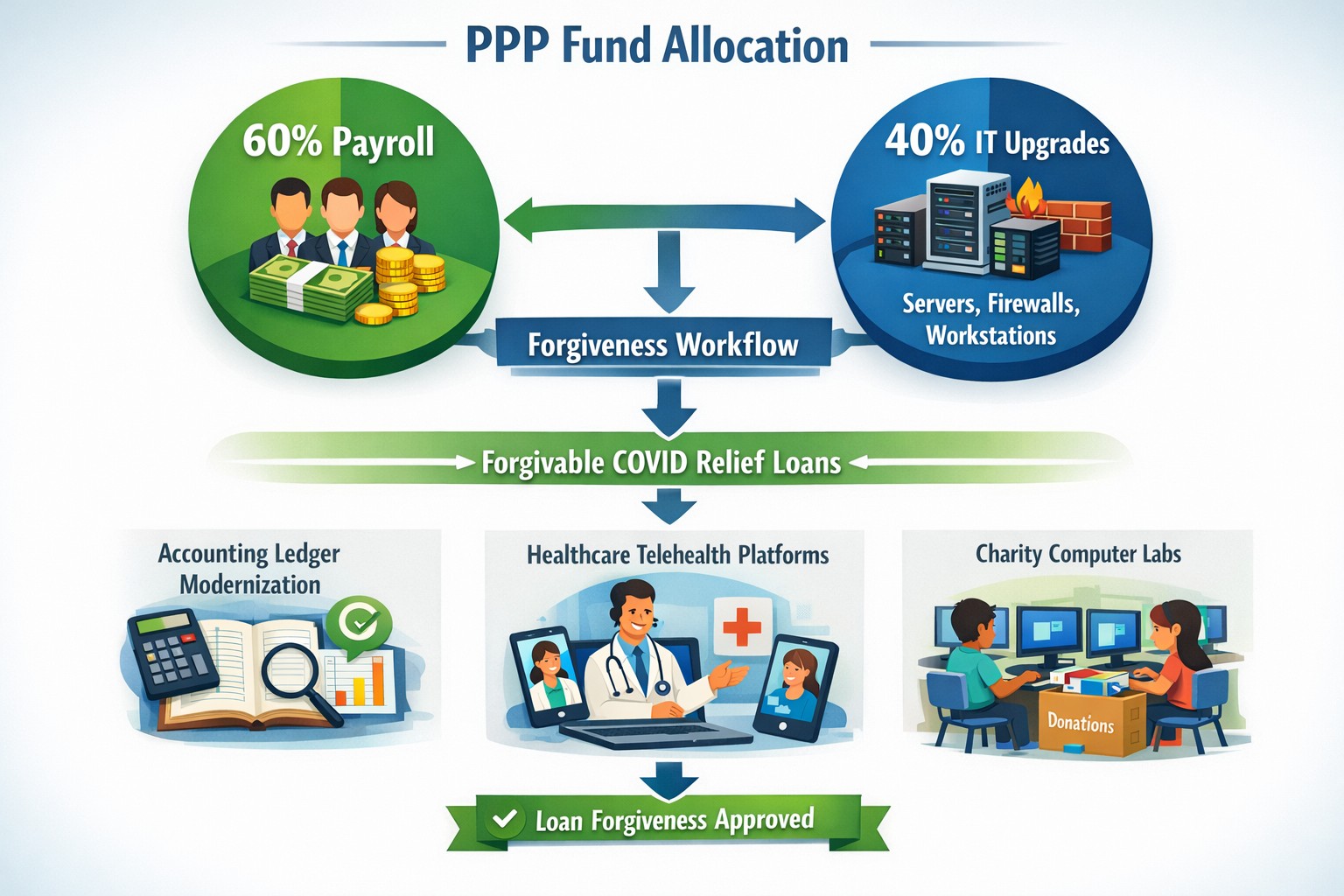
Convert PPP payroll protection into permanent IT infrastructure gains
A bill in Congress has been brewing since October 2020 and finally passed in December 2020. Representative David Scott introduced H.R.8620 which is stated to:
“To permit payments for certain business software or cloud computing services as allowable uses of a loan made under the Paycheck Protection Program of the Small Business Administration.”
What PPP can do for you
This bill was an amendment to the Small Business Act that changes the definition of how PPP loan moneys can be used. The changes are as follows:
“the term ‘covered operations expenditure’ means a payment for any business software or cloud computing service that facilitates business operations, product or service delivery, the processing, payment, or tracking of payroll expenses, human resources, sales and billing functions, or accounting or tracking of supplies, inventory, records and expenses”
So what does this mean for your business? That you can apply for the PPP funds then use them to upgrade your out-of-date software that runs your company or use the funds to move your business into the cloud. There has never been a better time or excuse to discuss the possibilities of moving your business to the cloud and implementing those upgrades that have waited so long. By doing so you will position your company better for the Work From Home trend and be prepared for business expansion once the pandemic is over.
Leverage Microsoft Teams collaboration features to streamline business operations and enhance team productivity.
You’re constantly seeking ways to streamline operations and keep your team connected. Microsoft Teams offers a powerful hub for collaboration, integrating chat, video calls, file sharing, and Microsoft 365 apps to cut email overload and drive productivity—used by over 500,000 organizations for seamless remote and hybrid work.
Key Benefits for Your Business
Microsoft Teams centralizes communication in one scalable platform, reducing tool sprawl and improving project visibility. Business leaders gain from features like real-time file co-authoring, Teams Phone for calls across devices, and advanced security that scales with growth. This setup minimizes context switching, letting employees focus on high-value tasks while IT maintains governance.
Practical Action Steps
Follow these steps with your IT department to implement Teams effectively.
Assess Needs and Sign Up: Review team size and remote work requirements. Start a free trial or purchase via Microsoft 365 Business plans (from $6/user/month). IT assigns licenses in the admin center.
Set Up Teams and Channels: Create teams by department or project (e.g., “Sales-Q1-Deals”). Use intuitive names with keywords like “client-onboarding” for easy search. IT configures permissions and integrates with Outlook/SharePoint.
Optimize for Search and Collaboration: Tag channels/files with keywords; write descriptions summarizing purpose (e.g., “Handle Q1 client queries and docs”). Enable versioning and co-editing in Word/Excel. IT runs an SEO-style audit to identify trending terms.
Train and Roll Out: Host onboarding sessions via Teams meetings. Customize with tabs for Planner or third-party apps. Monitor usage analytics in the admin center to refine adoption.
Secure and Scale: IT enables multi-factor authentication, data loss prevention, and guest access controls. Test external invites for client collaboration without downloads.
These steps typically take 1-2 weeks, yielding quick wins like 63-87% productivity gains reported by users.
Common Q&A for Business Owners
How secure is Teams for client collaborations? Teams uses enterprise-grade encryption, compliance with GDPR/HIPAA, and admin controls for external sharing—ideal for accounting/healthcare/charity sectors handling sensitive data.
Does Teams integrate with my existing tools? Yes, it syncs natively with Microsoft 365 (Outlook, OneDrive) and 1,000+ apps via the store, plus custom bots for workflows.
What’s the cost for small businesses? Business Basic starts free (limited); Essentials at $4/user/month includes meetings/files. Scale to Premium for AI features.
How do we handle large files or version control? SharePoint integration provides unlimited storage (1TB+/user), real-time co-editing, and version history to avoid duplicates.
Can non-employees join meetings? Guests join via browser without accounts; IT sets policies to protect data.
How Farmhouse Networking Can Help
Farmhouse Networking specializes in Microsoft deployments for accounting, healthcare, and charity clients. We conduct Teams audits, optimize SEO for internal search, migrate from legacy tools, and train staff—ensuring 100% adoption and ROI. Our custom strategies include branding your Teams portals, lead-gen bots, and 24/7 support to enhance client experience and organic traffic via integrated sites.
And God will generously provide all you need. Then you will always have everything you need and plenty left over to share with others. As the Scriptures say,
“They share freely and give generously to the poor. Their good deeds will be remembered forever.”
For God is the one who provides seed for the farmer and then bread to eat. In the same way, he will provide and increase your resources and then produce a great harvest of generosity in you. - 2 Corinthians 9:8-10
We use cookies to ensure that we give you the best experience on our website. If you continue to use this site we will assume that you are happy with it.