There has been information released by a security research firm called Eclypsium that there is a vulnerability dubbed Boothole in Unified Extensible Firmware Interface (UEFI) Secure Boot that would allow an attacker to completely take over a workstation, laptop, or server and be nearly undetectable. All hardware vendors will have to send out updates in the near future to patch the UEFI code to secure it against this “BootHole” vulnerability. Due to the difficulty in designing and testing these types of updates it will be some time before they are released. We will keep you posted as to the release of these updates as they become available.
If your company is concerned about security, then contact us for assistance.
Understanding the six types of remote workers helps business owners create effective IT strategies for secure and productive remote teams.
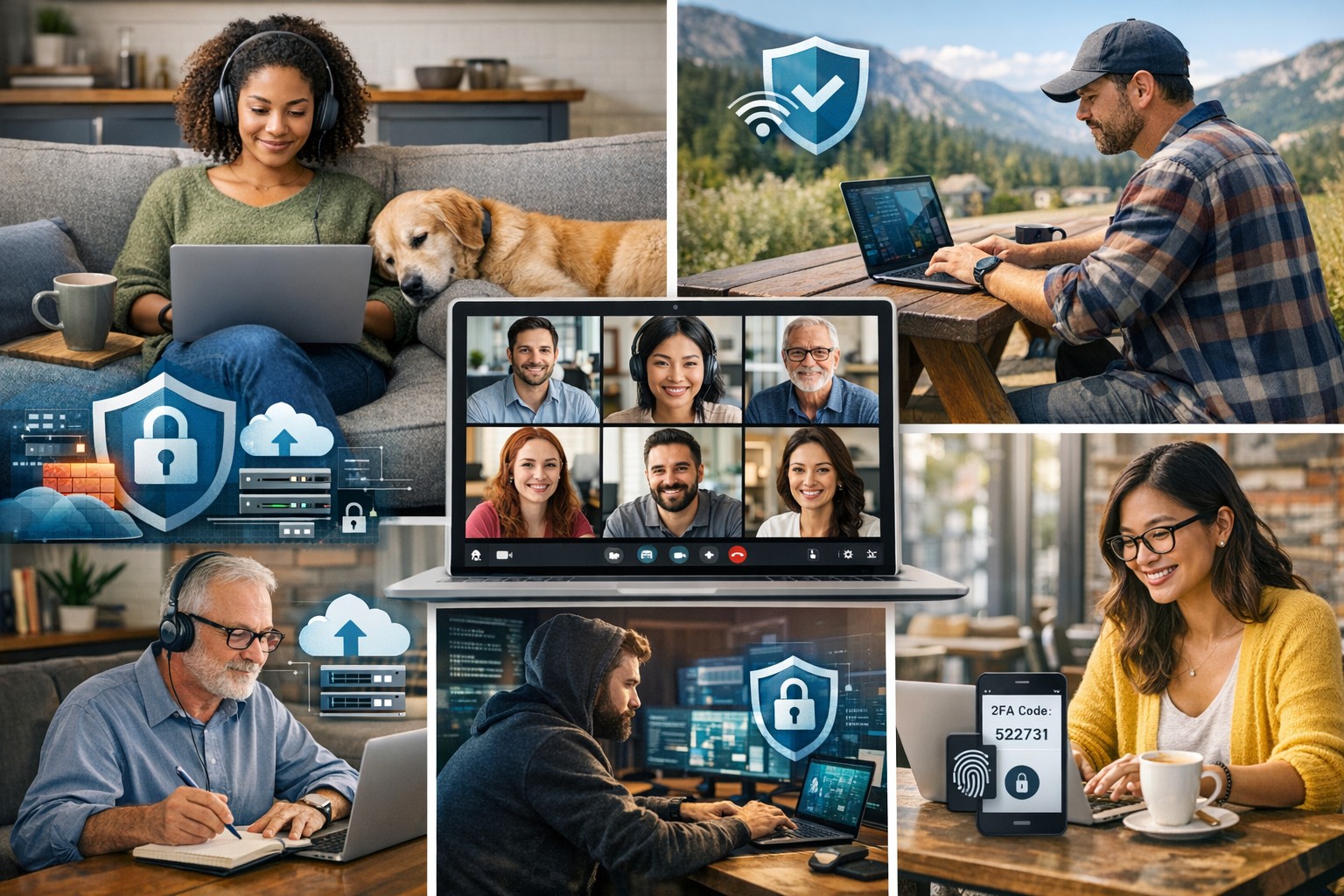
Remote and hybrid work are here to stay. The challenge for business owners isn’t just keeping people connected — it’s understanding how different types of remote employees work best and what they need to succeed. Each worker type has unique technology, communication, and security requirements. Knowing these differences allows you to design a smart remote work strategy that boosts productivity, security, and morale.
The Six Types of Remote Workers and What They Need
1. The Independent Expert
These are the self-driven specialists who know their craft and value flexibility. They dislike micromanagement and prefer getting results on their own terms. How to support them: Ensure secure system access through a VPN and cloud-based tools. Automate routine updates to reduce interruptions, and provide strong endpoint protection to guard data while they work independently.
2. The Collaborative Communicator
This group thrives on constant interaction and quick collaboration. They drive team culture and creativity but can feel isolated when technology fails. How to support them: Use reliable communication tools like Slack, Microsoft Teams, or Zoom — and make sure your network bandwidth and security policies support uninterrupted real-time collaboration. Encourage scheduled check-ins to keep morale high and information flowing.
3. The Road Warrior
Always on the move, these employees rely on mobile devices and public networks. Field service reps, consultants, or remote managers often fall into this category. How to support them: Implement mobile device management (MDM) software, enforce two-factor authentication, and train employees on safe Wi-Fi practices. Cloud-based storage with encryption protects their data while ensuring accessibility from anywhere.
4. The Structured Performer
These workers thrive on order and clarity. They rely on defined rules, timelines, and expectations to perform well remotely. How to support them: Standardize communication and file-sharing tools, and document IT policies. Use dashboards and project management platforms like Trello or Asana to maintain structured workflows and consistent accountability.
5. The Emerging Remote Starter
New to remote work, these employees often need extra guidance, consistent access to IT resources, and reassurance that help is available when technology inevitably fails. How to support them: Provide onboarding sessions covering remote setup, company security protocols, and common troubleshooting steps. Make sure they have access to your IT helpdesk for instant support and schedule regular one-on-one check-ins as they get comfortable with their new environment.
6. The Hybrid Connector
They split time between office and home, juggling two environments with different setups. Seamless syncing is critical to maintain efficiency. How to support them: Standardize software, data access, and authentication across both locations. Unified communication systems and synchronized hardware (like docking stations and remote desktops) ensure their transition between workspaces is frictionless.
Practical Steps for Business Owners and IT Teams
Supporting these different worker types doesn’t require six distinct systems. Instead, focus on building a flexible IT framework that adapts to everyone’s needs:
Audit your current IT environment to identify weak spots in connectivity, access, and cybersecurity.
Segment employees by work type and align their tools accordingly.
Standardize collaboration platforms to minimize confusion and ensure security consistency.
Implement cybersecurity best practices: firewalls, MFA, regular backups, and continuous network monitoring.
Train your team on safe remote practices to reduce phishing and human errors.
Create IT response and recovery plans for downtime or breaches — prevention is cheaper than disruption.
When IT is intentional and tailored, your business operates efficiently regardless of where employees log in.
Client Questions Answered
Q: How do I keep remote employees productive without micromanaging? A: Use transparent project management tools that track results, not time. Metrics-based performance systems give employees freedom while keeping you informed.
Q: Are cloud applications like Microsoft 365 and Google Workspace safe for remote work? A: They are — when configured properly. Encryption, file permissions, multi-factor authentication, and user activity logging are essential security layers.
Q: What’s the key to balancing flexibility with network security? A: Centralized IT management. By having a managed service provider monitor devices and apply consistent policies, you maintain both freedom and control.
How Farmhouse Networking Helps
Farmhouse Networking specializes in helping small businesses master remote and hybrid work environments. Whether your challenge is cybersecurity, employee onboarding, or remote infrastructure stability, our team designs tailored IT ecosystems that match how your people actually work.
We help you:
Identify which remote worker types make up your team.
Implement secure cloud access, VPNs, and remote monitoring.
Provide proactive IT support that keeps downtime minimal.
Strengthen your cybersecurity posture with continuous network protection.
Our goal is simple — to make your remote operations secure, seamless, and scalable.
Ready to build a smarter, more resilient remote workforce? Contact Farmhouse Networking at support@farmhousenetworking.com to learn how we can optimize your remote work systems and empower your team to perform at their best — wherever they are.
Unlock productivity: Microsoft remote work solutions let your team collaborate from anywhere on any device.
Business owners face mounting pressure to enable flexible work while maintaining productivity and security. Microsoft technology delivers seamless remote access across devices, transforming how your team operates from virtually any location. This post outlines actionable steps, answers key questions, and shows how Farmhouse Networking can streamline your implementation.
Core Microsoft Tools for Remote Work
Microsoft 365, Teams, Intune, and Azure Virtual Desktop form the backbone of device-agnostic remote work. These tools support real-time collaboration, secure file access, and centralized management without on-premises hardware dependency. For instance, Teams integrates chat, video, VoIP, and file sharing into one hub, boosting efficiency for distributed teams.
Intune enables IT to enforce policies on employee devices remotely, while Azure ensures scalable cloud infrastructure. This setup minimizes downtime and scales with business growth.
Practical Action Steps
Follow these steps with your IT department to deploy Microsoft remote work capabilities.
Assess Current Infrastructure: Inventory devices, apps, and workflows. Identify gaps in security (e.g., MFA) and collaboration tools. Use Microsoft’s free assessment tools in the 365 admin center.
Subscribe to Microsoft 365: Choose Business Premium or E3/E5 plans for Intune, Teams, and Entra ID. Enable SSO and MFA via Entra ID for secure access.
Configure Device Management: Deploy Intune for endpoint management. Enroll devices (Windows, macOS, iOS, Android) and set compliance policies like encryption and app restrictions.
Set Up Teams and Communication: Migrate PBX to Teams Phone System for enterprise voice. Integrate OneDrive for secure file sync and SharePoint for team sites.
Test and Train: Run pilot with 10-20 users. Provide training via Microsoft Viva or custom sessions. Monitor adoption with Teams analytics.
Scale and Secure: Implement Zero Trust with Azure AD Conditional Access. Regularly audit via Microsoft Defender for endpoints.
These steps typically take 4-8 weeks, reducing setup costs by leveraging cloud-native features.
FAQ: Client Inquiries Answered
Q: What devices are supported? A: Microsoft tools work on Windows, macOS, iOS, Android, and even Linux via web apps. Intune manages all, ensuring consistent policies.
Q: How secure is remote access? A: Zero Trust model verifies every access with MFA, device health checks, and AI-driven threat detection in Defender. Data stays encrypted end-to-end.
Q: Will it integrate with our existing PBX? A: Yes, Teams Calling extends or replaces PBX systems, supporting auto-attendants and call analytics without hardware changes.
Q: What’s the cost for a 50-person team? A: Microsoft 365 Business Premium starts at $22/user/month, including all tools. Add-ons like Teams Phone run $8-15/user/month. ROI comes from 20-30% productivity gains.
Q: How do we handle user adoption? A: Use built-in training modules, Teams champions, and help desk integration. Adoption rates hit 90% with structured onboarding.
How Farmhouse Networking Accelerates Your Setup
Farmhouse Networking specializes in Microsoft deployments for accounting, healthcare, and charity sectors. We handle custom assessments, Intune configurations, Teams migrations, and ongoing help desk support—shortening timelines from months to weeks. Our experts ensure HIPAA/GDPR compliance for healthcare and secure donor data for charities, while optimizing for accounting firms’ audit trails. We’ve boosted remote productivity 40% for similar clients via tailored QuickStarts.
Call to Action
Ready to enable seamless remote work? Email support@farmhousenetworking.com for a free Microsoft readiness audit and custom strategy.
Registry key excluding sync folders resolves Windows roaming profile errors
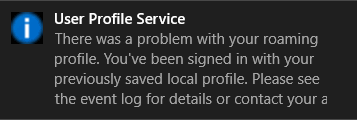
Had a client receive the message “There was a problem with your roaming profile…” after logging into another computer on the domain. Research and found that a simple registry fix was available, but most fixes wanted admins to export a key from another working profile then import it into the broken one. Here is the actual registry key that was used to fix the profile:
Registry Fix for roaming profile was not completely synchronized
Open Registry Editor as the broken user and NOT administrator
Navigate to HKCU > SOFTWARE > Microsoft > Windows NT > CurrentVersion > Winlogon
Right click and choose New > String Value and give it the name ExcludeProfileDirs
Enter the following – AppData\Local;AppData\LocalLow;$Recycle.Bin;OneDrive;Work Folders
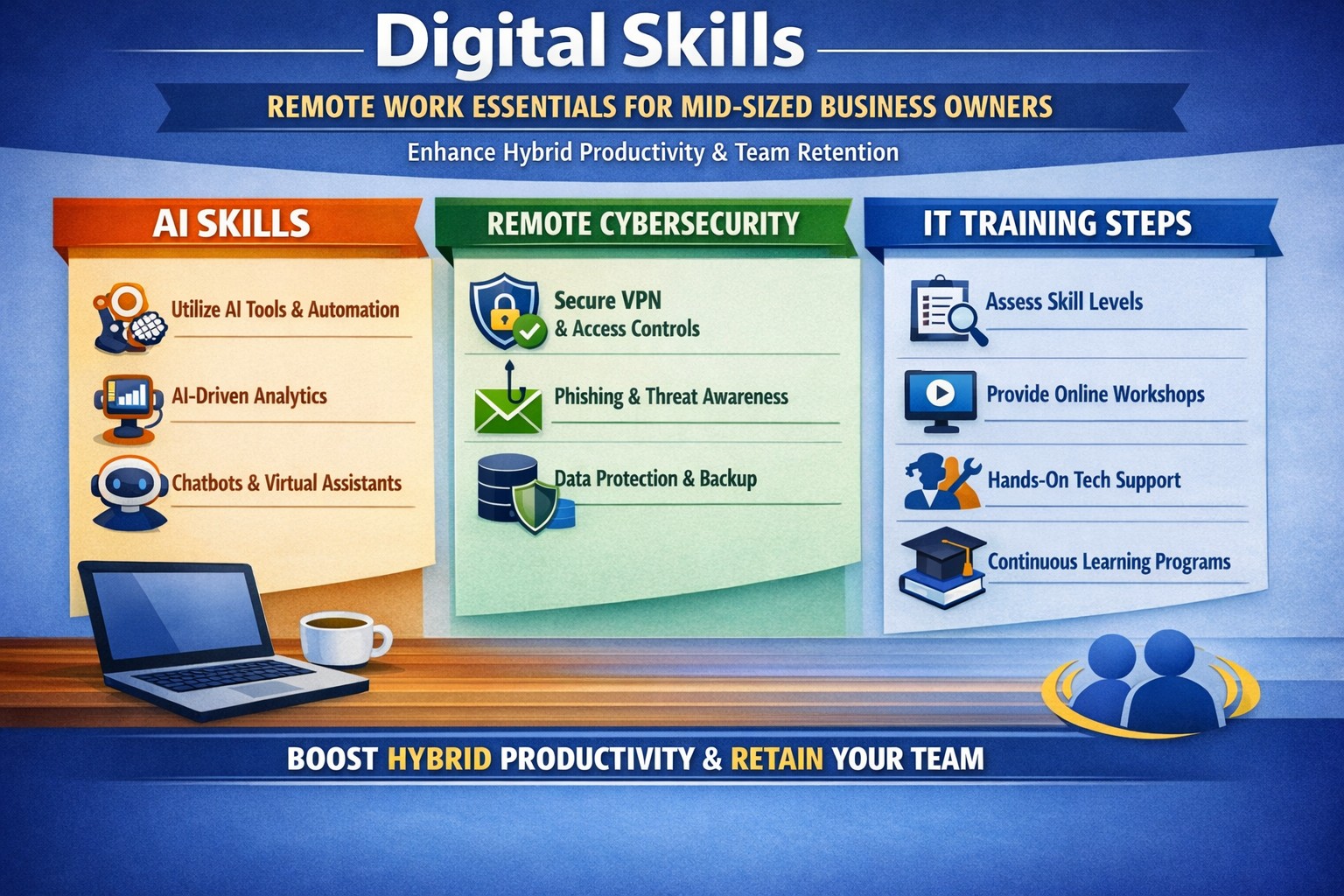
Key digital skills for remote workers: AI-assisted productivity, cybersecurity basics, and data analytics to future-proof your mid-sized team.
Mid-sized business owners face a pivotal choice: adapt to remote work demands or risk losing top talent to competitors. With hybrid models now standard and AI reshaping workflows, equipping your team with essential digital skills isn’t optional—it’s a competitive edge that drives productivity and retention.
Why Digital Skills Matter Now
Remote work has evolved beyond basic video calls. 92% of job postings demand digital proficiency, with mid-sized firms seeing 2.5x revenue growth from tech-savvy teams. Leaders must prioritize skills like AI-assisted productivity and cybersecurity to support distributed operations, reducing downtime and boosting outcomes over hours logged.
Key Digital Skills for Remote Success
Focus on these seven high-impact skills to future-proof your workforce:
AI-Assisted Productivity: Leverage tools for task automation and analysis—daily AI use hit 26% last year, doubling output for proficient users.
Cognitive Flexibility and Adaptability: Shift seamlessly between tools and priorities in dynamic remote setups.
Strong Digital Communication: Master Slack, Microsoft Teams, and asynchronous updates to bridge time zones.
Tech Literacy and Troubleshooting: Handle basic IT fixes independently to minimize disruptions.
Cybersecurity Basics: Implement MFA and zero-trust models to protect distributed data.
Data Analytics: Use tools like Google Analytics or Power BI for real-time insights.
Digital Project Management: Coordinate via Asana or Monday.com for virtual team alignment.
These skills address remote challenges like collaboration gaps and productivity tracking.
Practical Action Steps
Business owners and IT departments should execute these steps systematically.
Assess Current Gaps: Survey your team on proficiency in the seven skills above; use free tools like LinkedIn Learning audits (1-2 weeks).
Build a Training Roadmap: Enroll in microlearning platforms (e.g., 15-min daily sessions on Coursera or freeCodeCamp) and allocate 4-6 hours weekly per employee.
Deploy Secure Infrastructure: IT to roll out VPNs, endpoint protection, and cloud access (e.g., Splashtop for remote desktops); test with a pilot group in 30 days.
Integrate AI Tools: Pilot enterprise AI like Microsoft Copilot or Zapier for automation; track ROI via output metrics quarterly.
Foster Continuous Upskilling: Launch internal “skill shares” via Zoom and tie bonuses to certifications (e.g., Google Data Analytics).
Monitor and Iterate: Use dashboards for skill adoption KPIs; adjust based on quarterly reviews.
These steps minimize risks like breaches (up 30% in hybrid setups) while accelerating hybrid efficiency.
Q&A: Client Inquiries Addressed
Q: How long until we see ROI from upskilling? A: Firms report 3x profitability within 6-12 months via reduced IT tickets and higher output.
Q: What if our team resists new tools? A: Start with voluntary pilots and gamified training; data shows 2.3x retention in adaptive programs.
Q: How do we secure remote access without slowing workflows? A: Adopt zero-trust with MFA—cutting threats while maintaining speed.
Q: Which skills yield the highest salaries for remote hires? A: AI/ML and cybersecurity top lists, with 20-50% premiums for mid-sized firms.
Q: Can we train in-house or need external help? A: In-house works for basics, but experts accelerate deployment for complex setups.
How Farmhouse Networking Accelerates Your Remote Transition
Farmhouse Networking specializes in mid-sized businesses across accounting, healthcare, and nonprofits, delivering tailored IT strategies for seamless remote adoption. We handle infrastructure audits, deploy secure cloud ecosystems, and integrate AI tools—slashing setup time by 50% versus DIY efforts. Our upskilling workshops certify teams in cybersecurity and project management, ensuring compliance (e.g., HIPAA for healthcare) and 99.9% uptime.
Call to Action
Ready to equip your team with digital skills? Email support@farmhousenetworking.com today for a free remote readiness assessment and custom roadmap.
Many of our customers have been experiencing some of their users having Outlook crashing immediately after opening. We even had other tech companies call to find out how we were fixing it, so we investigated and found the following known issue from Microsoft:
Users experiencing Outlook connection issues and crashes EX218604, Exchange Online, Last updated: July 15, 2020 10:12 AM Start time: July 15, 2020 9:18 AM User impact: Users may experience crashes or may be unable to access Exchange Online via Outlook. Current status: Our initial review of the available data indicates that recently deployed updates are the likely source of the problem. We’re performing an analysis of all recent service updates to isolate the underlying cause of the problem and to determine the most expedient means to restore service.
We will be keeping our monthly clients up to date on this issue.
Implement these hybrid meeting best practices to reclaim hours weekly.
Tired of meetings that drain time and productivity? As a business owner, mastering meetings can reclaim hours weekly, sharpen decisions, and drive growth. This guide delivers actionable steps tailored for you and your IT team.
Why Meetings Matter
Effective meetings align teams, solve problems, and spark innovation—yet poor ones waste 20-30% of work hours. Business owners who optimize them see faster execution and higher morale. Focus on purpose-driven gatherings to transform your operations.
Practical Action Steps
Follow these steps with your team and IT department for immediate impact.
Assess Meeting Necessity: Before scheduling, ask: “Does email or async update suffice?” Cancel 30% of meetings by testing this weekly.
Craft Clear Agendas: Draft agendas 48 hours ahead with goals, topics as questions, time allocations (e.g., 10 mins per item), and attendees. Share via shared doc.
Set Tech Foundations: IT audits tools—ensure Zoom/Teams licenses, stable Wi-Fi (100Mbps+), backups like Google Meet. Test hybrid setups: cameras, microphones, screen sharing.
Run Structured Sessions: Start on time with purpose recap. Use timer for topics. Assign action items with owners/deadlines. End early if done.
Follow Up: IT logs recordings securely; send minutes within 24 hours with tasks tracked in tools like Asana or Trello.
Review and Iterate: Post-meeting, survey: “What worked? Improve?” Trim recurring meetings under 15 mins for huddles.
These cut meeting time by half while boosting outcomes.
FAQ: Client Inquiries Answered
Address common questions from accounting, healthcare, or charity clients.
How do we handle hybrid meetings? Prioritize equal participation: IT enables “raise hand” features, shared notes. Use noise-canceling mics and 4K cameras for remote clarity.
What if meetings overrun? Enforce time boxes; have a timekeeper. Shift overflow to async channels like Slack threads.
How to engage quiet team members? Start with round-robin input. Pose questions early. For virtual, use polls/reactions.
Best tools for secure meetings? Enterprise-grade like Microsoft Teams (HIPAA-compliant for healthcare) with end-to-end encryption. IT verifies compliance yearly.
How often for different meetings? Daily huddles (15 mins), weekly managers (30 mins), quarterly strategy (2 hours).
How Farmhouse Networking Helps
Farmhouse Networking specializes in IT solutions for accounting, healthcare, and charity sectors. We audit your meeting tech stack, deploy secure video platforms, optimize networks for lag-free hybrid calls, and train teams on best practices. Our SEO-driven blogs and custom strategies have helped clients cut meeting waste by 40%, freeing time for client wins. From branding your site to lead-gen automation, we handle it all.
Call to Action
Ready to make every meeting count? Email support@farmhousenetworking.com for a free meeting efficiency audit tailored to your business.
Leverage Microsoft collaboration tools like Teams to help customers work together efficiently and boost your business workflows.
You know collaboration drives growth—but scattered tools and poor communication waste time and opportunities. Microsoft technology, like Teams and Microsoft 365, enables your customers to work together effortlessly, boosting satisfaction and loyalty. This post outlines how to implement it effectively for your business.
Key Microsoft Collaboration Tools
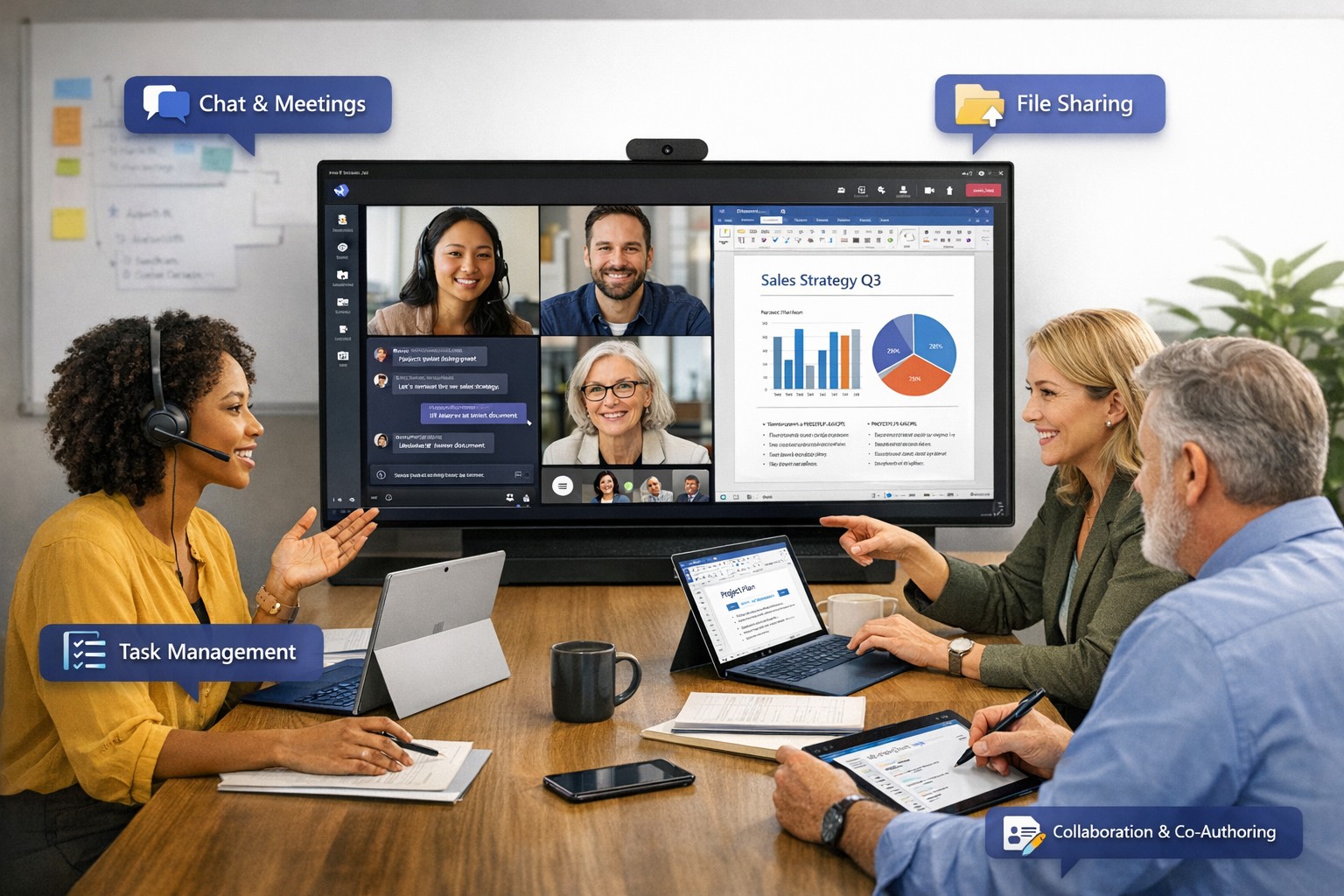
Microsoft Teams serves as the central hub for meetings, chats, calls, and file sharing, integrating with Outlook and OneNote for streamlined workflows. Tools like Microsoft Loop offer flexible workspaces for co-creation, while Whiteboard supports real-time brainstorming across locations. These features allow customers to join as guests, co-author documents, and track projects without switching apps, enhancing productivity by up to 30% in team settings.
Practical Action Steps
Follow these steps with your IT department to deploy Microsoft collaboration tools targeting customer interactions.
Assess Needs: Audit current customer touchpoints—review emails, support tickets, and feedback to identify collaboration gaps, such as delayed responses or siloed data.
Select Licensing: Choose Microsoft 365 Business Premium for Teams, SharePoint, and Copilot AI features; start with a 1-month trial to test scalability.
Set Up Teams Channels: Create dedicated customer channels for projects, enabling guest access; configure permissions to limit sensitive data exposure.
Integrate Tools: Link Teams with OneDrive for secure file sharing and Power Automate for automated workflows, like instant notifications on customer updates.
Train Staff: Run 2-hour sessions on co-authoring in Word/Excel and meeting recaps; use Microsoft’s free resources for onboarding.
Test and Monitor: Pilot with 5 key customers, tracking metrics like response time (aim for <2 hours) via Teams analytics; adjust based on feedback.
These steps typically take 2-4 weeks, yielding faster customer resolutions and stronger relationships.
FAQ: Customer Inquiries Answered
How secure is customer data in Teams? Microsoft Teams uses end-to-end encryption and compliance with GDPR/HIPAA, with guest access controls to prevent unauthorized sharing.
Can customers join without a Microsoft account? Yes, external guests join via browser or app invite—no account needed—ideal for quick collaborations.
What if our team is remote or hybrid? Teams supports anywhere-access with AI recaps, transcripts, and intelligent speakers for up to 1,000 attendees.
How does this integrate with existing CRM? Seamless with Dynamics 365 or third-party apps via APIs, syncing customer data for unified views.
What’s the ROI for small businesses? Businesses report 20-50% productivity gains through reduced email overload and real-time co-editing.
How Farmhouse Networking Helps
Farmhouse Networking specializes in Microsoft 365 deployments for accounting, healthcare, and charity sectors, ensuring SEO-optimized client portals and lead-gen strategies. We handle audits, custom setups, training, and ongoing optimization—delivering 99.9% uptime and measurable traffic growth to your collaboration hubs. Our experts integrate Copilot for AI-driven insights, turning customer interactions into B2B opportunities.
Ready to unlock Microsoft-powered collaboration? Email support@farmhousenetworking.com for a free consultation on improving your business today.
Consumer routers = compliance nightmares for business networks
Even though we recently sent out another email newsletter about this topic, we have to keep raising this issue as the work from home remains a regular occurrence. A German think tank analyzed 127 popular home routers with the majority having at least one flaw (D-Link, Netgear, ASUS, Linksys, TP-Link and Zyxel were affected by 53 critical-rated vulnerabilities each). The biggest problem is that most (91%) are built on top of an old version of Linux operating system and their makers rarely publish updates.
There are several solutions that we can discuss to secure your work from home networks, so contact us for assistance.
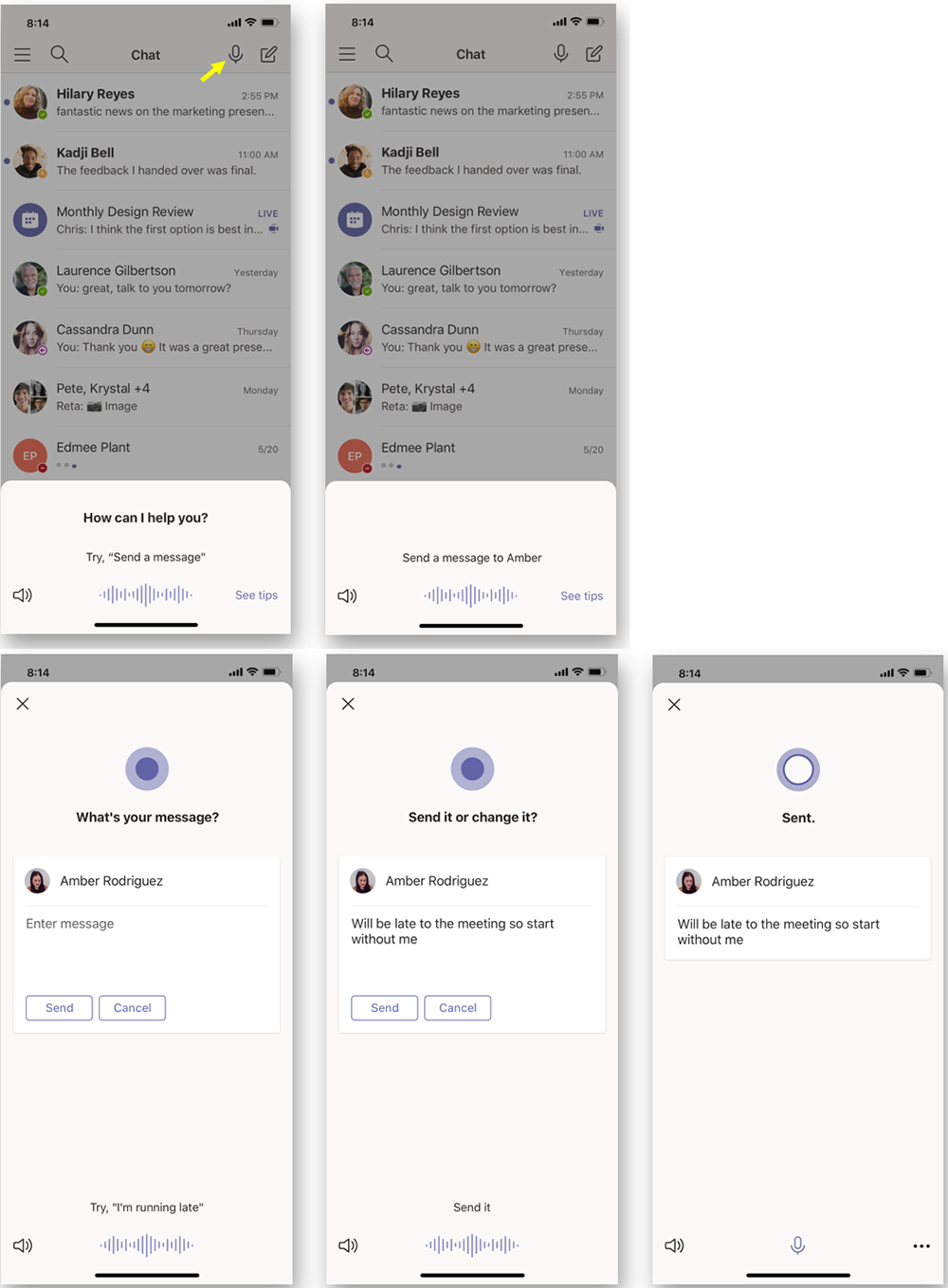
According to the Microsoft Office 365 development roadmap, an exciting new feature is coming to Microsoft Teams:
“Cortana is coming to the Teams mobile app, using AI and the Microsoft Graph to provide voice assistance in Teams. To stay connected to your team even when you have your hands full, click the microphone button on the top right and ask Cortana to make a call, join a meeting, send chat messages, share files, and more. These voice assistance experiences are delivered using Cortana enterprise-grade services that meet Microsoft 365 privacy, security and compliance commitments. Cortana will be available in the Teams mobile app on iOS and Android in the coming weeks for Microsoft 365 Enterprise users in the U.S. in English.”
Voice profiles transform generic transcripts into actionable intelligence
If your company is looking to collaborate with your office effectively, then contact us for assistance.
And God will generously provide all you need. Then you will always have everything you need and plenty left over to share with others. As the Scriptures say,
“They share freely and give generously to the poor. Their good deeds will be remembered forever.”
For God is the one who provides seed for the farmer and then bread to eat. In the same way, he will provide and increase your resources and then produce a great harvest of generosity in you. - 2 Corinthians 9:8-10
We use cookies to ensure that we give you the best experience on our website. If you continue to use this site we will assume that you are happy with it.