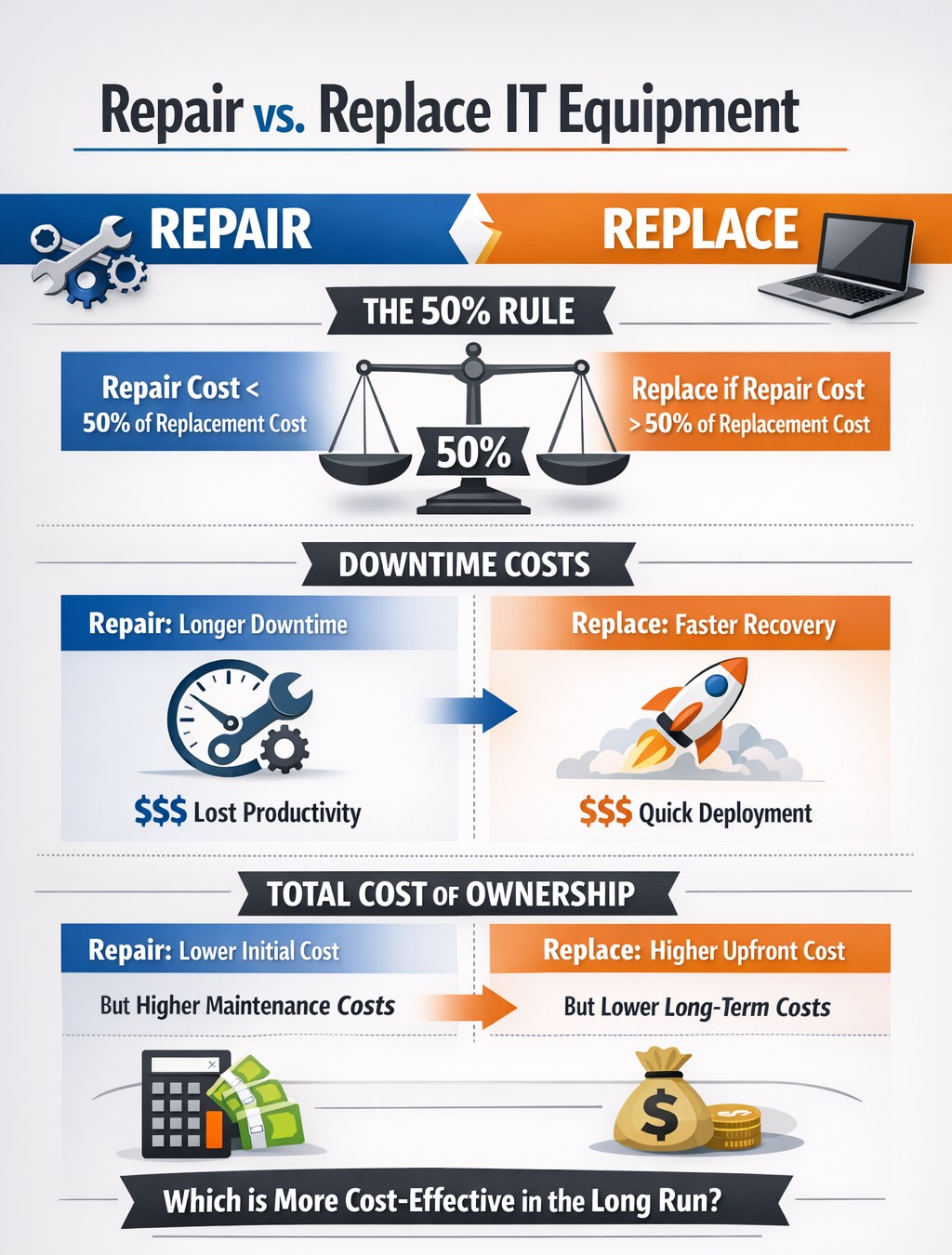
TCO chart reveals when repair beats replacement for network hardware.
With the end of the year approaching, we are continuing our Budget Talk series our newsletter. This time we are diving into the cost of repairing a computer verses the cost of replacing it. Here are the considerations
Why Repair a Computer?
For those who are looking to save money and extend the value of the assets they already have should consider either repairing or upgrading their current computers. There are some repairs or upgrades that are worth considering:
Network Adapter: This is usually simple and cheap to repair in the majority of desktops and some laptops.
Memory: This is a good way to breath new life and performance into a computer. Depending on the age of the memory technology this is another simple and cheap repair or upgrade on all systems.
Hard Drive: Especially for older computers still using the spinning disk type of hard drive, a repair or upgrade is worth the money for the easy boost in performance.
Laptop Keyboard: This item could go either way, the price from the manufacturer is sometimes high but the repair time is fairly low.
These will often allow computers to continue being used for an additional 1-2 years, but it is our experience that if internal components have started to fail then it is best to start budgeting for replacement.
Why Replace a Computer?
There are repairs and upgrades that are not worth the cost. These items should definitely make you consider replacement:
CPU: The main processor of the computer is usually not easily upgraded and every year they come out with significant improvements in them. If your CPU is more than 3 years old then there is enough of an increase in speed that replacement it best.
Motherboard: If the motherboard of the computer is failing, especially for computers that from major manufacturers, the cost of repair is usually too high (over half the cost of new computer). Best to replace the computer if not under warranty.
Laptop Screen: This item, especially if it is a touch screen, is absolutely not worth replacing. The cost of the part is usually around half the cost of the laptop and the labor involved can be prohibitive. If your screen is broken best to get a replacement.
Please remember that all new computers are able to be depreciated for up to four years based on industry standards and that repairs do not qualify.
Don’t wait until system failures disrupt your operations. Contact Farmhouse Networking now to schedule a comprehensive IT lifecycle assessment. Let’s work together to optimize your technology investments and keep your business running smoothly into the new year and beyond.
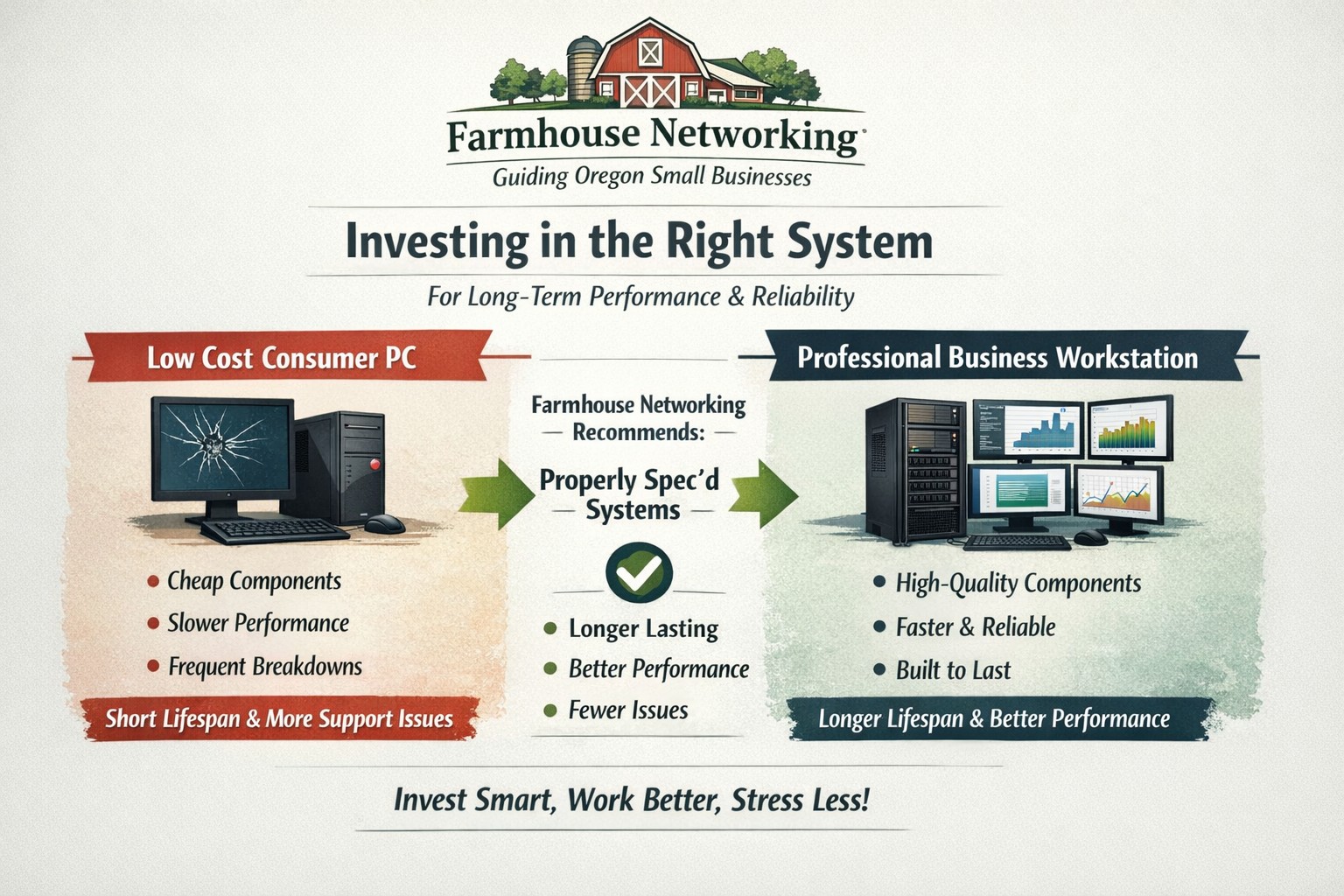
Farmhouse Networking helps small businesses choose new computers where price reflects long term reliability, performance, and lower total cost of ownership.
Based on some recent experiences and plenty of past experiences, we thought it would be good to help customers make good choices when shopping for new computers. The easiest and best way is to trust us to do the research and know your company’s computing needs enough to provide you with the best computer for the best price. However there are some that like the thrill of the hunt and want to find the best “deal” themselves. They try to save money via sales that we honestly cannot compete with on price. This newsletter is meant to help guide them to the best options for solid performance and longevity in their investment.
Shopping Guide
Big Box Stores (Staples, Walmart, Costco, Best Buy, etc.): Seeing the local adds, these retailers are often at the top of the list for many people when shopping for a computer. They offer the convenience of being able to physically touch the computer being purchased and not having to wait for the computer to be shipped from some other part of the country. The downside is that these retailers are selling a commodity product for the smallest cost possible to maximize their profits. This means they are willing to have computers made from the least expensive parts and lowest build quality. They also find ways of scrimping on important features and masking this deficiency with flashy claims on features or partnerships with celebrity endorsements. Don’t be fooled these are disposable computers that will not stand up to the demands of a business environment.
Online Discount Sellers (eBay, Amazon, Google. Overstock, etc.): Bargain hunters are getting savvier with online tools and searches for the products they want. This type of “retailer” works much like the big box store, but you have to trust the pictures you see online and wait for the product to arrive from across the country or globe. These online stores are often just marketplaces where smaller retailers post their products to gain greater visibility then they could on their own. They are also notorious for selling what appear to be quality computers that have been “refurbished” in-house. These refurbished computers are usually years old and are a Frankenstein monster of spare used parts from their shop. Much like buying a car from a used car lot, you get all the troubles of someone else’s computer with all the reliability of a computer that is past its prime held together with old parts.
What to look for in a new computer
Business Class: This is important because manufactures who have this distinction on their products take the time to make a quality computer with mid-range parts. These computers will have all the needed features and typically last much longer then the disposable computers from other stores. If you go directly to the manufacturers website, they will typically have a section labeled Business that you can look through the models they have given this distinction.
Processors: This is the capacity of the computer to crunch through data. There are two main companies that make these chips, Intel and AMD. Intel is what I recommend for the majority of business users (except for those who only do light office work). They currently are using a system of Generations and i-series distinctions. The Generations help determine the age of the processor with the latest being 12th-generation processors, so if you are looking at a computer with a 9th-generation processor it is likely 3 years old out of the box. The i-series consists of i3, i5, i7, and i9 which is a measure of the raw computing power that the processor contains. Our recommendation for businesses are i5 for general office work and i7 if you are a power user who does many things at once.
Memory: This is the short-term memory capacity of the computer, so the more you have the more you can accomplish at once. These chips also have designations of DDR technology and PC-speed rating. The DDR technology has slowly changed over time and they are now shipping DDR5 chips for top of the line gaming computers, but for typical office computers the DDR4 technology will be the best performance per dollar. As for the PC-speed rating, it will somewhat match the DDR number with the latest in the PC5-38400 range, but again the PC4 with the highest number possible next to it will be sufficient. General office work can be accomplished with 8GB of RAM, but 16GB is becoming the new norm. Those who want more performance will need to go to 32GB or higher.
Hard Drive: This is the long-term memory storage of the computer. There have been massive improvements in technology on these in the past few years and performance has jumped substantially. This is one of the ways that big box stores save money the most, they sell an old fashioned hard drive in a new computer and performance suffers greatly. The newest technology is called NVMe and any new computer should contain this kind of hard drive to see the best performance. If cost is prohibitive, then at least get the previous technology of an SSD installed in the computer.
Everything Else: The rest is mostly personal taste. If you want wireless, then get one with wireless in it with the latest being WiFi6 and some include Bluetooth connections too. If you want a large screen, touchscreen, fingerprint scanner, lightweight, certain specific ports for your devices, or whatever other features – these will be the finishing touches that help shape your final choice.
If your company is going to looking to buys new computer, then contact us to save yourself the time and money of getting a computer or worse the wrong computer.
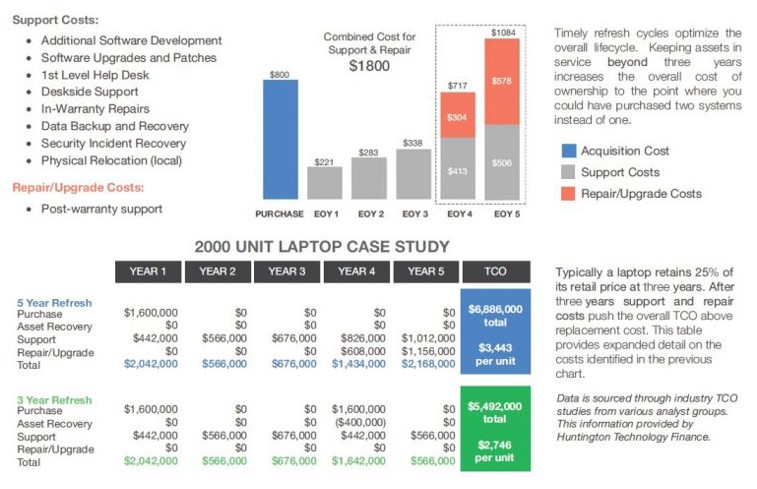
Farmhouse Networking continues to make strides in providing our customers with the best, most cost effective, and environmentally friendly computing experience possible. Part of that process is what has come to be known as Lifecycle Management. Each piece of hardware has an expected amount of time in which it is cost effective to use and support it. Once this time frame has been exceeded the cost of supporting the device becomes greater than the cost as shown in the following graph:
Turn retired IT assets into profit through strategic lifecycle management
FHN Lifecycle Management
So the question remains what to do with the old computers when the time comes to replace them. Previously here in Grants Pass, OR we could support a local charity by taking them to Southern Oregon Aspire to have the computers dismantled and hard drives shredded. Now that their doors are closed we are stuck with dropping them off at the local dump, but what if you could make money while being responsible with the environment?
Farmhouse Networking is now partnering with a company called Arcoa, who do just that. Here is what they do in their R2 rated responsible recycling facility:
“We help you recover value from retired electronic equipment through responsible methods of reuse and recycling. Resale offers the best potential for value recovery, but the fast pace of innovations in technology and short product life cycles can limit equipment’s potential for reuse. From there, the best option may be to recycle the items in an environmentally friendly manner. We’ve built a robust de-manufacturing process to offer additional options for asset value recovery by disassembling equipment for commodity grade materials, which can be diverted from landfills and be used to create new materials.”
Hard drives will be electronically wiped, magnetically degaussed, or shredded based on need. The rest of the parts will be dismantled and sold with part of the profit returning to your company to help offset the cost of buying new computers. What could be better than making money on the buy?
If your company is heading towards a hardware refresh, then make the environmentally sound choice by contacting us for assistance.
And God will generously provide all you need. Then you will always have everything you need and plenty left over to share with others. As the Scriptures say,
“They share freely and give generously to the poor. Their good deeds will be remembered forever.”
For God is the one who provides seed for the farmer and then bread to eat. In the same way, he will provide and increase your resources and then produce a great harvest of generosity in you. - 2 Corinthians 9:8-10
We use cookies to ensure that we give you the best experience on our website. If you continue to use this site we will assume that you are happy with it.