How to Take Back Control of Your Credentials and Phones
When an MSP controls your passwords and phone system, your entire small business can be held hostage by vendor lock‑in and security risks.
If your MSP controls all your admin passwords and has your phone service in their name, they effectively hold the keys to your entire business. In a dispute, a security incident, or even an acquisition of their company, you could find yourself locked out of critical systems that drive revenue and customer service.
The Real Dangers of MSP Lock‑In
Some providers refuse to release credentials or slow‑roll off‑boarding, forcing clients into “hostage” situations that require legal escalation or aggressive technical takeovers. At the same time, attackers increasingly target MSPs because one compromised technician account can reach many customers’ environments.
When your phone system is outdated or fully tied to that MSP, you pay more each year for less functionality, struggle with remote work, and depend on them for every change. The combination of technical dependence and credential lock‑in is a business‑continuity risk you can’t afford to ignore.
Action Steps for Owners and Their IT Teams
Reassert ownership of core assets
Ensure your company owns master accounts for email, cloud services, line‑of‑business apps, domains, DNS, and phone numbers, with internal admin rights documented.
Centralize credentials in a business‑owned vault
Use a secure password manager or encrypted repository where your business controls the master key and you grant time‑bound, role‑based access to MSP staff.
Implement strong identity and access controls
Enforce MFA everywhere, require strong unique passwords, and use least‑privilege and role‑based access so no external user has unchecked power.
Build clean exit ramps into contracts
Document how credentials, documentation, and phone services will be handed back, and set deadlines and formats for off‑boarding deliverables.
Prepare for the worst‑case scenario
Maintain independent backups, keep an internal “break‑glass” account, and have a written playbook for revoking vendor access and rotating credentials quickly.
Questions Your Customers May Ask
Q: Could your IT company access or leak my data? A: We control the master credentials and use MFA, logging, and access controls so any vendor only has tightly scoped, monitored access to what they need to support us.
Q: What happens if your IT provider is hacked? A: We follow best practices for identity security, vendor risk management, and backups so a single compromised account at an MSP cannot easily cascade into your data.
Q: Are you able to stay operational if you change IT providers? A: Yes—because we own our accounts and phone numbers and have a documented exit process, we can transition providers while keeping systems and support running.
How Farmhouse Networking Helps SMBs
Farmhouse Networking works with business owners to document every critical system, transfer licensing and phone services into the company’s control, and consolidate credentials into secure, business‑owned vaults. We then implement MFA, break glass accounts, role‑based access, and incident‑response plans so neither a single technician nor an MSP relationship becomes a single point of failure.
We can also help you renegotiate or replace MSP contracts with clear off‑boarding terms and test those processes before you ever need them in an emergency.
Email support@farmhousenetworking.com to make sure no MSP can ever hold your credentials, phones, or business hostage again.
AI-powered RingCentral solutions enhancing SMB VoIP productivity and customer interactions
Small and medium-sized businesses (SMBs) face numerous challenges in maintaining efficient communication systems. The integration of Artificial Intelligence (AI) into business communications has emerged as a game-changer, offering solutions that enhance productivity, improve customer experiences, and drive revenue growth. RingCentral, a leader in AI-powered cloud communications, is at the forefront of this transformation. Here’s how RingCentral’s innovative AI solutions are revolutionizing SMB communications.
Enhancing Employee Efficiency with Real-Time Notes
RingCentral’s AI Notes feature automatically captures key points from meetings and calls in real-time. This allows sales teams to focus on client interactions while ensuring that all details are documented accurately for future reference. Customer service teams can also benefit by instantly logging customer queries and solutions, improving service quality over time.
Smarter SMS Interactions
RingCentral’s SMS enhancements provide businesses with tools to streamline text messaging interactions. Features like muting notifications during meetings and organizing SMS threads help keep conversations organized and distraction-free. Additionally, integrating SMS APIs can automate processes such as appointment confirmations and real-time updates, significantly reducing costs while speeding up customer response times.
Intelligent Virtual Assistants for Superior Self-Service
Small businesses can leverage intelligent virtual assistants (IVAs) to offer superior self-service options through digital and voice interactions. These IVAs automate tasks like answering frequent questions or providing basic support information without human intervention.
Unlocking Insights with Conversation Intelligence
RingSense AI provides conversation intelligence that unlocks valuable insights from every customer interaction across calls, emails, contact centers, and video meetings. This empowers sales teams with actionable intelligence for revenue optimization by analyzing trends in customer interactions and seamlessly integrating with CRMs.
Simplifying Event Management with AI-Powered Events
RingCentral Events simplifies end-to-end event management using AI capabilities such as Q&A categorization and auto-generated summaries for social media clips. This helps marketing teams manage virtual or hybrid events more efficiently.
If you’re interested in transforming your SMB’s communication landscape using RingCentral’s cutting-edge AI solutions, contact Farmhouse Networking, a trusted RingCentral Partner today! Our team will guide you through the process of implementing these innovative tools tailored specifically to your business needs.
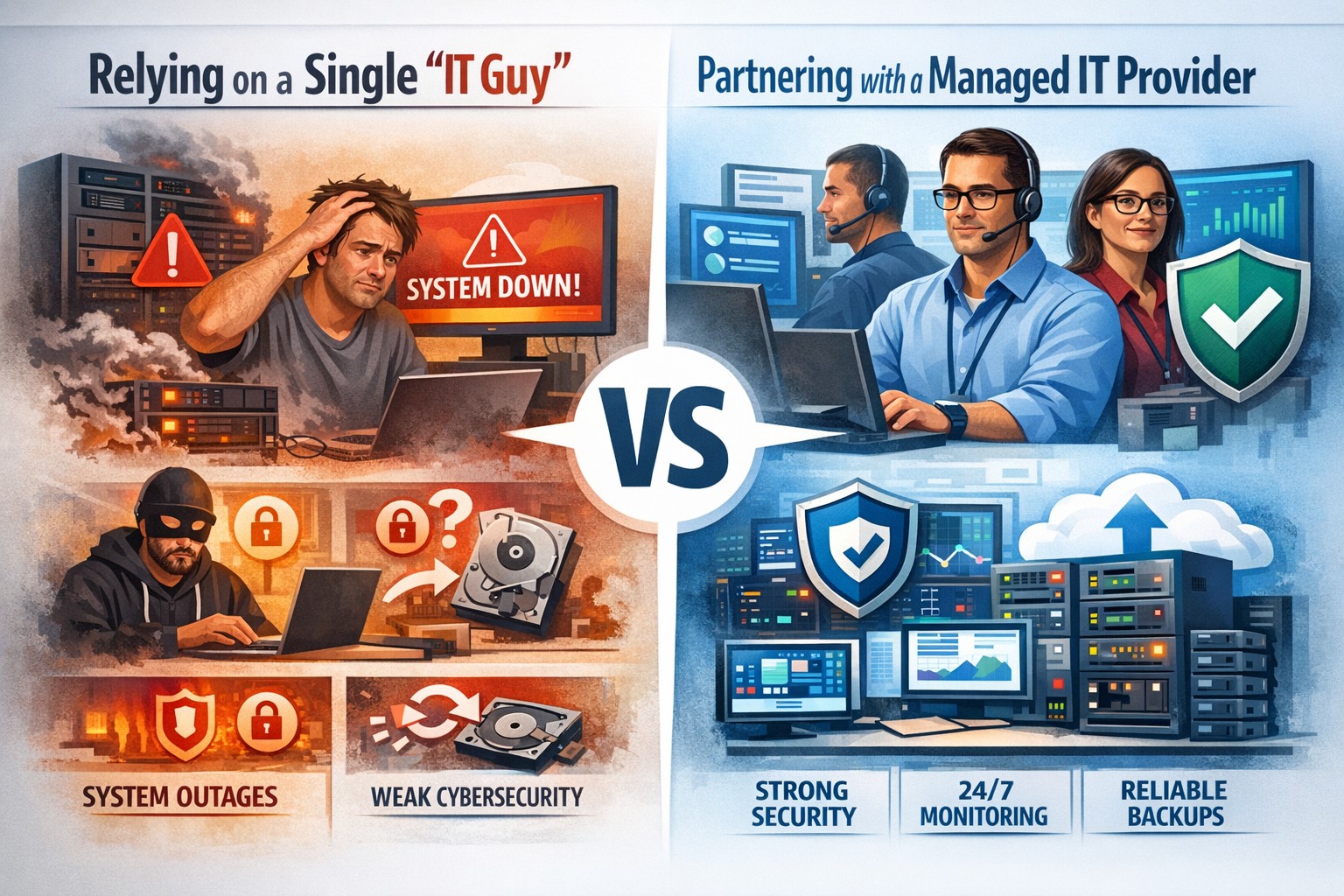
Relying on one IT guy can expose your small business to downtime, data loss, and security vulnerabilities—managed IT services offer stronger protection.
The role of Information Technology (IT) in business success cannot be overstated. IT systems and infrastructure form the backbone of modern businesses, facilitating communication, data management, and efficient workflow. From managing customer databases to ensuring network security, IT plays a crucial role in driving productivity and competitiveness. However, many businesses make the mistake of relying on a single IT guy to handle all their technological needs. In this article, I will discuss the risks associated with this approach and the importance of adopting a team-based approach to IT support.
The risks of relying on a single IT guy
Lack of expertise and knowledge
When you rely on a single IT guy, you are limited to their individual skills and expertise. While they may be knowledgeable in certain areas, they may not possess the breadth of knowledge required to handle all aspects of your business’s IT infrastructure. IT is a vast field that encompasses various domains such as network administration, cybersecurity, software development, and hardware maintenance. By relying on a single guy, you risk missing out on specialized expertise that could greatly benefit your business.
Limited availability and support
Another significant risk of relying on a single IT guy is limited availability and support. IT issues can arise at any time, and if your IT guy is unavailable or overwhelmed with other responsibilities, it can lead to significant downtime and disruptions in your business operations. With a single point of contact, you may have to wait for extended periods before your IT issues are resolved, resulting in decreased productivity and potential financial losses.
Single point of failure
Relying on a single IT guy also means that your business is vulnerable to a single point of failure. If your IT guy falls ill, takes a vacation, or leaves the company, you may be left without any IT support. Singular IT techs often don’t have the time or resources to properly document procedures and critical passwords, so when they go this information is lost. This can be particularly problematic during critical times when you need immediate assistance. Having a backup plan or a team of IT professionals ensures that your business operations can continue uninterrupted, even if one person is unavailable.
The impact of downtime on business operations
Downtime can have severe consequences on your business operations. Every minute your systems are down translates to lost revenue, missed opportunities, and frustrated customers. According to a study conducted by Gartner, the average cost of IT downtime is $5,600 per minute. Imagine the financial implications if your IT guy is unavailable for an extended period. With a team-based approach to IT support, you can minimize downtime and ensure swift resolution of any issues, thereby safeguarding your business’s success.
The importance of a team approach to IT support
Adopting a team approach to IT support offers numerous benefits for your business. Firstly, it provides a diverse set of skills and expertise that can be leveraged to address various IT challenges effectively. Each team member brings their unique knowledge and experience, allowing for comprehensive and well-rounded support. Additionally, with a team, you have the advantage of increased availability and faster response times. By distributing responsibilities among team members, you can ensure that someone is always available to address your IT needs promptly.
The benefits of outsourcing IT support
Outsourcing IT support is a viable solution for businesses looking to avoid the risks associated with relying on a single IT guy. Outsourcing allows you to tap into a pool of talented professionals with specialized expertise in different IT domains. Moreover, outsourcing IT support can often be more cost-effective than hiring a full-time IT staff, especially for small and medium-sized businesses. By partnering with an external IT support provider, like Farmhouse Networking, you can access a wide range of services, including network monitoring, cybersecurity, data backup, and software maintenance, all while enjoying the benefits of a dedicated team.
Finding the right IT support provider
Finding the right IT support provider is crucial to ensuring a successful and secure IT infrastructure. When evaluating potential providers, consider their experience, track record, and the range of services they offer. Look for certifications and qualifications that demonstrate their expertise and commitment to quality. It is also essential to assess their responsiveness and availability to ensure that they can meet your business’s IT needs promptly. Ask them about their record keeping habits, make sure they document everything and keep your information secure with industry standard protocols. By conducting thorough research and seeking recommendations, you can find an IT support provider that aligns with your business goals and requirements.
By adopting a team-based approach to IT support or outsourcing your IT needs, you can mitigate these risks and ensure a successful and secure IT infrastructure. Don’t get stuck when your IT guy no longer responds; contact us to experience the comfort of having a team look after your business IT. With the right IT support provider, you can focus on growing your business while leaving your technological needs in capable hands.
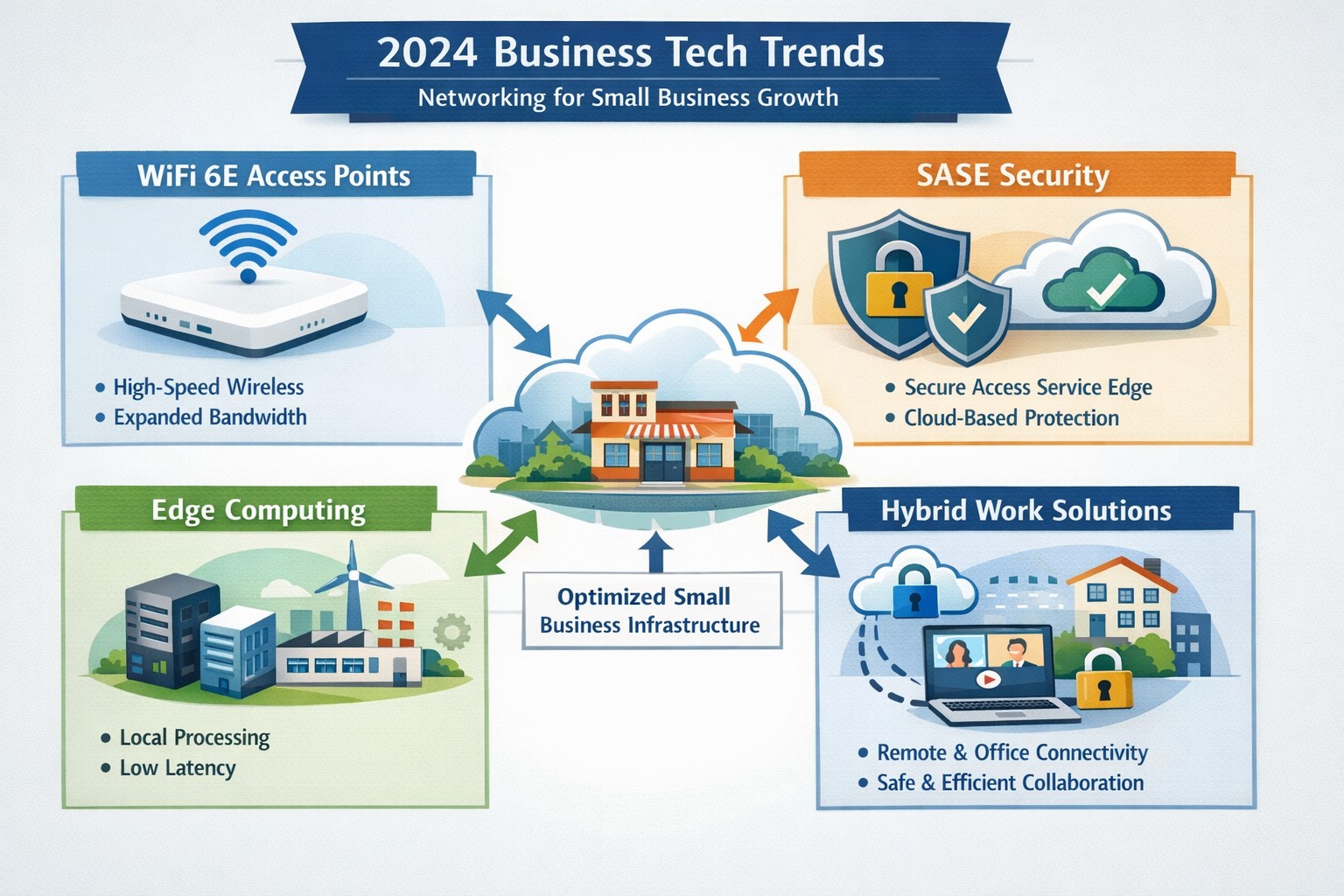
2024 networking trends like WiFi 6E and zero trust architecture prepare small businesses for hybrid work and cybersecurity demands.
As we enter 2024, the U.S. Chamber of Commerce reports that 64% of business owners believe their businesses are in good health, showing confidence in navigating the future. Technology has emerged as a key driver of success, enabling businesses to thrive in uncertain times. Farmhouse Networking has identified four essential technology trends that will empower businesses in 2024, propelling them towards growth and success.
1. Harnessing the Power of Artificial Intelligence
Artificial intelligence (AI) has moved beyond the realm of technology discussions and is now at the forefront of business success. Businesses utilizing AI credit it for increased success, as it offers game changing assistance in various areas of operations. AI tools can automate tasks, saving time and resources for businesses.
AI for Operational Efficiency
Businesses can leverage AI to automate expense management, correlate data from multiple sources to create meaningful reports, create sales presentations that address customer needs, and tackle tasks that were previously time-consuming. By harnessing AI, manufactures can optimize inventory, align staffing with peak hours, and identify opportunities for targeted promotions. Although implementing AI may require an initial investment, the positive impact it can have on businesses in 2024 is promising.
AI for Enhanced Customer Experiences
Customer experience plays a pivotal role in business success, with 34% of business leaders recognizing the pivotal role of technology in delivering exceptional experiences. Upgrading systems to ditch outdated tech and manual methods is a priority for many businesses in 2024. Chatbots, for instance, are invaluable for front-line customer service agents, providing round-the-clock support. Automated assistants and Unified Communications tools enhance customer interactions and employee productivity. These digital processes not only enhance retention and satisfaction but also create opportunities for cross-selling and upselling efforts.
2. Delivering Exceptional Digital Customer Experiences
Businesses understand the importance of delivering exceptional digital customer experiences in 2024. Upgrading systems and embracing efficient digital processes will be key to achieving this goal.
Upgrading Systems for Efficiency
Outdated technology and manual methods hinder efficiency. Businesses are expected to upgrade their systems by adopting AI, automating repetitive tasks, and migrating to the cloud. These solutions make information easily accessible, guide customers interactions, and improve employee productivity.
Embracing Cloud-based Solutions
A robust technology infrastructure is crucial for businesses to keep up with competition and exceed customer expectations. Automation software can save time and cut down on expenses by managing data and completing routine tasks. Mobile technology ensures network connectivity anywhere, anytime, allowing for collaboration on the go. Cloud based systems enables efficient management of IT costs plus offer flexibility and scalability, especially for businesses, as the workforce continues to move away from traditional office setups.
3. The Backbone of Business Operations: Fast and Reliable Connectivity
Fast and reliable connectivity is the backbone of efficient operations, seamless communication, and scalable expansion. Businesses across different sectors can benefit from investing in connectivity solutions.
Optimizing Inventory and Collaboration
Manufactures can leverage fast and reliable a to optimize inventory management. By having real-time visibility into inventory levels, manufactures can prevent stockouts and ensure they have the right products available when customers need them. Accountants can collaborate effectively without being limited by physical office spaces. Cloud connectivity allows them to access customer files, share updates, and communicate with team members regardless of their location.
Enhancing Healthcare Services
Connectivity plays a vital role in enhancing healthcare services. From telemedicine to remote patient monitoring, healthcare providers can offer more accessible and efficient care. Fast and reliable connectivity enables seamless communication between healthcare professionals and patients, facilitates the sharing of medical records, and supports the use of emerging technologies like artificial intelligence and Internet of Things (IoT) devices.
Safeguarding Customer and Company Devices
Investments in network connectivity not only benefit customers but also help safeguard customer and company devices. By adopting a complete network connectivity solution that includes reliable internet, network security measures, and disaster recovery solutions, businesses can protect sensitive data and ensure the smooth operation of their technology infrastructure.
4. Embracing the Future: Expanding Technology Spending
In 2024, CEOs are planning to expand their technology spending to stay competitive and meet evolving customer expectations. However, to fully leverage the benefits of technological investments, businesses need to partner with reputable companies that can provide robust network infrastructure.
Strengthening Technological Investments with Robust Networks
Businesses should partner with companies like Farmhouse Networking to reinforce their critical technological investments. Robust networks ensure reliable network connectivity, data security, and seamless integration of technology solutions. By partnering with trusted providers, businesses can enhance their technology infrastructure and drive growth.
Weathering Uncertainties with Tech Transformation
By staying ahead of technology trends, business owners can not only weather uncertainties but also emerge stronger and more resilient. Embracing the power of artificial intelligence, delivering exceptional digital customer experiences, building a strong technology infrastructure, and investing in fast and reliable network connectivity will position businesses for success in 2024 and beyond.
Embracing these tech trends and partnering with trusted providers will enable businesses to thrive in an ever-evolving business landscape.
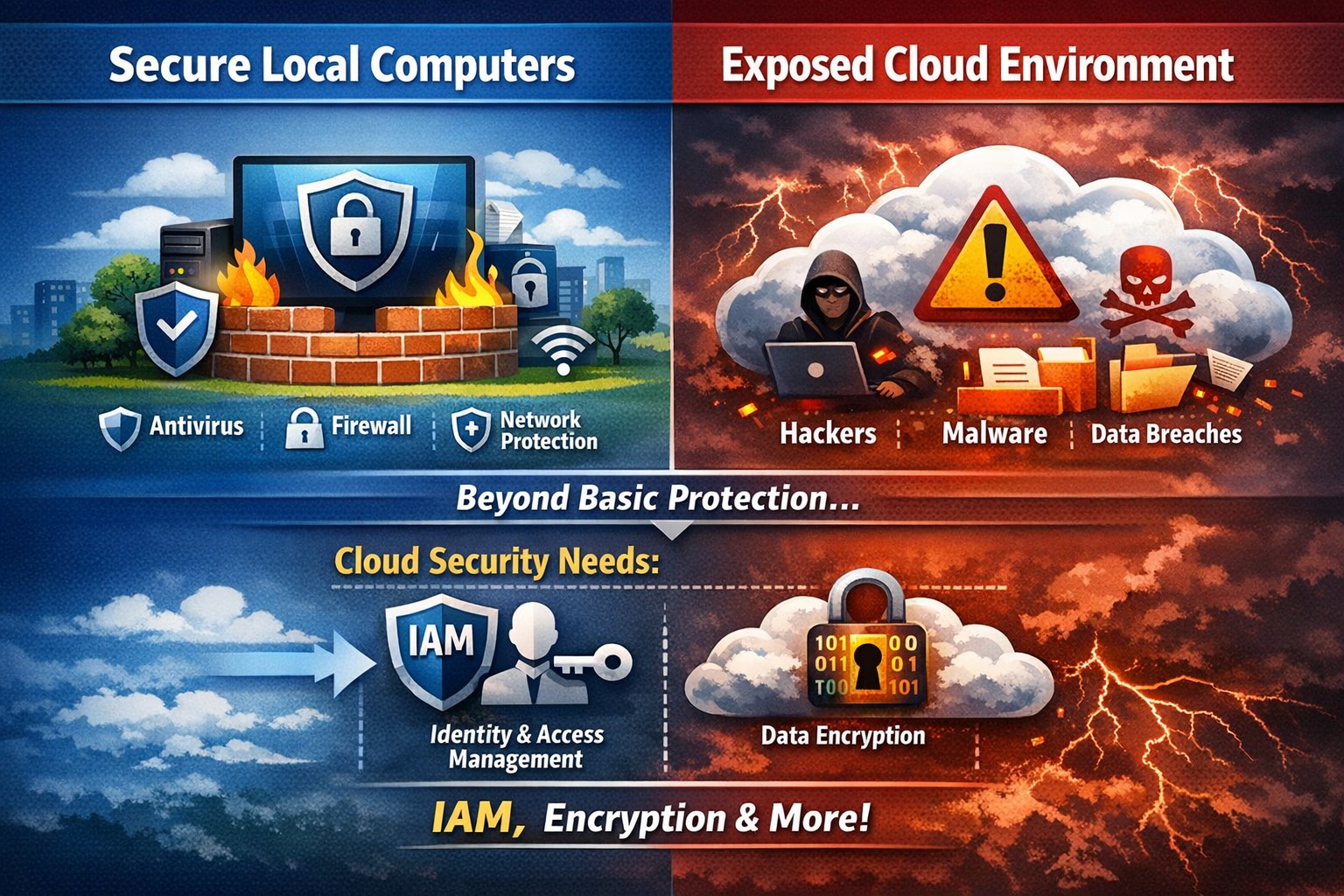
Secure endpoints don’t guarantee cloud safety—address cloud-specific risks now
The ability to store and access data remotely in the cloud has revolutionized the way organizations operate, providing flexibility, scalability, and cost-efficiency. However, with this convenience comes the need for robust security measures to protect sensitive information from cyber threats. This article explores the importance of cloud security and provides strategies to safeguard your company’s data in the cloud.
Understanding Cloud Security
Cloud security encompasses a set of controls, processes, technologies, and policies designed to protect cloud-based systems, infrastructure, and data. It is one part of computer security and information security, aiming to safeguard businesses from financial, legal, and reputational repercussions of data breaches and loss.
Cloud security involves various strategies and best practices to ensure the confidentiality, integrity, and availability of cloud resources. It includes measures such as real-time monitoring, multi-factor authentication (MFA), identity and access management (IAM), cloud-to-cloud backup solutions, systematic off-boarding processes, and anti-phishing training.
Real-time Monitoring
Real-time monitoring is a crucial strategy to detect and respond to suspicious threats promptly. By implementing real-time monitoring tools, businesses can gain visibility into their employee activity and cloud systems to proactively identify any potential cyber attacks. This allows for immediate action to mitigate risks and minimize the impact of data breaches. According to IBM, the global average total cost of a data breach in 2023 was $4.45 million, highlighting the financial implications of inadequate security measures.
Multi-Factor Authentication (MFA)
Traditional username and password combinations are no longer sufficient to protect user accounts from hackers. MFA adds an extra layer of security by requiring users to provide multiple pieces of evidence to verify their identities. This could include a combination of something they know (password), something they have (a mobile device or security key), or something they are (biometric data like a fingerprint or facial recognition). By implementing MFA, businesses can significantly reduce the risk of account compromise attacks and prevent unauthorized access to cloud applications.
Identity and Access Management (IAM)
Identity and access management (IAM) is a critical component of cloud security. It involves assigning proper levels of authorization and access controls to ensure that employees only have access to the information and resources necessary for their roles. IAM not only prevents accidental data breaches but also protects businesses from external threats by limiting the potential attack surface. By implementing IAM solutions, organizations can enforce strict access controls, reduce the risk of unauthorized data access, and maintain data privacy.
Cloud-to-Cloud Backup Solutions
While cloud providers typically have robust data protection measures in place, businesses should not solely rely on them for data backup. Cloud-to-cloud backup solutions provide an additional layer of protection by replicating data from one cloud service to another. This helps mitigate the risk of data loss due to cloud provider mistakes or system failures. Organizations using software-as-a-service (SaaS) applications can benefit from cloud-to-cloud backup solutions, ensuring advanced data protection beyond the basic safeguards provided by the applications themselves.
Systematic Off-boarding Process
When employees leave a company, it is crucial to have a systematic off-boarding process in place to revoke their access rights immediately. According to a survey conducted by Cyberark, “88% of IT workers would take sensitive data with them or abscond with company passwords if they were fired.” Additionally, 50% of ex-employees can still access corporate apps. To prevent unauthorized access and protect sensitive data, organizations should ensure that departing employees’ access rights are promptly revoked. This includes revoking access to systems, data, cloud storage, intellectual property, and consumer information.
Offering Anti-Phishing Training
Phishing remains a prevalent threat in the cybersecurity landscape. Hackers often gain access to secure information by stealing employees’ login credentials or utilizing social engineering techniques. Offering anti-phishing training to employees can help raise awareness about these scams and prevent them from falling victim to phishing attacks. By educating employees on how to identify and report phishing attempts, organizations can safeguard their sensitive data without compromising productivity.
Strengthening Cloud Security Measures
While the above strategies are crucial for securing cloud operations, it is essential to adopt a comprehensive approach to cloud security. Here are additional best practices to strengthen your cloud security measures:
Enforce reliable passwords: Implement password policies that require complex, unique passwords and regular password updates. Encourage the use of password managers to reduce the risk of weak passwords.
Use encryption: Encrypting sensitive data helps protect it from unauthorized access. Implement encryption measures for data at rest and in transit.
Test security continuously: Regularly conduct vulnerability assessments and penetration testing to identify and address security weaknesses in your cloud infrastructure. This proactive approach ensures that potential vulnerabilities are discovered and remediated before they can be exploited.
Ensure local backup: In addition to cloud-to-cloud backup solutions, consider implementing local backups of critical data. This provides an extra layer of protection in case of cloud provider outages or data loss incidents.
Implement additional security measures: Explore additional security solutions such as intrusion detection systems (IDS), firewalls, and data loss prevention (DLP) tools to enhance your overall cloud security posture.
Avoid storage of sensitive data: Minimize the storage of sensitive data in the cloud. Identify and classify data based on its sensitivity and apply appropriate security controls accordingly. This reduces the risk of data breaches and ensures compliance with data protection regulations.
Why Is Cloud Security Important?
Cloud security is crucial for organizations migrating their sensitive data and applications to the cloud. By adopting secure cloud practices, businesses can protect highly sensitive data from hackers and ensure compliance with regulatory requirements. Here are a few reasons why cloud security is important:
Control Access
Cloud security enables organizations to monitor and regulate access to their data. By formulating policies and implementing access controls, businesses can prevent unauthorized users from accessing sensitive information. Cloud management tools provide visibility into user behavior and help maintain strong access controls.
Encrypting Sensitive Data
Encryption plays a vital role in securing data in the cloud. By encrypting data at rest and in transit, organizations can protect it from unauthorized access. Implementing encryption with strong access and control policies minimizes the impact of compromised keys and ensures data confidentiality.
Using Automation
Automation helps minimize human errors and misconfigurations in cloud environments. By automating routine tasks and configurations, organizations can ensure that their infrastructure is deployed and maintained correctly. Cloud automation tools streamline everyday configuration items and provisioning, reducing the risk of security vulnerabilities.
Extend Vulnerability Management Tools
Vulnerability management tools scan networks to identify potential threats or weaknesses that attackers can exploit. These tools help manage and mitigate attacks on the network by suggesting remedies and actions to reduce the prospect of network breaches. Regular scanning and remediation of vulnerabilities are essential to maintain a secure cloud environment.
Implementing Enhancements
Continuous improvement is crucial for maintaining cloud security. Organizations should continuously enhance their security measures throughout the entire lifecycle of their operations. As new threats emerge, businesses must adapt and implement necessary enhancements to safeguard against potential risks.
Deploying Multi-Factor Authentication (MFA)
Deploying MFA increases security and authentication for enterprise applications. Weak or reused passwords are a significant cause of data breaches. By implementing MFA, businesses can protect their cloud applications from unauthorized access attempts. Authorized personnel are granted access, minimizing the risk of data breaches.
Local businesses rely on Farmhouse Networking to simplify their cloud security management and enhance overall security posture. Click here to get started.
A Step-by-Step Guide for When the Internet Goes Out
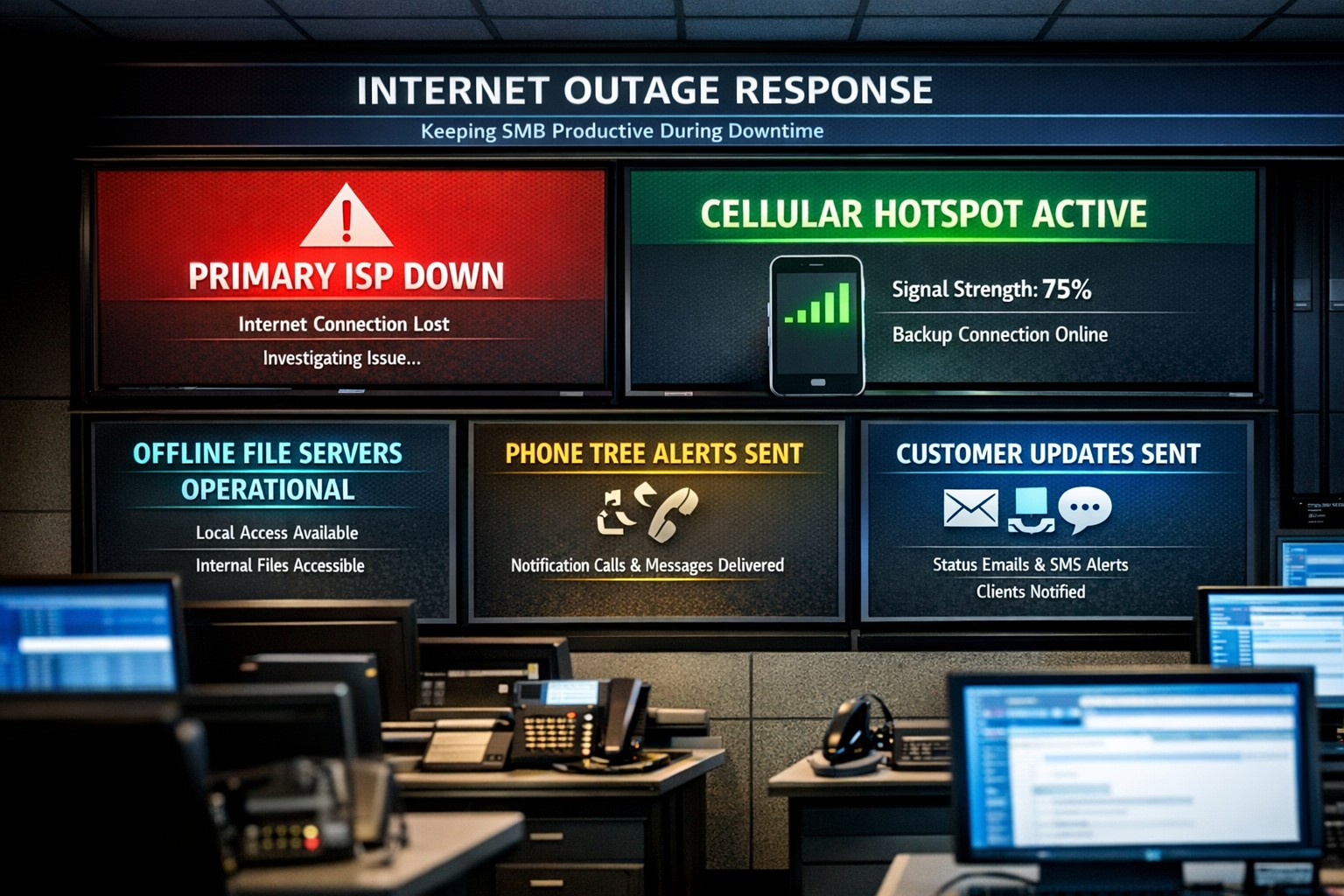
Offline operations dashboard with hotspot failover and local resource access.
Businesses heavily rely on internet access to stay connected and productive. However, what happens when the internet goes out? Whether it’s a temporary outage or a prolonged disruption, losing internet access can have a significant impact on businesses.
We will explore strategies and solutions for navigating the digital apocalypse and ensuring business continuity when the internet goes out. From setting up backup remote access options to implementing offline communication channels, this guide is a must-read for business owners looking to mitigate the impact of internet disruptions and keep their operations running smoothly.
Understanding the Impact
Before we delve into the strategies and solutions for navigating the digital apocalypse, it’s important to understand the potential impact of internet outages on your business. The consequences can be far-reaching and vary depending on the nature of your operations.
Productivity: Productivity can take a major hit when your employees are unable to access crucial online tools and resources. This can result in missed deadlines, delays in client deliverables, and a general slowdown in operations. It’s essential to assess which tasks are entirely dependent on internet connectivity and identify alternative methods to carry them out in the event of an outage.
Customer Satisfaction: If your business relies heavily on online customer interactions, such as e-commerce or customer support, a loss of internet connectivity can lead to frustrated customers, failed transactions, and a tarnished reputation. Having a plan in place to manage customer expectations during an outage is crucial.
Financial Impact: Depending on the duration and severity of the disruption, revenue loss can be substantial. To mitigate this risk, businesses should explore options for data backup, cloud services, and redundancy measures that ensure a seamless transition during an outage.
Preparing for Internet Outages
Backup Plan: One of the most effective ways to ensure business continuity during an internet outage is to have a comprehensive backup plan in place. This involves identifying critical systems and data that need to be accessible offline and regularly backing them up. By doing this, you can minimize the disruption caused by an extended outage and quickly get your business back up and running locally.
Redundancy: This might involve investing in multiple internet service providers (ISPs) or using alternative modes of connectivity, such as mobile hotspot devices or satellite internet. By diversifying your options, you can minimize the risk of a complete loss of internet connectivity. There are even routers that have multiple internet connections with automatic failover or cellular data backups.
Stay Connected
When the internet goes out, it is crucial to have a backup option that allows you to stay connected and continue basic business activities. Mobile hotspots and cellular data can be lifesavers in these situations. Investing in a reliable mobile hotspot device, which uses cellular data to create a Wi-Fi network, can ensure that you have access to the internet even if your primary connection fails. These devices are portable and easy to set up, making them convenient solutions for businesses of all sizes.
Before an outage occurs, it is essential to have a backup cellular plan in place. Assess your cellular service provider options and choose a plan that offers sufficient data, preferably with unlimited options. This will allow your team to continue accessing critical applications, emails, and other online resources without interruption. Furthermore, it is crucial to educate your employees on how to connect and utilize these backup solutions effectively. Inform them about the availability of mobile hotspots and ensure they understand how to use cellular data efficiently without exceeding the limits of the backup data plan.
By incorporating mobile hotspots and cellular data into your backup plans, you can maintain business productivity and minimize the disruption caused by internet outages.
Stabilize Communication
In times of internet outages, it becomes crucial to stabilize communication within your business. Without reliable internet access, VoIP phones and other forms of digital communication with clients and colleagues can become challenging. However, there are alternative solutions that can keep your business running smoothly.
VoIP Routing: Before an outage occurs, take the time to talk to your VoIP phone provider to explore options of how calls will be routed when the internet is out. There are often options that allow calls to be sent to an alternative number or cellphone app during an internet outage.
Mobile Devices: While the office internet may be out it does not necessarily mean that the cellular networks will be down at the same time. Before an internet outage occurs, make sure your team has important digital communication apps installed and that they are familiar with these tools. Provide training sessions or tutorials to ensure everyone is comfortable using them. Additionally, it is essential to have a backup option in case of technical difficulties with the primary tool.
Remote Work Policies
In the midst of a digital apocalypse, it is crucial for businesses to have well-established remote work policies and procedures in place. These policies ensure that employees can continue their work even without internet access, minimizing the impact on productivity. Remote work policies outline expectations for employees when working from home or other offline environments. They should include guidelines for communication, task management, and project deadlines. By establishing clear procedures, businesses can maintain a sense of normalcy and ensure that everyone knows how to navigate through the internet outage.
Additionally, remote work policies should address data security concerns. Employees should be educated on how to handle sensitive information and the appropriate measures to take when working outside the office. Regular training sessions can help reinforce these policies and keep employees up to date with best practices. By implementing remote work policies and procedures, businesses can effectively adapt to the challenges of a digital apocalypse.
Business Continuity Plan
When the internet goes out, having a comprehensive business continuity plan becomes paramount for businesses to minimize disruptions and maintain operations. A business continuity plan outlines the actions and strategies that need to be executed when faced with a digital apocalypse. This plan should include backup communication systems, such as phone lines or walkie-talkies, that can be utilized when the internet is unavailable. Additionally, offline storage and backup systems should be in place to ensure that critical data is available during an internet outage.
Creating a task force dedicated to business continuity can be invaluable during these times. This team can be responsible for implementing and executing the business continuity plan, regularly testing its effectiveness, and making necessary adjustments.
Optimizing remote work infrastructure is essential for seamlessly operating during an internet outage. Contact us today to get prepared before the digital apocalypse occurs.
IT tax deductions: Section 179 bonus depreciation cybersecurity software.
It’s that time of year, business owners need to start thinking about tax deductions and ways to maximize profit protection. One area not to be overlooked is IT expenses since IT plays a crucial role in every business. The good news is that many IT expenses can be deducted from your taxes. From hardware and software purchases to cybersecurity measures and cloud services, there are several essential IT tax deductions that can help you lower your tax bill and keep more money in your profit column.
IT Tax Deductions for Business Owners
As a business owner, it is crucial to recognize the importance of taking advantage of IT tax deductions before the end of the year. These deductions can significantly impact your bottom line. By deducting IT expenses, you are not only reducing your tax liability but also creating funds to re-invest in the growth of your business and upgrading to the latest technology, which positions your business for long-term success.
IT Tax Deductions to Maximize Your Savings
Take advantage of these IT tax deductions to maximize their profit savings:
Software and Hardware Expenses: Deducting the cost of industry specific software and hardware purchases is an excellent way to save on taxes. Whether you invested in new computer systems or upgraded your existing software, remember to include these expenses in your deductions as capital expenditures. Profit savings can be compounded by taking the amount saved through IT tax deductions and spending it on further software and hardware purchases.
Cybersecurity Measures: With the increasing threat of cyberattacks, investing in cybersecurity measures is crucial. These expenses can also be deducted from your taxes. From firewalls to antivirus software, make sure to claim any cybersecurity investments you have made throughout the year.
Cloud Services: Many businesses have moved to using cloud services for their storage and daily operations. These operational expenses are also eligible for tax deductions. Whether you use cloud computing, backup services, or cloud-based software, remember to include these costs in your deductions.
By focusing on these essential IT tax deductions, you will minimize your tax liability and position your business for success in the coming year.
Consulting with a Certified Public Accountant
While it’s important to have a basic understanding of the IT tax deductions for your business, it is equally important to consult with a certified public accountant. A knowledgeable CPA can provide you with personalized financial advice and guidance based on your company’s unique situation.
Tax laws and regulations are constantly changing, and it can be challenging to keep up with all the updates. By working closely with a CPA, you can stay updated on the latest deductions and strategies to maximize your savings while staying compliant with the law. They can review your financial records, identify missed deductions, and help you make informed decisions that positively impact your bottom line.
Remember, seeking advice from a tax professional will not only help you optimize your profit savings but also give you peace of mind knowing that your tax returns are accurate and in line with the regulations.
Keeping Detailed Records
One essential practice for maximizing your IT tax deductions is keeping detailed records of your IT expenses. Maintaining accurate and organized records throughout the year can help you claim all eligible deductions at tax time.
Start by creating a system to track and categorize your IT expenses. This can include items like software and hardware purchases, IT services, website development costs, and data storage fees. Keep receipts, invoices, and any supporting documents for each expense. Having detailed records allows you to easily identify and calculate eligible deductions. It also provides evidence and documentation if you ever face an audit or need to justify your deductions to the IRS.
Consider using accounting software or cloud-based platforms to streamline the record-keeping process. These tools can help you track expenses, generate reports, and ensure accuracy in your financial records. By maintaining detailed records of your IT expenses, you not only ensure that you are taking full advantage of available deductions, but you also create a solid foundation for your overall tax strategy.
Utilizing Section 179 Deductions
Section 179 of the tax code allows businesses to deduct the full purchase price of qualifying equipment and software purchased or financed during the tax year. By utilizing Section 179, you can deduct the entire cost of eligible technology investments in the year they are purchased. This deduction can help reduce your overall tax liability, allowing you to maximize your profit savings.
To qualify for Section 179 deductions, the equipment or software must be used for business purposes more than 50% of the time. This deduction is particularly beneficial for businesses investing in technology upgrades or replacements, as it encourages the adoption of new and improved IT systems. Be sure to consult with a tax professional to determine the eligibility of your IT investments for Section 179 deductions and to ensure you are maximizing this deduction for your business.
Bonus Depreciation for IT Purchases
Business owners can also benefit from bonus depreciation for their IT purchases. Bonus depreciation allows businesses to deduct a percentage of the cost of qualifying assets in the year they are placed in service. Under the Tax Cuts and Jobs Act, businesses can take an 80% bonus depreciation deduction for qualified property acquired and placed into service in 2023, then depreciate the remaining 20% over the course of several years.
To qualify for bonus depreciation, the property must have a recovery period of 20 years or less and be purchased for business use. This deduction is particularly valuable for businesses that are investing in new IT equipment or upgrading their existing technology infrastructure.
By timing your IT purchases strategically, you can take full advantage of bonus depreciation and significantly reduce your tax liability. However, it’s important to note that bonus depreciation is subject to change based on tax laws and regulations, so consulting with a CPA is crucial to ensure compliance and maximize your savings.
Research and Development Tax Credit
While bonus depreciation and Section 179 deductions are great for maximizing your tax deductions when it comes to IT purchases, there is another valuable tax credit that often goes unnoticed – the Research and Development (R&D) tax credit.
The R&D tax credit is designed to incentivize businesses to invest in innovation and development activities. Many business owners mistakenly believe that this credit is only applicable to scientific or technological research. However, the R&D tax credit is much broader than that and can apply to a wide range of industries and activities.
To make the most of the R&D tax credit, it’s important to keep detailed records of your qualifying activities and expenses. Consult with a tax professional who specializes in this area to ensure that you are maximizing your tax savings while staying compliant with the IRS requirements.
To make best use of your IT tax deduction spending, contact us to discuss new purchases and upgrades.
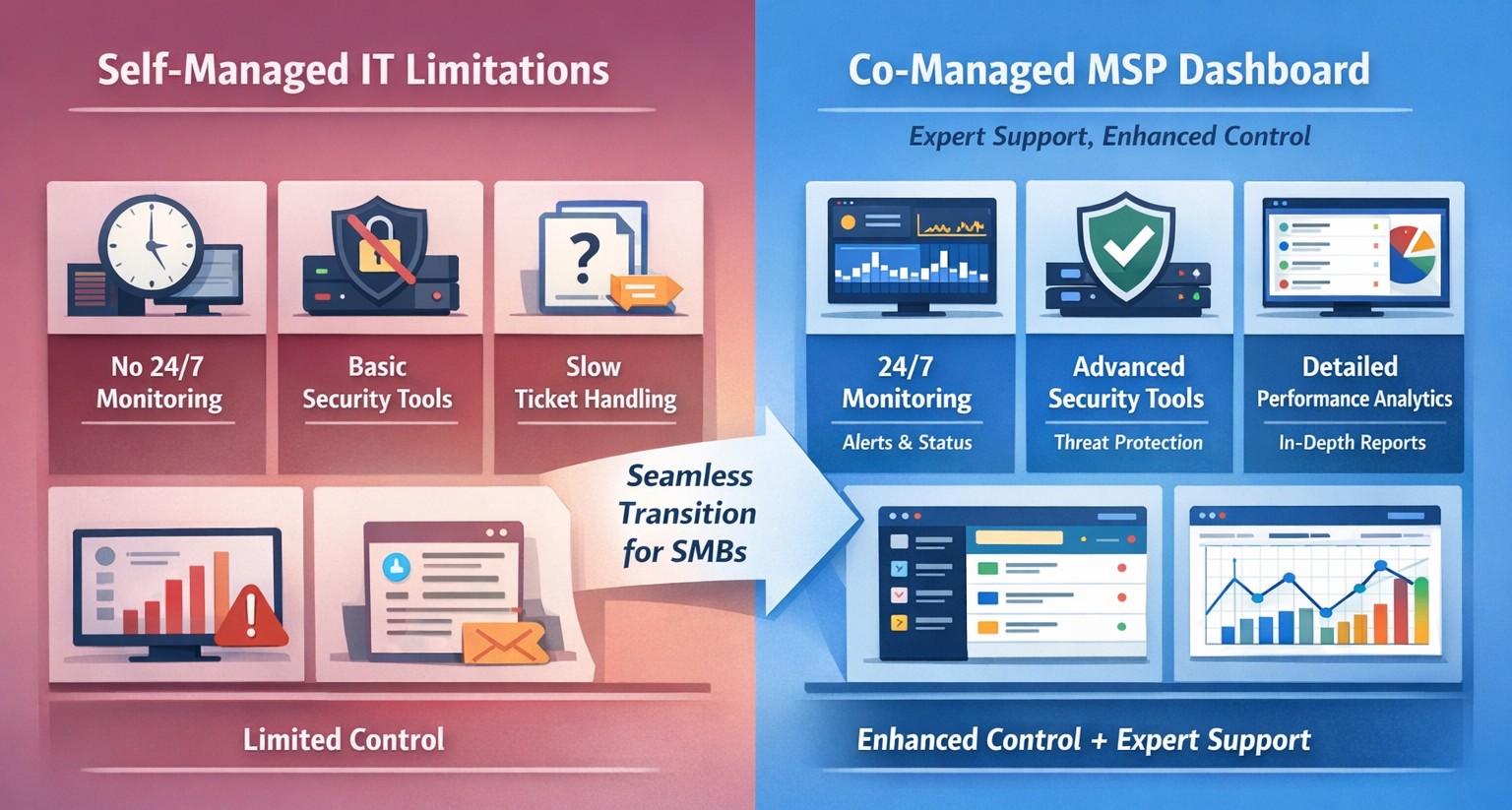
Co-managed IT dashboard with MSP monitoring supplementing internal team.
Managing IT can be a daunting task, especially for businesses that lack dedicated IT personnel or the expertise to handle today’s complex technology. In recent years, more and more organizations have recognized the benefits of outsourcing their IT management to Managed Service Providers (MSPs).
What is an MSP?
A Managed Service Provider, or MSP, is a company that offers a range of IT services to businesses. These services can include network monitoring, infrastructure management, data backup, cybersecurity, and more. By partnering with an MSP, businesses can offload their IT responsibilities to professionals with deep expertise and industry-best practices.
The Challenges of Self-Managed IT
Self-managing your IT can be a significant challenge. Here are some of the common pain points that organizations face:
Lack of Expertise: IT is a complex and ever-evolving field. Keeping up with the latest technologies, security threats, and best practices can be overwhelming, especially for businesses without dedicated IT staff.
Resource Constraints: Managing IT requires time, manpower, and financial resources. Small and medium-sized businesses often struggle to allocate these resources effectively, leading to inefficiencies, downtime, and security vulnerabilities.
Limited Scalability: Growing businesses often find it difficult to scale their IT infrastructure to meet increased demand. Self-managing your IT environment may require significant investments in hardware, software, and additional staff, which can strain budgets and hinder growth.
Cybersecurity Risks: Data breaches and cyber-attacks are on the rise. Without proper security measures in place, businesses face significant financial and reputational risks. Implementing and maintaining robust cybersecurity protocols can be challenging for organizations without the necessary expertise.
The Benefits of MSP-Managed IT
Switching to an MSP-managed IT environment offers several benefits:
Expertise and Support: MSPs have a team of experienced professionals who specialize in different aspects of IT management. They stay up-to-date with the latest industry trends and best practices, providing businesses with access to a breadth of knowledge and expertise.
Proactive Monitoring and Maintenance: MSPs utilize advanced tools and technologies to monitor your IT infrastructure 24/7. They identify potential issues before they become critical, minimizing downtime and ensuring smooth operations.
Scalability and Flexibility: MSPs provide scalable solutions tailored to your business needs. Whether you’re experiencing rapid growth or need to downsize, an MSP can quickly adapt your IT infrastructure to meet changing requirements without additional investments or resources.
Enhanced Security: MSPs employ robust security measures to protect your systems, networks, and data from cyber threats. They implement industry-standard security practices, conduct regular security audits, and ensure compliance with data protection regulations.
Cost Savings: By outsourcing IT management to an MSP, businesses can reduce the overhead costs associated with maintaining an in-house IT department. MSPs work on a subscription-based model, allowing organizations to pay for the services they need, when they need them.
Strategic Planning: MSPs can act as your virtual chief information officer providing project planning services that keep IT spend spread across the years to make the IT budget easier to manage.
Consider making the switch to an MSP today and unlock the benefits of professional IT management, contact us to get started.
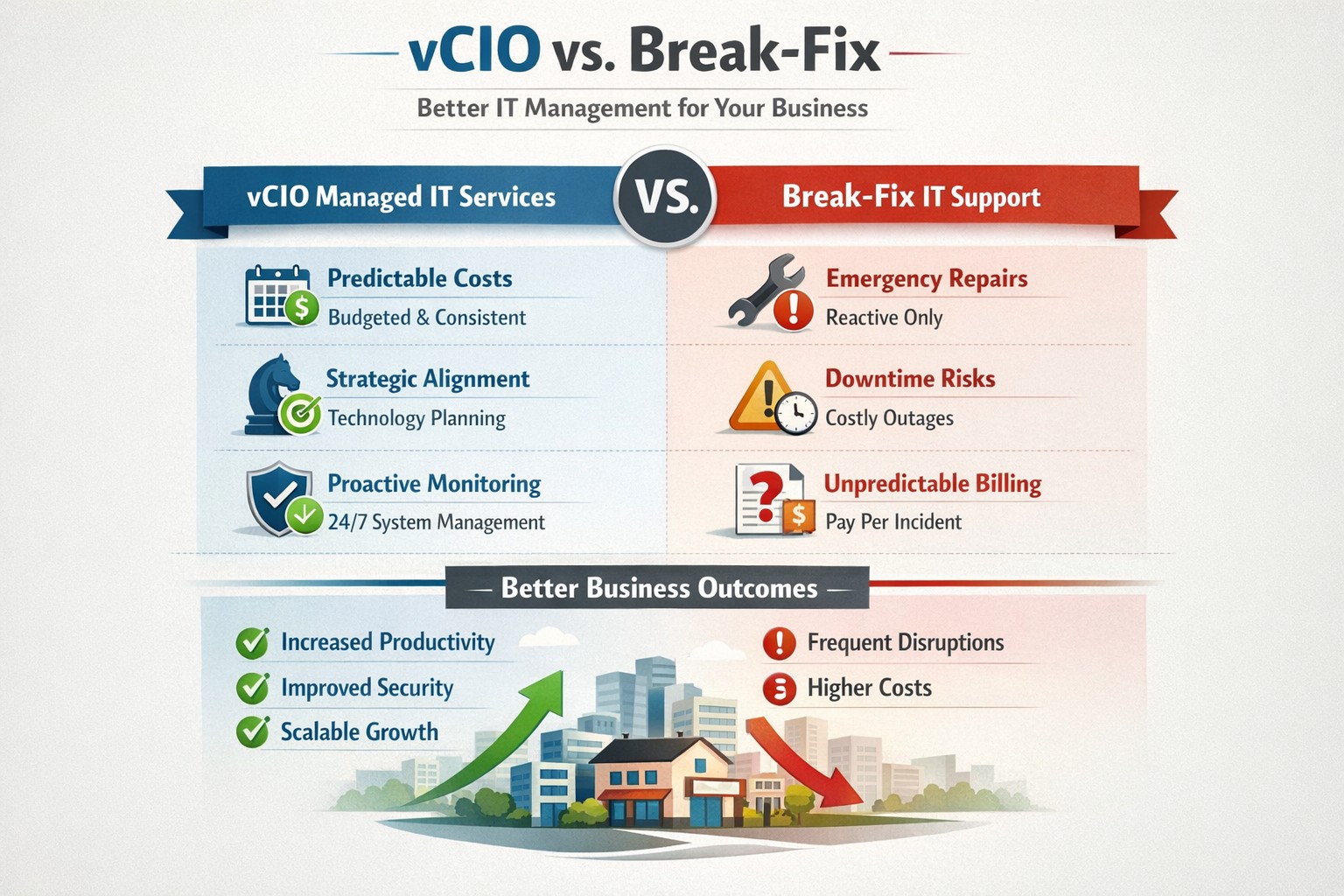
vCIO strategic services vs break-fix reactive IT model performance comparison.
In the ever-evolving world of IT support, two strategic approaches have emerged to address the needs of businesses – vCIO (Virtual CIO) services and break-fix services. Each of these approaches has its own merits and drawbacks, making it crucial for businesses to carefully consider which option best aligns with their goals and IT requirements. So, let’s dive into the comparison between vCIO services and break-fix services and find out which one takes the crown!
vCIO Services: Unleashing the Power of Proactive IT Management
The vCIO model offers businesses a cost-effective and strategic solution to IT management, delivering benefits far beyond simple problem-solving. Here’s a breakdown of what vCIO services bring to the table:
Strategic Technology Planning: A vCIO provides a long-term roadmap for your IT infrastructure, aligning it with your business objectives. They assess your current technology landscape, analyze potential risks, and develop a comprehensive IT strategy to ensure your technology infrastructure drives success.
Proactive IT Monitoring and Management: By constantly monitoring your systems, a vCIO can detect and address issues before they turn into full-blown disasters. They implement proactive measures, such as 24/7 system monitoring, patch management, and security audits to keep your IT environment optimized and secure.
IT Budgeting and Procurement: A vCIO helps you streamline your IT budget by aligning your investment with your business goals. They provide insights into cost-effective technology solutions, negotiate contracts with vendors, and manage IT procurement to help you make informed decisions while optimizing your spending.
Technology Vendor Management: Collaborating with multiple technology vendors can be time-consuming and complex. A vCIO acts as a single point of contact for all your technology vendors, managing relationships and ensuring smooth coordination between various stakeholders.
Break-Fix Services: The Traditional Firefighter Approach
Break-fix services have long been the go-to approach for businesses seeking IT support on an as-needed basis. Here’s a closer look at what break-fix services bring to the table:
Issue-Specific Support: Break-fix services are designed to address specific IT issues as and when they arise. This approach involves fixing problems after they occur, reacting to incidents rather than proactively managing your systems.
Limited Scope of Support: Break-fix services typically focus solely on resolving immediate technical issues. While they can provide quick fixes, they do not offer strategic planning or ongoing support to help prevent future issues or optimize your IT infrastructure.
Variable Costs: Break-fix service costs can be unpredictable, as you are billed per incident or hourly basis. This makes budgeting and financial planning more challenging, especially if you encounter frequent or recurring IT issues.
Less Focus on Prevention: With break-fix services, the emphasis is on remedying existing problems, leaving behind the potential for other underlying issues to remain undetected, ultimately leading to more costly and time-consuming problems down the line.
The Verdict: vCIO Takes the Throne!
While break-fix services may have their place in certain scenarios, vCIO services offer a more comprehensive approach to IT management, aligning your technology with your business goals and providing ongoing support. The proactive nature, strategic planning, and cost optimization provided by vCIO services make it the winning solution for businesses looking to stay ahead of the ever-changing technology landscape. So, without a doubt, the crown firmly sits on the head of vCIO services!
If your company is tired of just calling your IT service company when things are broken, then contact us for vCIO services.
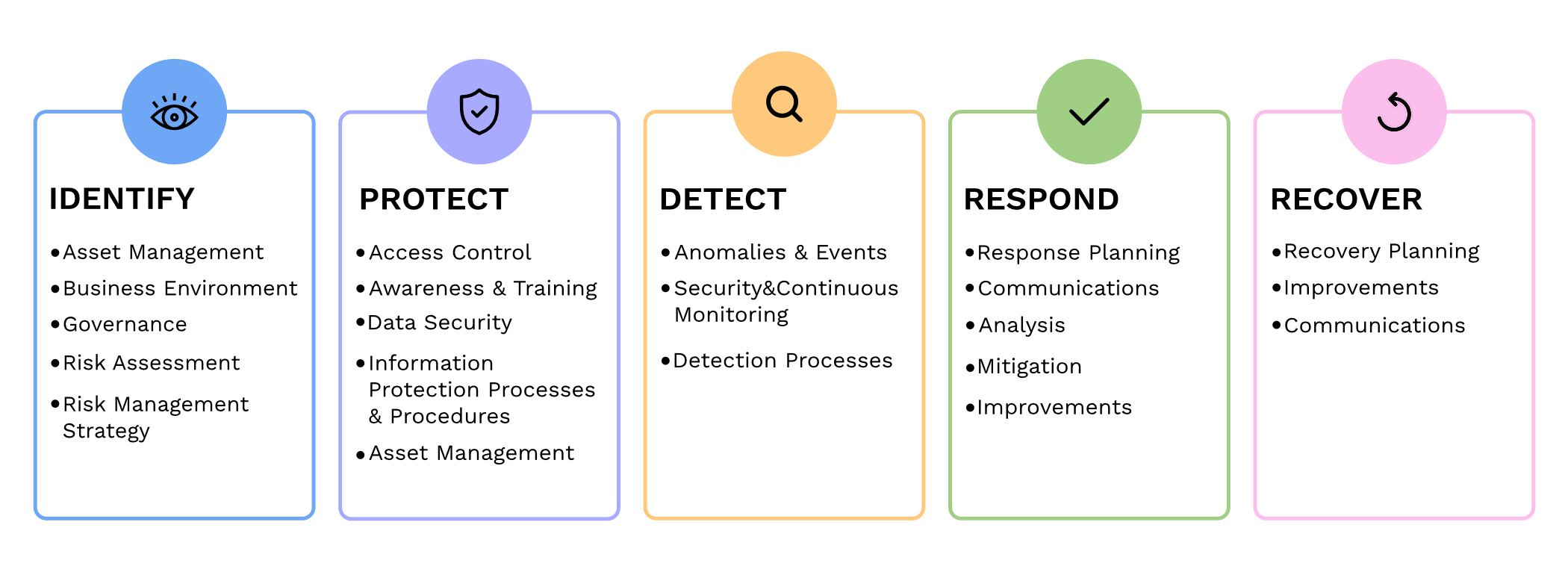
Small and medium-sized businesses (SMBs) are the backbone of the economy, but they are often the primary targets for cyberattacks. In fact, according to recent reports, nearly half of all cyberattacks are aimed at SMBs. To protect themselves from these threats and ensure the security of their critical assets, SMBs should consider following the guidelines provided by the National Institute of Standards and Technology (NIST) in their Special Publication 800 series.
Comprehensive Cybersecurity Framework
NIST 800 series provides a comprehensive framework that helps SMBs establish and maintain effective cybersecurity measures. By implementing the NIST guidelines, SMBs can enhance their cybersecurity posture and reduce the risk of potential data breaches, financial losses, and reputational damage.
Improved Risk Management
NIST 800 guidelines focus on risk management, helping SMBs identify and mitigate potential vulnerabilities and threats. Following the guidelines allows SMBs to proactively assess their cybersecurity risks and develop effective strategies to safeguard their sensitive data, intellectual property, and customer information.
Industry-Recognized Standards
NIST 800 series is widely recognized and adopted by both the public and private sectors. By adhering to these guidelines, SMBs demonstrate their commitment to meeting industry standards and best practices. This not only helps build trust with customers and partners but also increases their chances of securing lucrative business contracts and partnerships.
Cost-Effective Approach
Implementing NIST 800 guidelines can be a cost-effective approach for SMBs. These guidelines offer scalable solutions that can be tailored according to the organization’s size, budget, and specific requirements. SMBs can leverage the NIST framework to prioritize their cybersecurity investments, ensuring that they maximize their security efforts within their available resources.
In today’s digitally connected world, SMBs cannot afford to neglect cybersecurity. Following the NIST 800 guidelines provides SMBs with a comprehensive framework to enhance their cybersecurity posture, improve risk management, establish industry-recognized standards, and reduce costs, By working with a managed IT service provider to implementing these guidelines, SMBs can protect their assets, maintain their reputation, and thrive in an increasingly cyber-threatened landscape.
If your company is looking to implement stronger security through an standards based framework, then contact us for assistance.
And God will generously provide all you need. Then you will always have everything you need and plenty left over to share with others. As the Scriptures say,
“They share freely and give generously to the poor. Their good deeds will be remembered forever.”
For God is the one who provides seed for the farmer and then bread to eat. In the same way, he will provide and increase your resources and then produce a great harvest of generosity in you. - 2 Corinthians 9:8-10
We use cookies to ensure that we give you the best experience on our website. If you continue to use this site we will assume that you are happy with it.