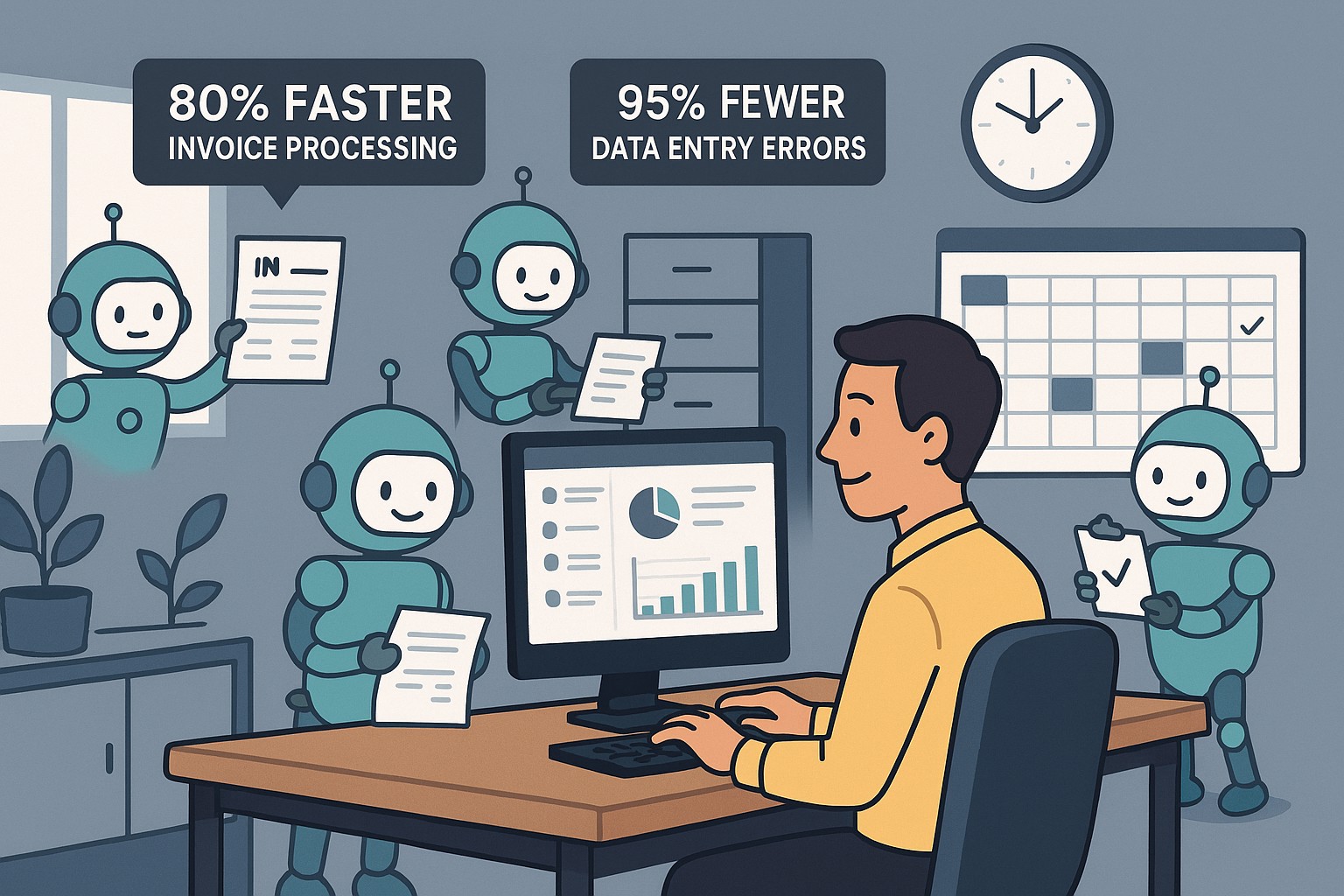
Visualize AI transforming SMB workflows—cut costs by 20% with smart automation tools.
Business owners battle inefficiency amid competition. AI is redesigning workflows for SMBs via automation in sales, HR, and ops, scaling operations without extra hires. Here are some actionable insights.
Core AI Workflow Upgrades
Robotic Process Automation (RPA) automates invoicing and payroll. AI analytics predict inventory needs. GenAI generates client proposals instantly.
Workflow Area
AI Benefit
Efficiency Gain
Sales
Lead scoring
+30% close rate
HR
Resume screening
50% faster hires
Operations
Demand forecasting
Reduced waste 20%
Steps for Owners and IT Departments
Audit Workflows: Identify top 3 bottlenecks.
Choose Scalable Tools: Start with no-code RPA like Zapier AI.
Integrate and Train: Roll out to one department; IT oversees security.
Measure and Iterate: Target 20% time savings in 90 days.
SMB Owner FAQs
Q: What’s the AI learning curve? A: Low—intuitive dashboards; full proficiency in weeks.
Q: ROI timeline? A: 2-4 months via cost cuts.
Q: Data privacy concerns? A: Use compliant AI platforms with audits and reports.
Partner with Farmhouse Networking
We specialize in AI strategies, from correspondence creation to workflow automation. Drive efficiency with our proven AI integrations.
Follow these steps to make your office paperless and embrace a digital workflow that improves efficiency, reduces clutter, and keeps files secure.
Many businesses are seeking ways to reduce their environmental footprint and optimize operations. One significant step towards achieving these goals is transitioning from a traditional paper file office setup to a paperless environment. This article will explore how to make your office paperless, highlighting the myriad benefits this shift can bring, and providing a step-by-step approach to embracing a digital workflow.
The need for a paperless office
The journey towards a paperless office is not merely a trend; it’s a necessary evolution in the way we conduct business. Traditional office settings, characterized by towering filing cabinets and desks littered with paper, are not only environmentally unsustainable but also inefficient in today’s fast-paced business world. The need for a paperless office stems from the growing awareness of our environmental impact, coupled with the technological advancements that enable more efficient ways to store, share, and manage information. Embracing a digital workflow allows businesses to operate more dynamically, with improved accessibility to information and a significant reduction in physical storage requirements.
The transition to a paperless office also aligns with the increasing demand for remote and flexible work arrangements. In the wake of global shifts towards work from home, having digital systems in place ensures that teams can collaborate effectively, irrespective of their physical location. This not only enhances productivity but also opens up opportunities for businesses to tap into a global talent pool.
Benefits of a paperless office
Transitioning to a paperless office brings a multitude of benefits, far beyond the immediate environmental impact of reducing paper use. Firstly, it leads to significant cost savings. The expenses associated with printing, storing, and disposing of paper documents can accumulate, especially for larger organizations. By cutting down on these costs, businesses can allocate resources more effectively towards growth and development initiatives.
Secondly, a paperless office enhances operational efficiency. Digital documents are easier to search, access, and share, saving employees valuable time that would otherwise be spent on manual filing and retrieval. This streamlined workflow not only boosts productivity but also reduces the likelihood of errors associated with manual handling.
Lastly, adopting a digital workflow improves data security and compliance. Digital documents can be encrypted, backed up, and protected with access controls, ensuring sensitive information is safeguarded against unauthorized access and data breaches. Additionally, digital records facilitate easier compliance with legal and regulatory requirements, as they can be organized and presented more effectively during audits.
Steps to make your office paperless
Embarking on the path to a paperless office requires a strategic approach, beginning with a commitment from leadership and a clear communication of the benefits to all employees. The first step is to conduct an audit of your current paper usage. This involves identifying the types of documents that are routinely printed and understanding the purposes they serve. With this insight, you can pinpoint processes that can be digitized.
The next step is to establish guidelines for digital document management. This includes setting standards for document formatting, naming conventions, and storage protocols. Establishing these guidelines early on ensures consistency and eases the transition for employees.
Another critical step is to invest in the necessary technology. This encompasses both hardware, such as scanners and digital signature pads, and software, like document management systems and collaboration tools. Selecting the right technology stack is crucial for a smooth transition and will be discussed in more detail in the following sections.
Choosing the right tools for a digital workflow
The cornerstone of a successful paperless office is the technology that enables it. When selecting tools for a digital workflow, consider both functionality and usability. The goal is to find solutions that not only meet your business needs but are also easy for your team to adopt and use effectively.
Document management systems (DMS) are at the heart of a paperless office. A robust DMS can store, organize, and manage digital documents, making them easily accessible to authorized users. Features to look for in a DMS include powerful search capabilities, version control, and integration with other tools used in your business, such as email platforms and customer relationship management (CRM) systems.
Collaboration tools are also vital for a paperless office. These tools enable real-time communication, collaboration, and document sharing, which is particularly important for teams that are geographically dispersed. Options range from comprehensive platforms that include video conferencing, messaging, and file sharing, to more specialized tools focused on project management and team collaboration.
Implementing document management systems
Implementing a document management system is a significant step towards a paperless office. The process begins with selecting a DMS that aligns with your business requirements. Consider factors such as the volume of documents you manage, the level of security required, and the specific features that will benefit your workflow.
Once a system is chosen, the next step is to migrate existing documents into the digital realm. This can be a daunting task, especially for businesses with extensive paper archives. Prioritize documents based on their relevance and frequency of use, starting with those that are accessed regularly. Scanning and digitizing these documents not only reduces physical storage needs but also makes them more accessible to your team.
Training is another crucial component of implementing a DMS. Ensure that all employees are familiar with how to use the system effectively. This includes understanding how to upload and retrieve documents, as well as how to use any additional features that the system offers. Regular training sessions and support can help ease the transition and ensure that your team is making the most of the digital tools at their disposal.
Transitioning to digital file storage and organization
Digital file storage and organization are key components of a paperless office. Moving away from physical filing cabinets to digital storage solutions not only saves space but also enhances the accessibility and security of your documents. Cloud-based storage solutions are particularly effective, as they allow files to be accessed from anywhere, at any time, provided there is an internet connection. This is invaluable for businesses with remote teams or those that require access to documents outside of the office.
When transitioning to digital file storage, it’s important to establish a clear organizational structure. This should mimic the structure of your physical filing system as closely as possible, to minimize confusion and ensure a smooth transition. Utilize folders and subfolders to categorize documents, and adhere to the naming conventions and document management guidelines established earlier.
Regular backups are also crucial when relying on digital storage. Ensure that your data is backed up automatically and frequently, to protect against data loss due to technical failures or cyber attacks. Many cloud storage providers offer built-in backup and recovery options, making this process easier to manage.
Ensuring security and compliance in a paperless office
One of the concerns that businesses often have when transitioning to a paperless office is ensuring the security and compliance of their digital documents. This is particularly relevant for industries that handle sensitive information, such as finance and healthcare. Digital documents must be protected with appropriate security measures, including encryption, access controls, and secure authentication methods.
Compliance is another critical consideration. Many industries are subject to regulations regarding the management and retention of documents. Ensure that your digital workflow complies with these requirements, and that documents can be easily retrieved and audited if necessary. This may involve implementing specific features within your document management system, such as audit trails and retention policies.
Training employees on best practices for data security is also essential. This includes using strong passwords, recognizing phishing attempts, and understanding the importance of protecting sensitive information. Regular training sessions and updates on security policies can help maintain a high level of awareness and compliance among your team.
Training and onboarding employees for a digital workflow
Successfully transitioning to a paperless office requires the buy-in and cooperation of your entire team. Training and onboarding employees for a digital workflow are therefore critical components of the process. Start by explaining the benefits of going paperless, both for the business and for employees individually. This can help foster a positive attitude towards the change.
Provide comprehensive training on the tools and systems that will be used in the paperless office. This should cover not only the basic functions but also any advanced features that can enhance productivity and efficiency. Make use of online tutorials, webinars, and live training sessions to accommodate different learning styles and schedules.
It’s also important to offer ongoing support as employees adapt to the new systems. Establish a helpdesk or designate “digital champions” within your team who can provide assistance and answer questions. Encouraging a culture of continuous improvement and openness to feedback can help identify issues early and ensure that your digital workflow evolves to meet the needs of your team.
Overcoming challenges of going paperless
Transitioning to a paperless office is not without its challenges. One of the biggest hurdles can be resistance from employees who are accustomed to traditional ways of working. Addressing concerns and providing adequate training and support can help mitigate this resistance.
Technical issues can also arise, particularly in the early stages of implementation. Choosing reliable tools and systems, and ensuring they are properly set up and integrated, can help minimize these issues. Additionally, maintaining a flexible approach and being prepared to make adjustments as needed can help overcome any obstacles that arise.
Another challenge is ensuring that digital documents are properly organized and managed. This requires a disciplined approach to document management and adherence to the guidelines and protocols established at the outset. Regular audits and reviews can help maintain order and prevent digital clutter from accumulating.
Let Farmhouse Networking show you how to make your business paperless. Our expertise and tailored solutions can help you navigate the transition smoothly and effectively, ensuring your office is equipped for the digital age. Embrace a sustainable and efficient digital workflow today, and propel your business into a future where efficiency and sustainability go hand in hand.
Automated RMM cleanup targets files older than configurable days threshold
As our business continues to focus on providing white labeled Tier 3 IT support services, RMM as a service, and co-managed IT services this blog will be highlighting tips for RMM automation. Here is a script that we came up with to handle a particular client that has a Line-of-Business application that does automatic backups to the server but it does not clean up after itself which leads to a full server hard drive. We have tailored this script to be used not only at that client but for any folder on any Microsoft Windows computer for any number of days previous and for any specified file extension. This script could easily be modified to take any action on files in a folder older than a specific date, like copy them to off-site storage bucket in Amazon Glacier.
Variables
Here are the variables we are using for this script:
$DaysAgo = the number of days ago or older that you want deleted
$FileExtension = the extension for the files that are to be deleted or leave blank for all files
$FolderPath = the full local file path that is to be cleaned
Script Snippet
# Defines the 'days old' (today's date minus DaysAgo)
$days = -($DaysAgo)
$age = (Get-Date).AddDays($days)

# Get all the files in the folder and subfolders matching extension | foreach file
if ($FileExtension -ne '') {
    Get-ChildItem $FolderPath -Recurse -File | Where-Object { $_.Extension -eq $FileExtension } | foreach{
        # if creationtime is 'le' (less or equal) than DaysAgo days
        if ($_.CreationTime -le $age){
            Write-Output "Older than $DaysAgo days - $($_.name)"
            # remove the item
            Remove-Item $_.fullname -Force -Verbose
            }
        }
    }else {
        Get-ChildItem $FolderPath -Recurse -File | foreach{
            # if creationtime is 'le' (less or equal) than DaysAgo days
            if ($_.CreationTime -le $age){
                Write-Output "Older than $DaysAgo days - $($_.name)"
                # remove the item
                Remove-Item $_.fullname -Force -Verbose
                }
            }
    }
This script is destructive meaning that the files deleted are gone for good, so be careful with this one. Notice that we put in some output that will declare a file older than $DaysAgo and then delete it giving the details of the delete. This give a record of what was deleted. We have thought also about adding a counter for total amount of file space deleted, but making it human readable is not simple code.
If your company is a MSP or wants to become one and automation just seems out of reach, then contact us to run your RMM for you.
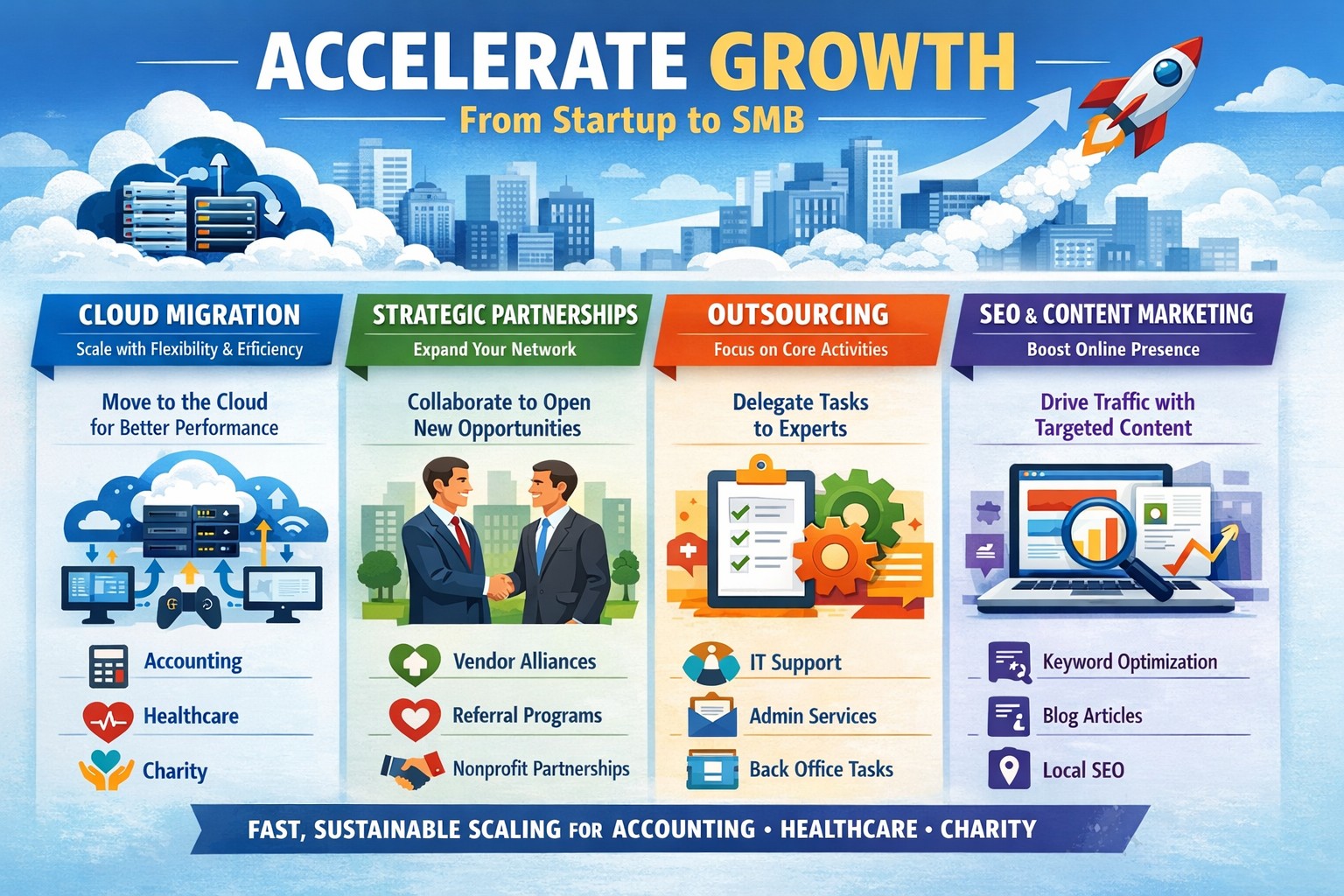
Scaling from a scrappy startup to a thriving small-to-medium business (SMB) demands more than hustle—it requires strategic execution. These four proven strategies, drawn from real-world SMB successes, focus on leveraging IT infrastructure, partnerships, and data-driven decisions to drive rapid, sustainable growth.
Strategy 1: Embrace Digital Transformation
Modernize your operations with cloud infrastructure and data analytics to boost efficiency by 5-6% over competitors.
Business owners and IT teams should audit current systems, migrate to scalable cloud platforms like AWS or Microsoft Azure, and integrate analytics tools such as Google Analytics or Tableau. Start by identifying bottlenecks—e.g., manual invoicing—and automate them within 30 days. IT departments can prioritize secure data migration, testing for downtime risks, to ensure seamless scaling.
This foundation cuts overhead and enables agility for 20% revenue growth in emerging markets.
Strategy 2: Build Strategic Partnerships
Collaborate with complementary businesses to expand reach and cut market entry time by up to 50%.
Action steps: Inventory your network for co-branding opportunities, like joint webinars with non-competing firms in accounting or healthcare. IT teams should set up secure API integrations for shared data access. Owners negotiate mutual-benefit deals, tracking ROI via shared dashboards.
Partnerships amplify visibility without heavy ad spend, ideal for B2B sectors like charities needing reliable tech allies.
Strategy 3: Outsource Non-Core Functions
Focus on strengths by outsourcing IT, customer service, or marketing, infusing innovation without full-time hires.
Practical steps for owners: Assess tasks eating 20%+ of time (e.g., cybersecurity), then RFP vetted providers. IT departments document workflows for handover, implement monitoring tools like Slack integrations, and conduct quarterly reviews. Expect cost savings and expertise gains within 60-90 days.
This frees resources for core revenue drivers, accelerating SMB maturity.
Strategy 4: Invest in SEO and Content Marketing
Drive organic traffic with keyword-optimized content, targeting “accelerate SMB growth” terms to rank higher.
Owners: Develop a 90-day content calendar around pain points like “startup to SMB scaling.” IT enables fast-loading sites with mobile optimization. Use tools like SEMrush for keyword research, aiming for local SEO in areas like Estacada, OR.
Consistent execution yields compounding leads, with 73% of consumers favoring personalized content.
FAQs: Client Inquiries Answered
How long until I see growth results? Most strategies show ROI in 3-6 months with consistent execution; digital transformation often quickest at 1-2 months via efficiency gains.
What’s the IT investment for startups? Budget $5K-$20K initially for cloud/outsourcing setups, scaling with revenue—far below full hires.
Safe for regulated industries like healthcare? Yes, prioritize HIPAA-compliant partners and security audits to mitigate risks.
Measure success? Track KPIs: revenue growth (20% target), customer acquisition cost drop, and site traffic uplift via Google Analytics.
How Farmhouse Networking Helps
Farmhouse Networking specializes in IT solutions for accounting, healthcare, and charity SMBs transitioning from startups. We handle cloud migrations, secure outsourcing setups, API partnerships, and SEO-optimized infrastructure to execute these strategies flawlessly.
Our team audits your systems, implements automation, and monitors 24/7—delivering 99.9% uptime and growth-focused tech without in-house overhead. Clients see 30%+ efficiency gains, positioning them as thriving SMBs.
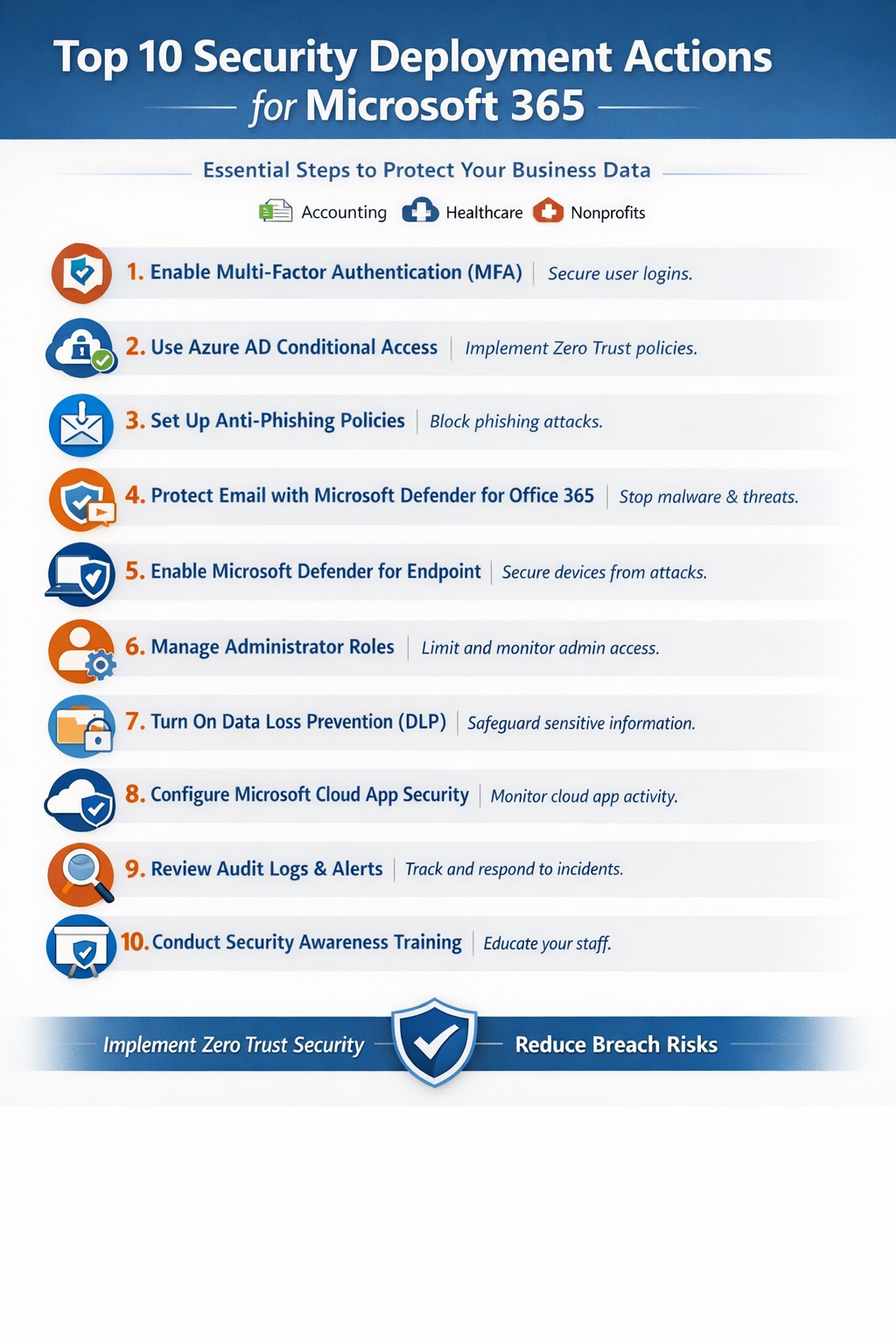
Relying on Microsoft 365 for productivity exposes you to rising cyber threats like phishing and data breaches. Implementing these top 10 security deployment actions fortifies your defenses, protects sensitive data, and ensures compliance—directly impacting your bottom line.
Action Steps for Deployment
Work with your IT team to execute these prioritized steps, drawn from Microsoft-recommended practices. Each targets users, devices, apps, and data for layered protection.
Deploy Azure AD for Unified Identities: Connect on-premises directories to Azure Active Directory (now Entra ID). Create single identities for secure access across resources. Enable in the Microsoft Entra admin center.
Enable Multi-Factor Authentication (MFA): Mandate MFA for all users, prioritizing admins. Use Conditional Access policies to enforce based on location, device, or risk. Start in report-only mode to test.
Set Up Single Sign-On (SSO): Configure SSO in Entra ID for seamless authentication across cloud, devices, and on-premises apps. Reduces password fatigue while enhancing security.
Implement Anti-Phishing Policies: Activate anti-phishing in Microsoft Defender for Office 365. Enable impersonation protection, spoof intelligence, and mailbox intelligence to block targeted attacks.
Configure Data Loss Prevention (DLP): Set DLP policies in Microsoft Purview to classify, label, and protect sensitive data in emails, documents, and Teams. Block sharing of financial or health records.
Enable Safe Links and Safe Attachments: Turn on these Defender features to scan URLs and attachments in real-time. Uses sandboxing to detonate malware safely.
Deploy Microsoft Intune for Devices: Enroll devices in Intune for compliance policies, encryption, and app protection. Integrate with Defender for Endpoint to block threats.
Block Legacy Authentication: Disable POP, IMAP, and SMTP protocols via Conditional Access. Force modern auth to support MFA and cut legacy risks.
Apply Security Baselines and Updates: Use Microsoft security baselines for M365, Exchange, and Windows. Automate patches via Azure Update Manager and monitor compliance.
Monitor with Defender XDR: Activate Microsoft Defender XDR for unified threat detection across endpoints, identity, email, and apps. Review executive reports monthly.
These steps create a zero-trust model, reducing breach risks by up to 99% per Microsoft data.
FAQ: Client Inquiries Answered
How long does implementation take? Most actions deploy in 1-2 weeks for small businesses, starting with MFA and DLP. Full rollout with testing spans 4-6 weeks.
What if we have limited IT staff? Prioritize quick wins like MFA and anti-phishing via the Microsoft 365 Defender portal. Outsource complex configs to experts for speed and compliance.
Does this cover compliance like HIPAA? Yes—DLP and Purview handle healthcare data; Intune ensures device compliance. Audit logs support regulations.
How do we train employees? Use Attack Simulation Training in Defender to run phishing drills. Pair with monthly awareness sessions targeting high-risk users.
What about costs? Core features are in E3/E5 licenses; advanced ones may need add-ons. ROI comes from avoiding $4.45M average breach costs.
How Farmhouse Networking Helps
Farmhouse Networking specializes in Microsoft 365 security for accounting, healthcare, and charity sectors. We audit your tenant, deploy these 10 actions via customized roadmaps, and optimize SEO-friendly sites to attract B2B leads. Our lead gen strategies convert traffic into clients, while branding enhances trust. We’ve helped similar firms cut threats by 80% through Intune and Defender setups.
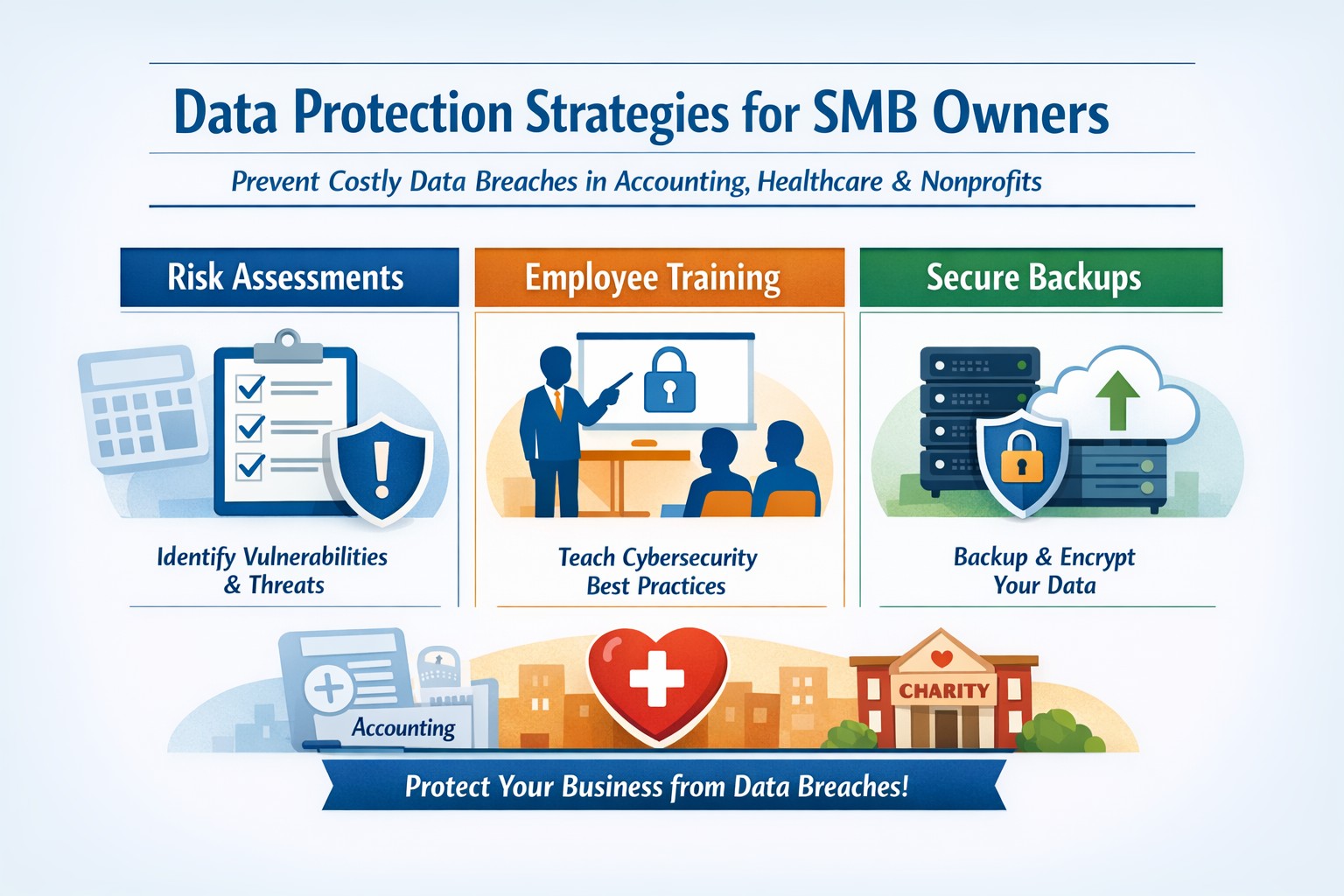
A single data breach can wipe out years of hard work—costing you customers, revenue, and reputation. In today’s digital landscape, where cyberattacks target small firms 4x more than large ones, proactive data protection isn’t optional; it’s survival. This guide delivers practical, actionable strategies tailored for you and your IT team to lock down your data effectively.
Key Action Steps
Implement these steps immediately to build robust defenses. Prioritize based on your risk assessment—start with employee training and backups, as human error causes 74% of breaches.
Conduct a Cybersecurity Risk Assessment: Map your data flows, identify vulnerabilities (e.g., outdated software), and prioritize fixes. Use free tools from the SBA to evaluate networks and access points.
Train Employees on Phishing and Best Practices: Mandate quarterly sessions covering phishing recognition, safe browsing, and password hygiene. Tools like KnowBe4 offer affordable options; enforce multi-factor authentication (MFA) everywhere.
Secure Networks and Devices: Enable firewalls, update all software automatically, and install antivirus (e.g., free tiers from Avast or Malwarebytes). Encrypt sensitive data at rest and in transit using built-in tools like BitLocker.
Implement Backups and Access Controls: Automate daily backups to cloud (e.g., Google Drive or Backblaze) stored offsite. Use role-based access: employees see only needed data, with unique strong passwords (15+ characters) changed quarterly.
Monitor and Patch Regularly: Scan for vulnerabilities weekly with tools like Nessus Community Edition. Limit admin privileges and log access attempts.
These steps, drawn from FTC and SBA guidelines, can reduce breach risk by up to 90% when followed consistently.
FAQ: Client Inquiries Answered
Address common questions from your clients to build trust and position your business as secure.
Q: How often should we back up data? A: Automate backups daily or weekly for critical files (financials, customer lists), storing them offsite or in encrypted cloud storage. Test restores quarterly to ensure usability.
Q: What’s the biggest threat to small businesses? A: Phishing via email—95% of breaches start here. Train staff to spot red flags like urgent requests or bad links; enable email filters and MFA.
Q: Do we need expensive software? A: No—start with free tools: OS firewalls, open-source antivirus, and password managers like Bitwarden. Budget $50-200/month scales to enterprise-grade as you grow.
Q: How do we handle remote workers? A: Require VPNs for access, encrypt devices, and use MDM tools like Jamf Now. Wipe lost devices remotely.
Q: What if we’re hit by ransomware? A: Isolate affected systems, restore from clean backups, and notify authorities/insurers. Prevention via patches and segmentation limits spread.
How Farmhouse Networking Helps
Farmhouse Networking specializes in tailored cybersecurity for small businesses in accounting, healthcare, and nonprofits. We conduct your initial risk assessment, deploy automated backups and MFA, and train your team remotely—often in under a week.
Our SEO-optimized websites integrate secure forms and HTTPS, boosting organic traffic while protecting leads. For healthcare clients, we ensure HIPAA compliance; accountants get encrypted client portals. Past clients report 40% fewer incidents and faster recovery.
We handle IT burdens, freeing you to focus on growth—custom strategies include lead-gen funnels that convert secure visitors into B2B clients.
Call to Action
Ready to fortify your data defenses? Email support@farmhousenetworking.com today for a free risk audit and personalized plan. Protect your business—act now.
The Secretary of State actually sent out an email alert concerning fraudulent activity. Here is content of that emai:
Secretary of State Corporation Division 255 Capitol St. NE, Suite 151 Salem OR 97310 sos.oregon.gov/Business Contact: Corporation.Division@oregon.gov | 503-986-2200
New Business Spam Alert!
Newly-formed Oregon businesses have received a solicitation from OR Certificate Services offering a Certificate of Standing/Existence for $77.25. Many businesses do not need this certificate. Those that do may obtain one directly from Secretary of State for $10.
This solicitation may appear to be from a government agency, but it is not.
You may wish to request a refund if you were misled by this solicitation. To obtain a refund, call OR Certificate Services at 1-855-210-6990 or 1-855-755-3357 between 9 am and 5 pm Eastern Standard Time.
Check our Business Alerts Page
Spammers and scammers targeting businesses are numerous and relentless. We want you to stay abreast of how these schemes can negatively affect your business, so we post details of each scam on our Business Alerts page. Check the page before you respond to suspicious mail.
If you believe you’ve been the victim of a business scam, please contact us at Corporation.Division@oregon.gov or call 503-986-2200.
Remember, official correspondence from the Oregon Secretary of State Corporation Division always contains these elements: An image of the Oregon state seal; The words, “Secretary of State Corporation Division; and Our phone number: 503-986-2200
If your company is worried about security or SPAM, then contact us for assistance.
The dark web is often known for the illegal activities conducted there, and while not everything on the dark web is illegal, it’s most appealing factor is its anonymity. The dark web is often a place where stolen data and personal information is bought and sold following a data breach or hacking incident. An article on Experian takes a look at what your personal information is worth on the dark web and how you can help protect yourself from being exposed.
How much is your information worth to an identity thief on the dark web?
Social Security number: $1
Credit or debit card (credit cards are more popular): $5-$110
With CVV number: $5
With bank info: $15
Fullz info: $30
Note: Fullz info is a bundle of information that includes a “full” package for fraudsters: name, SSN, birth date, account numbers and other data that make them desirable since they can often do a lot of immediate damage.
Online payment services login info (e.g. Paypal): $20-$200
Loyalty accounts: $20
Subscription services: $1-$10
Diplomas: $100-$400
Driver’s license: $20
Passports (US): $1000-$2000
Medical records: $1-$1000*
*Depends on how complete they are as well as if it’s a single record or an entire database
General non-Financial Institution logins: $1
Note: Prices can vary over time and prices listed below are an estimation and aggregation based on reference articles and hands on experience of Experian cyber analyst the last two years.
How are criminals purchasing this information on the dark web?
Information can be bought and sold a variety of ways on the dark web, however the most common include:
Purchasing data as a single item, such as a Social Security number.
Purchasing bulk data, such as batches of the same information.
Purchasing bundled data containing various types of information bundled together.
The cost of personal information on the dark web fluctuates, but what is responsible for the change?
The four main factors driving the cost of personal information on the dark web include:
The type of data and the demand for it. The cost often depends on the type of data and the need or ability to use that data.
The supply of the data. If there is less data available for a cybercriminal to purchase, the value of that data increases.
The balance of the accounts. The higher the balance in the stolen account, the higher the cost of the data. The balance could be the amount of money in a particular account as well as points value (i.e., a loyalty account).
Limits or the ability to reuse the data. If the data being purchase can only be used once, the value of that data is worth less to a cybercriminal than data that can be reused multiple times or across various platforms
How can you protect yourself?
Data breaches are becoming increasingly common and are often outside of your control. It is important to help minimize your risk of a hacker gaining access to your accounts by utilizing healthy password practices and by keeping your personal information private unless it is absolutely necessary to share. Keeping antivirus software and all other software up to date will also play a crucial role in protecting your information, as these updates could contain security patches to fix potential vulnerabilities that could expose your information.
It is also recommended to run a dark web scan on your email address, utilize a dark web monitoring tool and monitor your credit report for potential red flags that your identity may have been compromised.
If your company is concerned about information leakage or breaches, then contact us for assistance.
And God will generously provide all you need. Then you will always have everything you need and plenty left over to share with others. As the Scriptures say,
“They share freely and give generously to the poor. Their good deeds will be remembered forever.”
For God is the one who provides seed for the farmer and then bread to eat. In the same way, he will provide and increase your resources and then produce a great harvest of generosity in you. - 2 Corinthians 9:8-10
We use cookies to ensure that we give you the best experience on our website. If you continue to use this site we will assume that you are happy with it.